#site-support
1 messages · Page 164 of 1
 feral dock
 barren birch
Top one @naive dust
In retrospect, that would have made sense
Next time I do a Kali install that's what I'll be doing
But honestly I really like being able to switch on or off the anonymity
It's a really neat little function -- took ages to build
 naive dust
nmap -7.80?
barren birch
If that's what it's offering, yeah
Small warning -- anti-virus often does not like nmap
It is fine though
Just the kinda thing an attacker would download if they'd got access 🤷♂️
naive dust
To run lenux in my windows OS u r suggesting to download Virtual Machine for me ,thast it?
barren birch
That's the most sensible option
naive dust
tnx a lot. But is there any option for harm of my device?
barren birch
That's what it looks like in VMware Workstation
Just a box, containing another operating system
And no, there shouldn't be any harm to your main OS
It is extremely difficult to escape from a VM
feral dock
@barren birch Year of the fox? 👀
feral dock
Awesome, just rooted CherryBlossom today
feral dock
😌
barren birch
I've almost finished building the privesc for Monkshood
 celest sapphire
another box full of rabbitfox holes? :)
barren birch
That one has so many traps, I keep falling into them myself
barren birch
Haha, YOTF isn't actually too bad. It was meant to be nice and simple
It's, uh, kinda spiralled
Might submit it as a hard box
But it's probably easier than CherryBlossom
Monkshood is infinitely harder
Actually, this might be on Par with CherryBlossom
If you get the privesc wrong, the whole thing will self-destruct and you'll be starting again from the beginning given it's autogenning passwords
celest sapphire
yikes
barren birch
Just get it right first time 😁
One shot
Oh, also, how are you with tunneling when SSH isn't installed?
feral dock
👀
barren birch
Because if you haven't tried it, now would be a good time to learn 😁
In retrospect
This is no longer a simple box
feral dock
I hope it doesn't come out the same time as James's box 😄
barren birch
James' should come out first -- it was submitted earlier
Both of them, actually
I've got two challenges and a tutorial, plus the replacement to the Kali machine to do
Hopefully get them done before PWK
feral dock
@barren birch Your taking the course? 😮
barren birch
Mhm. I was hoping to start it on Friday, but didn't realise there was a two week wait 😅
feral dock
Nice! Good luck! We should probably stop using #site-support to chat 😀
feral dock
Ctrl+c
naive dust
oh tnx
 lavish gate
Even though after running the ovpn on ubuntu it says that I am not connected
the final line that I get in my terminal is Sun May 31 19:32:48 2020 Initialization Sequence Completed
 supple sonnet
that means connection is completed @lavish gate
lavish gate
yeah but when I go to the /access webpage
supple sonnet
ignore the access page
lavish gate
In the Network Info it shows an X beside Connected
naive dust
What should I write in NmapTarget?
barren birch
That is ZenMap
naive dust
yeah, how start it and where to wrote nmap?
barren birch
Stick this in the "Command" box then click Scan:
nmap -sV -p- -vv <target>
Save me learning the GUI
Oh
and don't type "<target>"
Replace that with the IP address that the room gives you
 bronze vale
My streak keeps going back to one?
I first got a 3 day streak and when I came back on it was back down to 1 so I just presumed I missed a day but yesterday I got it to 2 and it’s back on one?
feral dock
Streaks are known to be buggy, a fix will be released for them soon.
bronze vale
Ah okay, awesome thanks
 eager fulcrum
@naive dust BTW, you keep asking questions on "How do I do this" in this chat. #room-help for help in rooms
naive dust
Is there a solution to preventing the ssh’d machines from freezing after about a minute
 sharp bisonBOT
 TryHackMe
• Step 1
Type ps aux | grep openvpn into your terminal and press enter
• Step 2
If there's more than one line (and the second doesn't have "grep" in it), do the following steps
• Step 3
Type killall openvpn into your terminal and press enter
• Step 4
Start the VPN with sudo openvpn <path-to-config>

From TryHackMe with ❤!
naive dust
Thanks
If it says !multivpn event not found does that mean there is currently no vpn running
eager fulcrum
wat
Did you type !multivpn in your terminal or something?
Don't do that
Read the message from the bot
naive dust
Idk I had like 4 or 5 lines when I did ps aux then did the killall command
Then just one
Maybe I had multiple vpn’s running
eager fulcrum
Probably
naive dust
Alright let’s see how it works this time
Yes it is working now it has not frozen for several minutes
Thanks
 uneven igloo
hey
i'm trying to connect with ssh and that's the message that i receive every time
Permission denied (publickey).
what can i do?
my vpn is connected already
eager fulcrum
@uneven igloo You're trying to SSH into something you're not meant to SSH into
 sterile shoal
Hey all. Im getting a connection error when trying to launch the in-browser machine, using chrome. That on my end? Thx.
I was previously using a VM but wanted to try the in-browser machine.
uneven igloo
@uneven igloo You're trying to SSH into something you're not meant to SSH into
@eager fulcrum hmm ok, i'm trying to ssh the 'Advent of Cyber' ip machine
maybe i did something wrong
eager fulcrum
Which task?
uneven igloo
number 6
eager fulcrum
Honestly all the information you need is in the room and supporting material
You shouldn't immediately try and SSH into the room
The VMs can't verify your tryhackme credentials
uneven igloo
i see, what shoud I do? the other rooms i connected without any problem
thx for the responses
sterile shoal
The VMs can't verify your tryhackme credentials
@eager fulcrum I assume that was to me. Im good to go now. Thx. 😉
eager fulcrum
@sterile shoal No, not to you
sterile shoal
oh, lol, well anyway, its connected now. Figured it was to do with me not verifying my credentials on here. Just having one of those days lol.
uneven igloo
i waited something like 10 minutes to try ssh, already checked the /etc/ssh/sshd_config and it's all right too. i think that i'll wait some more time and try again
eager fulcrum
@uneven igloo Ok, but why are you trying to SSH?
uneven igloo
i tried to access the website at 'ip:3030' but the connection got refused
eager fulcrum
/etc/sshd_config is the SSH server running on your machine


 peak forge
hello, im having problems with my ovpn file. I connected this last days normally but today i had to request a new file. I got this output when running sudo openvpn <my file>:
Mon Jun 1 11:03:12 2020 OpenVPN 2.4.9 x86_64-pc-linux-gnu [SSL (OpenSSL)] [LZO] [LZ4] [EPOLL] [PKCS11] [MH/PKTINFO] [AEAD] built on Apr 21 2020
Mon Jun 1 11:03:12 2020 library versions: OpenSSL 1.1.1g 21 Apr 2020, LZO 2.10
Mon Jun 1 11:03:12 2020 OpenSSL: error:0909006C:PEM routines:get_name:no start line
Mon Jun 1 11:03:12 2020 OpenSSL: error:140AD009:SSL routines:SSL_CTX_use_certificate_file:PEM lib
Mon Jun 1 11:03:12 2020 Cannot load inline certificate file
Mon Jun 1 11:03:12 2020 Exiting due to fatal error
feral dock
@peak forge Switch servers and regenerate config file
peak forge
that works, but it doesnt in the eu vip one
 late zodiac
yeah im having the same problem with the vip one
peak forge
hummm i suppose that is a server problem
feral dock
It is, the admins have been informed.
peak forge
thanks 😄
 sharp osprey
yeah me too on the same problem. EDIT: Have regenerate the VPN but not in VIP. The VIP EU vpn doesn't work at this moment
 deep trellis
hello, im having problems with my ovpn file. I connected this last days normally but today i had to request a new file. I got this output when running sudo openvpn <my file>:
Mon Jun 1 11:03:12 2020 OpenVPN 2.4.9 x86_64-pc-linux-gnu [SSL (OpenSSL)] [LZO] [LZ4] [EPOLL] [PKCS11] [MH/PKTINFO] [AEAD] built on Apr 21 2020
Mon Jun 1 11:03:12 2020 library versions: OpenSSL 1.1.1g 21 Apr 2020, LZO 2.10
Mon Jun 1 11:03:12 2020 OpenSSL: error:0909006C:PEM routines:get_name:no start line
Mon Jun 1 11:03:12 2020 OpenSSL: error:140AD009:SSL routines:SSL_CTX_use_certificate_file:PEM lib
Mon Jun 1 11:03:12 2020 Cannot load inline certificate file
Mon Jun 1 11:03:12 2020 Exiting due to fatal error
@peak forge All fixed, a new weird OpenVPN error I had not encountered before.
@sharp osprey @late zodiac If you're having issues with the VIP server, regenerate your config file, then redownload and try again.
late zodiac
@deep trellis i already did that still the same issue
deep trellis
Whats your THM username?
late zodiac
i did that like 5 times
deep trellis
Did you try that within the last 10 minutes?
late zodiac
yup
late zodiac
0x5pl01t
deep trellis
All fixed - please regenerate and confirm it works.
late zodiac
thanks
for some reason lately it takes awhile for the vpn to complete
it just hangs and restarts and there no other vpn running aswell
deep trellis
The TLS key negotiation failed error is a problem on your side, not ours. Please read the follow guide to fix it: https://openvpn.net/faq/tls-error-tls-key-negotiation-failed-to-occur-within-60-seconds-check-your-network-connectivity/

One of the most common problems in setting up OpenVPN is that the two OpenVPN daemons on either side of the connection are unable to establish a TCP or UDP connection with each other. This is usually the result of: A perimeter firewall on the server's network is filtering out ...
Once we enable the VPN over TCP, this can resolved. But for now, please use that guide:)
naive dust
Can anybody help me here? I have to wait one Hour until my Kalimachine is ready and accessible. Is this normal?
naive dust
no Paid account
 simple wagon
i mean are you subscribed?
then that's weird
i've had same issue while i was on a free account
barren birch
Try redeploying it?
That problem is meant to be fixed, but it can be a little buggy
simple wagon
some vpn issues i guess but mine fixed when i switched to subscription
naive dust
Iam subscribed....
Alo tried to redeploying it. Not working have to wait again on Hour
barren birch
@deep trellis mind taking a look here?
deep trellis
Can anybody help me here? I have to wait one Hour until my Kalimachine is ready and accessible. Is this normal?
@naive dust Ah, is it just the countdown thats the problem? If so, I think there is a datetime bug - where are you deploying it from? The room or the MyMachine room page?
naive dust
@deep trellis I tried both with the same waitingtime
deep trellis
Okay, let me take a look:)
naive dust
@deep trellis Thank you 🙂
naive dust
hi, vpn work today? I manage to connect on the vpn but in access it tells me that I am not connected
naive dust
ok thanks
 stone roost
||how do you exit vim?||
 grave leaf
Hold the power button down on your machine for three seconds.
Usually does the trick.
 zealous yoke
Don't enter it
eager fulcrum
@paper cloud what's wrong?
 paper cloud
i cant connect tryhackme network
i install the openvpn and download my config but it doesnt work
i cant connected
eager fulcrum
You'll need to give us a bit more information
We can't tell what's wrong if we can't see error messages or what you're doing
paper cloud
my computer is win 10 and i download my config and open vpn, i add my config to openvpn
but dont write connet in site
sharp bisonBOT
TryHackMe
Learn how to use OpenVPN to connect to our network!
From TryHackMe with ❤!
paper cloud
realy 😄
eager fulcrum
If you can complete the task at the end of this, you're connected
paper cloud
how can i understand i am connected
eager fulcrum
The task at the end of the room that I linked.
peak forge
@deep trellis
eager fulcrum
@peak forge no need to tag skidy
peak forge
I regenerated the file
eager fulcrum
Regen again
peak forge
Well he was the one that answered me
deep trellis
If you're on EU-VIP-1, then I'll need to manually reset. & ty James:)
peak forge
Regen again
@eager fulcrum again
If you're on EU-VIP-1, then I'll need to manually reset. & ty James:)
@deep trellis thats what im trying
deep trellis
whats your THM username?
eager fulcrum
@deep trellis sounds like it's going to lose THM some users...
peak forge
Thegjv
@deep trellis sounds like it's going to lose THM some users...
@eager fulcrum :/ i wish nope. Its a very beautiful platform
naive dust
ftp 10.10.58.88
Connected to 10.10.58.88.
220 Catch this flag 47: ******************
Name (10.10.58.88:root): secure
331 Please specify the password.
Password:
230 Login successful.
Remote system type is UNIX.
Using binary mode to transfer files.
ftp> ls
500 Illegal PORT command.
ftp: bind: Address already in use
ftp> ls
500 Illegal PORT command.
ftp>
Why isn't it letting me ls?
Tried passive, hanging.
eager fulcrum
Change vpn server @naive dust
naive dust
Alright
 radiant jasper
hi i just joined try hack me and this discord server im trying to learn linux and I cant pass the forth task beacause the console is bugged, I download putty I type in the host name "shiba1@the current machine Ip" and then i click open and i cant type in the console
eager fulcrum
@radiant jasper Connect to the VPN
Also, please take screenshots rather than photos of your screen
radiant jasper
ok
naive dust
unzip secret.zip
Archive: secret.zip
End-of-central-directory signature not found. Either this file is not
a zipfile, or it constitutes one disk of a multi-part archive. In the
latter case the central directory and zipfile comment will be found on
the last disk(s) of this archive.
unzip: cannot find zipfile directory in one of secret.zip or
secret.zip.zip, and cannot find secret.zip.ZIP, period.
~/Documents/TryHackMe/CTF/_4.jpg.extracted/Moreflag# file secret.zip
secret.zip: empty
Is this corrupted?
CTF 100, I don't know which flag this will be.
In the 50's
All of the files extracted were empty...
naive dust
Is the solution part of the challenge or a technical issue?
paper cloud
i cant install putty in kali
it says Invalid operation putty
i write sudo apt-get putty it doesnt work
eager fulcrum
Don't install putty on kali
naive dust
^
eager fulcrum
But that's not how you install packages on kali anyway
paper cloud
how
eager fulcrum
How what?
paper cloud
how can i install anythink, is it apt-get ?
eager fulcrum
apt and apt-get is a program
It does more than install packages
- Don't install putty on kali
Putty on linux is bad, and mostly pointless
naive dust
True
naive dust
e.e
paper cloud
i research in 1 hour but it is doesnt work what i was do, i am a room that learn linux that it says install putty
naive dust
Figured out what to do with the challenge.
eager fulcrum
It says install putty for windows if you're connecting from windows @paper cloud
naive dust
@paper cloud That doesn't mean you have to specifically use PuttY.
eager fulcrum
You can, and should, connect from your terminal
you're told how in the room
No extra programs required
paper cloud
you say like that Disclaimer: please do not use putty if you are already on Linux. Use the instructions for the ssh binary down below.
ohh
my english is veryy bad sometimes i can not imagined english in my head
ıts my fault
i cant see pictures
 modest bronze
i cant connect to the virtual machine using putty it keeps saying connection timed out
eager fulcrum
@paper cloud Probably means your ISP is blocking IMGUR
@modest bronze That means your VPN isn't working
sharp bisonBOT
TryHackMe
Learn how to use OpenVPN to connect to our network!
From TryHackMe with ❤!
eager fulcrum
Do the task at the end of this to check your connection
modest bronze
I've regenerated my config file and changed it and it still doesnt work
celest sapphire
which server?
modest bronze
EU regular 1
celest sapphire
what's the error?
modest bronze
celest sapphire
is there anything "suspicious" in the openvpn log?
modest bronze
Mon Jun 01 17:22:11 2020 ERROR: Windows route add command failed [adaptive]: returned error code 1
Mon Jun 01 17:22:11 2020 WARNING: this configuration may cache passwords in memory -- use the auth-nocache option to prevent this
both in red
 wet turtle
Hi, I am not able to load the site on the firefox browser on Kali but I am able to load it on my local machine
eager fulcrum
Sounds like a configuration issue on your kali
wet turtle
it was working fine for close to a month
eager fulcrum
You got burp running?
wet turtle
nope
eager fulcrum
Ok, well I got nothing. Check your configs
wet turtle
stuck on this
eager fulcrum
Just give it time to load
eager fulcrum
I dunno, this isn't a THM issue
eager fulcrum
@hollow locust You're not connected to the VPN
 hollow locust
Cheers, a guide in getting connect on the site?
eager fulcrum
!vpn @hollow locust
sharp bisonBOT
TryHackMe
Learn how to use OpenVPN to connect to our network!
From TryHackMe with ❤!
hollow locust
Thank you
deep trellis
its been on that screen for more than half an hour
@wet turtle What browser are you using? And whats the browsers version?
hollow locust
Sorry, I'm struggling.
hollow locust
Not on mine. Huh, let me get some Google in me.
hollow locust
Well, I've had it a while...
eager fulcrum
I recommend updating to like, at least 2019.4
hollow locust
Cheers, I'll give that a go 🙂
 oblique hare
Why do most, but not all windows rooms with RDP connections seem to kick me off about an hour in of being live? The box is apparently still running with extended time as far as the website.
Is there a setting with my RDP client or on the box that will stop this?
eager fulcrum
@barren birch oh no oh no oh no
barren birch
lib-9-gcc, seems to be a recurring problem since may 25th, according to the internet
New stuff in the repo wants version 9.3.0-5
2019.4 appears to be stuck on 9.2.x
So, no gdb for me 😢
barren birch
That, uh, is also broken without that version of lib-9-gcc...
eager fulcrum
Oh boy
eager fulcrum
I think you can skip the non root thing
barren birch
I intend to 😁
Not tried it yet, but I assume it'll be the same as getting around it on Ubuntu
Which we already do for boxes all the time anyway 🤷♂️
naive dust
Message too big, but everytime I keep trying to crack this hash with rockyou I get this error. Any help?
eager fulcrum
@naive dust Tell john the hash format to use
naive dust
I don't know what format to use, that's the thing.
[SHA256 256/256 AVX2 8x AES]
But yet, it doesn't get a password. I've tried all the SHA256 formats available.
eager fulcrum
@naive dust Well, that's what you need first.
 real spade
hi all. I need help with OpenVPN on VirtualBox
- VM network: NAT
- VM can access the Internet (as you can see)
- OpenVPN is running only one instance and as root
- OpenVPN output:
Tue Jun 2 01:06:58 2020 /sbin/ip link set dev tun0 up mtu 1500
Tue Jun 2 01:06:58 2020 /sbin/ip addr add dev tun0 10.8.50.174/16 broadcast 10.8.255.255
Tue Jun 2 01:06:58 2020 /sbin/ip route add 10.10.0.0/16 metric 1000 via 10.8.0.1
Tue Jun 2 01:06:58 2020 WARNING: this configuration may cache passwords in memory -- use the auth-nocache option to prevent this
Tue Jun 2 01:06:58 2020 Initialization Sequence Completed
ip a
2: eth0: <BROADCAST,MULTICAST,UP,LOWER_UP> mtu 1500 qdisc pfifo_fast state UP group default qlen 1000
link/ether 08:00:27:b9:71:6b brd ff:ff:ff:ff:ff:ff
inet 10.0.2.15/24 brd 10.0.2.255 scope global dynamic noprefixroute eth0
valid_lft 86333sec preferred_lft 86333sec
inet6 fe80::a00:27ff:feb9:716b/64 scope link noprefixroute
valid_lft forever preferred_lft forever
6: tun0: <POINTOPOINT,MULTICAST,NOARP,UP,LOWER_UP> mtu 1500 qdisc pfifo_fast state UNKNOWN group default qlen 100
link/none
inet 10.8.50.174/16 brd 10.8.255.255 scope global tun0
valid_lft forever preferred_lft forever
inet6 fe80::9862:f266:3a2c:f82/64 scope link stable-privacy
valid_lft forever preferred_lft forever
eager fulcrum
You're connected.
zealous yoke
yeah that looks right?
eager fulcrum
What's the issue?
real spade
well but I can't ping the vm, I can't reach it from browser, I can't SSH. nothing..
eager fulcrum
What machine?
real spade
https://tryhackme.com/room/vulnversity I deployed a machine, it gave me an IP

TryHackMe
Learn about active recon, web app attacks and privilege escalation.
eager fulcrum
You can't expect to open it in the browser or SSH to it
real spade
today, I've finished Linux for startes kinda thing on my windows host and eveything went smoothly
eager fulcrum
Have you considered nmapping it?
Also, are you connected to the VPN on windows as well?
You can only be connected from one place at a time
real spade
but I thought tryhackme machines let us access via browser just to show that OpenVPN is working congrats!
no no no. Windows is not connected to vpn
real spade
wow wow wow...
10.10.13.67
Nmap scan report for 10.10.13.67
Host is up (0.098s latency).
Not shown: 994 closed ports
PORT STATE SERVICE
host. is. up...
sharp bisonBOT
TryHackMe
• Step 1
Type ps aux | grep openvpn into your terminal and press enter
• Step 2
If there's more than one line (and the second doesn't have "grep" in it), do the following steps
• Step 3
Type killall openvpn into your terminal and press enter
• Step 4
Start the VPN with sudo openvpn <path-to-config>
From TryHackMe with ❤!
real spade
are you sure? nmap seems to be working?
eager fulcrum
I just scanned it
real spade
that steps are all positive for me
eager fulcrum
And got open ports.
real spade
oh no I've too
eager fulcrum
So you're not connected properly.
real spade
I just didn't want to copy them
Starting Nmap 7.80 ( https://nmap.org ) at 2020-06-02 01:15 +03
Nmap scan report for 10.10.13.67
Host is up (0.098s latency).
Not shown: 994 closed ports
PORT STATE SERVICE
21/tcp open ftp
22/tcp open ssh
139/tcp open netbios-ssn
445/tcp open microsoft-ds
3128/tcp open squid-http
3333/tcp open dec-notes
Nmap Free Security Scanner, Port Scanner, & Network Exploration Tool. Download open source software for Linux, Windows, UNIX, FreeBSD, etc.
 narrow prairie
on the access tab I'm offline but I think I'm connected with the vpn
zealous yoke
Ignore the access page @narrow prairie 🙂
If you can communicate with instances, etc, you're connected
real spade
well good to know.
the issue was that I believe I had to SSH or at least see the browser connected page on every machine but this is my problem obiviously. I'm new on these things
yeah 2nd issue is access page but I never see myself connected at access page so I don't care about it
zealous yoke
Ignore the access page :)
It's a little bit temperamental to say the least at the moment
real spade
guys thanks for your help
narrow prairie
thanks @zealous yoke
 golden thunder
@eager fulcrum any ETA on the username name feature ?
naive dust
would anyone be able to help me with openvpn, i sent in a detailed email to your support@ but got an automated response as i thought i would
naive dust
one sec
I'm having issues connecting to your openvpn server through my virtual machine running kali,

The issue I am having is that the openvpn connection is standing at

Mon Jun  1 17:45:43 2020 Initialization Sequence Completed


Steps i have tried to fix it.

running openvpn as --daemon

running openvpn as root

running a tcpdump to see if its actually connecting logs of that will be down below

generating a new config file for the vpn


check attachments for a log.txt file

im at a loss right now for what to do next to fix it.
basically the email
supple sonnet
!multivpn
sharp bisonBOT
TryHackMe
• Step 1
Type ps aux | grep openvpn into your terminal and press enter
• Step 2
If there's more than one line (and the second doesn't have "grep" in it), do the following steps
• Step 3
Type killall openvpn into your terminal and press enter
• Step 4
Start the VPN with sudo openvpn <path-to-config>
From TryHackMe with ❤!
naive dust
tried that too
eager fulcrum
Unless it says Route Add Failed etc
naive dust
so idk
supple sonnet
rely on that
eager fulcrum
Ignore the /access page
supple sonnet
actually try nmapping the boxes
naive dust
and when i did the tcpdump i was getting unreachable sometimes
uh ok let me try that'
supple sonnet
if you're attacking a windows host, there's a large chance the firewall is up. if thats the case ICMP is blocked
naive dust
Hi i need hwlp
zealous yoke
How so? Also no need to post in multiple channels at the same time.. @naive dust
eager fulcrum
@naive dust Ask in just a single channel, and don't be so vague
naive dust
Sorry
nvm i believe it might have been my connection being unstable for a short time seems to be working now thanks
 spring wing
No ports are open on the server I was assigned. I'm wondering if I did something wrong. I can't advance any further. Any suggestions?
zealous yoke
Have you waited ~5 minutes for it to fully setup? @spring wing
spring wing
yes
zealous yoke
It's akin to switching on your pc - things gotta whir up, etc...
spring wing
ping is good. but no ports open
spring wing
vunlversity.
eager fulcrum
There are ports open
spring wing
hmm
 woven meadow
Restart the instance and wait another several minutes, should work
spring wing
Just start another openvpn and wait for a bit?
zealous yoke
noo that'll break stuff
if your ping is stable it's okay
redeploy, wait a couple of mins. If you have no luck, share the syntax of your nmap scan in #room-help (:
spring wing
ok thank you very much!
 midnight swift
Question, if i was already on vpn and then i subscribe, do i need to redownload my openvpn config file and reconnect?
Or should i, i mean.
eager fulcrum
@midnight swift only if you change server.
midnight swift
Gotcha, had the ssh into the linux server running slow and wasn't sure if i needed to do anything to speed it up
 modest wagon
how come my browser box dosent save anything. everytime i start it i have to redownload things.
celest sapphire
the in-browser kali vm isn't persistent as that would greatly increase costs
modest wagon
its just irratating when it keeps disconnecting
no worries im happy ruinning it on my computer.
running...
 finite dagger
Ola, trying to access the VM in vulnversity (have deployed) , according to the access page I am connected to the VPN but when I navigate to /internal in the browser I am unable to connect.
eager fulcrum
@finite dagger you're probably skipping the port.
finite dagger
coughs sheepishly alright then, thank you.
 grave holly
Hi,
I am getting Internal Server error on using the lab ZTH:Obscure Web Vulns
Getting this for SSTI lab
 sharp bear
since its obscure web vulns it might be intended I havent looked at that room yet though
grave holly
No,this error is not intentional
sharp bear
terminate redeploy
naive dust
Why are router domains always unsecured
Never have https or certificates it seems
Always says “This web page is not secure all information can be intercepted”
sharp bear
because they dont need to be
naive dust
Why is that
eager fulcrum
@naive dust Because you can't generate a HTTPS certificate for an IP address.
Or at least, not a valid one
naive dust
I wonder how I can actually secure my router settings if the web page itself isn’t even secure
grave holly
Same error after redeploying
eager fulcrum
@naive dust This is for tech support related to tryhackme. I recommend asking in #general
naive dust
K
 nimble trail
hi all! is brainstorm fixed (or being worked on)? I hit an issue where the chatserver would not function as expected in immunity (or olly). confirmed the issue with a couple of other users https://discordapp.com/channels/521382216299839518/671144291342745600/717134585678528624
had this issue since last thursday.
eager fulcrum
Very unlikely.
nimble trail
I am working on the other rooms on the offsec path rn in the meantime. Can't complete it until the BOF rooms work, though.
 shut jetty
Im at mac os, ftp seems to be not working, how can i fix that?
naive dust
On Peakhill, I'm attempting to cat the root.txt file, but it says it doesn't exist. When I run ls, it shows.
shut jetty
Passive mode did not worked too
naive dust
I've tried to read it, tried adding a space, special characters, but it didn't read.
@shut jetty Change your VPN country.
It worked for me.
shut jetty
ok
celest sapphire
yeah, regenerating the vpn config should work
@naive dust the root.txt can be tricky, it's not a space tho
naive dust
Huh
eager fulcrum
@naive dust There's characters in the title that mean you can't cat it with cat root.txt
eager fulcrum
John was evil.
naive dust
He was
celest sapphire
nah
naive dust
Still like the box though.
 void bramble
Hello, im attempting the Network Services room. This may be very trivial so sorry in advanced 😅 . Im having a problem on task 6 question 6. If someone could point me in the right direction that would be great
i just don't know what it is
eager fulcrum
@void bramble #room-help and you're being way too vague
shut jetty
worked, the problem was probly with the Us servers ,thx
void bramble
ok @eager fulcrum , sorry about that
feral dock
@eager fulcrum Another one that used that word ^
eager fulcrum
@smoky iron Yeah no, don't use that word.
 smoky iron
What word
eager fulcrum
The slur you used.
smoky iron
That’s all the info I got lol. Connected to shiba2, don’t have permission to do any commands. Says «Permission denied» whenever I try to use touch or other commands. Worked fine when I was on shiba1
Can use ls and echo though but that’s about it I think
eager fulcrum
You're in /home/shiba1 still
Users don't get to write to other users home directories
Or read files
naive dust
On the Mr. Robot CTF, I'm trying to install a plugin with a reverse shell, but it keeps hanging. Any solution?
eager fulcrum
@smoky iron In future, this isn't a tech support issue.
naive dust
Nevermind, just a huge delay compared to other pages.
 nimble surge
hi support, please help me with the credentials for room BP: Volatility . the credentials mentioned is not working. thank you.
eager fulcrum
@nimble surge If they're not working, you're doing something wrong. Nothing wrong with the creds.
nimble surge
issue resolved. terminated and redeployed the vm and it autologged in.
 oblique compass
Hello, I've a question about the burpsuit room : at a given moment, I've to download a certificate on http://burp/ and add it on my firefox preferences but when th cert is added, all the web pages takes a long time to load... Is it normal ?
sharp bear
theyre more than likely not going. burp is an intercept proxy that means it is intercepting all of the requests if you dont forward those requests from burp then the webpages wont load at all
eager fulcrum
@small rune Please actually wait for an answer before posting the same question in a bunch of channels
 small rune
ok sorry
 sick ibex
I don't really care if you're crying
eager fulcrum
@sick ibex ??
 silver rapids
Hello, is there a support email or something I can ping about payment method/ student discount for my account?
eager fulcrum
 silver rapids
tyty
 cedar siren
i'm doing a room where i have to -sV in nmap but it says that the host seems down
i did a -Pn as it said and it said it's up
i tried to -sV again and it still says it's down so i'm not sure what t odo
i looked up but i couldnt find what i should do
other than do -Pn
i'm on powershell by the way, do you think i should try it on kali (if that makes a difference)?
eager fulcrum
A kali linux VM is going to be nicer for the long term
Sounds like VPN issues though
Oh
You know you can combine arguments right?
nmap -sV -Pn
cedar siren
oh i'll try that then
and yeah i have my kali linux set up on a vm already so i'll transition to that
eager fulcrum
@cedar siren Just make sure you run the VPN inside the VM and not on the host
cedar siren
oh then that'll be fine
 rich frost
I just had the same issue, -sS solvid it for me @cedar siren
cedar siren
i'll try it but it's probs vpn issues
 tulip river
Hey everyone ! Last night i was installing kali linux on my computer but it ran out of battery a fez minutes after removing everything on the hard drive. Now when i try to boot with the usb and try to install it it says that the hard drive is not found. Could you give me advice please ?
shut jetty
I guess it is not booting, im pretty sure the vpn is connected
 charred plinth
Having issues with port 4444 not being forwarded so handlers fail to bind. Using a VM which is getting its internet connection from my PC’s ethernet connection to my router. Do I port forward for my actual pc? Otherwise I cannot find a connection on my router’s interface
shut jetty
oh, i didnt knew, thx haha
charred plinth
Oh yeh worth noting I’ve used commands to grep my ip and MAC addresses but none match
charred plinth
I am
eager fulcrum
The VPN puts you on a LAN with the vulnerable machine
You should be using your VPN IP for everything
Don't use your public IP
charred plinth
Oh right
eager fulcrum
There are no ports to be forwarded
charred plinth
Thx
 rugged lotus
i don't understand how this streak system works - am i supposed to finish an entire room in order to continue the streak?
rugged lotus
ahhh ok
 cinder wasp
So I was using nmap fine just a second ago and now it keeps coming up with "Couldn't open a raw socket. Error: Permission denied (13)"
Happens for all nmap flags
eager fulcrum
@cinder wasp You need to use sudo
cinder wasp
Tried it
eager fulcrum
For many scan types
cinder wasp
Just trying to run "sudo nmap -sV [ip address]"
cinder wasp
I'm on a Ubuntu machine right now
eager fulcrum
It tends to be a windows issue interestingly
cinder wasp
eager fulcrum
reboot
cinder wasp
Will try
Still happens 😦
Okay wtf, I ran it without sudo and it worked fine...???
Guess the restart did fix it, ty
 swift jewel
i cant connect to openvpn
anyone know any reason why? it just tells me connecting to (my username) has failed
eager fulcrum
Yes there are logs
swift jewel
where can i find them
nimble trail
i cannot login to the box "corp" in the browser
 lapis badge
I have a weird problem where I am able to connect then the connection drops and I am no longer able to connect to the box. Anyone else experience this?
eager fulcrum
!multivpn
sharp bisonBOT
TryHackMe
• Step 1
Type ps aux | grep openvpn into your terminal and press enter
• Step 2
If there's more than one line (and the second doesn't have "grep" in it), do the following steps
• Step 3
Type killall openvpn into your terminal and press enter
• Step 4
Start the VPN with sudo openvpn <path-to-config>
From TryHackMe with ❤!
nimble trail
i tried corp\dark like the example, also tried corp/dark, and just dark as the user.
is this like a challenge of it's own? logging in?
 keen sparrow
please help, i dont have deploy button in kenobi machine
eager fulcrum
@keen sparrow Neither do I, so this is a bug
@deep trellis
There's no VM attached to the room
deep trellis
please help, i dont have deploy button in kenobi machine
@keen sparrow Reattached, not sure why it was ever removed. Sorry about that.
keen sparrow
no problem, it's back, thanks
nimble trail
can you tell if corp should allow login?
i've been trying to login for the last 45 minutes 😦
eager fulcrum
It does, and I've done it fairly recently
You shouldn't have a login box in the browser @nimble trail
Terminate and redeploy
nimble trail
I have done that.
eager fulcrum
And?
nimble trail
same issue. doing it again.
eager fulcrum
What login prompt are you getting?
nimble trail
i will show once it deploy
this is what i get now. before it had "REMOTE TRYHACKME" and a user name and password box
deep trellis
Give it a few seconds
nimble trail
i hit reconnect and now i see something
deep trellis
Then click 'Reconnect'
eager fulcrum
I was about to tag you lol
nimble trail
I get that. but i redeployed it twice and both times it was a dark background with a simple login with a banner that said REMOTE TRYHACKME
deep trellis
Ah, did it ask for credentials?
nimble trail
it did.
deep trellis
Like a username & password?
nimble trail
and the ones in the room didnt work
deep trellis
Oh, let me investigate that.
nimble trail
👍
deep trellis
Have you got another machine deployed on the platform by any chance?
nimble trail
yeah, i might have had hacking with ps up still
deep trellis
Okay, thanks. Will investigate - I think I know the issue.
nimble trail
it's working now, cheers!
deep trellis
Ahhhhhhhhhhhhhhhhhhhhhhhhhhhhhhhh...
I figured out the bug
@eager fulcrum I know why so many people are having that issue lately with the REMOTE TRYHACKME
Will fix that asap (next 24 hours).
nimble trail
icanhazcookie now?
deep trellis
The load balancer stuff for the in-browser machines didn't account for a second VM being deployed.
Its a super easy fix
Nah it was my fault, not Ashu's
 toxic python
I’ve been having an issue with Brainpan1 where my exploit just crashes the server and doesn’t open a reverse shell. I’ve looked at every walkthrough and copied their final exploit and same problem. Is this a known issue by chance cuz it’s driving me bonkers with that room
lapis badge
I still cannot connect to the box at all now after killing openvpn and starting it from sudo
nimble trail
aw, no cookie?
lapis badge
standard command```
sudo openvpn mything.opvn
oh i could ping it before and it would work but idk
nimble trail
ah, the tun-mtu being leftover
any clue what I did wrong here? or are the instructions inaccurate and I need to download this to my box first, then start http server and pull it onto the box that way?
really annoying to have to type out every command and type out every flag in boxes like these.
especially when the command you spent minutes typing doesn't work. 😦
eager fulcrum
@nimble trail The boxes don't have internet access.
nimble trail
right. so the path is basically what I suggested. would have been good to know before I typed all that out. 😒
nimble trail
the instructions were specific. just some feedback.
eager fulcrum
@supple sonnet your box, plz
nimble trail
polite suggestion, but if these boxes don't have internet access, maybe you could host the resources people will need to download in the same network (or a network the host is allowed to egress) and update the documentation to reflect the local location(s) of the resource(s), while including the source URL for the users edification? or not, just a polite suggestion to help enhance the user experience.
or heck, throw a hosts entry in the box that points it to the local resource. then the documentation doesn't even need updating. idk. just a thought.
celest sapphire
Usually people just download them onto their machine and start their own http server (python3 module or smth) and download that way
nimble trail
well, when the instructions specifically tell you ```Lets first get the Powershell Invoke-Kerberoast script.
iex(New-Object Net.WebClient).DownloadString('https://raw.githubusercontent.com/EmpireProject/Empire/master/data/module_source/credentials/Invoke-Kerberoast.ps1') ```
you'd think that would be the way. for the record, that'd be my usual move for something like this, but others might not be so creative.
celest sapphire
Oh yeah, this might be misleading
nimble trail
but the instructions also don't mention importing the ps1 module
so idk.
maybe it's a bonus in-room challenge.
 craggy patrol
Is 12V 20A power supply okay to use with ryzen 2400g ?
craggy patrol
Oh, sorry, thanks
eager fulcrum
@deep trellis
nimble trail
i don't have much hair left guys.
eager fulcrum
You'll need to use RDP.
nimble trail
might want to mention that and not offer the in browser experience if that's the case.
spins up another VM to hopefully get this room completed.
nimble trail
it's just feedback for whoever. can't tell you how frustrating it is for what should be a quick room to end up taking hours.
supple sonnet
@eager fulcrum not my box
nimble trail
ugh. I finally get to the last stage, log out. go to login as admin, and i get a password change prompt. go to set a password and it tells me they don't match.
even with the passwords (both, even the confirm one) set to just 1
i'll be bald before i complete this room.
celest sapphire
that part is the worst thing about this box imo, i spent good 20 minutes getting the password to change
naive dust
How can i request a username change?
 trim rapids
@deep trellis and/or @rigid oxide
IP Address is set as undefined again, you wanted me to let you know if it happened again
sharp bear
what do you think darks gonna do 
trim rapids
stare at it
sharp bear
tell skidy to fix it
trim rapids
well yeah i pinged him too
naive dust
Rip my vm broke some how, cursor isn’t interacting with my kali Linux vm?
I can still use tab and type but nothing with the mouse, I can’t click or hover over anything
I am using Oracle VM VirtualBox
sharp bear
why is this in tech support read the description
naive dust
Because it has to do with tech, duhhh
sharp bear
read the description duhhh
naive dust
This is related, I was doing a room on THM duhhhh
sharp bear
this is not for you vm problems it is for vpn and thm room problems not help my vm is broken
naive dust
Chillaxe man, why you getting so upset about it
sharp bear
Im not you just caught an attitude with me when im trying to get you to the right place to get help
 sharp bear
dude ill just let one of the mods deal with you ✌️
naive dust
“Deal with me” it’s not that deep bro, why are you making such a big deal about it lol
sharp bear
because you made it one lmao
naive dust
I asked a question and you said why in tech support, and I said because it had to do with tech
I ain’t tryna Argue, I’ll be the bigger person here and leave it be✌🏾
trim rapids
Because that has to do with the blatant topic
VPN and other technical questions related to TryHackMe
It's only for direct issues, not indirect like something wrong with your computer while you were doing a room
 alpine barn
I’m having some difficulties setting up my vpn if anyone could help
alpine barn
What is happening is that the openVPN GUI application is not appearing in the system tray
naive dust
Can anyone tell me why it is not connecting! Even though tried from diff config files? 😬
 radiant token
which VPN are you running @naive dust
naive dust
openvpn as thm suggests
radiant token
when you loaded openVPN, did you use your config file?
charred plinth
I use sudo openvpn - -config configfile.ovpn
 lilac ocean
@naive dust Access page can be buggy sometimes. ignore that
naive dust
nope, trying for 2-3 days @lilac ocean
lilac ocean
Try pining any of the rooms ip then check
naive dust
@charred plinth do we need to add extra /- - config/ in command?
@radiant token yups, as you can see in the attcmnt!
eager fulcrum
@naive dust you are connected according to that screenshot
naive dust
It seems that right check is not there!
eager fulcrum
@naive dust huh?
naive dust
Cross is there
naive dust
👍👍👍🌚
 tribal lance
I'm unable to subscribe to TryHackMe using my card.What could be the issue?.My card gets declined everytime I try to make a payment.
eager fulcrum
That sounds like an issue with your card company, not with tryhackme
I recommend contacting them
 frigid jasper
I'm unable to verify my discord token I'm sorry but I couldn't find the specified token!
celest sapphire
was the token you specified from /profile?
 next igloo
Hello, there is a bug in one of the answers in the RP: Nessus room. Task #4 question 3. The answer is doesn't fit the number of characters presented.
eager fulcrum
@next igloo DM me your answer.
Also, #site-bugs exists once you're sure it's actually a bug and not user error which is normally what we see here
frigid jasper
was the token you specified from
/profile?
@celest sapphire yes
 tender torrent
Hello, I'm trying to access tryhackme's vpn using openvpn on a Kali VM. To do so, I donwloaded the config file and launched it with openvpn with root privileges. I get the initalization sequence completed yet tryhackme still says I am not connected on the access page. Has anyone an idea what the problem might be? I already made sure there was only one instance of openvpn at the time as required.
zealous yoke
I wouldn't trust the access page for the time being (:
sharp bisonBOT
TryHackMe
Learn how to use OpenVPN to connect to our network!
From TryHackMe with ❤!
eager fulcrum
Test the VPN with this room.
zealous yoke
If no errors are reported and you're able to access instances, etc. I would follow that ^
tender torrent
So I am able to deploy the machine and connect to it
But the access page still says not connected
 acoustic matrix
i'm using my own kali to do tryhackme on non subscription, it seems like i am not able to be connected through openvpn?
eager fulcrum
@tender torrent As we said, ignore the access page
@acoustic matrix Same to you
Ignore the access page for now
Test using the openvpn room
!vpn
sharp bisonBOT
TryHackMe
Learn how to use OpenVPN to connect to our network!
From TryHackMe with ❤!
tender torrent
Oh ok I didn't see all your messages. Thank you guys
acoustic matrix
thank you
 kind loom
how do expand my hard drive on VirtualBox bc I keep getting
E: You don't have enough free space in /var/cache/apt/archives/
zealous yoke
That exact question will give you a load of helpful resources on google @kind loom (:
kind loom
should've thought of that thx
deep trellis
@acoustic matrix Whats your THM username?
The OpenVPN access 'Tick' should work, not sure why it doesn't.
 tepid pike
.
eager fulcrum
@deep trellis It's really really broken lately
deep trellis
Yeah so weird. Looking into it
I fixed the access green tick problem
The OpenVPN API on that server had died.
I brought it back into life and fixed why it died.
deep trellis
Sorry guys, need a unit test or something to monitor it better
So it is consistent across all of the vpn servers now?
Yeah it should be, Eu-Regular-1 has had the green Connected 'Tick' broken for a long long time it seems
zealous yoke
Nice work (:
 mortal dagger
Hi Guys. Is the bandwidth bad on some of these deployed boxes? I am having bad lags.
eager fulcrum
Nope.
mortal dagger
ok I will try a different setup in a bit and see if is better. I am currently on a USB install of Kali.
I just can connect to other SSH connections with no issues. That's the reason why I was asking. 🙂
mortal dagger
It is running smoother now
I think I had two of the same openvpn connections fighting each other. Was unaware.
Resolved. thanks
 restive wasp
is there an easy way to change my subscription? I am getting funding at work to pay for subscription and I'd like to pay for more all at once
 tepid viper
@restive wasp yeah, You can purchase like 12 months + with one payment if you want
But its with CC only i think so
its on the left menu " Buy Voucher"
eager fulcrum
You can use paypal from your profile
restive wasp
hmm ok so i guess there is no discount pricing for prepaying?
eager fulcrum
@restive wasp There is for paypal
restive wasp
i'm ok with using paypal but i don't see the option anywhere under profile. Only to cancel sub
and when i cancel it, the only option is to cancel the cancel
eager fulcrum
@deep trellis I think you had a thing for this?
deep trellis
is there an easy way to change my subscription? I am getting funding at work to pay for subscription and I'd like to pay for more all at once
@restive wasp Hi there, I can cancel your subscription for you, then you can re-subscribe, and I can add the days you would have missed by cancelled back on.
If you want to go ahead with that, let me know your THM username.
naive dust
Hi, If I want to get the student discount what do I have to do?
 warm spear
Sign up with a student email address
And if I remember right, it's automatically applied
naive dust
Okay perfect thank you
cedar siren
i'm trying to connect to openvpn on a kali linux machine, i followed all the steps but the website isn't loading for me
eager fulcrum
Show us your terminal output from kali
cedar siren
like what i entered to try and connect?
eager fulcrum
And the output
cedar siren
the blue parts are just my name
although i censored it poorly
i regenerated my configuration file when i did this
so i'm thinking i did something wrong
eager fulcrum
@cedar siren Don't use an &
It's running, but backgrounded
sudo killall openvpn
The brackets are special characters so you need quotes if you don't want bash to mess with it
eager fulcrum
@cedar siren Out of interest, where did you get the & from?
nimble trail
if you want to run openvpn in the background, i like using screen.
then i can just detach and resume to bring it back at will.
eager fulcrum
@deep trellis Please please please please remove this from the openvpn room
This isn't the first time I've asked, and it causes issues
alpine barn
I can’t find where to download the openVPN GUI
deep trellis
This isn't the first time I've asked, and it causes issues
@eager fulcrum Ah I removed it from the /connect page
Not the room
Doing that now
eager fulcrum
Thank you Skidy
eager fulcrum
Can I ask you to read the channel topic?
 storm heron
Oh ok sorry...
naive dust
In HackBack2019, getting the flag from Dennis' account, it shows as invalid in all of the flag inputs. Any help?
naive dust
I can get all the flags no problem, it's just getting the flags in is all.
eager fulcrum
Yep
celest sapphire
if you really want that flag you can DM me with the one you got and if it's valid i can pass you the hackback2019 one
 brisk steeple
i am trying to connect to the vpn but i get this error
Options error: In [CMD-LINE]:1: Error opening configuration file: /root/Downloads/CarMonkey.ovpn
Use --help for more information.
eager fulcrum
regen config
feral dock
You don't a vpn file there, probably. Supply the correct path and it will work
feral dock
List the contents of /root/Downloads
eager fulcrum
Do what malware said first
eager fulcrum
Try harder next time
And you've been told at least 3 times in the last 24 hours
To use the correct chats.
Please please don't mess it up again
brisk steeple
ok
eager fulcrum
And you keep doing that
brisk steeple
i know
brisk steeple
sorry
eager fulcrum
Read the channel topics
brisk steeple
ok
eager fulcrum
Use the right chat.
 graceful zenith
Very niche issue happening with powerlevel10k and oh-my-zsh w/ tmux
https://i.imgur.com/VoAZOTV.png - with tmux

https://i.imgur.com/w4WMcM9.png - without tmux
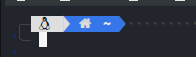


It's not super annoying but it still bothers me lol
Any idea why?
feral dock
Just use powerlevel9k 😛
@graceful zenith Through not really a question for #site-support 
graceful zenith
Alright, my bad
eager fulcrum
Have you clicked deploy?
 deep anvil
yes
eager fulcrum
So you have an IP address.
So the machine is deployed.
What's your actual question?
deep anvil
i just created a acc so the main room and than i went into linux room
eager fulcrum
So you're on a room with room code (address bar) zthlinux?
And you're connected to the VPN?
eager fulcrum
What are you connecting from?
Sounds like you might not be properly connected
As zthlinux should respond to pings
deep anvil
vpn server : EU-Regular-1
deep anvil
linux
eager fulcrum
!multivpn
sharp bisonBOT
TryHackMe
• Step 1
Type ps aux | grep openvpn into your terminal and press enter
• Step 2
If there's more than one line (and the second doesn't have "grep" in it), do the following steps
• Step 3
Type killall openvpn into your terminal and press enter
• Step 4
Start the VPN with sudo openvpn <path-to-config>
From TryHackMe with ❤!
 kind plover
I have a problem.
- I have a kali vm with port forward 2222->22 (nat)
- from my host I can easily do, ssh kali@localhost -p 2222 and login
- from my other machine in the same network when i do, ssh kali@<hostmachineip> -p 2222 it says connection refused.
From tcp dump i can see that the request is not being sent to kali vm.
I feel I am missing something small.. can someone help me?
eager fulcrum
Sounds like it's not being opened on the host
But this ain't a THM question
You can swap your Kali VM to bridged btw
And avoid any port forwarding
kind plover
yeah i thought of that. Was trying to figure out what I am missing. Yeah thanks. Sorry i know it isn't a thm question. But @eager fulcrum ❤️
deep anvil
eager fulcrum
IP address of the VM you're trying to ping?
kind plover
maybe do kill -9 28640 and kill -9 28641
eager fulcrum
No
The VPN isn't properly connected
It isn't multivpn
Also they're root owned so you'd need sudo to kill them
kind plover
yeah but I can see 2 entries of openvpn..
deep anvil
should i be on a vpn and also connect to the openvpn?
eager fulcrum
Ok, ignore that webpage for now
deep anvil
okk
eager fulcrum
It always does, yes
deep anvil
ok
eager fulcrum
Send a screenshot of the terminal where openvpn is running
deep anvil
eager fulcrum
route add failed
You're not fully connected
Control C and try again
sudo ps aux | grep openvpn and show
eager fulcrum
sudo ps aux | grep openvpnand show
@eager fulcrum
Are you already connected to a different VPN?
deep anvil
eager fulcrum
sudo killall openvpn and then start again
There are two still running
On 2 different terminals
eager fulcrum
run the sudo ps aux grep command again