#site-support
1 messages · Page 162 of 1
 patent nexus
 keen geode
Got a question about streaks, is it proper channel to ask?
 eager fulcrum
@keen geode they're broken. They're being fixed. Does that answer your questions?
keen geode
@eager fulcrum ok thanks indeed it does
 winter isle
Servers are not working well
 covert crow
hlo anyone pls help me ......i am starting my vpn machine in kali but is continously saying authentication failed am not able to deloy any machine in my kali
 leaden token
switch servers and regenerate the vpn file
 naive dust
hi all i don't know if it's correct or not, but I've finished the OSCP Path and the Subscription still remain open, like I'm missing something (but I'm at 100%). I've to leave the path to start Others.
leaden token
you can leave this path and start another one
naive dust
I know but I'd like to see some kind of badge
btw it's ok if it's normal. I'll give a feedback 👍
 gloomy hawk
!multivpn
 sharp bisonBOT
 TryHackMe
• Step 1
Type ps aux | grep openvpn into your terminal and press enter
• Step 2
If there's more than one line (and the second doesn't have "grep" in it), do the following steps
• Step 3
Type killall openvpn into your terminal and press enter
• Step 4
Start the VPN with sudo openvpn <path-to-config>

From TryHackMe with ❤!
 cosmic hawk
Hello! I have an issue!
I am using a kali machine on vbox and trying to connect to try hack me...it says that i have been connected in the terminal but in the access page of tryhack me it says that i am not connected
Or when I tried to use gobuster or try opening the http://<ip> its not working
 feral dock
Don't trust the access page.
cosmic hawk
Update: it worked...idk how or what I just restarted the open vpn and it was successful 🍰
feral dock
The machines need time to boot properly.
cosmic hawk
Yeah...ig
 surreal geyser
can someone give a one phrase explanation of rpcbind please?
read through the man, still don't understand what it does
eager fulcrum
Wrong chat.
surreal geyser
sorry
 loud wasp
hello
I accidentally logged out the kali linux machine. How am I going to log in again? My username and password won't work. 😦
 rose relic
When I connect with OpenVPN to THM, OpenVPN sais I'm connected while THM sais I am not....
Am I connected??
loud wasp
@loud wasp Terminate and redeploy
@eager fulcrum Have tried that but login still prompting.
rose relic
Thx
loud wasp
Do it again then
@eager fulcrum No luck.. Doing it for like 5 times already.
eager fulcrum
@deep trellis
covert crow
@leaden token i have regenerated it but still doesnt working
 tawny hare
Hi guys, trying to access a machine but except OpenVPN room which gives me flag{connected_successfully} any other machine just not connecting even after several minutes
eager fulcrum
You can't open the IP address in your browser unless it's running a web server on port 80
tawny hare
forgive me in advance but I'm a beginner, so to run from port 80 I'll just use the http no?
 deep trellis
@deep trellis
@eager fulcrum Scaling Guacamole and fixing bug as we speak.
eager fulcrum
@loud wasp
@tawny hare What do you mean?
You can't access a web server on a device that isn't running a webserver
Most rooms DO NOT have browser access.
gloomy hawk
I was trying the blue room and after i connected and tried to background the process with shell_meterpreter and then tried to connect the system said there was already a job running and after i restarted the room and tried to connect it again I receive this
actually setting ForceExploit to true helped
So
Why does this happen?
eager fulcrum
Metasploit is buggy.
gloomy hawk
can I not finish the tasks without having meterpreter running?
eager fulcrum
IIRC it's the shell or meterpreter payloads that are buggy
gloomy hawk
Any thoughts how to fix them?
eager fulcrum
Try different payloads
gloomy hawk
Okay
I am using exploit/windows/smb/ms17_010_eternalblue can I use exploit/windows/smb/ms17_010_eternalblue_win8 or the windows version is lower than win8?
gloomy hawk
Okay
I am new to this so not sure how to do everything
Sorry about that
@eager fulcrum Sorry to tag you but am I able to use a reverse_tcp for this room or not?
eager fulcrum
There's different reverse TCP payloads
Metasploit is bleeding edge software often, it has bugs
eager fulcrum
there's also meterpreter_reverse_tcp IIRC
gloomy hawk
Okay I will see which works
It is kinda weird that I have to set the ForceExploit to true
gloomy hawk
True
RIP lemme try the other payload
actually no it reconnected and now I am in meterpreter
eager fulcrum
Eternal blue is unreliable as well
gloomy hawk
And I am good to go
All i need to do now is to find the flags
Yeah it is not really working
eager fulcrum
Wooo metasploit
eager fulcrum
Worth a try
gloomy hawk
It will be my second but better than nothing I guess
Windows kinda suck to hack into ngl
gloomy hawk
Yeah true
eager fulcrum
it's just harder to learn because windows is weird
eager fulcrum
Who knows.
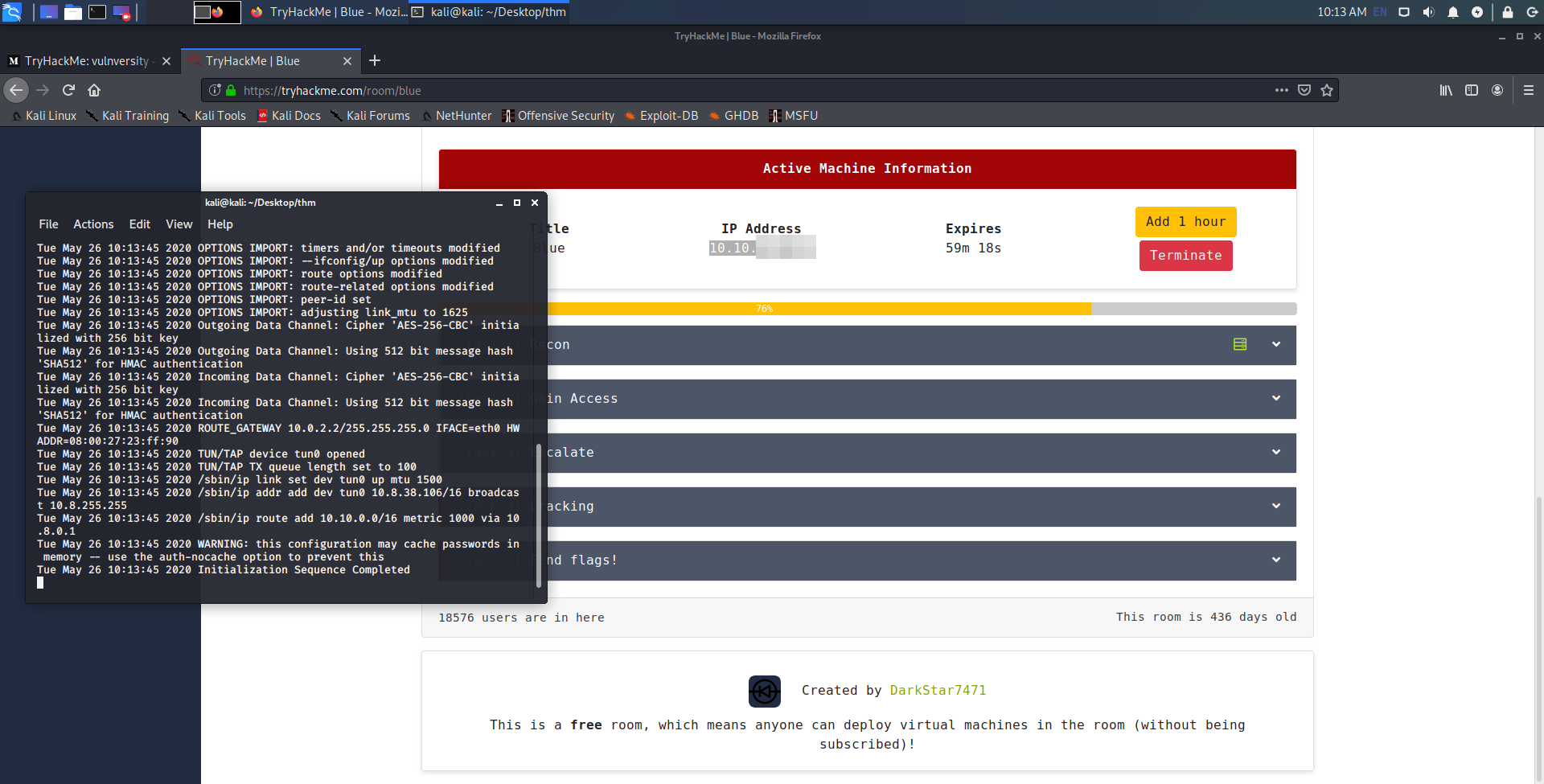 eager fulcrum
Censoring an ephemeral local IP address
OK
 pale palm
if I'm on the east coast, should I be connecting to eu to US west?
 obsidian shell
if I'm on the east coast, should I be connecting to eu to US west?
@pale palm I am on US East Coast and connect to the US West server, just FYI. I haven't experienced any performance issues.
pale palm
alright
eager fulcrum
Connect to the VPN
 digital yarrow
Ty
eager fulcrum
Because that's the wrong flag
man ls @digital yarrow
This is not a tech support issue
 brave sky
any help regarding this openvpn error:TLS Error: local/remote TLS keys are out of sync: [AF_INET]
eager fulcrum
@brave sky I told you to reconnect, try that first
brave sky
i tried
eager fulcrum
And?
brave sky
got same error
eager fulcrum
Regenerate your config.
brave sky
i did
again same prob
Authenticate/Decrypt packet error: packet HMAC authentication failed
plus this error
brave sky
but now its showing not connected on the access page
eager fulcrum
Ignore the access page.
brave sky
nope im not able to connect with the box
eager fulcrum
Show your openvpn terminal window
brave sky
its normal
sharp bisonBOT
TryHackMe
• Step 1
Type ps aux | grep openvpn into your terminal and press enter
• Step 2
If there's more than one line (and the second doesn't have "grep" in it), do the following steps
• Step 3
Type killall openvpn into your terminal and press enter
• Step 4
Start the VPN with sudo openvpn <path-to-config>
From TryHackMe with ❤!
brave sky
after the kill process its still showing the openvpn processes
eager fulcrum
You need to provide screenshots when you say things like that
We can't help you if we can't see what's going on
brave sky
after killing the process
eager fulcrum
sudo killall openvpn
eager fulcrum
reboot, you broke it
eager fulcrum
!vpn
sharp bisonBOT
TryHackMe
Learn how to use OpenVPN to connect to our network!
From TryHackMe with ❤!
eager fulcrum
Give it a try, don't just ask
Make sure you're actually running the vpn
Use one of your terminal tabs for it, don't background it
eager fulcrum
You're connected
As I said, don't trust the access page
Boxes don't all have webservers
And many aren't on port 80
brave sky
this website was on 80
not it got opened
i guess there is some issue with the box cause i deployed it 20min ago and tried to access it wasnt opening and on the 4th try it opened
eager fulcrum
Unlikely.
brave sky
anyways thanks
brave sky
Anthem and http://10.10.219.28/
brave sky
ah ok
 nimble trail
I am having a problem getting mrrobot's webserver to respond in the browser. curl works, eventually, but the browser will not.
Tried changing from VIP to regular, and back. Terminating the box, re-deploying it each time.
eager fulcrum
Got burp running?
nimble trail
No
Rebooting Kali had no effect either
worth noting, it loads fine in the web browser VM y'all make available.
eager fulcrum
Sounds like a local issue then
Try a different browser
Either that or a VPN issue
nimble trail
I've tried on chromium and firefox, kali 2020 and 2019 live images
pings are at ~120ms to the box itself over VPN
nimble trail
East coast US
eager fulcrum
West coast VPN server?
nimble trail
Tried that one, regular and VIP EU
VIP EU was lower, WEST US regular was like 220ms
 warm verge
Open VPN doesnt work, what do I do?
eager fulcrum
@warm verge Give us a hell of a lot more information than "doesn't work"
eager fulcrum
When you want to disconnect, control C in that terminal
warm verge
eager fulcrum
@nimble trail What'dya break?
nimble trail
well
eager fulcrum
@warm verge DO NOT trust that page.
nimble trail
I tried tun-mtu 1300 and that got me curl to work
so i tweaked it down to 1200
and now im good
eager fulcrum
The only working test for the VPN is if you can access resources on it @warm verge
warm verge
ok
eager fulcrum
@nimble trail The MTU issues are being fixed this week by Ashu
nimble trail
okay, no worries. anyone else in the same boat might try the same thing in the meantime.
😌
eager fulcrum
@radiant willow Are you in Egypt?
 radiant willow
no I'm east coast
eager fulcrum
Ok, check your system time
 sharp bear
is anyone having issues with openvpn and getting this error??
2020 Authenticate/Decrypt packet error: packet HMAC authentication failed
 bronze vale
So I was having some issues with a room and decided to terminate the box and re-deploy.
After re-deploying I have made sure the box is online. Whenever I enter the box IP Address it just shows a burp suite page saying “Error”
“Failed to connect to 10.0.0.0”
eager fulcrum
That happens, and is not an error @sharp bear
radiant willow
eager fulcrum
@bronze vale 10.0.0.0 is not a box IP address.
bronze vale
No I was replacing the IP address
sharp bear
i cannot connect completely to the room @eager fulcrum
bronze vale
I restarted burp and it woks now, no worries thanks though
eager fulcrum
@sharp bear Ok, but that's unrelated to the error message you posted.
!mutlivpn @sharp bear
!multivpn
sharp bisonBOT
TryHackMe
• Step 1
Type ps aux | grep openvpn into your terminal and press enter
• Step 2
If there's more than one line (and the second doesn't have "grep" in it), do the following steps
• Step 3
Type killall openvpn into your terminal and press enter
• Step 4
Start the VPN with sudo openvpn <path-to-config>
From TryHackMe with ❤!
radiant willow
I don't think my system time is wrong, what else should I do?
eager fulcrum
Regenerate your config
 quaint burrow
Hi
radiant willow
quaint burrow
I would like to change username of my account in try hack me
eager fulcrum
@quaint burrow Feature is coming soon.
quaint burrow
Thanks for the quick update @eager fulcrum
 wide forge
I am on a kali vm and when I try to connect to tryhackme with openvpn I get the message "Initialization Sequence Completed" however when I check the access page on tryhackme it says that I am not connected to it. Does anyone know why?
eager fulcrum
@wide forge The access page is unreliable
The only valid check is accessing resources over the VPN
!vpn
sharp bisonBOT
TryHackMe
Learn how to use OpenVPN to connect to our network!
From TryHackMe with ❤!
wide forge
okay thanks
 midnight fossil
If the VPN is connected, then why can't I use the Nmap on the IP Address that is deployed?
eager fulcrum
@midnight fossil What room?
midnight fossil
Advent of Cyber
eager fulcrum
Windows machines don't respond to pings by default so nmap will fail at the ping scan
What day/task?
eager fulcrum
What do you mean by you can't use nmap on it?
midnight fossil
All 1000 scanned ports on 10.10.53.97 are close
I have tried to 65535 but didnt work so I tried on only 1000 at first
eager fulcrum
Then your VPN isn't working.
midnight fossil
Last line at the vpn is Tue May 26 21:40:45 2020 Initialization Sequence Completed
sharp bisonBOT
TryHackMe
• Step 1
Type ps aux | grep openvpn into your terminal and press enter
• Step 2
If there's more than one line (and the second doesn't have "grep" in it), do the following steps
• Step 3
Type killall openvpn into your terminal and press enter
• Step 4
Start the VPN with sudo openvpn <path-to-config>
From TryHackMe with ❤!
 wet cosmos
Anyone having slow connection issues? I am on Alfred and one minute things will be fine then the next I am getting connection timeouts to the VM
eager fulcrum
@wet cosmos Multivpn probably, follow those instructions
midnight fossil
I have followed the steps and still not working...
wet cosmos
Ok. Thanks. Where are those instructions located
eager fulcrum
@wet cosmos Here, in the message from the box
wet cosmos
OK. I see it now. IT was a little to obvious
midnight fossil
I have tried restarting the laptop and still not working, what should I do
midnight fossil
eager fulcrum
You're connected
midnight fossil
Then why can't I use the nmap?
eager fulcrum
Because you're doing something wrong.
midnight fossil
eager fulcrum
How long have you given it to boot?
eager fulcrum
Terminate and redeploy.
 hardy shell
Bit of a n00b here, I am doing the Agent-Sudo box and I am trying to extract a .png with binwalk, but whenever I go to use zip2john or any other program with the file, it treats it like it doesn't exist?
eager fulcrum
ls
hardy shell
@eager fulcrum
eager fulcrum
You're misreading it
hardy shell
zip.hash is empty
hardy shell
Haha FML
midnight fossil
@eager fulcrum I've tried to terminate and redeploy, but still not working
midnight fossil
10.10.8.99
eager fulcrum
Did you terminate it?
eager fulcrum
It's down according to my VPN
eager fulcrum
You didn't give it enough time to boot then
midnight fossil
Idk but now it's working, that's all that metter 🙂
 mystic cedar
Howdy, I am having problems Connecting with OpenVPN, it keeps getting stuck at connecting.
 prisma sparrow
when using nmap built into metasploit, how do I clear the 'memory' of metasploit when I use hosts
 past jolt
Hey, i can't connect to my vpn anymore, i'm the right place ?
mystic cedar
Same....what vpn are you using 150k?
 drifting flower
Hey, I've just done https://tryhackme.com/room/jurassicpark but ithe graph appears to show me as not finished, and I seem to be lacking some points... but all answers are complete. Have I done something wrong, or is there a bug on the site?

TryHackMe
An online platform for learning and teaching cyber security, all through your browser.
drifting flower
eager fulcrum
Questions that don't require an answer used to award points
drifting flower
Oh.. thanks @eager fulcrum Annoying it isn't consistent, but guess it makes sense.
eager fulcrum
Skidy needs to do another point recalculation
drifting flower
The graph makes it look like I gave up towards the end 😄
eager fulcrum
nfs-common
midnight fossil
Thank you
 deft bear
hey is there any way for me to get the student discount
it doesn’t seem to be working for me
eager fulcrum
 deft bear
@eager fulcrum tysm
 minor phoenix
hey a noob here. Trying to do vulnversity room and I am having trouble with the php reverse shell.
eager fulcrum
 sharp bear
Hey just wondering why its saying that the in browser kali is going to take 14000 seconds to deploy this seems a bit off to me?
deep trellis
@vapid dawn was fixing that one:) (did you update that line using MomentJS?)
 vapid dawn
In my to-do for the next 1-2 weeks :))
eager fulcrum
Awesome
 flat cypress
i can't get my vpn working. i'm on arch linux, openvpn version 2.4.9, and i'm using sudo, and when I run it there's a whole bunch of output ending with Initialization Sequence Completed, but the Access page on TryHackMe still doesn't show that I'm connected even after refreshing.
flat cypress
hmm guess what I can't do
 barren birch
He says, before realising that pinging 10.10.0.1 actually does nothing
Ignore that...
Screenshot ps aux | grep openvpn
flat cypress
root       32879  0.0  0.0  14952  6388 pts/1    S+   21:47   0:00 sudo openvpn Downloads/derekthesnake (1).ovpn
root       32880  0.0  0.1  18340  9988 pts/1    S+   21:47   0:00 openvpn Downloads/derekthesnake (1).ovpn
derek      32928  0.0  0.0   6292  2240 pts/0    S+   21:48   0:00 grep openvpn
oh I didn't mention but I went thru the steps of re-generating my config file
flat cypress
yep
barren birch
What's the IP on it?
naive dust
@flat cypress ps -ef | grep openvpn | kill -9 $(awk '{print $2}') I find that when in doubt it's a good idea to run this anyway
barren birch
Sheesh, Pars, I said HELP
naive dust
Even with a tun0 ip restarting things can help
barren birch
Let's not do that yet...
naive dust
I am now sod off to bed @barren birch
barren birch
Also, sudo killall openvpn Pars, don't overcomplicate 😆
Or ping yourself
That's just funny
naive dust
My patented kill command can't fail
flat cypress
yeah i've done that already
flat cypress
p sure the ip for tun0 is 10.8.40.211/16
barren birch
The access page doesn't work
naive dust
It's incredibly untrustworthy
barren birch
Ok, try ping 10.8.0.1
naive dust
Just go do a machine
barren birch
If that gets a response, you're good
naive dust
Then you're fine
naive dust
Now run along and do some boxes friend!
flat cypress
appreciate it
 fathom citrus
Hey mods, I accidently submitted a room for public access. Please decline it, I'd like to keep it private.
fathom citrus
Great, thanks! I'm using that for a class.
barren birch
You're welcome, and I hope it comes in handy. Nice to know it's getting used -- I spent a lot of time on that 🙂
fathom citrus
Thanks @barren birch , you did a good job!
another qq, is there a way to link to a private room or do users need to join via My Rooms > "Room Code..." > click "Enter room"?
Linking to the URL give the users an error that the room is private
 trail obsidian
I can't get guacamole to connect to a Kali box to save my life. I have terminated the instance twice thus far and I keep getting a connection error in browser 😩
Error message:
The connection has been closed because the server is taking too long to respond. This is usually caused by network problems, such as a spotty wireless signal, or slow network speeds. Please check your network connection and try again or contact your system administrator.
 unkempt quest
Hmm, anyone having any issues with boxes not booting? been waiting 15 minutes for one to come up
 modest wagon
help...this box keeps dying
 polar salmon
anyone have problems connect Athem?
eager fulcrum
@fathom citrus /jr/RoomCodeGoesHere
 crisp mortar
Hii I have connected to the VPN but the access page is not giving me the internal IP address. I have tried refreshing the page as well as the table.
crisp mortar
Thanks NinjaJc01
 frail scaffold
I am trying to connect to OpenVPN but for some reason it says that the connection failed. I downloaded the config file. Idk what to do
frail scaffold
this shows up. I'll show you my files now
I imported the file I downloaded and put into the config folder in the Program Files path
eager fulcrum
Check the pins @frail scaffold
frail scaffold
alright
I found the issue. Thanks for helping . I'll try to solve the rest myself
It worked! Thanks!
 compact nacelle
Hi everyone. Not sure if this is the right channel for it but... Anybody with some (good) knowledge of Virtualbox and Kali? I cannot create more than 1 Virtual Screen, keep getting a rc=VERR_NOT_IMPLEMENTED error all the time and can't figure out how to solve it.
eager fulcrum
OVH?
Don't trust the access page
What are you connecting from?
using the terminal or a gui for openvpn?
Show your logs/status output
The access page is unreliable
I can't see your screen, I also don't use a mac
compact nacelle
It didn't show to me that I was connected but then I just pinged the server and it worked fine.
Meaning I was connected actually...
eager fulcrum
Then you're connected
I'm not official support
Find out yourself
Remember it uses split tunelling
Your internet traffic still goes via your own router same as before
Traffic to THM goes over the VPN
Accessing google etc doesn't go through the VPN
If you talk to a machine on tryhackme, that goes through the VPN
This isn't a privacy VPN, it's a remote access VPN
What do you mean?
Your connection to tryhackme is over the VPN. It's encrypted
anything that isn't a 10.x.x.x IP address will go via the internet as normal
Anything that is 10.x.x.x goes over the VPN
Google it
how to setup kali virtual machine osx
Learn how to google
We don't do that for you.
If you don't want to run it yourself, tryhackme can run it for you if you're a subscriber
Your options are
Run it yourself
Let THM run it and pay $10/mo for it + more benefits
Install tools on macos and risk breaking stuff
I recommend the first option
There's no answer to that
It uses as much as you let it
I recommend following the rules, mainly rule 13
Do your own research
Like 90% of hacking is knowing how to find information
10% is understanding and applying
 sturdy wigeon
is it normal to need to re-download the vpn config file every single time i use it?
eager fulcrum
No.
sturdy wigeon
cause for me after i log out of my computer (a virtual machine) and boot it up the next day the vpn seems to be connected but then the network information shows otherwise
eager fulcrum
How are you connecting to the VPN?
Terminal in kali?
Control C to disconnect before you turn it off.
 slender wagon
Im having trouble with my openvpn in kali
done with installation of openvpn with sudo apt-get openvpn
done with sudo openvpn "filename.ovpn"
still shows X on the vpn access
eager fulcrum
@slender wagon Don't trust the access page
slender wagon
any other way to check if im connected?
eager fulcrum
!vpn
sharp bisonBOT
TryHackMe
Learn how to use OpenVPN to connect to our network!
From TryHackMe with ❤!
eager fulcrum
If you can complete the challenge at the end, you're connected
@naive dust You're asking a question that isn't related to THM. I can choose whether to help or not, and I'm choosing not to help as it's not what the channel is meant for.
 signal atlas
bruh
eager fulcrum
@naive dust Mods aren't paid.
signal atlas
we could tell you every single button to press and what commands to type in, but you're not going to learn anything that way
eager fulcrum
We help out of the kindness of our hearts
You went into the live cd
This chat isn't for help installing ubuntu in a VM
Google that. Follow a guide.
Good
Learn to research
It's not THM related. I recommend you don't argue with mods over this.
LMAO they got banned
 celest sapphire
yikes
 dawn siren
anyone else is having weird time with thm today?
 cobalt badger
@deep trellis @eager fulcrum the Learn Linux room still does not show as complete for me even though everything is done 100%
celest sapphire
check for added questions
cobalt badger
I have tried leaving and rejoining as suggested and I have gone through the tasks again making sure that the buttons were pressed for sure; still nothing
naive dust
Hey everyone
the openvpn file just work with terminal?
the "save button" is disabled if i try to import vpn connection
naive dust
roger that
Hi, I have a question about Linux, Can I ask it here ?
there is a freeze problem after fresh installiaton
eager fulcrum
VPN and other technical questions related to TryHackMe we can't promise you an answer.
sturdy wigeon
@eager fulcrum sorry for the late respponse i had a work meeting
im using popos (based on ubuntu and debian)
eager fulcrum
*ubuntu
sturdy wigeon
and yes i did ^C before turning it off
eager fulcrum
Weird
sturdy wigeon
*ubuntu
@eager fulcrum
sry wdym here
eager fulcrum
But popos is ubuntu based
sturdy wigeon
indeed
eager fulcrum
I recommend using a kali vm instead of popos
Or on top of PopOS
some of the tools are annoying to install
sturdy wigeon
oh ok
ya ill try that
do you think that will fix the problem
is kali based on ubuntu or directly based on deb
or smtg else
eager fulcrum
Kali is debian unstable
But your problem is weird
My recommendation is purely based on ease of tools
eager fulcrum
Newer kernel
sturdy wigeon
will it be unstable tho like a lot of crashes
eager fulcrum
Make sure the VPN is actually disconnected?
make sure you're not sharing your account with anyone?
sturdy wigeon
i think its disconnecting
im not sharing the machine with anyone. it is a vm and its sole purpose in life is to do coding and hacking stuff so strange
also i dont want to route my entire mac's traffic through the vpn
eager fulcrum
You don't
sturdy wigeon
is the windows version more stable maybe or just try kali and go from there?
eager fulcrum
You should run the VPN on the instance you're attacking from
sturdy wigeon
yes
eager fulcrum
So if you're using a kali vm, VPN on that
sturdy wigeon
yah but do you think i should set up a macos or windows vm. will open vpn be more stable using the gui interface?
eager fulcrum
No
sturdy wigeon
ok then ill try kali and get back to u if its still not working
 glass venture
if anyone faced a covm ransomeware attack...what will be the steps to solve it?
eager fulcrum
This chat is for technical questions related to tryhackme @glass venture
glass venture
can i talk about it with you in inbox? @eager fulcrum
eager fulcrum
@glass venture No.
glass venture
ok
eager fulcrum
@glass venture I recommend doing some research on ransomware remediation. This isn't the place for it
glass venture
ok..Thank you. @eager fulcrum
sturdy wigeon
i have another problem now:
my browser crashed. how do i kill the perviously deployed machine
eager fulcrum
Open tryhackme
Go to the room page
Click terminate
You don't have to terminate, you can just reconnect
sturdy wigeon
ah ok tysm sorry for being a burden. im new to ctf and hack stuff 🙂
eager fulcrum
Long as you provide enough information for us to help, you're not being a burden
prisma sparrow
Hi, is there any way to pay for the tryhackme subscription through VISA, and not through the website's own method?
 tiny pelican
Anyone have suggestions on fixing connection time outs? I've been doing vulnversity and it's been going smooth up until I try to run the reverse shell. It just loads until I get a connection time out (110) error.
barren birch
@prisma sparrow Payments are taken using Paypal (through Paypal) or card (through Stripe).
Are you meaning you want to pay by card?
@tiny pelican Are you using a VM? If so, where's your VPN?
tiny pelican
Tried on vm and on windows using wsl2. Using openvpn for both.
eager fulcrum
WSL2 is a VM by the way
tiny pelican
Right, just not fully functional. I heard it went up for preview so I wanted to try it out.
barren birch
Definitely better just using a traditional VM if you want things working right off the bat -- or, more likely to work, at any rate
tiny pelican
I was hoping they gave more network control with the new release.
barren birch
Either way, if the VPN is on Windows, and the listener is on the VM, that isn't going to work
 fresh path
I'm trying to connect to the openvpn server and it says im connected allthough the site says im not
barren birch
@fresh path Ignore the access page on the site
fresh path
Lol
fresh path
I see, so i can probably still connect?
eager fulcrum
!vpn test it in this room
barren birch
Probably. What OS are you using?
sharp bisonBOT
TryHackMe
Learn how to use OpenVPN to connect to our network!
From TryHackMe with ❤!
eager fulcrum
Last task
barren birch
Then yeah -- try that room ^^
fresh path
🙂
eager fulcrum
@fresh path Try not to show flags
eager fulcrum
It's the easiest flag on THM
Don't want people to skip it
Matter of principle really
 sullen harbor
I cant connect OpenVPN "TLS handshake failed"
eager fulcrum
Ok, check the pins
sullen harbor
which pins
eager fulcrum
In this channel.
sullen harbor
oh ok
sturdy wigeon
im having some trouble with using smb to find a user name.
below is the command and the result i got
flyme2bluemoon@pop-os:~$ smbmap -H 10.10.93.98
[+] Finding open SMB ports....
[!] Authentication error on 10.10.93.98
[!] Authentication error on 10.10.93.98
oh sorry
 hallow mason
For Corp, I'm on the last part, I use xfreerdp from my kali box to rdp into the machine xfreerdp /u:'corp\administrator' /v:3.250.150.107 however it's prompting me to change the password since it's expired
 tender dome
When i try to connect to OpenVPN it says all my windows TAP adapters are in use
Can anyone help?
 woven meadow
(sorry, misread;moving)
tender dome
What do you mean Ninja?
tender dome
Ok sorry, kinda new.
eager fulcrum
Soon™️
I don't have an ETA
But THM has it planned
Just try the EU VIP and the US East Coast and see which is better for you really
tender dome
Hi, sorry me again. I tried to look this up and find an answer but i cant find one. Whenever i click deploy for my machine nothing happens (i let it sit for almost 20 minutes) and, when i click the link that doesnt take me anywhere (ik the link is supposed to be used on the machine i was jus desperate to try and make it work)
And yes i am connected to the OpenVPN
eager fulcrum
@tender dome You should get an active machine info thing in a red border near the top of the page
That gives you the IP address of the VM you deployed.
tender dome
So how would i connect to the VM? Should i RAD into it?
eager fulcrum
What room?
You will either have to hack your way in, or you're told how to connect
tender dome
OpenVPN room
Ive deployed the machine and nothing happened besides the active machine info box
hallow mason
@tender dome Are you talking about task6 for OpenVPN?
tender dome
Yeah
hallow mason
Just open the IP in a new browser tab, it should show you a webpage
tender dome
I tried that but it keeps saying "Hmmm...can't reach this page"
eager fulcrum
Then your VPN isn't working
naive dust
Im intrested in having my tryhackme account deleted
barren birch
It's, what?
eager fulcrum
- Please don't use that word to try and say something's bad. That's not appropriate.
- You could ask for some support if you want.
- email support@tryhackme.com for account deletions
naive dust
Sorry, and thanks
 bold hull
I keep having issues when trying to scan VM kali@kali:~$ nmap -sV 10.10.156.22
Starting Nmap 7.80 ( https://nmap.org ) at 2020-05-27 22:33 EDT
Note: Host seems down. If it is really up, but blocking our ping probes, try -Pn
Nmap done: 1 IP address (0 hosts up) scanned in 3.32 seconds
Nmap Free Security Scanner, Port Scanner, & Network Exploration Tool. Download open source software for Linux, Windows, UNIX, FreeBSD, etc.
bold hull

TryHackMe
Learn about active recon, web app attacks and privilege escalation.
yes vpn is running and working
naive dust
@bold hull some of them don't allow pings\
eager fulcrum
This one does.
bold hull
this is the first one
naive dust
oh?
bold hull
i have the kali VM set to nat and the VPN connected with no issues
eager fulcrum
Then either the VM isn't booted or you're not connected properly
How long has it had to boot?
bold hull
hmm not sure actually, i just terminated it and created a new one to see if that fixes it
how long should i give the VM?
eager fulcrum
5mins?
bold hull
ok
even after 5 its still not working
adding the -Pn command just seemed to have made nmap stall
sharp bisonBOT
TryHackMe
• Step 1
Type ps aux | grep openvpn into your terminal and press enter
• Step 2
If there's more than one line (and the second doesn't have "grep" in it), do the following steps
• Step 3
Type killall openvpn into your terminal and press enter
• Step 4
Start the VPN with sudo openvpn <path-to-config>
From TryHackMe with ❤!
bold hull
but i followed the setup guide for windows and it connects with no issue
naive dust
Does anyone know a way to use nmap that isn't painfully slow?
eager fulcrum
@bold hull Connect from kali and only kali
@naive dust It shouldn't be painfully slow
bold hull
ah thats why, gay
naive dust
The way I am doing it it starts a "service scan" and it almost hangs all the time
eager fulcrum
@bold hull Please don't be homophobic here
bold hull
im gay so im not being homophobic
naive dust
it either hangs on NSE scan or Service scan...
bold hull
then what else am i ment to say when i cant sware? its apart of my vocab being Australian
eager fulcrum
@bold hull I don't make the rules, if you have an issue with them you can take that up with Darkstar or MuirlandOracle
bold hull
im just saying
bold hull
then what else am i ment to say when i cant sware? its apart of my vocab being Australian
@bold hull this, im listerally jsut saying this being honest
eager fulcrum
This isn't something that's up for debate.
bold hull
i know, im just saying that and leaving it there
bold hull
I cant seem to find out what -n does\
using it the output is the same, not sure if that is normal
sharp bear
are you connected to the vpn
 supple sonnet
First off don't background the VPN session, you need the verbose logging to detect any issues
and second, make sure you're not victim to the multivpn issue
bold hull
When i try to access the webserver for vulnraversity it always errors with An error occurred during a connection to 10.10.67.111:3333. SSL received a record that exceeded the maximum permissible length. Error code: SSL_ERROR_RX_RECORD_TOO_LONG
frail scaffold
Many activities require to use Linux but I have Windows. There isn't a Windows substitute though.
leaden token
install linux in a virtual box
frail scaffold
Ok. Thanks
bold hull
When i try to access the webserver for vulnraversity it always errors with An error occurred during a connection to 10.10.67.111:3333. SSL received a record that exceeded the maximum permissible length. Error code: SSL_ERROR_RX_RECORD_TOO_LONG
@bold hull anyone have any idea?
feral dock
@bold hull Did you change the openvpn config file? If not change servers and regenerate config file.
 gaunt mesa
Hey can someone help me? I'm trying to access my machine with ssh, but the connection times out...
feral dock
Then try changing it and regenerating config file.
bold hull
ok
feral dock
@gaunt mesa Your going to have to provide more details.
gaunt mesa
I just started to learn from basics in Learn Linux room and the Task 4 is to connect to my active machine with ssh, but I can't because it throws me the connection timed out error everywhere (putty and cmd)
I used the trial shiba1 username with the given ip, but I tried with my username too and it's the same error
okay I found out I need to connect vpn first but the vpn connection fails too 😄
 mental mauve
Hello! Can i have some help?
leaden token
sure, just ask
mental mauve
Ok! Im trying to install kali on my partition but im not sure how to
I want to install it on drive #3
leaden token
are you trying to make dual-boot kali?
mental mauve
Yes!
leaden token
are you following any online guides?
mental mauve
Yes! But the kali dual boot tutorial cover an older version of kali
Cant find any up to date tutorials
leaden token
it says you just choose a disk you created earlier
https://www.kali.org/docs/base-images/kali-linux-dual-boot-kali-with-windows/
installation is pretty similar
version does not affect too much
https://www.youtube.com/watch?v=DRhuVxaBuKU
this one is for 2020.1 version

In this video, I will show to you that how to install Kali Linux on PC with windows 10 dual boot ? full easy step by step guide of kali linux 2020.1a dual boot with windows.
And don't forget like share & subscribe.
Kali linux download link :
https://www.kali.org/downloads/
IM...
pretty good explanation
mental mauve
Thank you swayfox ill check it out....
mental mauve
Ok video didnt show me much but i figured it out thank you!
There was an option to automatically allocate the swap partition and free space to install the os
Just didnt see it lmao
leaden token
nice!
 lusty river
is there a way to pay for subscription using crypto?
lusty river
gelato coupons ?
lusty river
bank deposit ?
leaden token
bank card...
lusty river
credit card*
mental mauve
Got kali running but one problem. Cant change the desktop bg
lusty river
ty
mental mauve
Its just white lmao
mental mauve
Not very familiar with kali... do you how to update?
leaden token
sudo apt update && sudo apt upgrade
lusty river
i'm sure there is a vbox repository that you need to download
leaden token
in the terminal
feral dock


mental mauve
@leaden token thanks! You were a huge help!
leaden token
no worries 😄
mental mauve
The update installed and i rebooted but im still having the same problem
 lilac ocean
@mental mauve may be google can answer your question a bit faster
lilac ocean
Noice
 fervent portal
Hi there, I am kinda stuck on [Task 4] [Section 1: SSH] - Putty and ssh. I have tried to do this command using both putty and just regular CMD and once I get to this step I can't actually type the password in, or type anything for that matter of fact :c
 copper mist
fervent portal
copper mist
fervent portal
thnx :3
deep trellis
The error says Permission denied. Also, why would you want to connect on your phone?
barren birch
@naive dust unless that's rooted, there's no way it will work..
Don't ask why when it involves Elf
 urban spade
Hello Guys, hope everyone is doing ok! One question. Is it possible for me to re-take a room from the ground up. "Reset my progress" so to speak?
deep trellis
That feature is coming soon.
urban spade
Ah ok, thanks! 😄
deep trellis
Okay yeah sorry, you'll have to wait for the feature to come out
Hopefully it will come out next week
urban spade
Alright, no problem! Thanks for the help 🙂
naive dust
@deep trellis because my brother took my pc and i want to play room 😂 just got reminded i have ssh so just gonna use kali machine 🤪
Noo i cant i still need openvpn
😭😭😭
celest sapphire
@naive dust use the openvpn app to connect and then use the termux to do things
naive dust
Oooo
 crystal grove
When I try to connect to the tryhackme network via openvpn i get an error saying:
TLS Error: TLS key negotiation failed to occur within 60 seconds (check your network connectivity)
Error: TLS handshake failed"
i am on windows and have added openvpn.exe to my firewall exceptions
 gray flint
having a bit of an issue with getting access connection, Openvpn "Initialization Sequence Completed" but still getting that big red X in the connected part. any advice would be great.I have tried regenerate a number of times
celest sapphire
@gray flint the access page can be buggy, don't rely on it
gray flint
@celest sapphire can you recommend another way to confirm its connected correctly?
crystal grove
my openvpn log
celest sapphire
@gray flint the Initialization Sequence Completed should be enough, you could also check by trying to connect to a deployed machine or smth
@crystal grove Not sure what could be the issue on windows, do you have a linux vm you plan to use with thm?
gray flint
@celest sapphire Thanks man, ill check it out
crystal grove
i have tried setting up a arch vm with oracle virtual box but i had no success 😦
celest sapphire
do you have any prior linux experience?
arch isn't the best choice if you're not pretty well experienced
a ubuntu/kali vm would be good for tryhackme
crystal grove
i have previously installed multiple linux distributions on pc but switched back to windows for gaming
which vm service would you recommend for a kali installation?
celest sapphire
virtualbox should be fine
crystal grove
okay thank you
 ivory flame
Hi can you help me
celest sapphire
don't ask to ask, just ask your question :)
celest sapphire
termux? the wpscan version in repos is probably old and uses an older version of ruby

GitHub
Subject of the issue Can not run wpscan in Termux Your environment Version of WPScan: From git 23/10/18 Version of Ruby: ruby 2.5.3p105 (2018-10-18 revision 65156) [aarch64-linux-android] Operating...
ivory flame
Okay thanks highly appreciated
naive dust
So I'm using VMWare Workstation Player and I have gave my Kali Linux Virtual Machine 4 gigs of ram (4096 excact) and also my cpu is Intel(R) Core(TM) i5-8400 CPU @ 2.80GHz and my Kali Linux just keeps on crashing and I don't know why and also I gave the Virtual Machine 60GB of storage so that shouldn't be the problem.
My CPU has 6 cores and I gave the Kali Machine 4 cores but there is three options and I need help to see which one I need because I don't wanna mess something up.
naive dust
yes
naive dust
i used the 64-bit installer
 gray dome
Roger. Is that the iso image?
naive dust
yes
naive dust
.iso
gray dome
Copy
Then I assume you ran the iso, and it prompted you to install kali. That is after setting up the vm settings (ram etc)
And following the prompts you managed to install kali... Is that basically the gist of what unfolded?
naive dust
"gist of unfolded"?
I installed kali on the virtual machine and then afterwards i went up to settings
gray dome
So kali has been installed. You should be able to then power on the vm and start using it (log in etc)
What happens that prevents you from using kali now?

Learn how to install Kali Linux 2020.1 on VMWare Workstation Player. I guide you through each step, making the installation a breeze!
@naive dust
Follow the instructions at the link above. This method has you download the kali vmware image. This is simple to run and you should start here.
Good luck
 untold karma
Hey guys, I'm in learn linux Task 4 where it tells you to use putty
I have been unsuccessful in trying to connect
I keep getting an error which is (no supported authentication methods available (server sent publickey)
 zealous yoke
Are you using the IP address of the instance that you deploy?
Moreover, are you using the right credentials? They are detailed in the room (:
untold karma
Yeah I am
The user would be my username correct? and then the IP is what I currently have up from vpn
zealous yoke
Nope
You need to deploy the instance using the "Deploy" button, a card with the title, IP address and expiry timer will show
That is the IP you need to use
The username and password is detailed in the task
Task 4 specifically (:
untold karma
Oh yeah that is the IP address I am using the one with the Timer
I enter the machine IP and I get login as
unsure who I'm supposed to login as though
 wise torrent
I cant connect to the OpenVPN. Ive tried reinstalling it but it wont connect
untold karma
@zealous yoke The user name is not working
eager fulcrum
Then you're doing something wrong
Saying "not working" is really vague and doesn't help us identify what you're doing wrong
digital yarrow
i did many things tbh
leaden token

Ask Ubuntu
I am using Ubuntu 13.10 32-bit. I am using terminal mode to test a Window Manager.
I know I can use Ctrl+Alt+F1 to go to terminal mode from the GUI mode. But there is still graphical desktop run...
untold karma
digital yarrow
i have no directory cat /etc/X11/default-display-manager
 modest crane
I might be dumb but openvpn doesnt let me connect for some reason. I ran the command with my config file and
feral dock
@modest crane Ignore the access page
modest crane
oh so the access page is broken?
 hushed blade
im not the only nice
eager fulcrum
!vpn
sharp bisonBOT
TryHackMe
Learn how to use OpenVPN to connect to our network!
From TryHackMe with ❤!
hushed blade
on my kali machine it demand log and pass
eager fulcrum
Huh?
eager fulcrum
Terminate and redeploy
supple sonnet
we love guacamole
eager fulcrum
It's being fixed
modest crane
ok just checked and openvpn doesnt seem to work...
eager fulcrum
That's VERY vague
 jaunty tartan
hello guys
eager fulcrum
If you can access stuff over the VPN, you're connected
jaunty tartan
i habe a big problem with openvpn when i start it seams in terminal that is is connected but on site is no
eager fulcrum
Ignore the access page on the site.
 cunning snow
Hello, i'm trying to solve a problem with my account, and i've been sending e-mails to support@tryhackme.com and hello@tryhackme.com since last sunday, a guy named ben replied to me once, but now i've sent 4 more e-mails and nobody answer me, any clue how to proceed here and get a propper support?
eager fulcrum
What are you looking for support with?
cunning snow
I lost track of the account i've registered, i simply can't recall the name of the email account i was using, the problem is i have already paid for premium subscription. otherwise i would have creted a different account already
feral dock
@cunning snow Check your password history, browsers tend to save passwords and usernames
eager fulcrum
That sounds like something very difficult to prove, and something that would NEED to be handled via email.
barren birch
^^
feral dock
^^
cunning snow
thanks for that, i've already tried
eager fulcrum
You're not going to get help here
barren birch
There are two people going through a lot of emails 🙂
They will get back to you
eager fulcrum
It's something the admins would need to sort.
cunning snow
yeah, no problem for me to deal vie e-mail, the issue is, NOBODY ANSWER MY E-MAILS
cunning snow
sorry for the caps,
eager fulcrum
Calm down.
cunning snow
well, anyways i dont get any response since monday
thats why im trying here, any chance you have a more specific channel to communicate this type of issue
eager fulcrum
No.
barren birch
@cunning snow I would suggest waiting for Skidy (Ben) or Ashu to get back to your email. They'll require proof that the account is yours, if they're willing to open it back up. I think they're most likely to cancel the payment, letting you resubscribe with another account 🙂
eager fulcrum
As it's an issue that has to be dealt with by the admins, there is nothing we can do here.
barren birch
As it is we can't do much here though -- only the admins have access to the site itself 🙂
Sorry about that
barren birch
As I said -- they will get back to you; there are just lots of emails to get through 😄
cunning snow
ok, sure, thanks!
naive dust
What means ambassador profile and how to become one. I use the platform (free version) to teach my students, all of them should to register account in the platform, next semester i will have 2 more groups, and i will repeat the process, by the way , im a professor i teach computer science in a public university in México.
eager fulcrum
@naive dust Ambassador is for people from other large infosec communities like Hack The Box, John Hammond or InfoSec Prep
naive dust
@naive dust Ambassador is for people from other large infosec communities like Hack The Box, John Hammond or InfoSec Prep
@eager fulcrum ok 🙂
eager fulcrum
@naive dust You may be able to get some additional support etc from tryhackme as a university.
Email education@tryhackme.com
naive dust
ok let me write them, thanks again.
digital yarrow
any idea what could this be ?
 acoustic estuary
is discover card not accepted for sub?
 hushed oxide
@digital yarrow if I read correctly it looks like your keyboard is unkown and it fails on that?
rather weird
eager fulcrum
That's a warning
digital yarrow
never ever had this issue
eager fulcrum
Not an error
eager fulcrum
Don't install that then
digital yarrow
anything i do i get that package manager error
cant repairs files
cant install packages nothing
hushed oxide
That's a warning
@eager fulcrum is it though? as I read it the cryptsetup is the warning...
eager fulcrum
@hushed oxide It's a VM thing
 simple beacon
i've downloaded kali linuz 64 bit version on my bootable usb. Everyhting works fine. However i'm logged into the kali user. which isn't a sudoer. i tried to log into root but the password doesn't seem ti be correct(toor) and i can't seem to find a possible user that could be made by me.
hushed oxide
@hushed oxide It's a VM thing
@eager fulcrum would make sense, yeah
eager fulcrum
@simple beacon sudo su
Wait
Yeah you broke something if you don't have sudo as kali
Just use a VM
hushed oxide
i've downloaded kali linuz 64 bit version on my bootable usb. Everyhting works fine. However i'm logged into the kali user. which isn't a sudoer. i tried to log into root but the password doesn't seem ti be correct(toor) and i can't seem to find a possible user that could be made by me.
@simple beacon could it bekali:kalias I remember correctly it used to be kali kali on older kali systems
eager fulcrum
What are you trying to acheive?
digital yarrow
i'm trying to get a gui because i'm onl CLI now
simple beacon
But i am logged into kali which i don't want because it isn't a sudoer
@hushed oxide
eager fulcrum
@digital yarrow reinstall
Install a desktop manager in the installer
One is seleected by default
digital yarrow
you mean reinstall the whole machine ?
hushed oxide
But i am logged into kali which i don't want because it isn't a sudoer
@simple beacon yeah.. that doesn't make sense.. so the pw for kali isn't kali? 😛 like it used to be?
simple beacon
nope it isn't
hushed oxide
try a reinstall.. this isn't right
eager fulcrum
kali/kali

We are here to kick off our first release of the decade, with Kali Linux 2020.1! Available for immediate download.
 hushed oxide
@simple beacon read this... https://www.kali.org/news/kali-default-non-root-user/ if it doesn't work like described you have a borked installation/live cd/torrent/usb/vagrant/docker/whatever.. try a reinstall

For years now, Kali has inherited the default root user policy from BackTrack. As part of our evaluation of Kali tools and policies we have decided to change this and move Kali to a "traditional default non-root user" model. This change will be part of the 2020.1 release, curr...
naive dust
I am not sure if this is the right place to post this so forgive me if its not, but what happened to the US-VIP servers for vpn config files? I know they used to be there but now there is only the EU-VIP option. I know the site has exploded with new people over the last month and could have something to do with it but any ideas?
eager fulcrum
There was never a US VIP server @naive dust
naive dust
I could've swore there was, but maybe I was thinking something else. You know if there will ever be one in the future?
eager fulcrum
There are plans to add one soon
There was a "VIP server" that wasn't marked with a region
That was the EU VIP
naive dust
Thanks for clarifying @eager fulcrum! This site has been a huge help in learning new material and appreciate what you all do
simple beacon
@hushed oxide ok i will try and reinstall it. thank you !

 leaden token
are you downloading the ISO?
hushed oxide
weird.. I'm a bit out of ideas.. have you tried another medium? like... not the live cd? maybe they broke it?
leaden token
try to follow this guide https://geekviews.tech/how-to-install-kali-linux-on-virtualbox/
it's good
leaden token
are you connected to VPN?
 shut jetty
yes
 ivory dagger
can anyone help me with burp? i followed the instructions in the room but now when i search for something it just loads endlessly
eager fulcrum
@ivory dagger you need to forward the requests if you have intercept on
ivory dagger
Ah, thank you didnt realise it was turned on lmao
simple beacon
@hushed oxide Maybe some kali linux data has been saved. Could that be? if so i should delete all the data
hushed oxide
I guess you angered the kali gods @simple beacon .....
have you tried something else than the livecd like a vm or docker/vagrant?
zealous yoke
May I toss the Offensive Security Kali VM images into the ring ? (:
hushed oxide
I'm hoping Opus will pick a VM yes 😛
simple beacon
Yeah i download a VM. but Like the letter V looks like a bird mouth
hushed oxide
dude... I want what you're having.....