#site-support
1 messages · Page 142 of 1
 woeful stone
Same error trying to deploy a machine in "CaptureTheFlag"
 deep trellis
Okay hm, what browser are you on?
woeful stone
Vivaldi
So Chromium-based
but no issues in Firefox...
well, at least that last attempt just worked in FF
deep trellis
Its our obfuscation method then
I will have this fixed in the next month or so
Sorry for the issues
Some browser have issues with it
I am going to remove all the obfuscation methods in the future
Thanks for reporting!
woeful stone
np
 eager fulcrum
Need my level on here bumped up to [0x9][0MN1]
 rigid oxide
@eager fulcrum done!
eager fulcrum
Thanks
eager fulcrum
Another new rank, 0xA harry
rigid oxide
donee
eager fulcrum
How do I get pip2 for kali?
This damn exploit script uses some lib for printing with colours and it's going to take a bit of work to avoid it. And it's stuck in python2.
eager fulcrum
nope, that package doesn't exist
 steel rapids
python-pip then
eager fulcrum
I have pip3 installed, why do people insist on using Python2 still?
This is a 2019 CVE
steel rapids
it's python-pip and python3-pip iirc
steel rapids
was it python-pip?
eager fulcrum
Yea
But there's a variable here that needs explaining
it says say the time to something appropriate as it's time based
IDK if it means unix timestamp or what
So it's a time based attack, sqli with a sleep in the sql command. But it doesn't work for me lol
I'll go to roomshelp now
eager fulcrum
Why does port knocking genuinely never work for me? Hackback2 and now https://tryhackme.com/room/knockknock
TryHackMe is a platform for learning and teaching cyber security.
 snow oriole
Have u tried knock sequence && ssh whatsoever@ip?
eager fulcrum
It was telnet, I'd made a slight mistake in a command that I can't remember now
Gonna go back and try the hackback one later
 uncut hound
Having an issue with the adventure time box
deep trellis
What type of issue?
uncut hound
Gobuster is finding the directory to move on from index, however browser isn't recognising it
might be my end
Oh wait restarted the instance and it's fine
mb
 faint wyvern
Hello techsupport can you help me im noob
when i open a room i can deploy a vm but my questions seem gone
cant input anything
eager fulcrum
Leave and rejoin the room
deep trellis
This is a really odd bug
eager fulcrum
It seems persistent
faint wyvern
it's very persistent
it gave me a short message
you have been banned
red box top right corner
deep trellis
What do you mean?
faint wyvern
when i reloaded the room, it gave me a red commentbox in the top right corner, the messages i usually get is woo-woo
for the feedback as in the answer is correct.
after that it said something like something went wrong or you are banned from this room
deep trellis
Can you screenshot it please send here
eager fulcrum
That happens if your connection is dodgy too
faint wyvern
i tried to recreate it but i got nothing
Everything seems fine when i leave the room and look at the room page.
When joining i get nothing for the first task
second task seems to work now
faint wyvern
Input seems to work correctly
deep trellis
Ohhh
Just found the bug
Daymn, that was a really nasty error on my behalf.
I am uploading the patch now
Right, should be fixed now
Joining new rooms wont do that - if it has happened, leave the room and re-join.
faint wyvern
working now and did not have to leave room
deep trellis
yeah my function checks every user when someone re-joins a room
So me joining would have fixed it aha
faint wyvern
😄
 lyric dagger
Is there a bug in the Linux CTF from the learning paths. The RDP flag can’t be located - I can’t find it anywhere.
deep trellis
Task updated
 warm spear
Hey! While you're updating tasks, the last flag in the new Windows Corp vm isn't possible
I have the flag, but the flag does not match the question
deep trellis
Send in a private message please 🙂
warm spear
@steel bobcat this is fixed now, just thought you'd like to know
 steel bobcat
Thx @warm spear
faint wyvern
The leaderboard thing is not showing on this room, other rooms seem to be working fine.
deep trellis
Yeah, some rooms have the option to remove the leaderboards
 last olive
I guess when the points are dynamically earned you don't get to see a leaderboard
deep trellis
Yea 🙂
faint wyvern
I wanted to check a walkthrough because i have problems finding two answers 😄
faint wyvern
ill move ther
 leaden peak
Having some trouble connecting
 vapid dawn
^ did you manage to get it working @leaden peak ?
 flat granite
last olive
flat granite
last olive
^^
 worldly zodiac
I can't deploy getting subscription error
worldly zodiac
nubsec
deep trellis
TryHackMe is a platform for learning and teaching cyber security.
Its because you are no longer a subscriber
worldly zodiac
deep trellis
Whats the email? You can private message me for this if you want
worldly zodiac
@deep trellisok
deep trellis
Just seen the problem - I will DM you.
last olive
Contributors != Subscribers
leaden peak
@vapid dawn No. The Blueroom has not been working when i try to connect
Not sure why
rigid oxide
@leaden peak just a quick heads up, if you want to be able to do blue while we troubleshoot this you can also download the OVA from https://darkstar7471.com/downloads
😄
vapid dawn
did you manage to get it working @leaden peak ?
deep trellis
Works for me? Are you connected to our OpenVPN server?
 naive dust
I'm going to subscribe later today, I'm currently a student in College and would like to get the student discount applied. What do I have to do to get that
 radiant sky
I need help I installed a tool on github all went well but when I execute my.sh it opens a cmd window and then it all goes back to work right away someone knows how to remove this problem?
rigid oxide
Windows or Linux tool?
@deep trellis could you take a poke at the student discount for m00?
radiant sky
WINDOWS
rigid oxide
I not quite sure how to help there, can you link the tool for some context?
radiant sky
ok
i am one windows 10 and i want to install phishing tool the installation Is went well but when i execute myfile.sh a cmd windows open and close instantly
rigid oxide
Well the shellcode it's trying to run is likely meant for linux or you need to launch it from the command line instead
radiant sky
ok thank you
rigid oxide
@naive dust once either Skidy or Ashu is on we should be able to get that taken care of for you
naive dust
thanks DS
rigid oxide

vapid dawn
@naive dust drop us an email at hello@tryhackme.com
naive dust
Sent @vapid dawn
 onyx merlin
for some reason after deploying the juiceshop and after having to f5 because I forgot to stop intercept on burp. Now I can't load the page. It just gets stuck loading other pages work.
onyx merlin
DW I got it fixed I just disabled the proxy whilst not using it instead of just turning intercept off this seemed to resolve the problem weird how other pages were loading though I think maybe my certificate wasn't working exactly as intended.
vapid dawn
will send you an update tomorrow @naive dust :))
 reef kestrel
Yo! Just got my rfmon card, pretty new to this stuff so why do i even need one? What kind of stuff can i do now that i couldnt do before?
rigid oxide
I'm presuming you mean specifically a wireless card that supports monitor mode
Having that means you can sniff traffic and 'watch' all wireless networks in your local area
Something which you need in order to perform wireless attacks
One thing to note, it's important to figure out if the card chipset also supports packet injection as this is needed for many attacks such as WPA2 hacking or pixie dust attacks
Generally speaking though, having a card with monitor mode means you've essentially unlocked wireless hacking, or at least the start of it
naive dust
Hello tryhackme or hackthebox ??
last olive
Once you start learning, you'll see how unique each thing is.
warm spear
both ?
uncut hound
Tryhackme to learn and start out and hackthebox to work on what you’ve learnt
If you have no experience then htb will just eat you alive
rigid oxide
^Different audiences for each, different but similar goals. The path to achieving the goals is what differs heavily between the sites and a lot of it comes down to 'how do you like to learn'
naive dust
I think Tryhackme is much better for starting out. I got into hack the box but after that I had no idea for what to do. When I found try hack me I immediately hopped into the password cracking exercise and worked through it. The beginner Tryhackme boxes are really good at starting simple and working up as you get more confident
naive dust
Wow that's awesome thanks 😊
reef kestrel
possible to change name yet lads?
snow oriole
@deep trellis can you check the Alfred room? I deployed it about 4 min ago and the ip is not alive yet...
I terminated & deployed multiple sessions of the machine
And yes, i'm connected to the vpn ^^
last olive
Did someone said Alfred? He's in batcave.
snow oriole
@deep trellis works now ^^. No idea what was the problem earlier...
eager fulcrum
@rancid ingot Are you connected to the VPN? Is it actually running a webserver?
deep trellis
"hi, when i open "blue" deployed machine in my browser using given ip address, it's not working. Can anyone help me to get through it?"
Please don't the @ everyone
And thanks @eager fulcrum for offering the help 🙂
eager fulcrum
Doesn't tag anyway, you have perms set right @deep trellis
deep trellis
Thanks to @rigid oxide for that
 rancid ingot
@eager fulcrum yeah i connected to VPN. I got a ip address also.
deep trellis
Does blue have a webserver?
 spare blaze
Maybe it is more apropriated to #room-help
deep trellis
Yeah I agree, convo better in that channel
uncut hound
General question for the owners regarding scalability. How do you plan on dealing with inadvertent ddosing on the brute force based rooms when the site inevitably grows to a larger user base?
deep trellis
AWS Shield

Amazon Web Services, Inc.
AWS Shield from Amazon Web Services (AWS)
And "inevitably grows to a larger user base", thanks for believing in us 😉
uncut hound
Thats from direct ddos tho right? but surely with the increased users running hydra attacks it’ll require a lot more resources? Say you have a few hundred using it on a box?
deep trellis
Oh right yeah I get what you mean
So we will have multiple OpenVPN servers
For a multitude of people, hopefully a server near a the users location too
To help latency
uncut hound
Ah ok that makes sense
rigid oxide
Quick note, blue doesn't have a web server haha
uncut hound
Anyone had any issues on the RP: nmap room with the final question?
Seems mine just hangs and won't complete
rigid oxide
I may just change that question, that scan takes a long time
Vuln scans are long in general
uncut hound
Yeah just got it
Really liking these RP rooms tho
Any chance I could get the 0x9 rank too
rigid oxide
Glad you're liking them!
eager fulcrum
Can I get upgraded to 0xC Guru please? https://tryhackme.com/p/NinjaJc01
TryHackMe is a platform for learning and teaching cyber security.
snow oriole
@deep trellis check this out
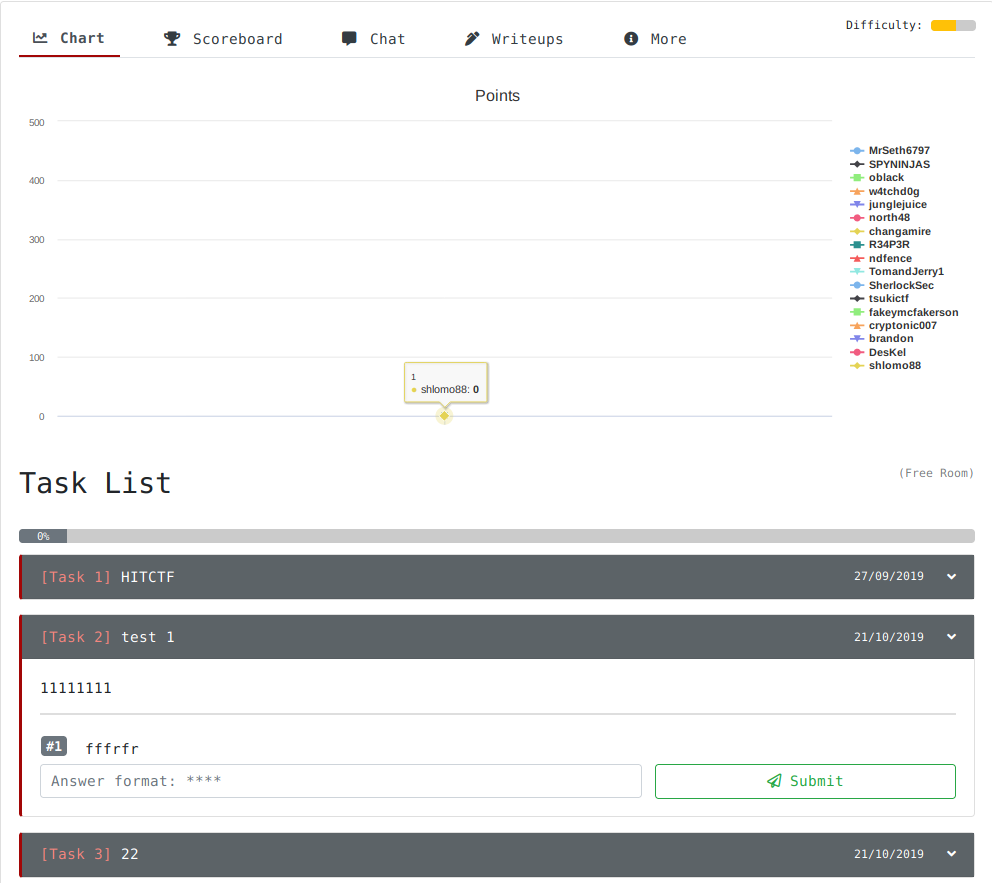
the write up redirects to http://aaa
and am i the only one who thinks the room is a troll?

 deep trellis
Hmm, might have to start having rooms pre-vetted
In order to make public
If you're a new room maker, your first few rooms will be vetted
Otherwise, you can push
I'll make the changes today
eager fulcrum
Maybe allow high ranked users to submit feedback directly to creators? Or opt in preview boxes?
Wouldn't work well for first blood though
rigid oxide
@eager fulcrum done!
eager fulcrum
I think I messed up copying the hashes between computers
eager fulcrum
Well, gonna try the exploit again
Win first time now
I guess my msf install was probably broke
hey @ashu
@vapid dawn
I can't get the webappsec room to work for the login with admin/admin
Oh nvm, wrong login
Uh I killed the box
I clicked create user on the admin page, got a php error and now I can't ping the box EDIT: was temporary DoS
uncut hound
Can I get 0X9 role
deep trellis
@eager fulcrum Those changes are now made!
eager fulcrum
Awesome
deep trellis
Less laggy, shows the author on simple rooms and the chart wont flash out now either.
Thanks for your suggestion too.
eager fulcrum
0xD God please
deep trellis
Ninja, you're powering through the ranks
Im going to need to make more ranks
What other names could I include after god?
deep trellis
Why not?
warm spear
NextGenHacker101
rigid oxide
Elliot maybe
deep trellis
Elliot I like
rigid oxide
and/or Mr. Robot
warm spear

Have fun with this you guys!!! "tracert "website"
deep trellis
NextGenHacker is a little large
warm spear
but the mans a god
deep trellis
Ooooo
I could add that to the quotes?
aha
After god.
Perhaps
I have no ieda
hm
warm spear
I like Elliot
warm spear
Dade, from the "hack the planet" Hackers movie ?
deep trellis
Hmm, not really that friendly
eager fulcrum
Top rank should be /lp0 on fire or something
deep trellis
Kinda want to keep it fun names aha 🙂
rigid oxide
^
uncut hound
Is it possible to have the THM discord bot in other servers?
Would love to have it set up in our society discord to track ranks etc
rigid oxide
I'd have to think on that. The bot is open source (the access key withstanding of course) but the implementation part outside of this discord is what I'll have to consider
uncut hound
Sounds good man 😄
 lime shuttle
x-posting as I dont know which channel this best fits:
On the Buffer Overflows image it doesn't appear that r2 (or gdb) are installed?
 grizzled hull
hi, I can't connect to tryhackme's network through my kali linux virtual machine
deep trellis
Can you show your OpenVPN client output?
grizzled hull
i can't download the configuration file, when i click it nothing happens
deep trellis
Can you please try re-generating your config file
grizzled hull
doesnt do anything
deep trellis
refresh the page and try again 🙂
grizzled hull
still not working
deep trellis
I didn't see your request hit the web server
So I guess its a client-side issue
Can you please open your console in your browser?
Right click -> Inspect Element -> Then go to the Console Tab
grizzled hull
i think i fixed it now, didnt realise i had javascript disabled, but thanks for your help
eager fulcrum
Having issues with the website loading? Particularly the rooms page?
Pages are just loading very slow
TLS handshake failed for fontawesome
And then finishes
deep trellis
Hi @eager fulcrum
This is not happening for me
Can you please confirm your OS, Browser and Version?
eager fulcrum
Kali, firefox esr
I'm thinking it might have been ublock, but that's weird because it loads on windows
deep trellis
Ahh, yes there is an issue with some version of FireFox on Kali
I will have this fixed soon.
It was reported earlier
eager fulcrum
Ah cool
snow oriole
I’m also using Kali and didn’t have any issues
eager fulcrum
It might just be kali+ublock
deep trellis
If it is lemme know please
naive dust
Is there any wrong with Brainstrom room I can't find answers for that can anyone confirm the room is working correctly
deep trellis
I dont think so? @vapid dawn can you confirm?
vapid dawn
afaik the room works correctly but I'll check again tonight
 foggy blaze
Hey guys, I'm struggling to access the WebGOAT machine. I've got the IP, I've got the OpenVPN connected, and I've got the proxy settings set up in firefox and burp (127.0.0.1:8080). Does anybody have any advice?
naive dust
Send a ping request to the machine IP, does it go through?
naive dust
Yeah, try resetting the machine
and check your access page
Make sure THM says you are indeed connected to their network
foggy blaze
I'm 100% connected, and I've reset the machine and the new IP doesnt work either
This is the room I'm in https://tryhackme.com/room/webgoat
TryHackMe is a platform for learning and teaching cyber security.
naive dust
Try starting another room, send a ping request
if it comes back, then the room is scuffed
and you can @ DarkStar (the room creator) and give him the heads up
naive dust
Hmm
regenerate your connection packet
and see if theres any difference between sudo openvpn user.ovpn
and
openvpn user.ovpn
naive dust
thats wack
foggy blaze
oooh I'm getting a response now
naive dust
:D?
foggy blaze
But I'm still getting failed to connect
steel rapids
Boxes sometimes take a while to boot up
foggy blaze
on my browser*
naive dust
Yeah they can take about, 2 minutes
steel rapids
max 5
foggy blaze
Spoke too soon
it was responding for 10 seconds
now it's gone dark again, F's in the chat
naive dust
Summoning @rigid oxide
foggy blaze
monkaS
it's responding now, still getting failed to connect on my browser though
Sorry for all the hassle, I've decided that 4:30am is the best time to teach myself pentesting
naive dust
It may not be a a web host?
The brain is most creative late at night ;) , the perfect time for hacking
foggy blaze
true!
it's this one
TryHackMe is a platform for learning and teaching cyber security.
I assume it's a web host
naive dust
do a simple nmap scan on the webgoat machine
if you dont get any HTTP ports returned then it isn't built for web hosting
nmap IP_HERE
foggy blaze
Doing it rn, ty
although I have to add -Pn or I get this
Note: Host seems down. If it is really up, but blocking our ping probes, try -Pn
Been getting that for the past couple hours on every nmap scan I attempt, so I just put -Pn for them all now
naive dust
and if you're feeling extra l33t
nmap -vv -sV IP_HERE
Is that for all machines?
Or just on webgoat?
foggy blaze
Yeah for all of them
naive dust
Whats your thm profile?
Want to take a peek at the rooms you've done
Some rooms have a soft lock against "loud" scanning
foggy blaze
https://tryhackme.com/profile although I just made this profile, I had a random one earlier when I was testing the site with a friend but now I'm subbed I've moved over to this one
TryHackMe is a platform for learning and teaching cyber security.
naive dust
your public profile
foggy blaze
omg I need sleep
naive dust
hahaha
foggy blaze
as if I just linked that
steel rapids
Just double checking, you're not confusing your THM VPN file with a HTB VPN file are you?
foggy blaze
TryHackMe is a platform for learning and teaching cyber security.
and n
I'm downloading it from https://tryhackme.com/access
TryHackMe is a platform for learning and teaching cyber security.
also the nmap scan finished, here you go:
root@kali:~# nmap -vv -sV -Pn 10.10.241.25
Starting Nmap 7.80 ( https://nmap.org ) at 2019-11-23 23:37 EST
NSE: Loaded 45 scripts for scanning.
Initiating Parallel DNS resolution of 1 host. at 23:37
Completed Parallel DNS resolution of 1 host. at 23:37, 0.01s elapsed
Initiating SYN Stealth Scan at 23:37
Scanning 10.10.241.25 [1000 ports]
Increasing send delay for 10.10.241.25 from 0 to 5 due to 11 out of 11 dropped probes since last increase.
Discovered open port 22/tcp on 10.10.241.25
Discovered open port 8000/tcp on 10.10.241.25
Discovered open port 9001/tcp on 10.10.241.25
Completed SYN Stealth Scan at 23:37, 17.25s elapsed (1000 total ports)
Initiating Service scan at 23:37
Scanning 3 services on 10.10.241.25
Completed Service scan at 23:37, 12.78s elapsed (3 services on 1 host)
NSE: Script scanning 10.10.241.25.
NSE: Starting runlevel 1 (of 2) scan.
Initiating NSE at 23:37
Completed NSE at 23:37, 0.14s elapsed
NSE: Starting runlevel 2 (of 2) scan.
Initiating NSE at 23:37
Completed NSE at 23:37, 0.06s elapsed
Nmap scan report for 10.10.241.25
Host is up, received user-set (0.026s latency).
Scanned at 2019-11-23 23:37:12 EST for 30s
Not shown: 997 closed ports
Reason: 997 resets
PORT     STATE SERVICE  REASON         VERSION
22/tcp   open  ssh      syn-ack ttl 63 OpenSSH 7.6p1 Ubuntu 4ubuntu0.3 (Ubuntu Linux; protocol 2.0)
8000/tcp open  http-alt syn-ack ttl 63
9001/tcp open  jdbc     syn-ack ttl 63 HSQLDB JDBC (Network Compatibility Version 2.3.4.0)
1 service unrecognized despite returning data. If you know the service/version, please submit the following fingerprint at https://nmap.org/cgi-bin/submit.cgi?new-service ```

trimmed the end off cause it was too longGo to the ip in your browser
but with port 8000 specifier
so if the ip was 192.0.0.1
steel rapids
so <ip>:8000
steel rapids
10.10.241.25:8000
foggy blaze
still nada :/
naive dust
Is burp intercept enabled?
foggy blaze
nah it's off currently
rigid oxide
What's going on?
naive dust
Minimize possible interference, narrow down the problem
naive dust
My boy george here is having issues doing a room you made
rigid oxide
which room?
foggy blaze
Look fellas I don't want to cause any drama 🤣
naive dust
WebGoat
steel rapids
WebGOAT
rigid oxide
Yeah I'm going to make that one private
I was testing it the other day and that OVA has problems
I'm glad I'm not going crazy and am the only one
foggy blaze
What does that mean in englando
rigid oxide
I recommend using DVWA in the mean time, I need to swap that
Aka it borked
I will fix it tomorrow
naive dust
.OVA are whats used to host the "Machines" you hack on THM
.OVA being a Virtual Machine file
foggy blaze
Oooh I get you
rigid oxide
It's hidden for now, I'll swap the machines out tomorrow and fix that
foggy blaze
Alright I'm glad it wasn't anything I was doing wrong at least! Cheers everyone for the help ❤️
rigid oxide
Thank you for being a surprise beta tester 😉
In the mean time, I recommend trying out some of my other wonderful rooms that DO work haha
foggy blaze
haha no worries mate, my friend told me about the site like 6 hours ago and I've subbed already, time to spend some of this student loan on beneficial things other than greggs meal deals
I'm a beginner to all of this so I'll try find some easier rooms
naive dust
surprise beta tester
lol
rigid oxide
lmao
Ask Skidy for that one haha
I hiiiiiighly recommend checking out Blue, Ice, or RP: Metasploit
Those are all my creations and I can assure you they work wonderfully lol
foggy blaze
hahaha cheers man, I'll try do one before I pass out
DVWA crashed after 5 mins if it's worth mentioning
it's back up, was up for 5, down for 2, now up again
And it's down again
rigid oxide
are you mostly trying out burp?
foggy blaze
I wouldn't say mostly but I keep on needing it for challenges so I've just kept it open
I dont mind giving it up and trying something that wont need it
rigid oxide
The reason I ask if because ignite also has a webapp, albeit somewhat less vulnerable which I know is 100% stable without question
rigid oxide
yeah that's it
that's a real web app, there is something wrong with it but it's not quite the same as DVWA
foggy blaze
alright gotcha, will see how it goes!
aaaaaaaaaaand it's gone down for me
10.10.116.122
No idea what's causing this :/
rigid oxide
That's on your end for the connection more than likely
foggy blaze
I'm doing this through VMWare if that makes a difference at all
rigid oxide
Shouldn't matter, my kali lives on a vmware blade
foggy blaze
it's weird cause everything else works on there
I can open a new tab and google shit etc
it's back up now
seems to come and go randomly
rigid oxide
I think it's your VPN connection truthfully, it seems to be intermittent if that's happening
foggy blaze
Down again, yeah that sounds about right
rigid oxide
Are you wired or on wifi?
rigid oxide
hmm
foggy blaze
everything else is working fine it's just the IP's I'm being given
rigid oxide
are the ip's on a similar range to your home?
Because that will cause routing issues
foggy blaze
nah this IP is http://10.10.116.122/ and mine starts with 86
rigid oxide
Is your private ip range 10.0.0.0/8?
foggy blaze
its back up again
rigid oxide
or 10.10.0.0/16
foggy blaze
Where do I check? Sorry I'm a big noob
foggy blaze
I'll DM you this hang on
 lyric hearth
Hey,
I am connected to internet and all is working good except when I am
deploying any web challenge and try to connect to it through my Kali
Linux installed in the virtual box I am not able to connect it or do
Nmap scan
whereas windows machine can easily connect
foggy blaze
are you connected to the vpn @lyric hearth
lyric hearth
yes
my virtual box kali machine shows me connected
but it doesnt work the nmap shows this
foggy blaze
OK from what I can see you started the openvpn process, then stopped it
I know it's not the best way, but I run the openvpn in a terminal, then send that terminal to another screen and forget about it
then open up a new terminal (terminator in our case) and do my work from there
Also another thing I have noticed is that sometimes you end up with multiple vpn instances occuring at once which bugs the shit out of some things. So I'd restart your VM, re-run the vpn, only this time minimize it once it's done!
@lyric hearth
Or you could do && disown at the end of the openvpn command
For example:
Hopefully that made sense! If not then let me know and I'm more than happy to jump in a quick call and explain it
lyric hearth
i did this way too opened connection in another terminal and didnt do anything and opened terminator tried nmap BUt still no success
foggy blaze
try adding some flags to your nmap scan
such as
nmap -sV -Pn 10.10.148.4
@lyric hearth
lyric hearth
@rigid oxide Hey, i resolved this issue but i think there is a bug in the website because what exactly happpens is when i start connection and do nmap it doesnt work but later on like 5 to 10 minutes if i close firefox and open the access to that particular room again the ip address changes WHICh basically means that before the nmap that i was trying to perform on ip was not correct and after opening the lab again the new ip address stays and now it is working
it took a lot of my time to resolve this so i would request you to look into this matter or specify users to refresh or open again
rigid oxide
I can certainly take a look into it, thank you for bringing it to my attention
lyric hearth
again the problem persist will be not playing for now as i cannot connect to ip address please tell me when you resolve this bug
not able to connect to ip in middle of challenge
rigid oxide
I'm not quite sure what's going on here as this is the first I've heard of this issue. Once Skidy is up and I'll run it by him
lyric hearth
this happened last time then again the website stops loading and i am not able to play anymore
dirb command gives this error
FATAL: Too many errors connecting to host
(Possible cause: COULDNT CONNECT)
i myself dont know why this is happening
deep trellis
Hi there
So you run gobuster, it works for a little bit, then it stops you communicating with the box?
Can you ping it after?
Does the box connect successfully after some duration?
lyric hearth
yeah but i am not able to do gobuster and this will not let me go further
Inshort the box mis behaves like first connecting is difficult sometimes it let me connect sometimes it doesnt load the url or allow nmap then sometimes things like gobuster are not able to work and even i have noticed same issue on my friends computer not sure what is going on
eager fulcrum
Sounds like the vpn is unreliable
lyric hearth
tried regenerate file again connecting, leaving one terminal after connecting and tried also to use another directory buster known as DIRB gives this errie
(!) FATAL: Too many errors connecting to host
(Possible cause: COULDNT CONNECT)
eager fulcrum
Try curl
lyric hearth
in the morning when website doesnt load curl also doesnt work but now website is loading and working and just right now tried curl it is also working
eager fulcrum
Well, try dirb etc again now that it's working
lyric hearth
right now the next step was busting directory and both of them is not working in the morning i was talking about only connecting to the website but after that nmap is still working and i finished few levels and then when directory bust level came i am again stuck
eager fulcrum
Did you actually give the VM a chance to boot up before you started hitting it earlier?
If it works now, then just accept it and carry on
lyric hearth
no just read my last message
in short it keeps on misbehaving
**** then when directory bust level came i am again stuck*****
I even tried to terminate and get new ip and now tried dirb and gobuster but they are still not working
Sorry to confuse, inshort at the movement cant bust directory but nmap, curl and website acc. to level on port 3333 is opening
eager fulcrum
Maybe it realises you're bruteforcing it and blocks you. Are you meant to be running any directory busters on it?
I think your VPN connection is probably broken
deep trellis
Raghav, if you continue to have this problem, email hello@tryhackme.com and I can arrange a time to walk through it together.
lyric hearth
yes the challenge gives us how to do dirbuster and i have played ctf before so i am not a newbie or a total noob lol
@deep trellis i appreciate but can you just try to dirbust once and see if it is working for you?
eager fulcrum
Gobuster worked for me on that challenge
lyric hearth
on firefox what proxy conf did you have can you please confirm?
eager fulcrum
Oh. You have a proxy bound
@lyric hearth Do you have Burp running in intercept mode?
try turning that off
lyric hearth
nope i didnt i saw on the internet why gobuster is giving this error and solution was proxy changes in firefox but its already set to automatic
leave will try another challenge
eager fulcrum
gobuster won't use your firefox proxy
lyric hearth
no problem let just skip its not a big deal
lyric hearth
i think this is the resolution
NOT_FOUND is the response code that gives a webserver for not existant pages
or documents. DIRB use this code to locate only the correct existant pages and
eliminate the rest. By default most webservers use code 404 (Page not found)
but in some cases the NOT_FOUND code is not 404 and most CGI scanners will
fail in detecting existing pages.
lime shuttle
Shot myself in the foot by updating my CTF -Rig Exploit failed [unreachable]: OpenSSL::SSL::SSLError SSL_connect returned=1 errno=0 state=error: wrong version number
foggy blaze
Oh god
I went away for 2 hours, came back and now I'm getting ``` Exploit failed [unreachable]: OpenSSL::SSL::SSLError SSL_connect returned=1 errno=0 state=error: wrong version number
How do you fix this? I legit just went away from my pc for 2 hours, I've restarted the target machine though
fixed by typing 'set SSL false'
rigid oxide
Either that or a wiki, albeit I think it'd be good to have the wiki directly integrated into the site
Although an FAQ would probably be a better solution in the long run
deep trellis
Actually a community wiki would be amazing
Hmm, wonder if there is an open source wiki we canuse
Ill look into it when I get a chance
rigid oxide
Mediawiki
eager fulcrum
Any way to "munge" a string? I have a string with 3 places there could be substitutions and I know what letters would go there
But I just need to generate the l33tspeak or munged strings
So like, "h#ll#, w#r#d"
hello, world
e could be 3
rigid oxide
sed comes to mine
eager fulcrum
Honestly this "functf" is not so fun it seems
it was OK to start with but it's a lot of the same
@rigid oxide I can hop over to rooms-help to give a better, in context, example
rigid oxide
I haven't even completed that room, truthfully we'd need falcon to explain it
eager fulcrum
the in context example could probably lead to a solution
foggy blaze
Not really tech support but can admins/owners manually namechange or would that be a ballache? I really regret being called georgedmu when there are so many nice names available
I wanna be called spyro 😦
rigid oxide
@deep trellis
Currently name changes aren't possible, it's a technical issue that we have to address
foggy blaze
Not possible as in the feature isn't possible rn? Or you are unable to manually do em? Either way it's okay
worst case scenario is I make a new account and sub on that when this one ends and then use my notes to complete all the same rooms haha
warm spear
Make an alt and reserve your name
its what i did, not sure if Skidy approves but I'd hate to see name changes being implemented and the name I want is already taken 😅
deep trellis
Username changing coming soon. ETA December.
foggy blaze
Woohoo
deep trellis
Networks are delaying me.
foggy blaze
If anybody steals spyro I'll be very sad, pls don't guys thanks
deep trellis
I'm creating the course for the networks, making it work how THM currently works, so much to consider.
foggy blaze
Gl!
deep trellis
Also want to ensure its built properly for the future
rigid oxide
ezpz make an alt to reserve it
deep trellis
But I will get around to all those features.
foggy blaze
If I get the greenlight then I deffo will
deep trellis
Also more of a concern is: Removing chat in rooms, updating points, review room quality etc..
foggy blaze
also with namechanges would you be able to change to someones old username? or once a name has been used once it can never be re-used despite it not being in use
deep trellis
Yes, if you change your username, someone else can claim it.
I might add a "buffer"
Like 3 months
So people can't just take your username and pretend to be you.
But I hate it when ppl take usernames (cough twitter cough) and no-one else can register it.
Same for domain names.
foggy blaze
I feel you! I'm trying to register a twitter now, georgesec is taken by some old bloke who hasn't tweeted since 2016 (I'm not counting automated instagram tweets from june 2019) and spyrosec was registered in 2009 and not touched since
spyr0sec it is
deep trellis
Yeah, its annoying aha
foggy blaze
LMAO
lime shuttle
@eager fulcrum I have a Python function that does exactly that (the leet speak transpose). Let me dig it up.
lime shuttle
Ahh. ok. I wrote it to generate all permutations of a domain that was registered like "c0mp4ny.com" and then I calculate the Damerau–Levenshtein distance from a list of domains $day_job owns. Goal is to find targeted phishing domains before that can go live
eager fulcrum
Clever
naive dust
Does anyone have a convenient way to have a folder on my host desktop be synced to my virtual kali desktop? (One hosted locally) I tried Virtual Box and the tutorials but never could get it to work. If there's other virtualization software that makes it easier I'm open to try it. Just something that's dumb easy to transfer files to and from the virtual machine to my desktop
rigid oxide
I've had really good luck with VMware but you could just mount the C drive
lime shuttle
+1 for VMware (I'm using Fusion here) just configure the shared folder in the VM settings and then on the Linux box:
sudo mkdir /mnt/hgfs
Then add to /etc/fstab
.host:/ /mnt/hgfs fuse.vmhgfs-fuse defaults,allow_other 0 0
Also make sure that open-vm-tools-desktop is installed in the Linux guest
I keep all my wordlists on my host machine and share the folder to all my VMs so I'm not wasting GBs of disk space
lyric hearth
ote: Host seems down. If it is really up, but blocking our ping probes, try -Pn
Nmap done: 1 IP address (0 hosts up) scanned in 3.15 seconds
is it only me whos nmap gives these error?
foggy blaze
@lyric hearth add -Pn to your line
lyric hearth
yeah but after that i cannot scan all ports as its showing 1 hour and the challenge needs us to do that
 mossy ermine
anyone around?
rigid oxide
Whatcha need?
@mossy ermine @deep trellis can help you with that in a bit for taking care of the password
mossy ermine
locked out of account after i set it up a hour ago and tested the logout login
password reset links back to forgotten password page creating no way to reset password
i am pretty sure i didnt fat finger my password but not sure, proably should be tested
mossy ermine
I'm heading to bed sorry to give you the headache almost at midnight the day before thanksgiving... good luck happy holidays
eager fulcrum
if anyone gets zenmap going on 2019.4, hmu
Prefereably without using alien to install it from the rpm
eager fulcrum
It's not installed by default, and it's not in apt anymore
deep trellis
@mossy ermine Sorry you're having issues with that. Either use the forgotten password form or email us to get your password reset.
 polar steppe
I think wrong tag 😂
deep trellis
Sorry aha
polar steppe
👍 np
 mild jungle
Heya, is there any way to change your e-mail? I'm looking to buy the subscription but I'm signed up with an email that isn't a student email, even though I'm a student?
vapid dawn
hey @mild jungle we're currently working on that functionality - for now drop us an email at hello@tryhackme.com
mild jungle
Cheers!
mossy ermine
any admin around
@deep trellis @rigid oxide The forgotten password system now works but it will no longer allow a login even after i successfully reset my password
opps nevermind just got in
took asec to take
deep trellis
Amazing, glad you managed to login 🙂
mild jungle
Cheers guys, Ben got in contact about changing the Email!
 acoustic ingot
How do I link my TryHack me profile with discord using the token thing
naive dust
DM the bot
deep trellis
I'll make a blog post about it
mossy ermine
so it is November 29th how do you enter the 25 days of cyber?
eager fulcrum
There will be an announcement
warm spear
How do I redeem the student discount black friday sale? I already have a subscription. Do I cancel then re-do my sub?
snow oriole
@warm spear i think that's for @deep trellis or @vapid dawn
deep trellis
@warm spear Contact me
mossy ermine
I see at the advent of Christmas has been updated to a email notification of subscribed users of tryhackme, has the email been pushed out? last i knew today was the only day to sign up and the day is almost over.
rigid oxide
@mossy ermine the email will be tomorrow :)
mossy ermine
cool, so happy
eager fulcrum
Tomorrow for whom?
rigid oxide
Itll be as part of the normal site new emails
 steady schooner
So I've ventured to VulnHub and picked up a couple vm's to hack away at but I've run into an issue. I've tried connecting my Kali vm and the vuln vm to the same virtual network, but I can't seem to get the darn things to talk to each other. I've been using the 'netdiscover' command on Kali to scan for ip's on the network, but it only returns VMWare's loopback ip. I've looked at a couple walkthroughs (just so I can get past this step), but they seem to start after a connection is already made. I've tried setting both virtual adaptors to Bridged, but to no avail. Any ideas?
rigid oxide
Try reinstalling vmware, that sounds like potentially a driver issue
naive dust
is the advent hack challenge reserved to subscribers or is it open to all people who signed up with TryHackMe... info is not clear at all...
rigid oxide
^Exactly this
eager fulcrum
Anyone else getting much worse boot times on 2019.4 compared to .3? Exact same VM settings but my 2019.3 VM boots in like 20% the time
eager fulcrum
Anyone got IDA debugging working in Linux?
eager fulcrum
I got it working, error message wasn't very helpful
foggy blaze
Setting up a new VM on my laptop, but I really want to download 2019.3 of Kali, is there a way I can get an older version?
I'm really not big on the appearance of 2019.4
Big brained it and used the wayback machine
 vestal beacon
Yes, you can download 2019.4 and then delete the pre-installed GUI (I'm assuming it's XFCE) and replace it with the classic GNOME graphical system you've grown to love
 prisma cobalt
This is the reply from discord support about me being automatically removed from the server.
Do y’all use auto ban bots?
rigid oxide
Nope
I have moderation bots that I like but I don't use them currently
If you're using a VPN you might be getting hit with a residual banned ip but that's the only thing I could think of
eager fulcrum
@foggy blaze https://cdimage.kali.org/kali-2019.3/
Also I just install the ISO on a vm
last olive
We are planning on our moderation feature for bot in near future.
 cursive mantle
How come the Christmas challenge says come back tomorrow when the challenge starts at 8am GMT?
eager fulcrum
@cursive mantle I thought it was 8pm
 north palm
I've been trying to check out a couple of the free rooms and cant seem to deploy and machines. I click the button and I get the message saying "starting your machine. Please wait". But no matter how long I wait, nothing happens. I dont get given an IP. Ive tried in both Chrome and IE and its no different. Anyone got any ideas?
deep trellis
Hi there
can you try re-reploy
and can you please let me know the room you're deploying VMs in
north palm
By redeploy you mean just click it again? Ive tried that and again nothing. Just tried this morning in the metasploit and nessus rooms. Both dont work for me
woeful stone
(not staff) but are you blocking Javascript by any chance?
I've had similar issues before
north palm
I do have ublock installed, but it should be disabled on this site. Let me check the console
Hmmm
Failed to load resource: the server responded with a status of 403 ()
deep trellis
can you send a screenshot
north palm
woeful stone
I had that error before when running Vivaldi, think it was something to do with the obfuscation - anyway I should stop talking, I'm just finding ways to procrastinate from my dissertation :p
eager fulcrum
Sign out and back in maybe?
north palm
Pretty sure I tried IE before a few months back, the last time i tried to get this working. But will give it another go now... One sec
deep trellis
Thank you
north palm
Just tried in firefox aand it deployed the machine straightaway... strange. At least I can deploy now and progress with some of the rooms. Thanks
deep trellis
Okay, I will fix the problem later this week
If you can use another browser for the time being, that would be great! Thanks
north palm
Thanks. Yes, no problem to use FF in the mean time. Thanks for your help
 nimble bridge
Hi, I am trying to learn how to use metasploit in the room RP: Metasploit.
After executing "exploit" or "run -j", I get a message saying "Exploit completed, but no session was created". Am I doing something wrong, or is it supposed to be this way?
Thanks for the help!
ps: I am running Kali Linux on virtualbox
spare blaze
This goes into #room-help. Anyway, I think @rigid oxide can help you there (I had the same issue, I can't remember if I passed the task or if it's stil hanging btw)
 lament needle
@nimble bridge are you sure that you have set the LHOST and LPORT correctly!
nimble bridge
I didn't read anything about "LHOST". The challenges in the room say
- set RHOST YOUR_IP_ON_TRYHACKME
- set RHOST BOX_IP
@lament needle
rigid oxide
@nimble bridge hop over to #room-help , I wrote that room
 arctic eagle
At the risk of sounding a bit thick. Is it possible to amend my email? I've made a typo in it, so can't verify it
uncut hound
yeah it is email them and they can change it I believe
arctic eagle
Ta - I'll drop them a line
steel rapids
hello@tryhackme.com incase you didn't know
rigid oxide
^
naive dust
Hey @eager fulcrum
eager fulcrum
Hiya
eager fulcrum
Sometimes it takes me two attempts, but not normally more
But that's fine, I'm glad it's working
naive dust
🙂
naive dust
Don't know the right channel for this. Can I have the subscriber flair? Been subbed for a few weeks but never go round to requesting it
eager fulcrum
@naive dust The !verify command will do that
rigid oxide
I also just added it manually for you but verifying will give you the correct rank as well
naive dust
Thank you my friends
naive dust
Went to deploy the kali VM and launch it in Browser but to do not know the username
Have the Pass but not the user name
rigid oxide
Refresh the page, it should auto log you in
naive dust
thanks
rigid oxide
yup!
deep trellis
if it doesn't teminate the instance and re-deploy
naive dust
Spinning up Kali VM now will post results
rigid oxide
!skidy
 sharp bisonBOT
 Skidy
Skidy
:slight_smile:
deep trellis
!dark
sharp bisonBOT
 DarkStar7471
YUME IS A PRINCESS!
rigid oxide
...in retrospect I should have seen that coming hehe
deep trellis
Oh god really
 fast shuttle
Dumb question: Is there a way to update my accounts email address? It's currently set to my username instead of my actual email address.
rigid oxide
@fast shuttle email hello@tryhackme.com with your email and account name
fast shuttle
Thanks!
 quaint seal
@naive dust i'm having the same problem with deploying VMs atm as well
naive dust
Using RDP now
deep trellis
Ah ok
When you're done, let me know
Ill see why the browser based stuff isn't working
naive dust
@deep trellis understood thanks
 elder meteor
I'm getting an invalid login on kali browser; is there a step I'm missing?
quaint seal
@elder meteor yeah, it shouldn't be asking for a login at all in the browser. I think there's something up w/ the tokens not getting populated in the url (token=undefined). I think @deep trellis is looking into it
elder meteor
Ahh, thank you!
deep trellis
I'll take a look tomorrow @elder meteor :)
Sorry for the trouble, can you please rdp into it for now?
 rapid flax
good deal, I assumed it was something more complex than just asking for "creds" lol. I saw the URL and it had me thinking. Definitely works for me, I'm just cloning over my Kali VM and I'll use that for now, thanks for looking into it Skidy, much appreciated.
 icy umbra
I'm having trouble connecting to the vpn I keep getting udp link local not bound and tls handshake failed
deep trellis
Hi @elder meteor
can you please try now?
@rapid flax can you try now too please
Watching our logs
To see what the problem could be
woeful stone
I got "Down for development" on the access page a second ago @deep trellis but all back to normal now
it coincided with some VPN issues
woeful stone
ahh going to guess that's what the other guys were having issues with
icy umbra
still can't connect to vpn 😦
deep trellis
To the VPN?
icy umbra
yes
rapid flax
You try redownloading a new config file for OVPN? @icy umbra
icy umbra
i did it didnt help
quaint seal
@deep trellis yep, that fixed the guacamole issues for me
 copper fern
My Kali machine just freezes when I pick language every time.
deep trellis
can you email (hello@tryhackme.com) your file?
Give it a sec @copper fern
If shouldn't
let it "warm" up
woeful stone
I just got a bunch of @deep trellis for a while but I assume it was while you were restarting
Mon Dec 2 00:53:03 2019 SENT CONTROL [server]: 'PUSH_REQUEST' (status=1)
Mon Dec 2 00:53:08 2019 SENT CONTROL [server]: 'PUSH_REQUEST' (status=1)
Mon Dec 2 00:53:13 2019 SENT CONTROL [server]: 'PUSH_REQUEST' (status=1)
Mon Dec 2 00:53:18 2019 SENT CONTROL [server]: 'PUSH_REQUEST' (status=1)
Mon Dec 2 00:53:23 2019 SENT CONTROL [server]: 'PUSH_REQUEST' (status=1)
Mon Dec 2 00:53:28 2019 SENT CONTROL [server]: 'PUSH_REQUEST' (status=1)
Mon Dec 2 00:53:33 2019 SENT CONTROL [server]: 'PUSH_REQUEST' (status=1)
Mon Dec 2 00:53:38 2019 SENT CONTROL [server]: 'PUSH_REQUEST' (status=1)
Mon Dec 2 00:53:44 2019 SENT CONTROL [server]: 'PUSH_REQUEST' (status=1)
Mon Dec 2 00:53:49 2019 SENT CONTROL [server]: 'PUSH_REQUEST' (status=1)
Mon Dec 2 00:53:54 2019 SENT CONTROL [server]: 'PUSH_REQUEST' (status=1)
no issues after I killed openvpn and reconnected 🙂
rapid flax
All good on Kali in Browser access, thanks!
woeful stone
aha guess there's a lot more demand now because of Christmas
deep trellis
Yeah :/
@rapid flax amazing, sorry for the trouble
If it happens again, please let me know
rapid flax
Lol, no worries. Thanks for the support! Much appreciated. I'm sure things will even out as the event moves forward.
woeful stone
My initial guess was that THM was using the Amazon Client-Site VPN but I guess that'd be crazy expensive to do
woeful stone
Yeah makes sense vs paying hourly per connection 🙂
woeful stone
I used to have a mini remote hacking lab based on ESXi where I used a pfSense VM to do all the OpenVPN stuff
I wish I had more time to automate it though, the THM VPN client generation is really slick
deep trellis
Thank you, it took a while to find a method that would work.
Thats pretty cool tho
In the networks Im creating I wanted to add a load of routers (pfsense and cisco)
But configuring it on different subnets all the time is a pain
copper fern
Dude what's your background, you seem to be so advanced in so many subjects
woeful stone
Yeah I can imagine @deep trellis
@copper fern going to assume you're talking about @deep trellis here aha
copper fern
Haha yeah although I'm certain you're also quite a bit more advanced than me
deep trellis
Nah, I might appear that way
I seem to know a lot about a little
(if you were talking to me) thanks tho
& a lot of time researching and experimenting
woeful stone
Haha nah you know loads, I'd try and recruit you into the company I work for but I'd be afraid I'd accidentally kill THM if you joined :p
copper fern
@deep trellis yeah I was talking about you :)
I'm just getting my bearings a little. I've only touched infosec on the surface and the Advent thing sparked my interest, since I want to work in security eventually
deep trellis
Its a great place to start, each day a small security challenge with supporting material is released
Start with the foundations and just grow from there
You can get an idea of what you like/dislike too
copper fern
Yeah a lot of the material looks promising! I had a tiny course in uni about information security that got me interested. I do some website work so the xss-stuff was interesting right away 🙂
deep trellis
Sorry, can we move this chat into #521382216304033794
copper fern
yeah sorry I just realized we are in tech-support
 golden inlet
@deep trellis @vapid dawn - I am using the Kali machine for the avengers box and the following commands dont work: ftp and gobuster
mossy ermine
is your roles suppose to automatically update or are we suppose to re-register the token with the bot
🙃
never mind figure it out
 coral palm
hello ... im trying to do task 5 of the day 1 challenge, and I'm on the vpn, and I have an "Active Machine" as indicated by the "Active Machine Information" red bar... but when i go to that IP address http://ip:3000 , i get an unable to connect message
my local network is a 10.0.0.0/24... could that be whats causing it? that my local network has a similar subnet to the vpn, and when i go to the 10.0.0.x target/active machine ip, my machine thinks it's a machine on the local network?
quaint seal
@coral palm be sure to replace "ip" with the IP address of the VM that launched in your browser for the room. it will probably be 10.10.x.x (where the two 'x's are something assigned to you)
coral palm
thank you @quaint seal , i got it
quaint seal
👍
 shadow glen
Good evening! I subscribed to THM and have a token... what do I do with it?
mossy ermine
@shadow glen dm the bot with !verify tolken and it will update your roles. you have to reverify if you get new levels and or roles
shadow glen
Okay, thank you 🙂
 terse canyon
hello
snow oriole
Hey Tomas
Let me take a quick look and see if i found the 26th flag
I haven't completed the whole room
So, i didn't complete that one. Might have to get back to the room
terse canyon
thanks i've put that to the side for a min to clear my head. see if some time away will help solve it .
snow oriole
Sometimes takin a step back might help ya (happens to me so often. Lol)
terse canyon
i signed up for the cyber-advent ctf and the initial task of accessing the machine with the given ip address gives
me a message of " having trouble finding that site"
i wonder did this happen to anyone else
snow oriole
Oh, yes. So... it might take a good 3-4 minutes in order to boot everything
start the machine, wait around let's say 5 min
snow oriole
and check with nmap if the port is open. Or you can try accessing it directly
terse canyon
i actually have one more question...
when logging into rooms , previously when i deployed a machine it would open up. now recently when i deploy a machine i get a window that says "remote hackme" and asks for a username and password. is this a change for the site
snow oriole
that didn't happen to me. And that would be a question for @deep trellis
terse canyon
thank you
snow oriole
I'm sure Skidy will respond as soon as he sees this, but he's asleep now i guessw
eager fulcrum
@terse canyon @snow oriole That's a known issue atm
I believe Skidy is looking into it
terse canyon
for the time being would my username be my email or username for the site...
same question for password
eager fulcrum
@terse canyon if it's the kali one, try RDP if you can. I can't see another way around it, looking through the chat here
snow oriole
I'm not using Kali in browser since i have it locally. And @terse canyon you can user your email for your username (i saw someone saying there was some issues when trying to login with your username) and the password you set for your account
terse canyon
thank you i'll try those..
 wispy sundial
hi anyone can help me
on windows
openvpn seems to be connect according to access page
TryHackMe is a platform for learning and teaching cyber security.
machine is deployed since awhile ago
cant seem to access it tho
rigid oxide
Do you have your VPN on? Also, I HIGHLY recommend using a Kali VM
Doing this in Windows is doable, however, it's significantly harder
wispy sundial
only machine i have now is a windows
will probably get the vm up a day or two later
rigid oxide
Do you have OpenVPN installed? You need to have it up and running with your configuration from the website to reach the box
wispy sundial
as mentioned https://tryhackme.com/access shows connected
TryHackMe is a platform for learning and teaching cyber security.
rigid oxide
OpenVPN sometimes can't perform the routing/route add operations that it needs to do on Windows and that might be what you're experiencing here
wispy sundial
is there a way to fix it
rigid oxide
I would recommend looking to get a Kali virtual machine setup, it'll be an easier fix in the long run
Not really, it's a permissions issue with the service
wispy sundial
need a temp fix since download speed here is a bitch
rigid oxide
Google is likely your friend there, I'm not sure I can provide a lot of help
rigid oxide
Yup! Don't forget, the cyber advent challenge doesn't time out each day so you can catch up after missing a few days if need be
 burnt holly
are there more rooms in christmas puzzles, I am done with advent of cyber?
eager fulcrum
There's one a day
There'll be another one in like, 5 hours and 18 mins
@burnt holly
burnt holly
Actually in cyber advent machine it is written that this machine is 3 days old
snow oriole
@burnt holly even if the room was made a few days earlier, it wasn't released. Probably they tested it to see if everything is working as expected 🙂
burnt holly
Ok cool
snow oriole
Download ur openvpn instance and just do openvpn <vpnname>.ovpn
snow oriole
Yes
Also, run it as root
In case you don’t run is as root the connection might fail
sudo openvpn <yourfile>.ovpn
 pale ridge
Guys any clue?
I am running from a Kali VM, btw
Oh well it seems like I cannot connect to any page at all
Imma reboot
 severe furnace
Can someone help me setup openvpn on mac? I tried with homebrew but its not starting up
pale ridge
Solved, seemed like an VM fault
It doesn't start up, it is a command line only package
Try downloading the access file from the tryhackme page and run sudo openvpn youraccessfile.ovpn
deep trellis
Awesome 🙂
 candid dust
Hey folks, having issues with the 25 days of christmas. Launching the day 1 machine doesn't seem to work. I confirmed on the network access page I am on the VPN, am I making a silly mistake?
http://10.[ip here]:3000 just says connection refused
eager fulcrum
@candid dust It takes like 5+ mins to get started
candid dust
ahhh, okay. The text says up to 3 minutes, that was my confusion.
thanks @eager fulcrum
eager fulcrum
Yeah it was like 10mins for me
severe furnace
Can someone help me setup openvpn on mac? I tried with homebrew but its not starting up
severe furnace
It seems I cant access the VPN from my office network, too bad
rigid oxide
@naive dust unfortunately not at this time, this is something we're looking to implement in the future
@severe furnace depending on the office setup, you may have a rare instance where the ranges utilized overlap or the VPN is blocked by your office
severe furnace
yeah I guess, so that means I will need to do it later when I get back home
basically tls handshake was failing
 wary valve
same issue I had. it worked when i got home
severe furnace
I might subscribe.. that way I can use the Kali VM for connection
Hi, is there an option to update our email address?
rigid oxide
@severe furnace email hello@tryhackme.com with your account name and the email you want it changed to
severe furnace
nvm
mossy ermine
not sure who wants to handle this but question 1 on day 2 cyber is wrong on one of your servers. i've confirmed i have the correct answer with your mods. have screen shots but dont want to post answer in discord. let me know how you want to proceed
 odd mica

vestal beacon
@mossy ermine 8Char string starting with 'S'?
mossy ermine
yup
vestal beacon
In directory format
mossy ermine
yup
vestal beacon
Daymn, broken challenge is broken
rigid oxide
I had spooky reach out to me, I'll talk with Skidy but I can also just update that quick
eager fulcrum
(I confirmed it was the correct answer based on my answer that was accepted as correct)
rigid oxide
So you're all very clone, the regex should make it still work
Web directories are typically forced to lowercase
Keep that in mind
One moment, I'm hopping on my kali box
eager fulcrum
@rigid oxide Yeah, both my answer and their answer match in case, both lower.
rigid oxide
Let me DM you quick
I've verified the challenge is correct on the website, it's likely a sync issue
 crimson fog
I'm on day1 task6 of the 25 days of christmas room. I can't seem to connect... I hit deploy then try to open up http://<your_machines_ip>:3000 in my browser. I'm using the IP given by OpenVPN which is the same as the one listed under "Internal Virtual IP Address" in my access tab
am I missing some step here?
mossy ermine
@crimson fog you dont use the ip given by the vpn you deploy the virtual vm and use that one
crimson fog
is that done when I hit deploy?
I got a popup message, but nothing else. Maybe I have an addon blocking something?
mossy ermine
yup join the room first to deploy a vm then a red bar called active machine info with refresh with the page
mossy ermine
yup np
naive dust
Hello there, I Joined TryHackMes Discord yesterday, but today I found it was not added, thought I was kicked or something, I Joined it again today, did I do something wrong?
could someone help or is it normal?
rigid oxide
That's not normal, I can promise you that you weren't kicked
rapid flax
@naive dust similar thing happened to me, but nothing warranted a kick, I'd bet there could have just been an issue with discord
naive dust
it seems so, I will just ingore it, lets see if it kicks me out again
foggy blaze
been 5-10 mins since I started the christmas challenge 2 machine and it aint loaded 😦 I can ping it and I get a response but nothing comes up in the browser, and I cant run gobuster against it
rapid flax
@foggy blaze make sure you use port 3000 🙂
uncut hound
ok so here's the fun fact, like yesterday just be patient
It won't load any faster. Just hold onto that excitement and wait