#overclocking
1 messages · Page 47 of 1
 cold jolt
 uneven ermine
^
 high crown
is the AMD Ryzen 5 1600 Six-Core Processor overclockable
high crown
Do you know a good video I could watch to learn how to do it?
high crown
I can overclock my gpu as well right?
high crown
AMD Radeon R7 240
high crown
and there would be a video for how do it as well right
 dull ginkgo
There is
I think you can do cpu OC manually
its pretty easy with ryzen master
just type a higher frequency
apply
run cinebench
if you don't crash, it likely works.
 latent wolf
The R7 240 uses a outdated driver package. Have to use the overclock utility in the driver package and it doesnt always work. Best bet for the R7 240 is Afterburner. If i remember the utility is AMD Overdrive. Been awhile since I had to use that utility.
 vapid berry
Tfw Lenovo GT 730 100MHz overclock on core and memory 
 proven canopy
sub it on hwbot\
 flint ledge
vapid berry
flint ledge
vapid berry
I don't see a real reason to overclock the 9400, it already has a good turbo frequency
 sterile flame
Question, is the newer R0 the same clocks/voltages as the P0 9900k or are they about the same?
 manic helm
Voltage will always vary from cpu to cpu if you leave them at stock. It will call for a certain vid at a frequency. But in theory the R0 should operate at the same voltage as a P0.
From what i have read the vid tables are the same, but some will run at lower vid.
 spring valve
Hi guys I have a i7-6700k overclocked to 4.2 ghz. i see people overclocked to 4.7 (crazy) and i want to maybe push mine to 4.4 - 4.5 ghz. and how do i do it im a bit stuck. i have a straight forward bios nothing bad.
spring valve
.
 normal ether
I'm no overclocking expert, but from what I know you increase the voltages according to the clockspeed, right? Then you just make sure it's stable.
Would your VRMs be able to handle it?
 jade pulsar
I wouldn't go above 1.33 for a 24/7 overclock, you can look up safe voltages for your cpu online
I would start by trying to get a clock that most other people can hit with that cpu and try to get a voltage that is reasonable and stable while running some kind of stress test. if you manage that then try setting clock higher and test stablility, if it crashes turn voltage up a bit. I would never go above 1.4v(this is with intel ofc)
im no expert but i do a 24/7 oc on a 8600k 4.9GHz all cores
manic helm
A good 6700k should do 4.5ghz at under 1.3v. One of the important things when overclocking it is to make sure to start off with leaving the uncore clock speed at something you know is stable and find the stable core voltage and clock then work up your uncore. at 4.5ghz I think you should be able to run the uncore at 1:1 on a 6700k but its possible it wont.
spring valve
@manic helm can you dm me
spring valve
im quite confused.
spring valve
.
 rugged timber
 rugged timber
XD
imagine overclocking the ryzen 9 to 5.4 ghz
and declocking threadripper to 2.0
 fast field
whats a good oc for 2070 super
spring valve
Hi guys I have a i7-6700k overclocked to 4.2 ghz. i see people overclocked to 4.7 (crazy) and i want to maybe push mine to 4.4 - 4.5 ghz. and how do i do it im a bit stuck. i have a straight forward bios nothing bad.
Here are some of my bios pictures
That is my not my picture, its one off the internet that has the same bios as me
Motherboard: Maximus VIII Hero
jade pulsar
the voltage does not look safe
spring valve
That is my not my picture, its one off the internet that has the same bios as me
jade pulsar
lol
spring valve
do you overclock? / know about overclocking?
spring valve
That is my not my picture, its one off the internet that has the same bios as me
dull ginkgo
oh good
dull ginkgo
people push voltage like crazy okay
jade pulsar
the core ratio is the clock speed, 45 = 4.5GHz 50 = 5.0GHz etc.
jade pulsar
the higher the clock the more voltage you need
spring valve
I wanna push it to 4.5ghz
But keep temps cool and no crashes
4.5ghz is the max imma go
jade pulsar
I don't like to go over 1.35v for long term oc
spring valve
Yeah
So what do you reccomend
i7-6700k
4.5ghz oc
what settings do i need to change
im a beginner in overclocking
jade pulsar
it's at 4.2rn?
spring valve
yes
jade pulsar
what is your voltage at
dull ginkgo
You can use intel XTU
instead of bios
makes things easier to test for stability I believe
dull ginkgo
I still suggest you download and use this
https://downloadcenter.intel.com/download/24075/Intel-Extreme-Tuning-Utility-Intel-XTU
Drivers & Software
Intel® Extreme Tuning Utility - Intel® XTU
sure you can put it later into bios
but most people aint got time to go to bios, apply, restart, test, go to bios
spring valve
ok.
jade pulsar
the link sounds easy, i've never used it tho so idk
spring valve
ok so is there anything wrong or you want me change in the pictures?
jade pulsar
you can leave it
spring valve
since I wanna push it up to 4.5ghz
or should I download the link and you tell me there how to push up to 4.5ghz
jade pulsar
Mr1 might be able to help you out with that since I've never used the program
dull ginkgo
lmao I use ryzen, XTU is the counterpart to Ryzen master
Jam, XTU is a software
by intel
for ocing
it's not in bios
side note, prob want to enable xmp
spring valve
Just did
I swear I enabled it before
Mustn’t have saved it :/
Anyways I’m booting up
proven canopy
That picture meme of Kingping and TiN is terrible - neither of them would even think of shunt modding with liquid metal.
Shunt modding with LM is the equivalent of cracking an egg into your radiator to fix a leak.
This is the better way to do it.
https://xdevs.com/guide/pascal_m_oc/
Hardware voltage adjustments for EVGA GeForce GTX 1080 Ti Founders Edition. Power limits removal and GPU, memory, PLL voltage mods.
normal ether
Hey, this might sound a little insane cause I know not a lot of people do it, but how would I overclock my monitor?
Like go from 75Hz to 90Hz?
proven canopy
Unless you have one of a specific few models of monitor, unlikely you can safely overclock from say 60-75.
 rustic flint
Hey, what do you think will happen if I overclock a Intel celeron n4000?
Cooled with bare skin btw
normal ether
wait wdym cooled with bare skin
rustic flint
Like putting the laptop on my laps
 wind prairie
Can you oc 9700k to 5 ghz without liquid nitrogen or sub zero
proven canopy
Easily
 frosty knoll
Running Prime95 to test my overclock and monitoring with Ryzen Master as shown here; no other large background processes running
started at 3.8GHz at 1.35V and I've been able to drop it as far as this without it crashing after two hours of Prime95 Small FFTs
unfortunately 3.9GHz appears to be impossible even with this CPU even with 1.375V
and I don't feel like pushing it any higher than that
only VCore has been adjusted; SoC is set to auto but appears to hover around 1.14-1.15V while in BIOS
CPU cooler is an Arctic Freezer 33 eSports One with an extra Bionix fan attached to the backside of the heatsink (creating what is more or less equivalent to an Arctic Freezer 33 eSports Edition)
not sure why I can't hit 3.9GHz or lower temperatures but I suppose I will start by setting a stronger fan curve (noise of the cooler is loud but low-frequency so I don't find it intrusive even near max) and fixing SoC voltage to something higher
Anything else I should be considering?
Prime95 appears to default to disabling AVX-512, and I am not sure this is recommended for a complete stress test
proven canopy
That chip doesn't have AVX-512 capability.
frosty knoll
Is it possible to torture test your system hard enough that it forgets to run the clock at the correct speed?

frosty knoll
I was running Prime95 for around two or three hours today
and my clock fell behind by 10 minutes lol
 mild moat
Hm.... cool
sterile flame
Enable HPET
 lethal sand
vapid berry
lethal sand
vapid berry
⏰
🖥️
spring valve
Hi guys, I woke up and booted up my pc and it went like this after I put my password in
Yesterday, my cpu was overclocked yo 4.4ghz at 1.350 voltage
@dull ginkgo helped me
And it was running perfectly fine until now?
It was like I put my password in to get into desktop and then as soon as it hits 100% boom.
Also had a kernel security failure
Blue screen also
@hard ice
 hard ice
scale back the OC
spring valve
Wdym?
spring valve
It’s weird because yesterday I super stress tested it and it was working fine
hard ice
there is a very very good reason that it says "Overclock at your own risk" at the top of this channel
spring valve
I know but how has this been caused?
hard ice
your machine is newly put together right?
spring valve
Like 4’months
spring valve
Is it because my cpu cannot handle 4.4
hard ice
maybe
hard ice
maybe because it just doesnt like thursdays
spring valve
I have a 2060 coming today and i just wanted me i7 overclocked a bit so I can get more performance.
hard ice
maybe its a combination of the board feeling down on its luck today
hard ice
and i wish i was joking
OC = pushing parts PAST what they are meant for
weird stuff happens
its the nature of it
hard ice
so, what you are saying is this: I dont know how i overclocked it in the first place!
spring valve
Ahh I have a profile that says safety with 4.3ghz 1.350 v and I booted up fine.
@hard ice
hard ice
here is a lesson for you: it is a really bad idea not knowing what something actually does
hard ice
and no, i am not going to walk you through how to do a manual OC
IF you want to do it, you start by reading your manual
and then you start either reading articles about it
or watching videos about it
spring valve
damn.
hard ice
because i do NOT want to take the risk with someone else hardware
and that is exactly what OC'ing is
dull ginkgo
Weird. Ran cinebench and prime95 to test stability, ran fine.
But, overclocking is pushing it pass it's limits, and things can get weird. Who knows.
dull ginkgo

pcgamer
XMP profiles automatically set your system RAM to higher frequencies. But should you?
It's just a profile for ram
 dark linden
It's an SPD table stored on the ram that has a list of timings at a given frequency that it is validated to be able to do
rustic flint
Hey, what do you think will happen if I overclock a Intel celeron n4000
so?
anyone thinks is a great idea?
normal ether
It’s possible to overclock celerons?
normal ether
If you do overclock just make sure your power supply, cooler, and VRMs can handle it
Also make sure the CPU and motherboard support overclocking of course
jade pulsar
if you have a lower end cpu like a celeron chances are your mobo wouldn't be able to do much oc if it could at all
rustic flint
my psu is big, i have a more powerful psu than the stock one
i also don't have cooling at al
all*
like i said i cool it with my bare skin
and idk if vrms can handle it
rustic flint
this is my benchmark from geekbench 5
and this is a benchmark, from geekbench 5, and this is...
normal ether
Wait its a laptop?
rustic flint
yes, i don't know too
but i want to know if that is going to melt the plastic
or if it's even possible to everclock in any way
normal ether
I still don’t understand your cooling situation
Your CPU is just chilling with no cooler on it?
normal ether
Lmao
rustic flint
si...
wind prairie
Aaaaa
rustic flint
tell us!
 willow cape
so my mobo decided 1.7v is where it likes to be
rustic flint
ok
jade pulsar
uhhh
rustic flint
yeh
willow cape
im about to do a bios update, but i think its already up to date
rustic flint
uhm
willow cape
its an i7 3770k
willow cape
msi z77smth smthin g43
yeah its an older machine but i got it from a friend and it runs games well at 3.5
jade pulsar
r u sure that cpu didn't burn to a crisp
rustic flint
well, it is still a good cpu
jade pulsar
that cpu should have about 1.3v about for 4.5ghz or above
willow cape
of course load is at 2% and as soon as windows started it hit 90
jade pulsar
-_-
willow cape
thats what im trying to get it to but the bios is stuck at 1.6+
rustic flint
that is even a lot for mine
jade pulsar
voltage on intel shouldn't really be above 1.4 for the most part
jade pulsar
can you change it?
rustic flint
yeah
jade pulsar
manual?
willow cape
but i figured if the bios fixed it, would have been interesting to share regardless
manual doesnt tell me jack ****
jade pulsar
I mean can u use manual settings
willow cape
that manual
jade pulsar
lol
willow cape
it only allows me to add v in increments of +.01 or 0.02 up until .06
rustic flint
.06?
willow cape
thats what im saying
jade pulsar
idk much bout 3rd gen intel
rustic flint
so you just cant make that go under 6?
willow cape
lol
rustic flint
maybe some Techie can help you
willow cape
ive got an update here so ima push that and see what happens
rustic flint
yeah
willow cape
ill keep yall posted
proven canopy
What vcore?
wind prairie
Hi
rustic flint
ok, good luck with it
willow cape
its running at 1.7 XD
willow cape
ill take pics XD
its gone i wish i had taken a pic before lol
now its at 1.032
mind you, i had just installed Intel xtu and cranked it to 4.5ghz there
but i turned that back down to base clock before messing around with bios
willow cape
whoops
lol im not trying to start a house fire i meant ghz
ill see if one of the benches saved, i think at one point i saw 1.8 in the monitoring software
bios flashed, still running at 1.04 ish
rustic flint
nice
willow cape
next step would be to get vcore to 1.2 correct?
proven canopy
That's about normal ya. If unsure - just restore the bios to "optimized defaults"
willow cape
thats the menu i see when i want to change vcore
i would assume, if im running at 1.04
then i would add .16
ixtu doesnt have a vcore "advanced setting" so as far as i know this is the only way i can change this
dull ginkgo
@willow cape you could also set it to Static mode/override mode/whatever the bios calls it, to just set a voltage and not a offset.
proven canopy
What's the goal here?
willow cape
4.5ghz
proven canopy
What cooler?
willow cape
hyper 212
proven canopy
Ivy Bridge/Z77 Overclocking Guide Ivy Bridge Overclocking is almost identical to Sandy Bridge overclocking in that it is basically a CPU which is
willow cape
i have read the stuff that applies to me in this article before, i re-read just in case you picked up something that i didnt. I can't find any settings in the bios to overcome the voltage offset
proven canopy
I think it's more popular to go with a manual, static vcore vs an adaptive/offset.
willow cape
the only other thing i can turn off is c state but if im correct that shouldnt matter
willow cape
no
the only setting on here im not familiar with is "spread spectrum" which im looking up now
internet says off
im gunna send it on the .16, it took 1.7 and stopped itself from dying so i dont feel too off about it
bad idea
that was a bad idea
gunna go search how to reset the bios...
proven canopy
F8 or something similar should bring up the option to set optimized defaults.
You can clear CMOS by moving a jumper on the motherboard as well.
willow cape
there wasnt a jumper so i just shorted it
with the computer off
the offset is wack, im gunna look it up again to see if theres a way around it
cmos clear made boot loop
so, yay
1 of 2 things, bios broke or cpu broke
there was a menu recognizing the reset and it still knew what cpu was there so i think its the bios thats acting up
proven canopy
Probably just have to set your boot option again.
willow cape
well im at a loss
it resets the settings, then says that the overclock settings have failed and system has been restored to default
willow cape
In conclusion, im guessing that doing a bios update then resetting the cmos bricked the motherboard. Ill just buy a new motherboard, one thats not a piece of crap, and see if that fixes anything. I hope this was entertaining to some extent.
proven canopy
Damn man, sorry to hear that. Clearing cmos after a bios update is pretty standard too.
jade pulsar
In conclusion: ya broke it
proven canopy
I'd recommend a z77 board off ebay.
willow cape
ive got one or two more tricks up my sleeve, but to think a cooler upgrade led to this ticks me off
ill probs get a new one in box so i can return it when i inevitably find out the problem is worse than i think it is
proven canopy
Are you interested in overclocking as a hobby? Or is your primary goal to squeeze out the most from an older rig for gaming etc.
willow cape
money isnt a huge issue, but i would rather not get a new cpu mobo and ram. I just wanted to get some extra preformance. I realize what im doing was sketch from the beginning so i sont hold any negative stigma towards overclocking.
I dont care much for having the latest gear, i think its cool helping others get there but i dont need it. Hence the 1060 and 3770k
proven canopy
I'm given to understand >1.4v vcore for 5.0 GHz on that chip is recommended.
Higher voltage operation could've hurt the chip, or over-stressed the motherboard VRM's power delivery capability. Hard to say.
I totally feel that
willow cape
The last thing that happened when it was working was it hit 99 C and the bios froze
so i tried restarting it but the clock stayed the same
i reset cmos and i havent gotten it to post since
proven canopy
Don't know where to start? Give this a glance over. Extremely well written.
https://www.reddit.com/r/overclocking/wiki/index
I started this overclocking team in 2019 with friends I met in this discord, we've since grown to #2 rank worldwide, check us out.
https://hwbot.org/team/wegg/#Members
CPU binning statistics
https://siliconlottery.com/pages/statistics
DDR4 guide
https://github.com/integralfx/MemTestHelper/blob/oc-guide/DDR4 OC Guide.md
Use this for memory stability testing - TM5 guide
https://www.overclock.net/threads/memory-testing-with-testmem5-tm5-with-custom-configs.1751608
Free download of 3dmark basic edition - no steam needed
https://www.techspot.com/downloads/5775-3dmark.html
mild moat
Lol
hard ice
im fairly surprised the 212 didnt try to launch for the moon
willow cape
Eh i think it was the +.16 send that did it in, thats when it broke. I guess the menu was adding voltage at a different scale then what vcore is represented in.
Ali sells 3770k from pc recycling, i know they are good from a good dealer because i have a bud that uses one. Tbh could have sworn that this tt smart blew up my pc
Amazon already gave me a refund for it though...
proven canopy
You should make a keychain for that RIP 3770k - or frame / wall mount it.
willow cape
Lol it will keep my pentium 4 company then
The first chip i played minecraft on right next to the first chip i broke
willow cape
So who wants to over clock an i5 3330? /s
willow cape
I couldnt resist i took it slow and got it up to 3.6ghz
 fluid inlet
is hyper 212 enough for ocing a ryzen 5 3600
normal ether
Maybe for a mild overclock
vapid berry
why not just use the stock cooelr?
 shut spindle
Is there a program that will give a easy way to see how many watts my cpu is drawing overclocked?
jade pulsar
only way of monitoring wattage I know of is with a metered outlet
vapid berry
maybe
shut spindle
Thats how I normally do it but it is hard to tell cpu from gpu.
My rig draws 150w at idle and under load around 260w
vapid berry
what website is Hwinfo64 on 👀
manic helm

Start to analyze your hardware right now! HWiNFO has available as an Installer and Portable version for Windows (32/64-bit) and Portable version for DOS.
Run it in sensor mode
That feature doesnt work on every board but most modern ones have it
manic helm
Use local host us to download. The top link is for something else
manic helm
You want the full version. Just don't click on the lansweeper thing
Its not malware. But its not what you want
 drifting turret
Anyone here that has a 3900x, how's your experience manually OC'ing your chip and what are the speed and volt you got yours stable?
dull ginkgo
You might want to just use PBO2
drifting turret
Is it better than manual OC? The stock voltage on my chip was set 1.4xx it kinda worries me
dull ginkgo
Usually PBO2 can do better than a casual manual OC.
drifting turret
I got mine clocked at 4.3 all cores at 1.325v. It's stable but i'm also not sure if that's safe lol
But it's better than it was at stock at 1.4xxv
 neon rapids
1.325v isnt safe for zen 2 iirc
neon rapids
i have no clue with zen 2 oc'ing
 drifting turret
Thanks! I'll go read that article and decide my chips fate haha
latent wolf
I run 1.30 v on my 2600x and I have no issues with stability and I went from Stock 3.6ghz to running 4.023ghz and havent had any stability issues or heat issues.
drifting turret
I'm not having any instability or heat issues with mine but im just worried having set the voltage at 1.325v will degrade my chip faster
I decided to dropped mine at 4.2ghz and 1.25v i don't wanna have to change my cpu faster than it shouldve lasted lol
Does RAM OC affect CPU degredation?
latent wolf
Not that I am aware of. I overclocked RAM on a older system and got such s minor OC on the CPU that it really didnt affect the CPU that much since the frequency was within the Normal Range for the processor to operate at
drifting turret
I just set the RAM to DOCP lol im scared since this is the first system that i built. I was running my CPU at 4.3ghz 1.325v and RAM at 3800cl16 1.42v it looks like i'm just degrading my parts faster with those voltages
 bright briar
Yea
Higher voltages degrade components quicker
Try to lower voltage to safe voltage and in stable conditions
 short blade
does higher ram voltage help tighten timings too or is it just clock speed
latent wolf
Higher RAM voltage allows you to get to the clock speed you want the RAM at. You have to play with the timings to get it stable at that clock speed. Like myself I have 3000mhz CL15 Corsair Vengence LPX RAM and I have it clocked at 3400mhz. I had to play with a few timings to get it stable and not cause system crashes periodically.
proven canopy
UnityOC overclocking a 2900xt on a chiller.
https://www.twitch.tv/unityoc
 mild moat
🥶
sterile flame
I'm kind of new to overclocking
How do I know when an I overclock is stable or not?
neon rapids
if everything runs fine its stable
if it crashes, artifacts, or other non-normal things happen its not stable
jade pulsar
it's good to run a stress test to see if it's stable
 granite linden
Prime95, IntelBurnTest, and Core Damage were my go-to stress tests back in the day
proven canopy
Prime95 is very common today.
sterile flame
Alr
 dull kiln
How well does the cpuz stress test work for testing the CPU at 100% for an extended period of time? Should I use prime95 instead?
proven canopy

fluid inlet
how high of an oc can a ryzen 5 3600
jade pulsar
Ryzen doesn’t oc very high
dull ginkgo
Every chip is different
latent wolf
With my 2600X I can get to about 4.12ghz and anything after that its unstable
I tried 4.2ghz But my system kept crashing
dull ginkgo
I would call it the overclocker's curse, you always want better, but you won't get there
 limber pasture
Can anyone help me? Trying to overclock a ryzen 5 2600, and the edc is always 99%, even with the ryzen balanced power plan. It also gets really hot when I push it to 4ghz. Im using a stock cooler, which is probably the reason.
bright briar
Yea that is the reason @limber pasture
Did you try lowering the voltage while keeping it stable?
latent wolf
@dull ginkgo You arent kidding. Im Happy with it at 4.18ghz and its pefectly stable and handles whatever I throw at it. then again I do have it Liquid Cooled. Even with liquid cooling I cant get it to a stable 4.2ghz even though it Turbos on its own to like 4.3ghz So I dont get it. But Eh it is what it is. It works where I have it.
dull ginkgo
For me I really want to get 4.4 all core, but all I can get is 4.35 at 1.375v, and I am NOT pushing it beyond that voltage even for a short time
@latent wolf well, turbo usually is on like 1 or 2 cores, at a voltage too high too sustain
I caught pbo 2 doing 4.43 on a core using like 1.44v
 left bladeBOT
 [1K-1] D.Viper#7346 has been warned
Reason: Bad word usage
latent wolf
I dunno what word I said
latent wolf
Probably
I was saying I get 1.375 for voltage but whenever I try to set my Clock Speed at 4.2 system goes stupid. It may or not be the thermals since Im only running a 120mm Rad
sterile flame
is it okay to overclock a laptop also is that possible?
can you overclock a locked intel i9 9900 processor?
hard ice
@sterile flame read your question please.
hard ice
does that not answer your question too?
sterile flame
i tried to but it didnt work
 agile ridge
@sterile flame there you go, you answered your question again
 sand fulcrum
so i am looking to OC an i5 9600K to 5GHz if possible or 4.9 at least, using a Corsair h100i AIO, anyone got any suggestions for settings for voltage, AVX offset, cache? videos and Reddit posts got me to 4.8 so far
latent wolf
Are you trying to fry the cpu? You would need exotic cooling to get those clock speeds
sand fulcrum
none of the vids and posts have said that 5GHz is only possible w/ exotic cooling
proven canopy
Depends on silicon lottery. Some chips might be able to hit 5.0, others maybe not.
vapid berry
since when has the lottery been something you can just win
sand fulcrum
guess i will just keep it at 4.8 then, thanks for the input folks
 boreal jungle
so i am looking to OC an i5 9600K to 5GHz if possible or 4.9 at least, using a Corsair h100i AIO, anyone got any suggestions for settings for voltage, AVX offset, cache? videos and Reddit posts got me to 4.8 so far
@sand fulcrum I have my i5-9600KF running at 5GHz with 1.300 VCore. My liquid cooler is a Corsair H75, but I modified it so it can handle the temps.... but all you need to do is just increase your Core Voltage in BIOS, set the frequency multiplier to 50, and it should work, if you won the silicon lottery that is.
sand fulcrum
@boreal jungle i tried the 1.3v, even 1.35v w/ 5GHz, it just blue screens and reboots back to default
boreal jungle
Then yeah you didn't win the lottery. 4.8's probably your best bet.
sand fulcrum
thanks for the info
 crude cave
@boreal jungle set your XMP for your memory then try 5.0 on all cores 4.8 for AVX 4.3 for cache and 1.32 volts to start and try going down .5 volts after a R15 cinebench run. When it crashes bring the volts back up .5
sand fulcrum
@crude cave AKV has his CPU at 5GHz, it's me trying lol
i'm getting ready to work from home but i will try your suggestion after work, ty for the input
crude cave
Just keep going down .5 volts after each run until crash and then bring it back up. I have a 9900k running @ 5.1 including AVX.
sand fulcrum
will do, ty again
crude cave
👍🏽
sand fulcrum
@crude cave so I tried the 5GHz all-core, 4.8 AVX, 4.3 cache, 1.32v and it crashed right away, looks like 4.*GHz OC is my sweet spot for this particular chip, thanks for the info tho
crude cave
@sand fulcrum no problem.
 shadow jasper
Hey Guys
is there a website that explains all possible modifications in ryzen master? I just want to learn about that stuff, but there are some things, names or other things on ryzen master that are just so complicated
dull ginkgo
There has been YouTube tutorials
And generally all you'll be changing is frequency and voltage
shadow jasper
any recommendations for a specific youtube channel?
hard ice
@shadow jasper look at the Topic of this channel
and then keep this firmly in mind: Do NOT OC something you cannot afford to be without
mild moat
That was definitely shown earlier today
shadow jasper
@hard ice oh sorry. i thought ryzen master was an overclocking issue. I am not really looking to overclock, but quarantine gives me a lot of time and finals are over after this week. So i am trying to expand my knowledge a bit. Is there a different channel i should ask this question in?
hard ice
nothing to be sorry about @shadow jasper
 spark quail
Generally without some crazy cooling solution, you aren't going to get enough of an overclock out of Ryzen chips to be worth the risk. And even with crazy cooling setups, you are still subject to the chip lottery
hard ice
just that people have a tendency to misunderstand the potential impact of their actions
and i would much rather scare you NOW vs having you potentially complaining in a day or two @shadow jasper :)
spark quail
There's a reason it has a "if it breaks you get to keep both pieces" warning right at startup in Ryzen master.
shadow jasper
good point. I am know to jump into things. But i still want to learn about it. 🙂
sand fulcrum
@crude cave I was finally able to get it OC'd to 5GHz and no crashing.
CPU Settings
CPU Ratio: 50
CPU Cache 45
Long Duration Power 120
Short Duration Power 150
Volt Settings
Core/Cache Offset
Offset Volt 50
CPU Load-Line Calibration Level 1
again, thank you for the info, it did push me in the correct direction, along w/ some help from a YT video specifically for ASrock boards
latent wolf
@sand fulcrum Question Is How long can the CPU sustain that speed before it cooks itself is the unknown question at this point.
sand fulcrum
guess we will just see lol
latent wolf
Right
sand fulcrum
for what i am doing it is hitting temps of 62C
latent wolf
Ok. Thats decent and sustainable. Now if you were doing INtense gaming sessions then It might get a little hotter than that
 wraith bluff
Quick question for the people that know a lot more than me, I have a Ryzen 9 3950x 3.5GHz and 32gb of ram at 3.6GHz, MB is a MSI X570 gaming carbon edge wifi. Using dragon center I'd OC'd the CPU to 3.8GHz. With my CPU running faster would that give me memory issues?
proven canopy
It could.
wraith bluff
Any suggestions to fix?
latent wolf
Change The Timings in the BIOS for the memory would help with stability
left bladeBOT
 Rizz, this command is disabled in this channel
wraith bluff
I changed my OC to 3.6GHz to match the ram
What should I change the RAM timings too? Currently they're what the box said which is 18-22-22-42
 past sable
With p95 running for 10min the small ftp test. I sit at 40c idle and 55max during my normal load. I put the volts at 1.1 should I try to go lower to better thermals or we good here?
dull ginkgo
dayum
well @past sable do you expect to be running full load at all usually?
if yes, you might want to underclock it a bit more
if no, it'll be fine
past sable
No I won't ever be running full load like this
dull ginkgo
Because p95 is a completely synthetic load, it's for "if this works, basically everything else will work"
past sable
Gotcha, I was mostly asking to reduce idle and normal use Temps.
past sable
Copy that. Ty.
 gusty jasper
 vapid berry
🕰️
🖥️
wraith bluff
Making your computer do more than it shoot risking over heating and crashes
Mainly too much
dull ginkgo
You likely will regret it many times
wraith bluff
Facts
latent wolf
@wraith bluff try 16-20-20-40 for your timings and see if that helps
ITs a small change which should always be done when changing RAM timings
 zenith peak
I have no idea where to start trying to overclock, but I have so much free time on my hands
 blazing venture
check the pins
zenith peak
Thanks
blazing venture
read read read read 🙂
zenith peak
lmao ok
blazing venture
just to get a better understanding before you start fudging numbers around 😄
past sable
I'm trying to figure out if I won the silicon lottery or not. 3900x 4.4ghz across all cores @ 1.1v on ryzen master seems stable. Everything I've read online points to this being impossible. Hwinfo64 confirming the OC @ 1.1 and cinebench is giving me 7700+ each run. Max cpu power is 138w during testing. I've put the voltage up to closer to 1.2 because I was worried something was wrong. I'm not a complete noob to OC but a noob to OC on ryzen cpu's.
Only thing is cinebench not reading the OC correctly?
proven canopy
Ya, don't worry about cinebench reading clock speed.
Use cpu-z/hwinfo/ryzen master for that
Also that looks like a great bin
Should download benchmate and submit to hwbot if you're into that kind of thing. https://hwbot.org/benchmark/cinebench_-_r20_with_benchmate/
past sable
Thanks, kind of scared to get too deep into that rabbit hole as I think I'll end up killing my cpu. Is hwinfo more accurate than hwmonitor? I see conflicting things when I Google this.
proven canopy
hwmonitor used to be far worse, but hwinfo64 is nearly everyone's go-to
 latent fog
Okay time for a stupid question
Should i or should i not overclock an old nvidia gt 430
For some games i need to under clock for it not to overheat
 graceful scroll
Probably not going to see much benefit if you do. It is an old GPU with not much use other than to support multiple displays, if it even can support it
You can still game on it? What games?
latent fog
I dont habe a lot games mainly ark and minecraft
I can clock it at max for minecraft but need to underclock for ark
latent fog
Its not that its bad its the thermalsbase clock is to much for it to run ark on low and minecraft max overclocked with max settings i run very good
I donot have money to upgrade at this moment
And if i upgrade
I will have a bigg bottleneck
Its running an intel second gen i3 2 core 3.1ghz
10gbs ram ddr3
320watt power supply
graceful scroll
Ah. I see. Well, I don't know a ton about overclocking, just the basics. My thought is, if you have to under clock it for certain games, then you probably shouldn't overclock it.
hard ice
@latent wolf remember that board the other day that just didnt want to boot from usb with gparted?
latent fog
The max clock speeds are far lower than the base clock
Base clock is 700 and clock speed wont go higher than 450
hard ice
@latent wolf SVM mode doesnt enable when you enable it in the bios (for that specific board) so that was "fun"
latent wolf
@hard ice so You managed to geg it figured out so he could install Win 10 fro. The USB?
hard ice
@latent wolf aye, it was a royal mess on the way there, but it ended up working
sterile flame
Anybody know where I can find an actual guide on overclocking a 3600x. I keep finding the most vague videos
jade pulsar
check pinned messages
normal ether
If it’s stable those temps are fine
sterile flame
👍
proven canopy
Did you force a manual 1.325v? Don't do that blindly. Everyone's chip is different.
https://www.reddit.com/r/overclocking/comments/ejrswd/how_to_find_the_max_fit_voltage_for_zen_2/
reddit
4 votes and 13 comments so far on Reddit
dull ginkgo
@proven canopy thing is, on PBO2, I saw the chip go as high as 1.42 on single core xD
I should try it under load with p95 tho
proven canopy
If you let the chip manage itself, it's fine.
dull ginkgo
Bios pbo2 or ryzen master pbo
proven canopy

reddit
194 votes and 167 comments so far on Reddit
dull ginkgo
Honestly I prob already hurt my cpu from my shenanigans, but eh, lets take a look
dull ginkgo
Bios
jade pulsar
that is gpu memory clock
dull ginkgo
you... use the slider or type it in?
 broken moss
Should I overclock my ryzen 2200g or sell it for a 1600 af/ 3000x?
past sable
Anyone know why hwinfo would be showing my ram frequency at 1066 when I've set it in bios to 3600. Bios reads 3600, cpuz shows the single data info @ 1800 (3600).
Is hwinfo just wrong or is my ram running like doodoo
Even task manager shows 3600
I clocked and timed my ram in the ryzen ram calculator. After I did that hwinfo started reading it that way.
Getting less performance in gaming benchmarks now so I'm going to assume hwinfo is reading it right and I messed up somewhere. But off that everywhere else reads it wrong (or what is right anymore lol)
past sable
When selecting the entirety of the memory I get this
When I select individual dim I get this.
sand fulcrum
pretty sure that is what it shows for dual-channel memory, like mine shows 1600 for DDR4-3200
dark linden
@proven canopy
sand fulcrum
well the 1800 that is
past sable
pretty sure that is what it shows for dual-channel memory, like mine shows 1600 for DDR4-3200
@sand fulcrum Yeah I know the 1800mhz is correct. But where is that 1066 number even coming from?
manic helm
1066 is the default ram speed. Almost all ram is 2133 by default half of 2133 is 1066.5
@past sable
Its reading that and the available timings for 800 933 and 1066 below. Its reading that info from the spd which is the jedec standards for ddr4
past sable
So the OC is good and that's a normal reading? @manic helm i should have probably took en pictures of all prior readings. Thank you for confirming that it was driving me mad.
 devout nimbus
Is 750 watts enough to OC my 9900k and my 2080 ti
Or should I keep an eye out for a better PSU
dull ginkgo
Thats enough
devout nimbus
Thanks
dull ginkgo
@proven canopy With bios default, p95 running, 1.35v safe for my chip..?
oops wrong screenshot
but still it was at like 1.35v
fast field
I don’t know anything, but y is your cpu usage at 100% when there is like nothing open
fast field
Ohhh my bad
proven canopy
@dull ginkgo I'd look through this. https://www.reddit.com/r/overclocking/comments/f18cbc/reviewing_voltage_recommendations_for_zen_2/
reddit
195 votes and 167 comments so far on Reddit
latent wolf
@dull ginkgo What CPU is it? Cause I run my 2600X at 1.35v at 4.0ghz with no problems at all and The temps stay well within the threshold of what Is considered normal Operating temps.
dull ginkgo
..?
latent wolf
Anything Over 1.375 on a Ryzen you run the risk of Damaging the CPU
dull ginkgo
@latent wolf I was asking for what would be a good voltage without degradation on my chip, and the answer I got from one of the articles was to "run pbo2 and put it under synthetic load", and that was what I did.
All chips are different
latent wolf
1.35 is a safe voltage for a Ryzen Overclock
dull ginkgo
I was looking for a voltage for a specific chip
I mean... Look in the link forks sent above^
latent wolf
Ah Ok
So its a 3000 series Chip. THats crazy cause I havent had any problems with my 2600X
Then again I think its a Different Chip name anyway
latent wolf
Nice
dull ginkgo
I've been running 4.2 1.3v on mine, with a backup 1.1v 3.8ghz for f@h
latent wolf
Yeah I try and go to 4.2 and my system acts stupid. Then again that could just be the die lottery on that one or my Motherboard doesnt like it
latent wolf
Right
I didnt even think to Increase the Voltage to 1.375 to try and get 4.2ghz
I just run it at 1.35 since I know its a safe voltage
My base is 3.6ghz So By the general Rule of thumb of not going over 10% for a OC I should be able to get a extra 600mhz out of the chip and get a stable 4.2ghz
proven canopy
Anything Over 1.375 on a Ryzen you run the risk of Damaging the CPU
Did you read the link I posted?
latent wolf
@proven canopy That is also what I said. Thats Why I dont run my CPU any higher than 1.35
proven canopy
Don't recommend any "x" max safe voltage to others - it depends on the chip, one has to test to determine each chip's FIT voltage.
latent wolf
I didnt say Voltage for a safety I was talking Clock speed as a Genereal Rule of Thumb if you overclock you arent supposed to go over 10% of the BCLK
latent wolf
Yeah Sorry I confused myself BCLK is the 100 number in my BIOS
proven canopy
Read through the /r/overclocking wiki and/or the other links pinned.
latent wolf
I tried changing that to 101 and That didnt work out so well my system was unstable
Im just trying to figure out why I cant get a stable 600mhz overclock on a 3.6ghz 6 core CPU
 marsh spoke
does anyone else have the NZXT N7 Z370 motherboard? I can't figure out how to get my memory overclocked. Like..I don't even have an XMP profile
blazing venture
I wasn't aware NZXT made motherboards.
marsh spoke
yup and I wish I hadn't got it.
marsh spoke
first time buyer mistakes I suppose
blazing venture
from what I read.
Memory 4 x DIMM, Max. 64GB, DDR4
• 3866(O.C.)/ 3733(O.C.)/ 3600(O.C.)/ 3466(O.C.)/ 3400(O.C.)/ 3333(O.C.)/ 3300(O.C.)/ 3200(O.C.)/ 3000(O.C.)/ 2800(O.C.)/ 2666(O.C.)/ 2400(O.C.)/ 2133 MHz Non-ECC, Un-buffered Memory
• Dual-channel memory architecture
• Support Intel® Extreme Memory Profile (XMP)
blazing venture
Do you have the manual?
marsh spoke
yea I had the XMP when I was only running two sticks but I just my other 2 and now the XMP is gone
dull ginkgo
they basically only made 2
blazing venture
same ram?
blazing venture
same CL? and timings
?
timings could be dif
dpeending on the gap between you purchased them
(ive had that problem)
dull ginkgo
@marsh spoke so you cant find xmp in the bios?
marsh spoke
I've never overclocked or anything. I used their BLD thing cause I was pretty clueless on how to build PC's
marsh spoke
It was there before and after I installed the other 2 sticks today its not there anymore
marsh spoke
Yea I've seen other bios's and they look way better then this windows 98 crap
marsh spoke
blazing venture
Custom
marsh spoke
already tried that. they won't help me cause I'm overclocking
blazing venture
then tab on Memory Frequency
marsh spoke
yup. and if I change that to 3200 it restarts the pc twice and reverts back to default 2133
dull ginkgo
@marsh spoke link the ram you have?
Because right now it's on cl15
It might not be able to run on cl15 at 3200mhz
marsh spoke
G.SKILL TridentZ RGB Series 16GB (2 x 8GB) 288-Pin DDR4 SDRAM DDR4 3200 (PC4 25600) Desktop Memory Model F4-3200C16D-16GTZR https://www.newegg.com/product/N82E16820232476?ignorebbr=1&m_ver=1
dull ginkgo
Yea...
@marsh spoke when you did it before, you only changes frequency?
Because the timings in there would be wrong for 3200mhz
dull ginkgo
Prob better to just fine xmp profile
marsh spoke
I don't have an XMP profile
its gone now
and when I did have it I would turn it on and it would still run at 2133
hard ice
my recommendation? build a trebuchet, use that mainboard as ammo and fire it in the direction of NXZT
marsh spoke
I really want to
dull ginkgo
...rma?
marsh spoke
whats rma?
hard ice
i think your only "not going insane" option is have a chat with their customer support
RMA= return merchandise authorization
marsh spoke
yup tried that too. customer support isn't allowed to help me overclock anything
hard ice
XMP is not OC
dull ginkgo
Oh yea the crappy xmp is not covered in warrenty thing
hard ice
at least not in the general sense of things
does their product page list XMP support @marsh spoke ?
dull ginkgo
Box sent an image above saying so
marsh spoke
yup
dull ginkgo
Well not image but
"Memory 4 x DIMM, Max. 64GB, DDR4
• 3866(O.C.)/ 3733(O.C.)/ 3600(O.C.)/ 3466(O.C.)/ 3400(O.C.)/ 3333(O.C.)/ 3300(O.C.)/ 3200(O.C.)/ 3000(O.C.)/ 2800(O.C.)/ 2666(O.C.)/ 2400(O.C.)/ 2133 MHz Non-ECC, Un-buffered Memory
• Dual-channel memory architecture
• Support Intel® Extreme Memory Profile (XMP)"
hard ice
here in denmark, that would be enough to trebuchet it back to the seller (if it doesnt work)
marsh spoke
like I said it was there when I only had 2 sticks. but after I put the 2 other ones in, it disappeared
marsh spoke
yea I mentioned to the customer support and they said since XMP is overclocking the policy won't let them assist me any further.
dull ginkgo
Maybe talk to them about an RMA because a promised feature set was not present?
marsh spoke
yea their customer support sucks. I really wanna get a new motherboard, just confident enough to take apart and rebuild a whole system
 sweet lantern
if you goto the intel XMP website and click on download in the special notes it tells you how to retrieve your lost XMP Profiles
proven canopy
Lost XMP profiles?
blazing venture
lol??
 obtuse badge
What should I Overclocking to boost FPS
normal ether
@obtuse badge what CPU, motherboard, and CPU Cooler do you have?
proven canopy
What should I Overclocking to boost FPS
Yes
past sable
I think that also depends on the game you play. Some games are cpu bound and others are gpu bound. Some are split.
 last pumice
Is it worth it to overclock a ryzen 5 1600AF by buying a low to mid tier cooler?
dull ginkgo
Overclocking is always a risk, so it's your choice
last pumice
I mean, like is it worth the costs or should I get a better chip overall? @dull ginkgo
dull ginkgo
@last pumice depends on budget
last pumice
like, for a budget of $600 w/o GPU @dull ginkgo
dull ginkgo
for an upgrade?
dull ginkgo
why not just like a 3600
last pumice
I'm just asking if theres any real reason to look into r5 1600AF OCing
proven canopy
For fun
 hexed bramble
hey all, my ram has no xmp profile so it cant really go to the rated speed. also uh, my 9700k can do 5ghz all core, but i have no idea where to find auto voltage, someone said it was bad. ive seen highest temps of 90c while putting a very heavy load on it, like emulating skate 3.
but temps went down to like 81c ish
blazing venture
sounds fine
 jovial maple
cool
blazing venture
what cooler?
blazing venture
yeah 80c under stress is good.
 dim plank
Hello guys. Is it possible to control the max and min cpu core voltage in Ryzen Master?
neon rapids
overclocked or running stock clocks/settings?
dim plank
currently on overclock but I can't find a setting to set the min and max core voltage of the cpu in ryzen master.
neon rapids
i dont think you can set voltage limits in ryzen master just the voltage it runs at, but you might be able to in the bios
dim plank
I am running on asus x570-p prime. I haven't seen any settings yet where I can do that. Do you have any idea if there is a speicfic setting that would make it possible to limit min and max of cpu voltage?
dull ginkgo
@dim plank why do you want to do min and max..?
you mean just settings a voltage..?
I mean right there you just set it
dim plank
My cpu voltage seems to be running constantly around 1.38v -1.45v when in idle mode or running light programs.
@dull ginkgo
neon rapids
is the voltage locked or is it auto?
dull ginkgo
Thats likely because it's on default, if you want a locked voltage, you can set it.
dull ginkgo
On very light loads it likes to do that for some reason
afaik not enough to damage the chip
dim plank
currently in my setup it runs 1.38-1.45v when idle and 1.32-1.38 when in heavier loads.
neon rapids
for overclocks, its usually better to lock it that to have it run auto, but as long as you arent running 1.5V 24/7 it shouldn't be that bad
dull ginkgo
If you want it to be something, you can lock it in at a voltage you set.
dim plank
That makes sense
I was planning to have it more stable if possible. I guess this is just how far it can go.
Kind of wondering why they would not allow a min/max option. For hardware safety I guess.
neon rapids
as long as the voltage isn't set to something like 1.1V, it shouldn't be a ton less stable
dim plank
@neon rapids You are right.
neon rapids
they have a range that goes up to 1.55v iirc, you can't go higher
 charred prism
I’m new to overclocking and I apologize if this is a noob question but is it safe to overclock?
dim plank
yup.
proven canopy
Check the pins
neon rapids
there is always a slight risk that something will happen (could happen without an overclock), but as long as you don't do stupid things and follow guides/advice its perfectly fine
dim plank
@charred prism It depends on the hardware combination.
charred prism
Ok then how would I go about overclocking a Ryzen 5 3600 and a 2060s
dull ginkgo
Overclock at your own risk
dim plank
Probably learn the fundamentals first. You will learn what are the do's and don't s.
charred prism
Of course
dull ginkgo
defensive...?
neon rapids
for the 2060S, download msi afterburner and some stress tests (heaven 4.0, superposition, 3dmark are good examples) and slowly increase the memory mhz and core mhz by +25 or +50mhz until it isn't stable, and then use smaller increments until you reach the highest mhz it is stable
dull ginkgo
Heaven is great for mem oc
if you use heaven in windowed mode, you can change mem clocks and watch for artifacts.
dim plank
@dull ginkgo Like defensive driving, there is defensive overclocking.😄
dull ginkgo
..?
dim plank
come on man. You know what I mean.
dull ginkgo
I don't
dim plank
Like overlclocking responsibly.
 winter acorn
?? defensive overclocker?
proven canopy

dull ginkgo
I agree with forks
jade pulsar
sounds like underclocking to me
vapid berry
Underclocking underclocking
 thick jewel
Overclocking to defend from obscurity
charred prism
@neon rapids what do you mean by “stable”
proven canopy
unityoc
Overclocking Livestream #71 - But does it scale? 2600K on LN2
https://www.twitch.tv/unityoc
charred prism
What would be a good temp for a gpu?
charred prism
Ok thanks
mild moat

neon rapids
@charred prism running normally (not crashing, artifacting, etc)
charred prism
What is artifacting?
jade pulsar
if you notice glitching of any kind
neon rapids
like this
vapid berry
oh heavens
I definitely do not want Razer software to end up on my computer
I guess that means no overclocking for me
charred prism
Is it normal to set the memory clock to +1400 MHz without issues?
This is on a gpu
2060s
neon rapids
turing has pretty good memory oc, but i'd test it to be sure its stable
hard ice
@charred prism read the pins
blazing venture

 swift mesa
Hey can anyone help me? I'm trying to enable XMP but it's not working. I'm not getting the BSOD either it's just not running at the 3000ghz i want it to run it. I don't know if it's something wrong with my parts or if my parts can't handle it. These are my specs-AMD Ryzen 5 2600X
Zotac Nvidia GeForce GTX 1060 6GB
G.SKILL Aegis DDR4 3000 C16 2x8GB
ASRock B450 Gaming K4
blazing venture
Fatal1ty?
dull ginkgo
did you enable the correct profile?
swift mesa
yes @blazing venture Fatal1y
yes there was only 1 xmp profile and i enabled it
@dull ginkgo
jade pulsar
is it saying 2133 in bios or windows
dull ginkgo
If you apply and it says 2133 in bios you need to save and restart
swift mesa
in cpu-z it says its clocked at 1067ghz but in the bios whenever i am going to enable xmp the number on the left stays at 2133 ghz but the number on the right changes to 3000
if you want a picture message me i can give you a picture
to show and example
blazing venture
yea 1067 x2 is 2133
swift mesa
yup
blazing venture
what model ram kit?
swift mesa
wym
blazing venture
I have a bad memory
swift mesa
lol np
blazing venture
maybe I need new ram 😛
swift mesa
xD
swift mesa
how do i do that?
blazing venture
its asrock
swift mesa
no it's an ASRock
dull ginkgo
idk asrock bios then
swift mesa
lmfao
blazing venture
can you take a picture of the bios screen
jade pulsar
setting the clock speed and voltage rated on the stick if your mobo can
dull ginkgo
memory try it was what I was thinking
swift mesa
my phone is dead rn
dull ginkgo
but that might be a msi only thing
jade pulsar
I've done it on my asus
swift mesa
i don't really know how to work the bios and if im being honest im scared too
jade pulsar
some lower end boards only have xmp/docp as an option
swift mesa
lol
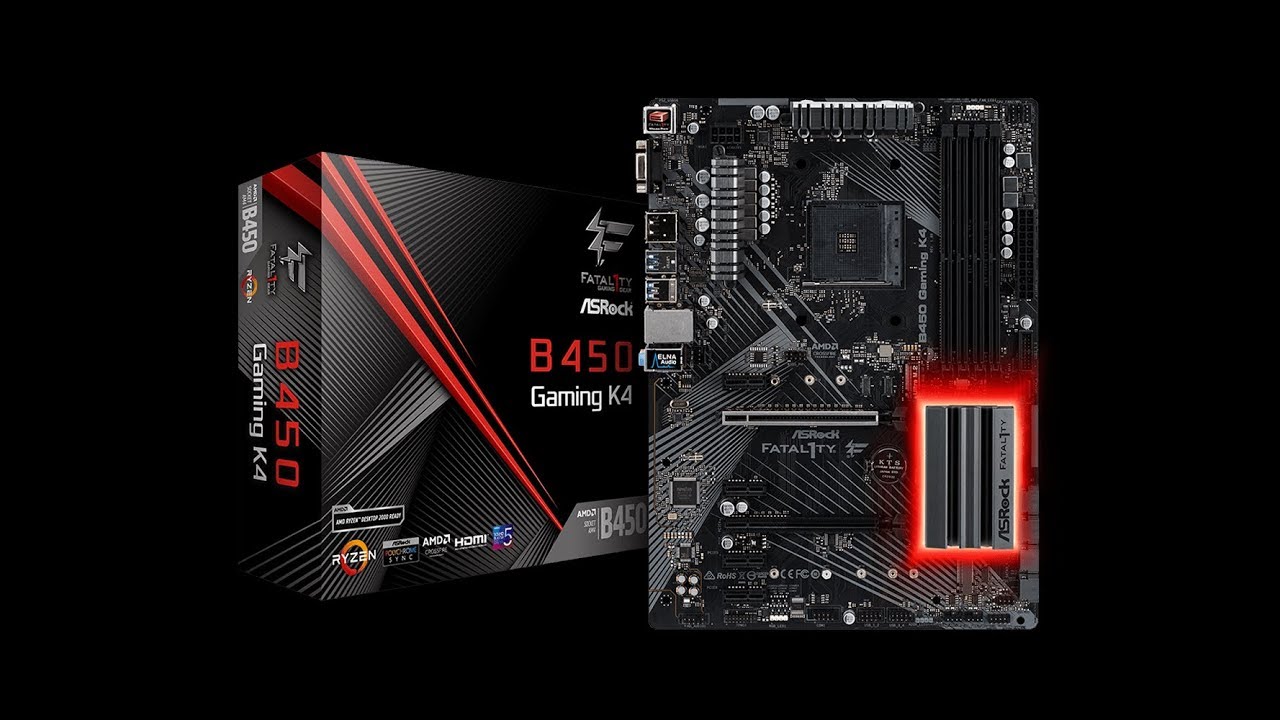
Click here https://bit.ly/2SiPiFh for the latest best pricing on the ASRock Fatal1ty B450 GAMING K4 Motherboard.
Features:
AMD AM4 Socket
Supports DDR4 3200+ (OC)
2 PCIe 3.0 x16, 4 PCIe 2.0 x1
AMD Quad CrossFireX™
Graphics Output: DisplayPort, HDMI, D-Sub
Supports Triple Moni...
jade pulsar
don't worry, it only look scary at first
swift mesa
there is a bios showed in that video
yea it looks really scary lol
the one underlined usually says 2133 but the one circled is at 3000
swift mesa
i did
dull ginkgo
it might let you edit it there
swift mesa
yup i did
dull ginkgo
change it to 3000 and apply?
dull ginkgo
timings are cl16 not cl15 right?
blazing venture
what slots is the ram in? 2/4?
dull ginkgo
in bios
jade pulsar
put it in 2/4
swift mesa
because i couldn't boot up in 2/4
blazing venture
try a2 and b2
swift mesa
my pc won't boot up
blazing venture
hm..
jade pulsar
couldn't boot?
swift mesa
nope
jade pulsar
hmm try again, and make sure the ram is all the way in
dull ginkgo
some only boot with a1 b1
swift mesa
but only showed one stick of ram installed
dull ginkgo
Click the timings folder thing
blazing venture
blazing venture
swift mesa
what does that mean?
dull ginkgo
max is 2933 I guess lmao
jade pulsar
odd
dull ginkgo
very odd
swift mesa
lol
left bladeBOT
 extra.chromosome+1#1384 has been warned
Reason: Bad word usage
jade pulsar
2933 highest with single channel?
jade pulsar
for pinnacle ye
blazing venture
isn't that what his cpu is
jade pulsar
ye
swift mesa
so the highest i can go is 2667 ghz?