#building-and-recc-chat
1 messages · Page 678 of 1
 vague maple
vague maple
vague maple
?
 vague maple
That means nothing to you
 foggy hazel
@vague maple now count the questions you just asked
vague maple
Basically, one of your sata 6 gb ports are disabled, and motherboards have like 4-6 of them
@vague maple now count the questions you just asked
@foggy hazel wouldn't have asked them if you gave me the answer
 iron zodiac
I got a hard drive an a m.2
 desert gulch
M.2 is the skinny drive
vague maple
ok so that doesn't affect you at all
desert gulch
that mounts to your motherboard
iron zodiac
okie
foggy hazel
@vague maple your question is only the top of a very very large pile of questions that you need answers for. (to actually do what you are asking about)
desert gulch
so thats what a sata port looks like
thas just 4 of them tho
i have more on the bottom of my motherboard
foggy hazel
have a look at that @iron zodiac
the Green line is where you would normally put a m.2
desert gulch
Pink line is for second m.2
foggy hazel
IF you add a second m.2 to that particular board.
desert gulch
yes
foggy hazel
the orange sata ports will be disabled
 languid nimbus
oh, that’s odd
iron zodiac
ty
foggy hazel
keep this very firmly in mind
desert gulch
@foggy hazel are you susposed to have 9 screws included with mobo to screw it to standoffs in case?
foggy hazel
you have to read the mainboard manual for which port it potentially disables
foggy hazel
because it could just as easily be the bottom ports @iron zodiac
 stoic island
Case usually has the screws afaik..?
foggy hazel
aye, case has screws
desert gulch
o maybe case had them
but i only got 4 still
unless theres another bag with 5 screws somewhere in my case
foggy hazel
take that up with the case manufacturer and/or the seller
desert gulch
which is highly unlikely
 toxic widget
Y’all recommend the Corsair CX 750m?
foggy hazel
@toxic widget long story short: no.
 little osprey
should be min. 80+ gold
little osprey
i mean if you don't look at the electric bills
foggy hazel
nothing to do with that
its a useless "sign of quality"
models over brands.
always
there are good "gold" models
and there are bad "gold" models
little osprey
okay but the rm650x isn't it a good psu
foggy hazel
its a solid choice @little osprey @toxic widget
 sturdy leaf
Can one of u guys help me I am trying to boot windows on my pc and I have no clue what to do
I have it on the usb and everything
foggy hazel
when you say you have it on usb. what exactly do you mean?
sturdy leaf
A usb stick
foggy hazel
yes, and?
sturdy leaf
?
little osprey
is it a boot drive
foggy hazel
what did you do to get windows on the usb stick?
(i am asking to verify that you have the right tools)
sturdy leaf
I used my Mac and dragged the files in to the usb stick
foggy hazel
not going to work
the simplest solution @sturdy leaf is to get physical access to a windows machine
is that possible for you?
foggy hazel
2sec, let me just find the MacOS instructions then
 spiral zealot
download the windows ISO from microsoft and then use the boot camp assistant app on the Mac to create the bootable USB
 tired turtle
😪
spiral zealot
there will be an option to 'create a windows install disk' or something along that terminology, and then you point it at the ISO you downloaded from microsoft
and it will do all the work
little osprey
foggy hazel
@spiral zealot when is the last time you tried that?
@little osprey not what he needs either
little osprey
oh sry false link
foggy hazel
@spiral zealot i ask because a user here ( a while back) didnt have luck with that
spiral zealot
less than 6 months ago, i had to reinstall my boot camp setup on one of my work machines and i used my work macbook to set up the installer
foggy hazel
hmm
@sturdy leaf so, there are 2 options for you
do what @spiral zealot said above
OR

Here we make a Windows 10 bootable USB using Mac OS, as part 2 of my PC build I would like to share the solution I found when trying to create my Windows 10 iso bootable USB. Rather than using Bootcamp, a Windows laptop or a hard disk, I used a Macbook Pro and an exFAT formatt...
follow that
foggy hazel
(that is the video the user i mentioned used, and that worked for him)
 runic fox
Ok so I wanna have an alright build pc to be able to stream, record and edit minecraft videos, I have a list but is there any alterations to make it better?
https://pcpartpicker.com/list/zPjp8J
Also my budget is 1500-2000 also ping me with suggestions cuz im still in school lmao
spiral zealot
it might not have worked for the other person because if you don't have the USB formatted and plugged in when you launch boot camp assistant, macos assumes you're trying to boot camp on that machine, so it defaults into 'partition space on this machine for windows' mode
it also might depend on which version of macos you're on
i've had success lately in catalina myself, but haven't done it on high sierra or prior in quite a while
foggy hazel
@spiral zealot i cannot say yes/no on that. I dont deal enough with macOS to know :)
little osprey
@runic fox for 1500 you coul get a pc with 2080 / 2070 super
im not so sure if a 2080 super would fit
runic fox
so should i get a bigger case?
 green stirrup
For 1500 just get a 2070 super or if you can manage get a 3070. Your gonna spend 80% of your budget on a card that’s gonna get bottlenecked if you spend 300 around it
little osprey
i mean 1tb good nvme with 1tb hdd should be good
foggy hazel
for those of you commenting on the build from @runic fox take note that money is being spent on a monitor
so its 1200-ish
not 1500ish
green stirrup
Yeah that’s why I said don’t waste $$ on a 2080 anything
little osprey
oh yeah
little osprey
so a 3070 should fit in this build
green stirrup
3070/2070 super
I’d probably still hold off on 3070 power draw from FE cards is insane
little osprey
i mean 500gb nvme is good but you have a 4tb hdd sooo 1tb nvme would fit in with max 2tb hdd space
foggy hazel
@green stirrup quite wrong.
the 3070 is very reasonable in power draw compared to the 3080/3090
little osprey
the arctic freezer ii 240 is 20$ more than the kraken m22 and more powerful
i would take the freezer
green stirrup
We’re talking about a 1200 build we aren’t throwing a 3080 or a 3090 in this case
green stirrup
Yeah in comparison to any aftermarket 20’ series card it’s a lot more power draw
foggy hazel
its also a heck of a lot faster :)
sturdy leaf
Bruh I just tried both methods and it doesn’t work
green stirrup
That’s why I said earlier if you can get your hands on a 3070 that would be your best option if not 2070 super works just fine
foggy hazel
@sturdy leaf then that is a problem for you to solve on your end or with personal help from @spiral zealot if he has the time?
 gritty zenith
which is more likely to cause stutters in games: quad core cpu or 8gb ram?
spiral zealot
i'm elbow deep in work-mandated anti-harassment/code of conduct training so i really can't devote any time to anything else other than bits of conversation here and there
for at least the next few hours
foggy hazel
@sturdy leaf see above
stoic island
@languid nimbus alright I can get to ya know, sorry it took this long
quick edits to start off:
https://nl.pcpartpicker.com/list/RrjZfP
Now, two main questions, how much ram, and how much storage do they really need?
 plush mist
the only compatibility u need for ram and motherboard is compatible speeds and supported ddr right?
desert gulch
what did you do in settings?
sturdy leaf
I’m trying to boot windows
desert gulch
but what did you do in settings?
foggy hazel
@sturdy leaf if means that you dont have anything plugged in that it can see (that it can boot from)
sturdy leaf
Oh
foggy hazel
that is the bios boot selection screen
again
IF you have not made the windows installer USB stick, it wont work
no matter what you do
foggy hazel
yes, but have you actually done any of the linked stuff earlier?
sturdy leaf
Wdym
sturdy leaf
Then what do I do ?
foggy hazel
and?
sturdy leaf
Nothing happned
foggy hazel
did you actually listen to what was said IN the video?
sturdy leaf
Yes
foggy hazel
then "nothing happened" <- is a very bad descriptor for the MULTIPLE steps that that video goes through
i cannot read your mind :)
so unless you start supplying feedback with the relevant context
it is VERY hard to actually help you
sturdy leaf
Ok so I reformatted the hard drive downloaded windows and when I put it. Into my pc it does nothing
It just pops up with that screen
“Reboot and select proper boot device or Insert boot media in selected boot device and press a key”
foggy hazel
IF you have done things in the video in the right way.
then in the boot selection screen. select the USB stick
sturdy leaf
Ok I’m just going to restart and try this agian
little osprey
rip
 wide sparrow
Mmmm
 arctic jungle
ewwwwwwwwwwwwwwwwwwwwwwww fortnite
 wide sparrow
I hate the game to but he needs a pc lol
arctic jungle
Mmmm
Mmmm
haha no
xD
bruh budget is 850
ur not fitting a 500$ gpu in there
2070 is a stretch
if you find one, then lmk
i'll put together a build
 balmy patio
i mean wouldnt a 3600 + 1660s be in the 850 dollar range?
arctic jungle
ideally you shouldn't spend more than 300$ on a gpu.
@balmy patio he wants to buy used gpu
balmy patio
ohhh
arctic jungle
so 3600 + 300$ gpu. MAYBE. will defo have to get other used parts.
forget about rgb
me 
PC is all about presentation
??
no
if it's in the budget, go for it
sturdy leaf
@foggy hazel have I done it correctly this is the usb stick
 mighty bobcat
quick rough $850 https://pcpartpicker.com/list/7WJykX
 vital warren
too much on mobo
foggy hazel
ask again in 1½ month @pearl wigeon
vital warren
just grab the 3600 when it drops back down to something like 150
foggy hazel
Dexter yes.
mighty bobcat
3300x if you can find it would be better than the 3100 but yeah i said quick rough XD
vital warren
it is in your best interest to wait
mighty bobcat
it really is
foggy hazel
Doing a list "now" is a waste of your own time.
mighty bobcat
new 5000 ryzen are "available" on the 5th
so the 3000 lineup will probably all drop
but not until after the 5th
do you intend to stream?
the 5000 line has availablility starting on 11/5
the 5000 line are starting 350 i think
5600x is the lowest chip
I watched the GPU thing earlier
 crude rose
isn't 350 kind of low considering how much other good cpu costs
mighty bobcat
I wouldn't say winning so much as not loosing based on their numbers
mighty bobcat
they might
foggy hazel
@pearl wigeon your budget does not allow you to get anything "fancy"
mighty bobcat
I
foggy hazel
@wide sparrow mainboard can be dialed way down
foggy hazel
sub 90 usd
wide sparrow
suggestions?
mighty bobcat
I think the 3100 might give better single core than the 3400g
being Zen2 note Zen1+
not*
 weak field
someone should help me
mighty bobcat
I put the B550 in there for an easier time dropping in a newer chip when/if the funds were available
someone COULD be able to help what did you need?
wide sparrow
yeah no way
foggy hazel
as in, yes, we can put it in there
but it wont be a machine you want to actually use
mighty bobcat
mighty bobcat
I keep forgettign the p300a is ATX
and not micro
never skimp on the PSU
quality costs money
wide sparrow
thats true
mighty bobcat
and a cheap PSU can kill a pc
also the 650/700w will give you room to grow
so instead of oh I have $400 what to upgrade, drop $100 on a new PSU then have $300 to upgrade CPU or GPU
a little more now for a quality, maybe over sided unit, will out a less hassle upgrade later
not really
mighty bobcat
maybe 30 less
foggy hazel
however IF you want to stream
weak field
could cut down some on the motherboard and go with a gigabyte b550m for like 90$usd
mighty bobcat
right now Nvidia has the lock on streaming
foggy hazel
the nvidia side lets you get away with it a tad more conveniently
mighty bobcat
the 5600/5700 dont have hardware stuff for streaming really
wide sparrow
not the best
wide sparrow
wait...i can get 3600 ram
mighty bobcat
we're not recomending the 10series nor the 5xxx series as they just dont cut it with the 16xx and 20xx
weak field
System Builder - Ryzen 5 3600 3.6 GHz 6-Core, Radeon RX 580 8 GB GTS Black Edition OC+, H510 ATX Mid Tower - PCPartPicker
foggy hazel
which again, brings us right around to the whole: Come back later
mighty bobcat
iDexter its good advice though esp with the release schedule
foggy hazel
I am quite literally trying to save you money and let you gain performance.
wide sparrow
what do u think Naed?
mighty bobcat
in 2 months the recomendations will change
foggy hazel
so, best of luck
sturdy leaf
Bruh @foggy hazel I did the exact steps the guy in the vid did and windows still won’t boot
mighty bobcat
depends on the 3rd party reviews of the new hardware and whats left of old
foggy hazel
again, then you have to wait for someone that can work with you directly @sturdy leaf As i told you earlier too.
mighty bobcat
@weak field for a little more you can get a 1660 which beats teh 580
mighty bobcat
also the link is missing the code to get the list
like a 3600 could drop drastically in price
foggy hazel
@sturdy leaf use search :)
mighty bobcat
or the 20xx series cards could have some rebates
companies will want to sell through "old" stock to make room for new
they usually dont drop prices directly but have rebates or big sales
wide sparrow
Hey Naed...the last build i made...good enough?@foggy hazel
foggy hazel
cant answer that @wide sparrow
weak field
wait till like black friday or cyber monday when the 30xx series go up again and drop some and thus lowering the 20xx series
i think i said that right
mighty bobcat
nvidia could also play a pricing game with the 6800/xt release/reviews
if you have to buy a new system RIGHT NOW - it sucks, if you can wait a few weeks or months - its great
foggy hazel
@mighty bobcat IF they play that "game"
they are admitting the "worth(or lack of)" the oppositions cards
mighty bobcat
true enough - they've been mean to the board partners with the review embargos so
its hard to know what they are going to do
 pliant vapor
I’m just going to buy a 9700k rn because I don’t see it going down from 219an
pliant vapor
219 vs 319
mighty bobcat
if its on sale that is
319 o.O
where are you located - asking as I see the 106 as cheaper in the US
 winged tinsel
Im building a desktop for the first time
What is the deal with an operating system
1300
I have a parts list
mighty bobcat
what do you mean deal with OS?
winged tinsel
Like do I need that?
foggy hazel
@winged tinsel just post the list please?
mighty bobcat
if you want to use a computer it needs an Operatoing system
spiral zealot
you absolutely need an operating system, that's what lets you use the computer. you just don't have to pay $100+ for windows directly from microsoft
mighty bobcat
you can use windows 10 without activation it just locks out a few things
balmy patio
bruh you can get a 17 dollar windows pro key at sum place
mighty bobcat
you can also try to get a key for $10 but they can suddenly not work
it can also be a stolen keyu
or sold 10+ times
Honestly I'd stick with running unregistered or buy from a licensed store - I've done the $10 key that worked for a year then it was black listed
yes
if you buy a key it should be good for the life of the system
spiral zealot
if you're gonna buy a cheap key online, i'd go ebay and buy from a seller with lots of positive ratings. the other sites that sell keys will have varying levels of legitimacy, as legit as buying a cheap key is
mighty bobcat
which one, the 4690k system, the A10-9600 FM2+, the 9600k, the 6th gen laptop
spiral zealot
^
 viral ore
win/win
foggy hazel
You are aware that you are talking about grey keys right?
viral ore
maaayyyyybbbbeeee
foggy hazel
they are inherently in the grey area of the law
mighty bobcat
they are of questionable legality
spiral zealot
that's also why i included the caveat of 'as legit as buying a cheap key can be'
foggy hazel
if you think/claim anything else. i am sorry, but you are just being silly then
mighty bobcat
on a list of stolen keys that havent been black listed yet
spiral zealot
because they're sponsored by that website
foggy hazel
because they get a kickback
 still roostBOT
 Dexter#2383 has been warned
Reason: Bad word usage
spiral zealot
they're not scamming on purpose, and i'm sure most of the time, people who buy from that site are fine, but it's still a grey area, and you run the risk of having the key disabled at the very least
mighty bobcat
depends
viral ore
just ebay, thats all there is to it
mighty bobcat
if you have encryption enabled you could loose access
until you bought a key from MS
spiral zealot
best case scenario, you just fall back to an unactivated version of windows
which isn't that big of a deal, you just lose some customization options
mighty bobcat
you dont get to pick your background image
spiral zealot
and there are ways to get around it
mighty bobcat
and sometimes you see a watermark
foggy hazel
no impact on that
spiral zealot
you'll still see the watermark in the bottom right more than likely
mighty bobcat

hey I've recently downloaded the windows 10 iso image from Microsoft even though I don't have a license key and I started using it I live in a third world country and it's just not possible for me to
foggy hazel
@spiral zealot when you have the time, could you try and tank up on a lot of patience and then try and help @sturdy leaf ?
no rush, just whenever :)
and yes, i saw your previous message :)
mighty bobcat
I believe eBay uses Paypal as a payment processor, paypal can take a CC or use other methods
stoic island
Quite likely
foggy hazel
@pearl wigeon there is a very good reason for why i said what i did. But you made it perfectly clear you didnt want my help on the parts.
stoic island
We're still anticipating Nvidia and AMD lower end cards to launch some time in the near future.
foggy hazel
so, i am going to stick to that.
spiral zealot
@sturdy leaf if the 2 previous methods won't work, the only other idea i have is to mount the ISO directly within macos, format a USB drive to MS-DOS (FAT) , and copy from the ISO directly into the flash drive. i haven't tried that myself, but other folks have reported success that way
sturdy leaf
Alr I’ll try that
spiral zealot
If it doesn't work with the MS-DOS FAT format, try with ExFAT, people have reported success with that formatting
spiral zealot
@sturdy leaf there's also some chatter I'm seeing online about needing to use an older version of windows for the ISO, something like version 1803
which you can find online, just not directly from microsoft anymore
sturdy leaf
Alright
 unborn flicker
any1 around for trouble shooting ?
mighty bobcat
maybe
stoic island
Mayyybe
unborn flicker
its about a nvme m.2
mighty bobcat
dont force it?
unborn flicker
it show up in device manager but not as a physcal storage drive under where my drives should be listed
spiral zealot
you probably need to go into disk management and initialize it
so you can format it

 spiral zealot
if you're on windows 10, just hit the windows key or open the start menu and type 'disk management'
mighty bobcat
it needs to be formatted and initialized
spiral zealot
you should see something like this, except one of the drives will show up with no drive letter and formatting information
unborn flicker
 unborn flicker
it only shows to initialize it
spiral zealot
yeah initialize first
mighty bobcat
make sure its the one with the black bar
otherwise bad things could happen
and i'd feel bad
spiral zealot
you won't see initialize if it's already a formatted drive, so if you see that option, you're on the right drive
unborn flicker
mbr or gpt to initialize
unborn flicker
ok i initialized it now format ?
spiral zealot
yep
foggy hazel
GPT = anything modern (no matter the drive type)
mighty bobcat
now format and assign drive letter
 mighty bobcat
new simple volume
spiral zealot
new simple volume will work
unborn flicker
and ntfs and allowcation size default id assume
mighty bobcat
usually good enough for most use cases
spiral zealot
yeah
unborn flicker
thanks guys its showing up now
spiral zealot
🤘
unborn flicker
felt so dumb i put this thing together and couldnt fig out why it wasnt showing up
lol
still roostBOT
 joeS#1512 has been warned
Reason: Bad word usage
unborn flicker
oops bad word
mighty bobcat
don't feel bad
putting it together is a lot of does the piece fit, done
troubleshooting is another can of worms
sturdy leaf
For windows installation should I use a usb 3 or usb 2
mighty bobcat
i'd suggest a usb2 port if you've had issues?
spiral zealot
that won't matter as much, just make sure the flash drive is at least 8GB
sturdy leaf
Oh cause I’m using a usb3
mighty bobcat
if the drive us a usb3 thats fine
sturdy leaf
And I’m having a very difficult time downloading windows
 inland parrot
b550 aorus elite, gaming edge, a pro, or gaming plus @foggy hazel @stoic island
mighty bobcat
there WAS sometimes an issue with the ports on some boards with a strange win10 driver thing but I don't know if tis still a thing
inland parrot
they all have low vrms on the ryzen 9 3950x and oc
 slim escarp
Hello
sturdy leaf
@spiral zealot u downloaded windows onto a hard drive plugged it into my pc and this shows up
spiral zealot
did you set the BIOS to boot from the removable drive?
sturdy leaf
No how do I set that up?
spiral zealot
the specifics depend on your motherboard model, but the manual will tell you what menu it's under
it will also tell you what button to hit when you first boot to get into the BIOS, it's usually either DEL or F2
sturdy leaf
The usb should be the first boot priority right?
 lean elm
When I do the paper clip test to my pay it works, but when I hook it up to my pc it doesn’t work. Could someone tell me what’s wrong?
Psu not Pat
Pay
spiral zealot
@sturdy leaf yeah, you want USB first
spiral zealot
hmm
theoretically, you could install a windows 10 virtual machine on your mac, and use that to run the windows-native tool to create a bootable USB. it sounds like a bit overkill when i say it out loud though
i'm sure there's gotta be a way to get the bootable USB created in mac os itself
i'm just not sure what other methods to try at the moment
sturdy leaf
Naed sent me a video I copied second person second and it still doesn’t work
Im just very confused at this point
little osprey
Could someone help me, I'm trying to remove my graphics card from my motherboard but even though I removed the screws and pushed the tab down the gpu is still stiff
 glass rose
@sturdy leaf [2060|3600x], can you tell me what you did so far?
sturdy leaf
I have downloaded windows onto a usb stick and tried to install it into my pc
And then this pops up when I boot it up
glass rose
Is it a bootable USB?
foggy hazel
@little osprey his problem is that he is on macOS and needs to build the usb stick for the windows install.
 tulip vigil
Hey! Can anyone help me finding a pc budget of 650-800
little osprey
Pinged wrong person
tulip vigil
@foggy hazel
foggy hazel
gah, sorry @little osprey
tulip vigil
I see that your very techie sir good sir can you help me find a good budget for 650$-800$ or even up to 900
tho 900 doesnt sound appealing to me
little osprey
It's fine
foggy hazel
@glass rose his problem is that he is on macOS and needs to build the usb stick for the windows install.
glass rose
I have link on how to create one on Mac
gives step by step instructions on how to do it
foggy hazel
for the repository, could you send me that link @glass rose ?
little osprey
Could someone please help me with it, thanks in advance
foggy hazel

freeCodeCamp.org
Most new PCs don't come with DVD drives anymore. So it can be a pain to install
Windows on a new computer.
Luckily, Microsoft makes a tool that you can use to install Windows from a USB
storage drive (or "thumbdrive" as they are often called).
But what if you don't have a se...
that is the link @glass rose found
glass rose
@little osprey, do a quick check to make sure all the screws are out.
foggy hazel
(the bot will eat your link @glass rose )
little osprey
The screw for the bracket are out @glass rose
foggy hazel
context?
foggy hazel
try and post a picture of your console just after you have run the diskutil list command
sturdy leaf
foggy hazel
what command are you trying to run after that?
glass rose
@little osprey, probably something in the way of it.
sturdy leaf
I’m trying to run dev disk 3
Idk what that does
The one to the right of my name is the one I’m trying to run
foggy hazel
aye aye
little osprey
@glass rose a pesky little screw was in the way
foggy hazel
@sturdy leaf and now i would strongly recommend that you very politely ask @spiral zealot to help you
glass rose
don't need to run this command: /dev/disk2
sturdy leaf
Did that one on accident lol
glass rose
next command to run would be: diskutil eraseDisk MS-DOS "WIN10" GPT /dev/disk3
sturdy leaf
Alright
 late helm
Trying to deside on a budget cpu ether the ryzen 3 3100 3gen or ryzen 5 2600 2nd gen any thoughts ?
benchmarks close on both except for streaming games the 5 is faster but I dont stream
and the 3 is $49 cheaper
 proven goblet
T-Force 4000 CL18 or Crucial 3600 CL16 for an extra 5$? On a ryzen 5 3600
late helm
the 5 3600 i found for $199 the 3 is $109 big difference
 languid cedar
@late helm are you using a vr with or or planning to?
and what games are you planning to play
late helm
No im not going VR and most of the games I play are not really FPS dependent
and in bench test FPS between those 2 cpu was only 18fps
languid cedar
then get the 3
inland parrot
rate my build https://pcpartpicker.com/list/Gy4NQD
desert gulch
9/10
languid cedar
9 1/2 out of 10
desert gulch
imo id go with an cheaper mobo and m.2 ssd
languid cedar
yeah
desert gulch
and that is absurd shippinh on a 500w smh
@inland parrot id go with a 650 prolly
if i were you
psu is made to be most efficent at 50% load
and it would give you move breathing room for future upgrades
languid cedar
plus if ur pc gets overloaded or something
desert gulch
wdym?
languid cedar
like
desert gulch
how do you overload a pc?
languid cedar
i have wasy
ways
i uh
...
i dont even know i just got a pi and right when it turned on it got fryed
so idk
they did not return
desert gulch
you shorted it?
languid cedar
i guess so?
desert gulch
a bigger psu in no way prevents shorts
languid cedar
oh
desert gulch
shorting is when you have 2 wires touching
a hot and ground
and a ton of power flows through
and fries the board
languid cedar
o
 worn gull
Yeah I just dont have 1440p or 4k monitor atm
inland parrot
and what cheap motherboard with low vrm @desert gulch
inland parrot
oh
that makes sense
but i will keep my msi b550 a pro mobo or gaming plus
9 1/2 out of 10
@languid cedar what is this
languid cedar
thats my dumb brain for ya!
desert gulch
because i saw a couple things id improve
desert gulch
imo id go with an cheaper mobo and m.2 ssd
@desert gulch
and that is absurd shippinh on a 500w smh
@desert gulch
so i said id go 650w cause more breathing room
and better efficiency
inland parrot
oh okay
desert gulch
but for sure never pay 40 bucks shipping on a psu
 balmy girder
Ok
 undone shore
So can I get some insight on power needed for a build? I have a gen 9 i5 and 970 with a 600W PSU. My friend is offering me a deal on a 2070S that has the EVGA step up registered to it. Will I need a better PSU to run the 2070S while I wait for 3080 restock?
balmy girder
Configure your Custom Gaming PC at Xidax. Lifetime Parts Warranty on Desktop Computers and hand-built for PC gamers.
I'm just looking at other prebuilts rn
To check the overview click go back and overview below the price
little osprey
hey so im on pcpartpicker and i have a list
but in compatibility notes it says
Note:NZXT H210i Mini ITX Tower Case has a front panel USB 3.2 Gen 2 Type C port, but the ASRock B550M-ITX/ac Mini ITX AM4 Motherboard does not have sufficient USB 3.2 Gen 2 or Gen 1 headers. The case USB 3.2 Gen 2 Type C port will not be usable.
Note:The Noctua NH-D15S 82.52 CFM CPU Cooler may require a separately available mounting adapter to fit the ASRock B550M-ITX/ac Mini ITX AM4 Motherboard.
should i be concerned? any suggestions
viral ore
the case has a usb cable that the motherboard you picked doesnt have on it
so you cant use the usb ports at the front of the case
wont effect the pc that much
ignore the other warning
it comes with the amd mounting bracket
little osprey
oh then so if i need to plug a stick in then i hafta plug in the back
well the case is small so it shouldnt be that tedious
viral ore
yeah, but that build list kinda wack
viral ore
is this just for gaming?
little osprey
everything
1080p
i based it off of this

Check out Cavi's completed build on PCPartPicker! Ryzen 7 3700X 3.6 GHz 8-Core, GeForce RTX 2080 8 GB Founders Edition, H210i Mini ITX Tower, ...
viral ore
what components do you already have
 queen totem
little osprey
queen totem
little osprey
no im just planning
viral ore
yeah dont base your builds off another persons build
little osprey
why
viral ore
because that is their build
little osprey
ok
viral ore
would you like some help with selecting parts?
little osprey
i would like to keep the buff air cooler from noctua, cpu, and gpu but yes
$1300 budget
viral ore
when are you planning on buying all your components
viral ore
so like sometime next year?
viral ore
dont get that list
little osprey
why
little osprey
mk
viral ore
because you are probably gonna buy around early december, amd will have their new cpus out
little osprey
would you spare the time to make a clean max of $1300 budget itx build
i dont want zen 3
viral ore
any reason for itx?
viral ore
there are small mATX cases as well
little osprey
ik ik
viral ore
plus, the h210 is bad case
viral ore
super bad airflow
viral ore
yeah i can
little osprey
with a 1080ti strix, 3700x
thanks
rgb isnt needed
3600mhz is tho
just black and white is great
max of $1300
thx
my intentions are for a minecraft server hosting which i know how after i port forwarded stuff
for my friends
and adobe cc
blender
maya maybe idk if i can
ik 1080ti is a beast still so
viral ore
i mean it works
little osprey
yeah
viral ore
but its not worth paying 350 for
little osprey
why
viral ore
because there are better options
little osprey
like?
 fallen belfry
1660 for example
little osprey
what if i just want a 1080ti
little osprey
my friend has had one since it came out and said it runs perfectly no issues
little osprey
tbh its debatable
vital warren
it's decent ig
little osprey

Based on 664,682 user benchmarks for the Nvidia GTX 1080-Ti and the GTX 1660S (Super), we rank them both on effective speed and value for money against the best 648 GPUs.
vital warren
you can build with better than the 1080ti on like a 1k / 900 budget
little osprey
Based on 691,388 user benchmarks for the Nvidia GTX 1080-Ti and the RTX 2060S (Super), we rank them both on effective speed and value for money against the best 648 GPUs.
see
viral ore
userbenchmark is unreliable
little osprey
ok
viral ore
also, that doesnt account real game performance
little osprey
ik
viral ore
driver support for games will be better on newer cards
viral ore
you want to do other gpu intensive things tho
little osprey
ok
i just need a real persons preference and suggestions
bc ik everyones opinion is different
 pseudo forge
https://pcpartpicker.com/list/YPqq3Z will be getting the new ryzen cpu anything else yall would change?
little osprey
i was thinking 2070s but my dad said $1500 nope
viral ore
2070s used to be best card for the price
little osprey
ik ik
viral ore
but now you cant really buy it
little osprey
$500 for super fe
vital warren
you can squeeze a 3080 in a 1300 build iirc
little osprey
yur joking
little osprey
what an i3+3080
vital warren
3600 + 3080
little osprey
huh
vital warren
ryzen 5 3600
viral ore
5600x + 3080 would be doable, but you would have to cheap out on some other components
viral ore
and find a 3080
viral ore
its not a matter of want
pseudo forge
Help pls
viral ore
its all about budget and availability
pseudo forge
What about RGB?
little osprey
? @pseudo forge u asking me
viral ore
model numbers mean nothing, its about the component itself
viral ore
640 USD for a 2080 super on ebay
viral ore
bruh im not an idiot
vital warren
1300 usd doesnt mean a 200 gpu
pseudo forge
https://pcpartpicker.com/list/YPqq3Z thoughts?
viral ore
i wouldnt have mentioned it if i didnt think you could get it
@pseudo forge go ask somewhere else no one here can help you atm
spamming the link over and over wont get you anywhere
pseudo forge
Spam? Two times
viral ore
you keep repeatedly asking
you can wait for me to finish this or ask in a different chat
so this is 700
leaving 600 for a gpu
case is a nice cheap one that comes with fans
the rest of the components are well priced
viral ore
i got nothing else better to do
viral ore
yeah
little osprey
congratulations amd ya scamed urself
little osprey
ok
so
i dont actually need a hard drive since i have a spare 1tb one
but thanks lol
viral ore
lmao
little osprey
like full out storage system for his 5 petabyte instagram photos
viral ore
lol
viral ore
stock cooler is fine
little osprey
oh ok
viral ore
well, it should be fine
viral ore
assuming its at least as good as the last stock cooler
little osprey
yeh fs fs
so say it didnt have one. which noctua cooler would work best in consideration to clearance and performance?
viral ore
little osprey
CHONKY
yes i luv jet engine cooler
but for a 5600x considering the heat with i do not know of, would it really be sufficient? i apologize for my non-intellectualness @viral ore
viral ore
uhh, its the same process, and amd is rating it at 65w TDP, just like the 3600
little osprey
what about the nh-d15 i saw some saying that its the best air cooler of 2020 or something
little osprey
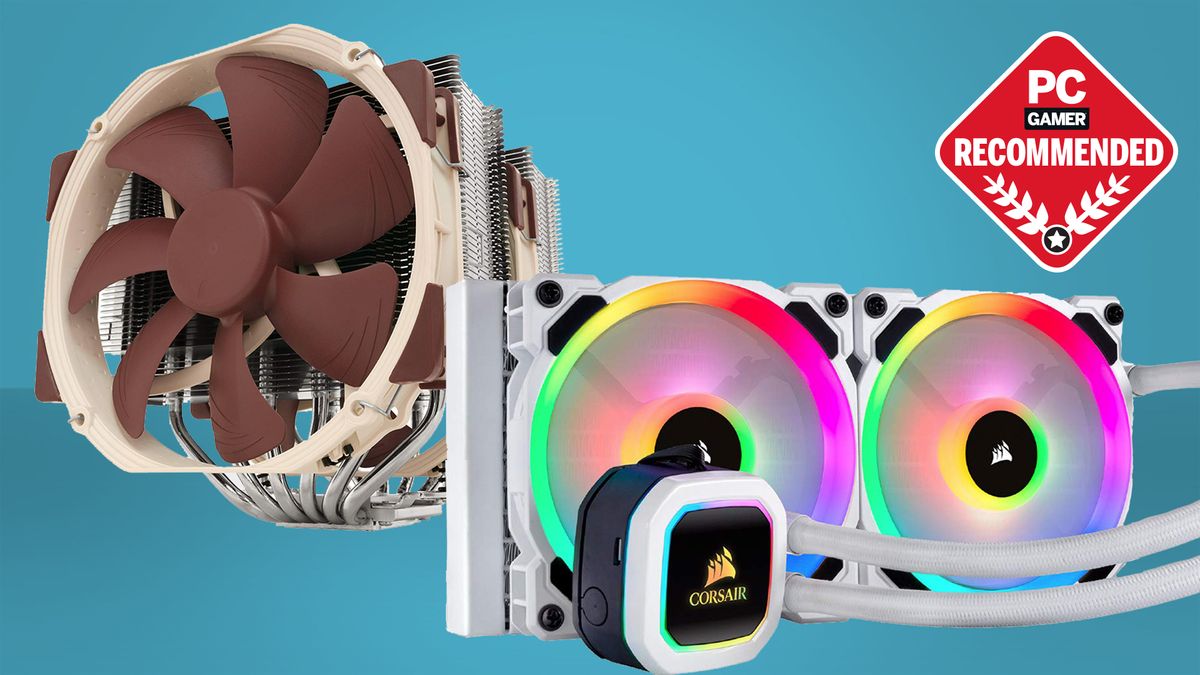
pcgamer
Our picks for the best CPU coolers will have your processor running cool with air or liquid.
viral ore
yeah thats cool and all, but i see no benchmark numbers
viral ore
just ignore this webpage
little osprey
but the nh-d15 would work well, yes?
little osprey
benchmarks are better?
well its quieter
im told the drp4 has mounting issues
yeah i might just go with the nh-d15
viral ore
if it had issues i wouldnt be recommending it
its up to you, they are very similar, so it doesnt make a huge difference
but the cpu comes with a stock cooler anyway so it doesnt matter
no reason to buy either
little osprey
ONE LAST THING
i gtg sleep soon
do you have a link for a good budget 2080s
??
@viral ore
viral ore
ebay ig
look locally on craigslist or facebook
mercari is good to
offerup is eh, its easier to get scammed there
viral ore
the 3070 released today, so you can try and get one of those over the next few weeks
little osprey
alright thanks !
the stock will come back up eventually
which is better 10600k or 10700 no k
viral ore
10600k
ez
unless you really need more cores
and in that case i would tell you to get a 3900x
little osprey
that one is over 420$
viral ore
10700 is 385
little osprey
its 330
viral ore
where
viral ore
10600k is still better
little osprey
@viral ore
viral ore
but waiting for the 5600x would be best
little osprey
Ok thx
whats the marvel special edition 10700k
is that just a special box or it has something that the 10700k doesnt have
little osprey
its cheaper than the reg 10700k Lol
 ripe wedge
but also included with all intel cpus
I think
I think the KA is $10 more
I was gonna get it but amazon doesnt have it
little osprey
whats included the game? with all intel cpus?
little osprey
how do i get it
ripe wedge
they should send u a code via email when u buy it
speaking of
I need to email amazon and get mine
 hearty mist
yo the cpu debug led is showing what do u guys think is the problem
 sullen spoke

hearty mist

hearty mist
thanks for you help spooky @ripe wedge actually deserves that role instead of u
 fresh jewel
ripe wedge
fresh jewel
ripe wedge
@hearty mist so did it happen to be the cpu cable? or what did he do to fix it?
hearty mist
the second one is better value
fresh jewel
Why would one choose the Dominators?
hearty mist
@hearty mist so did it happen to be the cpu cable? or what did he do to fix it?
@ripe wedge i honestly have no clue i just told him to look for cables that were toychibg any fans bc it was also making sounds, i told him to push down on the rams, the power cable
ripe wedge
id choose the vengeance ones
hearty mist
Why would one choose the Dominators?
@fresh jewel bc it’s more expensive
fresh jewel
lol
hearty mist
ppl that are eligible to pay to brag abt it
ripe wedge
the only reason why the dominators may be better is the actual chips. on them
but not sure
fresh jewel
I had a few people tell me veng had overheating probs
hearty mist
i don’t think so
fresh jewel
but they seemed a little toxic toward corsair
ripe wedge
and ah @hearty mist
fresh jewel
😂
fresh jewel
Yeh, but I've built an all Corsair PC so would like to stick with that for the ram too
ripe wedge
ah
hearty mist
yea it’s not for me btw, i’m jus saying
ripe wedge
whats your cpu btw? @fresh jewel
fresh jewel
hopefully I can get a 5900
hearty mist
holy
ripe wedge
id recommend getting higher clocked ram
hearty mist
good luck
fresh jewel
ugh really?
hearty mist
yea true
ripe wedge
3200mhz is fine but ryzen zen 2 likes 3600 better
hearty mist
3600 or maybe 4100 if ur mobo supports it
ripe wedge
so zen 3 will most likely like 3600mhz way better
fresh jewel
Plan to get an Asus Prime x570 Pro
hearty mist
rgb at 4000 rates may vary
ripe wedge
also do you need 64gb of ram?
fresh jewel
I've kinda told myself that I'm gonna drop a lot of money into this computer so I want it to be really future proof
hearty mist
bro i was supposed to slp at 11 i did this same thing yesterday too 😭
fresh jewel
do i need it.... no
ripe wedge
only time I used a lot was when I rendered a video and the app used 20gb of my ram
little osprey
Ive got bad news and good news
little osprey
My Wi-Fi card died but I I ordered one and it says it's coming today
fresh jewel
64GB @ 3200 < 32GB 3600 for Ryzen 5900?
ripe wedge
yes @fresh jewel
fresh jewel
Yeh, I just didn't know if there was a huge difference between the 32 and 3600
hearty mist
corsair rgb pros r just beautiful
fresh jewel
the corsair veng 3600 has a CL18 over the 3200 CL16
That matter?
I don't quite understand CL
little osprey
I have a confession thou
hearty mist
what’s the most expensive of u guys have ever built?
fresh jewel
So far all is white