#building-and-recc-chat
1 messages · Page 645 of 1
 little osprey
 foggy hazel
again, this is another example of why people have protested your walmart choice on the servers you have asked on :)
keep in mind, i am NOT saying you should not shop at walmart
that is 100% your choice
as long as you understand the tradeoffs
little osprey
yes I do
most likely choosing another store maybe just cheaper budget
Remember to upgrade your psu when you upgrade though. 500w will soon become too little
yes
I’m gonna upgrade every summer or Christmas
since I usually focus on school once it’s not summer or Christmas more
Same
Got 3 more years of HS
Kill me
well I mean I'm sure senior year won't suck as much
 fresh plinth
can i get some thoughts on this parts list real quick?
im going for something future-proof, good looks, and decent airflow
budget roughly $1500
 zinc isle
@fresh plinth Dont really need the tachi, could go with a cheaper 550 like the MSI B550 MAG Tomahawk board, and toss some of that savings, at a better case, or other things
fresh plinth
ok thanks
foggy hazel
consider the following
you might want to go for a 3700x chip and skip the water cooler
and go with a cheaper board
and go for a better ssd
also, go with 3600 cl16 ram
@fresh plinth https://pcpartpicker.com/list/Vtzd8M
have a look at that list for a suggestion
yes, that is 8core, and yes, that is 3080
and yes, that removes the AIO
so you will be using the stock cooler to start
but, it keeps is close to the 1500 mark
fresh plinth
i didnt think you could use the 3080 and still have the rest be decent in a 1500 build
fresh plinth
nice
foggy hazel
the only part i dont like in that list (and that is entirely personal preference) is the case :)
 vital warren
Some other cases a lot of people suggest are td500 mesh, meshify c, a lot of phanteks models(p400, p500, p600 etc), corsair 220t, etc
fresh plinth
the case was just a first pick still not final
 iron flume
I'm kind of in Nova's boat with the budget, but mine is more around $1200. I'm also lacking in the ability/knowhow to build my own PC, so was wondering if this is a decent setup. Was looking to upgrade the GPU in a couple years, but was hoping this machine would do enough to handle Ray Tracing and such for the forseeable future.
vital warren
Would you be interested in building one
foggy hazel
compare that list with @fresh plinth's list, just use a 3070 in there instead
above is for you @iron flume
iron flume
I sure would if it gets me a better machine! Alright Naed, will do
foggy hazel
(the 3070 is 499)
mind, it is NOT out yet
so if you need it "right this second" its not ideal
@vital warren could you keep an eye out? i am turning in again, seagulls have buggered off by now
vital warren
I'll try my best
iron flume
So, if I purchased that list of parts, building a PC is literally putting the pieces together... like there isn't too much more I need to know, right? Besides some of the common things I've seen to not do off YouTube videos? I know I seem like a noob... but those specs are pretty sweet on the machine @fresh plinth posted.
vital warren
Personally, it seemed so scary at first for me
and then I started watching youtube videos and got a little hands on with my own old system
and it's actually not as hard as you'd think
Youtube helped me a lot
people like bitwit/linus/jayztwocents etc
iron flume
Hmmm
well
I built one with my engineering buddy back in '07, but he did most of the research and stuff
vital warren
Mine was built in like 2016 with a bunch of parts that were sitting around in my uncles friends house
I knew nothing about computers a few months ago
Honestly lurking in some of these chats helped me as well
a lot of smart people in here
iron flume
Yea, someone already found my future monitor, only took them a few minutes to post a good one..
vital warren
If you need suggestions on anything, and I mean pretty much anything to do with computers, there's always someone that will help in the appropriate channel
that's how I got everyone to help me put together a base list for my next build a month or two ago
iron flume
Sweetness. Well since I was going to buy that prebuild... abut I'd have to wait on the 3070, is there a card that I should purchase instead? Or is the 3070 that worth waiting for?
vital warren
The 3070 is coming out in about two weeks if i remember correctly, and I would say it's worth the wait, as apparently it will have 2080ti performance at a fraction of the prime
much better than the 2060 super in the prebuilt
you will get way more performance building it
iron flume
I was also going to add the warranty for 3 years on Newegg for, what, $150 or something.
So I could potentially just purchase Nova's build (which is really nice)
But what is to say something doesn't break/not work in a few months?
vital warren
A lot of parts usually have warranty
iron flume
**doesn't work/break
vital warren
People in here make sure to put the most reliable parts so I don't tend to worry about any issues
No power supply explosions here
vital warren
I can dm you a list real quick with similar parts to novas
just so you have it there for reference
what is the budget again?
iron flume
sure that'd be great!
well, I have been authorized (hehe) to spend $1456, but that included the 3 year warranty
so we can stick with that! since I'm already authorized to spend it lol
iron flume
tyvm!
little osprey
I'm looking for a rgb downcraft am4 cooler for my 5 3600
 arctic jungle
@little osprey aio or stock? also the r5 3600 comes with a cooler u know
 small heron
@iron flume most everything has little labels on them
 hollow grove
little osprey
hollow grove
little osprey
@hollow grove yes
little osprey
S
little osprey
Thinking if going musetex next
 wary geode
both are good laptops but how much hz does each laptop have
and both wil be good for years to come just that the tuf has a stronger processor but you will need to upgrade the ram
little osprey
?
wary geode
@little osprey
little osprey
Ahh
 stoic island
whoa
little osprey
@wary geode its either 144hz or 120hz
stoic island
another flower thing, but this time CM made it
wary geode
its fineee then
little osprey
Both are 45% ntsc i think
stoic island
I say legion >:D
little osprey
Im waiting for a reply from them
Lol
@stoic island I like the look of these
Because of the ram and cheaper price ye?
wary geode
si
stoic island

little osprey
Alright and if the price was the same for both?
Isn't Thermaltake supposed to be a cheap quality brand?
little osprey
The tuf is actually on sale lol
stoic island
specs tho
little osprey
Ehh you mean to send you the full specs? Or the legion because of specs?
stoic island
Legion because of specs
@little osprey recently, their innovation has been pretty bad, and that's where the reputation for being cheap might've came from, but it's just another company like CM.
look at this
https://www.youtube.com/watch?v=vhkYcO1VxOk
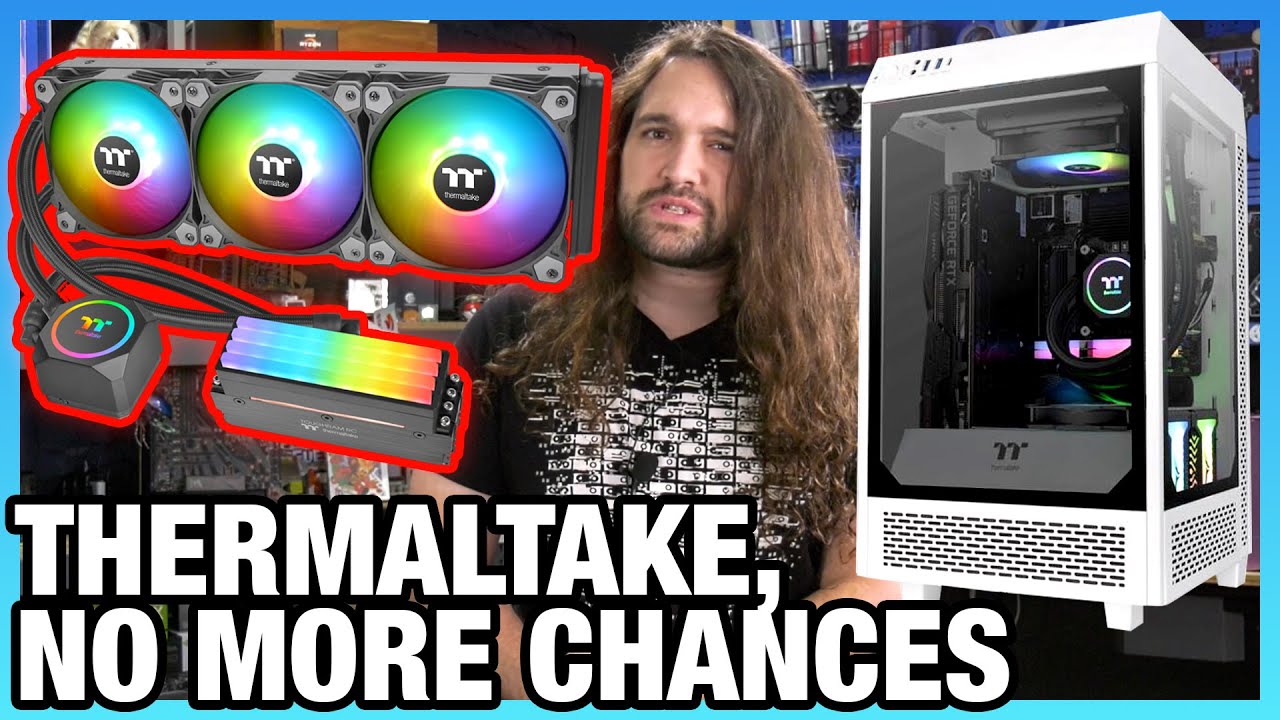
Thermaltake doesn't get anymore chances to improve its marketing or basic design flaws. We've been trying to privately inform Thermaltake how to improve for years, but they haven't listened.
Sponsor: Buy Thermal Grizzly Conductonaut on Amazon (https://geni.us/1D8Eeq) or Hydron...
little osprey
I guess the r7 is just slightly faster which doesnt matter that much right?
stoic island
aren't they both 4800h?
little osprey
Ryzen 5 4600h and ryzen 7 4800h
The legion has the r5
Legion 5-15ARH05(r5 4600h, 16gb, 500gb, rtx 2060, 15.6) - 1195$ vs Asus TUF(R7 4800h, 8gb, 500gb, rtx 2060,15.6) - 1395$?
I'd get the tuf
(The actual price of the tuf is 1.5k on sale its 1395)
Shoot, get the tuf and get 16gb Corsair vengence for it
That's what I'd do
little osprey
Is the 4600h basically the 3600?
stoic island
yea laptop 3600 afaik
little osprey
Hey my first laptop was a dual core 4gb ram Intel laptop
little osprey
I hated that laptop
Spent almost double what it was worth just to upgrade it and make it slightly usable
My first laptop was an AMD A4 dual core 1.9ghz
I watched literally every youtube video on how to increase the perfromance on that thing
Aight ill go with Legion
:D
Finally
Lol
Man
Its out of stock
God damn it
It will arrive on the 5th
little osprey
That's 4 days
Ye but im leaving the country tomorrow lol
Ahhh
Ships it to where ever you're going
Thats gonna be a pain
Ill just order it and pick it up later
That works too
Too bad you can't just walk in and pick up
Also, my bad bought a custom built laptop too
foggy hazel
@little osprey re: thermaltake: they are old as a company
little osprey
i need help idk where 3 of my wires go
 left bone
im sowwy ive bween a bad bwoy i wiwll go bwack two #general-chat uwu
 sullen spoke
 viral ore
just because you have available wires doesnt mean they are needed
foggy hazel
sata power
pci-e power
molex wires
viral ore
the ones at the top power hard drives
little osprey
where does the molex wires go into
stoic island
Are the one in the middle Daisy chained?
foggy hazel
old hard drives and old optical drives
stoic island
Molex is pretty rare to be used nowadays
foggy hazel
also, IF you have a real budget case, molex is used for the fans
little osprey
oh
foggy hazel
no molex in use on that
foggy hazel
still no molex in use :)
little osprey
whats a good mid tower that has fans
foggy hazel
what budget?
foggy hazel
https://pcpartpicker.com/product/rPPzK8/fractal-design-define-c-tg-atx-mid-tower-case-fd-ca-def-c-bk-tg <- that is one suggestion
one front and one back fan is included in the box
stoic island
@little osprey can I suggest you go with either a 3600 or 3100 for the cpu?
little osprey
im on budjet
stoic island
3100 is cheaper than 2600 lol
 next kestrel
200$ for a 2600 is just a bad deal
 polar prism
If you can fit it in your budget, I would recommend trying to get the 3600. It’s not much more expensive but I agree with mr1111 go with a 3100 if you can’t
little osprey
Okay so I want to get a good sized high res monitor to act as a main and my old as a second monitor is there any monitors that fits those requirements that isn’t to expensive
?
stoic island
@little osprey I assume you want 1440p144hz? I can link you a 300$ good one
stoic island
?
little osprey
Do you know any good sized not to expensive desks as rn I use a small tv stand as a desk and I have no room just for my keyboard and mouse etc I don’t think I’ll have enough room for another monitor
stoic island
To put simply, any decent 4 legged desk works
I could point you towards some like 120$ ikea desks but desks are all personal preference
stoic island
All depends on your situation really, different rooms look differently and can fit different desks
little osprey
I have a decent amount of room
stoic island
(all personally preference, you decide how much of your room you want to be a desk :)
 small osprey
U could get better ram and ssd
small osprey
U could get 3600 mhz for same price
 rustic sandal
Yeah but intel boards wouldn’t support that anyway
rustic sandal
the SSD is food
If you don’t need a ton of storage
That’s a really good budget build tbh, you could maybe go w a 1660s tho
 muted wasp
indeed that is a good budget build , However I agree that you should swap to a 1660 Super
They are on sale and a better GPU
small osprey
for ssd i would reccommend team mp34 512gb
yeah 1660 super would be a better gpu choice
muted wasp
was just looking you and if you have a extra 100 for the build. you could get a i5 10th gen cpu at higher end or a 10500 for like another 50 ish
viral ore
@polar python https://pcpartpicker.com/list/KJktx6
 polar python
thx
 buoyant estuary
I got 6 laptop options and i need some opinions on which one to choose out of them can i send them here ?
little osprey
Is my pcpartpicker list good https://pcpartpicker.com/list/HsZKJb
polar python
I got 6 laptop options and i need some opinions on which one to choose out of them can i send them here ?
@buoyant estuary get a desktop
buoyant estuary
i have one
little osprey
upgrade desktop
buoyant estuary
i have an ryzen 7 3700x rx 5700xt
buoyant estuary
£700-+
buoyant estuary
900
 rich void
Laptops have uses that desktops don't...so "get a PC" isn't exactly great advice if you know nothing about someone's needs @polar python
 cloud oasis
What is laptop boi tryna do
cloud oasis
For school?
polar python
^
little osprey
he has desktop
buoyant estuary
i got 6 that i found which are also in stock around here
and ye for university
doing computer science
cloud oasis
oh
rich void
My partner has a Lenovo Thinkpad 14" with a 4700u that works very well for that kind of thing
cloud oasis
So budget is 900usd?
buoyant estuary
was looking at this https://www.currys.co.uk/gbuk/computing/laptops/laptops/acer-swift-3-14-laptop-amd-ryzen-5-1-tb-ssd-silver-10208152-pdt.html

currys
Windows 10; AMD Ryzen 5 4500U Processor; RAM: 8 GB / Storage: 1 TB SSD; Full HD screen; Battery life: Up to 11.5 hours
mostly
buoyant estuary
but then i found this

currys
Windows 10; AMD Ryzen 7 4700U Processor; RAM: 8 GB / Storage: 512 GB SSD; Full HD screen
with an ryzen 7 4700u
rich void
If it was me I'd try to get 16gb of RAM or a laptop that would allow me to slap more ram in
little osprey
less storage though
university has a lot of stuff that needs a lot of storage right
rich void
@buoyant estuary what laptops did you find?
little osprey
go with one you think is best
buoyant estuary
@buoyant estuary what laptops did you find?
@rich void those 2 and https://www.currys.co.uk/gbuk/computing/laptops/laptops/hp-envy-x360-13-3-2-in-1-laptop-amd-ryzen-5-256-gb-ssd-black-10206938-pdt.html

currys
Windows 10; AMD Ryzen 5 4500U Processor; RAM: 8 GB / Storage: 256 GB SSD; Full HD touchscreen
most are 8 gb ram
little osprey
it’s university so it’s for school, you won’t need like the best specs so
cloud oasis

Dell
Experience incredible responsiveness and smooth, seamless multitasking with new 38 cm Inspiron 3593 laptop that features 10th generation Intel processors.
little osprey
unless gaming
rich void
I'd recommend checking with the manufacturers to see if you can add another 8gb down the line if you need it
cloud oasis
4 cores 8 thread cpu
rich void
But I also use too many tabs
 fast dust
@little osprey ask here
little osprey
@fast dust thx
little osprey
Yeah
little osprey
Ethernet
fast dust
yeah to setup or yeah to build
rich void
Acer sells a few different Swift 3s in silver with the 4500u, I'd check with them to see if you can slap more ram in if you need it @buoyant estuary
little osprey
@drowsy gazelle what’s up
fast dust
yeah to setup or yeah to build
little osprey
Yeah to setup
fast dust
ok cool
little osprey
Everything
fast dust
setup means monitor, headphones, keyboard, mouse
buoyant estuary
@rich void i checked and u have to take 1 stick out and add a bigger one
if u want
so i think its all good
fast dust
its not that hard...
rich void
Ah yeah that's not too bad as long as you are comfortable opening it up. Buying RAM after getting a laptop isn't too bad either. FWIW the models you are looking at are the ones I looked at when getting my partner her Lenovo. They all seem like good fits for the use, so I think it comes down to your priorities and cost. I think the HP may have a better screen than the other two iirc, but otherwise I think they're relatively similar @buoyant estuary. Maybe watch a review or two to see if anything like keyboard quality, build quality, etc narrows it down for you
fast dust
but a nice mouse and keyboard is normally about $200 alone
doesnt need to be nice...
omg
just watch
rich void
upgrading a laptop is so much work
@cloud oasis slapping more ram in isn't if you need it, and while it isn't an option here a lot of companies charge obscene amounts to upgrade the RAM in a laptop when they provide that option
Slapping in ram can just be take off the bottom panel, put in ram, close up (probably should also unplug the battery tbf, but just follow instructions for the model)
buoyant estuary
@rich void i am totaly fine opening it up and stuff
but i feel like 8 gb ram its fine
for now
fast dust
@little osprey im making you a list rn
stoic island
@little osprey I say no, and I trust yams for a good list
little osprey
@fast dust Bet
fast dust
@little osprey I say no, and I trust yams for a good list
yessssss i am one of the cool kids now
although, im not one who knows much about keyboards, mice, etc
little osprey
I think it’s fine for know because of what I’m going to be using it for but I get what you mean tho
fast dust
@little osprey https://pcpartpicker.com/list/s4mc6R
had to get intel over ryzen cause of price
little osprey
I’m assuming that most of you here have a pc and so I have a question for you all
fast dust
mhmm
little osprey
Do any of you guys ever get scared when updating your bios and think that if the power went out your mobo would be bricked and rendered useless
Really
little osprey
😐
small osprey
why would power randomly go out
fast dust
i always get ready motherboards
little osprey
You never know
small osprey
like dont update ur bios in the middle of a thunderstorm and you'll be fine
little osprey
Ok but you know if there was a black out for sum reason wouldn’t you guys be scared
fast dust
worse comes to worst, you have to get a new motherboard. That's it.
small osprey
if i was in the middle of updating and a blackout occured then yeah
little osprey
Mmm
I know nothing about PCs but I do want to know more, will the higher res of the monitor effect game performance? Also I have a prebuilt sky tech archangel is there anything about it I should look Into unpgrading?
😐?
small osprey
btw u didnt even ping him
little osprey
I just realized that wtf?
small osprey
and yeah higher resolution = lower fps
 still roostBOT
 Mini Crewmate#0796 has been warned
Reason: Bad word usage
small osprey
oof
little osprey
I took the L on that one
small osprey
lmao
little osprey
small osprey
um wow
little osprey
😐
small osprey
oof
small osprey
sry danny but i dont friend strangers
little osprey
I...I gotta go💀⚰️
small osprey
sry lol
little osprey
I’m supposed to be in class
 cursive wharf
Do any of you guys ever get scared when updating your bios and think that if the power went out your mobo would be bricked and rendered useless
@little osprey if that ever happened to me, I'd just buy this and reflash it
https://www.amazon.com/Organizer-Socket-Adpter-Programmer-CH341A/dp/B07R5LPTYM
little osprey
@cursive wharf Couldn’t you just RMA it?
cursive wharf
depends if the mobo can be RMAd. Could be old mobo or company may not cover failed BIOS flashes
little osprey
Ahh
 junior blaze
does anyone here know a good 4 pin rgb hub that can support 6 fans?
 fallow bear
yes
 full spoke
@little osprey if that ever happened to me, I'd just buy this and reflash it
https://www.amazon.com/Organizer-Socket-Adpter-Programmer-CH341A/dp/B07R5LPTYM
@cursive wharf
Or have your pc on a UPS then there's no worries 😜
little osprey
Thx
 slow valve
I'm trying to find a good set of Ram 16x4 total, what would be a good set that's both for High end gaming, cost effective and looks don't matter?
stoic island
Why do you want 4x16gb @slow valve
Because high end gaming doesn't use anywhere near that, unless your version of gaming is stacking 500 effects in photoshop
small osprey
lmao very true
stoic island
But seriously, I kid you not, most games struggle to use more than 16gb total
small osprey
unless ur streaming or something
stoic island
Microsoft flight sim 2020 eats just barely above 16gb in 4k
Even with streaming
That's like another 4gb ram usage
Not gonna push you anywhere near 64gb ram usage
small osprey
yea
 covert tendon
i need pc build for 1.2k for gaming
slow valve
so 32GB would be better or just go 16GB? @small osprey @stoic island
Imma probably do streaming at the same time
stoic island
@slow valve gimme your list
covert tendon
can i get a list for a 1.2k gaming pc
covert tendon
yes
small osprey
@covert tendon https://pcpartpicker.com/list/hT9mf9
covert tendon
is that a solid build
cloud oasis
Whats best 32gb of ram
 night storm
stoic island
night storm
stoic island
...
cloud oasis
idk
slow valve
@stoic island I don't have a list per say, I'm just trying to see what would be a good price point and what it would get me. Though I'm going to make a 3090 build, but I'm holding off until I see AMDs new processors and GPU benchmarks
cursive wharf
Or have your pc on a UPS then there's no worries 😜
@full spoke yeah, but UPS is more expensive. Esp really nice ones. I don't do mission critical stuff that much, and if I did it'd be smth like a BIOS flash which I could recover from. So basically see a UPS as a nice to have at this point

 agile canopy
https://www.newegg.com/p/1TS-000D-0BWD6?Item=9SIA7ABC8M3994
is this laptop's RAM expandable to 16GB of RAM??
 spiral zealot
even if it is, i can't recommend it, especially at that price. the athlon gold is a very low end processor compared to other things you can get in that price range
agile canopy
What do you suggest, at that level, @spiral zealot ???
spiral zealot
does it have to be 17"?
and what's the top end of the budget? is it a hard $550 cap?
agile canopy
https://www.newegg.com/hp-17-ca0056nr/p/1TS-000D-0BVC9?Item=9SIAKDXC2C7215
Or what about something like this
Yes, it has to be 17"...I work from home, as well as do school work.
$575 Hard cap
No, $600 hard cap
@spiral zealot
spiral zealot
kk, gimme a few, there are a few models i have in mind, just doing some comparisons
cloud oasis
agile canopy
Ok, @spiral zealot
spiral zealot
first potential option - https://www.newegg.com/gray-lenovo-ideapad-l340-17api-workstation/p/1TS-000E-0N4Y5 - ryzen 5 3500U will be a much better performer than the athlon gold, and if you set aside a little cash later on, you can swap in an SSD to speed up boot times
still looking to see if it's possible to find something with a 1080p screen at that price
1600x900 isn't the best experience at 17", but still not terrible
agile canopy
I have a 2TB SSD that I use that can be swapped into it, @spiral zealot
spiral zealot
oh, well there you go
agile canopy
But tbh, I don't really like Lenova products. Not in comparison to HP products
The Lenovo was an IdeaPad 3...didn't like it. It was a lot slower than my HP and was only able to be expanded to 12GB RAM, instead of the 16GB minimum I prefer. @spiral zealot
spiral zealot
https://www.newegg.com/p/1TS-000D-084K1 - 8th gen i5, and HP
it's from a 3rd party seller though, so i'm always cautios there
cautious*
agile canopy
Right and it's a lot slower than what I need to deal with everything that I do at once...
agile canopy
I really appreciate your assistance, @spiral zealot
@cloud oasis it's not show a product...just a list of computer parts
spiral zealot
an 8th gen i5 will still outperform the original athlon gold model you had looked at though
it's an actual quad core
vs the dual core of the athlon
agile canopy
Ok, I see what you mean, @spiral zealot
 whole stag
Yeah its good
full spoke
@full spoke yeah, but UPS is more expensive. Esp really nice ones. I don't do mission critical stuff that much, and if I did it'd be smth like a BIOS flash which I could recover from. So basically see a UPS as a nice to have at this point
@cursive wharf
My ups was about $170 buys me 20 ish mins to save and close everything. Obviously if I'm rendering or something I'm still screwed but hey better than nothing haha
spiral zealot
@agile canopy you can actually buy a new HP w/ryzen 5 3500U and 16GB RAM, 17", for $589
they're doing a sale right now and it's $100 off
agile canopy
Where's a link for that...that sounds just like what I'm looking for
spiral zealot
https://store.hp.com/us/en/ConfigureView?catalogId=10051&langId=-1&storeId=10151&urlLangId=&catEntryId=3074457345619203820&quantity=1 you'll have to check the box for 16GB RAM
agile canopy
Ok, sweet!!!! Thank you
stoic island
@slow valve come back again either with a list or for us to make you a list whenever your mind has been made up :p
agile canopy
@spiral zealot, can I choose to go with the 12GB RAM and expand it later - on the last HP link you sent me???
cursive wharf
@full spoke ye, for me it's kinda an issue cuz I usually flash an XOC vBIOS on my GPU while watercooling it, easily 500w - 600w power consumption on the GPU alone if talking about Pascal/Turing and probably Ampere as well. Plus an okay CPU (Im looking for Zen3 CPU), plus rest of system power, plus PSU inefficiencies... Imma be decently close to the overload limit of a meh UPS on load even with AC power from the wall to it.
spiral zealot
@agile canopy potentially, it depends on how they have it configured, it might be 4gb soldered and an 8gb stick, or 8gb soldered and a 4gb stick
if it's a 4gb stick, then yeah you can swap it out for an 8gb and get to 16
agile canopy
ok...thx @spiral zealot
 prisma stag
where does my hdd plug into motherboard?
it has a sata connector and a 4 pin that says FCI
 raw girder
prisma stag
raw girder
prisma stag
dude
i was trying to put my ssd in
but the screw i took out of the motherboard isnt long enough to put the ssd down
stoic island
a bit yea
cloud oasis
Why 2 144hz monitors
prisma stag
it has fci 4 pin but idk where that goes
cloud oasis
lol
stoic island
fci 4 pin??
prisma stag
cause 288hz is good
cloud oasis
Take out ome monitor and get better kb
stoic island
yea no
I think the 4 pin is useless or whatever
Because my barracuda 2tb uses 2 connectors
sata power and sata data
no 4 pin weird thing
prisma stag
also another question mr111
i got a rear fan corsair
it has 2 4 pin connectors
one goes to sys fan i know
but the other one says rgb hub
does that mean jrgb1?
stoic island
if you got no hub ya
prisma stag
ok please pray for me here in about 15 mins ill have it full built and powering on
stoic island
i giveith luck
prisma stag
when i first start it
im just stting up bios right?
and then i restart and install windows
stoic island
ya
cloud oasis
 little leaf
@cloud oasis stop
cloud oasis
no u
stoic island
f1
stoic island
yes
prisma stag
awesome
well now windows is installing
i need to find a corsair hub cause my rear fan is on but no rgb
stoic island
@buoyant aurora there should be a jcorsair or jrgb on the motherboard
might be able to directly plug into that
prisma stag
also my motherboard fan loud af
 buoyant aurora
@stoic island Did you mean to ping mr?
 meager pumice
Does anyone know of a good 4'x8' table?
prisma stag
mr111 can u link me a trusted ebay microsoft seller
stoic island
:P
prisma stag
i did windows 10 home install
stoic island
search "key"
prisma stag
can i still use that key
stoic island
I'll grab a win 10 home key listing then
lmao it's more expensive for some reason
you should be able to use a pro key, it might just ask you to upgrade it
prisma stag
ok
stoic island
hmm
ebay seems to be bugging out
listings being wacky
cdkeys should work too, some other sites
meager pumice
@junior crescent you want a better powersupply for the 3070
 junior crescent
what one would you suggest
meager pumice
at least 650watt
80plus gold is good enough
but its always better to get a better psu rating
600 is like minimum for the 3070
i would get a 700 if it were me
junior crescent
750 watts good
meager pumice
ya
junior crescent
anything else i should change
prisma stag
wow
i just bought windows 10 key and it says someone already used this key
did i get scammed
 timid nacelle
So my cpu is stuck in the socket of my mother board. I’m removing It to switch mobos. Does anyone have a suggestion to get the cpu out? It’s a ryzen chip btw
cloud oasis
Flip the mobo upside down 
timid nacelle
I’m not the verge
cloud oasis
use google 
prisma stag
err someone help
timid nacelle
I got it
 balmy patio
err someone help
@prisma stag why did you buy a key? you couldve downloaded it from another laptop into a usb stick
meager pumice
@junior crescent
balmy patio
no
 spiral basin
this guy really about to spend $100 on something 100% free
balmy patio
you can get the free version then install the full software after if you want
spiral basin
wait what no
just use registry editor to "personalize" what free windows doesn't have
ur paying $100 for dark mode and to remove a dumb watermark that can be removed manually
and wallpaper customization ig, but live wallpapers slap harder than static ones imo
balmy patio
yeah
spiral basin
just look up how to enable dark mode and take off the watermark and you'll be gucci
stoic island
@prisma stag if someone did already do it, send screenshot to seller
if no response, dispute with ebay
ez money back
prisma stag
ok
i already messaged him om ebay
im livid
but i guess ill just skip this for now
currently installing drivers
balmy patio
nice
 zinc sedge
My recent Pic is a 10 year old pc that was having a 2nd life as a multimedia machine
 obsidian wolf
Thx
little osprey
@obsidian wolf the way you can tell what type of Ram is how far the notch is to one side and looking at this type of ram I can tell that it’s ddr2
oh well then
ddr2 it is
😅
obsidian wolf
Lol
So guys you can no go back
Onto a ddr2
Not”
My laptop is a ddr3 4g
This picture that I send is 8g and you guys said is ddr2
When I try to change it to that one
The computer does not turn on
So I could get a ddr3 ?
 past harness
Can someone help me out I have a next h510i and I’m looking for at least a good 800w
 compact latch
whole stag
compact latch
whole stag
@past harness Cosair RMx 850
past harness
Alright
stoic island
@obsidian wolf To start off, you need to figure out if it's dimm or sodimm. looks like sodimm to me.
then, look at the notch
here's DDR3 and DDR4 sodimm compared :
DDR, DDR2, and DDR3 all together for double checking for good measure.
obsidian wolf
Ok
stoic island
and in the end, my conclusion is that it is a DDR3 (204pin) SODIMM stick.
obsidian wolf
I’m going to send a picture of the ram that is installed right now in the laptop
stoic island
you can check over it yourself using the visuals I've provided :)
stoic island
(Laptop is 90% of the time sodimm, dimm is the longer larger sticks that are for desktop most of the time)
obsidian wolf
Oh :v
stoic island
there are laptops with dimm
but if you look at how I guess you can say stubby your ram sticks look
I'd say those are sodimm.
obsidian wolf
So it supposed to read my other memory
Doesn’t it but then when I installed it does not turn on
obsidian wolf
4gb on left 8gb on right
When I search about my computer it says
That I can run up 8gb of ram
But when I installed the 8gb ram it does not turn on :v
stoic island
can you flip the stick on the right over so the sticker would be facing up?
are they the exact same spec stick?
obsidian wolf
The sticker on the right one
I remove it
Because also when I put
It into the laptop It was hot
:v
stoic island
hm
maybe one of the sticks have specs that are incompatible somehow I don't really know :(
obsidian wolf
It’s ok
I’m just asking
Because I’m going to build a real pc
But at least I want to have something fast while now
But is imposible with the 4gb ram
stoic island
try only having the 8gb in
obsidian wolf
Ok thx a lot though
stoic island
@foggy hazel I CHOOSE YOU!
Any ideas? I was thinking maybe ram is too high speed or smth, but that shouldn't just not make it boot, just crashing...
obsidian wolf
 leaden heron
can i ask yall's opinions about a monitor choice?
 stark bramble
sure
leaden heron
thanks
leaden heron
i was looking to buy my first 144hz monitor and i was looking to get an AOC 24g1 at 145 USD
stoic island
that works
leaden heron
but i just got notified that they restocked the 24g2 at 180
is the ips panel worth the 35 dollars?
stark bramble
absolutely
 torpid violet
I’m looking for a 144hz monitor too any recommendations
stark bramble
whats ur budget
leaden heron
i wanna stay under 200 if possible. i spent all my money on a bstock 1080 ti lol
stoic island
I mean, do you care that much about colors?
torpid violet
100-300ish
stoic island
Kinda want to go to G241 if 24g2 is 180$
https://www.newegg.com/p/N82E16824475047
but yet 24g2 is 180$
hm
stoic island
some do get a bit of ghosting and such
leaden heron
ive only ever used grimy garage sale tn monitors before
stoic island
might as well start off at a high point :)
but yea make your own choice between G241 and 24g2
I'm just personally biased towards MSI
stark bramble
@torpid violet https://www.amazon.com/dp/B07VFPYRP3?tag=globalnetwork-20&linkCode=ogi&th=1&psc=1 acer nitro series is p good
lmao im biased towards spectre
stoic island
lmao @stark bramble I like how with each suggestion we're getting more expensive
stoic island
180$ 24g2, 195$ g241, 200$ nitro
stark bramble
lmao
leaden heron
whatre yalls opinions on curved monitors
stoic island
they can be nice
stoic island
?
obsidian wolf
That’s is the ram that my laptop uses
But it only comes in 2x4gb
2x4 GB ram
:b
stoic island
So, 1066mhz eh
 stoic vapor
Anyone have a recommended tkl keyboard thats under $80?
obsidian wolf
I don’t think my hardware will let it I steel it
Install it
So, 1066mhz eh
@stoic island that’s the type of ram that this laptop uses
stoic island
@obsidian wolf 1066mhz is the frequency actually, anyways, here's a 1066mhz 2x8gb kit
https://www.amazon.com/dp/B006E0P1IG
@stoic vapor you'll have better luck in #peripherals-and-displays , nachos is the kb guy
stoic vapor
🤝
prisma stag
yo what can i download to check my computer stats
like gpu temp
cpu temp
refresh rate
and stuff like that
foggy hazel
@obsidian wolf based on your previous picture of the ram itself in the laptop: You certain that is actually pushed all the way into the socket?
foggy hazel
just make certain the latches are engaged
 plush mist
@prisma stag i recently got this thing called hwmonitor cpuid, and it give temps for cpu gpu, also shows voltages, and power withdrawal, clock speed
prisma stag
is it virus safe
plush mist
but there are plently of those kinds of software on the internet if u look for them
uhhh, i just got it like couple days ago, and dont think i got any viruses so far
yep, dont got any, just ran a scan with windows defender
stoic island
@prisma stag I mean if you want monitoring software, I can give you a good list
prisma stag
yea man
stoic island
Aida64, HWinfo64, CPUz, GPUz, Afterburner (RTSS too).
and god damn does aida64 have a ton of crap
you wanna know exact current battery discharge rate? It has it.
you want an OSD? It has one.
prisma stag
Yea downloading it now
stoic island
@prisma stag remember, CPU boost themselves on stock :)
stoic island
ya
prisma stag
if i just ran league of legends
and plkayed a few games
does that mean im all set up on my computer now
like the essentials are done?
stoic island
first get GPU drivers if you haven't already
prisma stag
i did
stoic island
wifi or ethernet
prisma stag
i got one motherboard driver
stoic island
wifi does like to have drivers
prisma stag
ill get wifi driver
stoic island
eh, that should be good for now
prisma stag
i get the motherboard wifi driver right?
prisma stag
onlly thing i got mother board driver so far is chipset driver
prisma stag
sweet
tmrw when im not so stressed
imma try again on activcating windows
@stoic island Do you turn your computer off every night? Is it good practice? Or is it fine to keep running 24/7. I just dumped $2,000 and I dont wana ruin this computer lol
stoic island
I actually often keep it on overnight because I got addicted to bdo because of @eager chasm and afk farming is op
It's fine to keep running 24/7 as long as it's stable, and your room has some airflow
aka. don't lock it in a closet and expect it to like being ran 24/7
prisma stag
Tru
tahnk you
downloading warzone so i can try it after work
i need to fine domething that will overlay my fps and stuff so i can see performance ingame
stoic island
@prisma stag this
https://linustechtips.com/main/topic/977649-guide-how-to-setup-msi-afterburner-on-screen-display-using-rtss/
Linus Tech Tips
A fair few people have asked me how to setup MSI Afterburner On Screen Display (OSD). I checked this subforum and to my surprise there was no guide on how to do it. So I figured Id make a guide for everybody out there struggling. 1. Downloading and Installing You will need to ...
all the fun stuff like fps, fps avg, min fps, max fps, frame time graph, etc
all in an overlay :)
For example here earlier I had a pretty simple setup of CPU GPU util, temperature, framerate, average frame rate, and a frametime graph on the top left
prisma stag
malwarebytes blocked it
stoic island
excuse me what
which thing did it block
rtss or msi afterburner
@prisma stag I'm actually curious because I have the setup at home and I use malwarebytes, no problems.
little osprey
what should I change and improve? https://pcpartpicker.com/list/HsZKJb and also what black case should I get
stoic island
MX330-g air
stoic island
yes
little osprey
so 6 fans in total, 2 from 1650 super 1 from stock intel cooler and 3 from case
I might get it
looks nice
stoic island
aight
little osprey
nvm over my budget it’s at 800$
little osprey
it’s at 700$ where I’m mainly getting the parts then 100$ for missing parts
800$
why is the monitor so frggin expensive
little osprey
214
oh
yeah I’m just putting the parts onto pcpartpicker to see if it’s compatible and see if it’s good, I’m getting the parts in other places
polar prism
@vernal onyx I love your build btw. Awesome desk
 analog pulsar
No
cloud oasis
ok
 vernal onyx
stark bramble
vernal onyx
stark bramble
@cloud oasis https://pcpartpicker.com/list/hfmtx6
cloud oasis
cursive wharf
@little osprey unless you're playing very basic eSports like CSGO then you wont get 144Hz
@cloud oasis if you can wait till RTX 3070 then here
https://pcpartpicker.com/list/GNWpjp
slow valve
I wanna make a build with a 3090 for streaming, editing and gaming. I prefer performance over looks, so I don't care for the look of it, price range is from $2,500-3,000.
vital warren
Personally i think a 3080 will fit fine for what you need
 twilit orchid
thats true
vital warren
3090 is overkill for that
junior crescent
I wanna make a pc that can edit, game, stream and do developing in UE4, Could this do the job?? https://au.pcpartpicker.com/list/YHJKJb
foggy hazel
relevant for you @junior crescent

NVIDIA
We’re changing the launch date of our next GeForce RTX 30 Series graphics card to October 29th.
still roostBOT
 DaddyChill#1645 has been warned
Reason: Bad word usage
junior crescent
that sucks
 ornate lodge
is the RYZEN 5 1600 6-Core good
ornate lodge
at £180
ornate lodge
oh
stoic island
a damn r5 3600 is 190 gbp lol
ornate lodge
what processor should i get then
ornate lodge
$530
stoic island
wait wait wait, USD or GBP
ornate lodge
usd
stoic island
whee fun
ornate lodge
?
stoic island
20$ over budget, but quite close.
https://pcpartpicker.com/list/RwPZBZ
ornate lodge
would a aedon 580 be better than 1650
stoic island
:)
 olive kraken
Guys I finished building a PC and it won't post
SO, I spent 3h troubleshooting and then Realize the Motherboard was transferring power but everything else in the motherboard was dead. So now I have to send it back and wait x weeks to be able to game
stoic island
rip
olive kraken
Sadness
 zealous venture
Build a new pc with these components:
Ryzen7 3800XT, x570 Aorus Elite wifi, 2x8 GB
G.SKILL Trident Z Neo 3600 MHz, Thermaltake Toughpower Grand RGB 750W 80+ Gold, RTX 2070 Super, crucial p1 1tb.
But after installing all the drivers, the games work for me with low performance and I don't know why.
For example Fornite goes to 60 fps in 1440P and CoD warzone goes to 30 fps
in 1440P.
I wanted to ask for help to find out what could be affecting the performance of the video card.
Could someone help me please?
 analog hearth
Turn down the settings?
My 2080 Super can only handle around 60fps at maxed in 1440p
zealous venture
with low settings goes 60 fps
analog hearth
Do you have v-sync turned off and do you have your monitor set to it’s max refresh rate?
stoic island
@zealous venture I say you manually check the settings, both fortnite and warzone have rendering settings where you would render at 4k and downscale onto 1440p
Because GPU usage looks correct, being pinned from 90-99%
zealous venture
LOW SETTINGS
stoic island
what about not using presets :P
and also
the menu is supposed to frame lock to 60fps I'm pretty damn sure
zealous venture
frame rate limit : unlimited
zealous venture
look the picture
stoic island
Yes, I'm 99% sure the menu is locked to 60fps, doesn't matter what your in game frame max is.
zealous venture
but warzone goes 30fps
stoic island
Then go into warzone, check settings, and go into a game.
zealous venture
yes
stoic island
dew the thing
wary geode
im kinda a pro 
zealous venture
yeap ahhahaa
little osprey
Is it normal to have a AC Unit blow cold air into your PC?
I mean people do it but like
Through a vent but a AC Unit at 62 would that be an issue?
wary geode
nah
if its cold so be it
i overclock based on outside temp
i only oc in the winter
little osprey
I dont really overclock
little osprey
I don't really know what it is but I'm guessing
It goes over the limit and heats up
little osprey
hi i am trying to build a system but i don't know what ram it requirements are
wary geode
@little osprey whats the budget
 dire shard
is this good? https://pcpartpicker.com/list/8VF2Qq
rustic sandal
That’s a pretty good build
stoic island
Can be better.
 potent prairie
SSD isn't great
There is faster RAM at the same latency for the same price
https://pcpartpicker.com/list/zDCHf9
This is better. $20 more for a much better SSD and $0 more for better ram 🙂
Also, I'd wait for the 3060 if you can
analog hearth
He’s gone
potent prairie
Ah. Bye then
 humble rivet

little leaf
@humble rivet turn aio upside down
humble rivet
why
little leaf
having it upside can shorten the life span
little leaf
Stop
 ionic veldt
Just to make sure, the X570 Boards will be able to work with the new Ryzen 5000 series processors right?
little leaf
@cloud oasis leave
stop
you've asked us about 40+ times
emperor yes
might need bios update though
b550 will work too
ionic veldt
Thank you
I am thinking of a future build, and found a motherboard I would think is perfect; But I didn't know if I would need the processor to come out first to buy a board that supported it.
little leaf
I would wait to buy everything all together
potent prairie
If you get deals, it can sometimes pay to buy slowly. Esp if you are smart
ionic veldt
Also, if anyone would happen to know; Would the corsair sp 120 fans be sufficient for a massive 60mm thick radiator, or would I need to run a push pull config for it?
potent prairie
Like for my sister's build, I got everything but the CPU and GPU on deals and waited for RTX 3000 and R5000
ionic veldt
I've built a few pcs before, and have alot of the parts available already is why. But i'm doing water cooling for the first time and I kinda want to go all out with it
potent prairie
If you're going all out, why not a push pull 🙂
stoic island
@potent prairie gotta mention if you're able to test the parts to make sure they're not dead
potent prairie
True
You do have RMA tho
If you can't see the front ones I'd get something like noctua for them and the pretty ones for the back
ionic veldt
I will be fine doing a push pull if it comes down to it, I have the Lian li 011D XL, so I think it would fit fine. But I'd rather do a normal pull config if that is sufficient. Though, I am of course going to buy other fans should that not be the case lol
Mainly for aesthetic reasons, I prefer just the 3 fans at the bottom
potent prairie
Sometimes. Sometimes you get a brand new $500 PSU with cables when you bought an beat up on without any accessories on eBay for $100 🙂
 . I wish they'd team up w/ Corsair for some RGB stuff tho
potent prairie
I'm a sucker for RGB (to a point)
ionic veldt
I'm partially choosing alot of my parts due to RGB compatibility;
I know the case is supposed to be compatible with Asus Aurasync, and Asus has a partnership with corsair.
potent prairie
Um.. don't count on that working