#building-and-recc-chat
1 messages · Page 642 of 1
 stoic island
then if there isn't, check the boot order in BIOS, and make sure USB is first before everything else
 dense matrix
@weary bluff. ,i just trouble shot this exact problem
Make sure your c: drive is properly installed and working
dense matrix
If that is not the issue then
Enter BIOS, go to Security Options and disable Secure Boot. Now save changes and restart your PC.
Enter BIOS again and this time go to Boot section. Disable Fastboot and enable CSM (Compatibility Support Module).
Save changes and restart your PC.
 prisma stag
dense matrix
prisma stag
dense matrix
It should boot from the usb
stoic island
Wait @weary bluff you have USB drive right
 weary bluff
Do I need to change any of this stuff
stoic island
"product key or memorex dvd"
You using usb drive or like dvd reader?
weary bluff
^
dense matrix
Also make sure in the boot tab of the bios that the proper boot drive is selected
prisma stag
mr111 do i have the fan orientations right?
stoic island
@prisma stag I don't know xD, I'm not good enough to tell fan orientation from a glance :(
stoic island
I always forget if logo is out or in :(
prisma stag
what ever i do
just make sure i do opposite?
like one side on way other side opposite?
stoic island
time to make rudimentary drawing
prisma stag
i.e. one logo into radiator other logo pushing away from radiator
stoic island
logo same way so it goes through yaknow
@weary bluff dvd drive installation seems screwy...
weary bluff
It now detects these but whenever I click one it just refreshes and shows the screen again and nothing is selected
stoic island
@weary bluff click memorex
weary bluff
I did
stoic island
Fair nuff
weary bluff
How do I use product key? Can I do that instead
I restarted my pc and boot drives still aren’t selecting
stoic island
Use an USB stick with the windows media creation tool, and during the installation it'll ask for the product key
 little osprey
I really need help
I’ve gone to so many servers and no ones responded so far so it would be greatly appreciated if someone would please help me with this
stoic island
@little osprey SATA power cable?
the daisy chained cable?
Or the hard drive SATA data cable
 whole stag
Whats not working your hard drive?
little osprey
Yea the chained
So it’s weird
My hard drive is running, I can feel it heat up and that it’s on but when I turn on my pc it goes straight to bios and says there are no drives plugged in
 granite imp
You checked the connections on the mobo?
little osprey
Plus my rgb fans, the rgb is powered by that chord and it should turn on when I press the power button but it doesn’t
And yea I have
These chords were all used before and worked fine
granite imp
Do you have a voltmeter?
little osprey
I don’t think so
little osprey
Idk, the hard drive is still on
granite imp
Do you live with your dad, and if so, ask if he has one lol
little osprey
I’ll ask him lol
granite imp
Well Nevermind actually
Cause I’d the hard drive is getting power, then you don’t need that
I was gunna say use the voltmeter to see if your psu is delivering power at the sata connection
whole stag
So your rgb controller isn’t getting power? @little osprey
granite imp
But obviously it is if the hard drive gets power
whole stag
Or what
whole stag
Oh
little osprey
But yea the hard drive is getting power
My dad is getting his but idk how to use it
whole stag
Maybe the fan controller went bad or something
little osprey
Voltmeter*
Well still my hard drive and ssd don’t show up in bios
Even though they’re powered
little osprey
And it was working before I switched cases
Well one of the ones connected to the mobo is brand new
And they were both working before I switched
granite imp
Can you send us some pics, of the psu, cables, drives, and mobo connections?
little osprey
Yea hold on, my drives are a mess cause the wire management in the back
whole stag
Yeah send us a pic of the case and the back of the case with the panel off
little osprey
Lol yea it’s a nice one
whole stag
Show below the gpu
little osprey
whole stag
That’s where your sata cables are that go into the motherboard
little osprey
Oh yea I have to take out the gpu to reach that
little osprey
Idk, they weren’t before and none of my parts changed
The only thing I changed was my case
Plus they clipped in
granite imp
When you swapped cases, did you unhook everything and swap? Or did you leave the sata plugged into the mobo for the move?
little osprey
I unhooked everything
I left like my cpu fan and ram in but took out all the wires
granite imp
Did you try plugging the sata cable into the other 3 spots on your psu?
little osprey
Yea
granite imp
Same thing with all, where your hard drive has power but nothing else happens?
little osprey
No, everything else works except for fan rgb
The fans work but don’t light up
The computer boots straight to bios
granite imp
And none of the drives show up in bios?
stoic island
@rancid jasper I guess you kinda just left us... So here's a list with some general edits, it can be refined to be better, but need more information for that.
https://pcpartpicker.com/list/V6ttx6
granite imp
Do you have the fan rgb plugged into an rgb header?
granite imp
Turn it to V
little osprey
Ok it’s on v
granite imp
Stick the red in the positive hole of your psu for the sata cable
little osprey
Wait which one
granite imp
And the black to ground
 junior crescent
https://au.pcpartpicker.com/list/cxJ7rV is this pc good for streaming and gaming for the price
little osprey
There’s a v with a flat line and one with a not flat line
@granite imp do you know if we could go into a vc
granite imp
Use the c with the solid line and dotted line
V*
That is for dc current
The ~ is for ac
Your psu converts ac to dc
little osprey
Ok, so what now
granite imp
You may have to look at your manual to see which plugs in the sata plug are positive and negative
Or positive and brown
little osprey
I don’t have a manual
granite imp
Google is your friend
little osprey
For the psu right?
 lyric thistle
Molex is cursed
granite imp
So keep the black prong of the voltmeter in one of the two black holes
granite imp
Then with the psu on and your computer on, check each of the red, yellow, and orange ones, and mark down the readings. Do that for each of the sata ports on your psu. Write down all the readings and their corresponding color, and report back
little osprey
Ok
granite imp
Basically your reading should be in the ballpark of what the key shows. 12 volts for yellow, 5 volts for red, etc
You want to make sure to check all 4 of the ports on the psu. So we can compare results and see if there’s irregularities
Did your dad just give you the voltmeter and leave? Didn’t ask any questions? He’s like, well if he electrocutes himself or starts a fire, not my problem.
lyric thistle
Lmao
little osprey
Yea he said he doesn’t know how to use it with computers
But my sata slots only have 3 slots not 5
Or do I go off the bottom one
granite imp
Use the very bottom right
little osprey
Ok
granite imp
little osprey
I put one in the black and then put it in yellow and it went to 0
prisma stag
one set of fans is on cpu fan connector and other set of fans is on sys fan connector
little osprey
At least for first sata slot I tested
granite imp
And all power is on?
little osprey
Yea
little osprey
Yea
granite imp
Go to an outlet and stick the red in the left prong and the black in the right. Just make sure you’re holding the insulted part of the prong, not the metal skewer part
But switch the V to the squiggle line
Cause your outlet gives out ac current
granite imp
Try this
Red in the small slot and black the small circular type slot
See if that reads around 110
little osprey
Can you tell me witch ones
little osprey
The one that’s plugged in?
granite imp
So that one is upside down compared to the diagram I shared
No the open one next to it
Sorry bottom right
Lol
Whoops
little osprey
Lol
granite imp
Black probe goes in the bottom left hole
The plug the red into the bottom right
Make sure to switch the voltmeter back to the V with the straight line
Should read around 12v
little osprey
When I put the red into bottom right it goes to 0 volts
granite imp
Oof
Try to make sure both the probes are touching the small pieces of metal inside the holes
little osprey
Yes they are
When only the black one is in it is at like 12 then i put the other one in and it goes to 0
granite imp
And your psu and computer are both powered on?
granite imp
Yes, let’s check the port right above it
little osprey
I tried with top left and got 8 volts
little osprey
It went from 30 to 0 and in between a lot
granite imp
Hmmm
Not a good sign
When you tried the wall outlet the second time, did it read around 110?
little osprey
Can we go into general vc so I can like show you with my camera
Live what it’s doing
I feel like it would make it a lot easier
little osprey
Oh lol
granite imp
@little osprey I gotta finish getting ready and then get my kids ready for bed. Add me on discord and I’ll message you when I’m finished up and at my pc
little osprey
Ok, I just unplugged the sata and tested that port and got 160 volts
Nvm, it got 12 volts now
But it still isn’t working
whole stag
Hmmm
 potent prairie
Turns out I rma'd my psu for no reason
My rig was boot looping b/c my ram got unseated
whole stag
Oh
 ripe wedge
@potent prairie F
little osprey
In the very likely case that I need a new psu, what wattage should I get for a rtx 2070 super and r5 2600
I have a 750watt but I feel like that’s overkill
whole stag
Whats your current psu
stoic island
550 works, 650w if you want overkill for futureproofing
little osprey
My current is a cx750m
Alr, I’m trying to not spend a lot cause I’m getting a aio soon so probably gonna go with a 550 watt
whole stag
Get an RMx psu
little osprey
Oh yea, when I bought this I didn’t know a whole lot about psu
whole stag
And an Arctic freezer II
stoic island
RMx for 550w is kinda
little osprey
I’m gonna get the capellix for my aio
stoic island
and freezer ii for a 2600 is also overkill
granite imp
I have an RM650
whole stag
But i mean i guess it will maintain high speeds with very low temps
granite imp
F
 rancid jasper
@stoic island Sorry I was playing something. This list is my current setup except the CPU, Motherboard,GPU,Power Supply, and the case will be replaced eventually. Just want to know if a 850w power supply is ok. https://pcpartpicker.com/list/cqwryk
stoic island
I mean, why?
rancid jasper
current CPU is a 7700k and want to upgrade
stoic island
750w or maybe 650w PSU works fine
little osprey
I have not had good luck with the cx750m
stoic island
yea CXm often have coil whine issues anyways
little osprey
First time I bought it I had to get a new one cause it burned out my sata cable (this was over a year ago) now all the sata ports die out of no where
rancid jasper
Seems minimum for just a RTX 3080 is 750 so I would want to go 850 or even 1000 for it
little osprey
Definitely not getting cxm again
stoic island
@rancid jasper so, what's gonna be the budget for CPU+Mobo+GPU+PSU+Some additions I might want to add :)
rancid jasper
Don't have one right now. Looking at suggestions but for CPU+Mobo+PSU would be at least 700
then GPU I will worry about later
stoic island
hm alright
rancid jasper
as I have a 1080ti for now
stoic island
what cooler?
stoic island
Could get a decent ram upgrade in there too :)
https://pcpartpicker.com/list/vkLkvW
Intel doesn't care as much about ram freq, but you can still get a good bit of performance going from 2666mhz to 3200mhz
rancid jasper
Ok
stoic island
Esp since you're gonna get a z motherboard
prisma stag
how do i know which slot to put gpu in?
stoic island
top one
prisma stag
like i want to do the top one but no way is there room
junior crescent
Is this pc good for streaming and gaming https://au.pcpartpicker.com/list/cxJ7rV
prisma stag
its too high for gpu to fit
stoic island
hmm I swear I have a 1500aud list around here somewhere
prisma stag
hmm i might have to get some pcle cables and vertically mount this gpu
stoic island
Take a picture???
prisma stag
yes
stoic island
ick @junior crescent I'll make some edits to it, can't find ma list
junior crescent
k
stoic island
@junior crescent slightly over budget, but quite a bit better.
https://au.pcpartpicker.com/list/rD23cq
I'll explain each choice if you want
Main things to notice is 3600mhz cl16 ram instead of the 3200c16 kit in og list, and 2070 super instead of 5600xt because streaming.
junior crescent
Thanks mate appreciate it
 night iron
Good luck with your build.
 tribal bear
https://pcpartpicker.com/user/WilburMoore/saved/Mw4JMp how is this ?
 queen heath
I9 9700k or 10600k?
tribal bear
i can i buy a part today i just want to make sure its good
prisma stag
what are my cooling options for cooling a gpu?
stoic island
@tribal bear mobo went out of stock so a 105$ B550m pro4 could work
@prisma stag Stock, aftermarket air, aftermarket aio, custom loop.
 deep skiff
what about ln2
stoic island
Aftermarket air as in something like an arctic accelero
prisma stag
that plug into sys fan?
stoic island
Aftermarket aio as in something like a kraken + the G12 adapter thing
usually there's fan headers on the gpu pcb
prisma stag
o ok
 little leaf
@tribal bear the link doesnt work for me
stoic island
A good office chair would likely do you more good.
@tribal bear and get Arctic P12 not F12
little leaf
Just get a 50 dollar office chair
stoic island
60$ mousepad also seems a bit overpriced (?)
tribal bear
oh okay
little leaf
Spend more on keyboaed less on head set
stoic island
and also, what happened to the motherboard and SSD?
tribal bear
i just thought the lights looks nice
tribal bear
i was talking to someone on another server
thy told me the old motherboard was doo doo
stoic island
which one?
B550m pro4?
B550 pro vdh wifi is literally an upgraded b450m pro vdh if they were on about that.......
But I'd get a B550m pro4 right now if you don't need wifi
P34a60 has hmb, so it's usable, but I'd still much rather get a MP34 with proper dram cache and faster speeds :P
stoic island
I'm gonna have to go back to my APUSH homework now baiiiiiiiii
https://www.newegg.com/asrock-b550m-pro4/p/N82E16813157939
I have (some) faith you'll get good help from other people here
stoic island
You're welcome.
lyric thistle
Have no faith
prisma stag
hmm wonder what third thing is
 scarlet spear
3 rgb tingz and the 3rd one idk
 foggy hazel
@prisma stag what IS your case model?
prisma stag
TD500
foggy hazel
aye, td500 mesh with controller
prisma stag
Yes thats it
foggy hazel

Design of the E-ATX MasterBox TD500 Mesh adds a new dimension to PC lighting through contour and form, providing custom-built systems a presentation beyond flat, two-dimensional panels. The Crystalline Tempered Glass side panel features a design that interacts with component l...
its not super obvious, but that is the link for the list of manuals
figure 9 and 10 is what you are after :)
prisma stag
thank u!
foggy hazel
you are very welcome :)
and now that i look closer at it, figure 10, part 1-3
is all you should need for the RGB stuff :)
prisma stag
ty naed and one last thing
can i show u pictures of how i rigged this cpu cooler? i set it up for a push pull system but idk if i got fan orientation right
foggy hazel
sure
prisma stag
foggy hazel
bottom fans are pulling from the side you took the photo
prisma stag
the 3 fans are pulling?
foggy hazel
aye, pulling air INTO the case
foggy hazel
the top photo, the fans are pulling air FROM the keyboard side
lyric thistle
Looks good
prisma stag
so its right?
foggy hazel
depends on what you want them to do @prisma stag
foggy hazel
flip the ones in the top photo then :)
foggy hazel
wait a sec
lyric thistle
Naeed
foggy hazel
aye
its right as you have it
its the english getting me confused here
silly names for weird things
@lyric thistle yes?
lyric thistle
Dw 😆 just getting confused about you getting confused
foggy hazel
@prisma stag ignore us rambling here.
What you showed in the pictures was correct
sorry about that :)
foggy hazel
the 3 fans are pushing air INTO the radiator, and the 2 fans are PULLING air into the case
prisma stag
so i should make my rear solo fan blowing air out
foggy hazel
yes
prisma stag
awesome sry for all the questions
prisma stag
i just learned trick too
if u spin the fans with finger
helps u know wind direction
lyric thistle
The fan frame also has an arrow on it to indicate airflow direction ^^
lyric thistle
On the outside of the fan duct
 pastel abyss
I've got no clue wtf I have to feel like an idiot trying to figure out which hdd to boot first
ya think it'd be like idk, BOOT??
then I try to rtfm, and no mention of that
so a big fat get lost from MSI I guess?
foggy hazel
@pastel abyss what are you trying to do?
pastel abyss
trying to get my mag b550 to boot into a hdd
aka use my computer
I'm livid right now
foggy hazel
being livid does not help you
pastel abyss
where in the world do I get to tell MSI bios which hdd/ssd to boot into first?
foggy hazel
what have you currently got connected to the mainboard?
lyric thistle
Try finding the drive port that's labeled 1, unplugging all other drives that you aren't booting from, and power it on again
foggy hazel
@pastel abyss you in the bios now?
pastel abyss
the pc is off while I'm trying to vent. but yeah basically
lyric thistle
If there is confusion between them
foggy hazel
and just to verify, its the mag b550 tomahawk right?
pastel abyss
MrManiac, that should never be a problem. Yes
I have one 32gb stick in slot 2. waiting for it's sister in slot 4
lyric thistle
Ok
pastel abyss
yup
foggy hazel
drag icons around for the order you want
pastel abyss
I've changed it to only list hdd and cd. network and usb stick I've deleted
"hdd" is first
foggy hazel
yes and?
foggy hazel
if that isnt working, that would indicate that there is nothing on those drives
pastel abyss
I'd like to know where the boot order for the hdds is
is it just locked into the sata order??
foggy hazel
press F7 if you want the more detailed list
then under Settings
you have what you want
pastel abyss
did that and there was only a way to read the hdds names, then the other option was general boot order
foggy hazel
the boot menu in there has the order of boot
when you have the system turned on, send a picture of things
or jump in a video call with one of us
pastel abyss
I just get a general "hdd" option
no way can I select to use sata 5 first
or which ever I prefer
this is like 1999 stuff
 spiral zealot
there's probably a setting somewhere else to set 'UEFI Hard Disk' to a specific drive
that's how some of the bioses out there work, you have to set the generic drive category to a specific drive priority, and then you set the overall boot priority to a list of categories
pastel abyss
so just an observation, but why wouldn't it just be Boot Sata port 1 first? like just list the port(s)?
I feel like that would be 1,000x easier/smarter/better
spiral zealot
they like to show you the actual drives that are connected, because it's easy to forget which drive is on port 1
foggy hazel
then which port do you expect is port 1?
spiral zealot
are you in the advanced mode of the BIOS?
prisma stag
how in the actual crap will the gpu fit in that top pcle slot?? isnt that slot too high up?
spiral zealot
nope, you need to remember that typically the slot lines up with the backplace
plate*
pastel abyss
turn the heatsync
foggy hazel
@prisma stag you have plenty of room
spiral zealot
so all that space above the slot is open space for the GPU
spiral zealot
underneath the 2 heatsinks that are above the top PCI slot and belot th ebottom one
below*
prisma stag
does which one i use matter?
spiral zealot
it does because usually using one of those slots will disable 1-2 sata ports
so check the manual to see if so, and which ones
foggy hazel
port that is closest to the cpu is the one you want @prisma stag
sorry about that @spiral zealot
spiral zealot
sorry about what?
foggy hazel
had you @ on the cpu line before
spiral zealot
ohh, i didn't even see it before the edit, haha
foggy hazel
:)
pastel abyss
yeah so there's no option
been digging around and there's no way
I dont know how they hired someone to make this and it's missing options established 3 decades ago
If you can't code a bios, you really shouldn't produce that product
like wth man
having the DOA first, now this... extreme disappoint
spiral zealot
did you go into advanced mode in the BIOS? it has a boot sub-menu that might have the settings you need. i couldn't tell from the earlier screenshot if that was basic or advanced
pastel abyss
I've dug around basic and advanced. the image is of advanced
spiral zealot
ah ok
pastel abyss
one thing I tried, was to add a 2nd hard disc to the boot order
but in MSI's brilliance, they knew that couldn't be done so they made my hard disc in boot 1 become a usb hard disc
spiral zealot
is the drive you're trying to boot from a fresh drive? or does it have an old windows install?
pastel abyss
they have win 10 and win 7 on them
spiral zealot
if it is a non-UEFI install, you'll have to find the setting for either CMS+Legacy or whatever MSI calls it, and enable that
otherwise it'll be looking only for drives that have a UEFI installation on them
pastel abyss
<_<
spiral zealot
er CSM+Legacy
spiral zealot
If memory serves, it just tells the board to look for non-UEFI devices and support them if it sees any
foggy hazel
aye
spiral zealot
looking at the manual, it should be in the 'Integrated Peripherals' sub-menu
queen heath
Alright ignore the ssd I need to find a good motherboard for this build.
Under $200.
little leaf
cooler?
weary bluff
Have a 500gb ssd from another system, works fine and is the only one showing up. My other 2tb hard drive and 1tb nvme m.2 aren’t showing up. Anyone know how to help? I already checked to make sure they were connected.
 rapid adder
whats a good case to get now adays?
weary bluff
This is what happens when I right click it
 hazy ridge
what is the diffrence beetween 3200mhz and 3600mhz on ram
ryzen 5 3600 3.6ghz and the ryzen 5 3600 4.2 ghz
is the ghz making a big diffrence or no?
pastel abyss
3600mhz ram can "talk" faster
you always want a CPU's cores to be faster
some people prefer faster cores over having more cores
hazy ridge
so your reccomendation on ram is get 3200 or 3600
pastel abyss
depends on your mobo/cpu
hazy ridge
ryzen 5 3600
pastel abyss
if you can't handle the 3600, dont spend more money
if you have the money and the mobo supports it, get it. it's better
hazy ridge
my mobo is a MSI B450-A PRO MAX ATX AM4 Motherboard
pastel abyss
I just had to use the bios on my MSI B550 to tell it to use the ram at 3600 instead of 2888. so don't forget to do that
hazy ridge
oh ya is that when you spam the del button untillyou get on in start up??
pastel abyss
yeah
Supports DDR4 4133/ 4000/ 3866/ 3733/ 3466/ 3200/ 3066/ 3000/ 2933/ 2800/ 2667 MHz (by A-XMP OC MODE)
so I'm not seeing 3600 for some weird reason
hazy ridge
wait could i do that with my gaming laptop i have rn??
pastel abyss
yes and no
hazy ridge
wdym
pastel abyss
you can't just TELL the mobo to make the ram better
the ram has to be better. the mobo defaults to use it slow
then you tell it to use it at the speed it can be used at
hazy ridge
how do i know if my ram is running at full speed right now?
lyric thistle
Check tastmgr, or HWINFO
hazy ridge
dam my ram is slow af
2000
wtf
this thing is 1k
WTF IT ONLY HAS AN i5 7300HQ AND A GTX 1050
I GOT SCAMMED
BRO
pastel abyss
idk how people go for 8gb of ram
I have 3 tabs open on the internet at it's already at 1gb
hazy ridge
lmao
lyric thistle
Don't need 3600 for an Intel laptop lol
lyric thistle
The computer you are using is a laptop lol
hazy ridge
oh ya
pastel abyss
buy 1x16gb at least
hazy ridge
me?
pastel abyss
why are you going to max out at 32gb on a 128gb mobo?
hazy ridge
???
 vocal hare
@pastel abyss why would they really need more though
hazy ridge
wdym
pastel abyss
oh it maxes at 64gb my bad
hazy ridge
idk who yall talking to
vocal hare
what the heck is that advice
hazy ridge
dual channel is better
vocal hare
much much better
pastel abyss
because you'll only half your pc
pastel abyss
you will max at 32gb
pastel abyss
4x8=32
lyric thistle
Solution
hazy ridge
16 gigs is enough for gaming haha
vocal hare
unless they really need more than 32 gb
lyric thistle
Get 1x4, 1x8, 1x16, 1x32
vocal hare
which i doubt
vocal hare
still why in the world would you recommend a single stick over 2
pastel abyss
you guys act like you'll never get money ever again
vocal hare
no casual user is gonna need 64 gb
hazy ridge
cause i wont in like 2 years @pastel abyss
vocal hare
32 is already pretty damn overkill for a gaming machine
hazy ridge
^^^
pastel abyss
then why are you buying a pc if you're not going to have money for 2y?
vocal hare
and they're just gonna be on 16
pastel abyss
buy canned food ya fool
vocal hare
@hazy ridge you a minor?
hazy ridge
ya
vocal hare
ah
hazy ridge
11
hazy ridge
haha
 still roostBOT
 Yragknad#4289 has been warned
Reason: Bad word usage
vocal hare
oof
hazy ridge
lmao
vocal hare
didn't know that word was banned
hazy ridge
what was it
hazy ridge
how ?
hazy ridge
no dont lmfao
vocal hare
@pastel abyss ?
i didn't know such a meh word wasn't allowed
i'll use more baby terms for you
hazy ridge
ok
pastel abyss
was showing maracuus how he was accidentally trying to get you in trouble 😛
pastel abyss
maracuus, my advice would be to get the 1x16, it'll be a fresh experience for you. and when you get the 2nd 16gb stick everyone else will let out a sigh of relief
lyric thistle
2x8 kit in the board, and even if you don't want to replace it for an upgrade you can still go up to 48GB
pastel abyss
your machine wont operate at a snails pace
lyric thistle
It's not an issue, you can still get way more than you need
vocal hare
is that one text red for you all as well?
pastel abyss
I don't have a red text, no.
vocal hare
@pastel abyss you act like the average user will need more than 16 let alone 32
pastel abyss
MrManiac, the guy can't afford 2x16 at one time
and you act like UE5 will never come out
petenub is busy boi
lyric thistle
Red text means it couldn't send
vocal hare
its good to keep your upgrade path open but 32 gb is really not needed
especially since consoles will be on a shared 16 gb with their gpu
lyric thistle
I wonder how much any given console uses @idle (home screen or whatever)
vocal hare
probably a gb at least
lyric thistle
I'll never know, won't stop me from wondering
pastel abyss
you can tell with FreeStyleDash
lyric thistle
Quite a few of them have side memory for OS purposes, and maybe a side processor for that too
vocal hare
not sure
pastel abyss
Aurora is even better
vocal hare
spec just said its shared between the gpu and the rest of the system
pastel abyss
MrManiac, the pop up menus are much smaller
vocal hare
and people still freaking over 10gb of ram
pastel abyss
I think we had 64mb
vocal hare
like they'll need those 20 gb
pastel abyss
for the 360*
the xbox 360 watched what we did with the xbox
then the xbox 1 watched what we did with the 360
lyric thistle
Hm?
pastel abyss
it's really a shame they don't let us mod the consoles
lyric thistle
Anyway most Windows installations use maybe 2GB idle
vocal hare
I mean it was understandable before
parts in consoles weren't as similar to regular pc parts like they are now
also a company has to set a line somewhere for voiding warranty
junior crescent
Would this pc be able to stream, game, edit and do some UE4 work https://au.pcpartpicker.com/list/LcKZBZ
 desert gulch
I would reccomend getting stronger gpu
junior crescent
what would you recommend
desert gulch
Id say wait
For like 3070
If you can
But i would definitely reccomend nvidia gpu to stream and edit
Since nvidia ones have video encoders
 languid nimbus
3070 would be a good choice, if you can get it
junior crescent
I'll probs wait for the 3070
languid nimbus
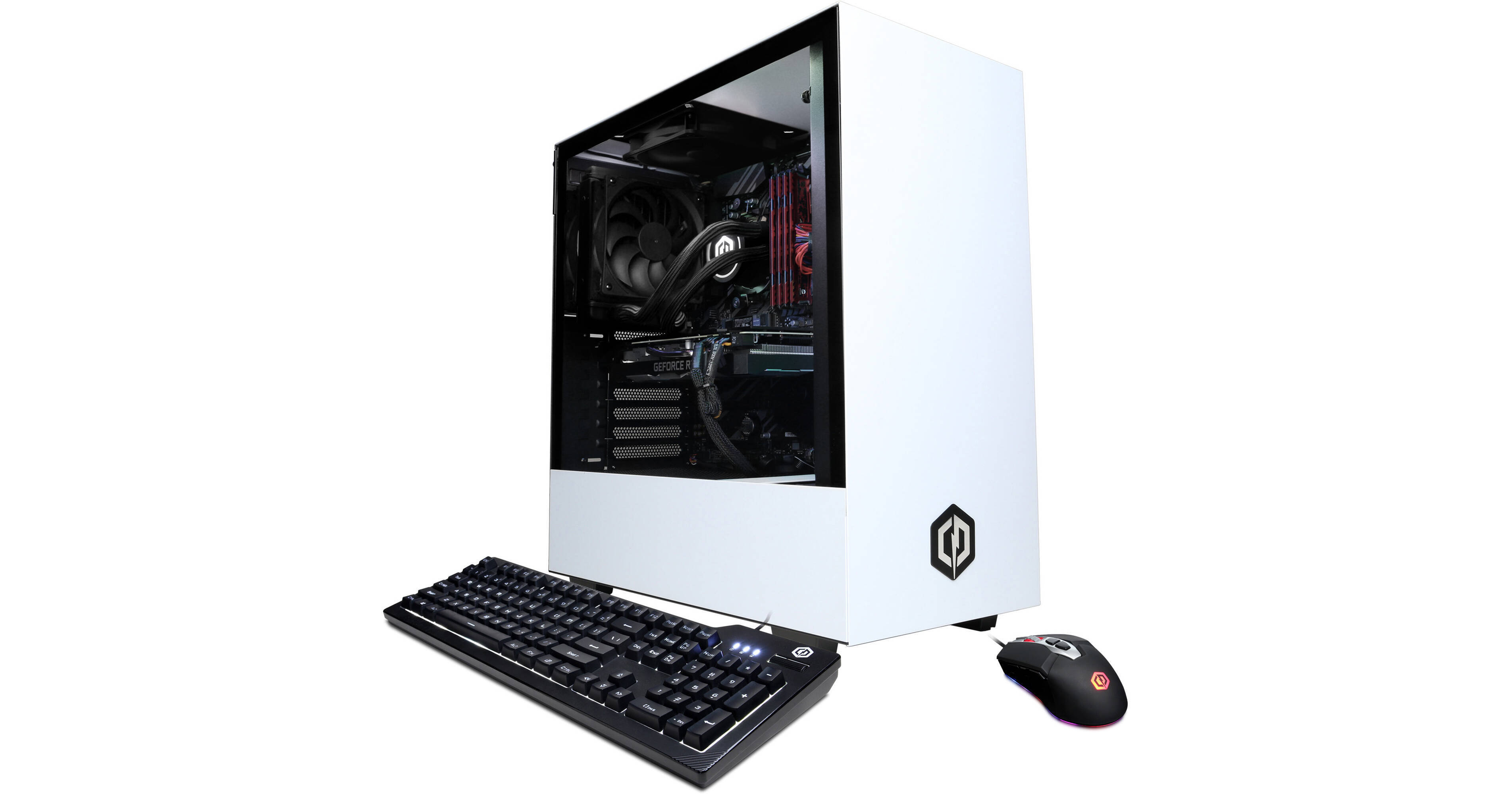
Buy CyberPowerPC Content Creation Gaming Desktop Computer featuring 3.6 GHz Intel Core i9-10850K 10-Core, 32GB DDR4 | 2TB NVMe PCIe SSD, NVIDIA GeForce RTX 3080 (10GB GDDR6X), USB Type-A | HDMI | DisplayPort, Wi-Fi 5 (802.11ac) | Gigabit Ethernet, NZXT H510 Mid-Tower Case, USB...
For around the same price, here’s a prebuilt
Granted everyone says not to get prebuilt but I feel like this one has some solid aspects
3080, 10850k, 2tb ssd
desert gulch
Not bad
languid nimbus
Nvme ssd at that
languid nimbus
I paid right around that, maybe a little more, for my build
9900k, 2080s
Bought it in august, rip
languid nimbus
Ye
Was a really solid card
I enjoyed it
Probably should’ve just kept it in hindsight, but I got caught up in hype
Now I’m trying to justify spending the $700-800 again for another gpu
desert gulch
Lol
languid nimbus
I’ve got an old 1060 I’m using, and it’s fine really, but it’s most definitely outdated by this point
desert gulch
Ewww 1060
languid nimbus
Running games on medium or so
ye, had it for like 3/4 years? However long it’s been out
Nvidia hasn’t restocked their 3080s on their site in a hot minute
 cunning knoll
I just finished building my pc and when I tried to download GeForce experience it says nvidia installer cannot continue and nvdia GeForce experience requires an nvidia gpu. Doesn’t show up in device manager either
desert gulch
Well do you have a nvidia gpu?
cunning knoll
yeah
desert gulch
What gpu?
cunning knoll
Gigabyte Radeon RX 5700 XT 8 GB GAMING OC Video Card
desert gulch
Thats not a nvidia gpu
 frosty crystal
Yikes
desert gulch
@cunning knoll download this- https://www.amd.com/en/technologies/radeon-software
cunning knoll
oops lmao
cunning knoll
will it fix the gpu not showing up in device manager
desert gulch
Should
You drivers are most likely pretty far outta date
Make sure to update windows too
desert gulch
Yes
You need to format it
Look up how to format a hard drive on YouTube
And follow a tutorial
cunning knoll
cool thanks
desert gulch
Np
junior crescent
lately i have been modifying some lists but would this be good enough to be able to stream and game https://au.pcpartpicker.com/list/cgKBgJ
stoic island
Yes, but there are still changes to be made :D
weary bluff
Have a 500gb ssd from another system, works fine and is the only one showing up. My other 2tb hard drive and 1tb nvme m.2 aren’t showing up. Anyone know how to help? I already checked to make sure they were connected.
weary bluff
Disk management shows my 1tb m.2 but when I right-click, everything is greyed out
stoic island
Greyed out is normal if you haven't initialised it
Oh wait
Click on it, and there might be options at the top iirc @weary bluff
weary bluff
weary bluff
Left clicking does nothing
stoic island
Left click then right click
weary bluff
If I right click it says this
Oh I didn’t know I could make drive off of that
Just clicked simple drive and now I have it
weary bluff
Yep
Now I’m trying to connect my hard drive but it doesn’t show up as a boot device
I’m gonna check connection one more time
stoic island
nice
 analog hearth
@arctic drum I dislike NZXT builds, but that’s actually super gorgeous nonetheless
weary bluff
The was, (atleast I think), the m.2 was cancelling the hdd in sata 1 so I switched it to sata port 3 and now everything works!
stoic island
Nice
@weary bluff yea sometimes M.2_1 shares bandwidth with SATA_1/SATA_2 or SATA_5/SATA_6
@warm badge hm?
 warm badge
I'm trying to deal with the issue of everything powering on, but Im getting no signal to my monitor
warm badge
yes
stoic island
Any debug LEDs?
warm badge
there's only one I'm thinking might be an issue
whole stag
Whats it for
warm badge
there is CPU_Power 1 and CPU Power_2
stoic island
99% of the time, the extra 4 pin is optional.
whole stag
Yeah maybe unplug the 4 pin
 warm badge
I'm not getting any beeps
stoic island
beeps are usually only if CPU is overheating
whole stag
Check all the cpu pins?
warm badge
there is a red led on
stoic island
Yes, what does it say next to it?
warm badge
let me check
stoic island
Debug LEDs can make things a lot easier
warm badge
DRAM
is the one that is on
does that mean my ram is not installed properly?
I also have two sticks of ram installed
should I only use 1?
whole stag
Maybe
whole stag
Yeah
 somber pendant
I was wondering if anyone could recomend a decent mid or full tower case with at least 3-4 5.25" external drive bays if 3 I'll need a 3.5" external as well, these seem to be a dieing breed and the ones I've seen seem to be a bit flimsy
 balmy girder
Should I invest in some cable extensions?
 viral ore
cable extensions arent something you invest in
theyre something you burn your money on
so totally up to you
 wide estuary
Hey I’m new to pc gaming but want to build my own pc. I have a budget on around 1500 CAD and have picked out what I think is perfect for my budget can anyone help me and check if I’m choosing the right parts for me. My dm are open and will be greatly appreciated
 summer pasture
I dont know if this is the right section but I've had a bit of a problem trying to download the origin game launcher. Whenever I try to download the launcher it says Im missing vcruntime and some other code. Anyone know whats going on.
 languid adder
 novel wren
im looking to upgrade grahics card i have a gtx 1650 super. i was thinking rtx 2060,(cpu is ryzen5 3600) anyone have any ideas
stoic island
@wide estuary send the ca.pcpartpicker.com list then please
@novel wren it's not a huge step up, so I would personally either save up a bit more for a better GPU, or look around for a used 2070 or something at around 300$
novel wren
@novel wren it's not a huge step up, so I would personally either save up a bit more for a better GPU, or look around for a used 2070 or something at around 300$
@stoic island thanks
wide estuary
@stoic island https://ca.pcpartpicker.com/list/rpNPmg
stoic island
Gotta warn you, use ca.pcpartpicker.com for accurate CAD pricing.
stoic island
I'm eating rn I can get with you soon
The components in that build are good, but the focus should be heavier on a better GPU from first glance.
wide estuary
On the top one or the bottom?
little osprey
For the a320m s2h does it work with Apevia CAPTAIN520 ATX Power Supply
stoic island
bottom one
that was directed at the bottom one, because top one had overpriced comps that doesn't make sense
@wide estuary alright, lets get some stuff out of the way first, 1500cad, no wifi needed?
wide estuary
@stoic island if WiFi is possible too that’ll be great
stoic island
Why's that? Ethernet is better for connection, so I put Wifi in usually on a need-to-do basis of like "Router is on other side of house, installing ethernet is going to be extremely annoying and/or expensive"
If it is hard to get from computer to router, I'll slap it in. I don't see Wifi as an "extra", but a feature some need, some don't need.
wide estuary
So right now I’m in an apartment that’s connected to the house next door we’re trying to get our own connection sorted. That’s why if possible cause right now I can’t get a cable connected
stoic island
saves ya 60 cad or so
wide estuary
Rather have white
stoic island
4000d airflow it is then
stoic island
@wide estuary revision 1:
https://ca.pcpartpicker.com/list/D8LPmg
So, next question, are you willing to mess with the used market?
whole stag
Don’t you think thats a little much for 650W? I know this is CAD But still
wide estuary
As I don’t know a lot about parts ect I’m not sure
stoic island
it's the cheapest good 650w psu that's on my list
stoic island
I just take a look at this usually
https://ca.pcpartpicker.com/user/Mr1111/saved/ry3RvK
since that auto sorts and lists the cheapest one for moi
hm
used 2070s isn't cheap in Canada anyways
not really a great option then
hmmmm
damn it why doesn't Nvidia have a Canada page :(
 wide estuary
😂😂😂
@stoic island like I’ve said before I know nothing really about it all as I’m new to it. So I’m taking your word lol
 robust plover
What is a good cpu and gpu pair for like $550
stoic island
@wide estuary I'll try to help explain everything then
Main point is GPU contributes the most to your FPS, and then CPU&Ram.
Motherboard performance wise therefore doesn't really matter as long as it works for CPU and RAM. The rest, like amount usb slots and such, are just nice-to-have.
wide estuary
So the one you sent is that like bear for money or you’re personal preference
stoic island
For Ryzen Zen 2, the CPUs like higher freq memory, and the sweet spot is 3600mhz cl16
I'm just gonna go through my thought process and why each thing was picked
@wide estuary in my opinion, that list I sent is the best performance for the money with some upgradability and some nice-to-haves
wide estuary
So would your build be capable of playing any game no problem asked
stoic island
You can look up on YouTube "RTX 2070 (insert game name) benchmark" to get an idea of how the GPU does in certain games
@wide estuary I actually have a RTX 2070 non-super so I can give you some approx numbers if you want
wide estuary
So the main games I’ll play is most shooters ie cod siege. Ark survival and wow
stoic island
Modern warfare I can get 144 fairly easily with Rtx off and high settings
Siege I can get 240 avg with my custom settings of high texture quality low everything else rendered at 1080p
Ark was unoptimised and I was getting about 80fps high iirc, I didn't really like it so didn't play too much to get a good feel for it.
WoW should be fairly easy to run
wide estuary
So you think it’ll be good?
stoic island
That's been my experience so far with my 2070 and I'm pretty happy.
wide estuary
So what the difference with the ssd you pick and you Corsair vengeance?
stoic island
You mean ram?
Ram wise, mainly 3600mhs cl16 instead of 3200mhz cl16 on the Corsair Vengeance kit
wide estuary
So just a better one to have
 polar prism
But you got one 
 night storm
Congrats 🎊
 polar prism
I just want a shot at one lol
night storm
Not sure if your complaining catt lol
 austere wren
I'm on the east coast
They ship from CALI
I cri

and I wasn't gonna risk changing the shipping time
so I just went with ground
 shell wind
how much is the new gforce graphics card
night storm
Depends on which one
night storm
And from where
austere wren
but when you add how much I made from my 2070S
It ends up being
367
I paid
I got 440 for my gpu that I ship out today
austere wren
leme see
night storm
You used a calibrated snap-on torque wrench?
 cursive wharf
If it fits... It fits
deep skiff
clearly u need a lil fan between them
stoic island
@vocal hare nothing wrong with it lol
lyric thistle
Cooler cooler cooler cooler
 small osprey
Get the rmx psu
whole stag
Yes
small osprey
There r cheaper motherboards with wifi
whole stag
Yeah don’t get X570
small osprey
There r cheaper ram with same speed
And the 2070s is overpriced
The case is kinda bad but doesnt matter too much
stoic island
@wide estuary look at pricing
That's gonna put you like 150$ over budget once case price is in
:p
small osprey
Get cheaper stuff in general
Get a b550 motherboard
There r g skill ram for 75 with same speed
Etc etc
wide estuary
@stoic island the motherboard was flagging a warning cause of the USB port
polar prism
The Corsair case is good
stoic island
@wide estuary there's a 95% chance it doesn't apply to you
Do you need to plug any usb-c into front io?
If no, it doesn't apply to you.
wide estuary
I have no idea do I 😂
polar prism
The Corsair case has a front usb-c
stoic island
I'm doing stuff rn but simplest thing is to just go back to the list I sent you earlier
wide estuary
It was the same on that list
stoic island
Yes
But I'm talking about motherboard
And other stuff
A 270$ cad mobo isn't exactly what you need
 solar thicket
yikes thats a steep mobo for a 3600x
small osprey
Unnecessarily expensive
solar thicket
i have a b450 steel legend for my 3600, note i got it before b550 was out
wide estuary
polar prism
B550 is fine for even the 3700x
small osprey
The first one is fine but get the corsair rmx psu
solar thicket
okay, but is a 1 tb nvme drive necessary? maybe a 500gb nvme then a 1 tb sata ssd or hdd?
maybe a 2 tb game library seagate drive?
wide estuary
I’m new to all this 💀
polar prism
Eh if you don’t want to have to upgrade or add extra cables 1tb nvme is fine
HDs are slow compared to even a sata ssd
solar thicket
thats true. in my system, I have a 256gb nvme drive, then a 500 gb ssd i bought without thinking about it.
polar prism
Sry my phone freaked out
wide estuary
So which link is the best build first one or second what do I change if needed
 hallow orbit
Pc pleb here: do I need an anti static mat or is the wrist wrap enough?
polar prism
I would recommend the 1tb nvme. It’s about the same amount of money as other ssds and you can always add more
stoic island
@wide estuary case went out of stock
And you had a 1500$ cad upper limit I thought?
wide estuary
Yeah it was just the case give this warning
stoic island
@hallow orbit nope, it's only extra precautions for those who are worried, just touch your case before you start
wide estuary
stoic island
@wide estuary no I mean the pricing isn't considered for the final pricing
Because it went out of stock
See where it says "price unavailable" next to the case?
wide estuary
Yeah I understand it doesn’t include the case price
stoic island
hallow orbit
@stoic island cool, thanks man
stoic island
Sooo do you have a 1500cad budget or no
If you have higher, I'd get the first list with a 2070s slapped in
 lean rapids
anyone know a good 1000$ build?