#building-and-recc-chat
1 messages · Page 618 of 1
 vocal hare
 ripe wedge
didnt know they were that close in price rn
ripe wedge
they rumored 4000 to be announced at the end of this month
vocal hare
2600 is around 139 rn
ripe wedge
at a conference
ripe wedge
hold up let me find it
its sept 28 -29 I think
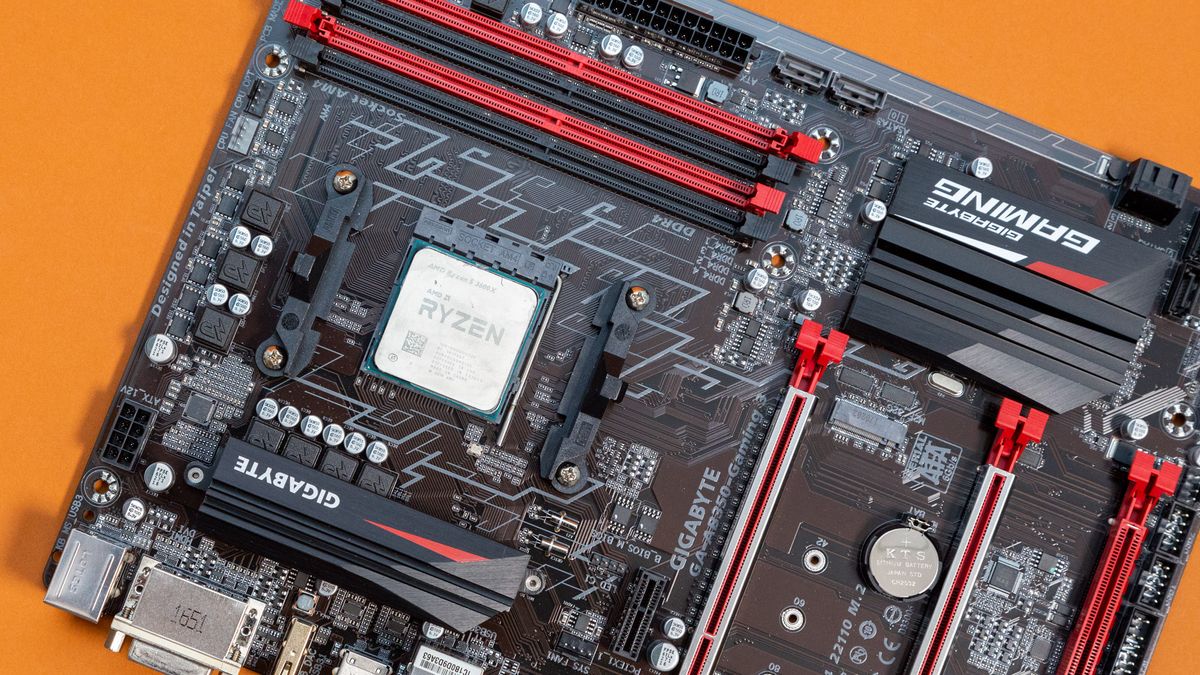
TechRadar
Will AMD continue its winning spree?
vocal hare
Hmm aight but that don't tell me the conference to watch
ripe wedge
 cursive wharf
@little leaf I'm attempting to go to sleep, so not for some fair hours, if a build hasn't already been made
 near garden
And prices for parts
ripe wedge
and quantity
vocal hare
I feel like cheap AMD boards are nicer than lower end z490
ripe wedge
lol
vocal hare
By cheap I mean like b450 and 550
But honestly I feel like you get more for the price
ripe wedge
I have a A320M ASRock mobo in my pc I built for my brother and it can do everything but oc cpu
but yea amd is great
ripe wedge
I would have but I got my cpu,ram,mobo, and cooler in a bundle
ripe wedge
yep was $60
vocal hare
For one of my brothers I got a 1600 for 85 a lil before 1600af release
ripe wedge
for ryzen 3 1300x, a320m, t2 coolermaster cooler, and 1x8gb ddr4 2400 ram
vocal hare
Not like I could've got him one anyway
ripe wedge
o nice
vocal hare
Wish I could gotten a better case for him
ripe wedge
yea I got my brother a case the same price as his pc basically lol
vocal hare
But low on budget already
ripe wedge
got a coolermaster mb320l
ripe wedge
like cougar cheap cheap?
vocal hare
Didn't want to skimp on other parts
And his stuff isn't exactly hot parts
Just a 1600 and 570
ripe wedge
o and I forgot the A320M had an m.2 slot
vocal hare
570 doesn't get too hot
Usually caps at 75
Think the highest I've seen it is 77
But I'm not monitoring it all the time
ripe wedge
the cpu on my r3 1300x build idles at around 30c and high of 50c
vocal hare
Yeah I got a cheaper used one on ebay
ripe wedge
I got a $75 gtx 970 for my brothers build
vocal hare
But it failed like few weeks in
ripe wedge
asus strix model
vocal hare
So I found a $100 570 on wegg
That's the one that runs at 75c cap
Lil louder than the first
vocal hare
My other brother had a gpu faikure
ripe wedge
oof
vocal hare
So I used the opportunity to upgrade him to am4
3400g rhough
But it works just fine
ripe wedge
welp imma slep
 potent prairie
Why? It's only 3:57AM here
near garden
3:00 am here
 analog hearth
@vocal hare though*
 formal axle
@bronze helm I didn’t! But I found out that it’s the fans. I plugged in a different fan that just stays blue and it worked the fan and the lights
I think the thermaltake I got are all bad
I watched a review and people have had issues with them in the past.
 small heron
Is it bad
That my motherboard is being held by one screw
 mighty quarry
I dont know much about computers and I'm looking to build myself a new one (cause the one I have now is crap) and i would like some feedback on my parts
-$440-RYZEN 9 3900X CPU-
-$85-G.SKILL Trident Z RGB Ram-
-$75-MSI X570-A PRO Motherboard-
-$80-NZXT h510 Case-
-$700-RTX 3080 Graphics Card-
-$150-Western Digital WD BLACK-
-$70-Power Supply-
-$50-Anidees AI Aureola V2 Case Fans-
-$110-Windows Ten Home-
 little osprey
What mhz is the ram
You should put all those on pc part picker
Easier to see what specific stuff you picked
 foggy hazel
@mighty quarry 3600 cl16?
also, those prices seem "off" by a fair bit. But you should notice that yourself when you get it all plugged into pcpartpicker
little osprey
does anyone have a fix for a new motherboard not reading drives as being bootable
mighty quarry
thanks
 deep skiff
also just buy windows off ebay for like $5
little osprey
windows is installed on the ssd but the motherboard bios wont detect that the ssd is even readable
it can read the name and amount of storage though
 stoic island
@mighty quarry use pcpartpicker.com
 lusty glacier
I'm ordering some cables from cablemod and I'm a little unsure of what to get for GPU. If I get a fe 3080 the 12 pin adapter is included, but if I don't I'll need three 8 pin cables right?
 cunning flume
Hello everyone, im looking to build the cheapest VR ready pc using the RTX 3070, any tips or recommendations?
stoic island
@lusty glacier I'd say you might want to wait for people to actually try using custom cables with FE 30xx
lusty glacier
Fair
foggy hazel
@lusty glacier also, cablemod has a customer support for questions like that :) they are MUCH better equipped to answer questions like that :)
 granite delta
I feel bad for the people who actually pay full price for a windows key
lusty glacier
Now I know for next time c: I'll bring it to them, thanks
 desert gulch
@granite delta yeah lol. Imagine paying the official mucrosoft store 150 for a windows home key lmao
lusty glacier
@granite delta I keep getting them for free from my school. Education edition but w/e
granite delta
That’s nice
lusty glacier
I just mean like 20 years ago I thought buying windows now and then was going to be a problem but now it feels like people just throw keys at you
 feral jetty
https://uk.pcpartpicker.com/list/VyL4K4 Ive currently got this setup going but I want a smaller form factor. Can anyone recommend a good micro-atx MB and Case?
granite delta
Kev
feral jetty
Hello hello
granite delta
Why don’t you just go with a 500 gb ssd?
Instead of getting two 250gb
I know prices are different in the uk
But I figure it would be cheaper
feral jetty
Don’t ask these are all the parts that I already got 😂😂😂
I didn’t think about it back then
feral jetty
Some of my parts I’m definitely thinking wtf
granite delta
Did you want both a micro atx case and mobo or just the micro atx mobo?
@feral jetty
 crimson hornet
Hey so I just built my Pc and I’m trying to boot windows. Alls I have on my screen is a blinking line
granite delta
Did you install windows already?
crimson hornet
No trying to do that sorry
ripe wedge
blinking line at top left?
ripe wedge
did you install windows onto a usb yet?
crimson hornet
Yeah
ripe wedge
using microsofts usb tool
granite delta
Media creation
ripe wedge
^
crimson hornet
No
ripe wedge
did you just put the iso on the usb?
granite delta
Let me give you a video
crimson hornet
did you just put the iso on the usb?
@ripe wedge yeah
ripe wedge
here is the tool
granite delta

How to Download and Install Windows 10 from a USB Flash Drive for Free.
Easy step by step Tutorial Full Guide for desktops and a laptop.
Also how to install Microsoft Windows 10 32-Bit Or 64-Bit 2018.
You can upgrade to windows 10 from windows 7, 8.1 or xp.
You will still rec...
You need to download media creation tool
Just make sure your pc is turned off when you insert the usb
And power it on once it’s there
feral jetty
@granite delta sorry both case and motherboard
crimson hornet
Does this work on a Mac?
granite delta
I don’t believe so
ripe wedge
I dont think it plays too well with macos
granite delta
@granite delta sorry both case and motherboard
@feral jetty you good
ripe wedge
if you have a windows pc laying around id use that
or have a friend install it on a pc
ripe wedge
I personally like the mb320l
feral jetty
What about MOtherboard
granite delta
Msi b550m pro
3rd one in the pic
@ripe wedge now that you showed me that case I don’t know whether to get that one or the darkflash
ripe wedge
the mb311l was a blast to build in
it has a lot of space for cable management
and the removable cage is nice
granite delta
it has a lot of space for cable management
@ripe wedge does it comes with the fans in the photo?
ripe wedge
I have the mb320l I think non mesh front
but id recommend the mesh front
I accidentally bought the non mesh lol
still keeps the pc super cool tho
granite delta
Alrighty
ripe wedge
lots of airflow except if u have a beefy gpu
granite delta
Gonna watercool my apu 😎
ripe wedge
I mean the airflow is decent for the gpu
ripe wedge
another thing about it
is idk what software can control the rgb
it has a hub that came with it
granite delta
Oh ok
ripe wedge
i dont think so
 raw thunder
So grabbed a 760 power supply for my new rig. As I understand that should be plenty for a 3070?
 lime forge
yes
raw thunder
But would be short of a 3080? If I am running a ryzen 3900
 unkempt jolt
Any idea what causes a white light to be on? It says VGA on the motherboard label. I just opened it up to covert my 4 pin power to the motherboard to an 8 pin and connect an RGB adapter for the case rgb to work with aura
unkempt jolt
Never mind a restarting fixed it
 wind peak
Hello, I’m a college student looking for build ideas for potentially next spring/summer, looking to spend only about 800-850 and intend to mainly use it for gaming, Valorant, overwatch and the sorts, any recommendations?
granite delta
Hello, I’m a college student looking for build ideas for potentially next spring/summer, looking to spend only about 800-850 and intend to mainly use it for gaming, Valorant, overwatch and the sorts, any recommendations?
@wind peak is that the budget for the pc or the whole setup?
wind peak
Pc
granite delta
Ok
wind peak
I’ve been talking with a friend and I’ve just mainly looking for ddr4 ram with decent components to go with it
ripe wedge
hmm
granite delta
It’s really hard for me to decide since I know prices will drop
ripe wedge
@wind peak is that USD?
wind peak
Yes
ripe wedge
ah ok ill try to throw something together
wind peak
I haven’t really started anything, just looking to get an idea so that I could switch from my school laptop that’s not bad for now, to something more designed for gaming
 vital warren
could always take a look at used gpus rn
ripe wedge
ah ok
granite delta
My messages didn’t even load before
ripe wedge
I think a ryzen 2600 would be fine cuz its cheaper
but if theres more budget to allot ill upgrade it to a 3600
wind peak
Will prices go down much come next spring/summer
ripe wedge
wait does the ryzen 2600 not work with a b550 mobo?
pc part picker wont let me choose the b550 with 2600
 autumn wolf
believe there are some chips that the b550 doesnt accept
ripe wedge
weird
b450 it is for now I guess
@wind peak most likely
but im working on it for ya rn
@wind peak would you be fine buying a used gpu?
you could get more power froma used gpu
I threw this together but it isnt entirely amazing
case little overpriced
but cases are subjective if you like them or not
actually no
need to change it from that msi card
I wouldnt buy this exactly because you can find some better used stuff for around that range
wind peak
There was a build I saw someone selling with a case that had a mesh front, it started with an A I believe, prices and quality is likely to change due to not buying it now so it’s not a major concern
 terse condor
Just got a ax1200i and having issues keeping it powered on? Any suggestions?
 still roostBOT
 NOputitback#2233 has been warned
Reason: Bad word usage
 onyx lava
Can I post my build plan in here?
 pallid hull
yea ppl can look at your build and see what can be fixed
onyx lava
Ok yea, probably need that since I'm completely new to pc building lol
pallid hull
everybody starts exactly the same hah
onyx lava
pallid hull
are you just planning on using this system to play games?
pallid hull
jeez that monitor lol
onyx lava
My budget was ~3500 so I was trying to make the most out of it
Lol I'm a little bit of an ultrawide fanatic
pallid hull
Yeah i'm still trying to get used to a curved monitor, been using flat my whole life
onyx lava
How do you like them?
pallid hull
uhm, as of now i dig em....tho when playing competitive shooters it feels oddly off
don't know the best way to describe it
also yea i know litttle to nothing about balancing out parts between wanting gaming and coding so i couldnt help
onyx lava
Lol same here
pallid hull
hopefully someone here can pick up on your build and see if they can help
onyx lava
I hate to admit it but I'm probably only going to be playing minecraft and gta 5
But planning on trying racing sims
pallid hull
Nothing wrong with that, I personally hate it people say "dude u have this beast of system and ur playing so and so games????"
had this guy jump on my buddy who was buying a 3080, starting getting heated cuz he didn't have a 4k monitor...like what?
onyx lava
Yea I also dont think 4k gaming monitors are mainstream
granite delta
@onyx lava Are you gonna oc your cpu?
granite delta
And samsung nvme is not the way to go
Well
You really don’t need that liquid cooler
You may have money, but you might as well spend it wisely
onyx lava
I agree, what should I get for the storage?
granite delta
Did you go with that mobo cause you can’t use ethernet?
onyx lava
But the liquid cooler, more specifically that one is just a want of mine
About that
I was really unsure about what mobo to get
granite delta
You could leave that aio cooler and upgrade to a 2tb nvme
And get a noctua nh-d15 cooler
That’s only if you know you’re gonna oc
If not
onyx lava
How much do those go for? 2 tb nvmes?
granite delta
The stock cooler should be just fine
I would have to check
You can prob get a 1tb hdd and 1tb nvme
Actually wait
onyx lava
I hate to say this but I want that aio because of the customizable screen
onyx lava
Also figured aio would keep it more than cool for my needs
granite delta
You can go for a 2tb hdd and 1tb nvme
onyx lava
Do you have a recommended pair?
granite delta
Yeah one sec
I was watching a review of the cooler you had
It has better performance than most coolers
This pair
More than double the storage for less money
@onyx lava I recommend getting this case over the one you chose
Better airflow
onyx lava
Oh
vital warren
yeah cooler master has good options
onyx lava
I chose that case because of the looks really
granite delta
Same with the mobo?
onyx lava
The mobo I'll admit was more random
onyx lava
Was just trying to get one with wifi and type c
onyx lava
@vital warren that case looks good can you send link please
vital warren
onyx lava
Thanks
vital warren
np
onyx lava
Do you think my aio radiator would fit on the top of that?
vital warren
the case supports up to 360mm rad you should be fine
granite delta
Size
onyx lava
Really that's it?
vital warren
less pcie slots
onyx lava
Are pcie slots for gpus?
onyx lava
Oh
granite delta
Mono?
desert gulch
Mobo
 plain cloak
Where would I ask about AIOs
granite delta
vital warren
i just ordered a asus b550-a
 fleet pagoda
Is the 3070 or 3080 gonna be 500$?
plain cloak
Aight
granite delta
Is the 3070 or 3080 gonna be 500$?
@fleet pagoda 3070
granite delta
@desert gulch so which mobos have a type c port
fleet pagoda
I need to get a better cpu any recomedations mu budget is like 300
desert gulch
No USB c
vital warren
for $300 i'd get a 3700x or an 10600k
desert gulch
On the msi one
small heron
What kind of a oc can you get with a normal 3700x
small heron
Stock😎
desert gulch
Ghz
small heron
3.0 = typeC
Check this out on @Newegg: fenvi FV-AX3000 WiFi 6 PCI-E 3000Mbps Bluetooth 5.0 Wifi Adapter Intel AX200 Wi-fi Card Wireless PCI Express 802.11ax/ac 2.4Ghz/5.0Ghz Dual Band MU-MIMO OFDMA With Heat Sink, for Windows 10 Linux https://www.newegg.com/fenvi-fv-ax3000-pci-express/p/0XM-00JK-00075?Item=9SIADXZAWG3073&Source=socialshare&cm_mmc=snc-social-_-sr-_-9SIADXZAWG3073-_-09062020
Free wifi
desert gulch
Yeah built in Wi-Fi is gonna be more reliable
ripe wedge
I have one that I do use thats good
ill link it
it also has a bluetooth card
works pretty well
ripe wedge
I mean you can throw a heatsink on it for cheap
asus might have one with a heatsink ill check
small heron
Whats the range
ripe wedge
dont know exact range but it does pretty well going through like 4 walls downstairs to the corner of the house where the router is
 plush wigeon
So if I get the job I applied for I made a list which has an increased limit from $1000 to a new $1700. https://pcpartpicker.com/list/x6rD6R
plush wigeon
3070 would be fine as well, wouldn't it? Cheaper and still a ton better than 2080ti
vital warren
thats quite a lot on corsair fans
small heron
Ikr
onyx lava
Sorry @vital warren forgot to ask you if the case you sent stock fans were good
vital warren
according to all my friends who have used them they work great
onyx lava
Ok thanks
granite delta
Pog
plush wigeon
https://pcpartpicker.com/list/wPG2tp I adjusted the list.
plush wigeon
Primarily gaming. 9700k is good for that.
 little leaf
Why tf 9th gen
 calm crypt
@plush wigeon are u sure ur going with 9th gen Intel there’s no upgrade path any why not amd it’s cheaper and better
little leaf
10600k better
Dont spend 150 on aio
You could eaisly fit a 3080 jn here
Dont spend 170 on a case
small heron
$30 rosewill aio😎
plush wigeon
the aio is $129.99 not 150
calm crypt
Lol that’s still too much good aio budget is like 80 max in my@opinion
plush wigeon
ok. I'll go to my 1st choice for non-rgb aio
little leaf
80$ should get a rgb aio
calm crypt
Yea u could do that or get ar master 240 aio RGB for 50 bucks
Cooler master*
@plush wigeon
little leaf
Ah the master leaker
calm crypt
It’s an amazon exclusive so u gotta get it on there but I think the 240m I think it’s called is same with a circular water block
Lol I’ve had it for almost a year with no problems push pull setup with my r7 2700 at 4.1ghz
plush wigeon
is this better? https://pcpartpicker.com/list/6YCCf9
little leaf
No
plush wigeon
I don't need a 3080. 3070 works just fine
calm crypt
His case is too much
little leaf
Overpriced case
calm crypt
And 32 isn’t too overkill especially for multitasking
plush wigeon
The case is known to be very good
calm crypt
Lol as long as It has airflow it can be 15 bucks
I made a bad desicion with my case it looks nice but runs hot af
But dude in the end it’s ur pc and ur money so if ur not gonna be happy with it don’t listen to us ya know
stoic island
@plush wigeon o11 is known to be good, as long as you slap in like 6 extra fans on top of the costs over a conventional case
You gotta remember it doesn't come with fans
So it's way overpriced
The conventional cases we are used to, like the TD500 mesh, is 100$ with fans included.
 spiral zealot
i was actually just looking at an antec case the other day, $78 shipped from wegg, and comes with 5 fans, 3 argb front, and 2 black 120mm exhaust, one upper and one lower
i think it's the DF600 or something
and looks like reasonable airflow in general too
plush wigeon
https://pcpartpicker.com/list/LrTFBZ changed the list
https://www.gamersnexus.net/hwreviews/3511-phanteks-p400a-digital-rgb-case-review-airflow-mesh-panel-testing review of the case I selected

Phanteks also avoids the trap that many fall into by eliminating a dust filter, instead relying on the fine mesh as a filter and keeping airflow as open as possible. In today’s testing, we’ll look at the Phanteks P400A RGB for thermals and acoustics, but we’ll also test the wh...
You have to be level 3 to post links
Just remove everything before pcpartpicker
Should work.
If not just post the stuff after .com
 peak trench

 jolly adder
When installing ram, I skip the 2nd slot and put the ram in 3rd. Right?
spiral zealot
it depends on the board, the manual will usually have a diagram to tell you which slots correspond to which memory channel
some boards are slots 2/4 when starting at the CPU, others are 1/3
 vale birch
 topaz acorn
PC SPEC NVIDIA 30 Series
GPU : RTX 3090 $1499
: Intel core I9 10900k $529
MEM : F4-3600C16Q-64GTZR $259
PSU : ASUS ROG Strix 850W White Edition PSU $280
Mother Board : ASUS ROG STRIX Z490-A $249
Water Cooling : Asus ROG Strix LC 360 White $250
Case : ASUS ROG Strix Helios GX601 White $295
SSD : WD BLACK SN750 m.2 2TB $350
Monitor : LG UltraGear 27GN750-B $397
Total : $3,610
 ripe smelt
CPU: Intel Core i3-9100F 3.6 GHz Quad-Core Processor ($71.88 @ Walmart)
Motherboard: MSI H310M PRO-VDH PLUS Micro ATX LGA1151 Motherboard ($56.99 @ B&H)
Memory: G.Skill Ripjaws V Series 8 GB (2 x 4 GB) DDR4-3200 CL16 Memory ($39.99 @ Newegg)
Storage: Samsung 860 Evo 500 GB 2.5" Solid State Drive ($69.98 @ Amazon)
Video Card: MSI GeForce GTX 1650 4 GB GAMING X Video Card ($154.99 @ B&H)
Case: Cooler Master MasterBox Q300L MicroATX Mini Tower Case ($48.99 @ Amazon)
Power Supply: EVGA BQ 500 W 80+ Bronze Certified Semi-modular ATX Power Supply ($63.90 @ Walmart)
Monitor: BenQ GW2283 21.5" 1920x1080 60 Hz Monitor ($99.99 @ Adorama)
Total: $606.71
Prices include shipping, taxes, and discounts when available
pallid hull
What are we looking for here?
small heron
Anyone wanna link me a good 750w 80+ bronze/gold psu around 100
 knotty drum
look up for corsair 750w RM Gold @small heron
small heron
Ok
knotty drum
thats what i have
small heron
Paying 80 dollars more for 100whatts 😭
knotty drum
it was on sale when i got it
 knotty drum
ah ok thank you im glad that i got 750W
i was close to buy 650W
im planning to upgrade from 2070s to 3070 next year
 robust tide
Is the 3700x good for streaming?
 split vale
i'd like to see the lowest PSU people pull off running their Ampere cards on
should be most of the time, @robust tide
probably better than my 3600
 floral flare
3070
 ionic sail
So this is my "budget build".. I basically meant to just try replacing the motherboard on my original desktop, which is discontinued now, but I wound up going down the route of new mobo and case, but I needed DDR4 RAM for the new mobo, and it turned into a "cheap" build.
Mobo: gigabyte b450M ds3h wifi am4 amd sata 6Gb/s mATX motherboard
RAM = 4 GB patriot viper elite DDR4 2666 DIMMs ×2
Case: Cooler Master Master Box Q500L Mid Tower
PSU: EVGA 600 W ATX 12 V non modular 80 plus bronze power supply
CPU: AMD Ryzen 3 3200G 4 core processor
desert gulch
no gpu?
desert gulch
yeah i know that
ionic sail
The CPU comes with radeon 8 vega graphics.
split vale
if what it's replacing is still working, maybe try to wait for Ryzen 4000 APUs
ionic sail
So basically I have a HP pavillion p7 1010 that hasn't worked for months at this point. All the components work, but I believe the mobo is dead
desert gulch
yeah
ionic sail
Idk if the CPU is dead but
split vale
like Ryzen 4300G
split vale
ah
ionic sail
It's an OEM deal
split vale
well, if you NEED a computer, then yeah. BUT
if you ahve a spare GPU, maybe look at the Ryzen 3100 or 3300X
if you plan on gaming
ionic sail
I don't have a spare gpu unfortunately
split vale
if you can spare ~$50-60, you might be able to ebay a video card and get the 3100, which should beat a 3200G at gaming i believe
ionic sail
The build is more for classwork stuff, I wound up going in this direction with it because the mobo is cheaper than the one I would've bought for this computer
Plus, it'll be my first actual build. So it's not like I'm wasting my money or anything. My gaming rig will be much better.
I'm probably getting the ryzen 5 3600 for my actual rig
Idk about motherboard just yet but I'm giving myself time to think about it
split vale
it's okay for 6 cores and lower
my AB350M DS3H (same VRM, heatsink) ran 87C on a 1700X, so just take care if you plan to upgrade to 8 cores and beyond. otherwise it's ok
how much is the DS3H?
 ripe quest
the b450 or b550
ionic sail
I figured it was more cuz pandemic
ionic sail
DDR4
split vale
if it's not much more, maybe look to see if there's DDR4-3000 on the QVL
ionic sail
Pcpartpicker list?
ripe quest
you cant post links yet so just remove the http
split vale
your video performance on an APU depends on the DDR speed
ionic sail
I didn't
ripe quest
why
split vale
ionic sail
But I'd taken the time to look into a few things before hand.
ionic sail
It's 8 gb
ionic sail
I got 2 sticks of ram
split vale
i'd say to start with 8
ionic sail
I was thinking about the 16 but for now 8 gbs will suit my purposes
spiral zealot
you can get 16gb for barely over $50 these days
split vale
Win10 runs surprisingly well on 8GB
spiral zealot
i think you can get a set of gskill for 57
ionic sail
I will build a better gaming rig
split vale
i could do most games (non-APU) ...except for BL3
ionic sail
I'll be sure to post here before I buy parts next time though
I really appreciate all the feedback
split vale
wellllll
plush wigeon
https://pcpartpicker.com/user/Castlemight/saved/#view=bDWcbv here is all my saved part lists.
split vale
i'd definintely suggest an SSD for windows if you're running 8GB
tho i dunno how much worse it would run on an HDD, tho
plush wigeon
I have 3 lists, each with descriptions detailing what their price limit is
spiral zealot
yeah, if you're really on a budget you can get a cheap 2.5" sata ssd w/dram cache for probably under $40 or so
split vale
seems pretty solid once i figured out how to make it stable with my pre-2012, maybe even 2010 PSU
it was unstable just at idle. i could do a day long encode just fine. but it woudl freeze at idle
ionic sail
Do I want a dram cache with the ssd?
spiral zealot
for a boot drive, it's preferred
ionic sail
I had watched a few builds and they talked about having and not having it... I didn't know what to think
split vale
seems pretty decent for a budget SSD
spiral zealot
i have an asrock board and it's fine, it's definitely not as full featured as other x399 boards
split vale
i killed a Silicon Power A55 in a couple weeks
ionic sail
Also, what's VRM? Friend was telling me about power phases and I was a bit confused
I remember reading about -5V and -12V conversion stuff... seems like that's what he meant?
split vale
it's those blocks around the socket, sometimes with huge, gaudy heatsinks
ripe quest
you dont really need to worry about that stuff now
split vale
converts ?? to the 1.x volts the CPU needs
but yeah, if you're not going above 6 cores, you can pretty much ignore it
ripe quest
you can see on cheaper mobos like yours
it doesnt have a huge block right
whereas on more expensive ones
it has a block
and thats the heatsink
ionic sail
Right
split vale
usually just overclockers care about it, but with up to 16 cores on AM4, it starts to matter a little if you go that high. or plan to
or on Intel if you want to OC 5ghz+
buuuuuuuut, a few good boards ~$100 are good with 16 cores (and moderate air flow)
ionic sail
Ok
I'm surprised at how much I genuinely enjoy looking up computer parts, tearing apart and putting parts back together..
split vale
it's fun
ionic sail
I kinda want to work at a PC store and just build and take apart computers for the experience... but idk.
split vale
yeah, i'd kinda like that, too, but the pay probably sucks unless you're the owner and the business is doing well
Adamant IT is one guy i've started watching a little when suuuuuper bored and not feeling like gaming
he's like Louis Rossmann but for PCs and maybe 2% of the soldering
ionic sail
My hard drive died on me and so I lost like 7 years of gaming memories on it.. idk what to even do anymore when it comes to gaming....
split vale
oof
still roostBOT
 plonk420#2484 has been warned
Reason: Bad word usage
ionic sail
I need to replace the hdd but I want to try formatting it first before replacing it...
split vale
and mega gives you ~50GB of storage free, too
i have 50 on mediafire, too, but not sure if that's just because of how old my account is
anywho, Adamant IT does a lot of repair, and some straight computer builds

oh, it's someone else who is building their first. @plush wigeon ^
ionic sail
How do I update the bios on a motherboard
I'm a little worried because it's saying I may need to update the bios on that mobo before I can use the amd ryzen 3 on it...
split vale
if you buy directly from newegg or bezos (and not a reseller) it's probably 99 or 99.9% likely to be ready for the CPU
ionic sail
Yup from newegg
split vale
and not one of their crappy resellers?
i bought a B450 end of june last year and it was ready for Zen 2
 long bear
Has anyone here had success with the newegg pc builder lists
ionic sail
Nope, straight from newegg
spiral zealot
almost any new B450 board will be fine, that warning was really only relevant when ryzen 3000 first came out
at this point, new boards from the factory will have the right bios
split vale
some guy on the RPCS3 discord claims to have bought a mobo from a Newegg reseller and it was DOA 😩
ionic sail
I'm actually glad I got most of the stuff straight from newegg
split vale
and then the reseller claimed to have not received the return shipment
ionic sail
The ryzens from ebay
split vale
how muhc?
ionic sail
didn't see it on Amazon, I'm a little worried about that one. Got it for $97
split vale
if their ratings are good and they sell a lot of computer parts (and they're in the US) they're probably ok
$97 is a bit low to me
entering sketchy territory a bit
oh wait
ugh, you're talking 3200G
ionic sail
I'd seen the price as like $99 they're based in the US
split vale
mixed it up with someone else's 3600
ionic sail
ohh
plush wigeon
Except on Amazon. Good rated sellers could have fake reviews or bribed for the good ones. There's already evidence some have done so
plush wigeon
Be wary of price gougy or super overpriced prices.
split vale
for Amazon, look at Camelcamelcamel.com to avoid gouging (also works for getting a feel as to what it should be similar to on the 'egg)
it's a shame newegg kicked out camelegg.com 😒
plush wigeon
https://www.amazon.com/dp/B00H6LLTT2/ref=cm_sw_r_cp_apa_i_kcDvFb0P1472X example of what seems to be very overpriced
ionic sail
Is the i/o shield built in on an OEM case?
split vale
/shrugh
lol
i've only bought one OEM case/build, and taht's when DDR4 was crazy expensive
ionic sail
I'm just amazed. I'm literally thinking about building this computer. I can't sleep
split vale
it was removable but you had to slide it s ideways a bit to remove (Thinkstation P300)
never doing that again if i can help it
proprietary fan headers (so it wouldn't slow down with normal fans), proprietary power connector, proprietary USB/sound/power headers
ionic sail
Hmm
ionic sail
Hmmm
split vale
(had to pump the contrast so i could make out the corrupted ATX connector shapes)
split vale
you're good to link things now (see that your nick is green)
ionic sail
Oh cool
split vale
Newegg and B&H have the B450M DS3H for $75
ionic sail
I wanted the one with wifi
Hence a couple more money
Wait what
Hence more money
Geez
split vale
you can get an MSI card off amazon running an Intel wifi nic (replaceable) for ~$30
what i like about that is you can move it to another board if you need to
 deep skiff
I’m new to this what’s the difference of the b450m ds3h and the b450m ds3h WiFi?
 fluid raven
The wifi part
 little osprey
Nice
 slender dirge
Display: Acer Predator XB271HU OS: Windows 10 Pro MB: ASUS ROG Maximus X Hero CPU: i7-8700k GPU: EVGA GTX 1080 Ti FTW3 RAM: 32GB G.SKILL TridentZ @3200MHz
little osprey
I just bought this keyboard, is it a good deal?
analog hearth
that keeb has clicky switches, btw
analog hearth
ehhh that's debatable. I have a key switch tester with Cherry MX Blues. they're mega loud lol
definitely not Kailh Jades, though
little osprey
Ya
plain cloak
Where would I ask about case fans
lusty glacier
I've got a problem with my build, hopefully somebody here may have had the same issue recently:
Ryzen 7 3700x with Wraith Prism, using the Wraith Prism software to control it.
Asus Prime x570 Pro, RGB controlled with iCUE.
2x16GB Corsair Vengeance Pro RGB, controlled with iCUE.
When I put my computer to sleep, all of the LEDs stay on except for the Wraith. I've enabled the ERP thing in bios, and I've set the LED behavior when the PC is in a non working state to Stealth Mode in bios. Bios will save my changes when I make them, but changes back to how it was before when I reboot so the changes never really take effect. Any idea what I can do to fix this? I also tried using the Aura Sync software to shut things down when the computer shuts down, but it didn't work. If I want the lights to go out I need to flip the switch on the PSU and cut power entirely.
I just uninstalled iCUE, restarted, changed the setting in bios to Stealth Mode again, loaded to desktop, and when I put the computer to sleep every LED was still lit - so I guarantee you when I check the bios again instead of Stealth Mode it'll be set to "Aura Only."
 coarse coral
@lusty glacier which lights are on on which products
lusty glacier
The Corsair ram is lit, and the motherboard section above the IO and on the little fan
plain cloak
Ngl.. all these companies having their own "proprietary software" (that only works with their stuff, and nothing else) is kinda dumb..
coarse coral
yeah setting it to stealth mode should have fixed it, my only guess is that aura sync is bugged and you may need to clean install it so it stops overriding the aura-on-shutdown setting
lusty glacier
It was doing this before I installed Aura Sync, and I've since uninstalled it to see if that would help because it did nothing for me lol
coarse coral

lusty glacier
I'm going to try uninstalling the Wraith Prism software and give it a shot
brb wish me luck
 celest horizon
Woah, theo helping troubleshoot?
coarse coral
Woah, theo helping troubleshoot?
@celest horizon i always help people


 plain cloak
Where would I ask about RGB, and stuff
lusty glacier
Back to Aura Only
lusty glacier
Alright
coarse coral
after you uninstall those and aura use this.
lusty glacier
Also - if I’m enabling stealth mode do I need to enable ErP S4+S5 or just S5?
coarse coral
then restart computer
i think when i had the rgb problem i turned all soft states off
lusty glacier
I’m not familiar with that term, is ErP a soft state? So leave it disabled?
celest horizon
ERP is a power saving mode
I'd leave it disabled, doesn't really make much of a difference
lusty glacier
That’s what I was reading, it apparently should reduce the power the motherboard gets during sleep and wouldn’t let the lights light up
celest horizon
Ya, if you want to wake the pc from usb devices, charge your phone etc, leave it off.
lusty glacier
Okay
Saved, rebooting, I’ll try a sleep then run the aura cleaner
Ignore the cables, waiting on fans still. RGB still going during sleep.
coarse coral
ERP is set to off?
lusty glacier
Yes
But guaranteed if I check the bios Stealth Mode changed itself to Aura Only again.
lusty glacier
And at this point there is zero software installed to control RGB
lusty glacier
It couldn't be a Windows power profile overriding it eh?
stoic island
ERP on time?
ionic sail
Sup
coarse coral
have you tried seeing if s5 only will work?
lusty glacier
I can do ERP on to try again, should I re-enable Stealth Mode at the same time?
No I have not, but I can
coarse coral
yes stealth mode
lusty glacier
S5 + Stealth, coming up
coarse coral
try stealth mode + erp off and stealthmode + erp s5 if it doesnt work
errr s4
i think s4 is the lowest power state in erp if i remember
besides off
lusty glacier
Lmao bios changed sleep to “all on” not just aura this time
 lusty glacier
I don’t have just S4
coarse coral
yeah just double check its all on stealth on onboard leds and see how each erp works out
lusty glacier
Doing s5 first
coarse coral
pretty sure disabled is what worked on my older asus board
my only thing is why it isnt saving your settings
still roostBOT
 Seniri#5304 has been warned
Reason: Bad word usage
lusty glacier
Whoops
coarse coral
its more like aura sync program and bios interaction is crap
for the past few generations of boards now
i had this problem with old z270 board when i had my 7700k
coarse coral
could be aura sync on windows overwritting

the aura service is still on there ifyou didnt uninstall and clean it correctly
lusty glacier
How would I check that? And it’s set to aura only again
Hmm
The file you sent, should it have opened something or just flashed at me briefly?
coarse coral
that file actually clears the registry of it
thats the faq file
. Uninstall Aura through the control panel and reboot your system.
2. (Optional) Run Aura Cleaner tool available here.
3. Download the latest version of Aura available.
4. Unzip and open the file, right click on “Setup”. Under Properties\Compatibility, select “Run as
administrator”. Apply and close Properties window
lusty glacier
I just mean it didn’t open any windows, just flashed super quick
lusty glacier
Okay awesome
lusty glacier
Did
 coarse coral
okay good
reinstall the newest aura sync now
and set sync at shutdown to off
and do a few pwer cycles to check
lusty glacier
Trying now
Okay, that worked for the motherboard leds - should I reinstall iCUE and set the ram to software controlled? That worked for the sticks last time
coarse coral
yeah go for it
lusty glacier
Stealth mode stayed on this time!
 lusty glacier
I don't see either, trying a sleep again
coarse coral
my only guess is you put a check mark on full software control in icue and its being controlled through asus aura.
lusty glacier
Ram still stays on, everything else is fine
No I haven't checked that box yet but when I used it yesterday it shut the lights off on the ram, I'll give it another go
lusty glacier
Software control didn't help
lusty glacier
No dice
coarse coral
the mobo lights are off which is fixed
 wary geode
it sucks i had to do a bios update and test each ram stick for voerclockage
coarse coral
i dont know why the ram lights are on tho
lusty glacier
In any case thanks so much for your help - I wouldn't have gotten this far without you c:
coarse coral
uwu
lusty glacier
Haha excellent timing
deep skiff
😳
coarse coral
the ram doesnt need a firmware update right?
lusty glacier
No, I tried that first
coarse coral
hmm
lusty glacier
I'll mash it again though
lusty glacier
wary geode
oh yeah the issue semmed resolved after i took out the ram and took off every software related to rgb and installed them again but icue last
coarse coral
lusty glacier
When set to black it sticks
coarse coral
enable full software control is only if he wants aura sync to take control of it, no?
wary geode
saying as i have 5 different rgb programs
coarse coral
well he can try
lusty glacier
I’ll try FSC again but it was freezing the rgb on the ram
wary geode
no full software is only icue controls that particular part
coarse coral
i see
wary geode
yeah ive had this issue
lusty glacier
If full software is disabled the ram saved the colour profile, if it’s enabled it gets the commands from iCUe
wary geode
but with me it was a coding issue and specific rgb sequence that caused a freeze due to confusion of board and ram
you have to restart for effecgts to take place
lusty glacier
Okay, one sec
wary geode
theo are all your parts icue related?
coarse coral
pretty much, my asus mobo and gpu work through plugins through icue
wary geode
same i need help however with my aio
coarse coral
i dont have rgb problems on thisboard tho
wary geode
what baord
coarse coral
only on my old board
lusty glacier
Full software control enabled, pc rebooted, ram still lights up during sleep
deep skiff
theo that answer didnt help at all
wary geode
mines is a x470 prime pro
coarse coral
ASUS ROG Maximus XI Hero (Wi-Fi)
celest horizon
Ram has firmware now?
celest horizon
What has the world come to
lusty glacier
x570 Prime Pro, regretting it because of these issues and the front panel USB connector location
little osprey
why
wary geode
HAHAHHA THE PRIMES ARE GARBO FOR THIS STUFF
little osprey
does it have firmware for ram
wary geode
Thats how i had issues
my prime pro had so many incomplabilty and issues with overclockage
lusty glacier
I GOT IT BECAUSE IT WAS WHITE AND LOOKS NICE IN THE RGB
coarse coral
hahahaha
wary geode
yep same for me
it cant run 4 rams at 3200
only 2666
it sucks but i have gen 2 ryzen so im not losing as much
little osprey
my ram runs at 1800
lusty glacier
Only need two, 3700x recommends dual channel. I've got two Vengeance dummy sticks coming
little osprey
cuz its ddr3
wary geode
thats good]
deep skiff
 my b450 tuf plus runs ram at 3200
wary geode
shut up nerd
little osprey
my computer is that best computer in this sever
lusty glacier
They should be here today actually c:
6x QL120s on the way for Thursdayish
wary geode
ive gotten even beattin by a d3sh
little osprey
beat that
deep skiff
lmao d3sh>x470
wary geode
i run 16 on flight sim
little osprey
i bet u i cant run flight sim
lusty glacier
Oh, ram froze again
wary geode
reinstall
lusty glacier
iCUE?
deep skiff
icue lame
stoic island
Lol
lusty glacier
Aura too? That's what fixed the motherboard RGB issue
I know the fix now though I can replicate it
little osprey
aura is bad?
deep skiff
yeah
wary geode
so many issue with it for icue and aura
little osprey
worse then icue
deep skiff
mine took forever to work
wary geode
they have so many issues
lusty glacier
Control the mobo through iCUE?
lusty glacier
Awesome, because the rainbow stopped
wary geode
good 🙂
lusty glacier
:c
 rustic sandal
honestly need help picking out my aesthetics
lusty glacier
Aura gone, iCUE reinstalled, software control enabled, ram still on during sleep. ErP S4+S5 is enabled.
wary geode
only icue
lusty glacier
And the ram is frozen again. It only freezes when software control is on
wary geode
only icue nothing else