#building-and-recc-chat
1 messages · Page 599 of 1
 little osprey
Did you not read what I said lol
It doesn’t have a toy
Gpu but I need one that can play my summer car
 little leaf
@little osprey I dont think we understand what is a summer car
little osprey

MY SUMMER CAR is the ultimate car owning, building, fixing, tuning, maintenance AND permadeath life survival simulator. You start the game with hundreds of loose parts and assemble both car and engine. Not only you need to maintain your car, but yourself as well. Sausages, bee...
Price
$14.99
Recommendations
23475
 rigid ibex
 vital warren
the one you have there will work fine
little leaf
@little osprey and what does not have a tpy mena?
little leaf
So your jsut not going to use thr pc until you get a gpu?
little osprey
i can test with my gpu
 unkempt ibex
Anyone know how to connect ring stuff in a case
 leaden steeple
is the rx 5600xt drivers fixed?
little leaf
What do you mean ring stuff?
Mostly yess
But I recommend waiting for this https://www.nvidia.com/en-us/geforce/special-event/
 leaden steeple
oh yeahhh
leaden steeple
i dont have 2000 to buy a graphics card
 deep skiff
😳 what if they just prank everybody
unkempt ibex
I meant anyone know how to connect rgb in a case
little leaf
Or fans
unkempt ibex
Ohh it’s fans
little osprey
@little leaf i have two computers
little leaf
Well you wont be able to use that pc until you have a gpu in it cause 2600 has no igpu and I would use a b550 for gen 4 pcie for next gen cards
little osprey
I have no desire to use next gen on that pc
its gonna be used for minecraft and "my summer car"
little leaf
I would still recommend getting b550 in case you upgrade in the future
little osprey
i doubt theres any minitx
or wait
why doesnt ity show them....
Warning!Gigabyte B550I AORUS PRO AX Mini ITX AM4 Motherboard and AMD Ryzen 5 2600 3.4 GHz 6-Core Processor are not compatible.
yeah no it isnt
even under cpu support
from the looks of it 2nd gen doesnt support it
little leaf
Guess it doesnt
 tranquil dust
b550 supports 3rd gen and up
little osprey
When is the good ryzen supposed to be? 5000 series will be zen 4? And 4000 series is zen 3? I'm confused
Zen 4 is supposed to be the big jump right?
Or is 4000 zen 4
little leaf
4000 is zen 3
Zen is 1000
Zen 2 is 2000
I mean sry
Zen 2 is 3000
Zen 3 is 4000
Zen is original ryzen
 stoic island
Zen is 1000
Zen+ is 2000
Zen 2 is 3000
Zen 3 is 4000
deep skiff
unless they do another wacky thing and call zen 3 5000
little leaf
1600af is zen + though
deep skiff
well yeah but we dont talk about that chip
little leaf
Why ?
deep skiff
cause
stoic island
It's special
little osprey
Thanks yall
Do y'all think waiting for ddr5 makes sense of your not really rushed, or is it probably like past gens where it's like whatever youl still be fine
little leaf
Im not sure what you mean
little osprey
Like even today I wouldn't care if my machine used ddr3 or even 2 as long as the cpu was decent
little osprey
I could wait like 1, two a bit much
 clever pike
little osprey
clever pike
little osprey
But if it enables years longer with the platform I might try waiting
little leaf
@little osprey I personally wouldn’t wait
little osprey
Is that an 8 thread cpu?
little osprey
3300x
little leaf
Yes
little osprey
4threads won't be enough for a 1660 super, but 8 will be perfect probly
little leaf
4 threads would be fine
little leaf
It is
little osprey
4 threads ain't even fine for a 1050 these days
clever pike
yep
little leaf
Yes it is
little osprey
Depends on the game, but in some there will be stutter for sure, bottlenecking your 1050
little osprey
Re2 and Hellblade both hold back my 1050 and I had a i5 7500, and 16gb
clever pike
yeh but did that thing even have hyper threading?
little leaf
Really shouldn’t
clever pike
I don't think it did
little osprey
No hypthreading, that's why I needed 8 threads not 4
little leaf
A 7500 should not bottleneck a 1050
little osprey
4 was useless on those games
clever pike
yeh i'm pretty sure that only the 9th and 10th gen i5 and 3 had hyper threading
yeh it rly shouldn't
clever pike
if anything the 1050 could b the bottleneck
little osprey
It do go down
clever pike
I mean i'm running a 1050ti and an i5 3470 and I rarely experience bottlenecks sooo
little osprey
Rarely is still sometimes, and if it's bottlenecking a weak card then it's unplayable
clever pike
can't wait 2 upgrade to this
little leaf
Im telling u that cpu will not bottle neck the gpu
clever pike
yeh it won't
little osprey
I'm telling you in certain games it will lol
little leaf
It is 100 percent gou bound at that point
little osprey
Games designed with more then 4 cores in mind
little leaf
Ehich games lmao
little osprey
Such as re2, and Hellblade
clever pike
which there aren't a lot of
I think i've heard of hell blade
sounds like a doom ripoff
little osprey
Resident evil 2* remake
clever pike
ok thats fair
little osprey
Hellblade senuas sacrifice
clever pike
minecraft java
little leaf
Hell blade was not made for more than 4 cores
clever pike
probhably the biggest one tbh
little osprey
Well it doesn't run on four cores without major stutter, unless hyperthreading
little leaf
What...
clever pike
what r we classing as major stutters?
every minute?
ever 5 minutes?
every 10 seconds?
little osprey
Every minute, microstutter, loading in new assets, both games were like that
clever pike
oh there is nooo way thats was designed for more than 4 on that case
little leaf
At least the requirements is
clever pike
wait did the i5 2400 have 2 cores?
little leaf
I guarantee its the gpu
little osprey
I'm definitely more sensitive to stutter then most but for me it was almost unplayable, not enjoyable
little leaf
Unless the cpu is throttling
clever pike
Manufacturer of performance custom computers and laptops. Customise your ideal gaming PC or laptop using our advanced configurator.
little osprey
I replaced the gpu with a 1650 super and it did nothing, because my cpu was still hitting 100%
little leaf
@little osprey shouldnt be happening lmao
clever pike
cpu?*
little osprey
And userbenchmark said my 7500 was in the top 1 percentile
clever pike
and to what gpu
little leaf
Ub is shr
little osprey
Or the 99th, or wtvr the good one is lol
little osprey
Well my cpu wasn't throttling lol
little leaf
R15
little osprey
Iuno why it's so hard to believe newish games stutter on four thread CPUs, when console games have used 6 for years
I've done the testing
little leaf
Its hard to understand
Because
I have run a 4 gen older cpu
And ran much more modern games
With a near equivalent gpu
little osprey
I upgraded from 8gb to 16, I upgraded the 1050 to a 1650 super , still did nothing, I changed to an SSD and installed the game on that, still nothing, I bought all of that because people said, "that cpu is enough"
It is not enough
I returned and sold all of it
little leaf
It very much is lmao
little osprey
It isn't
little leaf
Just run r20
little osprey
Four threads is dead
little osprey
It's a 7500 the temps were fine, I watched temps and clocks on the cpu and ram
Each core seperatley
Etc
The explanation was and is simple, four Intel cores with no HT at 3.6ghz was not enough for those 2 games
I even capped my fps to 30 fps, in game, using rivatuner, no fps cap, vysync on, vysync off, everything
Every combination of graphics settings, I went at it for weeks testing
If your gaming, avoid anything with less than 8 threads, or 6 cores, for the love of God don't listen to people saying it's still enough lol
little leaf
Why are you being so ignorant lmao
 desert gulch
^
little leaf
Im am telling you
 viral ore
gamers nexus does all this testing to you know
little leaf
Yes
little osprey
Your telling someone who's done all the testing, why don't you test re2 right now, if you have a 4 thread Intel it will stutter as soon as you get to the main hall, and a few times before that, I garauntee
https://media.tenor.com/images/b1eaad5cc507c1441568fdace5d9dfbb/tenor.gif
 viral ore
i mean, the 3600 is the go to budget gaming chip anyway
little osprey
Sorry for gif lol accident
viral ore
gamers nexus has done all the testing too
but they have charts
and examples
and explain their testing methodology
little osprey
And I would imagine their four core chart on re2 or Hellblade would have horribley bad 1% lows
viral ore
and have tons and tons of system configs
little osprey
Actually I don't have to imagine but yeah
little osprey
No
little leaf
Lmao
viral ore
no wonder bitcoins yelling at you lmao
little osprey
I said four core four thread chips will
little leaf
He thinks an i57400 bottle necks a 1050
little osprey
In certain games
viral ore

little leaf

viral ore
look, bottleneck is a stupid word, so dont use it as a reason for a certain cpu and gpu not being usable together
honestly, i never use it
little osprey
Your games that give you problems will be cpu limited then
viral ore
i just look at what people need, and pick components based on that
games are still very single threaded nowadays
3300x IPC and clock speed allows it to run any game imo
little leaf
Pretty mich
viral ore
i mean, yeah, anno 1800 gonna struggle
viral ore
but most games will be fine
of course, that also assumes you dont have another application hammering away in the background
little osprey
3300x has 8 threads, so yeah I agree it will be fine
Old i7s are also still fine
But i5s are not
little leaf
Old i5s are fine lmao
I have a 4th gen i5
And you a 4 core cpu that eill suc
My core 2 quad
little osprey
Your just insensitive to microstutter, I am not ignorant, four threads will stutter on a variety of newish games
That's all I'm saying
And no not just cities skylines
little leaf
All Im saying is I disagree with you
little leaf
I have too lmao
little osprey
I imagine COD will run better than re2 did
viral ore
i dont even know what re2 is
little osprey
Resident evil 2
little leaf
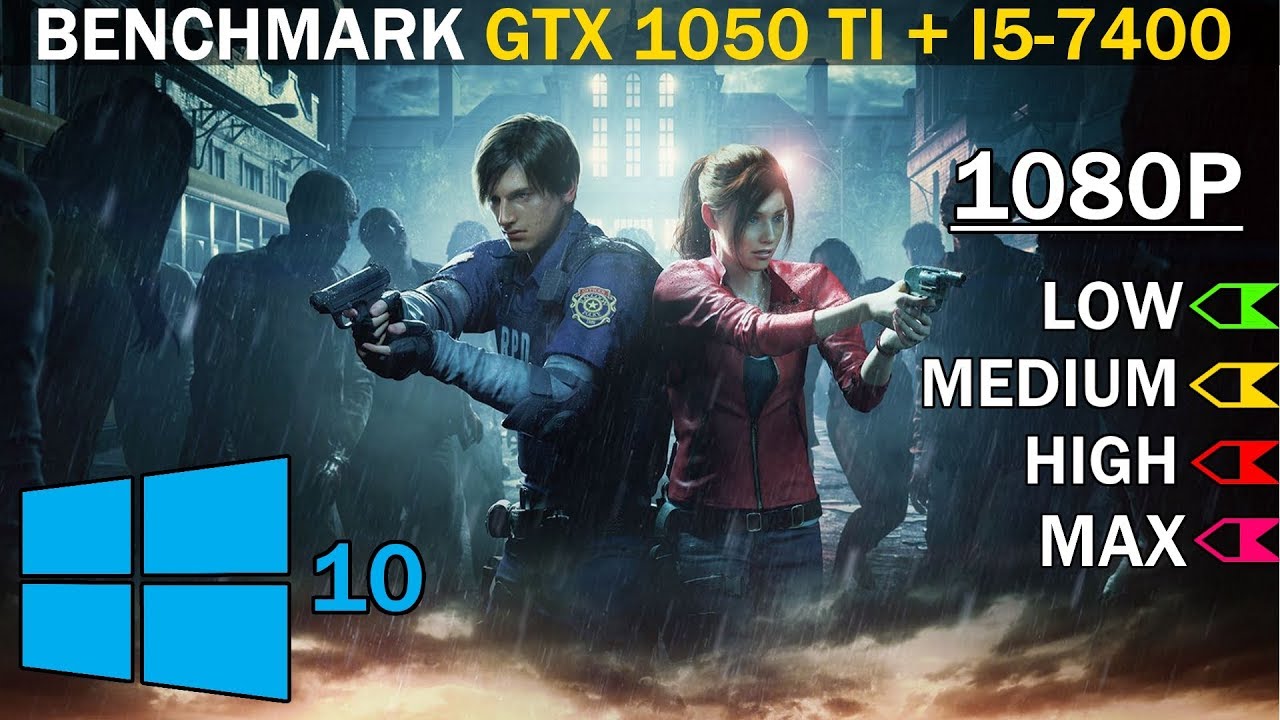
Resident Evil 2 GTX 1050 Ti + i5-7400 Benchmark
●Buy cheapest Steam/Origin/Uplay games : https://bit.ly/2KamDg6
●Get 3+ AAA Games for $12/month subscribe : https://bit.ly/2R8eHQf
Settings:
Low (Performance Priority) : 00:00
Medium (Balanced) : 05:30
High (Graphics Priority) :...
Found this
little osprey
I've been through this convo already
Show me video, I see the stutter, you won't, solves nothing
I can get timestamps if you want but, when they first enter the main hall or exit it there should be a stutter
That is significantly visible
Regardless of settings
The game needs an i7 to be enjoyable
viral ore
i7 is a meaningless term

 little osprey
Well if you've been following the convo you know what I mean lol
viral ore
well, the i3 10100 is 4/8, and the 3100 is 4/8, so this convo has been pointless
no gaming pc is gonna have less than 4/8
little osprey
The game needs more than 4 threads to be enjoyable
viral ore
nah, but that point is useless nowadays anyway
little osprey
Is it playable? Yeah, is it extremely annoying? Also yes
little osprey
If there are people still saying four threads is enough, and is a good pairing with a 1660, then it's not pointless
viral ore
four threads is enough, but i would never suggest a 2/4 or 4/4 cpu, because there arent any
aside from the new pentiums, celerons, and athlons
but at that point just get a prebuilt
little leaf
9100f
viral ore
is last gen
little osprey
Ryzen 3000 has none at all? Well that's good
little leaf
But still decent choice for very budget
little osprey
No it is not because it can't run games properly
little leaf
Emphasis on very
little osprey
Budget gaming is 4c8t minimum
little leaf
Intel® Core™ i5-4670K Processor (6M Cache, up to 3.80 GHz) quick reference guide including specifications, features, pricing, compatibility, design documentation, ordering codes, spec codes and more.
little osprey
Yeah to be fair a crazy overclock might make it viable still
little osprey
CS go has crazy stutter when someone joins or changes team etc
little osprey
Ever try resident evil 7? I couldn't do that either
little osprey
And competitive
little leaf
What do you consider competitive?
little osprey
Just tryna avoid ppl wasting money or time on bad advice, the whole four cores is enough is so old and wrong
little leaf
Please stop
little osprey
Sure np
little leaf
It hurts me lmao
stoic island
@little leaf btw hoi4 and Stellaris have been tested to show that they're not optimised for more threads
They still stack work on the main cores
Civ idk
little leaf
Oh cool
stoic island
I say 4c8t works for mid end gaming today, just my opinion
little leaf
I just think he is wrong ehen he says a 7400 bottle necks the 1050
stoic island
Taurboer (can't spell name) did testing with a 3950x and it didn't really hit hard on more than 4 threads or so for hoi4
Idk I'm just saying what I do know
stoic island
My fps is always bad
little leaf
Mine is like 20 lmao
stoic island
Hoi4 should be tested for how long a month takes not fps
stoic island
Mines always around like 30-40
little leaf
Though
stoic island
Singleplayer better for testing tho
little leaf
I cant wait to get rid of rhe 10750h 2060
stoic island
?
little leaf
I have laptop
And I hate it
Sold my desktop to wait for next gen
Then bought laptop
From Costco
With that sweet sweet 3 month return policy
stoic island
Ah
little osprey
Is it worth the upgrade?
stoic island
Not really in a budget build, unless you want future proofing for some specific GPUs
little osprey
Well I am planning on upgrading my gpu to an rtx 2070s
Not anytime soon but that's my goal
stoic island
That still only takes PCIe 3.0
B550 is nice to have
It's just not very easy to fit in a budget build
stoic island
Like I'd throw future proofing out the window if I can get a better gpu with that 30$ I save
Yea, but if you look more into it, and b550 looks more favorable, it's just 20$ more
little osprey
@little osprey I mean for 800 you can do 3600 5600xt
stoic island
Mostly your choice on if you think you need the features
stoic island
nowadays I don't like cutting corners so I'm not great at making budget lists ¯\_(ツ)_/¯
stoic island
The more I learn the more I want the better fancy stuff that's more reliable (and more $)
little osprey
I mean if you can @little osprey $850 at most
Hmmmm
And yes a 3100 and 5700xt should be fine
Oops wrong lost
800 dollar 3100 and 5700xt list
Looks goodb
Good*
Think I might just upgrade my original list but thanks for the list anyways@little osprey appreciate it
Np
Personally with the list I made I’d switch the cpu to a 3600 and mobo to pro vdh max
But then it’s be like 870
 earnest olive
i would want more than 1 case fan for a build with a 5700XT
 vocal hare
I mean
What's the budget
Left over at least
Because I think a 5 pack of artic f1s are like $20
F12 I mean
earnest olive
problem is the DS3H only has a single fan header
so it'd cost more than just the fans to add more fans
vocal hare
Yeah if it's strictly 800 this is kinda tight
earnest olive
fitting a 5700xt in $800 is ambitious i guess sacrifices have to be made
probably need to undervolt it
vocal hare
I know it isn't bottle necked by a 3300x but would a 3100 be or nah?
earnest olive
depends on the game for sure
vocal hare
Guess not badly it looks like it's matching or outpacing a 2600
That Zen+ to Zen 2 improvement
Kinda impressed it keeps up with the 3600 even in some games
Til you hit something like siege
 odd crypt
Hey is this a good gaming pc build
https://pcpartpicker.com/list/jv2Jhg
desert gulch
Not the best
H510 has bad airflow
And could buy an mp34 for better value instead of evo
Plus you don't need 32 gigs of RAM for gaming
And cxms have coil whine sometimes

@odd crypt
 river dew
yo does anyone know why my frames will freeze for a second in any game i play? i have a rtx 2080, i5 9400f, 16gb ram. i was thinking it was my cpu. so i was gonna get a i7 10700 and a new motherboard. just wanted to see anyone elses opinion
river dew
and my motherbaord wont run dual channel ram. i bought a 32gb kit, but my motherbaord wont boot with more than 1 stick
desert gulch
What slots is your ram in?
desert gulch
Weird
desert gulch
Yes
odd crypt
Alright could you update it for me plz
river dew
but both ramsticks, if only 1 is in, they work in any slot
odd crypt
Ryab
river dew
i dont know how to update bios
odd crypt
I was thinking of getting a crucial
river dew
i dont know nothing about bios
odd crypt
Crucial has a mp34
desert gulch
No it's team group
desert gulch
And you could get gskill ripjaws ram
For 8 buck's cheap
And faster speed
Just no RGB
But ryzen benefits from faster ram
Would honestly wait for 3000 series if you can tho
@odd crypt
odd crypt
Cant tho
odd crypt
I was thinking maybe gaming oc?
desert gulch
Yeah
odd crypt
Ok
desert gulch
I think there's a couple 500$ 2070 supers
desert gulch
Lol ok
odd crypt
little leaf
@odd crypt not a great list
odd crypt
Why
 deep skiff
Hey guys I’m going to start playing pc do you guys know what’s the best parts for a build of 1.5k?
little leaf
@deep skiff new parts comming out soon
At most 2 months
I think
So I would wait
@odd crypt new parts and cooler not needed
Psu not great
Ram could be better
 river locust
Just built my pc and only one ram is detected, and I plugged it correctly
river locust
It's on 2 and 4, will try 1 and 3 now
Hey
I fixed it I guess but i should press F1 or F2
F1 to run setup
F2 to load default values and continue
F2?
^ fixed my problem but there is another one 😂
I hope it's not a problem
My cpu temp at idle is about 50, is that okay?
 iron cove
Hello, I'm looking to build a new pc but don't have much money to spend and am unemployed (looking to get a job after the pandemic has died down a bit). I'm looking to build a system that will run Red Dead Redemption 2 on pretty low settings, except for textures on ultra and lighting on medium.
little osprey
My cpu temp at idle is about 50, is that okay?
@river locust your cpu will turn off it gets too hot usually. You should worry if it starts to get to like 90 or 100 c
My cpu idles at around I think 50 or 60 c
But I have my overclocked and its ryzen 5
They run hot
 jagged ember
stock cooler doesn't help temps as well, idle around 50-60 with that on stock as well
wait a minute, there's another one of us here...
 fast dust
@steep juniper we’re not supposed to talk in build pics so I’m coming here
What CPU are you upgrading to?
 steep juniper
Ah I gotcha,
Either a 3700 or a 3900x
And then im using 16gb of the 48 for another build
fast dust
Ohh. Just BTW I wouldnt put a 3900X on that board
3700X is cutting it close, but still possible
fast dust
Nope. The VRMS
fast dust
That’s a low end, barebones board. 3900X uses a lot of power and I’m guessing the motherboard VRMS wouldn’t be to happy with such a power hungry CPU lol
steep juniper
Yeah, if thats the case I may just upgrade the board aswell
fast dust
Would be a good idea
steep juniper
Would suck reinstalling stuff and backing stuff up, but for the performance it would be worth it
steep juniper
Thanks, see you around
 fallen wadi
This is prob a dumb question but I see 3 pin and 4 pin fans, building my 1st pc in a lot of years, how do i know which one my MOBO uses, i cant seem to find the specifics
desert gulch
Don't worry about it
The fan headers on the Mobo should be four pin
But it's keyed so you can connect a 3 pin
fallen wadi
i'm trying to pick the best Noctua and was looking at DB ect on the noctua site and wasn't sure. they even list voltages, assuming all mobo driven fans are 12v?
fallen wadi
it looks like the MB is 4 pin but as far as fans go, im just trying to figure out what will work best (and be quietest) seems like noctua always wins, so they are either, im trying ot narrow down
(if that makes any sense)
fallen wadi
yea looking at them next, i need 3 140s and 4 120s ot start i think
any recommendations?
fallen wadi

Buy Phanteks Enthoo Pro 2 Full Tower, High-performance Fabric Mesh, Tempered Glass, Dual System/PSU Support, Massive Storage, Digital-RGB Lighting, Black with fast shipping and top-rated customer service.Once you know, you Newegg!
desert gulch
Does that case come with any?
fallen wadi
nope
alacart
(im super picky, so im ok with that)
my thought is to load the front with 4 120s and then the rear and top rear most with 140s
I can go up form there if necessary
fallen wadi
i intend to put a mini atx in the bottom with dual boot for windows server and hackintosh
 foggy hazel
micro atx or mini-itx <- which of the two do you mean?
fallen wadi
plus i might overclock a little (not crazy stuff link im sure others doo)
foggy hazel
ah, yes, for the Pro2 its mini-itx at the bottom
as for OC, if that makes you happy, have at it :)
fallen wadi
the case i sent supports a miniatx at the bottom as second system
one of those 2 i haven't spec'ed that out yet
foggy hazel
there is nothing called mini-atx is my point @fallen wadi
there is mini ITX
or micro ATX
fallen wadi
(i never suggested i knew what i was doing)
foggy hazel
history will tell if any of us do.
foggy hazel
always go to the manufacturer and check the claimed specs of any aggregator site like PCPP
fallen wadi
for sure
I was an integrater for 10+ years a very long time ago... (i htink we started selling 286's)
i even question those specs
i dont totally understand the the 2 different 3 pin / 4 pin fans
foggy hazel
because the aggregator sites are based on what the sellers report. And the sellers have a vested interest in being ... not totally honest with specs.
fallen wadi
but MOBO support either mostly these days?
foggy hazel
"i dont totally the the 2 different 3 pin / 4 pin fans" <- try this sentence again please
fallen wadi
sorry, searching and chatting
foggy hazel
nothing to be sorry about :)
little osprey
can some one help me
whats ur problem
im getting a ssd for my laptop how do i install it and not loose any of my data
ur gonna have to back up
the ur old drive
foggy hazel
or clone the drive via a usb dongle.
little osprey
u can using a backup software
and then
if u want
how do you clone
u can use a usb to sata cable
and copy the contents of ur old drive onto a new drive
and then
put it in
desert gulch
Or get an external hard drive
little osprey
how do you clone
@little osprey there are softwares u can use
Or get an external hard y
@desert gulch u dont need a external one
i cant copy and paste in here ??????????????????????????
that doesn't work
it only gets some of the drive
not all
foggy hazel
@little osprey you got a false @ up there.
little osprey
wdym
foggy hazel
nvm, discord being silly on my end
little osprey
ok
it this it USB 3.0 to SATA Adapter Cable for 2.5" SSD/HDD Drives - SATA to USB 3.0 External Converter and Cable,USB 3.0 - SATA III converter (SATA-USB 3.0 converter cable)
by iitrust
foggy hazel
after i posted what i did, his (Ryan's) post showed up
little osprey
ok
it this it USB 3.0 to SATA Adapter Cable for 2.5" SSD/HDD Drives - SATA to USB 3.0 External Converter and Cable,USB 3.0 - SATA III converter (SATA-USB 3.0 converter cable)
by iitrust
@little osprey u have to give a link dm the link and i will post it
is that what i need ?
u have to be reg to post links
also i dont know
because i cant see it
desert gulch
Take https out of the link
desert gulch
Take https out and it'll let you post it
foggy hazel
that one works
little osprey
it should work
and it has good reviews
done
lol
yea its good
and how much storage do u need
in your ssd
and whats ur budget
and what laptop
so i know what ssd u should get
what ssd do you recommend ive got £30 id rather have speed over size
i suggest 860 evo if you are not gonna upgrade for a while to a new laptop
860 evo
really
its one of the best and fastest ssds
but its might be out of ur budget
500gb is 60 pounds
sry
i meant
sry that is the pounds symbol
my bad
its 67 pounds
for 500gb
thats not right thou
it should be cheaper
give me a sec
is this good ?
if you want speed
860 evo
if you want storage u can go any other drive
that not in my budget ???????????????????????????????????
like western digital
120 to 240
but i cant suggest that drive u just sent
cheap drives are usually bad
ik its not
ill ask some one else
i can look for other drives
but if u want pure speed its gonna cost more
fallen wadi
Data is valuable, it is the only thing that even waiting and time cant replace.
little osprey
how much gb do you want
@little osprey
ill get the evo then
how much gb
do you need
fallen wadi
you have to get decent and correct storage so consider the advice here seriously
little osprey
250
yea
its 47 pounds
can u afford that
if not
i can look for other fast ssds
ill get the evo for my gaming rig and put my gaming fig ssd in a laptop
stoic island
Speed on SATA SSDs don't matter that much lol... It's like 450 MB/s vs 480MB/s, can't have huge differences
little osprey
ive got a adata su630 for my gaming rig
stoic island
Going from like a Vulcan to a 860evo has something like a 50MB/s difference
stoic island
I usually just ignore speeds on SATA SSDs, it's around 400 some anyways, just need dram.
@little osprey dramless
foggy hazel
that is a bit of a weird statement/stance
IF he wants a good ssd. dramless is not (imo) the path to take.
little osprey
yea but then he needs to up his budget
 sand falcon
If you go non dram, you spend more budget replacing it when it fails
little osprey
he wont find a good ssd in that budget
yea
so he will have to wait before upgrading
foggy hazel
then perhaps saving up a bit of money is the right choice.
little osprey
yea
sand falcon
Or trimming a bit from case
little osprey
he wants it for his laptop
foggy hazel
its a hdd to ssd upgrade in a laptop @sand falcon
sand falcon
The one on the right is probably the better board
 opal stratus
Fair enough, any recommendations on a cheap board if I don’t bundle
Form factor doesn’t matter
sand falcon
Cheapest right now is the ds3h at $73
opal stratus
Ty 🙂
sand falcon
If you want the 3600, the bundle will probably be the best bet
@little osprey For a sata SSD, just make sure it has DRAM
If you can get TLC, that's great, but QLC is fine
little osprey
what s ram
sand falcon
DRAM increases speeds and drive life time
odd crypt
Corsair Vengeance lpx 32 gb with 3600mhz is what i recommend @little osprey
sand falcon
That's not an SSD
little osprey
lol
sand falcon
Also isn't especially good ram
little osprey
lol
sand falcon
^
sand falcon
Laptops it doesn't really matter speed, so yeah
little osprey
ffs
sand falcon
Still not an SSD Clipz 🙂
odd crypt
Oh my bad
little osprey
its fine
odd crypt
🤦
little osprey
buts thats good ram
odd crypt
Ik
sand falcon
It is that
Lotsa bits
@pale drum How much storage are you looking for and what's your max budget?
 lime forge
posted the same thing in build pics 3 times asking for tech help after being warned twice
kicked
may come back, idk
little osprey
is there any graphics card price ranging from 100 to 170 thats good
lime forge
used RX480/RX570/RX580 on ebay is good value for that price range
obviously leaning more towards the RX580 for that price

eBay
Gigabyte Radeon RX 580 8GB is VR ready. Behold the next breakthrough in PC gaming performance. Radeon™ FreeSync Technology. AMD Eyefinity Technology (Gaming). We evict them from your item with a careful vengeance.
im sure demonmit or somebody could find a better deal
but im lazy
😩
lime forge

yep
i for the life of me cannot remember GPU prices to performance and across brands and stuff
but that is correct
a 1650 super is also good

Buy EVGA GeForce GTX 1650 SUPER SC Ultra Black GAMING Video Card, 04G-P4-1355-KR, 4GB GDDR6 with fast shipping and top-rated customer service.Once you know, you Newegg!
 topaz pewter
yo I was wondering if anyone could help me with a PC upgrade situation
lime forge
sure
topaz pewter
so I have a 6700K, and I just wanna stream, game and video edit from time to time. would upgrading to a 3600 be the right idea?
 last zenith
Yes @topaz pewter
stoic island
Well, the platform is nice, but the CPU itself isn't exactly a great direct upgrade
4c8t vs 6c12t will be a pretty good upgrade for editing
but gaming wise, the single core perf are about the same
deep skiff
yeah waiting might be a good idea, worst case scenario the 3600 drops price
 waxen swift
I have AMD AM2 940 socket where retention bracket keeps breaking any ideas why this might be happening, 3rd one in 15 months. Any suggestions different cooling fan that does not have the clip that has to go through center, thats what makes it so hard to secure.
 soft bison
Which cooler does the Ryzen 9 3900x come with? Wraith spire?
stoic island
Prism
sand falcon
Wraith prism RGB
stoic island
Spire on 3900x is gonna run like 90c stock lol
sand falcon
That's intel level stock cooling for you
stoic island
Hehe
soft bison
whats a solid 240mm rad
stoic island
Arctic freezer ii hands down best 240mm aio for the price
Unless you want a rad for custom loop, depends on how you like your fpi
sand falcon
soft bison
is it worth getting an aio for 3900x or is prism good enough
sand falcon
For overclock, sure
soft bison
Will be doing casual gaming
stoic island
If you're not gonna OC or care much about noise, stock works
sand falcon
AMD is really good about making their stock coolers good enough for casual use
soft bison
Thats what i thought
stoic island
That AMD+CM Partnership is great
soft bison
Intel stock no bueno
stoic island
The only way Intel can one up them is Intel+Noctua
sand falcon
AMD stock mostly doesn't exist anymore
soft bison
Intel and noctua would be an interesting partnership
stoic island
Tho Noctua isn't big enough to be supporting all them coolers, they can design it tho
sand falcon
It's basically AMD gives you a free CM cooler
waxen swift
exactly, cant find one with different mounting, trying to get clip secured through bottom is almost impossible, was looking for different retention mount bracket,
stoic island
Imagine like a l12 except Intel made it
soft bison
Idk how the noctua low profile coolers would do on an intel cpu
Do the XT series AMD cpus come with coolers or nah
soft bison
didnt think so
little leaf
@soft bison what is your budget for you build?
sand falcon
The 3600xt does I think
sand falcon
3600xt > 3900xt
little leaf
for gaming yes
sand falcon
The extra cores don't actually do anything, it's just AMD marketing bs
soft bison
Well I'm buying my friends PC from him for $1300. It has 3900x 2070s 32gb ASUS ROG x570 e mobo. But anyway the discussion was that hes just using stock amd cooler and i didn't know if i should snag a good aio
little leaf
that is a bad alocationg of money
sand falcon
Stock cooler would be fine
little leaf
Wait
soft bison
ya 3900x was overkill
sand falcon
I would recommend 3700x, 16GB and a 2080s
soft bison
he doesnt really know what stuff costs and he got it for free
so hes selling it to me for discount 😄
@sand falcon thats what i would go for but at that price i cant pass up that build for only 1300
sand falcon
Temps should be fine, and you can always get the AIO later if necessary
soft bison
true
temps should be good because the games i play probably wont utilize all of those cores
 viral pivot
my cpu fell while i was building 🙂
stoic island
you did a linus
 empty linden
Can anyone tell me what the cost of a good gaming computer that I can make?
stoic island
For what tasks?
800$ is the lowest I'd go using all new parts
1000$ for a pretty good PC for a few years
(Gaming wise)
empty linden
the task of gaming
stoic island
Of course if you know your parts and go used you can make a decent gaming machine for like 400$
empty linden
I am trying to figure out a budget for a future project
 unborn solstice
anyone know of software controlled fans that can have 9 connected at once?
last part of my build i need
 spiral zealot
software controlled for RGB, i'm assuming?
 valid surge
maybe a stupid question... buying components for my first build and am confused - does anyone know if the only ram speed compatible with the intel i7-10700k is DDR4-2933 ? was going to purchase G.SKILL Trident Z RGB Series 32GB(2x16GB) DDR4 3200MHz CL16 Dual Channel Memory Kit - now not so sure it will be compatible with this processor D:
unborn solstice
@spiral zealot no for speed. i dont wanna have to load my bios to change it
stoic island
@valid surge depends on your motherboard for max ram speed, even if it does limits ram speed, you can just downclock the ram kit
valid surge
@stoic island thank you v much!!
spiral zealot
@unborn solstice do you need individual control over each fan? or just a single speed for all of them?
unborn solstice
2 separate groups
separate speeds for each
i have 3 high pressure fans on an aio that are separate from 6 high flow fans on the case
spiral zealot
i'd probably go with https://www.almico.com/speedfan.php for the software control, and then 2 multi-port PWM hubs for controlling each group
spiral zealot
i haven't used it but it said windows 10 support
and was recommended on a lot of sites
but ok
something else like that then
unborn solstice
i was looking into spending extra on a fancy brand like corsair bc they have their fan controllers worked out
but i kinda dont wanna drop that much on fans
spiral zealot
deepcool makes like a 10 port fan hub, but it only reads the PWM speed for whatever is connected to 'fan 1' and then applies that to everything else on the hub
spiral zealot
https://www.argusmonitor.com/en/index.php looks like it might work and has version history as of last month
Fan speed control and system health monitoring for your PC.
again i haven't used any of these myself
but it looks like you can set each fan header to be either bios or software controlled, and then set the curve in software
spiral zealot
@unkempt ibex if the case has its own built in fan controller, it could be a single header that connects to the fans in the front
so you'd only need a single fan header on the motherboard to drive all 3 fans
what case is it?
unkempt ibex
I don’t think it has a built in fan controller, my aio came with a controller
It’s the matrexx 55
3f
spiral zealot
oh that could be the 3 pin rgb connector
if so, that would connect to the rgb header on the motherboard
it doesn't look like the connector that the manual labels 'main', but it does look like the 3 pin connector in the 'rgb step 2' part of the manual
unkempt ibex
Ohhh ok
spiral zealot
just a guess on my part, but that's what i think it is
unkempt ibex
spiral zealot
ohh, is the plug in the first pic the one labeled main? or the one that connects to it?
spiral zealot
it looks like the default setup is connecting the 'main' cable to the button on the front panel, and that's how you control the RGB on the fans if you don't have/want to use the header on the motherboard. if you do have an RGB header, you disconnect the main cable and reconnect it to another cable that connects to the motherboard, which looks like the top and middle cables in that pic you just sent
 teal tartan
Anyone have a recommendation for a 120mm rgb fan with really good air pressure? I want to replace the default fans on my nzxt z73 aio's radiator with some rgb
stoic island
Arctic P12 for non-rgb
teal tartan
The fans it comes with are pretty decent for non rgb i just had a specific look I was going for
spiral zealot
corsair ML pro rgb fans have reasonable static pressure, they're pricy though
you could always go with a noctua or arctic non-RGB fan and see if you can find the phanteks RGB rings
spiral zealot
air pressure isn't bad on those, but something like the arctic P12 w/rgb ring will cost about the same for a set of 3 fans/3 rings, and provide more static pressure overall
the CM fans are 1.6mm/h20, the arctics are 2.2
and run about $10-12 each
plus rgb rings from phanteks for about $10 each
desert gulch
But if you're a cooler master fanboy, go ahead lol
spiral zealot
imo it's better to go for the pressure optimized fan and slap some rgb on it, than to find an rgb fan that has reasonable pressure
little osprey
Anyone got any good ideas for a gaming laptop to get?
spiral zealot
it depends on your budget really
 static sphinx
Yeah
teal tartan
Im looking at the halos and i really like them but im kinda worried they only really project light straight out and my radiator fans are top mounted so it might kinda lessen the rgb effect. Is that an unfounded concern?
stoic island
A15
 west wyvern
Anyone able to help me out? my pc has been working fine until after I enabled my xmp setting in the bios, the fans and everything turns on, but theres no output to my monitor and theres 2 red lights on the mobo for the cpu and dram
stoic island
reset cmos
west wyvern
how?
spiral zealot
@teal tartan it's hard to tell, but it looks like it would still provide some pretty decent lighting, even though it projects straight out, if the fan blades are white/translucent though, they really pick up the color and help project
stoic island
Intel
Defines CMOS technology and how to clear CMOS using the jumper or battery methods.
teal tartan
Ill give it a go and see how it turns out
west wyvern
not using an intel cpu btw tho
stoic island
battery method
works with all modern platforms
Intel just happened to have a page on how to do it
west wyvern
ahk I’m just waiting now I removed it already
@stoic island Thanks dude I got it to boot up again
 terse condor
Hey kings
Ya boi needs advice
Trying to figure out why my fans wont respond to my fan curve set in the bios
west wyvern
damn I tried to fix my settings in the bios and it happened again
stoic island
reset cmos again xDDD
little osprey
What psu should I get for 2080 ko and i5 9600k
west wyvern
Idek what the problem would be in bios
stoic island
whatever you changed
west wyvern
all I did was make my overclock manual and changed my ram to 3200mhz which should be at 3600mhz
seems to be booting up now thanks man
 leaden vale
what board should i get for a new build for a ryzen 9 3900x?
soft bison
Hello again, ryzen 9 3900x + 2070 super. Would they perform best on 1080p or 1440p monitor at 144hz 1ms response
soft bison
Do you think high/ultra on a 1440p 144hz monitor would still run well
viral ore
i dont see why not
soft bison
Ik it could get really good perf at 1080p, just trying to get an idea of what they’d be capable of
 lucid swallow
Hello
I need help
I m from India I want to build pc under 666 dollars
Can any1 help me
stoic island
Indian market a bit hard
fast dust
What psu should I get for 2080 ko and i5 9600k
@little osprey some sort of good 500w would work. Corsair CX, Cooler Master MWE gold, and then Antec Neo Eco gold are good options
clever pike
soft bison
@little osprey check the pins for some good power supplies. With your build it sounds like you should definitely go for one of the A tier ones. Like yams said anything like 500w or more should do great
lucid swallow
Any one here
little osprey
is it possible to build a pc for under 80 dollars??
little osprey
uwu lol