#building-and-recc-chat
1 messages · Page 594 of 1
 sand falcon
 unborn totem
 fast dust
nope
 cursive wharf
@sand falcon @wraith trail I'd up the mobo quality (specifically SPU), get a better WLAN controller, get that black RAM, and get a better quality PSU for a little bit more tbh
https://pcpartpicker.com/list/g97gvW
 tired pine
Hi,
I'm looking at purchasing an Intel NUC BXNUC10I5FNK1. I have added the following items:
G.SKILL Ripjaws V Series 16GB (2 x 8GB) 288-Pin DDR4 SDRAM DDR4 3200 (PC4 25600) Desktop Memory Model F4-3200C16D-16GVKB
Western Digital WD BLACK SN750 NVMe M.2 2280 500GB PCI-Express 3.0 x4 64-layer 3D NAND Internal Solid State Drive (SSD) WDS500G3X0C
Windows 10 Home - 64-bit - OEM
are all these items compatible? thanks
sand falcon
Yeah, might as wll
@tired pine Are thise default options from the manufacturer's site?
tired pine
no, items I selected from newegg
sand falcon
The windows will not be necessary
Let me check the other parts
The ram will not work
tired pine
does the Intel NUC come with a windows license? - thanks for checking Bob
ok, good to know, thanks
sand falcon
Any prebuilt should come with a windows license. If not, you can get a windows license for like 5 bucks used
tired pine
this is not a prebuild. the Intel NUCs are barebone units
sand falcon
Ah, one of the DIY nucs, okay
You might need a windows license then, but don't but it from newegg
The SSD should work
tired pine
excellent, thanks
sand falcon
The ram will not though. You will need 2666MHz sodimms
tired pine
thanks, I will select something else
sand falcon
https://www.newegg.com/g-skill-16gb-260-pin-ddr4-so-dimm/p/N82E16820232166
This ram will work
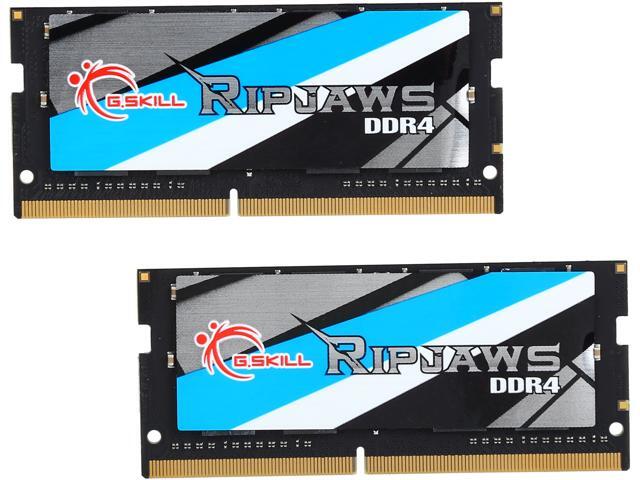
Buy G.SKILL Ripjaws Series 16GB (2 x 8GB) 260-Pin DDR4 SO-DIMM DDR4 2666 (PC4 21300) Laptop Memory Model F4-2666C18D-16GRS with fast shipping and top-rated customer service. Newegg shopping upgraded ™
tired pine
I really appreciate your assistance, Bob. thanks!
sand falcon
np
 foggy hazel
@sand falcon @tired pine keep in mind, sometimes, the NUC's are VERY picky on the specific ram they want to use
in general, it is recommended to look for QVL modules
 spiral zealot
OLOy needs to start selling dummy rgb sticks like some of the other brands do. i have 4 empty ram slots and the urge to buy another set is strong
 minor wing
Which one do I plug into the power supply ?
fast dust
probably the one with 8 pins. the one on the left
PCIe connectors are gonna be 6+2 pin, not just 8 pin, so I'd guess the other end, which is only 8 pin, goes into the PSU
minor wing
Oh ok ty
 queen hawk
Anyone have any tips of what I should upgrade next?
Rosewill ATX Mid Tower Gaming PC
AMD Ryzen 5 3600
GeForce GTX 1650 Super
GIGABYTE B450M DS3H
T-Force Vulcan Z DDR4 16GB Kit (2 x 8GB) 3200
Thermaltake Smart Series 500W
 little leaf
@queen hawk gpu and psu
little leaf
budget?
queen hawk
Probably $400 ish range
little leaf
well if you can get up to 500 you can get a 5700xt and and better psu
queen hawk
Okay thanks
 solar yew
I might buy a console since it's better then pc.
little leaf
@solar yew uhh thats because they have next gen speccs in them atm lmao
and the new comps haven't been released
 edgy viper
Except the ps5 ssd is slow 😛
 steep grove
UserBenchmarks: Game 97%, Desk 92%, Work 78%
CPU: AMD Ryzen 3 2300X Quad-Core - 81.3%
GPU: AMD RX 5700-XT - 113.4%
SSD: Samsung 970 Evo Plus NVMe PCIe M.2 500GB - 297.5%
SSD: Samsung 860 Evo 500GB - 131.5%
HDD: Toshiba DT01ACA100 1TB - 100.6%
HDD: WD Blue 1TB (2012) - 95.4%
RAM: G.SKILL Ripjaws V DDR4 3200 C16 2x16GB - 108.3%
MBD: Asrock A320M-HDV R4.0
 cold sorrel
sighs I know I should wait, but part of me really wants to go ahead and order the bits to finish my build now.
little leaf
@cold sorrel new comps are coming out soon don't
like rtc 40xx and big navi
and zen3
sand falcon
@sand falcon @tired pine keep in mind, sometimes, the NUC's are VERY picky on the specific ram they want to use
@foggy hazel Yeah, I checked it. That one seems to fit all the criteria
I might have missed one though
 vestal cove
@rustic sandal do you only have one stick?
 rustic sandal
@vestal cove no I just have the lighting set so it goes from one to the next, not all four were lit up
vestal cove
Oh ok
foggy hazel
@sand falcon good to hear you checked, didnt know if you knew about their pickyness :)
sand falcon
It's basically an embedded system, so yeah 🙂
I'm actually impressed that they're as non-picky as they are
foggy hazel
true, now if there just was a actually logical way to remember what ram works for what nuc model
sand falcon
Intel has a kinda sorta table listing it
foggy hazel
because that (imo) is the most annoying part, that what works in one, wont necessarily work in another
aye, i know of their "sorta" list
and list most hardware lists, its not really practical or very filling :)
but, that is just me grumbling away at my age :)
sand falcon
Yeah
intel documentation could be better
They have some xeons that I haven't been able to find the ark page for
 little osprey
My Asus Rog Strix b450-f gaming won't register my Samsung 970 Evo plus nvme ssd
Also I work almost non-stop from 11 pm to 8 am central, so if you can offer help, please dm it, I'll respond as I can when I can
 patent vapor
Is adorama I good site to get pc parts like are the legit
fast dust
Think so
sand falcon
Yeah
 sullen spoke
ye adorama is legit
 honest ridge
guys
sand falcon
Club penguin pfp 🙂
honest ridge
I just took out my old CPU MB and RAM. Then i installed a new one of each. I try to turn on my computer and it comes on. The fans and lights inside start to work. But the new mother board wont recognize my monitor or GPU (the GPU has lights on the side that dont even come on now). also the power button only works to turn it on and no lights indicating power come on at the top either.
sand falcon
What are your new specs?
sand falcon
What GPU?
honest ridge
Rx 480
Radeon RX 480 i think
its my old one
but my dad said that it should at least be recognized bythe monitor
sand falcon
Are there any sort of LEDs, numbers , or beepers on the motherboard?
honest ridge
wym by numbers or beepers
sand falcon
Like any 7-segment display or beeping noises
honest ridge
i dont think so
sand falcon
You're good
honest ridge
ok
sand falcon
Are there any little lights on it when you turn it on?
sand falcon
Most motherboards have some sort of error reporting
honest ridge
there are no lights on it
sand falcon
It should
 lime forge
graphics cards typically (if not always) fit in a x16 slot
things smaller such as wifi cards or usb expansion cards fit in a x1 or x4 slot
however
honest ridge
oh they look like the same size
lime forge
you can connect anything that would fit in a x4 slot into a x16 slot no issue
edgy viper
tho sometimes the x16 slots are x8 electronically
honest ridge
the ATX_12 slot in the top right
if that was improperly plugged in could it be the issue?
sand falcon
Possibly
sand falcon
pcie is always a pain
honest ridge
thats not what that is, is it?
 verbal willow
Hey guys I would like to know can I install a watercolor like this
Oh wait I can't send the picture
sand falcon
DM it to me and I'll post it for yuo
verbal willow
Ok
verbal willow
So as I was saying can I do like that
sand falcon
What case do you have?
honest ridge
@sand falcon can i dm you a pic of my stuff and see if you see anything?
when youre done with him
sand falcon
You can post your pics right here Cyno
honest ridge
ok
sand falcon
@verbal willow You should be able to
verbal willow
Soo no airflow problem ?
sand falcon
As long as you don't have some massivly long GPU
sand falcon
Air will flow through the cooler, so no real issue
verbal willow
But wait
The rad is facing tord back
Like in the pic
So you mean the air will come through the rad ?
honest ridge
This is what I have rn. It’s not pretty but it was prebuilt and I’m just upgrading rn.
If you need a better pic of something lemme know
verbal willow
Dude cyno You need A serious cable management
honest ridge
SHHHHHHHHHHHHHHHHHHHhh
verbal willow
Lol srry
honest ridge
im worried about making it work rn
honest ridge
frak thanks
verbal willow
No probs
sand falcon
@verbal willow Yes. Air will flow through the rad. There are a bunh of fins in there
Ah yes, powder blue sata cables 🙂
verbal willow
Thanks m8 I was worried to install the rad but now good
sand falcon
Everything seems to be in the right place. What port do you have your monitor plugged into?
verbal willow
Alright bye
 vestal crypt
Lol
sand falcon
Which hdmi?
honest ridge
theres one on the GPU but the GPU isnt lighting up like its supposed to so im not even trying that one
its copper threading got hot tho
sand falcon
The motherboard on will only work for processors with integrated graphics
The copper getting hot is usual
Try plugging it into the GPU
sand falcon
If it's getting hot, it's on
sullen spoke
puffle 
sand falcon
I miss puffles
sullen spoke
i do too, i had many 😭
honest ridge
nothing changed
sand falcon
Try rebooting with the monitor plugged into the GPU
honest ridge
well my reset and power buttons dont work either unless im just trying to turn it on
i have to flip the switch on the back to turn it off
sand falcon
Hold down the power button for 15 seconds
honest ridge
didnt work
honest ridge
yea its weird
sand falcon
Okay
honest ridge
This is a pic of my old one
The light on the graphic card is lit up here
But not now
Also
sand falcon
Yeah
honest ridge
Also the two lights beside the big power button normally come on when the computer is on
sand falcon
Have you double checked that all the front panel connectors are hooked up right?
sand falcon
You've got the manual?
honest ridge
but i have done it how it was on my last one, watched a video, read the manual, and read the letters on the board
it still doesnt work
honest ridge
wym
just flip them all over?
and also at one point a single green light came on but nothing else worked
sand falcon
Reverse the individual connectors, yeah
honest ridge
the pw + and - ?
sand falcon
Yes
honest ridge
ok
nope
omg
im gonna sleep on it
and try tommorow to seee if i missed anything
then if i cant im just gonna take it to a place here and get them to look
Ngl this is my first time "building a pc" and its kinda disheartening. i feel like if i had ALL new parts this wouldnt be a problem
idk
sand falcon
Sounds good
 tight bridge
Hello
sand falcon
Hi
 languid mauve
What is cheaper, 1x8 and I buy two. Or a 2x8 bundle?
The G.Skill Aegis 1x8 is 29.99
sand falcon
Usually a 2x8 is cheaper, but if you can find a good deal on a 1x8, then it's possible for that to be the better deal
sand falcon
How much?
 stoic island
Aegis ripjaw same thing different heatsink
stoic island
Do it then
sand falcon
I believe that's currently the cheapest kit with those specs
languid mauve
Okay
4.8 avg
Looks good
The HyperX memory is expensive
$6/gig
1x8
GSkill Trident Z Royale with Cheese is still more expensive though right?
Do I need case fans?
Or is the cpu cooler and gpu fans enough?
sand falcon
What CPU and GPU?
languid mauve
Ryzen 5 3600 and the Gigabyte GeForce RTX 2060 6 GB
sand falcon
You will want case fans
languid mauve
K
sand falcon
Most cases come with some though
languid mauve
1/1 is enough right?
sand falcon
Probably
languid mauve
but you want 3/3 for max rgb and flex lmao
sand falcon
If you can get more, that's always nice
languid mauve
damn
nice
Do you recommend the Deepcool RF 140s?
$34
At 500-1200 rpm
For a 2 pack
20db
spiral zealot
@languid mauve I wanted to dip my toes in HEDT for some work stuff i have going on, and I got the cpu/mobo combo cheap, so it made it worth making the switch.
languid mauve
Okay just wanted to know thanks
 late ice
Has there been anything info at all about 3080 ti/3090 being nvlink compatible?
little osprey
Hi everyone, new here. Long time technologist, but first gaming rig build. Have all my parts (~$1300 total spend) but cannot get the unit to power on. Where is best place to troubleshoot with someone from the community?
 limber dock
Does anyone know the command to pull up the components list on their PC?
 last zenith
Task manager
limber dock
Hmm ok, I think there was a different one where it would show the motherboard model name, graphics card model name and such that way someone can see what they have to use the newegg build a pc and find compatible component upgrades
limber dock
hit Windows+R, type “msinfo32” into the “Open” field, and then hit Enter.
That command. Sorry
In the Windows search bar, type in 'cmd' and hit enter.
In Command Prompt, type in wmic baseboard get product,Manufacturer.
Your motherboard manufacturer and the name/model of the motherboard will be displayed.
 safe bison
Would anyone know? Trying to get a 300 watt power supply for my HP ENVY PC what would i need to find out what would work with my current components. thanks
little osprey
Can anyone build me a pc under 630 on pcpartpicker that can run gta
little osprey
Can anyone list all the parts for a good gaming pc for around $1500 - $2000
little osprey
Thanks!
rustic sandal
It’s only around 1500
little osprey
Also, what games do you think the build can run?
sullen spoke
that list should be able to run any game
sand falcon
@little osprey That is perhaps not the best use of your budget
It should be possible to get a 2080 super in there, possibly with a 10600k
Do you need wifi?
sand falcon
I'm looking at a better list
@little osprey disclaimer: I don't know intel motherboards, so this may or may not actually be a good one. If you need wifi, let me know and I can add that in
https://pcpartpicker.com/list/GtvQmg
This will have far better performace than mychal's build though
stoic island
10600k would be better value for gaming would it not?
then you could get some creature comforts like better looking case and full mod PSU
sand falcon
Yeah
You wanna fix that up?
If you can find a case with 170mm CPU clearance, you can fit the D15 with that ram
sand falcon
The ram is listed as 0.5 mm too tall though, so you would need to move the fan up a bit
 mellow imp
Quick question, I’m building a decent rig for a little streaming and gaming, and I wanted a good ryzen 5 mobo, what is the suggestion?
sand falcon
Do you need wifi?
little osprey
Can anyone list all the parts for a good gaming of for 650$
sand falcon
Gonna be tight, but I'll do what I can. Is there any way for you to use ethernet?
rustic sandal
@mellow imp I have r5 3600 on the b450 elite, haven’t had any issues whatsoever. very sleek looking as well
sand falcon
Possibly a bit more expensive than you need but it works
I would personally recommend the ds3h
mellow imp
I could always get an external drive or a card, but preferably with at least lan
@rustic sandal
rustic sandal
yes the ds3h is prob the best budget mobo
sand falcon
The wifi edition is good too
mellow imp
I’m looking for something decent but not super expensive, like I’m looking to do a build for less than 1000, with at least a ryzen 3 1600 and a 1060, what’s the play?
rustic sandal
and my list of parts earlier was only like 1400, I threw it together quickly on my lunch break lol. $2000 will give you a lotttt of performance @little osprey @sand falcon
mellow imp
I could care less about how it looks I just want something that performs well
rustic sandal
how much are you looking to spend?
the b450 aorus elite is $110 right now. give it a look and see how you like it
Also, $1000 can get you so much more than 1600 and 1060. you could probably do a 2060 build for that cost
@late ice congrats on pcpartpickers featured build!
sand falcon
1000 you can get a 2070 super if you're lucky
@little osprey Here's a $650 build https://pcpartpicker.com/list/hd9ZV7
sand falcon
Just us the stock cooler
mellow imp
I do like the b450 aorus, I was looking at the asus tuf gaming x750 plus w/WiFi before
sand falcon
Also note that that SSD is sata
rustic sandal
^^
mellow imp
I can’t send the build I have picked right now
sand falcon
Why ya all using 120 rads on r5
mellow imp
And some of the parts aren’t perfectly together
rustic sandal
Woah woah
mellow imp
Yeah, it’s a bit weird
rustic sandal
you don’t need an X570-PLUS
sand falcon
^
mellow imp
And I wanted to go liquid but it might be over
rustic sandal
X570 *
 vital warren
https://pcpartpicker.com/list/NsHZV7 i made this if you wanna go full amd
sand falcon
120 mil rad has no advantage over the stock cooler
mellow imp
Would the x750 be fine?
rustic sandal
I had extra budget so I threw in the aio
sand falcon
b450
rustic sandal
^^
mellow imp
Cool
rustic sandal
B450 is the best for midrange imo
sand falcon
dwella has a decent build
rustic sandal
Also you don’t have to activate windows
I have windows pro and never activated it, didn’t cost me a dime
mellow imp
Yeah, what about swapping the HDd for an sad
*ssd
Like a 1tb ssd instead of the 2tb hdd
vital warren
just the 1tb ssd?
rustic sandal
aren’t both in there
mellow imp
I’ll check again
vital warren
i put a 512gb ssd and a 2tb hdd
rustic sandal
he has a 512 gb SSD and 2tb hdd
sand falcon
Don't bother with SSD for bulk storage
rustic sandal
I download my main games on SSD and all files etc on hdd
sand falcon
https://pcpartpicker.com/list/9nGzJb
Here's a similar build with amd+nvidia
rustic sandal
oooo I like that
sand falcon
That is nvme
mellow imp
Ohhhh, shiz my bad
sand falcon
mychal's wasn't
mellow imp
That’s a really nice build
sand falcon
I was hoping to fit a 2070 super in there, but pricing right now is a bit high
sand falcon
*2060 super
mellow imp
Yeah sorry
sand falcon
It's fine 🙂
vital warren
https://pcpartpicker.com/list/vWBp7T i tried to fit a 2070 super
not bad ig
i could shave a few bucks off with case/psu
sand falcon
Shave from the case first
mellow imp
Yeah, I’m just looking for performance, brand and looks is something that can always be changed and upgraded but performance is where it gets expensive
mellow imp
Yeah, If I game for like 6 hours or so it’ll need decent cooling, especially if I stream at the same time
vital warren
if you do wanna spend like $60 on a case darkflash has pretty good mesh ones
ill link one
mellow imp
That’s actually not bad, I could mount more fans to the top or something
Like get a triple mount or something
vital warren

Buy darkFlash DLM21 MESH Micro ATX Mini ITX Tower MicroATX White Computer Case with Door Opening Tempered Glass Side Panel & Mesh Front Panel with fast shipping and top-rated customer service. Newegg shopping upgraded ™
i like these cases
mellow imp
Yeah, it looks nice and has decent ports and plenty of mounts, only thing is it’s a mini atx form
vital warren
the mobo i had on the list was micro atx that's why i was looking at smaller cases
mellow imp
Ok, that makes sense
They take 2 slots for ram usually right?
Instead of 4, and less sata ports but that’s okay
vital warren
the mobo i have supports up to 4 ram sticks and up to 64gb ram
i put a 2x8 kit so youll be fine
has 4 sata ports
if you want to switch to atx theres some options under and around 100
but i'm pretty sure you can buy something that allows more sata ports
mellow imp
Yeah, the atx cases are more expensive but that board looks good
No worries, 4 is more than enough, especially as long as at least one is nvme and one for the graphics, does the graphics have to be a smaller form then?
vital warren
it should be all fine
do you need me to link any case fans or anything like that?
https://pcpartpicker.com/list/CZrBXv i added the darkflash case and it says $66 there but it's a few bucks cheaper on newegg
and 3 fans will only be a few bucks
mellow imp
Yeah, thanks a bunch for all the help, I’m going into college and have a gaming laptop but want something with a little more kick to it
Yeah, thanks a bunch for all the help, I’m going into college and have a gaming laptop but want something with a little more kick to it
I have all the peripherals and monitor and everything
mellow imp
Yeah, and thanks
vital warren
oh and there's a black,pink, and green version of those case if you're into those
oh and i linked the non mesh case ill re link it for you
wait i did link the right one nvm
what is wrong with me today
rustic sandal
hi
 peak vector
Hola como estan !!!!
🖐🤙🤞👍🤜🤩😎
little osprey
So my Asus Rog Strix b450-f gaming won't register my 970 Evo plus
late ice
@rustic sandal appreciate it! My second one with the same case. One hard tube and one soft. The hard tube had the x570 and SLI 2080 Tis. Wish I had the awesome photographer I have now then for an actual shoot. Main reason I wanna do one more hard tube
rustic sandal
@late ice I want to try and custom loop a build when I have the money, but have no clue how lol
 round river
I’m using an ITX mobo. Can a standard cpu cooler fit that? Notice how exhaust fan is almost hitting the AMD cooler
spiral zealot
depending on the cooler, maybe. you also might want to look into a slim fan for the exhaust, just to give you a little more room to breathe
something like the noctua NF-A12 15mm
late ice
^
@rustic sandal it's more challenging making sure you have absolutely every little thing you need. Never seems to end and finally, one day, it all comes together. Pretty straight forward after your first.
 serene spire
I’m new to the whole Pc building and owning a pc thing does anyone have a good build configuration for around 1200-1500$. I’ve been skeptical on some of the videos I’ve watched because the price isn’t the same or I look up an item and it’s not there
stoic island
Prices change
stock fluctuates
you should never settle on 1 list
change it around as things change
@serene spire Do you need Kb+m/Monitor/headset within the budget?
Here's a good 1200$ build without any peripherals
https://pcpartpicker.com/list/FTjDPn
serene spire
I already have a kB+m I need a monitor doesn’t matter in or out of budget and I have a headset
stoic island
And this would be a good 1500$ build
https://pcpartpicker.com/list/byQsdm
serene spire
@stoic island thank you I’ve been struggling with this whole picking parts thing
stoic island
You're welcome
 sweet lily
if you get aegis ram from gskill you can get 32GB for $50 but the speed itself is a little slower but thats if you need 32GB if not just settle with the ripjaws v
stoic island
???
sweet lily
just lettin the man know in case he wants more memory
 outer heart
i would also like to know
sweet lily
oh no that was only for 16 i got my lists mixed up
outer heart
oh haha
stoic island
lol
sweet lily
yeah i made my friend a part list and used the 16
stoic island
yea but 50$ only gets you a single stick of 2666c19 ram
that's a yikes for Ryzen
58$ gets you the 2x8 3200c16 stuff
 pine frigate
Hello, I have a question on my build. I am currently using the integrated graphics card on my i5-9600K. What's the ideal GPU that I can get where I can actually use the full potential of the GPU without my CPU being the bottleneck?
like I don't want to the GPU to be an overkill for my processor
fast dust
RTX 2070 super ish is the highest i'd go
GTX 1660 super or RTX 2060 (ko or super as well) are good pairs as well
little osprey
Id go 1660S for price
fast dust
@pine frigate
little osprey
Anyone able to help me?
fast dust
sand falcon
@little osprey Whatcha got?
 naive cloak
on intel i9 9900k does ram speed make a lot of difference
fast dust
depends
sand falcon
To a certain extent, yes
fast dust
2133MHz vs 36000MHz, of course, that's pretty big
sand falcon
The returns aren't anywhere near as obvious as on amd chips though
Just get 3200MHz or so and it'll be fine
naive cloak
ok thanks,i dont want to waste money as i have already spent loads,lol
hot in the uk today 34.5c
94.1f
naive cloak
wow thats hot
fast dust
it's gotten up to like 105 on some days. that's just absurd
naive cloak
last week or so we had one day that was super hot , like 38.5c in towns
104f
101f oops
just got a evga supernova 850 g2 today
fast dust
cool
naive cloak
some guy put it in his pc and then found it was the mb and took it and sold it to me
amazon uk £250
i got it for £110
stoic island
110 is good
 frozen axle
hey im thinking about upgrading some parts from my 3 year old system rn its a msi 1080,ryzen 5 1600x, msi b350 gaming plus, corsair vengeance 2x8 3000mhz, evga 750 GQ, nzxt h510, and the cooler master hyper t2. For storage i have a crucial mx300, and a 1tb WD blue hdd. Sorry for the paragraph format. I have also thought about selling everything except the psu and case around september or october for the rtx 3000 series and amd 4000 series
fast dust
okay... so... do you have a question or...
frozen axle
oh whoops forgot to post the question in that any thoughts about what parts i should upgrade and if i were to sell it how much it would be valued at
fast dust
what's your budget for upgrading
frozen axle
around 1300-1500 us
fast dust
I'd keep the GTX 1080, but then upgrade the case, mobo, SSD, and CPU
 tall thorn
Cant get my pc to run new mobo and cpu plug case switches in and power wont go but if I push the big connector from psu to mobo the mobo turns on but not the gpu
Am I getting a short ? Its hooked up correctly
frozen axle
what would you recommend for mobo and ssd? im planning to wait for the 4000 series cpu's to determine that
fast dust
if you're waiting, then wait until it comes out. By then we'll have reviews of everything
tall thorn
And i gotta push the connector hard
frozen axle
ah i see okay
fast dust
for SSD, something like a WD SN750 or Team MP34
vital warren
was about to say^
stoic island
indeed
frozen axle
alright thanks!
fast dust
👌
frozen axle
my goal is to play higher end gaming currently my frames in destiny seem to be lacking currently
fast dust
Could be because of your CPU
fast dust
yeah
if you were to upgrade, wait for 3000 series, then get an RTX 3070 or better i guess
frozen axle
alright i mean ill probably compare the prices and see how much i would be able to sell a 1080 by then
fast dust
👍
frozen axle
oh sorry last question about the case is there something wrong with the h510 its what i got recently
fast dust
bad airflow
 desert gulch
It's got bad airflow
frozen axle
would it be a good idea then to switch to an aio
desert gulch
And overused by all YouTubers
 still roostBOT
 Dia#9856 has been warned
Reason: Bad word usage
last zenith
Bad airflow
frozen axle
should i then swap to an aio? as i recently got the case and dont want to get rid of it just yet
last zenith
Yep
frozen axle
oh alright any case recommendations?
fast dust
I can't breathe in a plastic case with not a lot of holes, neither can a PC
last zenith
P400A
last zenith
 buoyant flame
Someone say td500 mesh 😄
vital warren
mines right next to me for my new build 
frozen axle
so i think the plan is most likely a TD 500 Mesh R G B CASUAL the ssd i might sell my hdd and get a 2tb as i have that storage anxiety currently and most likely an x570 with a ryzen 7 4000 series as i also want to do some streaming as a hobby probably upgrade the cpu cooler since it probably will run hotter and if i find good ram deals ill upgrade to the corsair vengeance 3600 mhz as i can sell my current ram to a friend
 clear remnant
Can someone help me build a $600 build? I need it for a friend
clear remnant
Stream as well if possible, but mainly gaming
 viral ore
does he already have keyboard mouse monitor?
viral ore
ok, so probably 1080p 144hz
clear remnant
Ya
clear remnant
Ya, but he said he doesn’t want to keep any of the parts
viral ore
what case and psu?
clear remnant
Give me a sec
pine frigate
@fast dust Thank you, sir!
fast dust
👌
clear remnant
He isn’t responding, but he did tell me earlier that he wanted to start completely from scratch
vital warren
can save him a solid 50 bucks
viral ore
so lets assume his case, psu, and hdd are all still usable
of course, this doesnt account for sales tax
 next kestrel
:((
viral ore
3600 at 175 is a worthy investment over the 2600 at 140
or the 3300x at like 135
well, the 3300x is oos everywhere as always
viral ore
for 600, nothing ov value on the intel side of things
viral ore
the 85 dollar days are long gone
buoyant flame
Sadly
next kestrel
what about for 110?
 proper jetty
Anyone know how to daisy chain 6 RGB fans to 1 RGB connector on the motherboard?
 night vector
does fx 5700 have driver problems still?
clear remnant
@viral ore thanks
sand falcon
It does not
@celest horizon you available?
Might want to check to username a few messages up
frozen axle
quick question how do i determine if my system is being bottlenecked by something
sand falcon
@frozen axle It is bottlenecled somewhere. What are your specs
sand falcon
CPU will be your main issue
sand falcon
There will always be a bottleneck
The main thing is though, that there usually isn't anywhere near enough bottle neck to actually make much difference
You have a pretty well balanced system, especially if that's the 1600af
frozen axle
i see
sand falcon
Mainly, just don't worry too much about bottlenecking until it comes time to update, and then update the least capable component
tall thorn
Do you guys think my mobo is fried ? I bought new one and can't get it on plugged my old one in and runs like nothing
If so that sucks
sand falcon
It's possible. What components do you have?
tall thorn
Rysen 5 3600 vega 56 and 16 gig ddr4 ram
sand falcon
What motherboard?
tall thorn
Its and old case thought maybe the power button didint work but it works on my old mobo
My new one is b450 asus prime matx
sand falcon
Are there any status lights on it?
tall thorn
If I move the mobo around it will power up and sometimes ill get lucky and gpu will run
But power switch is a dead nope
sand falcon
How exactly do you have to move it?
tall thorn
I had to take it down from case but if i lift it and hold it with my hand it powers up
sand falcon
What was it sitting on before that?
tall thorn
Before that it was in case but nothing at all happens until I play with the board
frozen axle
if i were to buy a mobo now it would still be okay for ryzen 4000 right
with an am4 socket
tall thorn
Or if i push the 24 pin connector down it powers up cpu only
Tried the screwdriver trick and nothing
sand falcon
@frozen axle it depends on the mobo. b550 and x570 will work, and most b450's
frozen axle
ah i see
sand falcon
b570 should be x570
sand falcon
@tall thorn It sounds like the motherboard might have been damaged in shipping if moving it around causes it to work
tall thorn
Also is it weird for the cpu to be running alone ? @sand falcon damn that really sucks
sand falcon
Not overly weird, but troublesome
tall thorn
Yeah it will randomly work gpu works i tested gaming with it and it worked
frozen axle
randomly work? wdym by that like sometimes it will just not?
tall thorn
Also doesn't just shut off but it powers up if its moved its like I don't have the option to use power
No I have to keep moving the mobo turn it off then on then off then on till the gpu picks up and starts
frozen axle
are all your drives detected
tall thorn
Could take an hour or more
sand falcon
It sounds like a loose connector or broken trace
tall thorn
Yeah all drives are detected
Gonna have to see if I can get another mobo sent or something
sand falcon
RMA is probably your best bet
desert gulch
You bought from wegg?
desert gulch
Oof
sand falcon
Amazon will take it back
frozen axle
thats tough atleast amazon will take it
 alpine minnow
I’m having an issue with my build and I didn’t see any troubleshooting chat so I thought this might be best. The problem has become a little more complicated. Essentially, I can literally throw my PC out the window while in the bios and it still runs fine. However, as soon as I boot windows, if I bump my PC, it completely dies on me. I thought maybe my storage hard drive (not my boot SSD) was the issue, so I unplugged the sata cable and rebooted, but that did nothing. What do you guys think the issue might be? My boot SSD?
stoic island
Possibly loose connections
alpine minnow
@stoic island I don’t think there’s a motherboard shorting issue because that would affect my BIOS too. RAM, CPU, and GPU would also affect the bios and cause it to crash and shaking the PC around while in the BIOS seems to be fine. I feel like the issue has to be the hard drives unless I missing something.
stoic island
It could be a case of just coincidence with software crashing and you shaking your PC, doesn't really make sense how a piece of hardware reacts differently due to windows
alpine minnow
I changed my SATA cables to try and fix the issue but that did nothing
stoic island
Doesn't make sense to me at least
alpine minnow
But I tested it like 10 times and it’s the same result
Literally on the lock screen
So it’s definitely not coincidence
Sorry if I sound a bit rude but it’s an annoying problem and trying to get it fixed is a pain in the ass
stoic island
It's okay I actually don't know so I'll leave it to the next person
 slender scroll
You sure it’s related to a bump not a computer heat issue? As in maybe you are topping out on the psu and the second it try’s to kick the fans up it dies?
little osprey
@sand falcon sorry for late reply, but my motherboard isn't registering my nvme ssd
I'm at work fyi, if you can message me in dms, it'd probably be easier
 lyric echo
Hey everyone I’m thinking of building a gaming and streaming PC and I was wondering if the Ryzen 9 3950x is compatible with the RTX 2070 super
 jagged ember
Yep
 azure stone
What about the R7 3700x with the 2070 super ftw 3??
 analog hound
Looking for a TKL keyboard for my son he’s going to be gaming and doing school works any suggestions I was looking at the k65 by Corsair
 slender owl
What’s good ram non rgb?(2x8) or (2x16
lime forge
corsair vengeance, g.skill ripjaws
 plain surge
I'm new to gaming computers. I've currently go an Inspiron 3670 Desktop PC, 8th Gen Intel Core i7 w/ 12GB ram. Not sure which graphics card to get, as my main interest is MS Flight Simulator 2020. Pretty sure the stock power supply in 290W. Video card recommendaton is 4GB w/ 7 Gbps. Not sure how to translate that and compare without having to upgrade power. Also not sure about my Slot2 compatibilityu
I purchased this last night and now not sure if it's going to work!! https://www.newegg.com/evga-geforce-gtx-1650-super-04g-p4-1257-kr/p/N82E16814487496?Item=N82E16814487496
 terse condor
Any suggestions on getting a radiator out of a pre built case?
 wary geode
I have a drevo bladmaster tkl @analog hound and I love it take a look at it comes in 3 switches
K65 is a very good keyboard but a fair bit overpriced
I would also take a look at steel series tkl keyboards well made but also overpriced
analog hound
Ok thank you
 shell solstice
whats the best ryzen cpu to pair with a 2070 super
terse condor
R7 3800x
shell solstice
or should i go with the r9 3900x and wait for the 3000's series NVidia gpu's?
terse condor
If you got the money get the r9 3950x and a rtx titan lmao @shell solstice
R7 3800 is really more than enough for cpu power i feel like
fast dust
Nah, 3800X isn’t great value. 3600 will work and 3700X will work fine too @terse condor @shell solstice
terse condor
U rite @fast dust
frozen axle
do all x570 boards support 3600 ram
 deep skiff
yes
lime forge
im not gonna say "all" because theres probably that ONE board somebody knows about that doesnt and then is gonna flame me for saying yes, but any x570 board you should be buying will
frozen axle
cause on some it says 2133 on like amazon is that something that just gets changed in bios or uefi
deep skiff
thats the stock ddr4 speed just enable xmp/docp and it works
lime forge
and the ram is rated for that speed anyways
so dont worry about it
lol
if youre looking at an x570 board, what chip were you thinking about getting? b550m is roughly the same minus some overclocking stuff
frozen axle
alright just to be very sure this motherboard is good right? "ASUS AM4 TUF Gaming X570-Plus ATX Motherboard with PCIe 4.0, Dual M.2, 12+2 with Dr. MOS Power Stage, HDMI, DP, SATA 6Gb/s, USB 3.2 Gen 2 and Aura Sync RGB Lighting"
deep skiff
🤨 why u say b550m its just b550
lime forge
ugh
im used to typing b450m
because talking about a motherboard
my bad
just b550
deep skiff
m just stands for matx
deep skiff
aka the worst mobo form factor
lime forge
it really is
my sister has a b450m ds3h and its just bad
the graphics card barely fits
the wifi card is like | | literally that close from touching the graphics card
deep skiff
like id rank it worse than dtx and thats saying something
viral ore
mATX is best because its the cheapest
and mATX cases are smaller and usually a decent price
altho, i do prefer full size mATX boards
the thinner ones kinda suck for mounting
deep skiff
matx sucks its literally the worst i have one
viral ore
but like, all you lose is like 3 pcie slots no one ever uses
frozen axle
if im trying to future proof a pc should i buy a higher watt psu
viral ore
most people only need one m.2
foggy hazel
that is just factually wrong @deep skiff
viral ore
most people dont need that many fans and are using air coolers
frozen axle
higher wattage as in like going from 750 to 850
viral ore
and molex to fan adapters are cheap
frozen axle
same certifications
deep skiff
what thing i have said a lot of things @foggy hazel
foggy hazel
yes, and you are "just" factually wrong in all of them :P
deep skiff
also certifications dont mean its always great check the protections and featured
foggy hazel
i specifically meant the "like fan headers and m.2 slots" comment :)
frozen axle
alright
viral ore
@frozen axle 850w is overkill for most typical gaming pcs, 750 is fine, but it really depends on your current setup
like, most typical gaming pcs will only need around 500w
deep skiff
okay but my point still stands i hate matx
viral ore
with a 550w psu being the ideal minimum
deep skiff
it is evil
viral ore
lol
frozen axle
i see
foggy hazel
aye aye @deep skiff and that is fair, because its your opinion :)
viral ore
what cpu and gpu @frozen axle
frozen axle
well im just thinking about like the rtx 3000 and amd 4000 series and stuff
viral ore
your gonna have to wait and see
frozen axle
yeah
viral ore
when you get ready to build a system using those components, the psu choice will be clear
frozen axle
im probably going to sell most of my current pc keep psu if it works with what im planning to buy
viral ore
but those components dont exist yet
deep skiff
as long as you dont have dual 3080 tis and hedt tho you probably shouldnt need a 850w psu, but yes just wait to be sure
frozen axle
yeah
im probably just gonna end up going for a 3060 or 3070 depending on prices
3080 probably just gonna decimate my wallet and then backhand my face
 bleak shadow
can i ask you guy some info about building a new pc
im new to building PC i got a budget of 1500$ which gpu and cpus should i look into?
sand falcon
3700x and the 2070 super, maybe the 2080 super
sand falcon
A cheap b450
bleak shadow
ah oki 🙂
 idle trellis
Ight
Iv been fishing around for a conclusive answer and still dont know what I want
Does the 10700k cpu have adequate capabilities to run decent game capture as well as moderate video editing, modeling and rendering tasks? Or do I need somthing closer to the 12 core amd 3900x?
lime forge
the 10700k is powerful
 white osprey
really dont wanna install it ..
lime forge
fair enough
white osprey
usb wifi that bad ?
white osprey
well damn it
ig ill get pcie wifi
can anybody link one for around 20-25 dollars?
i see a few but idk which one is the best
 mossy citrus
fast dust
mossy citrus
fast dust
I use USB WiFi and I've really had no problems. At the start it dissconnected on me once or twice, but hasn't done it to me since
terse condor
Got $50 for anyone who is willing to facetime and help me get these wires sorted. Venmo or steam gift card you choose. Gotta get me to the point of it running. No hardware issues. Just transferring cases. All i have left are fans and drives
viral ore
no one here will accept payment for anything
terse condor
Well help me for free pls
viral ore
just ask what you need help with
foggy hazel
from what case to what case @terse condor ?
terse condor
Thermaltake versa n27 to corsair 220t rgb
Little more compact. But everything is installed other than radiator fans. Just need help sorting wires. Ive looked at manuals and am still lost
foggy hazel
hmm
viral ore
so you need help plugging in the case fans and hard drives?
terse condor
Correct
viral ore
yeah, case fan headers can be tricky to find
foggy hazel
i have the time for it
viral ore
what motherboard do you have
foggy hazel
give me a bit to get my mic plugged in, and we can work on it
terse condor
I may need to adjust some settings in the bios as well. The person i bought this from had the cpu fan plug into the system fan slot. Is that a nono?
Gigabyte 570 x gaming x
Not sure of the exect name but thats it lol
viral ore
where the fans are plugged in doesnt really matter
as long as its spinning, and you arent trying to create manual fan curves in the bios
terse condor
There was some sort of weird fan splitter action going on in the last case
They were though
And cool just wasnt sure if the fan speeds would be wrong because of that
foggy hazel
only thing that really happens with that, is that the bios MIGHT complain
fast dust
plugs into 3.5 or 2.5 inch drives
buoyant flame
Plugs into psu*
terse condor
Do into the hard drive?
sand falcon
Into PSU
terse condor
Ohh
buoyant flame
Into the sata power cable
fast dust
oh, it's a modular PSU?
terse condor
Man i fee dumb but im a hands on guy lol
buoyant flame
That looks like rgb hub power or smth
fast dust
oh yeah yeah yeah yeah
sand falcon
Yeah
foggy hazel
i am going into a voice call with him now.
sand falcon
Cool
terse condor
Not seeing a slot for that on my psu
sand falcon
Have fun 👍
sand falcon
It will be on a wire coming out of the PSU
terse condor
Oh the sata cable
 latent storm
building my pc right now, can i plug my cpu cooler into the 4 pin labeled amd fan led
idle trellis
Is there a justification to get the 2080 super over a regular / super 2070
What makes the 2080s worth near double the price
Pls ping me
fast dust
@latent storm nope. That’s specifically for the RGB cable if you have the Wraith spire RGB or Wraith prism
latent storm
oh ok thank you
latent storm
can i plug normal 4 pins fans into cpu fan headers
idle trellis
The 2070 non super is ~ 500ish cad while the 2080 super is 1000
sand falcon
Where are you from?
idle trellis
Canada
idle trellis
Still, y the high price jump
sand falcon
The justification is that there is a huge increase in performance from the 2070 to the 2080 super
idle trellis
Enough to justify getting the 80s over the 70s instead of saving a few hundred?
idle trellis
Is the performance that much better on the 80s? It's hard to understand exactly how much more I'd be getting, if its justifiable then I'd be willing
Finding the justification however is the hard part
latent storm
pls someone
sand falcon
I think the 2080 super over the 2070 super is like a 20-30% increase
Maybe 40 depending on the program
@latent storm What's up?
latent storm
can i plug normal 4 pins fans into cpu fan headers
@latent storm
sand falcon
Plug your CPU fan into the CPU fan header, no other fan
latent storm
i have two cpu fan headers
sand falcon
Are they both labled for CPU fans?
spiral zealot
if one is cpu_fan and the other is cpu_opt, you can use the opt one for case fans
spiral zealot
that one can be used for an AIO pump
wp = water pump
and as long as you have the cooler in one of them, you can use the other for a case fan and it should be fine
latent storm
if i can’t use that for a fan i’m boned
sand falcon
It's usually best to use a normal motherboard fan header, but cpu_fan2 will be fine
spiral zealot
i would still recommend using cpu_fan1 for the actual cooler
latent storm
alright cool thank you
spiral zealot
but yeah, fan2 should be fine for a case fan
sand falcon
It might just run at kinda funny speeds
spiral zealot
but you can probably override it in the bios and just set it to a static speed so it's not constantly spinning up and down
sand falcon
Yeah
idle trellis
Will I have any conflicts pairing a 10700k with the 2080s
Is that a good pair or is there a better option?
How is this evaluated?
sand falcon
That's a good pair
idle trellis
Perfect
sand falcon
Basically you look at it and say "Is this a $100 CPU and $1000 GPU?"
If not, it should be good
idle trellis
I like metrics allot
I hate the buyers remorse of "I spent alot on this it MUST be good"
idle trellis
I do some video editing for the tube, and iv just got into model making for vr chat so it's not all just gaming
sand falcon
For editing, you can get a bit more solid numbers
idle trellis
Iv been head aching all day about the 10700k vs the 3900x because of that, but i currently run a 1070 and a i7700 with no issues
So i guess i cant go wrong with the 10700k
sand falcon
Oh, definitely get the 3900x over the 10700k if you do video editing and 3d modeling
sand falcon
Even when you're not rendering and just working on getting something prepared
There's just so much more oomph
idle trellis
Indeed
sand falcon
About the same price right now too, right?
 old hearth
The 3900x was 400 last time I checked
 old hearth
Oh lol
latent storm
hey so i have about three different bags of screws and a bag of standoffs and idk what i have to use
sand falcon
rip canana
idle trellis
Only other justification is game capture, but iv got one friend vehemently arguing I dont need 12 cores for the bs I do
Why Is this hobby so subjective
Ok I lied price difference isnt that bad I was looking at the non k version of the intel
idle trellis
Tis the reason I'm on the fence about it so much, im running sony vegas 13 and 17 on a 4 core i7700
Only thing I cant do is run obs and play any game at a respectable fps
sand falcon
10700k will be able to do that
latent storm
hey i have a question
sand falcon
Sure
latent storm
so this center standoff was preinstalled and i only had 8 standoffs
sand falcon
@idle trellis
latent storm
but it doesn’t look like i can screw a screw into that middle one
spiral zealot
it's a centering standoff, it is designed to sit in the hole
and center the board over the other standoffs
sand falcon
^
sand falcon
10700k has twice as many cores as the 7700
sand falcon
Compared to what?
It shouldn't drop any frames with OBS running, at least not very many
idle trellis
Cant link image
sand falcon
DM it
little osprey
need a good mouse
latent storm
need a good mouse
@little osprey glorious model o is the best mouse i’ve ever bought
also i have a question if anyone is willing to answer
viral ore
depends on the question
latent storm
i have a three on fan header and all the headers on the board are four pin
little osprey
@little osprey glorious model o is the best mouse i’ve ever bought
@latent storm wow! i was just going to look into that, is that the long one or the short one?
i think i found my mouse 🙂
thanks
viral ore
3 pin fans can plug into 4 pin headers just fine
latent storm
i know you can plug them in to a 4 pin but i don’t know which pin i don’t plug in to
latent storm
ah makes sense