#building-and-recc-chat
1 messages · Page 591 of 1
 edgy viper
 uncut goblet
Home goes to 128? i thought that was pro? 😛
 jagged ember
Oh, yeah
uncut goblet
ok
 sand falcon
I thought that was enterprise with 2TB
edgy viper
pro does it too
uncut goblet
What's a good entry level VR capable GPU that can run every game for the next few years? 😛
edgy viper
2060 super?
sand falcon
2060 super
jagged ember
2060S
sand falcon
Not every game, but enough
jagged ember
Maybe a 2070
edgy viper
maybe a 1080 if you can find one cheap
jagged ember
That's hard to do nowadays though isn't it?
sand falcon
Yeah
edgy viper
And flood the market with used cards
sand falcon
Yups
edgy viper
especially high end 10 series
 uncut goblet
I am still rocking a 1660 Ti..hope it lasts a bit
edgy viper
I am gonna get 2 3080tis lol
jagged ember
Lol I'll just keep using my gpu until it doesn't work
sand falcon
So apparently windows 10 home can't run a threadripper 3990x
edgy viper
why not?
jagged ember
Noo
jagged ember
What resolution?
edgy viper
6k and 8k
jagged ember
Das a lot of pixels
edgy viper
It's cheaper than our 8k cameras
jagged ember
Wait, really?
edgy viper
it's only 10k
sand falcon
Yup
edgy viper
"only"
sand falcon
Yup
edgy viper
relatively cheap
jagged ember
Haha
edgy viper
still a lot of money, but not for a 12k camera
jagged ember
Linus bought a couple didn't he?
edgy viper
6?
sand falcon
Yup
jagged ember
6 yeah
jagged ember
It looks more crisp when downscaling ig
And they can now shoot 12k footage for floatplane
edgy viper
They still only have 4k on floatplane, it's just higher bitrate
 jade radish
anyone know of a good mid range build for a gaming tower tht has RGB?
sand falcon
Where would you like the RGB and what sort of budget do you have?
 fair thistle
Would I have to update the bios if I wanted to use an ASRock B450M PRO4 mobo for a ryzen 5 3600?
sand falcon
@fair thistle If it's a new motherboard, no
fair thistle
Oh ok thanks
 white osprey
Any decent mechanical keyboards around 80 bucks?
sand falcon
Red dragon is around there
 languid mauve
 little leaf
@desert gulch really depends on what you like
You might game worse on reds than mecbrane
Or browns
It really depends what you like
 slim zealot
I like browns, and am currently using a brown switch, but I am going to switch to blue or silver
 odd crypt
Silver
slim zealot
I think I will buy one of each and see how I feel after half a months usage on each
 glad lake
Not sure if this is where I can ask Qs but I recently bought a Corsair h150 cooler fans and pump works, but there is no led showing, any thoughts as to what might be wrong?
 swift rain
msi or evga 2060? evga is 60$ less
 viral ore
the cheaper one obviously
viral ore
i would assume so, but you havent given me any details, so i cant answer that question
 deep skiff
probably a ko one
viral ore
however, its something that google can answer
look up the length of the gpu, and the max supported gpu length of the case
 flint sandal
Hey guys!!!!
I have a question
I wanted some assistance locating an RTX 2060 and up that has RGB capability or pretty much any graphics card that is great for multi-monitor setup, gaming, and video editing. I would prefer RGB. I would like to to fit in my DeepCool Genome II case.
sand falcon
any modern GPU can do full RGB
viral ore
we already helped him in general chat lmao
sand falcon
Ah, okay
viral ore
he spammed this in like 4 chats
sand falcon
Nice
Always fun when people do that
It's like they don't realize it's the same people in all the chats
 unkempt ibex
What’s a good pc case under 70
 desert gulch
 little osprey
DDR4 1866 2133 Mhz SODIMM is what I was told to get to update my ram
what is 1866/2133 mean
deep skiff
those would be the speed in mhz
sand falcon
What CPU do you have?
little osprey
core i5-8250u cpu@ 1.6 ghz
the speeds are a to from?
I want to get a Ram upgrade to my computer and the acer tech said that is the specs for my ram to upgrade with
sand falcon
Are you looking to use the old stick with the new one, or just to get an entirely new kit?
little osprey
one 16GB piece
sand falcon
So just getting rid of the old stick?
little osprey
yes
sand falcon
Do you have one slot or two?
little osprey
one that is soldered into the mother board and one that I can replace; id be throwing away a 4GB and replace it with at 16 to max out at 20GB
as per the tech
sand falcon
Okay
It sounds like this one will do the trick
https://www.newegg.com/g-skill-16gb-260-pin-ddr4-so-dimm/p/N82E16820232149
 fallow bear
I bought a b550 mortar from Newegg (Shipped and Sold By Newegg) and it didn't have any plastic sealing the Motherboard. Is this normal?
I'm worried they gave me a used board
sand falcon
What do you mean sealing?
little osprey
thank you bob
deep skiff
the antistatic bag?
sand falcon
I don't think the bags are usually sealed, are they?
fallow bear
No i mean the box itself
it was just open
also the inside of the box has some wear so I was a bit worried
sand falcon
Oh, like the box wasn't sealed in anything?
fallow bear
yeah
sand falcon
I'm pretty sure that's normal
There's not really any point in putting a staticy plastic cling film/shrink wrap around sensitive electronics
fallow bear
okay, I was just worried. It'd suck to pay full price and get something used
 potent prairie
 autumn wolf
long desk
 viral ore
@ripe smelt ask for help here, much easier
 ripe smelt
help...
ripe smelt
I’m saving up I’m at 300 right now but I hope I can get a build that’s in the 600 or 800
I plan on streaming and playing a lot of games
Going along with editing and music
ripe smelt
yes
viral ore
for streaming you want an nvidia gpu
so if your looking to spend 600-800, that leaves you with like an R5 3600 and an RTX 2060
maybe, it would be a squeeze tho
when are you looking to buy?
viral ore
nice, save up, and when the time comes to buy components, come here and ask then, because we're expecting some big product launches around that time
 spiral zealot
yeah, plus black friday will mean the chance for deals as well
viral ore
anything anybody tells you now will be useless information to you when the time comes to actually purchase things
deep skiff
i'd probably wait for next gen to drop and then get a 2070 or something for cheap used
ripe smelt
I don’t know a lot about pc parts
viral ore
thats ok, because we do
concentrate on saving money, and when you feel like your ready to buy, come back here
ripe smelt
sure thing
 weak path
Hi, I have few questions about building a computer. Mine died a sad death, and needs replacing
I haven't built a computer for probably 20 years and need a little hand holding. If I purchased the "mainstream" build, would it include everything I need, excluding a screwdriver?
sand falcon
@weak path I am a bit confused... are you looking to build a computre or buy a prebuilt?
 lime forge
@weak path screwdriver is all you would need :)
might want to get some zip ties to tie cables down to manage them, but other than that, screwdriver is all you should need
also, might want to get screwdrivers of different sizes, although a standard philips screwdriver should be plenty fine
desert gulch
And have something to cut zip ties with :)
weak path
@Bob, I am looking at building one with the components on the website listed as "mainstream". I live in a remote area, and have no computer stores near me.
 plucky cradle
Anyone know any motherboards with wifi under 200 that support amd 3rd gen
weak path
I have several screwdrivers, and my own zip tie kit, so I guess I'm good to go.
sand falcon
The newegg website?
weak path
Yes
sand falcon
@plucky cradle I'll find one for you
Let me check what their "mainstream" parts are... it's usually better to pick you own
plucky cradle
ok thank you.
sand falcon
@weak path yeah, this isn't the greatest list
weak path
Thank you! I really don't have a clue. What do you suggest?
sand falcon
@plucky cradle https://pcpartpicker.com/product/HQVG3C/gigabyte-b450m-ds3h-wifi-micro-atx-am4-motherboard-b450m-ds3h-wifi
Here you go
@weak path First off, what is your budget, and what do you plan on doing with the computer?
plucky cradle
@sand falcon that is micro
sand falcon
And?
plucky cradle
I forgot to say I need a ATX
sorry
do you know if the Asus AM4 TUF Gaming X570-Plus (Wi-Fi is any good
sand falcon
Any particular reason? Any case that supports ATX will also support mATX. Do you need the extra slots?
If you do need full ATX, there's this one:
https://pcpartpicker.com/product/43BTwP/gigabyte-b450-aorus-pro-wifi-rev-10-atx-am4-motherboard-b450-aorus-pro-wifi-rev-10
plucky cradle
ok thank you.
sand falcon
Just making sure, you won't be running an overclocked 3900x or 3950x?
weak path
@Bob, I would like to stay under $2000. I play some online games, and scan and edit my art. I don't want to see an interesting looking game (Death Stranding, for example) to come along, and I don't meet the specs
sand falcon
Streaming from your rig, that is
weak path
Does YouTube count as streaming?
sand falcon
No
sand falcon
For if you're sharing your screen to a bunch of other people
weak path
No twitch yet. My granddaughter wants me to, but not there yet! Lol
sand falcon
Okay
I'm thinking we won't need that powerful of a GPU, so we can put that into stuff that will be more useful for art
I'm thinking a 2060 super
desert gulch
Do you need a monitor?
sand falcon
Oh yes, that too
desert gulch
Or peripherals?
weak path
Wifi stick, then.
sand falcon
https://pcpartpicker.com/products/case/
Here, pick a case that looks nice
The "rip wifi" was just the fact that everyone seems to be stuck on wifi
weak path
NZXT H510 ATX Mid Tower Case. Ok
My husband has the one LAN port in our router plugged into his tv, so wifi is my only option
sand falcon
Please not that case
weak path
Ok! Lol... you pick one! I am not fussy!
sand falcon
Basically any case but that one works
That one is just super cliche, expensive, and has horrible cooling
weak path
Corsair SPEC-DELTA RGB
(27)
sand falcon
As per ethernet, it's possible to get a switch that will take the one port and split it out into multiple ports
weak path
Better?
sand falcon
Yup
sand falcon
To the router, it only appears to be one device
weak path
It's for rural areas, working on cell tower
sand falcon
I'll put it this way: if you're internet provider somehow made it impossible, they're probably breaking a few laws
weak path
Oh, well, maybe we could, I don't know
sand falcon
We'll get wifi in any case, it's not too expensive
sand falcon
I am not. I will make a list for CAD though
weak path
Thanks
plucky cradle
should I get a modular or non modular for a nzxt h510
 foggy hazel
whichever you want to deal with
deep skiff
:v h510 isn’t that bad people pick cases that they like
sand falcon
Yeah, but I like to steer people away from it. It's a hot 90 buck flat box
deep skiff
🤷♂️ people like it
 hybrid ether
Can somebody quickly double check a part list for me? It’s my first time actually building a pc and I think it’s good, I just don’t wanna end up screwed
deep skiff
that’s why I don’t usually change the case on builds cause it’s preference
hybrid ether

sand falcon
@weak path Here's a rough first draft list
https://ca.pcpartpicker.com/list/g6Psdm
@hybrid ether Link it and we'll look
 sand falcon
Okay cool cat, we're gonna have to talk about these SSDs
hybrid ether
Oh?
sand falcon
Yes
hybrid ether

sand falcon
What will you be doing with this computer?
hybrid ether
Gaming mainly?
sand falcon
They are a whole heckalot of cheap ssd
hybrid ether
...I tend to jump around a ton
sand falcon
Okay
weak path
@Bob, I've got a compatibility warning
sand falcon
It's fine
hybrid ether
My 1tb laptop is only not full because I deleted some games because I’m building this pc
sand falcon
@weak path That's a leftover from when the CPUs were first released. It's fixed now
@hybrid ether I'd say you'd be more than fine with one good quality 512GB ssd an the two 2TB HDDs
These are very low quality SSDs, so they could wear out a lot faster and won't really read that much faster than a good harddrive
weak path
@Bob Ok. I like the big hard drive and lots of ram. Does it want extra cooling?
hybrid ether
Hm
sand falcon
@weak path The cooler that comes with the CPU and the fans that come with the case will be enough
weak path
Ok. Thank you so much for all the help!
hybrid ether
I do have the money to buy this instead https://pcpartpicker.com/product/XfbwrH/samsung-860-qvo-2-tb-25-solid-state-drive-mz-76q2t0bw
hybrid ether
It was plan A, then I got worried about money but my paycheck was significantly better than I thought it be
@sand falcon other than the ssd thing is there any other issues?
 sullen spoke
not many people use dvd drives in pc todya
sand falcon
You can buy an external one to plug into a USB port
most cases don't have a space for them anymore
@hybrid ether Another issue I just saw... you only have one stick of ram
weak path
Oh, ok. I do have one of those already,
sand falcon
There's a good reason for that
One stick of 3000MHz ram is gonna be a huge bottleneck
hybrid ether
It is?
sand falcon
Yes
hybrid ether
Oh
sand falcon
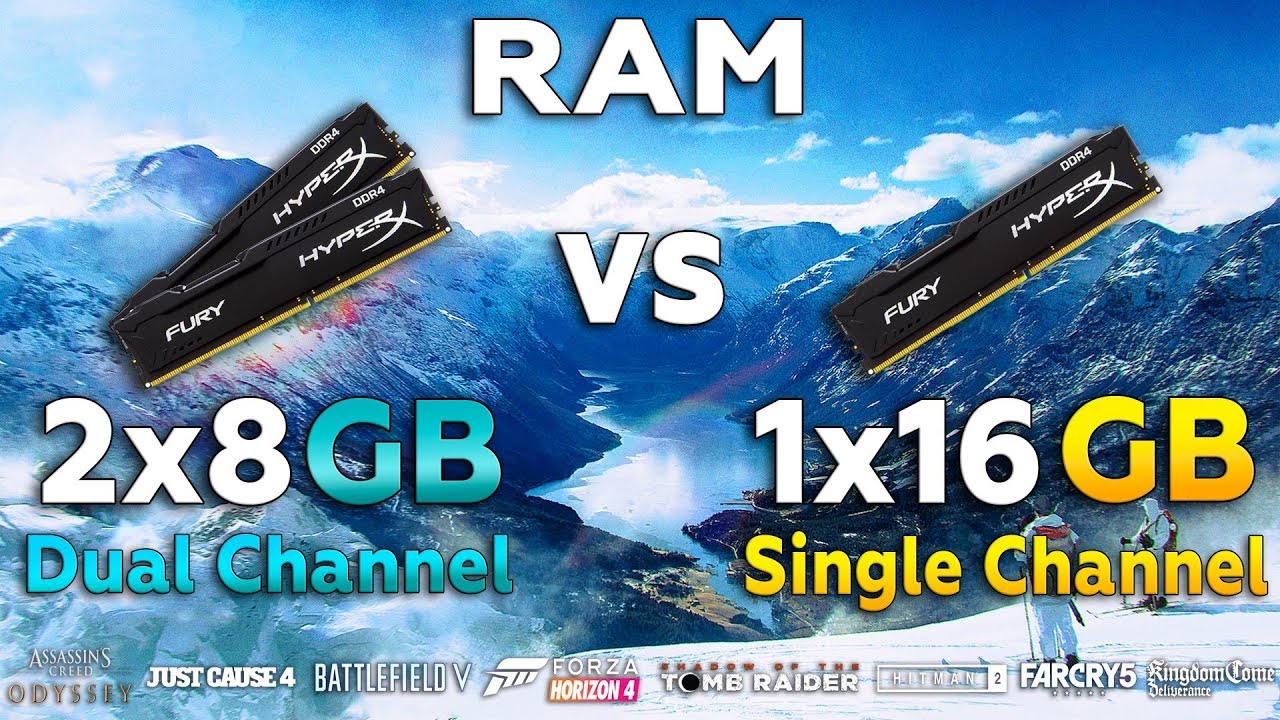
2x8Gb vs 1x16Gb RAM Test in 8 New Games
ZK - G082 RGB Membrane Keyboard - https://www.gearbest.com/keyboards/pp_009595243336.html?wid=1433363&lkid=38656850
Games :
Battlefield 5
HITMAN 2 - 01:12
Shadow of the Tomb Raider -02:17
Assassin's Creed Odyssey - 04:00
Just Cause 4 ...
We're talking 20, 30 fps, sometimes even more
hybrid ether
Oh
sand falcon
Yup
https://pcpartpicker.com/list/Csf8p8 Here are the changes that I would make to the build
With the better SSD, faster ram, and a 2080 super, I would predict you will see anywhere from 20% to 50% improvement from the original list
hybrid ether
I kinda wanna stick with intel
sand falcon
oops sassy
viral ore
then is good list lol
sand falcon
Anyhoo, why intel?
hybrid ether
The games I tend to bounce around with (and my favorites that I’ve modded to the point they’re uh... laggy) are like 10 years old and not the ...best with multicore
sand falcon
Ah, 10 year old games it's not gonna matter at all which way you go
hybrid ether
A few literally break with multi core
sand falcon
Intel CPUs have multicore too
sand falcon
barely
And it's enough better than the CPUs when those games came out that it isn't going to matter
hybrid ether
...and intel tends to be easier to install, more plug and play
 sacred obsidian
theyre about the same
sand falcon
Whereever you read that was lying to you
hybrid ether
Huh
sand falcon
Here's 10700k vs 3700x single core performance
Trust me, they're both far more than enough to run a ten year old game
sacred obsidian
the amd ryzen series is better bang for buck but if you want intel then go for it. theyre both good cpus.
sand falcon
The main thing is that with AMD I was able to fit in a 2080 super instead of a 2070 super
hybrid ether
...also an uncle of mine works at intel and I feel awkward buying amd
sand falcon
Wait, can you get an employee discount?
hybrid ether
No
sand falcon
If intel doesn't give him an employee discount, don't feel awkward about it
sacred obsidian
The main thing is that with AMD I was able to fit in a 2080 super instead of a 2070 super
you mean budget wise?
sand falcon
Yup
sacred obsidian
okay i was confused for a minute cause i thought you meant space wise lol
sand falcon
Also 2x8 3600mhz now instead of 1x16 3000mhz
hybrid ether
That and I uh... kinda screwed myself with the monitor I bought so a 2080 super wouldn’t actually be that helpful
Till I buy a new one
sacred obsidian
still helpful in some cases. newer games can still put you at like 40-50 fps on a 2070 super at max settings, would fair better on 2080 super
but also, you can upgrade the monitor later too. dont let that stop you lol
hybrid ether
I knowww
sand falcon
Honestly, with 10 year old games you might as well get a 1660s. It's just you can afford a 2080s
Also, here's the 3700x compared to intel's $1000+ flagship CPU from 2012:
Just saying
If you want intel, get the 10600k and the d15s cooler
sand falcon
That is a locked motherboard
Your CPU will run at a diminished speed, and you won't be able to run the ram faster than 2666MHz
basically you'll be paying for performance that you won't be able to use
viral ore
Trust me, they're both far more than enough to run a ten year old game
@sand falcon you say that, but keep in mind that minecraft is a 10 year old game.....
sand falcon
To be fair, minecraft has been continuously updated. The original version I predict would run without any issues
viral ore
lol yeah
sand falcon
@hybrid ether If you want that ram and that CPU, you will want a Z series motherboard
Though note that if you use that ram, it will void your CPUs warrenty
hybrid ether
Wait really?
 cursive wharf
Tbh I'd wait until AMD 4000 and RTX 3000
sand falcon
Yup
cursive wharf
And just get those fun stuff
sand falcon
Running ram faster than 2933 with the 10700k will void its warrenty
Some kits will void it even lower than that
little osprey
can i ask a tech question here
weak path
@Bob, I need a different power supply.
sand falcon
Can do
cursive wharf
Do note that most people at Intel don't really ask about the XMP/RAM OC stuff. They also have no way to prove whether you OCed or not
sand falcon
That is true
Theoretically, they could put a switch in the CPU, but I don't think even intel would do that
weak path
Thank you. I think so
sand falcon
You're welcome 👍
Also, since that motherboard doesn't even support XMP in the first place, it wouldn't be an issue
weak path
Erf, out of stock!
plucky cradle
Should I go 5700 xt or 2060 to or super
weak path
Thermaltake Toughpower GF1 - TT Premium Edition PS-TPD-0650FNFAGA-1 650W ATX12V Power Supply
(15) How about this one!?
viral ore
@junior kelp it almost looks like your PCIe power cable is pulling your GPU down.
make sure the cable isnt putting any extra strain on the gpu itself
from the picture, the GPU is clearly sagging
weak path
@sand falcon Sorry, third times the charm... will this one work? Thermaltake Toughpower GF1 - TT Premium Edition PS-TPD-0650FNFAGA-1 650W ATX12V Power Supply
 junior kelp
@viral ore It looks that way, but it isn't affecting it as far as I can tell. My graphics card is very thick and heavy, which is why it sags.
 dense yoke
How can one tell on the reset sw which is the ground? Im thinking it's the one with a TKG with arrow but want to verify. Nothing in the Corsair manual says that
 still roostBOT
 Kmars180#1811 has been warned
Reason: Duplicated text
 old hearth
Intel Core i9-10900K 3.7 GHz 10-Core Processor
Thermaltake Water 3.0 360 ARGB Sync Edition 56.45 CFM Liquid CPU Cooler
MSI MPG Z490 GAMING EDGE WIFI ATX LGA1200 Motherboard
G.Skill Trident Z RGB 16 GB (2 x 8 GB) DDR4-3600 CL18 Memory x2
Crucial P1 1 TB M.2-2280 NVME Solid State Drive
TCSunBow X3 1 TB 2.5" Solid State Drive
Gigabyte GeForce RTX 2080 SUPER 8 GB AORUS Video Card
Lian Li PC-O11 Dynamic Razer ATX Full Tower Case
Corsair RM (2019) 850 W 80+ Gold Certified Fully Modular ATX Power Supply
Thermaltake Pure 12 ARGB TT Premium Edition 56.45 CFM 120 mm Fans 3-Pack
Thermaltake Pure 12 ARGB TT Premium Edition 56.45 CFM 120 mm Fans 3-Pack
hows this for new pc list 2430
comes to about $2430
little osprey
Having issues with transferring everything in my system to my new case. I got everything I could connect connected but now it's not posting
old hearth
ok
 vital warren
so i was going to get a dark rock pro4 for about $90 for my new build, but the arctic liquid freezer is $120, should i just stick to the air cooler? is it really worth the extra 30
 slender owl
Do you plan on overclocking? And what cpu?
 stoic island
@vital warren Arctic freezer II should be 100$-110$, at that point it's a great deal, but if it is 120$+, both are just good options
vital warren
its 120 on newegg
the 360mm one
which seems like a great deal
didnt wanna dish out a lot for an aio but this should be fine
vital warren
nah i got the td500 mesh and it fits 360mm
and i got my ssd/hdd today so lifes going great lmao
little osprey
who here has used sony vega
 fast dust
s
 analog hearth
s
fallow bear
So I have 3700x
and I bought a Hyper 212 evo and I also have this scythe cooler thing
I'm really lazy about installing this hyper 212 evo's backplate
should I just...use the scythe?
little osprey
Having issues with my system it won't post
desert gulch
Will it power on?
cursive wharf
@old hearth high core count CPU with low RAM? High CL RAM too. Both SSDs are quite budget given he PC budget. No 2080Ti despite budget. Fans are pricy for what they are.
Should change a few things tbh. Also worth waiting instead of buying now and get a 4700x+3080Ti
old hearth
i am waiting for 3080, fans im sticking with i like them, and what about the ram i have 32 gbs?
 normal minnow
Yo my fresh crafter pc isnt working can someone help me?
normal minnow
Fresh crafted***
old hearth
and fitting a 2080ti for the price it is at 1100 cut some other stuff out of my build which i liked
it cut it closer then i like @cursive wharf , the pc comes out to likje 2400
cursive wharf
why are you even getting a 10900k?
hybrid ether
After awhile chatting in other places to get more opinions here’s where I ended up https://pcpartpicker.com/list/7HHhhg
old hearth
great for gaming and better core count than last generation, also handles workloads better, though i originally had a 3900x there
i replaced it when new gen came out
cursive wharf
It's also worth budgeting for a $1000 GPU as AMDs flagship is expected to be that price, so I'd take a guess Nvidia's would be too
also, just getting a 10600k and dual asetek gen7 AIO on CPU/GPU or custom loop+ OC gets better perf
cursive wharf
if you're waiting for RTX 3000, wait for Zen3 tbh
Zen3 8c/16t is going to be exactly as good or better then Intel
old hearth
yea but 3000 comes out in sep and im going for 3080 which is supposed to come out as cheaper then 2080 by a tiny bit and thats what im hoping
also zen 3 yea hopefully better for gaming
cursive wharf
Zen3 launch is still 2020 Q4, same as 3000
old hearth
yea hopefully it does good
cursive wharf
no specifics known yet
old hearth
yea but im going for 3080 with same build as long as the zzen 3 does not beat it out
 wary geode
1000$ build who can make the best parts list tryna see if I built mine correctly
cursive wharf
tbh you'd get more with a 10600k+3800MT/s low CL RAM then a 10900k+3600MT/s high CL RAM
probs could even fit in a 4000MT/s kit
old hearth
yea i could just change the ram to 4200 viper kit though with better CL
wary geode
Oh yeah my Corsair vengeance ram stops rgb and my system won’t run 3200 MHz without it crashing
It’s a x470 prime pro
deep skiff
or just get a 3600cl14 kit and crank up the speed
old hearth
new to this would not be comfortable doing that
cursive wharf
it'd be ideal to get a bit more comfortable with this stuff given the amount of money you're willing on spending
old hearth
Well yes but that’s why my dad is helping me and such hes a software engineer
I just don’t want to mess with an already good product until I’m good with my pc
I’ve been researching these parts for a while
@cursive wharf
 lone trellis
How do i ove clock a cpu to make it over the ghz it shows i got a laptop core i5 10th gen i need help with it
 silk estuary
Might not be able to oc if it's an Intel laptop processor
lone trellis
Oof how do i get to the one part of the laptop when it shows storage Wi-Fi and ghz i wanna see how fast it is
It shows the speed i dk what its called

Dm me if you know what i am talking about
spiral zealot
right click on the task bar, click task manager, and then if it's in basic mode, click More Details at the bottom
and then click Performance
sand falcon
How fast what is?
deep skiff
hm laptops and overclocking dont usually go well
sand falcon
^
lone trellis
@Chauntalei#4629 thank you
sand falcon
@lone trellis What CPU do you have?
lone trellis
Core i5 10th gen
sand falcon
Which i5
lone trellis
Let me check
lone trellis
1035g1
sand falcon
I what now?
Intel® Core™ i5-1035G1 Processor (6M Cache, up to 3.60 GHz) quick reference guide including specifications, features, pricing, compatibility, design documentation, ordering codes, spec codes and more.
Found it
little leaf
laptop chip
lone trellis
Yes
little leaf
what do you want again?
little leaf
do not
sand falcon
It already has a max turbo of 3.6
little leaf
lmao
sand falcon
It also seems to have a locked multiplier
General rule of thumb: you can't overclock a laptop
lone trellis
Ok
 hasty spoke
the fans dont even start
(continuing conversation)
nothing boots up
but the peripheral (my KB) gets power
sand falcon
Is there any sort of light on the motherboard?
hasty spoke
other than the LED that flashes for that half a second once I flip the PSU on, no
if you go on logical increments, all the parts are listed in the Enthusiast tier
sand falcon
Does the LED have any text printed by it? What color is it?
sand falcon
Okay
sand falcon
You'll have to DM it to me for now
hasty spoke
elite
stoic island
Aorus ultra, Aorus pro wifi, Aorus pro, Aorus Master
oh then it doesn't have a debug code lmao
hasty spoke
idek what that is lmfao
jagged ember
Wait, how do you diagnose a PC without a debug led?
hasty spoke
all i know is that im flustered and highly upset 😢 I've ordered a miniswitch for the POWER SW pins
because unfortunately
sand falcon
Here's where the LEDs show up
hasty spoke
i ripped the front panel off the Enthoo case I bought
yep
right where it says Aorus
one single instant flash of white comes on
sand falcon
Okay
hasty spoke
kinda looks like static tbh but i know its not
sand falcon
So that's just the RGB getting power
jagged ember
So we know mobo gets power
sand falcon
What did you say happened to the switch?
hasty spoke
i had taken off the front and top panel of my case and installed my dvd optical drive and reassembled it the wrong way putting the front panel in first (with the latch that holds optical drives on)
and once i realized that i pulled off the front panel, ripping the two wires which let the power button (and other front i/o ports) work, i presume
to make a long story short
i cant power my pc on through my case
so i ordered a microswitch on amazon
to see if thatd manually start the motherboard
hybrid ether
@sand falcon because it only comes with 1 fan?
jagged ember
You can plug in your case's reset button to your power SW
sand falcon
@hybrid ether Why not just get three good fans?
hybrid ether
Well I could do 4
sand falcon
@hasty spoke What is currently hooked up to the power switch? Can you take a picture?
hasty spoke
yeah
hybrid ether
Front, top, side, back
hasty spoke
well
jagged ember
Lol yep
stoic island
You can jump the mobo too yaknow
hasty spoke
nothing is hooked up to it @sand falcon , I just try to jump start it with a screwdriver
jagged ember
Most direct airflow
hasty spoke
yeah
hybrid ether
Well one to put on the hdd cage
sand falcon
Okay, try the screw driver
hasty spoke
ive done that
sand falcon
You don't need a fan for an HDD
hasty spoke
the fans stay dead
in my eyes, the number one good sign would be to see the fan on my heatsink turn on
because thatd prove the mobo is providing power to all my parts, no?
but that doesnt happen
hybrid ether
The case has one there, or ssd, it’s got a side fan is what I’m saying
hasty spoke
not even when i try to jump it
sand falcon
What color is the screwdriver?
hasty spoke
Orange and black
sand falcon
Do you have a silver one?
hasty spoke
I also have a screw driver that came with the case
jagged ember
So LTT themed
sand falcon
Try the silver one
jagged ember
The silver one is likely conductive
hasty spoke
bro, you're telling me 😢
ive got a 2080ti and Ryzen 9 series in there
im desperate to boot it up
sand falcon
They're probably still okay
hasty spoke
i can send you all the pictures of my build unless youve already pulled the parts up
sand falcon
Yeah. can you send a nice clean picture of the whole assembly?
jagged ember
Have you checked and reseated all connections?
sand falcon
👍
sand falcon
hasty spoke
thats what it currently is
sand falcon
hasty spoke
24 pin and CPU 8pin connected
sand falcon
hasty spoke
that is what it was
when it was hooked on the case
that is another angle of what it was
sand falcon
I can pull in the full res if any y'all want to see them
hasty spoke
i know those are poor pics
i dont have good lighting to show all the parts clearly tbh
and my phone is dying
alrighty @sand falcon , I've sent you the part list
stoic island
the heck
stoic island
Can't you do it on the other end even if it's non-modular?
sand falcon
You can, but then you have to worry about the cable and all that
hasty spoke
So
sand falcon
Anyhow, what position is the switch on the back of the PSU in?
hasty spoke
RESET SW in POWER SW fpanel pins did not boot computer
ive done several different metallic objs, paperclips, screwdri, etc
sand falcon
Okay
hasty spoke
i turn the position to I, in which the green LED on the PSU turns on
 full elk
yo what all is plugged into the motherboard
hasty spoke
i suspect the motherboard or something else is messed up but honestly i wish i had a multimeter at this point
I have my GPU, Mobo, and CPU Fan connected
sand falcon
@full elk posted a parts list a bit ago
full elk
oh
hasty spoke
and i have one stick of ram
sand falcon
Also @hasty spoke, you can post pics now
sand falcon
That wasn't me, it was just the bot deciding you were worthy
hasty spoke
lmao
feels good to be worthy in a community that will hopefully solve this anguish lmao
full elk
I plugged into the wireless pcie1x2 wifi all I gotta wait for is the gpu
sand falcon
Cool
hasty spoke
what do these pin tests do
sand falcon
@stoic island
stoic island
what
sand falcon
We'se gonna ping spam you
still roostBOT
 Llama Yokohama#0950 has been warned
Reason: Bad word usage
hasty spoke
sorry, i said ive seen a video of ice poseidon sticking a pin into his psu and it gave an arc
sand falcon
You don't actually stick it in the PSU
hasty spoke
ah
sand falcon
🤯
hasty spoke
LOL
sand falcon
Naed
hasty spoke
well im here, humbly, to learn and id deeply appreciate it if i could get any kind of conclusion other than what im at now
sand falcon
Anyhow, the 24 pin connector has two pins that if you put a paper clip between them, it will trigger the PSU to boot
hasty spoke
hmmm
do i have to look in my Mobo manual to see these two pins or?
how do i ID them
sand falcon
I'll have to find a chart
Disconnect the 24 pin, and all the CPU and GPU power connectors
hasty spoke
also by PSU booting, you mean the computer turning on and posting on the monitor?
fans starting, etc?
kk
sand falcon
The PSU will turn on and hopefully start its own fan spinning
Do you have a multimeter on hand?
hasty spoke
I do not
sand falcon
Okay, no biggie
hasty spoke
phew
i was sweating already hahaha
everything is disconnected, minus the DisplayPort on my GPU
i didnt disconnect the cables directly from the PSU if thats what you were asking, however
hasty spoke
24 pin
hasty spoke
yep
sand falcon
Cool
hasty spoke
@fallow bear im from NY too 😄
Yonkers here
i saw you typing 👀
not to mention
you have a SF pfp
but let me not get on a tangent
would you like me to send pics of the manual for my mobo?
sand falcon
So here's a pin out chart. Hold the connector so that the hollow end plugs are pointing towards you, and the little clip is on the right
The pattern of D shaped prongs and square prongs should match this picture
hasty spoke
@sand falcon ok
clyde wont let me post a picture from my cellphone but
i was holding it in that position
sand falcon
kay
sand falcon
Bend a paperclip and stick it between the two pins like so
Each end of the paper clip should go in each pin socket
fallow bear
@hasty spoke Good luck with your pc build, we'r eboth struggling at the moment lol
Is there any guide that shows where to place the standoffs for mATX on the Fractal Meshify C?
the manual doesnt say anything
sand falcon
That's pretty much the best way
hasty spoke
is that good enough?
sand falcon
Yup
hasty spoke
kk brb
bro!
omg!
that is literally the first sign of life Ive heard from ANY part on my computer!
@sand falcon bless you man!
im ecstatic to walk through this!
hasty spoke
alright, should i leave the paper clip on or?
and just hook up CPU and GPU?
because the t hing is
when I turn my PSU on while its connected to my mobo
that fan doesnt turn on
that PSU fan, that is
@sand falcon
little osprey
How do you install an Intel cpu correctly I only remember amd
sand falcon
@little osprey Line up the triangles and don't touch the shiny bits
We shall see what happens Llama. Take out the paper clip for now, and go ahead an hook up the 24 pin and the CPU power
little osprey
I have a triangle and a dot on the cpu so I line up the triangle with the broken corner?
sand falcon
I believe so. It should just drop right into place if it's right
spiral zealot
there are also notches in the edge of the cpu and 2 little tabs in the edge of the socket
line those up
and it should drop right in
little osprey
You're right thanks you two
@sand falcon @spiral zealot
hasty spoke
Okay @sand falcon , I've connected the CPU and 24pin
I havent connected CPU_FAN though
should I connect that?
hasty spoke
4x2
so there's two clips with 4 holes
after ive connected CPU_FAN, what would you like me to do? @sand falcon
also let me know if you'd like me to stop pinging you
little osprey
Welp I've got power in the mobo and I even touched the power switch 2-pin with a screwdriver but nada
I think the mobo is dead
hasty spoke
yes! @little osprey thats the EXACT same problem i have
little osprey
Or the pins are
sand falcon
Unplug the GPU from the mobo for now
hasty spoke
but from what I understand, my CPU/mobo doesnt have integrated graphics @sand falcon
should i unplug it anyways? because thatd require me to fetch an HDMI cable to connect into the mobo despite I have a DP connection on GPU
sand falcon
Unplug it for now for testing
If all goes well, it will trigger the motherboard to detect it being missing as an issue
hasty spoke
alrighty
@sand falcon my CPU is connected, 24pin connected, HDMI to mobo connected, GPU disconnected. Flip O to I now, right? Tell what results show up on my monitor, or?
hasty spoke
what should i be looking out for?
the only thing that will happen is
that white LED by the back I/O heatsink is going to flash
but brb imma do it
@sand falcon psu fan did not turn on
sand falcon
Once it's on, go ahead and use the screwdriver between the power pins
normal minnow
I have 0 life in my pc at all can someone call? Ive done a shitton of stuff to try to diagnose it already
silk estuary
What the hell are y'all doing to your pcs
sand falcon
¯_(ツ)_/¯
hasty spoke
@sand falcon
screwdriver did not jump start
im starting to sweat
however i did hear the PSU fan start up
sand falcon
But the PSU fan is on?
hasty spoke
yeah
sand falcon
Does it stay on?
hasty spoke
yeah
normal minnow
Screwdriver test pc didnt turn on, im getting no life at all not even psu fan spinning, ive tried 1 stick of ram in all 4 diff dim slots, Ive tried a lot of configurations of front panel connections, ive done the paper clip test with my psu and it made the psu turn on so thats the only good news I have but I dont even know if it is good news
silk estuary
Wtf
still roostBOT
 PreProxy#7490 has been warned
Reason: Bad word usage
normal minnow
Oops
silk estuary
Imagine y'all had the same part that was the issue
normal minnow
Im trying to build this for a friend and it hasnt worked from the start
sand falcon
Okay, @hasty spoke go ahead and try the GPU back in
normal minnow
Oh and ive tried with like every config of cables plugged and unplugged
hasty spoke
oh
and btw
@sand falcon
the GPU is weird
its like
a 6pin connecter then a 2 pin connecter
and its two sets of those sets
something like that
let me go replug it
jagged ember
6+2 is normal lol
jagged ember
on the same cable, right?
stoic island
2x(6+2) is normal
sand falcon
Yup, pulls a lot of power
jagged ember
normal, yep
hasty spoke
kk
stoic island
6+2+2 would not be
hasty spoke
brb reconnecting GPU
kk
so i flipped the psu on
and it didnt show any bios
at this point
the best sign to me would be if the CPU fan and GPU fans turned on
but neither of those have happened
if i saw those two fans run, im sure i could load up a bios
@stoic island @sand falcon @jagged ember
as of now i cannot jump my mobo
with the GPU in
sand falcon
Why not?
hasty spoke
well because the PSU is working, and we're plugging in each component one by one to trouble shoot them
but we wont know if my CPU, GPU, Ram, or anything else is messed up due to the fact that jumping it doesnt wrork
sand falcon
So once the GPU is in, the PSU doesn't spin up?
hasty spoke
i couldnt really hear a noise but let me double check
PSU fan does not turn on when i plug the GPU in
@sand falcon
hasty spoke
well, comfortable? no...hehe 😅 the hassle isnt the issue because y'know, i do want the behemoth of a PC outside to work compared to this one im using
but my friends in the main Discord I VC on told me to take out my PSU earlier today to "mix and match" that part with my new PC
and im lazy as to disconnect this one and take out the GPU....tonight at least
I'm on the East Coast and Isaiah is coming in tomorrow
so I dont know if you mind me adding you...but I'd like to continue tomorrow maybe?
hasty spoke
the fact that you, alone, taught me how to jump start my PSU and i heard that fan CLEARLY boot is a sign that makes me confident
however i am troubled by the possibility of a 2080ti being the faulty part 😢
that sh*t cost me 1k+ hahaha
sand falcon
How long ago did you buy it?
hasty spoke
almost, if not, a month now
sand falcon
Where from?
sand falcon
Contact amazon about the possibility of a return
You should still be good at this point
hasty spoke
so is it the GPU?
or shall we leave this for tomorrow?
i have my invoice pulled up RN
jagged ember
We know for sure it's not the PSU
sand falcon
The GPU not working is a Bad Sign
hasty spoke
well we dont know if its the GPU do we?
jagged ember
I really hope it's not the GPU, but that could be the issue
hasty spoke
or does the PSU fan not turning on absolutely indicate thats the issue?
sand falcon
It might
hasty spoke
alright well, tbh, ive smoked some weed
and im not willing to disconnect this PC now to switch in the 290x
because id like to play lowest graphics Mordhau, or Valorant
😅
lmfaoooo
but im so happy you guys helped me diagnose at least one part
if it is the GPU, so be it
jagged ember
RMA it
hasty spoke
i feel like a multimeter would've really helped this situation
sand falcon
Yeah
hasty spoke
but
like i said upon first meeting you
i ordered a microswitch
which serves the same purpose as a power button
for 7 bucks on amazon
sand falcon
Cool beans
hasty spoke
will that serve any purpose now that we've gone through these steps?
because the pins arent jumping
so
what purpose would it serve?
sand falcon
It will serve making your computer able to boot without a screwdriver
hasty spoke
true that 😅
sand falcon
You said that it started when just the CPU was in?
jagged ember
fans were spinning?
sand falcon
Cool
sand falcon
Did you hook them up to the fan or pump headers?
stoic island
Should've spun up
jagged ember
the cooler type shouldn't be a problem yeah
hasty spoke
yeah haha ive been saying that from the start; not to come off as stand offish i dont mean to
but
its EXTREMELY weird
fallow bear
- 2 front intake 120mm + 1 front intake 140mm
- 1 back 120mm
- 1 top 140mm
Do I need another top 120mm? Or is it unnecessary?
hasty spoke
that my Corsair K70, when hooked up to the mobo
turns on (the RGBs that is)
but the cooler doesnt?
its almost as if the mobo was shorted or something
despite that
jagged ember
The mobo should be receiving power if it can turn on your keyboard
hasty spoke
yeah! 😦
sand falcon
@fallow bear No
hasty spoke
but its not jumpinmg
jagged ember
lmao that's a lot of fans tho i think you're good @fallow bear
sand falcon
When exactly does the keyboard light turn on?
stoic island
Possible Mobo issue I guess
fallow bear
Ok. No more fans.
jagged ember
Sounds like it
stoic island
Because CPU fan should spin up on start
And the other fans
And if we know PSU works
jagged ember
the only other culprit would be the mobo
sand falcon
Keyboard receiving power when the system is off is also interesting
jagged ember
my pc does that too, on one USB2.0 port
sand falcon
Oh
hasty spoke
the keyboard recieves power after about 5-15 seconds @sand falcon
but the PC doesnt post or show bios or anything
its as if the back I/O recieves power but my CPU fan doesnt
sand falcon
Which USB port is it plugged into?
hasty spoke
the back I/O
jagged ember
specifically for me, it's the Flash BIOS usb port
sand falcon
That wouldn't be the issue, would it?
hasty spoke
ehhh....idk? 😅 i cant identify what USB port it is...theres 1 USB 1.0 port and several USB 3.0/3.1
/whatever it is
sand falcon
Can you take a picture?
hasty spoke
that would once again, require me to turn off my main PC and swap parts
not tonight
but tomorrow absolutely, if you could ❤️
hehehe
sand falcon
Okay
jagged ember
I don't think that'd be the issue though, my PC booted just fine with stuff plugged into it
But it's worth a test either way
sand falcon
Try it both ways
hasty spoke
thats for electric bills and what have you
jagged ember
yep
sand falcon
There wouldn't be anyway it could try to flash a bios from a keyboard, would there?
jagged ember
I doubt that's whats happening?
jagged ember
but, try another usb port lol
jagged ember
that'd actually be wack if it solves the issue
hasty spoke
if what solves the issue
jagged ember
not having ur kb plugged into your Flash BIOS usb port
hasty spoke
i wish i knew what a Flash Bios Usb port was lmao
i guess thats the "primary" usb port
because it allows you to flash bios with a usb
jagged ember
it's commonly the usb port closest to the mobo
sand falcon
Was it connected to this one?
sand falcon
okay