#building-and-recc-chat
1 messages · Page 546 of 1
 agile bear
 fallen atlas
The fans xD
 waxen finch
I need help configuring fans for my Lian Li 011 dynamic, I have 8 in total where should I put them?
As of now I have 2 as exhaust on top 3 as intake on bottom and possible 3 as exhaust
agile bear
are you aio? @waxen finch
agile bear
@fallen atlas does your motherboard have debug leds?
 still roostBOT
 carmelo_marcelo#8682 has been warned
Reason: Duplicated text
agile bear
Id say have your fans at the bottom and do a chimney @waxen finch
 spiral zealot
if you're running aio as intake through the rad, i'd go with intake on top/front, and exhaust on back/bottom, assuming you have decent clearance underneath
looking at images of the case, not sure if you can do front fans though
agile bear
I would say dont put any expelling out the side so that you have max airflow to rad
spiral zealot
if you can't, then aio as intake, and back/bottom as exhaust
oh wait, yeah, i see how it's set up
waxen finch
What it looks like rn
Top 2 are exhaust and 3 on bottom are intake
I have 3 more fans but I don’t know if I should do intake or exhaust
spiral zealot
i'm personally just not a fan of doing exhaust through radiator, because it's warm air you're pulling through
from inside the case
waxen finch
So what should I do?
agile bear
you could do push pull if you wanted to
waxen finch
Hm
spiral zealot
that could work, ultimately you want to lean a little towards positive pressure, which means more intake cfm than exhaust cfm
agile bear
but you could put rad there so it draws in fresher air from bottom and exhaust at top
 sand falcon
Generally you want about the same in and out, but a bit more in
agile bear
that would just be some fan tuning
spiral zealot
if your exhaust is higher, you're gonna be pulling air in through all the unfiltered gaps in the case
and that's just more dust
neutral is ideal like Bob said, but that is pretty hard to achieve, so leaning towards more intake is usually the way to go
waxen finch
Should I do maybe intake as side ?
agile bear
is the bottom filtered?
agile bear
im guessing side isnt then
spiral zealot
you could intake through bottom/top and exhaust through the side then
and push out where there's no filter
waxen finch
So which is more ideal?
spiral zealot
https://www.youtube.com/watch?v=sX8S_hzW1uc this guy ran different configurations

I wasn't happy with the fan configuration used in my original build https://youtu.be/OaTEgeI_JFw due to thermal performance and I wasn't happy with the changes I made to improve this in my thermal testing video https://youtu.be/DcMVmLBTVMs due to aesthetics, so I have come up...
agile bear
Personally Id say out on top and side just for the temp benefit and if you dont put it on the floor dust management shouldn't be horrible
spiral zealot
and it looks his best overall temps were top/bottom intake
and side exhaust
with an aio on top
he has a chart at 5:57
he does have a 360 top aio though
and it looks like yours is 240
so numbers might be a little different
spiral zealot
his gpu temp was higher in that config, but under full load, he had a better balance between cpu/gpu temps with top/bottom intake and side exhaust
 west pelican
I have a problem I need technical support
 sacred obsidian
what is wrong
west pelican
I have a problem I need technical support Is someone help me?
spiral zealot
@west pelican what is your problem?
sacred obsidian
he dm'd me
spiral zealot
me too
fallen atlas
Hey guys, so I put together a build using the following components :
CPU : AMD Ryzen 3 1200
Motherboard: ASUS Prime B450M-A
GPU: GIGABYTE Radeon RX 570 DirectX 12
I cant get the CPU to display anything on the screen - lights turn on, fans run. I've double checked the connections and I fear the Bios may not be compatible with the CPU.
Has anyone run into this issue?
spiral zealot
i think that would be an admin/neweggservice problem, yes? @sacred obsidian
 midnight pelican
@fallen atlas are your gpu cables plugged in
spiral zealot
yeah, make sure you're plugged into the gpu not the motherboard
sacred obsidian
yeh but its more of a servers are overloading, just give it time i would assume
fallen atlas
The GPU is powered and the cables run from the GPU to the monitor
spiral zealot
hm
it could be a bios issue. do you have another gpu or anything you could try? just to make sure the card isn't faulty?
sacred obsidian
check that the ram is plugged in all the way
fallen atlas
My brother and I just swapped the GPU over to check if the one i bought was faulty.
sacred obsidian
check that all the connections are plugged in all the way as well
you could also try using one stick of ram in the far right slot
fallen atlas
We're gone over the connections for the last 4 days X_X but I dont think I've tried the one RAM stick to the right
spiral zealot
he's getting power to the board and case, fans and everything are spinning up
just no display output
midnight pelican
yeah
if hes not getting a boot error or smth on the screen
like its not turning on at all it could be a monitor issue
you could try swapping out the hdmi cables or the monitor
spiral zealot
good point, i've had hdmi cables crap out on me and i've torn my hair out trying to figure out the problem
fallen atlas
Yeah there's simply no signal being received by the monitor. I've tried it on 3 monitors with an HDMI and an HDMI - to - VGA cable
even tried it on my TV that has HDMI port.
The monitors ive used also come from other working PC's
midnight pelican
have you tried using another hdmi cable
what happened when you swapped out your card?
fallen atlas
Yeah
on using a different HDMI
Same results : motherboard lights up, fans turn but no signal received by the monitor.
Unfortunately this board doesnt have troubleshooting LED's
spiral zealot
it shouldn't be a bios thing, the 1200 is zen, and B450 supports zen out of the box
midnight pelican
did you try that card with a monitor you know works?
spiral zealot
if it was a 3000 series cpu, it could be a bios thing
midnight pelican
yeah it shouldnt be a bios issue
at this point it could be youve got a dead cpu
spiral zealot
or it could be a bad pci-e slot for the GPU, can you move the card to another PCI-e slot?
fallen atlas
Was the CPU bought
spiral zealot
it won't run at full speed in anything other than the top one, but it will let you test the slot on the board itself
spiral zealot
yeah, at this point i'm thinking it has to be either the CPU or the board
midnight pelican
yeah
spiral zealot
and if it's the board, it's probably just the pci slot, because if the board was dead overall, you wouldn't be getting power to fans etc
midnight pelican
and its not getting any output?
no windows errors or anything just straight up black?
fallen atlas
This board only has one PCI slot
midnight pelican
hm
fallen atlas
Yeah just black
screen says " no signal, check your device is on"
So whats even more frustrating
spiral zealot
ooh yeah, that's the mini-itx board
midnight pelican
well if your brother doesnt mind then you can try to ask him to test his board out if its a ryzen board
fallen atlas
is these two items were replacements from a previous purchase with the same issue
fallen atlas
I originally bought
This board : https://www.newegg.com/gigabyte-b450-aorus-pro-wifi/p/N82E16813145082?Item=N82E16813145082
with this CPU : https://www.newegg.com/amd-ryzen-3-1200/p/N82E16819113446?Item=9SIA85V63C6189
Sorry, whats PSU?
spiral zealot
power supply
midnight pelican
i dont know if it could be a storage issue because you would still get a no boot media correct?
fallen atlas
Insignia NS-PCW4508
spiral zealot
yeah, you'd still get display if it was a storage issue
it sounds like either no post at all, or post but no display
and if you've swapped the GPU already
and you only have the one slot to test with
it still comes back to either the board or the CPU
do you have another ryzen CPU to test with?
midnight pelican
it seems highly unlikely that its the board since its a replacement
it could be but its unlikely to have two faulty boards
spiral zealot
unlikely but not impossible
midnight pelican
hmmmmmmmm
hm
hmmm
this one is a tuffy
try a different psu
just
for the sake of it
fallen atlas
We did that as well T_T
midnight pelican
maybe its the case
fallen atlas
I bought a new PSU and HDMI cable like two days ago to try rule them out
midnight pelican
ok so my reccomendation is right now to take everything out of the case and build a test bench with only the core components
that way its easier to rule out certain things
spiral zealot
yeah, make sure the case isn't shorting anything out or anything like that
midnight pelican
and you can try to swap out parts to see if u can get an output
because at this point youve built a whole new computer and still no post
spiral zealot
if it still just won't do anything, my best guess is the CPU
midnight pelican
did you read the manual ;-;
spiral zealot
but it's worth trying to eliminate all the variables
fallen atlas
The case was recycled from my dad's old PC that was running fine with the components its had but I see your point because we've done all this mounted to the case.
midnight pelican
plus it will be easier to swap stuff out when eliminating components
and have you tried using that rx570 in a working computer
to make sure that it works
fallen atlas
I haven't but eve with the card that was previously on there it didnt display.
At this point I'm considering returning everything and buying an already built PC ; unfortunately, at this point some of the components have been with me more than the 30 days - do you think NewEgg might still accept them? Everyone I've talked to about this has been like " what more can you possibly change if you're on your 2nd motherboard, cpu and psu ? '"
midnight pelican
youve already built two different computers lol
spiral zealot
yeah lol
fallen atlas
lmfao fml
midnight pelican
maybe you need to change your monitor output?
like the channel
which hdmi its supposed to be displaying
fallen atlas
lol I wish, we made sure to tune into the appropriate one
midnight pelican
have u tried a different outlet
fallen atlas
As in power outlet for the PC? Multiple in different parts of the house
spiral zealot
one thing to keep in mind, insignia isn't the best brand in the world, so there is a possibility that the PSU is what killed the board/cpu in the first place. if you do end up rebuilding and trying again, try either the replacement PSU you bought or a bigger brand, corsair/evga/seasonic/etc, just to be sure
midnight pelican
is the cpu power plugged in?
spiral zealot
yeah, the smaller power connector up near the top edge of the board needs to be connected as well as the 24-pin on the side
i forget if the asus board is a 4 pin or 8 pin
probably 8
fallen atlas
Both set of pins are in - at first we missed the 8 pin connection but even after its been the same
lol ill be very hesitant to try another build for a while tbh.
midnight pelican
is it a modular or fixed psu?
fallen atlas
Its fixed
I only bought to try and rule out the original psu, just ran to best buy to get one.
midnight pelican
are you sure you used the correct 8 pin for the gpu/ cpu power
they are both 8 pin connectors but theyre shaped slightly different
fallen atlas
For the 8 pin I paired two 4-pin connectors
midnight pelican
fallen atlas
Plugging them in didnt feel forced and all the wires were aligned consistently.
midnight pelican
the 8pin for cpu or gpu?
if its split the 8pin gpu should be a 6+2
if its for the cpu it should be 4+4
fallen atlas
For the CPU we did 4+4
for the GPU it required an 8-pin so I bought a 6-to-8 pin adapter
sand falcon
I think that 8pin cpu and 8pin gpu have the same pinout?
midnight pelican
the psu didnt come with an 8pin?
sand falcon
Aren't they?
fallen atlas
Unfortunately the PSU didnt come with an 8pin
midnight pelican
sand falcon
Of course
fallen atlas
Yeah we noticed for the GPU the pin sockets had a specific shape on the corners
Like that ^
sand falcon
The polarities are reversed? Seriously?
 celest horizon
Yep lol
sand falcon
why
fallen atlas
I was wondering about that
celest horizon
It's really hard to force an 8 pin EPS cable into a pcie header or vice versa though.
Still stupid that they're reversed.
fallen atlas
But glad to see that's correct
sand falcon
They have vcc and gnd on opposite pins
midnight pelican
yup idk what that means
@fallen atlas and you are completly sure its not you? have you had someone else try to hit the power button?
sand falcon
Positive power and negative power are flipped, like a battery that gets put in backwards
 little osprey
facepalm
midnight pelican
weird
fallen atlas
I mean its my birthday today so knowing my luck it prob is me xD
midnight pelican
happy birthday doe!
fallen atlas
Thanks man
midnight pelican
ok so weve tried everything ;-;
spiral zealot
i think it's the CPU most likely, the question is just why would it potentially kill 2 cpu's in a row
midnight pelican
you could try to make some of your money back and return/ sell stuff and buy a decent prebuilt
spiral zealot
and that makes me think PSU is the root cause, because that's usually what kills systems
especially if you aren't doing anything like mad crazy overclocking
fallen atlas
Welp, i've learned a lot more about CPU's in a week than i have in years and even though we weren't able to figure out wtf is going on thanks for going over this stuff with me. I don't feel nearly as crazy as i did earlier xD
midnight pelican
i think just getting a prebuilt would be better than to keep buying replacement parts tbh. no matter how much i hate them i have no other solutions (ᗒᗣᗕ)՞
lol happy to “help” ;-;
spiral zealot
just make sure you price out the system individually so you can make sure you aren't getting gouged on the overhead for them building it
midnight pelican
buy from nzxt if you are going to get a prebuilt tho
little osprey
nzxt, yeeeeuck
midnight pelican
they only charge for the build fee everything else is msrp
spiral zealot
or maingear, i've heard really good things about them too
midnight pelican
better than alienware.
fallen atlas
damn i didnt know that
midnight pelican
brands to stay away from
spiral zealot
origin
spiral zealot
ibuypower
fallen atlas
alienware is bad? I thought they were legit?
little osprey
ibuy is nzxt
midnight pelican
apple 😳
spiral zealot
and support is AWFUL
little osprey
alienware is overpriced dell trash
fallen atlas
😮
spiral zealot
seriously, go watch the series linustechtips did on secret shopping prebuilts last year
sand falcon
Alienware is pretty bad
fallen atlas
Sorry, so which brands do you recommend again?
spiral zealot
i personally like maingear just from what i've seen/read about them
but i haven't actually bought from them
so i have no first hand experience
little osprey
Haven't heard anything bad about them, but also have not had them since I build my own.
spiral zealot
yeah, same
again, price check compare with anyone you're thinking about buying from and make sure you aren't getting gouged
and try and see if you can find any reviews of their support
 split silo
thoughts on the fractal design ion+ platinum 660w psu?
 stoic island
good
split silo
177 dollars good?
stoic island
oof
thats
well
Corona making prices high, so it's decent I guess today, but usually it would be more decently priced at ~130$
 buoyant flame
For sure
little osprey
Hey guys if anyone can answer this there is a buzzing sound coming from my pc and it only goes away if I put pressure on any of the parts I feel like it’s my hdd but I don’t know
No one wanted to answer it in general
stoic island
could be hdd
little osprey
Yeah bc when I touch my case you can feel a light vibration
stoic island
there are like dampening things for hdd vibration
little osprey
I think I need to take it out and screw all the screws into it I kinda did it half ass
spiral zealot
yeah, any drive bays or anything like that with open screw holes can be a source of vibration
 mystic oak
could be your fans rubbing on omething
 cursive wharf
thin aluminum can easily cause noise from HDD vibrations
little osprey
yeah i screwed in all 6 screws do my hdd in the hard drive bay so i think i should be fine now thanks for the clarifications

 tepid basalt
normal people?
 gloomy snow
Hhahaa
sand falcon
sooooo, I actually didn't use an io shield in a recent build......
sand falcon
this true
tepid basalt
yep
tepid basalt
doesn't really matter tho
as long as you can put the mobo into the case without scratching the back
sacred obsidian
you have to access the back of the mobo to add the cooler and you can't put the cooler on til after the cpu goes in
sacred obsidian
not all
and ryzen stock still has to remove the mobo hooks, which makes it easy to drop the backplate if you aren't careful, and if you dont have a good backside cutout that can make it even more difficult.
best to do it outside the case
 wary geode
Uhhh help?
Just flickers no activity for posting
Just flickers everything just flickers
tepid basalt
@wary geode what does the bug led say?
wary geode
It has one it’s a a320
?
Plz
@tepid basalt
It turns on with the 24 pin not with the power button
Idk why
 potent prairie
@cosmic spear what budget?
midnight pelican
that’s like 2000
potent prairie
So like 2k? 3k?
midnight pelican
Seems u alr know wat u want
potent prairie
What do you need help with then
potent prairie
So you have the parts picked out?
 cosmic spear
Yes
potent prairie
Ok. My advice is go to YouTube and do watch some videos to learn what not to do
Pc building traps by techquickie is good
potent prairie
Look at a build guide or two
That should give you everything you need to know, then if you have specific questions you can ask em here
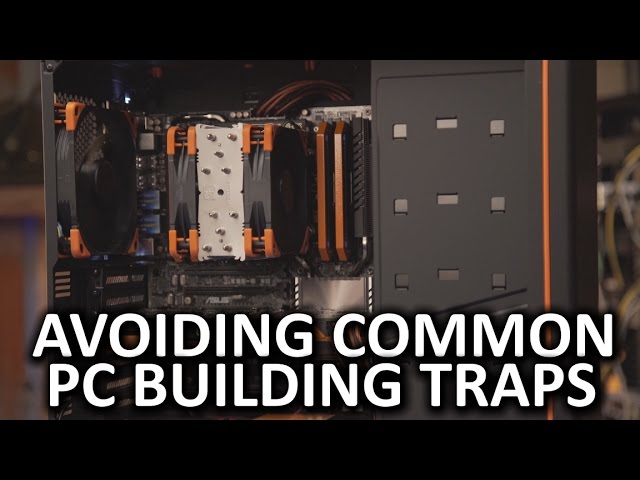
What are some common pitfalls of building your own PC, and how do you avoid them?
Buy a Gaming PC
On Amazon (PAID LINK): https://geni.us/HKRBI
On Newegg (PAID LINK): https://geni.us/zq53A
Buy a Gaming Laptop
On Amazon (PAID LINK): https://geni.us/koqv
On Newegg (PAID LINK): ...
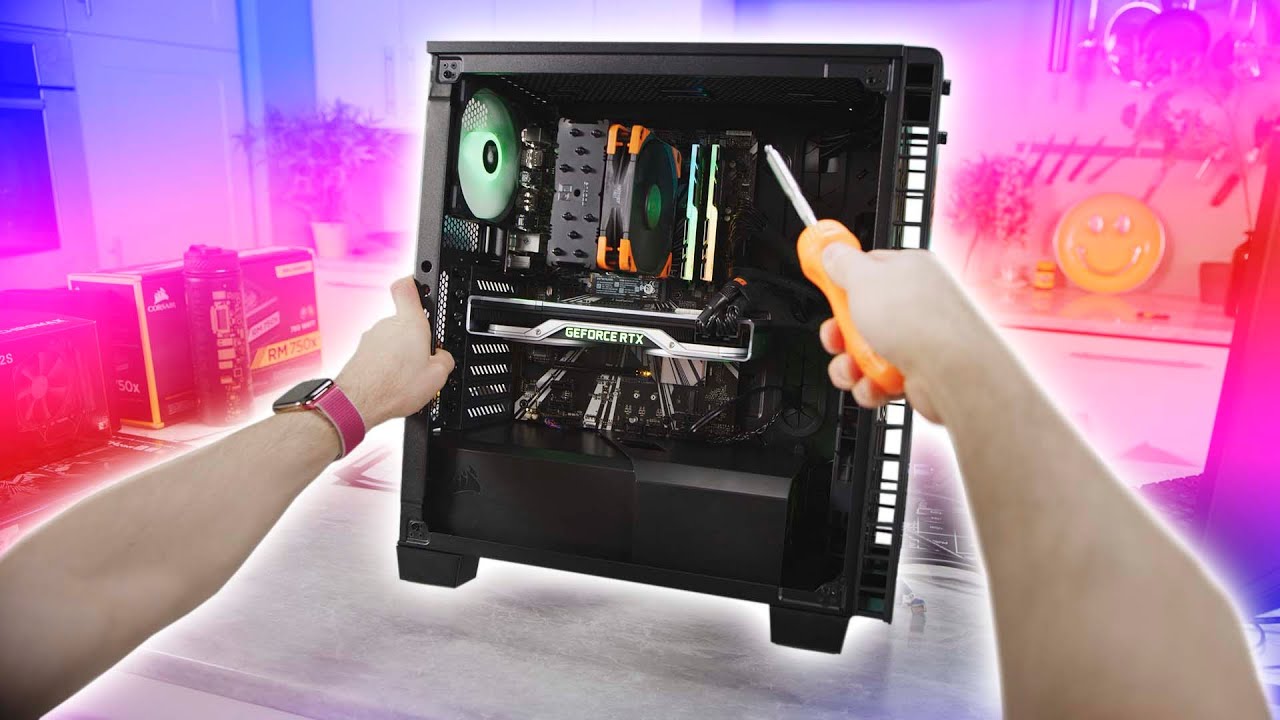
Thanks Intel for sponsoring this video! Learn more about how to build your own gaming PC at https://lmg.gg/edWob
Linus is taking the reins away from our film team and giving you his own view of building a gaming PC. This is a first person build guide featuring Intel's 9700K C...
 buoyant aurora
Ok, looks like I am gonna be spending $1900 on my system before microcenter savings
This became very expensive very fast
potent prairie
Yep
buoyant aurora
Especially workstations lmao
 hasty sleet
buy prebuilt swap gpu instant gaming machine monkey brain
little osprey
If you like overspending...
hasty sleet
thats why monkey brain
 jagged ember
stinky small brain
 little leaf
https://pcpartpicker.com/list/6CvmZf Thoughts on this low end apu gaming pc
using for a flip
 normal brook
No such thing as an APU “gaming pc”
spiral zealot
Esports focused if you really wanna give it a target use case
still roostBOT
 Juandsm27#7213 has been warned
Reason: Duplicated text
Juandsm27#7213 has been warned
Reason: Duplicated text
Juandsm27#7213 has been kicked
Reason: Too many infractions
little osprey
Wot
 vast topaz
what's the best graphics card for a Ryzen 3 5500X
 sudden turret
that actual not good
guy had links asking about his build, nothing wrong with that, but the length of the message bot considered it spamming.
 sullen spoke
Bad weggbot

 deep skiff
don’t get the 3100 just get the 3300x
 obsidian vault
kk
 cinder jay
ok
sand falcon
3100 has really bad core to core latency
 zealous epoch
would a ryzen 5 1600AF and a 960 GPU cause bottle necks?
it's a bandaid fix till he gets a new GPU
 analog hearth
@vast topaz is that a joke? the Ryzen 5500X doesn't exist, nor would it be "Ryzen '3'"
sand falcon
Maybe 2500x?
 compact hill
Lol
analog hearth
Lol
 novel sand
Hi, I recently bought a computer off an auction and I'm trying to figure out what i can upgrade on it for at least a 2x improvement but i don't know anything about computers... is anyone able to help?
analog hearth
what are the specs of the system?
novel sand
R5 1600 / rx580 4gb / 8gb ddr4 2400 / Asus Prime A320M-K
novel sand
yes pretty much only gaming
analog hearth
you already have a decent system. I would just focus on upgrading the RAM and the GPU. I would say a 2060 or 1660 Super (or TI) would be fine for the GPU, and then I personally would just add another 8GB of RAM (you can mismatch RAM as long as it has the same speeds and timings)
stoic island
Well 1600 is a pretty bad CPU today
I'd upgrade CPU and ram
And mis matching ram makes the ram run as slow as the slowest stick, which is 2400mhz here, which is pretty slow
analog hearth
yeah. forgot to mention that I would only add another 8GB if you're on a budget and not OC'ing memory. I would try to get 16GB 3200MHz kit if you're going to stick with the same CPU
analog hearth
also, I wouldn't rely on that motherboard if you're going to upgrade your CPU
novel sand
i bought this for $277 i'm just completely lost when it comes to understanding what fits with what and whether or not it can be upgraded
stoic island
Also, any SSDs in the PC?
novel sand
500gb
little osprey
Do you need a os Microsoft 10 pro
stoic island
Ebay key
novel sand
like i was considering a 5700xt but im not sure what all it'd take to make it work
little osprey
Buh they scam
stoic island
I mean it works now
analog hearth
your CPU would probably bottleneck that 1600. I would just turn up the graphics settings lol
analog hearth
that's a good price for RAM
 edgy wagon
2080 ti with a amd athelon 200ge
analog hearth
lol
edgy wagon
insert thanos "perfectly balanced as all things should be"
is there any reason to get more than 16gbs of ram? im debating replacing my cheap 3000 mhz for 32 gbs of trident z neo
analog hearth
video editing. real-time video encoding(?) (like, screen recording with OBS, stuff like that)
but for sure video editing
deep skiff
yea if ur ram is always pegged at 16gb or really high u probably could benefit from more
edgy wagon
its around 80-100% most of the time while gaming and streaming
analog hearth
I'd upgrading
edgy wagon
is the speed worth paying more for?
i saw the ltt video on ram speeds and i have seen slight upgrades in fps and power but is it worth 30-60 dollars more?
comparing say 30 bucks for a stick of 3000 vs 50 for a 3600 speed
analog hearth
using Ryzen? 3600 for sure
 sour kayak
So I’m in need of a cpu upgrade. I’ve got a i5-7500 paired with a 1070ti. Should I get a 7700k so I don’t need to switch out my mobo? Or do you think I should switch to AMD so I could benefit from more cores.
analog hearth
I'd say always go with a higher speed if it's doing something in real time
 mortal rampart
@edgy wagon neh I decided to go the 3200 route to save me $20
analog hearth
@sour kayak I feel it would overall be best to upgrade to a Ryzen-based system. some people would say to just upgrade to a 7700K (and I was about to say the same), but I just did a bit of research just now and realized that getting a 7700K still means that you'd be spending more than if you were to get a 3600 with a reliable but inexpensive X570 motherboard (I would say the Asus PRIME X570-P is a great budget X570 option)
and you could still use your same RAM until you decide to upgrade to faster memory
and there's an upgrade path as well
analog hearth
:)
deep skiff
also the 7700k is just a lame 3300x
novel sand
i think i'm just lost when it comes to motherboards...
analog hearth
if you're upgrading to something like, a 3600 or something that's lower-spec, I'd just stick to B450 (if you can update the BIOS, which requires a second PC)
sour kayak
B550 is coming out soon too
analog hearth
lol that too
hopefully
it's probably best to wait for that (if it ever happens lmfao)
sour kayak
Its supposed to come out June 16th, so it hopefully wont be long.
analog hearth
what's your source of news on that btw?
just curious because I haven't heard much lmfao
but nor do I even have a tech news source haha
or at least a reliable one
sour kayak
I was just looking at gamers nexus, which i guess isnt that reliable.
 analog hearth
btw rookies can't sent links
 hollow grove
rekt
sour kayak
Yeah i see that
analog hearth
haha
novel sand
I'm trying to switch from a hardcore console gamer to PC I just want to get at least 1080p 120fps med/high settings on all FPS games... but with the new xbox coming out i'm not sure i can make the move while beating its price but i have no clue what i need to combine to reach those specs
sour kayak
So your goal is to stay under the price of the xbox?
novel sand
even if its a couple hundred over... but even then my entire library is on xbox thats why im using auctions so i guess im just looking for the specs id need to hit those stats
sand falcon
New xbox probably won't hit 120fps on med to high settings
novel sand
at 1080p?
sand falcon
yeah
It's good, but it doesn't look like it will be that good
Are you looking to match the specs on the xbox or better them?
novel sand
if i can better... i have $1000 plus whatever i can get out of this pc if its not able to be easily upgraded
sand falcon
You have a pc you can upgrade?
novel sand
im not sure how far it can go if it can at all: R5 1600 / rx580 4gb / 8gb ddr4 2400 / Asus Prime A320M-K
sand falcon
What's the PSU+Case?
novel sand
im not sure its a pre built i got from an auction... i dont see supply
sour kayak
The power supply will probably have some model number and/or brand written on it
sand falcon
On the otherhand, we have a $1000 budget to work with
novel sand
the psu is hidden in a compartment ill have to open it but ill have to find the tools
novel sand
sorry that took a while its 500watt and the case is a Rosewill Prism S500.... if youre still here lol
 ornate marsh
Anyone running a ryzen 9 3900x with a asus prime x570 pro? Looking for memory suggestions , currently looking at gskill traitant neo for ryzen 3000 cpu
 white jungle
I’m kinda needing help with my current build project. I’m stuck at the point of wether I should sli my 1070 and 1080 together. What would be the advantages of doing so?
sour kayak
You cant sli cards that are different. A 1070 and a 1080 wont work.
white jungle
I’ve read on Nivida forums saying you could if they both have directx 12
 exotic trellis
is there a a gaming monitor that is good below 100
potent prairie
🙂
sour kayak
@white jungle Im not sure where you saw that information, but according to NVidia in order for SLI to work the two cards must be the same. Theoretically you could set it up to do an unofficial SLI with DX12, but the vast majority of games probobly wouldn't support that anyways.
damn that's a lot of storage
I've only got like 2.2TB
cursive wharf
@white jungle mGPU (multi GPU) is different then SLI. You cannot SLI two different cards together. You can mGPU two different cards tho. However mGPU is primarily useful for workstation tasks as very few games support mGPU. It's basically a DX12 thing only and not all DX12 games support it
You'd probs be better off selling both and getting a better single card
novel sand
do motherboards have a max speed for ram?
potent prairie
Yeah, check with your manual to see what the maximum supported speed is
novel sand
uhh.. mine has 2 different answers - AMD Ryzen™ processors:2 x DIMMs, max. 32GB, DDR4 3200(O.C.)/2933(O.C.)/2666/2400/2133 MHz, ECC and non-ECC, un-buffered memory...
...& AMD 7th Generation A-series / Athlon™ processors:2 x DIMMs, max. 32GB, DDR4 2400/2133 MHz, non-ECC un-buffered memory
stoic island
Motherboards don't have a max speed for ram
the CPU does
Motherboards usually label it for whichever CPU fits
deep skiff
yeah for example the first one is for ryzen, which is higher than the second one (a series and athlon chips), because ryzen has a better memory controller, allowing higher ram speeds
but usually for ryzen 2000 just 3200mhz cl16 is fine, and for ryzen 3000 3600cl16 is good
novel sand
ok thank you lol i was so confused...
 earnest olive
@hollow grove that belongs here but yeah Team MP34 is great
deep skiff
can we have the offical newegg discord pc build where its just parts that always are recommended like the cx450 and mp34
 wide sparrow
@stoic island mind if i see your ryzen master settings?
edgy wagon
just realized how much of a scam apple laptops are
this is a 1500$ computer
my 3600 rx 580 build was around 500 total and is leaps and bounds ahead of this mac
deep skiff
not to flex but
edgy wagon
damn higher clock speed lmao
deep skiff
 ur right
edgy wagon
this might be why i got 15-20 fps in most games
deep skiff
but ya macbooks are usually super overpriced unless buying used
edgy wagon
i bought it brand new when i came out
since my parents at the time wouldnt let me build a pc since "they got too many viruses" and "broke faster and are a bad investment"
and i didnt know better than to listen to them
now im majoring in computer science and broken out of so many lies i always believed
deep skiff
i just needed a laptop for school and stuff, got it used for 500 off a friend so its actually a decently good deal
edgy wagon
my dad used to buy windows pcs for work but he never thought about building his own instead of buying a cheap prebuilt every 2-3 years
sour kayak
Apple is really good at build quality and marketing, and that attracts a lot of people that don't know any better
deep skiff
tru
edgy wagon
now my pc runs laps around this mac
deep skiff
and everybody knows apples ecosystem well
edgy wagon
although i still use this mac for video and photo editing
since i prefer imovie and the trackpad is nice for photoshop but thats preference
deep skiff
lol imovie and gamepigeon are the only reasons to get apple products
edgy wagon
i wonder if i can get imovie on a downloadable drive using third party software
changing os types would be a pain though
sour kayak
iMessage in general is the main reason why Ive got an apple phone still. The second you add an android to the chat everything breaks.
edgy wagon
still has a flip phone since i dont use it for anything other than calls
stoic island
@wide sparrow my settings for what
wide sparrow
Your cpu
stoic island
what about it
wide sparrow
trying to get an idea on how far you can push a 3800x compared to 3700x
sour kayak
you hurt it?
 vague crystal
600 usd build?
little osprey
3800x can be pushed a lot farther but wait for 3800xt
Or 4800x
4800x is 8 cores on one ccx
Much better latency
sand falcon
Maybe
stoic island
Prob not
sand falcon
We don't actually know what any core count/configs will be yet
stoic island
4800x is more likely to be 12c or 16c
sand falcon
Two CCD's on some chips in the r7 line seems likely right now
vague crystal
hm
little osprey
Sources that signed an NDA but trust me enough to tell me
little osprey
Lmao
I'm not under nda
And I'm not saying who broke nda
I have not betrayed my friend's trust
Take it or leave it.
sand falcon
You did. What position are you in that you can get word on designs?
sour kayak
damnn
little osprey
A man with a lotta friends and a man with a lot of overclocking rep
sand falcon
And what is your name? I have never heard of you
deep skiff
 just cause kingpin is good at overclocking doesnt mean he can look at the 3080 ti design before everybody else
little osprey
I mean yes, if he's designing the PCB for Evga's kingpin 3080ti
sand falcon
what
normal brook
@deep skiff concidering that he has his own line of GPU's through EVGA, says otherwise.
little osprey
Kek
deep skiff
yeah but he cant get it before evga gets it
normal brook
No, but you think EVGA doesn't get it before the release date?
sand falcon
I don't think kingpin designs the boards. He doesn't have the training.
normal brook
That's not how things work.
little osprey
Are you implying evga doesnt have ES's
deep skiff
they do, and he doesnt make the pcbs also
normal brook
No, but he works with them.
little osprey
He provides input on the design
normal brook
Adds things.
deep skiff
he designs the cooling
sand falcon
So my question @little osprey... 5nm on zen3 or no?
sour kayak
I mean, they do design it in cooperation, but idk if he gets those designs any earlier
normal brook
And VRM's and such.
little osprey
The kingpin cards are not sold for their stock coolers. They are ln2 cards
Doesnt look like on zen3
deep skiff
and anyway i just picked a person, lets just say a different top tier overclocker
sour kayak
those cards come out after the first release, sometimes significantly later
little osprey
Zen 4 though looks like 5nm
deep skiff
its an e x a m p l e
normal brook
They literally get them before launch all the time.
sand falcon
Anyone can say that by looking at the roadmap. If you have an inside source, why can you not confirm yes or no?
normal brook
Watch Gamers Nexus. He has video's he releases after the launch data but that were made far before.
He just did one for new Intel CPU's.
sour kayak
hes a reviewer though
little osprey
Zen4 gets 5nm ddr5, and sold under ryzen 5000 name. Its five themed
normal brook
He was working with a overclocker.
sand falcon
@normal brook They're under very strict NDA though. Shingle here would be breaking NDA
normal brook
The overclocker had the CPU.
little osprey
I dont watch techtubers
normal brook
The Overclockers are under strick NDA too.
little osprey
I get my info before their videos are posted
deep skiff
i get my info a month ago https://wccftech.com/amd-ryzen-5000-zen-4-am5-desktop-cpus-ddr5-usb-4-support-2022/

AMD's next-generation Zen 4 based 5nm Ryzen 5000 desktop CPUs are rumored to get DDR5 & USB 4 support on the AM5 platform in 2022.
vague crystal
1070 for 220 usd?
normal brook
You really think a media outlet will get access before someone who has say in the final product?
sand falcon
Again, the zen4 stuff is old hat. All you have done is claimned an inside source giving core counts
little osprey
Yes and I've known that for like at least 4 or 5 months iirc
little osprey
Neat I think it's on slides somewhere
sand falcon
When will we get that stuff?
still roostBOT
 Señor_Shingle#9658 has been warned
Reason: Bad word usage
sour kayak
RIP
little osprey
I ain't heard anything regarding smt4 lately
sand falcon
What is smt4? No googling
little osprey
Quad threading
sand falcon
How many chips support it right now?
normal brook
I can never remember AMD's multi-threading acronym.
I have to look it up every time.
little osprey
I heard weird stuff about it a while ago but it was just whispers about possible quad threading
sand falcon
So you say no chips currently support it?
little osprey
The cache is there but smt4 isnt super useful for the trouble you have to go through to make it happen
sand falcon
How many chips currently support it though?
little osprey
No clue. IBM has chips that do that
little osprey
Yeah
sand falcon
You didn't think to mention this earlier?
little osprey
IBM has all kinds of crazy nazi science they leverage
The fact ibm had quad threading?
sand falcon
Yes
little osprey
I gotta go clock in
sand falcon
Build
sand falcon
Yup
normal brook
I always thought it was only 2 because of diminishing returns.
sand falcon
There were some chips a while back that could go even higher
IBM more or less solved the diminishing return issue
sand falcon
I hyperthreaded core is essentially two "pure" cores, just sharing some of the branch-prediction and similar hardware
There are two separate ALUs and register files for each core and thread
normal brook
I am in a terrible mood.
 oak hamlet
https://pcpartpicker.com/list/tJvLBZ this is my current build that im having problems with
deep skiff
yea
vague crystal
@gloomy goblet you dont need an aio for a 3600
 gloomy goblet
oh is this better?https://pcpartpicker.com/list/TtzsQq\
 modern dew
random question if anyone has experience.. ive read some horror stories on using diff brand fans on 1 hub/controller, i dont plan to but am just curious. Ive got 3 3pin sp120s and 4 4pin sickeflow v2s, i planned on tossing maybe the 4 sickles on the hub, but would it be fine if hypothetically i used all fans 3 and 4 pin diff amp pulls on 1 hub? i know rpm wouldnt be the same but just in terms of it not exploding on fire or somethin :p
sour kayak
I think the issue is less with hubs, and more with splitters
modern dew
my goal was just taking some pull off the mobo instead of 6 headers being occupied, and putting load to psu instead so just the 4 is fine but curiosity
sour kayak
A hub would be fine. Just don’t plug to many fans into one header
modern dew
the way it is rn is 6 slots and 1 has a splitter of 2 fans but thats on pump header since higher amp rating headers, but i would ideally want to clean wires up all to hub if its possible thats why i was curious but isnt a deal breaker
potent prairie
Dunno about different brands b/c they may have different draws, but my CoPro can handle 8 fans with some splitters no issues
modern dew
yep that was basically why i asked, the amp pull is different but not by much pretty close
ill prob just stick the 4 same fans and be safe
but again just was curious for cleanliness
exotic trellis
why does the NZXT case have a 100 dollar shipping on amazon
modern dew
probably is a different seller
spiral zealot
yeah almost definitely 3rd party fulfillment
modern dew
the non main sellers have crazy shipping sometimes, especially rn
i saw some things 20$ acessories having insane 50+ shipping rn, its all down to crazy upscaled 3rd party sellers price gouging
cosmic spear
You guys
Were right
Build cheaper
That one from a company
400 less
Ryzen 7 3800 rtx 2080 ti
Anyone from nj
spiral zealot
strictly gaming, or gaming and streaming?
 past harness
gaming
edgy wagon
ryzen 5 3600 1660 ti
spiral zealot
^
edgy wagon
just look up 800 budget build
there are so many vids
also you could go ryzen 5 3600 and a rx 5600xt or an rtx 2060
but the other parts would be cheaper
edgy wagon
what games do you want to play @past harness ?
and do you plan on recording or streaming?
spiral zealot
he said just gaming when i asked initially
past harness
Just normal games
edgy wagon
we talking fortnite / valorant / csgo or Assassins Creed / Tomb Raider / Battlefield 5?
past harness
gta rocket league mine craft
edgy wagon
ok so those are mostly easy to run
past harness
can sumone put together a list plz i am so new to this
Ik my frioend knows a bit but he go tno internet so im on hios accoutn
spiral zealot
@past harness something like this will run those games, and more - https://pcpartpicker.com/list/DXnrQq
and is a little under budget
edgy wagon

How to Build a Gaming PC, Nvidia GeForce GTX 1660 Ti & AMD Ryzen 5 3600
Games tested Fortnite, Overwatch, CSGO, R6S with Benchmarks/Gameplay!
Best $800 Budget Gaming PC Build Guide for 2020 PC Gaming!
This 800 Gaming PC was inspired by Ghostface
►SYSTEM SPECS (PC PARTS LIST)◄...
not sure about gta but ik that you can run those games on a simple system
spiral zealot
if you want more storage, you can swap out the drives for a bigger ssd/hdd and add 30-40 bucks to the overall cost probably
but the core of that, cpu/mobo/ram/gpu will run what you want to run
and might be overkill if that's the only stuff you're gonna run, tbh
but it's under the budget you mentioned
edgy wagon
i mean i get 240 fps in games i play and ik that rocket league is easier to run
although i keep my settings medium or low since i play more competatively
past harness
@spiral zealot Could i use a different case woith that buiold
sum with a litttle white in tt
spiral zealot
yeah, the case can be whatever you want, i just grabbed something that would fit the motherboard and was around the $60 price point
past harness
Would the DIYPC DIY-A1-W ATX Mid Tower Case
Work
 surreal mango
It would work
spiral zealot
yeah, that woul dtotally work too
past harness
Ok how do i remove the other one off the list
spiral zealot
there's an X on the right side by the price for the case
click that, and then it will reload with a button that says 'add a case'
and then you can click that and go pick the DIYPC case instead
past harness
no x
spiral zealot
near the top right, you should see edit this part list
click that, and then there will be the X to remove things
if you still can't, i can go in and edit it
 exotic marten
Anyone still on?
 stray current
hello
exotic marten
So I bought brothers old 6600k Mobo and ram. Now I'm having bsods and freezes like crazy. Never had this on my 4690k build. Did ram test. Clean. Reinstalled windows completely on separate drive for testing same thing now.
little osprey
Re mount the cpu
exotic marten
He said he never had issues which I believe since I have seen it working great
spiral zealot
first thing would be to make sure that everything is seated correctly. pull the ram and reseat it, reseat the cpu, etc
little osprey
Reseat the cpu
exotic marten
All components worked before. X2 970s 850w psu
Did reseat CPU already as well
No bent pins
spiral zealot
do you have any other cpu that you could socket into that board?
exotic marten
Updated bios and tried secondary BIOS as well
Nah just the 4690k
Same socket diff chipset
spiral zealot
yeah
hm
i think they're slightly different sockets too
i thought haswell was 1150
and skylake 1151
but either way
can't swap
exotic marten
Ohh wait yeah you right
exotic marten
I really am getting pissed off now. No idea what the issue is
Z170 and Z270 for 6600k
spiral zealot
if you tried it with different ram and you've reseated everything, and tried a windows install on a different drive
it sounds like it would have to be either the cpu or the board
exotic marten
I've even changed power outlets
spiral zealot
do the BSOD's give any error string or anything
exotic marten
Usually whea uncorrectable or irql
Within the last hour just trying to play a game it's been restarting by itself no bsod. Just froze so I came in here
celest horizon
Sup shingle
spiral zealot
whea uncorrectable is usually a hardware failure of some time, especially if it happens on different windows installs
exotic marten
Starting to think it's the Mobo at this point. CPUs rarely are bad
spiral zealot
yeah
if you haven't done anything crazy like OC it too hard or anything
it could very well be the board
exotic marten
Sucks because they don't make Z170s anymore. Gotta scrounge for a new one
Nah everything stock right now
Have even swapped cmos batteries
exotic marten
Already spent 300 on this plus 67 for new ram
spiral zealot
there's a board on ebay with 2 days left on the auction, currently at $2.25 lol
msi z170 a gaming pro carbon
exotic marten
Otherwise I would have bought all new
spiral zealot
can keep an eye and try and snipe it if it stays low
exotic marten
Of course there's an ASRock z270 new on Amazon which is brand I got now
Is that in stock ?
Link?
spiral zealot
it's just an ebay auction, private sale
if all you want is something to use as a test bench
there's an HP Elitedesk LGA 1151 mobo for $22
buy it now
exotic marten
Nah would rather just find a new one this way I can return
Amazon easiest for returns well Newegg too
spiral zealot
true
exotic marten
Thanks for the help anyways
spiral zealot
no problem, sorry couldn't find a solid root cause
 lucid crag
Is rog strix b450f compatible with 3700x?
spiral zealot
on the right bios version, yes
https://www.asus.com/Motherboards/ROG-STRIX-B450-F-GAMING/HelpDesk_CPU/ this says 3700x is compatible from bios version 2301 and beyond
current version is 3003, so it's very possible that as long as you don't end up with a really old board, it will have the right bios out of the box
lucid crag
But if I do get an old one am I screwed?
Cause I don’t have older cpus
Only got a 3700x
jagged ember
Local microcenter or something should have CPUs to help you update the bios no?
Or ryzen has the boot program thing where they send you an older cpu
But you have to give it back after you're done
spiral zealot
spiral zealot
worst case scenario, AMD can send you an athlon 200GE to use to boot with
and update bios
and then you send the Athlon back to them
lucid crag
How long would it take?
spiral zealot
depends on where you are, you fill out a form, they have to review/approve it, and then they send you the CPU
lucid crag
I have to pay for it?
spiral zealot
no
but you have to send them the serial number and proof of purchase on your 3700x, so they can verify that you actually bought the CPU you're trying to use in the new board
and then they'll loan you an Athlon for free
except you might have to pay shipping
not sure
jagged ember
Both ways I think
spiral zealot
i didn't read too deeply into it
jagged ember
Wait
Return shipping is definitely prepaid
You get free thermal solution though that's dope
spiral zealot
oh yeah, it's totally free
spiral zealot
they send it to you with prepaid return shipping, yeah
jagged ember
But I bet you gotta pay for shipping to your place
spiral zealot
but, that's also only needed if your rog strix board doesn't work out of the box
jagged ember
:(
spiral zealot
version 2301 was released in may of last year
and i can't imagine there's any places with stock older than that
especially with the shortages right now
so if you buy the board, you'll probably be fine out of the box
lucid crag
So basically I get the board that isn’t compatible with 3700x, I connect the cpu that amd lends me, I do the bios update and that’s it?
spiral zealot
yep
and then you send the loaner CPU back to amd
prepaid return shipping and all
lucid crag
So should I do this
Get the asus b450f and if it’s not compatible with the 3700x I’ll get the loaner
spiral zealot
i think the odds of having a super old bios are pretty low at this point, so if that's the board you really want, i say go for it
 sharp viper
Hey guys my friend wants to build a pc for around 800 so he can game with everyone. I know a little about computers to the point where I can get a list that works but I don’t know the best budget parts
spiral zealot
better to get the item you want and then just have to do a couple of steps to get it working than compromise and get something you really want
spiral zealot
@sharp viper put this together for someone earlier today with the same budget, for a strictly gaming machine https://pcpartpicker.com/list/DXnrQq
spiral zealot
you can fudge pieces here and there, if you want more storage or whatever
sour kayak
@lucid crag I would like to point out that B550 boards are coming out on the 16th, and those are natively compatible with 3rd gen CPUs
spiral zealot
but that's a general guideline
deep skiff
 3600cl18
spiral zealot
oh lordie
here we go
😛
there's a gskill set of 3600 that i think is CL16
but it's a little more expensive
but that build is a little under budget
so can swap out
one sec
https://pcpartpicker.com/list/p6Q9dm @sharp viper there
better timings, same speed
sharp viper
Thanks guys I appreciate it
spiral zealot
i'm just gonna go make a bunch of pcpp lists for different budgets and bookmark them lol
deep skiff
also for like $10 more u can get a better gpu for gaming and twice as big ssd https://pcpartpicker.com/list/kFPHTC
spiral zealot
fair, i haven't used adata stuff before so i was staying away from them
but it's cheap enough
if it dies, it dies
spiral zealot
at this point, pretty low
deep skiff
also 256 and 120gb drives are usually close in price
spiral zealot
there's been a shortage of supply, which means stuff making its way out to customers is new built stuff
spiral zealot
i think you'll be fine, but on the small chance you aren't, you have ways to get up and running
lucid crag
ASUS ROG STRIX B450-F GAMING AM4 AMD B450 SATA 6Gb/s ATX AMD Motherboard https://www.newegg.com/product/N82E16813119140?m_ver=1
 quasi girder
Hello can anyone help me I’m trying to make a red and black color scheme for my pc build and I need help picking the rest of the parts so far I have the ryzen 5 3600, b450 tomahawk max, trident Z DDR4-3200 CL16, also I need a monitor
 latent storm
budget?
spiral zealot
yep
past harness
Lmao no wi need some advice
Any good replacements for a NVIDIA GeForce RTX 2080 SUPER 8 GB Video Card because best buy sell it for 699 but its out of stuck and amazon sells it for 850 or sum and im not tryna pay that much
stoic island
@past harness wegg ftw
https://www.newegg.com/evga-geforce-rtx-2080-super-08g-p4-2083-kr/p/N82E16814487498
latent storm
incredible
latent storm
huh
 wary tundra
my bad
stoic island
3100
wary tundra
I meant to ask a question but I think I jumped in by accident
stoic island
better iPC
wary tundra
ok
past harness
So is this a good replacment ofr the same price of my rtx 2080 super founders
wary tundra
well nevermind the 3100x is $150
past harness
I had a rtx 2080 super founders but its soldout
latent storm
get 2070s\
spiral zealot
2070 super
 austere wren
@shy otter pc part picker and wanted help https://pcpartpicker.com/list/v4WJQq
Kept on deleting so I posted it for him
 shy otter
Thank you sm
cursive wharf
lots of things to change
austere wren
Np hope you can find somebody to help you as i'm going to sleep!
normal brook
SickleFlow 120mm vs Masterfan 120mm what's the difference? 😮
shy otter
I know the type c port is not gonna work on current case. Also case is out if stock but the rest of parts is in stock. So if someone could help me find better ram, case in stock, and anything extra. That would be appreciated!
°budget is $700
°I have 1650 already
Please @ me if you help
cursive wharf
-Tomahawk is a $70 - $80 board with good VRMs. Not worth the 115 price so dont buy it for that much. Just get a Pro4 or smth of sorts (depending on stock)
-3000MT/s CL16 RAM is the same price. 3200MT/s CL16 RAM is like $3 more
-A400 lacks DRAM cache and a good controller. One of the worst SSDs on the market
-PSU is more or less an IED. One of the worst semi-name brand PSUs on the market
-Case is priced too high for the budget. Also poor airflow.
-GPU should be sold for a slightly higher budget to get a much better GPU
@shy otter
shy otter
Okay I already have the ssd so I should return it?
Also this all seems really complex how can I get a good build? Could you help me make a better one
cursive wharf
Selling the GPU should get you at least $60, probs more like $90
https://pcpartpicker.com/list/PNhJQq
shy otter
It’s a good build. I can save money on the 1650 since I already have it from old build.
cursive wharf
note that the GPU is 1650 super which you dont have the super
That is a 30% to 40% perf boost
shy otter
I should sell old one then
cursive wharf
yeah
cursive wharf
5500XT is also not that great
 teal bison
Hey, havent been keeping up with all the new stuff happening and have a few questions. First off, what is the consensus on the new R3 cpus (3100 and 3300x). Second, is the 1600 af still being stocked at $85? It seems to be at $103 right now. And third, are there any other notable product launches that have happened recently. I know intel released their 10 series but that doesnt seem to be super groundbreaking from the little bit that I have seen, but I am still researching
Also sorry for the wall of text
shy otter
Actually he has that one yes
cursive wharf
used 5600XT for $100 is a very good deal
cursive wharf
alright, gn
@teal bison 3100 alright, 3300x great deal ($20 more for 20% - 25% more perf of 3100). 1600AF should still be $85 but supply/demand scale makes it closer to 100. So it'll be a bit for proper pricing. Lastly, not really. Intel launched their stuff. Only okay CPU was 10600K maybe replacing 3700x gaming builds. Tho you'd want at least a 2080S/2080Ti before getting it as cost for Intel is still a fair bit more. Also AMD XT CPUs may make the 10600K useless. Tho they havent launched yet and no info on it, so cant 100% say
teal bison
After watching GNs benchmark, it seems like the 3300x is very good value. It kind of makes the 3600 irrelevant, in some games matching, some falling a bit behind, and some even exceeding the 3600's performance. Do you think 4c/8t will hold up for a while? is the extra $65 worth it for the extra 2c/4t?
and it seems the 3100 is DOA because of the 1600 af existing. It seems to outperform it at a (theoretically) cheaper price
also congrats on techie @cursive wharf I remember you from a while ago and you were always online helping other people. Well deserved
also what is up with b550? is it looking like it is worth anything? are there any notable differences between it and 450 other than pcie gen4 support?
deep skiff
4c8t will still be decent (look how close the 10600k and 10900k are, with a 4c/8t difference), and by the time it will be bad at gaming it will probably upgraded
 waxen cape
Hi,In my build paired with a I-9900KS died so what happened was that my custom water cooling system LEAKED and that broke 1 of my 2 RTX 2080TIs so ya pls help
The new GPU does not work
I think I broke my GPU slot on the motherboard
still roostBOT
 albert bishop#7006 has been warned
Reason: Duplicated text
albert bishop#7006 has been kicked
Reason: Too many infractions
stray current
rip
 gray river
get mee6'd
 foggy bough
wait @teal bison so basically the 1660 af is much worse than the 3300x which is 4c 8t? hows that possible?
cursive wharf
3300x has better averages but less consistent frame times @foggy bough
 austere condor
@foggy bough 1600af is on par for gaming performance with a 4th gen i7 while the 3300x is on par with a 7th gen i7
Just because the 1600af has more cores than the 3300x, doesn't make it better. It's cores are significantly slower
It's like comparing a 6 cylinder Honda pilot to a 4 cylinder Porsche 718 cayman
Lol
If core count is all that matters for performance, people would be using the 3990wx for top tier gaming rather than the 10900k
 sturdy flax
is this a good build?
dangit
R5 3600X, B450 chipset, 16GB RAM, 2TB HDD/120GB SSD, RTX 2060, 600 watt 80+ PSU
spiral zealot
1600af is basically a 2600, for comparison sake
sturdy flax
aren't AMD CPUs basically a smol bit big dif in between gens?
stoic island
Quite a bit better between generation
spiral zealot
Also smh 4cyl 718 cayman, flat 6 or bust, nothing sings quite like my 3.4L cayman S
deep skiff
1600af is a slightly downclocked 2600
sturdy flax
true\
