#building-and-recc-chat
1 messages · Page 513 of 1
 modern shadow
 unborn solar
nice thank you!! I have that video card plugged into one slot.. not sure if there is a network card plugged in the other or not. I will look at those tomorrow.
 stoic island
A80 is worth the extra 10$
 buoyant flame
 lyric thistle
😔
Yeah I was better off with a SATA drive
Board doesn't have PCIe 4x slots, only 16x and 1x
 latent storm
pcpp says the phanteks amp 550w is out of stock but it looks like it’s in stock in newegg, why
stoic island
pcpp is slow
lyric thistle
Pcpp stupid dummy dum
latent storm
ah alright
lyric thistle
They don't even have Ryzen 5 1600 AF 😔
lyric thistle
I checked before and they did, and then I checked again maybe a week later and they didn't
 little osprey
Ok I just build a pc and the cpu pwr 8 pin says left and right bc it’s separated into two 4 pins does it matter which side it’s on bc it fits in no matter
stoic island
not really afaik
unborn solar
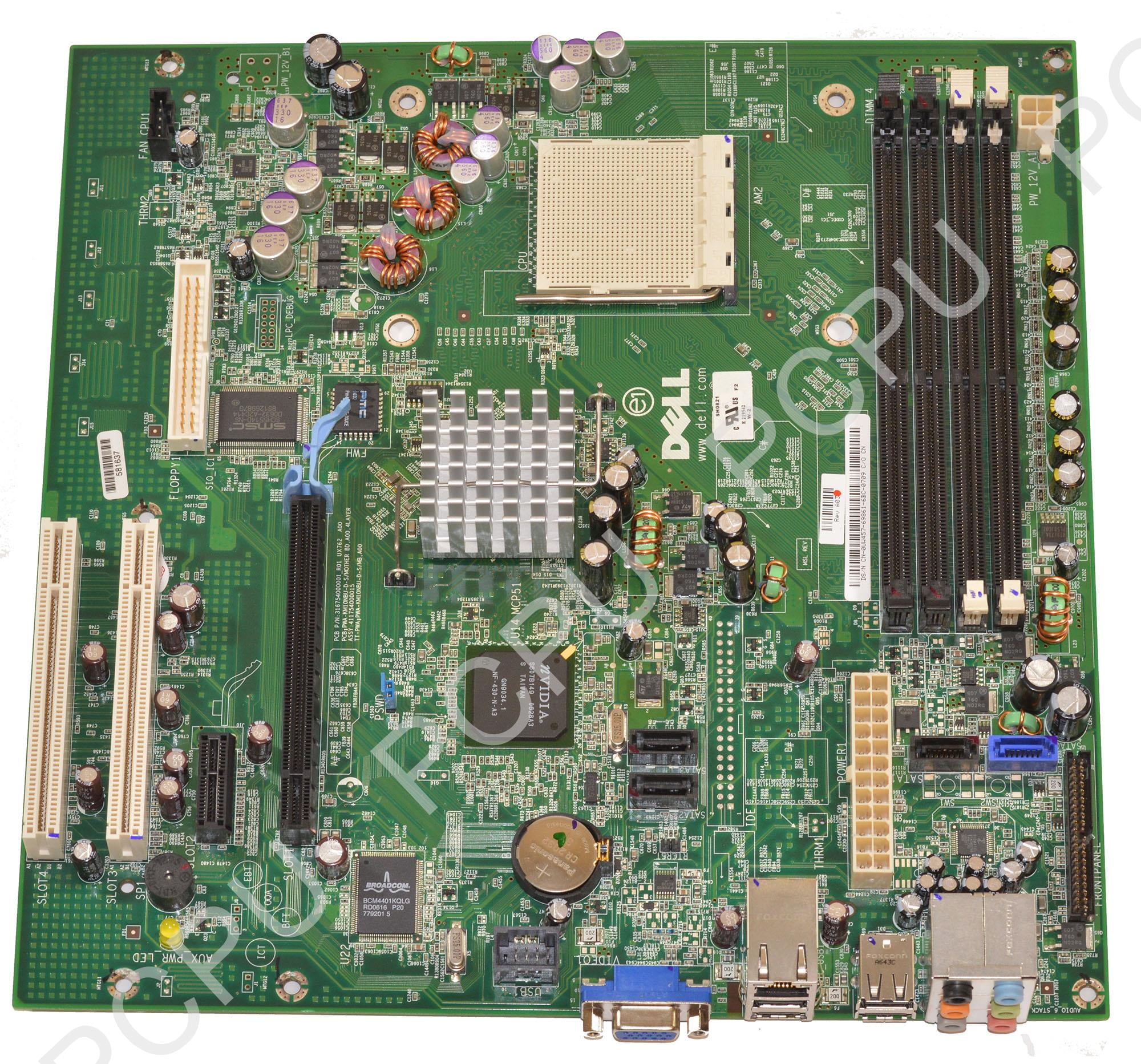
@lyric thistle and those bottom 2 slots are both empty
buoyant flame
Damn 150 dollars for a 1600 af
little osprey
Why did the price go up like 50% lol
unborn solar
I know enough about building computers to only be dangerous...
buoyant flame
Why did the price go up like 50% lol
@little osprey
Human malaware
little osprey
Bruh
unborn solar
yeah the white ones are both empty
lyric thistle
Also oof no more budget hexacore gaming
unborn solar
looks like I have an empty bay for a hard drive too with a loose cable next to it
the e521 came with the main hard drive and a very small recovery drive then I guess it had an extra slot
lyric thistle
Ah
unborn solar
where on that board does the sata cable plug in?
unborn solar
umm lol not sure there is a cable hanging down next to the hard drive slot with no play in it. I assume that is power.
unborn solar
yeah the wider one would be hanging down next to it I believe
lyric thistle
Ah ok
unborn solar
it's a 90 too
lyric thistle
90 degree?
unborn solar
yeah
lyric thistle
Mine are perpendicular too
That cable plugs into hard drives and 2.5" SSDs to power them
unborn solar
cool
lyric thistle
And they originate from the power supply, and in some instances from the motherboard itself
Your main hard drive is plugged into the blue port, isn't it?
unborn solar
probably.. I can go check my wife was using the computer so I popped the cover back on and came back downstairs 😉
after running Glary's and doing a defrag it is running a lot faster. I have neglected to do that for a while.
lyric thistle
Hehe
unborn solar
so does it matter or is there an order in which port you hook the data cable to?
lyric thistle
I don't think there's a specific order to them that makes a difference. They are/should be labeled on the circuit board, "SATA_0, SATA_1, SATA_2..." etc.
unborn solar
ah cool
lyric thistle
The blue one however is probably the highest speed port, in this case using SATA revision II, and the other three probably use SATA I
unborn solar
ah I see my sata 2 and 3 are empty
little osprey
Can someone help me
unborn solar
once i plug that pci card in will it change them all to sata III?
lyric thistle
The PCI card would have SATA ports on it, and they should be SATA III, so you would be able to get 600MB/s
unborn solar
ah.. I see
lyric thistle
The old ports remain on the board, still usable
unborn solar
so once I clone my hard drive just plug the ssd into 1 and maybe use my old drive as a backup?
lyric thistle
I think so
unborn solar
I really appreciate the help!
unborn solar
🙂
little osprey
Can someone help me
lyric thistle
Yes Cow, what do you need help with?
stoic island
CXM is not a very good psu
lyric thistle
The RAM could be switched out with a cheaper kit, same speed and timings, the SSD could be changed from the 1TB model to a 500GB, you might be able to find a cheaper case, and you can use the CX 550 instead
CX is good good 👍
stoic island
You can save money with this
https://pcpartpicker.com/list/m22Vyk
CXM is not good, CX is good.
iirc at least
it's cheaper anyways
Yea CX2017 is 2 tiers above CXM <650w
stoic island
I usually don't like going down to 3200
lyric thistle
Maybe it's more of a performance hit on 3rd gen Ryzen than like the 1600?
lyric thistle
Ok
stoic island
1600af can't even utilise 3600mhz iirc lol
because up to 2nd gen, they support up to 3200mhz
3rd gen does like 3600+
lyric thistle
Ah ok
little osprey
@stoic island on the list you sent me will I need a bios update with that mobo
stoic island
Nope
little osprey
Ok
stoic island
as you can tell
 tidal vault
yea was worried about that too; but got the board thanks to Naed
 cloud drum
Yo
little osprey
Thank you
cloud drum
I'm so drunk
stoic island
You're welcome
 stoic island
Not really
cloud drum
Fk you
little osprey
What is a good case @stoic island
stoic island
Focus G
little osprey
Ok
 still roostBOT
 Guitarbilly#3249 has been warned
Reason: Duplicated text
unborn solar
Pros: -Will take your SATA3 drive and unleash its full potential
-Cheap
-Comes with a HH adapter
Cons: -Short, you might have to get a longer SATA cable to reach your drive
-No RAID support
Overall Review: Make sure your motherboard can support PCI-e 2.0. This is crucial if you want to get speeds above 400 MBps. For my setup, the 1x slot was right next to the 16x slot so I had to buy a 1x riser ribbon cable then fashion it to the first expansion slot. Plan ahead!
lyric thistle
Smh wegg I was reading that
 swift fractal
Guys can someone please recommend me a minecraft server build? 20ppl and about 3-2 plugins?
unborn solar
so with the dell e521 will it support the pci-e 2.0?
lyric thistle
If your GPU is a single slot wide card, it should fit
As for PCIe 2...
Lemme check lol
unborn solar
thank you I almost got in trouble with Wegg
lyric thistle
I'm not sure, I can't find any info on the PCI Express revision on this computer
Maybe if I search by motherboard model name
stoic island
Yes
unborn solar
I appreciate it. I hate to put you out. I can research it some tomorrow and try to figure it out.
 vague crystal
im trying to build a small emulation pc for like cemu, dolphin, and mabye rpcs3 but thats probably too much. emulation like that is more cpu and more towards intel. (wii emulater, wii u emulator, ps3 emulator)
https://pcpartpicker.com/list/762Vyk
thats the list, i dont know what gpu/psu to use. I am going mini itx and change anything you would want. (note i already have a 2tb hdd so i dont need a hdd)
stoic island
wait so does it need a gpu?
unborn solar
I need to run to bed.. gotta get up early for church tomorrow. Drive in church hopefully covid 19 free
little osprey
Thank you @stoic island
stoic island
You're welcome
stoic island
Budget?
lyric thistle
Good night @unborn solar
vague crystal
800 usd
lyric thistle
Mr1111 I can't find the model name on his motherboard 😔
stoic island
Sadly I don't know stuff about older hardware sorry
lyric thistle
But if anyone can find a model number in this mess, @ me
https://i5.walmartimages.com/asr/35f0e5de-e935-4a76-8137-74ab5a1cba99_1.72c3a28463786a47558b80e91659807f.jpeg here's the image link incase the discord compression is a thing
unborn solar
i cannot share links right?
vague crystal
walmart images
unborn solar
wegg bot is getting mad at me
lyric thistle
You can now ^^
stoic island
hmm
lyric thistle
The blue role can share links and images
vague crystal
add on to my thing, going for red/black ish color scheme
vague crystal
that case looks like fat but okay, might go with it. thanks.
stoic island
It's cheap, a bit chunky, but I think it's still pretty good
unborn solar
How do I find out if the PCIe bus on the E521 is V1.x or V2.0? On the "Specification" section of the User Manual, it says that it is PCIe V1.0A. However, it claims a maximum speed of 500MB/s for x1 slot. This does not seem to make sense. Only V2.0 PCIe could achieve that speed...
I found this.. interesting video at the bottom.. would that be a better option for me?
vague crystal
i would like some more red, but besides that its good.
stoic island
red?
 pastel briar
red? well lets RGB ALL THE THINGS!! no seriously, red case, red fans, R LEDs um...anything else we make red 😄 (I also enjoy red and a few other colours)
vague crystal
weird color for pc
pastel briar
not really
I like colours for PCs, I remember when a PC used to be beige and you could pick any colour you want as long as it was in beige
vague crystal
my main is black and rgb cause well yeah
pastel briar
infact I even got colour coordinated ethernet cables and plugs for the PCs, depending on function I have different colours going to different boxes (yes even the power cords are coloured too)
lyric thistle
It might be a good idea to forgo the PCI card in this situation @unborn solar
Which would mean using the same exact data port used by the hard drive currently
pastel briar
@foggy hazel not sure if your still here mate but servers back up, with 56GB of RAM installed
lyric thistle
I think he's sleeping :p
pastel briar
im sure of it, but you never know
lyric thistle
He'll see the mention later
pastel briar
yup
vague crystal
what about colord sata cables?
thoes yellow or blue ones?
I think gigabyte used to ship blue stata cables with mobos
pastel briar
I just use the reds....more HP 😄
 foggy hazel
i am up, working, but up
@vague crystal Gigabyte used to ship light blue ones, P65 chipset boards had that
latent storm
linus
vague crystal
yes that guy
latent storm
linus is my father
pastel briar
im sure I still have some, I got blue, red, black, orange and black with white connectors
vague crystal
orange?!?!
pastel briar
yup
vague crystal
h-how
pastel briar
for get where it came from, but it was thankfully long enough so it went into my current gaming PC for the ODD unit
but yea its orange with black connectors
😄
foggy hazel
i think Asrock was orange
 quick wren
two black ones, a red, and an orange in my current system.
foggy hazel
i think mine are yellow, because i am fairly certain i for once used some with latches on
and those are the only latch ones i have
quick wren
and I have two black ones and a blue one left in my box of random cables, all with latches
 open brook
i found out today took core i7 6700k 980 gtx ti computer to a computer shop and he says the computer started fine and it was the monitor he connected the pc to his own monitor it turned on and then when i took it back to my house i plugged the hdmi cord to the monitor as well as the pc and it was definately the monitor next step is to buy a 1080p monitor cuz i dont think a 980 gtx is capable of higher resolutions at higher frames when the computer ran it was 0 dropped frames im glad the pc works again and it was a monitor issue u can get a cheap 1080p monitor for only 200 bucks
the monittor is a samsung 12 year old
60hz 1080p
quick wren
monitors don't last forever, sadly.
open brook
yea im also glad that 1080p monitors at this current time in 2020 are super cheap to replace
stoic island
they do last a while though
quick wren
most of the time when they die it's bad caps though, which frequently will give you some warning with backlight flickering
open brook
yea at 1st it had red sccreen then later had no signal what so ever on multiple pcs and tv hdmi boxes for cable so it is the monitor
lyric thistle
I have a monitor, the panel is probably fine, but it died
pastel briar
my sata cables are orange with black connectors and the little locking metal tab things on both ends
open brook
is it possible to hook up a pc to a 2018 msi laptop screen probably not but worth the shot to ask
 silk estuary
I mean, i was able to play my Xbox through like a 2005 laptop so if yours has a hdmi port I'm sure it would be fine
open brook
so how do you turn off the laptop system and use the 144hz screen i have an hdmi cable ready
silk estuary
I just plugged my Xbox in and it worked /shrug
open brook
kk
 potent prairie
Can someone recommend a good AMD chipset and CPU? I want to make a setup for qhd gaming for my sister. Needs to be able to handle heavily modded Skyrim
Probably gonna go for an 8 gb 20 series or 10 series gpu
lyric thistle
B450, R5 3600
potent prairie
Is that overclockable?
lyric thistle
mhm
potent prairie
K, thx. I'll keep an eye out for deals
 mighty sapphire
Hey guys does anyone recommend a good internal Bluetooth card to add to the tuf b450 pro?
pastel briar
hmmm....let me see what I can find for ya
foggy hazel
why internal @mighty sapphire ?
mighty sapphire
I figured it would be better?
 austere condor
 lime forge
pls, can i steal it
mighty sapphire
On a second note, what’s the lowest/cheapest build that could run apex
I have an old duo core intel if I could use anything from it
foggy hazel
@mighty sapphire what do you actually need bluetooth for?
pastel briar
@mighty sapphire you would want to consider something like this for your request, I also must ask the same as @foggy hazel what is your need (use case) for having bluetooth?

eBay
Compatible With: Almost computer with PCI Express (PCI-E 1X/4X/16X slot) Intertaces; Not support all devices which motherboard with AMD chipest. if your motherboard is AMD, pls contact us before ordering, we will tell you whether it can compatible with your motherboard It j...
buoyant flame
I dont think airflow should be a problem with that case 😂
pastel briar
Memory addition completed and working
 wispy matrix
1000$ budget pc budget im looking to do a better pc then my 600 dollar prebuilt
stoic island
Any preferences?
pastel briar
I would recomend AMD
stoic island
Hmm looks like you can't get 1600af+2070s any more
wispy matrix
Amd
stoic island
Do you want an AMD GPU?
Also, do you have any parts that you will be reusing? Like a hard drive or something?
buoyant flame
1600af is ruined now 😭
wispy matrix
i have a 1tb i will be reusing
stoic island
Here's an example list I quickly made
https://pcpartpicker.com/list/rBjGDx
wispy matrix
stoic island
@wispy matrix you want my opinion on your list?
wispy matrix
go ahead
foggy hazel
(if nothing else, Covid makes us recommend different PSU's)
pastel briar
😄
buoyant flame
Lol
pastel briar
and my COVID senses are tingling, another memory purchase inbound.....
😄
why do I need more memory and hard drives??? um well because I have a bad tendency to forget things so I figure the extra memory should help remember things.......I think? Now what was I about to do.....stares at the hangar wall...hmmmm....
quick wren
I need another 64GB installed in my brain then.
little osprey
Can anyone help me out? Im trying to decide on a b450 board for a 3700x.. asrock pro4 micro VS asus TUF micro (20 bucks more), and also how can i be sure it will ship with a ryzen 3000 series ready bios?
stoic island
I would suggest a Asus tuf B450m pro
The tuf I know should ship with 3000 series ready bios
little osprey
True, it is newer i believe
pastel briar
@little osprey depending your needs for features, I would look at the TUF series
they are also newer as well so support should go for longer
little osprey
i was about to post the part list but "sending links from newegg isnt aloud"xD
little osprey
ah lol
foggy hazel
do you have it in a pcpp list? or as newegg links?
little osprey
the tuf slightly goes against my asthetics compared to the asrock, but i guess ima get that then
newegg wishlist
foggy hazel
send me the link to it as a pm
on behalf of @little osprey
https://secure.newegg.ca/wishlist/pd/33541352
the Canada part is fairly important btw :)
"thats the plan for now anyway, besides switching to a TUF board i guess" <- that was posted with the link
little osprey
thanks naed
foggy hazel
you are very welcome :)
little osprey
I do also wonder if i should avoid the define-c while stock cooling these parts
it sacrifices airflow for silence its a warm case
and if a 600 watt is good or should i go for 7
foggy hazel
a wee bit buys myself, but these are the cliff notes
psu: change to something decent
ram: go for 3600 if possible
ssd: a80 if reasonable price
little osprey
i thought 3000 series the ram speed thing wasn't an issue anymore
foggy hazel
case: imo, not something that you need to worry about with that set of parts
gpu: make certain that you actually benefit from what makes that specific model good
@stoic island got time to take this one?
stoic island
Sure
foggy hazel
thank you :)
stoic island
Lemme just start with, what's the budget in CAD?
little osprey
the budget is cheap as possible, while having price to perfromance, wanted an 8 core for a future gpu upgrade
little osprey
just gaming, last as long as possible without spending unecesarily, nvidia card for the nvenc for streaming
stoic island
Because I need a upper limit first, then we can work on saving money later.
little osprey
the 660p is a bit extra but i dont wanna deal with hard drives
well if you need a price then, 1500 cad lol
about 100 usd
1000*
little osprey
no, mico atx is usually cheaper is all
from what i could find in canada virtually every part on that list is seems to be the best price to performance, (except the 2060 being a 15ish dollar premium over the 1660 super)
and they seems like theyd pair pretty well together, so yeah
stoic island
ugh canadian stock is horrible right now
little osprey
yeah it is
i wish the 2700 was still cheap 😦
and the 2600 costs more than the 3600 now lol.. but i dont want 6 cores
mighty sapphire
Sorry guys it would’ve been to connect a sound bar up!
little osprey
already sold my main pc lol
it was a quad core, 4 thread
i was thinking of waiting untill b550 boards and maybe a 3700x price drop but, rather not wait 2 months even
foggy hazel
21th of may seems to be the logical date to wait for imo
little osprey
i dont expect intel 10 to shake much up to be honest
if i save 80 bucks but had to wait a month, nah
stoic island
little osprey
why the a80?
little osprey
its still go for the 1tb and ditch the hard drive, thnks for that list though
450 wat corsair though? think you made a mistake
little osprey
even with a future unkown gpu upgrade?
foggy hazel
21th of may aint related to intel
little osprey
oh
foggy hazel
its in regards to amd and their b550 boards
little osprey
b550 is mid june last i heard
foggy hazel
because 21th is the launch of the 3300x
and the next logical time we will get an update on the b550 launch
because the "mid june" is an estimate (far as i can tell) right now
little osprey
i cant wait for estimates or anouncements
stoic island
Like I'd rather have a 1tb a80 in the list, but out of stock. I'd rather have a b450m pro in the list, but out of stock.
660p is slower than a80, and less endurance due to qlc.
little osprey
would the new stock maybe be price hiked?
the focus g is the same price as the define-c for me after shipping
foggy hazel
you are asking for predictions of the future, we cannot do that.
only thing i am willing to predict is that users will continue to surprise me with weird ways of breaking their stuff
stoic island
God damn it...
This is why I'd rather wait, Newegg shipping is usually free
little osprey
and so why the steel legend over the pro4?
little osprey
i dont need more than 1
stoic island
They're about the same then
little osprey
i went with the pro cause the heatsinks have better surface area
and it fits the color scheme better lol
so, the corsair 450 and evga 600 are the same price after shipping
still corsair or?
little osprey
if i just said screw it and got a seasonic for a high price would that be dumb? lol
foggy hazel
depends on which seasonic.
little osprey
focus gold or platinum
foggy hazel
that then depends on price
because just going for a expensive model "just because" is imo fairly silly if you dont actually benefit from it
little osprey
but really though a 450 corsair just makes me uncomfortable for like a 3700x + 2080 + 3 big monitors kinda setup, but if yall say so lol
foggy hazel
you know what makes me uncomfortable?
that someone is willing to just look at a single number and assume a bunch of things based on that single number
little osprey
well yeah, but ive never seen anyone recomend one that low for a system like that ever
foggy hazel
because very few people actually know what they are talking about
little osprey
and ive also always heard corsair was when you cant afford evga or seasonic
youd think the big tech youtube ppl would know lol
stoic island
Linus Tech Tips
PSU Tier List 4.0 rev. 12.4 welcome to the brand new PSU Tier List! Created and maintained by @DatTestBench, @Stefan Payne, @GreatMasterAden, @Juular, @Elisis, @Maurice from Madagascar and @LukeSavenije Last Update: 12-04-2020 Tiering of various units is opinion based off repu...
Take a look at that.
foggy hazel
and you have to keep in mind, there is a VERY big difference between putting a piece of advice on the internet vs having a direct conversation about a specific build
there is NO way, i would broadly recommend a 450w for everyone
because someone, will 100% certain, find some dingy model of psu that is made from 3 horny rabbits and some string
and then complain that their machine is full of fur and string
little osprey
all i know was seasonic > evga> corsair > dont get anything else lol
foggy hazel
its not that simple
stoic island
The exact model always matters
foggy hazel
(a LOT)
little osprey
the BR's are the same as seasonic m12s or s12s, i think i remember that?
stoic island
You can't be comparing a Seasonic Prime platinum to like a corsair CX
The newer seasonic M12 and S12s are one tier above the BR
little osprey
is the 660p that bad? the 1tb a80 is about 60 bucks more
oh wait, 30 bucks, il switch it
pastel briar
@foggy hazel should I drop my wall O' text about the PSU and why its good to stay away from the Chineseium IEDs?
stoic island
I mean great wall PSUs can be good too xD
little osprey
alright, kept the define-c, kept the pro4, switched the drive to a80 and psu to corsair, ends up at the same price i had before
anything im missing?
stoic island
Change the Ram out for a cl16 kit
little osprey
oh yeah, i did
stoic island
I would just tell you to switch to a Ryzen 5 3600 if you only game
that'll last you quite a few years
little osprey
i switfhed to 3600 16
stoic island
k
little osprey
so thats newegg chatter approved build now?
pastel briar
@little osprey depending on your build a good rule of thumb is to get at least 80% above your rated power requirement, some brands I have had good luck with (though most of these are either Tier 1 or Tier 2 PSUs anyways) are Corsair CX series (if I need something that fits in the budget range but gives me good quality), Silverstone, and currently run a Corsair SF 550W PSU (IIRC its a platinum)
For more on what I am talking about as far as the tier list is concerned (the higher the tier the better Tier S being the really good ones and Tier 1 being the top end, and going down to Tier 5 or 6 (T6 just stay away from these please) you can visit https://www.gamingscan.com/psu-hierarchy/ and https://linustechtips.com/main/topic/1116640-psu-tier-list-40/
also reason why I say stay away from the Tier 6 PSUs (note if there are any more tiers beyond Tier 6 they also are being included in the stay away warning) is pictured above. I hope this info help answer your question and sorry for the wall o' text but I figure I might as well help you get the best for your build.

GamingScan
Here's the ultimate list and hierarchy of all power supply units. We've ranked them in 8 different tiers so you can easily find out if your PSU is good!
Linus Tech Tips
PSU Tier List 4.0 rev. 12.4 welcome to the brand new PSU Tier List! Created and maintained by @DatTestBench, @Stefan Payne, @GreatMasterAden, @Juular, @Elisis, @Maurice from Madagascar and @LukeSavenije Last Update: 12-04-2020 Tiering of various units is opinion based off repu...
foggy hazel
@little osprey also, post the new list here (you can do it yourself now, high enough lvl)
stoic island
lmao
I only really use the LTT tier list, so on the LTT list, tier B+ and above are good.
little osprey
my first psu was some random brand, it killed 3 asus boards..
pastel briar
@little osprey I would consider you lucky then
little osprey
damn haha
thanks for the help yall though much apreciated
im look further into these a80s cause i never heard of them before but yeah
stoic island
Use this
https://docs.google.com/spreadsheets/d/1B27_j9NDPU3cNlj2HKcrfpJKHkOf-Oi1DbuuQva2gT4/edit#gid=0

Google Docs
Master List
Brand,Model,Interface,Form Factor,Capacities,Controller,Configuration,DRAM,HMB,NAND Brand,NAND Type,2D/3D NAND,Layers,R/W (Up to, in MB/s),Categories,Notes (*),Product Page,Product Page 2,Amazon Affiliate Link,Amazon Price (Coming Soon)
ADATA,S40G,x4 PCIe 3.0/NVMe...
little osprey
i do believe there is something to be said for products that are owned by alot of people and dont fail though, compared to like, this is best on paper but only 10 people have them ya know
stoic island
It's not so unknown that no one uses it
little osprey
ive owned a few ssd's when they were new and all died within months 😦
stoic island
 little osprey
"while rated endurace isnt great" still beter than 660p though?
pastel briar
I normally use Sk Hynix for my SSDs, they are the company that makes memroy for servers
foggy hazel
"ive owned a few ssd's when they were new and all died within months 😦" <- please do not see this as an insult, but based on your earlier choices in hardware, i would say that says a fair deal more about your research than it does the drives.
little osprey
im not opposed to a sata drive either, these nvme's jsut seemed a better value
little osprey
fair enough, i didnt research the drives i got, kingston and mushkin
little osprey
i had just put a adata su630 in my last pc i just sold, how bad is that drive really? xD
little osprey
compared to what im used to it was flying fast lol
ive been using only hard drives still
dying ones at that
stoic island
I mean thats rated for 520mb/s read 450mb/s write
 cyan plaza
hard drives are really tough on what you should get
cyan plaza
i have a mix 😄
little osprey
with the price of these 1tb nvmes i doubt many people will continue buying hard drives, unless they saving alot for work or whatnot
little osprey
too loud 😛
little osprey
really? was the loudest parts of my last pc
stoic island
I'm going to manually turn off my fans and see if I cant hear it
little osprey
it made my original antec 300 case fans seem quiet lmao..
some toshiba drive i think
foggy hazel
@stoic island spin up can be heard normally
little osprey
i miss spin up sound 😦
foggy hazel
but that ofc requires that your drives spin down at all
stoic island
I hear nothing
little osprey
is it a 5400 or 2.5 inch? those are quieter
stoic island
It's 7200rpm 3.5in Seagate barracuda drive
little osprey
my drives must have been dying
 warped moat
Only time I ever hear my drive is when I’m moving big files off or onto the drive
stoic island
I'll try to move smth to my hdd and see if I hear anything
little osprey
well i gotta go though, thanks again for the help everyone
have fun listening to your silent drives 😛 i would
stoic island
It sounds louder in video than it does irl, but I can't hear my drive while I'm moving files around. The fans are on the quiet curve. https://photos.app.goo.gl/UhUUF9BXhvsceJHF9
foggy hazel
@little osprey best of luck and you are very welcome, and please come back and ask if you have more questions in the future
stoic island
Also I gotta clean the dust outta the top filter but I can't remove it easily :p
little osprey
my question will probably be... "are you suuuure 450 is enough" xD
stoic island
550w is enough for 3950x and 2080ti under full load so
little osprey
and overclocked? not that id get much of an oc with these parts
i guess its that 65w tdp weirding me out
stoic island
iirc OCing only increases power draw by ~40w or so
 sturdy raven
If I'm in the market to upgrading to a new cpu, mobo, and ram, should I wait for the new Ryzen 3s coming out and the new b550 motherboards?
sturdy raven
I'd like to try and save some money, probably no more than $200 on both the cpu and motherboard if possible
I dont want to cheap out either though, saving money just for the sake of it when I could have gotten a better bang for my buck
stoic island
Then you should wait for the Ryzen 3s
sturdy raven
any opinion on waiting for the b550 motherboards? or would a b450 be fine
stoic island
b450 would be fine
sturdy raven
aight, thanks for the help
pastel briar
b450 should be find, if your wanting to have further support beyond possibly what B450 will offer b550 would be better, but other then that as far as I can see not much difference between the two
little osprey
if i were trying to get over five years out of an nvme / any ssd, should i avoid installing uninstalling lots of games on it?
 karmic idol
or you could get a r5 1600 AF for $85
its on zen+ so not as fast but its still 6 core/12 threads for really cheap
little osprey
agreed if what you have now is four threads then a 3200g or something wont be much of an upgrade, on the other hand.. the 1600 has no integrated graphics
buoyant flame
You can't get a 1600 af for 85 anymore
 leaden phoenix
a
little osprey
aw
i went back and read and noticed i was recommended a 3600 instead of the 3700 for gaming, but my idea was instead of lasting a few years, it would last more like 6 years, with a gpu upgrade at the 3 year mark
if i get a 3600 and 2060, not much path for upgrade i think?
pastel briar
@little osprey not sure why you were suggested the 3600 vs the 3700 (most likely it was due to the minimal performance gain?) but for your GPU I would do a 2070 which would last longer then a 2060 (I was in same position when the GTX cards came out, so I went with the GTX 1080 to make it last as long as i can (paired with Ryzen 7 2700X) and I should be able to get at least 5 years before needing to swap out GPUs to something newer same applies to the CPU
little osprey
i just cant get behind the price of any gpus higher then that, would rather get the 2060 now, and the value card of the future then, i dont exactly have a set budget but i cant let myself buy anything at that high of a premium
i just make the exception for the 3700 cause otherwise id need a whole new platform after a few years, even if i went for a 3600 and 2080 super right now, my games would get more stuttery sooner than i would like, i dont mind a lower fps if it dosent stutter
and itd be more expensive
stoic island
.. Why would that happen?
an quad core intel processor from like 5 years ago can still do well with a good graphics card.
buoyant flame
Like an i5 6400
little osprey
hyperthreaded mostly yeah, but not for long
stoic island
so a hexa core processor today can last you 6 years or so
buoyant flame
True
little osprey
i just had a 7500... it was not good in newest games, almost unpkayable in areas
re2 was a stutter fest even with 16gb and a 1650 super
and on an ssd
i just returned the gpu and sold the desktop cause it cant perform
also userbenchmark said my 7500 was in the 99th percentile lol
hellblade was another stuttery game
stoic island
Looks like 7500 with a 1060 6gb can do avg ~60 fps in RE2 high settings
stoic island
I'm looking at the benchmark
I dont see any dips
sadly this one doesnt give 1% or 0.1%
little osprey
ive looked up stuff and you need an i7 minimum
stoic island
oops
wrong one

NOTE: Play the game in DirectX 11 for better perfomance.
Gameplay recorded with NVIDIA Shadowplay and the FPS bar on the top left showing FPS, CPU and GPU is called MSI Afterburner.
MSI Afterburner Link:
http://www.guru3d.com/files-details/m...
PC Specifications:
-Intel® ...
there
I don't see the FPS go under 60 at all
little osprey
i did plenty of testing, and upgrading, a four thread chip just isnt enough for that game
stoic island
... Then how did they get good frame rates?
also "i7" is meaningless from intel and I hate intel for that, there are 8 core i7s, and there are 4 core i7s
intel is just sucky that way
little osprey
i see plenty of stutter here lol
 compact hill
stoic island
compact hill
stoic island
I didn't
little osprey
also they didnt have the frametime graph up either, but i saw it
especially when leavig the main doors to outside
i had stutter that looked exactly like that in many specific spots, must be loading in the world
stoic island
I mean also
little osprey
i did everyythinggg
stoic island
but I dont see any issues with it
little osprey
four cores is dead, 6 is budget minimum, 8 if you want it to last, thats how i see it
 dense bane
which cpu is god tier rn
stoic island
depends
little osprey
3950x i guess? lol
stoic island
for workstation stuff, 3990x or an epyc chip
little osprey
im friggin nervous to hit that purchase button, havent built something like this for over ten years
if my board says up to 3200mhz dims, should i still try for 3600?
stoic island
Depends on the CPU
little osprey
3700
stoic island
can handle 3600mhz.
little osprey
does it matter? cant remember if that was a specific suggestion
stoic island
matter for..?
little osprey
will i notice any benefit besides 2 seconds off render times? il go for it if its like 5 fps difference
finished list? (perhaps) https://secure.newegg.ca/wishlist/pd/33541352
potent prairie
Isn't that a little low wattage for the PSU?
Might be wrong, but it seems on the low side
little osprey
i thought so too but appearently not, i was mostly convinced lol
also the 550s are outa stock
 cursive wharf
It's enough
potent prairie
Alright, well I don't really know what I'm talking about with this, so you're probably good
cursive wharf
If you do an extreme stress test on literally everything, it'd be 415w max
stoic island
Look for a cheaper case if you want
little osprey
il just bring the mobo to the shop if it dosent have the bios, appearently the asus tuf has even worse vrm's
stoic island
really?
little osprey
i almost went for the rosewill fmb 2, but im worried it wont have enough gpu length with fans also in there
stoic island
doesn't look like it to me
cursive wharf
b450 TUF Pro?
little osprey
b450m tuf
cursive wharf
Plus or Pro?
little osprey
plus
vague crystal
https://pcpartpicker.com/list/vCt8vW
somone made this for me, theme is red/black. Using this for emulation, mini itx build or at most itx. emulation of the kind im doing is more clock speed/single core performance, and budget is 800 usd. you can swap out card to amd, but some emulators perfer better opengl drivers.
little osprey
is it 50 bucks more than the asrock good?
cursive wharf
Pro has a dual PCIe M2 (Asrock has one PCIe and one SATA only, not both PCIe) and a better sound chip
stoic island
oh shoot
vague crystal
bluetooth is wanted though, if possible
stoic island
that board is OOS now
little osprey
dual m.2 idc, better sound interests me
stoic island
wifi usually comes with bluetooth
little osprey
does sound matter considering its inside of a pc anyways? always gunna have bad sound
vague crystal
im not gunna build it in this time though. probably later after this covid thing or in like a month or 2
stoic island
oh then the board should be in stock in a bit
cursive wharf
It's also only $8 CAD more usually, if not OOS
https://ca.pcpartpicker.com/product/y3prxr/asus-tuf-b450m-pro-gaming-micro-atx-am4-motherboard-tuf-b450m-pro-gaming
not $50
little osprey
shipping is 20, asrock shipping is 7
shipping costs is all over the place right now
vague crystal
dont care about shipping costs cause im gunna be building later
little osprey
asrock 120 total, tuf pro is 160 total
little osprey
but also if i have to get the board flashed then they are back to about the same lol
stoic island
you dont need to get the tuf board flashed
little osprey
comments said the asrock comes preflashed but, who knows
maybe il get some dusty old one
little osprey
also one comment said the asrock only let 6 cores work on a 3700... not sure if that comment should just be ignored?
vague crystal
pins might be bent
stoic island
usually you can ignore em
little osprey
gotcha
vague crystal
yeah that most of the time is user error
stoic island
unless theres like 20 people having the same issue,
it's prob the person doing it wrong
stoic island
likely user error
little osprey
i wont worry then
stoic island
I dont see any reason why a mobo would limit cores on a cpu lol
prob bent pins on their cpu
vague crystal
mhm
little osprey
so i just gotta figure out, maybe save money on the askrock, or get the tuf, and im done finally 🙂
vague crystal
oh and another thing, im looking to play at 1440p 60fps
on emulators its not that bad though only if its really demanding
stoic island
but yea that should be good, if you get more budget, a 2070 would be nice
pastel briar
@vague crystal depending on the emulator and settings you could even use a 1050Ti (though you would be cutting it close to some degree) but it would work, so a 2070 should handle the emulators with no issue at all
silk estuary
Is this a good mobo for an r7 3800x?
vague crystal
i can do 900 usd though
stoic island
@silk estuary that's a very expensive motherboard..
silk estuary
I'm aware, I asked if it was good, not how expensive it was.
stoic island
Because I believe it's not good for the price
silk estuary
Then what's cheaper but "better"
 oak moss
ight i need some help fellers
cursive wharf
@silk estuary What feature do you need on that board?
If you dont need any special features, a simple x570 which is half the cost is more then enough
still roostBOT
 Achilles#1311 has been warned
Reason: Duplicated text
cursive wharf
F
 covert crypt
How's this build?
Intel Core i9-9900K
Gigabyte Z390 Aorus Master Motherboard
EVGA GeForce RTX 2080 Super Black Graphics Card
G.Skill Trident Z RGB 32GB (2 x 16GB) DDR4-3200 RAM
Samsung 860 EVO 1TB SSD
PowerSpec 850 Watt 80 Plus Gold Modular RGB Power Supply
NZXT H710i White Computer Case
NZXT Kraken Z63 AIO
cursive wharf
What's the usecase for it?
covert crypt
gaming and streaming
vague crystal
i would go for an A80 ssd instead of a Samsung 860 EVO 1TB SSD
cursive wharf
3700x+2080Ti should be close in price for better perf
covert crypt
with artwork
cursive wharf
Also samsung is overpriced
vague crystal
why
vague crystal
cant you just buy a diffrent really cheap ssd then take it apart and use the plate or somthing
and then use the A80
cursive wharf
Also pretty sure that PowerSpec PSU is pretty meh
vague crystal
or do what Hei said
silk estuary
@cursive wharf that mobo fit what i was wanting pretty well
covert crypt
i was thinking of subbing the PSU for the CORSAIR RM Series RM850 80 PLUS Gold Fully Modular ATX Power Supply instead
cursive wharf
why 850w?
covert crypt
more fans
cursive wharf
fans?
covert crypt
im gonna use this GPU instead
cursive wharf
If your PC requires 850w, you should be going multi rail ideally too
which RM isnt multi rail
and be careful with how much you want to spend on looks. $260 can get you a full CPU/GPU RGB custom loop
little osprey
corsair 450 cx vs seasonic s12 550?
cursive wharf
CX
little osprey
they same price atm
cursive wharf
S12 is pretty garbage. Protections is meh, group regulated, etc
covert crypt
Hm true we'll see ill come back with more info stuff xD
little osprey
ah okay
oak moss
my mobo and ram light up for a split second. nothing else lights up besides my cam smart device. 😕 im so frustrated
cursive wharf
@covert crypt https://pcpartpicker.com/
would make things easier
silk estuary
But yeah i was just asking if it was a good mobo
cursive wharf
a lot of mobos fit an ATX case
silk estuary
As well as the three m2 slots
cursive wharf
are you doing to utilize that 3rd M2? $150 extra is a lot to pay for just that option
silk estuary
I mean... Would something have 2 m2s and a Wi-Fi antenna for cheaper?
little osprey
i assume the 550 is the same quality? if i can find one
cursive wharf
@little osprey yeah, cx550 is same quality. Do note that CXM and CX are different in quality where CX is better due to CXM having coil whine issues
little osprey
cool thanks
silk estuary
What about the ASrock steel legend, @cursive wharf?
Wait... Would that even fit in my case
I found a pretty cheap ROG Strix that I'm liking
Takes 40 off what i was looking at so
little osprey
rog strix has worse vrm than the asrocks if im not mistaken, it is friggin pretty though
silk estuary
Yeah the asrock i was looking at wouldn't fit in my case
pastel briar
@covert crypt depending on your build a good rule of thumb is to get at least 80% above your rated power requirement, some brands I have had good luck with (though most of these are either Tier 1 or Tier 2 PSUs anyways) are Corsair CX series (if I need something that fits in the budget range but gives me good quality), Silverstone, and currently run a Corsair SF 550W PSU (IIRC its a platinum)
For more on what I am talking about as far as the tier list is concerned (the higher the tier the better Tier S being the really good ones and Tier 1 being the top end, and going down to Tier 5 or 6 (T6 just stay away from these please) you can visit https://www.gamingscan.com/psu-hierarchy/ and https://linustechtips.com/main/topic/1116640-psu-tier-list-40/
also reason why I say stay away from the Tier 6 PSUs (note if there are any more tiers beyond Tier 6 they also are being included in the stay away warning) is pictured above. I hope this info help answer your question and sorry for the wall o' text but I figure I might as well help you get the best for your build.
As for any psu decision please make sure you get a quality psu, don’t cheap out or worse don’t get one of the Chinese IEDs
GamingScan
Here's the ultimate list and hierarchy of all power supply units. We've ranked them in 8 different tiers so you can easily find out if your PSU is good!
Linus Tech Tips
PSU Tier List 4.0 rev. 12.4 welcome to the brand new PSU Tier List! Created and maintained by @DatTestBench, @Stefan Payne, @GreatMasterAden, @Juular, @Elisis, @Maurice from Madagascar and @LukeSavenije Last Update: 12-04-2020 Tiering of various units is opinion based off repu...
The Chinese IEDs I was referring to
 ripe wedge
oof I really do have one of those on my alienware egpu
not really but its kinda meh looking
pastel briar
Unless I can verify that it is not going to be a risk I rip it out
pastel briar
I’m guessing that it is a 460 watt?
 polar goblet
Installing
Ryzen 9 3900x with wrath prism cooler.
Do y’all have all 3 cables running from the cooler?
Fan, header, and usb 78?
 wide sparrow
sweet lord. that PSU@pastel briar
pastel briar
@wide sparrow it came out a bit to crispy for my liking.....
 empty blaze
All of my parts have arrived except the case and the monitor😭 now I have to wait even longer
silk estuary
All the parts i look at go out of stock before I can buy them
 upper verge
Hello all...
stoic island
Hey
stoic island
Hei?
 dawn briar
Hold up I'm typing up a storm, give me a second
upper verge
I had an issue wifh one user cause they well...
stoic island
Who's that one person xD
upper verge
They got real upset cause i didnt choose Naeds specific parts
...
Like they were cussing a little at me
Didnt make me feel real good..
I know that Naed was helping and some may say "You just let his advice go in one ear and out the other."
stoic island
Honestly sounds like me when I'm tired so... Sorry in advance?
upper verge
It wasnt cause of that... i also had others trying to help me and i had to choose... so trust me it wasnt easy for me to go behind someone elses choice...
stoic island
Anyways, what do you need?
stoic island
Sounds good
wide sparrow
nice
dawn briar
Should I pull a temporary upgrade to fix my problems before getting the cash to upgrade to my fullest desires? Temp upgrade would solve my issues but it's paying some cash now that could be spent on the full system later. The issues I face are due to my CPU being old and suffering against games that I play. Yes I'm fully aware that the upgrades I'm making will have me switch motherboards
Current setup for reference
i5-6600k
32gb ddr4 3200 crucial ballistix sport lt
Asus 1060 6gb
Dark rock pro 4 air cooler
Temporary fix
r something 3600x
Keep the ram kit I have
Keep the GPU I have
Use the wraith cooler because I don't know if have the AMD mount for my DRP4
Full upgrade
r9 3900x
32gb ddr4 3600 trident z RGB
gigabyte 2080ti
Thermal take floe riing 360° aio
React with emojis (if the server allows cause idk rules) for what I should do or explain below with a ping cause I'm tired and want to go to bed
🍞 temp upgrade
🦀 full send upgrade
upper verge
Mostly everything else will be here Tuesday
dawn briar
Sorry for breaking y'all's conversation up, I was typing that for a while before y'all started talking
upper verge
No harm no foul buddy
wide sparrow
wait for NVidia 3000 series and AMD 4000@dawn briar
stoic island
Does be quiet ship free bracket replacements for new sockets?
pastel briar
@upper verge hello, welcome back
tidal vault
Quick Question which screw should I use to mount the psu?
stoic island
My suggestion would be go with a 3600 (non x). That should last you until next generation CPUs for a fuller upgrade. @dawn briar
@tidal vault seems like just generic screws, I'd just refer to the manual.
pastel briar
agreed, also get what even you can afford at the highest level (IE if you want a certain mainboard just go for it if you have the money, that way your not upgrading the board 6 weeks down the road or what ever)
tidal vault
Thanks going with the thick kBs then
pastel briar
@tidal vault you will want to referr to the manual that came with the PSU and/or case generally for that type of thing, the the screws that look like "hats" are generally the ones that will be used
stoic island
Mhm, if you want to spend a good bit of cash on a x570 board, I'd suggest the MSI x570 unify, but that's overkill. Something more tame would be an Asus X570-p.
pastel briar
@tidal vault these...
tidal vault
Don’t have those
stoic island
None of my non-noctua fans are mounted correctly in my case lmao
3 are using zipties
ripe wedge
lol it be like that sometimes
stoic island
2 screwed in with 2 screws
ripe wedge
and Im sure they sell the screws on newegg
ripe wedge
i had to buy a two pack of m.2 screws cuz I didnt want to go to hardware store/ didnt get an extra one
from newegg
stoic island
Heh I'm just gonna try to tape my second one down
ripe wedge
nooooo #ziptiegang
stoic island
How to ziptie m.2 drive
ripe wedge
🤔
stoic island
Actually only 2 of my fans are zipties down now
I forgot had to cut one ziptie off to take off dust filter for cleaning
tidal vault
Okay first time building and no splash screen just turns on 
ripe wedge
bruh moment
 eager chasm
Oops wronng channel
 tepid basalt
bruh moment
 rough hornet
 sacred chasm
thasts clean
Also
GUys what should I upgrade
also
Do you have any recommendations to improve my pc
980 GTX
msi z170 A PC Mate MOBO
i7 6700k
32 gb of ram
also
looking for a clean white case
I was thinking of upgrading rto a ryzen processor but Im not entirel sure which one i should upgrade to
And some thing for th emother board
 solid hollow
what are you looking for in pc's
solid hollow
do you want to build a new system?
sacred chasm
nah
just upgrading
I was planning on upgrading my power supply and then I was like what else should I upgrade
solid hollow
well i'll try to help with what i know, i'm not the most knowledgeable, but i'll try my best
sacred chasm
yeee
solid hollow
what psu you gonna upgrade to?
solid hollow
not specifically which psu, but like how many watts
solid hollow
oof
sacred chasm
also future proofing it too when I decide to upgrade my gpu
solid hollow
ok, so rn, you plan to upgrade psu, then what else do you plan to upgrade?
also depends on your budget
you have the 6700k
which is 4 core 8 threads
solid hollow
the upcoming ryzen 3 3000 series is going to be 100-120$
which is also 4 cores 8 threads
but they come out in may
oh i forgot it was may lol
well later this month
solid hollow
i hear that the ryzen 5 3600 is very good
sacred chasm
i heard so too
sacred chasm
i was honestly looking at the ryzen 7
solid hollow
which specific one
sacred chasm
probably 2700x
solid hollow
i have that one currently in my pc
sacred chasm
whats your current set up?
also
I run 3 144hz 1440 p monitors
and im pretty sure its slow killing my gpu xD

 still roostBOT
 YimbaSimba#4232 has been warned
Reason: Bad word usage
 sudden turret
-_-
solid hollow
oh jeez
sacred chasm
LOL
solid hollow
didn't know
sacred chasm
we love that for you
solid hollow
it looks clean dude
sacred chasm
yeaeh
 cosmic sluice
The 2700x is actually pretty dope as well.
sacred chasm
its hella nice
solid hollow
i got mine for 160$ on a deal
sacred chasm
i've spent a lot of my money on the desk
but my computer is like
3-4 years old now
solid hollow
i couldn't not just snag it
sacred chasm
still runs like a champ
thought of putting some new wheels on her ya know
i was going to buy a new case and upgrade the psu
cosmic sluice
Nice! I pulled the trigger on a 2070 Super yesterday
sacred chasm
but then I was like why not just upgrade all of it
cosmic sluice
That's exactly what to do, you betcha.
sacred chasm
xD
cosmic sluice
Too much is never enough. 😤
sacred chasm
i just want to get my baby up to date
solid hollow
but im looking into building a custom mech keyboard
sacred chasm
i want to be able to run games comforetably at 1440 p
144 frames 🙂
i mean even now I can run most if not games at 1440 hz, but I can tell my gpu is working its butt off
cosmic sluice
Your build is the big boy setup that I'd like in the future. My space just can't support all that right now, lol.
solid hollow
yup
cosmic sluice
You know that moment when you're playing a game and you take off your headphones and you hear your GPU working?
Hurts my soul every time.
sacred chasm
thats meee
solid hollow
im looking into buying a new desk after quarantine ends
sacred chasm
^
solid hollow
nooooooo!
sacred chasm
I'm chilling
i can literally stare at my desk all day
and not get tired of it at all
sacred chasm
por que no los dos
my entire set up is beautiful
sometiems i just turn off the lights and look at it
cosmic sluice
Okay, for the foods? You need definitely go outside.
solid hollow
well if you want to game i'd say the 3600 is great
sacred chasm
thats money LOL
And I look to upgrade multiple things
and my budget is a little less than 600-700
solid hollow
the 3600 is gonna run you about 170-200
if you have a micro center near you
theyre selling it for 160
sudden turret
what is your current cpu
solid hollow
are you gonna use the same ram?
sacred chasm
i think what im loookign for is
best bang for my buck upgrade
the best upgrade i can do to my pc for approximately 600-700
sudden turret
what gpu?
sacred chasm
980
sudden turret
upgrade that.
solid hollow
2070 super?
sudden turret
before bottle necking? 1080
solid hollow
since you're on 1440p
sacred chasm
before bottle necking?
sudden turret
yeah
sudden turret
yeah
solid hollow
for what it was (is) yea
sudden turret
so say you slap a 2080 in it
sacred chasm
it wont run the best cause of my processor right
sudden turret
youll get almost 18% bottle neck
sacred chasm
also 1080s be expensive AF
sudden turret
meaing your gpu aint gonna run as is should
sudden turret
might can go 2060
sacred chasm
Hmm
sudden turret
We benchmark RTX 2060 and i7-6700K at Ultra Quality settings in 57 games and in 1080p, 1440p, and 4K. With a review of specifications, price, power, temperature, and CPU bottlenecks.
CPU Impact on FPS -12.3 FPS
I wouldn't go any stonger than that though
 lean eagle
Hi everyone.
sudden turret
I mean for 700$ you could possibly upgrade cpu/mobo/gpu
sacred chasm
thats what i was htinking
solid hollow
you can check in task manager
sudden turret
how do you not know your ram speed? 😛
sacred chasm
2400
solid hollow
if you do upgrade your cpu to ryzen
sacred chasm
yeah definitely well LOL
solid hollow
keep in mind that ryzen loves higher speed memory
it's something to keep in mind when you want to upgrade and see better performance
but you can still use your ram
if you don't want to buy another kit
sacred chasm
yeah
im not goinng to buy anything
unless it need be
so far this is what i've compiled
solid hollow
you have to update the bios for that mobo to support 3000 series ryzen
with an older cpu
there are some mobos that are already updated i think
sacred chasm
yeah id rather buy a mobos thats updated already
cursive wharf
What is this going to be used for?
cursive wharf
get a cheaper CPU, mobo, case, and PSU for a better GPU
sacred chasm
what would you suggest
cursive wharf
$900 is the max budget?
sacred chasm
approximately
the case was something thats seperate from budget
I haven't decided cause there's aspecific aesthetic im going for with my set up
i usually run games in 1440 p
and I stream at the same time
I also have 3 1440p 144z monitors
i prefer it to be able to handle all of that
my current set up handles it but just barely lol