#building-and-recc-chat
1 messages · Page 503 of 1
 stoic island
 foggy hazel
nowadays, i am a freelance problem solver @kind shuttle
 kind shuttle
So if u order now u prolly get it in like 11 days
4 days plus the estimated 1 week shipping
stoic island
Which means it's currently out of stock, but it will be in stock in a while.
 mighty sapphire
Yea that’s fine! I’m not like it has to be here tomorrow or anything lol
stoic island
Fair enough.
kind shuttle
Like a consultant naed?
mighty sapphire
My gpu is backordered too
foggy hazel
@mighty sapphire consider the following. Most of the bigger retailers seem to be working with rolling stock updates
so that their incoming stock doesnt get depleted in the first 5 minutes of the day
kind shuttle
@foggy hazel what’s the best way to learn the basics of all this computer stuff
Never been much of a hardware guy
foggy hazel
@kind shuttle for some customers, yes. for others no.
kind shuttle
I dabbled in coding but that’s about it
kind shuttle
How do Ik who knows what they’re talking about
 quick wren
https://pcpartpicker.com/list/njf24n <- what I built Friday
foggy hazel
as i said, form your own opinion
stoic island
Google stuff, thats the easiest way to learn imo xD
kind shuttle
There isn’t much room for opinion in regards to how things work
foggy hazel
and be willing to challenge your own belief
mighty sapphire
Looks like they have the ripjaw in stock at the microcenter near me as well
foggy hazel
there is plenty of room for opinion on that @kind shuttle
quick wren
the two SATA SSDs and the 1060 I recycled from my old build.
kind shuttle
U need gloves and a mask
foggy hazel
@mighty sapphire until the moment you are buying/ordering, the stock status doesnt matter. So please dont stress yourself over something like that
mighty sapphire
Eh I’m exposed to it daily, my fiancé is working right now so lol
kind shuttle
That’s a terrible attitude
mighty sapphire
I’m ready to order stuff now I did already order the cpu
foggy hazel
no
kind shuttle
Triple checking just to be safe
foggy hazel
lesson number 1 @kind shuttle
you should be able to tell what is wrong with that list yourself by now
kind shuttle
Naed school is in session!
mighty sapphire
@kind shuttle I’m just not super worried personally about myself getting it. And I’ll probably just order it if it’s the only thing at microcenter. Lol I wouldn’t drive 2 almost 3 hours to get only it
foggy hazel
you have numerous comparison points to compare against @kind shuttle
kind shuttle
Uh oh
quick wren
First thing I noticed very small margin on the power.
foggy hazel
(and for the lurkers, this is not said to be mean, but because he himself asked about it)
kind shuttle
This the same feeling I get when the teacher calls on me after I been on my phone all class
I really just have no idea @foggy hazel
foggy hazel
take the other lists, and compare them @kind shuttle
mighty sapphire
I noticed what Stephanie said too? More wattage? Isn’t a higher tier better as well? Like gold? I’m learning too so hopefully Im not way off base.
quick wren
a higher efficiency rating would be better too.
kind shuttle
It’s the same as mr1111
quick wren
especially if you are going to cut it that close
foggy hazel
the psu is fine
mighty sapphire
Is the one I have too much then?
quick wren
I'm obviously missing something too.
foggy hazel
re: psu efficiency/rating: long story short is build quality matters a LOT
efficiency/rating is a poor way to judge that.
foggy hazel
mainboard
kind shuttle
That was a conscious decision to leave it
foggy hazel
so, you are choosing, to pay for something that has features you wont use, and paying extra for those features?
that, imo, seems like a weird choice
foggy hazel
read the old lists @kind shuttle
you have them, they have been tagged with your name on them
kind shuttle
Oh I didn’t know I could find them thru that
quick wren
as far as PSUs, I look at brand, reviews, efficiency rating, and margins and usually try to leave myself at least 25-50% of the rated wattage for future upgrades
foggy hazel
you just have to search and find them, and then the answer will be right there.
kind shuttle
What are the features that I won’t use
foggy hazel
@kind shuttle read up on what the tomahawk is good for
kind shuttle
Well that’s why I put it there
foggy hazel
and what is it "good" for?
foggy hazel
@stoic island dont spoil it
stoic island
Well Stephanie, I use PSU tier list, and use their sources from time to time to figure out more
I wont, you can have your lesson :D
foggy hazel
@quick wren 10+ years ago, the 20% overhead made a lot more sense than it does today
stoic island
@quick wren also, just a point, but usually components get more and more efficient ||except for intel||, so that much extra overhead doesn't make much sense.
Unless you're planning on SLI (out of date nowadays), or an HEDT build, no need to go over 650w.
kind shuttle
Naed the problem I’m running into is motherboard reviews etc aren’t written for people who don’t understand them
foggy hazel
@stoic island intel gets efficient, they are just trying to push past the rules of sanity, just like AMD did with the rx580/590
kind shuttle
Like I can see the features online
quick wren
I tend to end up with half a dozen drives and at least one GPU upgrade between when I build a PC and when I next rebuild though, so thats why I leave myself so much room.
kind shuttle
But idk if I’ll use them
foggy hazel
yes, which is the "rules of sanity" i am talking about @stoic island
@kind shuttle you are the one that wanted to know how you could trust things i/we said. What you are experiencing right now, is part of that
quick wren
last PC had 5 out of the 6 SATA channels used
stoic island
Well, SATA drives don't take much power at all, usually in the single digits lol
kind shuttle
Well yes but the foundation of that is learning how motherboards world
stoic island
kind shuttle
Which isn’t something I particularly want to do at this moment in time
foggy hazel
then perhaps, at this point in time, it is about time you say that.
foggy hazel
then lean on the people that know their craft
stoic island
It's a painstaking process of googling everything to learn. We can't exactly hand you all the information on a platter.
kind shuttle
Not true!
The internet also told me that the b450 tomahawk was the best bang for my b450 buck
foggy hazel
i ultimately dont care if you want to buy a 50usd mainboard and use a 700 usd cpu on it. that is your choice. Please keep that in mind
kind shuttle
But I’ll go w the Asus thing
foggy hazel
@kind shuttle you are focused on the wrong thing
kind shuttle
I would agree
foggy hazel
you seem to focus on "who is wrong/right"
(one of) the question should be: Why is that board rated as highly vs the other one? (tomahawk vs Pro Gaming)
because the answer you could get for that question, is something you can then compare to the "reasons" that people give for the tomahawk
and at that point, you can do what i said earlier (make your own opinion)
kind shuttle
Keep in mind I’m not disagreeing
foggy hazel
i am :)
and just in case it feels like this is "personal". There is no intention for it to be personal
it is just words and concepts for "thinking" really
kind shuttle
The “research” I did involved looking at other people explain why they chose certain parts for price point builds and almost everyone at my price point seemed to use the tomahawk without giving a ton of reasoning
foggy hazel
would you like to know why that is?
foggy hazel
because those people didnt like doing their own research
the tomahawk is not a bad board
IF
you plan on oc'ing the pants of the cpu
kind shuttle
That’s a big IF
foggy hazel
thats the only situation where the board is not bad
kind shuttle
I really gotta figure out what overclocking is
foggy hazel
overclocking = taking a part and trying to run it a faster than (stock) rated speed
at the expense of power (and as a function of that, heat)
@mighty sapphire and i dont think i ever answered your question about your PSU, yes, yours is very much overkill for the system and information you have given so far
quick wren
(and as a function of heat, shorter lifespan / potentially less stability)
stoic island
Also aesthetic as far as I can see. A white PSU in a white case.
kind shuttle
Is that something I should look into doing or do I not need to worry ab it
mighty sapphire
@foggy hazel okay thank you! Would 750w 80+gold be better or still overkill?
stoic island
(otherwise I would've suggested revolution d.f)
foggy hazel
@kind shuttle oc'ing = raised power use = heat = more need for cooling = investment in cooling needed
mighty sapphire
Would the black look better? I think the case is silver but my gpu is white as well
foggy hazel
@mighty sapphire generally, 650w is the absolute max we recommend here for consumer builds
stoic island
Oh, sorry, I thought you wanted a white build? I have nothing against white builds, and there's no downsides really other than some parts arnt white.
foggy hazel
@kind shuttle heat does not go up in a linear way
kind shuttle
Yea ik
mighty sapphire
Oh okay! I assumed since the gpu recommend 650 I needed to go up some?
foggy hazel
so you would very very very quickly need a investment in cooling. Which, your budget considered, isnt an option
kind shuttle
But since the r5 comes w a decent cooler would it be able to over lock slightly if that’s a thing
foggy hazel
@kind shuttle it does by itself, out of the box.
so, long story short, dont worry about it
foggy hazel
@mighty sapphire no need. Think of the "recommended X watt" notices as having to take into account all the types/quality of PSU that is on the market
mighty sapphire
@stoic island I’m honestly not too picky on colors I just like the white gpu better lol I thought the white psu would match better but it doesn’t matter much to me. I just want one that will be safe and efficient
foggy hazel
@mighty sapphire re: white psu: if your case has a shroud that covers the PSU, that would not matter
stoic island
Yea it's completely fine, I like the looks of a white build, and RMx is a very good PSU anyways.
mighty sapphire
Lol that’s true @foggy hazel and I think it does
foggy hazel
(this is one of the reasons that shroud cases are VERY popular)
quick wren
At least in the limited testing I've done over the last couple days the Ryzen 3600's included cooler is more than enough for stock speeds and reasonable levels of turbo boost
foggy hazel
@kind shuttle specifically, if you want to really push it
quick wren
and from everything I can see wouldn't be enough for any meaningful overclocking.
foggy hazel
@quick wren close enough :)
kind shuttle
But if I get the other mobo I would have to upgrade the mobo in the future if I wanted to invest in OC right
foggy hazel
correct
quick wren
after 10 minutes running all the cores full blast, temp sits just under the point where it would start to throttle with the stock cooler and doesn't go any hotter
mighty sapphire
The psu is the only thing I’m lacking. I found the mobo will be in stock soon too on amazon.
foggy hazel
IF, you wanted to OC and (as mentioned) really push it
a light OC could be done on the Pro Gaming just fine
kind shuttle
So to clarify the Asus board can OC
Ok
I’m planning on upgrading at some point down the road
stoic island
Side note, I think tomahawk might've been on the same tier as pro gaming
Gotta check
kind shuttle
When u say tier who ranks the tiers
foggy hazel
@stoic island if memory serves, its very close
community feedback effort @kind shuttle with reviews as reference
kind shuttle
Is there somewhere I can “see” all the rankings for stuff
Doesn’t sound like there’s a mobo tier chart
foggy hazel
@stoic island you got the link on hand?
kind shuttle
Or maybe there is
foggy hazel
there kinda is @kind shuttle
stoic island
Yes
foggy hazel
but, you have to keep in mind, any tier list can/will be weighted for a given "purpose/goal"
stoic island
Linus Tech Tips
Credit to:@VegetableStu @GoldenLag @LukeSavenije The following list is based on facts, ranked on power delivery and known problems. The list will include boards that support CPU overclocking available at retail from different brands. Currently only AMD boards are done because ...
kind shuttle
Ok so if I’m planning on upgrading later down the road which is the better option
Which is more future proof
Or are they equally future proof
Minus the overclock aspect
foggy hazel
keep in mind, "future proof" is a weird concept in this industry.
but, in the way i think you mean it: They are equal
stoic island
Side note, according to color coding, tomahawk is barely tier C, and tuf pro is at tier D.
foggy hazel
aye. and that list is weighted for OC'ing
that is a very important thing to remember
foggy hazel
15
kind shuttle
Hmm
foggy hazel
now, lets look at the other side of things @kind shuttle
you have so far, focused on "what does the tomahawk give me"
now flip that question around
foggy hazel
it doesnt give you a second m.2 port
kind shuttle
I’m giving the tomahawk my love and affection
Seems like a good trade off
Does the pro gaming board have a better sound chip
 wheat sluice
Hello everyone! I'm new to this discord, but I have a question. I'm helping a friend with a build and they're going to use the 1600af and a Vega 56. Is a 600w psu good enough, or should I go with a 750w? He has a limited budget, so I don't want to spend more than I have to.
kind shuttle
Also is another m.2 port for another SSD?
I say go 1000W
That should cover everything
quick wren
for another SSD, and sometimes for wifi/bluetooth
stoic island
EZGenius, are they set on going with that configuration?
wheat sluice
They're not too set. They're buying used, so as far as GPU goes, it's easier to find a cheap Vega 56 than a 1070/1070 ti
foggy hazel
@kind shuttle the second m.2 and the better soundchip are features that the tomahawk DOESNT have.
kind shuttle
Right
Does the other board have a better chip
I was asking what the second port was for to see if I’d need it
foggy hazel
yes. because that is the comparison being answered
second port can be used for adding a drive down the line, if you want
kind shuttle
When u say drive
foggy hazel
which is a much more likely scenario than you actually OC'ing
kind shuttle
Does that mean hard driver
foggy hazel
drive = ssd
foggy hazel
also, here is a "fun/weird" tidbit
foggy hazel
even thou the 2 boards are very different sizes, IF you went with 2 graphics cards, the available "other ports" would be the same
because the Tomahawk is a bit of a dingbat with its pci-e port locations
kind shuttle
Is the pro gaming micro atx
foggy hazel
the b450m pro gaming = micro atx
kind shuttle
Ah that’s the little m
foggy hazel
aye :)
kind shuttle
Is that harder to work with?
foggy hazel
any add-in card
mighty sapphire
Would you guys recommend the micro or regular sized one?
kind shuttle
^
foggy hazel
@mighty sapphire depends on your use case
i am of the personal opinion that ATX is overrated, because people don't use the ports
kind shuttle
Any add in card as in?
foggy hazel
they "like" having them. but they dont actually use them
kind shuttle
Like what cards could b added
foggy hazel
typical cards could be something like a capture card
(but that could just as easily and cheaply be done via USB)
mighty sapphire
I have a mid tower atx right now
kind shuttle
Cool
mighty sapphire
Selected
foggy hazel
99.99999% of "gamers" only need a single pci-e for their graphics card
the rest is not ever used
foggy hazel
its why for personal builds (for gaming etc), i go itx
@cursive wharf what are you pondering?
 cursive wharf
What would the average use case be for extra card? Capture card, sound card, smth else?
Or GPU, probs that I guess
foggy hazel
sound card is generally external (at least, that is recommended etc)
dual gpu = dead for actual gaming imo
quick wren
if I put anything else in my PCIe slots it will probably be either a) more nvme drives , b) wifi if I absolutely have to have it , or c) usb-c
mighty sapphire
What is itx vs atx?
cursive wharf
Yeah, but I'd guess it's close to most common
foggy hazel
and again, usb C and its ilk has killed most internal expansion cards. because it is "good enough"
kind shuttle
Quadruple check!
foggy hazel
@mighty sapphire atx vs itx : remove all the ports, except the first below the cpu
that is basically itx in a nutshell
cursive wharf
@kind shuttle should be about $10 more for better RAM: 3600 CL16
kind shuttle
This was a whole convo
quick wren
quite a few ITX boards only have two memory slots as well, though that's not universal
foggy hazel
@kind shuttle as Hei said :) also, consider this, the money saved on the Tomahawk = money now available for better ram
quick wren
but something to watch out for
cursive wharf
TL:dr, average stays close to same and lows improve a fair bit in some games
mighty sapphire
So if I have the extra to spend should I go with the bigger board instead of micro? I’m not sure what the difference is really between the two
cursive wharf
ITX is meant to be as small as possible basically but with a standard form factor. So only having 2 dimm slots kinda happens
quick wren
right, that was my main reason for not going ITX, I'll eventually add another 32GB of ram.
foggy hazel
https://images.anandtech.com/doci/7532/ASUS M6I - Top.jpg <- that is the board in the machine i am on right now @mighty sapphire
 cursive wharf
I like the pos of the EPS cable
mighty sapphire
Oh it’s tiny!
cursive wharf
Nice addition there
kind shuttle
Wait so do I get the 3600 speed ram or stay 3200
foggy hazel
@kind shuttle 3600
kind shuttle
Ok
quick wren
and as to why I would need 64GB of ram, VMs
foggy hazel
its a lovely board Hei :)
@quick wren and that use case, mainly moves you away from the "old" ITX boards, but now, with ram density being what it is?
64 is easy on itx
stoic island
I just like where the CPU power ports are located there :p
I kinda hate how mine is way in the back corner
esp with a d15
foggy hazel
that is what Hei said Mr1111
quick wren
having 4 slots meant I could get the 32GB of ram I could afford now, and add another 32GB later
cursive wharf
@kind shuttle got yourself stuck on poor latency RAM
foggy hazel
EPS = 8pin
cursive wharf
Timings are another factor of RAM
foggy hazel
https://pcpartpicker.com/product/jBZzK8/gskill-ripjaws-v-16-gb-2-x-8-gb-ddr4-3600-memory-f4-3600c16d-16gvkc <- there you go @kind shuttle
 still roostBOT
 stephanie#0001 has been warned
Reason: Bad word usage
cursive wharf
F
kind shuttle
So I want 16 latency
cursive wharf
Yeah
quick wren
Ram can have high bandwidth but horrible latency, which might work OK for some stuff but is going to kill you for gaming or other latency critical applications.
mighty sapphire
16 is the best for gaming?
mighty sapphire
Okay lol
kind shuttle
Other than that it’s good?
cursive wharf
There is more to it then just that, but should keep it simple right now
foggy hazel
@kind shuttle yes, your build is looking fine now
mighty sapphire
I did notice his latency wasnt good when I looked lol so I’m learning something I feel like!
foggy hazel
@kind shuttle now, you just have to be patient and find the exact parts when they are in stock.
kind shuttle
Everything is available except the ripjaws if that’s what u mean
foggy hazel
aye, right now it is :)
dont be surprised if the mainboard jumps in and out of stock
kind shuttle
So I should order it now then
foggy hazel
that is 100% normal for these days :)
kind shuttle
The mobo at least
foggy hazel
you are planning on buying all of it ASAP right?
kind shuttle
Yea
foggy hazel
then yes, might as well :)
kind shuttle
My old computer is kinda bricked
And I can’t run any games really
Except Rocket league, my favorite
quick wren
lunch break's over, time to get back to ticket queues :/
mighty sapphire
Okay so I’ve found everything either ready to order or it is back ordered and I can order it will just take some time to come in. Except a psu! As long as my case is sufficient.
foggy hazel
so, before i move on to the next build, any other questions @kind shuttle ?
kind shuttle
Nope I think I’m good thanks
foggy hazel
you are very welcome :) and best of luck with the build :)
cursive wharf
@mighty sapphire That PSU is decent, tho usually overpriced. I wouldn't worry over PSU colors due to most cases having a PSU shroud
kind shuttle
I’ll def be reaching out when all the parts come in haha
foggy hazel
@mighty sapphire hm, that case only comes with 1 pre-installed fan

Gemini T is not different. It’s better. This new case from COUGAR breaks conventions with an intelligent design that combines performance and innovation in a gorgeous RGB-lit package with vertical GPU support.
mighty sapphire
I’m open to any psu!
cursive wharf
mighty sapphire
So I would need to get more fans?
foggy hazel
https://www.amazon.com/Enermax-Revolution-Certified-Supply-ERF650AWT/dp/B07PB67ZS7 <- the actual clickable link for amazon itself for that PSU
mighty sapphire
@cursive wharf and the 650 is sufficient for my build?
foggy hazel
plenty
cursive wharf
To give a scale of power here, a 550w can do stock 3950x+2080Ti
foggy hazel
and yes, i would recommend at least 1 other fan be added
mighty sapphire
Perfect! Added it to the cart to!
cursive wharf
So yeah, more than enough as Naed said
mighty sapphire
As for the case. Is it better to go with a completely different case or just add another fan or some type of cooling system?
foggy hazel
IF you really like the design/look of that case, then just add another fan
kind shuttle
Should I be getting protection plans
foggy hazel
personal visual preference prevents me from giving it a thumbs up
kind shuttle
No right
stoic island
So, some other cases to consider and maybe look at can be Coolermaster H500, Phanteks P400a (OOS rn), and Meshify C.
foggy hazel
@kind shuttle imo, no.
kind shuttle
Ok
foggy hazel
Mini C too @stoic island
stoic island
Fair enough, thought full ATX board?
stoic island
I was also thinking style wise, big front fans style, rgb style, or just nice mesh case.
:D
foggy hazel
fair :)
quick wren
having worked in PC warranty stuff in the past, for desktops/desktop parts, they are almost always a scam, and for laptops, they are only sometimes worth it
foggy hazel
the H500 fits that to a T imo
stoic island
T?
quick wren
with what you'd pay for the extended warranty overall, you could replace whatever component might fail
foggy hazel
perfecT <- Mr1111
quick wren
laptops are a different story, because of the simple fact that parts potentially won't be available when your laptop breaks, and also because laptops generally take much more physical abuse (just make sure your extended warranty doesn't exclude that)
stoic island
Interesting terminology xD
I like the looks of it, nice big case, nice big airflow, nice performance, some rgb sprinkled on top.
mighty sapphire
Looks like the phanteks is out of stock on Newegg and amazon too
In terms of size does it just need to be one of the mid tower?
stoic island
Yea.
stoic island
No issues at all, but I do have a suggestion, if you really want a white aesthetic, and would pay for better looks, a white AIO might look pretty good.
mighty sapphire
Is that a cooling system?
stoic island
Yes, lemme go link one for you
mighty sapphire
Okay!
stoic island
Like this, (It's out of stock on Newegg rn, in stock on amazon, but I like Newegg better for specs and all)
https://www.newegg.com/corsair-liquid-cooling-system/p/N82E16835181141
(It's 140$ sold by newegg, 3rd party seller jacked up the price)
mighty sapphire
That’s actually one of the ones I had favorited to possibly add on!
stoic island
But I'd like to warn you, it would be paying for aesthetics, but there's nothing wrong in paying for those aesthetics if you wanted to. Like I would buy that if I had a white themed build.
mighty sapphire
I’m not super strapped or worried about a budget. But that is definitely something I had saved to add on if not now eventually. So I would like a case that could fit/go with it too
But aside from the case I want to order my other parts. While I can lol I’m going to talk with my fiancé about which case because he did like the first one I had selected lol#
kind shuttle
Does it matter if the monitor has free sync and I’m not using an amd card
stoic island
Free sync usually means G-Sync compatible.
kind shuttle
Oh cool
stoic island
I see, go ahead lol
mighty sapphire
The gpu, the ram, and the mobo are all available to order but not in stock so they will just take a bit to come in
I checked the microcenter here but they only had the ram not the mobo or gpu
 safe field
Friend is offering to foot up to $200 on one of these, which one to get?

First is refurb, bottom two are new
 zenith lintel
Hey I need help with my build I’m not sure what’s wrong with it, it won’t boot what so ever, we have boiled it down to the cpu or motherboard how can I tell which it is
mighty sapphire
@stoic island if I was to go with the first case that only has one fan, the cooling system would solve that problem? Or would I still need more fans on the case to
stoic island
Well, that case idk if it supports radiators or not, gonna have to check.
mighty sapphire
With the aio it needs radiator support?
stoic island
most cases supports radiators
I just dont know about that case
never heard of it lol
Oh it does
up to 360mm on top
and front
mighty sapphire
Okay cool!
I’m not sure if he’s stuck on that one or not. It’s just the one he’d sent me lol
mighty sapphire
I’m definitely going to!
Well I did but he’s at work so it’s harder to get a read on what he’s wanting lol
stoic island
Well, we got time, no rush.
mighty sapphire
You guys have been super awesome so far with helping with everything!
 plush peak
Anyone here ever build in a antec p101 tower?
 simple stag
how many fans do you need approx for a 1660 super in a mid tower
i got the fractal meshify and it comes with 2 good fans but wondering if i need 1-2 more
stoic island
your choice
 strange garden
Anyone know if the EVGA gpu water cooling kit would fit a non EVGA card? I have an HP OEM 2080 but want to upgrade the cooling solution
stoic island
Do you know what the pcb is?
Because if it's reference PCB, theres blocks that fit it
if it's different, who the heck knows
strange garden
It’s this card which I’m pretty sure is a reference model. https://www.techpowerup.com/gpu-specs/hp-rtx-2080-oem.b6679
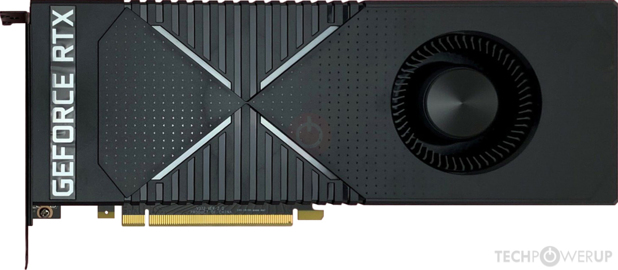
TechPowerUp
NVIDIA TU104, 1710 MHz, 2944 Cores, 184 TMUs, 64 ROPs, 8192 MB GDDR6, 1750 MHz, 256 bit
stoic island
idrk
strange garden
Anyone else have an idea or can point me in a direction to look?
I fee like oem cards are usually reference right?
mighty sapphire
Better to order from amazon or like Newegg? Does it matter too much as far as customer service and such? I’ve never ordered from Newegg but have amazon just never computer parts
 strong yoke
 proven plank
Hold on
stoic island
proven plank
I know a site
That searches for Amazon pc part's and lists them on its https://blinkmypc.it/
Crea il tuo PC approfittando delle migliori offerte su Amazon. Blink My PC ti mette a disposizone centinaia di configurazioni già pronte o ti permette di creare il tuo PC ideale grazie ad un configuratore automatico.
proven plank
It's in Italian but it's understandable I think
 celest horizon
mighty sapphire
celest horizon
mighty sapphire
Ohh!! The gpu is already back and stock and being packaged ekk I’m excited lol
stoic island
lol
foggy hazel
@stoic island in theory no
stoic island
In Practice, any idea?
foggy hazel
not right now, cooking :)
was just back answering a call from someone yelling at me :)
stoic island
Fair enough, go do your thing :D
mighty sapphire
Is this the case you were recommending?
https://www.amazon.com/dp/B07DRVHBWK/ref=cm_sw_r_cp_api_i_DplOEbF9E5YJQ
 rocky wren
hey all, im looking to upgrade my current system and was told to check out microcenter for some good deals. i found an r5 3600x + asus x570-e rog strix gaming MOBO combo for $500 including taxes. just wanted to get some feedback on the components and the price point.
stoic island
I mean, you can get similar performance from 3600x + Asus tuf b450 pro gaming.
and that would be 200$ cheaper.
rocky wren
hmm ok, maybe ill just stick to ordering the CPU from them for pick up for the 170 its offered at
bc i dont think i can beat that anywhree
mighty sapphire
Yea @stoic island I was kind of thinking that too
Sorry I had to hurry and do some assignments that were due by 6 🤦🏼♀️
stoic island
It's quite alright
 thorn copper
Hey just wondered how I could get a nvidia geforce RTX without spending too much
 fast dust
How much do you consider much
thorn copper
Over $1000 budget
fast dust
you talking about just the GPU or an entire build?
thorn copper
The entire build with RTX
fast dust
Oh @stoic island really likes making builds. I'll let him do this if he wants
thorn copper
Ok
stoic island
heh, I just have this here
https://pcpartpicker.com/user/Mr1111/saved/PkmBcf
thorn copper
Its my first time ever considering to build a PC rather than buy a prebuilt
fast dust
Yep that build just posted seems pretty decent
thorn copper
I do like it actually
thorn copper
Is their any alternative to that build
fast dust
that seems like the best tbh
You could spend a bit less on the GPU and get a little better PSU/SSD i guess
thorn copper
What could I get that is RTX for cheaper
stoic island
That PSU is amazing okay
It's better than RMx
The company is crap
but that model is great
 polar goblet
Hey @stoic island
So I started ordering all my stuff today! 😁
The last thing I need to order is my psu.
I believe you said the EVGA G3 isn’t a good psu.
Why is that?
stoic island
It has lacking OCP
It's not horrible, since it's unrealistic you'll reach a current that goes over
thorn copper
I dont know its my first time buying anything related to a pc build
stoic island
but it's just something to think about.
fast dust
I dont know its my first time buying anything related to a pc build
@thorn copper I'd just say stick with the one previously recommended
stoic island
I current have a G3, but I have not been affected by the issues yet.
thorn copper
The games I have on my current prebuilt are arma 3, minecraft, Escape from Tarkov, Borderlands, and Star Citizen
polar goblet
Okay thanks I didn’t know that!
What psu brand would you recommend for a 750w?
Can be any price, of course reasonable, but a good brand or something
stoic island
Enermax revolution d.f 750w
That exact model
Other enermax PSUs are usually pretty bad
polar goblet
Alright thanks!
Y’all are the best! I really appreciate everything y’all are doing in this discord 👌🏼
 zenith glacier
Hey, so question.
When you decided to change color of the coolant, how you do it? Clean out pc with distilled water first?
How you clean it?
How you turn on res. fan?
I mean reservoir pump fan
 paper ermine
My 3 rbg fans are not working while the back does
The lights do not light up. Everything is plugged in
Can anyone help?
stoic island
Rgb isn't plugged in maybe
paper ermine
It should be, let be double check
zenith glacier
get ignored 😭
paper ermine
All are plugged in
paper ermine
They are spinning
zenith glacier
Track them down to the psu and motherboard
 full seal
Sometimes the RGB connection might be plugged in but a bit loose. I need to reseat mine half the time I move my case. Could also be connection in the daisy chain that might not be quite fully connected.
 buoyant flame
Also make sure the plus is on the right side for the rgb connector
@paper ermine also what case is that?
paper ermine
I found out the problem and H500P mesh
paper ermine
Thanks for the help guys
paper ermine
Cause I like corsair fans lmaoo
buoyant flame
Oof
paper ermine
Yah
zenith glacier
Lol mine smaller I think 160 something I forget
paper ermine
I'll find something out for the 200mm fans
zenith glacier
stoic island
I want that case just because the 200mm fans
buoyant flame
Same
zenith glacier
This case or his?
stoic island
CM H500
buoyant flame
^
zenith glacier
I wanted white TT view but they are not existed anymore
 viral ore
i like that one
stoic island
I like beefy
zenith glacier
Fills up the space
stoic island
also good airflow
zenith glacier
Yea
zenith glacier
I used to have switch case. Over 10 fans.
I wanted smaller case but I ended up with TT view because of the big view I like
stoic island
paper ermine
stoic island
paper ermine
They're working now. Thanks everyone
zenith glacier
Np
stoic island
I don't like the 3x120mm bc of how you leave space on the sides
That might look weird once you install the front panel
stoic island
2x200mm tho
zenith glacier
Lol
buoyant flame
Take those bottles to the sink @zenith glacier lmao
stoic island
I see
zenith glacier
His pc is forking powerful
Literally powerful more than mine
You see why I asked about questions because it’s time to change liquid.
stoic island
interesting tubing
zenith glacier
Yea
buoyant flame
Its beautiful lmao
stoic island
kinda bothers me that the outtake of the GPU block is like kinda crooked
zenith glacier
Thanks lol
stoic island
could be just the camera angle messes with it
zenith glacier
I have plans for my pc like streamline that go with curved window
Yea it bother my husband 😑
It was not there before
It’s getting low so yea I ordered everything and new color for it so tomorrow we will change it
Hope we get clean out without problems
celest horizon
x570 Aqua? Nice
 sullen spoke
usually there is a notify me button somewhere
sullen spoke
I don't know if all sites have it
rocky wren
Is the ryzen 1600 worth using for someone who is just getting into PC gaming?
 knotty kernel
I can't show what I am trying to show
Links and images not allowed
I want to get a AMD RYZEN 9 3900X
But on PC part picker
It says it has incompatibility with the Gigabyte B450 AORUS PRO WIFI (rev. 1.0) ATX AM4 Motherboard
 wary tundra
@rocky wren Yes
knotty kernel
Warning Some AMD B450 chipset motherboards may need a BIOS update prior to using Matisse CPUs. Upgrading the BIOS may require a different CPU that is supported by older BIOS revisions.
knotty kernel
I've never done anything with desktop before so I am clueless
I've been a laptop user all my life
So I'm not sure how to update a bios
Nor did I know you could
polar goblet
Hey after reading the features of the EVGA G3 750w it says it has OCP, OVP, UVP, OPP, SCP, OTP... @stoic island
wary tundra
since you dont an older generation cpu you would have to do it via usb
stoic island
@polar goblet It does have OCP, but it's set sky high
So making it basically useless
lemme find a link to some sources
rocky wren
@wary tundra ight cool thank you, any specific mobo/gpu combo you would roll with? Is it still worth grabbing a 450max? For upgrading purposes
stoic island
@polar goblet
polar goblet
Ah okay. Thanks for that 👌🏼
wary tundra
https://www.techwalla.com/articles/how-to-flash-a-bios-from-usb @knotty kernel I dont feel like typing all that out so take a look at this
It depends on how much you want to spend @rocky wren
kind shuttle
Is the b450 Aorus Elite a decent motherboard
 modern shadow
Okay
wary tundra
yea
modern shadow
What do everyone think of gen 3 ryzen? (Ryzen 4000)
foggy hazel
@modern shadow that it is going to be released later this year.
there is nothing else to "think" about it
because we dont know anything beyond that really
 little osprey
Are anti static bands recommended while building a pc
sullen spoke
they are recommended but if you are careful enough and know how to avoid static charge it is not needed
foggy hazel
i use one when at work, because accidents happen.
and it is simpler to have that band on and trip on it, about once a week, vs having to get yelled at from the newest manager trainee that is bored
 floral tree
Just use a livestrong bracelet
mighty sapphire
What is drive cages?
mighty sapphire
The case I was looking at says my graphics card won’t fit with drive cages in I’d have to remove them?
Says max video card length: 280mm with drive cages and 420mm without drive cages
Mine is 286.5mm
foggy hazel
you most likely wont be using the drive cages @mighty sapphire
remind me again, what case are you looking at?
mighty sapphire
stoic island
p400a back in stock eh
foggy hazel
i must admit, i dont see the problem, based on the picture on phanteks page
mighty sapphire
Yes! @stoic island my mobo will be here sooner now too by about a week!
@foggy hazel I was super confused by it too
But that was the sizes listed on pcpartpicker
stoic island
I'm thinking maybe a drive (mounted on green) could interfere with a GPU (on red)
but if you just use the top drive mount, you should be fine
foggy hazel
except, thats not the standard mount location @stoic island
stoic island
What do you mean?
 stoic island
Interesting
foggy hazel
thats the "standard" place for the drives to be (on the front that is) because that is after all, location 3 and 4)
(location 1 and 2 being on the back, under the shroud)
stoic island
Well, whoever listed it on pcpp might've listed those drive mounts
foggy hazel
its most likely a listing like the b450 bios one
"better to warn"
in short @mighty sapphire dont worry about it. But it is good to see you noticed it and asked about it :)
mighty sapphire
And I found this so I don’t think it will effect it either since there’s so many other places for them. And I’m starting with just the ssd anyways
 lyric thistle
Wait how would those be 3.5" drives lol
The rectangles are smaller than the actual 3.5" bays
Wait are they
I guess not
foggy hazel
@lyric thistle they are flat, with the ends of the drives towards the purple areas
it wont affect you at all @mighty sapphire
lyric thistle
Yeah, the 3.5" bay rectangles are really wide in that picture
foggy hazel
because of the "sleds" they are on
mighty sapphire
Awesome! I just wanted to double check in case that’s the one I go with! I haven’t added it to the build yet I was just checking to make sure my gpu will fit because I know it’s bigger than most
lyric thistle
Making it look like the 3.5" bay drives are huge compared to the other 3.5" mount rectangles
foggy hazel
thats just someone derping with the lines
foggy hazel
aye
and the front ones, are something along this https://www.fractal-design.com/wp-content/uploads/2020/04/7-HDD-Cage-2_webb.png
 foggy hazel
except that phanteks looks derpy as all hell
aye, beyond the included 2 below the shroud, it seems like it
aye, just checked phanteks site, only 2 (bays total) included
for 3.5 drives that is
mighty sapphire
I’m not a huge fan of it lol I don’t like how the bottom fan gets covered by the front cover lol but eh it’s not “for me” so 🤷🏼♀️
lyric thistle
Kinda reminds me of old Dell computers or something
mighty sapphire
I’ve never seen one where the gpu stands up like that!
foggy hazel
@mighty sapphire the Raven series of cases has it like that
the Fortress series has it like that too
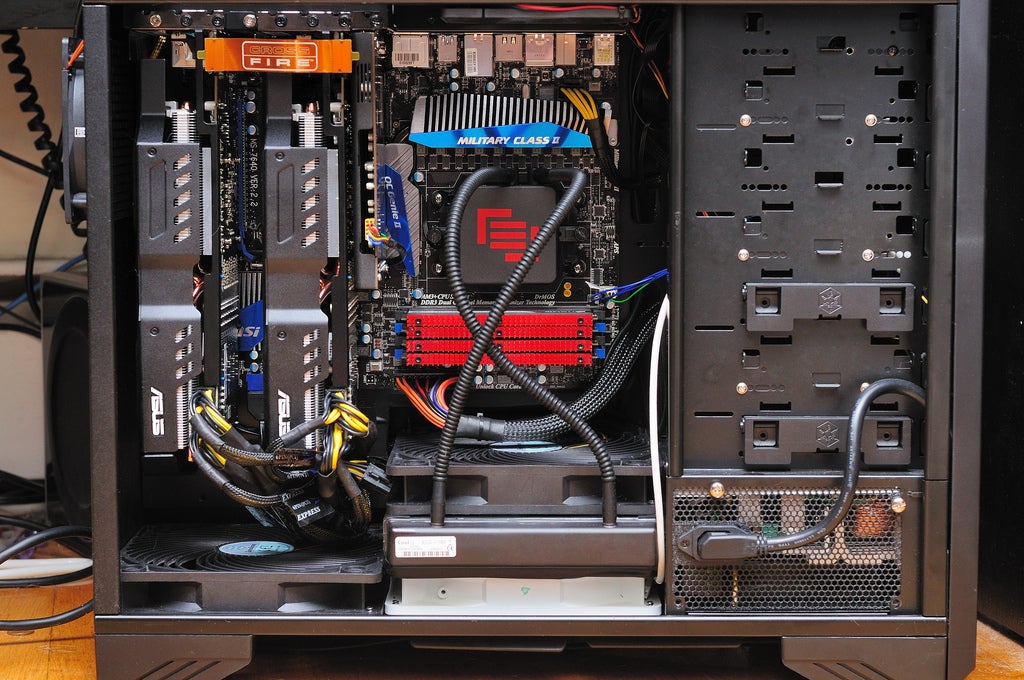

raven first, fortress second
lyric thistle
I like that
mighty sapphire
That’s so different! Does it really put less stress on the gpu like it advertises?
foggy hazel
100% PR wet dream bs
think about it like this
Take a card, any card
dont turn it on, but dont tell anyone that you didnt
make a claim that your card lasts FOREVER!!!!!
congrats, you have just joined PR class 101 for part manufacturers
 eager chasm
It changes the shearing forces and points of stress but a heavy card is still a heavy card
Nothing beats a good support arm
little osprey
Hi
stoic island
Yoke?
 sudden turret
flight stuff
stoic island
ah
lyric thistle
Certainly, birds are flight stuff
stoic island
We would recommend building it yourself.
 queen parcel
I want to but my mother thinks I'm gonna set the house on fire
stoic island
lmfao
lyric thistle
Tbh the prebuilt would do that more than the one I'd build
Smh moms why you gotta be this way
stoic island
Some prebuilts have shi-horrible power supplies
I mean
Lemme make a list with better specs than the nzxt streaming pc probably for less $
 kindred solar
anyone have a gtx 1650 build here
stoic island
for how much
fast dust
Why 1650?
stoic island
Because I have a 2070 super build for 1000$
queen parcel
Here are the specs on the NZXT streaming PC
Motherboard: MSI B450 TOMAHAWK
- 4 RAM slots
- 5 USB ports
- 8 audio jacks
- 1 PS/2 port
- 1 USB Type C
- 1 Ethernet port
- 1 HDMI port
CPU: AMD Ryzen 7 3700X 8-Core 3.6GHz
Graphics: NVIDIA GeForce RTX 2070 SUPER - ASUS EVO OC
RAM: Team T-FORCE Vulcan Z 16GB (2 x 8GB) 3200MHz
Storage: Intel 660p 1.0 TB
Power Supply: EVGA 600W BR Bronze
Monitor: ASUS VG278QR 27" 1080P 165Hz Adaptive Sync
Accessories: MSI MS-B905C WIFI
2-year warranty on all parts & labor
queen parcel
alright
little osprey
@queen parcel for how much?
fast dust
Sure that’d be okay
little osprey
without the monitor?
kindred solar
imma upgrade from i5-4570
queen parcel
@little osprey $1500
fast dust
That upgrade is not needed
kindred solar
reaaly
queen parcel
With monitor is like $1750
stoic island
This is a list that is basically the same, if not better than that nzxt streaming pc for 200$ less
https://pcpartpicker.com/list/yDBdzN
little osprey

little osprey
considering i have .33 in my bank account that is a large number
fast dust
You’re just getting a little bit more performance. If you get an upgrade it should be at least a 30% performance increase
Those low settings are likely because of of a bad GPU
stoic island
How's this, talk to your mother about building a PC as a hobby, you'll do research on it, and save money. @queen parcel
fast dust
The resolution doesn’t matter as much on a CPU
 cold sorrel
And parts these days are not as fragile as ages past. You have to really try to break them, as long as you remember to be mindful of static electricity.
queen parcel
Thank you @stoic island for the help! Lets hope this changes her mind
kindred solar

Fortnite Battle Royale Chapter 2 / S2 tested on the GTX 1650 at 1920x1080 - Low, Competitive (low + max view distance), Medium, High and Epic - with and without shadows!
⏱ Timestamps ⏱
◾️ Low: 0:55
◽️ Competitive (Low + max view distance): 3:15
◾️ Medium: 5:00
◽️ Medium - No...
fast dust
You should not be getting a CPU bottleneck with a 1650
stoic island
oh rip
fast dust
Then crank up your resolution to 1080p
kindred solar
then my textures dont load in
cold sorrel
What CPU do you have?
kindred solar
i5 4570
fast dust
Then something’s gotta be wrong with your CPU
stoic island
wdym your texture don't load in
turn up your 3d rendering
that's a different setting in fortniet
fast dust
I’ve seen people with worse CPUs with better GPUs and be fine with it 🤷
stoic island
theres a setting for resolution, and a setting for 3d rendering
fast dust
Yeah man i5-2400 paired with RX 470 or 570
stoic island
I used to play fortnite
fast dust
All those Optiplex builds
stoic island
fortnights ago
stoic island
Arctic mx-4
fast dust
Um don’t get cheap thermal paste
stoic island
I think thats a good cheap one
fast dust
Yeah MX-4 is really good
kindred solar
aight
fast dust
I mean it’s pretty cheap but when someone says cheap paste I assume less than $5
kindred solar
imma order that
i got a 60 dollar budget anways
so im getting a 50 dollar cpu
and a 10 dollar paste
lyric thistle
One core out of an Athlon 3000G
fast dust
@little osprey The i5-4570
little osprey
oh
kind shuttle
@stoic island
stoic island
Yes?
stoic island
yes
stoic island
the a80 is better, but both are good SSDs
a80 is faster and has a better controller.
Both has dram.
kind shuttle
will I notice I difference because if not I'd rather go w the cheaper one
rather is there a noticeable difference
stoic island
Likely not a significant difference. It would be like 1000mb/s compared to 2500mb/s, it would be useful if you need speeds that high, but it's not noticeable for day to day tasks.
stoic island
Yea
Load times would be like you know 9 seconds vs 8 seconds, you'll barely notice it
stoic island
Probably not
kind shuttle
but I already ordered the a80
stoic island
Well, you can enjoy the extra seconds you saved
kind shuttle
lemme see if I can cancel free
stoic island
it's useful in games that has slow load times
 scenic heath
Hmm I’m genuinely confused
kind shuttle
thats the benefit of these crazy shipping times
u got lots of time to change ur mind
scenic heath
So I got my pc case swapped out and I bought a icue fan hub and all of the fans glow except the back one
So I tried plugging it into one of the ports that the other fan was plugged into and it worked
stoic island
I usually like to recommend the a80 when the budget fits. Just because seconds in day to day life turns into minutes then into hours
scenic heath
So now I might need to get another one because it’s defective
stoic island
Well, contact corsair for a RMA then.
They'll try to fix your issue, if they can't, they'll ask you to ship that one back and they'll ship you a new one.
scenic heath
That’s such a headache



 stoic island
..?
buoyant flame
¯_(ツ)_/¯
buoyant flame
The one in your pcpp list also has the same rgb
buoyant flame
if theyre the same price and your case can fit a ATX board theres no real difference
whatever you prefer
kind shuttle
its my first build I dont have preferences
hehe
is one easier or harder to build w/
buoyant flame
I personally like mATX boards, which is ironic becaue i have the atx version of that board
kind shuttle
whats pcb
safe field
@stoic island never heard of the A500?
buoyant flame
Unless you need more PCIEX1 slots which im sure you don't then ya no difference
stoic island
nope
stoic island
oh
safe field
the one that sucks
stoic island
Hyper
safe field

stoic island
we were talking about SSDs
safe field
yes I know
stoic island
I thought there was some other A500 ssd
safe field
it took me a while
stoic island
god damn it
stoic island
like crucial has a bx500
buoyant flame
Also i believe the atx version has one more usb port on the rear io lol
safe field

buoyant flame
nvm didn't see we moved past that conversation lmao
and the pciex1
and i usb
but thats it i think
stoic island
2 less
buoyant flame
2 less what?
buoyant flame
oh ya
 latent storm
hey the phanteks amp is in stock rn
 raw igloo
@foggy hazel my i 9 9900k came in today. Going to return it like you said. Only going to miss the box 😦
stoic island
So, still can't do anything with second m.2 drive, it just doesn't show up...
@foggy hazel any ideas? If you're available.
Also, I doubt it matters, but the front and side panels are off drying bc I was cleaning them.
cursive wharf
What is 2nd M2 drive?
cursive wharf
Unlikely to be this problem but does second slot support SATA?
cursive wharf
I haven't seen a mobo that doesn't support SATA for 2nd slot. But have for NVMe
stoic island
That's weird lmao
cursive wharf
Which board it it?