#building-and-recc-chat
1 messages · Page 493 of 1
 scenic heath
scenic heath
scenic heath
Alright perfect thanks!
 wide sparrow
Yeah
 stoic island
idk I just plugged em in and felt which way it blew
 cold sorrel
I admit I'm staying Nvidia because that's what I like. Though, the funny thing about my next desktop being an AMD machine... my last desktop was an AMD. (For context, I stopped using that about ten years ago because I got a laptop. I've had a string of laptops since, but am ready to shift back to having a desktop machine.)
wide sparrow
I'll push in air like this. The front will exhaust. Basing off other builds with d15
 humble rivet
I've never seen anyone use back for intake and front for exhaust
stoic island
nor have I
it doesn't really make sense to me
Your GPU is going to get choked with hot air, since any air intake for the gpu would have to go through the d15
If you do it the other way around, some fresh air from the front would go to the GPU, and some to the CPU.
 celest horizon
In that picure, you have front intake, top/rear exhaust. That's normal.
 latent storm
my case case 😳
wide sparrow
D15 is impossible to screw in
....
stoic island
wdym
@wide sparrow did you do it correctly?
theres little plastic things that make the bracket higher if you didn't use those
wide sparrow
a
 blazing steppe
https://pcpartpicker.com/list/hTXNWb can i have some help?
stoic island
...And why not start now with a new build?
blazing steppe
i guess...
stoic island
2000$ budget I assume?
stoic island
I can make a better config
stoic island
Heres a build for 200$ less, nearly the same performance. I can explain each choice if you want me to.
https://pcpartpicker.com/list/PrCVCL
And thats splurging on componets
I can easily shave like 200$ off that for the same performance, but look a bit worse with some fiddling.
 analog hearth
@lime forge why do you need so much power?
 sullen spoke
that pic is so bright
stoic island
blur
 sharp viper
so im getting new fans and i plan on doing top and rear for exhaust and front for pull.. is that right or should i do it another way
 next kestrel
@stoic island Wouldnt it be better to get a 1tb nvme instead of a 500gb and a hard drive
stoic island
@next kestrel no, if they need 2tb+ storage, they need 2tb+ storage.
also, p34a80 1tb is out of stock so :p
next kestrel
oh they needed 2tb
stoic island
they had 2tb in their first build, and I was building their build with little adjustments
next kestrel
I dont have a lot of large files and even on my old pc I never passed 500gb
stoic island
I gave them a list 200$ below their budget so they can spend it all on anything
stoic island
I've only used my pc for less than a year and like 1.3tb has been used
next kestrel
do you edit videos?
stoic island
actually wait
my raw videos are on my C drive
I delete those periodically once I edit them
next kestrel
This part list is private.
next kestrel
damn
 modern shadow
next kestrel
modern shadow
next kestrel
ig i havent downloaded enough games
stoic island
I have like 4 games on epic on my d drive
only on epic because my AMD rewards thing redeemed them on epic, and free games
next kestrel
@modern shadow u might want faster ram, I think they sell ripjaws for like 10 dollars more
modern shadow
okay
stoic island
yea
next kestrel
also idk if u already have the part, but u might wanna go with the 1660 super?
modern shadow
I already have it
next kestrel
should be fine
modern shadow
I want to save for a upgrade like a rtx
next kestrel
looks fine otherwise
stoic island
psu looks iffy
stoic island
psu is pretty bad, tier c
970 evo is expensive, go with the silicon power a80 if you can
modern shadow
yeah, its my first build, so I dont really know what to go with.
stoic island
make sure its p34a80 if you do go for the a80
stoic island
this is the ssd I'm talking about
https://www.newegg.com/silicon-power-p34a80-512gb/p/N82E16820301394/
Since it's 3rd gen ryzen, if you can spend a bit more, 3600mhz cl16 is a bit better.
https://www.newegg.com/g-skill-16gb-288-pin-ddr4-sdram/p/N82E16820232880/
next kestrel
wait does ripjaws oc?
modern shadow
here i also added a cooler so it oc. https://pcpartpicker.com/list/HDDNWb
stoic island
but expensive as heck
nah
212 evo not worth imo
not that big of a increase in cooling
compared to stock
stoic island
Yes
At least get Corsair cx
CPU cooler prices and availability are wacky rn so...
Can't just point you to like a nh-u12s or smth
modern shadow
https://pcpartpicker.com/product/FdRFf7/corsair-cx-2017-550w-80-bronze-certified-atx-power-supply-cp-9020121-na is this good?
also for a future upgrade and expansion
stoic island
Yea, cx is the cheapest acceptable one imo
modern shadow
yeah its a budget build anyways
stoic island
Consult the PSU tier list if you want other options
next kestrel
man i wish noctua was cheap
stoic island
Imo yea just in case
 upper condor
@lime forge is that build in build pics urs?
 lime forge
stoic island
lime forge
stoic island
I relate Noctua with quality cooling components. The brown and beige embodies enthusiast performance, and valuing performance over look.
wide sparrow
OK so...
How do ik which port is negative and the other positive. This is for front IO
There's a triangle on the lower one seen here
stoic island
just do it
wide sparrow
OK lol
 sick wren
What do y'all think about Falcon Northwest laptops ? I'm thinking about getting this just wanted to hear y'alls thoughts.
https://builder.falcon-nw.com/configure/template/drx/
 deft cradle
okay well, I was updating my windows 10, and when it did the restart, it basically never went past the booting up
plug in what?
 crimson whale
The power cord.
deft cradle
like
crimson whale
Is it froze?
deft cradle
it does boot up but it crashes
crimson whale
is it on still?
deft cradle
sorry its really late and im tired
crimson whale
But can you get into the BIOS?
deft cradle
how do you do that?
deft cradle
oh jeez Id have to look cuz i dont remember exactly which one, it is RoG so i imagine asus?
deft cradle
so do i hold it when booting it?
crimson whale
Now go under Boot setting.
deft cradle
crimson whale
Under Boot Option What drive are shown?
deft cradle
the one shown and disabled
crimson whale
You only have one hard drive correct?
deft cradle
yes
crimson whale
Now is your OS set to UEFI mode or Normal mode?
deft cradle
I am not entirely sure
crimson whale
You can also change it to fast boot.
To boot faster.
You can also go to Boot Configuration.
crimson whale
Try to go to Boot Override and select that drive.
deft cradle
when i boot it it crashes and when i try to repair it, or reset my pc with my files it crashes, using the command promt with sfc /scannow also gives an error
crimson whale
Now did you upgrade your ram by any chance?
deft cradle
not at all, havent touched it since i built it
like 8 months ago
why is ram relevant though? i have had a few issues with crashing that i think were due to ram
deft cradle
how do i check its current speed?
crimson whale
Ai Tweaker
deft cradle
okay it says DRAM frequency is 2133MHz
crimson whale
Try to remove one stick. you might have bad ram.
deft cradle
unsure what the original was
crimson whale
Doesn't matter. If the Clock are difference you could encounter that problem.
crimson whale
When you reset your computer or Update your bios.
You didn't upgrade to 8 to 16 did you?
deft cradle
ill remove one tomorrow because i have to take out the tools to open the chassis
no
i always had 16 gb
since i built it
crimson whale
Only remove one stick it could help boot the computer. Now ram can go bad.
You could unplugged it and power it back on with no problem. But if you restart it will cause issue.
deft cradle
reatart it?
crimson whale
Did you restart your computer? When you updated it.
crimson whale
And is it an Asus ROG STrix b450 f motherboard.
deft cradle
that does sound familiar
lemme see actually i think i have the box
Yes! its exactly that actually
crimson whale
I have that same board and my failed within 6 month of use. ASUS support called it a power null issue.
You didn't get it RMA did you. You might ended up with my motherboard.
deft cradle
RMA?
crimson whale
return manufacturer authorization.
Computer parts have a warranty if something goes bad.
It only for one year.
deft cradle
I have warranty I believe, I bought it from newegg too
crimson whale
or 3 i could be wrong.
If it from NewEgg they'll help you see what could be wrong. But my failed before and Asus support is not really good sending back a good motherboard.
deft cradle
that sucks :(
if I replace the motherboard will things be normal? will I be able to keep my files?
crimson whale
Keep in mind if you swapped the board. you need to reactivate windows 10 again. As long you have a Retail version of Windows 10 pro you should be good.
But if you have a second computer you can take the files off that drive and backup your data first before doing it.
deft cradle
i have a second laptop
crimson whale
If you have windows safe mode enable you can press the f8 key.
deft cradle
how do I back up my data? do i take the hard drive out and connect it to my laptop?
crimson whale
It Shift +F8
deft cradle
when it boots? on which machine?
crimson whale
Is your Drive an M.2 or SSD?
Port
Or does it take Sata port.
you can disconnect the drive and connect it by USB.
deft cradle
its a sata port yes
crimson whale
adapter.
deft cradle
hmmmmm okay
crimson whale
Is it a Solid State drive?
deft cradle
I dont remember and i bought it on amazon but it should be an SSD i think
So order of things to try for tomorrow: Remove one stick of ram and retry the repairs
if that doesnt work, then find a new motherboard to use and back up my Hard drive data on my laptop
crimson whale
deft cradle
okay! illorder this too if the ram removal method doesnt work
by the way, what motherboard do you recommed? since you have experience with the Strix one
crimson whale
Did you link your windows 10 account to your email it will help activate windows better.
deft cradle
I believe I did yes
deft cradle
i tried MSI when i built my computer but it never turned on haha
had to return the board twice before deciding to just go with strix RoG
i trust gygabyte though
deft cradle
Is it the same size?
crimson whale
Is it an ATX motherboard?
deft cradle
Should be I think
crimson whale
or mATX?
deft cradle
Yeah its ATX
crimson whale
You can also check on New Egg if it on sale.
deft cradle
Also i use this cpu
crimson whale
crimson whale
The 200.00.
Due to having rgb.
But the other one is budget.
But try to get your computer working before you buy a new board.
deft cradle
Of course, Ill do the ram stick thingie
Thank you so much! Ill come back tomorrow if i still have issues with it
crimson whale
Also if you are running an Radeon card I would upgrade to a RX 5700.
or XT.
$320 dollars card. It uses PCIe 4.0 slots.
deft cradle
Right now I just want my computer to work since I have homework to do
And some of the data i need is there
deft cradle
Hmmmm okay
crimson whale
Shut it off first.
If your in BIOs you can shut if off.
I mean unplugged it.
Make sure your RGB is fully off.
hold power button while it unplugged.
until the RGB light is off.
And plug it back in and power it back on.
If that doesn't work remove one ram during while it unplugged and fully shut off.
crimson whale
Did you remove one stick of ram?
deft cradle
No, just the power thing
I said i need to get the tools and id do it tomorrow
Its 3:30 am
crimson whale
You can't plugged it.
Unplugged it?
If your in the BIOS Unplugged the computer.
It safe to do so.
Like the power cord.
deft cradle
Okay so qhen im on the RoG BIOS i just unplug it from the wall?
crimson whale
Yes.
crimson whale
Once it unplugged. Hold the power button.
To power Cycle it.
for 15 seconds.
then Plug it back in and turn it on.
deft cradle
I tried this earlier but ill try again
crimson whale
no need to go to the bios.
If that doesn't work reset bios setting.
By going into Boot.
Also if windows failed to load it will try to launch safe mode.
If you get a blue screen.
It will try to fix itself.
deft cradle
Yeah but i have arrived to that blue screen
Gotten to the safe mode
And nothing from the troubleshooting options work
From restoring from the update to resetting the pc
deft cradle
crimson whale
press cancel?
deft cradle
it just boots back and crashes again
crimson whale
if it load the Blue screen

How to Fix Blue Screen Stop Code In Windows Computer.
Blue Screen errors (also sometimes called black screen errors or STOP code errors) can occur if a serious problem causes Windows to shut down or restart unexpectedly. You might see a message that says, "Windows has been sh...
Do you get this type of error?
crimson whale
This might help you out.
deft cradle
Ill try it tomorrow
Im pretty tired right now
And ill attempt this on a clear mind
But im super thankful for your help!
deft cradle
I tried that earlier and it said something among the lines of "No previous state was found"
Yeah no restore points have been created
crimson whale
Also tried Statup Repair.
deft cradle
That doesnt work either
Just crashes again and sends me back here
System Image recovery wont work either because it cant also find a system image
deft cradle
Im setting up a USB stick with the windows recovery drive but i read that it deletes your personal files so ill look for a disk?
crimson whale
You can download this and it does help you restore your computer.
deft cradle
Can i set that up ib a usb?
crimson whale
But watch that video first before you do anything advance but I'm going ot bed.
Yes.
deft cradle
Okay
crimson whale
You can.
deft cradle
So in order
crimson whale
But you need more then 8GB like 16GB is recommanded.
Make sure you use windows 10.
deft cradle
Watch video, if that doesnt work then use a winfdows 10 disk, if that doesnt work then remove a ram catridge, and finally get a diff. Motherboard as a last resort
I will
Thanks again for your help!
crimson whale
Try to clean install your OS and backup your data.
You can connect the SSD to the USB.
crimson whale
Unless your downloaded a virus it could be an issue. Just don't take my advice talk to email newegg support. they'll get you a replacement board.
deft cradle
Okay
crimson whale
But it could be bad ram. So take my advice on that.
deft cradle
I scanned my co.puter before updating and windows defender didnt find any threats
crimson whale
Memory issue can cause that.
crimson whale
Also try windows memory diagnostic tool on that Ram chip.
crimson whale
But test one of the stick at a time.
deft cradle
Its not showing the proper directory files that should be in C
Ill just go to bed, the more i think about this the worse ill feel
crimson whale
Your OS missing?
deft cradle
there should be a lot more files there, like user, program files and such, its the C root
ill just tackle this tomorrow
crimson whale
Do it tomorrow connect that drive to another computer. If you have a friend with a pc he'll try to get those files back.
 fossil kraken
whats the best gpu+cpu combo under 800
 buoyant flame
Theres no perfect option. What are you going to be using it for
If you're video editing a 3900x and a 2060 would be a good combo. If your just gaming a 3600 and a 2080 could fit.
A good combo of both would be a 3700x and a 2070 super tho
analog hearth
I would say 3700X and any Nvidia GPU that's better than a 2060. you don't really need eight cores, but if you have the budget, why not? better future resisting
but if you don't need the GPU now, wait for Nvidia 3000
buoyant flame
I heard the 3000 series is going to be expensive
buoyant flame
It was a leak website so I don't know how legit it is but the cheapest was projected to be 800
analog hearth
oh I doubt that
Nvidia isn't that stupid
that's like, entry-level professional prices
buoyant flame
Ya
That was for their supposed 3070 tho
They didn't say there was going to be a 3060
analog hearth
oh then knowing Nvidia, that might happen
buoyant flame
¯_(ツ)_/¯
analog hearth
considering they jacked prices significantly from 900 to 1000 to 2000
buoyant flame
Yep lol
analog hearth
like I want an Nvidia GPU but if they keep pulling crap like this I won't be able to buy one
buoyant flame
I'll just keep my 1060 forever I guess
analog hearth
pfft thanks Nvidia
buoyant flame


analog hearth
like a 5700 XT is apparently better than a 2070 Super and costs less
and AMD's drivers are actually getting better
buoyant flame
Supposedly
 compact salmon
Hello guys
buoyant flame
Whats up
compact salmon
I have questions regarding ordering parts and stuff, is it the right place here?
buoyant flame
Sure
buoyant flame
Ok
compact salmon
I was wondering if a GPU of RTX 2060 is the best cheap solution?
I mean since it has tensorcors
buoyant flame
Well I believe that the majority of computations are cpu based
wide sparrow
Nvidia is going too far with those prices.
buoyant flame
But I don't see any problem with using a 2060
wide sparrow
They need to stop. They will sell more if its cheaper
compact salmon
well the issue is that Tensorflow is having this integration with Nvidia
wide sparrow
I want 3080
compact salmon
Yes CPU does the majority of computation, but for Tensorflow it can be switched to GPU
buoyant flame
Well unfortunately I don't know very much about that software so maybe someone else can help you.
 foggy hazel
@compact salmon re: 2060 being the best solution?: that depends entirely on your workload [edit: that]
re: 2060 being the cheapest solution?: yes, as it is the cheapest card with Tensorcores
 narrow rose
I think if machine learning is the goal the 2060 is rather short on vram
foggy hazel
depends, again, entirely on what you are trying to do
narrow rose
very true
 raw matrix
Corsair H115i PLATINUM RGB for $120 should I get it for my 3900x?
 woeful agate
guys
can anyone config a 3500 CAD gaming/Recording/Light Editing gaming pc?
3500 Cad budget
will record at 1080p but will do 1440p gaming
plsss
 sacred obsidian
you can get a lot with that budget. heres a pretty beefy build for you to alter the way you want https://pcpartpicker.com/list/ZwWvmg
only recomendation is go with Nvidia for recording.
stoic island
@sacred obsidian can I ask why you have the G1+ in there? That's a tier B+ PSU when you can buy a Phantek Amp at the same price for a tier A PSU.
Also, your build is in USD, they asked for a build in cad
woeful agate
ok thanks @sacred obsidian
sacred obsidian
well cause im dumb when i saw CAD i was thinking capable of running AutoCAD lmao. I've been talking with my dad about that kind of CAD a lot lately xD
also g1+ is what i use and what i know off the top of my head without going through the psu tier list lol
also evga is bae
 cursive wharf
g1+ is kinda meh iirc
sacred obsidian
its pretty good tho
cursive wharf
I'd take the AMP tbh
stoic island
I'm making a list in CAD
sacred obsidian
shhhhhhhh hei dont make me feel bad about my purchase >:|
also thank you mr1111 lol
cursive wharf
@woeful agate Just the PC itself?
stoic island
Oh yea, monitor or no monitor
Okay, heres a build for 3500$ cad with a monitor. 1440p monitor since you mentioned 1440p.
https://ca.pcpartpicker.com/list/RPwvmg
cursive wharf
I wouldn't go P1
stoic island
Oh wait.. Recording.. I might need to get a better cpu in there, thought they said streaming
Hei ssd prices are wack can ya just point me towards a good one?
stoic island
Alright
cursive wharf
tho then again, cuz CAD makes it seem pricy
cursive wharf
144Hz one?
sacred obsidian
heres the build i did in CAD but i switched the 2080 ti for a super https://ca.pcpartpicker.com/list/QQmZrV
woeful agate
ya think i should switch aio to air?
sacred obsidian
but i was also going for like heavy work station lol
stoic island
sacred obsidian
i mean you can get away with the stock cooler if you want
stoic island
3900x, d15, 2080ti, 3300cad
cursive wharf
DRP4 is cheaper
cursive wharf
get that 32gb RAM
stoic island
alright
got 32gb ram in this one now, changed to drp4. 3376 CAD
https://ca.pcpartpicker.com/list/YT6bdm
Didn't realize the price difference between d15 and drp4 was that large in canada
normally usd its like the same price or like 10 usd difference
cursive wharf
Here is one with cheaper parts if you wish
https://ca.pcpartpicker.com/list/c4rQBZ
Still high quality
Surprisingly Pro Carbon is at a good price
woeful agate
yeah
stoic island
I put 650w in bc that leaves a lot of OC headroom, though you prob wont need 650w even under heavy oc
sacred obsidian
I would be worried about using that pc with that psu tho. its using 90% of its capability.
oh mr1111 is already talking about that
woeful agate
thanks yalll
stoic island
and I'm just a MSI fanboy with the GPU
cursive wharf
It's quite fine tho, nothing to really worry about
PSUs can do 10% overload sustained quite fine
stoic island
Go with Hei's list to save a buck, or spend more on my list for slight few benefits.
god damn the difference between the mobos is big
100 cad difference right there
cursive wharf
I mean the Pro Carbon price is like the same in number as USD
stoic island
yea
cursive wharf
$150 USD vs $160 CAD
cursive wharf
Decent sale price
woeful agate
heh lol
stoic island
d15 great
woeful agate
I might go with @sacred obsidian 's config but ill change ram, mobo, and gpu
but anyways thanks!
you guys are super helpful
sullen spoke
indeed
woeful agate
@sacred obsidian isn't 64gb of ram too overkill?
sacred obsidian
well, yes. but like i said before I thought you meant AutoCAD, not canadian dollars, so I was going for a full on 3d modeling work load pc 😛
You have the budget for 32 though so i would try to get that.
woeful agate
heh lol
stoic island
might want to change out the psu still
 woeful agate
lol
stoic island
lol
 wide sparrow
alright
stoic island
y
wide sparrow
knowledge
 gaunt remnant
CPU: Intel i7-8700k
GPU: Asus ROG GeForce GTX 1080
Case: Fractal Design Define S2 Vision
Motherboard: Asus ROG Maximus XI Hero WiFi
Memory: Corsair Dominator 32gb 3200MHz
Storage: M2 NVMe Samsung 970 EVO Plus 1tb
PSU: Corsair AX1000 Titanium
My current build
stoic island
ok
gaunt remnant
I didn't get the accessories box with my case, so i'm in the process of contacting support to get ti sent
woeful agate
I changed the psu to rm850x
woeful agate
lol i dunno
cursive wharf
Not to mention not really that great of quality for a 850w PSU. If your PC takes more then a 650w PSU, then you have a dual GPU build or an HEDT CPU. Which you dont have. Either way the build would be like 3k USD
And a PSU cost should be proportional to the PC cost
woeful agate
uhh whats an HEDT cpu lol srry
stoic island
only some focus are good
cursive wharf
high end desk top
woeful agate
oh ok
cursive wharf
In general, just phanteks AMP
stoic island
Usually meaning like threadripper chips
yea the phanteks amp is a great choice price wise and performance wise
cursive wharf
voltage ripple/regulation, transient response, protections, modularity, cap quality, etc
AMP is the best for the price in that regard
stoic island
depends
cursive wharf
To go by LTT PSU Tier list standards. If you want 750w+, then get a A+ tier PSU basically
stoic island
gotta get specific models lol
woeful agate
wat psus would you recommend
stoic island
Phanteks Amp.
cursive wharf
never seen an NZXT PSU be close in price to any decent PSU that's priced well
 gilded fog
Is a bios update needed for the ryzen 3 3200 with the b450 tomahawk max
cursive wharf
no
gilded fog
Bet
cursive wharf
It's a "tomahawk max", not a "tomahawk"
Max means automatic no matter what compatible with 3rd gen
gilded fog
Oh
deft cradle
@crimson whale Hey update from yesterday: Removing the ram stick allowed me to reset my pc while keeping my personal files
Unsure if the ram was damaged or if its possible that i had too much ram for the rest of my pc
Regardless one stick of 8gb did it, unsure if i should purchase a new ram stick or leave it as is
crimson whale
No your ram went bad. @deft cradle
deft cradle
Okay
deft cradle
Oh right!
crimson whale
I had that issue dude before.
thank god you didn't have to go threw asus support. So test the ram to see what bad. But you can buy new ram stick.
Your ram can go bad if it been 8 month. But also ram have a lifetime warranty on some stick.
GSkill and corsair has that RMA returned. But you have to pay to shipped it over.
crimson whale
deft cradle
ill test it out soon I wanna finish installing some apps
crimson whale
Also when you buy computer part they already do have a limited lifetime warranty on them.
G skill ram have a Lifetime Warranty.
deft cradle
the one i got was evo potenza
deft cradle
Okay
Can I simply replace the ram and not have to do any extra setup?
ill get a pair rn
crimson whale
yea you don't have to reset or os or anything.
deft cradle
neat
deft cradle
how would RGB benefit me?
crimson whale
Unless you want RGB It for show. But LPX Corsair Ram is fine.
For low profile ram.
If your running Air Cool with a big heatsink you might need to buy like low profile ram.
If your running water cooling buy any ram you feel right.
crimson whale
Wait your using the Stock fan?
deft cradle
stock fan?
deft cradle
I have the fan that came with my cpu
deft cradle
the ryzen one i showed you yesterday
yeah
I dont have much more money for more parts
so I went with practical
crimson whale
just don't overclock your cpu with a Stock Heatsink.
deft cradle
I regularly check my pc temperature and it never went close to overheating
crimson whale
Just don't do overclock if your using stock heatsink. that why i went with water cooling.
silent and it works for me.
deft cradle
I dont overclock as Im comfortablr with the speed
crimson whale
AT least you got your working again.
deft cradle
ye!
crimson whale
Don't cheap out ram this time.
deft cradle
Thank you so much for your help
I wont
I ordered the ones you recommended
the 3200 ones
crimson whale
3200 mhz ram is enough for what you use. C16 is clock speed.
Make sure when you upgrade make sure you bought the same exact ram with the same clock speed.
I recommanded swapping both rams stick fully.
Don't mix brand.
cursive wharf
Corsair is overpriced tho
Also mix brand is fine, it's about freq and timings
and rankings
etc
crimson whale
But could cause issue.
cursive wharf
actual specs basically
not really
BIOS just picks worse stick and runs the rest at that
crimson whale
I would buy the same manufacture ram.
cursive wharf
I wouldn't if it's overpriced
crimson whale
Just don't buy RGB. I use the LPX rams stick.
cursive wharf
You cant just say "go buy vengence LPX" anyways, because model # can be different
different model # means different specs
thus same problems
cursive wharf
issue with that logic
-I never died so therefore I cant die
celest horizon
Even more confusing - Corsair is known for putting different memory chip ICs in even the same SKUs of ddr4.
TBH - that's a non-issue unless you're an overclocker nerd.
stoic island
I've had many issues with team stuff, but aparently team stuff can be ok
crimson whale
What do you recommand fork?
celest horizon
Depends on the rest of the pc specs, budget, use case etc.
crimson whale
His computer failed due to his ram failing.
deft cradle
Well Im a game developer but I don't really do high-end graphics or anything, my pc was running just fine at great speeds but the ram was just being really bad
cursive wharf
Are you running at JEDEC , advertised speeds, or OC?
cursive wharf
2133, 2400/2600/2933/3000/3200/3600/etc, higher then what the RAM box said
Also what CPU and mobo?
stoic island
I have G.skill trident z neo ram, they're the best ram I've ever had, but out of a very small sample size
crimson whale
Asus ROG strix b450 f.
cursive wharf
1st, 2nd, or 3rd gen CPU?
crimson whale
2nd.
 little osprey
Hol up
cursive wharf
Try boost RAM voltage then
crimson whale
this was last night.
little osprey
Doug i have that same issue
cursive wharf
when does it have issues? During boot up, mid session, 100% workload stuff, etc?
crimson whale
restart.
crimson whale
couldn't go into windows.
little osprey
Got the ASUS ROG Strix B450F-Gaming, got 4x8gb 3600mhz and the speeds refuse to go above 2666mhz
cursive wharf
Then boost starting RAM voltage
little osprey
Mines paired with a Ryzen 7 2700X
cursive wharf
idk what the exact BIOS setting is called
probs like "cold boot start voltage" or smth
crimson whale
Asus board is not really good.
celest horizon
Those 3000 cl 16 sticks would be fine for a 2nd gen. Higher than 3200 ish isn't as plug and play.
deft cradle
cursive wharf
2nd gen still had IMC issues, so memory stuff wasnt really fun sometimes
crimson whale
My a ryzen 5 2600 with a bios update.
deft cradle
this is my MB
little osprey
Corsair Vengeance PRO 32GB 3600mhz
But i cant raise the speeds above 2666mhz or else i get constant bluescreens/failures to boot
crimson whale
I don't like the Asus Board at all. I'm going back to gigabyte or Msi.
little osprey
lol
cursive wharf
@little osprey Have you tried upping the RAM voltage?
little osprey
Yea
crimson whale
My broke within 6 month of use.
little osprey
I tried a few different troubleshooting tricks
cursive wharf
played around with timings?
crimson whale
b 450 f not even overclock the Support from Asus is a pain to deal with.
little osprey
Clear cmos, updated bios, manually set up timings
Yep
I was told that my 2700x was the reason behind it
little osprey
I wasnt sure of it so im sort of getting opinions on it
deft cradle
I remember that everyone really liked this mb back like 8 months ago ;;
cursive wharf
dont really know unless you have more RAM/CPUs
little osprey
If i use 2 sticks, 3600mhz works perfectly fine
But if i throw in the other 2, 2666mhz is the highest itll go
celest horizon
3600mhz is asking a lot from 2nd gen ryzen.
celest horizon

reddit
64 votes and 43 comments so far on Reddit
cursive wharf
@deft cradle It's an okay board, Overall specs are adequate. Only real issue with it is that it's usually overpriced
little osprey
Atleast with dual channel anyway
celest horizon
usually the mobo isn't a hard limit on memory speed.
Exceptions being something like z270 being locked to max 4133MHz unless you bios mod.
So any limits again are usually just suggestions by the manufacturer to how fast you should expect to be able to clock it.
deft cradle
Well, its been bought so I guess no harm done if it works okay
I just want my pc running good, no need for extremes and such
celest horizon
And ya, you're right that it's likely the 2nd gen ryzen IMC that is the limiting factor.
Same honestly - I just run 3600 16 18 18 38 on my zen 2 daily machine
little osprey
I got
ASUS ROG Strix B450-F Gaming
Ryzen 7 2700X
32GB DDR4 4x8 Corsair Veng. PRO 3600mhz
1060 6GB OC
2.5TB SSD Storage
Corsair CXM650W PSU +80 bronze
Just incase you were wondering. If it helps anyway
celest horizon
Oh, ya, 4x8 3600 is definitely at the limit of expected stability for 2nd gen + b450
little osprey
Heck
If i go with a 3rd Gen Ryzen CPU, should i go for the 3600 or the 3600x? or is there something better?
celest horizon
Regular 3600 is one of the best values imo.
little osprey
And then ill need a board to pair with it, maybe that ASrock Taichi board that a buddy of mine got
Because the B450 doesnt support 3rd gen right?
cursive wharf
@deft cradle Consider doing this
https://www.youtube.com/watch?v=9uiK_JYVQH0

Compatible Ryzen RAM:
Amazon US Link (Affiliate): http://amzn.to/2wkvfOC
Amazon UK Link (Affiliate): http://amzn.to/2w02Z0X
I discovered the "fix" for the Ryzen Memory issues. However, this method may not work with every RAM kit.
Music:
How it Begins by Kevin MacLeod is lice...
celest horizon
B450 will support 3rd gen with a bios update.
crimson whale
I've been having issue is when I unplug my computer it resets my BIOS settings. Something to do with raid. But it keeps the time.
crimson whale
But I'll back on when I done driving.
little osprey
Wait why do you unplug it?
crimson whale
I overclock cpu.
little osprey
ah
crimson whale
It a pain to deal with.
little osprey
I do to but i never unplug it, i just flip the switch in the back after i power it off
When i do overclock that is^
little osprey
If i dont use overclocking ill just power it off regularly
 exotic lichen
stoic island
exotic lichen
stoic island
not really
raw matrix
what are some nice cases for custom liquid cooling?
just want to plan for the future if I can't get this 780t for $100
 small mural
Yo
crimson whale
I'm back right now.
small mural
Anyone want to help me diagnose a PC issue??
Custom build I did 2 years ago, new issue of non-booting.
crimson whale
My Asus ROG STrix has this issue where it reset my bios setting due to raid configuration after the computer been unplugged from the power wall. My CMOS battery is fine and it keep the time even without the internet it doesn't save my bios setting like overclocks.
small mural
Oof
crimson whale
It a bug even those i don't have a raid setup on it.
bios setting been reset after raid configuration failed to start
small mural
Mine aint even turning on for more than 2 seconds at a time before resetting itself with no display
crimson whale
Check your ram if it failed to post.
use one stick to make sure.
But if you have your motherboard manual and it shows an error light.
It will tell you what wrong.
Could be CPU Failure or Ram Failure. But check your video card on another PC if you can. If it not your Video card. it could be your ram or CPU. Check your ram first.
If doesn't show the BIOS Post screen it most likely a ram issue.
 oblique condor
Hi, folks. I'm new here, and I have a question. I'm not an expert on computer builds, but I want to replace the motherboard and CPU of a pre-built tower system I've had for over 10 years. I want to keep the graphics cards , hard drives, and power supply that came with the original. I'm pretty sure the power supply is sufficient. I'm looking at a Ryzen 7 3700X 8-Core, 16-thread CPU, but I'm not sure what motherboard to get. Can anyone recommend one that will support a GeForce 9500 GT graphics card (preferably 2), 4 RAM slots, and wireless LAN? I don't need something crazy fast. I don't play games, but I do work involving some rather large databases and a lot of internet searching. Thanks!
 viral ore
well, if you want to keep using your 9500gt, you dont really need a 3700x at all
unless this is a server or something
wait
haha, I illiterate sometimes
stoic island
prebuilds sometimes have PSUs that use proprietary connections
viral ore
what PSU do you have? it probably should be replaced now
stoic island
Make sure your psu has a 24 pin mobo connector if you're really keen on keeping it.
viral ore
regardless if its compatable or not, i would suggest getting a new one
heres your board, its on sale too
oblique condor
The psu has the 24 pin connector. It was using am old evga motherboard, but for some reason, it was painfully slow, and prone to failure during bootup. the old processor was an early I7 as far as I can tell. I just couldn't take the slow performance anymore.
viral ore
can you send the PSU model?
usually after 10 years of operation, the caps in a PSU are prone to fail
oh, youre gonna need new ram too
cuz DDR4
oblique condor
I'll have to pull the psu nexst week. The spec info is not visible as it's mounted. But I can always buy a new one, if needed. I drive a truck for a living, and I need to get to bed so I can get up REAL early in the morning.
Yeah, I know I need new RAM. That's cool.
viral ore
basically, youre gonna need a whole new system. You dont want to use an OEM psu after 10 YEARS of use
trust me on this one
buoyant flame
^ agreed
buoyant flame
Ya lmao
viral ore
or if this is just another forgotten stock page
buoyant flame
Walmart isn't playing around. They bought all these gpus and they're gonna sell all those gpus whether you like it or not
Buy one to find out 
buoyant flame
¯_(ツ)_/¯
humble rivet
Is it just me or is $440 a bit to much for a gpu that's 12 years old?
humble rivet
I thought it would be like 50 top and I would buy one just for the memes but that's a bit ludicrous
sullen spoke
depends if it's new or used
some older hardware is overpriced if you try to buy new
humble rivet
I wonder if I could sell my old 750m for 200🤔
humble rivet
Maybe if people weren't so worried about carona id try but I don't think anyone buying anything off Craigslist rn
 pine haven
what's the URL for that custom build site that has configurations for builds and links to buy?
humble rivet
Pcpartpicker?
humble rivet
Yeah np
wide sparrow
@stoic island fellow noctua user. The last screws you tighten with the d-15...you go all the way to the base?
pine haven
What's the consensus on the Gen 10 Intel chips?
 teal bison
@pine haven even intel said they werent going to keep up with AMD
 round river
Is there a cooler that’s better than the wraith stealth cooler for less than 50 bucks? (preferably $30)
Max height is 158mm
buoyant flame
Wraith prism
raw matrix
this is one of the weirdest but cool cases I've seen today
lowkey thought of kylo ren when I saw it
pine haven
@pine haven even intel said they werent going to keep up with AMD
@teal bison not helpful
buoyant flame
lol you'll get em next time bud @teal bison
teal bison
do you have a study guide i can borrow @buoyant flame
buoyant flame
Shoot i just lent it to jpcheese
wide sparrow
Sick looking case
 obsidian rock
G'day g'day kind folks, I don't know wether or not I should be posting this here or in one of the hardware chats but this seems like the right place.
I've made a 1.5k NZD budget for myself and want to build a pc based on that so made a part picker list for it. For you americans thats about $900 but prices may vary. If you guys felt like it could you take a look over it and give me some pointers? Aside from going AMD. Intel is cheaper here.
https://nz.pcpartpicker.com/list/TYhzWb
Cheers.
stoic island
I'm on mobile so it's hard to check things, but you should change that ssd out for a SSD with dram, and change that case out for something with better airflow
Nzxt cases usually have bad airflow.
stoic island
You can find good looking cases with good airflow
obsidian rock
any recs?
stoic island
Mobile pcpp is really wacky with the search function...
Fractal design meshify C, Phanteks P400a, Coolermaster TD500
There's more but that's a few
stoic island
I'm just tryna find availability of parts for ya but mobile really screwing with me
cursive wharf
Why not AMD tho?
stoic island
Cheaper for a 9100f
cursive wharf
no...
stoic island
3600 is 300$ NZD
obsidian rock
intel is much cheaper in mainland sheep shaggers area
cursive wharf
2600+b450 is cheaper then that CPU+mobo combo
stoic island
9100f is 139
cursive wharf
obsidian rock
gotta remember NZ
cursive wharf
and the mobo is horribly overpriced
obsidian rock
yep
obsidian rock
y e a h b u t
cursive wharf
that's a 2600, not even a 1600 or 1200
stoic island
Oh damn I didn't see that Mobo price lol
cursive wharf
to which AMD can easy upgrade
stoic island
Wonder if you could find a 1600af
cursive wharf
so even if same price, AMD still
stoic island
In nz
obsidian rock
mmmm
but i dont use the extra cores
mainly game
so i think theyd just sit there
cursive wharf
no
cursive wharf
a 9600k is still worse then a 3600 in games
that's a 6c/6t vs 6c/12t
even with that amount of threads, you still get better perf
stoic island
(6 cores 6 threads vs 6 cores 12 threads)
cursive wharf
stuttering because quite big with so few cores and threads
at low-ish clockspeed as well
obsidian rock
lemme watch some benchmarks
ill consider
okay from what ive seen the i3 tends to get better fps in games then the 2600
obsidian rock
true true
ill go back and look over lows
and upgrading would def be easier on the ryzen platform
it's a pretty mixed bag on lows
cursive wharf
Also, do you plan to play any major modern AAA games, now or in the future?
because the 9100f dies in any modern AAA game
https://www.youtube.com/watch?v=aJhtmsohbw4
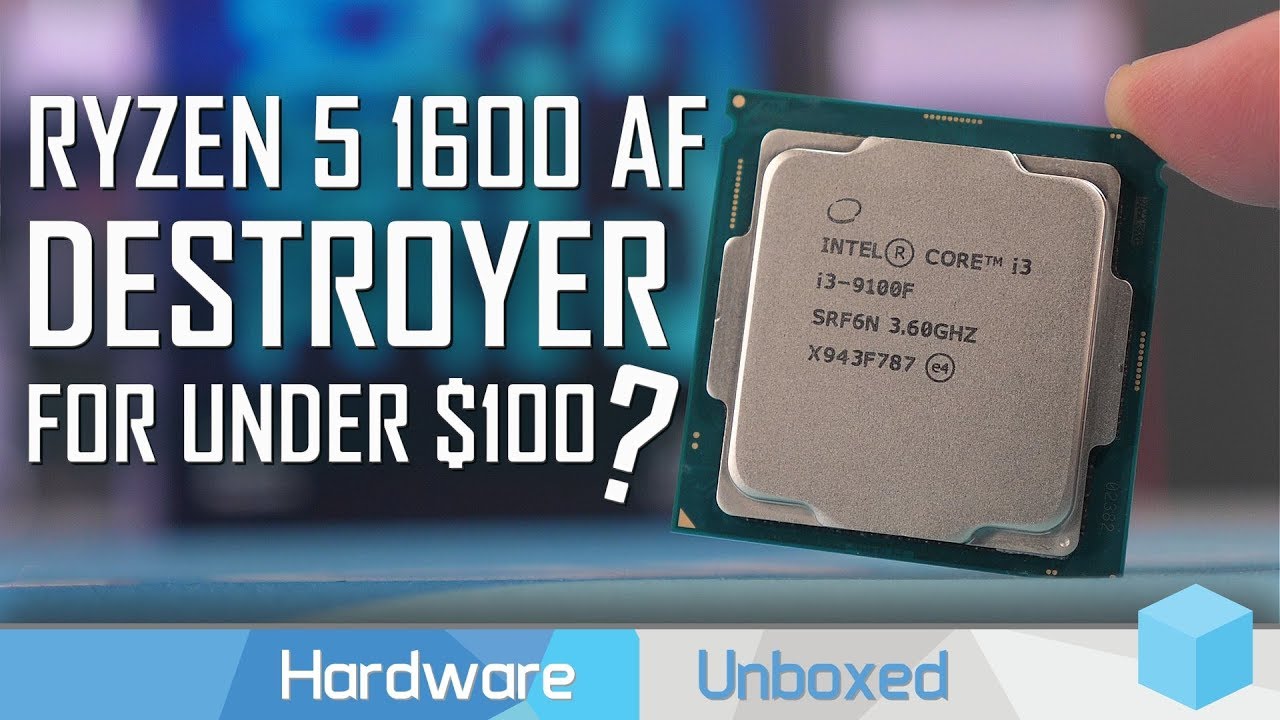
Support us on Patreon: https://www.patreon.com/hardwareunboxed
Merch: http://crowdmade.com/hardwareunboxed
Intel Core i3-9100F: https://amzn.to/38LbSOo
AMD Ryzen 5 1600 AF: https://amzn.to/38BPI19
Read this review on TechSpot: https://www.techspot.com/review/1983-intel-vs-am...
obsidian rock
Yep
cursive wharf
So by the looks of things you have a few games that make the 2600 lose by 1% - 5%, but some games make the 9100f lose by on average 1% - 5%, but sometimes 30%+ if on a new AAA game
overall, I'd pick the 2600 due to not having to worry over that 30%+ perf loss
obsidian rock
Yeah thats def the case
I'll redo the build with an AMD CPU and see what the price difference is and then be back
thanks for your help man!
cursive wharf
This is a quick build I did
https://nz.pcpartpicker.com/list/b6Zbdm
obsidian rock
I suppose the good thing about AMD is that it actually utilises RAM speed
changed the MB because it uses 8-pin CPU power so
cursive wharf
with VRM cooling like that, the CPU compatibility is worse then the one I had
friendly tip, the 4 pin EPS can supply upto 150w with 8 pin to 300w. 3950x max stock power consumption is 145w
So 8 pin is ideal yes, but not really needed
still tho, you have a bit of budget left over for a better board
obsidian rock
tru
43 i think
ill have a look
I might have a look on Amazon because MB options are pretty much limited to micro atx rn
foggy hazel
one of the absolute best boards is a m-atx, so that isnt really a limit :)
obsidian rock
i want fan headers god dammit
foggy hazel
it might be easier/simpler to get a separate fan controller for that
foggy hazel
because NZ is not exactly known for its great selection of boards
foggy hazel
looks fine @obsidian rock
obsidian rock
Cheers man
foggy hazel
(it has been a while since i have looked at the NZ market, it really still is as bonkers bad as it used to be)
obsidian rock
yes
foggy hazel
availability is just not there.
obsidian rock
welcome to our little island marketplace
foggy hazel
aye
obsidian rock
do you live in America?
obsidian rock
is it worth the money for the buidl?
foggy hazel
yes
obsidian rock
oh damn
foggy hazel
its a solid enough build for the price
obsidian rock
decent
thats what i wanted to know lol
suppose everywhere has some downsides
denmark with high tax
new zealand with
foggy hazel
your machine is about 6000 dkk
obsidian rock
antartica a 6 minute walk away
foggy hazel
now comes the "fun" part
the 5600xt you have, the cheapest (any kind of 5600xt) is 2400 dkk
so ... 6000dkk is not really much at all :)
foggy hazel
compared to the US price? yes
compared to the price here? no
it is normal
the machine as a whole is fairly priced imo
obsidian rock
thats what i was going for thankfully
foggy hazel
:)
obsidian rock
now just gotta save up for it
foggy hazel
keep in mind, any list that we say "okay" on, is only really valid for about 2-3 weeks
but, you are more than welcome to come back later on and ask us: "is this list still valid?"
it wont take more than a couple of minutes to check up on
because the mental work has been done this time around
obsidian rock
v tru
 dry breach
So I was planning on getting the 3900x and x570 Asia prime pro. Is there any news about x670 being worth the wait? And I do already have a gen 4 Corsair nvme otherwise I would’ve stuck to the x470. I’m getting parts now because when 4000 drops prices skyrocket and I don’t want to deal with it, plus this gives me time to save and possibly get a rtx 3000 series gpu s
 pulsar dew
Hey all. I am thinking about building a home server PC to store all my media (I'm a streamer and have a lot of video files) as well as backing up all my files. I already have some of the parts leftover from doing upgrades on my gaming PC but I don't really know the first thing about servers. Was just curious if anyone has any insight on what all would be needed to set something like this up as well as recommendations on parts etc.
Also the parts I already do have are RAM, MB, PSU, CPU cooler, and fans. So I would just need to grab a CPU, case, and storage (I think). Thanks for any help
cursive wharf
@obsidian rock Change the SSD, WD Green has a higher then average failure rate
foggy hazel
was that not just the first launch firmware @cursive wharf ?
cursive wharf
That idk about
obsidian rock
Research time
scenic heath
Quick question if I wanna mount extra fans on top do I need a radiator to support it? Or is it just recommended