#building-and-recc-chat
1 messages · Page 487 of 1
 upper condor
 wary tundra

Based on 505,704 user benchmarks for the AMD RX 5700-XT and the Nvidia GTX 1080-Ti, we rank them both on effective speed and value for money against the best 635 GPUs.
but userbenchmark says the 1080ti is better reeeeeeeeee
upper condor
@analog hearth HELP HELP HELP WAR CRIME
upper condor
Go into #ranks-and-levels and type ! Rank
wary tundra
use glock on @upper condor
 cursive wharf
@abstract garden https://pcpartpicker.com/list/vHGcyk
-CPU Cooler: better then stock
-mobo: better sound chip then other boards recommended (such as tomahawk). About same quality as cheap x570 tho a bit worse in some aspects. Realistically no need for what is on the x570 boards tho
-SSD: Decent overall quality for what it is. Has DRAM cache so isnt sucky there
-GPU: Good cooler
-case: better airflow. HZXT H510 has bad airflow.
-PSU: better quality and cheaper
 abstract garden
Thanks man
 buoyant flame
Hei ftw
 stoic island
Hei does stay loyal to his parts
wary tundra
hei comes off passive aggressive sometimes but he a cool guy
 sudden turret

 outer locust
Just wondering, what parts would be the best if you have $800
wary tundra
oh boy
I have a saved list for this
budget case ngl
but its good
@outer locust
you can change the psu but the cx series are amazing
outer locust
my man has this saved
wary tundra
ive helped 3 of my friends with budget builds
outer locust
naice
 scarlet spear

Thanks to Seasonic for sponsoring this video!
Buy Seasonic PSUs on Amazon: https://lmg.gg/8KV6P
Buy Seasonic PSUs on Newegg: https://lmg.gg/8KV61
The compensator series is back, and this time, it's AMD all the way baby!
Buy AMD Threadripper 3990X 64 Core CPU:
On Amazon (Pa...
 foggy hazel
@wary tundra the only reason that @cursive wharf is considered blunt by people, is that a lot of people dont think before they type.
wary tundra
I don't
stoic island
I don't either
 eager chasm
I don't, but I'm usually right

I'm right 97% of the time, who cares about the other 4%.
 sullen spoke
Wats math
 lilac dagger
Anyone know when the H1 case from NZXT will become available? I can't seem to find it anywhere besides their website
sudden turret
can allows ask in their discord

 dreamy flame
@chilly leaf Hey guys. I’m building my first computer. I mainly just need it to run AutoCAD 2018 and revit 2018 with no problems. Here is what I have so far:
EVGA 600 BQ 110-BQ-0600-K1 BQ 80 Plus Bronze Semi Modular 600W Power Supply
ASRock Z390 PHANTOM GAMING 7 LGA 1151 (300 Series) Intel Z390 SATA 6Gb/s ATX Intel Motherboard
SAMSUNG 970 EVO M.2 2280 500GB PCIe Gen3. X4, NVMe 1.3 V-NAND 3-bit MLC Internal Solid State Drive (SSD) MZ-V7E500BW
G.SKILL TridentZ RGB Series 16GB (2 x 8GB) 288-Pin DDR4 SDRAM DDR4 3200 (PC4 25600) Desktop Memory Model F4-3200C16D-16GTZR
Intel Core i5-9600K Coffee Lake 6-Core 3.7 GHz (4.6 GHz Turbo) LGA 1151 (300 Series) 95W BX80684I59600K Desktop Processor Intel UHD Graphics 630
COOLER MASTER Elite 110 RC-110-KKN2 Midnight Black Steel / Plastic Mini-ITX Tower Computer Case
I’m sure most of you will see at least one problem right away. I need advise. PM me or tag me please.
foggy hazel
@dreamy flame what is your budget like?
dreamy flame
I’m not trying to put much more into it. I’ve spent close to 800 i would say I have a budget of 1000
@foggy hazel
foggy hazel
the build you listed above, is about 715usd
(and for the lurkers, yes, i am aware of the case etc)
sudden turret
 foggy hazel
the budget, is that the machine itself or does that include other things too @dreamy flame ?
dreamy flame
@foggy hazel Then I either overspent or you are not including tax, cause it came out to 788
foggy hazel
(do remember, we cannot read your mind, so tax etc or whatever other restrictions you are under are for you to tell us about)
also, you talk about the parts as if you have already purchased them? is that the case?
@dreamy flame if you dont speak, we cant help
dreamy flame
@foggy hazel sorry, I am looking at the link you provided
foggy hazel
the link is just what you linked, but input into the site you see (which is what most online builder people will use)
dreamy flame
@foggy hazel I’m trying to determine if I should return the motherboard and build around the case I have, or return the case and build around this motherboard
foggy hazel
well, let me just grab another build i have in my saved lists.
2sec
yes, i know the price is way higher
but it is still in your budget
dreamy flame
I was digging through the compatibilities on the pcpartspicker website to see if I could come up with something
foggy hazel
and that is actually a build that works
and the last build i linked was actually put together for someone doing CAD/modelling work
and overall, it is a TINY build
dreamy flame
Is there a best brand for storage? Or any brands that should be avoided?
foggy hazel
with a lot of power
that is a simple question, that has a very complex answers (if you dont just take my word for it)
in theory, all brands are fine. As in, all vendors have some models that for specific pricepoints are fair/good
dreamy flame
Lunch break is over. Thanks so much @foggy hazel. I will do some research and will likely be back on here again.
foggy hazel
you are very welcome @dreamy flame and best of luck
sudden turret
that name, lol.
 warm nova

 wide sparrow
Aaaaah
Calvin and hobbes
My all time favorite strip comic
I have two of the books. I need more
 digital hill
yall should i wait for next gen nvidia gpu and intel next gen (supposedly coming out this summer) or get 2080 ti and i7 9700k
im a high school student working so i will save up without spending on anything else
 mild roost
Get 2080 it and i7 if u want to start building and buying. Will be less expensive
cursive wharf
Intel is a waste of money except for very, very, specific workstation workloads
Also if not streaming a 5700XT isnt a bad deal. Yeah having a high end PC is nice, but I suggest you save money for future investments that'll be more important. Post secondary, proper stock investing, etc
 little osprey
Does anyone have a $600-650 PC for basic use
 lyric thistle
You could build one for half that with new parts
In the US at least
If you only need 4 threads and integrated graphics, an Athlon 3000G with 8 or 16GB of ram would be ideal
outer locust
Whats a good build for 800$?
outer locust
Mostly gaming and schoolwork
you helped me with a $700 pc before but im afraid it wouldn’t last me for a long time
and the upgradability is limited
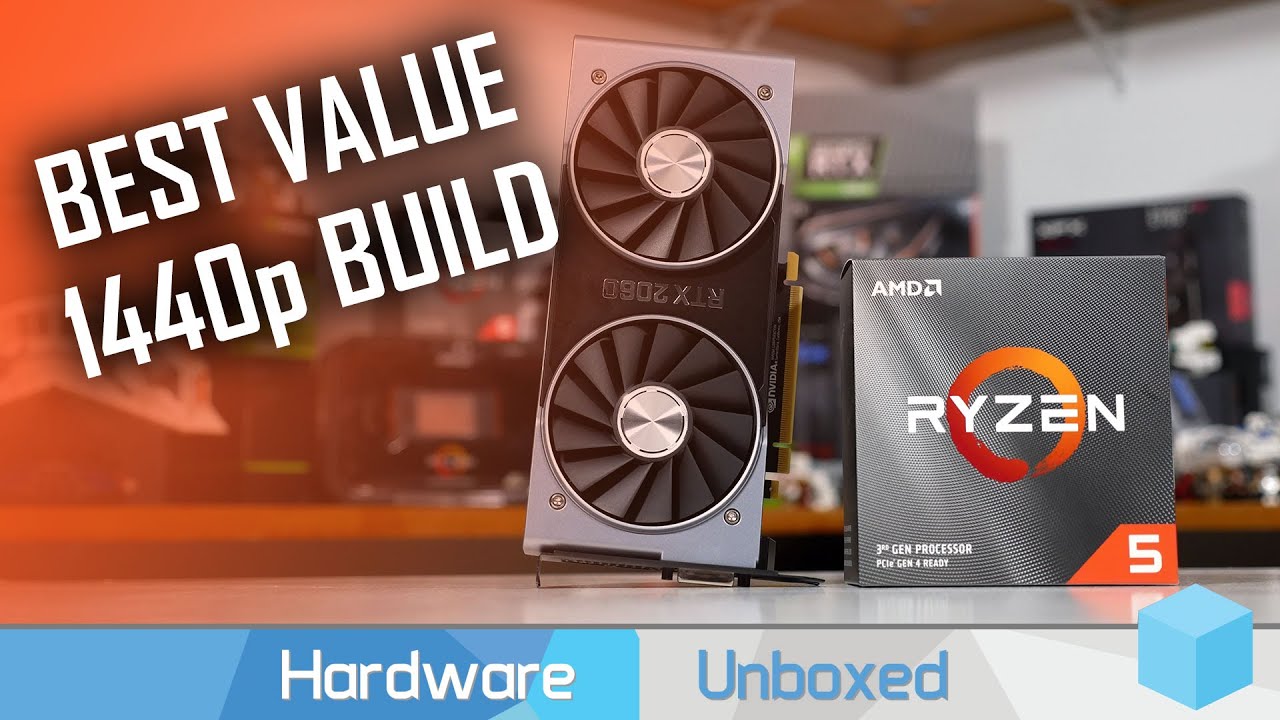
Support us on Patreon: https://www.patreon.com/hardwareunboxed
Merch: http://store.hardwareunboxed.com
AMD Ryzen 5 3600: https://amzn.to/2NBu0nT
AMD Ryzen 5 1600AF: https://amzn.to/2wKTPtB
MSI B450 Tomahawk MAX: https://amzn.to/2LjgZwb
Nvidia GeForce RTX 2060: https://amzn.to...
I actually found this one and considering it
but the psu and ram links aren’t available
^ is this good?
o frick no ram
its 930$ thoo
 teal bison
certification doesnt mean a whole lot
outer locust
Yeah
teal bison
cx 2017 is good quality for its price
teal bison
well if your budget can stretch to 900, https://pcpartpicker.com/list/Qr2xV7
but if you want it to be closer to 800, https://pcpartpicker.com/list/2KC8x6
teal bison
how so?
outer locust
because of the capability of the b450 tomahawk, making it more upgradable for new or current gen
and if i choose 3600, i wont have to upgrade it in a couple years
2060 could also work out well if i wanted go do some content creation
teal bison
well if you want to record/stream ya id go with that
teal bison
i mean you wont really need it, and by the time you do you will probably just want to get a new psu anyways
and yes, the 3600/tomahawk are better but they also cost more so it just depends on how much you are willing to spend now
outer locust
hmm
true
well
Do you think 1660 super is capable of running 144fps on games?
Paired with 1600 af or 2600
just lower down some of the quality
teal bison
1080p?
outer locust
yeah
teal bison
depends on the game and ya you will have to lower the quality
outer locust
you think its capable in achieving those high frame rates though?
i feel like its the low-end of 144fps though and in some games, it might not achieve that
teal bison
1080p 144fps? depends on how much you are willing to drop the quality and what games you play
like rdr2, shadow of the tomb raider, and control will need the settings dropped to like the lowest possible probably
but if you play esports games then it should do well
outer locust
well in those games i would rather have great graphics with 60 frames
there is no advantage in running 144hz in those types of games
teal bison
i have a 1070 which is pretty equivalent to a 1660 ti and i get stable 240 fps in rocket league and around 90-100 fps in overwatch on ultra settings
outer locust
oh
teal bison
but those are really the only esports games i play
other than the occasional cs go but that game will run at 144fps on a potato
outer locust
well in a lot of the games, could you game on the highest graphics and still managing to hit that 60 fps in 1080p? And in fps titles, if you lower down the graphics, is it capable of achieving over 144fps?
with the the 1660ti^
teal bison
oh yeah should do fine for that
outer locust
hmmmmm
teal bison
but the 1660 super isnt much behind the ti
teal bison
well if its priced close then go for it
outer locust
most likely will be available next Wednesday though
teal bison
well if you want to buy today then i think thats a good deal
outer locust
what cpu would you think would fit the 1660 ti?
1600 af or 3600?
im planning to keep the pc for a long time and i feel like if i invested in 3600, it wouldn’t really keep up with the newer gpus in like 3 years
so i feel like 1600af is a better buy
teal bison
yeah i think the af is a better pairing with the ti, i have a 9600k (which is comparable to a 3600) and i am being gpu bottlenecked in games
teal bison
here it is
https://pcpartpicker.com/list/Fd6Byk
you can go cheaper on the case if you want but the nr600 is definately a good one
outer locust
thank you
teal bison
and here it is if you want to shave like $50
https://pcpartpicker.com/list/QNNpV7
outer locust
i think the first one is better quality
outer locust
yup

Put together this $700 Gaming PC Build and you'll be able to push well over 60 FPS at 1080p on high settings in nearly every current game! This build will also be a great entry level 1440p build and allow the user to get into streaming if they so desire!
~
Links:
૰ Upcoming...
hmmmmmmmmm
is it even $700
oo its 727
also not bad
Replace the super with the $220 1660 ti
Basically just change your build with a better mobo and case
Actually
Nvm i didnt add the ram
OOF
that one is more like 800$
teal bison
ya prices change all the time so its hard to look up builds on youtube, although they can be helpful to get a general idea
outer locust
yes
teal bison
but honestly, if you are looking at vrm quality, the pro4 isnt far behind the tomahawk, but it does have less other stuff
outer locust
what is the cons of it
?
Because if i plan to keep the pc for years, isn’t better to build a whole new system and sell my old one
teal bison
well the tomahawk is guaranteed to have 3rd gen ryzen support (which you dont need with a 1600 af) and more pcie 2.0 slots
outer locust
well its like 40$ more expensive
cursive wharf
power delivery to X component (CPU, memory, GPU, etc)
teal bison
yeah basically what hei said
outer locust
so using the asrock b450m is worse
cursive wharf
Tho to note, the Tomahawk lacks in sound/network chip, M2 slots, USB ports, 16x PCIe ports, and RGB headers from boards in the same price, and one cheaper
all just for VRMs
outer locust
so asrock is better choice or worse?
cursive wharf
AsRock PRO4 lacks in the same points
teal bison
yeah the pro4 has basically all the same ports just worse
cursive wharf
Asus TUF Pro and Gigabyte Auros PRO WiFi are generally the boards worth their money
cursive wharf
outer locust
What are the differences of those two?
They look the same
Also, is it better than the asrock?
@cursive wharf
cursive wharf
plus and pro are quite different. Basically all specs are different and not good on plus: sound/network chip, M2 slots, USB ports, 16x PCIe ports, RGB headers, VRMs, fan headers
Gaming Pro is better, Gaming Plus is worse then PRO4
outer locust
Ok
little osprey
i have an old pc.
specs:
-4790k + gtx 980 ti
-16gb ddr3 @ 2133
-western digital hdd 1tb 7200rpm / 840 evo ssd 500gb
is this still solid for gaming in general or should i upgrade my pc in 2020?
little osprey
@atomic patrol nice build my pc is old as an Xbox 360 probably And has no rgb. It does have intel core 2 ddr2 ram 8 gig some asus blue mother board!
sullen spoke
you could probably even wait a little more for an upgrade, those specs still hold up today. Probably wait until new gpu or cpus come out @little osprey
 latent bronze
@little osprey The GPU you might end up replacing that in about 2 years as for the CPU that can last a little longer depending on the games you play as well
little osprey
any ideas on a 1k pc build for audio production
@sullen spoke @latent bronze thanks both of you. i'll wait it out then. bought everything around sept 2014 but yeah they still run my games fine. i suppose if it ain't broke don't fix it 🤷
sullen spoke
👍
 atomic patrol
can someone help me with drivers lmfao
sullen spoke
If you are looking for gpu drivers go to geforce.com/drivers and select your gpu, it will be under 16 series not the 16series(notebooks)
 sand stratus
Hey can anyone help me
sullen spoke
just ask and if someone can help you they will be there
 viral ore
dont ask to ask just ask
sand stratus
Alright I got the phantek p350 and it only has the power switch for the front panel connectors and it won’t turn on
sullen spoke
did you plug in the power switch to the correct pins?
sullen spoke
yes please
sand stratus
Yes
sullen spoke
also make sure it's not upside down
sand stratus
It isn’t
foggy hazel
@sand stratus please post a picture of the full board
sand stratus
foggy hazel
okay, so you have power
sand stratus
Yea it just isn’t turning on
foggy hazel
and your board looks like the rog strix b450-F gaming, can you verify that?
sand stratus
It is
foggy hazel
next time you build a machine, always test boot it outside of the case @sand stratus
that is just a FYI comment
sand stratus
I did everything is working it when I put it in the case and tried to turn it on it did turn on
Using the power button on the case
Didn’t not did
foggy hazel
hm
sand stratus
Should I jump start it
foggy hazel
was that how you did it outside of the case?
sand stratus
Yea
sand stratus
It worked I fixed it
foggy hazel
does the power button also work @sand stratus ?
foggy hazel
(arrow up = edit last message)
as for the p350a, you might want to have a serious look at the wire for the power switch
might just be that there is a loose connection or something
and/or if the case is new, have a chat with the retailer about doing a RMA on it
sand stratus
Just got it today
foggy hazel
@upper condor read up
upper condor
Ah so it has power just no display?
foggy hazel
read again :)
upper condor
Im so silly.
sullen spoke
:)))
foggy hazel
that is your words for it @upper condor :)
upper condor
I would say other words, but then bot gets mad
 grizzled temple
ASROCK B360M-ITX/AC 802.11AC WIFI USB 3.1 SATA3 M.2
this is the mobo I have, along with i5 and 8gb ram. Can someone tell me best ram/cpu I should get?
 past condor
hello all, i recently replaced my 5700xt with a new 2080 super. i also forgot to check if my current cpu can handle the new gpu. i checked online and its around a 20 percent bottleneck. (i5-9400f and 2080 Super) so i plan to upgrade cpus. does anyone have any recommendations? i was thinking the i7-9700k.
teal bison
yeah that is what i would recommend, as long as your mobo/cooler can handle it
oh you are on the pcmr discord too
past condor
yeep
 icy plume
i concur, great choice
sudden turret
@gusty pumice can I suggest something on your build.
reverse the front fans so they are intake 🙂
buoyant flame
You do you know they're not
foggy hazel
@outer locust re:3600 support: IF the bios is version 2.10 or newer, yes.
so it depends on the age of stock
foggy hazel
re=regarding/reference
foggy hazel
i answered that above :)
foggy hazel
IF the stock is newer than 2019/5/15, then yes
foggy hazel
you might be misunderstanding
outer locust
well yes i probably am
foggy hazel
In theory: any of the bigger e-shops in the US should not have any stock that is so old that it has a bios that is less than v2.10
outer locust
ok
foggy hazel
but, IF you go and read reviews on a bunch of the sites, you will see people still complaining about lack of support.
outer locust
are they old reviews?
foggy hazel
sites = the e-shops
and no, there are people that as late as a week ago complained about it
so, as things are right now? it is a cointoss if a board that needs a biosupdate has it or not
and that is entirely on the e-shops shoulders
does that make any kind of sense @outer locust ?
outer locust
my understanding rn is that its like a 50/50 chance
foggy hazel
correct
foggy hazel
your best bet is to make certain that the place you buy it from has a good and easy to use return policy
because you might be using it a couple of times
outer locust
okay
little osprey
Hi
teal bison
hi
outer locust
@teal bison do you think it is possible for a $800 pc with a ryzen 3600 and rx 5600 xt?
teal bison
yes @outer locust
outer locust
could you try building one?
teal bison
outer locust
damn that was quick
lyric thistle
Xd
teal bison
was already building it to price things out lol
outer locust
i don't think the mobo supports ryzen 3rd gen right out the box
and i don't have a spare ryzen chip
lyric thistle
Get an Athlon maybe?
teal bison
well if you really dont feel like emailing the manufacturer swap in a tomahawk max or a pro-vdh max
lyric thistle
Not sure what CPUs can be used to update the BIOS
teal bison
well if he were to spend $50 on an extra cpu, might as well get a better motherboard instead
outer locust
true
lyric thistle
Doesn't have to be 3000G
outer locust
teal bison
@lyric thistle yeah but the 3000g is also like the cheapest one
outer locust
this one is 900 tho
lyric thistle
ic
teal bison
correction, there is one that is like $5 cheaper
outer locust
uh there is barely any difference between the 1600 af and 2600 right?
teal bison
ya
teal bison
looks like there will be about a 20 fps difference, according to this benchmark https://www.techspot.com/article/1880-ryzen-3600x-vs-3600/ yes im aware its a 3600 vs 3600x benchmark but it still shows 2600 numbers, so just subtract like an fps or two off the 2600

TechSpot
We were among the first to review the Ryzen 5 3600 and at $200 we found the 6-core, 12-thread processor a crankin' good deal. In short, it murders the 9600K in core-heavy productivity benchmarks and was right there for the gaming tests. But without question the most popular qu...
i think the 1600 that it shows is the ae version
outer locust
hmm
"Or if you prefer heres a 1660ti for 209 if you use this code,"S1UQP0HAKH2GPDI "
https://www.evga.com/products/ProductList.aspx?type=8&family=GeForce+16+Series+Family&chipset=GTX+1660+Ti"
somebody said that in #tech-deals
im not sure if its true
but if it is, should i go for 1660 ti and 3600?
teal bison
something like this probably
https://pcpartpicker.com/list/fywkb8
cursive wharf
@teal bison poor SSD tho
teal bison
is it?
cursive wharf
poor controller and lack of DRAM cache
teal bison
oh i thought it had dram
lyric thistle
I couldn't really find a definitive way to determine whether a drive had DRAM cache or not
 wispy matrix
Can I get someone here rq
I’m helping someone and they have a problem
hello, can somebody help me? i have a RTX 2070 Super with a AMD Radeon CPU, and i expected to get high frames but im getting low frames? it was a store bought pc that i bought off of bestbuy and i upgraded it but its running slow compared to my old graphics card. i run at abt 70 no matter what settings im on in a game, if you can help me please @ me or PM me! thank you!
wispy matrix
i have a AMD FX(tm)-6300 Six-Core Processor
It was what he said
It’s copied and I’m trying to figure out what’s going
On
wispy matrix
Trying to figure that out I’m doing this for a friend
sullen spoke
he ahs high refresh?
wispy matrix
No sometimes it will go up to 90
sullen spoke
a fx processor is an odd match for a 2070 super
upper condor
Yeah
wispy matrix
He says low settings
sullen spoke
If it is the cpu you can monitor the cpu usage using task manager or rivatuner overlay
It the cpu is at a constant 100% usage and the gpu is lower than 100% than it is probably cuz the cpu
Also if he is using a hard drive for windows that can be an issue
a 2070 super should be getting 70-90fps on max settings in any game
sullen spoke
using hard drives for an OS can be iffy
wispy matrix
And also what kinds of cpu should he need
sullen spoke
often there will be fps shooting all over the place with hard drive
 warped moat
Windows 10 is particular doesn’t like hard drives
sullen spoke
He definitely needs a ssd for windows
hard drives to run windows are basically extinct these days because it makes the whole system feel sluggish
wispy matrix
Ryzen 5 3600 will that work
warped moat
He’d need a new motherboard
wispy matrix
Why would he need a new motherboard
warped moat
FX 6300 uses the AM3+ socket while Ryzen 3600 uses the AM4 socket
wispy matrix
I’m trying to make it as cheap as possible here for him
warped moat
It’s not worth trying to build with that motherboard. He should save up a little and get a cheapish motherboard and a 3600 or 2600
sullen spoke
probably a b450 mobo
I just saw this https://www.youtube.com/watch?v=k1Arm-ETL8A

Ryzen 5 3600 4.1GHz vs FX 6300 4.1GHz (RTX 2080 OC)
World of Warships - https://track.wg-aff.com/click?pid=1149&offer_id=24
Games :
Assassin's Creed Odyssey
Forza Horizon 4 - 01:12
PUBG - 02:18
HITMAN 2 - 03:34
Battlefield 5 - 04:30
Project Cars - 05:37
Rainbow Six Siege -...

this is with a 2080 which is very close to the 2070 super
warped moat
That’s a fat F
sullen spoke
It's like less than half the fps
warped moat
It’s 1/3 in some games
sullen spoke
goes to show you that cores don't mean too much
wispy matrix
So he needs a new cpu, a ssd, a motherboard
warped moat
Motherboard and cpu should be top priority
sullen spoke
yup
warped moat
But yea
wispy matrix
sullen spoke
you know how much ram he has just out of curiosity
wispy matrix
sullen spoke
uhh you put a hard drive in there
warped moat
It’s fine atm but look at upgrading that later down the line
sullen spoke
def the cpu and mobo
 tranquil dust
need new ram too im psure
sullen spoke
then a ssd for windwos like this one(this is just a random one I found) https://www.amazon.com/SanDisk-120GB-Solid-State-Drive/dp/B01F9G414U
tranquil dust
he has an fx6300 yeah?
sullen spoke
ye
warped moat
Ah yea didn’t consider that
sullen spoke
is b450 backwards compatible with ddr3
tranquil dust
no
tranquil dust
b450 is for cpu not ram
warped moat
Almost everything in that pc is outdated and not compatible with new stuff
Wouldn’t be surprised if the hard drive was 5400rpm
wispy matrix
So what’s the cheapest we can go on this
sullen spoke
it's probably going to be like 300-400
wispy matrix
Make a list pls
warped moat
Do you know the wattage of his psu
sullen spoke

wispy matrix
He just got a new psu it’s 750W
warped moat
Good
wispy matrix
lol group project
wispy matrix
So we can go with that and just see what he says
I’ll retake on this subject when he responds thanks for time guys
Well he was happy
tranquil dust
thats good
tranquil dust
gn
warped moat
Gn
sullen spoke
Night
 subtle halo
weak sleeping
sullen spoke
😛
warped moat
Idk I just saw that ssd recommended a lot here
stoic island
What
Nvme SSDs don't make too much sense unless you're doing pro work or have a big budget
latent bronze
@versed tree next time want to remove the side panel when taking a picture with a flash?
 foggy bough
with a 600 euro budget should i buy new parts or used parts?
latent bronze
Depends on what you plan on playing
You could also go for a mix of both
Example is you can go for a new Ryzen 5 1600 or 2600 and then go for a used RX 580 or GTX 1060
foggy bough
i plan on playing sea of thieves,overwatch,rainbow six siege,tf2,cs go ad may more
also i will try to get a vr too
to play new half life
sullen spoke
what ecks said looks fine, for vr too i'd go at least with a 1660ti or 1070 you can get used to save some money
foggy bough
thanks,ill go for a r5 2600 and a rx 580
upper condor
@gaunt zinc what are your actual specs? Ive never seen
 gaunt zinc
I'm rocking a Ryzen 5. 16GB of RAM, 1080Ti
gaunt zinc
Fun to make. Awkward to wear lol
My elbow and knee pads were making it hard to walk and move lol
upper condor
I can tell
 dreamy flame
is you asus prime x470 pro comes with bios/uefi version 4804 or better
 olive isle
I'm sorry if this is a stupid question. But I have a ryzen 3700x on a rog strix 570x. I am not overclocked (stock settings except manual infinity fabric at 1:1) but am running at 4.366?
The only thing I did today was install more fans and 32gb of tridentz neo ram
 jagged ember
Are you running more demanding tasks on your computer?
Or is your CPU still running at turbo speeds even on light tasks like browsing the web?
olive isle
There's nothing running. Not even connected to my computer.
Still sitting on my bench hooked up to a spare monitor
sullen spoke
if you are talking about the cpu freq. it can fluctuate when power is set to balanced or power saver, idk much about amd cpus specifically tho
jagged ember
Yeah fluctuations in CPU clock speeds are completely normal
sullen spoke
I have mine locked
jagged ember
If you're really worried about it you can just use the balanced power plan or set your minimum processor state btwn 5% and 20%
sullen spoke
it could also just be the turbo
olive isle
Ok interesting. I don't know that it did this before. Maybe because I ran that 'built in overclock' about a month ago
sullen spoke
I usually use high or ultimate performance lol
sullen spoke
auto overclocks could also be it
olive isle
I have just never seen this and wondered if there was something wrong with my buos
jagged ember
I'd be willing to bet it's the auto overclocks
olive isle
It currebtly doesn't have the overclock' on it now
You can run it in a wizard at the BIOS and I've yet to do that
sullen spoke
I've rarely ever come across a board with a messed up bios, even if that is the case you can always do a bios update
jagged ember
It should be fine
sullen spoke
well that cpu is rated to hit 4.375 so ye it's fine
you can always oc to make it higher if you want
olive isle
Ok! Great! I plan on learning how
sullen spoke
It's a lot of trial and error
sullen spoke
but if you got the time it's fun, just don't overvolt the cpu lol
olive isle
Haha. It's terrifying
sullen spoke
I only mildly overvolted once 
olive isle
There's a billion videos out there for it. I'll figure it out eventually lol
 tepid basalt
Does anyone know how does graphics card calculate the recommended psu wattage?
sullen spoke
there are psu calulators online
pcpartpicker also shows you estimated wattage
you usually want to get a little higher than the estimated for the psu
there is also a psu tier list https://linustechtips.com/main/topic/1116640-psu-tier-list-40/
tepid basalt
Suppose I want to build a case with a sapphire rx 5700 + 3600
I see psu calculator websites recommend like 550w psu
But on the sapphire webpage they say like 600 minimum and 650 recommended
Which side should I listen to?
jagged ember
I mean going with a higher wattage PSU is never a bad thing
sullen spoke
either is fine
you can look for one about 550w or above on that link I sent, higher tier the better
cursive wharf
usually, tier list isnt always accurate
 shy coral
 sullen spoke
not always
I can't check, some websites aren't responding for me 😦
sure you can send your list
olive isle
Ok turns out overclocking is fun and not super hard if you don't go nuts. And ryzen master/precision x1 makes it a lot easier lol. Probably not good for street cred though
wispy matrix
https://pcpartpicker.com/list/jmJNBZ any suggestions
jagged ember
what are you planning to do with that build?
I'd also consider getting an SSD boot drive
wispy matrix
my friend wants a gaming pc he has a budget of 900$ 1080p, fortnite, gta v also video editing @ 1080p and this is what hes using it for
wispy matrix
just fix the drive and i will do the finishing touches
jagged ember
system responsiveness compared to SSD will be much lower
Does your friend have an external hard drive?
wispy matrix
he has no gaming pc he wants one so i would say prob not but i will wait for the answer
jagged ember
Does he know the read and write speeds?
cause I'm thinking you could go for a smaller SSD instead of a 1TB drive and save some money that way
wispy matrix
https://pcpartpicker.com/list/ntbVL2 try that one
wide sparrow
I would
sullen spoke
jagged ember
Oh wait I just noticed that one of the warnings say that populating M.2 slot would disable 2 SATA slots
jagged ember
Huh I always thought crucial was a good brand
wide sparrow
Get a sabrent rocket 512gb instead
it has faster R/W
Or get get corsair p510 480gb
wide sparrow
Much Much better
wispy matrix
all set???
wide sparrow
Well
That cooler has to go
brb
Noctua U12s
Switch the wraith for that instead....BUT there will be no RGB ):
wispy matrix
thats the one i was looking for but i couldnt find it and gave up
wide sparrow
oh ok
wispy matrix
but its over budget
wide sparrow
be quiet has a good one go
jagged ember
900 dollar budget for this one
wide sparrow
its cheaper
wispy matrix
900
jagged ember
and it's super quiet
jagged ember
that's true lol
wide sparrow
Dish that extra money if you want quality 👍
 deep skiff
deep skiff
deep skiff
you can get a 2x the storage for sata, a much better gpu, and still a decent 650w psu
1600 AF would let u bump it up to 5700 xt or save like $50, but the price fluctuates a ton
wide sparrow
thats a good one...BUT amd gpu 
deep skiff
hey the new drivers fixed stuff
and like xt flash :v
that’s like 2070 performance right there
deep skiff
ya it’s a ton more stable but still a few issues
wispy matrix
ailbreaker🔺Today at 12:32 AM
Instead of a nvme drive, we can actually just do with a sata ssd
wispy matrix
nachos look above
deep skiff
yea put a 1tb sata drive in for the nvme
wispy matrix
what kind
deep skiff
any one that has dram and hei doesn’t hate really lol
X3 is pretty good price, I just throw it in a ton of builds but im not an expert
wispy matrix
we got a budget
deep skiff
yea
wide sparrow
im using one right now
deep skiff
or if u can spend a little more I’ve heard the mx500 is decent but don’t quote me on that
deep skiff
yea
wispy matrix
what video card
wide sparrow
sata stops at aorund 550mbs
deep skiff
id probably go with ryzen 2600+rx 5700/2060 ko/2060 super
wide sparrow
2600+2060s if possible for sure
deep skiff
like this https://pcpartpicker.com/list/dMxVL2
ignore the ram color it doesn’t wanna show the other colors as in stock
deep skiff
yeah that’s good too
cursive wharf
@deep skiff The Sunbox X3 is bad
It has a rebrand that you cant tell the difference from
and the rebrand is horrid
basically a gamble on getting the good vs the bad with the bad being a high % to get
@wispy matrix look above for SSD beware. Also Tuf plus is a bad mobo, it's Tuf Pro that you want. Small naming difference, big quality difference. Also 1600AF and not 2600. Also beware of case airflow as that case has poor airflow. GPU is meh on cooling, might actually be bad as well but cant remember 100%. As for PSU use this https://www.newegg.com/bitfenix-bp-wg650umag-7fm-650w/p/N82E16817376006?Description=bitfenix whisper&cm_re=bitfenix_whisper-_-17-376-006-_-Product&quicklink=true
 short arrow
https://pcpartpicker.com/products/compare/Hy97YJ,wb7v6h/
Does the steel legend have any downsides?
warped moat
https://pcpartpicker.com/list/Cttrwh what do y’all think of this mini itx build
Trying to keep it on the cheaper side
wispy matrix
Where’s your case
 floral tree
I just want to check that this build will look good and perform well
actually I think the SSD I had in there is no longer available
 analog hearth
@floral tree
1080p? Outstandingly well
1440p? Great
4K? Decent (but that’s 4K we’re talking)
floral tree
ok
analog hearth
Is this your first build?
floral tree
yeah
analog hearth
I’d actually switch the motherboard out for one that’s compatible with Zen 2
floral tree
ok
analog hearth
There are B4x0 and X4x0 series motherboards that are compatible with Zen 2
Doesn’t have to be X570
floral tree
like a B450
analog hearth
Yeah
floral tree
ok
analog hearth
But I think brands differentiate their updated-for-Zen 2 mobos differently. I know MSI puts “MAX” in the product name
But idk about other brands
floral tree
would you recommend a bigger case? I actually want to go bigger than micoATX
analog hearth
Idk a case directly by name. But my recommendation is to go with the size you want/need (of course), meets the kind of look you want, and most importantly, has good airflow
floral tree
ok
analog hearth
I personally tend to lean more towards airflow
floral tree
and the Mobo will still be fine in a bigger case even though it is microATX board
analog hearth
Most times, yes. Almost always, actually
 sacred obsidian
i've never encountered one that wouldn't lol
analog hearth
I actually haven’t seen an ATX case that can’t fit an mATX motherboard
And what deafkid said about micro center
floral tree
Im not sure about any near me
analog hearth
Definitely check. It’s worth it
They can probably even update the BIOS on your motherboard
So you wouldn’t have to pay more for a Zen 2 compatible B450 or X470 mobo
floral tree
Yeah there is one an hour away from me
analog hearth
I mean, if you want to lol
floral tree
so am I going to need to update my BIOS when I open my computer
or POST it for the first time
sacred obsidian
you could do something like this, (changed mobo, storage, case, got rid of fan) https://pcpartpicker.com/list/zVJTjp
floral tree
ok
sacred obsidian
if you make the drive to micro center though to get mobo and cpu, if you get both, you get another 30$ off the cpu, plus they have the lowest prices already and if they dont, they will price match 🙂
sacred obsidian
so like for example, pcpp says 3600 is 175, theyre selling for 160. then you can get another 30 off, so it would be 130.
analog hearth
DeafKid I swear I hate being this rude about cases but that case probably has less airflow than an NZXT H500
sacred obsidian
but also motor the h510 and h510i isnt that bad on airflow
my cousin uses it and everything stays really cool
floral tree
I think ill go with the Corsair spec-delta
subtle halo
go carboard
analog hearth
I still have yet to watch a review on its airflow lol
sacred obsidian
you can also always look at micro center if you go there. they have a ton of nice cases lined up for you to see in person
i havent watched a review but we use one so i know its fine lol
floral tree
o
h
yeah thats nice
Idk the case looks pretty good to me
its got RGB and looks like it has good airflow
sacred obsidian
idk about the good airflow part but its porbably fine lol
good airflow isnt how many fans it has, its the fact that like it looks like it has few or no vents for air to come in. it probably has a vent on the backside
if it has a vent on the back side (like the h510 mentioned earlier) then it is fine imo, but if it only has the 2 small vents on top or bottom or both, its likely not to good
subtle halo
xD @floral tree do you have some benchmark ? or you just assume?
sacred obsidian
hes working on a build tomie
floral tree
yeah there are 2 vents on back and 2 on bottom
floral tree
Idk man
sacred obsidian
then it will probably be fine, but a lot of people will say its bad lol
i dont agree with a lot of people though 
floral tree
tomie what do you reccommend
subtle halo
you will not know unless you have the case in front of you.
if people says.. that case is sucks.. tag them xD and ask for proof .. video or demo.. .and benchmark
sometimes they put whack fans on a case and call the case bad airflow
floral tree
are be quiet cases good airflow?
subtle halo
no idea.. we need solid proof that its good
or bad
make sure the benchmark you are looking for are using the same fan you are using..
wispy matrix
Tomie
subtle halo
ye
wispy matrix
Should I do 24 gb or 16 gb memory
sacred obsidian
16 is plenty
subtle halo
XD no idea.. never tried 24gb before..
sacred obsidian
but you should do either 2 sticks or 4 sticks
wispy matrix
But I can do 24 for the same price...
wispy matrix
8 gb and one 16
sacred obsidian
i wouldn't do an 8gb stick and 16 gb stick
sacred obsidian
basically you want both ram sticks to be the same size, same speed, and if you can, same brand
subtle halo
to avoid inconvenience
wispy matrix
subtle halo
also dont do 3x8gb.. if that cross your mind..
sacred obsidian
3x8 wont neccesarily hurt
wispy matrix
I only have two slots tho
sacred obsidian
just if you use over 16 it will slow down lol
subtle halo
3x8 wont neccesarily hurt
@sacred obsidian dual channel still work but the other one will run on single channel.. depends i tried 3 ram before in intel it shows single channel on our i5...... but yeah little impact i guess..
sacred obsidian
dual channel will work on the first chipset. once you start using over 16 it slows down to likek half speed or something like that.
thats how it was explained to me
wispy matrix
I might switch to the ripjawz
sacred obsidian
ripjaw is good
floral tree
you get a max 56c with the Spec-Delta
wispy matrix
But this will use this for the time being
sacred obsidian
alright 🙂
wispy matrix
For a prebuilt this thing runs smooth
floral tree
I really like the look of the case so I think thats the one
sacred obsidian
Dookie idk what you mean by that cause like, cpu temp is dependant on the cpu cooler, gpu temp is dependant on gpu cooler, etc etc. airflow just helps push hot air out of the case
wispy matrix
It’s a 600 prebuilt
sacred obsidian
but if you like it, get it 🙂
well you may not have a dual channel mobo which means 1 stick will run fine
wispy matrix
But I didn’t expect it would run this smooth
sacred obsidian
and it doesnt look like its one of those prebuilt that are built to be locked down lol
wispy matrix
It’s one of the popular brands of prebuilts also
floral tree
what brand?
wispy matrix
Cyberpowerpc
outer locust
what is the best pc build for $800?
 wary geode
I mean get a used gpu it’s the way to go and then ball out on good things
wispy matrix
Jerlijo
I can help you after this match
@outer locust
I would say 8-10 mins unless someone gets you
outer locust
ok
wispy matrix
Alright let me do this list rq
outer locust
kk
 cerulean burrow
Anyone here used the cable mod vertical GPU mount that takes up your PCIe slots?
wispy matrix
https://pcpartpicker.com/list/6t7Zq3 this is not completed but im gonna need some help to finalize it
@sacred obsidian
ill be on my phone watching chat or waiting for someone to answer back
sacred obsidian
that build is good, but the only hting i'd be worried about is maybe the gpu, and then im not good with psus but id get at least a 600w for that build just in case
outer locust
is this good?
https://pcpartpicker.com/list/gxdJNq
wispy matrix
outer locust
yeah 850$ max
wispy matrix
The motherboard i has was fine but that’s your choice
i just switched the storage it has 20 more gb for the same price
 calm goblet
so i have a 2070 super windforce from gigabyte and just noticed that it has rgb. ive downloaded the rgbfusion controller for the card and nothing is turning on even though it is registering the gpu.
analog hearth
^
calm goblet
ive rebooted and still no lights
mystic light is set to not override other rgbs and the only other one i have running is the one exclusively for my wraith prism
ive looked online and i cant find a fis anywhere
calm goblet
yeah, theres one from coolermaster and then the one from msi
sudden turret
then you can play around with priorities
calm goblet
how do i disable. i know i can just turn them off, but to i need to actually go into the control panel and disable
cursive wharf
@wispy matrix why Tomahawk max?
cursive wharf
b450 TUF Pro and gigabyte Aorus Pro WiFi is better quality. @outer locust
Then Tomahawk
cursive wharf
Sound chip, network chip, usb ports, m2 ports, PCIe ports, lack of wifi, less RGB headers
@wispy matrix this is for other guy as you know about the quality stuff
But also
TUF plus is bad
It's pro that's good
wispy matrix
I’m still kinda new to this but I like for others opinions bc I can learn also he did his own list and left
latent bronze
@outer locust Do you plan on streaming?
https://pcpartpicker.com/list/W7sP7T This is an option for streaming as well
latent bronze
Well i added more storage in the build cause more storage is helpful
more storage is always needed cause this isn't like 2004 when everything was like 500mb to 1.5gb
This is more like 10gb to 150gb
 strange garden
Should an rtx 2080 be struggling to get 60 FPS on destiny 2 at 1080p on high settings?
wide sparrow
Lmao
@strange garden of course not. Even a 1060 can do 60fps+ at 1080 on high
I was a hardcore vet player and I know for sure
Did you check your CPU and GPU temps?
strange garden
Max gpu temp was 75
CPU maxed at 85 with fluctuations
Average cpu temp was 75ish
I’ve been wondering if single channel ram is the culprit and I’ve looked at upgrading but have been looking for the right deal
foggy hazel
@strange garden what parts do you currently have?
strange garden
Rog strix z370-e gaming mobo I7-8700 rtx 2080 16gb 2666 ram (single stick) 256gb boot drive m.2 drive and a 2 tb Hdd
strange garden
Stock intel, another thing on my upgrade list.
foggy hazel
i am not a destiny player, so i dont know if there is a framelock
but that would be my guess as to the reason
 lavish beacon
https://www.userbenchmark.com/UserRun/25488301 What could be causing my GPU to run at the 28th percentile?
sullen spoke
the police will get you now
analog hearth
@lavish beacon listen here now
If I see you using that crap ass software here again, imma call the mods
Unless it’s for troubleshooting otherwise you good bro haha
@stoic island thank you for reporting to the Wegg police
sullen spoke

foggy hazel
@analog hearth perhaps consider talking less like a kid on the playground, and more like a person who would like to actually help someone.
sullen spoke
this is serious, userbenchmark is very dangerous xD
analog hearth
They called and I answered
stoic island
It's a joke about userbenchmark. Doesn't hurt imo.
analog hearth
UserBench is like a drug. Once you find it, you get hooked on it
foggy hazel
they called, you barfed on your shoes, then you blamed them for it.
analog hearth
Rule 5 violation
sullen spoke
ok no need for arguement
analog hearth
Haha
 mighty pine
Hey guys, I'm looking to upgrade my PC to get better frames in Apex Legends. I'm looking to record footage but already my frames are awful in this game because of optimization (I get between 100 and 200 FPS (after demolishing the graphics settings and going into config files) on my 240Hz monitor which is pretty depressing whereas when I played Overwatch I got 230FPS while recording). Right now I'm running an i7-7700k 4.2GHz CPU, a Geforce GTX 1060 6GB GPU, and 2x8GB DDR4 2473MHz of RAM.
I'm wondering what would be the best to upgrade and by how much. My budget is around $500. I was looking at getting a GeForce RTX 2060. Does anyone have any recommendations? I'm not good with hardware. Thanks.
analog hearth
Honestly that’s a great budget to upgrade for what I personally think you should upgrade. I would upgrade the GPU most definitely. The 1060 is decent for 1080p, but I would recommend the 2060 Super, considering your budget. You’ll even haven money left over for maybe a potential storage upgrade, perhaps. Not only that, but you’ll be prepared for 1440p when/if you decide to upgrade your monitor (if you haven’t already)
@mighty pine
 jade grove
Alright guys, need a bit of help here. a fried of mine sent me $200 to do what i can to upgrade/ finish building my girlfriends pc. now i can be a little flexible with it, probably up to $250 at the moment. my question comes in when i wonder what i should buy first. the system doesnt have a case to go in at the moment, but its also running a shotty pentium cpu. So should i upgrade cpu(and mobo, since id switch to ryzen) or buy a case first
also its got a 450 w psu, 980 gpu (for now) and 8 gb ddr4 3000 Mhz ram
i was thinking of going with the r5 1600 "AF" variant because its on the 12nm process instead of the 14nm, making it almost identical to the 2600 for much cheaper
mighty pine
$500 CAD
Should have clarified
So $375 USD
I got help from some folks in general already and am planning on getting a 1080 used for $290USD
I probably won't be getting higher resolution any time soon as it's not competitive (I even downscale from 1080p to 720p right now). I prefer frames and refresh rates over graphics.
Thanks for the input
jade grove
newegg has a 5600XT for 290
mighty pine
The used 1080 I'm getting for $290USD is better and is the same price (cheaper than regular/not on-sale price) @jade grove
+19.2% benchmark difference
buoyant flame
Uh oh here we go again
sullen spoke
don't let the police catch you 😉
buoyant flame
Its just some controversy about the authenticity of the userbenchmark website
sullen spoke
yeah if youre talking about the wegg police then yup some people, especially him question the reliability of userbenchmark
sullen spoke
the whole infraction thing is mostly just a joke xD
sullen spoke
just as I hate windows:)
buoyant flame
I would just switch out the ram for this one https://pcpartpicker.com/product/jBZzK8/gskill-ripjaws-v-16-gb-2-x-8-gb-ddr4-3600-memory-f4-3600c16d-16gvkc
Cheaper and faster
Yes basically
But g.skill is a very well know and reputable ram brand aswell
Noctua makes great fans but they're not the prettiest
Do you plan on overlooking?
Ok that makes it easy
Ok so the stock cooler should be sufficient enough for the cpu
Just out of curiosity why did you pick that case
Do you know the size of the fans you have
Just for compatibility sake
Ok. My only concern is the airflow with that case
It should be fine tho
Aio coolers are still technically cooled by air
That might be your best bet because according to the reviews of that case its pretty sub par for watercooling
Ok
 austere condor
970 evo plus is massively overkill unless you're doing a serious amount of writing data to that drive. there are faster SSD's for less money, with the same warranty.
board is a bit overkill too, unless you specifically have a use for PCIe Gen 4, there's really no reason to be using a X570 board in this budget and with just a 3700x
I havent gotten to build in the S600, but, i have had experience with Be Quite cases, and the are insanely quiet. definitely worth checking out. @turbid viper
buoyant flame
Demonmit has way more knowledge than me so I would listen to him lol
subtle halo
bruh
austere condor
biodegradability
10/10 autocorrect
buoyant flame
Lol
austere condor
XD
so, 970 evo plus is an awesome drive, BUT, the reason why its so awesome is it is very fast for consistent write speeds, good example is directly recording footage to the drive, or transferring video footage off of external media onto the drive. built to handle many hundreds of terabytes of data over its lifespan. if you're a typical user, or playing games, you'll never come close to that
subtle halo
nice
austere condor
something like the EX920 or saberent rocket are still fast as hell, but much more reasonable on the price.
buoyant flame
Samsung is definitely on the pricier end
austere condor
also, a bit of just personal preference, i prefer to keep my C drive quite small, and have a large secondary drive for most things, so if and when i need to do a format reload, i dont have to deal with reinstalling all of my programs, or risking losing my data in a borked reinstall with windows.old
buoyant flame
Thats smart. I've definitely run into that problem before
austere condor
i'd be looking at something like this
if you're going for a quiet focused, not flashy looking system
ended up being $3 more than your other list
buoyant flame
Is that board 3000 series compatible out of the box?
austere condor
while, getting a silence focused case might seem like a great idea, you're still running a 2070 super and a 3700x, those are going to put out heat, so rather than optimizing the case for noise, i'd recommend getting fans that are optimized for low noise. the silentwings 3 are legit inaudible... they are insanely quiet.
between that, a large dual tower air cooler for your CPU, the loudest part in your rig will end up being the coil whine on the GPU if you end up getting it. lol
yes @buoyant flame
buoyant flame
Ok I just saw that too
austere condor
all the MSI max branded boards are ryzen 3000 ready out of the box
austere condor
you wanted quiet, so... you go bigger. Wraith prism is great for most people, but, its not the quietest thing. going with the Fuma 2, since its much bigger, will let you run the fans at a lower RPM, keeping the overall noise of the system down
short arrow
Any suggestions?
 cedar portal
I quite like my AsRock B450M Steel Legend.
https://www.asrock.com/MB/AMD/B450M Steel Legend/
The only think I don't like, and my understanding is that this is very widespread amongst many hardware manufacturers is that their RGB management software is 95% garbage. I'm giving it 5% because it works. But it's slow and not very user friendly.
@short arrow that build looks ok
 robust granite
what would be a better card for someone gaming but not looking to stream, a 2060 super or a 5700 xt.
ray tracing would be nice for me but hardly anything makes use of it so it shouldn't be a factor.
I'd be pairing it with a ryzen 5 3600
cedar portal
the 5700xt is the performance winner but wait until AMD gets their bugfix drivers out before you make a decision, AMD drivers right now are kind of...FUBAR
robust granite
thanks!
that works out because i'm gonna wait on building until the semester is over
strange garden
Anyone have experience with Sager laptops? Are they any good? I’ve never heard of them
teal bison
@cedar portal they actually just released a patch which claims to fix a lot of the major issues but it hasnt really been long enough to test it fully
outer locust
so is the 5700 xt a good option?
warped moat
Raytracing on a 2060s isn’t very good either
The 5700xt is a good option especially with the more stable drivers as of late
outer locust
so its good?
upper condor
Yes @outer locust
sullen spoke
nvidia better if you want to record or stream tho
tepid basalt
is it true that a 2.5" 5400 rpm hdd has the same speed as a 3.5" 7200 rpm hdd?
 pseudo osprey
Is this channel for building help?
sacred obsidian
yes
 celest horizon
In 2020 - 5400 rpm vs 7200 rpm etc isn't really a defining spec.
e.g. Seagate ironwolfs vs WD reds - both are great options.
10TB drives are kind of the sweet spot for NAS builds.