#building-and-recc-chat
1 messages · Page 476 of 1
 upper condor
 latent bronze
For a lot of CPU's out there like the Ryzen 5's a AIO like this one is actually more then enough https://www.newegg.com/cooler-master-masterliquid-ml240l-rgb-liquid-cooling-system/p/2YM-0004-00015
 little osprey
you said that they didn't have those fans by saying that
little osprey
Lol corsairs doesnt
yes but you phrased this completely wrong
upper condor
But most arent
little osprey
by saying that you are essentially saying corsair h100i doesn't have maglev rgb
upper condor
Maglev doesnt help performance bruh it just ups the price
little osprey
ur avoiding the statement
 wide sparrow
@upper condorssssshhhh...I need #37
little osprey
maglev goes faster btw
rgb isn't a sales strategy
alot of people like having rgb
little osprey
and is that corsair
upper condor
No
little osprey
then why are you talking
upper condor
Thats delta electronics read
little osprey
i did read it
upper condor
Then whyd you say corsair?
little osprey
why would they put a non-corsair fan on a corsair product
and is that corsair
stop being literal
upper condor
They didnt look at the fan
little osprey
do you not see its a 92mm fan
little osprey
and why would they put a non-rgb fan on a clearly rgb product
 still roostBOT
 Mando#4221 has been warned
Reason: Bad word usage
upper condor
Its not an rgb product
latent bronze
If you're talking about this AIO then it is only the pump that is RGB https://www.newegg.com/corsair-liquid-cooling-system/p/N82E16835181139
little osprey
why would they put non-rgb fans with a rgb pump
latent bronze
Also stop swearing
little osprey
h100i
upper condor
Why isnt he banned
little osprey
i don't notice when i put it in there
upper condor
Its the 3rd time
latent bronze
https://www.newegg.com/corsair-liquid-cooling-system/p/N82E16835181141 still RGB only on the pump
little osprey
my point is is that they aren't going to put a non-corsair product on their products
and im relatively sure that maglev are the fastest 120mm fans corsair has
upper condor
Still arent the fastest though
How about this
Noctua has better fans than corsair correct
 icy plume
on what?
upper condor
60$ corsair fans
icy plume
and what was the issue
upper condor
When noctua has 20$ fans that are better
icy plume
F
 lime forge
 upper condor
Mamdo got triggered af
latent bronze
they had a debate and Mando kept swearing
icy plume
i was just curious as to what someone's concern was before that
upper condor
Because I said that the d15 was better than aios
He disagreed because it "looks ugly"
icy plume
that's his problem
personally i don't care too much for the looks of a build, i appreciate other's builds when they look great, but i just want mine to be functional
upper condor
Same
latent bronze
I could of went for a AIO but i went for the 212 Evo RGB instead and no regrets
full load on all games i get 47c
upper condor
What cpu
icy plume
eh, you're still a fair bit under the throttle temp
latent bronze
so 13c less is an improvement
my CPU was always cool but i wanted to get it cooler just in case if i was ever planning on overclocking
upper condor
True
 lofty swan
Is it hard to build a PC?
latent bronze
Building a PC is like adult lego's
wide sparrow
^
little osprey
Watch a video and good luck lol. What's the worst that could happen
latent bronze
1200$ budget would be able to play most games on very high to maxed out
upper condor
60 fps? No problem
icy plume
agreed
you can probably build with a 2060S or even a 2070S, and certainly a 5700XT is an option
icy plume
i went with a 2070 super on a 1500$ prebuilt lol
 wispy matrix
I’m trying to do something like a dual monitor setup
latent bronze
If the monitors is included in the 1200$ then you could do a 2060 or 2060 Super
wispy matrix
https://www.bestbuy.com/site/lenovo-21-5-led-fhd-freesync-monitor-black/6368506.p?skuId=6368506 I might get two of these
Idk yet about the monitors
Plus I’m still doing specs for my pc
little osprey
theres aloto f great budget monitors out there
 dull tangle
Y’all have any idea why my pc makes this weird buzzing noise when I push on the top of my case. Sometimes the noise will just start happening and I have to push and bang my pc a few times in order to stop. I know I shouldn’t do that but it’s only way to get it to stop
 foggy hazel
good chance one of your fans is causing vibration
 lyric thistle
fuzzy bearings 👀
foggy hazel
and yes, you should NOT hit your machine
it might be the bearings, but it doesnt have to be
lyric thistle
my brother's old computer has a fuzzy fan on startup that quiets down after a few minutes
ah
dull tangle
Yknow that’s pretty likely considering these fractal design stock fans don’t have anti vibration pads
dull tangle
It would be weird if it’s the gpu or psu cause if I push on the top of the case I can replicate the noise
foggy hazel
that makes it sound like you have not put in all the screws that you are supposed to
and/or that some of them are loose
little osprey
Hey
little osprey
Yeah
foggy hazel
you are trading things in such a way that you are effectively kicking yourself
foggy hazel
let me try and merge what you have, with what i suggested
little osprey
Alright I like that price point a lot if that can be kept in mind .
latent bronze
Wouldn't it be better if he has this GPU in his list instead https://pcpartpicker.com/product/y2xbt6/zotac-geforce-gtx-1660-super-6-gb-twin-fan-video-card-zt-t16620f-10l
foggy hazel
or the super
aye
thank you for the suggestion @latent bronze
https://pcpartpicker.com/list/TDbqPn <- that is the build
latent bronze
I have a 1660 and while it is a great card i bought mine before i knew there was a Super version being made
foggy hazel
(the supers kinda came out of nowhere)
little osprey
Reason I switch the motherbored out is because my buddy who plans to help me said he prefers to work on atx boreds
foggy hazel
your buddy, needs to grow up :)
latent bronze
I heard rumors about them but there was never a real release date
foggy hazel
@little osprey there is no difference that impacts you
latent bronze
@little osprey Just saying but building a PC is pretty easy
foggy hazel
@little osprey i can talk you through it. even if you have not done a single build before
little osprey
Yeah I haven’t done a single build in my life just watched plenty of tutorials on YouTube
latent bronze
I usually tend to think of building a PC as adult lego's
foggy hazel
heck, ive talked plenty of others through their build over the years
the only thing that is a challenge, is to get people to understand that rushing is bad.
 shrewd cobalt
Building my first PC, don't know much. Would this build be good for a $450 budget? If not, any recommendations? https://pcpartpicker.com/list/hvwNx6
foggy hazel
take your time, read the manual, and you can do it on your own.
@shrewd cobalt if you are that tight on budget? then yes
shrewd cobalt
Alright then
little osprey
Alright I think I will end up doing it by myself
 steady plinth
i dont see anything wrong with it :^) @shrewd cobalt
foggy hazel
@little osprey IF you want to have a safety net, try and schedule that you build at a time point where i am awake :)
little osprey
We can do that for sure .
 cursive wharf
@shrewd cobalt Sunbow X3 has some rebranded drives out there. Not a good idea as those rebrands are horrible and it's based on luck
foggy hazel
@cursive wharf you are going to mention the different versions?
little osprey
What if I went back to the other motherbored would that be fine still ?
foggy hazel
and yes you are Hei :D
latent bronze
This is just my opinion for @shrewd cobalt build but i would tend to go for this case instead https://pcpartpicker.com/product/ZKCrxr/fractal-design-focus-g-atx-mid-tower-case-fd-ca-focus-bu-w
but that is me so
cursive wharf
apart from that I dont see any issues with the system
shrewd cobalt
@cursive wharf Ill take it into consideration, thanks alot for that information :3
little osprey
Ik it’s more expensive but most of the videos I’ve watched they just use the atx so it might be easier on my end
foggy hazel
the only difference is size @little osprey
that is it
(from the list of things that will matter for you)
BUT
i will happily say that it will look less silly in your case :)
little osprey
Haha right yeah that’s what I was trying to get at
cursive wharf
@shrewd cobalt Use this drive. Pretty damn good SATA drive
https://pcpartpicker.com/product/prdxFT/lexar-ns200-480-gb-25-solid-state-drive-lns200-480rbna
little osprey
Why switch gpu just curious
foggy hazel
because it is THAT much faster
little osprey
Oh okay it’s around the same price point as the other so I’m fine with that
foggy hazel
dont start cutting again @little osprey
remember, you are the one that started out with a 800-900 budget
we are well below that now
little osprey
Yeah Ik but I realized I’m really only going to be playing 2 games on it and only other use for it would be for graphic design
foggy hazel
well, i have heard you can do graphic design on a raspberry pi too, want to cut to that @little osprey :P
latent bronze
@shrewd cobalt the case i linked the one of many reasons why i suggested it is because it comes with 2 included front fans cause the RX 570's can get a little warmer that usual and good chance buying used that the previous owner could of not replaced the paste on the GPU
foggy hazel
in all seriousness, do yourself the future favour of not cutting anymore @little osprey
latent bronze
I have owned a RX 570 before and it got as high as 85c while gaming and replacing the paste dropped it down to 71c
little osprey
That was my final list I sent but I’m gonna change that gpu to the one suggested
foggy hazel
no no
little osprey
And with that ssd that makes it so I won’t have to connect wires
foggy hazel
yes
latent bronze
So no 1660 Super in his build?
little osprey
Alright I’ll probably get that ssd you suggested as well .
No I’m gonna get that super you suggest ecks
foggy hazel
ecks, that is the original (the one he is NOT keeping)
latent bronze
ok
foggy hazel
link what you plan on building @little osprey :)
little osprey
The price difference is barley a few dollars so why not
And let me edit the list real quick
foggy hazel
@cursive wharf https://www.anandtech.com/show/15491/enterprise-nvme-hynix-samsung-dapustor-dera <- something for you, for when you have the time
 cursive wharf
hm, interesting
foggy hazel
thought you might have an interest Hei :)
little osprey
latent bronze
Still debating if i should get this with a 3200G/3400G https://www.newegg.com/asrock-deskmini-a300w/p/N82E16856158064 and would be a back up system really
 strange garden
I currently have 1 stick of 16gb hyperx fury ram @2666 MHz and am looking to get a bit more ram mainly to utilize dual channel . What effect would getting a 2x8gb kit at 3000 MHz have when using it alongside the single 16gb module?
foggy hazel
any reason you are backing down on the cpu change? @little osprey
cursive wharf
@latent bronze I mean unless you get a bundle or something just do 2200g/2400g as it's cheaper for same perf
Zen vs Zen+
nothing too much
little osprey
Not really
latent bronze
@little osprey when you get everything message @foggy hazel he will talk you through it cause learning to do it and using your own hands is a better experience than having your buddy do it for you
little osprey
Yeah I’ll probably end up doing it myself my buddy lives 2 hours away and I could build it before he probably even got to my place
latent bronze
I try to make my friends build their systems but they ask me like 500 questions till i get to the point of building it for them >_<
foggy hazel
https://pcpartpicker.com/list/3cC3gJ <- how about that @little osprey ?
cursive wharf
@foggy hazel pretty pricy 3200 RAM?
foggy hazel
hm, 2sec Hei, let me recheck with original list :)
little osprey
The motherboard M.2 slot #1 shares bandwidth with SATA 6.0 Gb/s ports. When the M.2 slot is populated with a PCIe-based M.2 drive, two SATA 6.0 Gb/s ports are disabled.
Does that matter at all?
latent bronze
@cursive wharf the reason for that system is just as a back up and in case if a friends system would break down i could travel with it and with the 3400G since that system ASRock locked up overclocking anything on it it would be a little better for playing games on
cursive wharf
Ah, yeah. No OC then might as well 3400g. But last I checked (while ago) 3200g was pretty close to 2400g price
little osprey
Okay
cursive wharf
so 3000 APUs seem pretty pricy for what they are
foggy hazel
@cursive wharf cheers for that, something got switched somewhere.
little osprey
That’s just a newer cpu isn’t it
foggy hazel
newer and faster
for what you are going to be using it for
that is the imo final list
latent bronze
I actually missed out on a chance to get from my local PC shop a brand new 3200G for 90$
little osprey
Why the ram change ? I’m down for that price point tho lol
foggy hazel
same for cheaper
 pure totem
to go back on the RX570 thing, i have an 8gb rx 570 from xfx running 50C after ultra settings on gta\
little osprey
Okay sweet I’m still waiting on my refund for that other ram
foggy hazel
its one i originally had here locally, but i switched/messed-it-up somewhere along the way
pure totem
saw the comment about someones running at 90C
foggy hazel
@pure totem and?
pure totem
seems strange, did you ever exchange it
foggy hazel
nothing strange about it
pure totem
90 seems a bit hot tho
little osprey
I’ll brb I’m gonna send that build to my buddy and just see what he says about it. I’m starting to trust @foggy hazel alot more than my buddy 🤣
Well boys it seems that I might start my first build soon!
foggy hazel
@little osprey best of luck :) [edit:spelling]
latent bronze
@pure totem depends also what is the rest of your system is like what is the air flow in your system
pure totem
tbh tho @latent bronze my airflow is horrible
i was using an hp prebuilt case getting temps in the 60s
latent bronze
and now you're using?
little osprey
I have a prebuilt from cyberpower
pure totem
practically no airflow
foggy hazel
@pure totem your comment lacks the context for the specific parts.
foggy hazel
there are some GPU's that are designed to run fairly "hot" by design
little osprey
It most likely won't function with the internet speed I bought
latent bronze
@pure totem on your case do you have a fan on the side panel
little osprey
Anyone recommend water cooling?
Where does that ssd go in the motherbored?@foggy hazel
latent bronze
and there is models of them with a side panel fan slot
foggy hazel
@little osprey do you plan on OC'ing the pants of the cpu?
pure totem
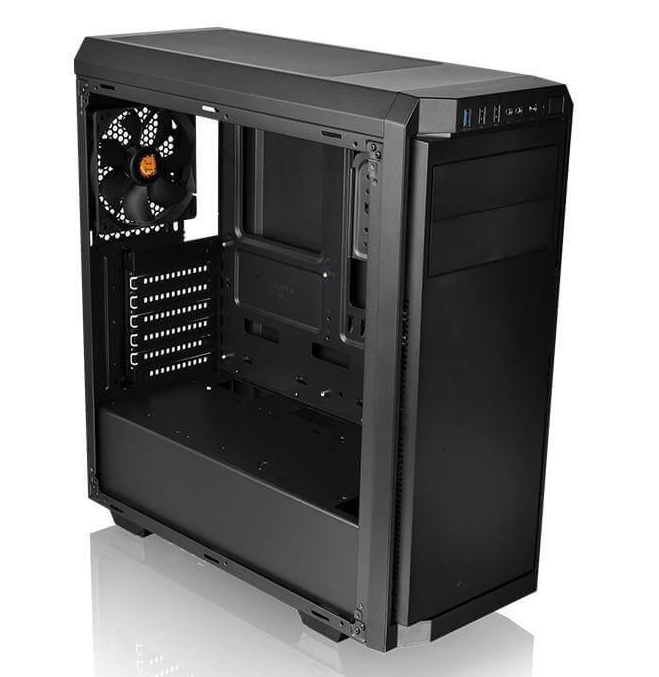
you want specifics, here: Ryzen 3 2200G, xfx RX570 8gb, thermaltake smart 500w psu, thermaltake v100 case, 16gb corsair lpx ddr4 2400mhz also hyper 212 BE cpu cooler. only 1 exhaust fan on case not counting cpu fan
there you go
foggy hazel
@little osprey see the 2 black horizontal heatsinks, bottom half of the board?
foggy hazel
top one is the cover
pure totem
@latent bronze no side panel fans
latent bronze
@little osprey right here
foggy hazel
@little osprey then ask again when you have the rest of your build specced.
little osprey
Do you think I’ll need more fans for my build or should the stock cpu and stock case fan work fine ?
foggy hazel
nope, stock is fine
latent bronze
@pure totem There is airflow in the system cause you have the top vent and the rear still
little osprey
I’m gonna go with what you say @foggy hazel that will be my final list you sent me
foggy hazel
@little osprey very welcome, and just in case it is not 100% clear. it is not that i dont want to answer, just that it is a complex question that depends on what you want to do, the budget you have, and the parts you choose
latent bronze
Also from seeing this image there is tiny crappy looking vents in the front https://i.gyazo.com/464fba7c4af87bc97139b24f28606875.png
 foggy hazel
@little osprey best of luck :)
little osprey
pure totem
@latent bronze sure, i now have airflow. but i was using an old HP pavilion case (not sure on the number) but there was a fan on the back and that was it. still got similar temps
little osprey
Thanks!
foggy hazel
okay, lets try and explain the whole "temp is not everything" thing that you guys are debating
a given part, lets take a GPU (but also applies to a CPU), is power limited
that is just fact
it might not seem like it from your point of view, but it is.
pure totem
i know temp isnt everything. i would be pretty scared if my gpu was running at 90C tho. thats all
foggy hazel
modern parts will try and run as fast as they possible can, without their internal sensors screaming at them
just let them do that.
latent bronze
For myself i always used Nvidia mid tier type of GPU's so the average i would always see is like 50c
foggy hazel
amd and nvidia do things quite differently in that regard
which is another reason i am talking about this now :)
pure totem
this is my first build, so my first gpu. I'd say pretty mid range. about 50-60C
foggy hazel
IF you take a reading of 90c in case number 1, but you are getting 60fps.
that is fine and dandy
then you change your case
you still get 90c but you are getting 65 fps
is the 90c bad then?
that is the "problem" with only using Temp as a comparison.
and that is compressed a lot for simplicity
@pure totem re: scared with a gpu at 90c: Think about this, there are plenty of cpu's that can run happily for years at 95c+
it also depends on where you are reading the temp ofc :)
pure totem
my only thing is that when i see temp maxes they're usually 95. 90 is a little too close for me to be comfortable. you do you but if i see that then im having a panic attack
that's true about reading temps
foggy hazel
there is no reason for the panic <- that is all i am trying to convey :)
and i get why it might sound like crazy talk. But it is really just silicon design 101
latent bronze
Ok i am back and this is the paste job Asus did for my 570
paste was hard like a rock
foggy hazel
@latent bronze is that a "blank" spot on the bottom left side of the die?
roughly about midway to the west corner of the die
latent bronze
Don't think it was and at the time i was following a guide on how to replace the paste cause like i mentioned before i was using Nvidia mid range so temps was always in the low to mid 50c
foggy hazel
kk
IF you ever see something like that again, check that your heatsink doesnt have a "dent/hole/cavity"
little osprey
would 225 be a good price for the vega 64 used
i got a 130 offer on my 580
lofty swan
o
foggy hazel
i would like to hear your reasoning behind the specific board and the specific ram
(as a start)
lofty swan
I saw a youtube video
latent bronze
As someone that has a Asus Prime board i don't really like it but i am too poor to replace it anytime soon
lofty swan
It was 1k pc build
foggy hazel
but you are at 1121 usd? [edit: correct amount]
@lofty swan you up for a different take on it?
latent bronze
@cursive wharf what are your thoughts on this PSU https://pcpartpicker.com/product/Xgwkcf/evga-gd-2019-600-w-80-gold-certified-atx-power-supply-100-gd-0600-v1
latent bronze
I forgot which EVGA non modular PSU's are not that great
foggy hazel
okay
a couple of questions for you @lofty swan
you going to be using it for gaming? anything else ?
do you need/want WIFI?
are you going to be streaming?
foggy hazel
and your audio equipment, is it usb or minijack based?
 pulsar anchor
need a good cpu
lofty swan
usb would be nice
latent bronze
He has a 2700X which is pretty good
foggy hazel
@lofty swan let me ask in a different way. do you currently own a headset?
foggy hazel
okay.
pulsar anchor
oh then there should be no problems @ 1080p streaming
latent bronze
@pulsar anchor he also has a Nvidia GPU so would still be no problem streaming
latent bronze
download limit
lofty swan
OOo
foggy hazel
you located in the US?
lofty swan
Yes
pulsar anchor
Nvidia, amd, it doesnt matter. what matters is the actual card
lofty swan
Its 75
latent bronze
75gb a month?
foggy hazel
@lofty swan sorry if this is a bit personal, but it is a fairly important question to get an answer to.
are you living at home?
foggy hazel
it would be in your interest to ask your parents what kind of internet plan your family has
lofty swan
75 mbps
foggy hazel
@lofty swan that is only the speed.
lofty swan
o
foggy hazel
@pulsar anchor if you stay awhile and listen, it will become obvious
pulsar anchor
ironic
foggy hazel
no. truth.
foggy hazel
@lofty swan you can go to your parents and ask with the following reason: IF i start streaming, it would be nice to know that i dont go over any potential upload/download limits
because crossing it can cost a bunch
pulsar anchor
+if it would be limited, he defo would have known about it
lofty swan
75 Mbps Download / 7 Mbps Upload - $59.95
 sullen spoke
that is the speed not the limit
foggy hazel
@pulsar anchor "probably" is not good enough. Are you going to pay his bill?
lofty swan
I have live streamed be for
latent bronze
and age is a issue why?
foggy hazel
yes, which is why i am trying to act like the responsible adult i would like to think i am.
pulsar anchor
He isnt old enough to pay the bills
foggy hazel
So, as i said, sit and listen :)
lofty swan
true 
foggy hazel
alright, you are the one digging a hole @pulsar anchor
lofty swan
So is this about my PC build or live streaming?
foggy hazel
@lofty swan it is about both, because it is connected.
sullen spoke
dig a hole for me and I'll jump in
lofty swan
😆
latent bronze
Ghost you can just phase through
pulsar anchor
actually , livestreaming if ur concerned about his wifi limit
foggy hazel
i am not.
i am concerned about the potential limit that his ISP has on the plan that his parents are paying for
latent bronze
@lofty swan Do you know what your internet provider is?
pulsar anchor
Omg
lofty swan
yes
foggy hazel
It really should not be that difficult a concept for you to grasp @pulsar anchor
latent bronze
name please
sullen spoke
I like feeling like i got superpowers
lofty swan
But not going to say because its local
pulsar anchor
He should know if his internet ha a limit if he had one
foggy hazel
No, he really shouldnt, because he is NOT the one paying the bills.
pulsar anchor
He definietly doesnt have a limit
lofty swan
can we just move on
pulsar anchor
well his parents willl tell him to use less internet etc.
sullen spoke
call it a good guess
lofty swan
I might not stream but I just want to be ready
 viral ore
I would say unlikely considering the speed, but theres no way to know for sure
pulsar anchor
unlikely what?
foggy hazel
@latent bronze could you try and dig on the GD psu?
viral ore
Educated guess, but it could be limited
lofty swan
What do you mean by limited
viral ore
Ya never know with these greedy isps
viral ore
Limit of MB
pulsar anchor
how much internet can u use per month?
viral ore
That's speed, not the data cap
lofty swan
$60
viral ore
oof.
pulsar anchor
how much internet can u use per month?
how much internet can u use per month?
how much internet can u use per month?
how much internet can u use per month?
how much internet can u use per month?
viral ore
Woah
lofty swan
Unlimited
lofty swan
xd
lofty swan
You could of said that 1 time xd
viral ore
Relax
pulsar anchor
lol
lofty swan

foggy hazel
we did @lofty swan
lofty swan
o xd
pulsar anchor
i did it*
lofty swan
Well there you go
pulsar anchor
lol
lofty swan
Its not a phone bill xd
pulsar anchor
so the upload speed may be not the best for streaming, especially for 1440 and 4k
latent bronze
So far i can't find any proper reviews on it but i did find the specs of it https://i.gyazo.com/6cc603818f3e28960fa7d1a359fa1a74.png
 foggy hazel
https://puu.sh/FaLUN/eb7ec8b050.png <- when i asked you the first time.
 pulsar anchor
its quite low considering u have a 75megabit download speed ;/
pulsar anchor
idk
foggy hazel
yes, we know @pulsar anchor
cursive wharf
@latent bronze GD 2019 isnt too amazing. 2017 seemed to be better, but pricing is probably whack on it just like G2
lofty swan
xd
foggy hazel
thank you @cursive wharf
latent bronze
oh ok
lofty swan
Can we talk about the PC and not my internet provider?
pulsar anchor
do a speed test a at speedtest.net and send me the results
lofty swan
mk
foggy hazel
@cursive wharf GD 2019 or cx 2017?
lofty swan
cursive wharf
Also, seems to be missing Under voltage protection for GD. Fairly sure that is a protection that should be necessary as it can damage the components afaik
pulsar anchor
yeah so ur limit is defo not 7mbps
lol
youre set for streaming
anyways, what about ur pc?
foggy hazel
@lofty swan have a look at this instead https://pcpartpicker.com/list/yLw927
cheaper and faster than what you had earlier
lofty swan
What did you change?
foggy hazel
cpu, mainboard, ram, ssd, gpu
lofty swan
 lofty swan
I dont want to do that
foggy hazel
you really dont know what you are talking abiout @pulsar anchor
pulsar anchor
😄
lofty swan
?_?
foggy hazel
@lofty swan there is nothing to worry about
lofty swan
😮
pulsar anchor
😮
 placid grail
;O
foggy hazel
less bs would make this go a lot faster.
lofty swan
I am scared now
pulsar anchor
I mean, i would go with a higher watt psu
cursive wharf
@celest horizon Would you say UVP is a necessary or a nice to have for PSUs? Determining whether 2019 GD is a "potential hazard" or not due to not really much of any real reviews, just spec sheet
foggy hazel
there is plenty of wattage in that PSU
lofty swan
Owo yeee
foggy hazel
there is more than enough in that one for that.
 celest horizon
It's a useful safeguard against what's often human error
pulsar anchor
still, replacing the psu is a pain is the a
foggy hazel
@pulsar anchor it would be appreciated, if you minded your audience.
foggy hazel
@lofty swan is a first time builder. No need for all the drama and bs
cursive wharf
But say a failing component were to happen. Or something kinda like the P2 hold up times being bad because the voltages would drop below ATX spec despite being the ATX 16 - 18ms or whatever it was
pulsar anchor
pc builders still choose to go with higher W
lofty swan
I dont want to update the bios
lofty swan
Its good to know
foggy hazel
do you understand "now" @pulsar anchor
pulsar anchor
worry*
lofty swan
But Its $$$
still roostBOT
 VMMax#3013 has been warned
Reason: Bad word usage
pulsar anchor
oof
pulsar anchor
What do youu mean?
pulsar anchor
As i said theres nothing to worry about
lofty swan
its riskyy
foggy hazel
well done @pulsar anchor
foggy hazel
you clean this up
pulsar anchor
yeah sure
pulsar anchor
yeah okay
latent bronze
Just curious but who's video did you try to copy from?
pulsar anchor
who are u asking this
latent bronze
Well the person that is asking about his build
pulsar anchor
oh
llol
be more specific
i think it may be from joey
joey delgado
i mean this is a very generic build so be many people
there could be *
cursive wharf
joey delgado doesnt get half of his components done well. Half of them are always poorly chosen due to lack of actual knowledge in any component
pulsar anchor
man i should really go to sleep since its 5:20 am :/
lofty swan
noo

 earnest olive
trying to plan a budget build for my friend how does this look? https://pcpartpicker.com/list/LG2pzN
he plays mostly league so the 144hz monitor is justified even for 1650S
foggy hazel
@lofty swan alright, so since you have not responded, should i take that as you not needing any help?
earnest olive
he just wants to be able to run league at 144 fps
lofty swan
o ops
 teal bison
@earnest olive looks like the 1650 S plays league at like 200fps eo should be fine
earnest olive

teal bison
Actually that combination of hardware will get around 150-160 average, the first benchmark I looked at had an i9 9900k as a cpu but I looks at one with a 2600 which just a bit better than the 1600 af
But that's still over 144
little osprey
What mobo has WiFi and is compatible with amd 5 3700 cpu for $150 or under


 viral ore
wdym, "amd 5 3700"
lofty swan
6 8333
little osprey
Cpu
viral ore
thats not a real cpu
little osprey
3700 x
viral ore
ryzen 7 3700x
teal bison
That's a ryzen 7 bud
little osprey
I meant 3600 sorry
little osprey
Alright I appreciate it!
viral ore
its asrock, not the one i was thinking of, but its the cheapest one on newegg rn
its a pretty basic board, so dont expect to be able to overclock or anything
lofty swan
is it good?
little osprey
w
 balmy canopy
@little osprey Srry moss always clean up that channel so I try to make it easy on them
little osprey
balmy canopy
Mods*
little osprey
I put the cable under the keyboard and leave some slack
You dont need a cable sleeve like mine but cable ties go a long way
balmy canopy
Yea
little osprey
Can I see a pic of the cables under the desk
balmy canopy
I actually plan to drill a hole for the cable routing of the keyboard, but not mouse
I gotta get one hold up
little osprey
I would do the keyboard and mouse
What you do is put a small hole then leave slack for the mouse
I cannot drill a hole because I'm using a type of wood that would ruin the entire desk
But now that we are on the topic of drilling
I used one of these for my setup when I had one monitor
balmy canopy
little osprey
Very nice management
balmy canopy
Loll
little osprey
I have a backboard on my desk so I dont have to care
balmy canopy
I wish
little osprey
balmy canopy
I love how clean it is man
little osprey
I have some cable hang from my wheel so I might get a cable hook thing under it
But yeah get a monitor wall mount
balmy canopy
Oh yeah I’ve seen those and some people go crazy with the cable management there and make the desk look like some sort of networking channel
Yeah I have one in my cart waiting to be bought lol
little osprey
Drill a hole through the wall to route the cable of the monitor if you really want (For me I dont think its worth the trouble considering it is kinda hidden with my speakers
balmy canopy
Should be able to buy it next month, along with a few more things
Nah I plan to use a white channel raceway
balmy canopy
They have larger raceways
little osprey
link?
balmy canopy
Hold up
little osprey
Might look into that as my next upgrade, some cable clips for under my desk and a raceway
Maybe some better speakers but I'm not an audiophile
balmy canopy
Same here but I need speakers in general I don’t have any
little osprey
Although I am saving to go fully wireless by getting a g502 litespeed and a wireless mechanical 10keyless
balmy canopy
I’m still looking for a link lol srry
little osprey
nah ur good
balmy canopy
I am gonna get a white ducky one 2 mini 60%
little osprey
oof those are expensive
balmy canopy
I’m going ALL white, except my headset since steelseries refuses to replace the proper headset
$100 cheaper than how much my current one was
balmy canopy
It’s cause the RGB sets it off
That’s why my setup falls flat rn
Or at least why I blame it lol
little osprey
balmy canopy
I want to get a floating shelf to mount some stuff for personality
little osprey
Yeah grab some rgb stuff
Strip under a monitor and one for the desk
You should be fine
little osprey
Nanoleafs are too expensive and serves absolutely no purpose except a loss of $200
that being said i own one xD
little osprey
yeah i wont recommend them
balmy canopy
I’d rather get a floating shelf with a strip under for lighting lol
little osprey
yeah
I have nothing to put there
so I just bought some because it'd be the same price to buy a same size art painting
little osprey
But yeah get tie those cables together and some rgb would make it nice
Post it on r/battlestations they are suckers for white lol
balmy canopy
Lol I did but it flopped
little osprey
I had like 5 posts of my setup which all flopped
balmy canopy
Really
little osprey
once i removed my wallpaper and posted one 2 days ago it got 400 upvotes lol
you just need a catchy title
lol mine was "Just your average pink and blue setup with Nanoleafs"
balmy canopy
viral ore
car
balmy canopy
Nice
viral ore
go vroom
little osprey
oooo
balmy canopy
heres a larger one, 2"x1"
little osprey
definitely buying
balmy canopy
kinda expensive for one stick but
little osprey
The one you sent is good
balmy canopy
Here’s a model I’m working on, it’s in white too lol
Kinda obsessed with neutral colors???
little osprey
how do you make those
balmy canopy
They’re kits and I put em together w glue and paint basically
I want a g29/g920 wheel like you but the price
little osprey
i got a thrustmaster t150
little osprey
yep
balmy canopy
Looked like a g29 with the blue lol
little osprey
i dont play racing games much and all the ones i play is mostly forza horizon 4
so i dont need anything special lol
little osprey

next upgrade
I like to buy my stuff in bulk because then it feels like a lot has been changed lol
balmy canopy
That’s a good idea but I am buying expensive stuff like my headset
Next upgrade in like 5 years??
little osprey
lol
little osprey
What’s the most reliable monitor brand ?
wispy matrix
@split cliff that build is a bit crammed for me
 split cliff
 warped moat
@split cliff what case is that. It looks dope imo
little osprey
https://pcpartpicker.com/list/gyVstp what i expect my fully finished build to look like
upper condor
@little osprey horrible use of budget in my opinion, almost spending twice as much on cpu than gpu?
little osprey
the titan would double the price
upper condor
How much storage is needed?
Ik the titan is double
Just saying thats the fastest gpu
little osprey
truthfully the 3 tb pcies are for my games, the 1 tb hybrid is for work/important papers and such, the sata ssd is for os
upper condor
Both? Or one
little osprey
one
little osprey
but yeah need around 2 tb for games, 1 tb for work, and 120gb for os
under 3.5k
4k if im really pushing it
upper condor
Gimme a minute
The os is just gonna go on the games because ill throw in a 4.0 pcie for the same price
little osprey
also, i would really prefer the case and the ram too
upper condor
Its like 3gb so dont worry
little osprey
lol, ive been told that if the os is on its own drive it loads faster
upper condor
Not if its also on a gen4 drive
Heres so far
That ram has bad timings, so I changed it sorry
You are never gonna use 128gb ok
64 is more than enough and overkill for this build and budget
32 would be much better
2080ti will sync with your mobos rgb
Case is empty for now
The 4.0 is faster than the 970 evo
Same price
This will not be an attractive build
 obsidian sand
hey everyone, I have an older system with an AMD FX-8350 Black CPU, I want to beef up the graphics?
upper condor
But it will perform way better @little osprey
obsidian sand
would a 1060 Super or a 580 RX bottleneck? Ram I have is 2x8 GB DDR3
obsidian sand
am3+ I believe
obsidian sand

ASUS Canada
970 Pro Gaming/Aura is the world’s first AMD 970 chipset-based ATX gaming motherboard with official NVIDIA® SLI™ certification, fast Intel Gigabit LAN, awesome RGB lighting and next-gen connectivity.
this is the mobo
upper condor
U got a microcenter near?
obsidian sand
I don't think I have much wiggle room for CPU upgrade
upper condor
Thats a very nice mobo tho
@obsidian sand its not that nothings worth upgrading, its that it wont make a super noticeable difference to where the money is worth it
@little osprey
obsidian sand
@upper condor thanks. btw bottleneck website says the 580 RX or the 1060 super would be great for that CPU
 vivid atlas
1060 super doesn’t exist @obsidian sand
obsidian sand
1660 super i meant
upper condor
@vivid atlas fake ones do
vivid atlas
Just for your info, RX 580 <<<<<<<< 1660 super
Different price ranges too
Why buy a fake GPU btw ?
obsidian sand
what would you guys recommend as a GPU for that CPU?
upper condor
1060
upper condor
Ok
upper condor

Based on 830,112 user benchmarks for the AMD R9 280X and the Nvidia GTX 1060-6GB, we rank them both on effective speed and value for money against the best 635 GPUs.
@obsidian sand
obsidian sand
i can't find a 1060 6GB in Canada wtf
only 3 GB models
looks like Canada gets all the garbage models the US consumers don't want
upper condor
Then buy one from america
@obsidian sand budget
I think its better to go for a 1660 because they are the same price
And the 1660 may be bottlenecked, but if you upgrade your cpu then it will be better

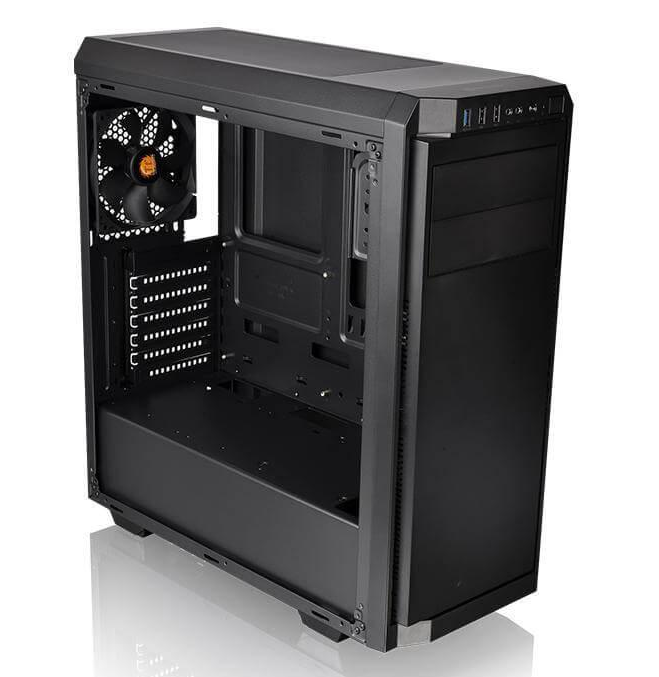

 obsidian sand
$400 CAD
obsidian sand
so msi model vs asus huh|?
vivid atlas
If you can stretch your budget to 408 CAD you could get a 1660 Ti as well
Like a solid EVGA one
Or even this one even though it isn’t the best, it’s still a slight performance boost compared to the 1660 super (if you plan buying a 1660 super)
You need to upgrade your CPU though if you get a card like this one
This one’s a trio fan
upper condor
@vivid atlas the 1060 6gb is the same price as the 1660
vivid atlas
Yeah
Those are the pretty ‘good’ 1660 Ti s btw, you can get a cheaper one for around 340
obsidian sand
is the 1660 super vs 1660 ti really worth the price difference though
since my CPU would already probably be bottlenecking a regular 1660
vivid atlas
1660 is super is a more bang for the buck choice. You won’t get a gigantic performance boost -> 1660 Ti. But if you have the budget, why not go for it.
I would considering getting a new CPU though. What is your current GPU ?
obsidian sand
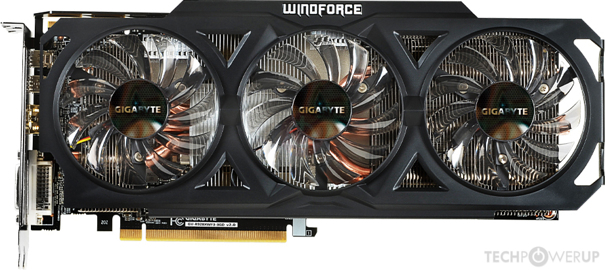
windforce r9 280
TechPowerUp
AMD Tahiti, 1072 MHz, 1792 Cores, 112 TMUs, 32 ROPs, 3072 MB GDDR5, 1250 MHz, 384 bit
vivid atlas
Pretty old card.
Yeah, upgrading the GPU might be a good thing to do.
If you want to benefit at its fullest though, a better CPU is mandatory
obsidian sand
thank you for all of your advice @upper condor and @vivid atlas
but a regular 1660 would be good enough for this PC right?
upper condor
@obsidian sand in a year or two(or as soon as possible) upgrade to am4 and get an 1800X or something similar
obsidian sand
the 1660 super or 1660 TI would be over kill?
vivid atlas
I can see on reddit that even a 1050 Ti is bottlenecked by your CPU in some scenarios.
obsidian sand
lol
i am looking for the best non overkill GPU for this computer before I build a new one
foggy hazel
question: what are you currently doing that you want the new GPU for? @obsidian sand
obsidian sand
@foggy hazel gaming, but I don't want to spend any more money on it, I was it to have hte best possible graphics card without bottlenecking the card, i want to build a brand new PC about a year from now, and I want to pass this PC down to my nephew as an entry level gaming PC, its got 16 gigs of DDR3 memory
obsidian sand
Naaed> yes, an 850 EVO 256 gig
foggy hazel
alright, so the IO part of the CPU is being fed.
hm
how is the second hand market up near you?
because that is most likely where you will find the most value for your money in regards to something that actually makes sense for that machine
(sidenote: that CPU is not exactly known for just sipping power)
obsidian sand
its good, i live in a big city
what would you recommend fo ra card to get
without bottlenecking?
foggy hazel
dont worry too much about the bottlenecking part
obsidian sand
ok
foggy hazel
you can bottleneck anything with anything
obsidian sand
what card would u recommend @foggy hazel
\
foggy hazel
if second hand? try and look for some of the 1x00 series cards
meaning, 1060/70/80
just do a sanity check with someone here before you say yes
and do remember to mention that whatever price is in CAD
because people will forget and/or they are blind to "details" like that :)
obsidian sand
Nvidia GTX 1070 Founders Edition
$280.00
foggy hazel
cad?
obsidian sand
yes
foggy hazel
that seems quite fair
obsidian sand

Kijiji
No Trades. All Prices are Discounted & FINAL, no negotiations. I am selling models of this video card in mint condition with the box. i can display the card running if you like. Never used for mining. This is the Genuine Nvidia model with illumination on the Logo. First come f...
foggy hazel
keep in mind, i am NOT in the US/Canada, so i dont have that good a handle on the second hand markets over there at all
the founder edition cards from that generation are NICE cards.
there is no getting around that.
@obsidian sand can you wait a day or so?
because asking some of the US/Canada residents from this server would probably be a good idea :)
obsidian sand
sure I can
foggy hazel
but that offer, the card itself, IF it is what it says. is a good card
what i dont know is how it compares pricewise to the regular value on the second hand market on your end [edit: compares]
upper condor
@jaunty karma specs?
wispy matrix
I’m trying to do a mix of green and black setup
little osprey
Is Intel(R) UHD Graphics 630 integrated or not?
foggy hazel
@little osprey its a "on-chip" GPU
little osprey
@foggy hazel A What
foggy hazel
its a graphics card that is ON the CPU
(for the lurkers, that is simplified, but close enough)
little osprey
So it's integrated
upper condor
@little osprey intels apu, even on the 9900K is quite bad compared to amds
foggy hazel
technically APU is a AMD only term
foggy hazel
that works :)
little osprey
Can I have a Removable Videocard the to override the Intel(R) UHD Graphics 630
 wanton sail
Looking to rebuild a pc sometime any tips on this build like downgrading cpu gpu motherboard. Monitor just a fill in but about what I want https://pcpartpicker.com/list/VGBNx6
foggy hazel
any discrete card wil (if the bios is in standard config) automatically override
@wanton sail budget
little osprey
@foggy hazel So i can do it then correct?
foggy hazel
@little osprey correct
wanton sail
@foggy hazel wanted to keep it around 1500 but need everything cause Ibhad a fire so maybe 1400 cause my keyboard and mouse will be another 100
 astral hedge
@wanton sail if you arent planning on using more expansion slots I would go with microatx at the largest and get a compact case, but that's preference I guess. I just regretted my huge case as it got in the way and I ended up replacing the mobo and downsizing and wasting money.
foggy hazel
@wanton sail any special reason for the intel choice?
upper condor
@wanton sail there is a good best buy bundle for 80 with mouse keyboard mousepad headset
wanton sail
@foggy hazel just always been a intel guy im willing to go amd on cpu i guess not really gpu perhaps
wispy matrix
foggy hazel
fair enough.
wispy matrix
That is the thing off of Best Buy
foggy hazel
@wanton sail you want/need/have-a-potential-use-for WIFI?
wanton sail
@wispy matrix nice looks like about what I had but corsair had reddragon k556? And a deathadder mouse. Headsets good?
@foggy hazel i kind of wanted wifi yeah other wise im savy enough to set up a repeater if needed
foggy hazel
wifi is easy enough to get on the amd side for a reasonable amount, hence why i ask now :)
your audio gear, is it usb or mini-jack based?
wanton sail
I dont have anything yet @foggy hazel previously i had jack based but house burned down so looking for everything from scratch
foggy hazel
hm, depending on what you want to do audio wise, i will lean towards a proper soundchip on the board
wanton sail
Might get something like that bundle he shared not sure if its usb
upper condor
The headset is usb
But, all 3 of those thing(keyboard mouse mousepad) are the same price
So you could sell the headset and make profit
wanton sail
Ah k
foggy hazel
the question is: do you remember what you had before?
(trying to figure out if you would benefit from things etc)
headset/headphone wise that is
wanton sail
Before just used turtle beach xo one for xbox pc and ps4 just wasnt ideal on pc coord kind of short lol
foggy hazel
but you were fine with the sound quality etc?
wanton sail
Not super picky bit play tarkov so need headset
upper condor
You could just use that whole bundle then
I got it, headset sounds a bit better than those xbox/ps4 ones
wispy matrix
Is a double monitor worth it?
upper condor
Depebds
foggy hazel
actually, hold on a sec
https://pcpartpicker.com/list/g4pZ9G <- there you go @wanton sail
only thing i have not changed is the PSU
wanton sail
Pc i posted also upgrade from what i had and was fine with that lol was just using like a 970 and a i7 3300k?
@foggy hazel thanks man ill check it out
foggy hazel
there are a couple of things added, so feel free to ask
upper condor
The amp is such a nice product
foggy hazel
and i will field the lurker snipes while you do :)
upper condor
Dont understand what it means tho, it has a button that says hybrid
Anyone know what "hybrid" button does?
upper condor
It turns it off ok
foggy hazel
http://www.phanteks.com/Amp-Series.html <- scroll down, about halfway
and you will have your answer @upper condor
wanton sail
@foggy hazel you dont think its worth getting more W for a few more $? 550 seems low