#building-and-recc-chat
1 messages · Page 474 of 1
 craggy tapir
 cursive wharf
RAM has bad timings for price, SSD is kinda overpriced due to NVMe drives, and EVGA G5 isnt that great of a PSU. Still the G2 somehow manages to beat the rest of the G series (G3/G5) in quality. Which the G2 is overpriced anyways. But you got the RM(x)/AMP
 stoic island
theres a g5 now?
cursive wharf
G5 has been out for a little bit. Ive noticed it think like a few months ago. idk actual release date
craggy tapir
Yes the ram timings weren't something I considered fully, but I am a novice builder and will edit the build in the future
 fair wing
@viral ore thank you for your recommendation
 deep skiff
yeah timings are pretty important
3200mhz cl16 has the same exact latency as 3600mhz cl18, a lot of cheap 3600 kits are 16-19-19 and like $25 than 3200cl16
 upper condor
What would be better(if the mobo supported it)
Best possible timings (14-14-34 I think) or 5000 mhz ram
craggy tapir
It's cool. Not super worried about it
 little osprey
so since so many people are recommending amd over Intel
https://pcpartpicker.com/list/yVmTp8
 supple schooner
Don't buy a Microsoft Windows key from Microsoft
deep skiff
fixed it https://pcpartpicker.com/list/DjDgFG
supple schooner
G.skills rip jaw v ram looks like it would be from an early 2000's crap cartoon
deep skiff
you just threw a more expensive nvme in urs
deep skiff
and slightly worse ram/cpu
deep skiff
nope
 teal bison
3600x isnt eorth the money
upper condor
Ok?
It doesnt say the on you put
Oh nooo
Its 16-19-19 instead of 16-18-18
The worlds ending
Still, its faster and allows for 64 gb of ram in the future
Theres room to get a slightly better 2070 also
deep skiff
anyway i’d rather go with x570 because of the futureproof and better io
and Samsung is 99% overpriced for drives
little osprey
@upper condor whyd you ping me?
upper condor
I put another build
cursive wharf
@deep skiff ex900 is kinda sucky tho
little osprey
I was posting my own buuld
deep skiff
ur the drive king what would u suggest
upper condor
Salv we are suggesting edits to it
cursive wharf
I'd do 3600 non x, some 3600 cl16, 650w PSU
Downgrades and upgrades to try to keep price the same
cursive wharf
Also mobo could be b450 TUF Pro gaming, b450 Aorus Pro wifi, or b450 carbon pro ac
upper condor
Thats all personal choice
cursive wharf
No, specs from other then just vrm
Sound chips, ports, M2 slots, etc
Tomahawk is pretty sucky tbh
Only cheap boards that can do a OCed 3900x
upper condor
Works just fine for me :/
little osprey
I just realised the GPU didn't have a price lol
upper condor
Well he has a 3600 so xD
cursive wharf
But, why run a $500 CPU with a $45 cooler on a cheap board
little osprey
also I had that Seagate SSD for a reason
cursive wharf
So prioritize other things for the mobo. As such I don't see a place for the Tomahawk anymore
upper condor
For a 3600, its fine
cursive wharf
Only good point use to be BIOS flashback. But most boards are updated now
upper condor
Not the best choice, not the worst
cursive wharf
But again, what I mentioned before is better
upper condor
Yep
cursive wharf
Currently on mobile and in school so I don't feel like making a list
For drive I'd have to look into a bit. Prices change the most for that so it takes a bit to sift through all the options even on desktop
For cheapest good option at least
little osprey
the SSD I had was just for the OS
I currently have a Samsung 970 Evo Plus with all my other data
cursive wharf
I mean if you already have that, no real point in getting another?
little osprey
I have a hhd with my os for my laptop, but giving that to family member when I upgrad
upper condor
@little osprey if you wanna save more get a 5700 XT instead
little osprey
truthfully I don't really need anything super powerful
a 2060 super/70 super might be a bit much
changed to a RX 5600 xt
deep skiff
i wouldnt really suggest a 5700xt with drivers rn
upper condor
@deep skiff its not that bad
 onyx ice
Dang I already ordered radeon rx 5700x and ryzen 3600x, can realy deside whitch ram and mobo to use, don't want slow ram, aiming for 3600 Cl 16 and tomahawk max, but can't realy decide... If this mobo and random Ram 3600 Cl 16 to use for it, could you help me out or any sudgestions?
 devout folio
 vestal cove
Msrp?
 gusty juniper
Will a ryzen 2700x work with the x570 boards
 warped moat
Yea but there’s not to much reason to spend the money on an x570 with a second gen Ryzen
gusty juniper
So a 470 would be a better option
warped moat
X470 or B450 are fine
gusty juniper
Thank you
stoic island
is good I already said it
 foggy hazel
you asked "is this psu good"?
you had already gotten an answer
as i say all the time, there are no stupid questions. only silly answers
i have to keep my quota of silly answers up
foggy hazel
well, you do make up the slack for me not doing many silly answers @stoic island
stoic island
oui
Well, the issue is, they're not intentionally silly, I'm just uninformed or misinformed on topics...
cursive wharf
@vestal cove PSU is alright. Main complaint would be capacitors are semi cheap so the lifespan wont be as long as PSUs $10 - $20 more then that
teal bison
@stoic island same, sometimes ill just say stuff without even thinking. Like one time i said gtx 1000 series gpus werent getting driver updates... i have a 1070
 round river
there is a deal on amazon where I can get a 2700 for $100. the seller has 88% positive and it ships from China
warped moat
What do y’all think of this build for my friend
Ignore the fact that there is no case I couldn’t remember which one he picked
little osprey
little osprey
Hey guys, what's a good build for 2500 cad, including monitor?
little osprey
well I potentially cut out like $400 from my build
 ember sierra
Help! My PC isn’t turning on
I just redid cables and now the thing isn’t doing anything.
 vivid atlas
@little osprey Probably not the link you really wanted to send.
vivid atlas
Don’t buy a Windows license, you could get a 2060 KO dual fan for around 300, and that PSU isn’t great
I’m guessing that by posting the link you want other people to give their opinions on the build.
vivid atlas
You’ll have more OC potential with a dual fan KO, but it’s up to you.
little osprey
not really going to be OC
little osprey
kinda why I have that many fans, most are going to be pointing with air flow out
stoic island
Interesting CPU cooler
vivid atlas
https://pcpartpicker.com/product/sY9tt6/corsair-275r-airflow-atx-mid-tower-case-cc-9011181-ww you could get something like this which comes with pretty good fans and just add some if you need extra
Never heard about that cooler.
stoic island
I mean it's got it's uses, but usually beefier coolers are used. Also for AMD the stock cooler usually negates the need for a 20$ cooler, but this is Intel here.
little osprey
I do have an AMD build im looking into if you want to compare, just know it's almost identical
stoic island
Yea the AMD build needs to be refined if you're going that way, but since you're focused on Intel, it's okay
little osprey
I'm leaning more Intel rn because rn it's cheaper as of rn
I've also put more time and thought into it
vivid atlas
For the AMD build, mobo is overpriced. Also, thermal paste isn’t needed, and don’t buy the OS.
I don’t know much about that PSU but you should check reviews and specs and see if it’s worth getting.
Or for that price point you can get good power supplies.
little osprey
why not buy os?
vivid atlas
You can get Windows for completely free, with a watermark
Or if that watermark bothers you you can get a Windows code on eBay for around 10 usd or even less
little osprey
ahh
vivid atlas
Yup
 sullen spoke
Check the link pinned in this channel for a psu tier list
little osprey
changed to evga supernova g1+
well I went from almost $1700 to $1145.33
almost makes me want to get the debit card rn
thanks all, I think this is the cheapest I can go while still going quality too
I so want to buy it rn lol
 pulsar anchor
just dont get in to debts
stoic island
Do it only when you have the money to
upper condor
@little osprey hey
Just spend as much as you need to enjoy it
I did the same thing
Also,I have more suggestions on the last one
little osprey
Any good pc build + monitor for 2500 cad?
vivid atlas
@little osprey https://pcpartpicker.com/list/8pg927 the build can definitely be tweaked, it’s also <2500 cad
You should get this grand total.
Sorry for US link.
 wintry dragon
 latent bronze
RGB or ARGB?
 swift fern
 sage orbit
tf is the case?
upper condor
Bad
stoic island
200$ case eh?
That case is actually supposed to be good
It's open air which is more of a test bench thing
But means dust will get everywhere
deep skiff
don’t buy the os get it off ebay for $5
stoic island
@deep skiff why?
deep skiff
cause that’s $95 saved
stoic island
OHHHHH
I'm skimming text too quickly
I read that as "don't buy the os off ebay for $5"
deep skiff
oh lol
cursive wharf
@little osprey Here is a better optimized AMD build
https://pcpartpicker.com/list/VYnzhg
stoic island
hei about to critique the heck out of this person
cursive wharf
I'd go 3600 over 9600k for gaming because the 3600 has better lows then 9600k
Less stuttering, despite better averages
mobo was picked due to being cheap but having good quality components (sound chip, M2 slots, ports, etc)
RAM is better quality then what was in the original build, slightly more though
SSD is good enough. Never really looked into Seagate SSDs. Though that is mostly because their pricing for SATA drives are never as low as competitors
2TB HDD because why not
5700 over 5600XT
case I just kept cheap
PSU is better quality then any other ones listed
stoic island
whats their budget?
because I'm seeing lists at around 1200$, and that one would be ~1000$ if 5700 was in stock
cursive wharf
I mean they wanted a PC to compete with a $1150 Intel build
stoic island
(aka, able to go 5700xt)
stoic island
@little osprey turn that lamp on the far right off
it messes with the atmosphere of the rgb
stoic island
nice blue calm red color
little osprey
so I can do rgb on that one too
stoic island
then bloody bright orange
little osprey
I like the contrast of the warm colors
foggy hazel
@little osprey that looks quite lovely.
little osprey
thanks
foggy hazel
@little osprey its a wooden floor?
little osprey
carpet floor wooden desk
foggy hazel
if you dont already, do yourself a favour and get a cover for the carpet so that the wheels on your chair dont make weird marks
little osprey
my pc case finally came!
wow look at the size difference between the mid and full atx
upper condor
@little osprey what case
little osprey
going from thor v2 to p350x
little osprey
ryzen 5 2600
sapphire rx 590
corsair 8x2 ram
b450m pro4
 unreal nexus
Should i get a ryzen 5 3600 or a ryzen 7 2700x for my budget build? My motherboard is a b450m, graphics card is a fx 570 and the power supply is 450 watts
Its gonna be my first pc
unreal nexus
Alright, asking cause i found a ryzen 7 on marketplace for 130 and i cant find any ryzen 5's on marketplace offerup or craigslist
upper condor
Then get it
latent bronze
If you live near a microcenter i believe the 2600X is 80$
unreal nexus
Will it go good with my other specs?
Well should i get a 2060 graphics card or a 570?
latent bronze
If you are thinking of a 570 why not just think about a 1650 Super or 1660 Super instead?
unreal nexus
How much are they?
latent bronze
new 1650 super is 160 and i believe 1660 super is 230
unreal nexus
Ok
latent bronze
performance of the 1650 super is a lot better than the 570
The thing is if you are planning on playing any future games and you were to get the RX 570 good chance you would be replacing it between 6 months to a year
unreal nexus
I am a leaderboard player on the minecraft server hypixel, would these cards be able to stream hypixel?
latent bronze
If you are streaming it is better to go with Nvidia
unreal nexus
Best budget nvidia card?
latent bronze
@unreal nexus If you have over 200$ for a GPU then the 1660 Super but if you have under 200$ to spend then the 1650 Super
little osprey
You can also get a used 1080 for around 250
Which would outpace any of these
@unreal nexus @latent bronze
latent bronze
@little osprey You can if you get lucky on a working one
little osprey
Ebay is pretty good
 abstract pond
New install of windows 10 on new pc isnt having mouse or keyboard show up/work
Cant install windows 10 without keyboard or mouse
 late flame
I’m trying to figure out which parts I need to rma for my pc atm but I don’t have my test bench with me. I’ve gone through each of my ram sticks with the same errors happening for each one. So I’m skeptical that it’s ram. My motherboard doesn’t have any video outputs so I can’t take out my gpu to try booting without that, and cpu/motherboard I don’t have anything to swap with so I’m not sure what to do. I’m not 100% which parts to ram since I don’t have a way to test the rest of those parts. Context: my pc can’t boot into windows, I cannot get into safe mode at all and recover doesn’t work either, every time I boot I get a blue screen error of a random type each time. I have tried using a usb boot to repair and/or do a clean install of windows but that still gives me the blue screen error when I click the repair or clean install buttons and now it’s back to the point before where it immediately gives a blue screen. I have tried disconnecting all drives and booting up but it still gives me the blue screens. Any advice on how to figure out specifically which part cpu, motherboard, or maybe gpu that is causing the issue?
@abstract pond make sure usb is turned on in the bios
abstract pond
I switched usb ports and it worked fine
🥴
So in the middle of typing in the email to connect the microsoft account the screen went black and the gpu fans went crazy and now its acting really strange
 still roostBOT
 Biovirulent#2681 has been warned
Reason: Bad word usage
abstract pond
Is the gpu dead what
What happened :(
Now theres no video signal
I feel like the gpu died
The video is flashing every second and then it blue screens
It wasnt the gpu. Removed it. Running on integrated. Flashed for a minute or two and then it stopped flashing and it worked normally (???)
I'm so confused and done with PCs lmao
Pfp is my face right now
little osprey
finally finished my build
abstract pond
Grats
latent bronze
man clean it
abstract pond
GPU is dead
Rx 570 DOA
Was new off amazon
I'm mayud
Shoulda bought from newegg
foggy hazel
its statistics
little osprey
lol
Hey guys, wondering what I should build for 2500 canadian including the monitor
foggy hazel
@little osprey what will you be using the system for?
little osprey
Mostly gaming
latent bronze
What games and what resolution
foggy hazel
does not really matter much
that is about where you end up, you just need to find a monitor
sorry, scaled on ram and cpu ofc
 wanton mortar
Is there any good $1500 build?
latent bronze
@foggy hazel would be way over budget cause he said Canadian https://ca.pcpartpicker.com/list/ZrtkWb
foggy hazel
as i said, scaled on ram and cpu.
also, any list, upper right, change to canada
"voila"
foggy hazel
that part was to the dear mr Ecks :)
little osprey
And the monitor is in the budget of 2500 cad
foggy hazel
i know
deep skiff
you can probably get a much cheaper case
foggy hazel
case is obviously a preference thing.
deep skiff
yea but like thats $150 usd thats pretty high
foggy hazel
but ultimately, its a choice that he is going to make
latent bronze
If he is just gaming a 3600 or 3700 would be more than enough
latent bronze
Do you plan on streaming as well?
little osprey
Not too often
foggy hazel
as i said, scaled on cpu and ram
and that is still with a expensive case
which is STILL something that you @little osprey have to decide on preference for
foggy hazel
you could, that depends on other preferences
foggy hazel
TI is a serious waste of money, and the budget is NOT there for doing that kind of waste
little osprey
A little overpriced???
foggy hazel
@little osprey from the top: Do you need wifi?
little osprey
No
foggy hazel
do you have any parts you will be moving over?
little osprey
No
foggy hazel
what is your audio gear connectors? usb? minijack?
little osprey
Actually my hdd
foggy hazel
so, the 2tb could be removed?
little osprey
Yea
little osprey
Kinda
foggy hazel
(context for that is the case?)
deep skiff
@foggy hazel also i'd put that in canadian cause price markets might be different
foggy hazel
i have it in canadian here locally @deep skiff :)
(reason i linked that first build orignally, is that it is a build another canadian got)
little osprey
Oh ok
deep skiff
ic
latent bronze
second link isn't Canadian defaulted
foggy hazel
read please :)
deep skiff
but im just saying ecks you could fit a 2080 ti+3600 in that budget which would be much better than 3900x+2080 super
latent bronze
I did read and first and second link you posted needs to start with ca.
foggy hazel
@latent bronze have you ever considered reading what is on the screen in front of you ? That would help the rest of us in interacting with you.
foggy hazel
@deep skiff current state of the local build https://pcpartpicker.com/list/DkL8b8
deep skiff
looks solid rn
foggy hazel
@little osprey any specific preference for case size?
little osprey
Bruh @deep skiff I hope you notice that's 2800 cad
little osprey
My budget including the monitor is 2500 cad
latent bronze
@deep skiff i linked Naed's first build in the Canadian version
foggy hazel
@little osprey see the link i posted a couple of minutes ago?
 rapid ridge
I need desperate help! So, I just finished (?) building my new PC and I got it to post a couple of times but the three times I was able to, it froze in the bios. The times that I’ve not been able to (it’s been like 50/50) the fans on the graphics card have spun really fast (like under load) and the CPU light on the mobo (MSi) is lit. It also doesn’t post, but it also doesn’t auto shut off. The fans just keep spinning and everything looks on except for anything on the outside
little osprey
Ye
deep skiff
there threw a good monitor in it https://pcpartpicker.com/list/mVnPQq
foggy hazel
that build is 1917,95 (and that is with an expensive case).
and as @deep skiff is saying, just throw in a good monitor when you find what you want there :)
but, let us take it from the top.
Case and monitor
little osprey
Ye
foggy hazel
in that order, if that is okay with you?
foggy hazel
that part is on you.
foggy hazel
you gave a budget, i can only act on that :)
i would recommend you dont limit yourself yet
lets focus on finding the case and the monitor first
and then we can adjust based on what you need from that point
little osprey
Yea
foggy hazel
https://ca.pcpartpicker.com/product/kRDzK8/fractal-design-define-mini-c-tg-microatx-mid-tower-case-fd-ca-def-mini-c-bk-tg <- how about something like this?
little osprey
foggy hazel
its a clean case, with a simple window
little osprey
Yea it's nice
foggy hazel
want a bit of colour on the case itself?
foggy hazel
let me suggest a different take on that
little osprey
Ok
little osprey
Yea
foggy hazel
the cooler on the cpu also comes with rgb
foggy hazel
yes
latent bronze
It comes with a Wraith Stealth
foggy hazel
simple fix
abstract pond
Worth it
foggy hazel
https://pcpartpicker.com/list/yzYvdm <- that would make things look like that @little osprey
latent bronze
3600X comes with a Wraith Spire but non RGB version
foggy hazel
oh well
latent bronze
https://www.amd.com/en/products/cpu/amd-ryzen-5-3600x i went straight to the source to see
I was thinking of suggesting my case since it does come with 4 addressable RGB fans
latent bronze
Rosewill Prism S
foggy hazel
i personally cannot vouch for that one, because i have not used it. so that would be entirely on Ecks
the case is 120cad
that would look like this: https://pcpartpicker.com/list/fdmXJb
and yes, that is the 3600x, i know.
latent bronze
3 fans alone from that case is 75$ https://www.newegg.ca/rosewill-rgbf-s12001-case-fan/p/N82E16835200121
 elfin galleon
would the 3600x be good with a 2070 super just for gaming
foggy hazel
@little osprey you gone into a pm? if yes, then i dont have to do anything else here.
little osprey
Nah
foggy hazel
@elfin galleon it would be fine :)
foggy hazel
you are very welcome
elfin galleon
ok nice
foggy hazel
consider that as the build list is "right now", you are paying about 80-ish cad for lights/visuals. Personally, i would not recommend you got further than that (for now); because as mentioned earlier, you need the monitor too
latent bronze
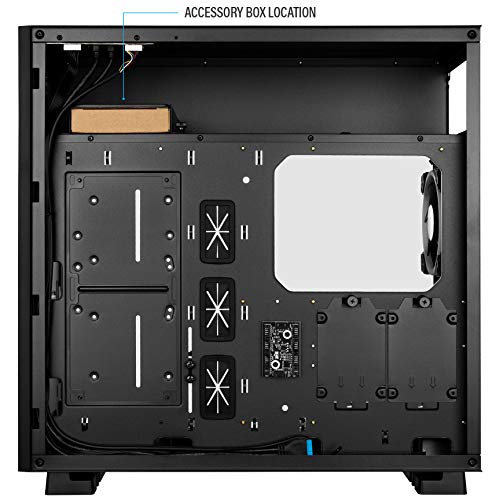
@little osprey just going to point this out for you on that case but here where the box is you can put your hard drive in that https://images-na.ssl-images-amazon.com/images/I/41fpT0UbexL.jpg

Also if you were ever planning on going with a AIO in the future on the left on that picture you can remove the panel to put the AIO there
foggy hazel
its just a sled/mount for 3.5/2.5 up there?
latent bronze
3.5 and 2.5
foggy hazel
because the backplate mounts are obvious on the sides
latent bronze
3.5 on the bottom 2.5 on the top
I have my drives mounted on the top and on the right side
foggy hazel
in theory, he would ONLY need a single 3.5 mount
latent bronze
Well if he plans on only having 1 hard drive that is where it would go
if he doesn't bother with a AIO the panel on the left fits 2 more 3.5's
foggy hazel
aye, traditional bottom mounts it looks like?
latent bronze
I am sort of thinking of getting 2 more hard drives as just storage units for my system and configure them to be like externals
foggy hazel
go external instead, from a "all eggs in one basket" pov
latent bronze
I have like 20 externals right now lol
latent bronze
Well originally they were just hard drives but i got enclosures for them now i am thinking of just replacing all that with a dock
foggy hazel
you can, but please take this a very serious recommendation, dont.
a dock is nice
true
i have a bunch
but ... yeah .. no :)
cursive wharf
@foggy hazel I'd be a bit careful about working in pcpp US then switching over to CAD. AMP is overpriced in CAD
foggy hazel
yes/no
latent bronze
Well was thinking of just doing hot swaps each time cause well all those drives is anime i have been collecting since 1979 (well been downloading them since the late 90's but the year of the anime is from 79)
foggy hazel
seasonic is even worse @cursive wharf
little osprey
Should I just downgrade to a 2070 super?
cursive wharf
RM(x) is decently priced tho
foggy hazel
@little osprey if you want to save money because you want visuals? then that is your choice :)
little osprey
Yea
foggy hazel
personally, i would focus on finding a monitor first :)
elfin galleon
what do you guys think about this https://pcpartpicker.com/list/LshhFG
little osprey
Yea
But if I get a 2070 super
I still have pretty great performance, and get a better monitor
foggy hazel
@cursive wharf fair, i will take your word for it, as i have said, seasonic i have plenty of experience with, and it turns out i have a machine with an AMP in it, and a bunch of colleagues have some too, so those i am fine with.
and you know my take on recommending stuff i have not used :)
@little osprey ultimately it is your choice what you want :)
latent bronze
This is a pretty good monitor https://www.newegg.ca/black-red-acer-xg-series-xg270hu-27/p/N82E16824009769
foggy hazel
you are firmly in the "make some tradeoff" budget range :)
latent bronze
Was on the site cause i was checking if the fans i wanted was on sale again
Fans i want anyways are these https://www.newegg.ca/rosewill-rgbf-s12003-case-fan/p/N82E16835200126
foggy hazel
@elfin galleon Imo, it is a build that is spending money on an AIO that you wont get any benefit from beyond the lightshow
little osprey
To me it's weird the ones with only the rim rgb are more expensive
latent bronze
eh the memory on his list
 gray totem
anyone feel like helping me on a new build? Looking to put together an i9 (prob 9900k) for a work at home computer, with up to 40 tabs open at a time across multiple instances of chrome, outlook, dreamweaver, phothoshop, security cameras, youtube, Franz software, etc. I build a computer every 5 or so years but before I do I like to get some opinions. would like to keep it below 2k-2500
elfin galleon
its bcuz case is really small form factor, and wont be able to fit chonky air cooler
@foggy hazel
latent bronze
The one's with the rims only is like their first gen
foggy hazel
you dont "need" a big air cooler for that cpu @elfin galleon
elfin galleon
what would you reccomend
cursive wharf
@little osprey Here is my slightly optimized list
https://ca.pcpartpicker.com/list/nfy6p8
latent bronze
You can also get a windows 10 key for cheap
cursive wharf
spend the rest on that case that you wanted
latent bronze
ebay is one place
little osprey
Urcdkey
foggy hazel
@gray totem you are not forgotten, there is just a bit of a limit to how many conversations that can happen without total chaos :)
foggy hazel
and cheers for the updated build @cursive wharf
i dont quite agree on the crucial, but that is preference etc
cursive wharf
@elfin galleon That PSU has high overload voltage ripples. Thus I'd advised against
@foggy hazel I didnt pay a lot of attention other then costs needed to be saved for some expensive case
elfin galleon
so higher watt or another brand
cursive wharf
probably just other brand
foggy hazel
you got a more reasonable price on the PSU @cursive wharf that is appreciated :)
cursive wharf
@elfin galleon get Phanteks AMP/Corsair RM/Corsair RMx
elfin galleon
ok thnx
cursive wharf
@foggy hazel mostly cuz I decided to go 550w. Seems like 650w is a decent price bump
foggy hazel
also, just to be 100% clear @elfin galleon that is not that small case, for an itx it is fairly massive
so dont worry about stuff like AIO
@gray totem looks like things have settled.
foggy hazel
might i ask what makes you choose intel?
gray totem
just always have
foggy hazel
any of your software that is using specific intel only functions or anything?
gray totem
im kind of brand loyal too...i use this software called Blue Iris which performs better on the intel i series
however, i wont be using it on this computer
foggy hazel
okay
aside from what you mentioned, any other requirements that you have thought off?
gray totem
my main functions daily are photoshop, outlook, dreamweaver, like 5 instances of chrome with 20-40 tabs, 1 playing youtube 24/7, messaging software (skype, etc.) open, other mis mail clients, surveillance camera VMS software. My current machine is an i7-6700 but she's starting to slow down a bit and i am very demanding...I have 4 monitors hooked up and run my businesses from my computer. I keep it on 24/7 with VNC software running so i can access it
gray totem
yup
nothing crazy
i've been building gaming computers really, but without gaming
only because they are spec'ed hi
high
gray totem
nope
foggy hazel
then potentially a itx machine with 32gig ram seems about right
foggy hazel
if placed in something like a node304, it also doesnt look out of place in the office
https://www.fractal-design.com/products/cases/node/node-304/black/ <- that is the case i am talking about

 gray totem
its a home office, and i kind of want it to look cool too
gray totem
interesting
cursive wharf
@elfin galleon I'd go with this
https://pcpartpicker.com/list/pGx8b8
foggy hazel
but, performance first?
gray totem
i have always gone with the typical tower build
yes
I also like to get the best since i only build once every 5 years
foggy hazel
i will absolutely admit to a personal bias towards the node304, because it a very solid case that just "fits" in just about any environment you place it
foggy hazel
that does not mean we cannot figure out something that fits your visual style
cursive wharf
That isnt an ideal CPU cooler for that CPU
foggy hazel
@gray totem you are in the US right?
gray totem
i am in NY
foggy hazel
ok
gray totem
yes
foggy hazel
reason i started with the case is because it is the "simple" thing to talk about
gray totem
got ya
i would like a typical tower, maybe some lights
my last 2 builds were boring, the one before that was cool with lights and stuff
foggy hazel
because as the market is right "now", intel is not competitive at your budget
gray totem
i dont want to go overboard though
foggy hazel
as in, it is not even remotely close for productive workloads
foggy hazel
nope
foggy hazel
slow, hot, overpriced
gray totem
no shit, wow
foggy hazel
yes
gray totem
am i allowed to say that here
foggy hazel
seemed to work, but watch it :)
cursive wharf
also what you got to remember, 9900k vs 3900x. About the same price. 8c/16t vs 12c/24t
foggy hazel
this one is fairly moderated, familiy and all etc
gray totem
k ty
cursive wharf
anyways you'll usually get a warning for saying things like 💩
foggy hazel
you have been around computers for a fair number of years right @gray totem ?
gray totem
yeah im advanced
foggy hazel
you remember how big a leap the 2500k was?
gray totem
yeah man
foggy hazel
reverse that now
foggy hazel
amd are the ones with the "2500k" now
gray totem
so amd jumped ahead?
foggy hazel
oh yes
cursive wharf
per core performance of Intel and AMD are really, really close. But AMD has 50% more cores
at the 9900k price point
foggy hazel
so in a way, you are looking to build at a really good/interesting point in time :)
gray totem
am i reading that wrong, or is the i9 benchmarking better?
foggy hazel
you know the saying: i dont trust it further than i can throw it?
gray totem
yeah
foggy hazel
yeah, that is my feeling about that site :)
cursive wharf
because UB hides away the more then 8 thread workloads
gray totem
ub?
cursive wharf
user benchmark
foggy hazel
Linus Tech Tips
UserBenchmark.com has adjusted the algorithm for how the overall performance of a CPU is calculated. Previously, single-core performance made up 30% of the result, quad-core made up 60%, and the final 10% was reserved for multicore performance. This was calculated so that an I...
cursive wharf
@elfin galleon 550w is good enough for a 3700x and 2080Ti. You're fine
foggy hazel
that is A post on it @gray totem there are plenty more
elfin galleon
oh ok lol thnx
foggy hazel
lets find you some proper benchmarks instead
gray totem
so the amd benchmarks better?
deep skiff
yuh hedt chips suck on userbenchmark
elfin galleon
@cursive wharf will there be a need for bios update?
deep skiff
for example "effective speed (part that got tweaked the most)" shows the 9600kf winning https://cpu.userbenchmark.com/Compare/Intel-Core-i5-9600KF-vs-AMD-Ryzen-TR-3970X/m772658vsm970030

Based on 6,784 user benchmarks for the AMD Ryzen TR 3970X and the Intel Core i5-9600KF, we rank them both on effective speed and value for money against the best 1,206 CPUs.
gray totem
thats i5
cursive wharf
@deep skiff show the 3150k vs 9900k for better results
gray totem
ohhh
foggy hazel
CPU 2019 benchmarks: Compare two products side-by-side or see a cascading list of product ratings along with our annotations.
deep skiff
3150k doesnt exist
cursive wharf
@elfin galleon There is your list with mouse/keyboard. Also unlikely, but potentially. Ask the motherboard seller to see if the BIOS is updated/mobo is 3x00 ready
@elfin galleon There is your list with mouse/keyboard. Also unlikely, but potentially.
deep skiff
what chip u mean?
cursive wharf
@elfin galleon There is your list with mouse/keyboard. Also unlikely, but potentially. Ask the motherboard seller to see if the BIOS is updated/mobo is 3x00 ready
https://pcpartpicker.com/list/WZ94YH
@deep skiff OCable i3
9350k
I think
brain dead
deep skiff
oh yeah that one
Based on 141,991 user benchmarks for the Intel Core i3-9350KF and the Core i9-9900K, we rank them both on effective speed and value for money against the best 1,206 CPUs.
cursive wharf
even better
https://cpu.userbenchmark.com/Compare/Intel-Core-i3-9350KF-vs-Intel-Core-i9-10980XE/4055vsm935899
Based on 231 user benchmarks for the Intel Core i3-9350KF and the Core i9-10980XE, we rank them both on effective speed and value for money against the best 1,206 CPUs.
foggy hazel
@gray totem what you will notice in what i linked, and if you look around is that the moment you start doing more than 1 thing, the AMD chips just stomp on the opponent.
gray totem
@gray totem what you will notice in what i linked, and if you look around is that the moment you start doing more than 1 thing, the AMD chips just stomp on the opponent.
@foggy hazel thank you, im looking now
deep skiff
the best thing about userbenchmark are the stupid reviews
The i3-9350KF is a 9th generation quad core Coffee Lake CPU which is designed to be used with a discrete graphics card. It has base/boost turbo frequencies of 4.0/4.6 GHz. The 9350KF generates less heat than its higher core "K" counterparts so getting a decent overclock without expensive cooling is relatively straightforward. Overclocking the 9350KF to 5 GHz with a $20 USD Gammaxx 400 cooler puts the 9350KF at similar single, dual and quad core performance levels as the 9600K, 9700K and 9900K SKUs. Consequently there is not much difference in fps between the 9350KF and any other CPU regardless of core count. At $180 USD the 9350KF sits amongst the top value gaming and desktop CPUs currently available. Comparing the 4 thread 9350KF to AMD’s twice as expensive 16 thread Ryzen 3700X shows that the 9350KF wins hands down in all five of today’s most popular games. The only other CPUs worth considering for unbeatable gaming performance are the 9600K or 9600KF which have 50% more, equally fast cores, for less than 10% more money.
cursive wharf
except when you start to compare lows. lol
foggy hazel
and i am not saying that with any interest in swinging you away from intel @gray totem, i dont care one bit what company you buy parts from. What matters to me is that you get the machine that works best for you.
cursive wharf
@gray totem I think I nice image of why userbenchmark isnt ideal is here
foggy hazel
IF that turned out to be a raspberry PI? that is what i would recommend for you
gray totem
Thanks @foggy hazel, I am just looking to build something beastly now that will be a beast for the next 4-5 years
foggy hazel
i would prefer being able to look you in the eye in X years when you come and ask again. hence why i say what i do
gray totem
why do i see different sites having different benchmark results?
foggy hazel
been in this field for way too many years to act any different :)
foggy hazel
difference in testing details, margin of error, silicon difference
cursive wharf
sure CPU is the same, but other things can effect it
foggy hazel
there are pages and pages of reason for it
gray totem
ok
foggy hazel
and the devil is in the details on stuff like that
because people dont generally read the fine print
and i am not talking about the font-size 1 stuff
gray totem
@cursive wharf could you use that system builder to build me both a ryzen 9 3900x and i9-9900k system so i can compare?
foggy hazel
i am talking the real small stuff
cursive wharf
what's the budget?
gray totem
2-2500
foggy hazel
office/production work
cursive wharf
Also, is the stuff you use do better with AMD or Nvidia GPUs?
gray totem
chrome, dreamweaver, photoshop, outlook, streaming, etc..its a work at home every day computer that will be on all the time, with like 40 tabs open ,lol
foggy hazel
no gaming right?
gray totem
no gaming
foggy hazel
4 display outputs thou @cursive wharf
cursive wharf
Im not too into the workstation game for GPUs. Would dual V64 / dual RVII be better then 2080Ti?
gray totem
yeah 4 display
foggy hazel
one of the few times the KO might actually make sense :)
gray totem
what are the best drives to set up a raid 1 with? are WD Red's good for being on all the time?
gray totem
all ssd?
foggy hazel
close
foggy hazel
if anything, your old system could be setup as backup
foggy hazel
but that part is a completely different talk :)
gray totem
so would want bigger
foggy hazel
not a problem
gray totem
yeah, esp if we are only doing ssd
gray totem
m2
 celest horizon
Agree, few use cases will utilize a raid or similar config for most consumer use.
Hey, what's up
gray totem
gigabyte better than asus for mobo?
gray totem
i've only ever built intel and asus mobo
foggy hazel
its all mass production, so its all statistics
gray totem
yeah
foggy hazel
and you will be running stock
gray totem
right
foggy hazel
question, your audio equipment is usb or minijack based?
celest horizon
Hard to say asus/msi/GB/asrock etc x better than y, some platforms e.g. b450 - msi just kinda dominates. z370, GB was a huge letdown,
Asus in general has solid bios, massive community of enthusiasts whose forums posts can be searched for easy tech help
gray totem
i use bose speakers which are audio jack
foggy hazel
fair enough
gray totem
thanks @celest horizon
cursive wharf
not something Im well aware of what to build for parts for a workstation but here
https://pcpartpicker.com/list/B4Pwyk
celest horizon
I assume 3.5mm TRS? Green plug
gray totem
yup
cursive wharf
I given 2.5k budget, can go 3950x
little osprey
May I get help please Im wanting to build a Gaming PC for a Friend of mine an I need help please
foggy hazel
@cursive wharf that looks fine
@gray totem question: and this kinda cascades to other things.
gray totem
thanks @cursive wharf, looks good...can i get one with an i9-9900k too please?
foggy hazel
how important is noise?
celest horizon
I can say that that board does like a 2x (whatever ) vs 4 stick memory layout, depending on their network / OS /possible hypervisor preference, Intel NIC chips are preferred, I forget if the x570 TUF is realtek
gray totem
noise is somewhat important...it is on all the time and in the room directly next to my bedroom
foggy hazel
@celest horizon that part of it we will get to :)
cursive wharf
@gray totem cant as Im not familiar with Intel mobos too well
foggy hazel
this is just "ballpark" budget
rapid ridge
Anyone able to help out? I’m getting super varied results every time I attempt to boot my new pc and am super confused
gray totem
ok
cursive wharf
I could pick a random board, but it'd likely be 💩
foggy hazel
let me just swing up an intel then, 2-3 minutes
gray totem
@rapid ridge and @little osprey the pros are kind of busy helping me right now, but im sure they will help after 🙂
celest horizon
As for noise - I'd consider spending $30 ish more on a higher capacity PSU - likely the fan could just cruise at an inaudible idle even under heavy load
celest horizon
Hei is very familiar with the current PSU market, I trust their recommendations
foggy hazel
the simple solution is just to go seasonic passive on that.
cursive wharf
@celest horizon CPU fan would easily make it not notiable
gray totem
esp if its only $30'ish more
foggy hazel
but again, wait until you get a sense of where we are going (intel / amd)
gray totem
i am leaning toward intel, as crazy as that sounds
cursive wharf
I mean $30 isnt much given the budget, nice to have and all. But I dont think it'd make any difference
celest horizon
Maybe - I'm not familiar with that PSU's fan curve, but some like the supernova P2's or seasonic X series back from 2010 ish had a very annoying spooling up to full and back down again profile
foggy hazel
@celest horizon that has also only been about 8 years :)
cursive wharf
I forget fan noise, but it is ever so slightly quieter then RMx
RMx seems to be well regarded for being quiet as I do remember in the graphs it was usually the quietest
celest horizon
True, the xseries is old, the P2 was designed around 2016 iirc, been on the market since, only recently joined/replaced by the PQ
gray totem
hmm
celest horizon
I have one sitting next to me haha, I can say it's pretty tall.
Doesn't fit my test bench. Search pc partpicker for completed builds with x and y part - has helped me check compatibility in the past
gray totem
so im still kind of at an impasse
celest horizon
The stock fans on the DRP4 are a great fit for a machine with an emphasis on quiet]
rapid ridge
Okay so I’m having an issue getting my pc to post consistently
foggy hazel
https://pcpartpicker.com/list/2rtvdm that is "just" the mainboard and cpu changed
this is NOT optimal
gray totem
why not
foggy hazel
just saying, it is ONLY usefull for ballpark comparison
cursive wharf
the 3900x is about 40% - 50% faster then the 9900k for workstation use
foggy hazel
@cursive wharf hang on a bit :)
foggy hazel
the intel side wants different ram
but it is "close" enough price wise that you will (hopefully) see our point
latent bronze
Hei if you don't mind me asking but why it your go to site always Tom's Hardware?
foggy hazel
does that make sense @gray totem ?
cursive wharf
@gray totem cores. The 3900x has 12 cores and 24 threads. The 9900k is 8 cores and 16 threads
cursive wharf
@latent bronze They usually have decent reviews. PSUs at least. Also the last images was Kitguru 🙂
gray totem
so u think for my needs, with the applicatoins im running and all that, the 3900x is better
foggy hazel
and as @cursive wharf is bursting at the seams to say :) the 3900x is indeed a bunch faster
yes,
without a doubt
foggy hazel
that was why i asked about the intel specific stuff when we started talking earlier :)
gray totem
haha
cursive wharf
It isnt always about cores when comparing two CPUs. Things like IPC, cache, clockspeeds, etc
bus/mesh/IF clock
foggy hazel
may last year
gray totem
nice
foggy hazel
was when they cemented it
cursive wharf
came out on like july 7th tho right?
foggy hazel
availability was july yes @cursive wharf
gray totem
u think intel will be coming out with something better soon?
foggy hazel
not for a while yet
gray totem
ok
foggy hazel
keep in mind, you can always find a rumour that tells you otherwise
foggy hazel
its the other way around now
gray totem
yeah seems it
cursive wharf
by a lot. 9900k with decent OC is like 250w and 3700x (intel equivalent-ish) is 120w
foggy hazel
lets get back to the build at hand thou
foggy hazel
you mentioned a NAS?
foggy hazel
so you are loading everything from that? and not saving local?
gray totem
all my psd files, web files, videos, etc., all off my NAS
yup
so i can prob get aawy with 1 ssd
foggy hazel
that means the 4tb, 2.5 can go from the list
gray totem
yeah
celest horizon
Ya, 9900k can push 250 vrm losses included, but that's up there haha. Usually 150 load on air
gray totem
which frees up a lot of money to improve something else
im going to get 4 x 16 sticks
foggy hazel
oh yes, but some will also go into ram
gray totem
yup
foggy hazel
because you mentioned 64gig
gray totem
yup
also, i want something quiet
idk if this cooler and psu are the best choices for that
foggy hazel
we will get there :)
foggy hazel
aye aye
gray totem
did i loose you guys?
foggy hazel
nope
gray totem
🙂
foggy hazel
just looking for parts :)
gray totem
take your time, thanks
foggy hazel
:)
while i look for the parts, could you have a serious think/look around for a case that you would like?
foggy hazel
might i suggest having a look on cooler masters site?
gray totem
yes
thanks

The MasterBox Lite 5 ARGB is an ATX gaming PC case that features a tinted, DarkMirror front panel with three pre-installed ARGB fans. The DarkMirror front panel is tinted to show illuminated fans at a sharper contrast. For gaming rigs centered on lighting, the MasterBox Lite 5...
hah
i gravitated toward that one again
foggy hazel
fair enough :)
gray totem
still looking though
gray totem
no results on cm's websites
The CORSAIR Crystal Series 280X is a high-performance Micro-ATX case with three beautiful tempered glass panels and an innovative dual-chamber internal layout for clean looks and superior cooling.
meh, too fat
foggy hazel
thats the one, a client wanted that a while back
gray totem
kinda fugly imo
still roostBOT
 Naed#3611 has been warned
Reason: Bad word usage
gray totem
kinda ugly imo
foggy hazel
gah!
gray totem
lmaooooooo
foggy hazel
it happens once in while
see, this is why i dont care about the visual in general
when i say my opinion, that happens
gray totem
lol

Design of the E-ATX MasterBox TD500 Mesh adds a new dimension to PC lighting through contour and form, providing custom-built systems a presentation beyond flat, two-dimensional panels. The Crystalline Tempered Glass side panel features a design that interacts with component l...
this is pretty sick
i like this a lot
foggy hazel
its your build!
 sacred obsidian
that crystal one above is gorjus
gray totem
the td500?
foggy hazel
he means the 280x
gray totem
yeah i think im going to get it
foggy hazel
the TD500?
foggy hazel
Mike / Deaf is talking about the 280x
sacred obsidian
yeah its 109.99. but, i say pricey cause ive never spent more than 60 on a case xD
im cheap
foggy hazel
also, the 280x is 150 IF you want the rgb stuff in it
which, knowing Deaf, he would :P
@gray totem the TD500 in white or black?
gray totem
black
foggy hazel
Acryllic or Tempered Glass?
gray totem
lol idk
foggy hazel
TC is my recommendation
foggy hazel
yes, my mistake on the typo
gray totem
🙂
foggy hazel
had turned away to the other screens
foggy hazel
you are very welcome :)
and please remember, there are no stupid questions, only silly answers
foggy hazel
the challenge is actually the monitor outputs
what GPU are you using right now?
not a 7xxx series AMD by chance?
gray totem
nvidia geforce gtx 1070
foggy hazel
iirc, the stock model is DVI+ 2 HDMI + 2 Displayport
foggy hazel
you mentioned 4 DP earlier
gray totem
yeah
foggy hazel
was that a mistake?
foggy hazel
yeah, it can be done
gray totem
sorry
foggy hazel
not a problem
gray totem
can be hdmi also
foggy hazel
no no, nothing to be sorry about
gray totem
all my screens have hdmi
foggy hazel
okay
gray totem
i am using dp to hdmi adapters actually
but i dont mind, if dp is latest then i want to stay with that
foggy hazel
because a card with 4 * displayport is FIRMLY in the pro segment (in general)
gray totem
cool
foggy hazel
not pricewise it is not :)
gray totem
hahaha
foggy hazel
so, you being flexible would make things a bit earier on the budget
(not that it is under serious pressure yet)
gray totem
okay cool
foggy hazel
something that got lost in the shuffle
you dont have any use for wifi do you?
@gray totem see above question
foggy hazel
thought so, but better to ask
gray totem
i wouldnt mind having wifi on it though
foggy hazel
not a problem
foggy hazel
@gray totem https://pcpartpicker.com/list/8W8pzN that is a start
foggy hazel
mind, that GPU has only been selected for a nod towards visuals
gray totem
meaning?
foggy hazel
you could take the step up to the big brother cpu
gray totem
which one
foggy hazel
the 3950x which is a 16core/32thread behemoth
gray totem
so worth it
foggy hazel
price wise? yes
gray totem
performa nce wise
foggy hazel
that is also the reason for the switch to the seasonic
gray totem
longevity?
foggy hazel
and yes lurkers, that is an oversized PSU, it is cheaper than the 650
gray totem
750w is enough?
gray totem
k
foggy hazel
650 would be plenty, but as mentioned, it is cheaper to get the 750