#building-and-recc-chat
1 messages · Page 421 of 1
 deep skiff
 round flare
I thought only the 1080ti was better than the 5700xt not the normal 1080
 latent bronze
This is mine which changes colors on each DPI and profile https://images-na.ssl-images-amazon.com/images/I/41c410k514L._AC_.jpg

 austere mango
i click the button to change mines color and it goes higher or lower depending on the color
ITs LIVE
gonna get a feel for it on FN
latent bronze
You do see the 2 arrows on it right
austere mango
on urs?
latent bronze
Also that red button next to the left click i can program it to do like 15 clicks so if i am playing a FPS game it can fire a pistol like a SMG lol
austere mango
;olo
latent bronze
oh and the side there is 3 buttons
https://www.amazon.com/Redragon-Programmable-Buttons-Switches-Profiles/dp/B00GU4F4OM so you can see everything mine does
latent bronze
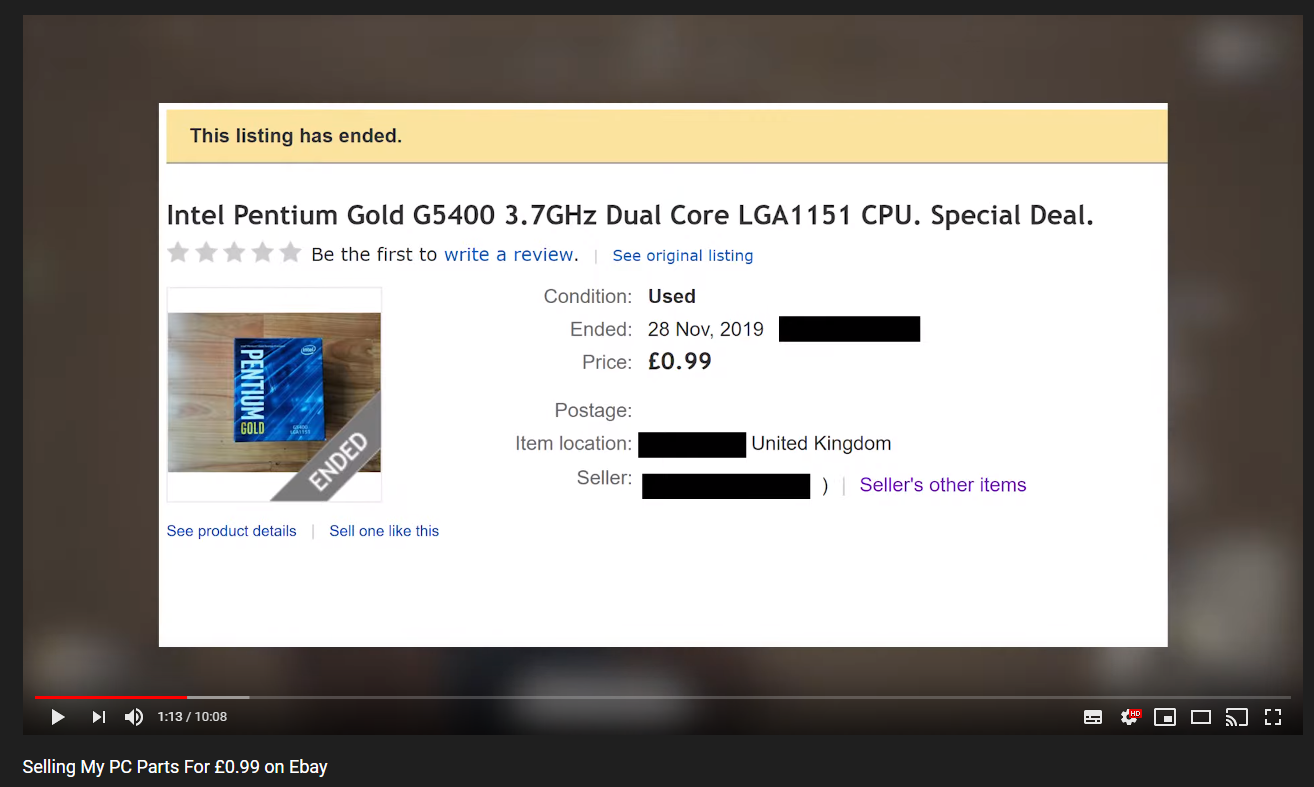
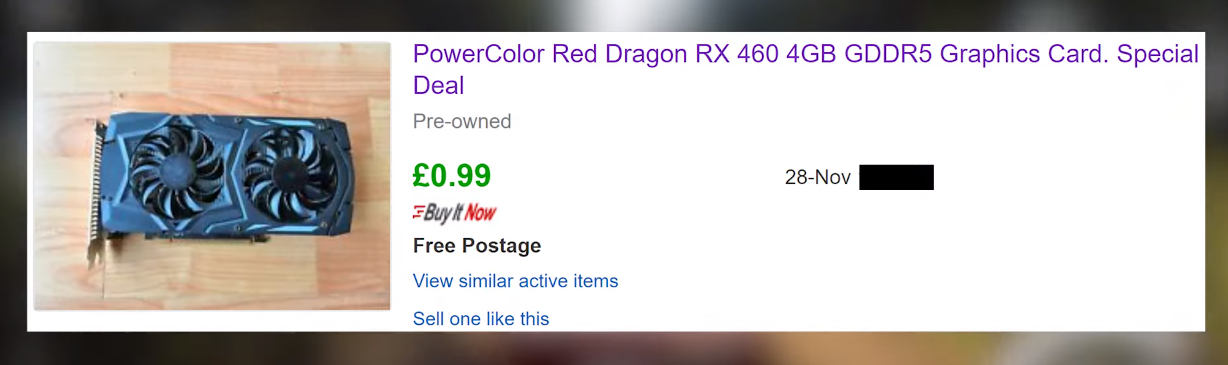
He sold this for 99 cents https://i.gyazo.com/3c160cf5a083b0c44791e7bdd8be1131.png


 austere condor
wow
latent bronze
oh and he sold locally 3 Kingston A400 240gb for the same price each
latent bronze
yep
could pretty much build a full budget esports machine with those parts for under 100
and because the G5400 is 1151 there is a future upgrade path
I believe Atarii said before he wouldn't even buy the 460
which i said you could flip that to make a profit instead
 sand ravine
@austere condor do you take these photos you post yourself? what camera are you using? the photos are really incredible
latent bronze
Ive seen those walls in a YouTube video before
sand ravine
fancier than anything we have. I had a graphic design teacher in high school who drew students from all over the district *for his class. he had a whole cabinet full of Rebels and different kinds of Canons and Nikons. like a $10k printer for printing large artwork and a lab full of ~40 iMacs with the entire Adobe Creative Suite. the district gave him anything he wanted because students would transfer from all over the city to our school for this specific class. I still keep in touch with him. he'd loan out those cameras to good students too, honor system. never had a single one stolen in all of my 4 years or the previous 15 years he'd been there. I love that guy. I miss that class too.
he turned out good students as well, most of us went on to college and postgraduate education, often in the mixed media field. one of my classmates is now an associate editor on Hollywood films.
sorry for the rant. your setup reminded me of his classroom as it looked during my freshman year
austere condor
ah thats really cool
 next tangle
I have an FX 6300, RX 560 2GB, 2x4GB 1600MHz RAM, I just ordered a 2700X, 2x8GB 3000MHz RAM off Newegg and ordering a MSI B450-A Pro tomorrow off B&H.
Upgrade finally in progress 😄
austere condor
Gonna be a night and day difference! Awesome man!
 rotund radish
How did you get pic pf my desk
 little osprey
an empty desk is a waste of space half /s
 molten sage
Hi all. I am new here. I just upgraded my video card from gtx 260 to gtx 1660ti. My problem is there is a great video cable hook up difference. All other cables and pins fit. It's just the cable from my TV to the video card is different.
 coarse coral
hi @molten sage what kind of connection is your tv? i assume your graphics card uses hdmi and displayport
newer tvs should have a HDMI connection
molten sage
Oh!! Hi theo_yells. Maybe I just need to plug in an HDMI cable? I will go check that out right away. Anyway, pass or fail, I'll let ya all know. I am on my lap top right now. I'll be back,
molten sage
Yep, it sure are. has a HDMI cable receptacle. Now, gonna take a break (74 years old, gotta rest), button it all up, then try again. Thanks again theo_yells.
coarse coral
no problem @molten sage enjoy your weekend 😄
 elfin quest
Ok so boomer question
coarse coral
hi
elfin quest
But what's the difference between a monitor and a regular tv besides the style
coarse coral
okay so
lets start with resolution
FULL HD tv is 1080p, a lot of newer tv are 4k resolution
computer monitors can do 1080p, 1440p or 4k
also TV usually just does 60Hz or the rate images are displayed per second
elfin quest
They have different resolution settings?
coarse coral
high refresh monitors can go past 60 for high motion gaming or videos
elfin quest
Or do you mean they're capable
coarse coral
capable depending if the TV or monitor was MADE for that resolution
monitors on the other hand have the option to switch to lower resolution t han their intended purpose
elfin quest
144 hz good enough?
coarse coral
144hz is really really good for high motion gaming and video viewing
theres 60 (which is basic monitor frame rate), 75, 144 (for really good gaming and video experiance), 165 and then 240 (for the crazy competitive players)
elfin quest
$85 a good deal for 144 hz 1080x1920 ?
coarse coral
when shopping the product page specs will tell you what resolution it is rated to run at and the refresh rate.
144hz 1080p monitor at 85 is a good deal depending on the size of the monitor
elfin quest
24"
coarse coral
yes then. a good 144hz 1080p screen usually goes for $180 for a premium one. i dont know what brand that $85 screen is that you're looking at tho.
elfin quest
It's a used Asus
I know thier monitors are good just from doing shopping on other sites
elfin quest
I've never been shopping for monitors always just had one but mine had dead pixels
elfin quest
Idk the model number he told me specs
Said 85
I'll see it running later and get the model number
elfin quest
I'm out of money cause it's the end of the month ;-;
So I cant go buy a brand new one
coarse coral
i know that feels
next tangle
@austere condor Agreed! Thinking of getting a GPU for Christmas! 😀
latent bronze
I got paid yesterday lol
 livid storm
Question. They’re only $20 apart. Ryzen 5 3600 or Ryzen 7 2700x?
coarse coral
3600

Based on 282,099 user benchmarks for the AMD Ryzen 5 3600 and the Ryzen 7 2700X, we rank them both on effective speed and value for money against the best 1,197 CPUs.
7%+ faster @livid storm
even more if you get the 3600x
3600x is 199.99
livid storm
I did see that but was wondering if there was anything beyond the speed that should be considered. Have seen posts about the cores and threads being important even though the 3600 is faster.
livid storm
No streaming. Will also use it for menial schoolwork and things like that.
coarse coral
the new zen2 architecture is wayyyyy more optimized
round flare
yeah
coarse coral
which is crushing intel in terms of performance and budget
round flare
go 3600
coarse coral
3600 or 3600x will pay off in long run
round flare
^
livid storm
Understood. Thanks!
 sudden turret
agreed
I dont stream and use 3700x
way to much for what I do lol
but I had to have it.
round flare
but that's because you're box
I mean
not box
actual box would have better judgement 
sudden turret
-_-
austere mango
Lol
 latent bronze
theo you don't have any rules remember
coarse coral
i do
sudden turret
his own rules
 fossil hedge
round flare
next tangle
fossil hedge
round flare
next tangle
@coarse coral well it really depends what he's gonna use the PC for
I'm gonna be using it for streaming a lot so I went with the 2700X
coarse coral

next tangle
and I will be recording, render and editing a lot
If he just plays games mainly then he should go with the 3600
If not, 2700X
I like that emoji
I think it's my favorite now
it fits you perfectly too, theo
coarse coral
3600 still a great by even for productivity
round flare
coarse coral

round flare
I spend ages searching for this
 elder canyon
 orchid quartz
round flare
orchid quartz
round flare
prebuilt?
sudden turret
probably
that is every gaming pc newegg has 1,000 and under listed highest price first.
 next tangle
Would a RX 560 2GB bottleneck a 2700X?
latent bronze
Why would anyone want to get a 560 with a 2700X?
 west finch
Yes that gpu will definitely bottleneck your system
little osprey
Is the ryzen 5 any good
 sand rampart
round flare
sand rampart
round flare
that is an expensive x570 board
but if you want something nice
treat yourself
strix stuff is usually good so
sand rampart
@round flare yes Im trying to decide ASUS TUF (WIFI) - $200 vs STRIX E - $280
here is a comparison and I can't find much difference
https://www.newegg.com/Product/Productcompare?CompareItemList=13-119-197%2C13-119-111
round flare
I mean
strx boards are more premium
It also supports higher clocked memory
it's really down to how much you want the board
 polar holly
Thats the cyberpunk giveaway from Origin
 long rock
Funny you say that because I'm trying to finalize my build around a B450 Tomahawk before I decide to buy my parts!
So, I've been planning and wanting to do this big upgrade on my PC I've had for a year now, for quite a while, I've got the means and the money and wanted to see what y'all throught of my build parts wise and make sure everything is compatible
Current setup is a AMD FX6300, Nividia GT710, 8 gigs of 1666 DDR3, 1TB hard drive, and a 400 watt power supply.
My new setup is gonna hopefully keep the hard drive, and switch everything else out. Components; MSI B450 Tomahawk, AMD Ryzen 5 2600x, Nividia GTX 1660, 8 gigs of 2800 DDR4, and a 650 Watt Corsair PSU.
round flare
You'd want 16 gb of ram
long rock
Oh right lol, I meant to say 16
round flare
oh ok
long rock
Yeahhh
long rock
Hmm, I haven't looked specifically but it's like 70 bucks I think
I'd do faster ram if it was cheaper
long rock
Oh cool, I'll keep that in mind. Hoping to pull the trigger later this week
long rock
Yeee
round flare
do you live near a microcenter
coarse coral

round flare
oh hey theo
long rock
I don't think so. Does Best Buy count?
round flare
I mean bestbuy doesn't have a 2700x for 130
that's what I was gonna recommend
It's only a little more than the 2600x
if you buy at microcenter at least
your board choice is solid
cpu solod
solid
lol
gpu
you could go with a 1660s
long rock
Yeah, I'm still looking at stuff, I may fidget with the GPU a tad bit
round flare
they're not listed much higher than a normal 1660
And it's a pretty nice bump to performance
long rock
Ehh, it depends on how much I've got on this card from my work I've still got funds on
round flare
what case are you putting it in
long rock
It's an IBuyPower case, I'll try and post a pic
You can kinda see it there near the bottom
I'm not at my desk atm, I'll get better pics here In a dee
Few$
round flare
alright
long rock
Ye. So I may look at CPUs more, tryna keep it at under 200, and if ya can find anything better than the 2600d
2600x*
I'm thinking maybe an older Ryzen 7 buy I'll have to look around and see
deep skiff
don't a 2700x if its over 170
round flare
^
deep skiff
if u live near a microcenter u can get it for 130 sometimes
round flare
it is right now
long rock
Hmm. Ye, I did see those. So a 3600 or 2700x possibly
deep skiff
yeah
long rock
😁 😁 😁
round flare

however if you go 3600 you gotta update bios
so to have easier life
buy tomahawk max
it's like 5 more dollars
long rock
And then you said a 1660S isn't that much more expensive than a 1660? Is bios updating hard?
long rock
Ooh yeah, I could do that.
long rock
The real determining factor is how much is on this card from work, cause I've got leftover funds I the ,6-700 dollar range, but don't want to spend all of it, because the rest is going in my first car fund
long rock
Soo, I'll find that out, and then mess with my numbers a bit and see if I can wedge any more into this thing
round flare
it's under 200
long rock
Yeah, I'm also considering that
round flare
and has a little more performance than 590 if I remember
long rock
Waiting till the 5550 drops, and maybe doing that
round flare
yup
long rock
It's finally gonna happen bois!!!!!
I've litterally wanted to do this since like, 3 weeks after I bought this PC
round flare
lol
long rock
The whole 400 bucks for a "gaming rig" with 8 year old components wasn't gonna fly with me
Impulse bought my first PC. And this is how it's turned out lol
Like, I did reserch but then I had a friend push me to buy this one and now I see what I screwed up on lol
Black Friday shenanigans
Ight. 679 bucks, I think as my numbers stand right now, I'm at 519 bucks on the build, so I've got a little wiggle room
round flare
are you buying anything else other than parts
round flare
is that number with all the parts you listed above
long rock
Yeah, I've got the spefics somewhere else, I'll try and copy em
 finite sable
3dmark11 is 1.99$ rn
long rock
Ight, so 70 on the 16 gigs of DDR4, 110 on the Tomahawk, 230 on the 1660, 85 on the 650 Corsair PSU, 124 on the Ryzen 2600, and uh, hmm, looks like I came amout at around 600 looking at my notes
long rock
Ye, so gah, I need to write this down somewhere lol
deep skiff
coarse coral
What ghost said
long rock
Alrighty. So I've got the 598 and stuff down, so taking out the DDR4 I've got for 70, replace with the 54 dollar kit, lemme see here, 582
deep skiff
the tomahawk is overkill for the 2600, even the 2700x/3600. if going ryzen 2xxx, i'd go for a $70ish board like the msi gaming plus b450, which should be fine for a stock 3950x/3900x
long rock
My writing is horrible
deep skiff
something like this https://www.newegg.com/msi-performance-gaming-b450m-gaming-plus/p/N82E16813144195?
long rock
Got it, so I could go cheaper on the board?
deep skiff
yeah
the one i linked is a solid pick, @little osprey probably knows more about b450 boards than me
little osprey
I just look at the charts too tbh - I recommend getting one with bios flashback.
deep skiff
wait don't you live near a microcenter @long rock
long rock
I don't think so., Never heard of one
deep skiff
oh
if you did, they automatically flash the ryzen 3000 bios on older boards, so you wouldn't really need bios flashback
long rock
So, what's the bios and stuff? I'ma noob when it comes to all the super in detail stiff
little osprey
It's a valuable feature because bios updates are far more important and frequent as of late.
long rock
Interesting
long rock
So at 554, I've got a bit of wiggle room, so I could prolly ether try for a better CPU or shoot for a 1660 Super or wait till the 5500 series comes out
little osprey
https://pcpartpicker.com helps
long rock
Yeah, I'll mess with that tommorow when I've got a bit of free time
I think I've done pretty good for today lol
Oh, and I know AMD likes to run hot, do you think imma need liquid cooling?
round flare
no
in fact it's the opposite
at least my 3600 doesn't run hot
a nice aircooler should do
long rock
That's good, I've heard the AMD stuff likes to run toasty, but the 3600 sounds like it runs daily cool, so that's good
finite sable
yea but i might want it colder
long rock
Oh yeah....I haven't factored In a CPU Cooler yet lol
How much do the air coolers run usually?
round flare
depends how much performance you want
finite sable
@long rock the 212 evo is on sale rn for 25
finite sable
long rock
Ooh, that sounds guudddd, 25 isn't expensive, I think I'm probably gonna be sticking with the 1660 then, to make up for the cooler cost
finite sable
@long rock thats what i have onj my 3600 and max temp for me is 70f
and thats with 1 fan
you could put 2 fans on it
long rock
That's not bad at all, I've got 1 in my case too, the big main one and the CPU cooler, the 710 is passively cooled
🙄
finite sable
710?
long rock
The GT710, yeah I know it's an ancient card
finite sable
oh gt710 yea thats ancient
long rock
There's IBuyPower for ya lol
finite sable
lol
long rock
First PC lol
finite sable
i was working last night and i had my 6600gt gpu catch on fire
long rock
Only had it a year and will be upgrading it here soon I f ya couldn't see lol
I've heard the 9800GT from that family was a monster for it's day
Or 8800 GTX or something
finite sable
it looks like one of the trace blew up
long rock
Oofers
finite sable
smoke and fire
long rock
Rhats like 3 or 4 years older than my 710 isn't it?
finite sable
it came from 2006
finite sable
luckily that thing was not in a server bercasue that would be bad
finite sable
the pc just kept on running the psu didnt power off
it was just some gpu i found at work in a system
long rock
Oh that's cool lol
finite sable
i literally used it for a grand total of like 5 mins lol
finite sable
i mean compared to my 1070 gpu it is 1000000000 worse then it
long rock
Yeah. From 2006 id say so lol
finite sable
😄
long rock
And Dave thought his 710 was trash
finite sable
funny thing is that it has a sli finger
little osprey
8800gt was known for great performance/$, 8800gtx was like "back then's " 1080 ti
long rock
Ight. See my little like, thing in build pics
Aye, it is an MSI, so it may be overclocked lol
finite sable
what specs?
 valid horizon
Hi, I have an ASUS P8Z68-V PRO mother board and I am a gamer. I like to buy 64GB of memory assuming DDR3. Can anyone recommend the correct one for me please?
austere condor
DDR3 doesnt come in 16gb dimms for a board like that
and what the heck are you doing that you think you need 64GB of ram?
 foggy hazel
@valid horizon your board does not support 16 gig sticks. I have just looked at the QVL list for your board to confirm this. Also, this is from the spec sheet for your mainboard https://puu.sh/EKSVf/006c55b7ba.png
 rotund radish
gamers rise up
 dim nova
I'm looking to build a gaming pc right now. My budget is $800. Anyone up for the challenge?
Actually, after I grab some breakfast.
sudden turret
@dim nova challenge accepted.
dim nova
Let me throw some requirements out there.
I'm a software developer that is "pc gaming curious", so I need speed.
Fast processor (AMD please, as I believe Intel is overpriced)
Fast hard drive (SSD - 500GB NVME with a secondary spinning drive would be nice)
Fast RAM
I don't want lights on my case or anything for that matter.
little osprey
You ok with used parts?
little osprey
I'd say 3600, x570 deal combo, if you use gcc9, the 3600, moreso the 3900x blazes through something like a monday morning compile. Get 3600c18 memory. I recomend an open box 970 pro boot 512GB for $120 ebay new. If not, $80 1TB inlands drive or whatever others suggest here will be fine. Tell the 660p people you don't like riding a horse to work.
dim nova
I prefer new parts, just for peace of mind
sudden turret
I got a few openboxed from newegg, like this monitor. all parts came 🙂
little osprey
100% fine. Preference > perfect min-maxing IMO. Options for ssd's are fantastic rn.
 tidal bluff
just make sure it says sold by newegg
little osprey
fwiw - I've bought (used ) 2 970 pros, a 905p, 20 2TB sas drives used server pulls along with a P4800x. The only drives to die on me have been a new OCZ 60GB ssd and a few samsung sata 3.5" hDDs lol. N=1 ofc 🙂
 hearty pilot
Is there any way to tell for sure if you're buying the correct version of RAM for a system that's finicky on compatibility?
sudden turret
check the QVL list
tidal bluff
i bought a miner 1070 still under warranty works fine
hearty pilot
Newegg chat cut me off and sent me here before I even got to my question, lol
sudden turret
qualified vendor list Mark.
hearty pilot
well my specific issue, I'm using a b350m bazooka and ryzen 5 1700, and corsair is a good affordable option
the list shows model number compatible, but specifically ver. 4.31
sudden turret
 hearty pilot
and anywhere I search to buy, i don't see the version listed anywhere in the info
sudden turret
what ram do you have now?
hearty pilot
corsair vengeance lpx cmk16gx4m2b3200c16 but it's not the right version so I could never get it to accept at higher speeds
looking at buying CMK16GX4M2B3200C16R that's on sale atm, but it has to be ver. 4.31 to be compatible and run at 3200
but no vendors seem to list version anywhere...just have to buy and look at the box pretty much
tidal bluff
i use gskill myself
hearty pilot
or find some 3rd party to contact personally
yeah, there were a couple ripjaws I saw that might work
hearty pilot
I saw one of those I think browsing pcpartpicker, but it didn't come up on the list
I may just go with the ripjaw since it did come up on qvl...i was just hesitant because it shows Hynix chipset
little osprey
Would you be open to a motherboard and cpu upgrade?
hearty pilot
and that's the issue with the LPX...the compatible version has samsung components whereas the version I got has hynix
little osprey
Any ram willwork in that board/chip with custom settings, but only the lower speed ratings will likely run plug and play. Assuming the CPU can run at given memory strap
hearty pilot
really not looking to spend much atm, just trying to take advantage of cyber monday sale to finally get off of just 8gb lol
the corsair LPX is $60 plus 20% off atm for 16gb, it just has to be ver. 4.31, so I was just wondering if there's anyway to find out if it's the right version before buying
yeah I messed around with a calculator and thaiphoon...not too familiar with a lot of the finer ins and outs, but I tried it with many different settings, and finally read where someone said my version of that particular ram wouldn't work with my setup
which made sense when I realized it was diff version than the qvl showed
little osprey
1700/b350m running 3200c16 is possible - but expect to be ready to troubleshoot if needed.
hearty pilot
idk, I guess maybe I'll just give the ripjaws a try since it's on the qvl, even tho it's hynix
what I get for buying a budget black friday build
coarse coral
little osprey
They’re the best lookin sticks imo
 chilly scaffold
hello team
i am looking to buy a new laptop for programing aka coding
mainly data science and a bit of front end web development
i was looking at the macbook pro but the price tag just scares me
so now i am looking at this option
what do you think

Dell
Check out new 33 cm XPS 13 7390 laptop featuring innovative HD webcam located on the top of the InfinityEdge display and next generation Dell Cinema.
thanks in advance for your input
latent bronze
programing and coding and no gaming would have to be something like this https://www.newegg.com/p/1TS-000E-0F8W9
latent bronze
Well workstation laptops are meant to look bigger than a multimedia laptop
chilly scaffold
so the one i posted is not good?
latent bronze
its ok but like you said you want to do programing and coding which a workstation laptop would be better
foggy hazel
@chilly scaffold it is a bit more complicated than that.
@latent bronze it is recommended to provide numbers/facts over opinion.
https://ark.intel.com/content/www/us/en/ark/compare.html?productIds=89608,196448 <- that is the cpu in each of the 2 linked machines
Intel® product specifications, features and compatibility quick reference guide and code name decoder. Compare products including processors, desktop boards, server products and networking products.
for compile work, that 10th gen sure looks nice.
latent bronze
@foggy hazel You do know that is also a very low powered CPU the 10th gen which will be boosting at all times right
Oh ya and lets not forget one is more meant for a workstation while the other is more for media
little osprey
Naed is right
foggy hazel
@latent bronze facts over fiction.
Instead of jumping straight to pressing what you think. Ask the customer what they think they need and why they think they need that.
latent bronze
Well he has mentioned what he needs a system for
foggy hazel
and like just about any customer, there are things he has not mentioned at all
fx, need for battery life
point being: The customer rarely knows what they actually need.
it is your job as the "expert" to kindly remind/ask them about those things that they have not thought about.
latent bronze
Well if someone asks for a gaming system i would suggest a gaming system if someone asks for a media system i would suggest a media system and if someone is asking for something like programing and coding i would suggest a workstation system it is pretty obvious
foggy hazel
How many people that buy a "workstation" machine because they got recommended one, do you think ACTUALLY need one?
little osprey
Sure, but it's only helpful to give advice when you're familiar with the subject matter. If you're not confident, it's important to at least make that clear.
e.g. If someone said they want a $2k gaming rig and they also do a bit of video production / youtube lets plays, the gaming use case is by far a priority to commonly multi-threaded video editing software
That E5 xeon is a 45 watt tdp chip (intel's tdp numbers weren't nearly 9900k level a joke back then, or on that platform) while the 10th gen ultra low voltage quad core with HT sips power at 15W .
sudden turret
I didn't even know 10th gen stuff was out yet :p
latent bronze
I believe it is a 6 core
foggy hazel
been for a while now
sudden turret
where the heck have I been
latent bronze
Box for laptops they always bring it out earlier
sudden turret
OH! in ryzen land 😉
foggy hazel
@latent bronze look in the ARK link i posted earlier.
both cpu's are there.
no need to believe when you can know.
little osprey
All said - that P71 would be a fantastic machine (in 2015) for said "desktop replacement" type of usage I mentioned in the other thread, but really only for one where the software could really benefit from the quadro card's added features, and/or the xeon chip's ECC support , maybe VT-X/d? idk
foggy hazel
and i would easily agree on that @little osprey IF the user had a need for that
( VT-d/x is on both :) )
sidenote: the insane segmentation that intel does is well ... insane.
little osprey
IME the xeon sku equivalent would probably be same or nearly the same equivalent cost, the quadro though.... lol
That was certainly during the "golden age" of Intel's server cpu line
foggy hazel
that reminds me, was it you that had a "meh, it will be alright" stance in regards to QVL ?
(asking out of curiosity here)
little osprey
Kinda, probably. It can be meaningful for those who want to XMP plug and play since it could imply the bios profile has something other than garbage support for secondary/tertiary timings on said sticks.
Haha hope that's sarcasm - I thought I compared the XMP pdf to the onion last time (I meant that I don't give any attention to it myself)
foggy hazel
for the easiest/simplest setup experience (for a new builder) i am very much a fan of taking some modules from the QVL
simply because it can be a royal pain for people to exchange modules (in regards to returns etc)
little osprey
Ya, with how cheap fast ddr4 is now - one really has to pinch pennies or be on the other end of the (not needing the xmp list) spectrum to have trouble finding a kit on there
little osprey
Just one less thing someone can blame me for if/when error is between keyboard and chair
foggy hazel
they are so effing narrow in their QVL
sudden turret

foggy hazel
normally yes, all the samsung b-die is
little osprey
At 3200c14 is absolutely should be on all but the most potato a320 boards or something. 4800c19 - nobody should be XMP plug and playing that anyway
foggy hazel
:)

 harsh smelt
does anybody know why my pc has been freezing?
my build:
AMD A10-7850K processor
AMD Radeon RX 580 8GB gpu
8GB RAM
1TB SSD
850watt psu
it freezes when doing large tasks, like games at high settings, hd rendering in blender, etc.
all my drivers are up to date, and my system stays nice and cool.
i've even reinstalled windows 10, but the problem stays.
It's been like this for maybe 3 months, and i've had it since august.
you guys know what the problem is? i've tried so many things lmao
polar holly
@harsh smelt what cooling are you running
harsh smelt
My case has 3 fans, my gpu has 2, and the processor has a small water cooler. it stays at around 60 degrees C.
polar holly
is that at idle or during a load
harsh smelt
during a load
idle gets to like 40-ish
 frosty moat
Hello, I have a question regarding the i9-9820X, Newegg has a bundled deal with motherboard MSI X299M-A Micro. I should have looked at this sooner as the items are almost arriving to me; however-- The MSI website states it supports X-Series, Kaby Lake only, which if I'm mistaken, does not support the i9-9820X
I would think that Newegg wouldn't bundle CPUs together with incapable hardware.
Is the MSI X299M-A Micro incompatible with my CPU?
Well yeah, it's the same socket
But if it's incompatible then certain features will not function properly
I am
I was wondering maybe if someone can point me to a reasonably priced mobo to replace it then?
With thunderbolt support
Can you vouch for any lga 2066 mobos?
polar holly
https://www.newegg.com/p/N82E16813119171R?Description=x299&cm_re=x299-_-13-119-171R-_-Product @frosty moat I used this briefly till i switched to a threadripper system
 lime forge
ive used that one ^
it works very well
great for having a ton of pcie lanes and 8 slots for ram while maintaining the ATX form factor
also, RGB 
deep skiff
thats not urs that ur dads :/
polar holly
The new threadrippers are so good
round flare
frosty moat
Asus TUF looks like a reliable board
lime forge
@deep skiff what did i say in my message that indicated that it was mine?
all i said was ive used it
which is true
little osprey
Do all x299 boards with the same cpu have that man lanes? is 8 slots for memory an inherent advantage for every config?
round flare
Bigger numbers is better 
latent bronze
Well 1650 is bigger than 580 so it must be true
deep skiff
and 5700 must be better than the 2080 ti
lime forge
my intel hd graphics 6000 kills all of your crap gpus.
round flare
not much better than the 5700
lime forge
its also tiny.
round flare
also isn't there a nvidia gpu that's like 6300
lime forge
probably 
round flare
latent bronze
zack your 8700 has the Intel UHD Graphics 630
round flare
amd reigns supreme
latent bronze
There is a GTX 9800 as well
deep skiff
haha there isnt a gtx 9800 xt
round flare
latent bronze
There is the GTX 9800+ https://cnet2.cbsistatic.com/img/Dwx1D1zEuHJI2b4d88Wjt38BNFg=/868x488/2010/08/03/4054b8d0-bb79-11e2-8a8e-0291187978f3/33316988-2-1333-OVR-1.jpg
 round flare
xt sounds cooler than plus
latent bronze
but plus sounds greater
round flare
xtreme
foggy hazel
FirePro S10000
deep skiff
extra>+
round flare

 obtuse hamlet
Sorry to Interrupt, Is a Ryzen 7 2700x Sufficient for basic gaming needs?
round flare
yes
obtuse hamlet
OK. I thought so, thank you.
finite sable
try to get the 3600 or 3600x
obtuse hamlet
Yeah its 129.99
round flare
oh nice microcenter deal
round flare
ye that's a steal
obtuse hamlet
Yeah, i started working with ryzen recently. Always been intel. Thank you.
round flare
np
latent bronze
2600 is 109.99 😛
 finite sable
why not a 3600x?
obtuse hamlet
Out of price range
round flare
because that's a lot more than 130
finite sable
its 200
round flare
yeah
finite sable
the 3600 is like 185
obtuse hamlet
ik AND THE 2700X IS 129.99
round flare
70 bucks is 70 bucks
obtuse hamlet
cAPS LOCK
round flare
especially when on a budget
obtuse hamlet
omg
latent bronze
70$ more for almost the same performance
obtuse hamlet
^^^
round flare
that too
latent bronze
The average games i have seen usually would recommend a 1600 anyways
finite sable
the 3600 is about 10% better then the 2700x
obtuse hamlet
Thats why im not upgrading my 8700k until its completly useless
round flare
I have a 3600 and i'm content
latent bronze
Calus could of used that 70$ for a better GPU like a 2060 😛
obtuse hamlet
Exactly
foggy hazel
switch to whatever makes sense for you, when you build. Not based on wishfull thinking years in advance :)
obtuse hamlet
Thats what im doing
finite sable
i have a 3600 on a x570 itx board
obtuse hamlet
Yeah. Everyone in my HS got word i build computers lol. Now everyone is coming to me
finite sable
with a 1070 and a 1tb nvme ssd
obtuse hamlet
1070 
finite sable
yea but it gets quite toasty
obtuse hamlet
which one?
finite sable
@obtuse hamlet hey i got it for 192 shipped
obtuse hamlet
used?
finite sable
@obtuse hamlet the asus strix one
obtuse hamlet
or nib
finite sable
lightly used
round flare
have you not seen the xfx thicc cards
obtuse hamlet
Well.
round flare
they're like over a foot long
foggy hazel
so, you regret not doing research before you bought it.
obtuse hamlet
You got me there.
latent bronze
the 570 Strix i got back then had poor thermal paste job done on it
obtuse hamlet
I did research, its that i bought it because my motherboard at the time was ASUS
But i switched to gigabyte
finite sable
ive always went for asus boards
obtuse hamlet
Actually i shouldnt say the size, its the mix of different brands.
finite sable
my board atm is the asus x570-i itx
deep skiff
o nice itx
finite sable
yes
obtuse hamlet
I dont think it would be with the strix
finite sable
its the bitfenix prodigy
latent bronze
it is a cube
finite sable
yes its old damit but its airflow is really good
 maiden iron
@round flare they are Soo thiccc
finite sable
hey the 1070 strix fits in it
finite sable
theres a 2 in gap at the end
finite sable
i dont like the power butten on the left side tho
obtuse hamlet
Do you know of any cheap 600-650 Watt Modular PSUs?
latent bronze
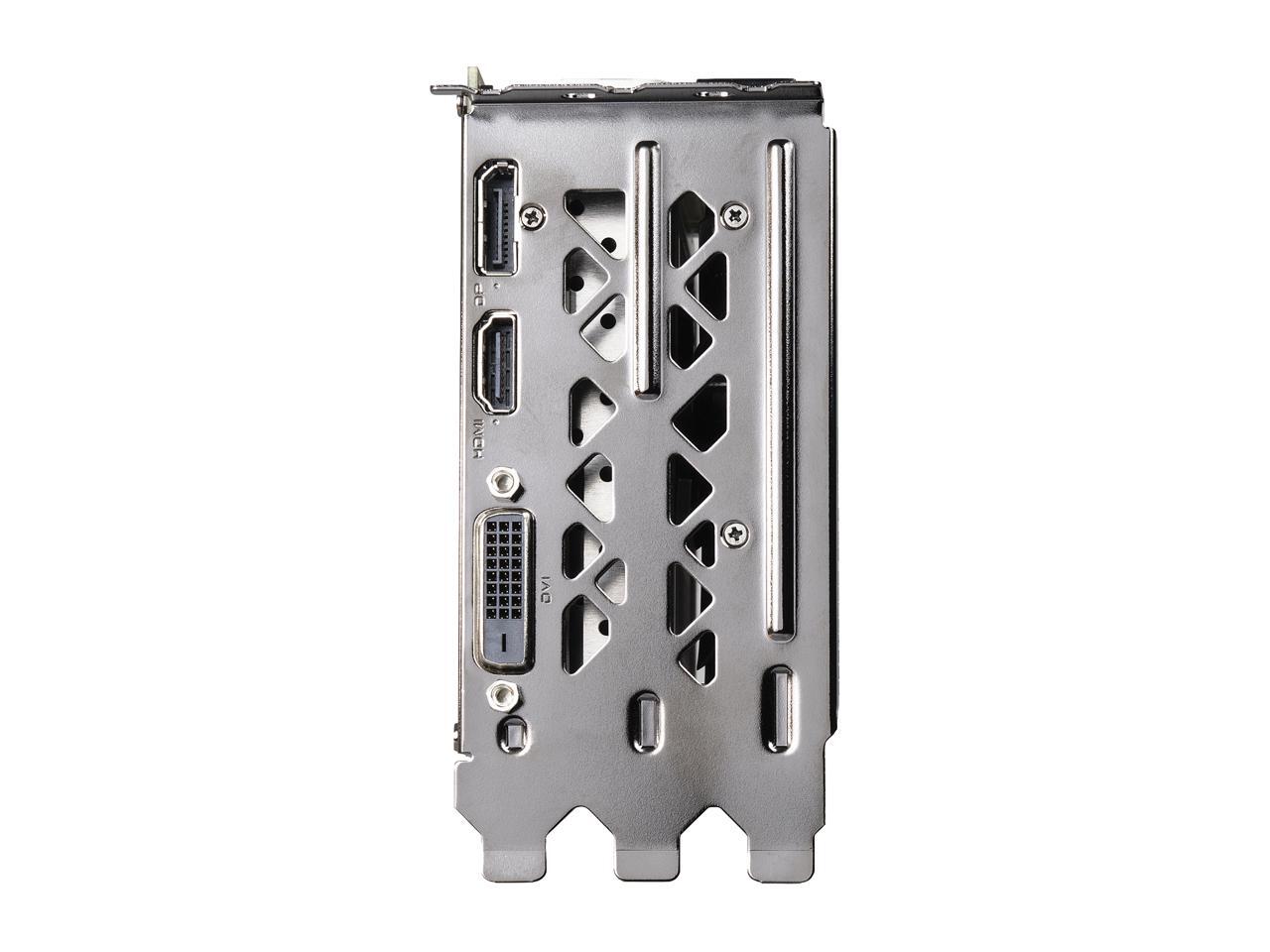
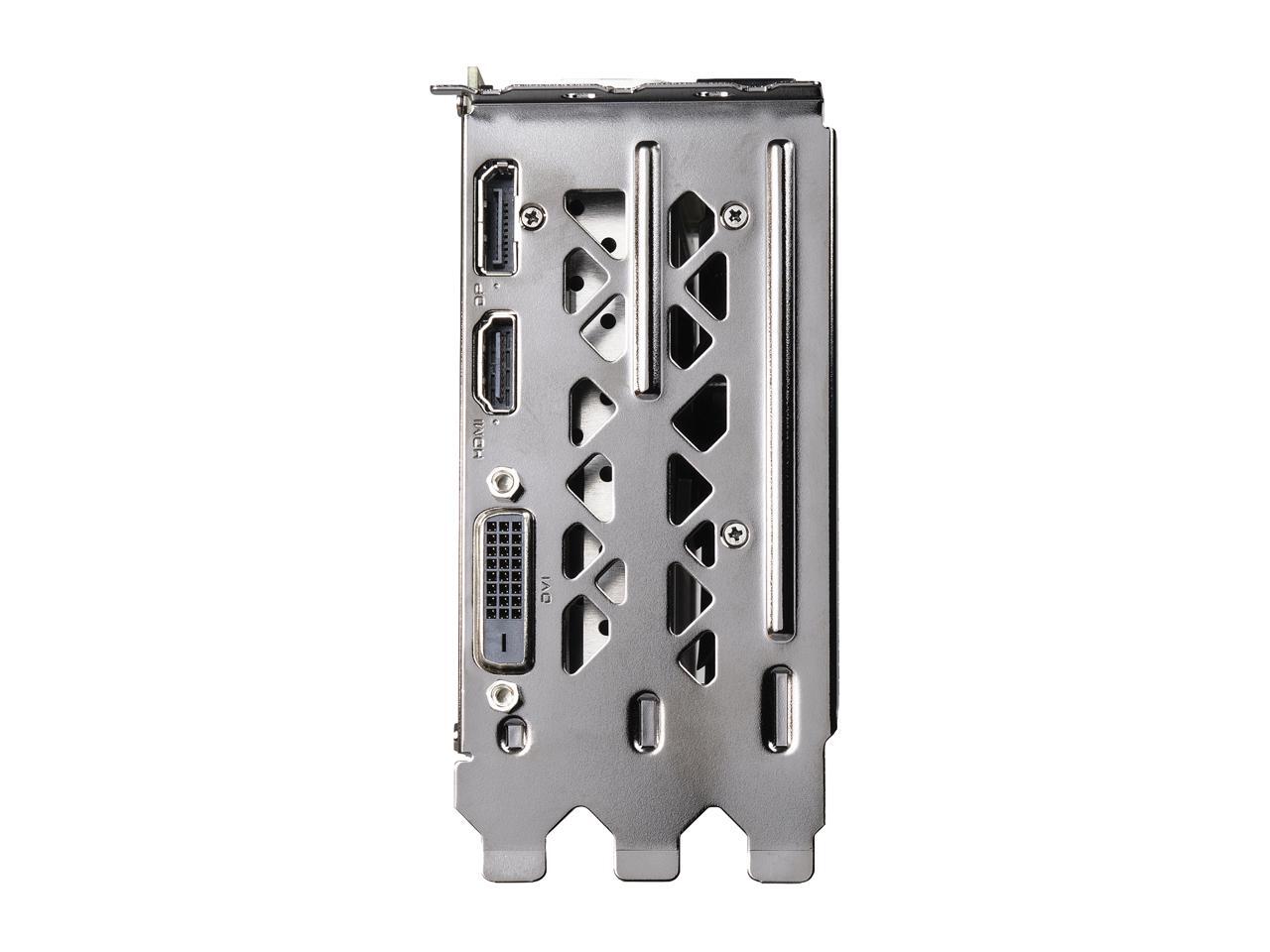
@obtuse hamlet if you like it thicc this is my GPU lol https://c1.neweggimages.com/NeweggImage/ProductImageCompressAll1280/14-487-437-V03.jpg
 slate vine
Hey, really quick. Is the whole "mixing ram kits" still a no go type thing, even when bought as the same brand/same time? The ram I'm wanting is only sold in 2x8gb lots and not 4x8gb
latent bronze
Well this EVGA 1660 is actually very good
obtuse hamlet
I had a 2060 XC The one fan one
round flare
no don't buy two of the same kit
latent bronze
This is the one i am using https://www.newegg.com/evga-geforce-gtx-1660-06g-p4-1161-kr/p/N82E16814487437
round flare
some techie said something something bdie cdie
maiden iron
@round flare why didn't you tell me this earlier
round flare
no worky
latent bronze
idle temps is 29c and gaming full load is 60c
slate vine
Well I guess I'm screwed trying to get what I want. 
maiden iron
No worky???
latent bronze
65c isn't even high
maiden iron
Saddnessss
round flare
65 is good
obtuse hamlet
Yeah but not underload
latent bronze
Well this is also my case as well https://www.newegg.com/p/N82E16811147298
finite sable
is 70f under full load okey for a 3600?
latent bronze
love my case i don't think i would ever replace it
latent bronze
i like it
round flare
why does it remind you of a waterbottle of all things
latent bronze
look at the bottle
obtuse hamlet
The top of the bottle neck
latent bronze
I like my system and it stays very cool so
round flare

obtuse hamlet
Will a Pentium 4 and Geforce 4 Ti 4200 Be good for XP Gaming?
latent bronze
If this was like 2001 then yes 😛
latent bronze
I have a Pentium III build
with a Nvidia nForce N6200
I still keep the system when playing my old star wars games
little osprey
If i connect my router and modem to my apartment's ethernet wall plug, will ethernet work in like the other rooms of my apartment?
foggy hazel
@little osprey impossible for us to say. IF there is a x-field/cross-connector/hub in your apartment. There is most likely also a dedicated "incomming" port somewhere.
 pseudo osprey
 pliant walrus
anyone know a good monitor to pair with a 1660ti?
 knotty sluice
having an issue with my ram i just got. i just bought Team T-FORCE VULCAN Z 16GB (2 x 8GB) 288-Pin DDR4 SDRAM DDR4 3000 x2 (so 4 cards all together) and i am trying to get it going on my MSI PERFORMANCE GAMING X470 GAMING PRO CARBON. i have put the ram in, but, it is showing red led's. is that showing that they are connected or that there is an issue? i have done a lot of research and looks like it only glows red if there is an issues
sudden turret
@pseudo osprey the big one is ARGB header.
@knotty sluice try running just one stick of ram to start.
knotty sluice
keep it just in the first slot? then add one to the 3rd if that works?
sudden turret
what mother boarrd
there should be a diagram to show
is this the first boot up? or was it working before?
knotty sluice
AMD RYZEN 7 2700 8-Core 3.2 GHz
sudden turret
I have to get my kid ready for school bbiab
also what red deblug was on. was it solid/flashing
knotty sluice
solid above all 4 ddr4 ram cards.
sudden turret
off to send the kid to school, if you can send a clear picture of the motherboard so we can inspect further.
knotty sluice
here is the motherboard issue. all 4 ram cards have the led red lights on
not home at the time. that is the best i have at the moment
 knotty sluice
yes it is right above each ram slot.
sorry i have not done much with computers in a while. i do not remember all the terms for each thing
knotty sluice
@round flare yeah i bought it stock and it came with it. i put it on to test it. i see you had no input on the issue which makes it seem like your one to just talk.
 cloud plume
🙂
little osprey
🤡
harsh smelt
i solved my freezing problem stated yesterday
my processor is being bottlenecked by the gpu, meaning i ask my friend if he has my old gpu, and i save up for a stronger processor in the meantime.
i'm just glad i figured out what the issue was lmao
knotty sluice
nice to see you were able to figure it out
little osprey
@pliant walrus any monitor 144hz and up. 4ms-1ms
pliant walrus
thanks @little osprey I have a 1080p 60hz 1ms ASUS that's probably a decade old and have it overclocked to 72hz.
lime forge
HOLD ON
pliant walrus
Its kind of ridiculous how much a new monitor that's slightly better in any way is going to cost
little osprey
Well since your gpu puts out 100+ fps then u wanna get 144hz
lime forge
Dell’s Biggest Cyber Monday Ever starts Now! Save up to 50% on Laptops, PCs, Gaming PCs, TVs, Monitors & Electronics - FREE DELIVERY ✓.
LOOK
SO GOOD
latent bronze
@pliant walrus https://www.newegg.com/p/0JC-0015-00440 150$ for this
pliant walrus
This is what I'm using https://www.newegg.com/p/N82E16824236059 and it works great still.
latent bronze
Little too thicc for my taste
pliant walrus
Well... it was in my basement for a brief period and my wife threw it across the room onto the concrete and its still mint 😄
Definitely a MIL SPEC monitor haha
 golden forge
Anything I should do to prepare for when I upgrade my mobo and CPU? I know about linking my windows key to my Microsoft account, but anything else?
deep skiff
Dell’s Biggest Cyber Monday Ever starts Now! Save up to 50% on Laptops, PCs, Gaming PCs, TVs, Monitors & Electronics - FREE DELIVERY ✓.
ayy it’s back
deep skiff
no pretty sure it’s the same but I could be wrong
round flare
it's a rly good deal
lime forge
yeah
latent bronze
34" is too big
deep skiff
not really for ultrawide
latent bronze
and yes that is what she said in case someone was to point that out
deep skiff
1440p ultrawide is good at 34", its like the 27" for 1440p 16:9
latent bronze
For me ill stick with the 27" i want
 dense gull
Hello. I have just purchased a toshiba x300 hard drive. What do I need to do to transfer all my old files from old hard drive to this new one?
little osprey
Install windows clean on new drive, attach old drive, use guides on 10forums to ensure proper data handling
foggy hazel
no
dense gull
Okay
foggy hazel
you are missing the (quite important) detail that cloning it will only work if he has a base to clone from.
so again @latent bronze, facts over fiction.
little osprey
If u put the new drive on of the old drive and smash it with a sledgehammer itll work. I heard its the fastest way


My airflow is as follows. Howd I do?
lime forge
i would make the top fan exhaust
little osprey
Switch another one to exhaust
sudden turret
top fan exhaust, yes.
deep skiff
imagine if gpu fans were in a push config
pulling air from the heatsink out towards the shroud
that'd suck
lime forge
if you switch the top fan to exhaust, heat naturally rises which helps, and the air will move like this
sudden turret
wish you could control which way fans spin.
little osprey
Yeah, same
deep skiff
o are those industrial noctuas
little osprey
Yeah
deep skiff
nice
little osprey
Noctua ftw
pliant walrus
where is the PSU?
sudden turret
backside
lime forge
probably in the back
sudden turret
of mobo
lime forge
ooh, is that the corsair case i think it is?
maiden iron
What do you mean control which way they spin? Can't you switch the polarity of the voltage supplied by the mobo?
pliant walrus
looks better than mine right now
maiden iron
You could on my old board
pliant walrus
my motherboard is laying on an EVGA GPU box
little osprey
My case has really high positive pressure... i figured the heat would just blow out the top, pcie mount rails, and holes arpund the sides
I thought just 1 exhaust would do
lime forge
if you switch the top fan to exhaust it wont be working against the bottom fans
deep skiff
cant wait for a12x25 chromax
pliant walrus
Positive pressure isn't a good thing though. All your fans that are blowing in aren't working efficiently this way
Which is 6 of 7
deep skiff
i mean every setup can be good in certain situations
pliant walrus
and the top fan is working against the natural direction of hot air movement
little osprey
☝️
deep skiff
but yeah flip that top fan
little osprey
My motherboard has heatsinks on top of the cpu and on top left to cool the dimms.. i thought the top fan would cool the best
lime forge
i have 3 exhaust and 2 intake in a case that has bad airflow. I also vertical mount my gpu right up against the glass. my temps are fine, never hit over 70
deep skiff
the vrm's shouldn't need direct airflow in the majority of situations
eww that vert mount is bad
lime forge

maiden iron

little osprey

maiden iron
👌
little osprey


maiden iron
Wait why don't we have an OK boomer emoji in this server?
little osprey
Do we
maiden iron
Makes sense

 fair pollen
Can anyone tell me if that part list I put in #links-and-selfpromotion is a good build
maiden iron
@little osprey >>  &
&  change my mind
little osprey
🤢🤮
fair pollen
Intel cost an arm and a leg
pliant walrus
@little osprey I don't know if you've thought about this yet or not, but if you could gasket the space below and around your bottom fans you'll get even better flow. Right now those fans are pulling a bit of air from inside the case which creates turbulence.
little osprey
I got a cataract just seeing that
@fair pollen if ur doing a budget build. All looks good
fair pollen
thanks
maiden iron
@little osprey lol Intel is the big capitalism
little osprey
Should i pit dust covers over exhaust fans or leave em open??
Megnetic dust covers
little osprey
@pliant walrus how would I gasket it?
pliant walrus
Logic tells me that dust covers only work on intake openings of the case.
lime forge
nah, my old pc would just be lagging.
little osprey
Ive been waiting all day for my case
🥺
Its officially done. Thanks for all the airflow tips! Ive fixed it!!!
Gave newegg 50 extra bucks for 1 day shipping and it looks like its gonna take 2
pliant walrus
Well, I'm not a huge fan (no pun intended) of the stamped fan locating holes in the bottom of your case. They were stamped to add rigidity which is fine but this also creates a gap (the problem) between the case and fan. You're using smaller sized fans which just makes the problem worse.
@little osprey
little osprey
Get a open case and call it a day
Ah true... thats fair. Figured 120 mms would do just fine since thats the size they included with the case
I shoulda went 14s tho
pliant walrus
You have a 2080ti so I'm assuming money is no issue... I'd get larger fans and then use something like a black double-sided foam or sound proofing mat to seal everything up.
little osprey
More like he put all his money into the gpu and nothing else
pliant walrus
Yeah lol
I'd just get a big sheet of dynamat and trim it to the same size as the floor of the case, then trim out some square openings for the fans to sit over then bolt em down. Two birds with one stone
little osprey
All of it into my gpu? Dude this is a z390 master mobo, 32 gb of ram, 9900k watercooled
Not to mention the case was almost $300
@little osprey
Wow
pliant walrus
And then I'd do the same exact thing for the front, between your radiator and case
little osprey
U got ripped off on thats case then
Lmao
Its nice. Money isnt an issue for me because i have a good job xD
And im sure that watercooler wasnt that expensive
Search up what an h150i costs xD
pliant walrus
I'd just buy a bstock evga for half that but thats me. My motherboard is sitting on a GPU box
little osprey
Thanks for all the tips roxxia. I think not having a psu and rats nest of wires in the way helps with the airflow alot too
Ahahaha
I was gonna get an evga dark, but theyre pricy
Not thats much more than the h100
And those fans cost what. Like 5 buks
Hahaha
Yeah the gpu was definitely the most expensive. Its a 2080 ti UXC2
pliant walrus
Im talking about water cooler
EVGA
The EVGA CLC 120 and 280 LIQUID CPU Cooler have arrived. These new liquid coolers from EVGA give you incredible performance, low noise, robust software controls and RGB lighting.
little osprey
Ah, yeah they do actually make decent coolers
pliant walrus
Anyways.. flip your top fan (add a second one) and use something like dynamat to seal everything up and you'll be looking real nice
little osprey
My uxc2 overclocks stable to 2200 mhz under load lol. Id say its a pretty big difference.
Very high quality pcb
pliant walrus
Yeah.. its black haha
deep skiff
🤔 the ti is at least 15% faster than the super
little osprey
Lolol
 sick bane
Hey guys, whats everyone think about this gaming laptop? https://www.newegg.com/black-msi-gl-series-gl65-9sc-003-gaming-entertainment/p/N82E16834155298?Item=N82E16834155298
Good enough to run GTA V?
deep skiff
1650 is pretty weak, I’ll see if I can find a better spec’d one real quick
round flare
1650 won't do much gaming
sick bane
The MSI GL Series GL65 9SDK-034 was on sale to $849 but was sold out quick
round flare
the 2nd and third one are better by quite a bit
but I'm not sure if it's worth buying now
idk tho
sick bane
Hold off til Jan?
sick bane
im not in a great rush
round flare
yeah wait to see if you find better deals
pliant walrus
Are you looking to spend that much money? There are cheaper laptops out there in the used market. I just bought my wife one for less than $350 and its pretty amazing
it has a 4th gen i7 and sli 750's in it
 pliant walrus
😄
it even came with SSD boot and HDD for storage.. great deal if you ask me
I'm going to swap the spinning drive for another ssd and add a AX wifi card too
little osprey
These comments on neweggs post are funny asf

reddit
Posted in r/pcmasterrace by u/jujulien • 447 points and 31 comments
fossil hedge
I made a jet engine nozzel

defiantly not as optimized as a Chinese rocket engine.
 hearty fern
Are you sure?
little osprey
Does the ultra xc2 use the reference pcb
little osprey
Chinese jet engine no good https://i.imgur.com/3byGoiC.jpg






 grizzled escarp
Was wondering if someone could help me out with a psu recommendation for either a rosewill glacier 700w or a apevia Prestige 800w gold psu for my build
A calculator said my power draw would be 568 watts with everything on the pc running w a overclock on the cpu n gpu should I get a 700 or a 800w psu?
sudden turret
what cpu and gpu do you have.
I haven't heard this apevia brand, so I'd rather go with rosewill. do you have a budget in mind @grizzled escarp
grizzled escarp
I'm running a ryzen 2600 and a amd HD 6970 gpu I'm upgrading everything but the gpu right now. 16gb 3200mhz ram 240gb ssd along with a 1tb I hhd I already have, deepcool gammaxx 400 cooler deep cool tesseract case. Only thing I didn't buy was psu n optical drive since was going to use out of my old system but now I'm thinking about using those too
Old psu is a Thermaltake 750 bronze that still works like new but it's a rat nest in the antec 900 case to deal with.
sudden turret
almost a 10 year old gpu 🙂 that's awesome
grizzled escarp
@sudden turret psu budget is 50 to 65 since I just spent 400 on parts n don't really want to spend more but I know not to cheap out on a psu
sudden turret
do you know what gpu you want to upgrade to later on?
grizzled escarp
@iambox ya it still runs like new even on a overclock. I tried taking it apart to apply new thermal paste but couldn't get the 4 screws off where the die sits so blew can air threw all the holes and crannies put screws back in an it runs about 20c cooler so instead of it being at 70 to 80c while testing its now at 65 to 70c
sudden turret
oh nice!
grizzled escarp
@iambox a amd rx 590, rx 5700 or a gtx 1660ti
grizzled escarp
What kind of screwdriver will let me fully take apart that gpu for new thermal paste?
sudden turret
10% off w/ promo code 38CWDL27
foggy hazel
what type of screwdriver: Depends on the specific board model. Generally a mix of torx/philips bits will do the trick
sudden turret
it
grizzled escarp
Ya I was looking at that one but the reviews had me second guest it
sudden turret
it's good to have a screwdriver kit 🙂
grizzled escarp
It looks like a small Phillips but that didn't work
sudden turret
I have a kobalt one with about 30 different sized heads
foggy hazel
check that there are not some small stickers that are covering some screws
by small stickers, i mean stickers the size of the screw heads
grizzled escarp
There's 2 but I didn't peel them off since the other two wouldn't turn on the screw head
foggy hazel
that sounds odd
grizzled escarp
Yes
foggy hazel
they can be "stupidly" tight. I know that from experience. But they should turn.
sudden turret
stickers are just for warranty.. given it's 10 years old, don't worry about tearing the stickers lol
foggy hazel
might be a case of slighty uneven pressure making it "stick"
grizzled escarp
@iambox I tryed and it didn't seem to do anything
foggy hazel
(sidenote: the warranty stickers are void just about everywhere in the world iirc)
grizzled escarp
I don't care about warranty it's 10 years old just don't want to break it otherwise I'm screwed
sudden turret
worst thing you can do would be stripping it
foggy hazel
could you grab 2 photos, one from the front and one from the back?
sudden turret
good idea
foggy hazel
would like to get a visual on what you are seeing :)
grizzled escarp
Not right now it's installed In my old pc n not removing it again till I have other parts since. Last time I removed it and re installed it it wouldn't post into windows
Actually on a side not I did take a pic while it was out just a sec
foggy hazel
IF it is that "cranky" already. i would personally not take it apart.
sudden turret
lol
foggy hazel
Salute it, and thank it for its service and go buy a new card is my suggestion.
sudden turret
plays taps