#storage-devices
1 messages · Page 24 of 1
 red jay
 gentle temple
photorec doesn't use the filesystem IIRC, it just looks scours the raw disk for things with the structure of image files.
which makes it good as a last resort, because it can find images when the filesystem is completely trashed
and as far as colons go, you just need to escape them
https://unix.stackexchange.com/questions/389103/replacing-all-colons-with-dashes-in-a-set-of-files <- that may help you @red jay

Unix & Linux Stack Exchange
I tried to replace all colons with dashes in filenames from files in some subfolders using the following command:
find . -type f -name ":" -exec rename -n 's/:/-/g' {} +
However I get an error ...
 rocky viper
I'm curious, is there like a tier chart for storage devices like NVME SSD and HDD?
 sweet badge
yeah ones pinned
rocky viper
As of right now I can't decide whether I want a cheap ish NVME(1tb) or an SSD(256) and a HDD(1tb)
Ok, I'll check it out and thx UwU
 heady raven
imo, 256 is setting yourself up for annoyances further down the road @rocky viper
rocky viper
That's why I thought for going 1TB NVME for now and later on buy a HDD
@heady raven but I feel like with the games I play that 1TB is going to get filled in a month XD
heady raven
consider this: Do you have all the data you do, because you actually need it? or because you are lazy?
rocky viper
That's a fair point. I think I'm in between. XD since I play with diff pple I always have the games they play installed.
heady raven
its something for you to think about :)
heady raven
mark the stuff you have as "purchased" please
rocky viper
Ok
heady raven
it makes it much easier to talk about things (and also avoids a bunch of "you have to change this, that etc etc")
heady raven
its, imo, overrated when compared to the amd stock cooler
it is an upgrade, true
but the amd stock cooler is not the intel stock cooler
rocky viper
True, perhaps I'll take it out
I was just concerned of noise levels because my set up will have my tower in my ear.
rocky viper
I had the Noctua NH12S (I think that's the name) but the price spiked like crazy
heady raven
let me have a look :)
rocky viper
Last time I checked the Chromax black ver. It was around 120USD
heady raven
ah, the chromax
rocky viper
I was like WHAT
rocky viper
;-; perhaps the be quiet dark pro 4? But I think that's Overkill
Yeh but the regular version's colors....
heady raven
that is between you and your eyes
but yes, there are the Be Quiet coolers too
do however consider this
you have a nice cutout on the back of the board (in the case)
so you can always install a new cpu cooler later
so, for now, go with the a80 ssd
and just use the stock cooler
see how you like that
and then you can wait for the chromax to get to a reasonable price again :)
heady raven
the a80 is still 130ish right?
rocky viper
Yes
heady raven
good good :)
rocky viper
Still my temps shouldn't be too high right?
heady raven
i have no comment on your rainbow fans
rocky viper
3 intake fans 2 exhaust and Beefy cooler on GPU
heady raven
as long as you are happy with it
just remember this
airflow makes noise
(depending on amount ofc)
rocky viper
Hahaha I was going Noctua for those but I didn't want colors to look weird in the Case with only the front having rgb. So I got those
heady raven
aye aye
rocky viper
Think it's worth to just get Noctua 120mm x2?
heady raven
my point is this: have patience and see what happens.
its the cpu cooler "choice" all over again :)
rocky viper
True true
For airflow I was thinking of making my fans go as high as they can for 36Dba
heady raven
that is between you and your ears
heady raven
you can ask all you want @rocky viper
its just that your worries are things that only YOU can decide on
sure, i can guess all day about it
but that is all it will ever be
and there is no ill intent in that :)
rocky viper
Fair point
heady raven
but, lets run with one of them for a bit
rocky viper
I understand. I'm just trynna get my build perfect
heady raven
lets say you decide that you need 10 fans
but your case has a gap somewhere that allows the fans to pull air in, in such a way that it gets VERY audible
that would make the 10 fans "seem" like a bad idea
but unless you notice that detail/fault with the case
you would just blame the fans
rocky viper
Right, that makes sense
heady raven
i hope you see how things like this can get real silly complicated really fast? :)
rocky viper
Yep
heady raven
so, as always when i comment on things, its not that i dont want to help
just that there are some decisions that really are personal preference :)
rocky viper
You r right. I don't really mind noise that much. I'll just put my fans at 95% with anything higher than 60C
XD
heady raven
i would recommend that you look into "constant vs ramping" fans
some people dislike the sound of ramping fans (i am one)
others dislike the constant "hum" of non-ramp setups
heady raven
something like u12 and d15 makes a lot of sense for you then
but again
dont rush out and buy it
you currently dont really have a real reference to your thoughts on it
because you have not heard the system at your hosue yet
rocky viper
True
heady raven
because with the right mic, i can make any fan sound like a jet engine
rocky viper
No problem
red jay
@heady raven I have a question, not too important or anything, just curious. My old hdd, the one that clicks, only makes that sound when plugged into MY sata drive. I've tried other days drive slots, and my data transfer tool. None of them click.
They're all silent
 dawn arch
anyone know a good 2tb 2.5 hhd or ssd? (yes it has to be 2.5 because im putting it in a xbox one, and i know you have to format stuff etc etc)
 finite widget
@dawn arch does an xbox even support ssds?
finite widget
ah
dawn arch
if you do the formatting thing i said
finite widget
then maybe for a 2 tb one from samsung but 2tb ones are pricy
finite widget
yea thats like $50 right?
that wouldnt be bad
you would also have to clone the os over too
dawn arch
no
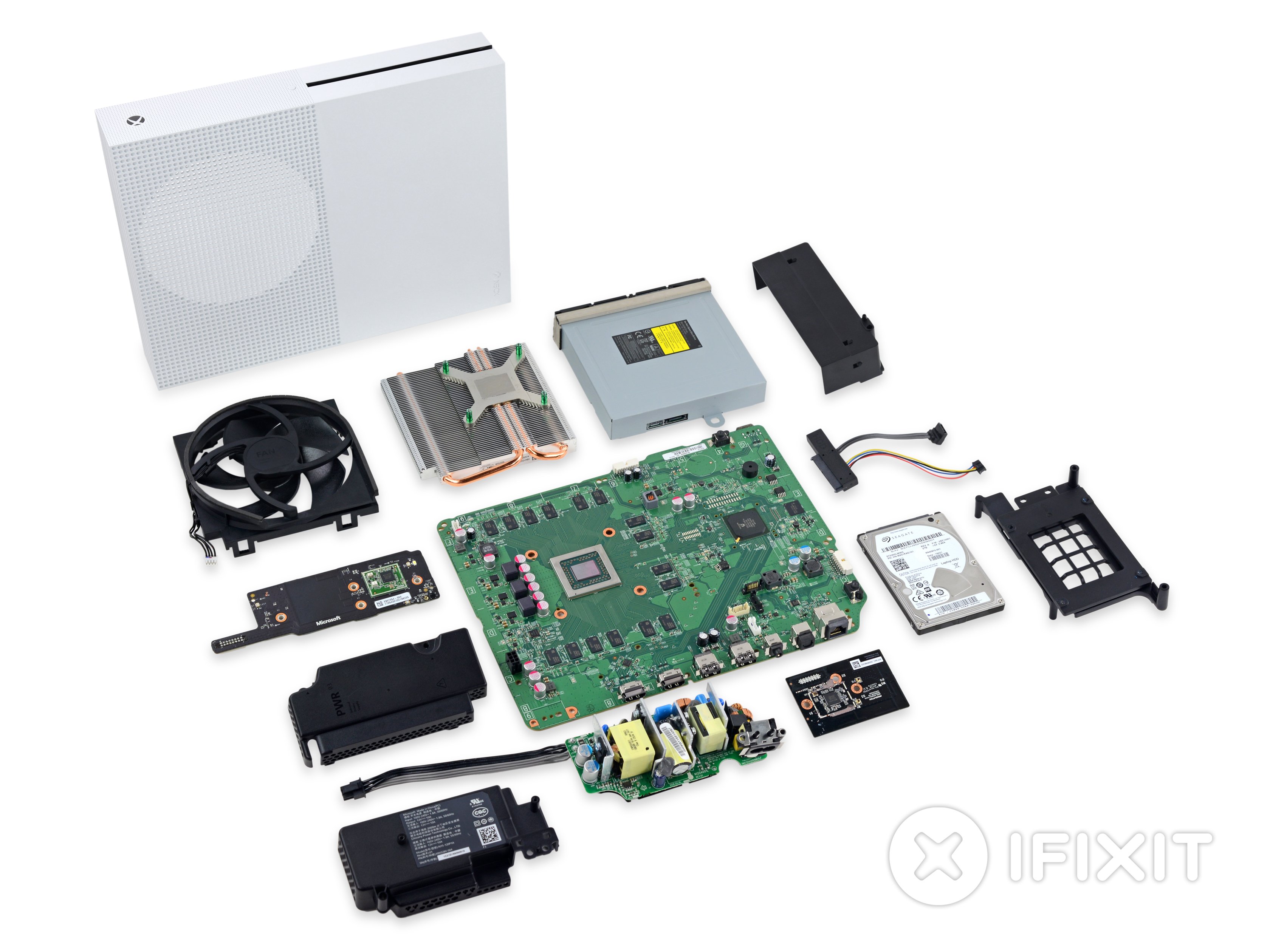
theses are the steps to replace it anyways https://www.ifixit.com/Guide/Install+firmware+on+Xbox+One+S/107619
iFixit
This guide will show you how to install official XBox One firmware on a blank HDD or SSD.
@finite widget
dawn arch
and yeah its 72 usd for the 2tb hdd in 2.5 inch
finite widget
I was closish
red jay
@dawn arch im running a seagate firecuda 2tb 2.5 sshd for my ps4
runs perfectly
im also getting one delivered in a couple days for my computer too
dawn arch
okay
red jay
also, not sure how xbox works, but i didnt need to format the drive, just downloaded os files to a folder on my desktop, copied them to a usb, and then installed os from usb to the HDD
which is funny, i upgraded from the stock 1tb hdd cause it was full, now i have a 2tb sshd with less then 800GB used
710.6 GB used to be exact
 gaunt agate
Consoles do the partioning for you When I bought my PS4 I also bought a 1TB SSHD and swapped the drive out before I even powered it up the first time then a yr later it was full, Then I Bought a Nyko data bank and installed a full size 3.5" 4TB WD SSHD Drives no longer being made presently its at 2.17GB used.
 split oasis
Sad 😦
 toxic crane
hello. im having issues with a Crucial nvme ssd that my mobo cannot detect.
its not showing up anywhere
can anyone help me?
 wet moss
https://www.newegg.com/black-msi-gf-series-gf65-thin-9sd-252-gaming-entertainment/p/N82E16834155352?Item=N82E16834155352&quicklink=true does this come with an extra spot for adding hdd storage? only thing i need to know before buying
 calm blaze
@toxic crane is it new or have you used it before?
toxic crane
@calm blaze brand new. purchased from newegg. my mobo is an ASRock B450M PRO4 AM4 AMD
calm blaze
i presume Windows?
toxic crane
yes. W10. latest update installed. updated BIOS for mobo as well
calm blaze
have you checked in Disk Management?
toxic crane
yes. its not detected anywhere
calm blaze
in the BIOS either?
toxic crane
not in the BIOS. not in disk management
even contacted Crucial themselves and they could help me
*couldnt
calm blaze
maybe contact ASRock, might be an issue w/ the M.2 slot
toxic crane
i have. no response yet
 minor sun
@toxic crane what slot do you have it in
toxic crane
my mobo was also new and purchased from newegg
@minor sun the Ultra M.2 slot
i only have two slots and i have tried switching between the two
nothing
minor sun
because one of the slots only support sata
calm blaze
i have 2 Ultra M.2 on my ASRock Phantom 4 board, and one in each w/ no issues
toxic crane
i do also have an SDD and HDD connected into the SATA3 ports 1 and 2
nothing in SATA3 port 3 but a CDROM connected into port 4
calm blaze
try another slot bsides 3_0, 3_1 or 3_5, on my board (per manual) those are disabled if something is in either M.2 slot
toxic crane
the SSD and HDD are preexisting and are working fine. they have not been disabled. i have also tried rearranging them to other SATA ports (4 ports total)
is m.2_1 the Ultra M.2 slot?
i can provide pics if it will hellp
toxic crane
ok


 toxic crane
thoughts? is my m.2 a dud?
everything else connected to my mobo works fine so i dont believe it can be an issue mobo itself. what the chances that only my m.2 slots wouldnt work?
toxic crane
never mind. i got it to work finally! turns it wasnt COMPLETELY inserted all the way. there was honestly a millimeter of it sticking out from the slot and it i guess it would slide out whenever i tried to push it downwards and screw it into place.
toxic crane
yes! thank goodness
 deep wagon
should i get a heatsink for my 970 pro?
deep wagon
its in a ultrabook
 ember ruin
could you even fit one
deep wagon
it has to be thin
ember ruin
no don't
deep wagon
is it better if it heats up fast and cools down fast or cools down slowly
deep wagon
theres a 10 degree diffrence
but it takes forever to cool down
around 3 degrees a min
ember ruin
difference between what though
 deep wagon
so it doesnt matter then>
without the heatsink it cools down faster
with the heatsink it only dropped a few degrees in a few mins
very slow
ember ruin
so you have a heatsink
deep wagon
i do but i am trying to get my money back
ember ruin
should i get a heatsink for my 970 pro?
@deep wagon why'd you ask that if you have one
ok refund it
problem solved
 deep wagon
with heatsink its 54 without its 61
 grave moth
I have a small 4 pc setup where i can access files for photoshop n stuff/ but i have a "new" pc for over half a year where i tried everything and cant connect it to that storage ( a mycloud home)
Any idea what to do now
Its a custom build amd fx with gtx 1060
12g ram
I have a small 4 pc setup where i can access files for photoshop n stuff/ but i have a "new" pc for over half a year where i tried everything and cant connect it to that storage ( a mycloud home)
@grave moth detail missed i have all pc's conected to that storage via ethernet
 rigid mason
So quick question, I purchased a 2tb Seagate barracuda hard drive and it’s not working, any suggestions?
heady raven
@rigid mason details
heady raven
right click your start button, selecct "disk management"
rigid mason
Tried that it doesn’t show up under disk management, only my ssd does
heady raven
you certain you have plugged it in where it is supposed to?
rigid mason
No, is there a certain SATA port it should be in?
rigid mason
Yes
heady raven
mainboard model?
rigid mason
wdym
 shut furnace
motherboard
heady raven
^
rigid mason
Tomahawk b450 max
heady raven
on that one, all ports should work at all times
but, IF you are not using the sideways facing ports, you might try that
ports on the bottom, and port on the right hand side
rigid mason
Ok I tried switching ports, first I had it on the sideways one and then I switched to a normal one
Didn’t help
heady raven
you have connected power right?
rigid mason
Tried switching SATA cables, didn’t help
I do have power connected correctly, I can try switching cables, if that doesn’t work I’m assuming it’s defective
heady raven
try and turn of the machine
put a hand on the drive, you should be able to "feel" it vibrating when you power on the system
if not outright hear it
rigid mason
Ok thanks, texting on my phone rn, I will try when I get home
heady raven
best of luck and you are very welcome :)
also, if you have a modular psu, check the plugs
 dreamy orbit
hey can anyone help me out for a couple minutes?
dreamy orbit
Im trying to sell my SSDs to my dad but i need to transfer the files to my new SSD
I have a 3.5" 250 gb and a 2.5" 500gb. My dad also needs a tool that makes it so he can use the internal drives via a usb.
baically i need a way to transfer, and a tool for my dad to use internal drives on his laptop
gaunt agate
@dreamy orbit you just need a USB to Sata Adapter like this https://www.newegg.com/startech-com-usb312sat3cb/p/N82E16812400693?Description=usb to sata&cm_re=usb_to_sata-_-12-400-693-_-Product&quicklink=true
However if your dads going to use your old drive as an external then maybe just buy a External enclosure https://www.newegg.com/sabrent-ec-dflt-office-products/p/2WA-001J-00014?Description=usb to sata&cm_re=usb_to_sata-_-2WA-001J-00014-_-Product&quicklink=true
I use similar products of both the First item is just real handy for connecting Sata bare drives to any pc Via USB but it offers no protection that you would get from an enclosure I have an Apricorn which comes with Cloning software but it is more money and I've had it for many years
gaunt agate
Asus gaming laptop?\
@dreamy orbit if he plans on using both SSD's then maybe not an enclosure but a duel slot docking station
gaunt agate
You want to upgrade your existing Hard drive have you looked at there support website to see if they list a max Height the drive can be?
 crisp dune
yup
dose not say any thing about hight just 2.5
i read 1 review on rog that 15mm was too tall
was a Seagate 4TB BarraCuda 5400 RPM 128MB Cache SATA 6.0Gb/s 2.5" 15mm Laptop Internal Hard Drive ST4000LM024
dreamy orbit
the cable works, thanks a lot
gaunt agate
your right the upgrade manual doesn't say much however the user guide mentions that there is also a M2 slot
 latent smelt
lol
gaunt agate
Watching a video on its disassembly doesn't look like there's much head room, one might take some putty and put a dab on the top edge of HHD and put the cover back on to squish it then remove it and measure thickness so really your options are put a smaller m2 in install the o/s to the m2 use the existing drive for storage or get a USB 3.0 external enclosure or docking station for a 4tb that's my thoughts, your not going to have much air flow over a taller drive, realistically 2TB is your max capacity from the SSD looking at WD and also Seagate websites Drives that are 250GB to 2TB all share the same 7.5mm install height.
crisp dune
yea
gaunt agate
I miss the days when you had covers on the back for Hdrive and memory upgrades instead of having to semi or completely disassemble it to upgrade it
crisp dune
it not so bad
crisp dune
@gaunt agate hard ware wise if some make a 3rd printed after mrket shell 15mm will run on any laptop right
 karmic mantle
Any recommendations for a reliable and decent price 1tb or higher m.2 nvme?
 vestal reef
A80
karmic mantle
Got my Samsung 1tb drive as a bundle. It’s already almost full, and I’d like to expand with a second m.2 but don’t want to pay Samsung prices.
minor sun
Silicon power P34A80
vestal reef
Reliable drive
karmic mantle
Good enough lol
vestal reef
No brand is perfect so I make recommendations on specific products. 
karmic mantle
Good to know, thanks guys
crisp dune
intel
my go too
when one fail they did better job on dead ssd
wd gave me truble with rma
gaunt agate
@crisp dune sorry had to get a little sleep the sleeve it sits is most likely specific for the application a 3rd party one may not work internally which woild be tje same issue
crisp dune
it ok
im just trying figer out what i can do to cram 4tb hdd in it
cant use ssd for read right limpit
it going be a dvr laptop
minor sun
Intel 1tb has less write endurance than Silicon power A80 1tb iirc
crisp dune
going with hdd for this one
 carmine spear
I use crucial works for me and cheaper than most
 vale phoenix
Why is this so expensive for just a 1tb hdd ?
It’s on sale for only 30 USD so is it good ?
 vernal stream
I rather have a 2tb of hard drive for $50
vale phoenix
Yea but why is the original price of the hdd 110 dollars ??
@minor sun yo buddy can you help me out on this ?
 summer moat
Is the 50 dollar Seagate 2tb hdd actually good? That seems awful cheap and in most cases you get what you pay for, and I've also read some reviews saying that it makes a lot of noise
 static hinge
minor sun
static hinge
minor sun
@summer moat I've had that drive for nearly a year now, no problems, seems fairly fast for a HDD.
No noise issues.
summer moat
All right thanks I'll have to get that instead of the 1tb I was planning on
 indigo dune
What would be better, getting an SSD or a new case
karmic mantle
Well the SSD will actually provide some benefit, a new case will just look nicer.
I mean unless your case is REALLY awful
shut furnace
those are 2 very different things, it really comes down to what you need more
I've been using an aweful case for over a year
indigo dune
My case is the Phanteks P300
But it came from a prebuilt so it has the CyberPowerPC logo on the front, engraved 🤢
latent smelt
oof
 fringe vault
disgusting
minor sun
I'm not so
rigid mason
Essentially, pewdiepie is floor gang, ceiling gang is trash, prebuilts are ceiling gang
 gray shoal
So, my hard drive seems to finally start to die after about 4 years I am noticing that the reallocated sectors count is going up.
I was thinking to get another hard drive to backup the data or just move the data to another drive. But I don't know if I should do Raid 1 and just see when the other hard drive fails. Or I could just clone the old drive to the new one then just remove the old drive.
?
gray shoal
Okay i will consider that
 grave wraith
For newer PC build, looking to get m.2 SSD... and see two types of connectors... some NVMe and I believe the other is SATA? seems the NVMe read/write speeds a lot higher... is it noticable? boot times, reboot, loading maps etc... which one should I go with? and does it matter which MB?
calm blaze
it is noticeable in Win installs for sure, took like 5min for a full install when i went from SATA SSD to NVME w/ 3000MBps write speeds, for a lot of your program/map loading you might not see drastic differences but you might see some
as for board, just make sure it's NVMe and not just m.2 SATA
grave wraith
ok, will look more into the MB that I keep going back to on the pc parts builder site...
MSI MPG Z390 GAMING PLUS ATX LGA1151 Motherboard
1.5 years old... it seems
another thing about that one is the 6 SATA ports, and 2 m.2... now to find out if it actually supports the NVMe
 runic nest
question: just added an ssd to my laptop (came only with m.2) and i changed what i thought were all saving settings, but some things are still auto saving on the m.2, for example lauchers for a game i play, they save to the m.2. not sure what i could of missed or if it will always be like that?
minor sun
Individual launchers you need to set where they download games to
runic nest
the launcher doesnt give an option to it jsut auto down loads. unless its somewhere in the pc settings/
grave wraith
most games/programs download/install on C drive or main drive on pc/laptops...
minor sun
@runic nest if it's for a single game, updates have to go to the same drive as they can't split a game to be on different drives, but when you install new games, it should ask you
runic nest
the launcher is on the ssd but still only goes to main :/
minor sun
The games themselves :p
runic nest
if i i transfer the data, it redownloads to the main haha. i musted of messed up somewhere
wet moss
https://www.msi.com/Laptop/GP65-Leopard-9SX-GTX/Specification this says it can add a hdd right?
 gaunt agate
@wet moss appears to suggest that might want to download the manual as it my say if the m2 slots ae open or not it may already have a HDD
shut furnace
Check the manual, but hdds are usually bigger and if a laptop has space for one they most likely already have an hdd
If you were thinking of taking out the ssd if it’s sata I wouldn’t. Computers today need at least one ssd
latent smelt

 ocean osprey
man it's actually kind of incredible how unkillable the 1TB WD Blues seem to be; if I didn't need way more storage in my next rig I'd definitely buy more of them
this one's been getting hammered by AV and file ops for 6 years straight and SMART hasn't moved from 100%
 dreamy timber
 crisp fog
any idea why my new m.2 ssd is throwing smart errors on boot but neither crystal tools or crucial's own drive manager software say anything is wrong with it?
works fine on power cycle or going into bios after the error, and i know its not the other two drives because i singled them out. just don't have another system to test it in
unless it turns out to be a motherboard issue im kinda on my last idea which was to try the motherboards other m.2 slot, which if it works might point to a motherboard issue? im not super tech literate tbqh though but ive tried a bunch of things already and would love to avoid an RMA
 blazing olive
Is there any ssd's comparable or better than what the ps5 claims to have
 lone girder
what does the PS5 claim to have?
 open gazelle
Well no outsider knows the controller, cache setup, NAND type, amount of layers, or firmware optimization of the PS5 SSD. So cant say
lone girder
yeah, i would wait for an official release then decide
blazing olive
Yeah that sounds like the best solution
heady raven
@blazing olive the numbers we have on the PS5 are a bit weird, because they are doing some "custom" decompression "stuff" that makes numbers ... weird ... to put it mildly
 eager epoch
Ok i've got a question i have no knowledge on. If i buy a 1tb nvme, and attempt to clone my current 500 gb 2.5 ssd onto it, what are the chances of success with no corruption? never attempted cloning before but id rather not redownload everything 🤷♂️
eager epoch
alright good to know.
eager epoch
i might buy the sn750 theo posted in tech deals
 lean knoll
is the crucial p2 NVMe SSD good?
 loud estuary
: )
ocean osprey
are those 520s?
ocean osprey
Seagate's branding sucks hard ass
because there's also the FireCuda 510 and 520 NVMe SSDs
The 520s in particular are stupidly fast
 wanton void
1TB SSHD or 2TB HDD?
 novel violet
Guys can i ask something on hdd/ssd?
Like i have command an hdd from an another site and the hdd have fried the sata from my old motherboard and yeah the story doesn't end there so yeah i receive my new thermal paste and change motherboard etc etc and i have seen my Real hdd not the sata fryer an other hdd with 2-3 years of work on it dosn't want to boot like i put my Win10 on my ssd but the motherboard when i plug my hdd run all the pc fan at 100% and i got a boot error on my easy debug and i have try to change booting priority and nothing want to boot is there a way to check if i can take some stuff from my hdd back atleast?
minor sun
@novel violet tried to boot without the HDD yet?
novel violet
Yeah i mean im on my pc whitout it
Sorry for my bad english
So yeah did the "Sata fryer" hdd burn my hdd and my other ssd aswell?
loud estuary
@wanton void
Four 2 tb sshds
wanton void
Four? lol
loud estuary
Yeppers :) overkill storage for an overkill rig
novel violet
And personnally @minor sun I have never see that from my entire life x(
novel violet
& ssd and the ssd i'm talking was to my friend he passes me it because my old hdd was slow for tarkov :c
minor sun
Sabatoge!
karmic mantle
Oh hi. 👋
 idle wharf
Hi everybody -- I'm new to this, so forgive my errors in how to do this. I am hoping that someone can steer me in the right direction. I have some very old 3.5" Micro Floppy Disks 720 KB 2DD that have data saved on them from Macs. I would like to access this data. Can you help me out here? Thanks.
heady raven
@idle wharf usb floppy drive is the simplest way imo
idle wharf
I have seen some floppy drives that say that they can handle 1.44 MB HD disks. Does this mean that they can ONLY handle those disks, or that that is the maximum that they can handle?
idle wharf
Are there any limitations when choosing a modern Mac computer to use?
heady raven
i dont believe there is
but, i would strongly recommend that you reach out to the local archival section of your library
because IF there is anyone that has the knowledge, those are the people you would have to talk with
idle wharf
Help me to understand what this local archival section of my library is?
heady raven
here in denmark, we have a national effort to archiving everything reported officially
news, reports, science etc etc etc
the people that do this work are people that work under the state libraries
state = the country of denmark
these people are basically super qualified archivists
i know about them, because i have done work with them a number of times over the years
to the best of my knowledge, all countries have something similar
idle wharf
oh, so, I believe you are meaning that they are skilled in working with older storage media, yes?
heady raven
yes
they will know if there is anything to be aware of
or if there is a specific type of drive that is super smart to use etc
because they live and breathe this type of thinking
idle wharf
Got it. I will see if our local library here in Washington state has anything of this sort. Thank you very much for your assistance. VERY helpful...!!!!
heady raven
you are very welcome :)
also, those archivist are generally very fun to talk with
and best of luck with the hunt/task @idle wharf , also, please do report back how it goes :)
idle wharf
Will do. Take care; be safe.
heady raven
likewise :)
 vapid nebula
You can't raid 0 an nvme and sata ssd right?
 plush crag
You wouldn't want to
lean knoll
basically storage backups @short lodge
 short lodge
As in you have 2 identical drives, say 1TB, and when you save something it saves to both of those drives?
Is that correct?
short lodge
Yeah I know there's RAID 0, RAID 1, etc
lean knoll

When it comes to your photos, videos, and other valuable files, you don’t want to slack on data security and management. Whether it is past archives, existing projects, or future jobs, RAID storage…
here
shut furnace
raid basically combines multiple drives to act as one, but there are different types. There is one that stores a backup in case a drive dies
it is mostly used for NAS
shut furnace
a NAS or Network Attached Storage is a type of server. some people have them in their homes. it is used in businesses, schools, etc.
lean knoll
short lodge
Yep I know kinda what a NAS is
shut furnace
if you are using raid 0 and one drive dies that usually means you lose everything though you may be able to recover some.
raid 1 stores an identical copy to another drive so if one fails it will be safe but that also means you have half the storage to work with
shut furnace
np
lean knoll
i think
plush crag
You usually don't want to or need to raid 0 most ssd's.
shut furnace
normal users don't need raid
plush crag
If you want one single virtual drive, create a spanned volume.
plush crag
MiniTool
spanned volume combines unallocated space on 2 or more disks (up to 32 disks) to one volume, and each unallocated space can be different.
vapid nebula
thank you
 long ether
need help
had a power surge about 3 weeks ago, damaged my desktop
hard drive is still readable, at least in the computer repair shop
had them convert to an external drive so i could read the files at home on my laptop while the rest of the desktop is being repaired
but when i plug in the external to my laptop, it doesn't see anything
do i need to restart the laptop with the external plugged in?
long ether
i can't see any indication that the laptop is seeing the external, there is a ping when i turn it on, but nothing happens
actually now there is not even a ping when i try to replug it
right, and asking what to do with this device?
if i turn on the flash drive, it asks what to do
then i see the files stored on the flash drive, but can't see the hard drive
i switched USB ports, at least i get a ping now when i turn the HD on, but no request of what to do with it
only showing the C drive
don't have the flash turned on rn
long ether
when i turn on the flash, then i see C and D but no external HD
repair shop was able to see files on HD, so converted to external until rest can be repaired
led says it is on
got my semi-finished taxes on it, as well as my dissertation
yes, first purchased in 2014
it is vibrating
and i can hear it
right
 sand onyx
Ok so go to the Windows search bar and I want you to type something in it ok"?
long ether
actually, hubby prefers to think of me as female 🙂
sand onyx
Type admin into the Windows search bar in the bottom left.
Give it a sec to load and an option called Windows Administrative Tools will come up.
It might just be Admin Tools
No It's Windows Administrative Tools
Open that
long ether
opened
long ether
Okay
sand onyx
Now double click storage
Then double click Disk Management
yeah
I think it needs a letter.
We're gonna give it a letter.
sand onyx
So the flash drive (D:) is where your stuff is?
long ether
Not showing the external drive
sand onyx
Send a screen shot of disk manager
long ether
missing permissions to send from my phone and prnt scrn button not working now, was working earlier
long ether
 long ether
Nothing changed
sand onyx
That's a problem
Since it's not reading
Wait if there is Windows on it just boot to it.
Problem solved.
I mean it's gonna have to install all the drivers for the new PC but it will work.
Unplug the already installed Windows.
Force it to boot to it.
Plug it where the current drive is.
lol
Yes exactly
Then plug the drive in that place.
long ether
They said not to jar it. On the way home, had to make a hard stop to avoid colliding, hard drive in the box and bubble wrap slid off the seat on to floor covered with insulation shopping bag
sand onyx
The laptop will boot to the Windows 10 on the drive, instal the drivers for the laptop then she can take a flash drive and transfer the files off.
As long as you don't drop it you're fine.
Small bumps won't hurt it.
She may need to get a simple adapter to plug the drive into her laptop SATA connection but other than that it's fairy simple.
long ether
Think I will just take it back to the shop tomorrow morning.
I can replace the battery in the laptop, but not sure if I want to mess with my last working computer.
sand onyx
Replacing the battery would solve nothing with this issue.
long ether
Yes.
sand onyx
What you need is a desktop to plug the drive into so you can boot from it.
Got it
Thanks
I get confused. sorry
long ether
They should have the rest of the computer repair work done and can reinstall the hard drive.
Power surge also took out the laptop battery and I was able to replace it.
sand onyx
They should not charge you too much if you give them a USB flashdrive and ask to have your files from the drive moved to it.
sand onyx
We apologize, you're basically dealing with dumb and dumber with us two.
long ether
And as soon as I get some more $, I'll be building a new desktop.
I will put it on the floor this time
long ether
it is currently in an external case
sand onyx
I'm out
long ether
will take care to secure it
thanks for your help
will check back to this server when i am ready to build my new computer
long ether
the surge protector failed this time, and will definitely be making backups from now on
lone girder
Should i get another 500gb M.2 NVME, or a hard drive
latent smelt
Yes.
minor sun
Yes.
lone girder
?
shut furnace
exactly
short lodge
@lone girder hard drive imo. As secondary drives HDDs are faster than normal. I think secondary SSDs are kind of a waste of money
minor sun
HDD for mass storage
secondary ssd for more programs
or like for editing off of
instead of the main ssd
lone girder
OK COOL
THANKS
oops caps
my bad
@short lodge any reccomendations for a 1tb hard drive
 minor sun
yes
lone girder
cool, thanks you
long ether
Update on my connection issues from last night with the converted external HD. The case is slightly too big for the connection to remain stable. A bit of padding has fixed the problem. @red jay
That's the connection issue. Trying to open the files now.
 frank copper
Hey -- just replacing parts in my old Corsair 400r case, i picked up this setup here and it's going to be coming in a few days (hopefully)
eager epoch
samsung is usually more expensive but theyre good nvmes. As far as i know, wd blacks are good too. i just ordered one a couple days ago.
sweet badge
@frank copper what size/budget for the drive? also heatsinks aren't really needed for a lot of drives, but help with the high end ones to keep cooler
frank copper
something compatible with this.
eager epoch
heatsinks aren't neccesary on nvmes really. it helps a little but not enough to make a big diff as far as i know
frank copper
80-150
sweet badge
for 1tb?
frank copper
1tb should be minimum right?
eager epoch
is that one good or just something cheap tho
eager epoch
ok i've never heard of it before thats why I asked 😛
minor sun
Team MP34
eager epoch
would you consider that one better than the sn750?
sweet badge
its 64 layers and uses the e12 so its pretty decent
sweet badge
bruh 1660tb tf
eager epoch
so better? i dont know nvme stuff .-.
eager epoch
or storage stuff in general tbh. i know the tiers and write speeds and whatnot but idk all that stuff
minor sun
like Mp510 has a high tbw from overprovisioning
eager epoch
hmmm maybe i should've gotten that instead then 
minor sun
and thats only got 1700 for 960gb version
sweet badge
@eager epoch yea thats basically what i know lol
minor sun
I've only recently been informed of mp34
soooo
it's slightly slower than other speedy drives but barely slower
sweet badge
800tb for the 512gb is pretty decent too
eager epoch
the sn750 gets 3470 so maybe not worse but just barely better ig?
minor sun
I spent 125 on my mp510 :D
eager epoch

eager epoch
i mean it will be better than what i currently have either way lol
eager epoch
i mean isnt technically the samsung evos the best but also way to expensive per perf?
but also im not going for a monster machine i just want it to work well so that will work fine for me i think 😛
minor sun
yeye
frank copper
Sorry for going quiet
I was afk -- breakfast was ready
well, lunch iguess
steak, rice, avocado, OJ -- no pulp.
@eager epoch I'm using an old 1TB HDD -- and i think I have one partitioned but it doesn't show up (it's strange) -- that 3 piece purchase is on it's way and i just want the right memory for it
eager epoch
youd do fine with the wd black sn750
you can also go a bit cheaper and get the one nuchlear nachos shared
1tb is fine but you don't need that much really. Some people get a 120 or 250gb for windows and use an HDD to store everything else. I use a 500gb ssd currently and 3 tb of HDD storage, but i just got a 1tb NVME to migrate windows onto.
you can get 1tb but you don't need to have that much. its just a nice to have.
long ether
is there a difference in the WD colors if the size is the same?
eager epoch
yes
the blue doesnt have ram cache so dont get it
i dont know much about the green.
if you're going WD i think black is the best bet
those are on the NVME btw
long ether
i have red as my main, got blue as my backup now
eager epoch
HDD, SSD, or NVME?
long ether
HDD
eager epoch
okay uh idk much about those other than the Blues cause thats what I use lol
it looks like WD reds are typically used for NAS?
eager epoch
looks like blacks are faster than blues, red is used for mass storage, and then theres gold and purple
idk anything about gold and purple .-.
shut furnace
gold might be the surveillance drives
and if you don't already, it always good to have at least on ssd boot drive
eager epoch
🤷♂️
red jay
Purple are Surveillance, Gold are Enterprise Class storage.
eager epoch
but, if you're looking for a well priced SSD the one nuchlear nachos shared is pretty good
https://www.amazon.com/dp/B07PHQ6Q1D?tag=pcpapi-20&linkCode=ogi&th=1&psc=1
ty nova
shut furnace
ahh yeah i got it the other way around
eager epoch
i wasn't even aware they made gold and purple 😛
red jay
I always have to double check. I don't use them often.
Most of what I build ends up using black if I'm using WD. Green (if they still have it is a big NOPE)
frank copper
Black are for gaming -- it used to be called Caviar Black
red jay
Yup yup, was pretty much all I used for years. Tried Seagate more recently in my personal system.
eager epoch
i have a blue drive from like 2009 or so
minor sun
mp34 good
red jay
I used blue a lot in non gaming builds. Only ever had one fail and it was over 10 years old. So I couldn't complain, lol
eager epoch
the only drive ive ever had fail was my OG 500gb hard drive from my OG hp pc that i started with after 5 years of use 😛
it sucked tho cause that was my windows drive at the time lol
red jay
My first ever WD drive was 720mb, and a friend that worked in IT (this was back when I was probably 10 or 11) said there was no way we'd ever fill it up.
red jay
10 million TB later...
long ether
i have been using red for the past 5.5 yrs, just got the blue when i had a power surge a few weeks ago. there is no data on the blue HDD yet
eager epoch
if you ever have work done on your subpanel, pay the extra money to install a surge protector for your whole house. its worth the investment lol
i once came home to my tv, half my consoles, and my pc all broken
i fixed a lot of em but had to buy a new psu, new tv, and new power brick for my 360 at the time 😦
 clear folio
I keep forgetting all the channels exist besides general, build pics, build chat, and Rank
Kek
lean knoll
or a UPS? @eager epoch
eager epoch
i think a ups only really helps protect like one set of things while a surge protector on your subpanel will protect the entire house. also aren't ups meant for having battery back up so you can safely shut down? those are good too but i meant specifically so you dont get a massive surge to anything lol
eager epoch
i've never had to flash a bios so i dont really understand what you mean
lean knoll
If there's a power outage during a bios flash, your mobo will turn into a brick
cuz the bios isnt updated correctly
eager epoch
oh. dont flash a bios during a rainstorm then? 
lean knoll
yeah
eager epoch
lol im kidding but yeah i've never had that issue
ive only updated a bios once. and i didnt need to lol
red jay
I'm so grateful for our NG generator. 25,000Kw. I'd be afraid to do anything otherwise. (we lose power, a lot)
long ether
so i currently have a red WD 2 tb HDD that needs to be replaced when i build my new computer. I have a blue WD 2 tb HDD, is that a good replacement? or should I just use that as a backup for data on the red WD? if it is best to use a different HDD, which would be a good one to purchase?
eager epoch
i would buy an SSD or nvme and use both of those as back up storage
 latent warren
@long ether The WD Red series will always be a more reliable option as opposed to the blue series.
 jolly finch
I want to buy a pc gaming 300 to 400 dollars
latent warren
Also the red has a 3 year warranty as opposed to 2 years, yes WD dropped their warranty length again.
long ether
well my red is out of warranty, had it for almost 6 yrs now
latent warren
Yeah, regardless it would be out of warranty. But remember that the Red generally has a higher MTBF than a Blue.
long ether
so what would a blue one be good for?
latent warren
for general data use, not really for long term backup purposes
jolly finch
I want to buy a pc gaming 300 to 400 dollars
latent warren
but with that being said if you already have it you should be ok. Just remember if your files are only in one place, it's not really a backup!
Ironically I have a WD NAS full of Seagate Ironwolf drives!
long ether
i have my most important files now on flashdrives. next is to learn how to make a copy of the red HDD onto the blue HDD
but i need to finish writing a paper for school before i try that.
latent warren
copying drives is easy, I do it enough I went ahead and paid for Minitool Partition Wizard
if you need to clone it, otherwise just drag and drop
 slim kraken
So I have a question okay idk what I should get for 16 gb of ram and I want at least 2 tb or 3 tbs of storage so I can game a lot but I was wondering if I can add more storage if it all gets used at some point
And I don’t what to have for storage wise cause I haven’t built the pc yet and I’m just figuring out what I should use and get for a gaming pc that will at least last for a long time until I want to replace components
And it’s my first time building a pc in general
karmic mantle
@slim kraken yes you can add more storage afterwards if you feel the need. If you can afford it, get a SSD
@slim kraken if you have a tighter budget, do like 250gb or 500gb ssd to load your operating system on. Then get a 1 or 2 tb 7200rpm hdd
slim kraken
@karmic mantle ah okay thanks
 proven stirrup
i have a question for everyone on here. i was looking to upgrade an older laptop to gain some processing speed. i have an HP Elitebook 2740p. it requires a 1.8" sata hard drive. i have found 1.8" SSD drives on new egg Item#: 9SIAKD79A97572
i am curious if it will work, and will i need some sort of caddy for the SSD in the laptop? it doesn't seem like there would be any screw holes that would hold it in without any sort of caddy.
thank you all for your time and help on this subject.
red jay
So...ummm my brother was downloading Polygon on Steam when he got a "disk write error" message
That's bad right?
latent smelt
kinda
red jay
New hard drive needed kinda bad?
 small stratus
Is it a mech drive or an SSD?
Regardless, here's some good troubleshooting steps you can take

MiniTool
Receiving Seam disk write error during the download/upgrading process? Here are the ways to fix disk write error on Steam.
If none of that works then yeah, you need a new drive
red jay
It's a HDD
 arctic coral
I'm looking to add an internal HDD to my MSI Alpha 15 at some point and was looking for recommendations on brands and models.
I believe it has a space for a 2.5in SATA drive
shut furnace

short lodge

gaunt agate
@arctic coral your just wishing to add on the largest your going to be able to use for the 2.5 slot is 2TB FireCuda 2TB
ST2000LX001 to compliment your NVMe SSD
arctic coral
Thanks
 narrow sorrel
Hey anyone know why my ssd nvme is much slower than box
red jay
bad binn
narrow sorrel
Bin?
narrow sorrel
How do I fix my ssd speed
lean knoll
How good is the silicon power p34a80
 silent marsh
red jay
silent marsh
red jay
SSD will always be faster...
shut furnace
yes the first is faster than the second
 gusty sequoia
red jay
gusty sequoia
red jay
Gotta rank up a bit first
red jay
yup, mahusive thing
red jay
At least
red jay
So I put a 2 tb sata Seagate firecuda sshd in my PS4 months back. Just had a powersurge and I got a message saying that there's no OS installed.
And yes it's plugged into a surge protector
 formal matrix
rip
similar thing happened to my PS3 years ago. lightining struck the house or something and took out a bunch of electronics
 small steppeBOT
 bruhmoment#0634 has been warned
Reason: Bad word usage
formal matrix
whoops
"accidentally" said a bad word
PS3 was fine, but the memory was messed up and it wouldn't do anything else
I tried to get it to work again, but I can't get a video signal
red jay
It happens so often for me when there's a surge though that I have a USB with the os on it, and I have files saved to my laptop. But still, faulty hard drive or no?
gaunt agate
@red jay did you try rebuilding the data base in safe mode
Never had a any issues with my SSHD in either the ps4 or Tower I did have a power surge wipe out a stick of Memory in the tower once.
 somber remnant
sshds are nice for budget pcs
loud estuary
Or secondary storage
gaunt agate
My tower has a 256GB SSD for the O/S, 1TB SSHD for most everything else. Also 2TB HDD for all the backups for backups the 2 later occupy the Hot swap bays
My PS4 I removed the Original shipping drive before powering it on for the first time and installed a 1TB SSHD a year later when it was full I bought a databank and installed a 3.5" WD Blue 4TB SSHD
 vast kelp
So I just moved to a house that has gigabit fiber, and I'm considering setting up a NAS server.
I have a few hard drives (enough for my use), but no NAS machine.
For the past few months I've been using the mobo from an old laptop (AMD A10, 8gb DDR3) as a server. Could I use this for a NAS server?
It has two SATA ports, one with the full sata power connector, and the other with a smaller power connector that was used for the CD drive.
There's also a pcie slot that the wifi adapter was plugged into. I don't think I'll need the wifi card now that I'll be using Ethernet with it.
So my question is:
- Is this viable for a light-use home NAS?
- Any way to attach over 2 drives (on the cheap)?
- Should I use a USB as a boot drive, or what else?
lean knoll
maybe, if you put them in a pcie x2 or x1 slot @vestal reef
 austere meteor
I'm removing my existing laptop hard disk from my laptop and replacing it with an SSD (identified below). I want to use the old (removed) hard drive as an external backup device. I have3 questions:
- I just purchased a "Crucial MX500 1TB 3D NAND M.2 Type 2280 Internal SSD." Do you sell an SSD hard disk enclosure that will hold this SSD so I can use it with the SATA Hard Disk connector in my laptop?
- Do you also have an enclosure I can use to place the removed hard drive into, in order to use it as an external USB type C drive.
- Do you have a USB Type C cable that will connect the newly configured external hard drive to the laptop?
I see. This is a self help forum. May ask your help with my posted questions, please?
minor sun
Alright, first, can you list the model of your laptop, or do you know if your hard drive is 3.5inch or 2.5inch? @austere meteor
austere meteor
@minor sun The Laptop is an HP Envy 17-U273cl The Hard Drive is about 2 11/16" across.
@minor sun Thank you.
@minor sun I think the spec is 2.5inch
minor sun
Alright, it seems to be 2.5inch, though the manual for the model only lists "7.2mm"
austere meteor
I have the manual.
minor sun
@austere meteor do you currently have both the SSD and laptop in your possession right now? Because from the looks of it, you don't need a separate drive cage as asked for in the first question. If you have both in your possession, you can test slotting the SSD in and plugging it in.
austere meteor
This was my original goal. Unfortunately HP did not solder the port in place on this motherboard. It is blank. So, whereas I was going to add the drive, I will now be required to replace the existing drive instead.
minor sun
And for the second question, this seems to be what you're looking for.
https://www.newegg.com/startech-s251bu31315-enclosure/p/N82E16817707415?&quicklink=true
Ah, my question was if you could take the existing hard drive out, and replacing with the new SSD.
From the looks of the manual, it is just a standard slot for an 2.5in drive
austere meteor
Right. This is why I am looking for an enclosure to fit that space with the correct SATA III mount that will connect to the mobo in the place of the hard drive. Then I wand to take the hard drive and place it in an external enclosure (with a SATA III to USB C type convertor) and use it as an external backup drive.
minor sun
The enclosure is separate from the hard drive itself
austere meteor
What I have presently is just the M.2 SSD without an enclosure or converter.
minor sun
I linked an external enclosure which you can use for the hard drive.
austere meteor
I need to put the SSD ina bocx that will connect to the SATA III connector to replace the HD.
Thank you.
minor sun
I'm sorry but I don't understand why the SSD wouldn't work without an additional enclosure inside the laptop, can you elaborate a bit more?
austere meteor
Sure.
minor sun
As far as I know this also comes with an USB C cable as requested in question 3 by the way.
https://www.newegg.com/startech-s251bu31315-enclosure/p/N82E16817707415?&quicklink=true
austere meteor
Thank you
The laptop in it's present configuration has a 1TB HD. I ordered the SSD (not an SSD drive in an enclosure) because I expected the mobo to have a slot for it. But there is not slot. So now, I have decided to go with the SSD and replace the HD. In order to do this I have to add an enclosure around the SSD that will fit where the existing HD fits. That enclosure has to have a connector that will acommodate the SSD and convert the M.2 form factor plug to the SATA III connector on the laptop mobo.
minor sun
Oh sorry I didn't notice the SSD was m.2, one second, I thought I saw a M.2 slot on the motherboard..?
austere meteor
The slot is not there.
austere meteor
That's a different motherboard but yes, the slot is missing.
It's just a block of empty solder points where the attached slot should be.
How did you attach the picture?
shut furnace
Rookies can’t send pics, need lvl 3
minor sun
In this specific discord server, you will need to be level 3, (as apparent from the color of your name, when it changes to blue, you are level 3.)
austere meteor
I see.
minor sun
I believe something similar to this would work, this specific one I don't believe would work, as it lists "9.5mm or larger" housing, and the hard drive you currently have is 7.2mm.
https://www.newegg.com/startech-sat2m2ngff25-m-2-to-2-5in-bay/p/N82E16817707378
(still looking for more)
austere meteor
I think you're right @minor sun . I think that one will work. I was looking at that before but could not get anyone to confirm it.
I think I'm going to contract Crucial Monday morning and get these issues resolve with them. But I want to thank you for your time. Thank you. Any way to give you props?
minor sun
No need. I think you might want to contact HP instead for the missing connector.
(not sure what Crucial can do, I don't think they make M.2 2.5inch enclosures)
austere meteor
They'd have to re-solder the board. They're not going to do that. Also, they gave me some terrible advice regarding this situation which is how I wound up in this state of affairs (There's also a blu ray issue); they're 0 for 3. That's pretty bad. I know crucial makes the enclosures (for their own SSD drives) and they can assure the correct one that I can then find on Newegg. Thank you again.
minor sun
Ah fair enough, you're welcome. Crucial support should be able to guide you the rest of the way.
austere meteor
Good luck to you.
minor sun
Good luck to you too.
lone girder
What is a good M.2 for gaming?
lean knoll
mp34
vestal reef
A80
somber remnant
optane 
vestal reef
 torpid adder
ramdisk
red jay
I use
A
Samsung 970nvme ssd
 latent maple
@lone girder Seagate Firecuda 520 series M.2 PCIe gen4
 velvet granite
would buying a 32GB SSD just for Windows be a good idea
torpid adder
I'd go with 64 or 128 at least personally
In my circumstances, I had a 1TB hard drive that was halfway full, so I pruned it down to around 300GB and cloned it to a 500GB SSD
Windows should take up about 20-25GB on the drive, so you're already full on a fresh install
velvet granite
alright. I'll go with 128GB, theres one for $25
and that SSD would basically live forever, since youre mainly reading the Windows files, not re-writing them, right?
honestly I have no clue
torpid adder
Well, the operating system does plenty of writing on the usual, but it's nothing to be concerned about for a normal or light user
Should replace it after maybe 5 years, 10 idunno
 sinful latch
are m.2 shields gimmicks? or are they helpful?
minor sun
More gimmicks than anything. Only drives that might need a heatsink are the pcie 4.0 ones that come with a heatsink :p
gray shoal
does anybody know where you could buy the 6pin peripheral pin to sata power
minor sun
?
 tawdry hedge
guise is it true that if I want RAID support from my mobo, I'll have to reinstall OS ?
basically I have a bunch of old eHDDs I'd like to learn how to shuck and use with RAID
OS will be on a separate NVMe so that shouldn't be affected then?
latent smelt
You can always Span them
Spanned volumes
are they all the same size?
MiniTool
spanned volume combines unallocated space on 2 or more disks (up to 32 disks) to one volume, and each unallocated space can be different.
tawdry hedge
ooo thanks I'll save that for later
and nah unfortunately all the 3.25" eHDDs are of different sizes
only a couple 2.5" are of same size but I don't even know if I can shuck them
 cosmic fiber
hey.
I hooked up my PSU but its only picking up 1 hard drive
I have one Sata hooked into a hard drive..
 karmic wharf
how many hard drives/ssd do u have
 marble forge
When you can’t use it since your waiting for your other specs and the motherboard you have right now doesn’t have a nvme slot 😂
plush crag
Could pick up a m.2 /pcie x4 riser for $15 or so.
They work very well.
marble forge
I’m looking forward to what I’m doing for cooling tho for my new pc
vast kelp
So it seems my HDDs are the culprits of the constant buzzing noise I hear from my PC.
When I take them (2 of em) out of the case (Meshify C), the buzzing stops.
What can I do to remedy this/find the root of the problem and squash it? It's driving me crazy.
I can silence the noise when it happens by taking the top HDD out of the rack.
 tawny trench
I dont know to much about hard drives so what is the simplest way to wipe a hard drive
to be used as extra storage
eager epoch
is it connected to your pc?
tawny trench
yesw
eager epoch
i would get this tool https://www.partitionwizard.com/
As a partition magic alternative, Minitool Partition Wizard is the latest partition manager software which be used to manage partition on Windows 10/8/7/XP and Server 2003/2008/2012.
tawny trench
thanks
eager epoch
make sure you press decline when it ask if you wanna install avast
then you just right click the drive, click delete partition, then initialize partition, then click apply on the left
tawny trench
thanks a lot
plush crag
diskpart
eager epoch
oh yeah you can do it on that too
tawny trench
i found a terabyte drive in an old pc. it was full of security camera footage from a small business i thing but i got it deleted and repartitioned thanks again
eager epoch
but iunno i like the partition wizards.
diskpart is a built in tool on windows
it might be easier for you
wait forks it is built in right
plush crag
yes
eager epoch
its not showing up on my laptop. weird
plush crag
If you just want to wipe a drive
e.g. this would wipe your current windows install https://i.imgur.com/svJHD3L.png
 tawny trench
i ended up going to disk management and when i right clicked it gave the option of delete volume
after deleting the volumes i just reformatted the drive
eager epoch
thats what i was thinking of when he said diskpart 😛
disk part is simple and built in and it works
but i like the partition wizard cause it allows you to do a lot more and its useful to learn
plush crag
Disk management is more user friendly, just right click the start button, select it
vast kelp
Why can I only shrink my C: drive by such a small amount?
I have way more free space than that.
latent smelt
it tells you.
vast kelp
I can't defrag an SSD, can I?
minor sun
defrag
latent smelt
trim*
vast kelp
latent smelt
optimize*
minor sun
dew it again
latent smelt
then that's as small as it can go.
vast kelp
Could a restart help? I'll try that.
I want to set up dual booting on Linux, but for that I need to create another partition.
I guess the Linux partition doesn't need to be too big..
vast kelp
Not allowed to function, except for delivering essential goods.
vast kelp
oh yes
I don't need lots of storage. I usually just dump stuff on my HDDs.
Speaking of, I should really clean those up some.
vast kelp
not a good time to buy drives?
minor sun
not sure how these guys ship but maybe this lol
https://www.topachat.com/pages/detail2_cat_est_micro_puis_rubrique_est_w_ssd_puis_ref_est_in10111580.html

SSD >> Kingston SSDNow UV500 120 Go SSD 2.5" - SATA III - Contrôleur Marvell Dean - Lecture max : 520 Mo/s - Ecriture max : 320 Mo/s - Mémoire TLC 3D au meilleur prix ! (ref: in10111580) Top Achat c'est pas cher :-) (SUV500M8/120G)
uv500 has dram
tlc
so it seems fair enough
:p
vast kelp
m.2 or SATA3?
minor sun
You're welcome.
 warped field
Should I get a ssd and hdd or just one of them?
I was thinking of getting a 1TB hdd and a 256gbssd
torpid adder
if you don't want to spend extra yet, you could go for an SSD only, and then get a hard drive later
warped field
well the 2 that i chose are pretty cheap and the reviews say theyre decent
torpid adder
I bought the WD Blue 3D NAND 500GB for around 65 USD, and I plan on getting the Seagate ST2000DM008 2TB 7200rpm drive
warped field
I chose the Western Digital Caviar Blue for hdd and Kingston A400 for my ssd
I was going to get the seagate tho
torpid adder
the ST2000DM008 is baller
warped field
alright i think ill get that


 warped field
only reason i wanted a ssd is cuz i heard it runs faster and boots up windows quicker
torpid adder
it does