#storage-devices
1 messages · Page 21 of 1
 dry root
also my steam library is over 200GB alone
it also has certain very hard to find and completely legal (i'm being serious) albums on it
and lots of other sutff
my 3TB fills up fast
 frigid monolith
I have over 300 steam games so um ya
dry root
yeah you understand
but the new HD is a last priority because prices will go down
so i'm buying all other parts first
frigid monolith
 dry root
i hope my windows key doesn't reject me if i replace my main SSD
i won those two windows 10 pro keys by guessing numbers that are blank in windows keys
frigid monolith
The only way it would reject if you changed motherboards
changing drives wouldn't really do that
then again keys are usually tied to your microsoft account
dry root
yeah mine is, but it's also an OEM key
and as expected, when i changed motherboards it rejected me
luckily, i won two keys
can always go to the same website and try for more if i run out
it's fairly easy to crunch the numbers
if it's two of them it's always the same number
if it's one it's always 2-9
and you test the key by entering it into your activation screen
if it activates, you win
frigid monolith
@dry root OEM is tied to the motherboard not to the drive
This is why i bought a retail key
frigid monolith
Well since Windows 10 seems to be the last Windows that is the reason why i went retail
Just keep using the same key as long as the system i am using it on is the active system
dry root
yeah makes sense
i'll eventually get a retail key
just because i want to log in to my account and that's it
this new ryzen board is magical
it finds the intel wifi drivers on the media
and then downloads everything else
of course i updated GPU drivers
i'm not likely to build a new PC again
not for a long, long time i mean
maybe 5 years
maybe 7?
when i do, it'll probably reuse everything but the case
ITX can be a pain
well, obvs not the CPU and RAM, we'll be on DDR5 or DDR6 by then
 upper quiver
its not even a good price tho
especially for a no name chinese company
its only like 14 more
oh i see
eh, just by looking at the reviews, it seems to fail alot
idk if thats just bad QC, or if its really just a bad drive
 red jay
will my m.2 show up in the bios
because i never used an m.2 before
@sick dove
where will i see it at on my motherboard
and will the hard drive light blink to show that its working
does your operate
i watched the video
you wiggle it in the slot then push down and screw it in
will it tell me what screw to use
and it wont touch the video card
should i install it after i put in the motherboard
@sick dove
oh
what about ram
sorry i didnt see ram
and the m.2 will lay flat even with the riser
ok
so laying straight
i was worried
 heady raven
re: m.2 drive: insert the drive at a 45 degree angle and then just bend it down and put in the screw
these are things that are shown in the quickstart guide that comes with your mainboard
red jay
will the motherboard tell me what screw to put in
heady raven
if you read the contents list of the supplied papers, yes.
red jay
@heady raven so the m.2 wont touch my video card
i ordered the asrock x570 phantom gaming 4 motherboard
heady raven
unless there is a massive heatsink on it, there will not be a problem.
red jay
i ordered the 1660 evga super
sorry thats the video card
i ordered the saberant rocket high performance m.2
heady raven
aye, and that one is fine
red jay
is it fast
red jay
how fast will it run on asrock phantom gaming 4 motherboard
heady raven
it is a product that is targeted entirely at the people that have more money than sense
 full yew
anyone know good sssds
ssds
is samsung ssd good
what than
already have 1tb m.2
but I think I need one more thin
g
 fair oak
does all ram work with amd and intel or are there ones that only work with one or the other
 minor sun
Just look up the specific kit for compatibility
 terse drum
refer to the motherboard manual
 latent smelt
QVL list
fair oak
i know the motherboard i am getting supports GDDR4 just wondering cause i was searching for ram and on the discriton it says intel on them so i was not sure if that meant that they work only with intel or will work with AMD also
fair oak
ok so i can put any kind of ram into the motherboard then that is what i was wondering seen some post where people were having problems with certain sticks or ram that didnt work or showed errors
other then price what is the difference between these two mobos
frigid monolith
which CPU
minor sun
Max has guarenteed support for 3rd gen ryzen
minor sun
G.skill I guess? Depends on the model
frigid monolith
Team Group is very good for memory
I use Team Group and i have no issues with them at all
fair oak
nice going to jump over to the cooling section now lol
frigid monolith
Ive used it in about 10 systems with no issues so maybe you got a bad batch
 torpid adder
I have my 500 GB SSD plugged in
I'm ready to clone my HDD
do I uh need to shrink my Windows partition to fit it onto the new SSD before cloning?
 dusk turtle
yes, partition sizes have to match
torpid adder
I'm using Macrium Reflect Free edition
dusk turtle
Or the original has to be smaller than the destination
torpid adder
yeah it'll fit, only around 391 GB occupied on the original
dusk turtle
Not filled sizes
torpid adder
well it should fit huhhuh
torpid adder
it's easy enough to shrink the Windows partition though isn't it 👀
torpid adder
I'm just not sure if I need to do so
torpid adder
ok
torpid adder
👀
 plush crag
Do you prefer to clone the os vs install clean?
torpid adder
Lol nice
Tbh I don't really want to bother with a clean Windows installation
Maybe I should but I don't want to
 zenith oxide
U really shouldnt
torpid adder
I'm gonna clone :>
I got an external drive today because I'm going from a 900 GB drive to a 460 GB drive
 hazy bobcat
Fresh windows installation is satisfying too 
 midnight glen
I only fresh reinstall when shi hit the fans
 tough oak
Hello
Ive got a 1tb external hard drive and I keep getting an error when I download games onto it. Can someone please help.
midnight glen
whats the error message?
 autumn veldt
maybe fake external from ebay xD
or drive is on read only so he cant write games on it
autumn veldt
fix grammar natzi hahahaa yes its a challenge haha
torpid adder
no but you see...I will write to that disk if it is the end of me
autumn veldt
xD go go go go
 foggy apex
If I have a new hard drive for my computer but I don’t have another storage bay is stacking it on top of each other ok?
heady raven
by harddrive, do you mean a mechanical or a ssd? @foggy apex
foggy apex
Mechanical
heady raven
but, i have had plenty of machines where i have done so for a bit without a problem
it is mainly something to keep in mind for WHEN/IF you move the case :)
there is nothing quite like going: "oh, i will just move the case 10 cm to the right" and then hearing a mech drive just going "klonk!"
but, what case are you using currently?
there might be a solution that is different from what you are thinking about
 unkempt wigeon
 ember ruin
Ok
 open gazelle
@ember ruin SU630 is pretty poor
Doesnt lack DRAM and has a meh controller, also no QLC
torpid adder
Use an external enclosure for an internal drive if you have no room inside for it
terse drum
🤔
torpid adder
Can find one on Amazon, just shove it in and stick it into a USB 3.0 port
ember ruin
I have a sata to esata converter somewhere
heady raven
@open gazelle you around?
open gazelle
Yee? @heady raven
heady raven
i fixed it @open gazelle sorry for calling you :)
open gazelle
tis is fine
heady raven
turned out to be a question of region limits in availability
 hollow sphinx
my friends SSD is showing 60% life remaining on hwinfo but it's only 2 years old
that's not normal is it
heady raven
depends on what he has been doing with it
hollow sphinx
umm
pretty sure all she does is music production and light gaming
she says she did some 3d animation renders but total no more than 1 TB
1 TB not that much
hollow sphinx
I thought SSD life refers to how much has been written to it
heady raven
yes, kinda
ish
the long story short is this:
a ssd drive contains a number of blocks
each of those blocks can be "cleaned" X number of times.
when that X number is reached for each block, that block is marked as being "read" only.
in theory, the 60% number you encountered shows that, that drive has used 40% of X in average for all blocks
generally, the X number is not a problem for consumers. Unless they have some piece of software that things that "cleaning" blocks is a "smart" idea
fx, a defrag tool.
@hollow sphinx does that make sense?
hollow sphinx
yeah thanks
heady raven
np
open gazelle
I have heard very little of UV400 so dont take my word for it, but with the little I've heard from it Im pretty sure it tends to fail more often then other SSDs
autumn veldt
whats the drawback of using Seagate SkyHawk that mostly use in Surveillance xD as normal gaming drive ?
 main warren
Well it will be the slowest thing you have ever seen
main warren
I dont have one but security footage isn't meant to be fast but It takes up lots of storage so it would usually go slower and the rpms are kinda low
open gazelle
RPMs are generally the same, but I have heard they are slower. Probs something to do with the read/write head
heady raven
i have not looked into that specific drive, so this is only speculation: It would not be insane IF there was extra error checking happening. Considering the intended market.
 scenic flower
i just added a 1 tb Crucial MX500 ssd to my rig anyone know how to get windows to recognize it? its regonized by my motherboard plugged into my #2 SATA port but when i boot windows it shows nothing other than my exsisting m.2 drive.
heady raven
right click your start button, disk manager, format the drive in there.
scenic flower
thanks
this is my first build still learning
GPT or MBR?
its asking which partition style
scenic flower
im an idiot haha i clicked on gpt now it says its online but when i go into this pc still nothing but my other drive
it shows it in my device manager under disk drives but still not in the this pc
red jay
SO
i got a laptop HDD (Seagate barracuda 1 tb) and i dropped it right out of the box
It works perfectly
no wired noises, it recognizes it too
heady raven
@scenic flower did you figure it out?
heady raven
@scenic flower good to hear, you caught me just as i was going to bed that day :)
 limpid pebble
@autumn veldt I’m pretty sure the Skyhawks have specialized firmware that’s made to be optimized for surveillance use. They are made to have multiple stream of camera data come in all at once but since that camera footage doesn’t need to be accessed often read speeds take a hard hit
autumn veldt
i thought they had fast read and write.. due to they can hold many surveillance data + they can play 64 simultaneous hd videos
also Skyhawks so cheap here XD 8tb cost like 33.73$
red jay
Would some 32gb of optane really be enough for a 2tb hdd??
heady raven
for the intended purpose of optane? yes
@red jay but do yourself a favour and read up on what optane does
open gazelle
You should know how it boosts speeds
because whether it is worth it or not depends on what you do
heady raven
devil is in the details @red jay
red jay
?
heady raven
keep reading until you understand HOW it would work for you.
red jay
It boosts loading times for certain programs downloaded onto the hard drive
*read and writes
open gazelle
"because whether it is worth it or not depends on what you do"
Basically what I meant, depending on what you do, 32gb is or isnt enough. But that depends on entirely what you do with your PC
Which is why, you should read up on it and think about what you do
then decide as to whether it'll work for you
red jay
That’s actually helpful thank you, I think the better option for me would just be to get an nvme drive
It’s about the same price
open gazelle
Eh, I notice most times getting a SATA SSD is a better option. NVMe has got major price hikes the past month or so
red jay
It’s only 10-20 more usually I thought
I’m not planning on getting the latest Samsung or anything
open gazelle
but again, that depends if you need the NVMe speeds
I mean for 1tb as an example. It's $81 for a decent SATA vs $120 for a decent NVMe
red jay
That is true
open gazelle
There are $100 NVMes, but their cache setup is bad so depending on what you do the perf can suck hardcore
open gazelle
That's a DRAMless SSD, which is a bad idea generally speaking
heady raven
also, QLC
red jay
So just a normal ssd is the better option?
open gazelle
I'd get this if you want NVMe
https://www.newegg.com/hp-ex920-1tb/p/N82E16820326778?Item=N82E16820326778
heady raven
they are fairly big in enterprise storage solutions
red jay
Also an nvme would reduce cable clutter, seeing as how I have a 2tb hdd and 5 500gb hdd
open gazelle
kinda small sample size. On Amazon for example you only have 7 out of 136 one stars. Very different from Newegg's reviews
Tho, HP does have 💩 support
heady raven
yes, for consumers they do
they are fairly average to deal with on the pro side of things
red jay
lol i replaced my optane for an extra storage device
dry root
i believe you need an intel board of a certain level of recent-ness to use optane
right
dry root
970 evo plus, that's a pricey SSD
red jay
truth
dry root
are the speeds worth it
red jay
and i dont regret it
red jay
i had an issue at first, cause i had no idea what optane memory was, so i just swapped them, i didnt know the os was on the optane and so i actually corrupted both hard drives
dry root
oof
red jay
got em uncorrupted and installed the os on my 1tb wd hard drive and put everything else on my 1tb 970 evo plus
dry root
i'm sorry but my brain broke
red jay
my hhd is my boot drive
dry root
so you use the slow drive to boot from, and the fast drive to store files and programs
red jay
yep
dry root
alright
red jay
and as the os is the only thing on the hhd, the computer doesnt have to search for it
hint, im not the one who put it that way
@dry root
dry root
i see
red jay
the person who uncorrupted them, installed it that way
red jay
nope this was after the optane was swapped
my os was on the optane originally
and optane was an ssd
@dry root
but anyways, anyone know a good cheap 256/500 gb hhd? when i upgrade to desktop, im giving this laptop to either younger brother or grandmother as she needs a new one and more responsible then younger brother.
red jay
2"
red jay
how is the 250 more expensive then the 500?
dry root
blacks are the higher performing ones
because it is
250 has less demand
they have to make less of it
that's only a hypothesis but i think it's accurate
red jay
all my grandmother does is websurf and facebook games so it doesnt need to be top notch
dry root
consider the following: you won't get an HD any cheaper
red jay
considering total price/price per gb, i may get https://www.amazon.com/dp/B07H28QRKN/ref=twister_B07H6NPRBX?_encoding=UTF8&psc=1
worth it?
dry root
https://www.amazon.com/Western-Digital-500GB-Playstation-Drive/dp/B00TIY4IHK oh look save 10 dollars
red jay
lol
dry root
btw them calling it a "playstation drive" doesn't matter
it's just a hard disk like every other
dry root
welp, guess you can't overwrite it with windows then
but used: fair point
i didn't notice
red jay
well i mean you can, not easily, lol i read product description
dry root
you can just as easily as any other OS
red jay
i keep the first in mind though
dry root
PS4's OS is just FreeBSD with a custom UI on top of it and custom hardware drivers and encryption/DRM
red jay
...your speaking greek, but imm gonna pretend i understood while nodding
dry root
i think the barracuda is an excellent deal
the price is right, and the size is more than enough for your grandmother
she'll literally never hit the 1TB wall
red jay
well she may also use it for work, so id rather be safe then sorry
i asked her, discretly, how much her total storage was and how much shes actually using
that way i have an actual benchmark
1tb for a non gamer/video editor would be hella hard to hit
dry root
someone who is a voracious pirate
red jay
what really takes up that much space
work pdfs and such
lmfao
also think, she'll have to transfer all her work stuff from old computer over to new too
idk what ur grandma does, but 6.5 million pdfs is a lot
dry root
500 hours of h.265 video
red jay
security guard/security gaurd manager for Coast Guard Academy for past 10 years
dry root
dunno about those other video formats
military, lots of documents involved
and not of average length
long documents
red jay
yep going back 10 years
again, i'll make final decision what ik how much shes actually using
might get here a 1tb wd too though
nope
wd is $80
seagate it is if she needs 1tb
i love her, but not that much
nvm, looks like im getting me the seagate
 sick dawn
hi guys
i currently only have 1 tb hdd
if i add another 1 tb hdd will it work
or will i have to reinstall
sick dawn
Yeah I have 5 left or so
heady raven
@sick dawn if you have not connected things yet. connect the sata cable close to the one that is already there
 ocean trail
Hey I am having some trouble installing my new seagate 500gb pipeline HD 2 drive. I have it installed correctly I feel. Power and data cables installed fine I can feel it spinning. I have opened the BIOS and I can see it's part number and storage amount on sata position 0. But the only issue is I cant see or access the drive in windows ten. I've read guides on "enabling the drive" but my gigabyte bios doesn't seem to have that option unfortunately. First time doing this I'm sure it's something obvious but I am kind of stuck.
sick dawn
@heady raven I have
red jay
Would you guys recommend https://www.amazon.com/Seagate-BarraCuda-Internal-Drive-3-5-Inch/dp/B07H2RR55Q/ref=pd_bxgy_img_2/137-4609550-3775638?_encoding=UTF8&pd_rd_i=B07H2RR55Q&pd_rd_r=89975856-cb0a-4a76-89f4-8fe9703c7934&pd_rd_w=gRrnB&pd_rd_wg=xnynX&pf_rd_p=fd08095f-55ff-4a15-9b49-4a1a719225a9&pf_rd_r=129QGAPP8NYCWSRS6JFN&refRID=129QGAPP8NYCWSRS6JFN&th=1 this internal storage device?
sick dawn
@heady raven did i win something 🙂
heady raven
@sick dawn extra space with the new drive?
heady raven
https://puu.sh/F7PjL/0998054064.png <- i am talking about this question from yesterday
 ocean trail
@heady raven No luck
 cedar drift
So i have 120gb ssd for windows. Should I upgrade it to 500? or go for the 1tb
I have 2tbs of hdd storage
if so which ssd should i go wtih
open gazelle
480/500gb or 1tb, whichever you have money for. 120gb is kinda small
red jay
Does anyone know of a good m.2 ssd
heady raven
if nvme, sabrent rocket @red jay
https://pcpartpicker.com/product/f4yV3C/sabrent-256-gb-m2-2280-solid-state-drive-sb-rocket-256 <- link to the 256gig verison here
there are selectors on that page for the other sizes
but make certain your mainboard supports that type of m.2
open gazelle
256GB makes little sense tho. Basically the same price as a 480GB SATA which in most scenarios you wont notice a speed difference. With the ones you will it'll be like professional workloads at which 256 is too small
 proud cosmos
so my drives were recognized by windows and bios at one point and now they went poof, I dont know what happened.
At least I got my ssd but bruh
heady raven
@proud cosmos check the disk manager in windows
proud cosmos
Im at work rn so I can later but I didnt see anything in it before and bios wont recognize any conections either
heady raven
check cables.
proud cosmos
Checked different cables and tried it on my roommates computer. He doesnt know his board model but it got one beep on startup and I think the drives arent getting power either, I dont hear em spin up at all
heady raven
post picture of things when you have the ability
proud cosmos
👍
If you want more info too I think they were recognized when I was gonna install windows but I exited and restarted to pull the two hard drives out so I would put windows on the ssd and on the next restart is when I noticed no connection
heady raven
lets take it when you have pictures
 sweet badge
@open gazelle best budget 1tb ssd you'd recommend? can't find the sunbow x3, 1tb not on amazon or newegg
open gazelle
SATA is kinda dead for good pricing at 1tb now, cheapest decent one seems to be MX500
Also should note my mess up on X3. Seems like the company has also been releasing a rebrand one which is significantly worse. So X3 is now a bad choice (that's what I get for recommending chinese knockoffs I guess)
sweet badge
yeah wish i could go nvme but my only slot is taken up for my 512gb one :/
open gazelle
oof
red jay
Ik this might sound dumb, but if I am building a gaming pc do i need both a hard drive and an SSD or just one?
If that made any sense at all
sweet badge
depends on your budget
ssd's are faster and can be smaller (nvme), but hard drives are cheaper. ssd's are pretty cheap where a good 1tb nvme is around $120, if you are more of a budget build i'd get a 512gb ssd for important games and windows, and a 1tb ssd later or hard drive for large files and games, or if its a more expensive build a 1tb nvme and secondary storage for another ssd later
 eager epoch
you only need one, and id recomend making it an SSD if you can. hdds are good for extra cheap storage
sweet badge
^
hollow sphinx
how many of you guys use amd storemi?
i have a 1tb nvme ssd and a 2tb 5400rpm hdd
the hdd is not seeing much use
ssd is mostly games
would i benefit from using storemi
 gloomy ferry
do you only have like, 6 games
 mint dagger
660p for $100 or 760p for $150
heady raven
neither really
scroll up and you will see a bunch of suggestions for alternatives :)
mint dagger
😦
mint dagger
ight i'm mad
 radiant shell
Why
eager epoch
@hollow sphinx i dont think you could use storemi.
hollow sphinx
@gloomy ferry lot more than 6 but not all are 100GB AAA titles
eager epoch
iir its like the ssd has to be no bigger than 250gb i think
but its less than 500gb cause thats what i have and i couldnt do storemi
eager epoch
and all store mi does, is take your most used stuff and move it to ssd, and then when you stop using stuff it will put it back on the hdd if it doesnt get used enough
mint dagger
i had an opportunity to get intel ssd for half off
hollow sphinx
yeah i'd like that cause i'm not playing all of these games all the time
gloomy ferry
I have 5 triple A titles and that takes up the majority of 750 gigs
hollow sphinx
but moving stuff around is annoying when it comes to installations and stuff
eager epoch
lol i used to have like over 200 games on a 2tb drive xD
mint dagger
could i transfer an ssd from my laptop to my pc?
hollow sphinx
i'm new to gamesthatarenotleagueoflegends so i'm not 100% sure what an AAA game entails, but i know my largest games are
eager epoch
you could
mint dagger
i would keep everything on it too, right?
hollow sphinx
metro exodus, the outer worlds, gears 5, age of empires remastered
eager epoch
but why do you want to
hollow sphinx
your laptop might use msata ssd
eager epoch
is it the windows drive?
mint dagger
is there something bad with doing it?
mint dagger
windows and temporary space
hollow sphinx
there might be adapters for msata to sata
mint dagger
my laptop just says ssd idk if it's msata
hollow sphinx
i'm using a laptop sata hdd in my desktop though
eager epoch
so you might have issues if you dont format it, and if its msata you cant.
heady raven
@hollow sphinx desktops can use m-sata just fine
eager epoch
mine uses 2.5 inch ssd i believe
heady raven
i have a board here that has a m-sata port
hollow sphinx
ah i haven't tried so i wouldn't know
eager epoch
oh really i didnt know that naed
hollow sphinx
my board definitely doesn't have an msata port
eager epoch
might be able to find a pcie adapter.
heady raven
it was the "before m.2" step in ssd evolution :)
you can scratch the "might" @eager epoch
hollow sphinx
that's pretty cool
eager epoch
blue. why do you wanna move your ssd from laptop to desktop
hollow sphinx
for me moving my laptop hdd to my desktop was a no brainer
mint dagger
wait wtf my ssd is a m.2
eager epoch
i mean yeah but then your laptop have no storage.
mint dagger
m.2 2280 ssd
eager epoch
yeh some laptops use m.2
heady raven
@hollow sphinx https://www.asus.com/us/Motherboards/MAXIMUS_VI_IMPACT/ <- current board of this machine i am on now
 hollow sphinx
this is all i need in my work laptop
eager epoch
actually might be super common now.
ah
my laptop is a gmaing laptop and i use it to game too lol
mint dagger
i wanna move my ssd bc i like
eager epoch
when im in my room
hollow sphinx
my desktop had nothing but 1tb ssd so i figured it'd have better use for the 2tb hdd than my work laptop
my work laptop is capable of light gaming but i don't use it to game unless i'm travelling
mint dagger
like i had a chance to get intel ssd's for half off but since my cousin stopped working there she has to get her coworker and can no longer guarantee a 50% discount
hollow sphinx
it handles league perfectly and that's really all i need from it
eager epoch
see i use my laptop to game more than i thought i would xD
mint dagger
my budget build is messed up atm
eager epoch
oof
mint dagger
i had it at 600 and now it's like 680
eager epoch
try to get it for half off
hollow sphinx
the pc i built 1 month ago is my first desktop ever
eager epoch
i mean, you can always get a smaller ssd, or just try to save up the extra money
eager epoch
my current desktop is the current iteration of the first desktop i ever got back in 2008 xD the last upgrade finally knocked out the last original part.
hollow sphinx
i wonder if they'll ever expand storemi to support 1tb ssd
that would be so good for me
eager epoch
i think they are but there was something in the manual about a paid version
but it wasnt out when i tried to do it.
hollow sphinx
if they can release that for b450 chipset and it's not too expensive i'll pay
maybe $30
mint dagger
i could maybe return the motherboard for cheaper
i swore the cpu-mb-ram was a great deal
heady raven
easy 28-ish usd can be saved on the case alone
mint dagger
but then no airflow
i could always get 5% off too on all items
but sales tax if i were to buy at microcenter
hopefully they have another round of deals
upper quiver
Quad raid 0 array
10k rpm sas HDDs
Destroyed my sata 3 SSD in sequential reads and writes
NVMe ssd
 unique loom
@upper quiver is that M.2?
 spring arch
Hello guys .... I'm Planning to build my own storage server using at least 4 of Seagate Exos HDD 16TB SAS 12Gb/s.... can you please suggest me the best Raid Enclosure/Subsystem
here is the link for the HDD that I already got 2 of it: https://www.newegg.com/global/jo-en/seagate-exos-x16-st16000nm002g-16tb/p/N82E16822184808?&quicklink=true
unique loom
@upper quiver phew
 regal drum
i got a good and possibly dumb question
what is the point of the dimm.2's (or whatever) that are on some higher tier ROG Strix boards?
sweet badge
it adds support for 2 more nvme slots incase you run out
regal drum
oh, that's it?
sweet badge
yuh
 red jay
looking for a new hard drive for my PS4 as it's corrupt
Seagate FireCuda Gaming (Compute) 2TB Solid State Hybrid Drive Performance SSHD - 2.5 Inch SATA 6GB/s Flash Accelerated for Gaming PC Laptop - Frustration Free Packaging (ST2000LX001) https://www.amazon.com/dp/B07H2F3741/ref=cm_sw_r_cp_apa_i_yz4qEbPWH92C6
thinking about getting this
red jay
any other ideas?
btw I may be going to air force boot camp in the next few months so it'll need to be a durable hard drive
spring arch
Hello guys .... I'm Planning to build my own storage server using at least 4 of Seagate Exos HDD 16TB SAS 12Gb/s.... can you please suggest me the best Raid Enclosure/Subsystem
here is the link for the HDD that I already got 2 of it: https://www.newegg.com/global/jo-en/seagate-exos-x16-st16000nm002g-16tb/p/N82E16822184808?&quicklink=true
 dawn arch
Hey
I need a cheap, and reliable 500gb sata 3 ssd.
That is like, not worse than a hdd
eager epoch
how cheap
dawn arch
Like 60 and under
dawn arch
Thats fine
heady raven
@torpid adder well done
torpid adder
thanks ☺️
 sharp folio
So I'm new to PC building, and I see there's a third port on my HDD, after the SATA and SATA Power. Is the last port a for a status light?
heady raven
@sharp folio throw a picture?
sharp folio
I can't because it'll mess up the cables that took me a few days to get in a place so I can get the panel on, but it's a Seagate Barracuda Compute 2TB
7200 RPM
heady raven
ah, iirc that is design from the start of the SATA period
so there are still jumper spots on it
nothing we really use anymore
in other words, nothing to worry about @sharp folio
sharp folio
Oh okay thanks
heady raven
you are very welcome and congrats on the extra space :)
dry root
@spring arch it might be a bit before you get a response because i can tell you for sure this is a topic I know nothing about, so maybe someone else knows something about that kind of thing
 dull zephyr
Wait should’ve been here
But question
I have a hard drive with a broken board on the back any ideas?
heady raven
without a picture, that doesnt tell me anything
heady raven
snap another picture of the connector from a bit above it?
heady raven
it would be dingy, but that looks like it could still work
unique loom
Looks a bit bent
dull zephyr
It’s straight up broke just need the blue board replaced
Nah not the power
My shuts itself off every time
So no shortage happens
heady raven
the sata connector is what i am talking about
heady raven
okay
then look up the model number of the drive, look for specific sku number there
and search for a replacement pcb
just dont expect it to be cheap
heady raven
the line just under toshiba on the white sticker
dull zephyr
It’s g4311a it’s ok the back printed on the pcb
heady raven
do yourself the favour of searching for the actual drive name and then just add pcb
heady raven
now, cross reference the info on that page with everything you can find on the PCB you have in your hands
because there MIGHT be a couple of slightly different version of that pcb
open gazelle
@dull zephyr can't just replace the PCB easily
Even if same model
HDDs have deadzones on their platters that a controller keeps track of. You need to desolder and resolder said controller / memory that stores that deadzone info onto the new PCB
upper quiver
So it should be good for strictly data recovery, and not actual usage
heady raven
@upper quiver not really
he might be able to get it "seen" by the system
but access? not likely
but this is info he should have stumbled upon roughly 50+ times since he started looking into this
if not, he will learn
open gazelle
I mean if he is decently proficient with a soldering iron it should be doable
upper quiver
Most of those chips are bga
You can't use a soldering iron for bga
You need flux and a heat gun
dull zephyr
Ok
Explain
Please
Ok so I don’t care if the hdd loses its memory
Just so I can use it again
So that new pcb would work
Oh wait I see what y’all are talking about
upper quiver
How big is the HDD?
Is it even worth using? Just put 18$ towards a new HDD instead of fixing this old one
plush crag
Unless you're persuing this as a hobby-interest, I'd discard the drives entirely.
One HDD's PCB will not work with another's platter/internals even on identical models/sequential serial numbers for the reasons others mentioned.
Not as a drop in replacement at least.
 fiery tendon
Any one know if those M.2 to PCI-E adapters are any good? Do you lose speed or anything?
heady raven
It is just a connector change
plush crag
I use them often, they work very well.
Yep, NVME to pcie is just a passive riser.
sweet badge
so i could throw this + some m key nvme drive on a b450m tuf gaming plus? https://www.newegg.com/riitop-model-m2tpce16x-pci-express-controller-card/p/17Z-0061-00052?
on the second 16x slot
plush crag
Ya
 latent smelt
they have a ton of hours on them
latent smelt
some of those drive showed over 11,000 hours
mint dagger
how do you know
latent smelt
because the guy posted pictures..
 undone rain
Corsair MP510 480GB or Adata XPG Pro 512GB ?
 craggy pollen
512
minor sun
Depends on price
 shut furnace
I personally don’t like adata but that’s just me
minor sun
I have the mp510 960gb, great drive, speedy, no issues.
undone rain
I'm thinking to buy the corsair too
undone rain
I'm not in US
What do you suggest btw. I need m.2 because my laptop doesn't have any more sata inputs, only one gen 3.0x4 slot remaining
@open gazelle
open gazelle
@undone rain well if those are the only options then they are basically the same in perf. Could list a few other options at the same price too
 junior scroll
Hi, first time Discord user here... how do i go about getting help choosing an ssd for a NUC i want to buy from Newegg?
@lethal zodiac howdy
 lethal zodiac
Hi. Now ping a techie 😂
junior scroll
haha
thanks man
woman..
@rotund nexus Hey Demonmit just wondering if i can bug you for help with choosing an SSD for a Newegg NUC i want to buy
unique loom
@junior scroll which NUC?

 lethal zodiac
I cant do that on mobile
 cobalt crater

junior scroll
@unique loom it's the NUC10i7FNK kit.... there is one 'intel validated' 512GB ssd... the Intel SSDPEKKW512G7
 rotund nexus
umm, sure? what are you looking for? @junior scroll
junior scroll
newegg search keeps referring me to model 'ssdpekkw512g8xt'
rotund nexus
are you wanting NVMe or just sata?
junior scroll
that nuc takes an m.2 ssd
junior scroll
well i guess i don't know then... i didn't realize there was that option... the compatibility chart shows only one 512 drive as an option
the link doesn't open to the correct product unfortunately....
rotund nexus
What is NVMe and do I need it?
NVMe is a storage protocol for high speed storage drives that use the PCIe express lanes for high data throughput from the storage drive to your CPU. NVMe is significantly faster than Sata based SSD's, and many magnitudes faster than platter based Spinning HDD's.
The answer to the question, "Do I need NVMe" is determined on what your use case is. Gaming? no. Web Browsing? no. Data Processing? maybe. Video Editing? yes.
Gaming: Gaming load times, performance, and frame rate will not benefit in any meaningful way by you having your games stored on a NVMe based SSD.
Web Browsing: Does Grandma really need hyper fast storage to check Facebook, Pinterest, email, and watching YouTube videos? No.
Data Processing: This is a case by case basis type of question/use case that this FAQ cannot answer properly, other than recommending you to do some research and testing on your workflow to see if you will benefit from the extra speeds.
Video Editing: It's been tested that there are significant gains to be had with program responsiveness, photo scrubbing performance, Import speeds, and other boosts for having NVMe based storage for video editing. https://www.youtube.com/watch?v=r7zI7MYSY_0

Properly optimized storage can make a huge difference in the performance of your Premiere Pro Workstation. In this video we will be addressing what type of drive to use (platter, SSD, NVMe, or RAID), how many you need, and how to properly configure them in Premiere Pro.
Changi...
What is M.2 and do I need it?
M.2 is a form factor of storage drives, similar to 2.5in drives and 3.5in drives. a common misconception is that any M.2 drive is a NVMe based drive, which isnt true. most M.2 drives will be either Sata based SSDs or NVMe based SSDs.
If you are wanting to get a NVMe based SSD, you're best of getting a M.2 NVMe drive, as they are the most common for desktop systems, and are generally cheaper than other options.
if you are wanting to get a Sata based SSD, a M.2 drive could be a good option if you are concerned about having space inside of your system for a sata cable, and sata power to a 2.5in SSD, or you would rather not deal with cable managing those cables.
What is Sata and do I need it?
Sata is the modern storage protocol for most storage drives available today for Desktop PCs. Your Sata M.2, Sata 2,5in SSDs and Sata 2.5in or 3.5in HDD's all use the same protocol for data throughput from your storage drive, to your CPU. You do need it for any modern desktop PC.
junior scroll
i guess the answer is No then....
these will be Office 365 app-centric workstations
no video editing
or games
heady raven
a regular ssd is plenty fine
junior scroll
i'm just looking at the compatibility chart... there is only one option
one possible 512 drive
heady raven
ofc, and wonders of wonders, it is an intel ssd
junior scroll
yep
heady raven
:)
rotund nexus
the Crucial MX500 M.2 is generally a good price/performance option
heady raven
other things will also work in there :)
junior scroll
I'm having a hard time confirming compatibility
heady raven
but for any NUC setup, it is HIGHLY recommended that you do a test run, and then you stick to those parts
heady raven
IF you do that, you will pay a LOT more.
junior scroll
problem is there is only one... and i can't find it for a reasonable price in canada
heady raven
just so you know.
junior scroll
this is for business so i can afford to pay a bit for compatibility
but that drive is $400+ here
too much for 512gb me thinks
heady raven
oh yes
and that is why i am saying. Do a test run
i have rolled out these machines a number of times, hence why i say that.
junior scroll
you think if i stick to the compatibility chart regardless of cost I'll be able to just buy components and be safe they'll work?
i don't have time for a test run is the problem...
need to buy and ship these things to south amerca yesterday
after configuring of course
heady raven
you want my actual opinion on that?
junior scroll
sure
heady raven
i would be banned before i get through the starting five words
junior scroll
lol why is that
heady raven
You, as a person, not having enough foresight to think "just" a bit ahead, is silly beyond reason
junior scroll
haha explain yourself
heady raven
you dont do deployments of hardware without testing
junior scroll
lol
heady raven
well you do. IF you want to waste money by the truckload
junior scroll
you are assuming alot bro
heady raven
i am saying what i am, based entirely on what you have given.
junior scroll
that was my point
heady raven
so, if you want to change things, offer more info.
junior scroll
don't need to re-read... you're making assumptions and leaning on them
anyhoo... cheers
heady raven
best of luck wasting money then :)
red jay
So i recently bought a Seagate firecuda 2tb Sata SSHD, but it's not keeping files on the drive
mainly the OS
torpid adder
is it possible for a flash drive to have disk performance counters?
hazy bobcat
'Leading edge solution powered by in-house 3D NAND, controller and DRAM' @mint dagger Quoted from the page you linked
mint dagger
oh sorry
hazy bobcat
It's alright don't worry 😄
open gazelle
Good 1tb SSD for $85? That's a steal
As for finding out it has/hasn't DRAM, there is a Google sheets page with lots of SSD info
But yeah, also Amazon page says so
plush crag
I like toms and anandtech for storage reviews targeted towards consumers,
For homelab/NAS / more elaborate /high end deployments, servethehome, /r/datahoarder /r/homelab are solid resources.
red jay
Alright.. if anyones free I need a bit of assistance or something with this hard drive i have. its a 1tb laptop drive, says on the drive itself. But when i went to plug it in to my main pc to format it and restart the laptop, it only read 5gb available? Im not sure if its broken or something, but ive tried alot of things but nothing worked. Id be delighted if anyone had any more tips before i just throw the drive out lol.
hazy bobcat
Only 5GB available ? Did you format it yet or no ? Maybe 95% of the drive is occupied...
shut furnace
Where are you looking at the space available, there can be hidden partitions
Disk Management should be able to view such partitions if there are any
hazy bobcat
Yeah if the disk doesn’t show in your ‘files’ do that
red jay
Ah alright. Yes, I formatted it but still read 5gb. I will do disk management in a sec
red jay
Alrighty. disk management worked. Thank you so much!
shut furnace
np
 nova iron
thoughts on a wd green? just out of curiosity, it came with my system 
torpid adder
It's an okay SSD for a while, write speeds seem to suffer though, and drive endurance appears to be significantly shorter than WD Blue, so after a while, when you can afford to, get one that's a step up at Blue or Black, or 860 Evo (not QVO) if you feel like spending more money, something like that
For now, you have a drive that performs better than a hard drive all things considered, so that's a plus no matter what 🙂
nova iron
yeah
how would i be able to transfer windows and all of my downloaded apps, should i upgrade my SSD?
torpid adder
I used Macrium Reflect to do so
It is free to use the drive cloning software to duplicate your drive
nova iron
is it rather easy to use or would i need to look up a guide
torpid adder

This tutorial explains how to clone your system to a new drive using Macrium Reflect 7 free edition. This will make a exact copy of your Windows system hard drive and move it to another storage device and then we set the new drive as boot drive, that is, system drive.
This v...
torpid adder
I followed this video, it was quite helpful
Just the flip side, why start all over when you can clone? 🙂
And they're not buying Green, that's what they have
shut furnace
because windows builds up a lot of garbage over time
torpid adder
It didn't for me 😉
shut furnace
-_-
torpid adder
I do hear stories of people installing Windows and it getting bloated after half a year
shut furnace
Anyways it's always nice to do a clean start every once in a while
torpid adder
I would probably save it for completely new computers, unless it becomes apparent to be necessary
Though maybe this software decay thing might affect stuff permanently when you take it off the old drive👀
shut furnace
I'm doin it rn
torpid adder
But from what I understand, there is no concensus on the matter, and it's up to you to stay informed and decide what's best for you
nova iron
yo itech, to reiterate, it came with a WD green
shut furnace
well if it's free
hazy bobcat
Is TCSUNBOW’s X3 SSD a decent budget SATA SSD ?
open gazelle
@nova iron I have heard that wd green has high failure rates
@hazy bobcat not really, they have a rebrand that makes it hard to determine whether you're getting a good SSD or bad one. As one of their X3 models is great for the price and the other model is just garbage. In general I'd avoid them as it'd be a hassle to deal with
 bronze pasture
Any suggetions on a 1tb M2 drive?
minor sun
Sabrent rocket
bronze pasture
I'm currently using an Asus Prime X470-pro and this M2 drive. Im not going to have any problem with insufficent PCI lanes am I?
minor sun
What else are you using?
bronze pasture
1080ti
minor sun
you should be fine then
iirc you get 24 lanes, 4 for chipset, 16 for GPU, and that leaves 4 for an ssd
bronze pasture
I'm wanting to use both M2's. That board has two slots iirc.
minor sun
how much storage do you need
bronze pasture
My ISP is introducting a bandwith cap, so I'm not wanting to uninstall games anymore.
minor sun
you could just get a like sabrent rocket 2tb ssd
unique loom
@bronze pasture get a big hdd then
 ashen trail
"
bronze pasture
So just to reiterate, I would have to replace my current drive. Can't use them both.
minor sun
What's your current drive?
bronze pasture
minor sun
Because SATA M.2 SSDs take SATA lanes instead of pcie lanes iirc
Oh rip
Well you COULD add another drive and Force each to only use 2 PCIE lanes each, but that would likely severely hurt performance
I need to look into it tho
open gazelle
M2_2 will take 2 SATA ports usually
frigid monolith
Depending on the board
open gazelle
Also, keep the NVMe and get a large HDD. Compress games that don't get played as often and put them on there
frigid monolith
didn't notice the _2 lol
open gazelle
Yee, most _1 will just take from CPU unless it's a SATA M2 I think. That or a cheap board maybe
heady raven
iirc, there are not any 450 chipset boards that dont disable 2 sata ports IF they use their optional 2nd m.2
frigid monolith
My Asus Prime B450M-A board has 6 sata ports and if i use the M.2 slot it takes away sata 4 and 5
cause it tends to read out for drives starting with a 0
minor sun
Mine takes away SATA 1 and 2
open gazelle
x470 Prime Pro's _2 will take away from some PCIe slots. First 1x and last 16x slot. Will only run in Gen3 2x tho.
 foggy pecan
can i ask a noob question on here regarding m.2 ssd's
foggy pecan
currently what i have now is a mechanical drive and a SATA SSD so if i want to upgrade and get the full benefits of M.2 i have to transfer my os to that right?
mint dagger
what's wrong with a 660p
i saw someone saying it was like qlc or smth instead of tlc
or the other way around
open gazelle
It lacks DRAM cache. Think of it like a computer but instead of RAM we used SSDs for them. Now think about it like that but on a much smaller scale
Sometimes perf is decent but sometimes perf is horrible (as an SSD, still a bit better then HDDs tho)
minor sun
@open gazelle I think 660p actually has a dram cache?
open gazelle
@minor sun It doesnt rely on it much then as its main cache setup is to use SLC cache
 proud vessel
so.. I have a fun question.. I'm looking to add as rather large HD to my PC, and pretty much everything over 8TB seems to be NAS or enterprise, or surveillance. can you use a (SINGLE) NAS drive as a STANDARD hard drive?
shut furnace
well you can use it for whatever you want but NAS drives are meant for long term storage
open gazelle
They do act differently then "standard" drives. In what way idk. Tho depending on what you do it may not be that great of an idea
upper quiver
they usually have slower spinup times
and usually have better stuff against vibration
so you pay a lot extra for features you probably wont use, but theres no other options
 shut tundra
The biggest difference between most of those drives is the firmware. Some NAS drives have been filled with helium to reduce power consumption and heat. When WD still sold the green drives the difference between green and red was the firmware and the warranty, and depending on the model the amount of cache. On a NAS drive or enterprise drive having quick access isn't as much of a concern, but you want them to be able to spin for days or weeks at a time without overheating, or losing data. Surveillance drives are also generally slow but also designed for low power. Usually all the NAS, enterprise and surveillance drives are 5400rpm. Basically if you aren't looking for a super fast drive NAS drives are fine. They usually have longer MTBF, and longer warranty.
 pallid forum
someone listed 970 evo 500gb brand new for 65 bucks plus 8 bucks shipping
on ebay
i feel like there's but oh well
i bought it lol
 ripe orchid
Tell us what happens this sounds like a good story
pallid forum
kk!
open gazelle
I mean drives of the same quality is $65 with free shipping iirc. So not super impressive
 silent marsh
Anyone have an opinion on Team Group 1TB NVME? Should I get this or wait for WD to go on sale? https://www.newegg.com/team-group-ms30-1tb/p/N82E16820331233
unique loom
Its fine
 copper dagger
is the crusial p1 any good?
sweet badge
o it’s tlc
silent marsh
So would you recommend WD when it drops in price?
minor sun
Sabrent Rocket is ideal
sweet badge
i was looking at the team group one
silent marsh
@sweet badge it seems that Mr1111 says that its bad?
sweet badge
i mean its a sata drive at $100 for a 1tb, not really a great deal
silent marsh
Yea he was saying the sabrent rocket which is only $20 more right now is the one to buy
open gazelle
@silent marsh So two things for the MS30. One, that is SATA M2. Two, it is DRAMless and HMBless, so it sucks
silent marsh
Oh okay, sorry didnt look too much into it haha
open gazelle
silent marsh
So that wouldnt be bad for an 1TB NMVE?
Looking for faster load times for modded games like ARK and my OS
open gazelle
@copper dagger The P1 is also DRAMless. just go with what I said above
@silent marsh QLC drive. So slightly worse
Also if you want simply fast load times in games and OS, just get SATA
silent marsh
So youd want TLC?
I have one sata already for my OS, just not enough room for any games
open gazelle
NVMe and SATA have very little differences in those regards
And yes. Consumer would want TLC. Technically MLC too, but that is quite pricy
silent marsh
Well it's good I havnt bought one yet then haha
open gazelle
Yee, lots of fun storage details to know about I guess
silent marsh
Not sure why the tech industry trys to make so many alternatives
open gazelle
price, quality, production, etc
silent marsh
Right but why do we need both small size SSDs and single card ssds?
With little to no fundamental difference
open gazelle
as in M2 vs 2.5"?
open gazelle
2.5" primarily uses SATA and M2 primarily uses PCIe protocols. Tho companies can try to lure unaware customers for the whole M2 stuff making people think it's PCIe protocol as that's what they think about M2 with. Also because sometimes (say in a laptop) just doing M2 is better space wise
Optane has very specific use cases. Very, very rarely is it worth it
As the general consumer would be best off with getting an extra SSD/HDD
silent marsh
So I should either get a bigger 2.5 drive or a sata pcie drive?
open gazelle
Def getting you confused here. There is no SATA PCIe drive. It's either SATA or PCIe
tho, decent SATA 1tb is $100 and NVMe (PCIe) 1tb is $130. For $130 you arent getting a 2tb SATA
So it's about whether you want to spend the extra $30 for what usually be 1 - 2 seconds faster game loading times. As NVMe vs SATA on specifically game loading times barely matter
silent marsh
So a SATA drive is an 2.5" SSD which tends to have a lower cost, what is the difference the team group drive I first posted and the one you recommended? Isn't those single card NVME drives that you connect directly to the mother board all the same for the most part (minus slight performance difference?)
Or do they have NVME SSDs?
Just trying to wrap my head around things
sweet badge
sata can either be m.2 or 2.5", nvme is m.2 only
open gazelle
There are a few other options, but you never really see them so I wont include them. There are 2.5" SATA, M2 SATA, and M2 NVMe (aka PCIe). However that is just the connection protocol from the SSD to the computer. The SSD itself still has a controller, NAND type (MLC, TLC, QLC), amount of layers, cache type (DRAM, HMB, SLC/MLC)
minor sun
I have that exact model team ssd, its dramless and slowed down very quickly after about a week
silent marsh
okay I think that clears it up, the pcie ones are the ones typically going for $500+ for about 1TB right?
open gazelle
Those are the ones that connect directly to the x1/x4/x16 PCIe lane
as in the same slot as a video card
silent marsh
Okay so the M2 slots are also refered to PCIe?
open gazelle
NVMe basically does the same thing, except the connector is really small
silent marsh
Sorry I have a degree in this, and the school failed to teach me these differences
open gazelle
that's an oof
silent marsh
Okay so only if its NVMe?
sweet badge
pcie ssd cards aren't really targeted at the mass markets, more for professionals and people that can utilize them
silent marsh
Right, thats the really expensive ones
open gazelle
PCIe can have multiple connectors. So say the x16 slot (large one), and x1 slot (small one). Then there is the M2 slot (super small one for NVMes), E2 (for WiFi adapters in laptops)
sweet badge
but you'd probably want m.2
silent marsh
Right the confusion comes strictly from the difference in NVMe and m2 ssds, i know about the 2.5ssds, 3.5 hhds and the PCIe lane based SSDs
open gazelle
from what I can understand, the confusion is: connector vs protocol
silent marsh
So I would be better off getting a m2 ssd over a m2 nvme based on price to performance?
sweet badge
m.2 is a form factor, nvme is a connection type (dont know if thats the best way to say it but like sata)
sweet badge
yeah
open gazelle
say USB for example. You have type A (rectangle), type B (printer port, trapezoid thingy), type C, etc
open gazelle
But protocol can be 3.0, 3.1, 3.2
 keen urchin
my monitor uses it i think
sweet badge
m.2 have a m+b key (sata) or m key (nvme)
keen urchin
all that m2 stuff is so complicated mostly because im too lazy to understand it. all i knows is m2 2280 and ur good to go
lol
(i know theres sata and nvme and whatever too)
open gazelle
NVMe
silent marsh
Titles is whats throwing me off
sweet badge
^
silent marsh
Because it says both
open gazelle
That's because full names are
2.5" SATA SSD
M2 SATA SSD
M2 NVMe SSD
sweet badge
when you say m.2 ssd, they both are. it should be sata vs nvme, m.2 is the stick form factor
silent marsh
So if it says NVMe anywheres its an NVMe period.
open gazelle
yee.
sweet badge
yes
silent marsh
So last question whats the differnces in key typing for the m.2 slot and how do you know what key type your board has?
sweet badge
heres a diagram
open gazelle
dont mind the checkmarks/Xs
open gazelle
That is for compatibility for a specific product
silent marsh
So I would want a M.2 sata ssd with M/B key if all I plan to do is load my OS and games faster for the best price to performance?
open gazelle
Also the one on the far right is basically dead as a product
sweet badge
m+b is sata so better price/performance but slower speeds
open gazelle
generally, yes. Tho M2 as a form factor you generally pay for. Good 2.5" SATA are generally cheaper then good M2 SATA drives
silent marsh
right but the biggest differnce in load times would only be a few secs for the nvme?
silent marsh
I just dont want to run more cables in my rig
sweet badge
theres no cables with m.2 form factor
heres a comparison, ignore the ssd photo being a 2.5" drive https://www.youtube.com/watch?v=V3AMz-xZ2VM
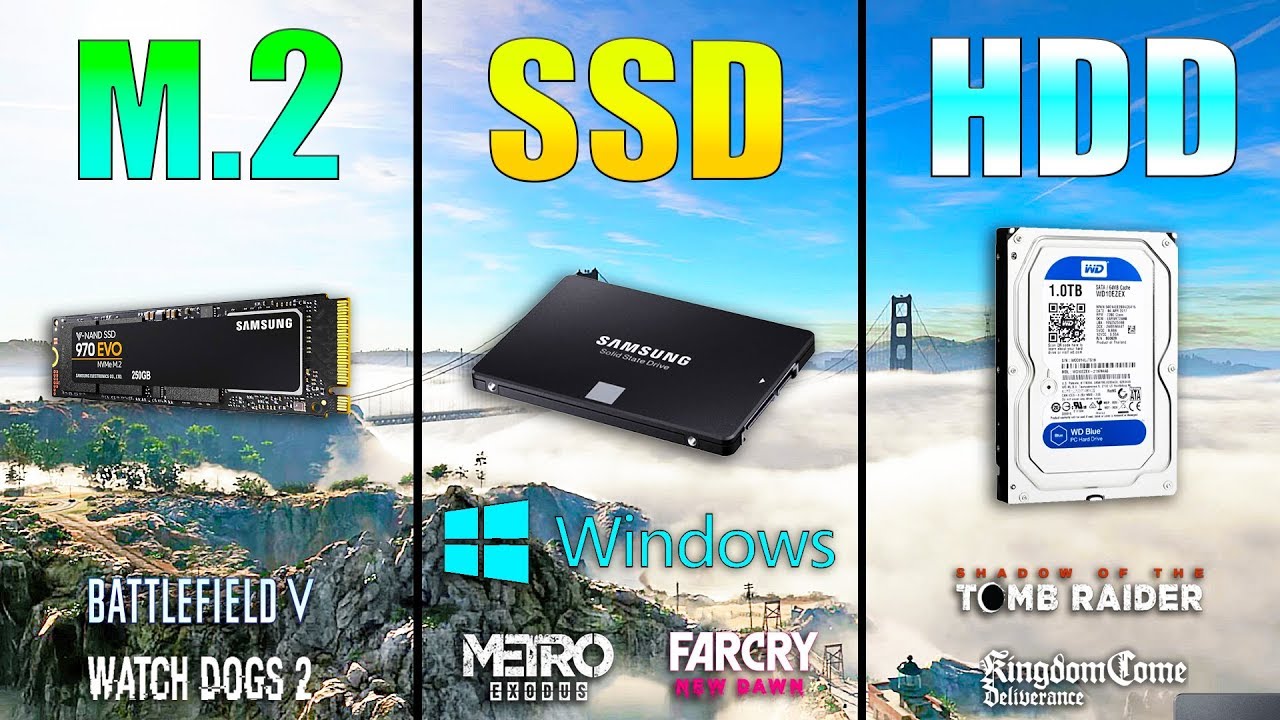
M.2 NVME vs SSD vs HDD Win10 / Game Loading Times
Samsung SSD 860 EVO - https://www.gearbest.com/hdd---ssd/pp_009551735547.html?wid=1349303&lkid=56671149
Games:
Metro Exodus - 00:35
Watch Dogs 2 - 01:24
Far Cry New Dawn - 02:02
Kingdom Come Deliverance - 02:31
Shadow of the ...
open gazelle
except cheapest decent M2 SATA is $110. Slowly getting closer to that M2 NVMe price
silent marsh
So if my board supports it and its only like $10-$20 usd more I should go for an nvme?
sweet badge
yea
open gazelle
If you want. Cheapest for decent SSDs of their type
2.5" SATA: $100
M2 SATA: $111
NVMe SATA: $130
silent marsh
So making that jump to NMVe is becoming more available?