#storage-devices
1 messages · Page 19 of 1
 gloomy ferry
gloomy ferry
gloomy ferry
I just mean... For a personal drive, 7200rpm, always
 red jay
Yes
 red jay
7200 RPM is all you need any faster you get an SSD
gloomy ferry
Ok but like... Hdds are still permanent and ssds aren't
red jay
Why do you think that an HDD can't be good unless it's 7200 rpm? What about 10k or 15k rpm sas disks? What if the 5400 rpm drive has a modern, high end controller, a large 256MB cache, and high density platters?
 red jay
I miss my velociraptors
 echo sundial
Hello everyone. Please, i need help with my new build. Recently finished buld new pc, i was womdering if my old hdd data will might get erased if connect to new pc. Can anyone help me with that pls?
I only have one monitor. Thank you in advance.
 stiff spindle
@echo sundial Your data will be fine as long as you don't re format it or try to install Windows on same partition as your data.
Can someone please help me find a decent internal card reader? Everything I've looked at so far seems like junk from what reviews are saying. I prefer one that fits in 5.25 inches bay and has USB 3.0 for reading and writing to cards.
 graceful smelt
thoughts on PNY CS3030 1tb nvme? coz where im at, it is of the same price with the crucial P1 1tb nvme
 steep crag
ST8000NM0045 or ST8000DM0004 better for storage and gaming on it
 midnight hemlock
What's the actual names of the hard drives?
steep crag
Seagate BarraCuda Pro ST8000DM0004 8TB 7200 RPM 256MB Cache SATA 6.0Gb/s 3.5" Hard Drive Bare Drive and Seagate Exos 7E8 8TB 7200RPM 4Kn SATA 6Gb/s 256MB Cache 3.5-Inch Enterprise Hard Drive (ST8000NM0045)
midnight hemlock
Ok, they're about the same tbh, both have similar specs, personally I've never had a issue with a barracuda but I think I once 10 years ago had gotten a bad Seagate hdd
Err, exos
Exos are meant for servers though and usually last a bit longer, but barracudas are a general hard drive and may have more platters, just flip a coin imho
Or pick the cheaper one
steep crag
would a 512e drive be better or a 4kn drive
midnight hemlock
Maybe
It's 1/8 of the minimum vs the 4kn
Aka minimum acollidation size is 512 bytes vs 4 kilobytes
steep crag
what will help me better on a gaming computer
midnight hemlock
Well how new because 512e technically splits it into 8 sectors
And really in all honesty, it probably won't be a huge difference
So 512e but really doesn't matter
I'd still set it for 4096 bytes acollidation
 uncut temple
So I’m considering an external hard drive for my gaming laptop, I will be gaming, and also doing graphic design work from it. Any suggestions?
midnight hemlock
https://community.spiceworks.com/topic/1764363-clarification-between-512e-vs-4kn-vs-512n-hard-drives
The Spiceworks Community
I am in the process of acquiring some Hard Drives for my new file server and I want to use Seagate Enterprice Capacity 3.5 Hard Drives. However on the page I can see 512e, 4kn a...
Max price and does your laptop have a thunderbolt 3 port not for charging?
uncut temple
How do I know if it’s not for charging?
red jay
hello, how do I transfer all my files into a hard drive and then onto a new PC?
do i just back it up into the hard drive or have to manually drag and drop it in?
 visual gull
samsung qvo is supposed to be an upgrade over evo model right?
 crisp belfry
Any good deals on a storage drive? My 2 TB isn't cutting it anymore.
 undone dune
HDD? @crisp belfry or sata ssd or m.2 sata or m.2 nvme
crisp belfry
Hdd
 lean vector
heya, I am looking for a bigger nvme Drive that is on amazon, any suggestiounes? my budget is in the $40-$120 range
I have a 256
there are a bunch around the $100 $110 price points
I could spend a little bit more as well
 frigid monolith
red jay
frigid monolith
red jay
$100 SX8100 is nice - I'd go for a $112 used 970 pro 512 for boot personally, I know 1TB 970 evos are on sale for 150, depends on your price / preference
frigid monolith
But a new 970 Evo is 80$
The Plextor M9Pe is also pretty good and has an included heatsink on it
and WD has always been a great brand
lean vector
It does look nice
how much is a Tb one?
and do Tb ones suffer a performance hit?
found that
but read write is worse
significantly
frigid monolith
Plextor M9Pe 1tb is more but for my personally id stick with 512
lean vector
I mean realisticly I only have a few things I use regularly enough to need the speed
cally
\
I could just get another 256
I put a linux install on my current M.2
visual gull
yeah got mycelf new 500gb 970 evo for 80$. I think micro center has some sort of a bundle deal that makes it 70$ too
stiff spindle
Anyone know if XPG NVMe drives by Adata are any good? I'm debating between that or Corsair Force MP510
I really like the look of the heatsink on the XPG GAMMIX S11 Pro
undone dune
@stiff spindle XPG SX8100 here, it's working so far as a game drive. I have the MP510 also for an OS drive and had zero problems with it for over a year.
stiff spindle
@undone dune Sounds like they are both great drives. I actually have 2 builds that need one. Maybe I'll get one of each. Thank you.
stiff spindle
I do really like Adata usb flash drives. Bought 10 of them over the past year and only one dud so far. Good no hassle rma and support too in my experience.
 north delta
Hey everyone...stupid question but I just need to confirm - a PCIe M.2 drive won't fit in a spot where I have a SATA M.2 drive right?
crisp belfry
you mean an nvme m.2 drive, not pcie?
as far as I understand, m.2 is a form factor, any m.2 drive will fit in an m.2 slot
but I only know of sata m.2 and nvme m.2 drives
pretty sure PCIe is another form factor from m.2
undone dune
sata or pcie doesnt matter for m.2, the only difference is speed/performance, sata being the slower of the two. take note of what your motherboard can actually do so you can buy appropriate storage. also if the mother board will accept b, m or b+m key'd m.2 @north delta
red jay
Forgot who sent me this but https://docs.google.com/spreadsheets/d/1B27_j9NDPU3cNlj2HKcrfpJKHkOf-Oi1DbuuQva2gT4/edit#gid=0

 unborn plover
whats a good Hard drive benchmark tool thats free?
and a good cloning tool for a boot drive to a ssd
undone dune
 zinc rain
hello guys , is this ssd https://www.newegg.com/intel-660p-series-1tb/p/N82E16820167462?Description=m2 ssd drive&cm_re=m2_ssd_drive-_-20-167-462-_-Product
compatible with my motherboard msi b350 tomahawk ?
 long loom
does your motherboard have m.2 slots?
zinc rain
yes
but i dont see this ssd at this list https://www.msi.com/Motherboard/support/B350-TOMAHAWK#support-hdd

thats why im asking
long loom
Hm
Well if the compatibility list for ssds is like ram
it'll work
but
not as good as ones on that list
 dreamy granite
Hello i have a Z370 Gaming plus mother board and i want to add an SSD, does any one know which ones are compatible with that mother board cuz i am confused...
 flint portal
HELP: I need to save several hour long training videos and cannot decide which portable external hard drive to get. Anyone have any ideas as to how big, etc that i will need?
red jay
Samsung T5
 fluid tiger
so when i got my computer, i never got the m.2 drive screws. So the moral of the story is, if i were to order some, are they universal?
neither the standoff or the screw
fluid tiger
alright, i'll not worry about it till then.
undone dune
The motherboard has the screws and standoff for m.2
 paper notch
I don't know much about nvme's, but I see teamgroup has a 512 for $60. Anyone know much about them and their ssds? Memory seems good.
undone dune
link? @paper notch
paper notch
that's like super slower isn't?
 spiral solar
I thought you wanted bang for buck sorry @paper notch
paper notch
oh no I appreciate it. my op asked about nvme's and how I'm not really familiar with them. Just wondering if the team brand is a good brand to count on in regards to storage. I'd imagine you feel it does, so that's helpful
visual gull
I think you can find much more brandy sticks for that price as of now
I got 500gb samsung 970 evo for ~80$ couple of days ago
undone dune
thats expensive for a 512gb @paper notch
paper notch
$60 for nvme?
undone dune
for that size yeah
visual gull
nah thats about average for generic brand I think
paper notch
but the evo goes for 80
visual gull
can't really find any stats on amazon for that stick tho
paper notch
someone left a comment with their speeds
undone dune
 visual gull
but you can get crucial with good speed for 50$ on amazon
paper notch
the crucial in that link is selling for 70. Do you have a link to one at 50 with the same speeds? I'm gonna try to search for it
paper notch
i wonder if they have any benchmarks on these things or if they only test certain brands
crisp belfry
That crucial drive is also slower, at least as advertised
I don't think $60 is overpriced for a 500 gig nvme
 deep wagon
yea its only 2k read 1.5k write
u generally want 3500mb
@visual gull its only 2k right
dreamy granite
i just brought an ssd for my pc does any one know how to like copy my hdd to the ssd or something because when i plug it in my pc doesnt start
visual gull
Teamgroup drive speeds are shown for 1tb version
500gb will usually be slower thab 1tb
frigid monolith
All drives with less capacity will always be slower
 frigid monolith
hard drives are slow in general so of course it would be for SSD's
 dusky raven
What SSD can go on this MB ( ASUS AMD AM4 ROG X570 Crosshair VIII Hero (Wi-Fi) ATX Motherboard with PCIe 4.0, Dual M.2, SATA 6Gb/s, USB3.2 Gen 2, 2.5Gbps LAN, WiFi 6 ) Would like one for my Windows to be on. Thanks
lean vector
Hey so uh...I may have dropped my HDD
Anyone know freeware for analyzing the hardware for faults?
Windows keeps doing disk repair
I think much bad
red jay
Shutdown and remove the disk immediately, start here https://www.gnu.org/software/ddrescue/
Data recovery tool
lean vector
Ok
I'm gonna assume I can run that in a live Linux environment?
And not immediately remove the disk???
Although I did already XD
Afterthoughts
Cool so as far as I can tell from that link, if I install the drivers for NTFS I should be able to use that
Gonna try and find my live usb
lean vector
Ok so
frigid monolith

frigid monolith
if using externally then yes
red jay
What about the 3tb?
frigid monolith
ok so buy some more sata cables then to use it internally
frigid monolith
the one on the left looks like IDE
red jay
The one on the left looks like an SAS drive. No idea how you see IDE.
frigid monolith
never used SAS so i just assumed from a quick look
red jay
To be 100% certain, wanna send a pic of the front of each drive?
lean vector
Yeah
frigid monolith
you mean the labels right
red jay
I can tell from the connector, but yes.
lean vector
long loom
sas
lean vector
Oof that angle
 heady raven
@lean vector "Could I just file out the plastic" no.
red jay
2nd time today - please be careful giving people advice on stuff like this. Could've bricked the drive
red jay
SAS HBA's can usually read sata drives, they can even read sata drives on the same sf 8077 lane / breakout mixed with SAS - but you almost never want to do that.
lean vector
Adapter?
red jay
@lean vector To read/write to that drive, yes, you'll need some kind of SAS HBA
may I ask how you acquired it?
long loom
Raw skill
lean vector
The internet. Lol. Being a dumb.
heady raven
Out of curiosity: How come you are in possession of a SAS drive (you are reguluar consumer, based on your questions. You would normally NOT be remotely close to a SAS drive)
red jay
Well, if it's a $20 or so drive with none of your data on it - my guess is that it's worth about $10
($10 to you, your time, effort in sellig, listing, all that )
I'd hang it from a wall or use it as a coaster, it's a nice relic.
lean vector
Lol ok
red jay
If you do want to use the thing, I bet you could find an adapter for $10-$30 online.
I use 20 of these drives in a 4u server, so my setup is a bit different, cheap, but silly to buy for a single drive
lean vector
Gotcha
heady raven
because that ES.3 is from .. 2012-ish
lean vector
I was not paying attention and am noob
red jay
Nope. Bought 20 x 2TB HP enterprise SAS FBUCL drives off ebay for 425 I think in 2017
heady raven
his could potentially be a used drive
red jay
@lean vector not at all man - the first time I learned about any of this stuff was in 2017 building out burstcoin plotters and unraid/freenas servers.
lean vector
I should see if they properly erased it at the least
red jay
I'm almost positive his is used
heady raven
the question is how used.
red jay
True, my value estimation was just a guess - but unless we're talking about trying to go through the previous owner's data (trust me, people who bulk sell ebay sas drives are well versed in how to wipe said drive with just a few bash commands/tools, not hard to deter 99.999999% of prospective thieves.
lean vector
red jay
Oh, and by all means if you don't want to keep it, nothing wrong with listing for sale. I just figured it'd be a cool memento / coaster
 sweet badge
use it as a doorstop 🤔
lean vector
I have a drawer of cool relics
frigid monolith
Just a rough idea how much the adapter would cost https://www.newegg.ca/p/238-008W-00004
red jay
Or, tbh maybe I was too pessimistic - go deal hunting for a dell H310 PERC HBA SAS pcie 4x aic card and 1->4 drive sf8077 breakout cable and separate power source, and you could very well use it
Really man?
Wrong again
sweet badge
that’s cad tho
red jay
it even says what that's for right in the overview
frigid monolith
change it to .com then
heady raven
change it to facts instead of fiction instead?
red jay
So - what that adapter would be for is if your HBA could do sas and sata
lean vector
Lol...I mean I live in Canada sometimes ;)
red jay
So in the miraculous chance you happen to have oh, say an LSI 9300 or something laying around, then sorry, I was wrong
 small steppeBOT
 Naed#3611 has been warned
Reason: Bad word usage
heady raven
oops.
red jay
But just for curiosity sake, I'll find an adapter that will actually work, just to see what the price would be.
frigid monolith
https://www.newegg.com/p/pl?N=100166276 600020300&Order=PRICE This would help
red jay
(You'll also end up with a mix of scsi, ahci, who knows what windows autoinstall chooses to load up in there) drivers for this, so , really I think it comes down to whether or not you want to invest a bit of money, a decent amount of time, and hopefully no unexpected data loss /diver corruption along the way
lean vector
red jay
But it's fun stuff, I love it, don't let me discourage you
heady raven
but dont mentally skip over the time investment bit that he mentions.
lean vector
I mean for tonight... I'm probs gonna just format my 256 m.2
frigid monolith
I think i have an older floppy disk to add in your collection 😛
long loom
destiny 2 gang
lean vector
I'm not on the level of competency to get D2 running in the Linux install I have on the m.2 rn, unless someone has a guide? I've tried to use wine before, but never with much success
I do want to move away from windows eventually
long loom
nah I'm too stupid to use anything but windows
frigid monolith
for gaming Linux is pretty good
Well ever since they have steam with photon
not to mention Destiny 2 with Vulkan lol
frigid monolith
Well i think Linux doesn't have DX 12 that is why it is using Vulkan instead
long loom
ok
long loom
no
lean vector
Hmmm. I might as well try to see If I can do the thing before I just formatify
Wish me luck
Ohhh wait
I already formatted earlier
Nvm
Sadness
frigid monolith
ok nvm turns out Bungie bans people for playing Destiny 2 on Linux
frigid monolith
which means the only way to play is windows
lean vector
:'(
heady raven
@frigid monolith facts over fiction. it is not photon. it is Proton
lean vector
It's fine. I hope windows gets a significant redesign for RISC
frigid monolith
no idea what that guy said
lean vector
Lol are you standing firm that it's photon?
heady raven
Proton is a mostly free and open-source compatibility layer, developed by Valve Corporation, that allows software designed for Microsoft Windows to run on Linux. It is based on a fork of Wine, and includes several patches and libraries to improve performance and compatibility...
lean vector
^^
96.7% collectively agreed upon reality
Assuming I'm not a coma patient imagining all of y'all and the subjective experience I am currently experiencing.
heady raven
@frigid monolith "which means the only way to play is windows" factually false.
lean vector
Lul
heady raven
Orbis OS, the OS that the playstation 4 uses would like a word.
in case you dont know, that is FreeBSD based.
lean vector
So would they ban you for Kernel assisted emulation? Are there any examples of this ban being enforced?
lean vector
Fair
red jay
Pretty easy to detect any kind of hypervisor I'd guess
heady raven
hm, side note: Who actually has the actual rights for Destiny 2 now, after the Bungie activision split
 fleet rose
Any of you used rufus to load freedos to a usb?
red jay
Is a 256gb ssd better than a 1tb hhd?
frigid monolith
yes
 sour tree
in what way? speed: ssd. storage space: hdd
 flint oak
Depends on use case. They both have obvious advantages in different ways.
 zinc canyon
I would probably get both, ssd for games and windows, hdd for files.
sweet badge
SSD’s are much faster, but more expensive
red jay
No because I saw a laptop which I think had ryzen 5 and a 256gb ssd for the same price as my current pc
I got
1tb HDD
4gb Ram but basically the one I saw has somewhat better specs
 sick dove
A laptop with 256gb SSD? Does it have an HDD? Because if not you shouldn't get it, you'll run out of that in no time.
 terse drum
you really shouldnt use a hdd in a laptop tbh
 leaden monolith
red jay
leaden monolith
red jay
bro i'm running kinda short on HDD storage rn, since it's a 1 TB and I got 200gb left. I use it primarily for photo editing but sometimes gaming so yeah
Upgrading to a 2 TB Seagate Barracuda is gonna be a good investment, it's coming in the mail
ofc gonna keep my WD Green in here, since it'll be nice to have that little extra 1 TB of storage (although its a super crappy hdd)
red jay
Run a userbenchmark test on it
It'll tell you all of your specs, as well as how well they perform compared to other products/the same product from other users around the world
 open gazelle
UB isnt that great tbh
it tells you the absolute basics and gives a very rough estimate for perf
red jay
Valid point but it's a nice open-platform comparison. I haven't found anything as utilizable as it is
frigid monolith
for?
 torpid adder
ah I see you do your homework
red jay
never ran a m.2 ssd, my next build is going to be running dual m.2 ssds and a 4tb SATA hdd but I was wondering if you need specific m.2 fittings for certain motherboards or if they generally fit into a normal m.2 slot?
 outer bane
they should all fit in the same slots although there are some caveats like gen 3 vs gen 4(only AMD for now) and some share bandwidth with other components on the motherboard
 plucky trout
Is it worth me dropping some money for an nvme when I already have an 860 evo?
red jay
I would consider it on your next windows install. Great guide.
https://www.tenforums.com/tutorials/1950-clean-install-windows-10-a.html
 dark burrow
Just wondering, but does anyone have SAS drives in their gaming rig?
red jay
Thank you @outer bane
 fresh moon
hello everyone
outer bane
hello
fresh moon
is there someone here who can answer a question about SSDs for a Thinkpad 595?
 latent smelt
ask away
fresh moon
2 questions actually... first, will a 2280 go into that, or as Lenovo seems to suggest on its site, a 2242 only? Secondly, will either SATA or PCIe interface work?
fresh moon
yes, I've seen vids that indicate either length is OK, but in forum, one person said Lenovo itself said 2242
outer bane
22mm wide (they all are) 42mm long (thats a short one)
fresh moon
oh, is that what thosenumbers me, good to know
outer bane
so something like this would work they come in many capacities though that one is just 128gb
but its a good price
and you can just search "2242 nvme" to find one to buy
fresh moon
will cost a bit more up here in Canada lol
red jay
Best way for you to show us your current config with confidence is either run a userbenchmark, post the link, or if you have them, post components/model number
fresh moon
and you're certain that the Thinkpad 595 will take a NVMe device?
outer bane
yes
fresh moon
well, this is for a friend, actually, total novice really, plus he's on the other end of the country
outer bane
I looked on their product page to confirm first
fresh moon
if you mean the Lenovo site, I was on that page for an hour and couldn't find anything that helped me at all
red jay
It does. In which case, pretty much any normal, m.2 2280 NVME , good ot go
fresh moon
right, that is all I need to know, TYVM both of you
outer bane
the lenovo forum said something about only being space for the short one so I cant confirm a normal one would work I dont have a thinkpad
fresh moon
well, the vids I've seen show a silly metal bracket holding down what looks like a 2242..
outer bane
to go longer there would be more screw hole spaces to go back further
fresh moon
and the screw holding down that bracket is suspiciously like it's about where the screw would go for a 2280 lol
outer bane
always only one screw but there may be more holes for it
fresh moon
just one hole that I could see in the vid, plus that silly little bracket
outer bane
like that see how there are more spots and it is covering up the short spot hole
that one is 80mm long
fresh moon
buddy refuses to open the case until he has the SSD in his hand ready to install
outer bane
short one it is
fresh moon
if that is 80 long, then that is a 2280, yes?
fresh moon
oh, one other question, if he wants to spend less and get a SATA interface, will he be able to boot off it?
red jay
Not worth it.
fresh moon
ok, I will let him know... and pressure him into doing the right thing here lol
 keen urchin
dont get sata m.2, its kinda dumb
fresh moon
thx again, you guys are a total goldmine of info
Zack, that's what I was thinking, but buddy seems to be fixated on cost more than performance
outer bane
no problem and yeah I cant confirm if it even has a sata. The drive in there is a sata m.2 already... so that wouldnt really be an upgrade unless just adding more space
keen urchin
only reason id get sata m.2 is if its really cheap, then it saves a lot of space and cables
fresh moon
he got the system with a coupon, it came with a HDD in it... would have cost way too much to have a SSD instead
so he's buying a SSD 3rd-party to install himself
outer bane
that makes sense
red jay
If you want cheap - used/ebay or hunt for sales. Even then, sata B + M key m.2 22.80 drives are a much smaller market share vs NVME m.2 - nearly every desktop made now boots from one
fresh moon
if he ever gets computer stuff off ebay I will personally drive the 3000 miles to Halifax and shoot him
outer bane
lol
heady raven
@red jay to add to that recommendation, try and aim for the server models if possible. Their endurance is stupidly high generally. Meaning, less likely you will be buying a drive that has been tortured for years (edited, spelling)
red jay
Sometimes the OEM samsungs like pm961, etc will go cheap because more people search "8xx evo" etc. Most other server stuff stays a bit pricey, I've wanted a p4800x for some time now.
heady raven
as in, the likely hood of actual server parts ending up there is very small, so the server parts you do find there are generally there because someone bought something they didnt understand or similar circumstance.
red jay
On ebay?
red jay
Oh, ebay is a great place to buy used sever hardware.
heady raven
i dont interact all that much with ebay as a buyer. I only look there. We have our own sites that are similar here locally
so, it makes no sense for me to use ebay for that :)
so my statements are based on what i have observed there. That is all :)
i hope that makes it clearer?
red jay
It's almost entirely from volume seller stores. Ah, ya I think we have it easy in the US, and server hardware depreciates really fast sometimes, especially if it's power hungry, fun to play with old stuff
Haha ya, no worries
 plain vector
I'll post a pic tomorrow but I have a original 2gb ssd that literally plugs into a floppy drive port mind u it's from a ddr bound pc and it's using flash but it's a interesting piece of hardware that people haven't heard of
red jay
ZIP? or IOMEGA JAZ?
plain vector
Here is the one I have
Apacer 2 gb 42 pin ssd ide
Well myne is kinda a different style varient the pin connector is at the bottom and it looks like a female floppy drive cable port
heady raven
@plain vector i have worked with units like that :)
(sometimes not being a spring chicken pays off)
 urban gate
Hi, please which other hp spare battery model should I use in place of my HP Pavilion 15-n003eia? I need a 19.5Vdc that would work correctly for my laptop.... Kindly advise me please
heady raven
https://h30434.www3.hp.com/t5/Notebook-Hardware-and-Upgrade-Questions/Hi-please-my-laptop-model-is-HP-Pavilion-15-n003eia-Part-is/td-p/7323437 <- @urban gate , as the HP rep says, have a look in your local region on their site.

community.hp.com
Hi, please my laptop model is HP Pavilion 15-n003eia. The Part is not orderable in the HP Parts Store. what can I do about it?
latent smelt
heady raven
@latent smelt do they ship to Nigeria?
because that is where @urban gate is located (based on the HP community post)
urban gate
https://www.newegg.com/p/16J-006B-0XB04 ....I have checked this site its exactly my laptop model, but the Volt doesn't match. Mine is 19.5V and the one on sale is 14.8V.
Will 14.8V battery work for my 19.5V correctly?
urban gate
Please will 14.8V battery work for my 19.5V hp battery correctly?
 keen swan
how resistant are hard drives to shock when unpowered?
a drop from like 6 inches shouldn't do anything, right? Feel like they have to endure worse during shipping.
latent smelt
difference of being dropped from a protected box, versus the actually disk
the box and padding absorb most of the shock, while the hard drive if dropped, takes the full force.
 snow mason
give it a test and see you dont know until you try
keen swan
mine was not protected, just an antistatic bag
slid down a bag onto a hard surface
will probably be fine
r-right?
latent smelt
would have to plugg it in and see.
if it spins up, and you don't hear any terrible noise, safe bet you're ok.
 ember ruin
It is worth getting a 10tb HDd over an ssd? I have ALOT of games.
ember ruin
Wellll
 lean cliff
With the lower prices of storage now you’d be a fool to run a hdd
You should be running a m.2 ffs
Under $100 for 1TB right now
ember ruin
I have an nvme ssd but it’s really small
 thorny pawn
I need to buy a HDD 1T which one should I buy
red jay
what's your budget?
Seagate is a really good company, so I recommend the 1tb Barracuda. Or if you're feeling like burning another 30 bucks for way higher speeds, get the Firecuda.
outer bane
heady raven
@thorny pawn it is not a ssd. it is a sshd
https://www.ebuyer.com/blog/2015/07/sshd-guide-to-hybrid-drives/ <- have a read here

Solid state hybrid drives or SSHDs are a combination of a traditional Hard Disk Drive with a small amount of SSD storage built into one Hybrid enclosure. The partnership of SSD, for quick access data, and HDD, for long term inexpensive storage, means that users of SSHDs have ...
open gazelle
SSHD doesnt do much tbh. Just get an SSD and HDD separately, it is so much better
frigid monolith
They're actually good i used one for about 5 years before when SSD's were still costing an arm
Hybrid drives are good on desktops really (and i mean the 3.5" models) which will still boot up windows faster than a normal hard drive and still load up games pretty well
heady raven
@open gazelle for the average consumer. They are a good upgrade over a standard HDD.
aside from cost, there is no downside to a well implemented SSHD.
red jay
SSHDs have historically been hit or miss on reliability. That alone is enough spend your time considering othre, nearly as price/performance competitive storage options.
heady raven
UCA / the "historic" part of that reliability concern is lost in the memory of the common/average user and their general understanding of how statistics actually work.
red jay
It's hard enough to help the average user ensure they're using an optimal AHCI/SATA/NVME/RAID/RST driver, ensuring proper initialization and install as a GPT/UEFI boot volume etc, it's just not my go-to.
You're fine, ecks and I often have conflicting views on this lol
frigid monolith
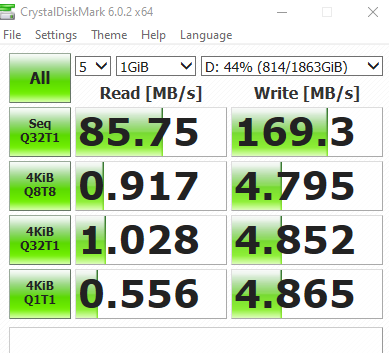
Well this is my hybrid drive right now that is being in use lol https://i.gyazo.com/b95ec0f2e970658cb93e8955300a1810.png
 red jay
search chat for n=1
heady raven
In the following situation: A user wants a 1tb drive. They dont have the funds for a 1tb ssd. so they are looking at hdd/sshd options. IF they have the money for the SSHD. That imo is the device they are best served by.
red jay
You can't write this stuff lol. Wish I could pin that
heady raven
all other factors being equal.
frigid monolith
But @red jay you can pin things
red jay
I'd also happily search around reviews/newegg for them for a good sshd option, but based on their use cse, I'd likely tell them to get a ssd boot if not already using one,
For the case of a user's storage volume - I'ld point them towards a WD red or Seagate ironwolf probably.
I was mostly kidding, point is, that's nothing nice to say not the performance you should expect from a hybrid drive over any equivalent price HDD. Maybe it's model specific, could be your drivers, settings, single thread cpu speed, hard to say.
open gazelle
@heady raven Ive also had an SSHD, it was quite slow. Also a 128gb SSD is like $18 - $20. 1TB HDD + 128GB SSD is going to be a better experience
frigid monolith
quite slow is not slow
open gazelle
And from what im aware, using an SSD like cache like SSHDs do apparently isnt super great for the SSD cache. This is coming from someone who has a bit more knowledge than I do on the LTT server
To which is someone I can trust for random tech knowledge
red jay

We go into what the ZFS ZIL SLOG is. We also show a few common choices as ZFS ZIL SLOG devices, how they work and what makes a good one
ZFS isn't ideal, or preferred by everyone, but it's the choice of many much like preferences for OS or flavors of linux.
Oh, forgot - I mention ZFS because it's a good example of a reliable, scalable, performance oriented file system and storage solution implementation that often uses a write cache.
 nova iron
Hot take: SSD's are so expensive, you ought to get a 120 gig crucial drive just to use as a boot drive, and just get a 2 tera seagate drive for sixty bucks
Thoughts?
open gazelle
120gb bootdrive isnt fun. Go for 240/480gb. That being like $30/$55 respectively
nova iron
sounds ideal
 warm abyss
I mean if you get a 240/480Gb boot drive then thats more of storage in general than boot
mian 480
frigid monolith
240gb is like the bare minimum now
frigid monolith
about 20 to 30gb
red jay
So, first question, budget? then use case, do you mind waiting on things like updates, installs, loading, and data reliability?
 minor sun
Is the MP510 any good?
 dry root
https://www.amazon.com/Seagate-BarraCuda-Internal-Drive-3-5-Inch/dp/B07H2RR55Q look at that $10 more
oh i was scrolled up
we shouldn't post amazon links here anyway, but that's where i found myself linked to
i'm a fan of NVMe drives if you've got the cash and the proper motherboard mount for it
unless you're doing really large file transfers it's not going to be different from a SATA SSD however
i'm gonna get a 2TB SATA SSD to replace my 3TB HDD
i'll lose 1TB, but i'll gain speed and noise reduction
why not nVME? i lost the screw for it on my motherboard
😄
 nimble delta
Anyone seen any good ssd deals lately? I’ll probably pick on up after my next paycheck since I’m running low on storage (thanks MW)
 swift kindle
https://www.google.com/shopping/product/17387898405095164039 ($20 off with " DECSAVE19" for 1st time users)
stiff spindle
Anyone know which is better performance wise, WD Gold or WD Black hdd's?
swift kindle
neither, at least for high capacity hard drives bc SSDs are superior
dry root
there's also that black isn't as robust as gold, and gold is built for enterprise, so if you have the money it's worth ditching the 18MB/sec of speed probably and going with the enterprise grade disk, and keeping it through generations of PCs probably
hmm, nevermind
they both have a 5 year warranty
that means they're both expected to last a little bit beyond that 😄
outer bane
I've never seen a purple but I guess since its for surveillance I wouldnt have
latent smelt
yeah
dry root
purple are really good disks for high I/O situations
why they're marketed for surveillance
if you're doing high I/O then you can benefit from them
most people i know buy greens or reds
some buy the faster gold disks
oh wait, green has been phased out
outer bane
my 4tb's are all blue cause I'm cheap lol
latent smelt
CHEAPO ALERT 
 orchid blaze

outer bane
Thats my deep storage for all my "perfectly legal" movie files 😉
outer bane
its always the cable for me
orchid blaze
they are
latent smelt
yeah especially DP, a lot of times I didn't get it in all the way
outer bane
try a different cable would be my advice
orchid blaze
its just a crappy $80 onn one from walmart
ok new topic. does anyone else have trouble with WD My Cloud products?
outer bane
you mean like removing them from your pc LOL
orchid blaze
i have 2 4tb nas devices and i can never get them to work
outer bane
can you just not access it?
orchid blaze
yea
outer bane
there is probably a reset button on it somewhere I would hit that first
Then you may need to assign an ip address to it through your routers software
also have you tried a direct wired connection to it?
orchid blaze
what do you mean
latent smelt
You do know what NAS is for right?
orchid blaze
mass storage over internet
dry root
NAS is a type of small computer that holds multiple hard disks and is attached to your local network
network attached storage
you can control what RAID mode you're using by your computer
but it usually looks like one big hard disk
 errant lark
Hey I just got a 2nd 512GB ssd is there any benefit to running ssd's outside of raid 0 ?
outer bane
not really benefits but their are reasons not to raid like doubling your space
especially if those happen to be 2 nvme m.2 ssds that are already so fast there isnt much benefit for the average user to raid them
@errant lark but thats just my opinion
For instance I have 2 970 pro 1tb's in my pc but I dont raid them since they already read at 3400MB/s and while I would be closer to 6000MB in raid its not neccessary
errant lark
That's what I was kinda leaning towards a few other artiles said the same and you. All I needed was some clarification thank you!!
outer bane
no problem
I feel like for most users you are asking yourself do i want windows to boot in 3 seconds with half the space or 5 secs with more space
errant lark
Exactly Im not tryin to waste that space lol
 eager skiff
anyone know what I should be looking for if I wanna build an occasional use samba server with raspberry pi. Probably don't need very high IO?
red jay
The Pi 2 might get you by if you're asking about which raspberry pi to use
and you can buy 128gb flash drives at Target for like 15 bucks I kid you not. I love mine
eager skiff
yeah thats is helpful i was mostly asking about ssd cause were in the storage server
dry root
i'm going to grab a 2TB samsung SATA SSD
the screw came off my motherboard for M.2
rip
open gazelle
samsung is overpriced and not always the best option
dry root
is there a brand you can recommend that competes with samsung
and also offers a 2TB disk
i would look, but you seem to know about samsung being overpriced
open gazelle
NVMe or SATA?
dry root
SATA, my M.2 port is borken
because no screw
and i can't find a standard screw that will replace it
maybe if i reach out to gigabyte they'll send me one
open gazelle
If you want almost exact perf then Crucial MX500, WD Blue Ultra, WD Blue 3D.
If you want close perf then Sunbow X3, Team Group L5 lite 3D, Adata SU800
dry root
adata i have a lot of experience with
not interested in 3D NAND, that's code for QLC sometimes and QLC is pretty evil
dry root
intel's new NVMe disks when close to full perform very badly
 upper quiver
it does have a higher failure rate, but its not that much higher
dry root
they have an SLC flash cache
upper quiver
plus, its not like you can even buy SLC ssds
open gazelle
That's due to cache
upper quiver
theyre only for commercial use
dry root
they sell them on the consumer market, for a not very competitive price
open gazelle
Also, in unrealistic scenarios for standard consumers as the 660p works rather well for them
open gazelle
Like when close to full, are you going to transfer more than 12gb almost all at once?
That's the min cache size for the 660p (it has dynamic cache) on 1tb model
dry root
that ADATA SU800 looks pretty good
so does the WD blue but they sold that one out quickly for $180
dry root
you know
it's not uncommon for me to transfer 12gb at a time
also
i think regular consumer use case doesn't always apply, and for me a simple SATA SSD will be plenty fast, i think NVMe drives have like 6x the speed but the realistic differences are not 6x different
something about max speed only being reached when you take a single large file and transfer it, because it takes time to ramp up the speed
gloomy ferry
that sounds about right, iirc the max speed isn't referring to random transfers, which means just any tiny little transfer
dry root
yes
peak speed is like
"i have this 20GB raw video file"
"i'm transferring to another identical drive"
well, or copying on the same drive i suppose
torpid adder
so, how are system files transferred from one drive to another, ignoring others?
I've been wondering how it works
I have a 900 GB disk that has 474 GB used
I want to get a 250-500 GB SSD to house Windows and stuff
dry root
do you want appdata and stuff like that?
 slender ice
i know that 221GB will work for Windows 10 Pro, i had two 120GB SSD's in RAID 0 on my server until i got fed up with them forgetting how to SSD
but you won't get much else on there at that capacity
 dusk turtle
Windows 10 on my SSD is currently only taking up 136 GB out of my 237 GB available. Most games go on separate drives.
slender ice
wasn't there a time when Windows installs refused to go on anything less than 500GB?
i mean Win 10 installs
i feel like it was 2 years ago
slender ice
huh, weird, my boss had a fit about it when i worked at a Electronics Repair shop, he had a 200GB SSD and it refused to install saying "not enough space" and he was mad cuz it was installed once already on that same drive
dusk turtle
Sounds like he didn't format it first........or messed something up during installation
slender ice
:/ idk
dusk turtle
It was probably trying to install to free space left
slender ice
he wasn't TOO informed on things, could be the case
i was hired there basically cuz i had built my own router and server, and hosted web pages
didn't get much business for server repairs lol
 sick dawn
Is a SSD worth 25$ for 240gb
I’m only installing windows and fortnite on it
And also, would I have to reinstall windows right?
orchid blaze
Well, to an extent. Ssds are great for booting because they are fast. But if you found one for 25$ it’s probably not very good cells. Ssds are like thumb drives. The cheaper they are the less their lifespan. If you want one that you want to use for a long time, get a more expensive one
 cerulean fog
does anyone know why my m.2 isn't being detected?
outer bane
probably have to assign a partition to it
outer bane
samsung partition magician whether its a samsung or not
outer bane
You almost always have to partition it first and assign it a letter
 jolly scroll
Are you using a riser card?
And yes if it's not partitioned it won't show up under This PC
cerulean fog
I can't create a partition since its not being detected at all by BIOS and the Mobo is updated
It is a new ssd but I gave it to my friend to test it and it worked for them
outer bane
@cerulean fog samsung partition magician it will not show up in bios
I'm telling you it will work
you just have a drive letter conflict or something similar
have had to do it on 70% of all m.2's I install
jolly scroll
Yes that is a common issue
cerulean fog
I do have a wd m.2
outer bane

Samsung Semiconductor
Samsung Magician software is designed to help you manage your Samsung SSD with a simple, intuitive user interface. Download files & find supported models.
jolly scroll
But most of the things I listed happen often as well
outer bane
doesnt matter western digital may have their own software but either will work
jolly scroll
It's universal
cerulean fog
oh ok
outer bane
@jolly scroll I agree but this is most common
cerulean fog
@jolly scroll I'm not using a riser card either
jolly scroll
I'd try the partition manager then yes
@outer bane is absolutely right. I just like to tick all the boxes.
latent smelt
minitool partition wizard is pretty great.
cerulean fog
still not being detected but thx for the help
outer bane
next step is to go into bios and make sure it is enabled
do you have more than one m.2 slot?
the one you are using could be shared with something else which is why its disabled from start like a PCIe lane
outer bane
what motherboard specifically
cerulean fog
b450 aorus elite
outer bane
Anyone know of a good windows migration software for a western digital nvme ssd?
it wont play nice with samsung magacian
red jay
GParted and Clonezilla are some of the best, others prefer macrium or , in the past, acronis. \
latent smelt
Macrium also has my vote
outer bane
I mean I really like the samsung magician but it didnt want to even see his drive lol
red jay
CSM disabled?
outer bane
In the end his HDD was sharing a sata port lane with the m.2
moved the sata cord problem solved still didnt like magician though
showed it was in Legacy
cerulean fog
Thanks @outer bane again for spending an hour helping me
cerulean fog
probably since the hdd is a seagate
outer bane
cause I can see all of my drives in magician whether samsung or not
cerulean fog
I guess it just hates my drives and vice versa
heady raven
@outer bane i can confirm that magician USED to need a samsung drive connected
outer bane
@heady raven I guess it still does
heady raven
i have not used it recently. so dont know for the newest versions :)
but as iambox said, macrium is a nice migration tool, especially for situations where you are helping someone (aka, you are not onsite yourself). Because the UI explains what is going on. (Edit: Punctuation)
jolly scroll
Minitool is pretty good
red jay
Hirens PE is a real popular one, seems to boot regardless of config. Still need to boot accordingly if trying to fix a certain type of drive
 gray jungle
I have a quick question, is there a way I can make 2 hdds seem like 1? So if Storage on one device is full it automatically goes to the other device?
 violet salmon
i think you can extend the drive from disk management
gray jungle
@violet salmoni wont lose any data will i?
violet salmon
unsure. ive never done it. i just recalled that it was an option.
 inner silo
so i ordered a new SSD how do i copy all my contents onto my old one to my new one?
jolly scroll
I like minitool partition manager
inner silo
that does it?
 dawn leaf
So im still using an HDD and I want to transfer my OS to the SSD. And remove the OS from my hdd. How do I do that? Do I really have to reformat?
dry root
also run bootfix on the SSD before rebooting
 urban epoch
if it's a samsung SSD they have a data migration tool that will clone a drive, otherwise you'll need some third party cloning software. you want to clone it, then turn off the computer and plug the new drive into the same SATA port as the old one and it should work seamlessly
if you're plugging into a different port there might be more to it, windows likes to boot from disk 0
i'm about to find out how that works since i'm migrating to an M.2 SSD and can't put it on the same port
i guess a windows recovery drive should be able to fix it running startup repair or bootfix
minor sun
@urban epoch Please do report back to me bc I'm gonna be doing the same in about a week or so
I'm migrating from 1 m.2 to another tho
urban epoch
well if you're installing it in the same slot windows shouldn't know the difference if you just swap them
minor sun
So just clone?
urban epoch
yeah
minor sun
also I think its bios that does that
and that depends on boot list/path/whateveritscalled
urban epoch
well windows boot manager also has some info about which disk to boot from
minor sun
I remember having to change settings in my bios because my USB had higher priority than my m.2 xD
urban epoch
the bios goes to windows boot manager and then boot manager boots windows
 foggy swan
MP600, reaaaaady go
minor sun
nice
urban epoch
Well sweet, I just ran Samsung's Data Migration program and it booted straight to the new M.2 drive after I rebooted and set the boot priority to use the M.2 first. I really expected Windows to complain more.
@minor sun apparently it's easy
red jay
hey there ^-^ I'm working on my first pc build, and the secondary SSD isn't recognized, I already tried restarting the pc, and going into computer management to configure the drive, but it doesn't even show up there. I know the Sata cable is working because it is also powering some rgb fans. any advice?
dusk turtle
Try a different sata port on the motherboard. Boot into the BIOS and make sure it shows there.
It has two cables, data and power
You have two cables for it, right? From your description, you only mention power
red jay
how do you boot into bios? or do I have to go through normal boot & get into uefi through advanced restart?
I have 2 cables, yes
dusk turtle
BIOS is either delete key or F2....you'll see it when the PC boots, it will say Press DEL to Enter Setup or Press F2 to Enter setup
dusk turtle
If it's in the BIOS it should show in Windows then
minor sun
huh ok
red jay
thanks @urban epoch :3
urban epoch
yeah if it's in the BIOS you should be able to initialize it in windows
unless the motherboard can detect it in BIOS but some of the sata ports are disabled by having the M.2 drive in
on my ASUS board, the first SATA port is disabled by the first M.2 slot if the M.2 drive is also SATA. i don't think it's disabled for NVMe drives though
red jay
@urban epoch sweet I'll see if it'll configure now
Next to figure out my case's power button (been using the mobo power button)
urban epoch
the 2nd drive has to be initialized in drive manager regardless though before it'll show up in This PC
er, Disk Management
i mean probably you've just got the power button plugged into the wrong pins on the mobo
red jay
@urban epoch the mobo guide wasn't very helpful on this one--I'm 90% sure it's in the right place though
the only thing that was me worried is that I had to take off the front panel to install a radiator, those front wires can be weak
urban epoch
ah yeah it could have come unplugged from that end. usually they put connectors on them at least so you're more likely to pull the connector out than break a wire
red jay
sick windows sees the ssd drive, thanks so much!
urban epoch
what'd you even change? it just started showing up after you went into BIOS?
red jay
I switched the port like you suggested; it was a tight fix behind the gpu (I'm lazy), so I wonder if I just didn't have it plugged in the fist port well enough
dusk turtle
It could have been a different controller too, depending on the motherboard
Could have been on the RAID controller instead of standard SATA
red jay
@dusk turtle no idea what raid is.. hehehe 
 honest escarp
Ok so I connected a new hard drive into my computer. I go into Disk Management but I do not see it there. Can someone tell me why?
dusk turtle
Try a different port on the motherboard and check the BIOS to be sure it shows in there. If it doesn't, try a new cable or port
honest escarp
Does not show in BIOS. Same thing on different ports
dusk turtle
If it doesn't show in the BIOS you either have a bad cable, bad power connection or a bad drive.
dusk turtle
Ya, time to test another cable or PSU connection
If those don't work, the drive is probably toast
honest escarp
When i start the PC, i hear the hard drive make whistle noises
that means its not toast?
dusk turtle
It should be prety quiet. The noise merely means the platters are spinning, not that it's actually working
honest escarp
Okay
 south vale

 silent marsh
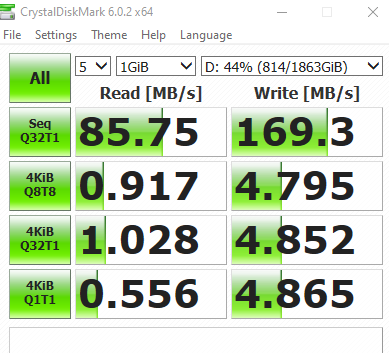
Out of curiosity which is faster:
3gb/s SSD
6gb/s HDD
unborn plover
why not a SSHD hybrid?
but to answer i think a ssd even in a sata 2 port is decently faster than a HDD
actually doing some reading it should be like 250 or so vs 125-150 on a standard hd
 lyric ledge
Hi everyone, I'm having some trouble. Would anyone be willing to give some advice on what to do with a drive that won't boot? I installed an old drive with windows on it into a new build and I've been chasing errors since yesterday
it seems to be related to a corrupt BCD, but all the fixes for that are throwing 'access denied' or 'restore failed' type messages
small steppeBOT
 Keegan#2839 has been warned
Reason: Bad word usage
urban epoch
argh
windows carries a bunch of information about hardware with it, and it can get really messed up if you put an old windows install in a completely new computer. i've always had to reinstall windows when doing a new build. not sure if there's a way to fix it or if it's even worth it @lyric ledge
dusk turtle
Depends on the OS. Windows 10 is really good with hardware changes, whereas Windows 7 and earlier are definitely not
urban epoch
yeah i think i was on windows 8 the last time i tried it
dusk turtle
Yeah, 8 isn't great for it either
I went from Intel i5 4670k to AMD Ryzen on Windows 10 and it was completely painless.
urban epoch
@silent marsh 3Gb/s is 375MB/s, and HDDs top out around 200MB/s, so the SSD is still faster probably
actually i might have been on windows 10, i forget
i just went from an i5-3xxx to an i7-8700k on a new motherboard with new RAM and windows completely poo'd itself
same brand of motherboard even, so it wasn't that different
i think it would boot though, just threw a ton of errors and BSODs randomly in windows
lyric ledge
sigh
I just really hoped I wouldn't have to drop another $150 to reactivate
thanks guys
dusk turtle
Well, what OS is it?
There are ways around this depending on the OS
For example, you could reinstall just the OS while saving personal files
@lyric ledge
You also didn't mention if it was activated or not?
lyric ledge
It WAS activated but the person holding the key lost it
it was windows 7 upgraded to 10
lyric ledge
was
dusk turtle
What do you mean was.......If all you did was swap HD, it should still be 10
lyric ledge
The OS is on the drive?
dusk turtle
Also, if the OS was tied to an MS account, log back in with that MS account and it will reactivate
lyric ledge
It was a a local account
dusk turtle
Will it not boot at all? Just goes BSOD or something?
lyric ledge
Yep
It did
I seem to have further destroyed it by trying to recover via a USB recovery drive
I'm going to see if i can reinstall windows with another USB so that the drive will boot again
but overall this experience has got me never wanting to touch another computer again.
dusk turtle
What exactly happens when you try and boot it?
lyric ledge
It only boots to the USB now
the drive no longer boots after running the recovery software (which failed)
dusk turtle
What recovery software, Windows 10 USB media?
lyric ledge
yes
lyric ledge
I'm planning to rewrite the USB to be a windows installation bootable with the same windows creation tool, and see if i can get a copy of windows running. I don't see any other way around this
dusk turtle
Here is a guide from MS that shows different options for a reinstall, either preserving or not preserving personal data using the different options from WIndows 10 Boot Media
Learn how you can reinstall Windows 10 on your PC and how activation works after it's installed.
lyric ledge
Thanks. Looks like mostly what I had planned so I'll go ahead and follow the steps
dusk turtle
Software is always the hardest part of the build
 limber arch
youll need a new motherboard
 frigid monolith
@dusk turtle i beg to differ
 fiery fiber
Hey folks, anyone have any experience enabling the TCG Opal encryption on a Kingston KC2000? I'm running it in a Thinkpad E595 with W10 Home. Drive works great but can't find a way to enable the self-encryption without purchasing something like McAfee or Symantic, etc (which I'd rather avoid). Any ideas?
fiery fiber
In case anyone comes back to this, my questions got answered in another channel. What we've learned is that unless your SSD manufacturer includes the ability to enable it in their own management software, you need to either use Bitlocker, or install a security suite like McAfee, Symantic, etc, that supports it, OR you can use sedutil which is open source but breaks the sleep function on Windows.
orchid blaze
ok so i am having a LOT of trouble with this wd my cloud crap. i have one and i cant access anything on it. any suggestions?
 tulip tendon
Would a 500gb ssd be enough for a mid end gaming pc?
keen urchin
if you only have a couple games, sure
but 500gb fills up quickly
i recommend getting a 500gb ssd to install windows + programs + frequently played games on plus a 2tb hard drive for more storage
the ssd you should be able to find for $60-$70 and the hard drive goes for $50 or $60
just make sure the hard drive is 7200rpm.
the ssd i recommend https://www.newegg.com/product/0D9-002V-003Y7?m_ver=1
and the hard drive
in about 5 minutes somebody will come in here saying those are garbage choices but i have both of them and no issues/complains ¯_(ツ)_/¯
dawn leaf
What do I do to fix this? i think the port got.pushed in
Its an external HD
Oh and btw are external hardrives as fast as the normal ones? Cuz I need extra memory and im planning to just plug it on my pc
dusk turtle
External drives are almost always slower.
 hushed idol
usb 3.0 is not as fast as sata..
urban epoch
remember eSATA?
is that still a thing?
i don't think they ever caught on, usb 3.0 was just easier
dawn leaf
but its fine to use it on games that dont have long load times right?
honest escarp
I have a basic hard drive on my pc. I bought a new Toshiba Performance x300 and plugged it onto my pc. Now I have two hard drives in my PC. The PC will not read read or find the new hard drive. When I have only the new hard drive plugged in, it would sometimes show up in Disk Management, But it is greyed out. When I have both hard drives plugged in, only the old hard drive shows. The new hard drive does not show up in BIOS as well. Can someone help me on this issue? I have been trying this since last friday.
red jay
can I ask for file recovery help here?
minor sun
@honest escarp what devices do you have plugged into your mobo in total?
Maybe its just you dont have enough lanes to run another drive
honest escarp
Once in awhile it would show, and then disappear, and become unknown.
sick dawn
Hi guys
I am building my pc, if I install SSD on my games and windows would it make a preformance boost or difference in game or windows compared to HDD?
@minor sun
minor sun
Faster load times
minor sun
Maybe but idk
sick dawn
Ahh alright thanks alot @sweet badge
 indigo dune
https://www.amazon.com/dp/B07CYJ4GS3?tag=userbenchmark-20&linkCode=ogi&th=1 is that a good SSD?
 meager leaf
Get an ADATA one
 stuck kelp
https://www.newegg.com/hp-ex900-250gb/p/N82E16820326190 is this a good deal?
250gb nvme for $37
dry root
long as it's not QLC
it doesn't appear to be
it markets as "3D NAND" which is TLC
it's pretty fast, too
https://www.newegg.com/p/N82E16820226891 i want this one
mushkin makes their own (pretty solid) memory and i generally trust them to provide a good flash drive, so i'm up for that one
red jay
I'd recommend spending $20 more for a 512 , it's a good deal though, yes.
sick dawn
is a 3DNand 6gbps ssd good ?
@dry root
as it says
The L5 LITE 3D solid state drive is 4 times faster* than the traditional hard drive.
frigid monolith
From Team Group yes
sick dawn
Alright
frigid monolith
Team Group is what i am using now
sick dawn
like apparently it’s more faster to download stuff right?
compared to HDD @frigid monolith
sick dawn
I’m buying a SSD to download windows and fortnite etc nothing else apart from that and games
Team Group
frigid monolith
If using for Windows and games the 480gb and 1tb would be your options
frigid monolith
personally i would go for a 1tb is only using a single drive
240gb is ok but you want to have more storage
sick dawn
I mean im downloading a 70GB game and windows
how much GB is for windows
@frigid monolith
frigid monolith
about 20gb i would like to say
but it is always better to be safe than sorry
that is why i said for a single storage only for 480gb minimum
if you are using a hard drive with a SSD then the 240 for windows and apps and the hard drive for games
frigid monolith
Well you have a hard drive already right?
sick dawn
Yes
frigid monolith
use the 240gb for your OS and apps and the hard drive for Fortnite
and any other games
sick dawn
ok
if i’m downloading like apps to my hdd would it be faster even though i have a ssd
faster as i’m download speed
frigid monolith
apps like the Epic launcher i would keep that on the SSD
it would still launch pretty fast even if the launcher is on the SSD
keen urchin
in my opinion only install games that you play frequently on your SSD
keen urchin
how much ssd storage do you have?
sick dawn
i’m getting ssd storage zack
frigid monolith
he has enough for a 240gb SSD
keen urchin
ah, got it
sick dawn
but if i’m downloading like apps to my hdd would it be faster downloading even though i have a ssd but not downloading to it?
frigid monolith
if he had a little more i would of said for a 480
keen urchin
70gb out if 240 is a lot for just one game, but if you play fortnite frequently and dont want to wait for load times, i would put it on the ssd
240 fills up fast
frigid monolith
yep which is why i have my games on 2 other SSD's
keen urchin
i have a 2tb ssd 
frigid monolith
i have a 240gb, 480gb and a 1TB SSD in my system as well as a 2tb SSHD
sick dawn
yeah i think i’ll leave the SSD
stuck kelp
It’s good to have a combo like a 1tb HDD and a 256gb nvme
heady raven
"but if i’m downloading like apps to my hdd would it be faster downloading even though i have a ssd but not downloading to it?" <- just to be clear on this one: Are you asking if your download of data, will be faster IF you are downloading to your ssd?
because the answer to that should be no. (unless you have silly fast internet)
dry root
@keen urchinmy man, i'm going to get one eventually here
hopefully along with my 32GB DDR4-3200 RAM to replace my mismatched DDR4-2400
should (ryzen) improve my CPU performance and then the disk performance
keen urchin
awesome @dry root
i havent ran outta space yet 😄
barely had to use my hard drive
its super nice to only install things on the ssd, it goes super fast
o crap
i kinda have used a lot
frigid monolith
Zack don't you also not have a lot of PC games 🤔
keen urchin
a lot of my games are really big
sssppppeaaaakkkiiinnnngggg of which
detroit become human is downloaded.
@verbal furnace DETROIT BECOME HUMAN ON PCCCC
:D
downloading the nvidia drivers for it now
 verbal furnace
now this is epic
 dull vigil
hey do i need to turn my pc off to add another hdd?
keen urchin
yes
red jay
If you have the "correct" driver installed for your nvme I'll gift you nitro @ zack
upper quiver
most NVMe drivers are integrated into the BIOS/UEFI to allow booting from such drives. That's why you usually don't have to install them
red jay
True - almost every modern UEFI bootable installation media will have an nvme driver - though, it's microsoft's in-house driver. Some of the win-raid guys , fernando et all have benched comparison, but it's not miles of difference.
Most of the samsung lineup also has UEFI/Legacy oproms that'll do the job when booted in csm mode - odd use case, but the 950 pro , 970 both at least were odd edge cases.
red jay
Unless for niche overclocking/benching, ya - gotta just go with 10. z390 isn't too bad on 7, just need to load the usb 3.0 drivers in't the .wim during config, XP needs a few more, LAN, sata etc.
dry root
ryzen systems just refuse to win7 at all
i had one before
even with the old A320 board it didn't work
which is a pity because i like it
 pearl pulsar
500gb m.2 or 1tb ssd
 silent musk
I have 2 questions about SSD/hdd
- How much space do I need for window OS and essential data
- Would I have enough space on my 500gb m.2 to store the OS and stuff with room for a few games that I want to start up faster and put the rest in my hdd?
pearl pulsar
i would put games on your hdd
silent musk
Well, how much space would I need for OS
 trail verge
if it's just an OS drive and you make sure not to put any other programs/files into it you can get away with 120gb, 240gb for a bit more breathing room
back in win 7 days I had a 40gb ssd for an os drive, but I was always struggling to keep a bit of space free
 balmy viper
Crucial P1 nvme m.2 any good?
keen urchin
yes
open gazelle
About on par with Intel 660p
 rustic storm
How good is a Samsung 970 evo plus m.2?
keen urchin
nice
open gazelle
@rustic storm overpriced
It's only worth about $120 for the 1tb model given competition
silent musk
Are external SSDs worth it, or do I just get an internal one
sweet badge
internal unless it’s like a laptop or u need the storage on the go
red jay
What's the intended use?
 delicate edge
@rustic storm I just completed a build using a 1TB Samsung 970 Evo Plus. Windows 10 now boots in under a second. I don't even see the spinner 😉 POST completes and, voila!, there's the Windows login screen. Build is ASUS ROG Strix Z390-E Gaming mobo with i5-9600K. Be sure and get the Samsung Magician app and the latest Samsung nVME driver. I got it on Black Friday sale for $199 from the Egg. It's crazy fast. Have fun!
dry root
what does the driver do?
for the NVMe drive
i'm beginning to wonder whether i should get a samsung 1TB NVMe instead of the Inland premium NVMe SSD @ 2TB
but i want to install games on the drive and i also want to store some media on it, because it's really satisfying to see stuff just pop up
and the Inland disk is very fast
i've heard conflicting things about Inland, mostly "inland gud, use gud flash" and "inland bad, no endurance"
but my experience with other inland flash products over the years (who remembers when they were a major brand of SD card you'd find in actual stores?) has been good so i don't think they'd blow it with NVMe