#old-monitors-and-tv
1 messages · Page 44 of 1
 charred oyster
 kind bloom
ah i see
well good luck, sorry i couldnt help that much
maybe like go thru reviews on the ones on that page and see if a shop is selling em where you are is the best thing i can offer
 pine pebble
Yo are refurbished monitors risky
 tame swallow
Ips is preferred over VA right?
pine pebble
And does a 24 inch compared to 27 inch make that much of a diffrence
 zealous wigeon
27 is bigger.... lol
pine pebble
Well yeah lmao
This a good deal
165hz but it’s ghosts at 165 and it’s supposedly lcd
 vivid ravine
what is the best cheapest monitor
vivid ravine
60hz 1ms or 10 if thats a thing
ips is a bit pricy but is optional
max budget is 150CAD
zealous wigeon
cad = Canadian dollars usd = United States dollars
 terse mantle
bruh what
vivid ravine
have you heard of different currencies
terse mantle
no listen
he said cad=canadian dollars us= us dollar
how
does it equal the same
 full moat
please read again
 visual pilot
 regal rover
is this good for a monitor https://www.newegg.com/p/N82E16824737012
terse mantle
u gonna use a radeon gpu?
regal rover
?
terse mantle
amd freesync
the rx series uses that
580 5500xt etc.?
but otherwise its pretty nice
ips, 1080p 144hz
could find one cheaper but itd be sus
regal rover
what your sugestiomn
terse mantle
that one
terse mantle
more expensive and worse than the last one
regal rover
im not sketched out it was him
terse mantle
wait its not viewsonic
its pixio
nothing to be worried about
thats the one im getting
in my cart rn
regal rover
?
 frozen lake
LG ultragear 27gl850 or acer xb273u
terse mantle
lg overpriced
frozen lake
What is recomendable for ips at 1440p?
 fringe osprey
Hey y’all, any recommendations for a monitor in the $100-150 price range? (Gaming, high hertz preferably)
 celest lichen
Im looking into buying the Acer Nitro XV270 but I have a nvidia graphics card, currently im working with a gtx1060 and im upgrading later this year to a rtx3070 my worry is whether or not the monitor will be able to reach the 165hz advertised because it is only freesync compatible
 sage trail
dont worry about freesync or gsync
they are optional features
if you wanted to, you can actually run gsync on freesync compatible monitors
https://www.newegg.com/p/N82E16824116986 if you want a 24 inch monitor instead of 27 inch
this one is cheaper, while still being really good
@celest lichen
celest lichen
i just wanted to make sure that i dont need gysnc or freesync in order to get the 144hz
sage trail
nope, not at all
 cloud stirrup
Anyone got any recommendations for a 60-70' 4k 120 hz TV max budget would be 700 @ .me if you do
terse mantle
bruh what you on
cloud stirrup
The question you should be asking is what am i not on
full moat
@cloud stirrup https://www.rtings.com/

RTINGS.com
Find the best products for your needs, based on our reviews, ratings and recommendations.
solid place for monitor and tv reviews
cloud stirrup
Oh well then ill just bookmark that for later and thanks for the help
 uneven sentinel
hey guys
trying to find a good 4k monitor
trying to keep it around 27"
any suggestions?
full moat
@uneven sentinel above link works for you too :)
uneven sentinel
thanks
 sterile spruce
Trying to find a decent 1440p 144hz monitor with both gsync and freesync
does anyone know of any such display
 maiden wedge
is 10 bucks more for an ips over a va panel worth it?
full moat
yes
 trail vault
Yes but also depends if it's for gaming or not
Va panels tend to have lower response times
 earnest ether
I see a review for a 8k monitor saying that use for long periods of time can hurt your eyes
Is that true?
 tidal stump
probably not anymore than looking at any other monitor
 fleet spade
it'll prolly cause eye stress but that happens with long periods of time looking at some big screen
 amber finch
 rapid anchor
Just picked up a ASUS ROG gaming monitor to replace my LG. Display works fine when booting and in the BIOS but when it boots to Windows 10, its just a black screen. Windows, GeForce, and ASUS own software detects the correct monitor, resolution. I can tell due to using my LG as a second monitor. I have tried everything I can think of to resolve it. Has anyone ran into this and know of a good solution. The manual it came with was a single sheet of paper with no words.
 dusky nebula
Contact asus
 grand trench
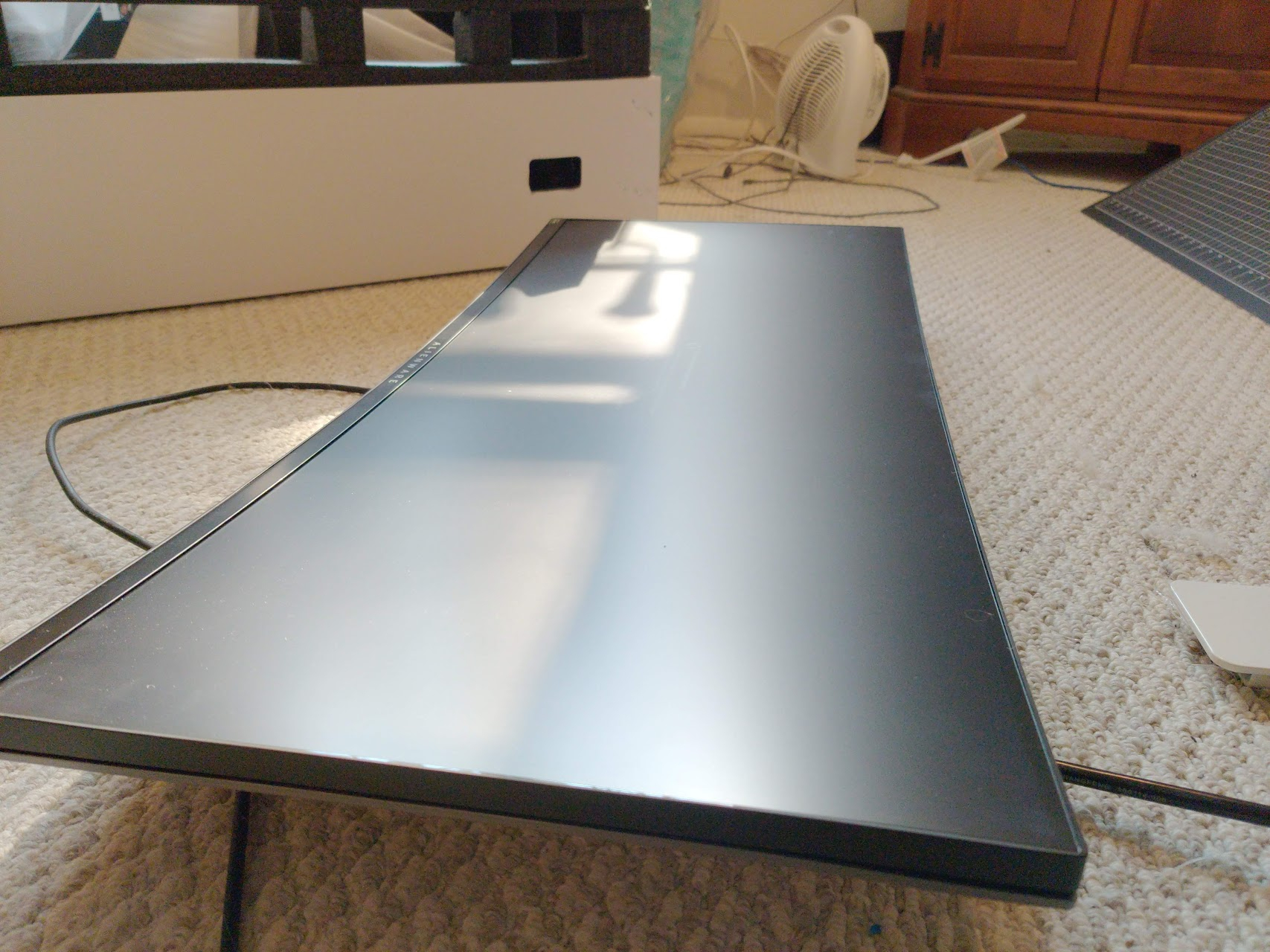
Hey I’ve been wanting to buy this monitor but the top right of the screen is cracked. I’m having trouble figuring out if it’s just the screen or internal damage. Since I can’t send photos in here I’ll just turn it into links
nvm
links don’t work
full moat
send the pictures to me in a dm @grand trench
grand trench
okay
full moat
on behalf of @grand trench https://cdn.discordapp.com/attachments/775796491892949012/775796512877445133/image1.png


 iron dragon
OOF
visual pilot
Looks like physical damage to me.
full moat
what display model is that supposed to be @grand trench ?
grand trench
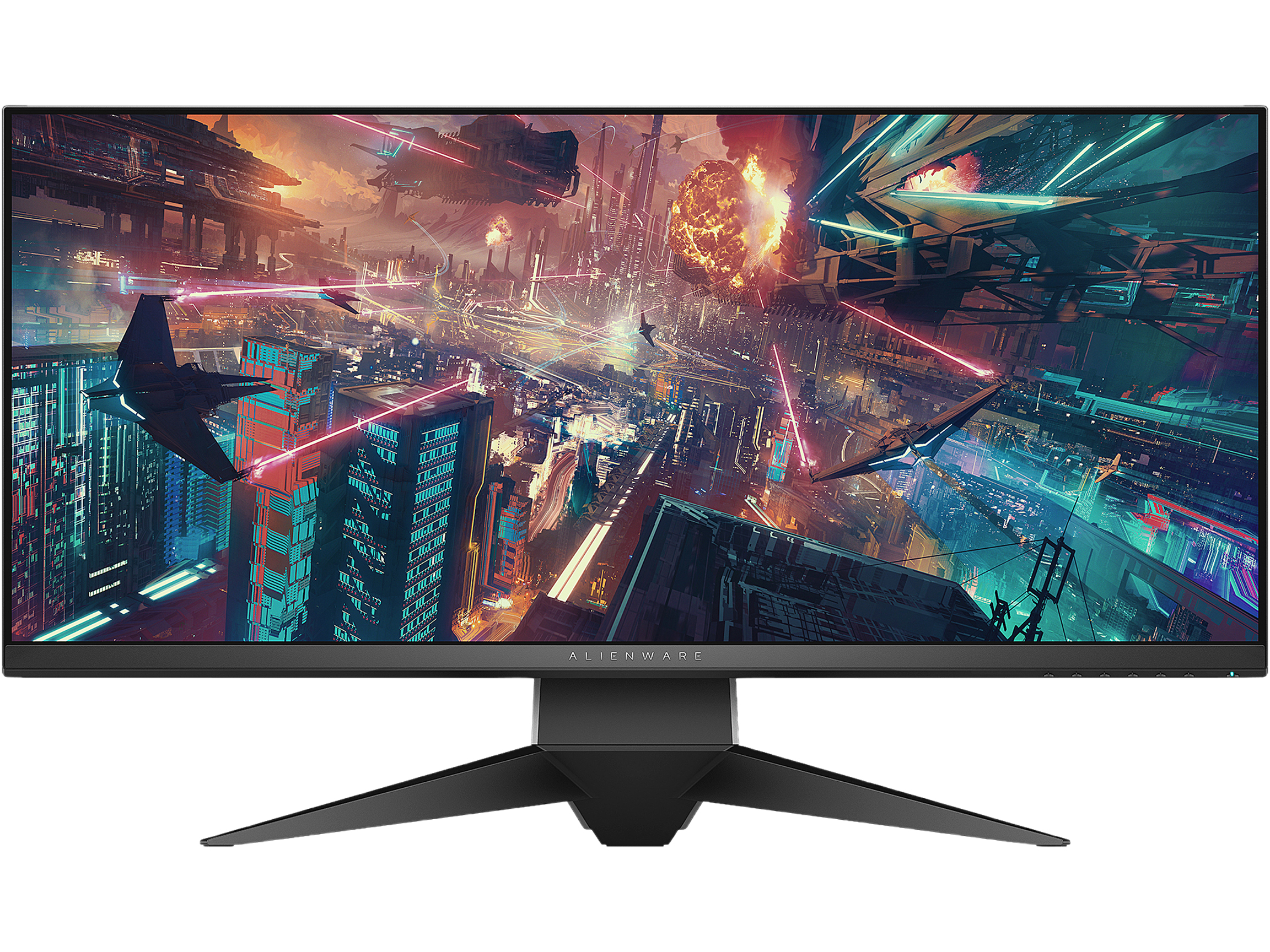
Alienware 34in AW3418HW
full moat
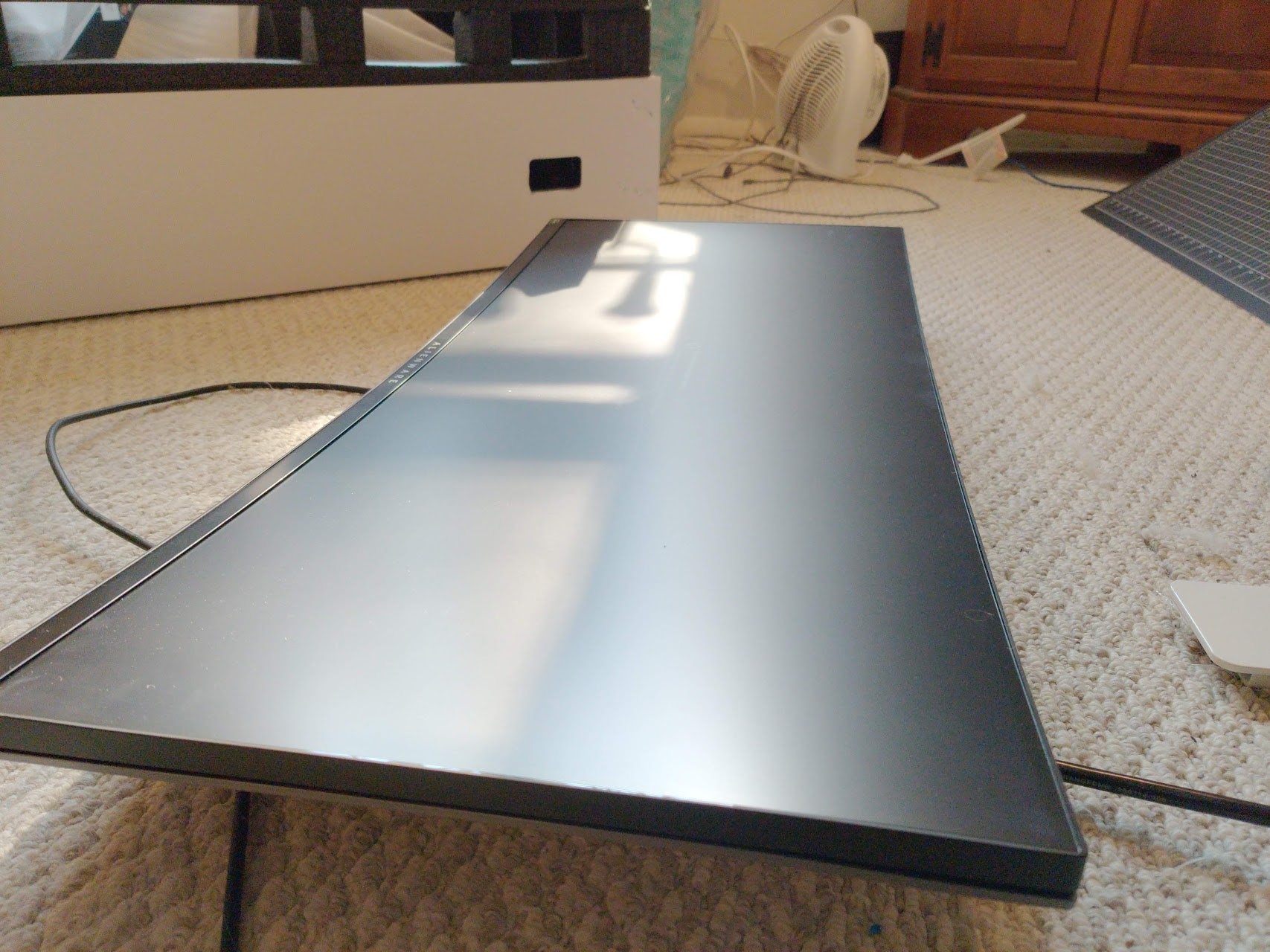 visual pilot
Product image here:
https:// c1.neweggimages.com/ProductImageOriginal/24-260-568-V01.jpg
full moat
shot of how that corner actually look
visual pilot
Naed got good image
full moat
on behalf of @grand trench https://cdn.discordapp.com/attachments/775796491892949012/775799414634840104/image0.png

 unique echo
best 144hz ips monitor under 200?
 undone yoke
msi optix g241 probably
 peak grail
 worldly mural
Anyone know a curved 30+ in 1440p 1ms G-sync 165hz+ monitor under 450
sage trail
why so big?
also, are you looking for any specific type of gsync?
theres this, but its 27 inch
its gsync compatible, but not gsync or gsync ultimate
 patent lagoon
Anyone have recommendations for a 55" Tv mount?
Like on Amazon or something
Don't want to just buy any
 late jasper
What is better? The Pixio PX277 or g27q? Or is there better options in that price range with the sales?
patent lagoon
@worldly mural $86
TV Wall Mount Bracket Full Motion Dual Swivel Articulating Arms Extension Tilt Rotation, Fits Most 26-55 Inch LED, LCD, OLED Flat&Curved TVs, Max VESA 400x400mm and Holds up to 99lbs by Pipishell https://www.amazon.com/dp/B07PMBDZ7K/ref=cm_sw_r_cp_api_fabt1_uPZQFbWHN3SZJ?_encoding=UTF8&psc=1
I was looking at this one
The max vesa of the TV is 300x300
terse mantle
is it better to get a 27inch 144hz 1440p monitor or start with a 27inch 144hz 1080p monitor and then upgrade later on? rtx 3070+5600x
thanks in advance^
 potent dock
anyone ever use a LG 27GN950-B 27 Inch. Just curious on thoughts about it. Thanks!
patent lagoon
@terse mantle 27" 1440p
kind bloom
fr
 coarse delta
Does anyone have a 1080p 144hz Under $200? (20-24”)
kind bloom
theres a crap ton like that
actually theres a nice one i know one sec
has freesync too
and ips monitor
coarse delta
Thanks
kind bloom
np
coarse delta
I just remembered, I have no money too even get a computer why do I even try?
kind bloom
lol
visual pilot
this is good tho
https://www.newegg.com/p/N82E16824737012
visual pilot
175$ ips
kind bloom
i was just lettingpeople know
visual pilot
g241 should have 350nits
 copper hemlock
guys which monitor? Check this out on @Newegg: GIGABYTE G27Q 27" 144Hz 1440P Gaming Monitor, 2560 x 1440 IPS Display, 1ms (MPRT) Response Time, 92% DCI-P3, VESA Display HDR400, FreeSync Premium, 1x Display Port 1.2, 2x HDMI 2.0, 2x USB 3.0 https://www.newegg.com/p/N82E16824012015?Item=N82E16824012015&Source=socialshare&cm_mmc=snc-social-_-sr-_-24-012-015-_-11112020 or Check this out on @Newegg: GIGABYTE G27QC 27" 165Hz 1440P Curved Gaming Monitor, 2560 x 1440 VA 1500R Display, 1ms (MPRT) Response Time, 92% DCI-P3, HDR Ready, FreeSync Premium, 1x Display Port 1.4, 2x HDMI 2.0, 2x USB 3.0 https://www.newegg.com/p/N82E16824012013?Item=N82E16824012013&Source=socialshare&cm_mmc=snc-social-_-sr-_-24-012-013-_-11112020
tame swallow
Top is IPS display bottom is not... bottom is VA
copper hemlock
yeah
kind bloom
do you want flat or curved
the top one has better colors
you do get a giftcard with both
theyre both great it just depends on what you want
flat or curved
nicer colors or not
165 hz or 144 hz
i think the 165 hz is after overclock anyway
copper hemlock
honestly i just want best value for my money
curved or flat deosnt really matter to me i think curved would be nice but i also have a flat monitor rn i want t otry a curved one at somepoin though
and i want good colors
@kind bloom
copper hemlock
ugh its hard to choose
 storm pawn
 wary barn
Friend recommended this as they have it, but I've also seen the g27q and I'm not really sure if it's worth the extra money for the lg or what the real difference is https://www.amazon.com/dp/B07YGZL8XF/ref=cm_sw_r_cp_apa_fabt1_cWcRFb73VH0PX?_encoding=UTF8&psc=1
 frosty hazel
sage trail
frosty hazel
sage trail
worth the extra 40 imo
what cpu and gpu are you using?
oh, you're using the 3600 and 2060
a 1080p 144hz monitor is what I and lots of other people use, it's pretty great for most games
frosty hazel
Thanks
I've been using a laptop for years but my HDD died so I am buying a desktop. Thanks for the recommendation
sage trail
yeah, just make sure to enable 144hz once you get the system up and running
default is always 60hz
frosty hazel
yeah i'll rememebr that
sage trail
nope 😎
thats 1080p @ 27" for ya
there is one thing you can do, however
push the monitor farther away from your face
boom smaller pixels
 inner oracle
Both
sage trail
or image editing
sage trail
this is back in stock
really cheap
works great
144hz as well
for only 30 dollars more
inner oracle
I’ve had bad experiences with non branded things
sage trail

we dont care about the company that makes the product here
all that matters is if its a good product
if this wasnt a good monitor for the price i wouldnt have suggested it
inner oracle
Ok then
Are the colors good?
Accurate?
And what about the viewing angles
Looks like a good monitor ngl
Might consider it
@sage trail bruh it’s a VA panel
sage trail
whats wrong with a VA panel?
also, yeah the colors and viewing angles are fine
not like that really matters
not like you would notice, even if they werent quite right
inner oracle
Hmm I’m really confused
I play Microsoft flight simulator and the game is beautiful
I don’t want to have a monitor that just screws up the colors
sage trail
its not like blues are gonna turn into purple and pink
sage trail
outside of real work that requires precise colors by professionals, the colors are perfect
did you read them?
inner oracle
No written reviews on Newegg
sage trail
the only people who bother to post reviews are the ones who just so happened to get a defective unit
inner oracle
That is true
inner oracle
That’s weird
sage trail
and there are written reviews
sage trail
as with any product, theres always a chance that the one you receive doesnt work properly, or doesnt work at all
inner oracle
HDMI?
inner oracle
Oh ok
sage trail
2x HDMI and one DP
inner oracle
Good I need 2
sage trail
perfect
sage trail
it goes oos often tho
inner oracle
?
sage trail
oh, theres two different listings for this monitor on wegg
this one has 3 one star reviews, but nothing written
so 3 people out of the many people who bought this, at worst, revieved a DOA unit
 nimble crane
i like baget
inner oracle
Oh
 warped wolf
Does anyone have a gud 1440p 144+Hz curved monitor suggestion under $400?
terse mantle
yeah theres actually quite a fee
few
Choose A Monitor - PCPartPicker
https://pcpartpicker.com/products/monitor/#X=0,40000&r=256001440&D=144000,280000&C=1
visual pilot
@warped wolf gigabyte G27q and M27q on Newegg
 tranquil tapir
 smoky smelt
i cant help but notice the scale of the monitor to the mini keyboard lol
 remote wasp
What is the best monitor for the 200$ below pricepoint? Must be 144hz, vesa support, not curve, ips or tn whichever is color accurate, 24". Currently looking at 24G2, need more recommendations. Thanks! (Please do mention me if you have recommendations)
 astral trellis
sus
 nimble cave
but the NOSTALGIA and the AESTETHIC
nimble cave
man you gotta get some sick scanlines on your ips panels
you'll need less vram and it'll oost performance!
remote wasp
@remote wasp
https://www.newegg.com/p/N82E16824737012
and
https://www.newegg.com/p/N82E16824475047
@visual pilot thank you.
 candid zinc
Question for you guys, how big of a difference is there between 1920 and 2560 resolution, cause I've been looking at monitors and theres a bunch of 1920 ones that have really good prices but I haven't been able to find many 2560 ones for a decent price
 cyan jungle
yeah thats because they're higher resolution
so theyre more expensive
but it depends on the size of the monitor and how close you are from it
candid zinc
Will probably be ~27 inch
Someone recommended 2560 is better for that size so I might just go with that
Black fridays soon I believe so should be some deals around
 loud swan
Im looking for some help making a decision, last night my Samsung C32JG50 panel died, flat out bricked, no power at all, and yes believe me i tried it all
so now comes my delima, im on the fence about which monitor id like to get next and ive narrowed it down to two, the Gigabyte G32QC 32" https://www.newegg.com/p/N82E16824012012?Item=N82E16824012012&quicklink=true
Or do i go with the Samsung G5 Odyssey, also at 32" https://www.amazon.com/gp/product/B08FF3HDW5/ref=ox_sc_act_title_2?smid=ATVPDKIKX0DER&psc=1
they are very similar in stats, samsung with the slightly better curve, gigabyte with the slightly better refresh rate, however seeing as im without a monitor until i can replace, shipping time is a slight tug for me, i can get the samsung to my place as early as tomorrow, however the gigabyte wont arrive until the "16th" more than likely the 17th, at best...
anyone have personal experience with either that would say really tug to one or the other?
 coral path
how to fix screen flicker when i have amd freesync on.
patent lagoon
my monitor says its extended but its not letting me open anything on the other screen
any help?
 proud leaf
open something on the first screen and drag it onto the second screen @patent lagoon
proud leaf
what's it doing
patent lagoon
then all of a sudden my cursor was on the second screen but wouldnt open stuff on my second screen
i can go live for you in the no mic
proud leaf
ok
patent lagoon
wait it wont let me stream lmao
proud leaf
lol
patent lagoon
what happened to all the voice channels ;-;
proud leaf
do you have an nvidia gpu?
patent lagoon
no im on a laptop
i got tho
thx
i had to make my monitor my primayr
*primary
proud leaf
i was gonna suggest that xD
patent lagoon
lmao gg
 viscid harbor
Looking for a recommendation for a new monitor for a build I'm planning: MPG341CQR, Odyssey G9, or 38GL950G (or other recommendations for 144+ hz, ultrawide curved) - gonna be running a 10900k and a 3080
patent lagoon
@viscid harbor get new ryzen 
viscid harbor
Was thinking about that but I’m planning to get a VRM bridge for the Maximus XII formula to watercool, I haven’t seen something similar for the new ryzen 9 boards for cooling yet
late jasper
Does anyone know if this is a good monitor? https://www.amazon.com/Acer-XZ270U-Pbmiiphx-Zero-Frame-Adaptive-Sync/dp/B08G8DFT1V
candid zinc
Will gtx16 series graphics cards be able to access freesync or will I have to get a gsync monitor
Or should I just not be worried about gsync or freesync at all
sage trail
just dont worry about it
pretty much all gtx cards can do gsync, and gsync can be done on any freesync monitor
candid zinc
Oh really
All the things I've read said it would only work for like gtx10 series or something along those lines
And also should I try find a 1440p monitor if I'm aiming for around 27inch
Cause theres some fairly well prices 1080p ones I could get atm but just wondering if I should hold out for 1440p
 stiff birch
Are there any good 144hz Gsync monitors that are around $200?
Preferably 24 inch, not curved (this is for a friend)
 slow swan
tame swallow
slow swan
tame swallow
For competitive gaming (call of duty etc.)should I go with 1080p and a higher refresh rate or 1440p for a lower refresh rate.
 eager sinew
Imo, you can’t tell the difference between 144hz and 240hz
 twilit hound
Is there a 240hz that stays around 250-280$ regularly?
 timid herald
1440p 144hz recommendations, GO!
 stiff birch
any 1080p 144hz recommendations with IPS?
stiff birch
Would you recommend an IPS panel? Or just any panel?
Also, in comparison to the AOC 24G2, is the G241 better? @visual pilot
stiff birch
okok tyty
 brisk magnet
Im looking to get myself a monitor for my build and i know literally nothing about monitors. My build will be a ryzen 5600x with a gtx 1660ti and 32gb of ram
visual pilot
Well, what do you do?
32gb of ram kind of indicates some sort of workstation task maybe?
brisk magnet
Bit of gaming and some basic internet usage. Looking for good bang for the buck
tame swallow
32gb of ram seems like a bit of overkill for gaming
visual pilot
@brisk magnet can you send me your list and budget? I'll edit and add in a monitor
brisk magnet
I already have all my parts except cpu display and peripherals
And i dont have a fixed budget just wanna know what monitors would be good for me
visual pilot
Welp alright
@brisk magnet 1080p144hz will do fine, 1440p144hz will be tough on your GPU but it'll last through a GPU upgrade.
brisk magnet
Ok
cyan jungle
16gb of ram couldve gone to a better gpu 
wary barn
https://pcpartpicker.com/list/XqFmDc thinking of doing a 6800 or even the xt version, looking for a 1080p ips monitor with 1ms and 144 or more any suggestions?
wary barn
taking a look
pretty good but i think at that cost it would be better to go for 1440 no
https://www.newegg.com/p/N82E16824737012 like is this good?
 hot forum
does anyone have recs for what i should be looking for if i want to find a decently cheap but stable monitor arm
im looking for a three monitor arm
but i want to make sure im not getting something too flimsy or annoying to manage
i found something on amazon for exactly a hundred dollars that looks decent but i was just wondering if anyone else had any experience
vivid ravine
looking for a $100~$250CAD monitor with g-sync and low ghosting
maiden wedge
I reliably overclocked my 60hz 4k tv to 165hz
dusky nebula
Life span 📉
maiden wedge
i have an old touchscreen lcd from a laptop should i sell it and buy a display or diy a display
vivid ravine
most "diy" displays dont really... work good, just buy one
maiden wedge
okay thanks
tame swallow
What’s a good 1080p 144hz monitor and a good 1440p 144hz monitor?
vivid ravine
gsync or freesync
regal rover
 hallow orbit
It looks good to me but I need to do some research on people that already have it to see if it has real world problems.
regal rover
ok
 supple plover
If I didn't dislike curved screens, I would probably get it. But that's me, so whatever 
 dim jasper
yea I get you
but I really want a 1440p 144hz monitor since I've never tried 144 and I only have a 60hz
want to see how much of a difference it really is
supple plover
That one can do 165, that's a good sale price. I've had my eye on this one from Pixio that's the same spec wise but isn't curved; oh and it's IPS instead of VA. Same MSRP more or less
Just not on sale
patent lagoon
@dim jasper definitely worth the upgrade
 feral igloo
are there any 2k displays for less than $300
maiden wedge
VX2478
feral igloo
I’ll look it@up, ty
patent lagoon
np
 solemn bronze
pixio px329 165hz
maiden wedge
Gigabyte G27QC / G27Q
 thorn panther
are IPS that much better than VA?
sage trail
not really
any modern IPS or VA will be perfectly fine
unless you are working with colors that need to be precise
modern TN panels are also pretty good, but are noticeably different
thorn panther
i see, thanks for the insight, because I've been reading how people are trashing on VA
sage trail
I use VA, its literally fine
thorn panther
that's interesting
maiden wedge
are used monintor a bad idea?
 compact cliff
Anyone know of a good 1440p 144hz monitor < $350
visual pilot
@compact cliff gigabyte G27q
compact cliff
Is the free sync premium able to work with a Nvidia gpu at all or will it not activate?
visual pilot
@compact cliff g sync compatible
compact cliff
Thank you Mr1111!
 mystic oracle
actually canm some1 link a good 240hz curved monitor
ig 1080p 1440p
doesnt matter
can be ultrawide
mystic oracle
its not for me its for a friend
gaming ig
he just wants a 240hz curved monitor
this is what i found
 velvet pivot
That's a 1080p tho
Link is crazy misleading >.>
If you're fine paying 500-700$USD, there is the G7, but I know it's kinda ridiculous
hot forum
does anyone know the reason some people don't like curved monitors
i've never used one myself but im looking into it and im hesitating bc i dont know why some people dont like using them
 pearl tide
I had one and I have no problems with them
I just had mine in a bad spot and it face planted on my desk and broke
brisk magnet
F
dim jasper
hey so is this a good monitor?
its on sale rn, but Idk if I wanna pull the trigger since black friday is around the corner
and this counts as a black friday deal I think
astral trellis
it has black friday price protection anyways
so if it does get a better sale, you'll get refunded whatever that sale adds
also, yes looks like a great monitor
dim jasper
is there any other good monitor like that one
on sale? or will be on sale? or should I just get that one
 worthy oak
@dim jasper as a headsup
it is a VA panel
https://www.youtube.com/watch?v=MqD2qqGxBfs is a good vid

In this video I discuss the pros and cons of TN (Twisted Nematic), IPS (In-Plane Switching), PLS (Plane to Line Switching and VA (Vertical Alignment) LCD/LED monitors for gaming and workstations.
With this information, you'll be better informed on which monitor you should buy...
https://www.youtube.com/watch?v=JIu5hBTYTqg for a second opinion

✅ Read full article ➡️ https://www.gamingscan.com/ips-vs-tn-vs-va/
⭐️ Subscribe ➡️ https://www.gamingscan.com/subscribe
A monitor's panel type dictates its characteristics, but which panel type should you choose?
There are IPS (In-Plane Switching), TN (Twisted Nematic), VA ...
sage trail

best for gaming?
tf does color accuracy have to do with gaming, especially when the differences are so minor
base your choice of monitor on other, more important things
worthy oak
they dont just explain what is the best for gaming, they speak about the properties of each type of panel and their disadvantages and advantages.
im assuming he is going to be gaming with it so i decided to go for more gaming oriented videos as it will apply to a more broad audience
much more gamers than content creators
and looks like you need to watch the video too as VA is a horrid panel for anything fast refresh rate because of their tendency to ghost etc, it can be good if it is a quality panel but there is a reason why VA is in lower end monitors.
sage trail
my 144hz VA panel is amazing
in fact, i use the literal cheapest 144hz monitor available
no ghosting, works great
imo, for most people, VA and IPS are identical, and TN is for cheap 240hz
maiden wedge
Probably alright
 wild coralBOT
 LiiTe#3625 has been warned
Reason: Bad word usage
maiden wedge
sigh
LiiTe#3625 has been warned
Reason: Bad word usage welp you guys enjoy the day :D-~
 sullen dock
maiden wedge
sullen dock
maiden wedge
thoughts on this monitor? its going for $330 usd on dells website
@sullen dock Looks good, but i believe you can find better prices for similar specs nowadays
 lean linden
Anyone know of a good 32 inch or more monitor that isn’t expensive as balls
visual pilot
@lean linden why 32in?
lean linden
Because big
fleet spade
if you want screen real estate, jus get one good 24 incher and another cheap 24 incher
visual pilot
@lean linden why not 27in
lean linden
Ah idk
 stoic scarab
why not a projector
velvet pivot
Why not the movie theatre screen?
stoic scarab
insanity
stoic scarab
honestly a good ol curved 27 inch is sweet
resolution and refresh rates up to u
I use the asus tuf..they have a 31.5 curved one but i thought its too much
buy used if firday sales arent good enuff for what u need
lean linden
Are there 4K monitors?
stoic scarab
weren't u on a tight budget
lean linden
Yes tight budget but I’m hopefully getting a 6800xt tommorrow so should have 4K with a good graphics card right?
 brave cipher
ultrawide or 4k sure
 steep ledge
Hello
I recently purchased Gigabyte M27Q which is capable of giving 170Hz. Although, I only see 144Hz option
It’s connected via HDMI to my laptop which has 1060
 covert solstice
@steep ledge it has hdmi 2.0 which only supports 1440p @ 144hz, you would need to use displayport to get 170hz
steep ledge
Oh ok. Didnt know that and didnt read it either on their page. Thank you
But my laptop doesnt have the display port although the cable came with the monitor
covert solstice
if the laptop has hdmi 2.1 you might be able to get a hdmi 2.1 -> displayport connector and that might run it at 170hz
steep ledge
Actually my laptop does have mini display port. Just saw it.
covert solstice
👍
steep ledge
So now i get mini dp to hdmi 2 and it will work?
stoic scarab
no..mini dp from laptop to regular dp in to the monitor
my laptop has a type c and no dp ports so i got a type c to dp adapter and then plugged dp to dp
to achieve 165 hz on my monitor
 mossy gull
hey guys i have a question, and im not the brightest so be gentle on me
velvet pivot
Ask away
mossy gull
so, i have a xbox series x
my monitor is the weird kuu 27 inch, it states its 4k and it works 4k on my pc
but it won't work 4k on my xbox
velvet pivot
Huh, that's weird
stoic scarab
what ls ur cable
velvet pivot
^
mossy gull
the cable my xbox series x came with
velvet pivot
Probably poo cable
stoic scarab
if he got the cable with the new xbox that shouldn't be the case
mossy gull
the monitor came with a display port cable
stoic scarab
hdmi 2.1 is what ur shooting for
velvet pivot
Huh. I don't really care too much for the consoles so eh
mossy gull
do you think thats the default for my 4k?
velvet pivot
But if that cable doesn't work for 4K, that's just dumb
mossy gull
i bought it off newegg
mossy gull
and their is nothing for customer support for them lol
stoic scarab
id have to say spend more money to buy a hdmi 2.1 but after ur sure that its the cable issuw
i dont see why it wouldnt work
unless they refurbished urs that would be hilarious
velvet pivot
I mean, does the cable have some naming on the cable itself?
stoic scarab
jk
nah i dont think so
they generic
try reading whts engraved on the tip
if anything
velvet pivot
It's the refurbished console from that dude who ran over the Xbox series X with his car
stoic scarab
mvut when i say generic that still should be shipped with whats advertised
aka hdmi 2.1
velvet pivot
yeah
stoic scarab
good luck dude
velvet pivot
If you're using headphones, get a displayport if your xbox series x supports that sort of cable
velvet pivot
ig maybe
velvet pivot
Dang
stoic scarab
no
mossy gull
i've never been more upset
velvet pivot
HMDI to displayport adapter
stoic scarab
hdmi to dp adapter then u use dp to dp
mossy gull
im not sure what you mean?
velvet pivot
A cable that has both DP and HDMI so you can use an HDMI cable and plug that adapter to a DP on monitor
mossy gull
right
stoic scarab
so i use type c to dp adapter then i used a dp to dp to achieve the 165 hz advertised speed
velvet pivot
No, an adapter lets you plug HDMI into the adapter
On one side of that adapter is HDMI, the other is a DP
stoic scarab
wait Senko
mossy gull
right so i need 2 display port adapters?
stoic scarab
u will need two things
stoic scarab
a full dp to dp
mossy gull
im really trying
stoic scarab
and an hdmi to dp adapter
stoic scarab
yea but the problem with this cable
ull need to plug in that usb to power the function
velvet pivot
Oh there is that
velvet pivot
Ye
stoic scarab
u plug in hdmi and usb
velvet pivot
ye
stoic scarab
to get dp out
velvet pivot
e
stoic scarab
just to make things clear for him
mossy gull
okay
stoic scarab
does the xbox come with a type a next to the hdmi
velvet pivot
Yeah, so what you'll need to find is an adapter that has HDMI to DP. You can send it in here and we'll help
stoic scarab
perhaps
mossy gull
what does a type a look like?
mossy gull
im very much bad at technology
velvet pivot
It should list Type A on website thinger
mossy gull
my pops used to do this stuff with me but hes passed away
stoic scarab
ow.....
velvet pivot
:(
stoic scarab
u didnt have to drop the bomb like that
velvet pivot
Well, never too late to learn
mossy gull
usb?
velvet pivot
USB
stoic scarab
yes its called usb type a
velvet pivot
Like what your usual phone charger has ig
mossy gull
yeah i got one
stoic scarab
great u can use the link he sent for the product of that sort
velvet pivot
:)
stoic scarab
and then a 1.4 dp to dp cable
mossy gull
so, is that the exact thing ill need?
stoic scarab
yup but only do that once ur sure that ur cable is not defective or what not
velvet pivot
Yeah
stoic scarab
which i find surprising
mossy gull
should i try using my hdmi 2.1 on my pc?
stoic scarab
ur package didnt look fishy?
mossy gull
or would it not support it?
stoic scarab
if ur monitor and motherboard supports 2.1 then yeah
mossy gull
how might i check that?
stoic scarab
ok i need to shower ill continue later if no one will help you
mossy gull
can i send you a friend request?
mossy gull
would i be able to pick one up from walmart or anything like that?
stoic scarab
best buy i believe not sure
send me that friend request and we can call get a better understanding
mossy gull
okay
velvet pivot
Think this is a good investment? https://pcpartpicker.com/product/6XPgXL/lg-27gl850-b-270-2560x1440-144-hz-monitor-27gl850-b
There is the regular IPS version for 400$, but is this good, or is there any other recommendations?
visual pilot
Gigabyte g27q
visual pilot
@velvet pivot also take a look at the gigabyte M27q for more expensive but more better panel
(still under 400$, but more expensive than G27q)
velvet pivot
Ah, so just something with somewhat better panel, higher refresh
visual pilot
Mhm, better color higher refresh rate
velvet pivot
Oh, that's p new
Surprising the G27Q is less than 300$
Well, 320$
But good enough
visual pilot
Dats why I like it :)
velvet pivot
:)
visual pilot
320$ 1440p144hz ips
velvet pivot
Time for me to wait for PCPP to update the newer one and for Hardware Unboxed to review it
I know I can put in an unlisted PC part
visual pilot
I remember the mag271cqr at 400$ for 1440p144hz VA actually being good
:p
Prices went way down
visual pilot
:)
 stone mica



 split anvil
This looks like the channel to hang out in during black friday huh ;)
visual pilot
:D
Panel upgrade time eh
if M27q drops significantly in price at all I will definitely swipe it
great panel from what I've seen
velvet pivot
ig so ye
dim jasper
do you guys think I should buy this now?
or wait for other discounts
rn I have a 60hz 1080p monitor so it will be a big jump
visual pilot
G27q is good
velvet pivot
Yes
wild coralBOT
 Senko-kun#9951 has been warned
Reason: Bad word usage
 thin junco
Anybody know of any good monitors for under 120USD?
Preferably 75Hz or higher and lower than 5ms response time
undone yoke
for like 20 more you could get a cheap 144hz monitor
visual pilot
undone yoke
or that
thin junco
Thanks!
 coarse salmon
that good 144hz and 1ms but you have to wait until dec. 2
maiden wedge
so
i have the odyessey g7
i want to run at 240 fps
but
my overwatch is for some reason only getting 60 frames when it was getting 250 before
sage trail
is it a consistent 60fps?
coarse salmon
vsync?
sage trail
sounds to me like windows things
visual pilot
Just windows things
sage trail
go to windows settings, click system, then scroll down to the bottom of the page
then click advanced settings
looks like this, it will tell you if your monitor has defaulted to 60hz
you can see mine is at 144
@maiden wedge
 terse heath
just bought that $115 monitor
visual pilot
Lol
coarse salmon
nice
terse heath
christams gift
 tidal finch
its in game
@maiden wedge check your in game settings to see if you have any form of V-sync on. If not and you’re running nvidia, check your monitor resolution setup, it sometimes (usually) defaults new monitors to 1920x1080 60hz res. If that’s all good, check if you have the nvidia V-sync setting active or G-Sync compatible.
@if you’re running AMD then idk lol
tidal finch
Then tbh idk. Id say just reinstall your display drivers and GPU drivers. If not I got nothing tbh
maiden wedge
Thx for trying
maiden wedge
What’s up guys, what would you all recommend?
- Two 1920x1080 monitors, 1ms, 75 hz
- One 32” 2560x1440 monitor, 4 ms, 70 hz
- One 27” 1920x1080 monitor, 1ms, 165 hz
All similar price around 300 EUR.
I know it’s a bit long but I’ve narrowed it down to these few and I keep getting different opinions
solemn bronze
try gigabyte g27
maiden wedge
The 27 inch one is that model actually
solemn bronze
or the pixio p329
maiden wedge
Spot on
worthy oak
@maiden wedge
Do you plan on getting a gpu upgrade?
1060 is struggling at new games at 1080p let alone qhd
Assuming you mean quad hd
terse heath
can a 1660 run two monitors at 1080p 144hz?
worthy oak
Yes
You will se minimal performance drops on your main monitor depending on what the second one is running
Which 1660 do you have?
worthy oak
If you mean two at once both gaming then that depends
worthy oak
If you mean one with like discord or a video
terse heath
one would have a game
worthy oak
Yea
terse heath
the other would have like discord or twitch chat or something
worthy oak
You will se like maybe a few frames lost if having a discord open
Twitch chat, if you have only chat and no video, should barely affect it
worthy oak
Do you know what the ports are on your GPU?
terse heath
i have 3 dp and 1 hdmi
worthy oak
Are both your monitors DP?
terse heath
i think so
worthy oak
Yep should work then
terse heath
the other one isn't here yet
worthy oak
Idk if your hdmi is the newer 144hz supported one but I’d assume so for a 1660
So you should be good
terse heath
it's this
and the other one
is this
wait i can't send best buy links?
whatever
the samsung crg5
 near heath
Does anyone have any reccomendations for a 1440p 144hz monitor below $400?
near heath
Thats actually pretty fire
Thank you gentlemen, I'll spec these out and pick the one I feel is best. Thank you for your time
terse heath
no problem
anyway
the issue with having two monitors for me is that i don't know if i have the desk space
terse heath
2 24 inch
and my desk is
uh
idk what its called
it's like a bunk bed but with a desk
terse heath
i really doubt that it's ikea
worthy oak
Well I would maybe grab a ruler?
Check the length of the monitors and then see if they will fit
worthy oak
Yea that’s always an option
They are pretty small though usually
Unless they’re high end
 pseudo heart
No worries it's alright
worthy oak
Yeah rather cancel it than have to send it back
maiden wedge
1060 is struggling at new games at 1080p let alone qhd
@worthy oak yes I plan to upgrade to a 3070
worthy oak
Oh alright sick
terse heath
yeah so i canceled it and instead bought some "portable" monitor
pseudo heart
I suppose you could have used a monitor arm or mount to have it float somewhere
but whatever works good for you man
terse heath
oh my desk's like the bottom bunk of a bunk bed
it can't float, there's a ceiling on my desk
pseudo heart
RIP
terse heath
yeah
supple plover
I'm thinking of upgrading to a high refresh rate monitor, any recommendations for 1080p?
 sick pivot
could you use your phone as a second screen for your laptop
supple plover
IPS for sure, it's what I've been using for a while
 half flare
Does anyone who knows or has had a AOC 24G2U know if the power and menu buttons are supposed to come with caps on them?
worthy oak
@supple plover well what’s your budget?
You can get a good panel with eh build quality for like 170 bucks 24 in iOS
pseudo heart
@half flare Looks standard
worthy oak
IPS
pseudo heart

 supple plover
Basically the best value for what I'm looking for, IPS 144hz 1080p uh yeah I mean 170 is what I've been seeing when searching. Just deciding on a specific monitor though
These are two I'm looking at 
worthy oak
I have the Pixio prime
I think it has slightly better color accuracy?
Though not sure
The pixio has smaller bezels which I like but
I think the stand is a bit better with the MSI
I think from the reviews the MSI doesn’t come w a DP cable so keep that in mind
supple plover
I see, yeah that might be the deal breaker then cause it's HDMI 1.4 the pixio comes with 2.0 so you could use either DP or HDMI for 144hz
Pixio it is
sage trail
according to the spec sheets for each, the MSI has better color coverage
and has better stand adjusting
covert solstice
check rtings
sage trail
oh good idea
covert solstice
okay neither of them are on there forget that
sage trail
rtings has neither of them
lmao
px248 does have better peak brightness
and it doesnt have internal speakers, which i would consider a positive
because no one uses those, and its just another audio device windows gets to mess up
nope
they both have speakers, how stupid
haha, nope, im the stupid one, i was looking at the wrong spec sheet, its the G241 that doesnt have speakers
 covert sluice
is this a good monitor https://www.amazon.com/AOC-C24G1A-Frameless-1920x1080-adjustable/dp/B08D3Y5PFZ
terse heath
so
sage trail
well, it wont be in stock for another month
supple plover
No wonder it's out of stock
terse heath
if you're looking for a 144hz monitor that's 1080p and you're on a budget, then get this: https://www.amazon.com/gp/product/B08FNQCS9Z/ref=ppx_yo_dt_b_asin_title_o00?ie=UTF8&psc=1
covert sluice
im acctually. looking for a 165 one
terse heath
oh
supple plover
I'm actually uh specifically wanting an IPS option
terse heath
oh yeah ok
sage trail
144 vs 165 doesnt make that big of a difference
its one of those nice to haves that shouldnt define what you are looking for in a monitor
terse heath
and what was ur budget @supple plover
sick pivot
hi guys im looking for a second portable monitor for my laptop what ones do you reccomend i need a cheap one
terse heath
supple plover
That is indeed one of them
terse heath
@sick pivot perhaps this https://www.amazon.com/gp/product/B089GP4KHM/ref=ppx_yo_dt_b_asin_title_o00_s00?ie=UTF8&psc=1
 vernal quartz
Can you guys help me I have monitor questions
terse heath
go ahead
vernal quartz
I’m a console gamer, looking for a monitor that I won’t have to replace when I go from my ps4 pro to PC/next gen console in the very near future
terse heath
ok
so, what's your budget
and how much do you care about top-of-the-line color fidelity
@vernal quartz i need you to respond if you want help
vernal quartz
$500 or so
terse heath
oh damn ok
so, give me a second
and that basically invalidates the second question
vernal quartz
Is that not enough? And is hdmi 2.1 a necessity?
terse heath
what kind of graphics card would you use
vernal quartz
Don’t rip me a new one but a 3080
terse heath
so many options doinmeafrighten
vernal quartz
Ithats a good problem to have
terse heath
@vernal quartz here's one option
i can get some more in a bit
i need to finish my stat quiz
vernal quartz
I was looking at those from my google searching
terse heath
ok
vernal quartz
But didn’t know the difference in all the sub models etc
terse heath
honestly I'm probably not the best guy to go to
if you want what's probably the best monitor on the market right now, then go for this:

Best Buy
Shop ASUS ROG Swift 360Hz PG259QN 24.5” Fast IPS LCD FHD 1ms G-SYNC Gaming Monitor with HDR (HDMI DisplayPort USB) at Best Buy. Find low everyday prices and buy online for delivery or in-store pick-up. Price Match Guarantee.
well best buy doesn't work but bitly to best buy works
weird
it's a bit over your target price range, but it's the fastest monitor on the market
vernal quartz
Prob an obvious question but will a monitor make a big improvement to my gaming experience even on my ps4 pro
terse heath
um
pretty sure the ps4 pro doesn't get super high refresh rates
so not a whole lot
supple plover
The most benefit will likely be just response time and image quality
vernal quartz
Nope it doesn’t - I’m ready to go PC
Been slowly assembling a list of parts last few months
terse heath
can we get a spec list?
also, i could put together a parts list for you
I know a lot more about actual computers than the monitors they plug into
dm me if you want me to
dim jasper
hey how good is an IPS panel like this one?
is it worth getting
?
also will there be any other good sales like this one? I personally don't want to buy from newegg bc of the return policy
 upbeat summit
should i get 1080p 240hz or 1440p 144hz
dim jasper
eventually it will be the modern way to go
upbeat summit
ok
tidal stump
If your computer can handle the 1440 I would say that’s better, not much of a noticeable difference between 240 and 144hz and unless you’re into competitive FPS games there’s no huge benefit, if at all
upbeat summit
what's the difference between g-sync and freesynce
sync
@tidal stump im building a godly and a bit cheap setup
with a hopefully 3080
so it should run it
tidal stump
G sync is for nvidia graphics and free sync is amd, although sometimes the monitor will support both even if it only lists one of them
upbeat summit
oop
tidal stump
I would go with a 1440p