#old-monitors-and-tv
1 messages · Page 38 of 1
 solar ginkgo
 proven salmon
Id recommed AG271QX
its usually out of stock but buying used isnt so bad if u can avoid shipping
 maiden wedge
is this guy going to play the ps5 lol
proven salmon
?
 rose citrus
i need a recommendation on a good but cheap 144hz 1080p gaming monitor at 27 inches
proven salmon
1080p 144hz is like 80% of the market
rose citrus
well i need one cheap and good
 hallow orbit
Do you recommend any G sync monitors that aren’t too expensive @civic igloo
maiden wedge
i just use a 1080p ips 75 htz and 1080p ips 144hz both 23.8 inch
rose citrus
also i need it reliable, something that wont give up obviously
proven salmon
most are
proven salmon
i have never owned a monitor of that type to i do not have one for u
maiden wedge
i need to verify my phone number but i dont have a number rip
rose citrus
@maiden wedge who are you even talking to?
rose citrus
thanks 
 fringe vapor
Thanks @visual pilot
 lone flare
Looking for a 1440p 144 hz 32 inch monitor
Just need a good one with good response times and such
G Sync
fringe vapor
Want it curved or wide thats usually what I see people go for on a 32in
And you got a budget @lone flare
 distant python
you can get a regular monitor and just turn the display @maiden wedge
 visual pilot
That's what he wants, not all monitors are on swivel mounts lol
 hidden mountain
what budget 144hz monitors do you guys recommend?
 patent lagoon
@hidden mountain what resolution?
hidden mountain
1080p or 1440p
visual pilot
And what price do you consider "budget"?
hidden mountain
under $300
visual pilot
There's like 1 1440p144hz monitor in existence under 300$ so might not be a good idea for 1440p, also depends on your GPU
hidden mountain
1080p is also fine
@patent lagoon planning 2070 super or 2080 super cause of out of stock 2070s
planning on updating monitor later when I have more money
visual pilot
Then I'd reccomend like a MSI G241 now
hidden mountain
i was looking into that one
visual pilot
And later you can grab a nice 400$ 1440p144hz panel
If you were planning to upgrade might as well grab a cheaper monitor that works well as a main and a secondary monitor
hidden mountain
yeah so you recommend the G241 for that purpose
hidden mountain
alr thanks
visual pilot
(was just saying you might not want to spend the whole 300$ into an expensive monitor if you were going to upgrade down the line anyways)
visual pilot
You're welcome
Keep an eye out for other monitor deals though, there are similar spec ones at around 180$ that could go on sale for cheaper
hidden mountain
cool
patent lagoon
ya just get something on the low for rn
why not just wait for 3000 series @hidden mountain
visual pilot
For GPU
patent lagoon
pretty similar i would hope
 covert solstice
brUH 2080 ti msrp
covert solstice
it went from 650-700-1200 for the fe cards 9xx-20xx
 faint lintel
what's a good replacement for my Asus VG278H that has FreeSync ?
 quaint mist
anything near it? Gigabyte/Aorus? Viewsonic Elite ?
lone flare
Looking for a 1440p 144 hz 32 inch monitor with good response times, g sync. Budget probably 400-500
 burnt cove
proven salmon
burnt cove
proven salmon
a 32 inch 1440p display is almost always an ultrawide monitor so is that what youre looking for?
 versed bridge
I've seen standard aspect ratios in that size
proven salmon
i said almost
lone flare
@burnt cove yea a lot of stuff
 tame cedar
@lone flare I mean if you want to go balls to the wall 240 hz but above budget there’s always Samsung’s g7 odyssey
 small bane
should i get a 144hz monitor for a 2060 s and a r5 3600
 deep fern
if you game then sure 144hz feels great. it probably won't get full 144 in AAA games at max settings tho, competitve games would be fine for sure
if you on 60hz rn i would get 144
small bane
is it that much if a difference?
The AOC 27G2 27" Frameless Gaming IPS Monitor, FHD 1080P, 1ms 144Hz is $207 atm
out of stock tho till 9/22
i am on 60 hs ips tho
deep fern
60 to 144hz is a huge difference imo, one good budget option is the msi g241
deep fern
personally i don't get 1080p above 24", pixel density very low
small bane
i think i could sell one and upgrade to 144
deep fern
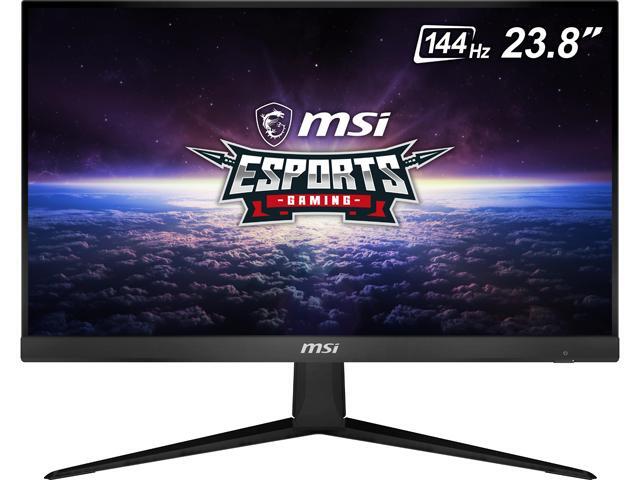
Buy MSI Optix G241 24" (Actual size 23.8") Full HD 1920 x 1080 4ms (GTG) / 1ms (MPRT) 144Hz 2 x HDMI, DisplayPort AMD FreeSync Anti-Glare Frameless Design Backlit LED IPS Gaming Monitor with fast shipping and top-rated customer service.Once you know, you Newegg!
small bane
that does look pretty nice ngl
maiden wedge
What's the value OLED? If there even is any yet, or at least something with really great local dimming
Or should I wait for value OLEDs?
quaint mist
I'm getting a QLED
fringe vapor
Looking for a 27in ips 144hz 1440p my budget is 500
No amd syncing
Currently looking at the omen 27i
Not sure if it’s goood
Which one is better the acer predator xb272 or the omen 27i
 mint brook
 wheat oracle
What’s a good wall mount for Check this out on @Newegg: MSI Optix MAG241C 24" (Actual size 23.6") Full HD 1920 x 1080 1ms (MPRT) 144Hz 2xHDMI DisplayPort USB 2.0 Hub AMD FreeSync Frameless Anti-Glare LED Backlit Curved Gaming Monitor https://www.newegg.com/p/N82E16824475017?Item=N82E16824475017&Source=socialshare&cm_mmc=snc-social-_-sr-_-24-475-017-_-08192020
 hot zephyr
Just noticed this on my monitor... is there anything I can do?
Looks to be a dead pixel with a bonus dark aura around it.
Going to leave jscreenfix on for a few hours.
hot zephyr
Nothing so far.. :/
Well that's rude. I restarted my PC and it's gone. Didn't even say bye.
 reef lava
Anyone here know how he mounted the two lower monitors like this?
 full moat
@reef lava split arm on a rail mount, or 2 separate arms mounted to the table
also, a fair amount of pivot-able monitor stands can lower the monitor that low
reef lava
Hm. Okay
full moat
IF you are trying/thinking about doing something similar. Remember VESA mounting points are your best friend :)
 graceful tree
anyone know why my 165hz monitor keeps setting itself to 100hz
using a radeon card
i set it to 165 and it just sets itself back
 dense karma
I'm having a problem with my monitor is there anyone who can help me?
 odd echo
whats up
dense karma
Idk why but my screen gets these green black and white lines when I enter fullscreen of a video.
It only started a few days ago but Idk if it's my computer's fault or my monitor's.
maiden wedge
Check this out on @Newegg: ASUS VG278QR 27" Full HD 1920 x 1080 165Hz 0.5ms DisplayPort HDMI DVI-D G-SYNC Compatible Asus Eye Care Flciker-Free Technology Low Blue Light Built-in Speakers Backlit LED Gaming Monitor https://www.newegg.com/p/N82E16824236994?Item=N82E16824236994&Source=socialshare&cm_mmc=snc-social-_-sr-_-24-236-994-_-08192020
Is this a good monitor? ( I know 1080p at 27" isn't the best but 27 Is the only size I can go with)
maiden wedge
I'm going to be using this for both my Xbox and PC once I build it and I know Xbox ones only get about 60fps will it casue my Xbox to be laggy in frames any sort of way.
?
versed bridge
No
maiden wedge
Ok thanks
dense karma
@odd echo Are you still there?
odd echo
yes. i just didnt check the channel again
my bad
it looks like other components are running fine, so i assume its a computer problem
have you tried updating your graphics drivers?
dense karma
Ah no problem I posted a picture of my monitor above.
Yeah I checked and all of them were updated.
I used intel driver assistant tho.
odd echo
what graphics do you have?
dense karma
Radeon RX 590 Series
Also the screen is only like that once I enter fullscreen but goes away after like a second.
odd echo
youre on windows 10 i assume?
dense karma
Yes.
odd echo
and if you dont trust me sending a direct download link, heres the website
try those
dense karma
Are those the graphic card drivers I need?
odd echo
yes
dense karma
Cause the PC was running fine for almost 6 months Idk why it started now.
dense karma
Alright hopefully this solves it.
Btw is there another channel I was supposed to use to find tech help because this seems to be a channel for monitor assistance.
dense karma
@odd echo Ahh nothing happened also I think I accidently downloaded the drivers twice.
odd echo
so that didnt fix the problem?
dense karma
Yeah the lines are still there.
 oak pelican
hey guys any ideas on how to mount this monitor
LG 24mp88hv
maiden wedge
Does anyone have this monitor? If so can you give me some feedback if this monitor is worth it or not? Alot of the reviews say after a few months there are dead pixels pleaseet me know if this would be a good monitor to buy for my PC
full moat
For any monitor purchase @maiden wedge, dead pixel warranty/return/replacement rights are something you should ask the seller (and depending on region, the manufacturer) about.
maiden wedge
Screenshot (Aug 20, 2020 10:17:43 AM)
@full moat I'm unsure what this means but this was on the warranty page on the monitor
 sand terrace
OH! That's new
So before... Newegg required that a screen have at least 5 or 7 dead pixels to be eligible for a return due to dead pixels.
Now... we've removed that restriction and you can return the item regardless of the amount of dead pixels your unit has! 🙂
maiden wedge
Ok thanks!@sand terrace
full moat
that return policy change is a good change (both for you @maiden wedge and for newegg as a store)
maiden wedge
Ok thanks
covert solstice
yeah they changed it a week or two ago
maiden wedge
Koo koo
 vital steeple
yes
 primal mortar
so i have a 24” 144hz monitor but i want to get another monitor for a dual setup and suggested size i should get or if i should get a curved or anything
proven salmon
@pastel cedar what are u looking for?
for what purpose?
is it workstation or gaming?
gotcha
so you’re prioritizing functionality/price over stuff like color right?
honestly idk
theyre practically the same thing and for the same price you should go with whatever seller you’re more confident in
 brisk acorn
The P2419H is a really good monitor actually. I use it as one of the monitors in my main setup. Its nice being able to change the height, tilt it, lower it and all that without a mount or stand.
full moat
@brisk acorn what enables you to do that is normally known as a ..... stand
so yes, you do have a stand :)
brisk acorn
I just said mount or stand since you can buy both
For 2 of my monitors they use stands, the other 2 use stands
full moat
and one of the benefits of most dell monitors is that they come with a full pivot stand.
 austere verge
Recently purchased a pair of ASUS24 EHE monitors for my new MacMini. They work separately but not together. One of the two remains black if connected as the second monitor - moving that monitor to the primary position blanks out both displays. Anyone have experience with this or have suggestions of what to try?
proven salmon
does your pc support multiple displays? some dont
austere verge
Yes, the MacMini supports two 4K displays or 3 of a lower spec if desired. There are 4 USB C connectors on the MacMini.
versed bridge
Is the monitor listed as compatible with a Mac?
I'll assume that the USB C ports support thunderbolt?
 upbeat crown
Hey all, what would be the best monitor for like under $200? idk if possible, but 144/120/100Hz and IPS display?
/would it be better to go for something like TN or smtn
deep fern
Msi g241
 rare mauve
so here's how it works...
analog displays have a bandwidth limit, and field limit
the field limit determines how fast it can refresh... and the bandwidth limit serves as an upper cap total through put...
Example
thats NTSC standard
see on the bottom how its got a pixel clock of 24mhz
thats the total limit
for arcade machines >.>
MOST PC monitors have a limit of 96mhz
(analog ones)
also i explained that partially wrong...
Let me sort of start over (this is all from a conversation in a previous channel)
Imagine you own a Samsung 900NF, if you google its stats it will say the following.
1600x1200p 85hz "Native"
V 160HZ (refresh rate vertical)
H 110khz (how fast the beam can move horizontal)
But it won't say the total BW limit....
so if we punch native into a calculator...
we get that
actually 241... but who's counting... its best to round sync rate to nearest 5
so... any resolution that does not surpass 160h 110v will work. (as long as it does not drop below 31 or 24khz)
so... lets say I want to do... 160hz, get max refresh rate...
1280x1024 is too high, so if i try the next lower standard res... I get 1024x768, plugging that in...
the pixel clock is okay, under 240... but the refresh rate under horizontal is still too high 😦
Sooo 800x600 is the best i can do at 160 on THIS monitor...
but i can still do 2048x1536 at 60hz
now that is overclocking the pixel clock... but it will take the image. the specs are... not always 100% accurate on the spec sheet
well usually the H/V are... but the pixel clock is kind of a guessing game
but unlike LCD you can jump around in resolution and test things, even if they are "overclocked" and you wont hurt an analog display
you CAN hurt a LCD though, so don't do these things if your using a modern display.
 whole dust
hey does anyone have any opinions on the Acer KG251QJ?
upbeat crown
Thanks so much guys! ❤️
maiden wedge
Dropped a monitor and it turned off and now not only that isn't working but my other one doesnt work either
proven salmon
were the monitors twins? this sounds supernatural
maiden wedge
Basically, i have a big TV and I use that, and I was going to use a second one for something else
Since the stand isnt there it slid off
It flickered and suddenly both wont connect
I have a feeling it has something to deal with the GPU ports being fried
 mellow bison
guys, i think i need to invest in a triple monitor mount, im tired of having to remove all my three monitor to clean around it, any suggestions ?
 tame swallow
What’s a good 144hz + monitor. No more than $400
proven salmon
i think monitors are cheaper than u think. u can get a good 240hz for under 400
 trail yew
1440p is where it gets pricey
maiden wedge
What about a 2k monitor ~27'', with 144hz?
whole dust
just looking for more opinions, $215USD for AOC 24G2 y/n?
proven salmon
new?
 granite field
Monoprice just got their 27" 1440p 144hz flat display back in stock. $250
I've got one already and was hoping to buy another but my partner talked me out of spending right now.
You can backorder a 24.5" 1080p 240hz Acer display on b&h for $270, but I'm not sure when that will come back in stock.
 mild solar
Having issues figuring out what monitor to choose for my new PC..
Could someone help me out with figuring out what monitor is right for me?
maiden wedge
Is it worth playing on a 144hz monitor if I'm getting lower than 144fps? Do I still see a benefit compared to 60/75hz?
And will I be getting screening tearing if I'm below the refresh rate? Had a problem on my laptop where I would get really choppy going much below 60fps
granite field
Depends how much below 144 your actual fps is
I play fps/competitive games on low settings to guarantee 2-300 fps
But I'll turn adventure games up to max and get 70-90 fps
In my opinion both look better at 144hz than at 60
But you're not getting a lot of benefit out of the display if you can't get your fps anywhere close
maiden wedge
Alright
And how helpful is stuff like freesync? I'm trying to limit my monitor budget so sticking with the most important things like refresh rate and response time
granite field
I didn't realize you could get a monitor without free sync anymore
mild solar
what monitor would be good with an Nvidia GeForce GTX 1650 SUPER (MSI Gaming X variant)?
granite field
I turn off the adaptive sync stuff because tearing bothers me less than the buffer/input lag.
I would say a 1080p panel Ash
Refresh rate is more personal preference. Do you want to turn settings up and get 50-60 fps? Or turn them down to get fps as high as possible?
maiden wedge
Sorry I didn't meant gsync
Since Im going to be getting an Nvidia card and want to know if the extra cost is worth
It adds input lag?
And do you guys use TN or IPS for gaming
granite field
IPS has caught up to TN with response time and refresh rate, but probably costs more (and supposedly looks better)
I use a TN panel and like it.
1080p is full HD (FHD)
To me the extra cost of gsync was never worth it to me, since I always planned on running above the refresh rate of the monitor any way. And yeah it adds like a 3 frame buffer to what is being displayed, which at 60fps can be noticeable
maiden wedge
Yikes. That's the whole reason I wouldn't want to use vsync don't see how that's better
So I'll just forget about it
granite field
I dunno what kinda GPU you have or what fps you're going for, but I would think that higher refresh rate or resolution would be a much bigger quality of life upgrade than gsync
maiden wedge
I guess I'm waiting for one of these 3000 series because everyone is telling me to do that instead of get a current one
I'm stuck between 75hz and 144 bc I don't know if I want to lower settings too much just to get 144hz constant
Especially if I play less than optimized games like escape for Tarkov
 sage trail
144hz isnt really that hard to hit, and framerate is definetly cpu bound as well
example, I have a GTX 1080, but cant hit 120fps in the new modern warfare with the graphics settings bottomed out due to my 3rd gen intel cpu
yet with the settings nearly maxed, i hit about 90fps
and i see other systems with a 1080, but a much more modern cpu, pushing nearly 300 fps
sage trail
intels a bad idea if your on a budget
if you got like 1500, and your literally only using the system for gaming, the 10600k is a compelling choice
maiden wedge
:/ that's what I said
But they say no ryzen better, just save up for a Better gpu with the money
sage trail
are you doing anything else that could be considered resource intansive aside from gaming tho?
maiden wedge
No
sage trail
whats your budget?
maiden wedge
I guess 1500 ish, I'm in Europe so it's hard to convert
sage trail
euros? pounds?
sage trail
idk any other currencies over there lmao
maiden wedge
Polish zloty
Just say it's around 1500
maiden wedge
I have my currency but when people ask me for my budget I'm not going to say 6000-7000 polish zloty
I'll say around 1500 US bc that's the conversion
And it's easier for people to work with
sage trail
also, its really hard to tell you what to get because component cost and availability is much different than here in the US
maiden wedge
We have most of the stuff here
sage trail
are there any local stores or websites you would use?
maiden wedge
I'm just pulling my hair out over the processor because I keep switching between Intel and AMD
I really don't want my stuff being bottlenecked by my cpu
Yeah I have one that has a good selection
sage trail
dont worry about bottlenecks
its about getting components that arent terribly unbalanced
maiden wedge
The logical choice for me is 10600k for gaming only, but everyone and their dog is getting a 3600 or has one
sage trail
tbh, i would suggest the 10600k, just depends on how much it costs in your area
maiden wedge
I was on here last night and was told to forgot Intel, just get a 3600 and wait for the new nvidias to come out and grab one of those.
sage trail
the 3600 is always a solid choice
maiden wedge
And I play on 1080p.
sage trail
there arent many differences between the 3600 and the 10600k, you would be paying about 30 dollars more for a decent bump in fps for a handful of cpu intensive games
like minecraft
sage trail
with RTX lol
maiden wedge
Whoa
sage trail
resolution is very GPU bound
if anything, it gives your cpu more time to think per frame rendered
so at 1080p, assuming your trying to hit 144 fps, you could get a 3300x and be fine
maiden wedge
Is that better than a 3600?
sage trail
no
its a 4/8 cpu, the 3600 is 6/12
but the single core performance is very similar
which is what most games care about
the 3600 is the more future proof option, as newer games will start to use more and more cores overtime
maiden wedge
I guess I'll wait to see the pricing of the Nvidia 3000 and make my decision based off my budget then. Because everyone is saying don't get any 20xx just wait a few days
sage trail
yeah
the new amd cpus are coming out later this year as well
but, it might not be worth waiting around for em
3600 is cheap enough, and intel wont have anything new for sale for a while
granite field
Pretty decent info there, I have a 9600k rather than a 3600 and I prefer Intel for gaming
maiden wedge
Yeah. 3600 is always praised for being the best all around cpu but all I do is play games
granite field
You will have to bundle cost of a cooler into your build, but the ol reliable hyper 212 tower cooler should be just fine on the 9600k
maiden wedge
I'm getting a 10600k if anything
granite field
Well, same story I think, no cooler included
maiden wedge
Yup. Should run decently cool with any mid range stuff right
granite field
It needs a cooler to run at all, so you'll need to budget that in
sage trail
i mean, tdp rating is 125w
so, the 212 would be pushing it, and it would be better to spend 20 dollars more on a be quiet or noctua cooler
basically, you would be paying at least 200 dollars more for a 10600k based system vs a 3600 based system
granite field
That much is true
maiden wedge
That adds up
maiden wedge
Yeah I already have the z490 gaming edge picked
Basically I have stuff picked from Intel and AMD I just don't know which to go for
granite field
Because of the strengths and weaknesses of each CPU Intel will be faster in some games but I would think the Ryzen would be faster in games that can utilize multi core CPUs
sage trail
both cpus are 6/12
sage trail
both systems would shred any game 1080p @ 144hz
granite field
Intel has had consistently stronger performance at 1080p for a while
sage trail
if your looking to go past that, like 240hz, i would suggest intel
maiden wedge
Yeah most games but some are rather poorly optimized and very cpu dependent
Like escape from Tarkov and stuff
That's what makes me worried about my cpu
sage trail
if your looking to do 1440p or 4k, you can get away with the 3600 just fine
granite field
Yeah at higher resolution the bottleneck shifts to the GPU entirely
maiden wedge
I'm doing 1080p for now,
granite field
Well not entirely but, you get what I mean
sage trail
would you consider a 240hz monitor? or are you fine with 144
granite field
Differences between Ryzen and Intel at 1440p or above are like 2% maybe
maiden wedge
144hz if at all lol. I was looking at 75hz earlier
granite field
I think you would have better experience using that $200 difference in a better GPU then
That's the difference between a 2070 super and 2080 super
maiden wedge
I mean. I heard if you want high fps in a lower res it's your processor that matter most. But everything is relative I giest
Guess
granite field
Or whatever the new cards are
So like csgo if you set everything to low at 720p and put a 2080ti in you would probably get 350 fps on Ryzen and 700 on Intel
But those are useless frame rates anyway
maiden wedge
My original intent was to get a current i5 or i7, as well as a 2070super, make sure my cpu is gonna be good for a long time. Then later upgrade my gpu if I need. But last night everyone told me nooo just get a 3600 and wait for the Nvidia 3000 cards
granite field
Both amd and Intel will probably be plenty capable of doing 144 fps on most games, but as tarkov is your main concern and I'm not familiar with how it runs I don't think I can help much
maiden wedge
Like trash lol
granite field
Lol
granite field
Yeah siding scale man I think I wouls save money on CPU for GPU and or storage
maiden wedge
That seems to be the general consensus
granite field
But if you wanna go the other way I won't fault you. I went Intel because I record audio and the input latency was lower so I could live monitor my guitar tracking.
Pretty much the only thing I was concerned with.
maiden wedge
Plus maybe if I got with a 3600 down the line I can upgrade to a 4000 ryzen if they turn out to be good
It will be still compatible with my mobo
granite field
Uh maybe
Can't absolutely count on that ever, but AMD is much better about that than Intel
maiden wedge
I mean they said it will be supported no
granite field
I don't know honestly
mild solar
Anyone know any good suggestions for a curved display that has G-Sync, is at least 27", is Full HD, is 75Hz+, and is 1920 x 1080, or better, and are sold at a good price?
granite field
Should be able to find pretty good stuff there
Pcpartpicker is pretty useful got monitors
mild solar
Does it give the ability to choose specs of the monitor(s) you're looking for?
covert solstice
yes
mild solar
Aight
mild solar
What would be a good aspect ratio for the price range I mentioned earlier?
sage trail
aspect ratio?
good luck finding anything other than 16:9
the only monitors that arent 16:9 are 1080p or less, 75hz or less
and are already quite a few years old
full moat
there are a fair number of non 16:9
they are not cheap thou
i would really like a lot more 16:10 panels thou
mild solar
Well Ima have to do this stuff on my laptop when I get time tomorrow, cause it wasn't that great on my phone, so..
whole dust
yo guys, so looking for more opinions  Acer KG251QJ (TN) for 195USD or AOC 24G2 (IPS) for 215USD
maiden wedge
Am I able to use a HDMI on a motherboard without a GPU to configure it
Or use something that I can use as a display
granite field
What's your CPU bulb
Blub
And @whole dust I assume those displays have the same resolution and refresh rate?
whole dust
1080p 144hz yes
granite field
@maiden wedge I ask because Ryzen chips (except the APU skews) don't have onboard video, so even though the Mobo has a port there will be no video signal.
@whole dust In that case I think you'd be happier with the IPS display I think, but brightness and contrast ratio both play a role in perceived quality so do you know the nits and contrast specs?
whole dust
not really
granite field
So the Acer display is brighter at 400 nits compared to 250 on the AOC
The AOC claims 2 million: 1 contrast compared to 1000:1 on the Acer
Hard to tell based on specs, HDR only kicks in at like 700+ nits I think
I defer to someone else's input or your own brand bias.
whole dust
honestly I'm not even so sure about colors wise
like I don't have much knowledge on it either
granite field
I have a TN panel and Im happy with it. I play fps games like overwatch and CSGO. I have not had much experience with an iPs panel
granite field
I think he would probably like 400 nits over 250 right?
full moat
depends on a LOT of factors that specs dont show
hence why reviews or hands on experience with monitors are key for selecting the right one
granite field
Since contrast ratio is still not up to HDR specs based on brightness anyway
full moat
neither of those models are HDR monitors
granite field
Right, I'm just not sure why the AOC boasts 2m:1 contrast when it's not very bright
full moat
keep in mind, a LOT of monitors come factory setup with a silly high brightness and contrast
because it makes them "pop"
it does not "need" to be very bright
a monitor is not meant to be used in a dark room
it is NOT a tv
yes yes, i know, gamers etc love to sit in a dark room and play games. However, that is not really the intent for a monitor
TV ? sure
monitor? no.
granite field
I can't game in a dark room
Every light on i can find lol
I play quick twitch fatiguing games as it is though, don't need excess eye strain on top of that
full moat
but on the IPS vs TN debate topic. It can be hard to explain, just like how it can be hard to explain the benefit of a SSD to a person who has never tried
sure, the numbers look nice.
but you cannot convey the "feel" of it
i hope that makes sense :)
granite field
Sorta, but which is better lmao
full moat
just like the ssd example. it depends on the use case
granite field
I know just about all the pro fps players are on TN panels, or were the last time they were interviewed
full moat
i value the colours from IPS
because i actually do other things on my machines than game :)
but, that does not make them unsuited for gaming.
granite field
But they are all endorsed too
full moat
and the IPS tech has evolved a LOT in semi-recent years
covert solstice
yeah i was gonna say that its usually sponsored so they cant pick everything
granite field
Sorry @whole dust I don't think we've helped much
full moat
it isnt something we can really "help" with as such
whole dust
I mean it's just yolo innit, 50/50
full moat
we can only talk about our experiences on it, and hopefully it gives enough context for @whole dust to make a choice :)
whole dust
after buying I can't do much but use it anyways
granite field
So I really don't think you're gonna be unhappy with either
covert solstice
||ips best no contest jk||
granite field
Have you ever used a 144 or other high refresh rate display?
granite field
So you're gonna be so overwhelmed by the sheer smoothness, you're not really gonna care about anything else
whole dust
hahaha true
granite field
I have first hand experience with both AOC and ACER monitors in the past year
Both of them had a dead pixel and we're returned to Amazon
full moat
not saying that is not relevant, but .... that is not really relevant
that is just mas production at scale
granite field
Yeah I just thought it was funny
full moat
sooner or later it is your turn for getting the dead pixel :)
i have lost count of how many monitors i have had pass across my desks over the years
granite field
I had one monitor develop a dead pixel, ordered an AOC to replace it, it had a dead pixel, and swapped it for the Acer, which also had a dead pixel lol
full moat
(with dead pixels)
granite field
Ended up with a monoprice monitor and it actually doesn't suck
whole dust
I can run 60hz and 144hz dual monitor display right
full moat
yes
full moat
you will most likely have to choose to use the GPU scaler (IF your games misbehave that is)
but, dont worry about that for now
whole dust
my friend previously had issues with the 144hz going down to 60hz when both monitors have something displayed
but I think a windows update fixed that
full moat
thats the issue i mentioned above :)
full moat
it depends on a bunch of settings and random luck
granite field
NVM I had two BenQ 120hz displays way back in the day and have either run 260 or 1144 since
Uh
Got syntaxed again
2 60hz or 1 144hz
 tranquil arch
maiden wedge
tranquil arch
maiden wedge
for 280$ no @mild solar acer sells another one at 1440p IPS 1ms 144hz for 350
mild solar
@maiden wedge So there's a monitor better than the one I linked?
maiden wedge
yes
mild solar
You know the name of it by any chance?
maiden wedge
https://www.amazon.com/Acer-VG271UP-FreeSync-2560x1440-Widescreen/dp/B07NFK9XST/ bought one on the 24th
good monitor
tranquil arch
@maiden wedge how is that vs the one I linked?
mild solar
It compatible with G-Sync?
maiden wedge
only freesync
@tranquil arch i can't tell if the one you linked is IPS or not so if that one is TN if you like the better color the one i linked is better
tranquil arch
Says it's a VA panel, idk what that means
mild solar
Oh
Well.. any good ones that are compatible with G-Sync, curved, and have the specs the one you showed has?
maiden wedge
the one crazy looks good it has gsync compatibility just isn't IPS VA panel is just a medium between TN and IPS
IPS looks nice and VA is better contrast and refresh
tranquil arch
Ight cool ill keep am eye on it for a sale then. So its kinda a middle ground?
maiden wedge
its a good middle ground between TN and IPS yes if you want the Gsync and 19 hz higher refresh rate for 30$ cheaper its a good monitor @tranquil arch
tranquil arch
@maiden wedge thats good to know, I'm waiting on the new GPUs/CPUs to come out before I finalize the new build so I'll keep an eye out on both. If I end up going with AMD like planned your is probably the better choice. I'd imagine it's easier to hit 1440p at 144hz then 165 anyway lol
mild solar
So the one I sent looks good.. but the panel type isn't the best...
maiden wedge
it has higher response lower res and is a VA panel so its not too bad
its mainly just the res difference
mild solar
How bad is the res, and the fact it's a VA panel
tranquil arch
Me or ash?
maiden wedge
ash
tranquil arch
Ok, also it kinda expected that the big navi can run 1440 at 144hz right?
maiden wedge
anything past a 2070 super yes so essentially every new gpu coming out this year or in 2021
mild solar
I have an Nvidia GeForce GTX 1650 SUPER Gaming X(MSI variant)
maiden wedge
if you're not planning to upgrade don't get the 1440p its not going to run past 60 fps ash
tranquil arch
@maiden wedge ight sweet ill keep am eye out on the prices of these guys then and see what happens.
Ty sir
mild solar
@maiden wedge I am planning on upgrading my GPU later on
maiden wedge
yeah just the 1440 then
mild solar
So get it?
maiden wedge
yeah
mild solar
The one you linked, right
maiden wedge
yeah
 civic roost
Need docking station suitable for my MacBook Pro 13 Inch, Model: A1989, that supports dual monitor with extended screen capability. Not mirroring the same display on both screens . also, need ether port , audio and few USBs, and card reader on the dock. see if you can help.
 willow hemlock
you dont need it :))
maiden wedge
I need the best 1080p 144hz+ 32" widescreen monitor any suggestions?
granite field
You mean like 16:9 or ultra wide?
Because pixel density of a 32" 1080p 16:9 display would be getting pretty sparse
I think it may generally be hard to find such a monitor, you'd likely find a 32" 1440p display for the same or less money, just because they would be more available.
But go to pcpartpicker.com and search all the monitors that meet your specs
 spice acorn
LG 27inch 27gn750. 244 hz
best for value imo while sill being a top display and features.
tranquil arch
@maiden wedge that monitor i linked earlier is on sale for 280 rn is that a good price?
tranquil arch
https://www.google.com/amp/s/www.newegg.com/amp/p/N82E16824012013
Good monitor to pick up for 280? Even if I'm waiting for a new gpu?
visual pilot
Yes
tranquil arch
Ight cool ty Mr 1111
visual pilot
<300$ is really damn nice for a decent 1440p 165hz VA panel
I would love to be able to grab that now but no reason to without a new GPU, and I haven't decided if I wanted a new GPU yet :(
 fading pivot
I got a ryzen 5 3600 and an rtx 2060 super, will I he able to run 1080p 144hz?
fading pivot
Let's say generally any modern game(cod mw, etc), medium to high settings
And the new Microsoft flight sim
maiden wedge
Hello
proven salmon
open world/br games require a ton of rendering and they will drop fps like crazy
hello
 native quartz
need a 1200r curved 1080p monitor google isnt being helpful
granite field
That's a tight radius
 cinder sleet
anybody have a monitor arm suggestion for a 49 inch ultrawide?
whole dust
aye yo guys is $185USD for a used aoc 27g2 a good deal?
apparently 2 months used
or should I just get a brand new AOC 24g2 for 215USD
granite field
I'd be wary about buying something like that you can't return.
I bought a used monitor once that developed a dead pixel a few weeks later and there was nothing I could do about it
 dusky magnet
I kill the pixels and make my own built-in crosshair
tranquil arch
@maiden wedge you got any other recs the stupid monitor sold out as I bought it
maiden wedge
nah idk
tranquil arch
Damn im pissed rn
full moat
drunk purchasing of parts is not a recommended action.
tranquil arch
https://www.newegg.com/black-nixeus-nx-edg27-v2-27/p/3D4-000B-00003
Anyone know if this is decent?
tranquil arch
 rapid kayak
@tranquil arch both look pretty iffy, the lg 27gl83a-b on amazon is a good deal, unfortunately it’s out of stock atm, but when it’s in stock it’s 380
granite field
Monoprice dark matter 27" TN 1440p 144hz.
Hard to beat it for $250 if they still have it.
visual pilot
Sassy there are for UW
maiden wedge
240hz
visual pilot
I've seen 200hz 1080p UW monitors before
visual pilot
lemme just make sure I'm not crazy
maiden wedge
MSI Optix MAG272CQR 27.0" 2560x1440 165 Hz Monitor
a good monitor
its 600 CAD,450 USD
visual pilot

Buy ASUS Republic of Gamers Swift PG35VQ 35" 21:9 Curved 200 Hz G-SYNC VA Gaming Monitor featuring Vertical Alignment (VA) Panel, HDMI 2.0 | DisplayPort Inputs, 3440 x 1440 Ultra WQHD Resolution, 2500:1 Static Contrast Ratio, 500 cd/m² Brightness, 178°/178° Viewing Angles, 2 m...
sage trail
huh, yep
maiden wedge
if the 240hz is out of my budget
sage trail
200hz
maiden wedge
i will go down in hz
sage trail
maiden wedge
ik
tranquil arch
@rapid kayak what about lg 27gl850?
 glossy seal
is pixio a good monitor brand?
covert solstice
mine works great, had to rma it but they were pretty good about that and only had to pay shipping fees one way no questions asked
but 
glossy seal
I'm sorry, what's rma?
covert solstice
return merchandise authorization
glossy seal
oh nvm sorry
covert solstice
part of the panel was dark :/ but the new one is working good
proven salmon
personally i buy refurb monitors and i feel that theyre more worth it
u get a high end monitor for a mid ranged price
glossy seal
I've considered going that route, but my friend is offering to sell me his 27 inch pixio monitor for $170, which is why i asked if they were any good
covert solstice
what model?
glossy seal
it's a px275h
covert solstice
oh ya thats solid for 170 if youre looking for a 1440p ips panel
or just in general for gaming
glossy seal
yeah it'll certainly be an upgrade from what I'm currently using, but idk if I should go for that or the monoprice monitor that johnrob posted about
covert solstice
the pixio has better color and is cheaper by $80
the monoprice has a slightly faster panel and is 50hz higher
up to u which is more important
glossy seal
alright, well ty very much
 fathom crystal
hey so my monitors won't display anything unless I restart my PC, and even then they go blank after about an hour. help?
fathom crystal
i feel really dumb rn yeah
my pc was just asleep
moved my mouse and it worked just fine
full moat
at least it was "just" that @fathom crystal
granite field
Hey @glossy seal you might wanna check if that monoprice monitor is even in stock first. They get sold out p fast
glossy seal
oh ok, thank you!
small bane
What’s a good 144hz monitor under $200
sage trail
tranquil arch
Anyone know if the y27q-20 is good/reliable? Mostly for gaming (fps, jrpgs, rpgs, MOBAs and some MMOs) and watching YT/twitch content
 pale depot
Any good ultrawides with decent response time, refresh, resolution, and color under $500
i want response time at least 5ms, response time at least 100hz, resolution 2560-1080p and up and va or ips
 fresh blaze
Anyone have recommendations for a monitor, currently looking for a 2560x1440p 30+ inch 144hz+ curved monitor with g-sync and low response time
 narrow rock
Oh well I have only a 1360x768 TV cuz ya know
 whole sorrel
tame cedar
whole sorrel
tame cedar
@fresh blaze I mean if you want to spend 800 usd there’s the odyssey g7 240 hz 30 inch curved
 junior cipher
I've been looking to upgrade from 1080p 240hz to 1440p 144hz any recommendations?
I was thinking of the LG 27GL850-B but idk if there's a better one around the same price
 heady hare
hey guys, requesting help on deciding on a monitor 24-27 inch that would be decent for home use and that is less than 200 CAD preferably and one that is curved.. any suggestions?
what are your guys thoughts
thinking benq or msi, I've had great experiences with both, just unsure what model to settle on
 twin oak
lots of monitor prices have gone up recently
also what refresh rate do you want @heady hare ? 120hz 144hz
heady hare
144 preferred
visual pilot
look around 200cad
visual pilot
that's usd
twin oak
yeah ik
but look at the prices for under 200 cad
theres one viotek monitor
thats not rlly good
visual pilot
DONT BUY THIS but example of smth close to 200 cad
https://www.mikescomputershop.com/product/9848447
twin oak
ik its 35 bucks over
heady hare
i mean it's fine if its a bit over... under 250 preferrably
twin oak
ok the one i chose out should be good
twin oak
with shipping itll cost under 250 cad
visual pilot
G24c is a nice monitor, I got a g241c, basically same thing
twin oak
rlly i thought it was out of stock
twin oak
forget everything i said and listen to mr1111
heady hare
oh yeah? i was considering a g24c
twin oak
its a great monitor and it often goes out of stock
visual pilot
gimme a sec
heady hare
which of the these 2 g24c would you get.. they seem to have the same specs to me other than the stand
visual pilot
heady hare
 is great :D
 heady hare
the 2 links i provided are both of the g24 monitors.. they have different stands obviously but other than that.. what's different?
visual pilot
Same thing, different website
You see how it's Newegg.com and Newegg.ca?
one ships from the US and the other Canada
heady hare
oh true hahaha
heady hare
sweet will do
what do you guys use to elevate the monitor, what would that be called..
heady hare
like it's not the arm im thinking about, its the thing that you put under the monitor stand which elevates the monitor
visual pilot
Oh sorry I don't know
tranquil arch
Anyone got any thoughts on vg27aq? I picked up a dell s3220dgf yesterday but returned it, it was a little to big and I didn't love the curve
visual pilot
Spec wise, pretty nice
tame swallow
What do you mean spec wise? Like what would you say isn’t good?
visual pilot
I mean I don't know about build quality, or the reputation of the model, that kinda thing
visual pilot
I'd grab first one because Asus and cheaper lol
tranquil arch
@visual pilot ight its more then I wanted to spend but it ended up between that and just settling for the aoc cq27g2 1440p
visual pilot
Fair enough
vg27aq is a really nice monitor tho, it is quite expensive because of that, maybe a bit too expensive
tranquil arch
Yea ill probably end up just doing it tho. Im gonna be doing a pretty fairly high end build i would really hate to feel like I wasted money by having a bad picture with a high end GPU
tranquil arch
@visual pilot would you happen to know how a return would work thru Amazon if I ended up with dead pixels in that monitor? Would I kinda be forced into buying the replacement plan?
visual pilot
I'm sorry but you'll have to look into that yourself, I just know as an example Newegg has a good dead pixel policy where they'll refund/replace your monitor if there are any dead pixels
tranquil arch
Ok that's super useful! Thank you ill prob just try to stick to them
visual pilot
Their policy used to be like at least 6 dead pixels, but now any dead pixels and you can likely get a return
tranquil arch
Oh sweet ok that's really nice to know incase I end up going for the asus, there's a vx2758-2kp-mhd that is like 250$ cheaper that I'm looking into also
 slate hamlet
😤
 silk vigil
Dude dead pixels suck
 foggy wedge
do you guys have recommendations for monitors my use is for gaming and streaming, (2k, 144hz, ips panel)
feels like theres a lot of options, but i really have no clue as i get so many different responses
 agile crypt
^^^
 quick orchid
is the MSI Optix G27C4 a good monitor?
tranquil arch
How much do you guys trust hardware unboxed reviews? I just watched one on the asus vg27aq and it didn't didn't look to perform to great
visual pilot
I trust rtings a lot as they do very in depth reviews, take a look here.
https://www.rtings.com/monitor/reviews/asus/tuf-vg27aq

RTINGS.com
The ASUS TUF VG27AQ is an impressive 27 inch, 1440p monitor with excellent gaming performance. Thanks to its IPS panel, the image remains accurate at an angle, b...
Personally I don't watch, know, or care about hardware unboxed lol
tranquil arch
@visual pilot yea it seemed like they do a very good set up for testing. I was very impressed with that one until I watched HU video
fresh blaze
Thoughts on aoc agon ag493ucx?
 languid tangle
Best gsync panel under $300?
 crimson heath
any reviews or thoughts on the LG 27GK750F-B monitor? thinking about getting it but not many reviews I can find online
maiden wedge
Check this out on @Newegg: ASUS VG278QR 27" Full HD 1920 x 1080 165Hz 0.5ms DisplayPort HDMI DVI-D G-SYNC Compatible Asus Eye Care Flciker-Free Technology Low Blue Light Built-in Speakers Backlit LED Gaming Monitor https://www.newegg.com/p/N82E16824236994?Item=N82E16824236994&Source=socialshare&cm_mmc=snc-social-_-sr-_-24-236-994-_-08312020
Thoughts?
 inner tree
Am getting 5 1080p 60hz monitor and a 4k 144hz monitor. I want my rtx 3090 to power the 4k monitor (when I get it obviously) and my 2080 super to power up the other 5 monitors, so I can let my 3090 just use all of its resources on the 4k monitor. The 2080 super only has 4 outputs, I either need a HDMI or DisplayPort splitter (the monitors only use HDMI, not DisplayPort aside from the 4k monitor).
What adapters would you guys suggest? I need either a male display port to two female HDMIs, or a male hdmi to two female HDMIs. The female HDMIs will need to both output enough for 60hz obviously
inner tree
MST hub?
full moat
Multi-Stream Transport
its a hub for displayPort
where it (the hub) splits the signal, so you are running 3 monitors from a single displayport
inner tree
Oh, because I already have 2 DP's to HDMIs for 2 of my monitors currently, just using a HDMI to HDMI for the other (currently only have 3, my setup is incomplete).
full moat
is there any particular reason you want to use the 2080S in that way (that you outlined above)?
full moat
that one looks like a direct mirror hub
inner tree
.-.
full moat
and their text is contradictory
inner tree
Wouldn't a USB-C to HDMI work?
full moat
only if your mainboard supports routing that particular info across the chipset
inner tree
I believe it does
inner tree
Does just the motherboard need to support it? Or must the CPU have iGPUs?
full moat
Currently, you are asking 3 questions in 1
inner tree
Aren't I talented?
full moat
yes
 bitter stream
as long as the gpu and screens support display 1.2 don't go spending more for no reason
granite field
I've never heard of running two different cards in non SLI before
Does that even work?
visual pilot
@granite field it does, just can't pool the perf
granite field
Gotcha
covert solstice
thats called multi gpu, it helps some workstation tasks
 neat pilot
Was wondering if someone could tell me what they're thoughts about the pixio px278 1440p TN monitor vs their px277 1440p ips monitor l? I see the px277 is 300 from Newegg and the px277 is 330 from Amazon. Didn't know which one was better or if there was a big difference between the two if I'm looking to spend the extra hundred to go from 1080p to 1440p since their 1080p monitor is 200 all 144hz thanks for the info
visual pilot
IPS is better :D
neat pilot
Okay for gaming or for better overall color?
twin oak
overall color
twin oak
whats ur budget
also monitor prices are really high atm so you might wanna wait some time
 compact mango
yeah i noticed lol probably 200- 250
 barren knoll
Whats a good curved monitor that won't break the bank, im running a 1080. I can't decide
compact mango
yeah im lookin for something a lott cheaper lol
compact mango
im not sure
twin oak
ik u said good color up above
which is why i got an ips panel moitor
ips has better color at all angles
while tn isnt as good at that
compact mango
well thanks for the help im probobly ganna wait untill i find a good deal
compact mango
okay ill look at it
 fallow frigate
if your in the usa and have a sams clubs membership they have a 27" for arround 100
fallow frigate
i was a bit off its a 24 for 130
 wild coralBOT
 GonzoBlue#2065 has been warned
Reason: Bad word usage
fallow frigate
it has served me well for most stuff
fallow frigate
I should find the monitor first before i try to recall from my memory
twin oak
yes, you should
 reef umbra
guys would ya'll return a monitor if it had a pinky tip sized bright spot
maiden wedge
yeah because I dont want a broken pile of gash, I want the real deal without any issues
 hexed wave
Anyone have a good 144hz monitor they can recommend ?
barren knoll
want to set my xbox up next to my pc and might stream. Looking around 300$ range.
twin oak
for a monitor?
@barren knoll
if 144 hz is fine with you than get the MSI Optix MAG241C
though for streaming you'll need double monitors
so get a 60 hz one for chat
any 60 hz monitor should do
 crystal notch
Do you think it would be a good investment to just use a Lepow Monitor for that, and use your main monitor for playing? I'm planning on streaming switch, PC, and VR with my Elgato HD60 S once I build my PC
Also, Dos anybody know of a 144hz or similar monitor that has good adjustments for height and whatnot?
Most monitors are just, a 'V', and no adjustment
visual pilot
what budget, what res
visual pilot
That too, but people do like built-in stand adjustments
full moat
whatever else the monitor has as specs, just get one that has a vesa mount and you can have it bob to the music if you want
crystal notch
ha
I'm thinking of a monitor that doesn't surpass $250. and/or a stand that can be added to a good monitor w/ a bad stand
visual pilot
@covert solstice go link one, I'm not familiar with vesa arms :P
covert solstice
gaming?
visual pilot
and I'll go link G241 hehehe
covert solstice
yeah lemme pull up the one i got
crystal notch
k
covert solstice
crystal notch
Damn thats a shmexy stand arm
visual pilot
maybe this
https://www.newegg.com/p/0JC-004Y-00021
crystal notch
For monitor specs, I am unfamiliar with what exactly are 'Freesync' and 'Gsync' are, but I am perfectly fine with a monitor as low as 120Hz to 144Hz 1080p
also, I dont think I need a curved
but is always a cool feature
visual pilot
I mean it's same price as flat so why not
crystal notch
ye
I really like that one
I saw another one that allot of people favored, but I know its in-demand since the pandemic
lemme find it
it was the AOC 24G2
visual pilot
the G241 I mentioned before is the MSI G241, pretty good for 190$ 144hz ips panel
but sold out
crystal notch
what about that voitek thing? is that a brand or a model?
visual pilot
viotek brand
covert solstice
yea
visual pilot
the panel is just cheaper as of now
crystal notch
I havent done much research into monitors after being caught up in the main research for a PC build
cool ill look into it
visual pilot
IPS>VA>TN Is about as much as you need to know before diving deep into the rabbithole
crystal notch
will that Viotek GN24CB work with the armstand @covert solstice suggested?
theres no pictures of the back of the monitor you sent or aything I know to know if it works together
covert solstice
yes
visual pilot
I love Newegg specs page
covert solstice
ur good
visual pilot
says everything you'll need
covert solstice
75x75 is interesting tho i thought it would be 100x100
visual pilot
it works ¯_(ツ)_/¯
crystal notch
okei
The build I'm planning rn has a color sceme of gunmetal black, white and red accents; most monitors puke R E D on the back and call it a day. Black, grey, and silver accents I feel should just be the monitor norm
my must my gaming be r e d
anyway, thanks for the advice on what stuff to look at👍
 woven garnet
Finally posting in the proper area. Could I please get some advice on my gaming monitor choices? I think I have it narrowed down between https://www.newegg.ca/p/N82E16824012013 and https://www.newegg.ca/p/N82E16824012015
$100 gains me IPS but loses the curve and 21 Hz
visual pilot
@woven garnet I'd just go VA unless you have something that needs good color.
woven garnet
That's what the IPS provides?
I've been reading a bit about the IPS vs TN vs VA discussion, but there's a lot to go through
visual pilot
IPS provides better color, that's about it
I believe better peak brightness too, and (maybe) better dimming and stuff
woven garnet
Probably not enough to justify the extra $100. Cool. Well I think I'll go ahead and pull the trigger. And based entirely on your help, I'll be buying from Newegg.
visual pilot
Hehe, I don't work for Newegg, I'm not sponsored by Newegg, it's just newegg actually has some of the better prices :D
woven garnet
I know, but it's their Discord, and I hope they appreciate that your efforts drive business their way.
visual pilot
Mike seems to like us around, and Newegg support does send people here for tech support so I assume they're seeing what we're doing :D
willow hemlock
if they see uhh ty for the 10$ off code ❤️
 copper swan
Does it matter whether a 1440p monitor has a 1.2 display vs a 1.4 display port
 quiet depot
so I've got a Wali monitor mount with the gas spring and I've tightened the tensioning screw all the way. My monitor just droops though.
any ideas?
before, my main monitor's bottom edge would line up with my secondary monitor
quiet depot
has anyone heard of replacing the gas spring with a sturdier one?
sage trail
never heard of a gas spring
oh, the thing in a monitor stand?
that is designed with the weight of the monitor in mind, so you cant really replace it with anything else
oh, that image and text above is yours as well lol
quiet depot
ye
sage trail
look up the weight of the monitor and the supported weight of the stand
quiet depot
it's under
sage trail
and it just sinks?
quiet depot
like the monitor weighs 17.09, max supported weight is 17.6
sage trail
you could probably just return the whole stand if thats the case
quiet depot
yes, even after turning the gas spring tensioning screw all the way to the max weight
wild coralBOT
 Meepergon#1126 has been warned
Reason: Bad word usage
quiet depot
the worst part is, the desk I have is really thick and this is the only brand with a clamp that's thick enough to hold onto
sage trail
sounds to me like a defective product
quiet depot
ugh
 north marlin
https://www.samsung.com/us/computing/monitors/uhd-and-wqhd/27--jg50-wqhd-monitor-lc27jg50qqnxza/ vs https://www.lg.com/us/monitors/lg-27gl650f-b-gaming-monitor which monitor
I have both but I'm giving one to my brother

Samsung Electronics America
Discover the latest features and innovations available in the 27 inches JG50 WQHD Monitor. Find the perfect Monitors for you!

LG USA
Get information on the LG 27GL650F-B. Find pictures, reviews, and tech specs for the LG 27GL650F-B 27GL650F-B 27 Inch UltraGear™ Full HD IPS Gaming Monitor with G-Sync® Compatible, Adaptive-Sync
maiden wedge
Do you guys trust NCX reviews for monitors?
Looking at an vg259q that he recommends but it ain't cheap
neat pilot
For 300 a piece what would be the better monitor for gaming at 1440p the pixio px278 or the acer Nitro vg270up? Only main difference I can see is the one is a TN and other is ips and brand name otherwise everything else seems the same. Does anyone have experience with either monitor?
 marsh portal
Anyone here know if the MSI OPTIX G27C4 has replacement parts I can buy?
it took a big rip awhile ago
xD
 potent stump
Samsung odyssey G7 or hp omen X27 (both of them are 240hz)
 neon kernel
^i would say the Samsung odyssey 67
rapid kayak
@next path it’s decent but I would get an IPS one like this: https://www.newegg.com/p/N82E16824475047
 next path
ill take a look at it ty
 undone yoke
anybody have any suggestions for cheap(ish) 1440p 144hz monitors?
tranquil arch
Anyonw know how the Acer Nitro VG270U Pbmiipx 27 inch performs?
granite field
Does anyone here think I'm an idiot for wanting a 1440p 240hz
sage trail
probably not
its just that on one hand, it looks like you want your games to look amazing, but on the other its as if you wanna play competitive gaming
u shud want 4k 144hz instead
 forest heron
I personally just got a 144 hz curved monitor
 placid kestrel
whats a good monitor to pair with a 3080? im considering this one but would prefer a 16:10

Buy ASUS ROG Strix XG27UQ 27" 16:9 144Hz IPS Gaming Monitor featuring In-Plane Switching (IPS) Technology, 2 x HDMI 2.0 | 2 x DisplayPort 1.4, 4K UHD 3840 x 2160 Resolution, 1000:1 Contrast Ratio, 350 cd/m², 178°/178° Viewing Angles, 1 ms Moving Picture Response Time, 1.07 Bil...
sage trail
4k 144hz is perfect for the 3080
placid kestrel
im probably going to switch from 3x 24" to a 27" PLP setup
ill just wait til October for the new monitors to come out then decide
 ancient wing
are the g7s worth it?
maiden wedge
If I have NVIDIA GPU. Is it must that I shloud buy G-sync monitor? Or I can buy Free-sync monitor?
full moat
you can buy whichever type you want @maiden wedge