#old-monitors-and-tv
1 messages · Page 28 of 1
 neat pilot
 toxic bluff
YW....gotta run now... good luck with your search
neat pilot
@toxic bluff thanks have a good day
 hazy obsidian
whoooa dont get a 1440p with a 1660ti
 zealous wigeon
it will struggle to hit 40fps in most modern games at 1440p
 maiden wedge
Yo I’m new to building pc and I got a quick question. If I have an intel build and I’m installing an amd FreeSync monitor would there be any problems?
 astral ferry
your cpu has nothing to do with how your monitor displays graphics @maiden wedge
the only conflict with a build and a monitor that you will ever face is if you try to use an amd graphics card with a g-sync monitor
maiden wedge
Ah ok because I tried plugging in my monitor a few times and it kept giving me “no signal”
Do you what can cause that issue?
astral ferry
do you not have a discrete graphics card?
maiden wedge
Wdym by that?
astral ferry
some Intel cpus do not have integrated graphics and even if you have one that does, you will have the worst gaming experience you will ever experience
this is a cpu
you got something like this on your computer?
astral ferry
drivers make sure they are updated
 visual pilot
But no signal
maiden wedge
Yea no signal
astral ferry
check your actual physical connections
visual pilot
They cant check
astral ferry
if your graphics card is not properly inserted into the slot
 solemn yarrow
The F series is the only one's without iGPU's
visual pilot
Oh yea check like psu connectors n stuff
maiden wedge
My psu to my motherboard gpu and cpu seems to fine
visual pilot
Power button on the back turned on?
maiden wedge
Yup
astral ferry
does your computer turn on
astral ferry
can you perhaps take a picture of your computer?
maiden wedge
I’m not currently home atm
solemn yarrow
Was your HDMI connected to your GPU
astral ferry
either you have a faulty connection somehwere or faulty hardware
solemn yarrow
Also you never really go for what is suggested for watt on a PSU for your system you always want to go a little higher
astral ferry
^
maiden wedge
Yea
maiden wedge
750
visual pilot
Check the cable
astral ferry
yea thats goodenough
visual pilot
750 is more than enough
astral ferry
i pretty much have the same stuff as you
maiden wedge
Everything was linked up fine
visual pilot
Make sure your cable isnt doa by testing it with like a laptop or smth
astral ferry
just different cpu
visual pilot
Bc I had a dead DP cable and hdmi that worked
astral ferry
all brand new parts?
maiden wedge
Alright
astral ferry
maybe when u get back home u can take a pic and then try again in here to see if someone can spot something in your build. Anyways hope it works out and you get your system up and running
 jade anvil
If I was in the market for a curved ultra wide monitor and was willing to spend ~$500. what would you suggest?
visual pilot
You could just put the requirement you want into like the pcpartpicker thingy and look at em
I could go do that in a bit
jade anvil
The thing is, I've alwyas gone cheap on monitor. I want to get something nice this time. So I really don't know what to look for.
visual pilot
I can try to help once I finish dinner, I dont know too much but I might be able to give you some guidelines
jade anvil
Thank you
visual pilot
Oh yea if you see someone who seems like they know what they're doing, trust them, I ain't an expert on monitors
astral ferry
ultra wide is such a vague statement. There are 3 important questions you need to answer before you begin to make query for "ultra wide" monitors. Q1: what resolution?Q2: preferred refresh rate? Q3: Adaptive sync technology? if yes which? @jade anvil
visual pilot
Usually ultrawides will be 3440x1440 21:9 res
astral ferry
maybe he wants 4k
visual pilot
How would you
idek
Like G-sync ultrawide is gonna cost you a pretty penny, and 500$ isn't going to be enough
I'm assuming he wants as much bang for the buck as possible since looking at 3440x1440 they're pretty damn expensive
visual pilot
taking a quick look, this seems to be a pretty good option
https://www.amazon.com/Monoprice-Zero-G-Curved-Gaming-Monitor/dp/B07SH173T9/ref=sr_1_1?keywords=Monoprice+Zero-G&qid=1578956561&s=electronics&sr=1-1
410$, 100hz, 4ms responce time
company a lil iffy but
the other one I looked at is this
https://www.amazon.com/MSI-Non-Glare-UltraWide-21-Resolution/dp/B07G5FCR6X/ref=sr_1_1?keywords=MSI+Non-Glare+Ultrawide+21%3A+9+Screen+8ms+3440+X+1440+100Hz+Freesync+3K+Resolution+34"+Curved+Gaming+Monitor+(Optix+MAG341CQ)&qid=1578956882&sr=8-1
but this one is 8ms responce time, which makes it meh
astral ferry
some times sacrifices must be made for these high end monitors
visual pilot
so you think I could recogmend the monoprice monitor?
I have no experience with that company but reviews seem nice
visual pilot
@jade anvil We're gonna suggest this monitor to ya
https://www.amazon.com/Monoprice-Zero-G-Curved-Gaming-Monitor/dp/B07SH173T9/ref=sr_1_1?keywords=Monoprice+Zero-G&qid=1578956561&s=electronics&sr=1-1
 south belfry
Can someone help me. how would I make my optiplex 3010 miracst ready? just a wifi card? if so how do I know what wifi card I need to put in my optiplex 3010?
jade anvil
@Mr111 thank you, just got back from dinner. I was wanting to get 120 hz, 1440p.
For some reason pcpartpicker lists that monitor at 120 hz but it says 100 hz on Amazon. Weird.
visual pilot
Alright,
you missed a 1 in my name thats why it didnt ping me btw
@jade anvil The other 120hz 1440p ultrawide monitors are all like 700$ or above so I think 100hz might be the best you can get at that price point
BUT, if you didn't go ultrawide, you can get 144hz 1440p monitors if you really need refresh rate
jade anvil
Yeah, I think you are right. I'm going to have to settle for 100hz. Still better than the 3x 1080 60hz monitors I'm using now.
https://www.amazon.com/dp/B07HZ499J4?tag=pcpapi-20&linkCode=ogi&th=1&psc=1 This is the other panel I've been looking at.
astral ferry
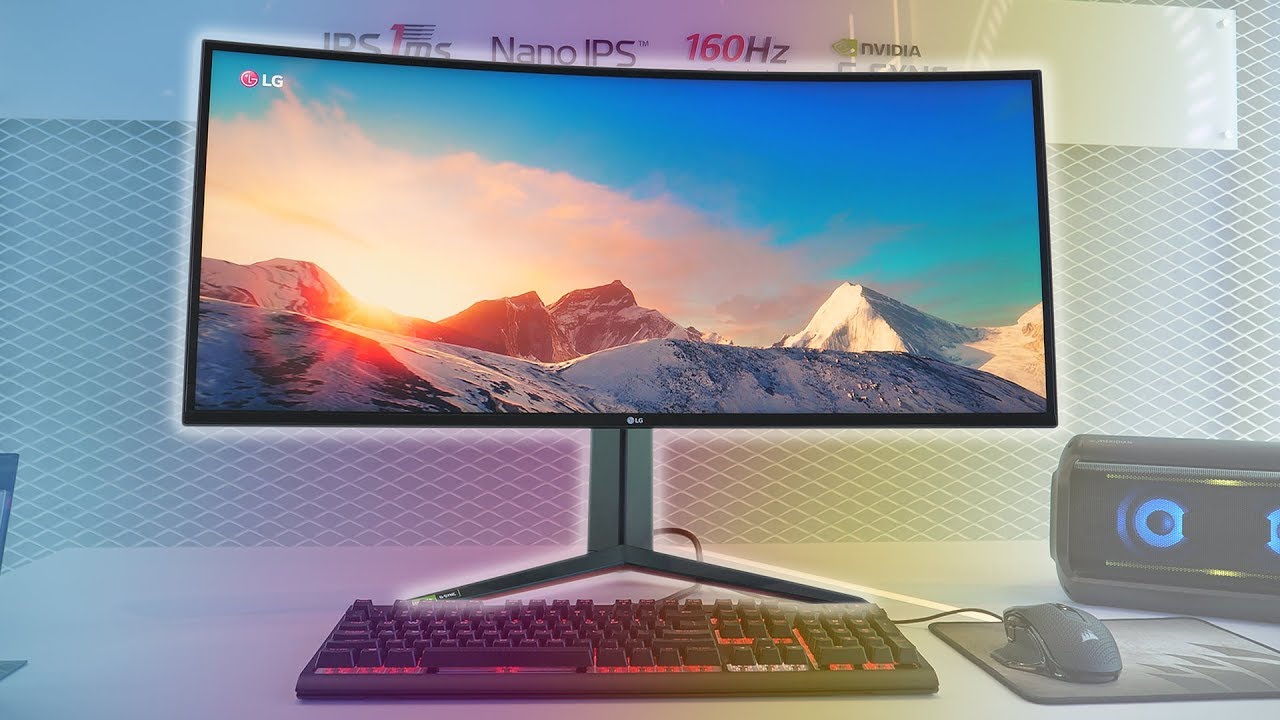
Impressive 1ms 144Hz+ IPS Gaming Monitors from LG
Apart from the OLED R rolling TV display, LG was showing off the Ultragear 27" 27GN950, the 34" 21:9 34GN850, and the 38" curved 3840x1600 38GN950. All are 1ms response time nano IPS with 98% DCI-P3 color. Also shown: the Ultr...
astral ferry
i feel like all the good value monitors have run outta stock lel
 ebon beacon
1080p ultrawide curved, 200Hz with DP
that's a good monitor PlusNomad
great for the price (since i'm assuming VAT is included and all that)
wait 75Hz?
for 75Hz it's a bit much
hmm i'm looking at amazon UK
can't find anything better
astral ferry
get 144hz my guyy
ebon beacon
but amazon UK has very little to offer him for 144Hz
 astral saddle
At least within my budget that is
visual pilot
I saw a 1440p 100hz earlier but that was USA
astral ferry
honestly throughout my time amazon just tends to be the most costly for anything computer related in my searches. The only advantage i find with amazon is conveniece and shipping
 hidden lagoon
best 1440p 144hz monitor?
visual pilot
Someone posted one that was 400$ earlier
hidden lagoon
looking for 1ms response too
 agile sleet
Can anyone vouch for the LG 27gl83a-b? Looking for a good 1440p IPS monitor for gaming and came across that one
astral saddle
400 is a lot more than my budget, 1440p 75hz or 1080p 144 is as good as its gonna get
 hot helm
16k 240hz -1ms response (it does the motion before i even do it with my hand)
i need one please
i can pay however much you require
visual pilot
1080p 60hz, take it or leave it
zealous wigeon
response time is highly over rated and not a good metric to measure a monitors performance
zealous wigeon
LOL and thats just impossible
 turbid star
You think that
zealous wigeon
@turbid star I will give you that. Some sort of quantum mechanics could possibly allow such a thing in the distant future
turbid star
We already performed teleportation basicslly
hot helm
you're just mad you dont have a negative response time monitor
turbid star
Yeah flex on those haters
zealous wigeon
LOL
 analog shell
Lol only 16k 240hz? I want 16k 360hz 1ms response time IPS 100% color accuracy 16 bit color HDR G sync super ultrawide 32:10 42” VESA mount compatible and pre installed RGB backlighting
astral ferry
again like i dont get the craze for ultra wide monitors specifically in games like do people enjoy gaming like this ?
zealous wigeon
no I also hate them. Ultra wide screen monitors and curved monitors should all be burned with 🔥
astral ferry
i have a curved monitor and its not bothering me at all. Its not very curved tho
zealous wigeon
I just bothers me Its like I can tell the image is curved and it messes with me
same reason I dont like the pimax vr sets the screen is curved and you can tell
 wild coralBOT
 Fab#7952 has been warned
Reason: Bad word usage
astral ferry
O
zealous wigeon
lol
astral ferry
woops
anyways im eh about curved but ultra wide is a big no. Just get two monitors mane
zealous wigeon
Would you want a curved TV?
I am just curious I dont see the appeal but they do make them
zealous wigeon
for me having my image curved bugs me especially for videos
astral ferry
no i dont want curved TV because im not the only person watching on it. For monitors its ok because its usually one person using it but for TV its a big NO
zealous wigeon
thats good I at least hope curved tvs go away
 odd echo
in VR i can have a curved or flat display and i can make it as large as i want :D
oculus dash does it really well
zealous wigeon
I mentioned this earlier but even the curved screen in the pimax bugs me
love my odyssey+ and valve index though
astral ferry
rip
astral ferry
ik this aint the right chat for it but top 5 vr headsets?
im looking to break into vr in the future for half-life UWU
astral ferry
is that just pure performance or does that consider price as well?
odd echo
and the quest is its own seperate thing
zealous wigeon
well the rift s controllers are about 1000x better than the O+
zealous wigeon
and although the O+ has a better screen its not 1000x better so maybe but the screen makes a big difference to me
If I want to play a new cool game though I grab the index
odd echo
Rift S is 2560x1440
O+ is 2880x1600
its hard to make a top 5 list because each headset is a different price and catered towards different use cases
zealous wigeon
O+ also uses black magic to make all the space between pixels go away almost 0 screen door effect for me
zealous wigeon
I was really hoping that samsung would get out the game and start selling displays to valve or oculus
with that film on them
odd echo
the odyssey+ is a great headset, but Windows Mixed Reality as a whole doesnt get any attention from microsoft or the developers
zealous wigeon
no it seems like we get better support from oculus and vive making sure games work on it then microsoft
odd echo
yeah for sure
and its partially up to the deevelopers too
windows mixed reality headsets only have 2 cameras for tracking, and they use LEDs
compared to the oculus rift s, which has infrared lights and 5 cameras
zealous wigeon
yep
odd echo
here ill make a quick comparison
zealous wigeon
Probably should also mention for anyone considering an O+ you also have to modify it to make it comfortable to wear for more than 20 minutes LOL
odd echo
yeah... i had a asus wmr headset and it was super uncomfortable
it literally clamps your head to stay on
after about an hour the back of my head was numb
the o+ is better than that asus wmr headset tho
zealous wigeon
lol yeah I made my own over the top strap added some memory foam speaker cushions I found on amazon and the Vrcover cover
astral ferry
so is the index overpriced or it matches it?
odd echo
O+ pros: better screen res and technology, better audio
O+ cons: limited by WMR software, 2 cameras using LED tracking, controllers are clunky and piss through battery
rift s pros: better support, a lot better tracking, better software, more attention from developers, easier set up, much better controllers with more buttons and capacitive sensors
cons: slightly worse screen res, a lot worse audio
zealous wigeon
I think its actually completely worth it for the index its the full package
odd echo
heres this: valve index is $1000
its not overpriced, but its still expensive
heck
the screen goes up to 240hz
zealous wigeon
the vive pro was the worst offender of being overpriced to the point of not being worth it imo
astral ferry
alright time to save up for the index 
odd echo
good luck
zealous wigeon
also a beefy gpu will really improve your experience
odd echo
my friend got the index + 3 full body trackers and i am JEALOUS
zealous wigeon
2070S will be fine
odd echo
also yeah 2070s will kill it
zealous wigeon
although I do like my supersampling at 275% and it wont do that
odd echo
imma head off to bed, night
astral ferry
gnite my guy great discussion
zealous wigeon
when you get one first thing you should get for free is the nvidia funhouse and good night
astral ferry
another thing that is pretty hype along with index and half-life alyx is the source engine 2
zealous wigeon
It should be here around the same time as Avatar 2......
astral ferry
2020 gonna be great 
neat pilot
Thoughts on a curved vs flat panel for 1080p or 1440p gaming at 144hz?
zealous wigeon
I like flat much better if you look up we discussed it
 wispy light
How many actually game in 1440p? I'm currently running this monitor.
And wonder if it's worth it to upgrade.
visual pilot
Like most basically all modern games can run in 1440p
Its not an uncommon resolution like ultrawide
Its still 16:9
wispy light
I'm just curious if the added cost of going 1440p is worth it?
The only other resolution I've been exposed to is 4k, but that's on my TV.
visual pilot
If you want stuffs to look nicer
Do it
How worth it, depends really on how much you want better looking stuff
wispy light
Is it night and day like the jump from 1080p to 4k was though?
visual pilot
Should be similar
Because 1440p is 2k resolution
(Same way 4k is technically like 3440p)
wispy light
I know the further away you are from the image, the more the difference in sharpness is.
neat pilot
Thinking about this montior it's more money but it is a ips panel
@astral ferry other than the 5ms time it sounds like a decent montior
Vs this monitor
zealous wigeon
I like to game in 4k
also I wouldnt worry about response time unless you are getting a 240hz display
as long as its 5ms or less
astral ferry
me looking at second hand market and see 24" 1440p and 27" 1080p

also me: can we flip those numbers
wispy light
I might have to take a trip to best buy to compare 1080p and 1440p monitors.
astral ferry
so i was looking at a monitor and i was wondering what this meant
so freesync will only run at 90hz max?
maiden wedge
on that panel yeah the freesync range is 35-90hz
astral ferry
should i get the one this one thats ips but the freesync is capped at 90hz or one thats a TN panel running at 165hz with gsync
ebon beacon
is anyone considering a Viotek panel? they have a zero dead pixel warranty
 leaden forge
Does "overdriving" response time create problems on your monitor ? And is there a noticeable difference between 1ms and 4ms when gaming ?
I’ve been using monitors but never gamed on them and/or didn’t pay attention to the response time so I really can’t answer myself
 covert swift
If you play a game across 3 monitors, is it important that all monitors use displayports? or is it okey if one uses hdmi? 🙂
visual pilot
@leaden forge overdrive usually makes it go a lil crazy, gets ghosting and stuff
1ms to 4ms is pretty unnoticible unless you're really competitive
@covert swift that doesn't matter, you can have 2 monitors via display port and 1 with hdmi, 1 monitor via display port and 2 with hdmi.
As long as the ports are there on your gpu, its fine.
leaden forge
Alright, i' ll try to do a lil bit more research and won't worry too much about response time in the future then
visual pilot
If someone else more knowledgeable comes by they might be able to give more details, but thats bout it
visual pilot
Yw
covert swift
Thanks 🙂
 plain kestrel
Okay I need some opinions. I have a 27" hp omen 1440p 165hz display. I'm looking at a second monitor but it'll only be used for discord, notifications, helping with my streams etc. It won't be used for my gaming entertainment display. But I keep telling my self I want a ips display 27" 1440p. Doesn't need to be high refresh rate. Or should I do a smaller screen 1440p or 1080 of whatever else panel. Money isn't a issue. But I can't make my mind up
ebon beacon
keep in mind when you turn on G-SYNC it won't apply to both monitors and that can cause all kinds of shenanigans
plain kestrel
@ebon beacon it'll probably only be going through HDMI so it won't be affected I'm pretty sure
plain kestrel
But my thing is idk what type of display I want. I'm being picky for a second display that isn't my main but I do want a good monitor
ebon beacon
get another HP omen like the one you have, G-SYNC both displays
plain kestrel
I mean I could but than it won't be using the high refresh rate and stuff. No point in that regard
I would be paying more for something that wouldn't be used for the maximum
Why I'm saying it doesn't need to be high refresh rate 60-75 hz is completely fine
ebon beacon
nonsense, you could use the high refresh rate just for the desktop
plain kestrel
It's more of the resolution and panel type
ebon beacon
i enjoy my 144Hz for just doing desktop stuff
plain kestrel
I mean I see your point but it would have to be g sync or variable sync or whatever it's called
But what panel and resolution would make sense for the money for just those simple things
ebon beacon
you could also play games on two monitors at the same time and get perfect sync
plain kestrel
I don't like gaming on 2 monitors
It would drive me nuts with the bezels in the middle
This is where my monitor is located at atm. I can move my pc to a different location on the desk to get the second monitor though.
astral ferry
@plain kestrel get a 27" 1440 60-75hz monitor so your setup will be uniform
if you are feeling for a bit more splurge get it 144hz for a clean desktop experience
which one lads
this https://www.amazon.com/GN27DB-27-Inch-Monitor-FreeSync-GamePlus/dp/B078P57ZWL/ref=sr_1_2?crid=118QFDEVUF0QU&keywords=1440p+144hz+monitor&qid=1579194951&refinements=p_n_feature_thirteen_browse-bin%3A17751775011|17751780011%2Cp_n_feature_eleven_browse-bin%3A17726576011&rnid=17751770011&s=pc&sprefix=1440%2Celectronics%2C221&sr=1-2
or
https://www.amazon.com/AOC-CQ27G1-DisplayPort-adjustable-Zero-Bright/dp/B07V39QHMY/ref=sr_1_1?crid=118QFDEVUF0QU&keywords=1440p+144hz+monitor&qid=1579194951&refinements=p_n_feature_thirteen_browse-bin%3A17751775011|17751780011%2Cp_n_feature_eleven_browse-bin%3A17726576011&rnid=17751770011&s=pc&sprefix=1440%2Celectronics%2C221&sr=1-1
plain kestrel
@astral ferry thanks I appreciate the recommendations
 weak herald
 neat pilot
@astral ferry the reviews look better for the aoc vs the other one. I was looking at the same aoc montior too it looks pretty good but some will say the pixels at that size are to big for 1080p for me I don't think it will matter but not sure if it will for you
Are these predator monitors good?
 covert solstice
If that’s usd that’s overpriced for 1080p
 sage trail
Super overpriced, it's 60hz, because if it we're more, then it would be advertised as such
plain kestrel
Oh Jesus that's expensive
 late hatch
actually when that first came out it was something like a $400+ monitor. its cheap because its renewed as amazon calls it which means its a return and they took the shipping label off the box and taped it back up. 1920x1080 144hz. 1ms gtg response but its a TN panel so colors are meh. The biggest problem I would see is that Acer made like 15 revisions of that same monitor with slightly different part numbers. assuming that one is correct I think that is a gsync monitor. It could also be the regular version that is not gsync.
some of those monitors could also overclock to something like 170 or 180hz using the OSD so no fiddling with software to try and overclock.
astral ferry
Is it me or are consumers and sellers completely skip 2k or 1440p and make the jump from 1080 to 4k
wispy light
You would have to go to around 32" to really notice 4k when sitting at your typical desk.
astral saddle
Back to being unable to decide between 1440p60 and 1080p144
1080p144 = 24" closer to my face, 1440p60 = 27" a bit further away.
late hatch
4k is still not playable with most gpu's
I just made the jump to 1440p with my 2080 and its a really good resolution for high settings at that res
stuff like overwatch still gets stupid high frame rates with all the settings maxed and red dead 2 is still playable most of the time. that opening level in the snow is still crushing my gpu.
astral saddle
2080S. I cant go 1440p144, and 4k would be ridiculous. I dont have the space for large enough monitors to make 4k even acceptably visible to me
1440p144 because of price range, not GPU limitation. Though I know in some titles the 2080S cant manage that so I dont feel itll last me too long going down the line
wispy light
If the 24"screen suits you better, I'd stick with 1080, you won't notice 1440 at that screen size.
astral saddle
The thing is if I get 1440 I get 27" instead of 24"
Its hard to explain but basically my dual arm monitor mount brings smaller monitors closer to me because of the wall behind
wispy light
Yeah, at 27" you would definitely notice.
astral saddle
Its 24" for 1080p. Hence.
wispy light
How far away is the monitor from you?
astral saddle
Thats a matter of vision
This is the WORST paint drawing ive ever constructed
Red line is the wall, horizontal black line is the edge of my desk
To get smaller monitors to come together in my dual monitor setup, the arm extends closer to me (left)
On the right is where a 27" monitor would be
 full moat
go to 3 monitors instead (if you have the space)
with one of them potentially going vertical
astral saddle
So my decisions to manage the space I actually have is to go 1080p144 24" or 1440p60 27"
At my budget anyway
Both monitors the same ofc
wispy light
I tried working with 3 monitors once, that was too much head turning for me.
full moat
the vertical fixes "some" of that
late hatch
I have a 27" 1440p now sitting beside my 24" 1080p. I have another 27 on the way, but I really don't know if it will fit. might have to modify the desk area some.
corner desk limits my width
full moat
arms?
 thin venture
i have two of them and i loved it might try three some day
astral saddle
@late hatch How are you finding general use of a 27" 1440p over 24" 1080p?
late hatch
no just sitting on top. but I have to rediculously large tower speakers on each side that get in the way. speaker to speaker I have 44 inches
full moat
a fair amount of my clients used to go with 22" (vertical) + 27" (normal) + 22" (vertical) with 1080+1440+1080 across them
late hatch
monitors are 24" wide so something is going to have to move
I have only had this one for about a week. so far I am really happy
full moat
:)
astral saddle
I do have the feeling if I go 144hz I cant go back as people essentially say.
late hatch
only games I have played on it are rdr2, fallen order and overwatch but all of them are playable. rdr2 in vulkan mode had some massive dips with the same settings I was playing on my 1080p monitor
astral saddle
Maybe 1440p will be better. Dunno.
wispy light
I do cad work, so I'm working with 2 24" 1080p monitors.
astral saddle
From all I can tell, 1440p60 has the same performance as 1080p144. as in games that just scrape 144fps on 1080p just scrape 60fps at 1440.
late hatch
my 27" is 165hz, and the 24 is 144. I have them both set to 144. 144 hz is great, but I can never game on a non freesync/gsync setup again
after using adaptive sync its painful
astral saddle
I couldnt go for 1440p144, Id hate having most things run 144 but choice games drop to 60 or less
I need consistency
And also I cant afford two 1440p144 monitors
late hatch
with gsync you don't notice unless you are doing competitive fps competitively
astral saddle
Which I dont do, as an ex competitive RTS player as I consistantly remind people. But, who knows. I do notice some FPS differences.
late hatch
on my 1080p monitor it does syncs down to 42hz and I cant tell its dropping until it gets to around 50
astral saddle
I do have a 3950x and got the 2080S with the intention of replacing it in some years so, it IS possible it wont be a problem with saving a bit longer for two 1440p144hz
late hatch
with gsync disabled I cant stand the frame drops anymore. I never noticed how bad it was without it until I used it
I have a 1080p ultrawide that is 60hz and no freesync. I cant game on it anymore
astral saddle
Hence why I was worried about high FPS a GPU cant handle like 1440p144, couldnt handle games in a year or two that only play at 60fps or less on my GPU
late hatch
If I play on it for about 20ish minutes I don't notice so much, but those first 20-30 minutes are hard to deal with until my eyes/brain get used to it again
 late hatch
and I game with my monitors about 30inches from my eyes. at that distance on my 24" msi monitor I can still kind of see the pixels, but not so much. its much less noticeable now using it as my second monitor. when I finish the desk in my wifes office it will make a good monitor for the family computer.
I hope you didn't end up paying that much for it
wispy light
@astral saddle I would think a 2080S should be able to handle 1440p144 with very little issues.
astral saddle
It cant get that on most AAA titles.
wispy light
Are you using ultra settings for everything? Also, ray tracing will kill frame rates on even the beefiest of cards.
astral saddle
Yeah well running at max settings is the idea.
late hatch
it really depends on the game and the settings. on my 2080 at 1080p I can get over 100fps in most AAA games with everything maxed. at 1440p it gets down to around 60-80 in some games. bfv with full raytracing and everything maxed struggled at 1080p. I have not tried it yet on 1440p.
probably the game I have played the most so far on my new monitor is fallen order. it usually sits around 100-120 fps on 1440p with everything maxed. I have seen it drop to around 60 two or three times in very open scenes with lots of stuff going on. luckily with gsync enabled I have never actually noticed any stutter or obvious frame drops. only reason I know they dropped is because I was logging my frame rates at the time.
 severe depot
i got a 240hz monitor but for some reason rainbow six caps framerate at 180
my gpu and cpu are both at 40% utilization so i dont know whats happening
sage trail
@severe depot if you mean R6S, i get up to 280 fps
you might have to configure your display to run at 240 in the windows settings
severe depot
@sage trail I dont know why but a restart fixed it
astral ferry
@late hatch whats your cpu? your 2080 may be bottlenecked
late hatch
2700x. might be a small bottleneck in some scenarios. frame rates are fine for me though. never drops low enough to get out of freesync range except for that opening level in rdr2.
was going to get a 3900x, but at this point I am waiting until ryzen 3
astral ferry
you mean 4?
late hatch
4000 series is ryzen 3
astral ferry
ohh
late hatch
3000 is ryzen 2, 2000 is ryzen+
astral ferry
makes sense
late hatch
totally, not even remotely confusing at all 😄
astral ferry
i noticed that bf5 lags slightly on nvidia cards compared to amd cards
late hatch
my frame rates in bf5 are great unless rtx is enabled
late hatch
at 1080p it was in the 40's with everything maxed and highest rtx. pretty much what they got in all the reviews too. slightly lower since I dont have a 9900k at 5ghz.
multiplayer was higher, but I was mostly playing single player
astral ferry
yea i was comparing my performance with other 2070S users and it seems that at 1080p the games i tested, my fps was 15% avg lower than others running a better cpu. I have ordered a 1440p monitor and will do some test on that res
higher resolutions relieve load on the cpu
late hatch
1440p is nice so far. I can't see the pixels at all like I can on my 24" msi
Fallen order my frame rates are practically the same. It caps them at 144 and I ispend most of my time in that 120+ fps range. I had one scene when where it was a big open area and there was lots of stuff floating in the air and it would drop into the 50s.
astral ferry
2080 running stock or OC'd?
late hatch
but my 2080 is watercooled and boosts over 1980mhz in games.
 late hatch
I dont overclock it, just let it boost with power limit increased
I don't have the best overclocking card though. maxes out right around 2100mhz for benchmark runs.
late hatch
I dont even know what the stock mem clock is
I think it went up to around 2000mhz, but I dont even remember
late hatch
ya, thats the quad rate. so divide that by 4 for the actual speed
astral ferry
if u got a non S 2080 we roughly have the same performance
late hatch
let me find a 3dmark run

3DMark.com
AMD Ryzen 7 2700X, NVIDIA GeForce RTX 2080 x 1, 16384 MB, 64-bit Windows 10}
thats stock without any overclock. just power limit
astral ferry
nicee!
late hatch
or maybe that one was completely stock
astral ferry
do u just let your CPU turbo as well?
late hatch
3DMark.com
AMD Ryzen 7 2700X, NVIDIA GeForce RTX 2080 x 1, 16384 MB, 64-bit Windows 10}
thats my best score so far
ya, just whatever pbo does. on my x570 I don't have any pbo options with the 2700x so it maxes out at 4ghz for all core boost. it will go to 4.5 for 1 or 2 cores though
astral ferry
pog
late hatch
and my manual overclock on this cpu is only 4.1ghz and I prefer not to manual clock i I dont have to on this one. I like it idling at lower volts and having higher single core speeds for stuff that can use it.
my 2600 I have manual to 4ghz. it starts taking a lot of voltage after 4ghz
astral ferry
i got my 2700 in a manual oc 4ghz at 1.38v
late hatch
thats pretty good. my 2700x takes right at 1.4v to get 4.12
astral ferry
does it get hot?
late hatch
my 2600 will get 4ghz at 1.32v but to get to 4.1 I have to go to 1.45v.
astral ferry
oh wow thats a big voltage leap
late hatch
on my custom loop it stays around 55C under load
ya I have had cpus hit voltage walls before, but that one is pretty crazy
my 6600k has a pretty hard voltage wall at 4.7ghz
thats my most recent intel cpu
astral ferry
i personally dont think ill be going back to intel anytime soon. I was using an i3 8100 before i built my new machine
late hatch
It can do 4.7ghz at 1.35v 4.8 goes around 1.425. to get into windows at 5ghz too 1.62v
maiden wedge
fab
astral ferry
ive compared it to other users
 river edge
so is userbench
astral ferry
who run different cpus
river edge
Are you comparing them against an ssd? NVME? Same ram speed? Same ram timings? Overclocked? PBO? So many variables to consider that comparing against others is difficult
astral ferry
there will always be a bottleneck in any system
river edge
Yes, that ram is a bit slow for a 2700x
timings also matter
And no, there will not be a bottleneck in any system
That's a misnomer
and a myth
astral ferry
it really just depends on the use cases for your system
so if you consider all circustances
you will find a bottleneck somewhere
@maiden wedge thats pre good
river edge
No, bottleneck is an inappropriate and misused term
Ram Quantity doesn't matter
speed and timings with Ryzen are important
late hatch
2700x probably wont run 3600
river edge
3200 CL14 is where it needs to be
late hatch
memory controller might limit it
mine wont easily go past 3400. 3400 is stable though
maiden wedge
its gonna be a x570
astral ferry
x570 kinda overkill for a 2700x
river edge
Chipset doesn't determine ram speed
late hatch
memory controller is on the cpu not the motherboard
river edge
For those, 3600 is the best
astral ferry
ah
late hatch
I have ran my 2700x on a b450, x470 and x570. none will go over 3400
astral ferry
i guess you can lower the speed of your ram with 2700x and then bring it up when you ugrade
late hatch
ya, nothing stopping that
river edge
Getting 2nd gen Ryzen to 3600 probably won't happen. It gets very unreliable
Technically with 3700 and up you could go something like 3800 to get the fabric to 1900 mhz but it's pointless. The gains aren't worth the cost
astral ferry
@late hatch yo back to ur bf5 performance. i ran metro at 1080p ultra with rtx on high and the game ran at 100fps
late hatch
dont have exodus
astral ferry
that game.....has issues when launching the game especially streaming it :/
late hatch
only games I have with shaders so far is bf5, quake 2 and minecraft. I haven't even played minecraft with shaders
river edge
Well, the Shader Packs aren't real shaders anyway
Minecraft with true Ray Tracing won't be here for a few more months
late hatch
I don't really even play the game. I bought it for my son
I played it for about 10 hours in the last year.
ready for the rtx launch though. hopefully it looks good.
astral ferry
i hope this years launch of games offer RT option
river edge
That would be nice
I may upgrade if that happens. I jumped on the 2060 bandwagon too early
late hatch
I haven't historically played a lot of different games. I mostly just like playing with hardware.
I buy a lot of games and then never actually play any of them other than the first few levels
I have played way too much overwatch though
astral ferry
im personally hoping for RT on the resident evil 3 remake. RT would be a game changer for that horror filled game
global illumination 
severe depot
i have a stuck pixel its stuck red and whenever i hover my cursor over it it turns white
any fixes
river edge
Try something like JScreenFix.
If that doesn't work, try some of the other methods from this post

Super User
I have an LCD screen with a pixel that is stuck ON (that is, bright). What do you suggest to fix it (it's not a dead pixel)?
severe depot
ok thanks
late hatch
I have fixed a stuck pixel in the past by tapping it very gently with my fingernail.
very gently
severe depot
ok i will try that
also i am playing r6s on low settings and only getting around 200fps i have an rtx 2080ti wth is happening
late hatch
some people say to use a toothpick or pencil, I have always been afraid of taping too hard and breaking it.
late hatch
when i use my fingernail it took about 5 minutes of tapping
there is another way with a paper towel and tapping, but I never used that one. I haven't used that method in years thought. I had a tv once with a stuck pixel that it worked on and a dell monitor from about 10 years ago that worked, but the pixel woudl get stuck again after several months.
google might be your friend for fixing this if it can be fixed
leaden forge
Ask here 😉
 limber gust
well I have a display but I want another one for my chats and discord and I wanna make it pivot
river edge
that is not true at all. There is absolutely no reason to spend $200 on a vertical monitor mount.
full moat
@ebon beacon breathe? :) also, pivot is a fairly normal feature of biz line displays
ebon beacon
i feel like the ergotron is the most versatile option, and is reliable, but yes if you just need to pivot then it's simpler
edit: deleted bad advice
also i'm breathing just fine
i want the ergotron but i have other priorities
@limber gust is it okay to get a monitor that pivots?
just so you can have it vertical
or do you want/need something else
limber gust
well I have 1 monitor that I will use for productivity stuff and gaming/ homework asswel the vertical one will be all my contacts and discords and stuff
@ebon beacon
ebon beacon
okay so you just need to get a second monitor to pivot
limber gust
yes
doesn't need high res and stuff just enough that if my other monitor breaks I can replace this one
ebon beacon
what's the figure of EUR you want to spend
limber gust
idk depends on my setup I was gonna buy at the same time
2.6k I'm on
so like 200 maybe
ebon beacon
k
https://www.coolblue.nl/en/product/787838/aoc-i2790pqu-bt.html#product-specifications a 27" 1080p pivoting display for EUR169
Order the i2790PQU/BT at Coolblue. Ordered before 23:59? Delivered for free tomorrow. Coolblue: anything for a smile.
er
limber gust
so this is a good one
ebon beacon
it's the best i could find for your money
limber gust
for a 2070
ebon beacon
other ones were a bit small
ebon beacon
since this is going to pivot and go to the side i didn't worry about refresh rate
limber gust
yeah
limber gust
yeah 144hz
ebon beacon
make sure to separate the monitors completely in settings
like don't have one of them run into the other
or you'll have issues with keeping 144Hz
limber gust
okay how do I do that
ebon beacon
select only fullscreen g-sync or freesync in your GPU driver's settings actually, that should be fine
will get adaptive sync working that way with two monitors
 ebon beacon
i will keep my 1080p monitor as i have chosen to buy a Vega 56
and that card will run anything 1080p maxed out but might require some tuning for higher resolutions
also high framerate is important because of freesync
astral ferry
I was skeptical when i bought mine as its a chinese made n designed monitor. But now that i have it i have no regrets. It performs well great value for its price
And the 27" showed me that ill never get into 4k as monitor sizes are just way too large for pc gaming
27" 1440p is the max best for me
solemn yarrow
Isn't the up coming RX 5600 XT going to be the same performance as the Vega 56 with less power and little less heat?
ebon beacon
maybe, it's questionable though
i know it's going to be more expensive than a Vega 56
and i don't pay my electricity
sage trail
i might build my own monitor
i want 16:10, but also a higher refresh rate
thoughts?
full moat
best of luck :)
in all seriousness, i would LOVE if manufacturers started doing 1920*1200 panels again
 fallen aspen
ok i got one. I have a weird issue on my laptop thats been there since day one, and idk if its normal. laptop is g7 7588 and the screen has flickering white pixels all over that are only noticeable in dark screens
its not a huge deal but it bothers me on black screens lol
 fallen aspen
wut
 lost onyx
maiden wedge
lost onyx
maiden wedge
@lost onyx look up reviews
 candid plaza
the stand looks flimsy but it looks like a nice panel and im pretty sure the panel is from LG
astral ferry
27" with 1080p dont mesh well together. Pixel density is so small
stick to 24" and also refresh rate is at 75hz keep in mind
maiden wedge
Just got a second monitor and was wondering how I'd make them have all their own data
As in having everything show up the same for both on the task bar and being able to set individual wallpapers
@candid plaza I have basically the same model just a little older (aoc b1h27) and while it is only 1080, you can't see individual pixels from more than 6 inches back. As far as I'm concerned, it looks like one hell of a deal
Although I do think a little more money would get you into 1440 range
astral ferry
@maiden wedge right click the desired picture
astral ferry
wdym like the icons on them?
astral ferry
not sure but all youd need is probably in the taskbar settings of windows
solemn yarrow
@maiden wedge Display settings
 rotund jolt
How much in usd is a good price for a 144hz 1ms response time monitor
leaden forge
A good price ? Around 130 is a good price
But they usually go for 150-170 USD
Depends also on the Panel, adaptive Sync, brand etc
solemn yarrow
https://www.newegg.com/p/N82E16824025966 @rotund jolt
rotund jolt
thank you @solemn yarrow
 analog coral
fallen aspen
analog coral
fallen aspen
sceptre is good imo
 deep fern
sceptre is weird
astral ferry
@analog coral depends what resolution you want. 1080p has alot of selections. 1440p tend to be a bit more costly
 outer agate
Anyone know if apu's like i3 9100 or the 3400G will work with a 1080p monitor at 144mhz?
outer agate
Why va panel?
astral ferry
@outer agate i dont see why it wouldnt work now the problem isnt the monitor its that your integrated graphics will most likely never run at 144fps
you can get your 144hz monitor but it wont be much different from a 60hz monitor as your apu will struggle to pump out frames
nvm csgo and low resource games will run at high fps
if you want to play anything else you should get a discrete gpu
outer agate
Ok thanks @astral ferry looks like I'm better off getting a cheap gpu and maybe get the i3 9100F. Only $85 on Amazon rn. Building a budget pc for my parents. My mom does game sometimes but heavy duty.
Not*
plain kestrel
Out of these displays which one is better? I'm using it as a second display not for gaming
Gonna be ordering it today
 olive token
plain kestrel
olive token
plain kestrel
You think the viotek would be the best option?
plain kestrel
I wonder what the dif is between the d and db
olive token
more pixels means your card will be a bit warmer at idle
plain kestrel
My card will be fine no worries there
Now my 1070ti though would I be able to do high refresh rate through HDMI?
zealous wigeon
depends on resolution and what hdmi port the monitor has
2.0b or 2.1 port on monitor then most likely yes depending on resolution
plain kestrel
It's all 1440p @zealous wigeon
zealous wigeon
@plain kestrel then as long as the monitor has at least a 2.0b hdmi port no problem hitting as high as 240hz with the hdmi port
plain kestrel
Alrighty
plain kestrel
Well I bought the aoc just because it has a better stand
astral ferry
https://www.amazon.ca/gp/product/B07H2X2Z6L/ref=ppx_yo_dt_b_asin_title_o00_s00?ie=UTF8&psc=1 i bought this monitor and so far i have no regrets
 raven pelican
what do you guys recommend monitor wise for my pc i7 9700k, strix2080s
astral ferry
1440p 144hz+
ips or va
or if you play esports titles exclusively a 1080p 240hz+
@raven pelican
raven pelican
i play rocket league a lot but that’s the only esports title
so should i go for 1440
astral ferry
yea 1440p 27"
thats definitely the resolution you wanna be to utilize the best of your gpu
make sure its at 144hz or more too as 2080S will be able to play most games at 100+fps at 1440p
 mighty tide
Anyone know a good 144hz 1440p monitor for a decent price?
visual pilot
Bit on the higher end of price but the MSI MAG271CQR is good
 shell hedge
@visual pilot I like the MAG321CQR
visual pilot
Well actually
The 31in model would be too big for my desk lol
I'm likely going to get the mag271cqr, its like 300
@mighty tide there was one on newegg for 220$
shell hedge
@visual pilot ya I like that one as well
visual pilot
Ya
shell hedge
1440p 144hz is a sweet spot
sage trail
depends on PPI
if u have a monitor smaller than like 24 inches
1080 144 looks the same
mighty tide
Nice
ebon beacon
i have a 27 inch 1080p 144Hz monitor, and i like it quite a bit
the PPI isn't that bad
have to get my eyes within 4 inches or so to be able to see the faintest hint of a pixel
ebon beacon
it also depends on the sharpness (how pointy the corners of each pixel are)
https://www.amazon.com/gp/product/B07QZ4P5KB/ wish i bought this one honestly
more room on the screen
mighty tide
The 31 inch is cheaper lol
 urban laurel
i had 27 inch 1080p anni .. and it looks fine xD qled 144hz
full moat
@maiden wedge have a chat with @true iron
 copper slate
27in 1080p 240hz good option? (core i7 9700k, 2080super)
covert solstice
i wouldnt really go 1080p240hz unless you're a esports or serious player, i'd go 1440p144hz (if you go 1080p try to get 24in instead of 27in for better pixel density)
 plain creek
i have some old monitor im using rn its like a samsung 720p 60hz monitor and im looking for a new one thats cheap what should i buy?
sage trail
Depends on the PC you have rn
 hasty hound
So my 240hz monitor is coming tommorow,im getting 200fps in games such as fortnite etc. will i feel a difference from 144hz ?
@ebon beacon
full moat
depends on you.
hasty hound
Will I feel a different
full moat
time will tell
full moat
as i said, depends on you
full moat
what i said, it depend on you physically
which means it is an impossible question to answer for us
hasty hound
but does you feel a difference
full moat
my experience does not matter for your experience.
astral ferry
@hasty hound test it and if you deem that the increase in refresh rate is negligible compared to the amount you invested into the monitor, return it.
 remote otter
What would be the best 1440p at 27" gaming monitor (min 120hz; 1ms response)?
leaden forge
This is the cheapest one according to your criteria.
@remote otter
If you’re willing to pay more you can get an IPS panel instead of TN
remote otter
Thank you
 mint olive
The acre nitro vg270 is 1/2 off rn on Newegg @remote otter
I have the gf276 and I like it
mint olive
@remote otter sorry im blind... im poor so not really looking at anything higher than that currently sorry for wasting you time 🙃 hope you find what your looking for and pop a pic in build-pics so i can drool and be jeleaous
remote otter
@mint olive Unfortunately the planning of my new setup is also still pretty theoretical. If I try, I might get there in a year. Gotta sell a whole lot of old stuff laying around, sell my current pc parts (which I don’t reuse), start a side job, dump most of my savings and collect some money from family... yeah
plain kestrel
New monitor came in
odd echo
ooohhh nice
plain kestrel
yeah getting the drivers for it now and getting it all set up
urban laurel
aoc
plain kestrel
@ebon beacon yep it's $250 it's worth it for the price. Only thing you have to do is get the driver for it it's g sync compatible and color calibrate it which I'm working on still
Also btw for anyone who does color calibration I would like some help for sure
 round vapor
Hi all, anyone have any recommendations for a 1440p 144hz monitor with Gsync?
plain kestrel
@round vapor g sync compatible would save you money instead of strait g sync.
But what is your price range
shell hedge
@round vapor MAG321CQR or mag271cqr
@plain kestrel is it 1440p 144hz and who is it made by also what panel is it?
plain kestrel
@shell hedge yes it is. And it's a VA panel and the brand is AOC. Idk who makes the actual panel itself
shell hedge
Oof good luck with aoc I have heard they dont last very long and that the ghosting is very bad on them I'm going for a MAG321CQR
full moat
@shell hedge all manufacturers have products in their portfolio that is horrible. they all also have good products in there. Do keep that in mind when making company wide comments like you did :)
shell hedge
I was just saying what I have read that's all
full moat
aye, and i commented what i did to give some context for the lurkers that copy/paste comments like yours with the reasoning: "it was something i read somewhere else"
plain kestrel
I mean it's got a 3 year warranty so I ain't worried about it
shell hedge
Sometimes warranties dont work or bad customer service
round vapor
@plain kestrel I'm looking for one that will last me a while so the $400 - $500 range.
plain kestrel
@WATERMELON_SHARK#6781 it's through Amazon so I should be good lol
@round vapor well you're in a very good price point look at lg gaming series they are beautiful monitors
mighty tide
Mikey true, but if he has like a 1060 i7-6700 then
plain kestrel
If he's got that money for a monitor im pretty sure his specs are fine
Or maybe he wants a great monitor before he builds his PC
full moat
@mighty tide a good monitor is very rarely a waste.
monitors of good quality are investments of the same kind that cases and psu's are.
mighty tide
I know
plain kestrel
My HP OMEN and AOC monitor both together are around $500 together 😂
mighty tide
nice lol
full moat
decent monitors are quite cheap nowadays :)
plain kestrel
Yes they are I got my HP OMEN from Walmart for $280 and it was a wall display
Hp doesn't make them anymore I got a steal
full moat
its the one with the thicker bottom bezel right?
plain kestrel
Yep
full moat
yeah, personally i dont like that :)
limits how you can use them when they are vesa mounted on arms
plain kestrel
It never really bothered me. As long as the display is great for what it is I'm okay with it.
If the bezels were huge on the side different story
full moat
aye aye, what is most important is what YOU (the one buying) are okay with
i have a preference for portrait rotation
plain kestrel
Ahhh I've never done portrait and probably never will
full moat
and the bottom bezel being wide is ... silly for that :)
plain kestrel
But in that instance I do agree no thick bezels for that
full moat
portrait is lovely for text editing and/or reading/reference work
but as i said, it is a personal preference. i dont care one bit if other people are okay with a wide bezel :)
full moat
much as that might be a nice monitor to use, the limited usecase is enough that it would be a waste for me [edit: a]
plain kestrel
I would use it for gaming alot for that wide view advantage
full moat
yes, because you have the time for gaming :)
plain kestrel
Minecraft on quake mode on that monitor would be nuts😂. Probably get motion sickness
full moat
:)
remote otter
Is the rx 5700 xt good enough to run games at 1440p with a good fps?
Games like 2020 AAA-releases
full moat
@remote otter we dont know what will be released this year, so we cannot answer that question.
remote otter
Well say last year then
visual pilot
I don't believe so.
full moat
but it is not looking all that likely. considering the performance.
visual pilot
I think 5700xt would be more like 80fps range on triple a titles (1440p)
full moat
"Obviously u don’t" <- do elaborate on that @remote otter
remote otter
But 80fps is good enough to play a game? Or is the 5700xt just not good enough
visual pilot
It really depends on the game, you should look up specific game benchmarks and the 5700xt with 1440p and see how smooth it runs
For example, here is the division 2 benchmark for 1440p 5700xt, looks okay, but only around 60fps
https://youtu.be/6xF8A6vT-Jo

If you like my content, please like and subscribe. I upload 3 benchmark videos every day. Thanks for watching.
Windows 10 Pro
Ryzen 5 2600
MSI B450 Gaming Pro Carbon
RX 5700 XT Powercolor Red Dragon
16Gb RAM 3200Mhz
Drivers 19.10.1
 silent epoch
1440p 144hz gaming monitor with very high contrast?
mighty tide
Theres a good acer one I believe thats on sale from 350 to 270
covert solstice
for contrast i'd look for a VA panel
silent epoch
Eew VA
covert solstice
va has the best contrast 🤷
astral ferry
i ranked ips, va, tn from worst to best
leaden forge
So TN is best for you ?
leaden forge
Aha I got you 😉
plain kestrel
It depends ips has better colors, tn has better response times and higher refresh rates with no sacrifices, and VA has better color than tn but has better response times and refresh rate than ips. All depends on what you are doing
covert solstice
i'd say the main deciding factor is price tbh
round vapor
@plain kestrel So for gaming in a non-competitive sense, IPS or VA would be ideal?
plain kestrel
I game on a TN and color calibrated it and it looks great
late hatch
I don't like TN panels, and personally use 2 VA panels right now. I will say if you get TN and run dual monitors make sure both are TN. If you stick a TN beside a VA or IPS it will drive you insane. VA and IPS are usually close enough color wise that you can calibrate them to match. TN will never calibrate close enough to match the others.
If you only run 1 monitor then TN is perfectly fine. You will never know the difference unless you go looking for it.
astral ferry
the thing with TN is that the advantages they have are starting to dwindle as ips and va are getting higher ref rate and response times
plain kestrel
@late hatch I run a tn panel and VA panel. But it doesn't bother me ones for gaming another one is for YouTube videos, and other multitasking needs
@astral ferry yeah but the thing is with ips and VA those numbers are sometimes false. If you turn on hyper drive you start seeing smured images, blurry text, over shadowing, etc. Tn doesn't have those issues well good tns anyways
late hatch
it may not bother you, but I couldnt stand having the 2 monitors beside of each other.
I used it that way for 3 years though
but the colors on my TN drove me crazy
full moat
i am with @late hatch on this one. Dont mix panels. But as you say @plain kestrel, it might not matter for some people.
plain kestrel
I mean if you are using all three monitors the same than yeah it would drive me insane but for different use cases don't let it bother you. I've used all panel types before so I got a pretty good experience with all of them
full moat
aye aye
heck, one of my exes used a tv as her monitor
people are weird in what they can accept if the content being displayed interests them enough
astral ferry
@plain kestrel i didnt say they are on par. But eventually TN panels will be phased out for ips or va
plain kestrel
TN will never be phased out because of pro gamers though
I use to play on ips response time is awful. And they won't get to 5ms or less without issues. The colors were great but tn has such a quicker response time it's noticable
If you want to actually go in detail look up hardware unboxed they go in full detail with colors, response time, hz ratings etc. And go in detail what issues come up
So do I but 1ms you aren't getting ik that for a fact lol
Put on overdrive for the max and you'll still seeing issues
It ain't gonna improve anytime soon I give it the max of 3-5, years
Lgs nano ips doesn't even get 5ms without having issues the best it gets without issues is around 10-12 I believe
https://youtu.be/leLp6Qgc6X8 @maiden wedge
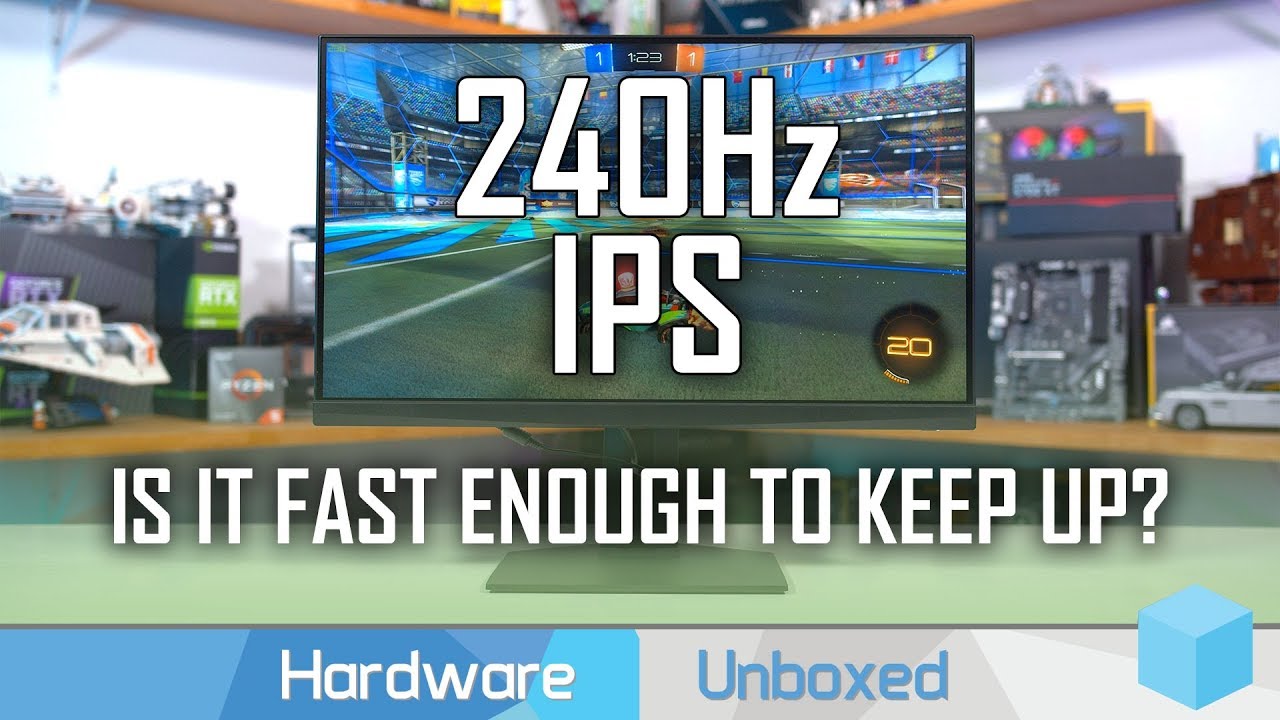
Support us on Patreon: https://www.patreon.com/hardwareunboxed
Merch: https://crowdmade.com/hardwareunboxed
MSI MAG251RX - https://amzn.to/38GQolF
Gigabyte KD25F - https://amzn.to/3aLMDgH
Pixio PX5 - https://amzn.to/36p7u5N
LG 27GK750F - https://amzn.to/36vafmp
LG 27GL850 - ...
plain kestrel
Yeah but it's picky on the hz though. Also still smuring affect either way.
Don't get me wrong it's nice to see they are trying but you are paying over $300 for a small monitor that's ips. No way I got a 1440p curved 27" 144hz supposedly 1ms VA panel for $250 new
 plain kestrel
@slate hamlet it's made by AOC. I just got it Monday off Amazon
@slate hamlet oled displays would be even better lol
 slate hamlet
Micro-LEDs are the direct succesor
plain kestrel
When liquid displays are a thing
Not like liquid crystals like actual plain liquid
 rigid shore
What monitor should I buy 144 hz under 200
rigid shore
1080p
shell hedge
Ya that should be fine I suggest looking at msi and asus for monitors
Not saying that other brands are bad these are just the two I have used
maiden wedge
does anyone know of any 1080p 24 inch 144hz monitors or 1440p 144hz 27 inch or 32 inch monitors
 stone grove
I've been looking at the AOC G2590FX, can find it new for anywhere between $160 and $210. It's 1080p 144hz, 24 or 25 inch I believe
maiden wedge
can 1440p@144hz do 1080@240hz because generally monitors can give a higher hz if you give it a lower resolution
slate hamlet
not by that much
 thorny ermine
@stone grove very pleased with that model by AOC
 rocky zealot
What would you guys say the best 1440p 144hz monitor is preferably 27" or bigger
Doost freesync monitors work with an Nvidia GPU?
Do most*
thorny ermine
I don't think I understand your question
leaden forge
I think Free Sync means there is Adaptive Sync (almost always) -> compatible with NVIDIA G Sync
But you should still double check
thorny ermine
All FreeSync monitors will work with a Nvidia card. The only thing you would need to be concerned about is if the monitor is also G-Sync certified
otherwise you will not be able to reap the benefits of that tech
rocky zealot
Okay so is there like a list of gsync compatible monitors out there?
leaden forge
Check pcpartpicker.com and the monitors on that website.
Enter the search filters and you should be good to go
When you find a good monitor with Freesync double check on the website of the monitor if it is also G Sync Compatible
They usually are
thorny ermine
I believe Nvidia has a list on their website of their G Sync compatible monitors
rocky zealot
Okay thanks guys
Would hate to get a 2070 super and not be able to use gsync on my monitor
astral ferry
@rocky zealot i have 2 freesync monitors that arent listed by nvidia and they work pretty good. used with my 2070S
most, if not all new monitors with freesync will work with gsync
 harsh anchor
Whats a good monitor for dual monitor
maiden wedge
that doesn't really give anyone a lot of info to help you with
how much do you want to spend, what size do you want, resolution, ect
shell hedge
@maiden wedge MAG321CQR is a 32" 1440p 144hz monitor by msi
thorny ermine
in related news, Nvidia just released a new driver version that expands their G-Sync compatible monitor stable. https://www.nvidia.com/en-us/geforce/news/zombie-army-dead-war-4-game-ready-driver/
harsh anchor
Can someone give me options for 27" dual monitors for gaming and video editing.
Budget friendly option
Medium option
High end option
With 144-165mhz
wild coralBOT
 the1corrupted#9277 has been warned
Reason: Duplicated text
maiden wedge
Optional budget (professional but you drop the refresh rate): https://www.newegg.com/asus-pb278qv-27-wqhd/p/N82E16824236995?&quicklink=true
Medium: https://www.newegg.com/p/0JC-004Y-00037?&quicklink=true
harsh anchor
Tyvm
covert solstice
for the high end i'd either swap it for a px7 prime or lg 27GL850-B
visual pilot
It's technically a display ;)
 junior cipher
anyone knows a good display? $300 IPS 120hz+ and Idrc if its 24 or 27
visual pilot
@junior cipher 1080p or 1440p
junior cipher
1080
visual pilot
IPS only? No VA?
visual pilot
Gotchu on that part
I have the MSI mag241c, good monitor.
There's cheaper aoc 144hz monitors too
junior cipher
ok
thx
checked on the website
2 diff prices
can not tell the difference except price ;-;
@visual pilot
visual pilot
Huh?
 slate loom
I have a 768p 60hz display, fight me
visual pilot
Trust the left one @junior cipher
junior cipher
ok thx
visual pilot
Right one is shipped from Taiwan prob why it's more expensive
junior cipher
yes
visual pilot
I also trust WEGG so
maiden wedge
What’s a good monitor with dvi
astral ferry
If you asking about dvi then any monitor is good lol
 barren pendant
 pastel tiger
i can get 3 samsung 1920x1080 monitors for 105€
maiden wedge
Can someone tell me if I will get the full 165hz of this monitor through the display port? https://www.amazon.com/gp/product/B07YYWVBQ8/ref=ox_sc_act_title_1?smid=ATVPDKIKX0DER&psc=1
 red forge
9/10 times you will get the full amount through a display port. And as i can see, yes you will. @maiden wedge
maiden wedge
@red forge Thank you!
 amber ingot
I need a second monitor, Anyone can help me?
 ember cloud
This is the monitor I have and I want to upgrade to a gaming monitor
I have a 1070ti
preferably under 200
 slender prawn
Monitors usually last the longest peripheral wise, is that a strict budget?
And what do you mostly play?
mighty tide
Theres an AOC 144hz for 144 usd
slender prawn
It's freesync though
If you can stretch your budget a little, this one is $250:

Micro Center
ember cloud
Shop office supplies, office furniture and business technology at Office Depot. Paper, file folders, ink, toner and more. Huge selections, brands you trust, everyday low prices! Take Care of Business, shop today.
People suggested me this one
slender prawn
That's decent
 lunar grotto
i've just assembled my rig but i'm not a monitor person i don't know what is what when it comes to them so anyone have good advice for around 450au$ monitor from pc case gear?
 quartz sinew
any leads on a monitor? Looking to get something with 1080p, 144+hz, g-sync
slender prawn
Check out the Dell one, but it's only 24 inches
and 165hz
Oh nvm, it's 1440p
I'd go with the last link Ms. Kitty posted
 dense anvil
is ok to have 2 75hz monitors on a radeon r9 200 series
covert swift
I have a hard time picking between; Gigabyte 27" AORUS FI27Q and LG 27'' UltraGear 27GL850 QHD Nano IPS anyone that has tried them or knows about them ? 🙂
leaden forge
Are the specs the same ?
covert swift
kind of yes, lg has some more % in color, and the gigabyte can use all the functions without and negative feedback(From what I've heared)
leaden forge
Hmm. I think it would make the comparison easier if you could drop links
covert swift
https://www.newegg.com/global/se-en/black-gigabyte-aorus-fi27q-sa-27/p/N82E16824012010?Description=AORUS FI27Q&cm_re=AORUS_FI27Q-_-24-012-010-_-Product&quicklink=true
and
https://www.amazon.com/LG-27GL850-B-Ultragear-Compatible-Monitor/dp/B07TD94TQF/ref=sr_1_1?keywords=LG+27''+UltraGear+27GL850+QHD+Nano+IPS&qid=1580992843&sr=8-1
covert swift
Yea I think so too haha, but the Swedish site I order from, recommended the LG ^^
olive token
ah
I just know aorus makes great gaming monitors
LG has been better at TVs
unless it's them really expensive LG tvs
looking at reviews on the LG, they have a bad bleed issue
covert swift
Ah okey
full moat
@covert swift not any impactful difference between the two
thin venture
should i have vsynce off on games or on
olive token
depends on how it works for you