#old-cooling
1 messages · Page 42 of 1
 dusty latch
 wispy mist
cool
dusty latch
Yeah almost 20c cooler lmao
dusty latch
the thermal paste didnt spead enough
 low pumice
I'll be repasting with x method at some point
 sly laurel
Top mounting a Corsair H100i radiator and fans at the top, have 2 140mms for the front, 1 120mm for the back, in what way would I get maximum airflow? Would I just go with the same old exhaust on top and in back and intake in the front, like without the AIO?\
Meshify C case
 maiden delta
Pea method btw
 stone jackal
This is a really nice intel spread I got a few months back. Pea method as well 
low pumice
not great
stone jackal
I mean it’s just looks good
And it was on the Intel stock heatsink, so the copper the touches the CPU is round
 sleek fable
quick question
stone jackal
What’s up
sleek fable
im doing a custom hardline loop in my o11d case and im getting a distro plate. Do i need a resivoir? (ignore poor spelling). It says it comes with a pump. Is it big enough to act as a reservoir too?
stone jackal
Ohkay I literally know nothing about water cooling so idk
sleek fable
lol
 sleek fable
ty ty
 rugged nimbus
I think you can get away without one, do some googling
 cold island
a distro plate works as a reservoir
if it comes with a pump, the only other things you need are the cpu/gpu blocks, radiators, tubing and fittings
rugged nimbus
Don't be like me and buy like half the fittings I needed :)
 distant kernel
@sleek fable ur answer
 jaunty kraken
Hey I am looking into replacing a couple case fans in my pc bc they are loud af. Anyone have any good quit fan recommendations?
cold island
Noctua if you have the money
jaunty kraken
Ok thanks
 solemn bolt
(also should clarify he's not telling you to be quiet, he means the brand beQuiet XD)
 magic sparrow
that'd be a big F to assume
jaunty kraken
Lol ok thank you
 topaz blaze
is there an aio for amd thredripper
 brisk rain
Yup
solemn bolt
I think they just use an adapter plate for threadripper, and the aios themselves are interchangeable
 idle tiger
TR needs a really big coldplate.
cold island
its a chonky boi
low pumice
Yes
brisk rain
yes
solemn bolt
yes
solemn bolt
Such big cpu
much cores
wow
brisk rain
What I want to know.... infinity fabric is routed per CCX. since CCX's now have 8 cores, will we see higher core counts in threadrippers?
solemn bolt
What you mean past 64?
low pumice
maybe
brisk rain
Yup
 uneven halo
best aio for a am4 socket go
low pumice
Arctic Freezer II
solemn bolt
We already can't really even use anything past the 64 as it is lol
Also depends on the budget Mattee
uneven halo
any budget im big ballin
solemn bolt
Custom loop it up then
low pumice
Don't do custom unless you know what you're doing so
uneven halo
well then
solemn bolt
Eh there's plenty of tutorials
uneven halo
true
solemn bolt
But if you didn't want to do custom and had no budget, I would just get something from one of the Corsair AIOs with a 360 rad
uneven halo
but ill stick to an AIO
uneven halo
not enough room in my NZXT case
solemn bolt
Then a 240?
brisk rain
Yeeeee
uneven halo
my s340 elite has good airflow wym
 upper lion
is there any mass differences between the dark rock pro 4 and the NH-D15 chromax as far as sound or cooling ability?
cold island
d15 is a much harder flex
uneven halo
lol
cold island
yeah but do you get a noctua sticker with a drp4? didnt think so
uneven halo
oof Arctic freezer II is lowk ugly ngl
upper lion
lol no stickers
solemn bolt
I have a dark rock 4 (non-pro) so I can say it's not super obnoxious? But you can definitely hear it under heavy load
solemn bolt
OOF lol
upper lion
going to be running a 3950x with it
cold island
but yea either should be able to handle a 3950x fine
solemn bolt
Yeah but the only difference between the non-pro and pro is one's a thicker single tower and the other's a dual tower
uneven halo
cant hang lol
low pumice
I mean dark rock pro 4 is double the heatsink and double and fans so
well double the heatpipes at least
solemn bolt
Like I said, 2 towers but those towers are thinner too
ahhh ok
I mean in terms of sound, cause the fan's the same
low pumice
The better heat transfer, the lower RPM the fan needs to be at :P
solemn bolt
Hmmm there ARE prototypes of heatsinks that ARE cases
cold island
ya but those are smol we need a 40L heatsink
uneven halo
thoughts on Corsair H100i RGB PLATINUM SE
low pumice
good
solemn bolt
o lord that'd be a big heatsink
cold island
it works
uneven halo
i would like to get the nzxt z63 aio but its lowk tooooo exspensive
 uneven halo
i mean compared to the corsair one
get one with no rgb fans get one with
and save some money
solemn bolt
:P
uneven halo
you know what i mean?
solemn bolt
I gotchu lol
brisk rain

This integrated case and heatsink weighs a TON, but runs completely passively. That's right.. the only "fan" it has is "fan"tastic looks!
Save 25% off Synergy at https://symless.com/synergy/linus13
Buy the Corsair One on Amazon: http://geni.us/nt2A
Discuss on the foru...
solemn bolt
I don't think I've used the cam software
But I've used icue and it seems pretty good
solemn bolt
Much better than those STUPID motherboard rgb softwares
solemn bolt
Asrock and Gigabyte software = 💩
RGB fusion (gigabyte's) freaking crashes my computer every time I boot it up now
uneven halo
rippp
yeah i def like using icue and cam
im debating if i get nzxt rgb fans or corsair rgb fans?
solemn bolt
I would just go with whatever you like the look of better
uneven halo
but is there a way to get only 2 LL120 fans in white besides buying three?
solemn bolt
Hmmm no clue
BUT you can use 2 for the aio and then the last one as the exhaust fan at the back?
uneven halo
yeah my s340 elite already came with 2 fans i was gonna just buy two LL120 fans to replace those cause the aio i wanna get comes with 2 LL120 fans as fans for the rad
 faint cave
I've used both CAM and iCue and don't like either. LL120's look better but ML120s will perform better on a radiator
I have a custom loop currently controlled by iCue and its ok but uses so much memory. If everything wasn't rgb in my build I would ditch iCue fully and switch to just aquasuite
I've seen single packs of the LL120s but not the white ones, do you have a local hardware swap? I found one on meetup and I'm sure you could find someone wanting to trade if you can't find them individually
magic sparrow
Just get upHere. 4x cheaper then Corsair @uneven halo
 wanton kraken
Air cooler for 3700X recommendations? Hoping for under $70?
low pumice
Scythe Ninja 5 whenever in stock
wanton kraken
Is that difficult to install? Looks gigantic.
cold island
i have a mugen 5 rev b (same company), super easy to install
uneven halo
Oh really?
Should I get diff fans for the rad and just use the rgb fans for exhaust?
 pliant niche
uneven halo
pliant niche
uneven halo
do you think i can use the nzxt fans that came with my case as my rad fans?
or are they too weak?
faint cave
The LL120s you have will be ok it’s just the ML line has a higher static pressure for radiator applications. My wife uses LL120s on her aio and it’s fine.
uneven halo
yeah i mean i dont wanna have them facing backwards cause that kinda kills the rgb look on them so i was gonna use some bequite fans for my rad and take the ll120 for exhaust since ill be able to see them better @faint cave
faint cave
She has the fans in a push with the radiator behind
uneven halo
oh you took the glass panel off? And see i dont have a glass panel on mine so i cant really see the fans if i do it cause its in a s340 elite but i was gonna put the be quite fans like that and the rad behind and move the LL120 fans to the other side of the case for exhaust
@faint cave
faint cave
Yeah the glass was so close to the case it didn’t pull good air in. Took ~10 mins to take the glass panel off the front.
 twin urchin
@wanton kraken either beQuiet Shadow rock 3 (in stock) or Mugen 5 Rev B (not in stock at any reasonable price) both under $50
should have very similar cooling ability
Ninja 5 also, but is absolutely huge, but only about $60 usually
Shadow rock 3 and mugen have asymmetrical design to accomodate extra tall RAM or anything where RAM clearance might be an issue
 tough stone
a little bit scared cuz ive been running my pc for about a month now and not realizing when i play games like lets say siege my cpu temp it slightly above 80
is that bad, should i get another fan, re apply better thermal paste ? or?
 ocean flume
what cpu?
tough stone
ryzen 5 3600
ocean flume
and running stock cooler?
tough stone
yes stock
ocean flume
80c under load is fine, i think thermal throttling doesn't kick in until like 95
i mean, lower is always better, but you're still well under the danger zone
tough stone
yeah @ocean flume so i should be fine long term you think ?
becuz i want this pc to last a bit ya know lmao
ocean flume
i think so, if it would make you more comfortable to reseat/repaste, by all means go for it
but as is, i think you'll be fine
tough stone
okay
@ocean flume thnx for informing me i just read on how you should be max in 80's and i was a bit worried
if anyone has anything they can tell me ping me
 heady adder
Hey everyone! I recently ordered all the parts for my new build which I'm super excited about, as it's my intro to custom loop water-cooling, but I'm afraid I've made a mistake. I ordered the EKWB Fluid gaming kit that includes the LianLi PC-011 Dynamic case, tubing, fitting, waterblocks, etc. And I mistakenly assumed that due to the price of the EVGA 2080 SUPER KO card that I ordered, that it would be based off of the reference PCB and compatible with that waterblock. However, when I went to double check after ordering (Things are going out of stock left and right, and I had finally gotten a parts list that I was super happy with and everything was in stock), I saw that that particular card wasn't listed on EK's compatibility list. I would've submitted a hardware inquiry, but I'm having issues with their flash player and it won't let me upload the required photos of the card and PCB. Does anyone know if this card is actually compatible? Or should I go ahead and start the return process so I can send it back as soon as I get it?
magic sparrow
@heady adder Well... Idk about that. However fluid gaming series has issues with blocks being tightened from factory. So take note of that. Also this kit is about same price for so much more. More rads, RGB, copper loop
https://m.nl.aliexpress.com/item/32899782878.html?trace=wwwdetail2mobilesitedetail&spm=a2g0o.productlist.0.0.5cf562285UYWPR&algo_pvid=783cb4ea-1639-4827-a307-a52670764bd7&algo_expid=783cb4ea-1639-4827-a307-a52670764bd7-19&btsid=a99ff845-d92b-428d-9189-cede1ac1d909&ws_ab_test=searchweb0_0,searchweb201602_4,searchweb201603_55
 fluid lichen
@tough stone You can also try using Ryzen Master to run your cpu in 'eco mode'. it reduces your voltage and temps while losing minimal performance
maiden delta
Do i need to completely clean this till its shiny or no because I'm just reapplying more paste anyway
brisk rain
Might as well keep cleaning
maiden delta
Why?
 spark scarab
Its best to remove all the old paste before applying the new
maiden delta
The old paste is only like 3 months old too
spark scarab
Dont matter. Its always best when changing the paste to remove all the old. It will adhere to the metal better that way and get a more even spread
 brisk rain
Supposedly some of them also react with each other
spark scarab
depends on brand and the compounds used in manufacturing it
 desert kayak
My girlfriends computer is 80-90c under load, 40c idle in bios
We have good cable management and we made sure that the fan and heatsink are properly mounted with thermal paste
low pumice
What components
 modern glade
what cpu cooler and fans she use
low pumice
And what do you mean by under load
desert kayak
The cpu is that hot the rest is around 55 gpu is maybe 65 hottest
Like playing a game
modern glade
also what case does she have
low pumice
What case, CPU, CPU cooler
modern glade
^
desert kayak
Ryzen 3600, I believe the stock cooler, and darkFlash Micro ATX Mini ITX Tower MicroATX Computer Case with Door Opening Tempered Glass Side Panel
low pumice
Might be the case, any added fans?
desert kayak
I know there's 2x 120mm fans for intake
I think she only mentioned those two, though
I was thinking is the lack of outtake the culprit
She'd open the side panel while playing and it dropped 10c
modern glade
does she have an exhaust port
low pumice
The case doesn't come with an exhaust fan
desert kayak
120 in the back, 2x120 top
But not currently installed
(we don't have them, that's just the room allowed)
low pumice
Try buying a Arctic P12 or some similar fan and putting it as exhaust
Only ~10$
Could be easy fix
modern glade
i dont mean does it come with an exhaust fan, i mean is there anywhere u can put an exhaust port
desert kayak
Yes
low pumice
Eh sometimes people talk about PCIe ports in the case as intakes in negative pressure builds
So I dunno
desert kayak
She's using a 1070 ti as well so it can get hot in there under load
Not synthetic but games yeah
low pumice
Synthetic load gets REALLY DAMN HOT
My CPU goes like 60c or so in games
P95 small fft it can go up to 80c
modern glade
interesting
modern glade
mine is around 60-70c
low pumice
Also, just getting 80-90c isn't dangerous or anything, it's when it goes past it becomes an issue
modern glade
on a good day its around 50
low pumice
And games arnt exactly the worst case scenario
Side note did she ever mess with the fan profiles
low pumice
(and try higher fan speeds)
desert kayak
The guy putting it together mightve
low pumice
Download MSI Dragon center or use the bios to change fan curves
desert kayak
I'll have to give that a shot
But yeah we're in agreeance though that no exhaust + a stock cooler are contributing?
desert kayak
I understand
low pumice
So I'm assuming exhaust, and weird fan profiles
desert kayak
If we do a bios update (so the chipset can support 3rd Gen) and we reset it to default, will that render the cpu useless?
low pumice
Depends on what kind of reset, reset like reset cmos, that only resets settings not bios version
If you're like flashing another older bios, that might become an issue
But MOST MSI board have bios flashback if you have a USB stick with bios on it

In this demonstration, we’ll show you how to use Flash BIOS Button with MSI motherboard.
That
desert kayak
No no I'm gonna keep the version just the same, maybe reset the cmos
low pumice
Yea then you're fine
I've reset cmos plenty of times on my b450 gaming pro carbon ac and it doesn't reset the bios version
desert kayak
Hmm..
The battery is under the gpu I'm sure
Unless there's another conventional way to do it
Jumpers?
low pumice
It's under the GPU, reset cmos jumpers are optional on boards, not all has them
magic sparrow
@desert kayak yeah... That case is very choked for air
two intake at the front basically pulls nothing
given no real decent amount of vents on it
Like... Very thin side grill only right here
cold island
is it shame the h500 time again
low pumice
Airflow > Looks
desert kayak
@magic sparrow you feel watercooling is the best solution for it, using the two fans for outtake and using an aio 2x120mm for intake?
Or use a pull config with the aio for the top and intake for its current position?
Hmm
 warm bay

 ocean flume
finding 80mm fans with any LEDs in them is harder than you might think
especially since it's not 2003 anymore
ocean flume
nice lol
my case only has 2x80mm for rear fan mounts
and i was thinking of blinging them up a little, my corsair mouse/kb are blue-lit right now
so i thought of going blue case fans to match
ocean flume
yeah
thermaltake core v1
mini-itx, comes with a 200mm front, and mounts for dual 80mm rear
 magic wave
ah
magic sparrow
@desert kayak AIO wont do too much. Just switch to two exhaust fans at the top instead of intake front
magic sparrow
fans should be removeable. Screws may be hidden tho
need to remove the front panel
 unique lilyBOT
 ChaoticProd#1337 has been warned
Reason: Bad word usage
desert kayak
Oh shoot
I forgot I have to be careful
Yeah like
The design is bad for the case
Maybe
Hmm..
That would be optimal as well
 crimson yoke
anyone know of any good fans that can be software controlled, 120mm and have tons of rgb on them?? preferabbly not as expensvie as corsair LL
faint cave
So LL120 are going to be the best as far as argb. ML120 are better for radiators but still good but still $$$. Do you just want them as case fans or are they for a radiator?
crimson yoke
just case fans for now but would like a 240 radiator evnetually
hoping to save up for it anyone, and need new fans anyway
faint cave
Ah ok well for radiators and rgb ML series fans are pretty much the best. They go upto ~1650rpms but have really good static pressure so are great at pushing air through a radiator. Cooler master mf120r are pretty good and come in a 3 pack for like $60
crimson yoke
Thanks man!!!
 acoustic spoke
Need help, Copy/pasted from my post on overclock.net
I've been looking for a CPU pump block combo for a build I've been thinking about for a while. I want to try and build a custom loop into my Silverstone SG13 with no external modification but finding what I need is challenging.
Specifically, I'm going to need a low profile CPU pump/block combo because there's no chance of stuffing a DDC pump anywhere.
I thought I struck gold when I found the Alphacool Eisbaer LT. It seemed perfect, low profile and with G 1/4 threads. But it's impossible to get in the US. It's sold out everywhere and the only place you can buy it is on Aquatuning.us and it's going to cost 60 bucks to ship it from Europe to here.
So my question: is there anywhere else to get one of these blocks or barring that: another way to get ahold of a low profile CPU Pump/block combo unit?
faint cave
Have you looked on modmymods?
Eh out of stock. The place I get all my water cooling stuff is performance-pcs but they are out of stock as well.
The rad/pump suggestion from Bal3Wolf wont work?
acoustic spoke
The rad/pump suggestion from Bal3Wolf wont work?
@faint cave
It would be perfect but I'm not seeing a 120mm rad option, the Silverstone SG13 can only fit a thick 120 rad.
faint cave
Ah only ones I can think of are going to be 120mm aio units then
acoustic spoke
Yea ive looking into something like a fractal design Kelvin but it doesn't seem like they make them anymore
faint cave
I just threw away an old corsair aio not sure of the model anymore but it was a 120mm was on a 2700k and when I turned it on after not using it for 5 years could hear it was bone dry
topaz blaze
so the pump died?
 fading palm
any case fans yall recommend
fading palm
anyones with rgb
acoustic spoke
Noctua if you want to spend the money 🙃
fading palm
do yall think corsair is overrated
low pumice
Noctua is the same price as most the mainstream suppliers
fading palm
with fans
low pumice
Corsair fans are fairly overpriced but you can't find the looks from anywhere else
acoustic spoke
I have 4 Corsair fans lying around from AIOs, they are ok, kinda loud tho
low pumice
If you can just throw 200$ at fans, hell yea get Corsair they look great
fading palm
yeah i see what you mean
low pumice
I'm not up to date with cheap rgb fan market but usually there's alternatives for much cheaper
fading palm
ok i have the aigo rgb fans but im looking for somthing that looks better
faint cave
It worked great for years and sat in my basement for ~5 years before I tried turning it on, seems all the liquid evaporated
cold island
i dont care much for corsair
acoustic spoke
It worked great for years and sat in my basement for ~5 years before I tried turning it on, seems all the liquid evaporated
@faint cave huh, I've had my Corsair H80i v1 since I was in college back in 2013 and it still works fine. No idea if anything evaporated but I don't hear the pump whining
cold island
you can just get noctua for cheaper and they're way better at everything :v
faint cave
Yeah idk could of gotten messed up in all my moves but it made a really bad noise
I slapped a kraken x62 I had laying around on it with some frankenstein engineering and it now oc's at 5.0ghz stable lol
low pumice
@acoustic spoke could be pump NOT being used being the issue
faint cave
Yeah it could of also dried up from not being used, I'm turning that machine into a plex server now with its amazing 650Ti lol
 sharp plaza
What's the point of a cooling chat if you can't post pictures?
faint cave
sharp plaza
low pumice
4x200mm Noctua fans eh
sharp plaza
I need a new pump
 calm turtle
why does no one make cool 140mm fans?
calm turtle
have 3 RGB 120mm intakes the AMD cooler for CPU and a fourth 120mm RGB as exhaust twin 140mm single color exhaust top fans, would like to have a mixed 120mm/140mm RGB solution
 mild zealot
is msi frozr L good?
low pumice
It's decent
maiden delta
My td500 mesh is so cool lol. Gpu peak at 50, hardly ever hit it. Cpu peaks at 65. Everything stays chilly
10/10 would recommend
low pumice
yeye
 wraith iron
Same, I would love a mesh front for the nzxt h510 elite
low pumice
if nzxt actually adds mesh front to h510 I will start recommending it
but thats only if and when they do
cold island
lowkey could see a h510 mesh
i just want a mesh h1 but people are making vented front panels for it so that’s noice
 quasi copper
I want a h710 mesh too then
 drifting charm
i'm looking to build my first computer with this setup here https://pcpartpicker.com/list/QK2CQq what would be the best cooler for this that its to expensive
stone jackal
The CPU comes with a cooler that works fine
drifting charm
so the one that cones with it is efficient enough then?
quasi copper
If you’re not overclocking yes
stone jackal
yep
drifting charm
ok thanks. i don't plan on over clocking at least not at first anyways as its not something I've ever needed or done with previous computers.
stone jackal
yeah if yuo overclock you can always upgrade
drifting charm
if i were to over clock in the future what cooler would you recommend. or should i determine that at a later time if i do decide to over clock
stone jackal
uh a good air cooler or AIO would work. Something like a noctua NH-D15 maybe
calm turtle
anyone recommend a twin 140mm rgb fan set?
 grizzled plover
@calm turtle I don't know what your budget is but, the Corsair LL140's are top of the line. Depends if your build is full RGB or you just don't care. I fully recommend these are great fans and the colors make my build (I have three of them in my case).
quasi copper
^ VERY expensive though. Worth it imo cause I’m an RGB sheep
 open thunder
Is it normal to have a stable 94 c on small ffts on Ryzen 7 3700x with Noctua dh15
faint cave
@open thunder not sure but that seems quite warm, running an OC?
low pumice
That's very hot unless you got a hefty OC on it
maiden delta
Even if it has a decent oc I wouldn't like running it on that
low pumice
Hefty meaning like 1.375v 4.4ghz
faint cave
Did you put paste on be fore you put the cooler on? Or did you forget to remove the little plastic thing on the cooler??
low pumice
I had stable 93c or so at 1.35v 4.3ghz under my d15, I know I didn't put enough paste down
P95 smallfft ofc
faint cave
And if you used the stock paste on the cooler I would remove the cooler clean that up and put better paste on.
low pumice
?
Stock paste on d15 is nt-h1
Very good paste
Sure like cryonaut is slightly better but I'm pretty sure it's better than like mx4
faint cave
Ah didn't know they used the nt-h1 paste so scrub that, that is good paste
low pumice
Stock amd paste is bad but I mean that doesn't come with d15
faint cave
I used nt-h1 on my video card when I put the water block on. Also used it when I had a Heatkiller IV Trpro on my TR. Switched to Kingpins stuff since it came with my new block and its done better than the nt-h1 for me.
low pumice
Yea nt h1/h2 is really good paste but not the best, there's better ones like cryonaut and some others
And then there's liquid metal
idle tiger
KPX , gc extreme are some of the best
brisk rain
I would still like to try filling a custom loop with liquid metal
faint cave
I got a great deal on kpx paste from performance-pcs
https://www.performance-pcs.com/tim-s-pastes-and-pads/kingpin-cooling-kpx-high-performance-thermal-compound-10g-kpx-10g-002.html was 15.99 when I got it but 19.99 isn't bad for 10 grams of it

We are excited to launch KPx high performance thermal compound. This non conductive, low resistance thermal grease is designed and validated for a wide range of cpu and gpu overclocking from air cooling, water, dry ice, or all the way down to liquid nitrogen temperatures. This...
faint cave
How so?
low pumice
Liquid metal
faint cave
kpx isn't liquid metal
brisk rain
I was talking about filling a loop with liquid metal
faint cave
OH! yeah wouldn't go there
low pumice
we're talking about the other thing
faint cave
https://www.mayhems.net/products/mayhems-biocide-15ml and https://www.mayhems.net/products/mayhems-biocide-15ml are the only things I recommend putting into your loop. Well distilled water as well.

Mayhems Solutions Ltd
Mayhems Biocide+ is a Broad Spectrum, Highly Concentrated, UV-C Blocker, that is Non-Foaming microbicide. It is based on a concept of Isothiazolone and is completely miscible in water and glycols. It combats al huge range of Fungi, Algae and Negative Bactria and Microorganisms...
stone jackal
Is there anybody here that would like to help me with a CPU fan problem? The fan on my dell motherboard with i5-2400 will get really, really loud on startup and when the CPU gets under abour ~20% load. I can't find a setting in BIOS to change it and I don't know if speedfan will work
low pumice
what motherboard
stone jackal
Dell 0GDG8Y
rugged nimbus
Optiplex or what?
low pumice
dunno then
stone jackal
Volstro I think

Here's what I bought ^
er my bad I mean inspiron
It's an inspiron mobo
rugged nimbus
You could just replace the fan, it could be bad. From my experience, dell cooling fans are really poor. I got like 20 degrees better temps when I replaced my stock optiplex cpu fan
stone jackal
I've tried 3 different fans...
all do the same thing
and spending more on a fan would mean going over budget
stone jackal
actually wait
rugged nimbus
Mmm?
stone jackal
I might have found the problem
rugged nimbus
What's that?
stone jackal
It concerns the pinout and wire placement of the coolers
gimme a few minutes
ok so basically Dell does use the shape of a normal 4 pin PWM header, but the wires are different, Normally, the wires go in this order:
Blue - green - yellow - black (from left to right)
But Dell has to make things complicated and uses blue - yellow - red - black
idk if this is the problem, but so far using a standard Dell cooler is working... I think
rugged nimbus
Nice. Dell does some weird stuff with fan pinouts
stone jackal
seriosuly. Stupid Dell
rugged nimbus
on my optiplex board they use a proprietary five pin header
With one pin literally doing nothing
stone jackal
yeah some do that. I have a proprietary 4 pin to 4 pin adapter for those
rugged nimbus
I just cut the old fan cable off mine and sautered it onto a old case fan
stone jackal
haha nice
omg omg I think I got it
It took some speedfan adjustments but I think I got it
I just gotta fully stress test it now
now maybe I'll set a fan curve for the GPU
oh im so happy
rugged nimbus
Ey, noice
stone jackal
The fan is really loud for about a minute or two when I boot into widows tho...
I guess that's okay
stone jackal
Uh so there’s a new problem
rugged nimbus
What now?
stone jackal
When I set the fan to 66% speed or less the fan spins at about 700-800 rpm which makes the cpu very hot but when I switch it to 67% or above the fan spins at about 3000 rpm which is really loud
rugged nimbus
Oof
rugged nimbus
gl
magic sparrow
think I've heard of that before. But only vaguely remember it, so cant say how to fix
 sturdy umbra
question can i plug a aio pump in to the cpu fan headder on a mobo will it work?
faint cave
Yes
Should be no problem or the CPU_OPT works as well. It just needs to have a PWM signal
sturdy umbra
ok
Im guessing its common for them to have a PWM signal when there is only 1 headder for a cpu cooler
sturdy umbra
oh wait isnt PWM something with how many pins are on the headder
idk im still learning
faint cave
PWM connectors are just the 4 pin connectors on the mb, CPU, CPU_OPT, CHA_FAN... older motherboards have 3 pin connectors and are DC. PWM allows you to change the speed of the fans/pump where DC not so much. DC fans can run at different speeds but not like PWM fans. Most if not all AIO coolers should be PWM connectors and if your board doesn't have a AIO_PUMP connector then use the CPU_FAN
idle tiger
Almost all fans, even 4 pin fans can vary speeds via dc.
The adjustable range is usually 5-12 volts.
If you have the option of pwm, go pwm.
faint cave
True but some adjust way better than others
sturdy umbra
ok so pwm is just better
faint cave
Yeah they are designed to be set on curves and be adjustable through software pretty much every mb maker has some software to control them in windows, or corsair or other companies as well
 shut chasm
is hyper 212 evo rgb edition good for cooling amd ryzen 5 3600
low pumice
For the price, no
wraith iron
Is there a difference between aio pump header and cpufan?
low pumice
it shows up differently in bios, and they have different fan curves you can edit
wraith iron
Ty
low pumice
lol
wraith iron
You trying to level up?
wraith iron
Hah
shut chasm
im just doing this for lvl 3 sry
wraith iron
I needa do that
wraith iron
You should do that in #no-mic-chat it's pretty dead
open thunder
https://www.evga.com/products/product.aspx?pn=400-TG-TM01-BR vs Noctua H1 thermal paste
faint cave
So i haven't used that paste but I was using the Noctura paste and switched to https://www.performance-pcs.com/tim-s-pastes-and-pads/kingpin-cooling-kpx-high-performance-thermal-compound-10g-kpx-10g-002.html. Got a 3c temp drop from the paste switch.
a 10g tube is more than you will ever need for 1 pc and thats cheap
open thunder
Thermal Grizzly Kyronaut dries up fast it gets hard in 3 months
faint cave
I've had this on 2 months so far and my temps haven't changed since I put it on, I tried the TGK first and wasn't happy with its performance
open thunder
TG is overhyped
faint cave
But you can't go wrong with the noctura paste its great stuff. I have it on my gpu with waterblock and couldn't be happier. Have used it on multiple cpu's in the past as well and its great stuff.
open thunder
I wonder what the temp different is from h1 to h2 Noctua paste
Probably nothing massive
faint cave
Only ones I have available but maybe I should get the h2 and see
Gets boring being at home so have done a few rebuilds lol
open thunder
Designed in Austria, Noctua's premium cooling components are renowned for their superb quietness, exceptional performance and thoroughgoing quality.
Nothing massive
1 c difference is nothing tbh
faint cave
well I have a TR4 so 2c is not bad
KPX spread when I took off my block. Had a bad mount and had to replace hardware.
open thunder
Dang and is that a aio
open thunder
Looks simple I love it
faint cave
open thunder
EVGA has to put so much branding on there cards, aio, CPU blocks
faint cave
They developed a better acrylic top after they shipped it and sent it to me for free so took it apart to switch, dropped my temps more
open thunder
Nice
faint cave
10 year warranty, made in Chicago
open thunder
Nice 10 years is always good
faint cave
Very cool company, they got behind bc so many preorders then covid happened so they are slowly shipping things out but was way cool of them to send me that top for free and new mounting hardware they developed after their first system broke my board (board was already damaged from aio cooler)
open thunder
I feel like small businesses always are superior in support and replacements
Some aren't obviously
faint cave
Their support was dead and silent for like 2 months so it wasn't all good times lol
open thunder
I tried to ask evga for a FTW3 ultra cooler for my 2070 super Ultra
They said no buy a new card
wraith iron
I heard a story of some guy who's zotac 1080 ti had died and zotac gave him a free 2080ti
open thunder
Sounds over the top to me probably a tech YouTuber lol
faint cave
I had luck like that way way back in the day
bought the 1st gen Alienware laptop had dual geforce gtx 260 mobiles in it was sweet (was a graduation gift)
3 1/2 months later one dies
The video cards in it are left and right, they can only git one weay
Well repair guy comes out and brings a left one, my right card was dead
3 weeks go by before they can get the card and come back
When he comes back he has 2 cards, both gtx 280s and replaced both cards
wraith iron
Wow nice
open thunder
My graduation gift was a massive 3,000 computer upgrade
I graduated couple weeks ago. Very nice
faint cave
I still have that 50lb laptop lol
faint cave
lol its a core 2 duo it gets hot
open thunder
Idc
faint cave
lol can get some cheap old pcs at goodwill if you want to collect things like that
open thunder
I got a desktop with i3 second gen from a buddy for free the motherboard blew on the south bridge side
No wear anywhere
faint cave
I have a few graveyard pc's in the basement.... athlon64, core 2 duo e8600, an i7 920, an i7 2700k then the Alienware laptop with a core2 duo and an xps laptop with a P4
open thunder
Oldest computer I got is a IBM PS/2 model 55 SX. I got it from my school for free
faint cave
My older ones have gotten thrown away over moves. 486dx2 was the fast cpu when I was a kid so.....
open thunder
I wasn't born back in the 90s I was burn in 2001 so I don't know how to use it. I have to get a new hdd for it though.
faint cave
I was born in 1981 so have seen all the advancements in computers
open thunder
Yup I seen it by video, some old pcs in person because I collect them.
I built my first computer in 2015.
I don't have it anymore. I just have the CPU that's all
I threw it out the Rx 480 I had in it blew the board
My first PC build
faint cave
Nice job with the cables for a first build
open thunder
Thanks I was extremely ocd about it
wraith iron
My first (and current) build has terrible cable Management
faint cave
Try running the cables for 20 fans 10 of which also have rgb cables.... lol
wraith iron
Oof
I would show a picture of the back of my PC but I won't be able to close it again
And that's with 4 fans
rugged nimbus
Lol
faint cave
lol should spend a day and slowly clean it up to how you like it, good practice for next build
wraith iron
Yeah ik but tbh I'm too lazy for that
rugged nimbus
I get to hide my mess with a PSU shroud
faint cave
lol turn your case around and do it as you chat 🙂
faint cave
As long as you don't upgrade anything that needs to get into the back of the case.....
rugged nimbus
Heh, got excited for a sec at the reflection of your keyboard
open thunder
Razers Mecha-Membrane keyboard it's not as people think
As bad
Note I never used a mechanic keyboard so I don't know the difference
faint cave
If it has a cherry Mx switch it’s good
 unkempt spire
hey guys, can dust cause heating issues in a pc, how often should I clean it, and what parts do I need to clean?
wraith iron
I mean yeah eventually it'll cause issues so just clean it whenever it gets pretty dirty with compressed air
faint cave
@unkempt spire canned air is good blow out fans and cooling fins. I recommend a Datavac https://www.amazon.com/Metro-DataVac-500-Watt-0-75-HP-Electric/dp/B001J4ZOAW will last longer, more powerful and can be used for more than cleaning a pc
unkempt spire
are there any guides for this in order to make sure I clean every part of it?
faint cave
With a datavac just aim and turn it on it will blow any dust out of all the hiding spots
unkempt spire
ah okay ill look into that thanks man
rugged nimbus
Once you use a mechanic keyboard you can never go na
quasi copper
^ every membrane keyboard I’ve used just feels mushy and inconsistent now. That being said I don’t think I’d like mecha membranes CAuse I never liked clicky switches anyways
 subtle flower
I just upgraded from a deepcool gammaxx 400 to a dark rock 4
but my temps are worse than they were, I've repasted and reseated it twice
it seems like it's making good contact
but everything is 4 degrees hotter and it doesn't make much sense to me
dark rock 4 has a 70 watt higher tdp rating and is double the price. It's a much better cooler.
low pumice
You sure?
Gammaxx 400 is an extremely respectable cooler at it's price
I'd say its close to matching the dark rock 4
subtle flower
oh someone had said I should upgrade to the dark rock 4 from the gammaxx 400 so I just dropped $80 on a new cooler
since my temperatures are 88-90C
subtle flower
I just wanted to get temps to 85C but this is even worse and it shouldn't be
a dark rock 4 should be able to handle an 8600k at 5ghz 1.275 volts, right?
low pumice
I dunno, don't got a dark rock 4 or a similar cooler or a similar chip lol
subtle flower
I'm just lost because the 8600k is no where near the 200watt tdp limit of the cooler
low pumice
Also just for reference Gammaxx 400 beats nh U12s in testing
@subtle flower I wonder if fan curves could be messed up
faint cave
What paste did you use?
faint cave
Was there good spread on the heatsink when you took it off?
low pumice
Dot or x method
subtle flower
I know the dark rock 4 can handle this chip
faint cave
I like to spread the paste out into a flat even layer across the entire IHS
subtle flower
I had a friend with a dark rock 4 and an 8600k at 1.325 at 5.3ghz
low pumice
Usually people don't have an applicator around so x method usually is a good idea
low pumice
Anyways fan curves check that
subtle flower
I just never had an issue where I needed an aplicator
100% fan speed at 85
still hitting 90
faint cave
Try spreading the paste see if an even application turns out better. Also if you can take a pic of the spread on the heatsink and the IHS so we can see if its getting good spread
subtle flower
alright. this ain't my first build, never had a problem with the cpu temps like this, figured people here may be able to help me too since it's probably obvious
low pumice
Might be just some manufacturing defect in your dark rock 4
subtle flower
Just turned the PC off after like 8 cinebench runs
The dark rock 4 is barely warm to the touch
Idk how it can be a bad mount still
faint cave
well the paste spread will tell us if its making good contact
faint cave
The corners look like the paste is a little thick still, sure it was screwed down tight enough?
subtle flower
It was screwed so tight that I stripped one a little
Like
I would've snapped the board in half any tighter
I got pissed the first time and really screwed it on
faint cave
oh if its stripped it might not be holding that corner on tight enough, you didn't use an electric screw driver did you? 😦
low pumice
I dunno about dark rock but did it come with different brackets?
subtle flower
Ew no electric scree drivers
faint cave
whew ok
low pumice
(I mean sometimes it uses different backplate and bracket than stock)
faint cave
whew that you didn't use an electric screwdriver that torque could of screwed things up
low pumice
But prob not
subtle flower
Look
It's not on tight enough
But how is that possible
All the screws are as tight as possible
faint cave
That looks like it was making good contact
faint cave
are those stand offs on the mb from intel or darkrock?
subtle flower
Dark rock
My mb didn't come with standoffs.
Didn't come with anything really
Got it used for $35
MSI Z370 a pro
faint cave
Do they possibly mount the other way? With the raised part going down?
subtle flower
No because the cooler only has 2 screws instead of the 4
I'll be honest this is one of the cleanest spreads ive ever had
I use the line method
Half length line down the middle
faint cave
ah ok let me look through the manual for it real fast
The intel spacer nuts fully screwed into the backplate?
your cpu is socket 1155?
subtle flower
Spacer nuts? Ones in the front that connect to the backplate screws?
faint cave
sorry was looking at the wrong intel instructions
faint cave
so are the spacers fully screwed down onto the backplate screws?
Screw the Intel 115X/1366 nuts (8) onto the previously
positioned Intel backplate (3). Then position the Intel mounting
brackets (4) over the Intel 115X/1366 nuts (8) and affix these
with the mounting bracket fastening screws (10). You can use
the cross-tip screwdriver for this (15).
subtle flower
Welp
One of them just tightened slightly
I stg I checked all these the first time
acoustic spoke
There's absolutely nowhere to get a low profile cup pump/block combo without spending 120 bucks
subtle flower
Those expensive
Air cooling >
I'mma undo all these screws
Redo them
See what kinda temps I get
faint cave
Try to go in a X pattern when redoing them and even after you get all 4 go back and just try to finger twist each a tiny bit more
subtle flower
Oh I know that
acoustic spoke
Not really, they go for 60-70 bucks but the only place to get them is Europe and its 60 bucks for shipping to the US 
subtle flower
That's like
Machining 101 you always do that
Also
Idk if this is a myth but do you have to repaste Everytime the cooler is taken off? I've always done it
But I go through ridiculous amounts of thermal paste
faint cave
Yeah bc who knows what kind of dust fell into it
subtle flower
I learned all I know about building computers from my dad
He told me Everytime you take it off you clean it and redo paste
faint cave
Thats the golden rule, good luck getting it back together with good temps I need some sleep
subtle flower
Didn't have a spacer and said f it
magic wave
Oof
subtle flower
It's worked fine for the last 2 years
magic wave
Just buy one lol
subtle flower
I just blew all my overtime hours on this dark rock 4, dead broke.
But this dark rock 4 is performing less than my gammaxx 400 and we trying to figure out why
$80 200watt CPU cooler should not be considerably worse than a $30 130 watt cooler
Okay
Third mounts the charm, right?
magic wave
😳
subtle flower
I swear if this doesn't work I'mma be the biggest sad
magic wave
:(
subtle flower
Now my computer is power cycling
Uhm
Wtf
Power supply was off no static as I made sure to ground myself
Uhm
What
unique lilyBOT
 TulipTheVaporeon#6509 has been warned
Reason: Bad word usage
subtle flower
My cooler probably damaged one of my ram sticks
I took out the last 3
Well first 3
All but slot 4
And it booted
magic wave
Did it touch then in any way?
subtle flower
It barely has any overhead over slot 1
Likr
.25 mm I tested it with a plastic paperclic to make sure no contact was being made
I might've bonked it putting it on
I'mma put sticks in 1 by 1 to make sure I broke a stick and not the slot
Posts with 3 and 4
Boots with 2 3 and 4
Really hope slot 1 isn't busted
At least I can still run 16-24gb if it is
Oh thank good
I just unseated the ram
My heart dude
magic wave
🙏 😔
subtle flower
That's the scariest thing
Now to cinebench and see if temps still dying
My finely tuned 20% ram overclock is gone now and idk where my overclocking journal is
There we go!
84° with 1.33v 5ghz. That's slightly higher voltage and better temps!
My room is also 78° F rn so that's surely adding to it
Now imma be greedy and try 5.1
unkempt spire
What parts will have their cooling benefitted the most by adding more fans to increase airflow
brisk rain
Yes
unkempt spire
lol okay thanks
brisk rain
CPU and GPU will probably get the most, but that's really dependant on the rest of the case and cooling
unkempt spire
if I have an aio for my cpu is that going to help it at all?
brisk rain
For the CPU probably not that much then
unkempt spire
okay thanks for the help 🙂
unkempt spire
whats a good temp under max load for an i7 8700k
 onyx bay
Is a Ryzen stock cooler good enough (rtx 1660 with a ryzen 5 2600)
brisk rain
Yes
 coral agate
Best way to clean a aio radiator?
 chrome cedar
probably just dust off fan and fins with compressed air, aio's shouldn't need to be cleaned any further like custom loops need to
coral agate
I have 3 dogs so i get alot of hair and dust on my fans and the front of radiator
 dusky mica
faint cave
dusky mica
faint cave
@coral agate Datavac. It’s like a small air compressor for cleaning out things. They are amazing and well worth the money over canned air. Great for anything where dust and dog hair can get stuck not just computers.
topaz blaze
Hey guys, quick question, do you think i could watercool a 2060 oc and a ryzen 5 3600 out of a modified 140mm AIO?
cold island
it should be fine as long as its a decent aio and you have a ventilated case https://www.youtube.com/watch?v=OM7gF7jFuiU
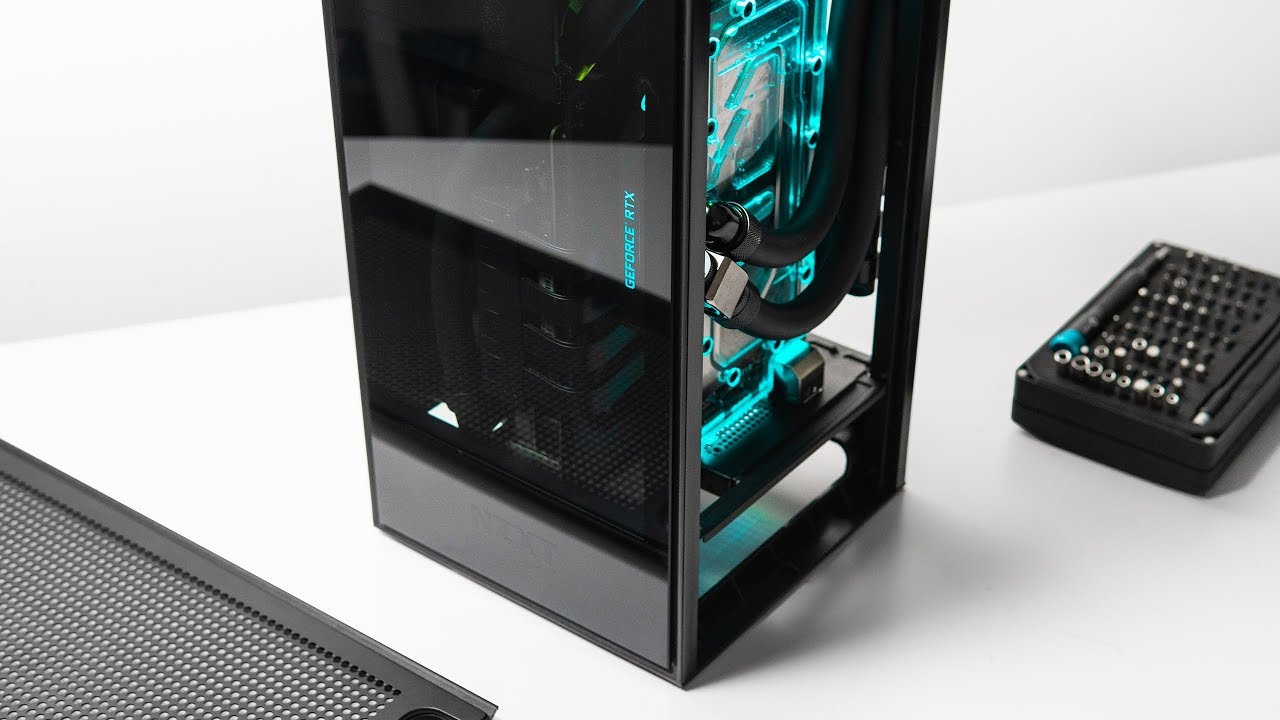
Build video: https://youtu.be/a3MduBQ4A30
GPU undervolting guide: https://youtu.be/zUkPAVcb9Xc
Check prices on Amazon below
NZXT H1: https://geni.us/w2nefL
AMD Ryzen 3950X: https://geni.us/P9uR6n
Nvidia RTX 2070 Super: https://geni.us/uUKY7
ASUS ROG X570-I Strix: https://geni...
 hollow tulip
hey, is it usufull to put 2 fans on a hyper 212 evo ? and also those are not the same fans is it bad ? thank you
brisk rain
Different fans only makes a diffrence to how it looks.
There won't be any harm from having two fans over one
hollow tulip
ok ok thank you
 grand pilot
Anyone use this AIO or know if its any good? ID-COOLING ZOOMFLOW 240X
unkempt spire
yo wtf is up with my cpu cooling rn man I've done Cinebench twice at 100 percent load with my i7-8700k and it's hitting like 85-90C in like 15 seconds
thing is though is that it was able to keep a much better temp like a month ago for 15 minutes (like 75-80C) on prime 95 just a month ago
 green niche
question the h100i should be compatible with the ryzen 7 3700x right
cold island
@unkempt spire might of been a bad thermal paste application
unkempt spire
@cold island okay yeah to be fair mine is a prebuilt and I never checked the thermal paste, but its just weird because it was fine not too long ago
does that line up with bad thermal paste application, where it was better in the past but started to get hotter now?
cold island
i dont know if it'd be that much of a difference, but its pretty common and easy to rule out. is it overclocked at all?
unkempt spire
it isn't manually overclocked but it has the turbo boost thing and goes up to 4.3 ghz under load, but even right now the idle temps are like 40 to 50 C
cold island
if its idling that high (i assume it was idling much lower before) i think it wouldnt be something with the voltage being weird, did you change any settings related to the cpu?
unkempt spire
nope not at all
the only thing i have done in the bios since ive got it was turn on XMP for my Ram
cold island
if you can easily just take off the cpu cooler and repaste it i would suggest doing that, if it isnt a bad thermal paste application you can at least narrow it down without much effort
unkempt spire
yeah ill look into it, it might be because my aio is only 120mm but i heard plenty of people have done fine with those, ill go to best buy and buy some thermal paste to reapply, also I'll clean the dust out of the radiator.
do you have any thermal paste brands you reccoment?
cold island
a 120mm aio should be enough to handle it decently or at least okay
@low pumice gib thermal paste advice
unkempt spire
yeah because before this i believe my 120mm has been totally fine, also I plan to get a better cooler for it sometime in the future anyway
cold island
nt-h1, mx4, arctic silver 5 and kryonaut are all pretty good iirc
unkempt spire
aight ill keep that in mind, also, since i didnt actually build this system so i dont know what I am looking for, how would I know what bad thermal paste application looks like?
cold island
something like this isnt the best
unkempt spire
aight, and one more thing (thanks for the help, i really appreciate it btw), how do I remove the old thermal paste safely so I can reapply?
cold island
usually you can get the majority off with a paper towel and then use rubbing alcohol to get the rest off
unkempt spire
okay sounds good, I'll probably go to best buy tomorrow to grab that thermal paste, thanks for the help.
man honestly im starting to wish i had built my pc to avoid stuff like this, but i know i wouldnt have been able to due to it being the end of the school year and i was super stressed when i was finally able to get it last year so there was no way that I was going to be able to learn how to build one and do it at that time lol
low pumice
Yes
magic sparrow
P95 and Cinebench are two different workloads. Depending on whether you're using the AVX version for one or both of the workloads and the AVX offset you have the workloads can get vastly different temps
acoustic spoke
Whelp, trying to get ahold of a CPU pump/block combo that will fit has failed, I'm reduced to trying to fit a Bylski DDC pump in a Silverstone SG13. Wish me luck.
cold island
something like an eisbaer lt solo doesnt work?
acoustic spoke
No it would be perfect but the ONLY place that has one is Aquatune.us and they are in Europe. It's gonna cost the same as the part to get it shipped.
cold island
ahh i see that sucks
acoustic spoke
I hope it's just a supply issue and Alphacool isn't discontinuing it.
cold island
i think stock is just super low and the whole covid thing, it suck if they discontinued it because then the only other solid option would be something like the apogee drive 2
acoustic spoke
Yea which is tall AF and just straight wouldn't work for what I need.
faint cave
Keep an eye on https://www.performance-pcs.com best place for water cooling stuff and they restock a lot. May be worth even calling them.
Performance-PCs.com Homepage and Website Home
Their website is horrible btw
 median needle
Hey, so I got this i5 9700KF to go with my gpu, and I'm imagining the stock cooler is going to be garbage so I got the cheapest and best I could find... It's a CPU Artic Freezer 34 eSports, I usually don't even playing demanding games at all but I want it to be good in idle and in casual games. DM me if you want link
 fallow lichen
make sure you have the fan on that blowing toward the back of the case through the grills and have an exhaust fan blowing out. If you have a standard atx case that is lol.
uneven halo
anyone use the Corsair Hydro Series, H100i RGB PLATINUM SE?
and is it pretty good with cooling?
 final crescent
i had an H100i, loved it, went w/ a diff one b/c i wanted a 360 and the H150i has been OOS or $250+
uneven halo
alright cause i think i might get
 heady gust
Is the cooler master 360mm aio good?
 undone quail
So I just built a portable Mitx build. It’s running an I-5 9600k. With a noctua L9a. It’s idling at around 48C. In bios. It throttles as soon as I go into windows. Does anyone have some tips?
rugged nimbus
What thermal paste did you use?
undone quail
I used the noctua one that it came with and when it throttled I cleaned it off and made sure that the little plastic peel wasn’t there and I replaced it with artic silver 5
magic wave
Heinz mustard
undone quail
I’ve even turned the cooler up to max fan speed and am getting the same temps
sharp plaza
That's what happens when you try to put the sun into a small box.
undone quail
I don’t even have the side panels on. It’s running fully open air
undone quail
I did a pea drop the first time and an x the second
 undone quail

sharp plaza
I did that for a meme cuz I had old paste left over but yeah spread it over very thinly
undone quail
I guess it’s possible the l9i can’t cool the cpu well enough. Do you guys have any recommendations. I’ll just return the L9i if I determine that to be the problem.
sharp plaza
Never put an Intep into a sff
undone quail
I think I’ve learned that one lol
 vagrant osprey
can someone link me a decently priced aio? for 10900k overclocked 240mm plz?
sharp plaza
Get 280 or 360.
Preferably a water chiller.
Also you may need to relocate to Pluto for better usage of it.
acoustic spoke
bangs head into wall repeatedly
magic wave
spaghetti
acoustic spoke
My new Alphacool Rad won't fit because it has two openings on either side fittings.
sharp plaza
I don't understand why people do SSF.
acoustic spoke
It's hitting the GPU
I don't understand why people do SSF.
@sharp plaza
Because I want to be able to flex with a fully custom loop in a SFF box.
Clout is a helluva drug
sharp plaza
You have no custom loop.
acoustic spoke
The idea was that I would. I might still be ok. I think I can tilt the rad and drill out 2 mounting point holes to secure it.
Barring that, return the rad and get one with 2 ports on the same side.
magic wave
mount a custom loop in a gaming chair
 azure crown
custom loops in sff give hella clout
acoustic spoke
Ehh been done
Leggo
custom loops in sff give hella clout
@azure crown
https://media.tenor.com/images/a1dffc2e2e3baa4ced5474a8bf6410be/tenor.gif
 vagrant osprey
can someone dm me about a aio i need help please]
azure crown
no just ask here
whats with you people and DMs, damn
everyones always like "dm me plz thx"
ocean flume
it's usually when people are still restricted from posting links
azure crown
they should learn to ask, otherwise i get roped into helping someone that i might not be able to help
very few people here will willingly dm some random person who needs help
azure crown
yes
but youre buying a 10900k, or do you already have one?
and
your paying a ton of money for a h100i?
azure crown
i assume you plan to overclock?
vagrant osprey
yes
azure crown
nice
vagrant osprey
will it handle it well?
azure crown
make sure you get a saucy board, theres a GN video that details all the Z490 motherboards
the 10900k is not as hot as the 9900k
they made physical improvements to the chip and IHS to improve heat transfer
vagrant osprey
thats good news im planning on getting the ASUS Intel Z490 ROG STRIX Z490-G GAMING MicroATX Motherboard
azure crown
thats a good one
ocean flume
apevia case fans, any good? looking at a 3 pack of white led ring fans, 17 bucks on amazon
i know their PSU's are hit/miss
idle tiger
If you've got 10900k + z490 money, I'd invest in an h115i, 150i, or x63/x72
Better yet, build a loop
faint cave
Build a loop. It’s fun and addictive.
cold island
that sounds exactly the opposite of what I’d want ngl I don’t need another addiction
that’s why I’m poor no temptation ez
sharp plaza
He's using a 10900K, only thing that makes sense is a loop.
brisk rain
We have liquid cooling and air cooling.... where's my solid cooling?
https://newatlas.com/ge-dual-piezo-cooling-jet/25447/
Not solid colling, but pretty darn cool

New Atlas
Despite their shortcomings, fans do a good job of cooling things down inside PC chassis. Unfortunately, their bulky shape and drain on battery life doesn’t make them a viable option for thinner form factors, such as tablets and smartphones, limiting the processing grunt that c...
cold island
didn’t that get tested by somebody and it sucked
brisk rain
I haven't seen any tests of it. I'm looking right now though
I found an LTT video with thermoelectric coolers
Those apparaently do suck. Still looking for piezo
magic sparrow
LTT made it suck more tho
failed to do correct voltage/current or smth, cant remember now
magic sparrow
just pushed more in because they thought "more = better" when it didnt
but even at best, thermoelectric probs still sucks anyways. So meh
brisk rain
There's some cool tech out there with piezo
I found a video where they put the thing in a laptop, but they never say how well it worked https://youtu.be/Hm5fXj-hUpk

GE's DCJ technology is an advanced cooling solution for the next generation of thinner, quieter and more powerful tablets, laptops and other electronic devices. These devices, as thin as a credit card, are half as thick as conventional cooling fans and use half the energy. And...
uneven halo
would an AIO make it cooler or?
low pumice
Stock isn't meant for keeping it at 30c :p. <95c is safe and you don't have to be concerned with temps <90c
 regal plaza
ahaha so idk if my cooling is trash or the game is saying gpu temp, but my temps are pretty dang high
like constant 80-90
and with a noctua I feel like that shouldnt happen
sharp plaza
It's because TSMC stuck too many transistor's in a small dense place and now they get hot.
 obtuse heath
I would use a program such as hardware info or equivalent, fire up your favorite smash 'em up and monitor your cpu and gpu temps. I use msi Afterburner to control gpu fan speed with a custom profile for gaming temperature wise, but you could do it simple and just crank the fans up to desired audible level you can withstand :) also I have same cpu and stock cooler and if you are saying you are getting 90° with a noctua cooler or noctua thermal paste for that matter, then you need to start looking for a remedy. Something is amiss. Dust? Old thermal paste? Original paste that had crumbled like a cherry cobbler? Time to investigate! @regal plaza
regal plaza
i got no idea if the game is recording gpu or cpu
if I figure that out I got everything else
obtuse heath
That's where hardware info program or equivalent comes in. It will show you each
Cpu and gpu temps. I would trust that vs any game that is reporting
regal plaza
ah nvm its gpu
obtuse heath
I throw it on my second monitor and watch it and adjust from there. Give Msi Afterburner a spin. You can setup a custom fan curve, or just setup a simple profile that you can dictate a % of fan speed to
obtuse heath
Imho if you are still getting 90° + temps with a fan speed of like 85-100% (100% being jet engine takeoff mode) I would replace the thermal pad/paste that is used on your gpu whichever it may be
sharp plaza
Or just use a better cooler because AMD's 7nm is hot and loud.
obtuse heath
Think he is talking about his gpu ? I could be wrong though. I'm in serious coffee debt rn
Brain can't function properly
Hot and loud describes my 8 yr old I7-4930k 😁
In my old rig
sharp plaza
That's just user error. 
obtuse heath
It's hungry
Ok I must bathe in a vat of coffee now to appease the bean gods. Have a great day all, stay safe and happy! 🖖
sharp plaza

magic sparrow
If AMD is hot and loud is Intel a burning inferno screeching to make your ears bleed? Last I checked AMD was better then Intel
sharp plaza
What?
magic sparrow
What indeed
sharp plaza
Interesting, why does a 3970X at 4.5GHz require a water chiller to run then?
magic sparrow
Interesting, why does a W-3175X at 5GHz require a water chiller to run then?
sharp plaza
That's a stupid question.
magic sparrow
oh really? Then I guess yours was too. Good call on figuring that out
 dire merlin

sharp plaza
Like, massively
sharp plaza
AMD uses turtle cores and cache.
magic sparrow
and?
sharp plaza
AMD is third wheeling the tech industry
magic sparrow
and?
sharp plaza
You're a troll.
magic sparrow
and?
dire merlin

topaz blaze
Umm, Kettle ... pot ... hwat?
sharp plaza
 proper cradle

 acoustic spoke
why does my ryzen 5 3600 run so hot?
@uneven halo
Because it's constantly trying to OC itself. Water-cooling would help and possibly let it auto OC itself higher because of better thermals.
 little skiff
why does this one guy seem to have a thing for trashing AMD whenever they're brought up?
topaz blaze
Because he does.
Actually it's not just AMD. He much much trashes anything anyone says.
topaz blaze
It's hard to tell with him.
little skiff
Can't tell if diehard Intel fan or just trolling.
uneven halo
Yeah I was running aids 64 for like 30 min and the temps were around 87-90