#old-cooling
1 messages · Page 29 of 1
 river gorge
 daring pivot
i will give it this
river gorge
so better than singlee.
daring pivot
it looks better with the 2 sticks together
 daring pivot
cries in poverty
 shut rock
yep
 copper patrol
@potent cedar try not to swear pls lol
 potent cedar
It's not like I'm insulting someone? 🤔
potent cedar
Oh, I see, didn't see it tbh
copper patrol
no problem 🙃 now you know
 cold island
what kinda layout is best for fans? 2 in the front are included, and going to get 2 more.
possible spots
front - 2 (included)
top - 2
bottom - 1
rear - 1
daring pivot

There's more to choosing the right PC fan than picking a size, noise level, and bearing type! Linus explains the difference between high airflow and static p...
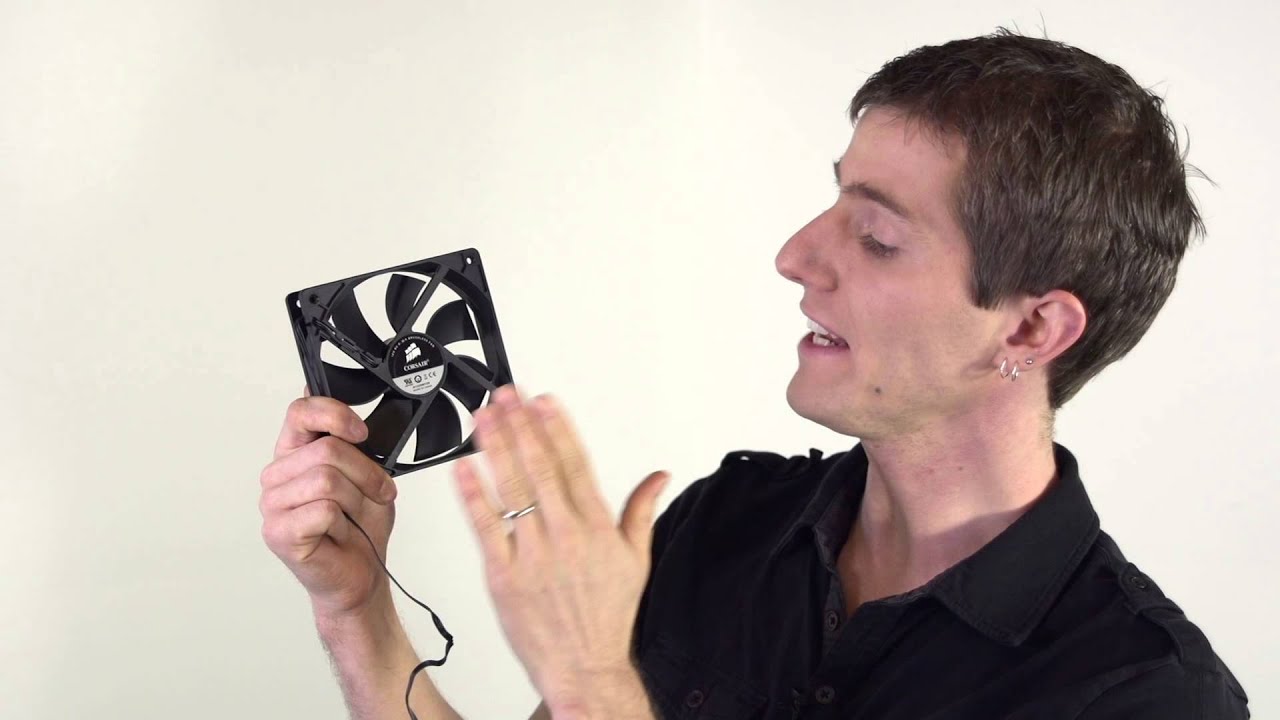
It can be tricky to find and install the correct computer fans. This episode shows you how pick out and install fans in only a few minutes. FORUM LINK: http:...
 wild wagon
Anyone has a good suggestion for liquid cooler at the size of 120mm?
wild wagon
Below 100 will be good but I should be able to handle 150
copper patrol
perfect
heres an inexpensive but good one https://www.newegg.com/cooler-master-masterliquid-ml120l-rgb-liquid-cooling-system/p/2YM-0004-00014?Item=2YM-0004-00014
theres also this one if you want it to look a bit nicer
its a bit more expensive but it looks better imo
wild wagon
Thank u so much
copper patrol
sure
just fyi you wont really be able to overclock that much on a 120mm rad
if youre doing overclocking and stuff get at least a 2 fan rad
but if youre doing a sff pc build and wanna save space with a good cooler, those links i posted will work great
wild wagon
I just needed replace the liquid cooler with the one I have rn because the fan that I bought with the pc is really bad it’s mainly for gaming so I don’t think it will over clock
wild wagon
Just gotta find a way to do it with out my destroying my pc I got this lol
wild wagon
👍
 modest prism
Hey guys I’m think about a 2080ti and I’m also wondering if I need to get a specific cooler for the gpu because I’m planning to ray trace
Also, any good coolers
 clever berry
 unique lilyBOT
modest prism
unique lilyBOT
modest prism
I suck lmao
 proper hollow
If it doesn’t get as many frames as you want just turn up your fan curve, increase power and you might not need to overclock since Nvidia cards overclock themselves
 rocky dragon
cold island
rocky dragon
cold island
**the power of the bean **
proper hollow
Do you take that to the movies?
 feral patrol
what?
feral patrol
oh my god
how could i not remember
f me im dumb lmaooo
forgot about that dumb thing
daring pivot
:D
 supple scarab
does the company for fans matter or not really?
supple scarab
I see difference of 2-3x the pric bewteen products
price*
corsair deepcool or coolermaster for that matter
 dusty anchor
of course price is a factor
dusty anchor
then use the bequiet fans
 noble cypress
Can anyone can tell me which is the best AIO for pc pc? I am trying to save my money and my budget is $500?
copper patrol
you can get a verrryyy good aio for $500
you dont even need to go that high at all
500 is a good budget for a custom loop
alright before i can recommend any aios, i gotta know what processor you have and if youre overclocking it
noble cypress
Yes and I dont know which is the best AIO for tracking temp, display and flow currents?
noble cypress
Oh I mean like ASUS ROG Ryujin AIO, ASUS ROG Ryuo AIO or corsair?
I have a i7 9900k cpu and Intel Z390 motherboard and EVGA 2070 GPU
river gorge
your entire pc budget is 500?
or 500 for the cooling?
and what currency is this 500.
EVGA CLCs has flow control sensor.
noble cypress
I mean less $500 For AIO. I have a PowerSpec G353 from micro center
noble cypress
No, not enough room
river gorge
if you want the best, I'd say go for AlphaCool
copper patrol
yeah i get that we are just saying 500 is what you should be paying if you were to do a custom loop
river gorge
EISBAER 240
it's refillable, and expandable
so you could loop both cpu and gpu.
or even with EKWBs Phoenix series.
the EK-MLC
river gorge
You caan buy them prefilled, and it's literally snap together
show me with side panel off.
noble cypress
Hold on
river gorge
I mean do you want your gpu cooled? or just the cpu?
river gorge
hmm ok you might could fight a 240mm aio in the front.
noble cypress
Yes
river gorge
maybe even a 280, but I would need the case.
to make sure
aio tubes might be a bit stretched tho
river gorge
oh you has x2 120mm at the top
noble cypress
Yes
river gorge
ThermalTake makes really nice AIOs aswell
noble cypress
Yes and I have thermaltake view 91 case for future of my plan
river gorge
I think they have longer tubing
might can get @plush wren to verify if it could fit front mounted in your case.
noble cypress
What about that one??
noble cypress
I have a corsair L120 rgb fan
river gorge
that oled display though is sick
noble cypress
What wrong with it?
noble cypress
Cool and cheap that ASUS ROG RYUJIN
 plush wren
@noble cypress @river gorge The Floe AIOs have about 12 inches of tube length. Since you're going with the View 91, your best bet would be going with soft tubes. You can find those in the Water 3.0 ARGB series.
Also, the 360mm rads have a slightly longer length than the 240mm aios
but do keep in mind that the View 91 case was made with custom liquid cooling in mind 😉
river gorge
❤
noble cypress
The problem is that the 91 is that I am going to save my money to spend around $10,000 for full custom water loop for 2020 complexes computer design show.
noble cypress
So I made a design this my thermaltake view 91 case plan
river gorge
neat!
noble cypress
Thx
 worldly heath
You're going to spend $10,000 on just a water loop?
feral patrol
h0t
river gorge
What's wrong with that fps_noob.
 dim mist
I mean it is a bit pricey, but if the guy wants to spend his money on it then so be it
although "a bit" is an understatement if you ask me
Also I came to ask about some advice on getting a CPU water cooler
river gorge
if it's for a 2020 complexes computer design show, sometimes money is no limit.
dim mist
I guess so. I'm unfamiliar with the show, so I can't say if it's worth-while
river gorge
never heard of it either, but imagine it's like any other computex stuff.
show off the most bling.
dim mist
Right
river gorge
all I can say is.. it must be nice 😄
but what kinda question do you have about cooling?
dim mist
So basically I'm deciding if I want to buy this thing here https://www.newegg.com/raijintek-orcus-240-all-in-one-cpu-water-cooler/p/2YM-0002-00024
I've bought some fan's from the company before and they've worked great so far
river gorge
That is neat, kinda weird placement for the pump though.
dim mist
but I haven't water-cooler a system before, and I'm a touch paranoid if the pump would leak y'know
river gorge
I wouldn't worry to much about leaking.
dim mist
Ah alright
river gorge
they are built really well, can't say that about Raijintek cause I've never owned own.
but corsair, evga and thermaltake make excellent AIOs
dim mist
but in a scenario if it would, is there a coolant that doesn't conduct electricity, or is that a marketing term companies throw around?
river gorge
no you are correct.
non conductive liquid.
you'd have to go through great lengths and man handling them to cause a leak.
river gorge
love temps, and quiet.
dim mist
ah ok
river gorge
I have since Graduated to a full custom loop. 😛
but the other 3 computers here, my wife and both kids have AIO set ups.
dim mist
Now I don't think I could do a custom loop
river gorge
I didn't either! but seeing so many pictures, and youtube videos of them.
EKWB makes a "fluid gaming kit"
that has everything you need.
dim mist
I'll keep that in mind
river gorge
eeeeeep so excited for that.
dim mist
ikr
river gorge
I'm strung out on whether to get the new cpu, or gpu.
I have first gen ryzen right now.
dim mist
Oh nice
river gorge
been waiting forever for NAVI
dim mist
what cpu?
river gorge
the Ryzen 5 1600.
dim mist
Oh that's not a bad one
river gorge
then I have a pny 1080FE.
dim mist
oh yeah
river gorge
so getting the NAVI
would just seem better paired.
so I dunno, I keep going back and fourth lol
dim mist
I guess. Personally I'd probably get a processor
The 1080 ism still a good card, even in the current landscape
river gorge
yeah. both my cpu/gpu are on the same water loop.
so upgrading cpu would be easier
gpu I'd have to cancel out the water loop and re run stuff.
dim mist
Definitely
dim mist
Plus you'd probably have to buy a new plate for the card
river gorge
yep 😛
dim mist
Navi is nice, but I'm gonna try and get a Radeon VII because it benefits me more
16GB of relatively affordable VRAM y'know.
river gorge
for sure
dim mist
But I hear it still has some whack cooling
river gorge
yeah
dim mist
I even contemplated doing a whole custom loop for it because of it.
However, I think I'll just do a custom fan curve in Wattman to balance things out
and I've heard recent drivers have made the card far better to use
Now here's one more question I should ask: Should I mount the radiator on the front, or the top of my case?
I ask because I don't know if there's benefits to doing either.
dim mist
1 sec
I apologize in advance for garbage image quality
OK the camera quality of that shot can burn
This one is better compared to the other photo that will not be seen
river gorge
I'd go with front panel mount, sucking air in.
would be good flow for the rest of the case.
with the 3 exhaust
dim mist
Alright that'sa relief
for a second, I was thinking I'd had to unmount some fans
my fans
dim mist
Oh no
river gorge
you may want to top mount it 😛
dim mist
that's no issue
dim mist
I was looking into the cooler more and the tubes are 15' (35ish cm)
So it wouldn't be an issue to reach it from the front
river gorge
sweet
dim mist
On a side note, who custom loops their RAM?
river gorge
silly people.
dim mist
Like I still don't understand the purpose to it
river gorge
oh I agree.
dim mist
At least it's better than a custom looped PSU\
river gorge
unless it's that XPG ram that has the water heatshield
that ram is pretty OP.
4k mhz or something silly
I think it is called Jellyfish
river gorge
yes
dim mist
Yeah I'll admit, it does look pretty good.
 fiery patrol
Hey guys I’m just wondering if anybody knows how viable it would be to custom loop in an nzxt h500i as that’s what I plan to do but don’t know if I need to switch my case
river gorge
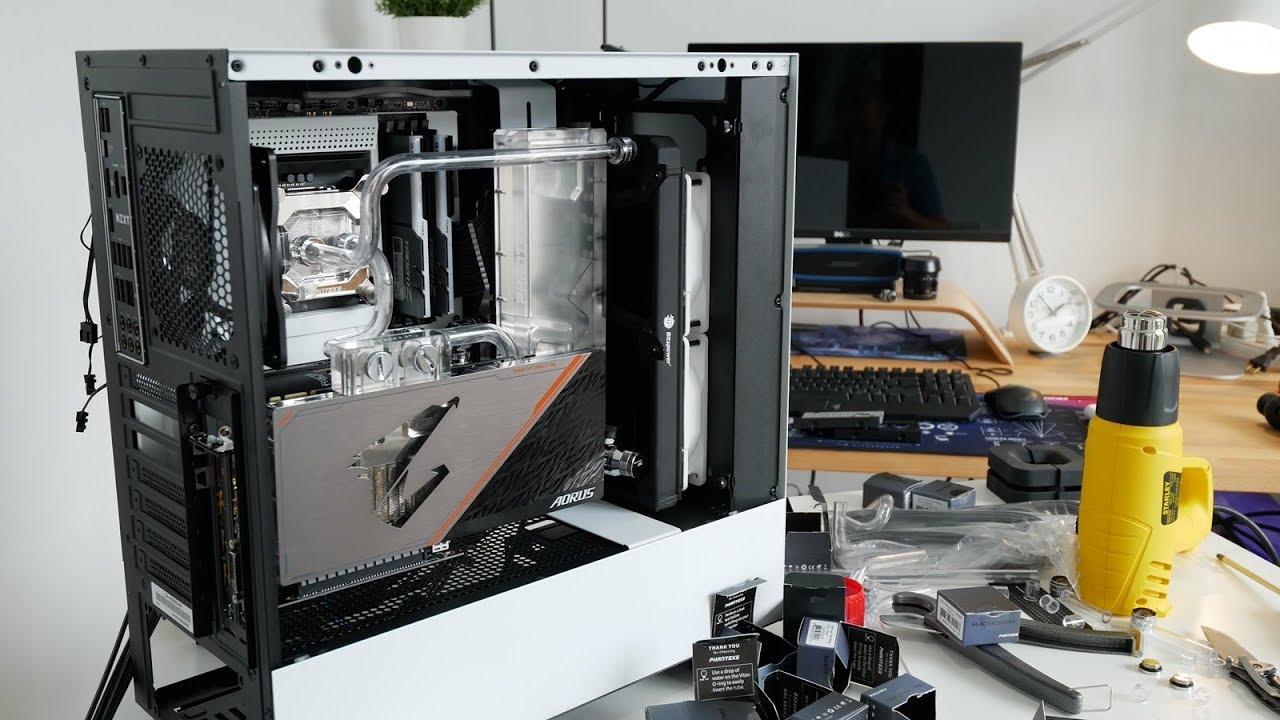
A few things before you custom water cool your mid tower ATX PC... To summarize what I said in the video... 1. GPU length clearance vs typical pump res mount...
 topaz blaze
I had a question, the name is ironic but anyways, I’m hearing a loud rattling noise that like 20% of the time leads to cracking or popping, I expect it to be one of my front panel fans, but I’m not actually positive, it spins really fast, then while it’s spinning/right before it just stops spinning all together it makes that rattling noise. I don’t have money to replace a new fan, so should I just ignore the sound, or disconnect that single fan?
you could try to oil the bearing
Do you think it would be dangerous to just leave it alone? Honestly I’m still not even sure if the noise is actually the fan, but due to how it runs and what it does when I can hear the noise it’s my greatest assumption.
river gorge
disconnect the fan.
if you still hear the noise, then you can plug it back in.
if something is burning out, I wouldn't leave it plugged into any power source.
topaz blaze
i didnt plug it out but the exact fan i assumed it was stopped moving all together
and theres no noise
i think it is dead
 autumn depot
excuese me but i am looking for a cooler for my CPU and im not to sure what to get.I Dont plan on doing overclocking I just want something to cool my Ryzen 2600x well
river gorge
stock cooler should be plenty
topaz blaze
the stock cooler could do the trick. if you want something a bit more capable, you could do what i did and pick up an old wraith FX cooler with heatpipes from fleabay. it does a well job on my 2600
autumn depot
ok thanks
 silk lake
will trident z rgb memory fit under the noctua nh-d15 ? i know it's a beefy heatsink
daring pivot
i'm researching that for you
it would not
the ram is 44mm
and the ram clearance on the D15 is 32mm
copper patrol
wait im pretty sure the ram clearance is 64 if you take off the fan thats closest to the ram
i could be thinking about the wrong cooler
but i think thats a possibility
but that sacrifices cooling capability
also why get rgb ram if the coolers gonna cover it lol
honestly i think the dh15 is such an attention drawer that looks are kinda outta the picture
but its your choice
dim mist
Well I ended up putting that water-cooler in my system
looks pretty good and made my temps pretty low
dim mist
The Rajintek one that I was talking to you yesterday about
alright give me a minute for pics
dim mist
Not as mcu has I though yeah
it ended up dropping my processor heat by 30 degrees under load
I was a bit suprised ngl
I was expecting something like 20
river gorge
😃
copper patrol
i got a question: so some people say if youre using water cooling over a long period of time the liquid heats up and becomes less effective; is this true?
river gorge
not true.
copper patrol
👀
copper patrol
but not enough to impact performance, right?
river gorge
I've ran ark, a very demanding game both cpu and gpu. and my temps stay solid around 55 to 58c.
copper patrol
nice
river gorge
regardless if I run it for 8 hours, or 1.
copper patrol
ok
copper patrol
sometimes when the build pics look too good to be true i search google images for it lol
dim mist
lol
copper patrol
but im on mobile so its to hard to do that rn
dim mist
right
topaz blaze
which cooler is this exactly?
dim mist
That's a Rajintek 240 Orcus
topaz blaze
oh, yeah i know this one. enermax and couple others kinda copied their design. not a bad AIO at all
river gorge
Very nice @dim mist
topaz blaze
this is the one i'm running right now https://www.newegg.com/swiftech-drive-x3-aio-liquid-cooling-system/p/N82E16835108223
got a lot of custom parts but keeping it simple 🙂
dim mist
Nice nice
river gorge
I like swiftech
topaz blaze
yeah not bad
topaz blaze
the GPU and CPU blocks i got are from aqua and EK
i have a swiftech CPU block but it's an ancient apogee i bought second hand
their D5 is gud though
river gorge
Yeah
topaz blaze
is it a 1080? that comodo looks well
topaz blaze
Ti is a bit toasty but i had some gaming X 1080s that had good temps
WC is indeed a different joy however
river gorge
dim mist
oh neat
topaz blaze
yeah, such a plexi top tho.
dim mist
I am still unsure if I even want to attempt doing something like that with my GPU
river gorge
it's really easy. first time is always scary lol
topaz blaze
you could go pre-filled like boX spoke earlier about, with EK-MLC
topaz blaze
yup i had couple
river gorge
I love the concept.
topaz blaze
QDC are bit restricting although i'm not sure by how much, would be cool to see results with a flow meter or direct temps
river gorge
I wish I could afford those QC fittings
yeah
would make taking my gpu out a breeze.
or even the cpu.
topaz blaze
bitspower compressions without the asian wording on though.. the old ones. best fittings ever
river gorge
only because I don't have a drain port.
I've drained it once already, enough wiggle room to tip my pump/res over and empty that way
topaz blaze
EK should re-do those again, with a new line
the phoenix aren't bad but are a downgrade in terms of having more plastic over nickel like on the predator
topaz blaze
had some leaking issues with rev 1.0
river gorge
yeah
I got them to send me the revised verison
had contacted them, some guy I talked to via email ran around looking for one in the warehouse cause it was EOL.
happened to ffind one and shipped it to me free of charge.
topaz blaze
nice, mine leaked after customizing it, luckily not over anything
river gorge
the predator I got was from a giveaway I won, was the ekwb/msi 1080 30th edition
worst prize I ever got.
topaz blaze
hey it's a neat cooler if you exclude that issue..
river gorge
thing came in its own custom wooden crate. and when I opened it, it had leaked.
topaz blaze
oh.
river gorge
whoever made it, over tightened every screw, so the plastic on the res cracked.
so I contacted MSI and was like wtf.. I know this was a giveaway.. but how am I suppose to use this?
sent them detailed pictures of all of it
and they're like ok... you go ahead and just keep that... we will send you a msi 1080ti duke cool?
after picking jaw off the floor I said deal.
topaz blaze
you can change the pump on the predator with a MCP355 btw, i did so after some time
river gorge
ended up getting that res from ek, had two working cards :p
then 3 months later the 1080 died.
dim mist
yIKES
river gorge
bad vram
yeah, was such an awesome rig too. I hated that I had so much trouble with it
but when it worked, damn it was pretty

MSI to celebrate their 30 years they Announced a new GeForce GTX 1080 30th Anniversary highly exclusive custom built limited edition graphics card to the pub...
topaz blaze
is that it? just the thick 120 cooling it? looks a bit meh
i bought the 360 with QDC
topaz blaze
yeah it's just the 1080 so makes sense
similar to my V64 LC
just doesn't look as beasty as a 360 going into a card
temps aren't water cooling level low on my duke 2080 but still doesn't exceed about 55C load, so i'm fine. maybe next gen.
 lunar fossil
besides being newer, how are the temps on the nd h15 vs nd h14 from noctua
copper patrol
probably better
 stuck owl
I just recently started gaming on a desktop, i've always had a laptop that I played games on and never really monitored the temp. I would like to make sure I keep this one in good condition. Does anyone know what the easiest way to check cpu/gpu temperatures while gaming are.
 grave laurel
Depending on what your mobo is and if you have a watercooler installed, there are various things you can use to monitor the temperature, just look it up on google.
topaz blaze
he wants to have it monitored in-game so i might suggest rivatuner statistics
grave laurel
Doesn't rivatuner act like spyware and cause some performance loss?
I'm not big on rivatuner.
I guess it works if you're not crazy about frames.
topaz blaze
um no, not really..
daring pivot
rivatuner works fine with no performance overhead or degredation
topaz blaze
you can install the rivatuner statistics server next to MSI AB
grave laurel
I don't use any MSI hardware I don't think.
topaz blaze
you can still use afterburner though
grave laurel
I can't just use rivatuner?
topaz blaze
you can
 graceful vigil
also, HWInfo64 works very well and has more info than you probably need, but you customize the sensor tracking and what the UI window will show
river gorge
I use Argus Monitor
 pine basin
General question for opinions here, which company makes the best mid-range (so excluding things like the Lighting, Kingpin, etc) graphics card cooling solution for atx form factor?
copper patrol
thermaltake good
pine basin
Huh. Probably shoulda specified that I was talking about GPUS....thanks for noticing that
daring pivot
EVGA's ACX coolers are great
 wanton sparrow
So if I'm going overkill by putting a noctua nh-d15s on my CPU, would it be a good idea to have a different cooling solution for the gpu, which will likely be a 2070 or 2080, than the stock card?
pine basin
What form factor are you running?
wanton sparrow
Likely micro atx. I'm trying to achieve maximum cooling effect regardless of sound; just wanted to clarify that.
pine basin

eBay
Find many great new & used options and get the best deals for RHEEM RA1760AJ2CB - Classic Plus 5 Ton 17 SEER Two-Stage Condencing Unit at the best online prices at eBay! Free shipping for many products!
Then tape this bad boy to your system
wanton sparrow
LOL
pine basin
It would probably kinda sorta work
If you care about max cooling performance, then you could probs modify your gpu shroud and replace stock fans with some Noctuas™
wanton sparrow
I kinda want to try connecting my next build to my home ac unit and just blast the system with that thing for a solid day to see what it does.
wanton sparrow
Yeet, it's going to happen now.
When you say modify the gpu shroud, how complicated of a process is that?
pine basin
Kinda depends on how nice you want it to look, and what brand your card is
But it doesn't seem too difficult, although you might want to tripple check your warranty
wanton sparrow
Yes, the warranty is a likely a concern with doing that. But needless to say, I'm interested in modifying those fans
pine basin
But afaik, it's just a matter of pulling the stock fans out, and plugging in Noctuas in the header, YouTube is definitely gonna do a better job than I would actually showing you how to do that
wanton sparrow
Lol if I do that, my next build would literally have 12 noctuas in it. Just in a micro atx case
Owo
pine basin
N I c e
wanton sparrow
it's a bit overkill but f it
topaz blaze
What’s a good cpu cooler under $80
 cosmic steppe
cryorig h7
 fallen tartan
 native sapphire
Will a watercooling pump and resoviour work laying down flat?
river gorge
i've seen pump/res combo horizontal . they have to be filled 100% though.
I need more coffee lol.
heck you could mount them upside if you wanted to. I wouldn't suggest it.
 fresh flume
I got my noctua NH-U14s for like 70 bucks on amazon, it is absolutely amzaing
daring pivot
the U14S is fantastic
 muted lintel
Anyone know if Gamdias is a good brand? Can't find many reviews on their coolers
graceful vigil
meh
I had one of their mech keyboards...it's chinese generic, basically
didn't even know they were producing coolers
river gorge
I believe @modern pebble has a Gamdias
 modern pebble
I do! It dose its job as an AIO cooler, BUT... my RGB lights crapped out 6 after owning it 😦
worldly heath
so I delided my 8700k, and put a copper heat spreader on it, and man did that make a big difference
muted lintel
@modern pebble Mike thats good, was it a m1A 240R?
This my first time with liquid cooling!
modern pebble
Close! I have the P1A-360R
muted lintel
That's pretty cool! I am a little afraid of the fittings not lasting, and I cant get in contact with support to ask if they will cover my build if their product damages it like other makers would
muted lintel
@modern pebble Do you have any suggestions?
topaz blaze
what toolkit would be the best for taking off a gpu cooler from NVIDIA?
 polar vector
Hey, I want to ask about fan cooling. Compare to ball bearing fan, is there any rbg fan that can match them? Any suggestions?
topaz blaze
what thermal pads do you guys recommend?
daring pivot

Thermal Grizzly
Thermal Grizzly, deutsche Qualitäts-Wärmeleitpasten und Pads

Thermal paste solutions are messy, inconsistent, and impermanent. They'll need replacing every 1-3 years in most cases, assuming you're concerned about risin...
 rugged shadow
ARTIC ones arent bad either
topaz blaze
im talking about for gpus
muted lintel
Hey is a fan with 41 CFM good enough for usage with a liquid cooler?
 alpine grotto
Well your largest cases have 2-5 MAX...CF. so at 41 CFM you will push the air 10-20xs per min... not the highest fan available but depending on outside conditions: air flow in, air flow out, case surrounded by crap... And fan placement will determine a lot.
Rumor is Static fans are best for coolers.. but that was from 1 report I browsed thru... so not sure if anyone else has an opinion on that
wanton sparrow
Are M.2 heatsinks just a fad or is it something worthwhile to add to a new build?
copper patrol
some mobos come with them 👀
wanton sparrow
Would you expect the x570 mobos to have them?
copper patrol
maybe
daring pivot
depends 100% on the motherboard
some do, some don't
it's generally higher end boards that do
daring pivot
yeah
copper patrol
look at server banner in this discord server lol
that one is fancy
rgb and stuff
wanton sparrow
But does a heat sink for an M.2 drive really make a big performance difference? If it helps with thermals I'd be interested in it, but otherwise I feel like it might be a hassle to find a decent one that properly fits the drive I'm looking at getting
copper patrol
it doesn't not help
daring pivot
honestly
if an M.2 SSD really needs a heatsink, it comes with one
it can help mitigate potential slow down due to heat, but it's not necessary
wanton sparrow
Okay cool; thanks for the help
 manic garden
Whats like the thinnest cooling fan you guys ever seen
wanton sparrow
Not that it's thin, but I love the look of the 200mm noctua fans; the proportions are soooo nice
rugged shadow
laptop fans are pretty thin
muted lintel
@tazman1982, yeah I have a roswell case, has great air flow out of the back and up top with small vents on the front. Looking at about 4 fans plus 2 more on my radiator. Was hoping I could match the case fans by putting it on my radiator but if 41 cfm at about 900-1800 rpms ant enough I just wont take that chance.
alpine grotto
I personally have 6 on my radiator... 3 front pushing, 3 backside pulling... probably overkill.. but... that’s how I do crap. Have 16 fans total... 😳😳🤯
alpine grotto
When I upgrade some I can.. want them all to be the same brand.
 little fractal
when should one consider upgrading to water colling
 deft crag
when you have enough cash
little fractal
right now i have four case fans but i still feel my CPU get's a bit hot. Where cani easily check my cpu temp
topaz blaze
@little fractal "Speccy" program from piriform.com or filehippo.com
topaz blaze
what programs do you have running? @little fractal
little fractal
only the ones seen on the bottom
i think i was dolwnloading somethign but thats really it
topaz blaze
can i see a picture of the inside of your computer tower?
little fractal
topaz blaze
what about a picture with the computer off and using your camera flash
little fractal
ok give me a sec to save some stuff
topaz blaze
like a good picture facing directly towards the side would be good
topaz blaze
hmm barely any dust in the system, looks pretty clean. and the video card temp is fine so no need to look at that. For some reason the cpu temp and mobo temp are high though.
Do you have your cpu overclocked?
little fractal
No, I don't even know how
topaz blaze
with your computer powered on, are all the fans spinning?
little fractal
Yep, all four case fans and my CPU fan
topaz blaze
What model ASUS mobo is that?
little fractal
Lemme check
ASUS PRIME B450M-A/CSM AM4 AMD B450 SATA 6Gb/s USB 3.1 HDMI Micro ATX AMD Motherboard
topaz blaze
So you're using a 2nd device to chat with me, correct?
topaz blaze
ok so restart your computer and enter the BIOS using the delete key, or F2 keys, asus manual does not say which
little fractal
Yea
topaz blaze
what does the cpu rpm readout say?
little fractal
For the CPU fan? 2472
topaz blaze
and cpu temp?
little fractal
68 c
topaz blaze
that's pretty warm for sure for only being in the BIOS.
did you assemble this computer yourself?
topaz blaze
with the computer off, can you use a philips screw driver to carefully turn the cpu heatsink screws clockwise to make sure they are snug and do not turn any further?
little fractal
Yes
topaz blaze
make sure to check all 4
little fractal
Ok, I think we found the issue, two of my screws turn like there not going into anything
topaz blaze
ok so I would loosen the 2 that are tight and then with a little pressure, push down on the 2 that will not tighten and see if you can get them to catch threads and screw in and tighten
don't loosen the tight ones all the way, just a little bit
I say that assuming one side has the 2 tight screws and the other side has the 2 loose screws but it could be opposite corners.
little fractal
Yess
topaz blaze
let me know if you get all 4 snugly screwed in?
little fractal
I'm pretty sure there screwed in good. It has this thing to not let you overscrew but it appears they are all in and snug
topaz blaze
ok great. please boot back into your bios and let me know the new cpu temp
Delete or F2 btw
topaz blaze
I'd let it sit in BIOS 2 minutes then check the temp again
little fractal
Kk
alpine grotto
What is the room temp? You in Europe with 113 F out side?
little fractal
No, my house is 76 F tho
topaz blaze
@little fractal what's the cpu temp now?
little fractal
Looks like it might settle at 54 or 55
topaz blaze
that's better than 68C
little fractal
Loads
topaz blaze
Can you boot the computer and open all the same programs as before when you had speccy open too and check the speccy temps again?
little fractal
K ok
topaz blaze
@little fractal looks like you were running chrome, speccy, norton, discord, voice meeter, and steam.
daring pivot
norton's a pretty good resource hog
topaz blaze
his cpu cooler screws were loose
little fractal
Yep
daring pivot

topaz blaze
7C drop in temps
daring pivot
nice
little fractal
now it's at 67
 alpine grotto
New thermal paste)
topaz blaze
you left the stock thermal paste on the bottom of the cooler right?
daring pivot
oh good
little fractal
yes
topaz blaze
ok
daring pivot
skeered me
topaz blaze
i was thinking cpu fan speed control next
topaz blaze
whats the exact cpu model?
little fractal
AMD Ryzen 3 2200G with Radeon Vega Graphics 4 core proccessor 3.7 GHz Max boost 3.5GHz base
Straight from the box
topaz blaze
well don't get too scared, your cpu max temp is 95C
topaz blaze
try closing all the programs except speccy, let it sit a couple minutes and then tell me the cpu temp?
topaz blaze
I'm thinking it may be your cpu fan speed bios settings...
hold on...
can you restart and go back in your BIOS and go into "qfan control" and tell me what options are in there?
qfan section should be F6
little fractal
Standard. Silent. Turbo. Full speed. Manuel
topaz blaze
what was it set to?
little fractal
Standard
little fractal
All fans or just CPU
topaz blaze
just turbo on the cpu fan if you can
little fractal
Done
topaz blaze
alright make sure to save settings while restarting
topaz blaze
you booting to windows?
little fractal
Yes
topaz blaze
once you're there with only speccy running can you tell me your cpu temp after it idles for a couple minutes?
little fractal
Looks like 50c but I'll tell you if it changes
topaz blaze
ok
do you hear a louder fan noise than usual btw or is it not really a noticeable difference?
little fractal
Sometimes it spikes into the 60's but it always comes back down
Also no. Even pressing my ear to my case can't hear a thing
topaz blaze
that's good it's not loud...so 50C at idle hmm..
try loading chrome, speccy, norton, discord, voice meeter, and steam and check the temps after they are all running a minute or 2
little fractal
48-50 with small spikes here and there
Is running a dual monitor set up taxing on the CPU
topaz blaze
is the cpu fan loud now with all those programs running?
little fractal
No
topaz blaze
monitors mostly tax the video card
little fractal
Ok, cause that's what I'm hoping to do when my new monitor gets here
topaz blaze
great so it looks like that turbo qfan setting fixed your issue
little fractal
Cool thanks
topaz blaze
I do however recommend, especially since you know how to do it yourself, putting on some aftermarket thermal paste sometime. I recommend "Arctic MX-4"
clean old thermal paste off cpu and heatsink, apply a pea size dot on the cpu, then reinstall cpu cooler
little fractal
will definitly think about that
topaz blaze
it does not need to get done right away but that would help your temperatures even further
little fractal
cccoolio
topaz blaze
enjoy the computer, glad i could help
little fractal
thanks for helping even tho todays a holiday. Have fun
topaz blaze
no problem, Happy 4th of July!
little fractal
👋
 quasi flume
So question, I'm also Googling it as well but Does the GTX 1660ti Have a Waterblock? just doing some theorycrafting. Probably get a 10-series card from the used market or something for some intro into Overclocking and Liquid Cooling. I ask about the 1660ti since it's farely inexpensive and has pretty good performance, close to a 1070(ti? been a couple months since the reviews i watched xD)
 oblique steppe
is there an EKWB product that is compatible with this? https://www.newegg.com/gigabyte-geforce-rtx-2080-ti-gv-n208taorusx-wb-11gc/p/N82E16814932074?Item=N82E16814932074
 agile whale
i had the same question but found out you should be able to use ekwb g 1/4 fittings on it
@oblique steppe
river gorge
g 1/4 is the standard.
agile whale
but for fittings i would reccomend using bitspower fittings
 blissful cloak
https://www.newegg.com/p/N82E16835181151 im thinking about buying this to cool down an amd powered system, thoughts?
river gorge
decent 😄
topaz blaze
@spring kraken I can't comment on the number of them sold but in this video it shows the card idling at 31C, so I'd say pretty good cooling: https://www.youtube.com/watch?v=me-LcQkLVCM The video will tell you a lot more.
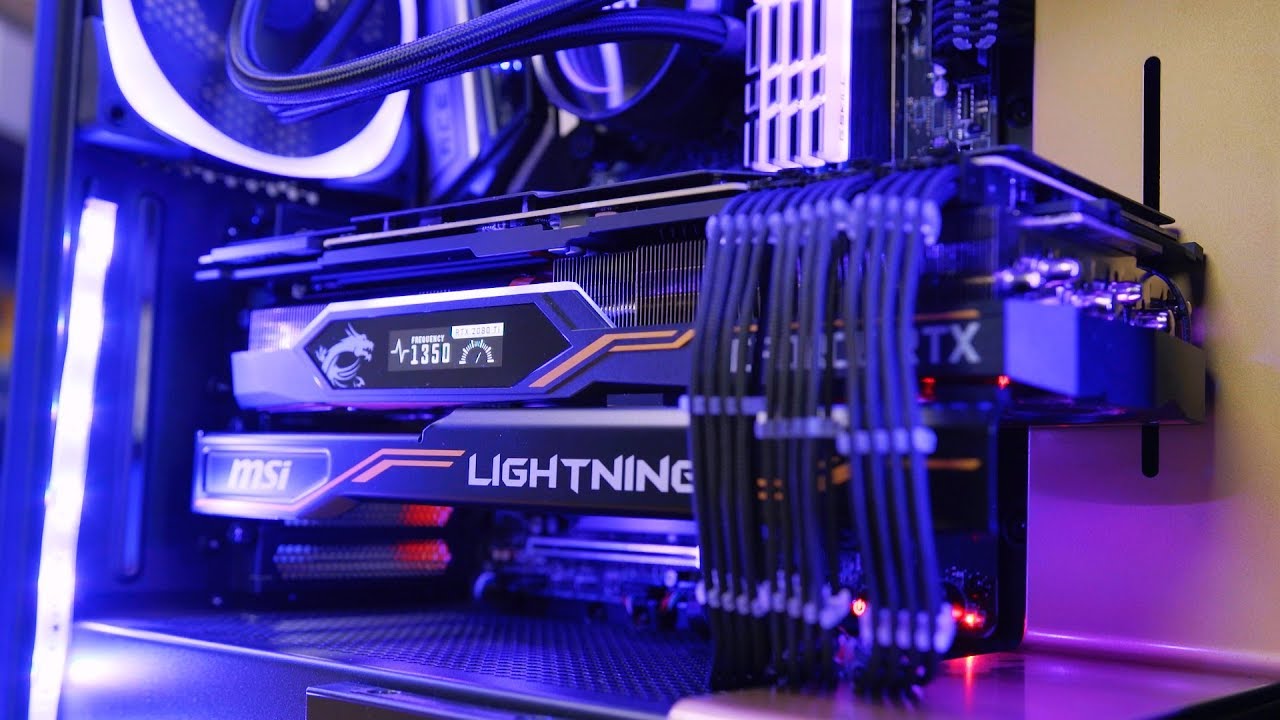
(Get the MSI Lightning Z Exclusively at BLD by NZXT) https://nzxt.co/J2CLightning Check out our NZXT BLD Tour here! - https://www.youtube.com/watch?v=tSDpawY...
 wind dove
@spring kraken are you planning on buying one?
topaz blaze
@spring kraken You're welcome.
 cobalt lark
Anyone have an extra AIO they don't use I could maybe buy off them?
That still works lmao
cobalt lark
I'm talkin' 40$
Jk
I know that AIO
Some dude said on my stream that it had some problems with leaking
worldly heath
if you only have $40 to spend, you shouldn't even be looking at AiOs
wind dove
@cobalt lark The Scythe Mugen is a very good cooler
It will perform better than almost all 240mm AIO
potent cedar
well there is actually a very good aio
for 40$
heheeee
BEHOLD upHere Technology All-in-One High Performance Water Liquid CPU Cooler with Adjustable 120mm PWM Fan,Blue LED (AM4 Compatible) CC1202 https://www.amazon.com/dp/B07DJ5G5KS/ref=cm_sw_r_cp_apa_i_OhSiDbNNWAAF8
graceful vigil
...more amazon links in newegg's discord...what is wrong with you people lol
graceful vigil
maybe not, @river gorge but it should be common sense and courtesy
lol
common sense these days isn't so common though 😐
graceful vigil
o.0
 iron gorge
I'm kidding Ily ❤
wanton sparrow
Should I be as afraid of liquid metal for my cpu as some people are suggesting?
I don't want to run any risks of damaging my mobo
daring pivot

YouTube
dang it

AHOC Patreon/Shirts/Paypal/Junkyard:http://cxzoid.blogspot.co.uk/p/support-fail.html The Twitch:https://www.twitch.tv/buildzoid The blog: http://cxzoid.blogs...
there you go
follow that
wanton sparrow
Thanks for the video
Is this liquid metal or a paste? https://www.newegg.com/arctic-silver-as5-3-5g/p/N82E16835100007?Item=N82E16835100007
I've seen mixed things floating around
wanton sparrow
Gotcha; thanks
daring pivot
Buy Coollaboratory Liquid Ultra 100% Metal Thermal Interface Material: Fans & Cooling - Amazon.com ✓ FREE DELIVERY possible on eligible purchases
like that
wanton sparrow
Would I be able to put this (https://www.amazon.com/Thermal-Grizzly-Conductonaut-Grease-Paste/dp/B01A9KIGSI?ref_=bl_dp_s_web_12726538011) on a copper base and not have much or any degradation of the metal?
daring pivot
yes
 fierce slate
currently using a 420 lph ppcs raystorm pump. what would you guys suggest as a overclocking replacement?
hydro x? ek d5?
fierce slate
https://www.corsair.com/us/en/Categories/Products/Custom-Cooling/Pump-Reservoir/Hydro-X-Series-XD5-RGB-Pump-Reservoir-Combo/p/CX-9040002-WW OR https://www.ekwb.com/shop/ek-xres-140-revo-d5-rgb-pwm-incl-sl-pump?
The CORSAIR Hydro X Series XD5 RGB Pump/Reservoir Combo features a high-performance D5 PWM pump, integrated RGB lighting and in-loop temperature sensor to drive the world’s most demanding custom cooling systems. Compatible with CORSAIR iCUE
EK-XRES 140 Revo D5 RGB PWM (incl. sl. pump) is a High-Performance water cooling pump with integrated reservoir.
thinking of the ek one cause you can change the res tube i dont think you can change the hydro x to a bigger sqare tube
fierce slate
last time i tried after 2 weeks my pump went out had to get a replacement pump and switch it out
but coulda just been a bad pump
fierce slate
ah i just figured the heat was too much for the pump
river gorge
so many new shinies.
 subtle flower
Will this fan be adequate for cooling an 8600k?
I'm upgrading from an 8400 (with stock cooler) and am thinking that the 8600k will need better cooling than that
wanton sparrow
Are you going to overclock?
subtle flower
I'm going to try to.
The cooler is almost half off and matches my blue led color scheme
But idk if it can cool off an 8600k enough for overclocking
I'm assuming it's at least much better than the Intel stock cooler lol
wanton sparrow
How much are you willing to spend on a cooler and what is the CPU cooler clearance inside of your case?
@subtle flower
subtle flower
I think it's pretty big. Let me measure.
I am on minimum wage so I really don't wanna push it higher than $30
wanton sparrow
Gotcha
wanton sparrow
What's your CPU?
subtle flower
It would match the color scheme
My current is an 8400, I just got a used 8600k for $170, which is about what the 8400 is worth used
So I'mma sell the 8400 for a pretty even deal.
But the stock cooler ain't gonna do much for an 8600k I don't think
wanton sparrow
Here's a list of compatible coolers
I hope they are all actually compatible; I haven't looked too closely at it yet
I'd almost recommend a cooler master hyper 212 but I'm not experienced in how that will hold up against your CPU
subtle flower
That one seems really nice
river gorge
not going to be able to oc much with 30 dollar air cooler.
wanton sparrow
for that price, it's a decent cooler tho
 daring pivot
it's the best budget cooler, even like 7 years later
river gorge
even for OCing?
daring pivot
yes
river gorge
😮
daring pivot
i mean, you won't comfortably hit 5GHz with it
but it's a $30 cooler

The Intel Core i7 8700k is a beast. But it also produces a lot of heat, especially when overclocked! Can you cool this beast of a CPU with an affordable air ...

Is Cooler Master's new budget cooler a worthy addition to the Hyper 212 blood line? Find out next time on Dragonball Z! --SPONSOR-- Fractal Core 500: http://...
river gorge
lol
wanton sparrow
Personally I'm going with this hunk of cooling https://www.newegg.com/p/13C-0005-00111
 umbral onyx
okay so i need help ive looked and looked and looked for a a pump res combo. I want it to be rgb and sleeved and preferably pwm so like the https://www.ekwb.com/shop/ek-xres-140-revo-d5-rgb-pwm-incl-sl-pump
EK-XRES 140 Revo D5 RGB PWM (incl. sl. pump) is a High-Performance water cooling pump with integrated reservoir.
but i want it to be longer so like the https://www.ekwb.com/shop/ek-res-x3-tube-250-204mm
Replacement tube for EK-RES X3 series reservoirs. Technical data: - Lenght: 204mm - Diameter: 60mm (OD) / 50mm (ID)- Material: acrylic glass
May be used to upgrade or replace the tube on any of the following EK products:- EK-RES X3- EK-XRES 100 DDC MX 3
but i dont want to buy them both because then its kinda a waste of money
subtle flower
I wasn't looking to overclock to a full 5. Maybe 4.6-4.7
 warm comet
@umbral onyx I have the xres 140 ddc and bought an ek 250ml res on ebay for about $30
it was missing the mounting bracket and screws for the bracket, but I just wanted the tube so it worked out well for me.
 nocturne palm
I have a question what paste is better for cooling a cpu liquid metal or normal thermal paste
 acoustic scarab
Metal is more heat conductive so in theory metal would be better
Arctic silver probably pretty good
worldly heath
Liquid metal is definitely better for cooling, but it's harder to use and comes with risks
nocturne palm
what kind of risk?
daring pivot

Check prices below Liquid Metal: http://geni.us/hrxo7 Premium Thermal Paste: http://geni.us/chUcjPO Standard Paste (that I use): http://geni.us/jSuQA NCASE M...
watch that

This video investigates if it's safe to use liquid metal with bare copper, nickel-plated copper, and aluminum, looking into the corrosive and pitting charact...
and that
 silent raptor
Removed old cooler, just waiting for Brown™ to show up with my H75
unique lilyBOT
 NotWD#4882 has been warned
Reason: Bad word usage
silent raptor
That heatspreader is why I didn't get a 240mm rad
silent raptor
Aaaand UPS bungled it. Didn't buzz. Didn't call. Sigh.
topaz blaze
@silent raptor No cursing please, it's in the #rules
Sorry to hear about your failed delivery.
 obsidian sphinx
So I put my water cooler's radiator by the front of my case, where the case fans are. Can I take the other fans off of the radiator and use them as case fans?
topaz blaze
@obsidian sphinx Yes, as long as you still get enough air blowing through the radiator.
silent raptor
Just picked it up from the UPS store and got the Noctua fan in the front and ready
 jolly zephyr
i just got some new corsair sp120 fans and im kinda confused on what i plug them into
can someone help me out?
topaz blaze
@jolly zephyr Do you have a fan hub?
daring pivot
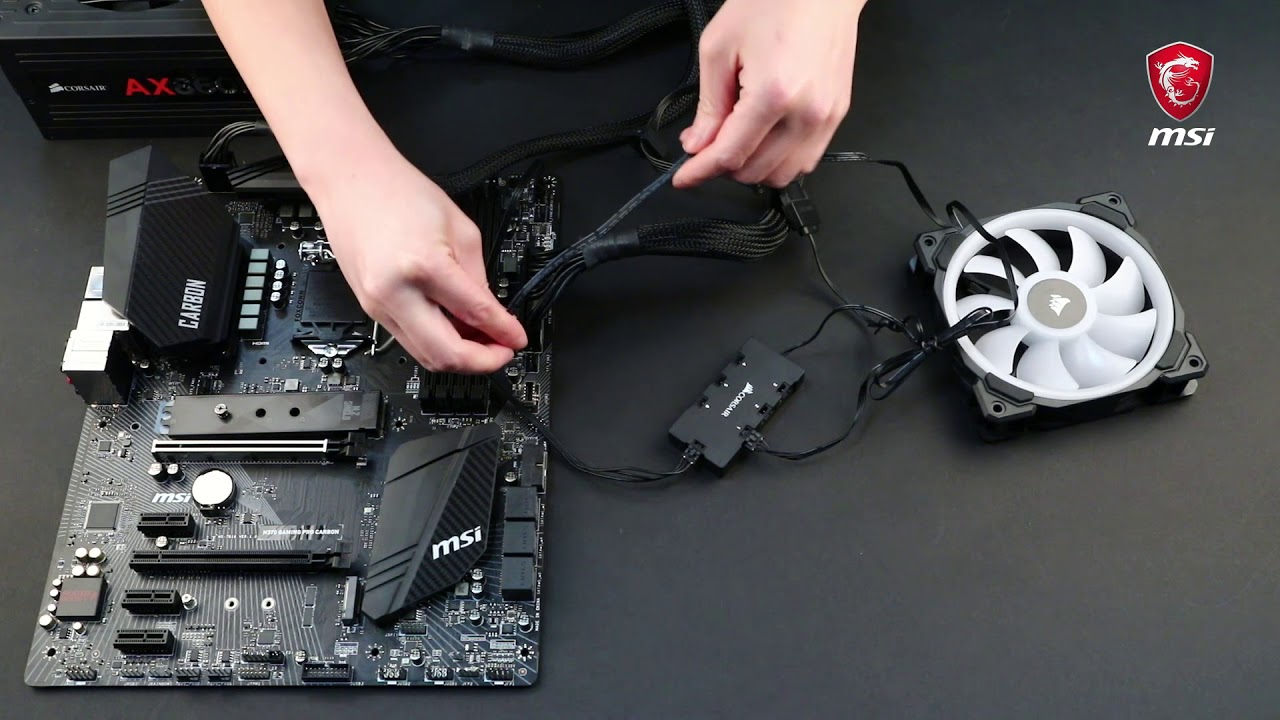
In this demonstration, we'll show you how to connect Corsair RGB LED fans to the JCORSAIR1 connector.
jolly zephyr
whats a fan hub?
daring pivot
watch that video
daring pivot
oh i see
daring pivot
take a picture of the cord end of one of the fans
daring pivot
the end with no sticker can go directly to your motherboard
you just won't have addressable RGB
jolly zephyr
what does that mean?
daring pivot
it'll go to a header like that on your motherboard
addressable RGB means you can control the RGB lights with software
topaz blaze
The headers should say something like "Case_fan1" "Case_fan 2"
daring pivot
but for that you would an expensive hub
jolly zephyr
oh ok
daring pivot
jolly zephyr
so could i just buy an rgb controller to change the lights?
i see something labeled "CHA_FAN2"
topaz blaze
yes, you can plug a fan in that connector
topaz blaze
your mobo has multiple CHA fan connectors
jolly zephyr
i only see 1
topaz blaze
what is the brand and model of motherboard?
jolly zephyr
asus prime b450m-a
and if i had an rgb controller, could i change the color of the rgbs?
topaz blaze
Well i found two
topaz blaze
Not for now. You can buy a fan hub or a splitter cable to plug 2 fans into one connector
jolly zephyr
damn
guess i gotta screw everything back in now huh
and the fan hub would allow me to change the rgb color with a program like icue?
topaz blaze
jolly zephyr
ok cool
topaz blaze
yeah a rgb fan hub would allow you to do that.
topaz blaze
or ASUS Aura would change your RGB too since you have an ASUS mobo it would pair up well
jolly zephyr
ok
silent raptor
https://i.imgur.com/MZAZRzL.png this is so much better than idling at 60 LMAO
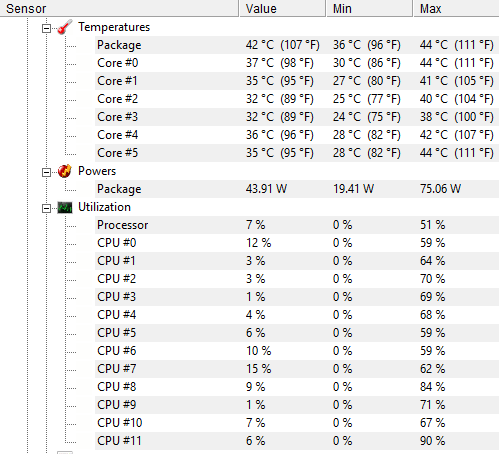 topaz blaze
Yeah 60C is a high idle temp for sure.
silent raptor
42 is fine in this case because I live in a hotbox apartment complex
topaz blaze
lol
silent raptor
ambient is like 28-30 LOL
topaz blaze
that's pretty good.
 feral merlin
🤔 Disappointed with my Rosewill Case fans any Ideas I will intertain
daring pivot
you wanna go cheap or what?
feral merlin
I got thier Nautilus case and it only has 3 pin fans
was hoping that The Asus Tuf B450m- plus gaming would have more then 2 headers too
feral merlin
will fan expert 2+ recognize all the fans hooked up?
feral merlin
okay, i see that it uses a SATA Cable to PSU? Not to a SATA header?
daring pivot
that's a SATA power cable
the reason for that is SATA power is a heck of a lot better than using Molex 4 pin
daring pivot
yeah for sure
 plain wigeon
Sofhia
daring pivot
you what now
plain wigeon
What's up Matt
feral merlin
Thanks Matt
daring pivot
you got it, man
plain wigeon
Matt does this pc run at 60 fps or higher?
plain wigeon
K thank u
daring pivot
$600 budget?
plain wigeon
Yes
feral merlin
https://www.newegg.com/p/27N-003A-00010?Item=9SIA4RE93K4231 I used this and works prety good
plain wigeon
K that one runs over 60 fps for fortnite
daring pivot
yeah, for sure
plain wigeon
K thank u
daring pivot
actually
plain wigeon
I'm going to order to tomorrow. But if I don't like it could I return it
daring pivot
feral merlin
My budget build
feral merlin
it works for what i need
daring pivot
yeah
feral merlin
future upgradable too
daring pivot
@plain wigeon check that best buy link i posted
yeah, the AM4 platform is wide open for you
plain wigeon
Will that run higher than 60 fps
feral merlin
I do a lot of WAR THUNDER
daring pivot
it'll run even better than the other one i posted, yeah
feral merlin
was on a lap slow top lol
daring pivot
gotta do what you gotta do
plain wigeon
Matt thank u
daring pivot
you got it
daring pivot
yes
feral merlin
never had better then 12FPS , now I can throttle it at 70 and the game play is so much better
plain wigeon
I bought a pc and returned at Best Buy btw I buy power pcs suck don't buy it
daring pivot
they can be hit or miss, yeah
daring pivot
you too, man
 quick jungle
 daring pivot
ibuypower does make 'em pretty
feral patrol
;)(;
daring pivot
same tbh
feral merlin
we all are
 dry spoke
The ram tho
plain wigeon
My friend said the one at Best Buy is bad and this one is better
daring pivot
your friend is 100% wrong
hold on i'll get a video

Based on 111,020 user benchmarks for the AMD RX 570 and the Nvidia GT 1030, we rank them both on effective speed and value for money against the best 617 GPUs.
as an example
the GT 1030 is what's in the build you posted
the RX 570 is what's in the Best Buy PC
those two graphics cards are not even in the same league
plain wigeon
K thank u do much wanna play fortnite
daring pivot
i don't play fortnite
plain wigeon
Oh
daring pivot
and here's a comparison between the CPU in the rig you posted and the one in the Best Buy PC
Based on 188,960 user benchmarks for the AMD Ryzen 3 2300U and the Ryzen 5 1600, we rank them both on effective speed and value for money against the best 1,165 CPUs.
feral patrol
no hate towards fortnite
daring pivot
i just don't like epic as a company tbh