#cases-psu-and-cooling
1 messages · Page 24 of 1
 kindred void
@scenic lance its just i dont wanna do my pc build again
ill live wit hit
thanks for trying to help tho
 scenic lance
@kindred void Only other option is borrowing an equal or greater wattage quality psu and try that and seeing if you still have a buzzing. What power supply is it anyways?
 hasty delta
hopefully its not one of those old Thermaltake tr2 psu's. those things all made horrible noises
I own a lot of thermaltake products and have been happy with most of them, but that was not one of them
 hushed yoke
D: dont let steve see this
scenic lance
I'll delete it 😃
hasty delta
Other than generally preferring gigabyte hardware I am an equal opportunity buyer for any other part in my system.
scenic lance
I don't mind gigabyte stuff unless it has that Aorus logo on it
 novel hinge
that eagle tho
hasty delta
Whats wrong with the eagle
hushed yoke
idk theyre crazy
scenic lance
What is that supposed to be anyways? The bottom of it's jaw? A wing? 😃
scenic lance
No comment, lol.
 vocal talon
:l I just buy the cheapest and best product
 flat eagle
you would..
 shadow bronze
scenic lance
shadow bronze
scenic lance
Is the laim li o11 case any good? I have a used $60 one I'm looking at
vocal talon
yeah it’s great
 solar tundra
LOVE that case @scenic lance
scenic lance
tbh i honestly can't decide between either getting the sentry 2.0 case or the skyreach 4 mini case for my LAN PC build
i'm also thinking if the node 202 would be a good alternative
 tawdry sandal
Anyone know if the evga bq psu's are any good
scenic lance
@tawdry sandal EVGA is always good quality but the bq series is only 80+ Bronze so it's not great at saving energy, it's ok...but not great.
 quasi inlet
novel hinge
quasi inlet
novel hinge
what kind of a slim case?
scenic lance
its a lenovo case
novel hinge
as long as it takes a standard ATX power supply, any one will physically fit
scenic lance
ok
scenic lance
i dont know if this is what you ment
novel hinge
ATX is the form factor
so if you would, take a picture of the rear of the power supply
scenic lance
the side were you put the cable or the other one (im not that smart in power supplies
novel hinge
the one where the cord from the wall plugs in, yeah
novel hinge
that looks like ATX to me
scenic lance
ok
novel hinge
so any standard power supply should plug and play
scenic lance
ok thankyou!
 tired spindle
anyone know where i can get a i/o front panel for a haf 922
novel hinge
either from here https://store.coolermaster.com/us/case-spares-2
or they may be able to help you if you give them a call - cooler master's great about support on that kind of thing
tired spindle
thanks. i will have to call, i have already gone through there before.
kindred void
@scenic lance so i plugged the 4 pin in
and
theres still a coil whine in th e psu
so
its not the cpu
scenic lance
@kindred void Old PSU right, that is not under warranty? Either way it needs to be replaced, if you're 100% sure the sound is coming from the PSU that is.
kindred void
@scenic lance its the fan
scenic lance
@kindred void What's PSU brand, model and wattage is it anyways?
kindred void
solytech 400w
scenic lance
Yikes, never even heard of that. Let me look for a cheap priced replacement...
@kindred void I suggest this one: https://www.newegg.com/corsair-cx-series-cx450m-450w/p/N82E16817139146. It's semi-modular which allows for only the cables you need to be plugged in, gives you a little more wattage headroom over the 400watt plus it's a great brand.
kindred void
ill try
 ionic owl
@kindred void
 fleet brook
yeah thats a good dewal what @ionic owl posted dont think you cna get more value then that @kindred void
kindred void
aight ill debate with my dad lol
kindred void
@radiant pivot nice
scenic lance
What PSU?
 radiant pivot
scenic lance
radiant pivot
scenic lance
Titanium 
radiant pivot
Indeed
I'm gonna be upgrading my system with the Ryzen 9 once it comes back in stock
and originally I was going to get the Radeon VII, but I just heard that was discontinued as of today
So now I'm unsure if I should actually get it, or wait and see if AMD is going to do some kind of re-release with the Navi architecture
vocal talon
wait til custom boards come out for 5700xt if ur going that route
radiant pivot
Right, I mean who wants a blower?
On a side note, I now have magnets for my PSU that I can stick to things
novel hinge
people with SFF cases of course
radiant pivot
Fair enough
I have some metal pipes on my celling
guess where these magnets are going?
Pipes didn't quite work, but this is close enough
This is still relevant to PSUs, correct?
novel hinge
eh, close enough
 jade meteor
 steel ravine
3d printed?
novel hinge
what's up?
novel hinge
yeah, ATX is standard width
some are longer than others
you can have SFX power supplies which are for small form factor builds
 zinc fractal
ok
i was making sure because im going to upgrade to a 750 watt psu
and i wanted to make sure that it will fit
novel hinge
yeah, just check the max length your case can handle
novel hinge
sure
zinc fractal
ok let me pull it up
Walmart.com
Free Shipping. Buy [Limited Pink Edition] SkyTech Venus Desktop Gaming Computer PC (Ryzen 3 1200, GTX 1050 Ti 4GB, 8GB DDR4, 1TB HDD, 500 Watts PSU, Win 10 Home, RGB Silent Fans) (GTX 1050 TI | 8GB | No SSD) at Walmart.com
thats the case
novel hinge
yeah, that should fit any standard ATX power supply out there
novel hinge
zinc fractal
damn 64 for 3000mhz
novel hinge
that's cheap af
zinc fractal
i was thinking about gskill rgb ram
but who can pass that over '
DAMN
it looks clean to
novel hinge
zinc fractal
do you think i should get the gskill
novel hinge
if you want RGB, you can't go wrong with that kit
 obsidian garden
dang
16gb of ram getting cheaper lol
15 bucks difference than what i got them for
zinc fractal
@ionic owl you can find better psu. I saw a 750 watt bronze for like 72 bucks
zinc fractal
yeah the one i saw was form evga
ionic owl
yep
zinc fractal
what are the specs of your rig?
ionic owl
Running a laptop, so not that great
zinc fractal
Wdym laptops under rated
 hollow helm
any open case pros here? im planning on redoing my pc in a open case with hardline.
which one of these is better?
hasty delta
I have the P3 and am currently working on my loop. I really like the case, but I have used EK stuff for almost everything in my loop and have had to drill holes and modify some stuff to be able to use the pump. I already expected this going into it so not a big deal.
The raijintek is more expensive, but that thing looks good.
and looks like it would be more compatible with other brands of watercooling
 peak mantle
so i'm building (yet another) comp with existing and used parts. this is a thin mini-itx for all the internet stuffs. Core i3 4360T. I just realized the power supply (external brick 18.5 volt) is 120w but the PSU calculator (I was using Outervision) is recommending 180w. Is this gunna work?
zinc fractal
Depends on the power consumption of all your another parts
obsidian garden
other*
zinc fractal
Yeah
😑
It will work but I’ll most likely be unstable
Wait till Wednesday and go on evga they have this midweek madness sale where you can get 500 watt bronze for like 20 bucks
peak mantle
500 watt bronze as an external 19v brick?
flat eagle
oh dude you got it
Tell me how you like it..
I really want that case.
I know you didn't get it from newegg @tawny palm lol
 tawny palm
I know 
If newegg had it I would've bought it there lmfao
I'll tell ya how it goes once I get all the parts soon
solar tundra
That’s a sexy case... would go good with my all white build I am going to do
tawny palm
Yep
ThermalTake h200 snow rgb
Really nice case for a really nice price
I dont have all white stuff that's gonna go into the case but I hope itll look good anyways
hollow helm
whats the differences between the p1 p3 and p5 thermaltake open cases?
is it worth the extra money?
 errant raft
What is the cheapest mid tower for a top and front mounted 360mm radiator?
 fringe sequoia
does the rad need to be mounted properly?
because if not you could poke the tubes out the front of the case and ust stick the rad on the front of the case in the open
errant raft
Would prefer the radiators and fans to be mounted in the case
fringe sequoia
and I suppose you do not want to go the carbord box method...
errant raft
Was looking at the pc-o11 dynamic, nzxt h700, and the coolermaster h500p mesh. The pc o11 is a bit top small for my GPU water block
@Graphical_Flea# lol
fringe sequoia
errant raft
Currently, considering the h700
fringe sequoia
this is the cheepest off of newegg
for a full tower
i set this for 360 rad front support
corsair carbide
you should also keep in mind the tube length of the AIO if you go that route
will it reach the front or not
errant raft
have a custom loop currently in a modded p3
fringe sequoia
ok
errant raft
with two 360mm rads
fringe sequoia
if you have a custom loop why are you looking at cheep cases?
errant raft
just shopping to see what is out there
errant raft
thanks for the suggestions
fringe sequoia
np
errant raft
wonder if the matrexx 70 is any good...the front panel looks to be a potential choke point
scenic lance
@errant raft Yeah that looks like a bad case for airflow.
 dry forge
Hi!
I just bought an RX 590 Nitro and I was curious to know if there is an issue with the PSU to GPU connector cables, say if I use a Y style or would it be safer/ wiser to buy individual 6pin and 8 pin connectors?
For example, will jus this one connector be sufficient?? https://www.ebay.ca/itm/Athena-Power-CABLE-YPCIE628-6-PCIE-6-pin-Y-Split-to-Two-PCIE-2-0-8-6-2-pin-C/181392033950?ssPageName=STRK%3AMEBIDX%3AIT&_trksid=p2057872.m2749.l2649

eBay
Find many great new & used options and get the best deals for Athena Power CABLE-YPCIE628 6" PCIE 6 pin "Y" Split to Two PCIE 2.0 8(6+2) pin C at the best online prices at eBay! Free shipping for many products!
scenic lance
@dry forge Yes that will work fine.
 past ermine
Hi! Im about to get the node 202 case for a new build and now I need a smaller power supply.
My question being, is SFX and SFGX12v the same thing?
SFX12v*
scenic lance
@past ermine "SFX specification called for 20 pin mb plugs and doesn't require sata connectors. SFX12V changed the spefication to 24pin mb connector and required sata plugs. " - https://forums.tomshardware.com/threads/sfx-vs-sfx12v.3165165/
past ermine
Thanks I forgot to google it :/
scenic lance
lol
tawny palm
Hmmm
I'm installing the psu and I realized that the psu is compact so it doesnt fit the entire window
novel hinge

 crap lol
 novel hinge
absolutely
tawny palm
 darn I hope itll still look ok
flat eagle
@tawny palm let the rgb shine out that little window.
tawny palm
I'm hoping that all the rgb will obscure the open space
tawny palm
I have a bunch! That's a great idea
I have some 3D printed zerglings that would look great in there
Thanks for that idea
tawny palm

solar tundra
Should be flush
tawny palm
It cant go flush which is the problem
scenic lance
@tawny palm Well if you tried and tried and it won't fit right but still works, just have to leave it I guess.
tawny palm
I think a part of the case is blocking it from going forward
scenic lance
You're not the first one to have a problem with the pre-installed IO plates.
scenic lance
It would drive me crazy until I fixed it. 😃
 marble girder
My friend in newyork has no AC and his house is 109°
His case is just blowing hot air inside
Is there any way to like get cool air into a case or to ramp up case flow?
Exterior fan maybe?
peak mantle
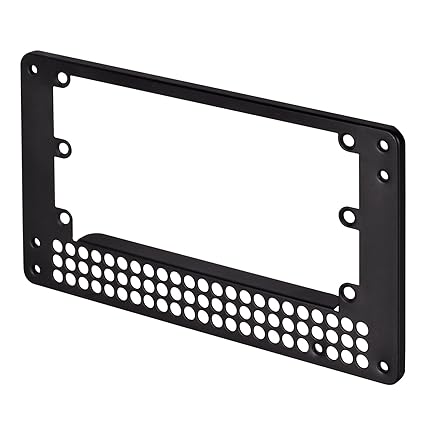
@tawny palm seems like an SFX power supply? if so it should come with a SFX to ATX adapter frame so it fills the entire slot
was talking about the PSU pic above that
@marble girder imo either they pay for an ac or they pay for a new computer once this one starts to fry...
scenic lance
@peak mantle This?: https://images-na.ssl-images-amazon.com/images/I/71yIy4ipgzL._SX425_.jpg
 peak mantle
@scenic lance yah
marble girder
Their 8700k is legit throttling to 2.4 ghz
peak mantle
basically any other cooling option would cause unwarranted condensation in undesired places
like, household cooling options
scenic lance
@peak mantle That wouldn't help fill up the side open area for the PSU though. It's not like it pushes the PSU further into the case to fill in the opening.
peak mantle
even with my ac I can literally feel water droplets on my skin from time to time
they could theoretically try to transport the computer to a place that has an ac?
do they live in a house?
@scenic lance yeah i couldn't really tell if it was an SFX power supply or if the slot was just too big.
are there form factors larger than ATX??
the screws still gotta be in the same place so I'm assuming this is a different form factor, in which case there should still be a relevant adapter plate somewhere.
i've seen i/o sheilds not being flush, that's just how the case was designed
maybe it was designed for a proprietary IO plate
scenic lance
@peak mantle ATX is the biggest and he's trying to fill up this space circled in the picture. An adapter plate would not help with that.
tawny palm
How would I connect these
scenic lance
@tawny palm The connector on the right is a SATA power connector, it connects to a SATA power connector on your one power supply cable.
The other connector is to plug in another fan if you need to.
tawny palm
do i need to plug in the SATA to control the fan or something?
tawny palm
nope
scenic lance
@tawny palm what fans are they? Brand and model.
tawny palm
it says TT-1225
peak mantle
@tawny palm does the PSU actually screw in properly?
tawny palm
ye
peak mantle
i don't see where the screws are you in your pic
tawny palm
peak mantle
ohh ok i thought the previous pic was of the actual PSU mount
tawny palm
oh lol
peak mantle
that side window length is for PSU's of +1000w
peak mantle
nice
what you can do is buy some white tape to fill the extra window space
sorry for the misunderstanding
tawny palm
all good
scenic lance
@tawny palm Ok, the TT = Thermal Take. 1225 being the model number.
tawny palm
i see i see
alright well everything is working correctly so now i just need to wait for a gpu and then i can start using it :D
thanks for all the help today everyone!
scenic lance
@tawny palm Looks like it has at least HDMI on the mobo so if you have an HDMI cable and compatible monitor you could start using it now. 😛
peak mantle
🏍 vroom vroom
scenic lance
@tawny palm you can still use the computer like that just can't game very well.
peak mantle
yeah, at least to just test if it works, install apps, etc.
tawny palm
cool, i didnt know that
peak mantle
it'll use the integrated graphics of the cpu
tawny palm
oh thats dope
it's a 2700x so i assume i could download windows 10 or something for now?
peak mantle
do you have another comp to download it on?
peak mantle
yey
yeah google the windows 10 media creation tool, you can either make a dvd or usb stick, then install it and skip the serial key for later, then it'll run in trial mode until you activate it but at least you get to see if the build works
peak mantle
of course check your cpu temps in bios before that 😉
tawny palm
Do I need to have ethernet connected to flash the bios for the first time?
scenic lance
@tawny palm Not if you're flashing it from a USB drive. If you're using something like MSI's "Live Update" though, then yes.
tawny palm
I have the b450 F rog

Cuz I have the computer and monitor connected via hdmi and when I boot the pc, the monitor shows nothing
errant raft
@tawny palm I can't tell what kind of Power supply you have from the photo. I would guess one of the EVGA B3s which I believe are 160mm. To fill that space up with just a power supply you would need a 200mm, more than likely. Also, if you have a 2700x, that processor doesn't have integrated video. You would need a dedicated video card for display out.
tawny palm
👍 oh alright thanks
scenic lance
@tawny palm the F rog huh... 😏
 acoustic bough
You know, now that someone was talking about SFX PSUs Im gonna use the 750 from Corsair in my H210i
What a fantastic idea
 cursive summit
My case is a big boi
scenic lance
@cursive summit ^
 distant ruin
nice
scenic lance
I like the vertical mounted GPU
obsidian garden
those cables 😦
cursive summit
I tried to get them out of the way the best I could
 iron ivy
Any news on upcoming ITX cases?
acoustic bough
If your interested Donny
NZXT just opened pre-orders for H210i
Super nice ITX case
acoustic bough
Yeah if I wasn't going for small footprint I would go with that
iron ivy
@acoustic bough Thanks! I already have the H200i. Was more trying to see if there are news on more compact units coming out like the Dan A4/ NCase M1, etc
scenic lance
i tried putting a different psu in just to test and it wouldent fit in one of the power ports on my motherboard would other psus be like that too?
novel hinge
all power supplies use standard cables
marble girder
Yeah all mother psus use the same cables
 burnt scarab
ok thermaltake core p3 or dark base 700, or if anybody has any better suggestions feel free to educate me lol
hasty delta
what are you planning on doing with your system? Custom loop? The P3 is a great case, but will require modification to work with most custom loop parts that are not thermaltake parts.
scenic lance
@burnt scarab ^
scenic lance
Yo, been piecing together my build for 2 weeks now since I sold my 8350 gtx 970 setup.
Going to be using peripherals like a screen drawing tablet and 2035 powered by scarlet pro 2 and am looking into vega 56 in passthrough possibly OC'd with a cheap nvidia card as my overlay handler.
This is my PCPartpicker build so far: https://pcpartpicker.com/user/FallenAsh/saved/#view=xC2jpg
Is the PSU I chose good enough for everything I've mentioned, I know it's listed as "B tier" on LTT forums but curious of more opinions.
burnt scarab
@hasty delta thx, just a basic air cooled system, but I was thinking I would upgrade to a loop later
scenic lance
@subtle grotto Oh, you have a Cooler Master modular power supply right? That end plugs into the power supply.
 scenic lance
@subtle grotto Where did you buy it from?
and how long ago?
I'd like to assume newegg but people have come in here before asking for help with things they bought from places like ebay and Amazon too, lol.
 subtle grotto
Lol this one wasnt from newegg just asked here cause i usually do newegg and thought it wasnt right
Newegg has same model looks like it was Seasonic error
scenic lance
@subtle grotto Well I was thinking maybe you bought it "open box" and maybe the original buyer sent it back with the wrong cables and you got it like that.
subtle grotto
Ah nah it was closed.
Whats the site you can get cables for your psu that are correct?
Cablemod or something?
scenic lance
@subtle grotto Cablemod is one and Asiahorse. You could contact Seasonic and try to get the correct ones too: https://seasonic.com/contact-us
Also https://mod-one.com/custom-pc-cables/ ; https://mainframecustom.com/ ; https://www.ensourced.net/
Shop now for Custom Sleeved PC Power Supply Cables! Select from a wide range of colors produced by MDPC-X of Bavaria, Germany.
Best selection of PC cable sleeving supplies at the lowest price. All of our PC Cable Sleeving materials have been thoroughly tested to provide the best possible quality and satisfaction. The best custom PC cables are also found here.
Handmade cables and accessories to complete your PC build. TONS of photos!
subtle grotto
Thank you
 dull marsh
Should I go with a Corsair RM 750w, or a Corsair RM750i? I don't know what the difference is.
novel hinge
the only difference is one has corsair link
 tropic pawn
On that topic anyone know where I can find a modular sata cable for a corsair TXM PSU?
scenic lance
@tropic pawn What cable color do you want? Corsair has black, green, white, red, blue.
tropic pawn
Not really picky on color. It's never going to be seen anyway. PSU has a shroud and the cable is going into the cable area in the back.
scenic lance
@tropic pawn Well this is the cheapest black kit from corsair: https://www.corsair.com/us/en/Categories/Products/Accessories-|-Parts/PC-Components/Power-Supplies/Professional-Individually-sleeved-DC-Cable-Kit%2C-Type-3-(Generation-2)%2C-METALLIC-GRAPHITE/p/CP-8920052
CORSAIR Gen. 2 Professional Series™ Individually Sleeved Modular Cable Upgrade Kit.
You can also try cable mod, asiahorse, mod-one.
tropic pawn
Trying not to spend 80 dollars though for one cable 😩
scenic lance
@tropic pawn Yeah I'd try those other 3 places ^.
flat eagle
Oh dang
solar tundra
Good looking case
 alpine tinsel
hey the fan on the back of my dark avenger case by antec won't work correctly, it spins for a little bit then stops, and i need to unplug it and plug it in again. any ideas on how to fix or what might be wrong with it?
could it be my psu?
thats only 150w
scenic lance
@alpine tinsel what size fan?
scenic lance
ok hold on
scenic lance
@alpine tinsel also, what does it plug into - your mobo, psu 4 pin molex or psu Sata power?
alpine tinsel
not too sure it has three small prongs that the cord connects to on the mobo
im not very tech savy on the physical side
scenic lance
the connector on the mobo you have it connected to, what does it say? it should say something like "sys_fan1"
scenic lance
and the fan shuts off on both those connectors?
alpine tinsel
it's just one connector, the words above it say that
im sorry if im making it harder by being a bit slower at pc terms and physical looks
oh and the mobo is a custom by hp
scenic lance
but you just listed two connectors: sf1 and sf3
alpine tinsel
ok
give me a sec
on the board above the port it says sfan1 and sfan3
thats what im looking for correct?
scenic lance
1 connector should only say 1 of those. 2 ports would say sf1 and sf3 by each connector.
alpine tinsel
mind if i send a picture?
might help me more
for my slowness of explanation on whats wrong
scenic lance
yeah you can post a pic on this page
alpine tinsel
ok
it is the brown port
hmm
i might be able to get a better image
there we go
scenic lance
ok, well do you have another fan you can try in that connector to see if that fan has the same problem?
alpine tinsel
i might i have a smaller one
would that work or does it need tohe same size?
let me see if i can get the screws out first actually
scenic lance
well first we just need to see if it's a problem with the fan or something with the mobo
also this is important don't unplug or plug in fans while the computer is running.
^
alpine tinsel
well this probably has nothing to do with what is wrong, but my mobo has detected it not spinning
ok brb
scenic lance
well that's a good sign that the mobo can detect the fan not spinning IF the fan does actually stop spinning. are you sure the fan stops spinning or are you only going on what the mobo tells you? @alpine tinsel
alpine tinsel
the fan does stop spinning
i unplug then plug back in and i goes for abou 2 hours, then it stops and wont start unless i unplug and plug it back in
im testing a smaller fan now btw
might take some time to see if it stops though
alpine tinsel
when i restarted my pc it said that
so i think its just the mobo that detected it
unless cpu-z can?
that's the only pc part software that i have (that i know of at least)
scenic lance
in what way did your pc tell you that? what did the screen look like?
alpine tinsel
it looked like a older windows notification thing it had a blue rim grey-ish white background with the words (not exact but close) "fan not spinning may have memory loss"
scenic lance
and this is in win10?
scenic lance
well while you're waiting on the fan to stop or not we can chat about things more...how long ago did this problem start?
alpine tinsel
about 3 months
i recently upgraded the case, from a hp pavilion mini tower case
to a antec dark avenger DA601
scenic lance
what win10 build? you can findout by going to start icon at bottom left then "settings" then "system", then "about" and it's at the bottom next to "version"
scenic lance
so you've unplugged or plugged in the fan before while the computer is running?
alpine tinsel
if i remeber correctly yes
would it hurt even more if i plugged it in more than once while running?
scenic lance
that's not good, doing that could cause a short which could fry something
alpine tinsel
ok
scenic lance
woops, i mean it could cause a spark
alpine tinsel
my gpu was fried before i unplugged anything inside the pc could that have caused this?
that's fine
scenic lance
well yeah doing it more than once would be worse
alpine tinsel
ok
scenic lance
it's very doubtful that a bad video card caused that.
alpine tinsel
alright, but i might have overloaded it with two monitors
solar tundra
Doubtful
alpine tinsel
hm
solar tundra
My GPU was 8 years old and handled 3...
alpine tinsel
wow
scenic lance
well that wouldn't really overload a gpu, what would damage a gpu is too much heat, too high of an overclock, not having the gpu fully seated, not having the power cables to the gpu plugged in correctly.
solar tundra
GPUS are pretty resilient... but pc guy is spot on... he’s pretty smart..
alpine tinsel
ok, my pc was a pre built and i know some things can get damaged or moved in shipping or just people moving the box on the shelves
and i didn't overclock
scenic lance
Thanks Taz 
solar tundra
Never seen you give bad advise... have to call it as I see it
scenic lance
thank you
alpine tinsel
well i gtg, i'll post if my fan i plugged in stops spinning tomorrow. you helped me out a lot. Thanks @scenic lance
scenic lance
@alpine tinsel No problem, good luck. Have a good night.
subtle grotto
@tawny palm damn that does look good. I have the v200 which is basically same but black with 3 rgb fans instead of the rgb on front. Pretty nice case to work in alot of room
 acoustic lily
Get a new psu
scenic lance
@unreal sinew It sounds like that all the time or only while playing games?
 dry solar
im unsure if this is my psu or something else but i think it is my psu so i go to turn it on and it starts up for less that a second and shuts off any ideas why?
just bought brand new ram motherboard and cpu
so i expect that its my psu
scenic lance
@dry solar May be the PSU, could also be another part that is broken or maybe just not installed properly. You should check all connections on the inside of your computer such as if the video card is fully seated, all power cables and wires fully connected to everything. You could also try disconnecting and re-connecting everything, sometimes that helps in that situation such as uninstall and re-install video card, it's power cables, storage drive power cable, 4 or 8 pin cpu power cable on the mobo, 24pin mobo power cable, can also try removing and then re-installing the RAM sticks and check main power cable that runs from electrical outlet/power strip/surge protector/battery backup that plugs into the power supply.
dry solar
been building pc's for a little while but everything seems right thats why im confused taken it all a part a few times now
and im not to sue
hasty delta
usually either psu or something is shorted
I am guessing it only turns on for a second when you first plug it in and after that it does nothing and doesnt respond to the power button either.
dry solar
well i dont have a powerr button connected
but yea
does that sound like a psu issue?
'i got my button connect and yea nah psu makes a noise but nothing happens
hasty delta
motherboard could be shorted to the case or could be a power connector plugged into the wrong spot if you managed to force a cable in somehow. Maybe even just a cable not plugged in all the way, but less likely
but its some kind of power issue
most modern power supplies will do this to protect itself if something is shorted, or if something is messed up internally to protect your parts
dry solar
ahhhh this is a nightmare
hasty delta
sometimes depending on what psu you have its possible that you have the wrong end plugged into the power supply
I know corsairs have the same connector for both ends of the cpu power on some psu's but it should be wired the same no matter which way you plug it in.
hasty delta
they are all a little different. I have a few evga's a corsair and a rosewill hive. they all use different connectors.
usually if anything is off, its because someone managed to force a pcie connector into an 8 pin cpu power, or the 8 pin cpu power into the pcie power.
its not super hard to do since most connectors are hard to push in the first time anyway
dry solar
i used my cpu 2 cable
and it started for a little longer but no fans started
honestly i think ill be up for a new psu
hasty delta
just make sure that none of the cables that should be in the red are accidently in the green spots or vice versa. that would be the only thing other than a motherboard shorted to a case or a bad psu. Maybe make sure all your sata power plugs are removed just to rule out a bad sata device. .
scenic lance
@dry solar At a computer shop i worked at I worked on a computer that would not power on for more than a second because it had a bad RAM stick. I'd try taking all sticks out but one and try that. If it still does not work try it in a different slot. If that does not work try the other stick(s) in the same ways you tried the first stick.
dry solar
will do thank you for helping
 unreal sinew
@scenic lance Never mind I just hit it really hard and it stopped sounding like a microwave
vocal talon
scenic lance
One of the EVGA T2's I bought used came with seasonic CPU power cables, reversed polarity. I have a few other seasonic PSU's so it was easy to notice the NE27 or something inscribed on the connector vs EVGA's marking.
Trying to start the pc with +12v wired short to common will just make the fan move slightly before the over-current protection kicks in and shuts it down.
scenic lance
@unreal sinew Probably the PSU cooling fan. If it keeps happening which it probably will, you will either need a different power supply or an expert to change the fan. I say expert because you could get electrocuted working on the internals of a power supply if you don't know what you're doing.
subtle grotto
I have the V200, got it on sale without thinking about the airflow. I bought some RGB fans 2 for top and one to replace back exhaust. with the 3 front intake which are kind of blocked how should I have the top 2 and back one in terms on intake/exhaust?
i know usually its front and bottum intake, back top exhaust just not sure if the 3 I add as exhaust would be too much if the 3 front lack intake?
acoustic lily
any advice on painting a case?
particularly this case https://www.newegg.com/black-fractal-design-define-c-tg-atx-mid-tower/p/N82E16811352070
unreal sinew
@subtle grotto I have the same case, can you rephrase the question please?
Oh wait
You should have them as exahust
It gets warm in here
subtle grotto
@unreal sinew thanks. Yeah waa just wondering if top and back fan should br exhaust
unreal sinew
You should have 1 intake fan, but make sure to have exhaust fans
solar tundra
Top should always be exhaust... hot air rises....
Front 3 intake- top exhaust- back exhaust- and if room on the bottom- intake
I want to run a smoke thru my system to watch the air flow... 😂
 bitter parcel
Looking for a case recommendation
https://www.newegg.com/p/N82E16813145091?Item=N82E16813145091 this is my motherboard and i have a GeForce GTX 1060 6GB I got in like 2015 or 16 I dont remember
I'd like the case to have a dust filter or two
 grim linden
Is the Corsair HX850 good?
hushed yoke
ive heard power supplies from corsair arent all that great
the rmx series are good though
idk if thats the truth but ive heard that from someone who seems to know a lot about computers soooo uhhh 
grim linden
What goes wrong with them)
?*
Are they faulty or like overpriced
Cause all Corsair is overpriced lmao
 grand ether
I had to RMA HX750 once after 4 years. They sent me a HX750i in return and no problems
My AX860 running like a champ for past two years.
 hushed yoke
lmao i should know corsair makes decent psus
grim linden
Noice noice
hushed yoke
my dad's is from like 8 yrs ago and is powering his current machine with a 8700 and a 1070
grim linden
No I heard Corsair made bad psu’s somewhere too I just wanted to fact check it
hushed yoke
waitwaitwiatiatit
grim linden
Hm
hushed yoke
there we go
grand ether
the HX and AX line are ok from Corsair
hushed yoke
personally i like the look of the rmx series but it doesnt matter since i have a psu shroud anyways and i wont have it any other way 
grand ether
Just don't bare minimum wattage buying the PSU, give yourself some room and never hit the roof or else PSU can fail from stress and wear
hushed yoke
saw a 1600w psu at micro center today i was like 
also i think i saw a rm1000x for $120 at best buy on clearance
i shoulda gotten it
i didnt realize how good of a deal it was at the time
because thats when i was stupid about computer parts lol
well
more stupid 
lol
now im forcing myself to close discord
good night
 gloomy bluff
?
hushed yoke
he will get banned soon just wait
grim linden
Who
cursive summit
Do you all have any cheap but nice looking case recommendations? Like $50 or below?
hushed yoke
@cursive summit
Cooler Master MasterBox MB600L ATX Mid-Tower w/ Sleek Brushed Design, Red Side Trim, & Acrylic Side Panel https://m.newegg.com/product/N82E16811119329?m_ver=1
i have this one
i havent built in it yet but it looks fantastic and feels fantastic for the price
 twilit copper
i need help picking out a case
i need 280mm top rad support and good airflow
preferably no tempered glass side panel
scenic lance
What aio? I would search PCPP for builds with that aio and just see what looks nice
twilit copper
h115i
grand ether
I'd be careful with case picks if you mount aio top
Motherboard vrm heatsinks are huge now a days and cases don't give enough clearance
Well most of them
scenic lance
Haha yep, I've seen two people have that exact issue with the P350x, they just ended up front mounting the AIO.
If not the VRM heatsinks, the ram placement on some boards will be too close to the AIO/fans.
cursive summit
I had that problem with my previous case
scenic lance
Ideal ATX body https://www.newegg.com/p/2AM-005T-00025
 chilly herald
vocal talon
chilly herald
vocal talon
why do you need a rgb psu :l
hushed yoke
curiously the thermaltake rgb power supplies in the 80+ standard are sometimes cheaper than other ones
grand ether
they are basically the same in performance right now @scenic lance
cursive summit
please help me find a nice looking case with enough space for custom water cooling bullcrap please
 mental talon
budget?
 cursive summit
$300
mental talon
mid or full size?
cursive summit
full @mental talon
mental talon
shame my case isn't for sale anymore
mental talon
search for nzxt nuka cola case

NZXT is a leading manufacturer of computer cases, cooling, motherboards, RGB lighting and fan control, empowering the PC gaming community with refined hardware solutions since 2004.
cursive summit
ew
cursive summit
I'm gonna go with NZXT
 minor portalBOT
 Zovyra#6452 has been warned
Reason: Bad word usage
cursive summit
Frick thermaltake
hushed yoke
run while you can
cursive summit
The GPU bracket on the case is too high and doesn't let me slot my GPU correctly
Thermaltake Level 20 XT
 @cursive summit
cursive summit
@cursive summit
cursive summit
 cursive summit
@grand ether rage
 analog wedge
Nvidia did what?
cursive summit
Sabotaged my case
acoustic bough
Ok guys
Looking for suggestions for better cables for my build Friday
I wanna go all white cables.
Using a Corsair SF750
 hybrid crag
DarkBase 900 v2 vs DarkBase 700?
 hoary elbow
Anyone have any reviews on EVGA 700BR? Purchased it for my full tower, ryzen 2700x, EVGA GTX 1060 6gb SSC, two SSD and 16gb of hyper fury RAM. Anyone have any idea if I'll need cable extensions or adapters? I know it is a long shot.
grand ether
it should come with everything you need
my only complaint is bronze rating, its all preference
i'd go with anything gold or above
hoary elbow
PSU calc states i only need 401, which the 700 even at 80% efficiency would be alright correct?
grand ether
should be fine but i like high efficiency, like i said its all preference 😄
i've had nightmares with anything less than silver
hoary elbow
I haven't opened the box yet lmao, i can still return it 😂
grand ether
anyone will tell you broze will be fine
hoary elbow
I shall see when the rest of my parts come in next week! Appreciate the insight! May have to swap it out with the gold version.
 worldly rampart
Any real reason to get plat/titanium over gold? I'm looking at the Corsair RMx vs HX/AX (not the i's)
 willow kiln
@worldly rampart yes and no, I use plat, I used to use gold. there are percentage differences between efficiencies. on a long enough time scale then it technically equals less money on the energy bill (ie cheaper in the long run) but takes so long and is so negligible that if you aren't doing anything "work" related or mining you probably don't need to care. I appreciate the platinum's from a quality perspective but I think it's somewhat of a luxury past gold.
@hoary elbow about the PSU calc, regardless of the amount of power your computer uses, the efficiency is still going to be at that percentage. The PSU's power efficiency will be the same under load and idle independent of how many parts are installed and what their power draw are, because the efficiency is referring to how much "power" is lost between the wall/UPS and your computer parts.
chilly herald
What is the difference between the NZXT H510 and the NZXT H500?
 broken moat
the new nzxt did terrible in themals
worldly rampart
The new cases have vertical gpu mounts, can't remember if they redesigned the cable management. Thermals should be the same.
Unless you're talking about the elite.
chilly herald
Nope not talking about the elite
Is there anything else with it? And is it worth the extra 20$?
chilly herald
@worldly rampart
worldly rampart
So, no vertical mount on the 510, sorry. The 710 has it. They swapped one of the USBs for a type c and switched to a combined headset jack. Other than that it looks like the same case.
I'd say probs not worth it unless you can't find MSRP on the h500.
vocal talon
I’d just go with the h500
 deep prism
I'm ganna go with this case
I need a compact case and this one has a lot of good reviews for it size for atx
 royal jasper
Hi
Could I get some help
I need a 12v 4 pin female adapter to a 5v 3 pin male adapter for aura sync
hasty delta
Do not get the core G3
@deep prism
I have one, and I despise it
I own lots of thermaltake stuff and 3 of their cases, but this one is not a great case.
flat eagle
@royal jasper pretty sure that doesn't exist.
royal jasper
Look nic
deep prism
I need a small atxcase is this a good one
hasty delta

We tried hard to make Cooler Master's Q500L case perform well, but we just couldn't pull it off. The Q500L is one of the worst thermal performers we've ever ...
hasty delta
do you need short or slim. The g3 is slim, but not much shorter than most other small atx cases. The fan setup is very limiting, the gpu will sag unless you use the included gpu bracket, but the gpu bracket blocks all the sata ports on both of my motherboards I tried in it. Also you are forced to use an sfx power supply which will cost you somewhere in the $80-$100 range at the absolute minimum for an acceptable quality supply and even then its only going to be somewhere in the 400-450W range. The q500l is short but normal width. If you need something short, but have width to work with then something like the corsair air 540 would work, but its much more expensive than the other cases you were looking at.
oh and on the g3 because of the layout there is no options for cable management so you will have cables running everywhere. Most sfx power supplies come with very short cables because they assume you are building in a small case, so even if it had somewhere to hide the cables the cables are not going to be long enough to hide them.
I had some extensions left over from a kit I ordered and used them, and even then it just looks bad.
deep prism
I just need a small case because I move it alot so I need something that's "portable" for atx motherboard
@hasty delta
around 80 dollars
I'd do 100 if u really can suggest it
deep prism
I really was wanting light weight also
 warm sluice
You don't need small for portable, just find something with handles, and watch yourself get swole at the same time
I have this case and really like it
https://www.newegg.com/p/N82E16811553024?Description=Cougar panzer max&cm_re=Cougar_panzer_max-_-11-553-024-_-Product
I've carried it around a few times, sure with everything in it, it's heavy, but I'm not making much compromises either
worldly rampart
@deep prism Do you already have the mb? Full ATX is going to make it tough to find a really portable case.
On the other hand, there are some great ITX cases for portability.
 dark drum
lol build inside a wire mesh storage crate
scenic lance
So, I need to know, and I probably should have asked this before I bought the damn thing, but I have a TT V200 TG RGB case, and I bought (from newegg) the NZXT HUE 2 RGB Lighting Controller with the 4 LED strips. Am I going to be able to hook up the RGB fans and my TT RGB cooler to the HUE 2 controller and sync the RGB's? @loud arch ?
grand ether
@loud arch
 loud arch
@scenic lance Hey Pete, the V200 has a built-in controller that works with only the fans that are preinstalled. Also, the HUE 2 only works with other HUE 2 RGB products, so our fans wouldn't be compatible. Hope this helps!
scenic lance
I guess it is a good thing I am going for a solid color and not any rainbow effect
loud arch
Another thing to note is manufacturer-specific hardware. The current trend with RGB is 5v motherboard compatibility. Newer motherboards have a 5v RGB header on them that allows 5v products (fans, AIO pumps, LED strips and more) to synchronize with that motherboard's rgb software. We call it ARGB, other manufacturers call it other things 
scenic lance
which one https://www.newegg.com/evga-100-bt-0500-k1-bt-series-500-bt-500w/p/N82E16817438051?Description=EVGA Bronze PSU&cm_re=EVGA_Bronze_PSU-_-17-438-051-_-Product or https://www.newegg.com/evga-500-br-100-br-0500-k1-500w/p/N82E16817438145?Description=EVGA Bronze PSU&cm_re=EVGA_Bronze_PSU-_-17-438-145-_-Product
loud arch
Those 2 have insignificant differences in amperage. they are pretty much the same, minus the 1.7 amps on the 12v rail.
Go with the one at the best price 😃
worldly rampart
Can Newegg's psu calc be considered fairly accurate? Seems to me SSDs add way too much to the required wattage.
vocal talon
Better safe then sorry I guess
 sly zinc
Says it's compatible with RM PSU's but the one I have is an RMx and I'm not sure if that will have a difference. Just being cautious since I've heard that it's bad to mix up wrong cables for PSUs
and the compatibility list on the corsair website doesn't list the RM650x but it does have the RM650
scenic lance
@scenic lance
Linus Tech Tips
Welcome to the brand new PSU Tier List! Worked on, by @seon123, @Stefan Payne, @LukeSavenije, and myself. This is a complete overhaul. Wed recommend that if you have a gaming system, to not have a unit below Tier B. All information below is opinion based on fact. Units may be...
I will bookmark that, good info lol
 vale nacelle
Has anyone been able to find listings for the Phanteks Enthoo Luxe 2? Supposedly it came out last friday, but so far, the only place i found it listed is some overclocking website for the UK. well after a more specific search on google, it looks like it launched in the UK on friday.
 placid roost
@teal plume So we are talking in the right chat I tagged you here. That case is actually really nice also look at the Lian Li O11 in white
Are you trying to go white case black parts or black case white parts or black/white case?
solar tundra
Love the Lian LI cases
hasty delta
The lian li 011 is a really nice case. bitspower also makes the front panel distribution block for that case which is really nice, but the pump it uses is a modified ddc pump known as the S1 which can connect directly to a pwm header on a motherboard. It has a considerably less flow than a ddc pump but has the same dimension's as a ddc and much better flow that a asetek aio pump. But due to the dimensions you can replace it with a ddc.
solar tundra
Mine has 16 fans... it’s awesome. Lol. Lots of space!
 naive canyon
What you guys think of the NZXT H710i case?
vocal talon
unless you need the large size, I would go with 510/500
naive canyon
I prefer the larger size for more room and air, but why the 510?
vocal talon
unless u have a eatx mobo or want a 360 rad get the h510
it’s cheaper and smaller
but can still fit atx iirc
naive canyon
I have an ATX, thinking to pair with a 2080 ti
naive canyon
I'll look at the dimensions
vocal talon
here’s the h510
naive canyon
Aight, thanks Ill do some thinking.
 barren basin
@grim copper That depends where you're shopping for the case
 grim copper
fair
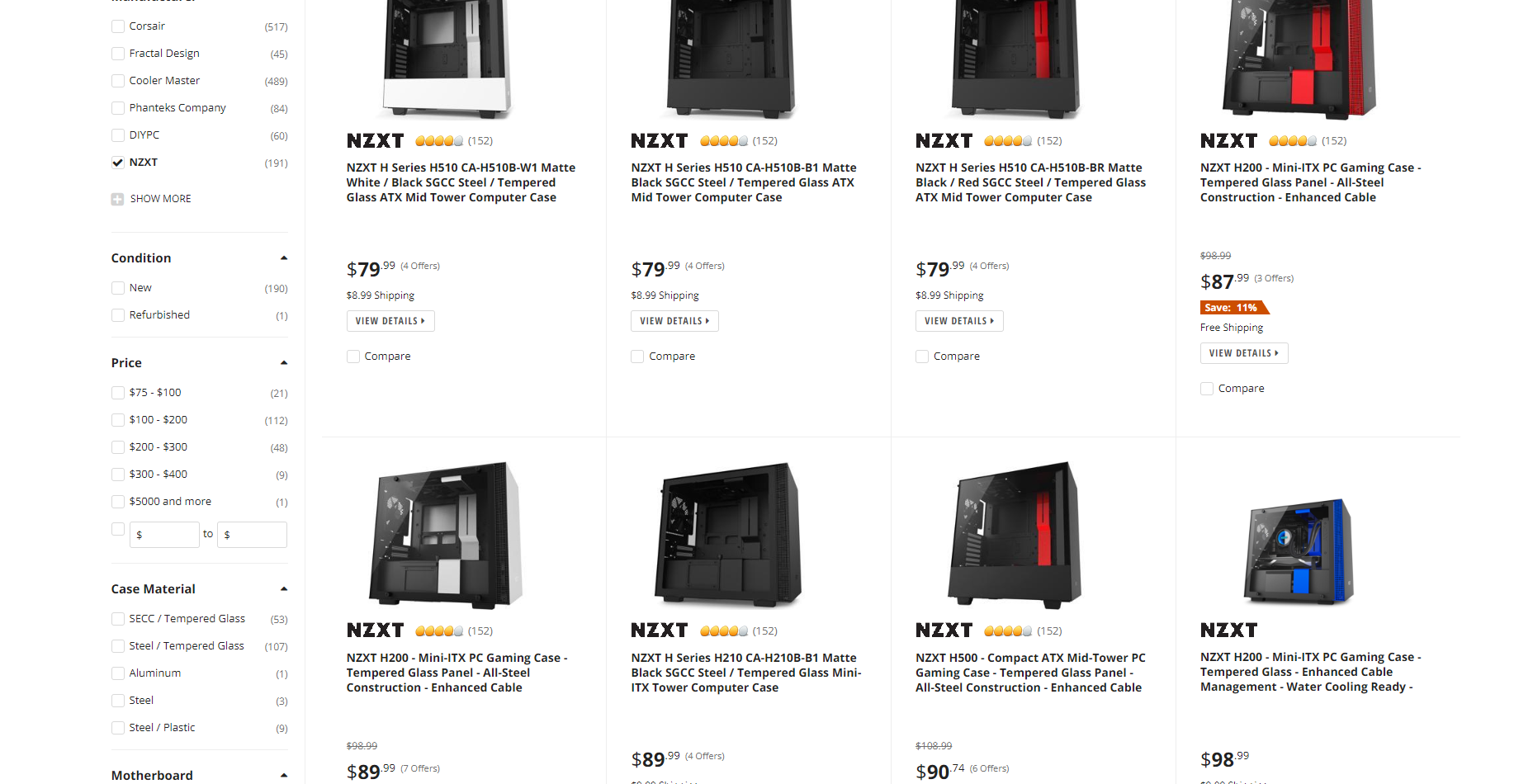 barren basin
But that usually requires going outside and paying for shipping and more taxes
scenic lance
@barren basin Might as well move this here
barren basin
ya sorry i get a little carried away when i am in one channel
scenic lance
No worries, doesn't really matter.
Have you looked around pc partpicker or reddit etc for completed builds?
barren basin
But ya for my Deepcool case while it is nice and sexy i just can't pop off the front panel and clean it without disconnecting wires from my motherboard
scenic lance
Or the builds-pics channel here? Have you seen the neweegg techin-tuesday stream ?
Well, at least you didn't buy a Deepcool AIO.
barren basin
Well before i popped on this discord i used to go by some YouTube reviews and for something i would like
scenic lance
I think /r/battlestations is a good place to just see what's out there.
barren basin
Well this is the AIO i am going for which i have seen a lot of positive reviews for Ryzen 5's and i5's processors https://i.gyazo.com/2757610773c596ee7e7996f79f30ec61.png
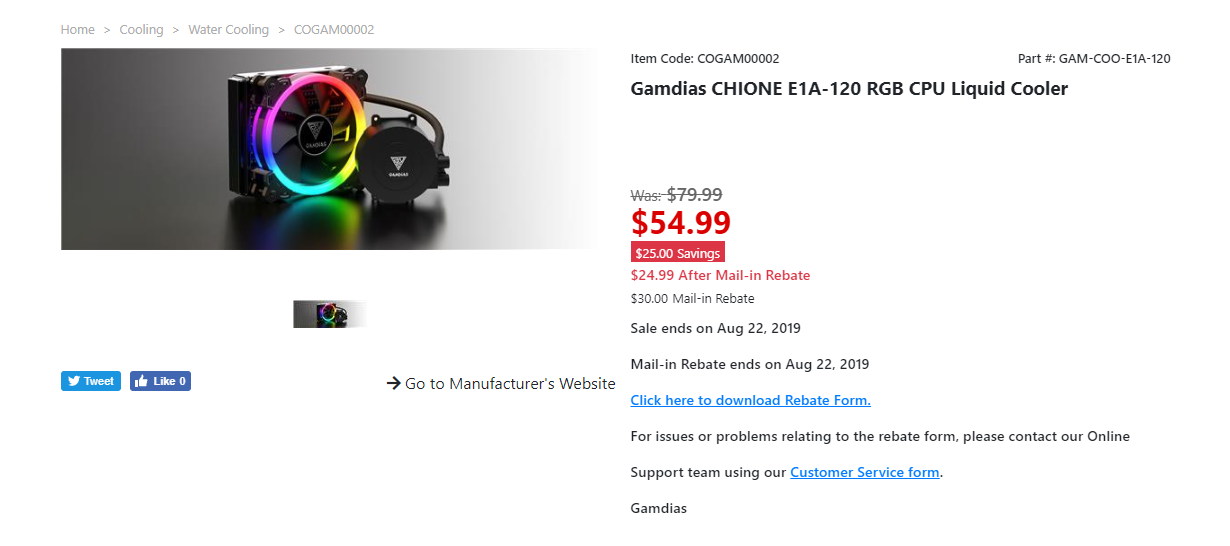
I believe in one video the guy had his Ryzen 5 1600 overclocked to like 4.2GHz and was getting 40c idle and 55c when gaming
scenic lance
One thing I learned, mounting fans with their intake against a mesh or grill can make them louder.
I wouldn't recommend that AIO. What draws you to AIO vs air cooler? Aesthetics? or Performance
barren basin
Well here this is what i am using now https://www.newegg.ca/deepcool-gammaxx-s40/p/N82E16835856026
i didn't pay that amount i paid like 25$ last year
On normal clocks i get roughly 33c to 37c on idle and when gaming i get about 50c also the thing is i want to overclock my processor as well so the air cooler i am using now might get a little too warm
I know that the 2600 can handle up to 95c but really i know it is not a good idea to really get it to that point
scenic lance
You can get a bit more performance out of overclocking the 2600, but upgrading your current cooler won't bring much more. Not enough to justify the upgrade in itself.
If you want to upgrade the cooler for other reasons, like if you were to invest in a large high-end air cooler with performance similar to the Noctua D15, Dark Rock Pro 4, or any other equivalent in that class, for nearly silent operation and the capability to run a significant OC on a chip like the 9900k, go for it.
barren basin
Well i want to upgrade to something affordable and that can cool down my CPU well enough when i would overclock it
scenic lance
That would be my recommendation, but I don't want people to think they need a huge air cooler or AIO to overclock their 2600. Or that they even need to overclock a 2600 (it's not a great overclocker).
barren basin
Oh ya for that case i showed i just noticed this on the other side which makes sense for the mounting area for the AIO https://c1.neweggimages.com/NeweggImage/ProductImageCompressAll1280/11-147-298_R01.jpg

so there is exhaust vents
@scenic lance I just watched this and not i understand the mounting area for the AIO https://www.youtube.com/watch?v=OA5qp6126MI
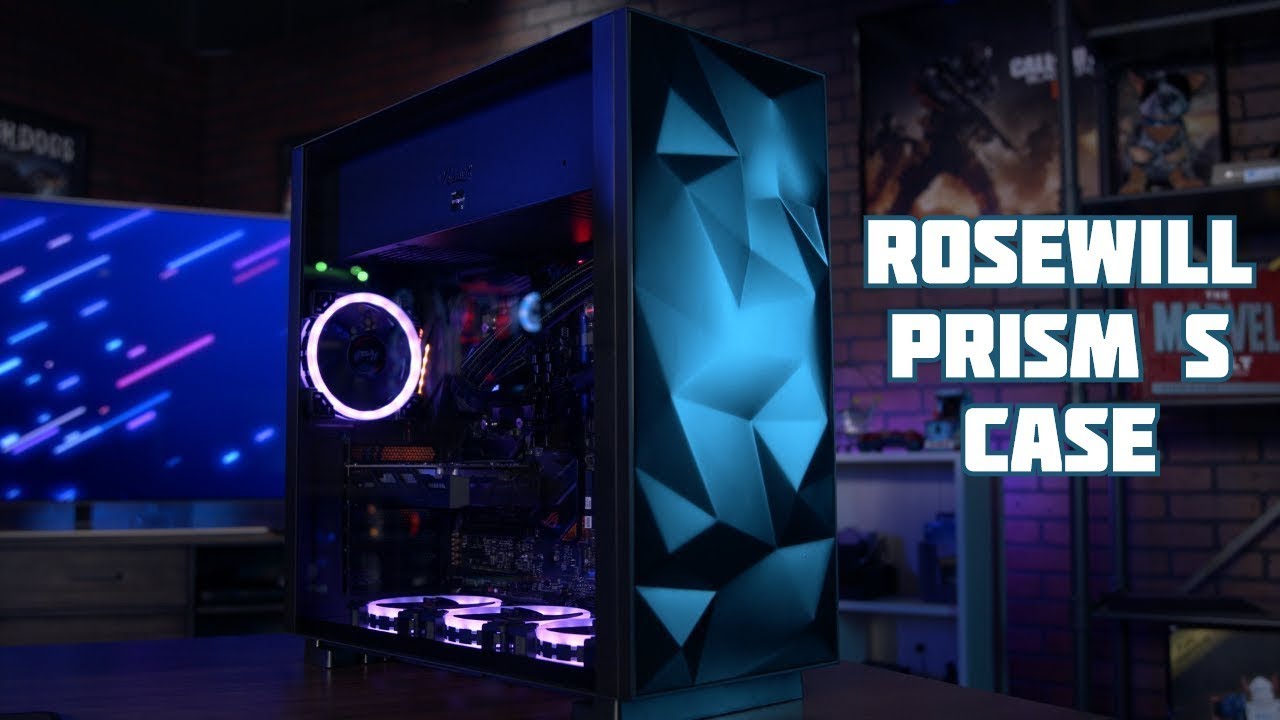
Trisha quickly highlights the stylish Rosewill Prism S black https://bit.ly/2xLSVum and white cases https://bit.ly/2NVjKqF. These ATX Mid Towers are packed w...
I think with that case i can get away with using just 4 fans
 limber trellis
I was going to but the Antec Torque case. What is a good water cooling system for that case? 1 CPU i7 and 1 video card 1070. Tyia :)
barren basin
which trigger?
scenic lance

eBay
EVGA Supernova 1600 T2 80 Titanium 1600w Power Supply 10 YR PSU. Condition is Used. Shipped with USPS Priority Mail.
Yikes, sorry about that
He offered back 150, the X1 serial number means past march 2018
It's for the 1KW meat smoker build
barren basin
If i buy a new PSU it might be this one https://www.newegg.ca/thermaltake-smart-pro-rgb-bronze-ps-spr-0650fpcbus-r-650w/p/N82E16817153314
which makes sense for the case i have
 hardy horizon
I need a link to an affordable midtower atx case no more than $50
grand ether
if you can do $60 this is the only under $80 case i recommend since it has fantastic airflow. https://www.newegg.com/red-cooler-master-masterbox-mb511-atx-mid-tower/p/N82E16811119346
 tame wraith
is newegg .com going to pick up the o11 dynamic xl? .ca has it: https://www.newegg.ca/p/pl?d=Lian+Li+Dynamic+o11+XL
vocal talon
why do you need the xl? the normal one fits eatx, what else different does it have?
tame wraith
it has more room and can fit a vertical gpu while still having a bottom 360 rad
 manic fox
yo so im looking for a mom pc case
barren basin
a what?
barren basin
And what is your mother using the PC for
barren basin
And what are the specs for this system
manic fox
are links allowed in this chat
barren basin
if it is from pcpartpicker it is fine
manic fox
barren basin
i don't know about for things like amazon so
That is a little much for WoW and sims
manic fox
well thats the thing she would also like to flay final fantasy games
play
and so ff15 is graphic intence
bruh the one she has now is olmost 10years old
barren basin
If playing at 1080p you can still go for just a 1660
manic fox
eh there could be games she would want to play in 4k
but anyway what case seems like something a mom would want
barren basin
The case you picked is fine
 vast gorge
whats ur guys opinions on the Fractal Design Define S ATX Mid Tower Case
hybrid crag
So, got a new powersupply. It powers everything fine, but doesn't seem to be powering a second harddrive.
I've tried every sata power cable provided. It'll only power the SSD.
My OS is only my SSD, so I have to use it.
solar tundra
have an M.2 SSD?
The new m.2 will kill a Sata port... May just need to move the regular one to a new port
hybrid crag
Just a regular 960 EVO SSD.
I've tried every sata port. The harddrive won't even turn on with this PSU
scenic lance
960 evo? edit: nvm
barren basin
My suggestion is if you have an enclosure to try and boot that way to see if it is you SSD, Motherboard or PSU
hybrid crag
I tried with my old PSU, and it works
All I did last night was switch PSUs
Since the other one wasn't modular, and this one is
vocal talon
🤔
hushed yoke
in fact it provides space for cable managment
vocal talon
I like the price on it 👀
hushed yoke
um
hushed yoke
this is why i dont buy mitx
pay more for less case
and worry about compatibility
portability is nice tho
hushed yoke
mid atx is the sweet spot for me
that case has a vertical gpu mount so like
when i get it ill mount mine vertically
vocal talon
i like micro atx but sff looks so nice when it’s pulled off
why does that case have a 120 rad
hushed yoke
h500i looks nice
scenic lance
placid roost
Recommended best case for airflow and LOTS of RGB looking for one to build a decent rig for my wife
oh and has to have good cable management
 timber junco
Does anyone know what cable this is for? It came with my PC-011 and I don’t see where to plug it into my mobo
barren basin
@hushed yoke your wisdom is needed here lol
hushed yoke
cases can have sata power
i also dont have my contacts in so like
i might not be seeing it right

barren basin
You can click/tap to make it bigger
fleet brook
You have contacts
obsidian garden
i think my psu came with those cables
barren basin
Well i can see fine so i don't need to do that
obsidian garden
dont remember tho
timber junco
D: anyone have a pc011 that can educate me >.<
barren basin
@timber junco YouTube is your friend if no one here knows
 elfin ginkgo
That’s a mobo USB type C connector
@timber junco if you haven’t figured that out yet
scenic lance
 halcyon star
hey guys can i get your opinion on best looking cases
MSI X570 Carbon
Ryzen 3700x
MSI 2070 Super Gaming Trio
Corsair Black Vengeance Memory
Corsair 750 RMX
 halcyon star
@hushed yoke will that be sufficenect for air flow
hushed yoke
yeah
elfin ginkgo
Opinions on if this is a good investment for a mid to high end build with intentions for upgrades and longevity? https://m.newegg.com/product/N82E16817151196?m_ver=1 or anything better / better value I should be looking for?
fleet brook
thats some pretty sweet value not gonna lie
hushed yoke
fleet brook
this is gonna be my pc soon https://ca.pcpartpicker.com/list/4m3YpG
hushed yoke
yes but this is 850 
fleet brook
so pretty
hushed yoke
well that was random
hollow helm
i can still get a 850 g3 for 50 bucks cheaper
fleet brook
random is my middle name


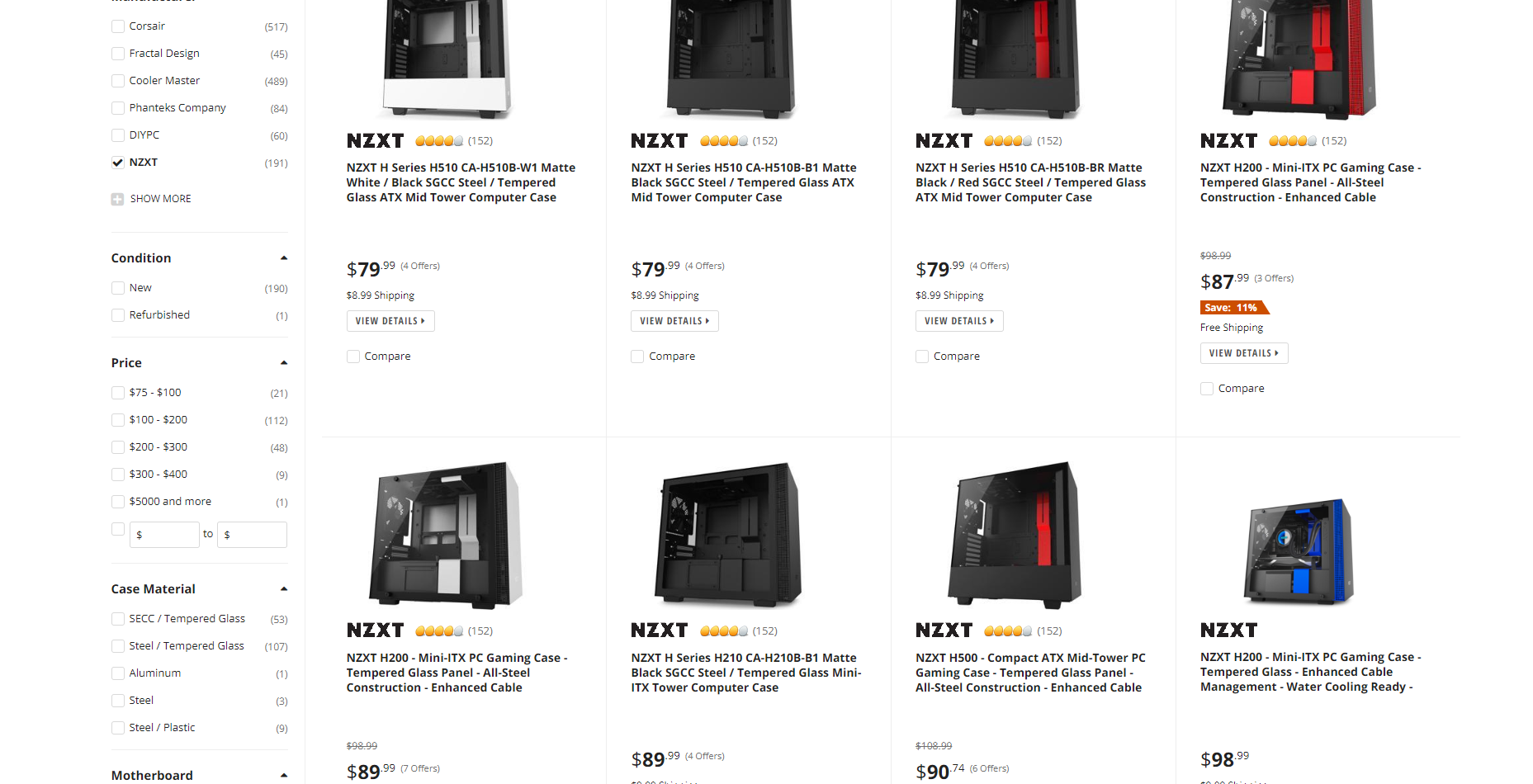
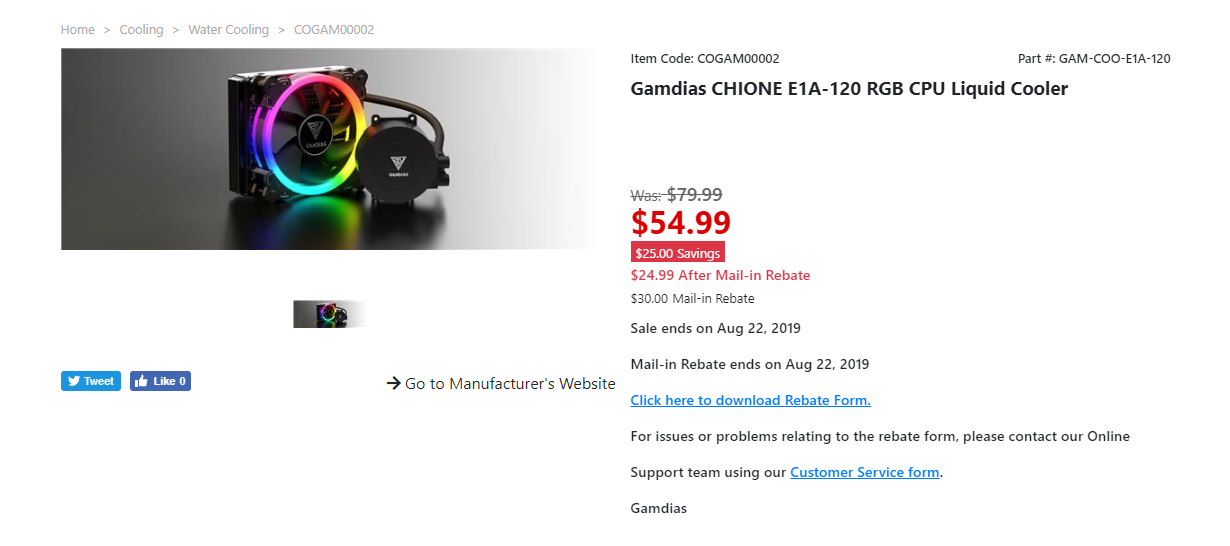
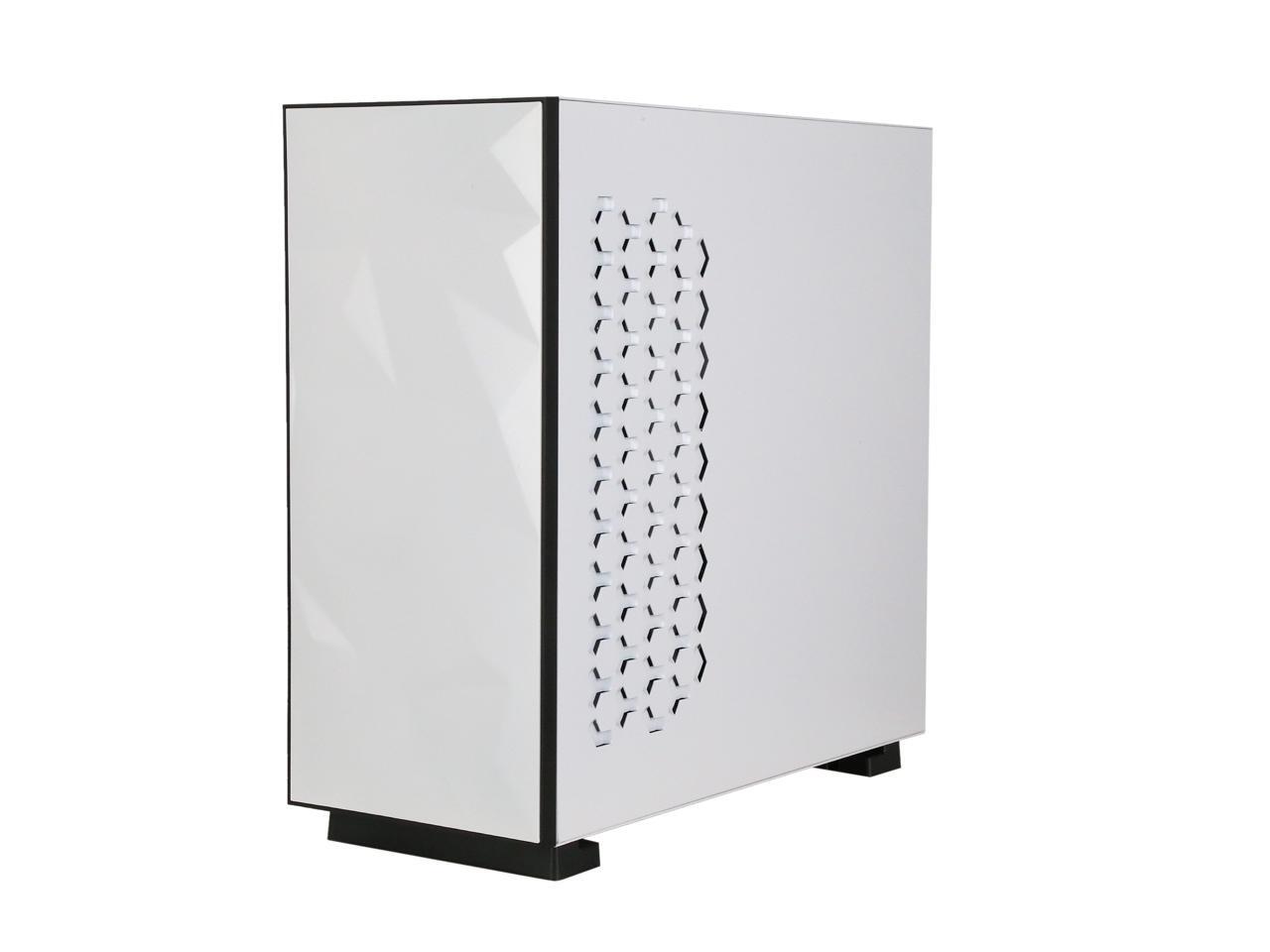 elfin ginkgo
I’m fine with spending more than “average” prices for good quality and longevity. And that Thermaltake actually looks pretty good, thanks zack. Not titanium though 
fleet brook

hushed yoke
you people and your titanium.
fleet brook
imma right nitro gang
hollow helm
id rather use the extra 50 on a m.2
fleet brook

hushed yoke
kryptix for $110 you can get a very good 1tb ssd
fleet brook
yeah but i like my samsung
elfin ginkgo
Or a 6TB HDD
hollow helm
i use intel m.2
fleet brook
and i already have a 1tb hdd to put in it and beter cooler
hollow helm
super fast
hushed yoke
ah
hollow helm
still 1800 read and write
hushed yoke
very nice
hollow helm
the 760 is faster
id get this psu
i use the 750 and havent hit max yet even with custom loop
hollow helm
ah it was on there lol i bought mine on amazon it was cheaper