#cpus-mobo-and-memory
1 messages · Page 149 of 1
 frigid anchor
 dire bluff
Now my brain hurts
frigid anchor
I personally run 32 gigs of 3600 mhz ram
IF you have money to burn run 4000mhz and 32 gigs is just nice
dire bluff
I'm at a bad spot. I want 4 sticks for looks but I also don't wanna drop performance for 4 sticks
dire bluff
So I don't know if its worth running 4 sticks over 2 sticks etc etc
frigid anchor
I was running 2 sticks with 16 gigs and now running 32 on 4 sticks noticed an instant boost to ingame perfomance everything was smoother
dire bluff
Was that single rank memory?
frigid anchor
no im running four 8 gig sticks lol
dire bluff
So ir running 4 dual rank making it quad rank?
 devout mothBOT
 JvCipriano#7047 has been warned
Reason: Bad word usage
dire bluff
I'm freaking lost dude
frigid anchor
idk
dont get too in depth on ram its some crazy stuff
unless you like it
I just focus on the basic size speed and latency
 green terrace
would it be worth it to upgrade from an i5-9400f to an i7-9700k?
@naive pendant Eh... sort of. Depends what you're doing. You're better off with 9900k if you really want an upgrade with the same mobo.
 earnest pebble
Would 32GB (2X - 16GB) 3200Mhz at CL 16, or 3000Mhz at CL 15 better for processor-heavy games (like a modded Cities Skylines) with a Ryzen 9 3900X?
(Is the CL timing more for high FPS? in terms of video games.) Thanks for any help smart people here. My brain is being overloaded
green terrace
Get the 3200
 naive pendant
kk ty
 late pine
I would wait on buying $450 ram
as of right now not all ryzen cpu's can hit 2000 mhz infinity fabric clock
until most cpu's can, getting 4000 ddr4 is a bit of a gamble
also based on the benchmarks I've seen, the performance gain is minimal going from decent timings on 3200 or 3600 to 4000, so unless you are trying to top a benchmarking leaderboard or something it's not really worth the extra expense imo
earnest pebble
Save a months worth of McDonalds Happy Meals by buying RGB-less RAM
:O I said it
No RGB, I must be crazy :D
green terrace
Yeah honestly I'm debating whether my 2400 mhz (slow right?) is even worth upgrading
If I was on amd, sure. but intel?
idk
 final sandal
Searching for nuggets of info on Dark Hero... Heard a rumor of December 21 for US...
 hollow thorn
What exactly is Dark Hero?
 patent jewel
It is listed on Asus' website

ASUS USA
AMD Ryzen 3000 series ATX motherboard with Aura Sync, SupremeFX, ROG Audio, Dual M.2, Realtek LAN, Wifi , M.2 heatsink and USB 3.2 Gen 2
 cobalt meteor
Is there any good replacement for a lga1155 motherboard that isn't expensive?
I have a i7 3770k with 16gb of ram, but the motherboard is dead. However I will check on it one more time to see if I could get it to work.
Mainly just wanna use all these spare parts I have and sell it for profit
patent jewel
Whole bunch of io on the Dark Hero
hollow thorn
ah
 severe knot
Anyone know if the Supermicro H11SSL-NC MoBos being sold by Newegg are revision 2? Customer service has no idea. Item number 9B-296-0002-00376
final sandal
Yea Dark hero is basicly a better looking crosshair hero.... lot of people gaga'n over it cause it has no nbridge fan.... but im wanting it cause it has 90 on vrm vs hero 60... and I need that headroom.
 desert estuary
Who’s got leads on where to buy a 5950x for retail? 😎🙏🤗
 viral nebula
I need HELP... I was flashing my BIOS and then I lost power. Now my system won't POST, all I'm getting is a black screen. What are my options...
hollow thorn
@viral nebula What mobo?
Only real options left are to reset cmos (very very slight chance of working), dual bios if your mobo supports it, or bios flashback if your mobo supports it.
 prisma nymph
best hope you have bios flashback...
viral nebula
@hollow thorn MSI X570 Tomahawk...
tbh I think I'm boned... I'll RMA it tomorrow morning...
viral nebula
what I've tried was download the bios from MSI's website and put it on the USB
powered off the PC, held power and reset until it cycled twice
hollow thorn
remember to rename the file?
viral nebula
plugged in the USB to the flash BIOS USB port
naive pendant
Does anyone have a steel legend b550 and recommend it
hollow thorn
they need you to rename the bios file to MSI.ROM before you can use it for bios flashback
 high steeple
https://www.newegg.ca/gigabyte-gp-p750gm-750w/p/N82E16817233029?Item=N82E16817233029
Would this be a good PSu
Like is it a good psu in general
viral nebula
the E7C84AMS.100 file? rename that to MSI.ROM?
hollow thorn
Mhm
try to keep it the only file on the usb stick if possible
but that renaming is required for bios flashback
viral nebula
yea it's the only file
well the usb is flashing white
but that's about all that's happening
I guess it's worth waiting at this point maybe
and by usb I mean the port at the flash bios ... pressed the flash bios button too
prisma nymph
yea, that means it flashing then
prisma nymph
until it stops blinking prolly
viral nebula
welp, fingers crossed... my heart just sank, just assembled everything, new rig and all
omg something happened
powered off for a moment
but that's about it...
also stopped flashing
does it mean it failed to flash?
do I power off? try again? ...
I'm gonna try again using these tips...
high steeple
https://www.newegg.ca/gigabyte-gp-p750gm-750w/p/N82E16817233029?Item=N82E16817233029
Would this be a good PSu
Like is it a good psu in general
@hollow thorn
 modest cove
@tranquil gull did you manage to run XMP?
hollow thorn
@high steeple it's too late at night to dig deep into PSUs, and the entry in the PSU tier list is for the Aorus P-GM, which is at tier B, so the non-Aorus falls somewhere below that.
 covert turtle
^
hollow thorn
hi demonmit
high steeple
hollow thorn
@high steeple jap caps aren't everything, that's why RM without jap caps is placed above AP-GM or whatever in the tier list :P
they're a great nice-to-have
high steeple
oh
viral nebula
@hollow thorn any other tips with BIOS flashback? tried twice now, with clearing CMOS, and no luck...
hollow thorn
I dunno, I just plug in usb, press button, and it just works on my b450 gaming pro carbon ac
if it doesn't, your board might just be borked from power outage during bios update
viral nebula
yea..
hollow thorn
try it a few more times just in case
viral nebula
another poster suggested leaving the CMOS battery out overnight
hollow thorn
might as well while you wait for MSI support to get back to you
 viral nebula

 stiff shoal
so basically
using parts from an old build, I built my sister a computer so that she could play some actual games rather than uh... whatever browser games kids are playing
I'm upgrading to a 30 series, which means she gets my 1660ti
My question is, is there any decent LGA 1151 cpu that would pair well with that?
hollow thorn
Any really :)
Well, need to specify which chipset.
Intel did that whole splitting it into 2 generation of chipsets thing
stiff shoal
Well saying that ;) she has a pentium G4 something or other hundred at the moment... I'm not sure on the name of the chipset right now and it's 4am so I can't go rummaging for old boxes
I know the motherboard doesn't support 9th Gen onwards
She just needs something that would run subnautica or something on medium or whatever - I can message sometime later with the chipset if that'll help
hollow thorn
Yea it would
because there's a different generation on the 100 series chipsets, and the 200 series chipsets, then the (unlike to have if it can't support 9th gen) 300 series chipsets
Well, 100 can support kaby lake chips nowadays with a bios update
but eh
better to get chipset to make sure, then give a general suggestion :)
stiff shoal
Alright! thanks anyway, I'll be on later when I can get more info
hollow thorn
@stiff shoal I'm also going to have to sleep, just @ me when you figure out the chipset, and also @ me with the budget for a CPU.
stiff shoal
Thanks :) will do
viral nebula
hmm, even after updating the BIOS, USB 3.0 is still not working
I guess chipset update is due then
 south swan
3600Mhz CL18 vs 3600Mhz CL14. Is there that much of a difference in the four units of latency?
 tribal yoke
msi meg x570 thing wifi is gucci board
 shadow hearth
I upgraded from CL18 to 14 and didn't notice much of a difference in gaming. maybe increased 1 fps.
tribal yoke
CL16 good?
shadow hearth
16 is usually a safe bet out of the box. you can try to tighten the timing and see if its still stable to get a little performance but its more trouble than its worth in my opinion.
if your using a ryzen cpu you can use the DRAM calculator for ryzen to help.
 dull apex
what b550 is best + have fron type c connector ? i wanted to get b550 tuf but its not having front type c 😦
also not over 180$ 😅
 fluid gorge
Does the ryzen 7 3700x support dual channel 3600mhz ?
 thin dagger
sense the 3600x does it's safe to say that the 3700x would to
naive pendant
naive pendant
I think I have that Corsair fan hub thing
naive pendant
 fresh river
pfft who needs the first PCI-E slot anyways
 neat glacier
 rugged sierra
nah just use the bottom one
 balmy wraith
Good afternoon, should I use 4 sticks of RAM or 2 sticks? Combing with AMD 5900x
naive pendant
Does the 5900x get a lot hotter than the 5600x? Is there somewhere I can see the temps i can expect?
 worthy dome
Does the 5900x get a lot hotter than the 5600x? Is there somewhere I can see the temps i can expect?
@naive pendant look up the benchmarks of it lol it usually shows the speed
naive pendant
Speed? Or temps
prisma nymph
pog, the mobo and ram im getting just went on sale at canada computers
dunno if i should buy it yet tho
because other places might have better deals with black friday coming
and im not building my system until after black friday anyways
 trail quarry
is it possible to flash the bios for Asrock B550m pro4 for the zen 3 cpus? or would i need an older cpu
naive pendant
I just bought two 16gb sticks of ram and it caused my computer to blue screen when i put them in. Now when i game i crash and it says theres 18b of avaible ram not 32
 mighty dagger
send me a build list
naive pendant
k ill make oe
hm
yea and its not
its only 3200 speed
2600x
im making a list rn
trail quarry
is it possible to flash the bios for Asrock B550m pro4 for the zen 3 cpus? or would i need an older cpu
@trail quarry bump
hollow thorn
No bios flashback sadly @trail quarry
And a good amount of the boards are already zen 3 ready
trail quarry
is their "instant flash" not another name for bios flashback?
mighty dagger
it should be working
naive pendant
which is why im confused
mighty dagger
sry i cant help u wit that
mighty dagger
i suggest taking it to microcenter or best buy
naive pendant
ok
hollow thorn
@trail quarry tbh I can't keep track of all the marketing terms for bios flashback, all I know is the the motherboard masrersheet says it doesn't have button flashback
trail quarry
haha nvm i checked with the seller and he said its already updated
 wraith sorrel
https://pcpartpicker.com/product/2bJtt6/team-t-force-delta-rgb-16-gb-2-x-8-gb-ddr4-3200-memory-tf3d416g3200hc16cdc01 why is this such a good deal
$65
hollow thorn
@wraith sorrel because it's not
wraith sorrel
:<
hollow thorn
Simple, team ram bad looking, that kit also too wide
And it's not as cheap as cheapest decent 3200c16 kit
 hollow oar
Does anyone know if this is single or dual ranked? I can't find that info anywhere: https://www.newegg.com/ballistix-32gb-288-pin-ddr4-sdram/p/N82E16820164189
hollow thorn
@hollow oar general rule of thumb is >8gb per module is dual rank
 vast granite
Actually curious where one would check that
vast granite
Sir yes sir
@hollow thorn wondering how big of a difference if cas latency 18 is a big difference than 16
hollow thorn
The only easy comparison I can give you is 3800c18 performs worse than 3600c16 on Ryzen
vast granite
Gotcha guess I'll wait and watch for the crucial ballistix to see if it goes on sale
Been seeing the corsair and gskill on sale but at c18
 faint ferry
Which is better for Ryzen 5000
3200CL16
3600CL18
hollow thorn
It's c18 :(
green terrace
Does that justify another $40 though?
hollow thorn
3600c18 is 3200c16 in first word read.
And honestly I have no idea how IF works now with 3200c14 vs 3600c16 vs 3800c18 testing GN had shown
hollow thorn
Then maybe
hollow thorn
@green terrace the vid was on a different topic, I'll pull it up, but the testing still good with good numbers
green terrace
Yeah I'm interested
hollow thorn

This benchmark started as an AMD Ryzen 5000 memory timings and frequency benchmark (like of 3600 vs. 3200, 3800, with FCLK changes), but morphed into a 2x8GB vs. 4x8GB benchmark.
Sponsor: EVGA XR1 Capture Card on Amazon (https://geni.us/3IMrqPi)
Watch our AMD R5 5600X CPU rev...
green terrace
I'm primarily interested in raising 1% lows. Idc about average
Wasn't that because he was using two single rank sticks?
These are both 16gb so they should both be dual rank
faint ferry
For Ryzen 5000, would it still boot if it was new? Such as putting a 5000 chip would it boot so then you can install the new bios?
 gritty meadow
@faint ferry IF the bios version is the right one, then yes
hollow thorn
@green terrace again, I'm using the vid to talk about timing perf difference, not 2v4 sticks
green terrace
Got it
faint ferry
@gritty meadow Well for example, if I was to get the ASus Prime mobo, it doesn't have a flashback button, so if I put a new 5000 chip in it, would it boot to the right version or can it still boot for me to update it?
gritty meadow
if it does not have bios support OR an option for flashing regardless of what CPU is installed. then no
faint ferry
So would I need to get a motherboard with a flashback button?
gritty meadow
you cannot update (to obtain 5000 series support) with a 5000 series cpu installed
OR borrow a supported cpu for the bios upgrade
gritty meadow
basically yes
OR
you contact the place that you are buying from and ask them to guarantee that the board has support
faint ferry
To flash back, would I need to download that bios into a usb from my old computer and then take that usb and plug it into the new motherboard?
gritty meadow
"to flash back" <- elaborate please?
faint ferry
For example to actually flash the mobo, would I basically need 2 computers? Such as getting the bios downloaded from my old computer via usb and then plugging the usb into the new mobo?
gritty meadow
IF the machine you are trying to upgrade the bios on, does not work. then yes, you would need a separate machine
hollow oar
@hollow thorn Thanks for that info. That was my suspicion, but I can't actually find proof, and Crucial's tech support is out until Monday (and the sale ends Sunday).
hollow thorn
@hollow oar this is a similar kit that was reviewed, which was dual rank, could be useful information.
https://www.guru3d.com/articles-pages/crucial-ballistix-gaming-ddr4-3200-mhz-64-gb(4x16gb),2.html

Guru3D.com
Today we are looking at Crucial Ballistix Gaming DDR4 3200 MHz CL16 memory in a 64 GB (4 x 16 GB) set. It’s another offer from Micron, an American company, which brands its products Crucial and Ballistix, but you can still see some OEM solutions with the Micron name on them as...
hollow thorn
uh
 tall socket
uh
tall socket
wdym
gritty meadow
if you want to lock yourself into a position of no upgrades without spending money. then yes. that is an option
tall socket
My connectors are fine
hollow thorn
Dunno man, 360w PSU and a 8400 sounds like some Dell things, and Dell do love their proprietary connectors :P
tall socket
man
u got me
LOL
ok
so I have a dell pc
so I want a 8400
my motherboard is compatible with 300 series chips
so
I was guessing that I could upgrade to a i5
hollow oar
@hollow thorn That is the same memory, except 4x16 instead of 2x16 and the Black heat sink, instead of Red. Thanks for finding that. I watched the Nexus video though and I think I might go down the memory they recommend (GSkill Trident Z RGB 3200 14 4x8) as their results look really consistent.
hollow thorn
@hollow oar the specific reason they use that is they've been using that kit for reviews for years, on top of 3200c14 being great performing.
hollow oar
@hollow thorn Yeah, I got that. I prefer not to OC (I build to speed anyway, no point stressing components), and their results were better than the "faster" kits with slower CAS. 32GB of RAM is enough for me.
hollow thorn
@hollow oar heh, fun fact, 3200c14 is known to be one of the, if not the best kit to buy for Samsung B die for overclocking.
(without spending 5000$ for 16gb of 5000mhzcl18 kits)
hollow oar
@hollow thorn No sh!t? I did not know that. It's still expensive for "slower" memory, but it looks like it will be a great fit for my X570 Tomahawk and 5900/5950X build.
hollow oar
@hollow thorn I love how the example is exactly what I was looking at...
hollow thorn
heh
hollow oar
So keeping all of that in mind (running a 4x8 3200 CL14) is the GSkill TridentZ the way to go, or does someone make something comparable (and better priced) like Crucial, etc? I really don't need RGB.
hollow thorn
what's the price you're seeing for it?
@hollow oar anyways, time to rope you in further towards the OCing ram, team dark pros
https://www.newegg.com/team-16gb-288-pin-ddr4-sdram/p/N82E16820313712
it's so good of a kit for OCing it gets an emoji

hollow oar
@hollow thorn Honestly, price isn't REALLY an object, but I will research everything, then hunt and hunt for the best deal (like I waited on the Tomahawk to become available at the $220 price instead of buying it at the $300+ everyone's scalping for). I'm building this system all Team Red, so I've gotta wait for the CPU and GPU to become available anyway. I figure I'll be buying a bunch of it Black Friday/Cyber Monday in a few weeks.
@hollow thorn I actually found those on the Newegg page (and a Shellshocker to boot). Didn't know much about them but the reviews look good.
viral nebula
anybody know if it's possible to enable USB C video passthrough on a desktop motherboard? I have to use my APU for now and have only an HDMI port on the mobo, but would like to use my DP to USB C adapter instead
tbh probably won't be possible... should just get a DP to HDMI adapter instead, but I wonder if it will support MST daisychaining
balmy wraith
Hi Guys, I am building my new system now, and I am wondering if should I use 4 sticks of RAM or 2 sticks? I will use AMD 5900x cpu
 fallen lynx
2x 16
 long geyser
@hollow oar few things, 2x16gb dual rank sticks will usually be better then 4x8gb single rank sticks. Also bdie should usually be able to do 3800c16 should perfs better then 3200c14.
Tomahawk mobo is also usually kinda eh, not worth in most instances
naive pendant
are there any tests i can run or things i can do to fix my ram
i just bought 32 gb of 3200 and its 100% capatatible with my pc
but whenver i try to play I crash
 novel finch
did you oc your ram
naive pendant
No @novel finch
I havnt even bumped it up to 3200 yet
its still at 1300 or something
other then the trash do old cpus have any use?
like pentium celeron old cpus
devout mothBOT
whoareyou#4572 has been warned
Reason: Bad word usage
novel finch
Well they can be used for bad computers
gritty meadow
they are perfectly viable for storage servers @naive pendant
naive pendant
@gritty meadow how do you know if they work? are they work selling or just keeping for a server build in the future?
cobalt meteor
What else could you reuse old junk like that for?
I feel bad when I throw away old pc parts
I just wanna reuse but idk how
Or for what
gritty meadow
that is for you to figure out @naive pendant
if you dont have the board to test in, things ofc get a bit more tricky
naive pendant
okay thank you!
gritty meadow
you are welcome :)
naive pendant
does every motherboard have a power button, or some other type of device? (laptop and desktop)
gritty meadow
does every board have something that allows to turn them on? yes
is that always easily accessible? no
naive pendant
how do you locate it?
gritty meadow
manual
naive pendant
hmm okay thank yuo
gritty meadow
you are still welcome :)
balmy wraith
Hi Guys, I am building my new system now, and I am wondering if should I use 4 sticks of RAM or 2 sticks? I will use AMD 5900x cpu. 2x16 or 8x4 is the question
Will be with x570 mobo
I’ll probably use the neo ddr4 3600cl16 ,but should I use 4 of them or 2? Any new vida from GN about it?
naive pendant
I found the power switch I think and i feel so dumb
balmy wraith
didn't we just answer this question an hour ago?
@fallen lynx sorry mate, I missed it
fallen lynx
no worries
naive pendant
and there any way to force a video output out the hdmi port on a laptop motherboard?
prisma nymph
i mean, you shouldnt have to force it
it should automatically use that port if its connected
fallen lynx
you may have to enable it in windows first?
gritty meadow
@naive pendant there is normally a FN combo you can use to do that
check the manual for the specific one
 long acorn
Hi Guys, I am building my new system now, and I am wondering if should I use 4 sticks of RAM or 2 sticks? I will use AMD 5900x cpu. 2x16 or 8x4 is the question
@balmy wraith Get a pair of Dual-Rank 16gb sticks. 4x single rank 8gb performance = 2x dual rank 16gb performance. I have a pair of 16gb sticks here, and that's the way to go really, giving you loads of room to fit games, the web browser, your media player(s), and so-forth and not slow down. I saw the GN videos, and many other reviewer's videos on it too. Have a 3950x on x570 here and was paying attention in-case I should upgrade (don't really need to upgrade if you're on 3xxx Ryzen CPU, unless you need that better single-core performance).
In all honesty, if you're buying an 8 core 16 thread 5xxx processor or better, you really SHOULD feed it a pair of 16gb dual rank sticks (Hint: Micron works great with Ryzen).
When purchasing memory, 3200~3600mhz memory is optimal, but if you can find a good 3800~4000mhz kit for a good price you can elect to get it. Please keep in mind that not only MHZ speed but also CAS LATENCY matters too, if the MHZ and CAS latency is higher on the more expensive sticks, they may not be faster in practice.
You can divide the mhz by the cas latency and figure out which is faster, the lower the cas latency the better, the higher the MHZ speed the better, etc.
hollow thorn
Nice
Micron e die is also good in general, not just for Ryzen
Better than the DJR you usually get in other sticks
3600c16 still looks like the sweet spot as of now.
balmy wraith
@bob.blunderton#4275 Thank you very much! I am building a complete new system, mobo is going to be asus rog crosshair viii hero, cpu: ryzen 5900x. Could you recommend me a good 16x2? I found this one : N82E16820232860
hollow thorn
Wheee bigger text wall
 magic cedar
K
long acorn
You will get the best speed if you match memory speed to IF speed (Infinity Fabric), so if you toy around in BIOS at all, make sure these values are matched for best performance. Going over 3800mhz IF speed is not promised to work 100% of the time. Some chips can do 4000mhz, some cannot go above 3900mhz, and it's possible some may only do 3800mhz IF speed. So paying more for RAM over 3800mhz isn't always a wise idea. You can however try to underclock (yes) your RAM if you buy really primo / fancy RAM at 4000+mhz, to lower cas latencies if you want to squeeze out that last little bit of performance - just read up on cas latencies VS if speed... sometimes if you get the cas latencies and other latencies down when running a lower speed, it can indeed be faster. If you lower the IF speed however from it's default, you will lose performance.
hollow thorn
@long acorn tbh 5th gen looks like IF doesn't matter as much as just first word read / latency
long acorn
@magic cedar Get 2 sticks of 16gb micron (crucial ballistix is good place to look), they usually always boot right up on Ryzen boards, very common too.
hollow thorn
From GN testing, 3200c14 > 3600c16 > 3800c18
magic cedar
3200cl14 is better?
long acorn
@hollow thorn IF speeds always better to match memory speed by practice, though this isn't always the case, as you may well know.
balmy wraith
Would this ram will work good with my new build? N82E16820232860
hollow thorn
@long acorn I mean, GN does run them at 1:1
magic cedar
What about 800mhz cl2 or something like that
hollow thorn
Yet in every bench I saw, 3200c14>3600c16>3800c18
Tho 3200c14 and 3600c16 was close
long acorn
What about 800mhz cl2 or something like that
@magic cedar Stay close to your IF speed if possible. Watch the Gamer's Nexus youtube video on it, it was just done within the last week to 15 days or so...
hollow thorn
This benchmark started as an AMD Ryzen 5000 memory timings and frequency benchmark (like of 3600 vs. 3200, 3800, with FCLK changes), but morphed into a 2x8GB vs. 4x8GB benchmark.
Sponsor: EVGA XR1 Capture Card on Amazon (https://geni.us/3IMrqPi)
Watch our AMD R5 5600X CPU rev...
Content of the vid matters, he has 3 sets of sticks
With dif freq and timings
@magic cedar that's called ddr, not ddr4 smh
magic cedar
Wat i never said ddr4
magic cedar
Lmao ik i was just wondering if it was better
long acorn
Yeah, 5xxx is more sensitive to memory because the latencies to memory on the CPU and IO die configs are less, so it matters more what your memory is since the IF speed / latencies are less of a bottleneck vs older 1xxx and 2xxx Ryzen (3xxx Ryzen is pretty good, I have zero issue on the 3700x I have and the 3950x here when running 3000mhz cl-15 bargain-bin memory, yes you read right, 3950x + bargain bin memory heehee).
hollow thorn
Meh
It works
I'd have to wait for more GN testing on the ram to come out tho
(when it comes to IF vs pure tightening timings)
long acorn
Basically, the better the cpu, the more sensitive it will be to ram speeds once you get past latency hurdles (mostly when you get to memory sensitive tasks) - especially when you get 16 core processors running on dual channel memory. When I run BeamNG Drive on here on my Los Injurus map (lots of physics processing), it certainly loves fast low-latency memory. I have to sit here and tune the speed a bit sometime but considering it's a production machine running at stock ( + DOCP) settings... not in a hurry to do it.
hollow thorn
Heh, tuning on a production machine you're tryna use might not be the best idea
long acorn
I personally can't wait for games to make use of 8+ cores, the worlds will be SO much more interactive.
Coming from a 4790k 4.4ghz w/cl-11 2400mhz 32gb of memory to a 3700x and then 3950x with x570 and 32gb 3000mhz cl-15 memory - the difference was night and day. Reviews did NOT show that however. Everything ran faster - including Rimworld (BIG speed up, 2~3x the speed), BeamNG drive (over double the vehicles in play), any type of graphic work or model rendering (even though on RTX card is faster to render), or even zip/unzip files, the difference is night and day.
So if anyone out there is considering upgrading from say Haswell era machines - there is a difference & Ryzen 5xxx only adds to it. Just having new instruction sets in the CPU can make a world of difference by themselves.
Oh, and on that note, yes a NH-D15S will cool a Ryzen 3950x at stock settings with decently fast memory installed. It will not climb much over 80c at all and it rarely ever gets to that under the harshest conditions. If it does get that warm, it'll kick down to 3600mhz all core speed for a few seconds to blow off some steam (but I've only seen that twice during Cinebench and Prime 95 AVX small FFT's workloads, it's hard to replicate that type of concentrated math-intensive load when gaming). For those buying an 8-core 3700x or less, keep the stock cooler unless it's too noisy for you (then an NH-U12 series will work OK). Props to Noctua though, they make really fine hardware and fans.
hollow thorn
Yea,  has to be my favorite pc company
I personally have a d15, but I messed something up during mounting, fairly bad temps for a 3800x.
Gonna remount it whenever I'm at my pc again
long acorn
I don't need water/liquid cooling in a production machine for obvious reasons not to mention I don't like getting sprayed in the face - which would be my Wile E Coyote class luck 🙂 If this sounds like you, or you just don't want the headaches of it or worry about the pump wearing out, Noctua does a fine job on Ryzen, and the Ryzen will boost according to the cooling you provide it, so no effort needed.
@hollow thorn Yeah, 100% that cooler should be SILENT on that chip rarely ever hitting much over 70~75C and then only for a few seconds. I used the included paste and not the liquid metal in-case it squeezed out and dripped on the GPU etc (though I delidded my 4790k with liquid metal which worked AWESOME). So you should be OK with the remount.
hollow thorn
My fav part about Noctua is still the fact they ship free upgrade brackets for new sockets as long as you show proof of purchase of cooler and motherboard/cpu lol
@long acorn mhm, I know smth is wrong when it hits ~95c on p95 smallfft
Either paste application, or mounting pressure
Prob mounting pressure, just bad paste application shouldn't be that bad.
vast granite
Could I maybe have someone look at a ram kit since I've seen people recommend 2x16 for zen 3 over 2x8
hollow thorn
2x16 over 2x8 for sure lel
hollow thorn
2x16 vs 4x8 still need more testing to be sure
long acorn
@long acorn mhm, I know smth is wrong when it hits ~95c on p95 smallfft
@hollow thorn That's 100% correct, should NEVER get to that. My 3950x hasn't even gotten over 82~83C EVER, and my front filter isn't exactly cleaned monthly like it should be.
hollow thorn
For Ryzen, get 3600c16 kit.
hollow thorn
Dunno man, 3200mhz
long acorn
Generally ballistix is pretty reliable for Ryzen. Just make sure the RAM has decent CAS latencies (and other latencies) compared to other similarly priced RAM.
vast granite
I'm gonna see the cost of the non rgb version of these but yeah most at that cost has a c18
long acorn
3200mhz CL16 = same speed as 3600mhz CL18.
vast granite
If you look at the bottom option I have 3600 selected
long acorn
3200mhz divided by 16 = same as 3600mhz divided by 18.
It may be simpler to just pay the extra 10$ or whatever the cost is for the faster stuff so you don't have to re-clock it every time you clear CMOS/BIOS data.
hollow thorn
@vast granite yea anyways, the 3600 cl16 version is good
vast granite
Cool I'll look into the rank I guess and the b dye?
vast granite
Okay cool
hollow thorn
B die comes with a hefty premium
long acorn
B-die has been out of production 16 or 17 months now, but there's still lots of it floating around if you know where to look; a new line of memory came out (Forget who!) just last month or two that was using B-Dies though, so I'd reckon it's not completely gone yet. Expect to pay more for B-die though DO know that it's not a required expense VS micron memory (unless you are one to tinker with RAM speeds to squeeze out every last drop of performance).
hollow thorn
IMO Micron E die is the good balance between DJR and B die
vast granite
I honestly reading this channel I never new ram had more to it than the typical timings and speed
long acorn
MOST 16gb DDR4 sticks are dual rank, where-as 8gb sticks are single rank.
hollow thorn
I still don't know crap about ram when it comes to specifics
vast granite
I wasn't sure if b die was a thing or a brand so that's my ignorance
vast granite
Gotcha
hollow thorn
it's a specific die, made by Samsung, that's pretty good.
vast granite
I worked some extra hours to cover the extra cost for the 32gb
long acorn
Someone in the review community stated 'there's no such thing as quad rank' ... ignore that too, even though quad rank is generally ONLY for servers (though, sometimes AMD enthusiast chipsets support quad-rank sticks, but don't go run and buy some unless you KNOW they work).
For Ryzen typical gaming and production work-loads, just get Micron memory, it works great and requires no effort to use / configure short of selecting 'XMP / DOCP' option in the BIOS (XMP was the 'intel board' profile name for RAM speeds, DOCP is the AMD equivalent, for argument sake).
If you can find Samsung B-DIE memory and don't mind the premium to possible be able to overclock it - then that's okay too.
hollow thorn
Heh
Most of the time, boards will still call it XMP on AMD's side, just Asus really that says DOCP
gritty meadow
A-XMP is another name
long acorn
ALL consumer level chipset AMD Ryzen motherboards should have zero problems with supporting 4x dual rank sticks (which then the processor sees as quad rank effectively) - however, this hasn't yet been tested speed-wise, so pay attention to Gamer's Nexus and similar youtube channels for that to be tested.
vast granite
During the chat the 3600 c16 sold out on Amazon rip
long acorn
@hollow thorn Yeah the ASRock X570 Phantom Gaming 4 that I had until about 6 weeks ago (I blew it up!) called it XMP yet, this ASUS TUF X570 gaming wifi-plus board I snagged locally (and who wants to wait to fix their primary gaming / content creation rig) goes with the DOCP name.
The VRM's failed on the ASRock board - but considering I upgraded to a 3950x 2 months before after a year with the 3700x, I wasn't too upset. That being said, this ASUS board is miles better for just a little bit more money, and has a hotplug feature THAT ACTUALLY WORKS - The ASROCK board was MISSING the BIOS option with no way to turn on Hotplug even though it was an advertised feature. Shame on you ASRock. Shame on me for 'cheating' on ASUS. Never again (for my main machine).
hollow thorn
Hm? VRMs that blew up eh?
I know PG4 had some really bad VRMs, and the overheating kind, but well, guess it makes a bit of sense on 3950x.
long acorn
During the chat the 3600 c16 sold out on Amazon rip
@vast granite There's plenty of 3600mhz memory on Newegg buddy, just find something with similar speeds that has plenty of reviews. Try to keep to the QVL of the motherboard (available from the motherboard manufacturer's website) for best results. RAM is however made to Jedec standards, so most all sticks SHOULD be OK to use... but there is always that 'but sometimes' clause in effect. Reading reviews to look for folks having success or failure with the intended platform you're going to use is a good starting point.
@hollow thorn Yeah, they didn't go magic smoke or fire, but the machine would hand-off at the end of the post process and the CPU light would go out - causing the machine to reset just like when the reset button clears RAM to reset the machine (Same effect / outcome).
hollow thorn
Sounds like a fun way to go out
vast granite
@long acorn I'm looking just i get more back from Amazon
long acorn
@hollow thorn A power surge toasted it, while I was sleeping, I am glad I didn't wake up to FIRE and having to toss the PC out the side of my house (been there, done that, no TY).
vast granite
I also can't find my mobos qvl
hollow thorn
there's this trident z rgb kit that isn't too bad pricing wise @vast granite
https://www.newegg.com/g-skill-32gb-288-pin-ddr4-sdram/p/N82E16820232906
TBH, QVL doesn't matter much
heh
but you'll be getting djr and not micron e die
gritty meadow
there is a very good reason why its advised that you have a fire alarm in the room that you have your machines
hollow thorn
yea it's fine then
long acorn
TBH, QVL doesn't matter much
@hollow thorn QVL is more for first-time builders that might not know what works or what to do when trying to configure it to work. It's only a starting point. But you're right - because JEDEC makes standards for a reason, and they're supposed to be followed.
@vast granite Just avoid Hynix RAM for the most part (they do have one good line, don't ask me what it is), go with Micron (best value, broad compatibility), or samsung B-die (a legendary pair of ram sticks, better speed if tweaked properly/manually, but costs more).
hollow thorn
@long acorn arguably, QVL is only really for servers/heavy workstation users
Mem off the QVL works 9 times out of 10
it's for tested stability that QVL exists
long acorn
@gritty meadow We have lots of fire alarms, for sure. Don't need the house to burn, it's only 8 years old and it's paid off.
hollow thorn
and professionals that just want no frills rock solid reliability, QVL.
long acorn
5600x is excellent for gaming and streaming too. 8 core 16 thread processors should only be bought by folks that - are well off money-wise - want more future proofing - do content creation or work with multi-threaded apps. Going more than that is only for enthusiasts that don't mind purchasing more cooling and a better motherboard etc.
vast granite
5600x is 6 core
gritty meadow
i dont agree with that at all @long acorn
long acorn
@vast granite yes, that's correct, I said it's good for gaming and streaming. Then I said 8+ core chips and above are generally only bought for 'reasons'.
hollow thorn
Meh, there's merit behind it, but I'd say 8c16t is good for future proofing anything, don't always need more cooling and better motherboard though.
vast granite
Oh misread thought you were saying it was 8 my b
hollow thorn
Uh 5600x is 6c12t, 5800x is the 8c16t chip
gritty meadow
8core is going to be our "lowest common" for this generation of consoles
and im not talking about bobcat cores, but actual well performing cores
hollow thorn
(For most of us here, we focus on Gaming as the common workload)
vast granite
Hey Ill take 6 cores 12 threads over my dual core laptop rn
long acorn
@vast granite It's all good. I should have split the post in hindsight. Shoulda-coulda-woulda as they say.
@hollow thorn Yes, it's very good future proofing. As much as we don't want our new found goodies (PC's) to get out of date or obsolete, a larger part of me wants to see games USE those cores like BeamNG Drive does (driving / crashing simulator I make map mods for).
vast granite
Even for vms and gaming it'll be enough for me
long acorn
@vast granite you would be blown away by the difference, it's night and day - so don't hesitate when opportunity / good sale arises, if it's affordable to you. If not, it's okay, one day you will be able to get one (life costs money, of which the PC hardware purchases pale in comparison).
vast granite
I already have one
Just checking for a friend who I was gonna sell my pre order b&h cpu
long acorn
@vast granite you can always upgrade up to a 16 core 32 thread 3950x/5950x IF and WHEN needed, that's what the joy of AM4 is, and why I love it.
vast granite
So when I see them i tell him so he doesn't have to wait for the pre-order to get to me
@long acorn oh I might once I start working I'm a college lad rn about to graduate
long acorn
@vast granite I wish you the best in your career options. Hopefully you can pay off college loans quickly enough to get past the 'treading water' phase of life quicker than I did (when you only make when you pay out a month for bills). If you don't have college loans, I say 'lucky dog lucky dog!'. Find something you LOVE to do for a living and just stick with it. Life is too short to be unhappy. But I will mention a 5600x performance-wise won't leave you wanting for more anytime soon.
vast granite
I don't have any fortunately
Oh I'll be happy with it for sure that's why I'm making sure the parts I buy will get their best use as a whole cuz why buy ram knowing 2x16 is a better option
long acorn
Generally just look at what you can get for what cost, and get stuff that's 'the best bang for your buck' or one or two steps past it. Leaves you still feeling good with your purchase every time you use it - provided it does what you need. The 5xxx series IS worth the premiums to any who can afford it, and gives you the possibility for Smart Access Memory on 5xx chipsets along with a supporting Radeon 6xxx video card. This can boost FPS a little bit provided you have over the required amount of VRAM to run your game.
long acorn
Waiting on that gpu release
@vast granite I don't blame you. No worries about AMD drivers being worse than nvidia's. I have a 2070 Super here, and while I loved Quake II RTX, I have no other games that use it, and my 'Studio Ready' driver's kernel-mode level driver likes to bomb about once a day... most times when I'm asleep thankfully. When I see a 16gb card from AMD I will pick it up surely, as 8gb is NOT enough for next-gen content creation at all.
As long as that driver doesn't murder my game of Tank Wars in dosbox, I'll be OK and not try to murder my PC.
vast granite
Well when cpus and gpus work together might as well get that feature working
long acorn
@vast granite Yes, that extra FPS bit can be a good value-add I think. Not one to make you change an entire build and spend 100$ or more extra on, but if you were going to buy that hardware anyway, it does make it a smarter choice.
I mean I would absolutely love it if AMD made 16GB VRAM cards even without a GPU at all, say for TRX40 workstations could just slot in a few (though, I'm not 100% sure that performance would improve much using SAM on say a TRX40 quad or octa-channel memory config, we'll have to see when the new Threadripper solution comes out).
That said, if you're the type to end up leaving so many things open that the task bar is pretty much filled, you'll definitely be loving that Ryzen - even if it's 'only' a 6c/12t chip.
vast granite
I'm pretty good about keeping clean but that's also cuz my current hardware
long acorn
I went into this build last summer post-3xxx Ryzen launch, thinking it would be a 'side-grade' with just more cores. That's what reviewers said anyways. Couldn't have been more wrong. Almost everything was much faster.
 sour marten
Hey, peeps. I jsut got off chat with Microcenter and was hoping you could give me your thoughts on their recommendation. I'm trying to upgrade my mobo. Here's what I'm looking at:
It has to be compatible with my Ryzen 5 3600CPU. I'd like it to have four slots for RAM. Ideally a few picl ports so I can add stuff to it besides my RTX 2070 Super, like a wifi and blue tooth card, for example. And also at least 3 or four SATA3 ports for storage expansion. It also has to fit inside my Cougar MX330-G Mid Tower Case. I'm also using a Thermaltake Smart 600w 80Plus. Let me know if you think I should upgrade that.
Here's his recommendation:https://www.newegg.com/asrock-b550-phantom-gaming-4-ac/p/N82E16813157936?Description=ASRock B550 Phantom Gaming 4 AMD AM4 ATX Motherboard&cm_re=ASRock_B550 Phantom Gaming 4 AMD AM4 ATX Motherboard-_-13-157-936-_-Product&quicklink=true
Also, what's the difference between that, and the4/ac? What's that ten dolalr difference?
 deep vigil
Why the mobo upgrade
Not really needed if the machine is working fkne
@naive pendant yes
If you were streaming I would use rtx 3070 for streaming
Their encoder is more polished
sour marten
Because I started from a preduild and this is what it came with: gigabyte a320m-s2h-CF
sour marten
i DON'T EVEN HAVE ROOM TO ADD COMPONENTS LIKE THAT WIFI ADPTER, AND i'M OUT OF PORTS FOR STORAGE EXPANSIONS
Oops. Caps*
deep vigil
Usb wifi adapter
@naive pendant just come back then tjings change
Cooler not needed
sour marten
I'm pretty set on using a wifi bluetooth card adapter. Have had trouble with USB adapters for speakers and keybaords
deep vigil
Its fine
long acorn
i DON'T EVEN HAVE ROOM TO ADD COMPONENTS LIKE THAT WIFI ADPTER, AND i'M OUT OF PORTS FOR STORAGE EXPANSIONS
@sour marten Sounds like a substantial enough reason to upgrade to me. Look for a good ASUS board. The Asus X570 Tuf Gaming is pretty decent and a good price to start for around or just below 200 USD.
deep vigil
Dont go x570
If you want a good cheap board there is the b550 pro vdh wifi
I personally wouldn’t go above that for just a 3600
long acorn
Don't need to overclock Ryzen processors, they're plenty fast, plus they sort of overclock themselves especially when you enable PBO if you have the cooling to support it.
sour marten
Are these all compatible with Ryzen 5 3600?
deep vigil
@sour marten as I said
Your board is fine for your needs
You have no pratical reason to upgrade
As I sai
long acorn
All X570/B550 boards support 3xxx processors out of the box with the exception of some boards made before the 3950x came out (3950x support was added in october or november before the 3950x was released a little over a year ago). 5xxx series may require a BIOS flash unless the box says 'Ryzen 5000 series ready' on it. If you are required to flash the bios to use a 5xxx chip later on, make sure to keep your 3600 in until you flash it.
If you are just updating the motherboard to have more expansions and wish to keep your same CPU, you should not have any issues there.
sour marten
Sweet, man, thanks.
long acorn
no problem
sour marten
long acorn
MSI and ASRock sometimes go a little cheap on the VRM's, however, if you don't plan to run a 12-core or 16-core chip on the cheaper boards, you should be fine with most any board. DO check out youtube reviews and places like Guru3D or similar for articles and videos on the subject of motherboard reviews.
sour marten
@deep vigil Like I said, I want more room for more Storage, I wanna add a wireless card, and I wanna be able to expand my RAM moving forward, and my current mini mobo doesn't allow for any of that.
Okay, will do. Last thing, any idea what that difference is between the Gaming 4 and the Gaming 4/ac is? It just a ten dollar difference, and that's the only difference in their titles on newegg. Jsut curious.
long acorn
Some may have wifi, better audio, more/different usb ports, more fan headers, better VRM design, etc. Buildzoid has a lot of info on motherboard design, VRM capability, and similar stuff though his videos are very slow paced and drawn out. Worth a look for him on youtube if you don't mind people that say 'like' in every sentence.
Often his videos come up on the Gamer's Nexus channel, so you can find him there too.
 warped scroll
Anybody know by chance if the Biostar TZ68A motherboard would be good for overclocking a 2500K?
sour marten
Nice. Thanks. Last last thing. Should I upgrade my PSU? Currently using a Thermaltake SMART 600W 80 Plus.
long acorn
The Asus and Gigabyte motherboards are superior to the ASROCK and MSI motherboards, they are just better made, more durable / longer lasting, and are less prone to electrical surges that may happen when the PC is running. If you don't have the world's best power, get an Asus motherboard and a Seasonic branded power supply and you will have the most stable computer you've ever built (outside of driver crashes and Windows 10 being, well, Windows 10).
warped scroll
@sour marten you should. Thermaltake Smart Units are really not good. Would benefit you if you did.
long acorn
I got 14 months of use out of my ASRock Phantom Gaming 4 x570 motherboard, it did not last long here. I have a 6 year old Asus Maximus Hero Z97 motherboard that survived all that time with all the same power imperfections... you get what you pay for!
sour marten
Daaaaaamn. Why did you decide you needed to upgrade after just 14 months? Or did it just crap out on you?
warped scroll
Also @long acorn, it entirely depends on the model of mobo you get. You might have just got unlucky. All brands make some good some bad models. :)
sour marten
@warped scroll Any recommendation?
warped scroll
What CPU and GPU do you have
long acorn
@warped scroll it depends which OEM that Thermaltake sourced from for that model. Brands like Corsair and Thermaltake and MANY others don't make their own supplies, they just spec out a power supply and they buy them in bulk from one of the OEM's like Seasonic, FSP, Great Wall, etc
sour marten
RTX 2070 Super and Ryzen 5 3600
warped scroll
The Phanteks Amp 650w is a good unit for a good price. I’d recommend that one
long geyser
The Asus and Gigabyte motherboards are superior to the ASROCK and MSI motherboards, they are just better made, more durable / longer lasting, and are less prone to electrical surges that may happen when the PC is running. If you don't have the world's best power, get an Asus motherboard and a Seasonic branded power supply and you will have the most stable computer you've ever built (outside of driver crashes and Windows 10 being, well, Windows 10).
@long acorn no, that's false. One crucial feature is missing here

warped scroll
Lmao that’s what I said
@long acorn yes it does, and for this specific model (thermaltake smart) it sucks.
long geyser
Asus mobos have been trashed a lot too. I mean, just look at BIOS support for any new AMD CPU
wait no, not BIOS support
long acorn
I stick with Seasonic. I had one Seasonic go out (the 3.3v line slowly dropped off in voltage) after many years of ownership, and they sent me back a brand-new looking unit (likely a refurb) that works excellent and they didn't argue or let me down over the RMA at all. Their service like Noctua's is some of the best in the business.
long geyser
srry it was x470 boards that was annoying for Asus
deep vigil
sour marten
@long acorn The Phanteks Amp 650w
warped scroll
@long acorn once again you’re forgetting the principal of model > brand. Seasonic makes some trashy units.
long geyser
PWN fan controller would quite literally bork itself when using a program to read it (like HWInfo, HWMonitor, etc)
sour marten
Woops.
@long acorn Daaaaaamn. Why did you decide you needed to upgrade after just 14 months? Or did it just crap out on you?
long geyser
also, you gonna rail AsRock for a faulty unit but not Seasonic?
long acorn
@sour marten The ASRock Phantom Gaming 4 x570 board had a failure in the power delivery section of the motherboard near the CPU. IT would boot loop (not to be confused with RAM training boot loop that new Ryzen systems do). Before it went out, whenever you did a cold boot it would have to retrain RAM again, and the BIOS was lacking the hotplug feature that the board marketing material said it had. I was just let down by it and feel that IF you can afford the extra 15~25$ an ASUS board with the same features costs, PLEASE DO get the Asus, you will thank yourself later.
sour marten
@long acorn Waitaminute. I'm only still asking because I actually thought the difference was closer to 100 dollars.
Anyone got any rec for ~$150?
gritty meadow
"A power surge toasted it, while I was sleeping, I am glad I didn't wake up to FIRE and having to toss the PC out the side of my house (been there, done that, no TY)." <- dont forget this part @long acorn
long geyser
So...
One, how did you know you didnt just get a lemon? My dad got a lemon Asus x570 TUF a week ago, it exists in all companies.
Two, did you check the BIOS completely? AsRocks BIOS layout has been known to not be good, tho that is usually it.
Three, blame a PSU issue for a mobo "issue"? PSU failed in surge protection, simple as that.
long acorn
@gritty meadow yes that's correct, that caused the VRM to fail. All other components of the PC are fine. It was on a surge protector of good quality, and the ASRock board failed where ASUS / Gigabyte boards did not. The ASUS /Gigabyte board is more expensive however it IS better made - you get what you pay for.
gritty meadow
thats a VERY broad stroke based on a sample of one
long acorn
@long geyser the PSU and the motherboard were from different computers.
long geyser
no, Im talking about the PSU from your AsRock build
long acorn
These components did not fail at the same time.
long geyser
it failed in surge protection but didnt die
long acorn
That PSU from the ASROCK build is the same one I'm using now.
The PSU that died was on a previous machine.
long geyser
yes, and your current PSU failed in surge protection
if its protections properly worked, nothing would've been damaged
long acorn
No matter how good of a surge protection setup you get, there's always a small bit that gets through before it clamps the voltage spike down.
long geyser
Im not talking about the one that died
and do you know how much got sent through? You cant compare results unless you know the situation was exactly the same
There are far too many variables to just say "All AsRock/MSI boards are garbage" from a very limited sample size in a situation that isnt even guaranteed to be the exact same in each case.
long acorn
I did not say Asrock and MSI were garbage. I said the ASUS boards in similar/same price brackets are better made (though sometimes they won't offer as many features). The person wanted a recommendation. I gave that person some guidance on the subject. There's a reason ASUS is known for quality - as is Seasonic. They both have a good reputation in the business that's pretty much tops (though to be honest, ASUS RMA dept was never known for being any good, they will still RMA your board though).
I've been doing this since the mid 90's when the AM486 DX/2 66 with 8mb of 72 pin simm memory w/trident 512KB VLB video card was king for gaming (since almost no one could afford a pentium at the time). I very much trust Asus, and Seasonic is good.
Go ask any computer shop that's been in business for 10 years what are the best PSU and motherboard brands if you do not choose to believe me. Yes all things fail, I get that, this happens in life. However, I gave a recommendation and I have not too much more to say on it, for the sake of others in the chat not getting drowned out.
*I will add though, that when you spend 300+ $ (USD) on a board from Asus, Gigabyte, ASRock or MSI, you usually get a really well made boards. For those on a budget, be more careful, especially if you cannot afford to replace the motherboard if it goes out without warning.
long geyser
Recommendations are fine, we all appreciate them. Thing is that yours was based off a bit too little info to really say "yay or nay" to (too many undefined variables). If there was tests done on a whole whack ton of boards and concluded that AsRock's x570 PG4 power delivery is more prone to failure in surges, then yes that can be a problem. However I cant really say its something to mention if its a one off thing.
Also with the fact that one can really never judge anything by brand cuz you always get the mixed bag of good/bad products in a brand.
naive pendant
Hei, can you help me ral quick?
long geyser
probably, depends on what it is
naive pendant
I'm trying to install mobo drivers but I don't have an optical disk drive and my wifi card won't work
It's for a msi mpg x570
long acorn
@naive pendant use another machine to transfer them to a USB stick from the optical media, or download them off the MSI website.
long geyser
can you move the PC close to Ethernet port? If not, go on a laptop and download drivers with USB drive as stated above
naive pendant
I can't do either hei
long geyser
use phone as USB tether for wifi
naive pendant
I might be able to do the usb tethering, but my pc sometimes doesn't like my phone
long acorn
USB tether may incur additional charges with data use on your phone bill, so use caution with that to how much you download.
long geyser
oh I wasnt talking about data tether, WiFi tether should work
should be its own driver
naive pendant
I meant file transfer
long acorn
you can use most phones as a USB drive, but you must usually press OK on the phone itself once it's hooked to the PC to allow it to talk to the PC.
 vivid pewter
X570 aorus elite (wifi) vs x570 tuf gaming board (wifi). Which should I get given both are the same price?
naive pendant
Tuf
@long geyser now my wifi card won't even popup to be used to connect to wifi, only ethernet
long geyser
if you're doing USB tethering, it should be considered ethernet. Download the drivers and then install.
If you're doing file transfer, just search in the phone and drag them into the PC storage. Then install.
If you already installed the drivers, probs reboot. Other then that idk, might be something in settings
 quasi grotto
Hello, I just want to know if Intel 1st gen mobos are compatible with the Intel 8th gen
 violet zealot
No, they're not
violet zealot
We're talking like what, almost a decade difference?
violet zealot
Asking how much it's worth?
 hollow kraken
b450-a pro max vs b450-pro m2 max for ryzen 3 3100
if you're wondering they're msi boards
naive pendant
@quasi grotto 1st gen are worthless
quasi grotto
Lol yea
 cinder sphinx
Does MSI MAG X570 Tomahawk WiFi support this model of memory sticks?
hollow thorn
why 3600c18
hollow thorn
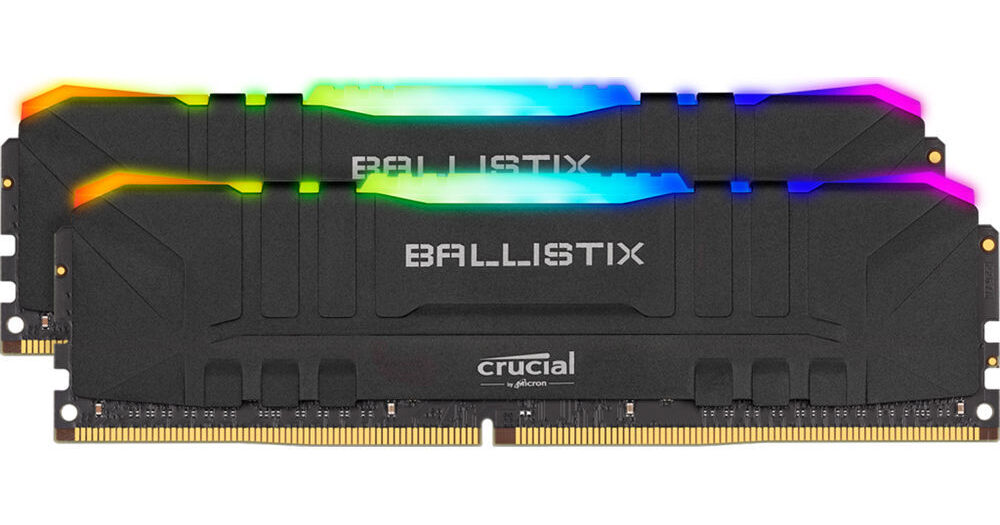
Buy Crucial 16GB Ballistix RGB DDR4 3600 MHz UDIMM Gaming Desktop Memory Kit (2 x 8GB, Black) featuring 16GB (2 x 8GB) Capacity, 3600 MHz Clock Speed, PC4-28800, 288-Pin UDIMM, 1.35V, 16-18-18-38 Timings, Unbuffered, Non-ECC, Low Profile, Customizable RGB Lighting, XMP 2.0 Sup...
high steeple
Is there a big difference between 3600 c18 and c16?
Found ram 30$ cheaper 16gb 3600mhz c18
hollow thorn
yes
cinder sphinx
@hollow thorn because faster speed
hollow thorn
slightly
high steeple
For like $8 more lol
cinder sphinx
Lower the cl, the faster the ram?
high steeple
Also
For a 5700xt, 9700k and 240mm aio would a 650w do fine?
Taking overclocking into consideration
hollow thorn
mhm
hollow thorn
futureproofing is your money to be spent
high steeple
Mhm.. right.
cinder sphinx
Want to build a full 128gb ram. So starting with 2x 32gb first. Only 2x 32gb sticks I could find are 3600cl18
cinder sphinx
So is good?
hollow thorn
fine
 potent dew
C15 3000Mhz is faster than C16 3200Mhz, right?
hollow thorn
@potent dew same speed
potent dew
Oh
tribal yoke
well from some research i just did it does change speed kinda but not alot
im picking between 3600mhz cl 16 or 18 but cl18 is only 90bux but cl 16 was lile 160, same ram just different latencys
but it really dont matter, cl is just the time it takes to read or so ething like that but cl16 and cl18. the only changes is a .0044 to a .005 change is speed to take commands
hollow thorn
... ..?
tribal yoke
bro idk im tired
i lear when im half awake and forget when i wake up
learn*
and when i said i habe my smart "moments" i ment half alseep and at 2am
desert estuary
Hearing January will see more stock of the 5950x, anyone else have any leads on where to buy one that’s not price gouged?
vivid pewter
X570 aorus elite (wifi) vs x570 tuf gaming board (wifi). Which should I get given both are the same price?
 fiery herald
if you have the option between the z490 aorus master or msi unify, which one would you choose?
desert estuary
@fickle flax all sold out 😦
tribal yoke
X570 aorus elite (wifi) vs x570 tuf gaming board (wifi). Which should I get given both are the same price?
@vivid pewter how much are they
if 300 id get the msi meg x570 unify wifi 6, im getting it, its all black, usb c ect ect
perfect board
and like 3 pcie gen 4 i think
yeah 3 pcie gen 4s
thats more than anyone needs but yeah
unless you got 2 gpus and one pcie ssd setup
 snow geyser
I have a question. AMD Ryzen 7 2700X seems to come with a decent CPU fan. I am not big on overclocking, I just want to play some WOW. Do I really need to buy a CPU cooler as well?
vivid pewter
300 is way more pricey than those two boards
snow geyser
Another question. I want to connect to the internet wirelessly. I am looking at the ASUS TUF B450-plus gaming AM4 AMD B450. Will that work or do I need to look further? I am having trouble knowing what to look for in the specs to make sure it can connect wirelessly.
snow geyser
never mind. I see that one is not wireless and went for another that was.
I still want to know about the CPU fan
 stiff thunder
What are people seeing for Temps on 5600x all core ocs?
4.8 Ghz at 85c seems a bit hot
naive pendant
do i really need an anti static wristband just to change the cpu?
 blazing grove
I decided I didn't want to wait for an AMD processor. I went with the i9-10900k. What motherboard is recommended?
@naive pendant yes it is recommended to wear it.
cinder sphinx
Anti static wristband?
blazing grove
What's the latest chipset for motherboard's intel socket? Kind of how amd is 570. What is intel's?
blazing grove
I saw 490 as the highest one
 split copper
Then I guess so
long acorn
do i really need an anti static wristband just to change the cpu?
@naive pendant If you do not have a wrist strap, always touch the case before touching sensitive electronics to ground yourself to the case. The case doesn't mind static when you touch it, it's the PC components you put in the case that mind it. Avoid wearing sweaters and walking around on carpet when manipulating/installing/handling PC hardware. Yes, that means take that hoodie off for a bit.
A wrist strap is best, however, and is much cheaper than replacing major PC components on no notice due to electrocuting them to death. Such a horrible way to die. PC component lives matter!
fallen lynx
@snow geyser stock fan should be fine
 unreal ember
do i really need an anti static wristband just to change the cpu?
@naive pendant no, not at all. Just touch something metal to discharge any static charge you may be carrying before you start building.
green terrace
I’d suggest you do. Static damage isn’t usually easy to identify, and it affects your pc in more subtle ways e.g reduced performance or lifespan.
A cpu is significantly more sensitive than the other components.
 vague siren
Hello. I am currently debating if i should get a ryzen 7 3700x or wait for the 5600x to come back in stock.
hollow thorn
@vague siren hey, what workloads?
vague siren
Honestly i dont really know but i dont do anything particularly heavy
hollow thorn
Will you be gaming, video editing, etc?
vague siren
Probably a bit of gaming but like i said nothing heavy
I do know that 3700x would be better for heavier tasks but it would mean that i could get it right away
hollow thorn
(Some tasks use multithread performance, some need just better single thread performance, depending on what you're going to do)
No reason getting a 3700x if you could get 20% more FPS with 5600x (pulling numbers out my rear but you get the point)
vague siren
Ya i do thanks
hollow thorn
Games like single core perf
vague siren
Ok ya
violet zealot
I think the higher thread count will be beneficial in the long run, but it might not matter for at least a couple more years
That remains to be seen though.
 regal geyser
so i have a ryzen 3 3300x and a 1660 super and I want to upgrade to a ryzen 5 and 2060 super but I can only get one right now which should I get first
long acorn
@regal geyser that is entirely dependent on what games and software you run, what screen resolution at what hertz (Hz). List some of the things you run.
violet zealot
Uh well a graphics card upgrade will always be a net benefit in games over a cpu upgrade in most cases, though now 8 threads is not going to be enough going forward with the latest games if that's a concern as well
long acorn
@regal geyser You can also look at MSI Afterburner software to see if your CPU or GPU is getting maxed while running various software. A lot of games won't even notice with more than 4 cores / 8 threads like a 3300x, but your stutters will be less and some games and many game dev / productivity applications will notice it.
violet zealot
As it is though with new graphics card rolling out in the next few months, no matter how scarce it doesn't make sense getting say a 2060 super unless you can get a steep discount on one
 jovial flare
used
long acorn
BeamNG Drive for example LOVES cores, but a game like Microsoft Flight Sim will love both cores (from what I've seen) and a good powerful single-threaded performance like Ryzen 5xxx has (though, keep in mind, maximum single-threaded boosts do not usually occur when games use multiple cores, on any processor config, you will often only see the 'all core' or boost speeds for 75% core use when running games, depending on how many threads your CPU has and how many the game uses, and what's running in the background while you play, and also if you stream while you play).
I would lean to getting a GPU upgrade, though try to budget for a monitor if you don't have 4k yet or 1440p, otherwise you're not really putting the GPU to work enough to get your money's worth (aside of the newest, most complicated games).
If you run DX11 software, you can be single-thread bound due to the way draw calls are passed from a single thread handling all the draw calls to the GPU, this is the problem with Microsoft Flight Simulator.
If you run DX12 software, and you're not bogging the system down with AI or heavy physics, you might not be hung up on the CPU 98% of the time and a GPU upgrade would do you much better.
If you can wait for the AMD RDNA 2 to be in stock (if it is not already), consider doing so. I think AMD just put out the RDNA2 / R 6000 series GPU's. You might get more for your money, and driver issues affect both brand equally (my studio ready Nvidia driver here takes a daily dump on my productivity / game dev software).
Studio Ready my hide, maybe for Bugthesda studios, but not mine!
I left AMD GPU's behind a year ago due to driver issues with my polaris card boosting too high and crashing / hitching constantly - only in Windows 10 too - wanted a stable Nvidia card... paid 572$ for a 2070 Super last december (with no RGB LED stuff thank goodness!), too much for a card with 8gb of VRAM that's 'already almost obsolete' for cutting-edge gaming.
Buy either brand, go 4 best deal.
DX12 / Vulkan renderers have multi-threaded code-paths for the draw calls to be given by multiple threads on the CPU, balancing the load nicely and using your GPU more, keeping FPS up and allowing a much more immersive and interactive open game or simulator world. DX11 again as I said will be bound by whatever performance you get off a single core for the rendering duty, everything will have to wait for that. So for example a 2.0ghz 16 core CPU would run it like dirt where a quad core 4.0~5.0ghz with eight threads may theoretically run it 200% better (if it doesn't hitch once in a while from background processes). This is the big push for DX12 and Vulkan over DX11 rendering. MS Flight Sim will get a DX12 update one day, though I do not know when.
desert estuary
Ryzen 5950x OR Intel 10980xe - please @ me with opinions.
violet zealot
Imo Intel's extreme platform has been dead for years, and they haven't updated it since 7th gen?
long acorn
@desert estuary I would go with 5950x, PCI-E 4.0, less vulnerabilities, easier to cool.
violet zealot
And if anything it makes more sense to compare to threadripper at that point
hollow thorn
Performance wise, no reason for 10980xe
long acorn
@violet zealot yeah the 7980XE, 9980XE, and 10980XE I believe are all pretty much the same, maybe a 100 or 200mhz stock speed difference.
violet zealot
Like you're paying around the same prices for motherboards, the chips might be a bit more; but you're getting way more threads
hollow thorn
but it does have quad channel memory
and more PCIe lanes
as it's HEDT, while 5950x is still on a consumer platform
violet zealot
I'd say consider a 3960X, wait for Zen 3 threadrippers or go for 5950x
hollow thorn
@desert estuary Basically, for anything other than stuffing a board full of ram and pcie cards, 5950x.
desert estuary
Ok... thanks, guys
I really wanna finish my build, just can’t find the 5950x in stock so I am looking for other options
long acorn
The PCI-E lane thing is a bit of a mixed bag, PCI-E 4.0 is 2x bandwidth of 3.0. If you buy the Asus Workstation ACE (x570) motherboard, you get plenty of slots, but you still won't have spare x16 slots with x16 wiring. That said, there's really not as much reason to have need for extra x16 slots besides the video card and maybe a spare 4x or 8x card for putting some extra NVME drives or a raid card in on.
I'd say 5950X because it's the newest tech out there, and the 10980XE is nothing new, it's the same thing as the 7980XE that came out a few years ago. Ryzen dual channel memory speeds (when running good sticks) are not nearly as slow as running dual channel on the x299 motherboard for the 10980XE, Ryzen has pretty good GB/S speeds on system memory. It's not likely to equal what the quad channel memory does in some instances, but you'd be hard pressed to ever notice the difference outside of a few specialized productivity software packages.
violet zealot
Yeah I would guess they're gonna be hard to get for a while
desert estuary
😔
violet zealot
I'm thinking AMD launched as early as they could, kinda like what Nvidia did but not nearly as bad evidently
long acorn
@sleek raptor so grab a 5800x or 5600x or 3700x / 3600 for a while and when you see a 5950x get it and sell the old CPU, you won't lose much money as they hold their value alright until a new processor line comes out.
violet zealot
Like yeah you could do that, get a last gen chip to buy into the platform until it's easier to get a 5950x
long acorn
There's always Ryzen processors showing up in the classifieds, or snag something open box from a retailer (just check the pins before you accept it), or wait for a close-out or sale on your favorite retailer site.
violet zealot
If you really need the pcie-lanes, quad channel support then the 3960X makes the most sense
long acorn
Plenty of people will happily snag a used Ryzen processor from 3xxx or 5xxx series at almost-new prices... they're in demand, lots of people have compatible AM4 motherboards already due to market saturation with the AM4 socket having been out a few years now (B450 / X470 support for 5xxx processors is planned to release in January, with some board makers making available a beta version of said bios in a limited manner already). 5xx series motherboards offer day 1 BIOS updates to be ready to accept 5xxx series processors, and some boards with 5000 SERIES READY stickers on the box will work from the get-go without an update needed.
Look for the Ryzen 5000 Series Ready logo on the box of the motherboard to be sure, or get a motherboard with 'Bios Flashback feature' where you don't need an older CPU to flash a new BIOS (this support varies by manufacturer, more expensive boards 200$ and up often have it, but do your research 1st for most painless build).
hollow thorn
"Bios flashback" has a bunch of different brand specific terms
like q-flash plus
or msi's bios flashback button
simple way to tell is just look at a picture of the IO, and look for a small button
long acorn
Yes it does @hollow thorn . It's a nice value-add if you like to buy new CPU's and also is less painful for the manufacturer when the product is mid-life-cycle and no longer brand new and a new line of chips comes out. Sometimes I think it's more valuable to the manufacturer than it is to the end user 🙂
hollow thorn
Example : Q-Flash plus here
I'm gonna go find what Asus calls it
Bios flashback
Sometimes it's just not labeled, but it's pretty obvious it's bios flashback, B550m pro-vdh IO pictured here
long acorn
Since my 1st computer - an AMD 80486 DX-class processor at 66mhz, I've loved to be able to upgrade my processor. So I got AMD. Sure enough one year into it's life my production needs meant I had to upgrade from my 3700x. I was able to buy a 3950x this past summer and with just a BIOS update, my x570 board was ready to go (I bought the x570 board before the 3950x was released a year ago, back in July 2019).
So for me, being able to upgrade the processor is nice - but here's something not many think of:
When the parts start to get outmoded by latest games, you can often mix and match cpu generations with chipset generations as needed to re-purpose those parts for web surfing, HTPC, email type machines, or even a light gaming machine for the pre-teen child in your house who demands to have a minecraft PC and won't leave you any peace and quiet until she gets it. Ugh. With intel you're more limited with what board can be paired with what processor.
Basically, short of new processor generations coming out, the AMD parts (with the exception of now older 300-series chip set boards) tend to hold their value fairly well as they can still be used with the latest processor or your current motherboard you have if you have AM4 and a 4xx or 5xx chip set and want to buy a 3xxx or 5xxx CPU. It's not as restricted as intel is. Now it remains to be seen what AM5 will bring, how long it will last, and so-forth, but for now AM4 enjoyed a good life (while we may get another round of G-series HTPC / light gaming oriented processors with integrated graphics, the 6000 series will not support AM4 and in-stead be on AM5 with DDR5 RAM in February 2022, to my best knowledge).
With my 4790k system I built in 2014, while I could put 14nm Broadwell on the system, it otherwise meant you couldn't update your processor any more. You had to buy a whole new motherboard AND a new CPU. I was a bit steamed at intel for that, plus with how hot the chip ran, I had to delid, throw liquid metal under and over the IHS, AND buy a 100$ air cooler just to get it to stay at stock speeds and turbo now and then all-core to 4.4ghz... yeah I wasn't too happy. Overclocking my HIDE, that thing would have burned down the house if I tried to run it any faster. It was a pig - total dud of a chip. I was disgusted having bought OC-capable parts. So I felt I really wasted some money (I don't do liquid or water cooling here).
With the launch of Ryzen I kept my eye out and decided when the 3xxx series launched to buy. I was not disappointed, in-fact, it was way better performing than I ever expected. Worth every penny. I could upgrade from my 3700x to double that - unlike intel where I would have had to transition to more expensive less efficient and much harder to cool HEDT platform. I could (and did) go to a 16-core 32-thread CPU as my needs changed... so yeah, thanks AMD.
I just posted all of that for all the folks wondering that all-too-common question - HEDT or mainstream intel, or HEDT or mainstream AMD. Outside of production-house needs, a 6, 8, or 12 core AMD processor (or even 16 core if you must) will provide more than 98% of folks need, even with the 3000 series (though the 3600 is a bit borderline for high FPS scenarios you may wish to get that 5600x / 5800x / 5900x etc).
The 5xxx series, if out of stock near you, is worth waiting for. There's a good reason it went out of stock in a lot of places (there is more stock in transit, check a few times a day). It's good value despite the slight price increase - and if that cost is too much - there's nothing the 3xxx series cannot run well/decently.
If running 4k resolution, cpu doesn't matter as much.
I hope this BOOK of a post (sorry) helps someone out there. Happy computering.
 real forge
Hi guys, my memory is set at 2400 mhz. Should I increase speed? and will it affect performance in gaming?
worthy dome
Hi guys, my memory is set at 2400 mhz. Should I increase speed? and will it affect performance in gaming?
@real forge yeah the faster the better
real forge
i think its rated 3200 mhz
worthy dome
Enable xmp
real forge
motherboard is gigabyte b550M
hollow thorn
Then try enabling XMP in bios.
worthy dome
@worthy dome how?
@real forge in the bios
hollow thorn
@real forge on starting your computer, keep hitting del until you get into bios
Gigabyte should use del, or maybe F11
You can check the manual if del/F11 doesn't work
real forge
it mentions what key I should press doesn't it?
hollow thorn
Yea, it's annoying to look through tho :p
Common keys are F11 and del, sometimes f2
worthy dome
It’s usually del or f11
worthy dome
Yeah
hollow thorn
It's easy and it should be safe.
hollow thorn
Okay
hollow thorn
@real forge while in bios, see if the hdd shows up
real forge
ok will do as soon as updates end
hollow thorn
Kk
@real forge actually open up disk manager in windows rn
Is there a second drive there
real forge
no\
there is a disk 0
which is not initialized
and unallocated
if u want a screenshot
hollow thorn
@real forge right click on it
Should be like initialize disk or like new simple volume
real forge
yes , it said initialize disk 0. do I confirm with (GPT SELECTED)
hollow thorn
@real forge what size is the drive?
hollow thorn
Then MBR, iirc GPT is for 2tb and larger drives
real forge
thanks alot
hollow thorn
:)
hollow thorn
Alright
long acorn
You know, I had a goofy thing happen when I was assembling this computer. Motherboard in use = Asus TUF Gaming Plus-Wifi X570 chip set (wifi is disabled)
My X-fi Titanium Pro I've had for YEARS, I mean since circa 2012 or so, refuses to even light up the X-FI light on this system. The red optical led's on the optical jacks on the back light up though. I tried it in EVERY PCI-E slot except the primary (gpu) x16 slot. Will not work. It worked in the computer I took it out of though.
Enabled CSM in BIOS and even forced PCI-E to 2.0 just-in-case and no luck. Refuses to power up and talk with the BIOS.
Really miss that card, sound quality was crystal clear VS my Audigy RX (not Audigy SE 24-bit 30$ junk card) but a newer still-ho-hum 'meh' sound quality class card (which is still better than motherboard audio somehow).
 frigid raven
Is the b450-f good for a ryzen 7 3800x
long acorn
B450 is fine, but who makes the board you want? You won't get PCI-E 4.0, and when using a Ryzen 5xxx CPU you will not get 'smart access memory' (not a deal breaker). Should be fine for most gaming needs to be honest, especially if money saved buying a B450 VS 5xx chip set board is put towards faster GPU.
Make sure the B450-f can accept the Ryzen 3xxx CPU (it should say Ryzen 3000 series ready on the box, or in the product description), otherwise, you'll need to flash the BIOS first (some boards may require a supported 1xxx or 2xxx CPU to flash the bios, but most 200$ and up boards can flash without a supported CPU to update BIOS via USB stick).
long acorn
While most B450 motherboards now will support 3xxx series CPU's, there may be some old stock still floating around that was made before summer 2019 (specifically, before July 2019, which is the month Ryzen 3xxx came out).
frigid raven
Make sure the B450-f can accept the Ryzen 3xxx CPU (it should say Ryzen 3000 series ready on the box, or in the product description), otherwise, you'll need to flash the BIOS first (some boards may require a supported 1xxx or 2xxx CPU to flash the bios, but most 200$ and up boards can flash without a supported CPU to update BIOS via USB stick).
@bob.blunderton#4275 so this one is 120 would i be able to update with a udb
hollow thorn
@frigid raven why not a B550 board?
hollow thorn
There is close no reason to buy a B450 board nowadays
B550 boards can be cheaper than that B450-f board
DS3h is 95usd
frigid raven
Really?
frigid raven
I sent the part list
hollow thorn
1500$?
frigid raven
Around that
frigid raven
I already have 32 gigs of ram
hollow thorn
?
long acorn
Yeah, that board you linked (on the newegg page) says Ryzen 2000 series ready, it does not mention anything about 3xxx even though it's pin-compatible - the BIOS would have to be updated 1st.
So I'd reckon I'll second the notion to go towards a value-oriented B550 for a more painless build which will support your CPU, and if you have a 5xxx CPU in the future AND an AMD Radeon 6xxx series card at some point, you can enable 'smart access memory' for a few extra FPS too.
hollow thorn
what freq & cas latency?
hollow thorn
2x16 or 4x8
long acorn
The marketing material might not be updated though on that B450 board linked, too. So it could have a newer BIOS, or not, it's 50/50, but a B550 or X570 board will support any 3xxx processor out of the box generally.
hollow thorn
oh boy
@long acorn eh, nowadays, it's a 95% chance b450 has updated bios out of box, I mean, that bios has been around for a year or so
not really 50/50
hollow thorn
@frigid raven need freq and latency
I don't think they make a 3600c16 vengeance lpx
so uh
let's hope you got at least 3600c18
frigid raven
What will happen if i dont have it
long acorn
@long acorn eh, nowadays, it's a 95% chance b450 has updated bios out of box, I mean, that bios has been around for a year or so
@hollow thorn Yeah I'd reckon that's close to spot-on, unless someone bought a lot of old-stock that didn't sell from another retailer with surplus, or you get one used or off a lesser volume retailer or 'marketplace' seller which may do lower volume sales. While the chance is there, you never can be 100% sure unless it says on the page though.
 midnight pollen
if your buying used or a sketchy place than there is about 50/50 or even worse chance lol
midnight pollen
ya then it fine
hollow thorn
anyways
midnight pollen
unless maybe weird 3rd part seller lol
hollow thorn
ima make a new list for em
long acorn
unless maybe weird 3rd part seller lol
@midnight pollen Yes, like market place sellers. I don't know people's buying preference or what opportunities they may have (planned or not) to acquire computer components, so I must always let them know that a risk - no matter how small - does exist, if it's pertinent.
frigid raven
So the b450-f isnt worth it
midnight pollen
ye there is always the chance, tho unlikely today new it is still there
frigid raven
He was saying something about ram would i have to buy new ones
hollow thorn
smth like this, edited list
https://pcpartpicker.com/list/bJWz68
long acorn
B550 gives you pci-e 4.0 on the primary GPU slot, and the NVME drive slot (not sure if both slots or just one slot), and PCI-E 3.0 on the bottom half of the motherboard. You also get support for all 3xxx / 4xxx / 5xxx processor that were out prior to board launch date, and support for Smart Access Memory.
hollow thorn
@frigid raven because you have 32gb of ram, it's sad because it's not really worth upgrading and spending another 150$
frigid raven
@frigid raven because you have 32gb of ram, it's sad because it's not really worth upgrading and spending another 150$
@hollow thorn so i can just stick with what i have
long acorn
Can always use that Ryzen ram tuner or whatever that thing is called, that tool developed by 1usmus or whatever he is called. Keep your current RAM for now, provided it works fine and you didn't drop it like Linus with that one prebuilt PC.
hollow thorn
There is perf difference from 3200c16 to 3600c16 on Ryzen, if you don't have it, you don't have the small perf boost. It's a good thing to have whenever possible, but you likely don't have it, so I'm just bringing that to your attention.
frigid raven
Ah ok
hollow thorn
@long acorn Unless you have b die or e die, ram OC ain't getting you from 10ns to 9ns yaknow
dram calculator can't change that
violet zealot
I have a D die, but I was able to get a 3000mhz C15 kit, to 3200mhz C14. The Sub timings are looser though
long acorn
@hollow thorn Well sometimes it can squeeze a few FPS out of things, I am just mentioning that it's out there, whatever that tool is called. Not worth replacing RAM unless you're missing out on 15% of performance really, then it becomes somewhat noticeable to more hardcore high-fps gamers.
violet zealot
Micron right
frigid raven
Ok so imma go with a b550
long acorn
Yeah that's the one Mr1111
violet zealot
Yeah it's Micron
violet zealot
I know E die is their best
violet zealot
But I got Micron D die apparently going by Thaiphoon
long acorn
I've read up on Micron RAM, and there's some pretty good (and a bit of bad) stuff out there that will clock decently enough if you've got the time to spend doing it. It's no b-die Samsung but it's close enough when you bought the Micron stuff on Sale because the Samsung stuff was sold out / out of production at the time.
hollow thorn
I bought a kit that I thought had b die, but model had an extra letter at the end I didn't see >:(
got some djr
long acorn
I would have overclocked this memory, but between it already being dual-rank pair of sticks and at 3000mhz cl15, and this being a production machine (as I mentioned before), I'm not exactly putting that at the top of the list (plus, honestly, there isn't anything that leaves me wanting for more speed).
hollow thorn
mhm
3000c15 to 3200c14 is pretty good
what about primary timings?
were you able to get 14-14-14-31 or 14-14-14-34?
violet zealot
Uh no I didn't try 14 14 14, I went by what the dram calculator suggested which was 14-17-17-17-34
hollow thorn
aw
violet zealot
That was the Safe preset
hollow thorn
14-14-14-31 is XMP for good b die
long acorn
Yeah, this Micron stuff IS decent, I'm only 3~5% off performance that the reviewers with faster kits / tighter timings were getting, and this was in the bargain bin for 70$ a (16gb single) stick, at a brick and mortar store so I snagged a pair of them and used them. No complaints here and no RGB stuff to cost me a fee to blind me while working at night (the PC is on the desk due to my bad back). Considering what the reviewers paid for kits, especially when I bought the ram 7/2019, I couldn't see to replacing it.
violet zealot
I think it's pretty good though, I got the RAM for 60 bucks
hollow thorn
Yea
long acorn
That's a very good deal El Demonio
hollow thorn
could try to tighten the rest of the primary timings at some point
tCL at 14 and the rest at 17 kinds feels off lel
violet zealot
I figure it'll give me grief with stability so I didn't play around with it, it's better than the XMP defaulting to 2933; it didn't even give me c15 it went to 16
hollow thorn
yea ofc
hollow thorn
why a 3800x
and why that aio
@frigid raven let's go down the list lel
Why a 3800x?
worthy dome
And where on earth is the ram
hollow thorn
@frigid raven can you wait for 5600x to get stock?
late pine
you can download ram for free
frigid raven
And where on earth is the ram
@worthy dome already have it
worthy dome
Ohhhh
late pine
buying ram online = scam
frigid raven
@frigid raven can you wait for 5600x to get stock?
@hollow thorn whats thr price
hollow thorn
300usd
worthy dome
buying ram online = scam
@late pine do you mean downloading ram?
frigid raven
Hm
late pine
yes download ram
hollow thorn

Buy AMD Ryzen 5 5600X 3.7 GHz Six-Core AM4 Processor featuring 6 Cores & 12 Threads, 3.7 GHz Base Clock, 4.6 GHz Max Boost Clock, Socket AM4, 3MB L2 & 32MB L3 Cache, DDR4-3200 Memory, Supports PCIe 4.0 x16. Review AMD 5600X
worthy dome
Everyone knows that lmao
late pine
that's why I got fiber internet
frigid raven
I own a 3800x soooo
@hollow thorn not worth it?
late pine
you can download it faster
hollow thorn
not worth
worthy dome
Downloading ram is bad
hollow thorn
it's just a 3700x
worthy dome
And sketchy
late pine
I would watch a tech deals stream on black friday if you don't need your computer this second
hollow thorn
my 3800x bin is worse than most 3700x's bin
worthy dome
Always get physical ram
late pine
they will probably be putting a bunch of 3000 series cpus for sale
frigid raven
Isnt the 3800x better than the 5600 cause it has more cores
hollow thorn
no
late pine
it depends
hollow thorn
for gaming 5600x would crush 3800x
late pine
3800x has better multicore performance
frigid raven
I was planning on the computer to play games and do schoolwork
late pine
if you are playing high detail AAA games you will be gpu limited anyway, but if you are playing competitive esports games 5600x is a better buy
late pine
if you are doing software stuff 8 core is better
frigid raven
So 5600 and 3070 is a good pair?
frigid raven
if you are doing software stuff 8 core is better
@late pine im doin photoshop and after effects for school
hollow thorn
I don't like AIOs, but they can be decent, but why NZXT @frigid raven
hollow thorn
tell them screw NZXT