#cpus-mobo-and-memory
1 messages · Page 119 of 1
 lethal glacier
 hollow thorn
no
 slim zealot
Not sure where to put this as there isnt a channel for it, but this is the biggest channel. Does anyone have any recommendations for a good wifi card that's under $100?
slim zealot
Thanks man!
Very helpful 🙂
Great price for bluetooth and wifi, wish more mobos would just come with it
hollow thorn
eh, mobos do, just at a higher price
 sterile sphinx
do i have to overclock my ram in order for it to run at its advertized speed?
ddr4
 naive pendant
hi - I need to get more RAM too need suggestions - can anyone help?
desktop - ddr3 - 4 slots - 2 stick in there now 4g want to add more - need to make sure I get the right ones - I'd up it to at least 16g but does that mean I need to get 4 4gs?
what if I got just 1 8g - will that work?
naive pendant
the MB can go up to 32
naive pendant
if I take the 4g out (2 2gs) and stick 1 8g will that work or do I need 2 of everything?
naive pendant
just our of curiosity - can I leave the 2 2gs in there and add 2 8g?
 nova trail
no
naive pendant
k
naive pendant
so if I get 2 more 2g I'll have 8g total
nova trail
there are performance advantages to have multiple sticks of ram
yes that would be optimal
but it has to be the same model you have now
naive pendant
this is what I'm looking at https://www.newegg.com/crucial-4gb-240-pin-ddr3-sdram/p/N82E16820148262?Item=9SIAKD3B5T0362
nova trail
Ok, is that the same thing you have in your system right now
naive pendant
you mean brand wise?
naive pendant
speccy says I have 4.00GB Dual-Channel DDR3 @ 665MHz (9-9-9-24)
nova trail
hmm
if you dont have the same brand you might have to get new ram
because to guarantee that it works it has to be the same exact ram that you currently have in your system
naive pendant
same company?
nova trail
Same company, same brand, same model,
naive pendant
how so I see that without opening the case?
nova trail
You will most likely have to get new ram if you cant figure out what you currently have
naive pendant
r u sure?
nova trail
You will have to probably open your case
yes
unless you look inside your case and there is clear branding or a model number
If you can figure out what you have then you will have to get the same thing
If you have to get new ram i suggest this
naive pendant
that's weird why did other people say it didn't matte the brand?
naive pendant
well if I don't use the same brand I can up the RAM
nova trail
Ok?
naive pendant
I'm going to have to ask Thio now this is getting too convoluted
nova trail
ok
 keen coral
Is a b 250 mobo good for a Intel i7 7700 processor
 long geyser
It's okay. But you can sell the 7700 for a high price and get some AMD CPU that perfs better with almost no extra cost
keen coral
Okay thanks
 trim dust
how is this for a ~$600 build?
Check this out on @vague haven: AMD RYZEN 3 3200G 4-Core 3.6 GHz (4.0 GHz Max Boost) Socket AM4 65W YD3200C5FHBOX Desktop Processor https://www.newegg.com/amd-ryzen-3-3200g/p/N82E16819113571?Item=9SIA2W0AG50622&Source=socialshare&cm_mmc=snc-social-_-sr-_-9SIA2W0AG50622-_-07292020
keen coral
I think it looks good... but what are the other specs?
keen coral
No you can get cheaper
trim dust
alright
how about this? HUANANZHI B85 M-ATX Desktop Motherboard CPU 1150 Core i3 i5 i7 Socket 1150 DDR3 VGA+DVI+HDMI https://www.newegg.com/huananzhi-b85m-atx/p/1JW-00D3-00012?Item=9SIAGKC9BG0340&Source=socialshare&cm_mmc=snc-social-_-sr-_-9SIAGKC9BG0340-_-07292020
keen coral
If you’re going to get a ryzen CPU you’ve got to get a am4 socket mobo
keen coral
It’s a motherboard for the AMD cpus
 gritty patio
Oh Lawdy
keen coral
If you go to PCpartpicker.com it will show you things you can use with the other parts you’ve already picked
I’m not the best at this so I go t on pcpartpicker
keen coral
Yea no problem Newegg prices are usually the best though and they have great deals all of the time.
trim dust
intel i3-9100F or Ryzen 5 3600
trim dust
ok thank you
long geyser
@trim dust if you want a $600 PC then here
https://pcpartpicker.com/list/ZYYwdm
 woven cosmos
Good cpu motherboard memory alongside a good storage for cheap?
 icy field
so a whole pc
icy field
budget? @woven cosmos
woven cosmos
well ive a i5-4460 + 8gb ram
 thorny frigate
Teamgroup ssd
thorny frigate
Is that ddr3?
woven cosmos
yes ddr3
thorny frigate
Ok
woven cosmos
i wanna switch to an am4 motherboard but i need a cheap alternative
thorny frigate
Are you using all 2.7tb?
woven cosmos
no obv not
thorny frigate
If not, you should use raid
woven cosmos
raid?
thorny frigate
Yeah
woven cosmos
using like 1.3tb
thorny frigate

RAID 0/1/10 are the simplest forms of RAID for hard drives and SSDs. This brief overview aims to give you a basic understanding of how they work
FORUM LINK: http://linustechtips.com/main/news-reviews-article-guides/linus-videos-news-and-ramblings/47101-temporary-thread-for-te...
There you go
woven cosmos
ah yes thank you sir
thorny frigate
So, if you're upgrading the mobo, ram, cpu, and storage, you should just sell your current pc and build a new one tbh
No problem
woven cosmos
i play alot of FiveM on my setup, some days it runs smooth af somedays its doo doo
woven cosmos
90mbps
thorny frigate
Oh, nice
woven cosmos
yessirr
thorny frigate
Do you mind getting on the game real quick and checking task manager under the performance section?
woven cosmos
wanna take it to dms?
thorny frigate
Sure
 vivid hearth
Anyone got any good deals on lga1155 mobo's?
 hushed pagoda
Does anyone know of a good and cheap CPU that is compatible with the asus p8z77-v lx2 motherboard?
 fallow jasper
@hushed pagoda that motherboard can handle an i7-3770 which is about $70-$80 used which is a pretty decent CPU
or a i5-3570 which goes for about $30-$40 and just doesnt have as many threads, but has the same core count (4) and is about 0.2-0.3GHz slower
hushed pagoda
thanks
fallow jasper
np
if you look up the motherboard + cpu compatability the compatability list should pop up and tell you all the compatible ones
 upbeat canyon
I’m having a bit of a challenge finding a mobo that has a AM3+ slot and supports M.2. Anyone know of something out there other than the ASUS 970 Aura Pro (which apparently isn’t being made since I can’t find a new one)?
 warped scroll
I don’t think any am3+ motherboards are gonna be sold for a reasonable price new. You’re better off looking used
 knotty sierra
Hey so I’m trying to upgrade my memory on a HP 280 G2 Microtower PC. I wanted to add another 4 gb card to the one i already have. It says it needs a DDR4-2133. Does anyone have any advice on which card to get or have a link to one which would work for my computer?
 primal wren
@knotty sierra https://pcpartpicker.com/product/jRvZxr/gskill-memory-f42133c15s4gis will this work
 supple monolith
Hey so I’m trying to upgrade my memory on a HP 280 G2 Microtower PC. I wanted to add another 4 gb card to the one i already have. It says it needs a DDR4-2133. Does anyone have any advice on which card to get or have a link to one which would work for my computer?
@knotty sierra You want to make sure you get the same timings, preferably same model. Speed can be faster, but will only run at 2133 if that is what the board supports
 small tulip
Buy GIGABYTE B550I AORUS PRO AX AM4 AMD B550 Mini-ITX Motherboard with Dual M.2, SATA 6Gb/s, USB 3.2 Gen 1, WIFI 6, 2.5 GbE LAN, PCIe 4.0 with fast shipping and top-rated customer service. Once you know, you Newegg!
Is this a good board? Idrk how to tell
 inner lodge
Hey im looking to upgrade my cpu, what cpu do you reccomend in the 350 usd 500 aud price range
please @ me with an answer
 low tartan
@inner lodge intel core i7-10700k ($349.00) usd
low tartan
or you can go for an equivalent of 8 cores and 12 threads with the ryzen 7 3700x ($249.99) usd
i can check real quick
inner lodge
and will it be a worth upgrade from my i5-9400F
 quaint current
id wait for next gen if ur looking at upgrading 9400 is still decent
quaint current
not more expensive than current gen
inner lodge
oh, ok i probaly will wait then
low tartan
yeah it will but overall the ryzen 7 3700x is better
and if u wait for this gen of cpu will go down if you'll settle for it
inner lodge
so your saying i should get the ryzen 7 3700x instead of waiting?
low tartan
you can wait or get the 3700x it's ur choice man i just gave u options
inner lodge
ok, thanks for your help, i appreciate it
 digital kernel
3700x is pretty solid
low tartan
no problem but like me im probably gonna wait for newer gpus from nvidia as they stopped making the 2000 series
but cpu wise im going for a ryzen 9 3900xt
digital kernel
I thought they were going to stop making them, not that they did stop making them
low tartan
they did stop since they're going to be making the 3000 series sooner or later
i would've settled for a asus rog strix 2080ti but i'll wait
digital kernel
Where did you see that they fully stopped production?
low tartan
some website it could've been false but im still waiting for a full statement from nvidia themselves
digital kernel
It's likely that they're stopping the chip founderies soon to make room for the production of new chips. The actual cards will probably continue to be manufactured a bit longer, especially from third parties
low tartan
yeah probably but i still wanna get my hands on a 2080ti if they're still around cuz they're good gpus and the price for it is gonna drop
low tartan
but im just gonna wait for the next gen honestly cuz it is right around the corner after all
btw how long have u been surrounded by the whole pc community cuz u seem to know ur range of prices for parts and overall knowledge
 daring root
 neat estuary
@daring root it’s probably the best high end b550. Asus has a rep for being one of the best at the high end. I’m sure it will be excellent
 undone heron
The ethernet port in my 10 year old gateway computer no longer works. Can anyone help me determine which specific NewEgg Network Interface Card will work to replace the Wi-Fi card that is currently in the computer? I prefer a hard-wired connection to WiFi. The model number is Gateway DX4860 UM10P and it has an Intel i3 2120 processor. I tried NewEgg customer support and she referred me to this site.
 inland dust
@undone heron This should work my friend https://www.newegg.com/startech-st1000spex2/p/N82E16833114081?&quicklink=true
 faint quail
hey guys. looking for an answer on compatibility. MSI MEG Z490 ACE and the G.SKILL TridentZ RGB Series 32GB (2 x 16GB) 288-Pin DDR4 SDRAM DDR4 4000 (PC4 32000) Desktop Memory Model F4-4000C19D-32GTZR
Specs for the mobo say it supports up to 4000, but this mobo is not in the compatability list on gskill website.
warped scroll
Hey @undone heron. Here’s one that should work https://www.amazon.com/dp/B007MWYCG2/ref=cm_sw_r_cp_api_i_MaejFbB2VQP44
Usually should work anyways @faint quail
inland dust
@warped scroll agreed
faint quail
Okay, I figured but got nervous by the website... mobo specs say 2DPC 2R Max speed up to 4000+ MHz
See any problem running 2 sets of that ram on this mobo?
2 sets of 2 x 16GB
inland dust
Shouldn’t be an issue
warped scroll
^
faint quail
Thanks guys! Appreciate it. I dive in about every 3-4 years when I need to buy and am rusty.
warped scroll
Lol. Good luck with this build 👌
inland dust
Post your build when its finished i’d love to see it 
faint quail
Thanks! this is what was ordered:
i9-10900
MSI MEG ACE
G.SKILL TridentZ RGB 64GB (4x16GB)
WD_Black SN750 2TB NVMe
MSI Gaming GeForce RTX 2070 Super
Seasonic FOCUS GM-750, 750W 80+ Gold
NZXT H510 Elite
warped scroll
Looks like some good choices... other than the case
The case has baaaaad airflow. Your components are gonna get hot
faint quail
hmm, recommendations?
warped scroll
TD 500 mesh, meshify C
inland dust
Meshify c is at a pretty good price https://www.google.com/amp/s/www.newegg.com/amp/black-fractal-design-meshify-c-tg-atx-mid-tower/p/N82E16811352084
warped scroll
TD 500 mesh is only a little bit more and has 3 included ARGB fans so...
inland dust
There’s tradeoffs for more rgb cables to manage or no pre installed rgb but good static pressure fans
faint quail
I cancelled the H510 and went with an S2
inland dust
S2 is a great choice especially if you want to steer towards custom loops
faint quail
the PSU I ordered is on back order. any suggestions?
yeah the s2 looked like it was a little of everything
inland dust
yeah mostly every psu on newegg is backorder, but checking the product page shows if its back order or ready to ship
faint quail
sorry, any suggestions on a replacement unit that is good.
inland dust
@faint quail
https://www.amazon.com/SilverStone-
Technology-Computer-Modular-SST-ST75F-GS-V3/dp/B07K61BFCH/ref=mp_s_a_1_4?dchild=1&keywords=silverstone+750w&qid=1596216016&sr=8-4
Oops
Theres one in stock it’s a pretty good deal for a silverstone unit
warped scroll
Hey guys. Anybody know of any decent AM3+ CPUs? Under $25 maybe? FX-6100s or better are dang overpriced. Using it on an Asus M5A78L-M LX PLUS motherboard. Link for it below. Pairing it with a GTX 960 2gb. Looking used of course. https://www.asus.com/us/Motherboards/M5A78LM_LX_PLUS/HelpDesk_CPU/

 sudden coral
 tacit crane
What would be better Corsair Vengeance LPX 16 GB (2 x 8 GB) DDR4-3600 CL18 Memory or the DDR4-3200 CL16
hollow thorn
@trim dust same effective latency between 3600cl18 and 3200cl16. The frequency matters more on Ryzen, but otherwise they would be the same.
3200cl14 kit beats a 3600cl18 kit any day
3200cl14 kit even beats a 3600cl16 stock kit ignoring IF
trim dust
ah i must have heard paul incorrectly
quaint current
3600cl16 and 3200cl14 are basically on par tho
 mild jackal
XMP bins? not really
In terms of first word read latency - kinda close, ya
Higher freq will always = more read/write bandwidth though
quaint current
well yea binning is going to be better for the 3200 cause thats nearly always good b die
mild jackal
3200 cl14 is always better b-die than 3600 16 16 16 36
trim dust
what’s a good full size atx mobo for ~120?
 urban ferry
trim dust
urban ferry
trim dust
is the 450 tomahawk max comparable
hollow thorn
Only 1 m.2 slot and worse audio chip
trim dust
what is the m.2 used for
hollow thorn
Fast SSD
hollow thorn
It'd be fine but why get a board with less features at the same price :p
hollow thorn
Neither does
 smoky geode
Hey guys!
Uhm new build, $1200 got it all running and need to boot my OS
It’s showing the “reboot and select proper boot device or insert boot media in selected boot device and press a key pc” screen and no key works
 tulip raft
Anyone know a good Micro ATX board for Z490 because my Z490-G from asus keeps failing on me
neat estuary
@smoky geode reboot, smash the delete key. In boot menu select ur usb device
On many boards f12 will get you into the boot selection menu without going into bios. But I just use bios
slim zealot
Maybe take the key to dinner before smashing it though
naive pendant
does the lenovo 510a have an itx mobo?
 tacit hemlock
I need a mobo recommendation. I had a gigabyte a320-s2h matx board, and it was damaged. I sent it back, but the graphics card bracket pieces that you remove from my case cannot be put back on. I wanted to buy a new b450 but I also want to make sure the pcie slot lines up where the old one was so that I dont have any open spaces in the back.
How can I know which one to get. Its a pretty budget build and I have a wifi adapter already so the board can be cheapish
 wind karma
whats up with RAM prices rn jeez
(amazon.com)/dp/B0143UM4TC?tag=pcpapi-20&linkCode=ogi&th=1&psc=1
16gb 3200 mhz 49$ shipped
neat estuary
the cl rateing is prolly really high on it
naive pendant
bro legit
im going crazy rn
i tried 3 different z490 boards and different psu and different ssd and different graphics card
mild jackal
You can post links now
naive pendant
and i get a loud pitched coil whine only when my screens are off
it makes no sense
mild jackal
Is the monitor / power brick making the high pitched whine?
naive pendant
no
its coming from near the GPU
but
if i dont plug in my GPU
and use onboard video
and turn screen off
sound is gone
but i switched this graphics card 3x
lol
 charred venture
naive pendant
charred venture
naive pendant
i think it's windows 10 driver issue or
just rtx 2070 issue
i didnt try another model
like 1080
Pretty sure it’s a windows issue
Installing windows or in bios I turn screen off
No sound
In windows turn off my screens weird sounds
hollow thorn
Doesn't happen with my 2070 in windows.. hmm
 vagrant mist
 fossil sparrow
I'm looking at this MOBO
(newegg dot com) /asrock-b450-steel-legend/p/N82E16813157869?Item=N82E16813157869
Anyone have any experience on whether the BIOS has been updated to be 3000 series compatible? Saw someone in QA section ask and someone said it had been and saw the same on Amazon - but just trying to figure out if it's an anomaly or not.
warped scroll
It’ll be 3000 series compatible
It’s pretty hard to find a b450 that’s not 3000 series compatible these days
Unless you get really old stock or something
fossil sparrow
Awesome news. Thanks. part picker had me panicking as I sold my old card last week. Appreciate it!
warped scroll
lol. No problem. Take care
naive pendant
Will these go well together https://www.newegg.com/corsair-32gb-288-pin-ddr4-sdram/p/N82E16820236451 https://www.newegg.com/p/N82E16813119152?Description=asus https://www.newegg.com/core-i9-9th-gen-intel-core-i9-9900k/p/N82E16819117957?Description=intel

Buy CORSAIR Vengeance RGB Pro 32GB (2 x 16GB) 288-Pin DDR4 SDRAM DDR4 2666 (PC4 21300) Desktop Memory Model CMW32GX4M2A2666C16W with fast shipping and top-rated customer service. Newegg shopping upgraded ™

Buy ASUS Prime Z390-A LGA 1151 (300 Series) Intel Z390 SATA 6Gb/s ATX Intel Motherboard with fast shipping and top-rated customer service. Newegg shopping upgraded ™

Buy Intel Core i9-9900K Coffee Lake 8-Core, 16-Thread, 3.6 GHz (5.0 GHz Turbo) LGA 1151 (300 Series) 95W BX80684I99900K Desktop Processor Intel UHD Graphics 630 with fast shipping and top-rated customer service.Once you know, you Newegg!
warped scroll
I mean they'll work together just fine, if that's what you're asking
digital kernel
They'll work, they're just overly expensive
 main pulsar
get 10600k smh
naive pendant
wheres a place i can get those or similar items for cheaper?
 empty eagle
is the MSI MAG B550M MORTAR Micro ATX AM4 Motherboard good?
 rich plank
whats a good mobo to go with a ryzen 9 3900x
 warm path
They'll work, they're just overly expensive
@digital kernel mhm, these are higher end stuff
digital kernel
They're expensive for higher end stuff
Also, I wouldn't call 2666MHz ram "High end"
That's like bare minimum (edit: thank you sassy)
digital kernel
@naive pendant Here's a list with basically the same specs, but $250 cheaper. That's $250 more dollars that you can put into your GPU, so you'll get significantly higher performance
https://pcpartpicker.com/list/FQddQq
 slate crest
Will my m.2 drives still run in PCIe 4.0 mode if I use a PCIe riser cable to connect an MSI MEG GODLIKE to a Sapphire RX5700XT, running in PCIe 3.0 x16?
slate crest
Ryzen 3900XT, Corsair M.2
digital kernel
Which corsair m.2
slate crest
Corsair Force MP600
digital kernel
Why is your GPU on a riser cable?
slate crest
Better airflow, and to prevent sagging.
This is all hypothetical, in my shopping cart
digital kernel
Why is it pcie 3?
slate crest
I don't think any cards currently run PCIe 4.0?
digital kernel
rx5700xt can
slate crest
oh
digital kernel
Yup
digital kernel
So you have a vertical mount GPU?
slate crest
I'm mixed up, this is my first build.
slate crest
I'm just checking contigincies off of my list before I place my order.
digital kernel
It's not really that much of an improvement in real world use
I would recommend getting the 3900x, a cheaper motherboard, and a gen3 m.2
The expensive motherboards gain you next to nothing
slate crest
Ok, I got another question: will my TT RGB lights work at all when I boot into ubuntu?
ahh, but I do like that godlike
digital kernel
are they on fans or on the PSU?
digital kernel
I'll check if they're supported
quaint current
wait hecc i totally read that wrong
digital kernel
Thermaltake Riing Plus?
digital kernel
Those are supported
If the godlike is for looks, go ahead.
It's if you're looking for more performace that it becomes pointless
digital kernel
Yeah, no
x570 has one year of life left
The next batch of chips will be the last
slate crest
so 4th gen will runon x570?
slate crest
so much good info in such a short amount of time here
digital kernel
Just as a note, I'm not sure if the godlike RGB is supported. I think it is, but it isn't stated anywhere
https://gitlab.com/CalcProgrammer1/OpenRGB
Here's the program you'll want to control it

GitLab
Open source RGB lighting control that doesn't depend on manufacturer software. Supports Windows and Linux. ASUS, ASRock, Corsair, G.Skill, Gigabyte, HyperX, MSI, Razer, ThermalTake, and more supported See the Wiki...
slate crest
what do you mean TT Riing Pro is 'supported' supported by some ubuntu software? the kernel? the mobo program?
digital kernel
The program I just linked 🙂
slate crest
thanks
slate crest
right on, I'm sure I'll never get all the ins and outs until I have a chance to tinker
digital kernel
Yeah
mild jackal
Not a bad board though, just $$$$$$$$$$$$
slate crest
what about the lower clock rates on threadripper?
digital kernel
Not really a big deal
It's mostly a question of whether you want single core or multi core
Single core is good enough, multi core is kick butt
digital kernel
Yup
mild jackal
It's still the same chiplet arch/design
 regal tendon
I have TR if you need any single core tests 😄
mild jackal
So they still put at least one chiplet in there with a high-bin single core
slate crest
aha
digital kernel
I had forgotten how much the godlike was...
quaint current
$$$
digital kernel
You might seriously consider a cheaper mobo and a 3950x
regal tendon
Another big thing for TR is pcie lanes
regal tendon
I currently use 44 pcie lanes
digital kernel
Did you see the count on the TR pro?
regal tendon
128?
slate crest
the cores arent' all carved from a continuous part of wafer, they aren't neighbors from the foundry to the slicing?
regal tendon
I mean I have 7 Pcie ssds and 2 gpus, I don't see much more pcie lanes needed lol
regal tendon
I mean they can
slate crest
yeah what for?
digital kernel
8 GPUs
regal tendon
True it is workstation
digital kernel
That's 128 lanes right there
regal tendon
my workflow doesn't scale much above 2 gpus
digital kernel
That sounds like a you problem 🤣
regal tendon
😛
slate crest
Would you use that for financial modeling or high speed trading?
digital kernel
Which one?
regal tendon
I mean it would handle it, but you could probably get the same performance with a 3900x or 3950x
slate crest
8 GPUs
regal tendon
oh no
digital kernel
Oh that
regal tendon
trading is mostly cpu based
digital kernel
We use those for general computation. Usually it's training, but sometimes it's physical simulations or just raw number crunching
slate crest
...it doesn't lend itself to parrallelization?
digital kernel
Basically whatever project people need to run
parallelization is very hard to do well
regal tendon
technically the 128 pcie lanes could handle 16 gpus
digital kernel
32
regal tendon
but can you split x4 4.0 into x8 3.0?
regal tendon
it's 4 more cores
The xt series is really just a binned chip for better oc
and not a great one at that
slate crest
right on
quaint current
ya its a stopgap chip for next gen
slate crest
when is that coming, like next februrary?
slate crest
yeah i need a computer now
quaint current
ryzen 4000 is like september/october so far
slate crest
nice to know 4th gen will be supported, i suppose i'll build with a plan to upgrade?
graphics and cpu
digital kernel
If you build with the plan to upgrade, get a 3700x
slate crest
that's good advice
digital kernel
It'll be maybe two months, so might as well
quaint current
or just slap a 3300x in there and get a 4000 chip
slate crest
I didn't know about 4th gen until tonight, thanks for reminding me to reconsider that
I was thinking about upgrading in 2 years
regal tendon
I don't think I'll upgrade for a few years
digital kernel
3300x is still unavailable, isn't it?
slate crest
I mean, just the CPU and GPU, maybe RAM, but the same mobo and everything else
2 years
regal tendon
The 4000 series is the last amd cpu in this socket
slate crest
need one? i'm not so sure
digital kernel
Yes
mild jackal
You can't really split 4 lanes of 4.0 into 8 of 3.0 - even though they're the same bandwidth
digital kernel
The CPUs made in two years will be physically incapable of working with the godlike
mild jackal
Unless you have some chip that can multiplex out that bandwidth
slate crest
..but it two years the CPUs made next year will be cheaper, no?
digital kernel
Or just plain unavailable
I wouldn't recommend getting the 4th gen parts in two years
They'll be hard to find and obsolete
regal tendon
I wonder how long amd will support trx40
digital kernel
Until next gen I believe
regal tendon
probably. Thats what they did with x299
digital kernel
5th gen is rumored to have ddr5 and pcie5, and there's no way they can get that on the current sockets
digital kernel
They would need more pins I believe
Anyway, I can't see AMD passing up the marketing potential of 5th gen, 5nm, ddr5, and pcie 5 all in the same launch
regal tendon
Yeah lol
slate crest
will TT lighting bracket on my Patriot Viper Steel DIMMs hinder their heat dissipation?
DDR4-3600
digital kernel
Why not just get RGB ram?
slate crest
I like the Corsair DIMMs, but I don't know if I should mix Corsair's RGB ecosystem with TT's, it seems like a headache.
Perhaps the MSI Mystic system will control the LED strips on the DIMMs
Corsair DIMMs
regal tendon
I know msi can control the trident z
slate crest
are those Corsair? I was looking at Vengeance.
regal tendon
gskill
digital kernel
trident z should work with open rgb
slate crest
is DDR 3600 the sweet spot or what?
regal tendon
"optmized"
regal tendon
not sure
slate crest
thanks for all the answers guys
I should have come here sooner. I assume I can ask more questions here tomorrow evening?
digital kernel
Yup
 tranquil wolf
Decided to run MemTest86 bc system keeps crashing while OCing, 65% into pass 1 so far and errors detected lol
 eternal helm
@digital kernel why would my pc keep crashing and become unstable when I "oc" my 3600 ram at anything above 3000?
Mobo bios are up to date
digital kernel
Are you changing the timings/voltage?
digital kernel
DRAM Voltage
digital kernel
Hmm
eternal helm
Gskill ripjaws
The like 80 dollar stuff
16gbs
Could it be fclk frequency?
Nevermind
Does it need more voltage?
 nimble trench
is there any performance compromise if i do micro ATX instead of full on ATX?
 deep vigil
wait what kit of ram?
digital kernel
I can't see the filed names
digital kernel
Gskill ripjaws 3600
eternal helm
But it just went to 3133 at1.4 volts
deep vigil
doesn't matter its rated for 3600 at 1.35 16 19 19 39
eternal helm
digital kernel
Are those set to 15 or 16?
I think we might have just found the issue
Your timings are way too fast
@eternal helm The first five fields from the top should be set to 16, 19, 19, 19, 39 in that order
digital kernel
Both columns. I'm not entirely sure about those last two, but this will be a first shot
digital kernel
Yeah
eternal helm
Ok
digital kernel
Can you confirm that the changes took effect?
eternal helm
What do you mean?
digital kernel
What do the setting read right now?
eternal helm
16 19 19 19 39
digital kernel
Okay
eternal helm
Should I try 27?
digital kernel
Nah. I'm gonna go with it's a defective set
eternal helm
Ok
digital kernel
How long ago did you get it?
digital kernel
Where from?
eternal helm
Wegg
digital kernel
Contact them for an RMA, you might also try contacting gskill
digital kernel
Maybe
digital kernel
Hopefully
eternal helm
Thanks for the help anyways
tranquil wolf
so last night i wound up w/ 30 errors in Memtest so i tested each of my 8GB RAM sticks individually, all came back clean thru MemTest so I tested each slot w/ one stick, A1 only one tossing errors. I messaged MSI, they want me to try a diff CPU, diff GPU, diff PSU, test it all outside of the case. surprised they did not ask me to just buy a new mobo and test it too
 versed raven
I have this memory but I can
can't find it anymore. GeIL SUPER LUCE RGB SYNC 32 GB (2 x 16 GB) DDR4-3200 CL16 Memory
I want to buy 2 more. do I need to use the same brand?
what would you suggest?
going on...Motherboard
MSI Arsenal Gaming AMD Ryzen 1st, 2nd, and 3rd Gen AM4 M.2 USB 3.2 DDR4 HDMI WiFi Micro-ATX Motherboard (B450M Bazooka MAX WiFi)
quaint current
you dont need to use the same ram but its greatly preferred bc less chance of errors
versed raven
ok, thanks
 royal wolf
because of the new Z490 getting a Z390 is very difficult
quaint current
find a used one on ebay or hws
mild jackal
You can find z390 new on amazon for decent prices - (not gouged)
Often discounted board sold open box
 topaz reef
where the H12 boards at newegg, its been 3 days!
 dusty jolt
Looking to upgrade ram in a Lenovo ThinkPad E560 with an i5 to 16 gig ddrl3 1866 from 8 gigs ddrl 1600. Will I get 1866 or will it only run at 1600?
also looking at swapping HD to SSD
Or am I wasting my money even upgrading at all?
trim dust
i’m upgrading from a lenovo to a desktop
if you don’t need the portability of a laptop then sell it and build one
dusty jolt
I have a Desk top. 2600X 16G 3200 and an old vega 56. Got lap top for 50.00 dollars . My employers IT department had a fire sale on old laptops. figure I couldn't go wrong with a 150.00 dollar up grade. Move HD to CD bay and install a 250G ssd I already have pluss add some good ram.
I believe it has a 6th gen i5 A 6200U?
it actually a 115.00 upgrade
 meager pecan
does anybody know if HP still prevents you from using their RAM in other PCs
topaz reef
no its fine
 sharp cairn
Hey everybody
As well as a Ryzen 5 3600X and an AORUS Motherboard
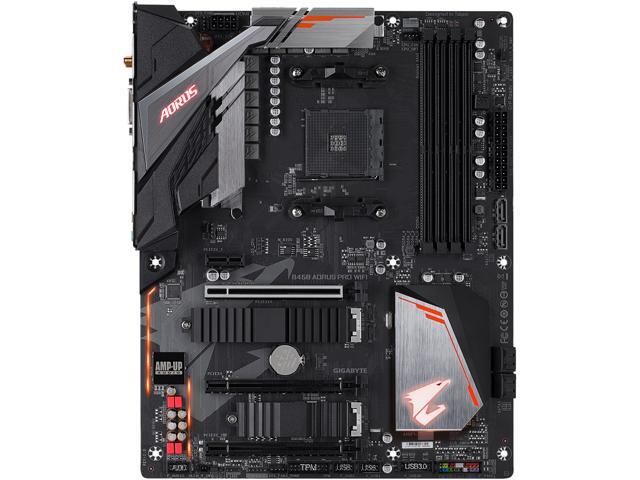
Buy GIGABYTE B450 AORUS PRO WIFI (rev. 1.0) AM4 AMD B450 SATA 6Gb/s USB 3.1 HDMI ATX AMD Motherboard with fast shipping and top-rated customer service. Newegg shopping upgraded ™
I plan on selling the 3600x for a 3800x (Ryzen 7) would I need different RAM?
quaint current
no you should be good
gritty patio
You'll be fine why you changing? @sharp cairn
sharp cairn
Just to be able to handle Valhalla.
I got store credit refund and a return label from Newegg
:)
gritty patio
Nice
long geyser
unless you have a 2080Ti doubt you'll see much of any difference
 lusty moon
Technical question regarding Memory Selection. Can I please consult with a RAM memory expert for advice on selection of RAM for the Motherboard ASRock B550 PRO4 AM4 AMD B550 SATA 6Gb/s ATX AMD Motherboard https://www.newegg.com/asrock-b550-pro4/p/N82E16813157941?Item=N82E16813157941 I need to buy 128 GB total RAM but I am getting confused about the single rank / dual rank / quad rank requirements and benefits. Here is the manual link: htt ps://download.asrock.com/Manual/B550%20Pro4.pdf See pages 5 & 21 for memory details. Please help me select a high end and low end 128 GB kit for this motherboard and help me understand the difference. Thank you.
digital kernel
@lusty moon I'm looking. What will you be using the PC for?
@lusty moon?
You there buddy?
Also, what CPU will you be using?
As for quad rank, your motherboard doesn't support it, so that part is easy to resolve
lusty moon
hi @digital kernel Ryzen 3900x, storage mining.
digital kernel
Storage mining?
lusty moon
Filecoin
digital kernel
How does it work
lusty moon
I understand lower cl on the ram can improve performance, but not sure about the single rank versus dual rank benefits. Storage mining is kind of cryptocurrency mining where you provide storage resourses to the network in exchange for earning a fee in the form of cryptocurrency. Filecoin will be an open markeplace for buying and selling cloud based storage. Closely related and using IPFS.
digital kernel
So the main thing that you need to worry about is the storage space available?
lusty moon
Suffice it to say I need good ram performance.
You can add all the storage you want, more and fast is better, but the ram is very important in this application.
digital kernel
CPU and RAM are for providing verification that your stored data is correct?
lusty moon
Yes. "sealing" 32 gb chunks.
digital kernel
Okay
lusty moon
Minimum required ram is 128 GB
digital kernel
So essentially you'll need to be performing cryptographic hashes on 32GB chunks of data
lusty moon
Yes.
digital kernel
There is the option to use swap though, isn't there?
lusty moon
Yes I am sure swap can play a role.
digital kernel
In that case, will it be strictly necessary to have that much ram?
lusty moon
I thought the same as you are now. But the 128 GB is a requirement. It will sync the chain but will not mine without minimum 128 GB of RAM
I just don't want to overpay for super adequacy.
digital kernel
Odd. Usually, the processes can't tell whether they're using swap
Anyhoo...
I'll asume this is running on Linux?
lusty moon
Debian 64 "buster"
lusty moon
back soon, I have to jump on a conference call. Let me know if you have any specific suggestions on RAM. Thanks!
digital kernel
Okay
Do you need ECC?
So for non ECC, we;ve got the option of 3200CL16 and 3600CL18
Honestly, you might be better off with a server board
naive pendant
will the 4th gen version of the 3950x come out with the other 4th gen ryzen cpus or do i have to wait longer
digital kernel
Unknown
 grand burrow
I have 2 8GB Sticks of RAM. Is it worth getting 2 more?
digital kernel
If you only game, probably not. If you do any sort of content creation, it might be
 gritty meadow
@lusty moon its not really a "new" type. You might want to look up some of the benchmarking that has been done on Sia coin.
IF it behaves like siacoin, ecc should not be needed @digital kernel
gritty meadow
if by hard, you mean silly expensive, yes :)
digital kernel
Yeah
On the bright side, server PSUs are still nice and cheap
30 bucks for a platinum grade 1200W PSU? Yes please 🙂
 limber spire
 errant summit
hello, im trying to upgrade my CPU, im looking to buy the ryzen 7 3700x but i want to know if itll be complatible with my computer, my mobo is the b360m xtreme, any suggestions?
gritty meadow
@errant summit look up the cpu support table on the manufacturers website
 ancient plaza
Hey, i was wondering if this motherboard would already be updated to the newest bios upon purchase.
ASRock B450M-HDV R4.0 AM4 AMD Promontory B450 SATA 6Gb/s Micro ATX AMD Motherboard
I can't send the link but I am trying to see if it will work with my ryzen 3 3200g straight out of the box
gritty meadow
it needs bios P3.10
ancient plaza
Would that be pre-installed during purchase or would I have to do it myself?
gritty meadow
which was released
depends on the age of the stock
as in, IF the seller has had it on a shelf since around that time.
ancient plaza
Oh ok thank you!
gritty meadow
your best bet is to have a chat with the store you are buying from
you simply ask them what bios version is on the board.
IF what they say turns out to be wrong. Well, you have it in writing. Which helps your RMA go that much faster.
because it would be their mistake then.
I hope that answers it for you @ancient plaza
tacit hemlock
And he's gone lol
eternal helm
What slots do you install ram in usually?
errant summit
@gritty meadow cant find my cpu on any support table smh
 shadow musk
@eternal helm (2 & 4)
tacit hemlock

eternal helm
no
 dry horizon
sitting here looking at b550 vs x570 and not really finding anything that I would want that the b550 doesn't have vs. the x570
gritty meadow
@errant summit then that is the answer to your question.
dry horizon
hmm, newegg doesn't have the aorus b55m elite listed. 😦
 reef sphinx
Is ryzen 5 3600 good for a begging pc ?
dry horizon
beginning?
sharp cairn
B450 AORUS PRO WIFI (rev. 1.0) looking for a tower that will fit this, a ryzen 7 3800x and has usbs on the front. Modern preferred
$50-120
main pulsar
would suggest 3700x, unless you already own the 3800x
main pulsar
also, most mATX towers will fit those parts
sharp cairn
I'm thinking about this
sharp cairn
main pulsar
oh yeah, thats a good case
sharp cairn
Will this fit as well as a 970 Strix? Upgrading to 2060
main pulsar
which 2060?
sharp cairn
Making the switch from an i5-3570k
main pulsar
oh nice
sharp cairn
EVGA or Asus/asustek
main pulsar
personally, if this is literally just for gaming, i would suggest the 3600 and a 2070s
better performance
or the 10600k is also an option, but that costs a bit more
unless you are doing something specific that you know would benefit from having more cores
sharp cairn
3800x is what I plan on getting. Probably a little of that AMV anime music video stuff if I ever get around to it
main pulsar
3800x might be unnecessary
digital kernel
3600 will last five years
main pulsar
once again, depends on what your using this pc for
digital kernel
^
main pulsar
hell, in some cases a 3300x will last you 5 years
sharp cairn
Mhm. I agree with that. You're just trying to help out
main pulsar
thats why im here
also why ive sent the 11th most messages in this discord server
lol
sharp cairn
I appreciate it.
I'm going to upgrade to a future RDNA2
So i want to be able to handle it
main pulsar
ahh, so youre looking at them new amd cards
yeah, as far as that goes, core counts wont help you
sharp cairn
Need the PSU to handle the future card
digital kernel
Shouldn't be an issue
sharp cairn
Going to upgrade a 500 to a ,750
digital kernel
They'll get more efficient as they get more powerful, so 750 should me more than enough
sharp cairn
Yup yup
main pulsar
but, if youre planning on waiting for the new AMD cards, you may as well wait for the new AMD cpus
sharp cairn
Here's what i have
main pulsar
which are slated to release very soon
the only useful things in your build rn are possibly the PSU and case
the rest of it needs to go
ok, maybe the HDD
sharp cairn
The one I'm building is here
main pulsar
wdym
sharp cairn
I'll dm
main pulsar
so is that what you have purchased right now?
feel free to just put links here
so what do you own right now
like, what do you have in your possession
im a bit confused
sharp cairn
Right now I'm on a POS
Intel i5 3570k
2 4GB sticks of Corsair ram
Corsair 400r tower
The towers nice it's just old and I want an update.
main pulsar
ahh, i see
sharp cairn
An old AOC monitor, HDDs no SSD.
sharp cairn
Western digital black
main pulsar
how big?
if its less than 500 its not worth reusing
new hdds are so cheap nowadays
main pulsar
oh, ok then
main pulsar
and whats the psu?
sharp cairn
500wb Corsair
sharp cairn
Not sure
sharp cairn
Nope it's bronze too
main pulsar
not because theyre 500w, but because psus in that wattage range are usually built like crap
sharp cairn
Corsair CX Series 500 Watt 80 Plus Bronze Certified Non-Modular Power Supply (CP-9020047-US)
Like I said it's 5 to 8 years old
sharp cairn
Just taking her out of the Intel, bringing her into the AMD
main pulsar
CX green is makeshift bomb material lmao
sharp cairn
I have a challenge for you
main pulsar
ok
sharp cairn
G.Skill Ripjaws V 16 GB (2 x 8 GB) DDR4-3600 CL16 Memory
sharp cairn
With the Aorus motherboard and a 3800x
main pulsar
very good ram
main pulsar
and for mostly gaming, 3600
sharp cairn
Why though?
main pulsar
best value
sharp cairn
I fool around in Photoshop
main pulsar
because there is no noticable perf difference
sharp cairn
The bigger fan though right or is it the same size
main pulsar
i think they come with the same cooler
sharp cairn
And I'll get the new processor in a year or two
main pulsar
cant remember, usually people who pay for the 3800x also get a different cooler
hollow thorn
@main pulsar 3700x3800x both get prism iirc
sharp cairn
See if you can build me a tower for under $2,000 with a 3800 x in it
I'd be eternally grateful
main pulsar
you still havent told me why you think you need a 3800x
i am still not sure what youre using this pc for
so it makes it hard to mock up a build
i cant make you a list, because i dont know what you need
sharp cairn
Everything, gaming, Photoshop, email, Microsoft word, I wanted to be able to be used for everything except for like AutoCAD
main pulsar
yes
sharp cairn
Light video editing
main pulsar
all single threaded applications
sharp cairn
I tend to leave all that stuff open at once to
main pulsar
you would be better off putting the budget towards the other things
main pulsar
3600 saves you some money for you to get a better gpu
12 threads is quite a bit
3700x is still a good choice tho
but 3800x? nah
naive pendant
^yea^
naive pendant
4th gen
sharp cairn
I'm gonna wait until the next gen and have been out a few months or a year
main pulsar
why
sharp cairn
Just for firmware/updates/etc
sharp cairn
Kinda like waiting to DL dlc for a game
sharp cairn
Hmm interesting
main pulsar
you have 2k USD
spending it all now, just to replace the parts you just paid a ton for
is a waste of money
sharp cairn
The b450 will support it?
main pulsar
why b450? i was gonna suggest a b550 anyway
naive pendant
it will
sharp cairn
I already have it purchased
sharp cairn
I posted the mobo I had purchased. It's not installed but it is purchased. Currently in on an old ASUS DDR 3
sharp cairn
Oh my mistake.
main pulsar
anyway, see if you can just return it
theres no reason to be limited by a board you have already purchased
sharp cairn
B550s are pretty much out of stock no?
digital kernel
It probably will, but price to performance will likely be better
main pulsar
heres a kickass gaming pc
slap in your 1tb hdd and your set for 5 years
no need to even spend 2k
in 3 months, i can make you another list, using 4th gen ryzen instead
it will perform even better at a similar price point
oh, and a 3080 instead of a 2080 super
you have extra budget for a new keyboard and mouse
and a 1440p 144hz monitor 
sharp cairn
Don't have the money for that 3080.
2060super is what I was thinking about until rdna2.
I was looking at atx
main pulsar
we dont know what the 3080 will cost yet
dont plan on buying a gpu, just to replace it on 6 months
sharp cairn
main pulsar
motherboard sizes dont mean anything
sharp cairn
Oh jeez that's pricy I clicked the wrong one
main pulsar
lol
i was wondering
did you look at the pcpp list i made?
give it a good look through
main pulsar
doesnt need to be
sharp cairn
Team MP34 512 GB M.2-2280 NVME Solid State Drive
main pulsar
560w is more than enough
hollow thorn
Mp34 good
main pulsar
thats one of the best price/perf ssds
hollow thorn
It's an equivalent to 970evo tbh
main pulsar
yeah, basically
sharp cairn
I leave my PC on A LOT. 970 is Samsung right
sharp cairn
I know it doesn't need to be. But I'd like it to be 750w and ATX. I like more peripherals. I'll keep the m.2 in mind
main pulsar
apparently, you dont know
hollow thorn
A 3950x+2080ti draws close to 550w to put into perspective
main pulsar
if you really knew, you wouldnt be asking for a 750w psu
main pulsar
motherboard form factor does not dictate the number of peripherals
hollow thorn
The ONLY consumer setup today that needs 750w is OCed 10900k+2080ti
main pulsar
we dont know yet
its a possibility, but we wont know at all until we get actual power consumption data
sharp cairn
Isn't it better to run more power at half capacity than low power at full capacity
hollow thorn
Ye but the curve really goes at around 80% iirc
main pulsar
that has to do with efficiency
hollow thorn
And that's just a few % of efficiency lost anyways
main pulsar
the 560w psu i picked is platnum rated
better efficiency than any 750w psu in the same price range
regardless of load
mr1111, why tf arent we techie yet smh
lol
naive pendant
do you know any 650 watts gold or higher fully modular psu
sharp cairn
Minimum 650 W or greater system power supply according to Nvidia. But that's just for that card . That's where I'm confused.
hollow thorn
So, 3700x draws 105w tdp, 5700xt 225w btw @naive pendant
hollow thorn
Sassy I don't read manuals or know server stuff or know specifics
But you know server stuff
So idk why you no techie
main pulsar
i knew you didnt read manuals lmao
as for the minimum psu specs, it has to do with the fact that nvidia doesnt know what cpu your gonna be pairing the gpu with
so they make the worst case scenario assumption
the 3600 draws 82w peak
hollow thorn
Tdp on AMD is like a limit for stock
hollow thorn
There are built in limits, but I don't memorize em
 main pulsar
a 10900k needs more than sufficient wattage
sharp cairn
main pulsar
that psus gotta be freakin S teir
sharp cairn
I'm probably getting this board
main pulsar
i already know what board you should get, assuming you are getting the 3600
hollow thorn
b 4 5 0 d s 3 h
main pulsar
the 3700x is an extra 100 dollars, plus the cost of a board with better VRMs
yeeeeeeeee
well, the b550 ds3h
hollow thorn
Anyways Sassy you should apply for techie or whatever