#cpus-mobo-and-memory
1 messages · Page 82 of 1
 silent brook
oh im not sure o: mine is MSI mobo so D:
 wary cape
I dont think ill ever get gigabyte again
silent brook
wait whats missing?
wary cape
ram speed and other specs and it reports incorrectly to cpu z
silent brook
silent brook
so im missing the speed and other specs too? O.O
 naive pendant
Run a cpu-z validation benc, or just a userbenchmark, see what those say
Ryzen master, or hwinfo64 are useful as well.
 harsh plank
@silent brook gotcha, I'm just looking at different options in case the tomahawk max goes out of stock before I can order one, thank you
harsh plank
MSI Arsenal Gaming AMD Ryzen 2ND and 3rd Gen AM4 M.2 USB 3 DDR4 DVI HDMI Crossfire ATX Motherboard (B450 Tomahawk Max) https://www.amazon.com/dp/B07WF6ZQST/ref=cm_sw_r_other_apa_i_6SKUDb0H2HZGK
It's back in stock
 sand cobalt
anyone know when the mortar max is coming in for b450?
 dim furnace
Hi there. In the process of building a new rig for animation/rendering. I'm zeroing in on this mobo GIGABYTE X570 AORUS XTREME. I'm looking for 128bg ram kit for it (after effects devours ram) The only thing I'm finding is this :
https://pcpartpicker.com/product/J3CFf7/corsair-vengeance-lpx-128-gb-4-x-32-gb-ddr4-2666-memory-cmk128gx4m4a2666c16
Will this work? CPU I've chosen is the R9 3900X. I'm pretty much a noob with this. Thanks in adavance!
 urban ferry
@dim furnace you can buy two 64gb (4x16) kits of ram
that should open up your choices
oh wait
hold on
nevermind
sand cobalt
Yeah he needs 4* 32 Gb so might be easier to find two 2* 32 gb sticks.

 dense cedar
it wants to be true rgb
 hasty marsh
lmao

 river atlas
best TR4 mobo
 trim whale
If I have the ASRock B450 Pro 4 motherboard can it connect 3 fans or will I need to buy a fan splitter?
trim whale
Help anybody? Lol
naive pendant
I need help
 small fog
@trim whale i think you can have 2 cpu fans and 3 chasis fans
naive pendant
this was from asrock's website
naive pendant
Buy fans with pwm signal sharing connectors built in, ez. Arctic P14 PWM PST 5 pack $30
 rocky thicket
Hello everyone. Need help with my new build. Im looking for a good mb goes along with r5 2600x pls. Any suggestions. TIA
 oblique steeple
@rocky thicket b450 tomahawk
rocky thicket
@oblique steeple Thank you!
 native reef
Intel core I-9 9900k or AMD Ryzen Threadripper 2920X give me your thoughts
 copper solar
what tasks are you doing @native reef
native reef
@copper solar mostly gaming, and also graphics work as I’m in school for graphic design. In the future I’d also like to dip into game design
copper solar
i9-9900k
best single threaded performance
which is what you need for "mostly gaming"
and the 8 cores 16 threads still do tons of work in productivity software
native reef
Awesome. Ok now my next question, i9-9900k or i9-7900X?
Can you tell me the difference in the two?
copper solar
besides core and thread count?
native reef
Yes. Like in performance. Sorry I’m still kind of new to the pc world
copper solar
7900X is like 2x the cost if you just consider the cpu, the motherboards alone cost a ton of money, also the 9900K is still 10% faster in most benchmarks from what i last read
naive pendant
7900X, 9800x, 9920x etc all those chips are in the HEDT family, good platform but like Theo said, about twice the $, will also take a lot of manual tunnig to get near the 9900k out of box performance in games.
native reef
Ok, cool. Thank you both, you’ve helped me out a ton!
copper solar
no problem
native reef
I may be back with more questions. Lol
copper solar
haha hopefully we can answer
naive pendant
https://www.pugetsystems.com/all_articles.php
https://www.phoronix.com/scan.php?page=article&item=3900x-9900k-400&num=1
These are some sites I like for benchmarks/parts comparison.
copper solar
if you can wait till next year

TweakTown
Intel's entire 10th generation Comet Lake desktop CPU line up leaked

native reef
Sweet thanks. Ive been in the market for a pc for a while now, and I recently just won the grand prize for the Newegg scholastic legends sweepstakes so it’s time to get my pc😬
native reef
Lol yep that is me! Super excited!
copper solar
if you're impatient. i9-9900K is your best bet and it will last a long timeeeeeee
if you dont mind waiting the 3950X from amd is coming out soon
which is pretty much the same
but with more core/threads
for your "game design"
lolol
soon as in this month
native reef
That’s what I’ve heard. More than likely what I will go with, just wanted some input on the ones I was looking at. As in the 9900k
copper solar
ah kk
ahhhhhh
i wish i won that grand prize
i have a 9900K right now but im still running old case and stuff
native reef
Man honestly it was hard to believe when I read the email😂😂
naive pendant
Theo and I both have 9900k systems and afaik we're both very happy with the setup.
I'm sure you'll enjoy the new rig.
native reef
Man honestly I’ve been gaming on console for several years now, and I played on my buddies i7 a while back and was in love, so I can only imagine what the i9 will give me
naive pendant
Not a fan of the 3900x?
native reef
That’s great! Thank you guys again for the help, and if I have anything else I need help with I may turn to you guys as it seems you know a bit
copper solar
yeah we'll be here
 sharp blaze
Did theo just sort of compliment AMD while also bashing them in the same sentence
naive pendant
boi wants that 16 core Ryzen 9
 glad stream
Hey guys, I'm curious, what do you guys think is the best CPU mobo combo at each $50 price point? lets just assume that you can get adequate ram for whatever you are purchasing
copper solar
50......
naive pendant
$30 2500k + $20 cheapest ebay P67 etc you can find
$100 - 2600k + mobo without the mountain dew stains
~boring stuff~
$500 something 9900k + $500 M11 Apex
$$$$$$ HEDT fun e.g. $1k 10980xe + $350 ish new on sale x299 dark
sharp blaze
2600k on a p67 would probably still be gameable though
glad stream
lol I wasn't expecting a response for the actual lowest $50 price point XD
naive pendant
I have that config and it's a fun watercooling / oc test bed
sharp blaze
I wish I had that instead of the 2600 nonk
I keep thinking I will give that system to a friend
paired with the 660ti I just bought it could probably do decent in some esports titles
naive pendant
Not bad at all 🙂 https://www.3dmark.com/spy/8259236
shameless plug haha
P5E is probably the way to go for an OC targeted board, my ws revolution is a relic
glad stream
I've been thinking about loading my hard drive with a bunch of single player games and mounting my current system in my dad's truck and reusing my case for my next build.With my old graphics card, probably transfer my current one to the new build. lol I say this as though I'm likely to have money XD reality is I probably won't for like 5 months
 violet smelt
this is a pickle. this old A10 system has a bad onboard Display. system crashes in the BIOS if I have the moniter in the onboard display port. plugging in a descrete GPU stabalized my BIOS experience allowing me to FLASH the BIOS to the newest version, but the instability and crashing in BIOS with onboard video persists.
 blissful dragon
https://www.newegg.com/corsair-16gb-288-pin-ddr4-sdram/p/N82E16820236591?Description=ram&cm_re=ram-_-20-236-591-_-Product oh my I didnt know this was a thing 😳
ddr4 5000 ram

 river atlas
And its useless, lol
You'll need to bin both cpu IMCs and mobos for it to work
Probably works on one single ITX motherboard, with one single specially binned CPU
Its way too fast for zen 1/zen+
And outside of 1:1 clock domain for zen 2
sharp blaze
Der8auer was able to get some Aorus 5000 ram to boot with only xmp enabled on a ryzen 3600 I think it was. Some of the new cpu's will absolutely be capable of doing it. But just like intel its all going to be limited by the IMC at the end of the day. All these high speed kits should have a not that just because the board supports it and you have the ram that your cpu may not be able to achieve the speeds.
river atlas
Zen 2 is capable of it, no doubt about that
But it will probably perform worse than 3600 RAM with very tight timings
native reef
What’s you guys thoughts on an ASUS ROG strix scar III, with an i9-9880H and RTX 2070?
@copper solar could you Chime in on this?
 quaint current
only the 15in has the 240hz option tho
its pretty chunky and battery life wouldn't be the best but its very powerful
 mystic raft
Looking at a i9 9900k and a mobo. Not sure which one yet. Soo many
quaint current
That’s in sgd
 chrome mantle
I have a ram question. anyone here who might be able to help me pick an appropriate upgrade?
 vital skiff
Hi all, I' am new here and I have a question pertaining motherboard, processor and memory compatibility. I'am trying to build a specific budget setup and here are the components list.
Mother Board :ASRock B450M-HDV R4.0 AM4 AMD Promontory B450 SATA 6Gb/s Micro ATX AMD Motherboard
Processor: AMD RYZEN 3 1200 4-Core 3.1 GHz (3.4 GHz Turbo) Socket AM4 65W YD1200BBAEBOX Desktop Processor
Graphics Card: Sapphire PULSE Radeon RX 570 4GB GDDR5 PCI-E Dual HDMI / DVI-D / Dual DP OC w/ Backplate (UEFI), 100412P4GOCL
Memory: OLOy 16GB 288-Pin DDR4 SDRAM DDR4 3200 (PC4 25600) Desktop Memory Model MD4U163216CGSA
Internal SSD: Team Group L5 3D 2.5" 120GB SATA III 3D NAND Internal Solid State Drive (SSD) T253TD120G3C101
naive pendant
Check out https://pcpartpicker.com/ , useful tool for build planning.
sand cobalt
debating switching out my elite for something else probably pro wifi
naive pendant
x570 or z390?
sharp blaze
he has x570
sand cobalt
yeah can't wait to think about it
river atlas
You could get a wifi card if you really want wifi
the pro wifi isn't that much better otherwise
native reef
Anyone know if the Asus ROG Strix Z390E gaming mobo comes standard with a Wireless network adapter?
copper solar
if you're asking if it it has build in wifi card, yes @native reef
those two golden nubs attach to the wifi antennae included with the mobo
native reef
Cool thanks. I thought so but just wanted to make sure
 violet gazelle
hi, i'm kinda new here, so i hope this question is in the right place.
i want to buy this laptop
https://www.newegg.com/global/il-en/p/N82E16834849776?Item=N82E16834849776
and upgrade his ram from 8 to 16.
can some help me pick this best memory deal?
https://www.newegg.com/global/il-en/p/pl?N=100007635 600213066&d=ddr3&Order=BESTSELLING
 novel abyss
Should I buy a B450 and put my R5 1600 in it or just wait till I have the money and get a B450 and a R5 2600 ?
From micro enter
@weak hamlet
naive pendant
fwiw - I don't recommend the 1600 unless you get it with a happy meal - great cpu, but pizza also tastes great the more free it is
novel abyss
@naive pendant I already have a 1600 in my current system, I’m planning on building a new pc using my old parts and giving it to my aunt
Since her current one is basically on the edge of death
 dusk oracle
Buy the B450 and put your 1600 in it and just wait for the 4000 series to come out
3000 series is good but what would happen if the 4000 series would come out then it would hardly be an upgrade from there
novel abyss
@dusk oracle I’m thinking of getting a ryzen 5 2600
That’s a second gen Ryzen right ?
dusk oracle
I tend to find it is better to upgrade every single 2nd or 3rd generation from what you would be using now
novel abyss
Also
Budget
My mom gave me a $200 budget of what she would give me for Christmas
I have to save up the rest
 leaden mirage
Yes, it's a 2nd gen Ryzen
 floral breach
i have a i5-8400, but ii start to bottle neck in some games like overwatch, what could i upgrade to for better performance?
oblique steeple
@floral breach what's your GPU
oblique steeple
@floral breach It's more likely your GPU that needs an upgrade imo, then follow that with a CPU upgrade
Usually a GPU upgrade will give a more substantial performance boost than CPU, and I don't think it's your CPU bottlenecking you
@naive pendant any advice?
floral breach
i was thinking of like a 1070ti?
dusk oracle
Your GPU is fine the bottleneck would mainly be your CPU
floral breach
i'm mostly playing games like overwatch and rainbow six: siege
 compact abyss
I have a server IBM 3500 running 69y4357 Mother board with an Xeon E5606, I need to upgrade the processor to 2.4 Ghz, do you know if a E5620 would be compatible?\
Or would you know how to find out
I heard that just because same socket does not mean anything
because its a simple LGA 1366
naive pendant
Depends what deals you can find used. From the CPU, I'd guess you have an h310 and 2x8 gb 2400 or something, so a cpu upgrade is realistically going to include a new board and memory as well
8500 and 1060 are good for the value imo
 floral jetty
For overwatch all ya need is a 1050 like it's mostly well optimized
dusk oracle
You can go even lower with a 1030
My laptop with a MX150 which is pretty much a 1030 can play overwatch on high settings 60 fps
 flat bone
urban ferry
flat bone
urban ferry
yes
dense cedar
rx560 better 
oblique steeple
2080Ti is better
dusk oracle
For overwatch that is overkill
 long sequoia
Hello there, I had a quick question and was wondering if any of you can help me, I ordered ddr4 ram sdram but my mobo says it takes ddr4 Dimm, will the ram still work?
river atlas
Yes
naive pendant
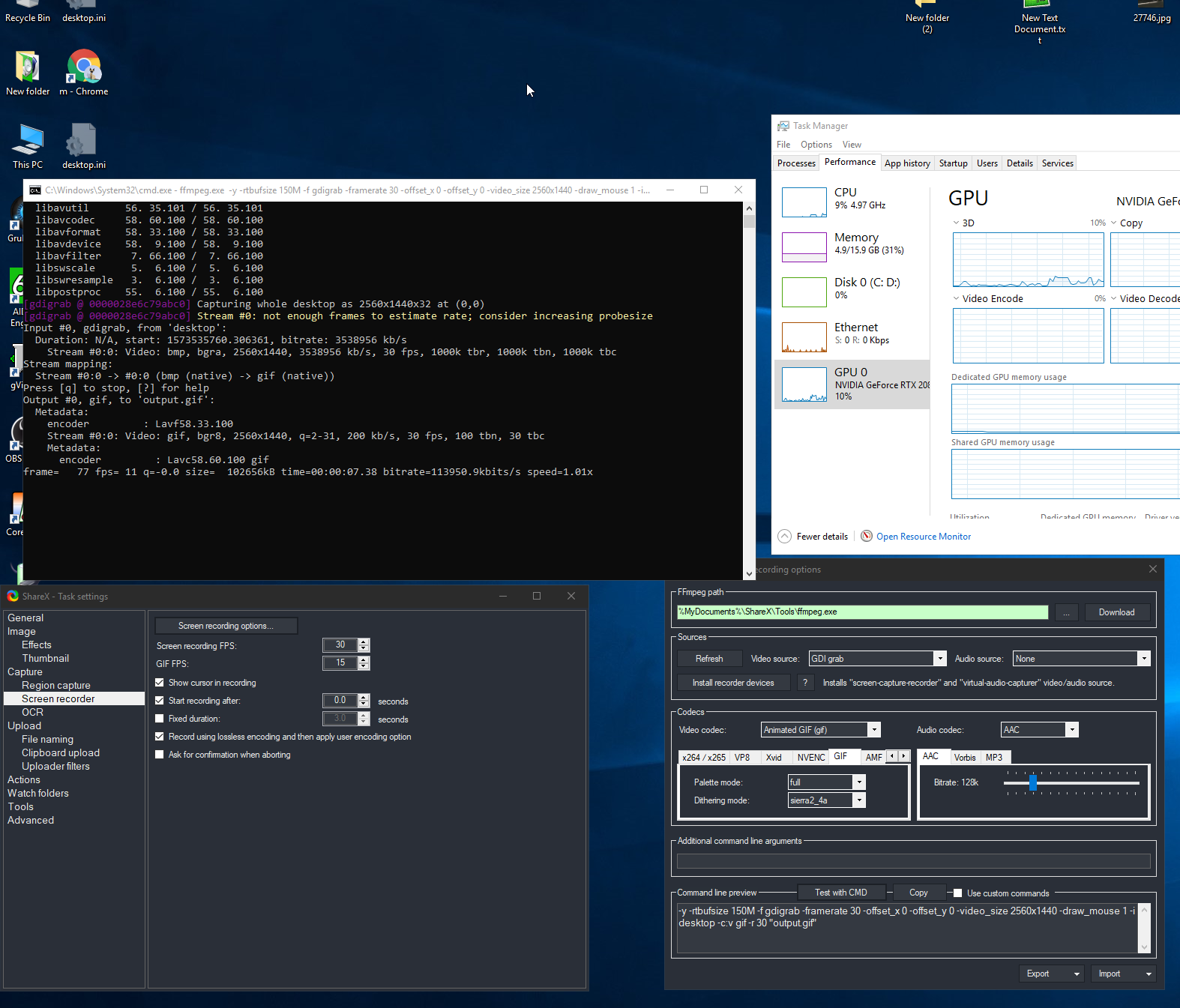
Just saw this feature in sharex, very cool https://i.imgur.com/bVwAu0X.png
 dim furnace
Last night I built a brand new rig with a R9 3900x running on a x570 aorus xtreme. When I fire it up, I get no post/bios and I'm getting a D0 code (CPU initialization error) no signal to monitor, KB+M not getting a signal. I've triple checked everything. Any ideas?
dusk oracle
Are you sure you plugged everything in the right spots cause you should double check
Also if you were to plug in the GPU power into where the CPU power would go that can cause issues
dim furnace
Power cables are in the correct location
dusk oracle
ok and the headers for the case are they in the right spot
dim furnace
yes
dusk oracle
@naive pendant do you know what his issue might be?
 weak hamlet
how many sticks of ram
dim furnace
running 4x32gb
dusk oracle
Box are you thinking he might have a bad memory slot?
weak hamlet
no idea
naive pendant
Could you send a pic of the board?
dusk oracle
Also why 128gb of memory?
naive pendant
Does the shipped version of the bios support 32 GB dimms?
dim furnace
Motion Graphics. After Effects devours RAM. The guy helping me at New Egg said this pairing would work
quaint current
hmm doesnt support it out of the box?
dusk oracle
Try with a single stick first and then update the bios if you can i would say
dusk oracle
Also the board could have a chance of having a bad dimm slot
@dim furnace Try with 2 sticks first and see if it would post
naive pendant
Should test with a single stick in B2 when troubleshooting, 2 is usually fine as well, just try to rule out each possible source of failure individually
dusk oracle
that too
dim furnace
Copy that. I'll give that a try and report back. Thank you
dusk oracle
I am going to lay down and keep watching Maid Sama >_<
quaint current
4 x DDR4 DIMM sockets supporting up to 128 GB (32 GB single DIMM capacity) of system memory
thats directly from the product webpage on it
dusk oracle
we saw but there is a chance his board could have a bad dimm slot which is why it is not posting
quaint current
yeah
dim furnace
I've seen people using this combo
dusk oracle
anyways anime time 😛
naive pendant
Unlikely the slot is bad - whenever people report having bad channels, it's almost always a bent socket pin on intel, /broken AM4 pin, or the memory stick is bad
(but bent socket pin is effectively the slot being dead)
 shy wyvern
Bent and broken pins will cost you hundreds. It the big sad
naive pendant
Very common too on am4 when people first mount the cooler, then remove it before temperature cycling the system, the cpu sticks to the cooler , makes it very delicate to remove without damage.
quaint current
or just rma the board
naive pendant
Also - I saw a pic on reddit of an x570 aorus xtreme that was legit missing smd components - it looked like an engineerign sample
weak hamlet
@sharp blaze is fairly knowledgable with aorus
shy wyvern
My friend accidentally dropped his 3900x flat on the grounds flattened all the pins. Lost $500 since half the pins broke trying to straighten
quaint current
how does that even happen tweide
naive pendant
ya, definitely see what Intender says, he's far more active with Aorus/x570 than I am
sharp blaze
i was pinged
naive pendant
Lol, ya let's not blow up his inbox
dim furnace
Same result with running single in B2
quaint current

weak hamlet
@sharp blaze
shy wyvern
He had to buy a 2200g as a temporary cpu so he can do uni work since he sold his old PC for this one
Has a 2080 super and a 2200g
naive pendant
Lol. "when you skip leg day"
sharp blaze
I think the 32gb dimms are only supported with ecc ram
shy wyvern
@naive pendant that's actually pretty funny. His entire system has bright rgb, water cooling loops, ya know looking fancy
naive pendant
My guess was bios version incompatibility / flash issue
shy wyvern
Then A 2200g as the cpu
sharp blaze
only a few intel boards support those non ecc 32gb sticks as far as I know
I can look it up though
@dim furnace do you have a link to the ram you have
naive pendant

 dim furnace
yes. one second
quaint current
@naive pendant is the 660p B or M key?
sharp blaze
list is private
quaint current
^
quaint current
so B is sata?
naive pendant
Sata m.2 drive will have both the B + M keys, AHCI (non nvme capable ) m.e mcie ssd will also have m key only
quaint current
ok gotcha
i used all my m.2 slots and need a pcie exclosure and all the reasonably priced ones only have 1 nvme drive :/
naive pendant
Ya, unless you have an x299, x399, select x570's, you can't really get >1 m.2 drive on a x8 or x16 slot since the bios needs to support bifurcation.
There are lots of modded bios's like that made by enthusiasts on win-raid, but flashing a modded bios is probably not worth it for that alone haha
weak hamlet
according to partpicker the ram is compatible with the motherboard.
naive pendant
The asus hyper is for boards that do support bifurcation, the board alots 4 lanes to each drive
dim furnace
@weak hamlet Also the guy helping me at New Egg gave me the thumbs up
quaint current
oh nvm thats pcie 16x
weak hamlet
so you very well could have a bad part
or something isn't plugged in right
really hard to say from here.
:\
can you take a picture of your build.
naive pendant
I would try to troubleshoot individual components as best as you can with the hardware you have. At least to rule out the PSU, memory
dim furnace
Removing the cooler to inspect the cpu again.
quaint current
@naive pendant so could i use something like this on a b450m tuf gaming plus with a sata m.2 and nvme m.2? https://www.newegg.com/riitop-model-dul-m2tpce4x-pci-express-controller-card/p/17Z-0061-00056
quaint current
nvm the board doesn't have pcie x4
naive pendant
Wow, didn't see the pcpp until now, that is a very high end setup, nice.
When booting the board to install windows for the first time, only install a single drive, I would put it in the cpu lanes slot. 2 GPU's for install would be fine - but I would remove one for trouble shooting.
dim furnace
I'm a full time animator/designer. First time building my self. I was really trying to get all that RAM for After Effects. But maybe I was misled with this RAM?
naive pendant
I have the same card, cooler, PSU, similar board, cpu but in the same box haha
sharp blaze
The easiest way to test would be if you had access to a different set of ram
quaint current
i mean 128gb of ram on a consumer board with 4 lanes is going to be hard anywhere
dim furnace
I still have my current rig all set up. Maybe I could try that RAM
naive pendant
Eh - as long as the bios supports it, 2666 won't be too hard on the memory controller - but ya, that use case is what x299, x399 HEDT platforms were designed for
dim furnace
@naive pendant So are you suggesting that I uninstall one of my m.2 drives?
naive pendant
When installing windows on a blank drive, it's best to only have a single drive connected
You can manually configure things to get around that, but more work
dim furnace
Okay
naive pendant
Also disable CSM, and if needed, also disable secure boot. IIRC secure boot is off by default while csm is enabled on Aorus x570 bioses
dim furnace
Haven't even seen the bios yet
I'm really learning a lot about my self with my first build lol it feels like a rite of passage. hope I can sort this out. Feels like I'm giving birth
sharp blaze
csm is enabled by default on all aorus boards, or atleast it should be. It helps avoid issues with some graphics cards.
dim furnace
oh okay, thanks. I will try that
sharp blaze
But D0 is almost always a memory issue. Its either ram, or bent pins the majority of the time. if its neither of those its the motherboard.
weak hamlet
welcome to the building of headaches er I mean pc 🙂
dim furnace
@sharp blaze do you mean bent pins on the cpu?
sharp blaze
yes
dim furnace
okay. i'm currently pulling things out to inspect this
dim furnace
pulling out components, ripping out my hair
dim furnace
cpu pins are intact
native reef
Ok so I’ve built a brand new pc, installed Microsoft, and once reboot after Microsoft installation, I got a message saying cpu fan error. This error wasn’t coming up before the reboot. Any ideas?
dusk oracle
If your cooler seated properly and also do you have it in the CPU fan header
native reef
I have the Corsair h100i water cooler on it
dusk oracle
Well for an AIO you still need to plug in the fan header for the CPU
native reef
Ok let me check to make sure
dusk oracle
cause if i recall the system will detect if it is there or not
native reef
I think that’s my problem. think I have it plugged in the wrong one
 leaden falcon
Might depend if it's plugged into the right 5v lead.
dusk oracle
for fans there is only one way to plug it in
dusk oracle
 copper solar
If you do decide to plug it into the cpu_fan header you'll need to manually set the CPU_fan curve to max
native reef
Yea they are plugged in, and working. But I’m guessing they aren’t plugged in the right place.
native reef
Uh huh
copper solar
Is it in aio_pump or cpu_fan
native reef
Lol I think I have it plugged to the lighting node box. That’s probably why.
copper solar
o
leaden falcon
That's what I meant.. The bios suggestion makes sense as long as you know all fans are working. I always use 2 additional fans variable speed.
native reef
Let me open it up and see. I mean all the fans are working, and lighting up.
copper solar
But the aio has its own fan plug to power the pump
leaden falcon
I have not worked with auto pumps and water cooled.
leaden falcon
The Bio should pick it up. I assume it the connection closest to CPU Socket.
native reef
Ok now it’s plugged into the cpu fan header. Booting back up to see what it does
Ok looks like it’s working now.
Thank you guys. Y’all are life savers😂
leaden falcon
5 techs to get the right plug... I like this forum.
native reef
Lol
leaden falcon
So.. What MB/CPU would you guys rec. That has integrated 5.1 audio, WiFi, video if necessary and cost effective.
I have always used Intel, but am open to AMD. NVidia for sure, no ATI
quaint current
ati is amd fyi
 hazy pond
weak hamlet
hazy pond
weak hamlet

hasty marsh
this server consists mainly of adults
urban ferry

 rich sun
Hey everyone, i need some help. My memory is rated for 3200mhz and it's running at 2400mhz
I enabled XMP at one point at it was 3200 for awhile, but I checked task manager and it read 2400mhz
I went into the BIOS and says XMP is enabled
do i have to do some manual tweaking?
Also I'm having troubles updating my BIOS
 regal obsidian
What's the CPU and board?
rich sun
R5 3600 along with a Aorus B450 Elite
dusk oracle
@rich sun run CPU-Z instead
rich sun
To do what?
naive pendant
See what speed your ram is actually running at
naive pendant
CPU-z, hwinfo64 , or ryzen master should all be correct. 1200 MHz memory clock = 2400 MT/s = "2400 MHz" - just an annoying overlap of naming convention
DDR4 transfers data on the rise and fall of the memory clock, so the XMP rating is in M(transfers) / second, cpu-z etc will still show half of that number as the dram clock frequency.
If you ahve 3200MHz XMP rated memory and it's running at 2400 or 2133, sounds like XMP has failed to stay enabled, 2400/2133 are common stock JDEC speeds for DDR4.
quaint current
tldr when :v @naive pendant
naive pendant
The bottom part is basically TL;DR
rich sun
So I'm gonna have to manually adjust it? @naive pendant
naive pendant
I remember seeing issues with x570 aorus boards not being able to apply XMP in bios - idk if the aorus b450's have smiilar issues.
quaint current
my best guess is the bios doesn’t work 100% right with the 3600, but idk
naive pendant
The temporary fix for the x570's was to manually enter the XMP timings - or just run stock, not usually a huge difference anyway - at least until a new bios patch comes out.
That would be my guess as well, especially given the similar problems with the x570's.
I would still try enabling XMP and saving settings again, there also might be an option like "enable extreme memory profiles, level 1,2,3 etc" that needs to be on as well. Level 2 at least for 3200 I think.
naive pendant
Ask intender if you see him online, he's very familiar with the aorus hardware.
harsh plank
Is it worth getting a 3600 mhz kit over a 3200 mhz kit? I will be running a r5 3600 with the b450 tomahawk max. I'm trying to get everything sorted out before black friday so I don't have to spend any time shopping and order everything I need right away
urban ferry
ill bet ya a lot of people will say 3600
but in my opinion, 3200mhz is fine
if the price difference isnt too big tho, then yeah go for 360
3600*
harsh plank
Gotcha, and I don't know much about the timings or the cl number, would be able to give me some things to look for?
urban ferry
again, people here will say something like 15-idk
but for me, i use 16-18-18-36 and it works fine
if you go 3600mhz the timings might be a bit higher tho
i use 3200mhz
harsh plank
Thank you for the help, I'll do a little more research
dusk oracle
Ryzen 5 3600 you would want 3600MHz memory
harsh plank
If the price difference isn't that much I'll just go for the 3600 mhz kit, I'll only be using it for gaming and a stream every now and then
dusk oracle
zack when using 3rd gen you want what is best for the system not what is ok for now
 thorny cobalt
Did I just see Katniss? Thee Katniss????
dusk oracle
is he was using a 2600 then 3200MHz would be the max he can use
dusk oracle
wth are you talking about
thorny cobalt
Nothin, I'mma leave
naive pendant
can someone link a good wifi card for this guy? https://www.newegg.com/p/N82E16813157884
dusk oracle
But it would be better to have
naive pendant
3200c14 2x8 teamgroup dark pro's on sale for $5 off the $120 usual price for 3200c14 2x8.
I have a pair, great A2 b-die https://www.newegg.com/p/pl?N=100007611 600546709 600561668 600006072&Order=PRICE
Can OC to pretty much whatever freq/timings other kits can do save for >4500 MHz+ IME.
Easy to hit <40ns aida on 9900k
dusk oracle
@naive pendant PCIE or USB
quaint current
@urban ferry not really
you could have something like 2666 that would be faster if it had tight enough timings
urban ferry
hm?
 honest sandal
I have 3200mhz RAM but it runs at 2666 and I was told it was my processor bottlenecking it because I didn't get the K version
when I go into BIOS and change it, I get a weird error message on startup
it goes away and the computer boots normally, but it doesn't like it when I change it to 3200 in BIOS
 sonic ocean
What's a good motherboard for a Ryzen 5 2600?
naive pendant
really depends on what features you need
i.e. wifi, what your budget is
but there are probably a hundred good options
sonic ocean
I actually had a motherboard in mind that would work for me but not really sure about it.
https://www.newegg.com/p/N82E16813119100
oblique steeple
you could get a B450
naive pendant
yea you can save a few bucks that way
oblique steeple
oblique steeple
it basically has the same color scheme too
if there's nothing specific you need out of it i'd suggest B450
sonic ocean
Got it. That board works perfectly.
 rapid mortar
quick question, does the b350m have an ssd slot?
naive pendant
the chipset supports m.2 drives and will definitely have sata ports
most boards will probably have an m.2 port
rapid mortar
ok cool, well I know the b350 is quite old so I didn't know lol
well you saved me an entire build by just buying the gpu lol
 prisma spoke
Is there a difference between a quad core and a 4 core cpu?
I know quad means 4 but still
floral jetty
no
naive pendant
well, yes and no, to add to that lol
some have four cores and four threads, some have four cores eight threads
naive pendant
Good mobo below 200 - i7-8700
 timber wind
What's the fastest ram? Price isn't an option and I can go up to 4400 MHz. Possibly 32Gb of ram
oblique steeple
@timber wind what does your Mobo officially support? And what CPU?
Patriot Viper Steel 16GB (2 x 8GB) Model PVS416G440C9K 288-Pin DDR4 SDRAM DDR4 4400 (PC4 35200) Desktop Memory https://m.newegg.com/product/9SIAG7RAG14821?m_ver=1
G.SKILL TridentZ RGB Series 16GB (2 x 8GB) 288-Pin DDR4 SDRAM DDR4 4400 (PC4 35200) Desktop Memory Model F4-4400C18D-16GTZR https://m.newegg.com/product/9SIA1K694N4086?m_ver=1
I'd say one of these
timber wind
It's the Asus ROG Maximus XI Extreme
oblique steeple
@timber wind 9900K/S I assume?
oblique steeple
Ah
weak hamlet
newegg doesn't ship to Italy?
oblique steeple
I think I'd go with the Patriot RAM since it's $200 for 4400C19
$400 for 32GB probably
timber wind
Thanks
oblique steeple
And if you can't get it to post at that speed it should easily work at something lower if you tweak it
timber wind
I found out that I didn't Google enough. Newegg does indeed sell i9 9900ks that ship to Italy at reasonable shipping costs.
naive pendant
Careful there, going 4x8 for over 4GHz xmp isn't plug and play. Just have to fix a few settings and probably bump up the voltage on vdimm, SA, IO, etc. That said, go for it, 9900ks will appreciate the memory OC to get the last bits of fps when you've maxed out the rest of the system.
oblique steeple
@naive pendant is ram boi so trust him @timber wind
naive pendant
Fake it till I break it
weak hamlet

naive pendant
Do awile back a IT guy said I should run my hardrive in tandem with a SSD card (I now have a Samsung 850 EVO) together and use the hardrive for memory (it has 1 tb) and use the SSD for the other load the drive has to deal with. How would I wire that or is it even a good idea.
naive pendant
i would install the OS and whatever games you play/programs you use most regularly on the SSD and keep everything else on the HDD, it's a good idea, a lot of people do that
Ok so use it for like better organization?
naive pendant
partly, yes, but mostly because when on a SSD things load much faster
so your computer will turn on faster and the stuff you use more often will load faster
 tough swift
naive pendant
tough swift
naive pendant
Amd's processor line has reached a point that their own products compete with eachother
not even competing with intel anymore

Visit https://www.squarespace.com/LTT and use offer code LTT for 10% off Check out Teamgroup's Thanksmas sale at https://lmg.gg/8KVjV Buy the Teamgroup T-For...
quaint current
i mean yeah in productivity, but intel still wins in gaming (literally the only thing they win at). i want them to focus more on ipc and clock speeds than cores, since 16 core on a mainstream desktop is pretty high
but yeah its an amazing chip and can get 4.4ghz all cores on a 280 or 240mm aio, pretty great binning
dusk oracle
From what i saw so far for doing actual work the 3950X would be the better choice but in gaming it only gives roughly 10% more performance than the 9900K and like 8% more performance from the 3900X for most titles which it would take Intel years to catch up for things that isn't gaming
quaint current
hell its gonna take intel a bit to recover from the rest of zen2, those chips crushed at multicore and productivity
 zenith forge
I feel like they are close enough in gaming performance to be considered better overall especially at the price
 small pulsar
i have the ryzen 5 2600 rn, what should i upgrade to? i have a 5700 xt and a b450 mobo 16gb of ram
urban ferry
dont?
 thorny gate
weak hamlet
thorny gate
weak hamlet
yeah don't*
thorny gate
not 4 phase
naive pendant
ah
Do you understand why motherboard manufacturers often quote 12 phase? Like - the entire media scandal surrounding asus's z370 lineup?
thorny gate
so its false advertisement?
naive pendant
It's dishonest, and would make an electrical engineer roll their eyes
naive pendant
That sounds great - what vcore load, what sensor, what package power?
edit- also what cooling / die temp?
thorny gate
how come u grill me everytime i say i can do this or that? when i say i can stream this or that u do the same thing. i set stuff up to my liking to what i think is best
naive pendant
I ask questions because I'm curious about how you go about acccomplishingyour claims. They're often surprising to me given the data provided, so I see it as an opportunity to learn somethign new.
 covert turtle
4ghz all core is ight for a 1700, what were you using to validate? CBR20? what kinda scores were you getting?
i havent done anything with my 1600, just ran it stock when i had it going with Xfire R9 390's

3DMark.com
AMD Ryzen 5 1600, AMD Radeon R9 390 x 2, 16384 MB, 64-bit Windows 10}
thorny gate
THIS WAS MY I5 ONE
3DMark.com
Intel Core i5-7600K Processor, NVIDIA GeForce GTX 1050 x 1, 8192 MB, 64-bit Windows 10}
GOTTA RED IT SOON LET ME CHECK
thorny gate
YEA IT WAS AN OK SYSTEM BUT MY 1700 8 CORE 16 THREAD IS BETTER
covert turtle
thats pretty impressive for a i5-7600k
covert turtle
someone forgot capslock was on
thorny gate
yea i use it to talk voice
covert turtle
i still need to do some memory overclocking
and set up a cut down install of windows 10
to finally get a top 100 spot on hall of fame for firestrike
naive pendant
i doubt an OC'd r7 1700 can match the singlethreaded performance of an OC'd 7600k
covert turtle
and yeah, a 5ghz 7600k will beat a 1700 in gaming 100%, lol
quaint current
well yeah not single but multi yeah
covert turtle
but, mutli, yeah, 1700 would still be faster by a good bit
naive pendant
bro
thorny gate
i use 60% less cpu gaming
covert turtle
hmm, i mean, it would be pretty typical for a 5ghz 7600k to be faster in most games than a 4ghz 1700
but it could depend on the game
thorny gate
ghz doesnt mean faster
its a 4core period
im on a 8 core 16 thread no way
and its newer
covert turtle
i mean, games dont really use more than 1-2 cores anyways
covert turtle
just because something has more cores doesnt mean its better
thorny gate
the i5 i had was trash compared to my gaming now
covert turtle
if that was true, a 2990WX would be the best gaming CPU, yet a 9900k, only an 8 core, puts it in its place like no other
naive pendant
and pure cores are better than split ones
quaint current
well yeah streaming likes threads over clocks
naive pendant
that's how you quantify gaming performance? that you can stream on a cpu that has more cores?
4c4t is not for streamin lmao
thorny gate
which is why i switched lol
covert turtle
gaming performance is based on whether you can video encode on the CPU at the same time as gaming 
thorny gate
tbh i went from a i7 4770 to a i5 7600k at 5ghz and thought it was enoughh so i built this one
after
naive pendant
7600k to 1700x?
thorny gate
yep
naive pendant
a mistake for gaming use cases imo
covert turtle
^
but, makes sense if you arent using the NVENC encoder for some weird reason, and you REALLY wanted that 8 core
but yeah, a loss in peak FPS, but, still manageable
naive pendant
the 1700 is the worst zen bin with all the cores working
thorny gate
when they release im switching back to intel on thier 10 gen and bumping up my ram from 3200 ddr4 to 4000+
and also will buy a 3080 when they come out or whatever they call them
covert turtle
🤷 good luck
thorny gate
not a matter of luck just a metter of when they release
covert turtle
gonna be a while till either intel or AMD can release something that will be faster than what i got at the moment for both multi and single core performance at the same time
thorny gate
2020
naive pendant

covert turtle
10980xe might be pretty impressive though
naive pendant
have you seen the size of his clock?
thorny gate
thats a 10 gen lol
naive pendant
not the same
covert turtle
a good 10980xe could probably beat my 7980xe
thorny gate
the number 10 is literally in the front lol
covert turtle
HEDT is different @thorny gate
quaint current
^
naive pendant
^
quaint current
hedt isn't really good for gaming, its the higher core/ workstation chips
like threadripper
naive pendant
unless you clock like crazy with mesh through the ceiling
covert turtle
i need to set up direct die
maybe do some chilling
to get any higher on my mesh =/
naive pendant
chill
direct die is kinda sketchy no lie
I'd say an experienced user with high end parts can easily slap a 9900k/2080 ti on average - but give the same user the 9900k rig, opposite result
covert turtle
i got all the stuff i need to do direct die, i was GOING to do it too, lol, but my standoffs were the wrong size
naive pendant
safer just to go subzero with a couple chillers and a chillbox
naive pendant
Right, I was just daydreaming about what I want to get haha
don't crack the die man
naive pendant
Still a bit of risk - but you seem like you have a good attention to detail
naive pendant
it makes me nervous just looking at such a well binned chip just out in the open
covert turtle
XD
i got it at a pretty good deal too
$900 for it 😄
5ghz
x33 mesh
1.44v Vcore
is what i benched it at
naive pendant
that vcore...
covert turtle
should be able to push more voltage to get higher mesh and 5.1ghz once i got direct
naive pendant
go straight to subzero
covert turtle
lol, i dont have the money to do that right now
thorny gate
so 10th gen i7 shopuldnt be faster than a i9?
cause if so maybe ill just save for a z390 strix with a i9
covert turtle
it depends
if its another 14nm++++++++++++++
it wont be much faster than 9th gen
thorny gate
supposed to be 10nm
if so u think i7 will be fgaster?
if not then i should just get i9
or maybe even used i9 off ebay
downloading the free demo of 3d mark ill post updated one in a min
gonna exit discord
all i have is free version
3DMark.com
AMD Ryzen 7 1700, NVIDIA GeForce GTX 1070 x 1, 16384 MB, 64-bit Windows 10}
so maybe that hampered my test a lil
thats also with my cpu not overclocked but at stock settings
am i doing something wrong?
my turbo clock is 5mhz slower than my stock clock lol
covert turtle
well you're not doing 4ghz
thorny gate
o nah i turned my overclock off a month ago when my pump went out
saving up for a ekwb d5
then ill be reinstalling my custom loop
i mean i have a aio but dont think its as good as my customn loop
if u had a choice what would u buy i7 8700k i7 9700k?
kinda like the 8700k for its 12 thread
but by benchmark it says 9700k 4th speed rank and 8700k 15th speed
really 9900ks is #1?

Based on 368,438 user benchmarks for the Intel Core i7-8700K and the Core i9-9900KS, we rank them both on effective speed and value for money against the best 1,197 CPUs.
can get a 9900k as cheap as 425 on ebay
naive pendant
97 for me even if same price - HT has too many mitigation problems, 8c8t is just a nice chip, even if the IMC is weak vs the 9900k
quaint current
userbenchmark also just changed multi thread stuff
thorny gate
is the 9900k worth the 500?
cause 9700k is 339
thats a extra 160
when i look at speed ranks the 9700k is 4th place 9900k is 3rd and 9900ks is 1st
naive pendant
I really, really like the 9700k - the 99 brings with it a slightly higher motherboard vrm and cooling requirement to actually use the extra power -however, afaik the 97's IMC is said to be a bit weaker. With how things are looking - hyperthreading / SMT off might be the way to go on any secure machine. Then again - my importantstuff/work pc's don't need a 9900k lol.
thorny gate
was thinking of just getting 9700k
naive pendant
Unless the price gap is like >$50 - I think it's a very good choice to get the version with igpu. quicksync is nice, will hold resale value.
9700K will suer really you fine
thorny gate
i could probably get a 9900k for like 425 used off ebay but id rather buy new cpus
naive pendant
Yea and try and get them from newegg
Intel cpu's used on ebay are very costly unless you buy broken, engineering sample, chinese, or all 3. Even then you see "for parts only" 9900k's selling for 220 haha
thorny gate
o i always buy my cpus from newegg only stuff i get off amazon is stuff thats not on sale at newegg\
naive pendant
And Chinese engineering sample mystery chips 6th gen for 120
thorny gate
looked up 8700k was gonna go that route but its slower than 9700k
naive pendant
Are you gonna be editing videos or streaming?
thorny gate
streaming
naive pendant
It trades blows - but personally I'd take the 97 anyday. (I did)
Others will be vehemently in disagreement (techdeals) haha
thorny gate
i usually buy intel but wanted to try a ryzen 7
before my i5 i used a 4770 for a long time
naive pendant
Ryzen is my favourite
thorny gate
its ok but not as good i had a better experience with my intel rigs
naive pendant
My 3900X is a beast
thorny gate
its fast for 12 cores
naive pendant
But it’s expensive
thorny gate
yea
amd used to be cheaper but now theyre trying to compete, cant wait for 10 gen to release i just dont feel like waitin g a year lol
naive pendant
Ne neither I am gonna get new ryzen soon when it drops
thorny gate
my plan is to get asus strix z390, ddr4 4000 mhz 16gb, 9700k
naive pendant
I don't think the 3900x is expensive for what it is imo
The 3900X is a fantastic piece of tech
I think x570 boards are annoingly expensive - but I partly understand why
thorny gate
i looked it up according to user bench the 9700k is faster than the 3900x lol
naive pendant
Don't use userbench that way
Oh, I see you were saying the same haha
I use the Aorus x570 xtreme
thorny gate
was just using it for speed ranks to see which is fastest
naive pendant
Nice, master here with the dental drill soundmaker fan
thorny gate
isnt the 3900x more for video editing than gaming?
naive pendant
People's gripes over userbench are largely due to not understanding why collecting data in that manner is both useful - yet not prepresentative of their own case at times
thorny gate
yea i was just using the speed ranks the other info is ok but i usually just go by speed
naive pendant
I think it's best defined as 3900x > 9900k system for plug and play very high end performance - just stick some 3600 c18 or similar 2x16 kit in it
9900k/s /z390 has more features for nerds
thorny gate
ill most likely get a 9700k tho
naive pendant
It's a good chip haha https://www.3dmark.com/spy/7999897
3DMark.com
Intel Core i7-9700K Processor, NVIDIA GeForce RTX 2080 Ti x 1, 16384 MB, 64-bit Windows 10}
 foggy hamlet
Is that your build?
naive pendant
it is his
It is
Looking back at that, no idea why I included 3d benches with that memrory oc session. oh well
Nothing to write about about those scores, just posted for reference.
naive pendant
For ram do secondary timings need more voltage on the ram, vccio/sa or both?
Ping me with the answer
 exotic yarrow
ryzen 7 3700x or intel 9900k?
dense cedar
the 3700x isn't the direct competitor to the 9900k
but if you want bang for buck
3700x
if you're going all in
9900k
exotic yarrow
eh sort of its more for rust gameplay
its strictly gaming
and light streaming/youtubing
dense cedar
Hmm
exotic yarrow
i just want to build a pc i wont have to upgrade for a while
dense cedar
Alright
well
both will work just fine
it's down to preference at that point
although the extra cores on the 3900x might be a little nice for streaming
exotic yarrow
im switching from console to pc and im trying to go all out
dense cedar
do you have a budget in mind for a whole rig
exotic yarrow
eh around 1k to 1500
dense cedar
for that budget you might want to dial the cpu down a little
You'd want a nice chunk of your budget to go towards the gpu
exotic yarrow
what gpu do you suggest
weak hamlet
3700x/32gb ram/2070S
dense cedar
^
weak hamlet
😛
 exotic yarrow
what ram sticks do you reccomend?
weak hamlet
corsair or g.skill neo (if going amd)
exotic yarrow
how are Corsair Vengeance RGB Pro 32 GB (2 x 16 GB) DDR4-3200 Memory?
weak hamlet
specifically made for it
dense cedar
Oh
exotic yarrow
do you need external storage?
exotic yarrow
ight
dense cedar
here's what you can aim for
Around it at least
you can get some parts for cheaper if you wait for deals
exotic yarrow
eh idrc about price its not me paying for it lol
exotic yarrow
christmas present
dense cedar
you could go 2070s too
dense cedar
Gpu?
exotic yarrow
yeah
exotic yarrow
oh ok
do you know the pcpartpicker excellent AMD Gaming/Streaming build?
its like 1100$
dense cedar
can you link it
exotic yarrow
yeah i would probably change the cpu cooler to liquid cooled
why is ram so cheap but cpu and gpus are so expensive lmao
exotic yarrow
yeah, btw that build doesnt have a cpu cooler lmao
exotic yarrow
oooh is it decent?
exotic yarrow
ok i kinda wanna go liquid cooled though
dense cedar
get a custom one
Eh for a 3600 you really don't need an aio
it's more for the looks tbh
exotic yarrow
ohhh okay
dense cedar
be back later
exotic yarrow
ight
quaint current
change the psu to a cxm 2019 750 gold for the same price and fully modular
 rocky flame
Best mobo for 3900x? Im curious on if the consensus has changed about what Mobo is "the best" since the 3000 line first came out. Stick with the 470's or upgrade to 570?
floral jetty
If you're going from intel to amd imho there's no reason to go 470 unless you're on a really tight budget
 outer solar
This is a long shot, but is anyone able to confirm if this is revision 2.0 of the motherboard? (supporting AMD Rome)
Newegg support were not able to confirm what version it is :/
weak hamlet
You'd have better chance emailing the manufacturer for that answer.
outer solar
Normally yes, but there is no information on the page that would tell them if it is or isn't. The model numbers are the same across both revisions, would need the full part number to tell them apart i imagine.
naive pendant
Owo new threadrippers
outer solar
If only they supported a server OS and i'd have purchased one of those instead!
I have a 16 core threadripper running server 2019 now, but it was a nightmare to get stable and involved driver editing. Not something ill be repeating 😛
naive pendant
Oof
exotic yarrow
anybody reccomend a ryzen cpu to go with a evga geforce rtx 2080 the with the 3 fans?
naive pendant
3900x
rocky flame
Does anyone know or have any info of when the 3900x will go down in price/ be in supply again? The 3900x is in short supply right now and I am just wondering when they think it won’t be in short supply.
quaint current
it’s a new processor so I wouldn’t bank on it
sharp blaze
I wouldn't expect to see it on sale for a long time.
they can't keep them in stock at the current price.
glad stream
@naive pendant so what are you trying to accomplish with your ram, exactly?
naive pendant
I just wanna know like
glad stream
What sticks do you have and what is your mobo?
naive pendant
Ive tuned my ram myself and tested it and i wanna know if the frequency and the timing thingys are good
glad stream
Are you getting better performance in an application you want to use?
glad stream
Then...
naive pendant
Asrock taichi z390
Erm
The sticks are gskill 2x8gb 3600
But i dont run 3600
16 gigs is nun these days
Why would i get 32 if i dont need it?
I got rid of my 32gb for this reason
urban ferry
16gbs is fine
glad stream
what do you have the timings set to?
naive pendant
Erm
urban ferry
32 is a luxury imo
naive pendant
All of them?
dense cedar
zack flexing 32 gb 
urban ferry
but i always recommend getting 2x8 so you can upgrade to 32 later
naive pendant
32 is childs play imo
glad stream
XD
glad stream
get 128Gb, install your OS on a ram disk
dense cedar
you guys are gonna make me buy a 256 gb kit of royal sticks
naive pendant
@glad stream which timings? All?
glad stream
But you're asking the question in the right place
naive pendant
And below that i see a few timings seperate to all the rest
That says
15 15 33 2
glad stream
what are they called?
naive pendant
tCL, command rate and something else
glad stream
Cas to ras etc
glad stream
Those seem fine. Have you benched your system in any way?
glad stream
So do you like your results?
I mean if your system is snappy
it seems fine?
has it randomly crashed at all?
naive pendant
The read and write are around 60500mb/s and copy is like 54000 ish and latency is like 35ns
36
Somet like that
@glad stream
glad stream
hmmm
Sounds decent to me. I don't really know much about this tho, tbh. You probably know more than me.
thorny gate
thats a lil high dont u think? for a harddrive read and write?
60kmbs?
i mean even the new firecuda 520 series m.2 nvme is only 5k read
thorny gate
ur claiming the read and write are at 60000mbs no way is that possiblethe newest fastest m.2 dont go that fast
a ssd,m.2 hdd are all comsidered harddrives
urban ferry
um what
dense cedar
he's talking about his ram
small fog
SSD != hard drive though i thought
thorny gate
ssd is a harddrive its really more like memory chips but is considered a harddrive cause it stores space
floral jetty
I suppose it is a hard drive because it is hard storage? Unlike RAM which stores things temporarily, SSDs store things permanently
 vagrant shadow
Its not hard, its solid
floral jetty

vagrant shadow
But whed hard drive term came to be ssd were nonexistent
Wish they were called ssd - soft storage drive
Just to make people confused
dusk oracle
@scarlet basalt for memory if you plan on replacing it i would suggest this https://www.newegg.com/team-16gb-288-pin-ddr4-sdram/p/N82E16820331359
and if you want RGB could always go for this https://www.newegg.com/team-16gb-288-pin-ddr4-sdram/p/N82E16820331042
 scarlet basalt
I like the G.Skill I have, I'd just get the same as one of the ones I already have and replace the mismatched one.
naive pendant
Why spend money to downgrade
dusk oracle
I am just tossing those there because i have no issues with that memory and also for Ryzen you can't tell the difference in performance from 3000MHz to 3200MHz
scarlet basalt
@naive pendant What's the downgrade?
dusk oracle
the memory i suggested are 3000MHz instead of 3200MHz
glad stream
you can OC them though
dusk oracle
which really if i was tossing out there 2800MHz memory that would be a downgrade
naive pendant
*more of a downgrade
naive pendant
Point is - why change it up unless you expect the process to be worth your time/money?
dusk oracle
cause he can't get them working at 3200MHz his system just crashes when he does
glad stream
Lol yeah\
scarlet basalt
It might be because one is "For-AMD" and the other isnt?
glad stream
I am saying he should figure out why it is doing that
scarlet basalt
Otherwise, I've got no clue
glad stream
hmmm
scarlet basalt
I have a 750W PSU so that's probably not it
naive pendant
It's a settings issue.
scarlet basalt
I tried OC-ing them manually and with DOCP, neither worked
dusk oracle
the branding on them shouldn't really matter cause really having memory say on them for AMD and/or for Intel should not affect anything
@scarlet basalt try overclocking them to 3000MHz
scarlet basalt
Gotta do it manually, the only DOCP profile is 3200MHz
dusk oracle
If it works then your system would have a hard time reading 3200MHz
scarlet basalt
How do I go about doing that manually?
dusk oracle

DRAM frequency
change it to manual
then you would have memory options which to pick from
if you were to play with the timings i would suggest finding a guide for your memory
scarlet basalt
I’d prefer to not play with timings unless I have to
And BIOS doesn’t recognize my keyboard until boot
dusk oracle
Well you would be using your mouse
scarlet basalt
There’s no manual option for memory frequency
And I need my keyboard to enter BIOS
scarlet basalt
I’m using a keyboard with no RGB and it’s working fine
I did set the frequency to 3000MHz
Not sure if it’ll work though
The voltage is 1.2V, do I need to increase that?
dusk oracle
This is why i was mentioning a guide lol
scarlet basalt
3 beeps and post fail
dusk oracle
cause i don't overclock my memory
dusk oracle
@scarlet basalt try again at 2800MHz
dusk oracle
run some tests and see how stable it is and if it is stable that is what you would be working with
you will for sure see big improvements over 2133MHz
scarlet basalt
Now it failed again once I got back into BIOS and then exited
And now it just doesn’t work. Guess I need to set it back to default
scarlet basalt
The mobo manual doesn’t have a RAM speed beyond the one labeled “OC”
2666MHz seems to be the highest non-OC RAM speed.
dusk oracle
scarlet basalt
But my mobo supports up to 3466MHz. I just want 3200MHz
dusk oracle
That is what you would have to be looking at
That is what they recommend
But really for me i have no issues with Team Group cause they are both for AMD and Intel
scarlet basalt
I looked at that. The “For AMD” RAM isn’t on there but the other one is. The only difference is an “X” on the end.
The recommended stuff doesn’t work
 inner tinsel
naive pendant
inner tinsel
naive pendant
do you guys think the 9900k is gonna go on sale or na. cuz everything else is on sale
naive pendant
@humble spear https://i.redd.it/58am663beh931.png
 humble spear


 rapid mortar
Ok question time lol. What's the purpose of threads
Like what do they do. Just trying to learn lol
urban ferry
they basically allow a core to do two things at once
 fair orbit
If I'm really interested in playing around with unreal engine, would I be better off getting a 3700x over a 9700k?
 loud gate
anyone here able to help me with a motherboard and psu
weak hamlet
what's up?
@loud gate
@fair orbit I'd say the 3700x, it's a beeeeast
way more threads than 9700k
 lethal crest
Threads not always what matters tho
U can get a first gen threadripper with double the threads of a R5 2600 and the 2600 will beat it in performance any day
For about the same price rn
But ur right the 3700x is better
weak hamlet
@fair orbit def want 32gb of ram.
fair orbit
I've priced out parts I want that I feel are really good for me and intel was a tad more expensive by about...$40 lol I was really hoping there was a huge diff to help with the decision
dense cedar

fair orbit
and if I don't have a gen 2 amd and say want a 470 I can get a boot kit from asus I think
fair orbit
I'm eyeing the rog strix x470 F and it just seems really good for the price. I've always used their boards with no issues
fair orbit
Think the 3800x is worth $30 more?
fair orbit
so, since I don't plan on doing much oc'n and this spreadsheet for vrm's green lights it, I'm thinking a strix 450 f should be fine saving me $40 over a 470 strix. any thoughts?