#cpus-mobo-and-memory
1 messages · Page 75 of 1
 upbeat creek
@naive pendant thanks for the help. The other thing was the Z370 Boards were meant for only 6 core but the 9700k has 8 cores. Do you think i'd be okay or will it run to hot/crash?!
 weak hamlet
if I can get it to 1.30 I'd be happy.
 naive pendant
@upbeat creek Gigabyte right? It shows up on the cpu support list on their site, I'd think it should run just fine. I would just make sure to have the latest BIOS.
upbeat creek
Ya, your right, it probably can I just wanted to make sure. I was just nervous since the heat sinks on the MD are so small lol. I really appreciate the help, thanks!!!
@naive pendant
naive pendant
@upbeat creek No problem. 🙂
 vague bolt
Should I pair 3200 mhz CL16 RAM with a 3700X or 3600 mhz with a CL of 19
naive pendant
3600mhz @vague bolt
 naive pendant
lol how old is that? AMD hasn't had a green logo in a long time.
 idle jasper
same 
 south wind

 boreal wedge
Question : putting together my PC and my liquid cooler a NZXT kraken M22. the pump power cable fan is supposed to a plug in (3pin) to a Cpu_opt, PUMP, or aio_pump connector (4 pin) on the motherboard. My mobo doesn’t have this connector. Would I have to get a different mobo in order to use my liquid cooler ?
Here’s the manual describing what I’m supposed to do * First sentence
weak hamlet
which mobo @boreal wedge
also, 3pin is ok .. that just mean pump will be 100% power all time
boreal wedge
MSI b-450m bazooka v2
weak hamlet
4pin means you will be able to adjust the power.
just like you would a fan.
just plug it into the CPU_FAN
boreal wedge
It’ll run properly plugged into that spot ?
 thorny gate
is there any difference between the 3700x and 3800x besides base clock speeds? do they overclock the same? ill be overclocking it btw.
 gentle lintel
from some reviewers, 3800x oc is a bit better.
 hoary ingot
Gskill trident z rgb or gskill trident z royal
 urban ferry
trident z rgb
hoary ingot
I feel like the normal ones look more clean than the royal
I'm deciding between either the trident z rgb 3600 OR trident z royal 3200
naive pendant
I'd go 3600.
naive pendant
@hoary ingot The 3600 is faster, so for more performance and future-proofing purposes, you should go with that one.
 glacial cliff
naive pendant
glacial cliff
naive pendant
What's your budget? There are multiple tridentz rgb kits at 3200, 3600, etc. List the speed, latency , and config e.g. "Trident Z RGB 3200c14 2x8GB"
Correct me if wrong, but I think a benefit to running 3600 regardless of timing, say c16, is that you can keep IF at 1:1 (both at 1800 MHz) and not have to use an asynchronous fclk/dram config which causes some additional latency.
 pseudo pivot
if i get the msi b450 tomahawk and use the bios flashback to update the bios to the latest available, will it be compatible with the Ryzen 5 3600?
or should i upgrade to x470 chipset?
 humble heath
@sharp blaze I am thinking on buying a core i5 9400 with a b360 board, should they be a good match?
@naive pendant ^
sorry for the pings.
 sharp blaze
It would probably require a bios update before you can run the 9th gen cpu in the board.
unless you can confirm from the retailer that it has the supported bios on the board already
sharp blaze
I think the b365 boards might support 9th gen out of the box, but I would have to look that up first
and of course z390 supports them
you might run into an issue with an RO stepping cpu, but I really dont think those have entered the marketplace outside of K sku cpu's
So for a budget option that is guaranteed to work out of the box, b365 board with the 9400.
humble heath
I'm buying it from amazon, if it sells it. @sharp blaze will it have the bios update in it already? Also, bios updates aren't difficult, right?
Thing is I have a pentium gold in my pc right now.
don't feel like buying a new board AND a new chip
sharp blaze
if the board does not support the cpu, you would have to have an older 8th generation cpu to flash the bios
sharp blaze
which pentium do you have
and which motherboard
if you already have the b360 board, you can update the bios before you get the cpu
and if you already have a gpu you could get the 9400F and save some money
sharp blaze
gigabyte board
sharp blaze
You would have to update the bios to at least F14, But F15 is the newest
humble heath
sorry, little lost
sharp blaze
do you have a graphics card or do you use the one built into the cpu
bios download page is here https://www.gigabyte.com/us/Motherboard/B360M-DS3H-rev-10/support#support-dl-bios

GIGABYTE
Intel B360 Ultra Durable motherboard with GIGABYTE 8118 Gaming LAN, PCIe Gen3 x4 M.2, 7 colors RGB LED strips support, Anti-Sulfur Resistor, Smart Fan 5, Du...
humble heath
I do have a graphics card in
sharp blaze
If you get the 9400F it doesnt have the graphics built into the cpu and I think its about $150 right now
We are not supposed to post amazon links on here, but on newegg, the 9400 is about $30 more expensive than the 9400F
other than the built in graphics they are the same cpu
sharp blaze
it runs on the same motherboard
but you would need to update your bios before your motherboard will boot with the new cpu
humble heath
alright, thanks.
sharp blaze
do you know how to update the bios
humble heath
@sharp blaze wAIT, final question. So if I update all the bios updates and buy the 9400f will it run faster then my pentium?
yea, isn’t it just going on the giga website then
looking up my board
Then updating and downloading
thorny gate
i used a flash drive for mine makes it easy using the flash
sharp blaze
the safest way is to use a flash drive formatted as fat32, download the bios and unzip it to the flash drive
thorny gate
i did mine yesterday
south wind
can anyone suggest any ram for Ryzen?
thorny gate
will take me 2 months to get money for my 3700x
sharp blaze
when the computer is booting, for gigabyte boards you need to press the end key to load the bios flash utility
thorny gate
i use trident z rgb 16gb 2x8 3200 mhz
south wind
how much was it
sharp blaze
once it loads you pick the file you want to flash from the drive and follow the prompts
thorny gate
south wind
its it for ryzen Otroud
thorny gate
the royal costs 20 more
humble heath
Oh I have to do it AFTER I insert the 9400f?
thorny gate
idk havent looked 1 sec
humble heath
gotcha.
sharp blaze
if you have any trouble with the bios flash or after, let me know. I moderate for Aorus and can help you out in more detail there or in a PM
thorny gate
mine is but looks to be sold out 1 min
humble heath
Do you do video calls?
sharp blaze
No update before the cpu. The computer will not boot with the new cpu
thorny gate
this one for ryzen but its 94 https://www.newegg.com/g-skill-16gb-288-pin-ddr4-sdram/p/N82E16820232751?Item=N82E16820232751
south wind
what you use talking about?
humble heath
Me?
south wind
ye
south wind
Thanks Otroud
sharp blaze
its 6 cores at 4.1ghz, it should run better unless you have a horrible graphics card
thorny gate
no problem
south wind
yikes
humble heath
I’m upgrading to a 590
sharp blaze
you wont see much improvement
south wind
want me to give you my old 1050ti?
sharp blaze
with the 590 you will
south wind
im getting rtx 2060 super
humble heath
gotcha, thanks bud
south wind
2060 s =1080
sharp blaze
I run a pentium 4560 with a 1050ti in my kids computer its good enough for basic stuff
simple games like minecraft run great
south wind
like roblox?
humble heath
yep
thorny gate
the 2060 super can do 1440p
south wind
but my monitor cant 😦
thorny gate
ah
humble heath
I mean, will the 9400f boot up my apps faster?
thorny gate
then ull get better frames at 1080p lol
south wind
i over payed for it 😦
sharp blaze
perhaps slightly, but that is more about the speed of your hdd or ssd
south wind
i need to move my files and os to my ssd but don;t know how to
sharp blaze
macrium reflex works, but most people dont suggest cloning an OS
south wind
i have
thorny gate
are open boxes any good to buy?
sharp blaze
I have used macrium and own acronis, but acronis is expensive unless you use it a lot
thorny gate
like say open box motherboards
south wind
isnt that like buys refurbished items?
sharp blaze
I have always been pretty lucky with open box stuff from newegg. Only ever got one bad graphics card and that was probably 10 years ago
sharp blaze
If you accept that its probably going to be a little scratched up or missing cables and stuff it can be a good way to get a deal
south wind
nah thats my worst fear
 split heart
The latest mobos actually have issues with the new Ryzen processors, you need an older one to flash the bios.
 tulip flint
I think you got that backwards. It's the older mobos that have issues with new ryzen, and neew and older cpu to flash bios
 winter relic
Can I use my RX 590 with am intel Z370 Chipset motherboard?? Intel 8th Generation Core i7 (i7-8700), 3.2GHz Clock Speed (4.6GHz Max Turbo Boost) 750W PSU
Should be enough right? I wouldn't wanna burn anything
 floral jetty
you can use any graphics card with any motherboard for the most part
winter relic
Awesome thanks!
 light bane
Would anyone happen to know what length of an SLI bridge when using 2x 1080 TIs on a Asus ROG Maximus XI Formula mobo? 1slot? or higher?
naive pendant
@light bane This is straight out of a forum with someone who had the same question: "The Maximus X Formula includes an HB SLI bridge in the box, in the same compartment as the CPU installation bracket clip thing and the wifi/bt antenna. It is very short so I'm guessing it is 2 slot "
 vale adder
So I have a asrock b450 pro4 with a 1600 ryzen ,I am upgrading to eaither 2700x or 3600 ,I heard the 3600 might not run the best on the b450 the 3600 amd 2700x cost the same
 floral wagon
It would cost more to get a motherboard + the 3600 so just stick with 2700x @vale adder
naive pendant
@vale adder I also suggest the 2700x. The new Ryzen's 3000's have been having issues with older mobo's.
vale adder
The main reason I'm upgrading before ppl say it's stupid is I have a 2080ti and I'm getting a bottleneck
vale adder
well like i said before i have a ryzen r5 1600
 solar cliff
I don't belong here
With my sorry excuse of a computer
Being a laptop that is ancient
Windows 7
 cursive galleon
oof
vale adder
omg i uupgraded my ram to 3000mhz and i run i ryzen 1600 and apparently the pressossor can only support 2666
 timber jungle
Then you do need a new processor... lol
 turbid sluice
naive pendant
turbid sluice
naive pendant
@vale adder You still get the benefit of faster RAM though. I have a 1500x and run 3,000mhz RAM and still get better performance than I would with 2,800mhz for instance. If you upgraded the RAM and mean that your PC won't work then maybe you got a bad stick or need a BIOS update.
 nimble vine
i have a i5 4570 which is a 4th gen cpu and i bought a 8th gen motherboard is it time to upgrade the cpu?
 austere tree
so you bought a more expensive LGA 1150 board?
nimble vine
1151 and no my old one had something wrong it was going into a boot loop
and i have no idea why
so i decided ill try a new motherboard cause its about time anyway
nimble vine
no?
austere tree
Intel® Core™ i5-4570 Processor (6M Cache, up to 3.60 GHz) quick reference guide including specifications, features, pricing, compatibility, design documentation, ordering codes, spec codes and more.
nimble vine
ill go double check i could be wrong
austere tree
yes
nimble vine
yes i am wrong it is a 1150 thats my mistake
so if i had gotten a 1150 motherboard that is a 8th gen would my cpu have fitted it?
cpu is a 4th gen?
austere tree
if you had gotten an 1151 board, the CPU would not fit
nimble vine
thats what happened but if the generations are different does that matter?
austere tree
it's about what socket supports it
nimble vine
can u explain?
austere tree
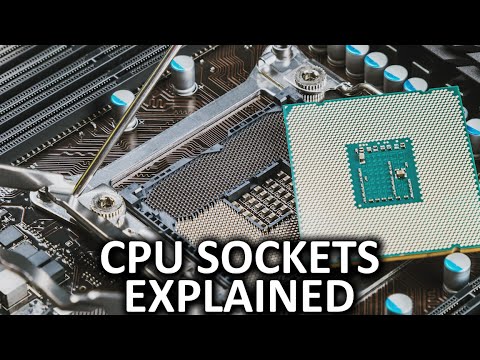
LGA 1151, AM3+, LGA 2011-3, FM2...it can be difficult to keep track of all the different modern CPU sockets! Here's what you need to know about them. Massdro...
nimble vine
so theres a cpu been sold with a motherboard its the i7 5820k and hes selling them both together, he goes on to say that it wont post and that its a "error 53" does anyone know if its the motherboard or the cpu thats doing this?
austere tree
that's likely a memory error
 modest grove
https://www.newegg.com/oloy-32gb-288-pin-ddr4-sdram/p/N82E16820821170 is this good ram?
austere tree
never heard of the brand tbh
and the timing is kinda poop
let me see if i can find you something better
 graceful ocean
@modest grove yea
modest grove
aight thanks
 fierce nimbus
which channel would be best place to ask about thermal pads, here or cooling?
tryingto figure out if price difference between 11.0w/mk pads versus 17.0w/mk pads would be enough to justifying the difference in cost
 fair iron
Has anyone done any testing with ram and new x570 boards? I'm pretty split on what I should get speed / brand wise but I am definitely set on 32gb
Building two rigs one for me and one for my buddy with diff boards
https://www.newegg.com/p/N82E16813145155
https://www.newegg.com/p/N82E16813145159
tulip flint
over $200 for a mini-itx board?
naive pendant
Depends on your budget, but Micron E-die is currently the fan favorite for best value e.g. those Crucial 3000c15 kits. Nothing wrong with going 2x16GB, it's the same load on the IMC as 4x8 single rank anyway.
fair iron
Yeah I was thinking 3200mhz. I dont mind spending 150ish on 2x16gb
The whole Die thing is new to me idk why I never researched it in my years of building
naive pendant
It was more of an issue with 1st/2nd gen ryzen having a tough time getting ram to run at rated speeds/timings.
B-die was $200+ for 2x8 back then too. 3rd gen's improved IMC, better bios optimization, and more matured memory trace designs on the boards all contribute to better compatibility now... I think.
fair iron
Hopefully
Im doing 2x x570 builds with 2 3900x's
and two 5700xt
lol
SO I was like well might as well not skimp on the Ram and get 32gb of 3200Mhz
tulip flint
I heard the 5700xt responds to water cooling very well
fair iron
Yeah but
I want the 50th Anniversary edition :c
The other issue here in lies we are doing the builds together at this new house on the 9th of Aug which requires travel so kinda pressed for time.
upbeat creek
I have a dell computer which looks like trash, Would it be stupid to buy a new 6th motherboard for my 6700 and the h500 case and just move all my parts in there?
naive pendant
@upbeat creek That idea sounds fine if you plan on keeping the 6700 for a couple more years.
fierce nimbus
erp
 blissful harness
Hey everyone, question: what's the likelihood of actually needing to use BIOS flashback in a realistic scenario?
naive pendant
I think someone in general-chat could use some Bios flashback rn
blissful harness
RIP. Thats what im worried about.. like how likely am I to brick my pc with a bad bios update that ill need flashback?
naive pendant
@blissful harness Sometimes mobo's need a BIOS update. If you read the directions word for word and do exactly as they say, you should be fine.
blissful harness
thanks for your input!
was debating between 2 x570 Mobos, one with and one without flashback with a $70 price hike for the one with
naive pendant
If you're in the US, I'd give these a look through https://www.newegg.com/d/Special/Combo?Subcategory=0&Brand=0&SaveCompare=0&SaveAmount=&kwd=x570&ListType=Combo&action=search&item=
A lot of the popular boards are sold out, but $50 would be a nice discount if you're getting that board anyway
blissful harness
thanks, will definitely look through it!
 shy wyvern
Is 4.9 GHz at 74° max load bad?
For an 8600k
I was seeing if pushing it to 5 would be a bad idea
floral jetty
long as it doesn't go over 90 so far as I know
pseudo pivot
With an updated bios, will an MSI b450 tomahawk work with a ryzen 5 3600?
austere tree
supposed to
 craggy wyvern
They are coming out with a MAX version of their b450 and x470 motherboards that will come with the new gen ryzen support out of the box
Heard mixed release dates of end of july - mid august
Should be around the same price as well
vale adder
I've always been told motherboards dont rlly matter, I have a asrock b450 pro4 would I notice anything if I went to a x570
timber jungle
They are the backbone of the system... with a bad MOBO you can’t upgrade later, or they won’t last long.. CPU, MOBO, in my opinion are the 2 items not to skimp on.. Most Ram is to par with each other, GPUS are pretty even when it comes to brand vs price.. power supplies from 1-2 companies suck... most are decent.
vale adder
So I would benefit from getting a better board? I k ow some have wifi and bluetooth which would be nice
naive pendant
You should not skimp on anything but power supplies are most important. A bad PSU for instance from a bad brand, could die and fry your whole system.
vale adder
@naive pendant I have a cx 750 cosair I think I'm ok in that area
naive pendant
@vale adder you would benefit from that board upgrade with better overclocking, SLI support and has better VRM's on the mobo.
vale adder
I dont need to worry about sli I have a rtx 2080ti and a ryzen 1600 so ,I need a processor upgrade before I buy another 1k$ graphics card
naive pendant
@vale adder This will give you some good info and keep in mind that B450 is a lesser chipset than even x470: https://www.gamersnexus.net/guides/3482-amd-x570-vs-x470-x370-chipset-comparison.
south wind
i cant make up my mine on ram :((
timber jungle
Get a goat.... rams are mean
 true yarrow
All 4 sticks of my RAM are lighting up but according to bios it only detects one
 empty oracle
try plugging them in one by one
true yarrow
@empty oracle thanks, I realized that it wasn’t completed seated
I had to push really hard to hear two clicks
true yarrow
https://www.newegg.com/oloy-16gb-288-pin-ddr4-sdram/p/N82E16820821162?item=N82E16820821162 anyone know if this RAM can sync it’s RGB?
 blissful dragon
idk but it would look pretty nice in a whiteout build
 neat crest
I am doing a build for someone and I was wondering if there are any "Compatibility" issues with these items? according to Gigabytes website, the B450M DS3H will support the Ryzen 5 3400G, and also supports Corsair Vengence LPX 16gb (2x 8gb) sticks. The ram is listed under Pinnacle though, and the 3400G is a Picasso. Does this matter at all? Links below :
Ram : https://www.newegg.com/corsair-16gb-288-pin-ddr4-sdram/p/N82E16820233970
Mobo : https://www.newegg.com/p/N82E16813145083?Item=N82E16813145083
CPU : https://www.newegg.com/amd-ryzen-5-3400g/p/N82E16819113570?reviews=all&Item=N82E16819113570
Supported CPU List : https://www.gigabyte.com/us/Motherboard/B450M-DS3H-rev-10/support#support-cpu
Supported RAM list : http://download.gigabyte.us/FileList/Memory/mb_memory_b450m-ds3h_pinnacle.pdf [ Ram # CMK16GX4M2A2400C16 ]
I just wanted to make sure before submitting my order for them.

GIGABYTE
AMD B450 Ultra Durable Motherboard with Realtek® GbE LAN with cFosSpeed, PCIe Gen3 x4 M.2, 7-colors RGB LED Strips Support, Anti-Sulfur Resistor, CEC 2019 r...
thorny gate
they will need a bios update to use the 3000 series since its a 2000 series board
unless it come from factory with the new bios
neat crest
Gotcha. If I set it up would it even post to where I could flash the bios right away? I have a USB for just flashing the bios available.
 coral bear
3600 seems more future proof with 6cores
 hasty marsh
most decent cpus have 6 cores or more
shy wyvern
Do not worry if you need a bios update, amd is super helpful and if you show them proof of purchase they'll lend you a 2200G to update your bios, then you send it back to them.
It's a very clever solution to backwards compatibility
timber jungle
Such a pain in the end.... lets send chips out that can’t work in MOBOs....
gentle lintel
I'm curious if all those prebuilt PC's using x470s with 3000's which prebuilder is going to screw up first and forget to bios upgrade before sending.
tulip flint
well in their defense, I'm pretty sure all the x570 will natively support the 3k series ryzen
it's only the older generation motherboards that need the bios updates, which is still way better than what intel does with requiring a new motherboard with each generation
austere tree
AM4 has been fantastic for compatibility
tulip flint
also I'm pretty sure all prebuilt PC's are supposed to be tested before sending to customer, if a company doesn't do the tests, then they don't really deserve your money
shy wyvern
Even if they don't and refuse to fix it, AMD will help you. I may not like the ryzen chips themselves very much but I'm absolutely all for amds customer service.
They have gone out of their way to make their consumers happy, while Intel honestly is the opposite. I've found me having to make myself happy with some of their ideals.
Like locking so many chips so they can't overclock when they're perfectly capable
split heart
AMD actually sent dummy CPUs in the past to help flash people's bios, relying on people to send the board back so that they could send it to more people.
A really kind gesture.
blissful harness
What're everyone's thoughts on the longevity of 12-thread CPUs for gaming? How long until games start requiring more than 6c/12t and said CPUs begin to show their limitations? Doing my first build and debating whether i should get one of the Zen2 R5s or the 3700X and would like input from people more knowledgeable than me. Thanks in advance!

 shy wyvern
Fancy ram!
hoary ingot
I can start building soon !!! The last piece is the graphics card :)
blissful harness
nice! im still picking parts, hopefully ill decide everything before sept.
 blissful harness
thank you, just curious... whatre your specs? maybe itll help me on my build lol
hoary ingot
For sure, I'll send the build I'm doing now
The case is actually different. I bought a thermaltake h200 rgb snow
shy wyvern
Rich affff
naive pendant
@blissful harness I would guess that it would be another 6-10 years before games start requiring more than a 6core CPU and the same time frame before 6 cores start showing their limitations. For better future proofing purposes though it would be a good idea to buy an 8 core or even higher if you can afford it.
shy wyvern
I see that 2080
 shy wyvern
I'm just jelly, I have a 1060 in mine because I broke
hoary ingot
I have a really poopy pc for gaming right now so I just wanna get some good stuff
naive pendant
@hoary ingot Nice ram 
hoary ingot
blissful harness
ooh nice! GL building it! and thanks for your input @naive pendant
@naive pendant so you don't expect next-gen games to start optimizing for 8-cores? I believe the next iteration of consoles are expected to have 8c/16t.
naive pendant
@blissful harness 🤔 If you plan on upgrading again in a few years though you might as well only go with an 8 core.
@blissful harness Well they can utilize 8 cores sure but NEEDING 8 or more cores is a different story.
blissful harness
gotcha. so ideally get an 8c cpu now and not have to worry about upgrading for good long while
naive pendant
yup
More specifically a newer 8 core. I would stay away from something like the old AMD FX 8xxx series, they were pretty slow in comparison to the newest line. @blissful harness
blissful harness
👍
 dapper flax
cant wait to get that bundle with the ryzen 7 3700x and aorus x570-i aorus pro mobo
 neat kiln
I hope Ryzen 5 3600X is worth it
fair iron
@dapper flax Thats the ITX one right? I am doing the same with the 3900x in a NZXT i200 (i210 I hope actually) in like 3 weeks.

 thorny gate
also the ps5 will have the ryzen 3000 series so it will have 8 core 16 thread, ssd's, ray tracing, 8k graphics, custom navi gpu its gonna be great.
gentle lintel
Yeah ps5 is looking decent on the amd front. Wonder what 3000 though.
 quaint current
@thorny gate if can be able to run 8k, but probably super low settings 30fps, and it’s probably gonna be $500+
dapper flax
@fair iron yea it’s the only itx one that’s for sale rn
fair iron
@dapper flax Let me know how you like it. What case and card are you using?
dapper flax
@fair iron I have a phanteks evolv shift and a gtx 1080 right now. I still have to buy the cpu and mobo
dapper flax
u2 bro
naive pendant
 gleaming pendant
I'm building a PC for the first time does anyone know the fundamental difference between :
GIGABYTE Z390 AORUS PRO WIFI LGA 1151 (300 Series) Intel Z390 HDMI SATA 6Gb/s USB 3.1 ATX Intel Motherboard &
GIGABYTE Z390 AORUS XTREME LGA 1151 (300 Series) Intel Z390 HDMI THUNDERBOLT 3 USB 3.1 Extended ATX Intel Motherboard what accounts for the big price difference ?
naive pendant
The z390 elite, pro, ultra and master are all about the same performance wise, pick among them based on features, price, looks, whatever you value. What CPU?
gleaming pendant
intel core i9 unlocked
naive pendant
So, 9900k(f)?
gleaming pendant
yes
3.6 ghz 16mb cache
I see that one has thunderbolt and the other does not but they are $300 different
the extreme is sold out so i settled for the cheaper one ... but I hope i didn't make a mistake
naive pendant
I wouldn't recommend you get the extreme unless you're interested in serious overclocking. What's your total budget?
gleaming pendant
i need to make Caches for Houidini simulations and playback for simulations .. my other needs are Rendering in Octane which is GPU ... but I use Arnold which is CPU so ... its nice to have both working well
for the entire build 3,000
thanks for your help @naive pendant
naive pendant
Have you considered an AMD x570 build with something like a 3900X? I think both options have their pros/cons. If you know you won't use the integrated graphics on the 9900k (including the hardware acceleration features like quicksync for things like Premier) then you can get a 9900KF for $420 on amazon rn.
gleaming pendant
I have not - thank you for the heads up.. I will look into those ... I have all the parts to build but b/c they were out of the mobo I wanted i purchased the cheaper one ... buyers remorse
 oblique steeple
Do you think an Aorus X570 Master would be good for overclocking?
Not gonna spend $700 on a mobo...
Plus it has 3x m.2 slots
oblique steeple
RGB is the best
empty oracle
id spend $1600 on a mobo if it had rgb
gleaming pendant
What is the advantage of overclocking - I'm not informed on overclocking ?
empty oracle
overclocking essentially allows you to take your cpu and make it a better cpu
gleaming pendant
better for big calculations ....? speed?
empty oracle
faster
oblique steeple
Pretty much increases performance
empty oracle
do you want a detailed explanation?
oblique steeple
At higher power cost
empty oracle
i can go into more depth
oblique steeple
I'm unsure which mobo to get
empty oracle
but if thats satisfactory, i can leave it at that
gleaming pendant
I mean im rendering 3D and doing simulations in Houdini - so speed would help with those
empty oracle
so
oblique steeple
But I do like aorus logo and RGB :l
empty oracle
eh
gleaming pendant
but it depends on the type of speed
empty oracle
i personally prefer asus rgb
anyway, @gleaming pendant
cpu companies sell you a cpu with an advertised base and boost clock speed
this cpu, however, is not being maximized, and driven to maximum performance
oblique steeple
Any idea which one does overclock better though? CPU, RAM. I can't really find much on it.
gleaming pendant
ahhhh okay good to know
empty oracle
instead, it is designed to take into effect thermal output, power draw, stability, and control
but
lets say you need a little bit more performance, or just want it
cpu companies let people like us experiment with the cpu a little bit.
gleaming pendant
okay that makes sense
empty oracle
yeah
gleaming pendant
thanks thats way clearer now
empty oracle
it just speeds up cpu performance
gleaming pendant
when overclocking do you have to use more power for cooling
empty oracle
well
cooling doesn't really use up that much power
but the cpu begins to suck up more power
gleaming pendant
ohhhhhh
empty oracle
that allow you to make things look nicer
30000% performance boost when a part has rgb
its just an asthetic thing
oblique steeple
^^^
gleaming pendant
i didn't even want to say Red Green Blue
oblique steeple
Remember
Red RGB and case make your PC faster
But blue RGB and white case make it cool better
empty oracle
yeah
and then green rgb reduces power consumption
we're just kidding, please don't take us seriously
oblique steeple
Yeah please don't
gleaming pendant
yes I know LOL
empty oracle
i know
but there are kids i know
btw
ima pull a sneaky
im gonna go on craigslist
and sell the build im currently doing
its my first one,btw
gleaming pendant
@empty oracle @oblique steeple Ya'll are awesome ! Thanks for the update
empty oracle
BUT
ima put Ninja, fortnite, and framerate, + RGB in the section
sell it for $1000
it costed me
by the way
i have an rgb psu
low key brag
oblique steeple
Yah so... Tie breaker between Aorus X570 Master and Asus X570 Crosshair VIII?
naive pendant
@oblique steeple The x570 boards at $300-$350 ish are pretty even spec/feature wise. I went with the x570 master myself as did @JWM1611#0474
oblique steeple
But Aorus has a swol Eagle logo
gleaming pendant
lol
naive pendant
Ya, I was split between the master and the C8H myself, but I only went with GB just to give GB a try.
empty oracle
im personally biased towards asus, simply because they know what they are doing, and have one of the best reputations in the gaming industry
but gigabyte has a strong showing
naive pendant
Ya, I love my M9A asus boards, fantastic for OC. And the Crosshair 6 and 7 are popular for Ryzen 3000 for a reason.
oblique steeple
I mean the waterblock on the ASUS $700 X570 is worthless tho
oblique steeple
Hmm
oblique steeple
I need to figure this out
empty oracle
id just go with the asus
i mean
the crosshair lineup is their flagship boards
outside of like, the wild wild realm of waterblocked mobos
but honestly, you can't go wrong with either
naive pendant
What CPU/budget btw?
empty oracle
both boards are identical in price
do you want to hear my cynical side?
both boards are great
but no matter which one you choose
vale adder
My asrock b450 pro4 is rating my 3000mhz ddr4 ballistix ram down to 1400mhz I did a memory test and both sticks passed could it be the motherboard or bios update needed ? I have a ryzen 1600 if that matters
 copper solar

naive pendant
Reading the "C8H owners thread" on overclock.net might give helpful insight. Same goes for pretty much everything.
hasty marsh
theo over here just sayin INT3L
oblique steeple
Mad lad
vale adder
Any ideas?
naive pendant
1400 is weird, are you looking at that in task manager/cpu-z?
vale adder
Cpuz
 dry coral
what would be the best cpu to pair with a gtx 1660 ti?
 upbeat kraken
I kinda wish I'd gotten C8H now since only Asus boards have full sensor support in Linux, with the rest having no ETA at all
I was just too unfamiliar with the AMD side after all this time
naive pendant
So, when we say 3000MHz c15 etc, we actually mean 1500MHz , 3000MT/s since DDR4 transfers data on the rise and fall of the clock signal.
upbeat kraken
but apart from Linux support, so far X570 Aorus Master is doing fine for me
vale adder
upbeat kraken
right, that throws off newer folks, what @naive pendant said, multiply that number by two to get the effective clock rate
naive pendant
Looks like you're running at the advertised XMP speed. It shows single channel though, do you have two sticks, or one?
vale adder
Two
upbeat kraken
yeah sounds like they are side by side right now
weak hamlet
A1 B1
naive pendant
Farthest and 3rd farthest from the CPU are usually the best for 2 sticks, 4 slots.
weak hamlet
or A2 or B2
naive pendant
A2 B2 is convention, but honestly, most of the time it doesn't matter as long as slots alternate.
upbeat kraken
I think on my board the first two slots occupied need to be A2 and B2
vale adder
So u think that would help my speed a bit?
weak hamlet
uh yeah
upbeat kraken
double
vale adder
Seems to lag on ram intensive games and I have 16 gb so that's why I was comfused
weak hamlet
ya just shutdown and change slots. should be good to go then
naive pendant
@vale adder Your current memory clock is correct. Re-configuring the sticks for dual channel might show a noticeable improvement, hard to say.
No reason not to though.
Regardless, task manager will read 3000MHz and CPU-z (the best way to check this) should show close to 1500MHz for your memory. e.g. 1494 or something is close enough, don't worry about it.
 cursive egret
is there any quick solutions you can tell me to bring down my cpu usage while i play games?
vale adder
cursive egret
i have a ryzen 5 2600 overclocked to 4.0 and a evga gtx 1070
vale adder
That better?
upbeat kraken
I didn't realize that the infinity fabric is truly decoupled on Ryzen 3k, kinda strange TBH. I thought it was just adding a 1:2 strap is all. But you can run them out of sync if you want, but you don't want to though because of the latency hit, except maybe for extremely bandwidth sensitive stuff at very high memory speeds? I wonder.
vale adder
They were side by side
naive pendant
It looks like you have the RAM in the wrong 2 slots, but honestly, it probably won't matter. Especially if your board is T Topology. The main thing is to use alternating slots.
Run a https://www.userbenchmark.com , easiest catch-all test imo
oblique steeple
Any pics of the aorus master vs the Asus hero RGB? :s
Because I'm all about that RGB
hasty marsh
naive pendant
Go on pcpartpicker and search completed builds for each. Great way to check compatibility too.
hasty marsh
you can probably find pictures that people posted online
oblique steeple
Alrighty
Either the pics on pcpartpicker are unflattering or they both have crappy RGB
naive pendant
@vale adder Yikes, how are they installed again? In the farthest, and 3rd farthest from the CPU? i.e. A2 and B2?
Then check to see if XMP is enabled in bios
naive pendant
It shows you still have them in A1 and B1, maybe A2 B2 would give better stability.
vale adder
I did have a1 and a2 before so try a2 and b2?
upbeat kraken
@vale adder yes use a2 and b2
naive pendant
@naive pendant You mean farthest and 2nd farthest.
@naive pendant Wouldn't that be B2 and B1?
You don't put only 2 RAM sticks right next to each other when there is 4 slots.
Yes, that's why I said A2, B2 or farthest + 3rd farthest
urban ferry
put them in the pcie slot 😌
urban ferry
actually ive always been confused does it go A1 A2 B1 B2 or A1 B1 A2 B2
naive pendant
"farthest etc" is admittingly kinda confusing, A2, B2 etc is clearier imo
 slender fossil
I just say say 1st 2nd or 3rd or 4th
naive pendant
Wouldn't 4th farthest be A1? i.e. the closest?
I'd assume the farthest would be (more) far than the 4th farthest
Regardless, I think we agree. Alternating slots for dual channel 2 sticks in 4 slots.
vale adder
I have the ram on the 1st slot and 3 rd slot and had to down clock it
naive pendant
@vale adder You have the sticks in A1 and B1 from what I can see. A2 and B2 should be ideal
haha now I have to delete my messages too so i don't look like I'm talking to myself @naive pendant
Jokes aside, the "x farthest" has tripped me up before at least once
vale adder
naive pendant
Well farthest and 2nd farthest from CPU then.
@vale adder Alright, let us know if it works?
Haha what, no, farthest + 2nd farthest would be the B1+B2 right? @naive pendant
it would be 4th slot away and 2nd slot away
Better, put ram here https://puu.sh/DWe8U/2ff9b69bc7.jpg

 vale adder
I think ima just leave it and upgrade as soon. As I get my check I didnt realize I needed a upgrade to use it correctly
naive pendant
@vale adder Yeah your RAM needs to get moved to those slots ^
Seems like 3000 (also with tighter timings) does indeed work on that mobo, lilturbo's BIOS is a more recent version too so I'd imagine 3000c(something) is fine https://www.reddit.com/r/buildapc/comments/9sv0s1/3000mhz_ram_on_asrock_b450/
vale adder
As I see it 2667 is the max it supports ,correct?
naive pendant
Ignore that for now.
vale adder
And the link u said was a 2600 which maxes at 2933 ,I have a 1600 so 2667 correct?
naive pendant
I mean, from your screenshots, you were previously running 3000MHz single channel to begin with.
vale adder
Yes but i was getting blue screens every once in a while I'm guessing from the clock speed
naive pendant
TBH, you probably won't notice a substantial difference having it at XMP vs something <3000, but if you want to do it the "right" way, put the ram in slots A2 and B2 and try enabling XMP to run the memory at 3000MHz (1500MHz DRAM frequency as seen by cpu-z)
vale adder
I'll try that
cursive egret
does anyone have a suggestion for a ryzen cpu i should get to minimize cpu usage?
i have a ryzen 5 2600 right now
naive pendant
@cursive egret CPU usage in a certain program or game or what?
cursive egret
in a game... i have a lot of cpu usage in games like fortnite, rocket league, and rainbow six siege
naive pendant
@cursive egret what other programs are you running while you're running a game?
Does this high usage cause problems directly? Define "high"
cursive egret
Well, i sometimes crash and i check task manager and my cpu usage is very high (around 80% to 100%) so i think the crashes are because of that
my other programs are discord, i close my corsair icue software but it still runs in the backround, and evga precision x1
naive pendant
High cpu usage alone is not the cause of the crashes. By crashes, do you mean blue screens? Or the game itself crashes to desktop and windows behaves as normal.
@cursive egret Well high usage should not crash anything, what will crash things is high temp.
cursive egret
i have an aio and my temps dont go that high...
well i'll look into my temps, thanks!
naive pendant
@cursive egret Have you monitored both your CPU and GPU temps while gaming?
Running hwinfo64 during a gaming session and checking max cpu, gpu etc temps is a great way to check
cursive egret
ok ill do that right now, thanks!
naive pendant
userbenchmark.com could show a lot of helpful info as well if you want to run one and post it
cursive egret
i used a little software and i was playing for about 13 minutes and i got a 35c minimum and a 54c maximum
you cant make the program bigger sadly so you may not be able to see it
@naive pendant
naive pendant
@cursive egret Max temp of 54C for the CPU is pretty good but what about the GPU while gaming?
naive pendant
So more than 1 game is crashing?
cursive egret
fortnite and rocket league
i think i'll leave it and if it happens again i'll pm u if thats fine
naive pendant
@cursive egret I have PM's off but you can ping me here with a @naive pendant
cursive egret
ok thanks!
naive pendant
good luck
shy wyvern
I wanna just make sure, would an i5-8600k @ 5ghz bottle neck an rtx 2060?
naive pendant
@shy wyvern No.
shy wyvern
Making sure. I don't play many games so I'm not sure if the resource usage ratios
naive pendant
@fair iron 3600 for sure.
naive pendant
I'd pick up some 3200c14 since it's available for $120 2x8 again
fair iron
Doing 32gb setup
naive pendant
What board?
fair iron
Im doing an Aorus I X570
My buddy is doing the Master
The Neos are 32gb at 3600 CL 16 for 210
naive pendant
Nice, I kinda wanted to get that board, ended up with the master. Neos are in stock?
That's not a bad price
fair iron
Are we allowed to link?
naive pendant
haha damn, that's already sold out
naive pendant
There are two 3200c14 2x16GB kits for $238, not bad https://www.newegg.com/p/pl?N=100007611 600561668 600546709 600327642&Order=PRICE
fair iron
Yeah not bad at all
I'll prob wait until next week and see what the deal is and pull the trigged. im happy they released the NEOs
naive pendant
Do you like the looks of the neo?
naive pendant
Especially when it's some 2x8 3200c16 kit or something, , if you're going to dress like that, have some b-die under the heat spreader
fair iron
Yeah lol
oblique steeple
What would be some good memory (RGB!!!) to go with X570 and 3900x?
urban ferry
i got you
lemme go get a link
@oblique steeple how much ram do you want
16 is standard for gaming
oblique steeple
32GB
urban ferry
alright
oblique steeple
But 16GB works too
urban ferry
that ones 32gb and will work great with x570 and a 3900x
but if you wanna save a bit of money you could go with 16gb instead
actually wait
 limber warren
i think the 3900x also is supposed to go best with ddr4 3600 at CAS 16
urban ferry
well 3200 is fine i think
i mean 3600 would be better but they get so expensive
imo the g.skill ones look the best
but
limber warren
true
urban ferry
theres this one for cheaper and is better spec wise
oblique steeple
3600 C16?
urban ferry
brb
limber warren
that performs best but it can be more expensive
although recently its only been like $5 more expensive for 3600
limber warren
actually wait infinity fabric is at 3733 MHz so that would be beswt case scenario but thats a little rare
woah
really?
oblique steeple
Yeah
limber warren
wait r u looking for 16gb or 32?
limber warren
i found it for $104
naive pendant
You have to manuall clock IF to 3733
oblique steeple
What the heck
naive pendant
Higher is just unstable
naive pendant
That being said, if you're not into overclocking for fun, just get 3600c(anything) and you probably won't notice the difference, it'll still run 1:1
limber warren
ya
naive pendant
If you wanna tweak, get some 3200c14, 3600c14/16 or micron E die if budget and aim for 3733c14
Of course that means OC IF to 1866? and dram to 3733 manually with something like 1.1V SOC
limber warren
oh my bad the 3600 i found wasnt c16
for that its about 150
3200 c14 goes well with the 3700x
naive pendant
I wouldn't stress out about ram choice/speed unless you want to OC for the fun of it or you're confident your use case will benefit enough to justify the effort
3200c14 goes well with anything
oblique steeple
Alrighty
So 3200c14 or 3600c18 isn't much of a difference if you aren't crazy messing around?
limber warren
ya true its a difference of less than 1 fps
limber warren
i mean ryzen has always been sensitive to memory in a good way but still its really not a huge difference or barely one at all
naive pendant
It (can) definitely be more, but we've see so few instances on zen2 specifically where it's like "wow"
urban ferry
and common and doesnt break the bank
naive pendant
Nothing wrong with 3200c16 in builds with an appropriate budget
urban ferry
3200c16 is high end
naive pendant
But if someone with a 3900x/2080 ti asked "what ram" I'd recommend something a bit more
3200c16 is $65 for 2x8GB
urban ferry
does he have a 2080ti?
oblique steeple
I'm probably gonna do 3900x and RX 5700 XT
urban ferry
hm
naive pendant
Guess not
oblique steeple
Who
urban ferry
still, 3200 is plenty fast for gaming but whatever
oblique steeple
Alrighty
If I wanna resell later might get 3600 to get a higher price
XD
Just kidding
limber warren
wait when did they release the neo
urban ferry
but its very expensive
oblique steeple
Oh lawd
naive pendant
Overpriced lol. But not a bad option for someone with money who doesn't want to spend time screwing with a ram overclock
urban ferry
then theres this, which is even better looking
and is still extremely fast
or even this
even faster
and cheaper
naive pendant
I recommend 3200c14 to those who are interesting in tweaking because you clock it to 3733c14 4x8 1T easily on ryzen 3rd gen
Even moreso on intel for >4000MHz
naive pendant
All of those 3200c16 kids are overpriced
limber warren
ya
naive pendant
Either spend $130 for 3200c14 2x8, $240 for 2x16, or $65 for 3200c16 2x8 haha
naive pendant
Has anyone seen a benchmark where something other than a benchmark really benefits a lot from 3733 and tight timings on zen2?
limber warren
no but ill look around
naive pendant
What mobo?
oblique steeple
X570 aorus master
limber warren
ooh nice
naive pendant
yep. also same haha
I would stick to only using 2 slots until you want to play around with tweaking more. 4 will probably run just fine but who knows
3200c14 16GB dimms are dual rank
Well, those are
I think we're just now seeing 16GB single rank dimms
 maiden shell
Hey peeps can I get some help pertaining to the new aorus nvme gen4 ssd to my asus hero viii?
oblique steeple
X570 or x470?
naive pendant
@limber warren Given we're in the newegg discord, I'd assume it's an option? I'd check out the 370x combo deals
oblique steeple
I think you only get the best out of it with a PCIe 4.0
maiden shell
So I was told since this new m.2 and how quickly the read and write speeds are that I won't actually get the 5000mb/s as promised since this is such a new technology and my mobo is pretty outdated.
limber warren
oh ya i forgot about combos, thx
maiden shell
I'm hoping to get better boot speeds for games and load times. I have a 950 pro currently.
naive pendant
@oblique steeple I'll send you a pic of my 3700x/aorus master with 3200c14 2x8 running at 3733c14 when I get the CPU haha
oblique steeple
Ooo awesome
naive pendant
950 pro is a very fast drive as is. How full is it? Do you run the windows optimize utility regularly?
limber warren
i liked the asrock steel legend does anybody have anything to say about it?
actually wait
no i think im gonna get the aorus master actually
oblique steeple
@naive pendant since we'll have similar mobos and ram wanna help me get mine OCed when I order my parts?
limber warren
wait which should i get
naive pendant
Aorus master will be overkill for a 3700x unless you really like overclocking.
maiden shell
Have you seen the new gen4 ssd by aorus? It has sequential write speeds of 5000mb/s and I ran my Samsung magician and I've lost a quite but of performance only around 2700mb/s
naive pendant
In which case it has some nice features, much like the corsshair 8 hero
oblique steeple
Gotta get that juicy 3950x
maiden shell
Can anyone help me with this? I just want to make sure before I open it that I can actually get the read and write speeds promised with my current mobo.
oblique steeple
I've seen that SSD
naive pendant
@maiden shell 2700MB/s is fantastic for a drive that old. While the 950 pro won't be as fast as newer drives like the 970 pro, HP ex920, or WD black, sequential read / write speed matters very little for stuff like that
maiden shell
All you guys amd fan boys?
naive pendant
I don't mean to discourage you from buying a nice new drive, but you'll be disappointed if you think it'll cut your boot time in half
limber warren
not fanboy just fan
maiden shell
Well it is a 1tb drive.
oblique steeple
Fangirl
limber warren
i mean, im a fanboy but if they pull an intel ill give up on them
oblique steeple
I had a few AMD GPUs before but no CPU so this'll be my first full AMD rig
maiden shell
I've had Intel for 10+ years but the new hardware looks amazing and at the price you can't best it.
limber warren
u know?
maiden shell
So @naive pendant stick with the 950 pro?
naive pendant
@maiden shell This is really unconventional, but if money isn't a concern, and you truly value fast boot and a "snappy" feel to windows, pick up an optane 905p m.2 380 GB for boot
But that's a very niche pick
oblique steeple
Super expensive
naive pendant
Most would say it's a stupidly low performance per dollar
maiden shell
Yeah the optane 905p is super expensive for me.
naive pendant
Ah, ya, if cost is still in the equation, 905p is probably out
maiden shell
I've started buy more aorus hardware and I like their warranty. Just picked up the new 2080ti xtreme yesterday.
naive pendant
What's your budget again?
maiden shell
Me?
naive pendant
yes
maiden shell
Well my computer is already built and I'm doing upgrades. I've sent about 2k so far.
Everything but the mobo and cpu currently.
naive pendant
I've also had intel since 2007 haha, glad to see others making the jump as well
Ah, nice
maiden shell
Maybe you guys can sell me on amd haha
naive pendant
Well, for a new system, if it's got a 2080 ti, I'd recommend something like a 970 pro or 970 evo plus for windows, 1TB
And just install everything on that drive
maiden shell
So clone my previous m.2 correct?
naive pendant
I would not clone anything, just use the windows media creation tool to fresh install
If you need a key, pm me
limber warren
ive been intel for a while, still am actually, but at this point amd has better performance for the same price and similar performance for ~$200 less
maiden shell
Okay im on my phone let me jump on my computer so we can discuss more @naive pendant haha
limber warren
btw can i friend u guys this is a great convo lol
oblique steeple
Yeah sure
naive pendant
Sure.
maiden shell
okay i am on my pc
naive pendant
Start a group chat for club x570 master lol
@upbeat kraken already has his and a 3900x
naive pendant
@maiden shell Yes. I think most people would recommend that as well.
maiden shell
gotcha
naive pendant
I actually never had the 950, I went from an 850 for boot to a 960 evo
maiden shell
thats easy enough right? Just put the windows image on a usb and boot from it and have it install on my m.2???
naive pendant
Sounds like you've done this before haha. Pretty much, just a few details
maiden shell
very nice. Have you seen the new aorus nvme gen4?
oblique steeple
I still have a z270 aorus k7 tho
naive pendant
Yep
oblique steeple
I can't join the club yet
maiden shell
ive built a few pcs in my day haha
limber warren
lol me neither i gotta get a job first
oblique steeple
I'm holding out until Cyber Monday
naive pendant
I considered a new pcie 4.0 NVME drive but I value i/o performance over maximum sequential r/w
oblique steeple
To see if there are any good sales
naive pendant
Also for that much money I could just get another 905p
oblique steeple
That thing looks insane
naive pendant
haha tbh, I'm building this 3700x/x570 master system knowing it'll be slower than my current PCs for pretty much anything but highly multi-threaded apps like blender, premier renders etc
maiden shell
yeah the quickest r/w speeds currentlyt
limber warren
actually should i even go to x570 for ryzen 3000? im not gonna be using pcie gen4
maiden shell
makes sense @naive pendant
oblique steeple
I'll get a decent upgrade tbh. i7-7700k to 3900x.
naive pendant
SSD sequential read/write is like a car's top speed
limber warren
ya same
naive pendant
I'd rather have a car that "only" tops out at 150mpg but can pull over 1G in a corner
oblique steeple
PCIe 4.0 iš only worth it for those OP M.2 SSDs
limber warren
actually im going from i7 7700hq to 3700x
maiden shell
like the 970 pro @naive pendant
limber warren
jesus my upgrade is gonna be so nice
maiden shell
sooo it's still an m.2 nvme but is an ssd too? I am super confused
oblique steeple
I just have a 860 sata SSD .-.
naive pendant
m.2 is the slot, sata/NVME are the host interfaces / protocols, SSD is the term for any solid state disk
limber warren
i literally have a laptop with a 7700hq and a broken 1050 ti not to mention the shittiest hdd ever created to 3700x 5700xt, itel 660p and 970 evo
maiden shell
okay so what is the difference between the 970 pro and the new aorus nvme ssd??
lol
naive pendant
My 860 evo 2.5" ssd is a SATA ssd, my 970 pro is an m.2 NVME ssd
maiden shell
so its the same thing?
naive pendant
The aorus can operate at 4.0 speeds
limber warren
nvme is an interface
naive pendant
NVME is not an interface
naive pendant
NVME is a host interface
naive pendant
m.2 is the connector specification
naive pendant
NVME is like saying sata
 thorny hull
m.2 is a form factror
maiden shell
okay so to get an answer to my first question lol! Will i get the r/w speeds on this new ssd with my outdated intel asus hero viii z170
naive pendant
That's nitpicking on my part tbh. I agree m.2 colloquially means m.2 2280 99% of the time
No
naive pendant
z170 hero 8?
thorny hull
m.2 is awesome, pcie x 16 is best form factor for storage
maiden shell
correct
naive pendant
Oh ya that's right
limber warren
also t-bag idk where u came from but im in a good mood so if u dont mind ill friend u too
maiden shell
asus hero viii
floral wagon

thorny hull
its more reliable and has a higher read write through the Bus
maiden shell
it does have an m.2 slot
thorny hull
friend me @limber warren
oblique steeple
Let's make an X570 Master chat
naive pendant
z170 is a solid platform
thorny hull
reach out if you ever need any help on PC. im 29 and i have been pc gaming since 1993
maiden shell
for sure i got the 6700k oc to 4.6ghz
naive pendant
what do you mean pcie is the best form factor for storag lol
maiden shell
i just dont know if now is the time to upgrade everything lo
mobo and cpu
ive never done that kind of upgrade just always built new
naive pendant
I have 3 z270 boards and one z390 haha
thorny hull
@naive pendant there is a storage that you can install in the PCIEx16 slot
they are very expensive
thorny hull
but very reliable and read and write very fast
naive pendant
@thorny hull I'm aware haha. That form factor is called half/full height AIC
thorny hull
is that another term for them?
naive pendant
An example would be the 900p, 905p both AIC , and a bunch of enterprise ssds
naive pendant
NVME can read and write at the same time
As can SAS
SATA is really the only protocol that can't
thorny hull
cool to know
naive pendant
oh, AIC just means add in card haha
thorny hull
ahhh ok
maiden shell
@naive pendant give me a amd build for around 1k for mobo and cpu if you got the time
maiden shell
i also want a gigabyte mobo
naive pendant
@maiden shell Easy, $500 3900x, but you have to find one in stock, mobo is flexible, could spend between $250 to 350
maiden shell
i just need the mobo and cpu both for around 1,000$
naive pendant
That is, aorus pro/ultra, or the master at $350
maiden shell
so the 3900x cpu???
limber warren
oh wait just cpu and mobo?
naive pendant
Then I'd pick up a new 970 pro, maybe an evo plus with the remains
oblique steeple
3900x is STILL out of stock
limber warren
oh thats easy ya
maiden shell
correct i have eveyrthing else
oblique steeple
But I think AMD site sells it now
naive pendant
AMD is out of stock too
oblique steeple
Shiiit
naive pendant
I check often, it goes back into stock occasionally
oblique steeple
What the hell
thorny hull
why would some one want to get the newest cpu?
jw
is it because of cores threads and clock rate?
naive pendant
Another option, get a 3700x now, and the 3950x later
limber warren
if u wanna wait theres always the 3950x for $750 in september
thorny hull
or just clock rate and cache?
limber warren
ya
limber warren
true
thorny hull
those are more for multi tasking and VM
maiden shell
links please lol
limber warren
but once amd becomes the standard that'll change
thorny hull
i was born into amd
oblique steeple
I was born for this
timber jungle
INTEL!!!
limber warren
id give it like a year or 2 before devs start making games that really use upwards of 8 cores
thorny hull
intel is using ddr6 and ddr6 x right now?
naive pendant
Unpopular opinion, get a z390 aorus master + 9900KF for $650 on sale, fill it with 4x8GB 3200c14, clock those bois to 4000c14 and the cpu to 5.0
oblique steeple
AMD!
thorny hull
AMD BB
naive pendant
Intel is supposedly launching ddr5 and pcie 5.0 q1 2021
oblique steeple

thorny hull
:amd:
maiden shell
So I'm going back to Intel @naive pendant
thorny hull
 devout mothBOT
 Zovyra#6452 has been warned
Reason: Bad word usage
thorny hull
lame
oblique steeple
Dang it
thorny hull
it has to be caps
oblique steeple
The heck will PCIe 5.0 do
thorny hull
:amd: =/
oblique steeple
I said the f word and bot got angry :l
thorny hull
me6 bot?
oblique steeple
Yeep
limber warren
thx u too
also there are probably better but @maiden shell https://www.newegg.com/Product/ComboDealDetails?ItemList=Combo.3920810&Description=3900x
oblique steeple
$500 mobo
maiden shell
I've always wanted the godlike mobo. That's a sweet deal too.
limber warren
ya
maiden shell
I might wait a bit. I did just drop quite a bit for the new 2080ti and ram and storage. Just trying to decide if I want to keep the aorus m.2