#graphics-cards
1 messages · Page 117 of 1
 gray vapor
You do know you got pinged in another channel right
 loud ibex
https://www.newegg.com/powercolor-radeon-rx-580-axrx-580-8gbd5-3dhdv2-oc/p/N82E16814131720 i got this GPU for 110. is that a good price and is this a decent cooler?
 granite juniper
yeah, it’s a good card and cooler
not as good as the red devil or strix, but still one of the better dual fans
loud ibex
Thnx i just ordered off ebay and this is my first build
 light nacelle
Would anyone be able to advise me on how to hook up 2 SLI gtx 970s? I cant find the correct cables to order online
 little slate
You need an SLI bridge
light nacelle
I’m just trying to supply power to each card. I have the bridge
Each card has an 8 pin and a 6 pin pci express slots. My PSU only supplies 2 6+2 pin connectors. So idk how to supply power to the 2nd card
little slate
sounds like your psu doesn't support 2 cards
 lone pond
Could you send a parts list of your PC? Mainly the mobo and PSU?
light nacelle
The Mobo is an MSI Z97A gaming mobo. The PSU is an EVGA supernova 850 B2
little slate
well that definitely should support sli
lone pond
Sounds good to me if you know you want SLI. If done properly, you could use an adapter of sorts from molex, EPS12V, or 8 pin splitters IF done properly, but that's not something I'd recommend unless comfortable.
I'd suggest selling one or both GPU's, the PSU, and getting new ones.
gray vapor
SLI is pretty pointless unless you're doing like 2 780 Ti's
lone pond
Why is the 780 ti particularly less pointless?
 rough harness
SLI and crossfire sadly never took off properly
light nacelle
I had a 970 and my friend gave me a free 970 as well so I figured why not
rough harness
Games never utilized proper mechanics for it
gray vapor
There is a lot of people i know that is still using 780 Ti's in SLI
lone pond
Well, some games had decent code for it. It's due to how direct x is implemented that the burden to optimize the SLI profile is on the game dev.
rough harness
Most games ended with lower FPS because it wouldn’t work right... sad really
gray vapor
Well for newer titles yes but there are still people that likes playing games from 2017 and below
rough harness
WHO?? Lol... most of my favorites are older games
lone pond
Well, if there wasn't a profile you'd probably run single card or try alternate frame rendering which was usually very stuttery.
I played around with SLI for fun, moved to single card like everyone else.
light nacelle
I actually found an 8 pin to 2x 6+2 pin male to male cables so I think that should work
lone pond
im gonna nitro boost this server in 7 days
 fast estuary
do tell
 runic trail

Based on 568 user benchmarks for the Nvidia GeForce 7150M / nForce 630M and the Titan RTX, we rank them both on effective speed and value for money against the best 621 GPUs.
😂
 feral axle
I think I’ll go with the 630 M
 half mantle
Hmm....
 oblique cypress
lol
gray vapor
Well a 590 is just an overclocked 580
half mantle
My parents won't let me buy used ;(
I should note that those prices are with tax, so it isn't perfectly accurate
feral axle
I might be wrong but this a theory I have at least for the gigabyte model of Vega 56 but I think it based it zero rpm mode on gpu usage instead of temps and thus when it hits critical temp the screen goes black and fans go max to emergency stop essentially
In short don’t buy gigabyte graphics card
 magic pebble
can you not change his name
 dense flicker
nope
trainees can only delete messages and kick people
D:
the higher ranks are aware though so it should be changed soon
anyways i gotta go to bed
cya all tomorrow
 lusty kraken
im late 2 the party
feral axle
What’s wrong with meowerzz?
dense flicker
oh the person who i was asking to change their nickname got banned
ur name is all good @feral axle
feral axle
Cool
little slate
Are you seriously OK with 30 fps after spending over $500 on a graphics card?
feral axle

For 60 FPS ray tracing at 1080 absolutely
Especially since cyberpunk is getting rtx support
I’m so happy with how pretty ray tracing is
 long phoenix
VR + ray tracing
feral axle
Good thing I’ve got a vive
lone pond
is a ryzen 3700x and an rtx 2080ti a good mix or?
dense flicker
yes
 wide mango
hey would ya look at that its already out of stock https://www.newegg.com/powercolor-radeon-rx-5700-axrx-5700-8gbd6-3dh-oc/p/N82E16814131754
lone pond
When will aib 5700xt restock?
 olive flume
Anybody know a fix for vertical lines on the screen (been narrowed down to gpu) it was working fine but sustained physical damage in shipping. (Dont see the damage but obviously thats what happened)
There is a very slight warped-ness to the pci pins
lone pond
RMA
granite juniper
^
lone pond
@gray vapor https://www.evga.com/products/ProductList.aspx?type=0&family=GeForce+16+Series+Family&chipset=GTX+1660
Check out the compare tool
lone pond
Oh, thought you had asked the difference between two EVGA cards, regardless, can still use vs zotac
gray vapor
I just noticed how thick those EVGA cards are
takes up 3 slots cause of those massive heatsinks
I personally like smaller GPU's because i never know for future builds if i would do ITX or not
little slate
That's not just evga
 dapper jacinth
After doing some research into looking at a replacement laptop to replace my secondhand laptop I got from my dad, I made a sad discovery about it's GPU. It uses a Radeon R5 M335 that's from 2015. That is a dedicated GPU that's worse than an Intel HD Integrated GPU released earlier the same year.
little slate
I didn't know that was possible
 flat olive
im building a new desktop pc but id like to use an amd ryzen 5 3400 G processor with a ASrock x570 steel legend WIFI ax motherboard ,Gskill trident z rgb 16GB DDR4 3200 memory and a samsung860 evo SSD .Problemis the onboard grphics drivers are not for linux,mint 19.1 or robolinux. Advice?
vega 11
 hard quartz
Get 3600 and vega 11 equivalent dedicated GPU
granite juniper
i would go with a 2600+$90 mobo, rx570/580, and a 660p for ssd
 indigo timber
^^^
 eager mountain
will the 5700xt pulse compete with the 2080
hard quartz
And its faster
hard quartz
The only card that plays 4k is 2080 ti
gray vapor
streaming also depends on your internet connection as well
I have seen people output their stream at 720p with bad connections and it looks like a mess
eager mountain
i have a 100Mb uplink
gray vapor
speedtest it?
granite juniper
what settings/refresh rate at 4K? @eager mountain
eager mountain
destiny 2 med lock at 60
is this the best 2070 super
RTX 2070 Super Gaming Trio
wide mango
i did it bois got the rx 5700 xt
long phoenix
Nice
 quartz gull
My ventus xs rtx 2060 has been running at 87° at 80% load (card max temp) so I had been looking at replacement heatsinks for the last 2 days. Failed to check if both fans were spinning, one stopped so I slapped the fan and it works now (still 79° at Max load but no thermal throttling)
little slate
is it overclocked? that sounds way too hot if it's running on base clocks
have you checked your fan curves?
 weary kayak
theres a version called the ventus OC rtx 2060
which is what I have
the xs is a version that is $20ish cheaper
sounds like it was being overclocked
(the OC can self overclock)
I dont think ive hit that high at max load before so it might have something indeed wrong with the heatsinks
but it do get loud lol
weary kayak
no one responded to me being smart :(
little slate
well most modern cards self-overclock, but they don't usually get that hot on stock settings, have you looked at how high your clocks are getting compared to what most 2060's go to?
I doubt there would be something wrong with the heatsink, but if you're willing to take it apart I'd suggest checking how good the thermal paste and pad application is
although a quick google search did show that apparently these cards run hotter than most
gray vapor
If there is pads
can't say all cards has thermal pads on them cause i can show you mine
little slate
reddit says that the ventus xs has one of the worst 2060's on the market 😣
without thermal pads, would a 2060 really be able to get enough cooling to the board components?
little slate
er, how does the heatsink make contact though?
quartz gull
The xs only has one copper heat pipe
little slate
in that picture, I don't think the heatsink would provide any cooling to the board
quartz gull
Not 2
gray vapor
There is just some heatsinks made that doesn't make contact which they use thermal pads for that extra height
@little slate look at the grooves on my heatsink
some companies have theirs flat which wouldn't make contact
For that MSI card i wouldn't touch it
little slate
even if the heatsink touches the parts, metal on metal doesn't really offer good contact for heat transfer
gray vapor
The last MSI card i bought was the 1050 Ti which i had to sand around where the fan is cause the blades was making contact with it
little slate
that's the whole point in thermal paste and pads
gray vapor
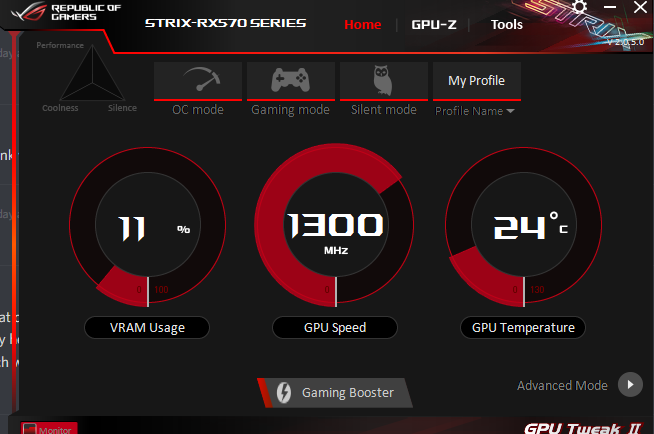
This is my card on idle https://i.gyazo.com/959b4411316c1c5bc07ab33946d68d91.png
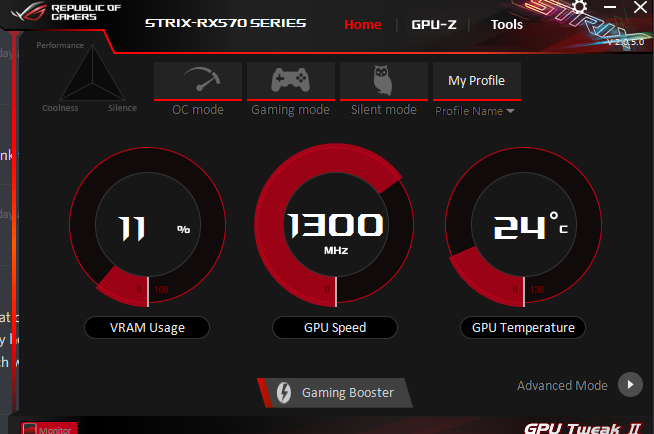
when playing a game i get up to 60c
sometimes 61c
little slate
I'm not saying that it must have thermal pads
gray vapor
some companies just has their own way of things
little slate
I'm just saying that if it works without them, it doesn't need the cooling to the board
quartz gull
My ventus xs cooler is complete garbage tbh. I have thermal grizzly kyro on it and it still idles at 37°
little slate
holly hell, what's your ambient temperature like?
quartz gull
72-78 degrees
little slate
my 1080ti idles at under 30...
quartz gull
Fahrenheit
gray vapor
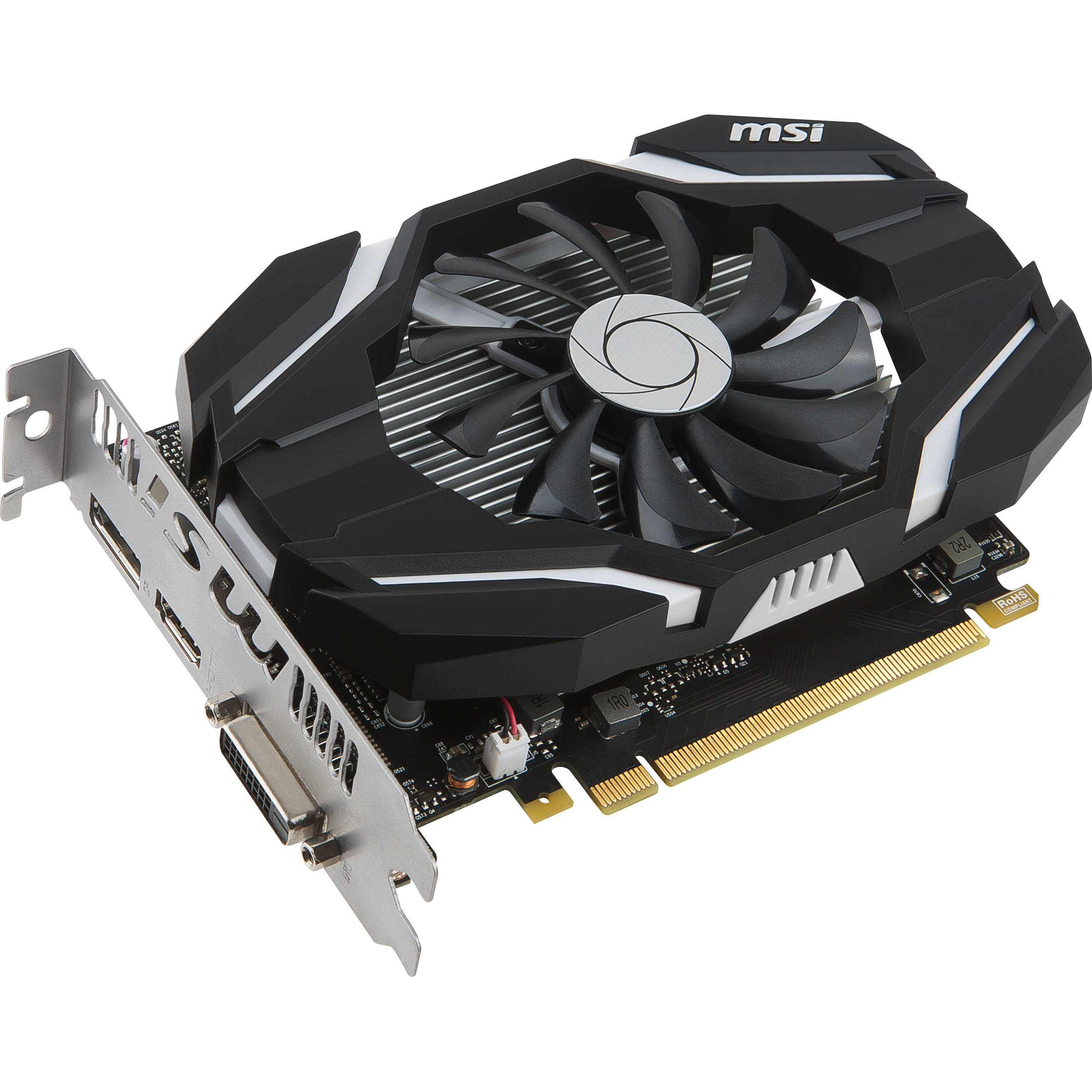
This is the 1050 Ti i used to have https://static.bhphoto.com/images/images2500x2500/1478082968_1294345.jpg

you can tell why i had to sand around the fan
quartz gull
@little slate that's just how bad the ventus xs cooler is. No wonder I got this 2060 for $250.
gray vapor
@quartz gull Next time go for something like EVGA
little slate
I always buy EVGA, their customer service is worth the extra cost
gray vapor
MSI is not bad but only for their more expensive cards
little slate
although I've heard asus gives evga a run for their money on the high end
quartz gull
I had one of those high end asus 1060's
gray vapor
I have no problems with Asus customer service but for once i am going with EVGA when i get the 1660
little slate
well even with the more expensive MSI cards, there's issues
quartz gull
That thing had a max temp of 51 degrees max load and oced
little slate
when I was thinking about swapping to a 2080 or 2080ti, I was looking at the water block cards
the MSI 2080ti was retailing for less than most air cooled cards
gray vapor
@little slate This is the 1660 i am getting next month https://www.newegg.ca/evga-geforce-gtx-1660-06g-p4-1161-kr/p/N82E16814487437
little slate
reasoning was that they had horrible thermal paste application, and would void your warranty if you re-paste
gray vapor
Look at that thick heatsink lol
little slate
when you can't go long, you've got to go thicc
I don't think I've ever seen a triple slot card that thick
I mean that short
usually the triple slot cards are the top of the line giants
gray vapor
Well one main reason why i am getting that one is cause of how my case it as well
You can see why
 faint bridge
so, i have a dumb question, is the difference between an RX 570 and an RX 580, both 8 gig, worth the price difference?
fast estuary
depends on what you are doing. the 580 has a more horse power and there are 4 gig versions of the 570 out there also. i have not seen a comparison between the 8 gig versions. may have to go back to videos around there launch time to see the deltas
gray vapor
lone pond
TBH 4 GB vram is perfectly workable for a ton of games at 1080p
wide mango
4gb is becoming a minimum now
i think i saw modern warfare being minimum 8gb
not sure if thats accurate though
gray vapor
Actually 2gb is still the minimum and 4 is more the norm and 6gb+ is if you want to play on almost ultra settings
For a lot of games there will still be games able to run on 2gb Vram well enough but won't look that pretty while 4gb it will look pretty and 6gb+ it would look beautiful
lone pond
I think I remember "The Division" being something that a user had trouble running on a 3GB 1060. Regardless, you can use msi afterburner + RTSS /hwinfo64 to overlay your gpu vram use as such https://puu.sh/DJJp4/ac55135f6f.png
 gray vapor
Those are Pubg images 
@lone pond You have to stop zack he is playing GTA V on a school night lol
lone pond
Labor day here in the US
gray vapor
We have Labor day in Canada as well since it is a North America thing 😛
lone pond
Yes, it's a PUBG screenshot, but the relevance was the GPU memory use overlay suggestion.
Labor day is a federal holiday, we have about 11 of those.
lone pond
Does sli gpus work well in games like pubg
lone pond
I figured
I have dual gpus on one of my computers but they are editing cards so I can't game well on them
So sli doesn't give ANY boost to games
The cons outweight the pros. There are rare edge cases like GTA V in 4k 120Hz with 1080 Ti's getting a good framerate, but SLI is definitely not a great option for many.
I was just wondering cause of the extreme dual 2080tis
For
Fortnite
I see on YouTube
magic pebble
Those are mostly just sponsored people showing off
magic pebble
Real gamers don't bother with SLI unless its just really beneficial for the game they play. It introduces microstutter in most games, little gains in most games, and some games will be worse.
If you play sniper the SLI can get you almost double fps
magic pebble
religious stuff is frowned upon in the server
magic pebble
ya, but some people might get offended
faint bridge
Man, that went longer than I wanted it to.
 random prairie
This is kind of a weird question but does anybody work at Newegg or somewhere applicable or know somebody who does and could tell me when the red devil 5700 xt is gonna be back? I checked with my local micro center, they don’t have one either
granite juniper
the middle fan ruins it
it’s also smaller than the other 2 cause of the rGb ring
gray vapor
doesn't ruin it if it is used vertically
Also you never know the middle could be a 70mm and the other 2 can be 92mm
granite juniper
idk I just don’t like the rgb with those colors
i would love it without the rgb fan so it’s like the red devil
gray vapor
@fallen schooner What do you think of this ASRock model?
 somber glen
has anyone else noticed that in the ryzen 3000 chips(mine at least) that hwinfo64 is showing a fairly high and constant cpu clock speed while ryzen master is way different and constantly fluctuating?
granite juniper
idk, but they are rolling out an update
somber glen
just realized what channel i put this in lol my bad
somber glen
thats for radeon?


 somber glen
yes, thank you!
granite juniper
np
 wraith pasture

lone pond
can a titan rtx run minecraft with shaders, maxxed out graphic settings at 144hz on a 2k monitor?
or is that not possible yet?
granite juniper
:l
 violet dock
that would come down to the game being on a ssd 1, so you didnt get any frametime dips. a large amount of ram. full raytrace shaders on a titan should be possible over 100 fps
long phoenix

reddit
1,835 votes and 315 comments so far on Reddit
granite juniper
yeah, but all it does is boost the clocks, it doesnt add the compute units
still cool
they had this on the 290 iirc, and the vega
 mighty perch
@lone pond I got impatient
And ordered a non xt today
Just now I found the pulse 5700 xt in stock
But I can't cancel my order to change it
Don't you just love that feeling ❤
gray vapor
You would have to contact PowerColor to see if they want to make more
lone pond
Any point of a 2080ti since the 2080super is out
violet dock
yes. Moar performance for alot more price
long phoenix
Still under 60FPS at 4K lol
violet dock
and more vram
lone pond
For 1080
I'm just a scrub playing apex and pubg on a 2070 laptop but I want something better but not to the extent of a 2080ti
mighty perch
@lone pond Don't game on a laptop if you want something better
lone pond
@mighty perch yeah I know ,im a Mac user usually but I decided to build a PC
So the laptop was a good beginning
 flat oasis
rtx 2080 ti super --- who thinks it's going to happen?
 sweet path
lone pond
sweet path
lone pond
@Yang#1496 damn foo that sucks
Not likely given what we know about TU-102 and the 2080 ti/RTX titan / Quadro 8000
faint bridge
Hope I don't regret ordering this one: https://www.newegg.com/xfx-radeon-rx-570-rx-570p8dfd6/p/N82E16814150815
granite juniper
@faint bridge nah that’s a good card
wide mango
i think the 580 has better value
random prairie
The only reason they would release a 2080 ti super is if amd surprise releases that Nvidia killer we’ve been hearing about which is pretty much impossible cus there’s no way we wouldn’t have heard about it, atm they have that section of the market completely cornered so they have no reason to spend the money and time and resources in making another one
wide mango
 sweet creek
I always go with nvidia. Seems to work better. But then again I always sli or CF
Isn’t amd cpu killing it right now
random prairie
Nvidia has been a better option for a few years but today the 5700 xt is really worth it, it’s pretty close to a 2070 super for $100 less, and yes, Ryzen cpus are pretty god damn awesome right now
sweet creek
I’m about to upgrade but dunno what to do. I need 4K netflix on my pc. I bought the x99 asus rampage and the i7 5820k. it’s when ddr4 first came out. The ram was like $500 for 16gb lol. Plus I’m getting rid of my 980 sli and popping in the 960 pro 1tb m.2. That I paid $700 for a year ago wich is rotting in my drawer
random prairie
Damn
sweet creek
It’s very fast that thing
random prairie
Not to be a fanboy but the 5700 xt is actually even better for 4K60 relative to other cards than it is for 1440p 144hz
sweet creek
It’s finniky to install peeps say
random prairie
What the 960 pro?
sweet creek
I should never have bought the rampage. But how often does new DDR ram new chipset new mobo and new gpu come out same month
Spent $6000 here
What should I do ? Should I go 2080 ti or 2089 ti sli? And what about chipset
Sli isn’t as good anymore I’m reading
random prairie
Ya SLI exists for the flex at this point
But objectively it is better than one GPU
Even if it’s totally not worth it
sweet creek
Yeah I like flexing Bahaha. Perfect word
random prairie
Lol understandable
sweet creek
I’m gonna go sli unless titan wich I haven’t looked yet wich is out
sweet creek
Cause sli has never run great. I use on my qled tv. I rarely game but I like having a killer pc. Always have
I buy every console and never play hahaha
random prairie
That is a flex and a half
sweet creek
Yup but consoles are nostalgia mostly
random prairie
AirPods ain’t got sh*t on owning a 4K qled tv, monster gaming pc and every console without ever using them
sweet creek
I was poor growing up and I remember getting a game every 6 months. So I got into RPG cause it lasted longest. Dragon Warrior 1 on nes lololol
random prairie
Nice, that makes a lot of sense actually
sweet creek
So when Kingdom hearts 3 or FFXIV came out I of course bought lol
It's move phone games killing my wallet now
Mobile*
random prairie
Ya I’m hoping for that same kind of thing, at the moment I pretty much only have things at all because of my grandma, and if I ever hit it big, I’m going for the most obnoxiously awesome pc I can possibly dream up
sweet creek
I did that last build but got shafted a bit cause ddr4 was so new and limited supply
random prairie
Ya that sucks
sweet creek
Plus rampage extreme was stupid but I liked the million usb ports
I want the best right now that's why I'm here
My mom retired as well I want cameras all around her new house and smart house to the extreme
random prairie
That’s kind of the problem with awesome new technologies, u know, a new generation of GPU is nice and all but when they do things like release a whole new kind of RAM the price drops faster than my grades in May
Ooh good idea
sweet creek
Omg I seen ddr4 now and cringed at prices
But mobo seem high
Oh forgot that was when that flood happened and hard drives were stupid expensive
Remember?
Could you help me with that?
sweet creek
I need a htpc laptop and a $1100 tv for my mom as well
random prairie
Also ya X570 is kind of stupid expensive both because of pcie4 and the chipset needing a wholeass io die
sweet creek
65" and a laptop with small os SSD and a 2tb drive cause I might go with IPTV
She has cable as well
random prairie
And I actually have no idea about hdd prices, did it happen before mid2016?
I’ll check it out, gimme a moment
sweet creek
Thailand flooded
random prairie
Also what budget for the laptop
sweet creek
The parts came from there
random prairie
Oh wait all of it for $1100
sweet creek
No lol
random prairie
Oh wow, that sucks
sweet creek
1100 for tv and $700 for laptop
sweet creek
Then smart house I might go Amazon unless they sell it here
I want doorbell camera and unlock 2x outdoor camera wireless and 2x either Alexa or Google and a electric smart lock
random prairie
I wouldn’t know anything about that stuff but I’ll try to help out
random prairie
That’s my area of expertise
I’m pretty good at laptop too but desktop is what excites me the most lol
And what r u looking for in the laptop, size, mobility, power, etc.
sweet creek
I have 1400 watt corsair digital one and the CPU and mobo I said and launch ddr4 ram and 4x enterprise 4tb hhd and a 500gb Samsung pro SSD from 2 and bit years ago and h100i cooler and corsair 960t case
I bought a Synology ds918* with4x 8tb drives and a Kingston SSD for cache
Actually I added a 7tb HD in my PC. But I got that 1tb extremely fast m.2. Samsung pro from year ago
And for laptop
Htpc that's no slowdown
It's gonna be on tv
I'm thinking 2019 LG cause I heard web os smart tv are easy
random prairie
Ok, got it, so wait what do u wanna upgrade in ur pc, GPU?
sweet creek
And as for PC I need chipset for sure cause I need hdr 4k on PC. My tv is insane but I like PC watching stuff I dunno why
And mobo obviously. Dunno about ram. And maybe a titan ?
Or does new GTX 2080 ti or titan give you hdr without chipset?
sweet creek
And my case has red strips. Isn’t that cpu ancient?
random prairie
It’s aging for sure
sweet creek
I always regretted not getting intel but I see some good headlines about AMD making new goodies
I don’t overclock but I hate slowdown and as you so elegantly put I like flex
random prairie
Oh ya, forgot about that, X570 it is
random prairie
Then again the 9900k is actually better for gaming than the 3900X, although I’ll have to re-examine that with the next boost clock fix, I think it prioritizes the faster CCD in the scheduler now
That’s a really good idea I should start doing that
sweet creek
I mainly use for htpc in the extreme like Usenet and Hulu Netflix amazon video crave tv ect and I have a bluray burner I use as player for 4K movies but I been using xbone x lately
And gaming on extremely hard games that look nice
Oh and I always have open like 60 tabs lol
I’m a big wanderer on the net. I love learning and reading so I get distracted easy. Especially on Wikipedia
Oh sorry forgot to mention
I keep on 24/7 and don’t clean very often lol gotta start and the m.2 1tb is gonna be OS I’m thinking unless my 950 pro normal ssd is better or something new
I’m overwhelmed right now. I’m selling my car as well and my youngest sisters who just died recently and looking for a condo to buy
random prairie
Oh my god I’m so sorry, that must be awful
oblique cypress
hope you feel better
lone pond
So sorry man
lone pond
Is sli kinda dead? Would it be worth doing dual gtx 980s?
 meager rain
Was about to ask this regarding crossfire & RX 570s. Lol since I'd rather spend $140ish than $300+ and throw the savings into...well, savings 😂
lone pond
All I know is some games benefit and others don’t
meager rain
Meh. I'll probably just hold off on anything GPU related for now. The RX 570 handles what I need for now, just have an itch to keep building...lol once I started I found I didn't want to stop
lone pond
I’m in the exact situation. I feel like I’d upgrade the cpu and go to water cooling if I did sli. But Ive actually got a second 980. Was gonna use it on a flip tho
GTA 5 is supposed to have massive benefits from sli according to gamers nexus
long phoenix
Lots of games don't even support SLI/crossfire
And AMD's new cards are dropping crossfire support
So at least for games it's kind of pointless, but if you're doing graphic design whatever stuff then SLI might be useful
meager rain
@long phoenix that's what I read literally the day after finishing my build. Lol so would you say I'd benefit from it as a game designer just starting out?
long phoenix
Maybe, idk. I have no idea how system intensive game design is.
I think the main benefit is you get extra VRAM
wraith pasture

long phoenix
Hi Theo
wraith pasture
Sli only uses cram from one card
granite juniper
crossfire/sli is dead except for rendering
long phoenix
Imo don't do SLI, just spend that 2x on a better GPU
granite juniper
^
meager rain
Word. Thanks for the advice guys!
 warm dust
looks like im copping that gpu in the next couple of days
random prairie
Ya sli/cf is not worth it
 signal hill
Can i game on a quadro M2000M
gray vapor
You can but wont be the greatest
 remote forge
bought a reference 5700xt last weekend and have been undervolting it......consumes 160 watts at 1440 p playing Resident Evil 2....love this card
lone pond
@remote forge forever waiting for a red devil or rog strix....
 earnest comet
Hi everyone. I just got my first video card so I don't really have any experience with them. It's an mci radeon rx580 and it has an 8 pin pci plug on it. My power supply only has a 6 pin pci. Do I need to get a new power supply or is there another way?
little slate
what kind of power supply is it?
earnest comet
It's a thermaltake 500w
little slate
are you sure it doesn't have an 8 pin? usually a 500w would have at least one, usually 2
they're sometimes split into 6+2 pin
quartz gull
I could've sworn that psu has 2 6+2 pin comnectors
earnest comet
Yeah, I had it apart yesterday and all I saw was one 6 pin. I did get the cheapest one I could find though. I will look again.
little slate
is your PSU very old? I can't find any thermaltake 500w PSU on newegg currently that doesn't have an 8 pin or a 6+2 pin
earnest comet
It's about 5 years old.
little slate
that's not that old
earnest comet
I'll look at it again today. I was rushed yesterday, screaming kids all over the house, lol.
little slate
this is one of the cheapest 500W I can find
and it has reviews going back to 2012
it has 1x 6 pin and a 1x 6+2 pin
earnest comet
Ok cool, it's possible I could have overlooked something with all the distractions. I'll give it another go today. And kick the kids outside to play. I appreciate your help. Thanks.
lone pond
I'd recommend investing $70 or so into a newer, reputable psu that should be expected to last you another 10 years.
Oh, and there's one on sale https://www.newegg.com/bitfenix-formula-gold-series-bp-fm750ulag-7r-750w/p/N82E16817376012
Aris does the best PSU reviews imo
https://www.tomshardware.com/reviews/bitfenix-formula-gold-650w-psu,5382-12.html
dense flicker
THERMALTAKE 
OLD THERMALTAKE POWER SUPPLIES
@lone pond whos tom and whys he got my hardware 
earnest comet
Well, I've figured my problem out. I started looking through my order history on newegg and didn't see a psu bought at the same time as all the other components in my computer. Then I remembered I had taken that psu out of an older computer I had to save money. I looked much further back and found my psu. Specs say only one 6 pin. That's what I get for being cheap, lol. Time for a new one. Thanks guys and have a good day.
lone pond
No idea, but for some reason I've been reading this Tom guy's hardware advice for a decade
little slate
@dense flicker tom has his own hardware, not yours
long phoenix
Tom is a helpful dude
indigo timber
Best 5700 to buy?
also, is it worth the upgrade to the 5700xt?
is it significant enough
 oak zealot
rog strix gang where you at?
 dry galleon
^
 half sapphire
What's the difference between WF2OC? and just OC?
long phoenix
RULE 9
flat oasis
should i sli rtx titans for gaming? i have the 20% discount codes from nvidia so they would be 2k each
i see everywhere sli is dead and titans aren't for gaming. but i've seen some speculation sli will make a comeback
lone pond
No. Not for gaming, but having two titans in the PC for computer can scale60% more I think
Gives a ton of mixed precision floating point
gray vapor
The only game i saw that benefits SLI is Shadow if the Tomb Raider which i have no idea why anyone would want to SLI titans
little slate
I have no idea why anyone would want SLI anything, it literally makes the experience worse in a lot of titles, so you're spending all that extra money for bragging rights about a worse experience
gray vapor
@dense flicker i know you're going to play this when it is out https://www.minecraft.net/en-us/dungeons/
Minecraft.net
Learn more about the adventure role-playing video game Minecraft Dungeons. Explore new environments and set off on exciting quests in this four-person game.
dense flicker
eh
wide mango
ive seen sli rx 580's and they performed almost as good as the 5700xt
so there is merit
in games
long phoenix
If the game supports it
dense flicker
cant wait to run my rx 580s in sli
violet dock
less and less support it, and even if they do its usually a pretty poor implementation
you are actually pretty lucky if SLI/crossfire works at launch. Lucky if its implemented later, and even luckier if it doesnt break down the line if it worked in the first place
little slate
I wonder what kind of hax it took to run 580s in sli
lone pond
Look up double GPU radeon 7
Using dual graphics still works and usually still gives you better gains
Anyone that says otherwise is lying
Is it worth it? Not really
violet dock
at best your getting 60% use out of the other card. its really not worth it. I SLI 1070 FTW's and the implementation and games its available in is terrible
Just get a bigger single card, you wont have to deal with artifacts, weird stutters, geometry not matching properly between cards so it layers wrong. Decals getting stuck on the screen. ect
lone pond
facts
violet dock
I mean ive even had it where I got worse performance with SLI on vs forcing a single card. The only consistent thing for SLI that its good at is Memory fill rate
Infact once they release the 3080timcsupergrandepicantebueno edition ill be grabbing that in a heartbeat to swap these 1070's out
lone pond

Product Links : RTX 2080TI US Link :https://amzn.to/2QmPaTh UK Link :https://amzn.to/2DHoCL0 Canada Link :https://amzn.to/2Ou1802 RTX 2080 US Link :https://a...
There's benchmarks of dual radeon VIIs too that show they perform better than single card
So to say it's absolutely worse is false
violet dock
uh what dude. the 2nd slide in that video shows 2080ti 102 fps and 2080ti SLI 92 fps
litterally worse
did you watch the vid before you posted to see if it matched XD
3rd slide. 2080ti 128, SLI 105 lmao
gray vapor
No idea why people thinks SLI is better when the game has no support for it
lone pond
@gray vapor saying there's no support for dual GPUs is a false statement
violet dock
90% of my games do not support it
gray vapor
^
violet dock
Even less new titles
gray vapor
What i am saying is a fact cause if in SLI it gives less performance then it doesn't support it
violet dock
and your lucky if they support it 6 months after release after your probably not playing it anymore
gray vapor
Games that mainly supported SLI was like in 2011 and below
violet dock
Ive been playing AC:origins lately. you know what the SLI support does. It uses my 2nd card as a physics controller
didnt help fps at all
offloaded a tiny bit from my cpu
gray vapor
The only new title that supports SLI and Crossfire is Shadow of the Tomb Raider
I got a feeling when this topic ends Cheer will finally say what he wants to say
AMD uses Crossfire
and theo's gif failed
wraith pasture
violet dock
some of the best case senarios were 20-30 fps
wraith pasture
Origins doesn't benefit from sli, did SLI 1080ti when it came out
violet dock
fpr 2x the cost
and the one time I got good gains of like 40 fps the sli support broke 1 patch later making all lighting unsync from geometry
making the game unplayable
and didnt get patched for...3 driver updates
gray vapor
People i knew in the past that would use SLI was for older games so they can get like 140+ fps
and they were using like 2 GTX 690's
violet dock
thats essentually 4 cards
gray vapor
overall it is something Nvidia should just get rid of
gray vapor
Now SLI is just mainly used to get the highest benchmarking score
violet dock
most of these benchmarks are basically showing that SLI is good if 4k gaming. the second you go to 1440p or 1080 you get 1/3rd the performance
so watching that vid. there was like 3 games total that benefited across the board from SLI
and they were some of the easiest to run E-sports titles
gray vapor
Guys theo is streaming lets go bug him lol
half sapphire
So basically, i5 7400, 1660 ti, 16gb dual channel ram, is it enough to run ARK or Breakpoint?
 worldly crow
should be good
oblique cypress
ye
 fervent wadi
Im sorry to ask this in here, but can anyone please tell me if my motherboard can fit a PCIE SSD?
I need to know also if my graphics card is in the PCI-E slot listed or if that slot is open
I was hoping someone could please help me, here is my mobo: https://www.asrock.com/MB/Intel/H310M-HDV/index.asp

Supports 9th and 8th Generation Intel Core™ Processors (Socket 1151); Supports DDR4 2666; 1 PCIe 3.0 x16, 1 PCIe 2.0 x1; Graphics Output Options: DVI-D, D-Sub, HDMI; 7.1 CH HD Audio (Realtek ALC887 Audio Codec), ELNA Audio Caps; 4 SATA3; 4 USB 3.1 Gen1 (2 Front, 2 Rear); Su...
do I have a free PCIE slot or is my graphics card in my pcie slot anyone know/
fervent wadi
I jusdt looked inside my pc
it looks like my video card is in the big pcie slot
whats the little slot next to it? any idea what fits in there?
 marble flint
Its a pcie 2.0
fervent wadi
the little feller to the top left of the graphics card? can an SSD fit in there do ya know?/
or what goes in there? any idea? ty for your help btw
violet dock
thats a x1 pcie
marble flint
You can put a pcie 2.0 wifi card in it
violet dock
usually for sound cards or other small low bandwidth cards
marble flint
Yeah
fervent wadi
- 1 x PCI Express 3.0 x16 Slot (PCIE2: x16 mode)*
- 1 x PCI Express 2.0 x1 Slot
*Supports NVMe SSD as boot disks
so I cant use a regular PCIE SSD? Gotta use SATA? Got it
violet dock
a 310 mobo is about as low grade as it gets. only place that could fit a nvme is on the back?
and no. a PCIE ssd most likely would work and possibly not fit
unless its a x1 interface, and I dont think they are
violet dock
yea not work
fervent wadi
ok, and no way to SLI my gtx 1060 3gb with another 3gb huh?
fervent wadi
my dad bought me this for xmas, but I recently came into a bit of $$ and want to upgrade it
fervent wadi
so it seems they cheaped out on the mobo
marble flint
Ye
fervent wadi
well it was like $800 what do ya expect XD
ok so basically I can upgrade from a 7200rpm HDD to a SATA III SSD, so thats something atleast
are sound cards worth it?
violet dock
if you need a optical/built in amp/dac
violet dock
or consitantly use super high bitrate
fervent wadi
My boss gave me his old tv/monitor, and its default/native resolution is 1360x768
am I missing out on graphics quality with that resolution?
marble flint
Yeah
violet dock
it wont be sharp
marble flint
Probs also on frames
oblique cypress
for sure
marble flint
I assume its 60 htz
fervent wadi
when I raise it to like 1920x1080 though, it looks very weird, the monitor/tv is rather large and long
ya its like 60.1 hrtz
oblique cypress
hz*
marble flint
Imagne
fervent wadi
do I need a new monitor ya think? this one could be like 7 years old for all I know
violet dock
most older tv's use weird resolutions that dont scale well with PC's
fervent wadi
how can I tell if this is a Tv or a monitor? and is there a difference?
Im pretty sure this is a monitor, but it looks like a TV
oblique cypress
show us a picture
marble flint
Monitors usually have lower response times
oblique cypress
we'll prob tell the best from a picture
marble flint
Is it big
fervent wadi
wall*
oblique cypress
1080p is fine for gaming unless you have a bigger budget
looks like a tv to me
how big is it
violet dock
thats def a tv
fervent wadi
like 30+ inches
violet dock
so its a old like 720p tv
fervent wadi
I mean I have old flatscreen regular size monitors, but I like how big this is
violet dock
that would be aweful to game on
fervent wadi
its better than the 1920x1080 regular computer monitors
marble flint
Theres are plenty of cheapish 120hz 144hz 1080p out there also u can get
Do u game?
fervent wadi
all I do
violet dock
Im not sure how tbh. the resolution scale once your sitting close would be massively noticible
fervent wadi
I was hoping to get something the same size but for gaming
nah everything looks fine
marble flint
Most monitors are smaller
fervent wadi
Im just hoping I can get it to look better with a better resolution, what im wondering is if this monitor/tv is capable of it or if I need a new one
violet dock
monitors have more pixel density and less screen dooring when you sit close
also response times gonna be much faster than a tv since you dont typically sit close to a tv to notice
marble flint
Yeah
fervent wadi
any idea why?
violet dock
I dono. I dont see a huge difference. the 1068 is slightly blurry for me
fervent wadi
its slightly blurry, thats not just for you
i can barely read text when its 1920x1080
violet dock
than you need to adjust your windows scaling
unless its being forced into a resolution it doesnt really support
oblique cypress
the lower res is blurry
i like the higher res
its smaller text cause there's most pixels
if you dont like the smaller font, change it in discord settings
quartz gull
Also
fervent wadi
its not just discord
oblique cypress
or you can make not a full screen
fervent wadi
everything is wonky and blurry on 1920x1080
 halcyon spade
Hate to bother the graphics card chat but Was wondering if anyone knew if the old phantek DX cooler would work on a i5-9600k on a asus prime 370 motherboard
fervent wadi
my desktop looks like crap
fervent wadi
I had a 1920x1080 regular sized gaming monitor that was fine
I dont think 1920x1080 is made for this size or shape display
the proportions are off?
violet dock
is it a tv like display?
fervent wadi
violet dock
cuz a 1080p tv doesnt use the same scale
fervent wadi
its like that but wall mounted
fervent wadi
so Im stuck on 1360x768 if I wanna use this?
halcyon spade
Yes hahaha
violet dock
I mean its gonna be wonky no matter what
fervent wadi
Ok, so basically, I want to get a large computer monitor
halcyon spade
Yes
violet dock
its a tv thats old
fervent wadi
the 1360x768 is crisp clean and clear
violet dock
thats because 1080p is showing the low resolution of the pannel
tv's back then werent known for being great quality with resolution specially when taking a PC signal
fervent wadi
I got this like 5-6 years ago, so its likely too old to be hiding secrets I havent discovered, right?
violet dock
yea. just old techh
fervent wadi
ok! sO ill get a new monitor, and mount this one above it and use it as a 2nd monitor
thank you all for your help
violet dock
I have an old 1080p tv I gave away that I used to use to watch movies, because anything else was terrible on it
fervent wadi
time to browse monitors
violet dock
a devent quality 27 would do you wonders
fervent wadi
is a refresh rate of 240 or 120 better?
violet dock
higher is better. But also makes the cost go up and the type of panel it uses change
fervent wadi
ok, thank you
violet dock
like I would rather have a 144 IPS vs a 240 VA or TN
indigo timber
240 is better but way more expensive and not worth it since you can't get 240 fps with your gpu
granite juniper
really 240fps is only for esports stuff on csgo and other games like that
indigo timber
Yeah if you can get an IPS monitor at 144hz. Lg had one that was on sale for 250 a couple days ago
violet dock
most importantly is just what kind of panel
oblique cypress
jesus
violet dock
for a 1060 1080p
oblique cypress
thats expensive
violet dock
3gigs vram isnt enough for 2k
oblique cypress
you're talking like hundreds on hundreds for a 4k 144hz monitor if they have em
fervent wadi
my video card cant run a 2k display?
oblique cypress
and even then your gpu is too weak for it
violet dock
not well
oblique cypress
not at all
fervent wadi
damn
oblique cypress
even if it could, it would do horriblu
fervent wadi
so I want a basic 1920x1080?
oblique cypress
horribly*
violet dock
yea
indigo timber
Yes
oblique cypress
thats good
violet dock
a nice 1080p IPS 144 if you can
oblique cypress
it can BARELY run 144hz on 1440, but 1080 is best for your gpu
violet dock
27 inch is pretty comfy
I have two 1070's and cant even run 144 fps on most games at 2k
fervent wadi
the regular monitors and stuff we have in school. any idea how many inches they are so I have a mental comparison image
violet dock
school monitors are usually pretty budget. so 21 or 24's
oblique cypress
ye
mine is 23.5 which is totally mine for me
fine
FINE
my brain is thinking abouttwo things at once
my god
fervent wadi
I see 3 panels, IPS, TN, and VA; no idea the difference -- newegg makes shopping so hard sometimes. Like damnit newegg, just give me a good gaming monitor
violet dock
IPS is best color accuracy and viewing angles. reguarded as some of the highest grade
fervent wadi
so I want 144hz, 1920x1080, 27inch, IPS?
violet dock
TN and VA use two different techniques for how they display images and produce a less accurate color but are cheaper and usually faster display rates
thats what I would do yea
violet dock
lower better
oblique cypress
lowe than 4ms is needed for gaming especially
get as low as you possibly can without sacrificing too much money
fervent wadi
so I want 144hz, 1920x1080, 27inch, IPS, 1ms response time?
violet dock
1ms IPS 144+ hz monitors are really expensive though
1 or 4 ms is just fine
it will be miles ahead of what you have now
fervent wadi
there's so many 1ms ones
1OK1 filter time
here we go
oh man only $200 - 300
yall made it sound like $500+ XD
had me shook
 dreamy dragonBOT
 MystiKasT#4657 has been warned
Reason: Bad word usage
oblique cypress
you can get decent 144hz monitors for under 200, good feature 14hz monitors for above 200
fervent wadi
thats the list there, not many, but exactly the ones I need
OH I FORGOT
I assume they all have HDMI outputs?
fervent wadi
ty
oblique cypress
though to achieve refresh rates higher than 60, you'll need a newer gen hdmi cable or display port, dvi, or vga
oblique cypress
once you buy a monitor, it's supposed to come with a cable that can already achieve the 144hz
oblique cypress
take a screenshot of the specific ones you want
fervent wadi
and I feel poor again.
oblique cypress
very @rich elbow
i mean i only had a budget of 750 for my whole build so you aint the only one lol
still a good gaming system
fervent wadi
of those two, which do you think? one was $400 and is now $299 makes me think its really good but I know its a mental trick
violet dock
no idea how good viewsonic monitors are
violet dock
based on that thing from what you clicked. none of these are IPS
 rich elbow
Just did a lot of saving
fervent wadi
no sadly not, all the IPS ones are 300+
I cant afford over 300
is that a big problem it isnt IPS ya think?
violet dock
for gaming not a ton
fervent wadi
ok cool
violet dock
you probably would never know the difference if you didnt have them next to each other
fervent wadi
narrowed it down to these two:
what does 'backlit gaming monitor' mean? it emits a light out the back?
one is anti-glare the other is not, is anti-glare for real?
does it actually work/
violet dock
its the coating on the panel
fervent wadi
is it worth $60?
violet dock
means if sunlight or something filters in you wont get as much glare
fervent wadi
glare is a big issue for me
since my monitor sits infront of a window
and the sun shines on it
so it actually will help with that noticeably?
violet dock
I couldnt tell you how much but it would help
fervent wadi
can you do me a massive favor and look at the comparison for these two:
https://www.newegg.com/Product/Productcompare?CompareItemList=24-011-157%2C24-236-821
is anti-glare the only thing the $280 one has over the $210 one?
violet dock
sunlight does not enter my room XD
i can tell you right now the asus would be better for you
its Gsync
fervent wadi
g sync compatible
hmm let me google it
oh its an nvidia display thing
hmm
I have an nvidia card
so Id want the gsync I suppose
violet dock
oh its freesync but its been validated by Nvidia for gsync use
violet dock
just make sure you plug it in via a display port
or freesync and 144 hz wont be usable
fervent wadi
err, I'm just plugging the HDMI cable from the back of it into my video card right?
violet dock
nope. different cable
fervent wadi
a different cable thats not hdmi?
fervent wadi
whats the cable called?
interesting
how do I know if my video card supports that?
granite juniper
what gpu?
fervent wadi
gtx 1060 3gvb
violet dock
1060 3gig. it should
fervent wadi
I thought HDMI was as good as it got? This display cable is better?
violet dock
display port allows more data
fervent wadi
interesting, will it be marked on the monitor 'display port' or something?
also do I need to order this cable or will it come with it ya think?
violet dock
thats a good question
granite juniper
yeah it should support dp 1.4, so you should be fine up to 8k 60fps
fervent wadi
my PC is literally 2feet away, so shoudl hopefully be long enough
thank you nuclear, may I ask your opinion on what you think of this monitor?
granite juniper
id say get a 3ft
granite juniper
yeah i was looking at gpu
violet dock
ooh
granite juniper
you would need a displayport 1.2 cable
violet dock
it will come with it
fervent wadi
So it comes with it and my video card supports it, so I'm good? I can order it? 🙂
violet dock
yea your good
fervent wadi
ty ❤
3 Year Monitor Protection Plan
$23.99
what do yall think of that
are monitors easily screwed up?
nvm Im not gonna do it, monitors usually ok
and Ive asked enough
ty all!
lone pond
yo boi about to get one of these for only $420
new and unopened
some guy is selling it and there's only 1 bidder who bid higher but he's uncertain about it now
lone pond
ikr
gray vapor
If it is on ebay there are bid snipers
quartz gull
I didn't get a bid sniper. I got a 2 day used 2060 for $220
Look at that deal eBay decided was worth a notification
A just for me offer 😑
granite juniper
i would always support it
last gen cards are super cheap, my strix 1070 ti was under 230
long phoenix
Used?
gray vapor
Certain parts used is fine to buy but things like a PSU i would never do that because you never really know how old it is and how often it was used for which a lot of people doesn't answer honestly which when the PSU would die it would be long after the whole ebay refund policy
GPU's are fine as long as you read the whole details and make sure it doesn't have mining bios in them
worldly crow
i have a used even was used for mining and it has 2 year warranty still and was only 225
i also run it with fans max
nothing wrong with a 2 day old gpu used as long as it works lol
lone pond
@gray vapor it's not on ebay
granite juniper
eBay has good buyer protection
just never buy a psu used
that’s big time risks
lone pond
Ikr
 paper dew

 lone pond
Lol so my biology teacher told me yesterday that his power supply blew up once
It was an Asus
half sapphire
@quartz gull
Send help
I installed the 1660 ti and posted it
The fans are running but no monitor connection
@valid crypt ?
quartz gull
Oh, I can help. Dm me
dense flicker
the video cable is plugged into the graphics card right
fervent wadi
i need help please
my SSD just arrived, but it has no cables or instructions
It is SATA III, I have the red sata cables lying around from other PC stuff like dvd-drives and my 7200RPM, will they work? Will they limit the speed?
its an x-NAND SSD 860 evo
also is it supposed to be this small and thin?
dense flicker
yes @fervent wadi, the sata cables are what you want
quartz gull
Sometimes they need a reseat
dense flicker
and it is supposed to be that small and thin
fervent wadi
awesome, last question: where the heck does this thing go inside a desktop pc? just rest it on the bottom or what? Its not big enough to mount
dense flicker
what case do you have
fervent wadi
Ive never opened the case, its a premade PC I got for xmas
I will check it out now, assuming no 2.5inch bays, what should I do?
dense flicker
most hard drive bays have mounting points for ssds
quartz gull
There should be 2.5 inch bays 99.5% of the time. If not
fervent wadi
this doesnt even have a place you could screw screws into
quartz gull
There are enclosures
fervent wadi
the SSD that is, doesnt look like it screws into anything
quartz gull
That adapt from 2.5 to 3.5 inches
quartz gull
It might be or you can buy one to adapt it to a 3.5 inch bay
fervent wadi
any quick advice on best program to make this new SSD exact image as my old 7200? I was told macrium but when I was in school we used norton ghost
quartz gull
I know that from working with laptops with 3.5 inch drive bays (which are mostly extinct)
fervent wadi
thanks TWeide
quartz gull
I use macrium
fervent wadi
ok macrium it is
quartz gull
Macrium is good of you're doing a COMPLETE copy of your C: drive
fervent wadi
exactly what I want
quartz gull
Then you're golden
quartz gull
Np
fervent wadi
gonna break it open now ty all have a good day 😄 😄
quartz gull
It's fun helping with new computers. I mainly restore old machines
lone pond

Patreon: https://www.patreon.com/RinoaSG I can be contacted on GAB.com @RinoaSG
This is why you don't just trust every reviewer out there
DNT know how this person has over 20k subscribers
gray vapor
From watching this she should of done a RMA first before making this video because sometimes you can get a faulty card without even knowing it which is why if you see something is wrong ask for a replacement first if the problem continues then ask for a refund instead.
@lone pond read the comments her issue why the card is not working is because of her PSU
lone pond
@gray vapor that's my point, how does she have 20k when her problem isn't her GPU but her own stupidity.
violet dock
because Waman
actually rocket sciency stuffs pretty slick
that kind of stuff is pretty niche on youtube and probably deserves 91k subs
I take back my statement. Because rockets bro. dont disrespect DIY rocket science
quartz gull
2080ti, bam
long phoenix
oof i had similar issues with mine, random video output loss and no help from driver updates
windows 7 still hmm
600W PSU hmm
weirdo connector hmm
fervent wadi
Hello all, I just got an ASUS VG278Q today -- used display port to hook it up -- the volume is incredibly quiet at 100% 100%, I can barely hear anything, anyone have any idea why?
This is a monitor -- I posted in displays but no one is responding, sorry to take it here
lone pond
@fervent wadi have you gone into volume control panel?
fervent wadi
yes ty got it
anyone know why, after updaing my geforce driver, the gsync option has disappeared?
I dont have the option of rolling back the driver 😦
gray vapor
Why did you get the 3gb card?
quartz gull
Ew the 3gb card
lone pond
How much vram are you going to be using on a gtx 1060 build? Even today
quartz gull
Mine (it's on my second build) uses 4+ on most games ultra
Like bfV ultra uses 3.9-4.2
lone pond
Would you be playing bfV ultra on a 1060  Would need a beefy 6+ core too
lone pond
The division is one game I remember using a lot relatively
 little sleet
@dense flicker mc server down?
little sleet
ah
worldly crow
should just rent a 10 dollar server
dense flicker
nah
worldly crow
wow ur cheap lol
worldly crow
playing on a personal pc off someone else is not as good as a actual server
with a server its always up
i used to run them thats how i know
 pseudo shuttle
Do you guys think the 2070 super is really worth it over a regular 2070?
oblique cypress
ye
violet dock
I do
Since a 2060 super is nearly 2070 performance just missing the raw size of the Tensor core for RTX based stuff
yet a 2070 super is nearly 2080 performance
fervent wadi
does anyone know how to change C and D drives
 fluid mortar
whats the cheapest 4 monitor display video card... running windows 10, ASrock X570 Phantom Gaming 4 motherboard, amd ryzen 5 3600 processor. and another video card (AMD radeon r7 240)for 2 monitors...
little sleet
if youre going for all display ports/1-2hdmi, probs like a 10 series or 1660. not sure what amd has thats comparable to the 10 series lineup or the 1660 since all i know is the 5700/xt