#Quick newbie question that's not covered
1 messages · Page 1 of 1 (latest)
 lilac sable
@jolly leaf it's a 3d globe imported using the Cesium plugin, it's 1 big gameobject that's loaded in as you go afaik
@tame violet thanks zal ff googlen
 jolly leaf
yeah 3D masking (stencils)
 tame violet
you'll find some results and videos about it, there's specifics but I think you'll figure it out! En succes!
lilac sable
cheers guys, appreciate it
jolly leaf
you can use Render Objects if you don't wanna mess with shader code
lilac sable
all that works in URP too?
jolly leaf
tame violet
oh, didn't know that existed! Cool, cool
jolly leaf
It's still quite a complicated concept even if you can just flip a bunch of flags inside of the editor
for your specific requirements
lilac sable
Tried some stuff, but seems more complicated than I thought

the 3d object doesn't have a mesh or anything reallly
jolly leaf
The other way to do this with shaders is you need two of them, one for the map and one for the object which interact with each other. This way allows you to just do it by layers instead of using materials/shaders.
Well, you've options for layers and materials on it so I assume it's fine
jolly leaf
https://i.imgur.com/rg8GCm4.png
Played around a bit but realized this may not work with shaders because you don't actually differentiate between the floor and the buildings, so the only thing I can think of is you need to do vertex manipulation but getting the vertices of the area this square occupies and reforming the mesh manually
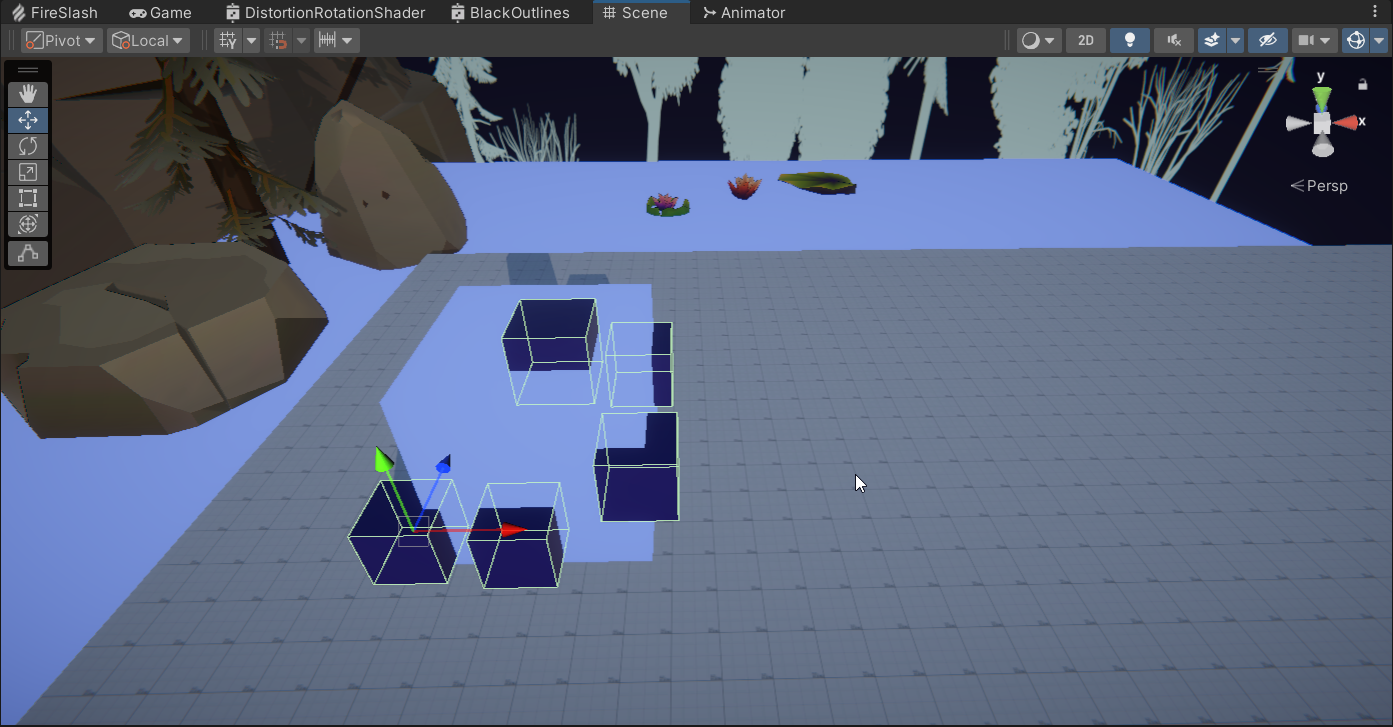

as you can see here, even though I have some cutout, it continues replacing all pixels beyond the depth it occupies
and it's because both the blue cubes and the floor there are are on the same layer, basically like your single mesh

but if I stick the floor on another layer then do I get that desired cutout
lilac sable
couldn't get a 3d mask nor the rendering with layers to weird either
posted a thread on the cesium for unity forum hoping someone there can help

Cesium Community
I’m using URP in Unity with Cesium to create a 3D globe using Google 3D tiles. Now I want to hide certain buildings in the tiles and replace them with my models. I can place my models no issue but I’m having trouble finding out how to hide the 3D tiles in a given area. Example: I’ve got this building and this cube. I want to make the cube tra...
lets hope
lilac sable
this seems to be a specific solution for me