#↕️┃editor-extensions
1 messages · Page 72 of 1
 rare surge
Yea I know.
 onyx harness
And the illusion here is created either by the test you did
or UnityEvent doing something else
or an other factor
Can you collapse one of the other?
Maybe the illusion only works on the first element
All the others are gonna do shit
rare surge
No they do shit
The next unityevent was smaller.
I changed GetPropertyHeight. Instead EditorGUI.GetPropertyHeight I use base.GetPropertyHeight. Now they collapse and draw like it should.
But also if you say layouts will make problems in the feature I will change
onyx harness
I will mark it in red in my futur tutorials
Do not use GUILayout in PD if you don't grasp how works GUI and GUILayout
For your case, a lot of things might be done under the hood
That's maybe why when you fixed your GetPHeight it worked
But in any normal PropertyDrawer, when you draw from them, you use GUI.
Which is fixed in the 2D space.
By using GUILayout, you will draw after the latest GUILayout drawn.
Which can be anywhere.
If you are at the top, it will be right below the Component header.
That's why your case above (first element of the Component), it works. But it's an illusion
 chilly stone
Yeah being forced to use absolute instead of relative layout in PD sucks
I'm too much into UIE, becuase of that now all IMGUI code looks ugly to me 
 split bridge
@onyx harness If you have time, I suspect I need your editor genius. I have a property drawer which draws a dropdown. On press, pops up an editor window. Code a bit like: cs bool pressed = EditorGUI.DropdownButton(btnRect, content); if (pressed) { dropDownRect = EditorGUIUtility.GUIToScreenRect(btnRect); EditorWindow.CreateInstance<MyEditorWindow>().ShowAsDropDown(dropDownRect, new Vector2(200, 200f)); }
So far this has worked well.
The problem is if I override the height for my property drawer (as I want to draw an additional element), it seems to mess with the popup window location.
I'm guessing I have a basic misconception somewhere. EditorGUIUtility.GUIToScreenRect is returning sensible values in both cases (though I've just noticed the height is 17.8 instead of 18 🤔 )
Gah, rubber ducking fixed it - thanks 🤣 . Likely because I didn't round the height for my additional value 👍
onyx harness
@split bridge Good job 🙂
onyx harness
Dont mind him, he is reluctant to open his eyes 🍿
 tough cairn
it saves time ¯_(ツ)_/¯
also i have something to show u mikilo
Reflected code from an assembly scanned the method body into graph view
tough cairn
indeed
wasn't expecting so much lag
it was fast when the assembly was small
( less then 1k nodes )
but once i gave it real stuff ( in that case i was looking at Obi physics ) it was too damn slow
tough cairn
was thinking to auto hide elements when outside of the view port
not sure how to do that yet
gonna be adding forces to the graph next
so it will auto align using a physics simulation
aka "Force-directed graph drawing"
onyx harness
was thinking to auto hide elements when outside of the view port
@tough cairn It's called culling
tough cairn
not rly ... anyhow ill ping u if i end up doing it 🙂
chilly stone
||Fuck IMGUI and anyone who was developing it thinking "yeah, that shit would be scalable and actually save time!" /rant||
tough cairn
chilly stone
Yes, and it's a popular one
tough cairn
ur anger is ur opinion i have nothing against u or UIE
chilly stone
Then why respond?
chilly stone
🤷♂️
onyx harness
I like IMGUI for the speed.
Kinda very good for Editor world (while also very weak & poor), where you are not "really constraint"
But where I am confused is how they decided it would fit for runtime
 severe python
I like UIToolkit for the speed
specifically, you get more consistent speed because you don't need to understand as much about how IMGUI works on a low level to make sure you produce high performing code
something I always like to say, Your tool could solve pi to a billion places in 30 minutes, and no one would care if they couldn't figure out how to use it
Ease of consumption is an exceptionally important facet of product design
onyx harness
Gah, rubber ducking fixed it - thanks 🤣 . Likely because I didn't round the height for my additional value 👍
@split bridge I find it very surprising that rounding the height fixes your issue.
split bridge
I think when the height of the popup param is less than the height of the button or something like that it thinks the most optimal place is above the button - I believe anything less than 18 it would be above, anything >= 18, below
 civic river
@tough cairn Graph View has a hard render limit of like 600-700 items it seems like.
if you find a way to render more let me know ;p
526 items pictured their
wouldn't instantiate more
(or maybe just stopped drawing them)
 gloomy chasm
@civic river I would be surprised if that was the case tbh. But if there is a hard limit, I would imagine it would be with UIToolkit, not the graph view. That is about 18k Visual Elements there if I had to guess.
civic river
Yeah it looks like they're added to the UI elements just not rendered
childCount still goes up
 leaden lodge
I'm working on an asset that I'd like to sell on the asset store. There are features I am specifically building this asset for that are only available in versions of Unity newer than 2019, yet the Asset Store Importer says packages must be submitted with 2018.4 as the minimum. I'm having a bit of a dilemma here because I can't just disable most of the functionality of my asset to submit on an older version, that would miss the point of the asset entirely. So what do I do here?
onyx harness
You can submit for versions above 2018 @leaden lodge
onyx harness
The requirement is to handle 2018 or later
They oldest LTS
You can hit the support to ask
leaden lodge
So I can choose to have 2019.1 as my minimum version?
leaden lodge
hm
Yeah I think I'd rather have a definite answer, no offense
I'll contact support
split bridge
Also yes - I had an asset valid only for 2020.1 or newer accepted
onyx harness
🙂
leaden lodge
haha for sure yeah they're not clear sometimes
I was wondering if this was an oversight or something
onyx harness
But it was brought to us to support the LTS and no the 2017 or lower
For when 2019 LTS was to come
If tomorrow I am releasing an asset for 2020.1 only, they won't have a word on it
I might even say, it is somehow "advised"
leaden lodge
Yeah I guess it's a suggestion
onyx harness
Because scripting editor can be hard to maintain in the long run
It's a way to release a version per yeah
2019, 2020, and so on
So now I'm sure, yes you can
leaden lodge
The asset I'm working on is using VR features only available in 2019+ so to go back and redo parts of the asset to work with the old VR stuff would defeat the purpose, so I'll definitely just try to submit with just 2019 and see how it goes
split bridge
I'm willing to guarantee if it gets rejected it won't be for lack of support < 2019 😄
leaden lodge
What are some common things assets get rejected for?
leaden lodge
that first one sounds harsh lmao
onyx harness
It is possible
If they judge that your asset is poor quality or there are already too much
it is possible
But they recently made a huge change in their backend
To automate validation
We, publishers, are pretty pleased by this change
It was hell, now it is just a little less hotter
leaden lodge
interesting
I'm a bit nervous, this is my first asset so I'm trying to make sure all my t's are crossed, i's dotted, etc
onyx harness
You have a long road ahead
leaden lodge
I hope that's a good thing!
 vapid scarab
is it possible to display the AnimationClip preview window, inside my own editor window?
my use case is i want to use it to select a frame/time in an animation
civic river
Unity's type cache doesn't scan properties, so I'm having to manually scan assemblies
        public List<Assembly> GetLoadedUnityAssemblies()
        {
            var unityAssemblies = CompilationPipeline.GetAssemblies();
            var systemAssemblies = System.AppDomain.CurrentDomain.GetAssemblies();

            List<Assembly> compilationAssemblies = new List<Assembly>();
            foreach (var asm in systemAssemblies)
            {
                foreach (var uAsm in unityAssemblies)
                {
                    if (asm.FullName.Contains(uAsm.name))
                    {
                        compilationAssemblies.Add(asm);
                    }
                }
            }

            return compilationAssemblies;
        }
This works but it seems pretty hacky (and potentially slow), is their a better way to get the loaded unity assemblies for the compilation?
civic river
Also on the same line of thought, if anyone knows of a way to checksum an assembly or something, I'd like to skip scanning assemblies that haven't changed since the last time I looked
Though this whole process is way faster than I expected it to be lol
 waxen sandal
You could make hashtables of the names
But it probably doesn't matter much on that scale
How do you guys solve the loading or icons and stuff for editor stuff?
AssetDatabase requires a full path so you can't really move your directory and afaik there's no easy way to detect where it is right?
waxen sandal
Eh, just finding the asmdef and combining it with a relative path works fine for now
onyx harness
How do you guys solve the loading or icons and stuff for editor stuff?
@waxen sandal I embed icons in code.
waxen sandal
wdym?
onyx harness
Unity's type cache doesn't scan properties, so I'm having to manually scan assemblies
        public List<Assembly> GetLoadedUnityAssemblies()
        {
            var unityAssemblies = CompilationPipeline.GetAssemblies();
            var systemAssemblies = System.AppDomain.CurrentDomain.GetAssemblies();

            List<Assembly> compilationAssemblies = new List<Assembly>();
            foreach (var asm in systemAssemblies)
            {
                foreach (var uAsm in unityAssemblies)
                {
                    if (asm.FullName.Contains(uAsm.name))
                    {
                        compilationAssemblies.Add(asm);
                    }
                }
            }

            return compilationAssemblies;
        }
This works but it seems pretty hacky (and potentially slow), is their a better way to get the loaded unity assemblies for the compilation?
@civic river do you really need to compare?
civic river
yeah unless there's some some better way to get the loaded assemblies
CompilationPipeline doesn't return System.Assembly
that's why I need to compare
waxen sandal
You can get them by name
onyx harness
yeah unless there's some some better way to get the loaded assemblies
@civic river OK, that's why I hate those 'var' keyword, makes code unreadable.
chilly stone
@onyx harness oh are you one of those var haters? Sure, it makes code unreadable when you work in notepad++ where there is no intellisense
If code is unreadable the problem is certainly not in var
onyx harness
I'm in Discord, and I don't have intellisense over there unfortunately
I'm in GitHub and also don't have it
I'm on my smartphone and still no sign of it
chilly stone
I was referring to why you don't use it in your code
You work in IDE like VS or Rider
onyx harness
When in a professional world, you have to review a colleague
You won't have intellisense
chilly stone
Sure, but the problem is usually in variable names, not in vars
asm or uAsm is very poor names but code above is still pretty readable, no?
chilly stone
I don't see a problem with a small code example above, but when you get to look at 100+ line method and there are variables with weird abbreviations you can easily get fooled
I'm not even talking about local methods... That's another topic
var in foreach it's kinda obvious what's going on, unless you're casting to another type, then yeah var will be confusing
var in small local scopes is fine too, the key is proper naming, if you're gonna show your code to someone and expect them to quickly understand what's going on
split bridge
Eh, just finding the asmdef and combining it with a relative path works fine for now
@waxen sandal Fwiw I also do this and don't know of a better way. Have to be really careful with UI Builder not saving asset relative paths if you use it fyi.
onyx harness
var in small local scopes is fine too, the key is proper naming, if you're gonna show your code to someone and expect them to quickly understand what's going on
@chilly stone And what do you think happened just there? Small code, small scope, got fooled
I will correct the word if you prefer, it makes the code less clear, less understandable
Might sound strange or even stupid for most
And I will never blame someone for not liking my way of coding
But I code in a veeery verbose way.
chilly stone
That's a personal preference then 👀
onyx harness
For the simple reason, when I read my code, my brain does not process
Yeah yeah, I'm not saying the opposite
But "var" making the code less clear is not an opinion, it's more a fact
chilly stone
It's making code less verbose, but that isn't always a bad thing
chilly stone
Dictionary<int, List<GameObject>> gameObjectDictionary = new Dictionary<int, List<GameObject>>();
In those cases I prefer var
civic river
@waxen sandal Unity uses a different naming convention to store assemblies
Or at least the compilation pipeline does not conform to anything system.app domain likes
onyx harness
Dictionary<int, List<GameObject>> gameObjectDictionary = new Dictionary<int, List<GameObject>>();
In those cases I prefer var
@chilly stone I would also agree, because it's redundant
and Microsoft is thinking the same
As they introduced a new way of declaring variable
C# 9 if i remember
chilly stone
What's the new way?
chilly stone
Oh that...
Interesting, so in that case there's no need for var
But that doesn't... reduce the amount of code?
onyx harness
If it makes the code harder to read, yeah var is necessary
chilly stone
Point p = new (3, 5);
var p = new Point(3, 5);
Literally the same
onyx harness
Few characters, negligeable. Like a lot of sugar syntax
chilly stone
I like syntax sugar like expression body methods
onyx harness
In the case of an allocation, it makes it clear
But in the case of a return, you won't have the Type
It depends on people, debating about that is not useful, but even in VS/Rider, I don't want to "hover" to get the information
chilly stone
Well in Rider you don't even need to hover, it's there
onyx harness
That's good, but I don't use Rider
chilly stone
You should 👀
chilly stone
It's free for students 👀
onyx harness
😄
civic river
Ahh, that explains why you don't like var
I was like Rider tells you exactly what the type is
whats the problem officer
Ahh, assembly.load not loading from app domain. That worked, nvm @waxen sandal thanks ;p
chilly stone
@whole steppe just use this https://github.com/cfoulston/Unity-Reorderable-List
 elder marsh
sorry for bad screenshot :/
working on a node editor for dialogue but a lot of things end up really hard to do because of unity GUI not being built for this kinda stuff
any suggestions?
ping if u respond
civic river
Yeah, they have an API that is made for that kind of stuff though @elder marsh
https://www.youtube.com/watch?v=7KHGH0fPL84
There's also https://github.com/Siccity/xNode if you hate unity api's for whatever reason
 empty island
Everytime I apply my Prefab, I still see stuff in the overrides, what's the issue here? It's happened in the previous versions I tried too for a while
ah nvm, it's probably because of something weird with an asset I have, but it hasn't affected me negatively, I'll just ignore it
 kind vector
I am trying to make an EditorWindow that replaces selected GameObjects with prefab instances. It mostly works, but though the object I supply it as "prefab" is indeed a prefab, the objects that are created are not blue. How do I make it keep these prefab relationships? https://hatebin.com/eviupkpoqm
kind vector
Thanks! Will try it
 undone flicker
so i am using Cinemachine for my third person camera . I was wondering if there was a way to make the camera only move when i hold the right click button ?
 viral dune
Hi, i'm using animationCurve, how do i make the line thicker ?
it's hard to see
or just color the area under the curve
 ebon helm
Hey guys, I want to use the new build settings asset to run multiple builds for different platforms of my game. Problem is I need to change a scripting define symbol for every platform and add a specific prefab to the Initialization scene. Also I cant find a reference for how to use the build settings asset from a editor script. Anyone done this before ?
 whole steppe
Looking for a way to make a tooltip for EditorGui because i am using Reoderable list and i can not use EditorGuiLayout( where you can use tooltips)
waxen sandal
GUIContent?
onyx harness
Almost any GUI can have a tool tip
whole steppe
but i don´t know how to implement it
ok got it working:
item.id = EditorGUI.IntField(new Rect(rect.x, rect.y + 40, rect.width, EditorGUIUtility.singleLineHeight), new GUIContent("ID", "Unique ID"), item.id);
thanks Navi
whole steppe
The first item has so alot of empty space at bottom while other items are normal. how comes?
Been trying to figure this out for a few hours now.
even if i remove all items and list is empty, then if i add some items to the list same behaviour
onyx harness
Code, we need code
whole steppe
what a bug.
i will just use my backup form yesterday. woudl take too long to find out what the issue is
because even if i replace the whole code from this script with my backup script the bug is still there but when i open the backup everything is normal
onyx harness
Code, I ask for code
chilly stone
Maybe he doesn't wanna share his sacred code, because it'll blow your mind if you look at it... He's doing you a favor
whole steppe
nothing special, but as mentioned it seems like something else is causing this weird behaviour
onyx harness
Remove line 44
You used GUILayout in a fixed GUI code, that is the first mistake
Then the HeightPerElement, hum... Might not be reliable
Tell me if it changes /fixes the result
whole steppe
still same
something else is causing this.never mind i will just use my backup.thanks guys.
i was just really curious what could be causing this.
waxen sandal
@shrewd remnant no You just make a new one and name it w/e you want
 shrewd remnant
you didn't understood i have an asmdef in it i want to define Assembly-CSharp dll as reference
waxen sandal
Oh, no
Assembly-csharp automatically references your asmdef, so you would have a circular reference
shrewd remnant
but looks like its not as when i try to refence a namespace with says its not possible
whole steppe
is the OnInspectorGui a good place for this:
serializedObject.ApplyModifiedProperties();
onyx harness
There is no good place for this
As long as you modify a SerializedObject, this can be invoked
(It is not related to UI/GUI if you prefer)
whole steppe
because i have a UnityEvent field called OnInteract
SerializedProperty itemProperty = serializedObject.FindProperty("items").GetArrayElementAtIndex(index);
SerializedProperty unityEventProperty = itemProperty.FindPropertyRelative("OnInteract");
EditorGUI.PropertyField(new Rect(rect.x, rect.y + 60, rect.width, EditorGUIUtility.singleLineHeight), unityEventProperty);
What am I suppose to do with this information? 🥷
waxen sandal
IIRC Unity checks whether something was modified so it shouldn't really matter
It's still good practice to wrap it in a changecheck though
waxen sandal
Nah
 steel lantern
I've got a quick question about extensions and add ons in general. If I'm working in a small team and purchase an asset from the asset store, will that be available to everyone working in my team? (For example, peak from the unity humble bundle)
ebon helm
well if you check the license in the asset store it says "Extension Asset
One license required for each individual user."
steel lantern
Thanks for the info
ebon helm
So Im experiencing a bit of a conundrum here. I'm writing a little build system to handle my builds for different platforms and I need to change the scripting define symbols for each platform, but that triggers a recompile and then the build cant run and I cant for the life of me find a way to wait for the compilation to finish from the same script since it gets reloaded. Any ideas anyone ?
onyx harness
Write a file
After recompilation, check if the file exists
If yes, continue your operation
Or use SessionState instead of file
ebon helm
well I did go that way but instead of a file I used EditorPrefs but that seems like a bad hacky way lol
 scenic sand
i was asking this in general-code but it may be more on topic here
i am trying to write a script to automatically generate spritesheet data
but nothing i do with textureimporter actually saves
Pastebin
Pastebin.com is the number one paste tool since 2002. Pastebin is a website where you can store text online for a set period of time.
https://pastebin.com/UkVh1KgG this also doesn't work
Pastebin
Pastebin.com is the number one paste tool since 2002. Pastebin is a website where you can store text online for a set period of time.
scenic sand
ok i got it to save the changes but it resets any pivot points i give it to 0.5, 0.5
omg i wasn't setting the alignment
sigh
 solar basin
how do you get the serialised property value within an editor script
so there's serializedProperty.vector2Value, serializedProperty.stringValue, serializedProperty.gameObjectRefrence, etc. but what about custom objects
 visual stag
You cannot get the whole object using serialized properties, though you can display it with a PropertyField
solar basin
like this, how do i access a and b within an editor script
visual stag
if you have a SerializedProperty of your Container instance then you can FindPropertyRelative("a")
solar basin
ah, thanks
chilly stone
@visual stag fyi you can get the whole object from SerializedProperty using some reflection trickery 😉
visual stag
I know
onyx harness
XD
visual stag
Here's my terrible bullshit way of getting it https://github.com/vertxxyz/Vertx.Utilities/blob/eb244b2d4ed6241de36e8b7f409814b076868c02/Editor/EditorUtilsProperties.cs#L145

GitHub
General Utilities for Unity. Contribute to vertxxyz/Vertx.Utilities development by creating an account on GitHub.
Not super relevant though
chilly stone
onyx harness
While Krendel's implementation is easier to read.
I find it funny that you implemented Property lookup in there, and also that you keep searching if the path has a null
visual stag
All of my utility functions are shite refined when I needed it, I think half of them are copy pasted from various utility things I wrote years ago. Maybe I'll clean them up... Too many other things to do first
It's also very easy to write things that work just for you, and then later on you realise it doesn't handle some BS generics scenario or whatever
Then make a test to check whether you can get every single property successfully in an entire project... Really just tainting that original thing you wrote that may have been nice and condensed :D
split bridge
I have some runtime code with tests I want to run only when in editor. These editor tests I'd like to have optionally run based on a setting stored in preferences (settings provider). The issue is the setting lies within an editor asmdef and the runtime within the runtime asmdef. Obviously I don't want to add the editor asmdef as a reference to the runtime one. Is there a common pattern for dealing with editor-only runtime tests? Ideas I've come up with so far:-
- I could have an editor script that sets a runtime static e.g. after compile/domain reload but that feels gross.
- I could maybe ifdef Unity_Editor and do an EditorPrefs check with a duplicate of the settings bool.
- I could potentially pull the settings out into a third shared asmdef. Seems a bit of a shame with the majority of other settings being editor-only.
Any thoughts / approaches I haven't considered?
onyx harness
Things are gonna get real when properties will be able to receive SerializedField attribute
The issue is the setting lies within an editor asmdef and the runtime within the runtime asmdef.
@split bridge I'm kinda confused here, what runtime?
split bridge
playing in editor
split bridge
in my case it's not unit testing
split bridge
For warning a user what they're doing is non-deterministic
split bridge
Ok a little convoluted. I went with the 3rd asmdef route for now. This asmdef requires AssetDatabase so doesn't want to be included outside of editor or bring any editor namespace into build/runtime. Looks like I can walk the line by setting a define constraint of UNITY_EDITOR for the shared asmdef yet supporting all platforms and wrapping runtime calls in #if UNITY_EDITOR. Just in case anyone needs to do something similar.
 frozen cove
Hi guys,
I believe this is a pretty common problem, but google has failed me.
I have a custom PropertyDrawer using EditorGUI.Popup to show an array of strings.
It works as intended until I select multiple GameObjects in the hierarchy.
How can I get the correct behaviour for editing multiple objects?
Code here:
https://hatebin.com/lcdzgmypql
waxen sandal
It always overriding is probably an issue in your code since it shouldn't unless you change it
frozen cove
possibly, my code to change the dropdowns is only the following:
private void OnValidate()
{
    if (pageManager)
        targetPage.strings = pageManager.GetPageNames();
    else
    {
        targetPage.strings = new string[] { "No Page Manager Found" };
        targetPage.selectedIndex = 0;
    }
}
If I understand correctly, Onvalidate shouldnt even be called (I can check this) and even if it is, each OnValidate only has reference to its own StringListDropdown class.
waxen sandal
Shows your propertydrawer
frozen cove
Shows your propertydrawer
@waxen sandal Sorry I don't follow?
waxen sandal
I have a custom PropertyDrawer
Show the code
frozen cove
The code for the property drawer is in the link: https://hatebin.com/lcdzgmypql
waxen sandal
property.FindPropertyRelative("selectedIndex").intValue = EditorGUI.Popup(position, property.FindPropertyRelative("selectedIndex").intValue, possibleNames.ToArray()); is the issue
Only set the value if it's changed
You can do a changecheck
waxen sandal
https://docs.unity3d.com/ScriptReference/EditorGUI.BeginChangeCheck.html or https://docs.unity3d.com/ScriptReference/EditorGUI.ChangeCheckScope.html

And you might be able to use this https://docs.unity3d.com/ScriptReference/EditorGUI-showMixedValue.html
To show the multi select value
Not sure if popup supports that though
frozen cove
ok I'll have a read.. just jumping in trying the following:
EditorGUI.BeginChangeCheck();

// Display list of dropdown options
int newSelection = EditorGUI.Popup(position, property.FindPropertyRelative("selectedIndex").intValue, possibleNames.ToArray());

if(EditorGUI.EndChangeCheck())
    property.FindPropertyRelative("selectedIndex").intValue = newSelection;
^ It works!
Thank you so much!
Really appreciate it
chilly stone
That feel when people don't cache things like FindPropertyRelative 👺
frozen cove
I do now, I was just getting it working first 😉
Though do you cache it inside or outside of OnGUI?
Mine is currently inside
onyx harness
To check if you do good code.
Run the profiler in deep profile.
Inside, or OnEnable/Awake or equivalent when you can
GUI stuff can only be initialize in an OnGUI() context
frozen cove
Cheers, I'll try that now
Actually, tomorrow now is more likely.. I'm out of time
@onyx harness What's the equivalent OnEnable/Awake for a PropertyDrawer? I looked at the docs and tried CreatePropertyGUI but no luck.
onyx harness
It is GetPropertyHeight if you use it
frozen cove
I've used it elsewhere, I'll try it now..
frozen cove
Ok, I'll cache in OnGui 🙂
could I be cheeky and ask another question..
In GetPropertyHeight, I've overridden it for another propertydrawer..
If I have an array of these PropertyDrawers however, they all have the same height as the last one in the array
onyx harness
I dont see the question
frozen cove
yeah I was just trying to phrase it when I noticed it's more complex than that.. let me get a video...
It's hard to see... but the line "Possible Values: ...." is under the "On Value" property.
The height of the PropertyDrawer in the first element in the array is affected by others in the array.
public override float GetPropertyHeight(SerializedProperty property, GUIContent label)
{
    return base.GetPropertyHeight(property, label) + extraHeight; // Add # pixels height to this property drawer
}```I have an array of these PropertyDrawers however, they all have the same height as the last one in the array
@frozen cove I want each one to have its own individual height. (Not all InputValues have "Possible Values:..."
onyx harness
how is calculated extraWeight?
frozen cove
Outside OnGui:
private int extraHeight;
private const int EXTRA_HEIGHT_EXAMPLE_LINE = 18;
...
onyx harness
So is it 0?
frozen cove
to begin with extra height is 0, when I want to add an extra line I call:
extraHeight += EXTRA_HEIGHT_EXAMPLE_LINE;
... from inside OnGui: Based on the selection of dropdowns
onyx harness
This is an issue.
GetPropertyHeight is called before OnGUI
That's why I mentionned GetPropertyHeight if you use it, or OnGUI
frozen cove
Ok.. but it does it correctly increase the height of a single property drawer...
onyx harness
I'm sure there must be an illusion somewhere
waxen sandal
You shouldn't use ongui to calculate your property height
It'll turn into a buggy mess
frozen cove
What you see here is the correct behaviour
frozen cove
oooh my code size will explode
onyx harness
You are doing something wrong then
GetPropertyHeight will calculate the height
You are not sppose to do it twice
Because the height will be provided into the Rect position
waxen sandal
Also use EditorGUIUtility.singleLineHeight
frozen cove
Ok I'll see what I can do.. but it does look like GetPropertyHeight is called more than just once, perhaps after OnValidate?
So will this really prevent other PropertyDrawers of the same type affecting the height of others?
onyx harness
Look at it like you are late when drawing
Element A will draw with original height.
Element B with A's height.
Element C with B's height.
frozen cove
ahh I see! Yes that's definitely what's happening
I'll have to look at implementing the fix tomorrow, I have to run now.
Many thanks to you both.
 wide grove
Allo all. I'm trying to draw a procgen mesh (so NOT an asset) in an inspector so I try to render it in a Rendertexture with graphics drawmeshnow after setting up material and matrices but it doesn work...
It seems everything is the clear color
onyx harness
Where is it failing?
wide grove
here is the code, and its just white in the end
oh damn i though this could be folded
onyx harness
When posting code, either use an external site, or at least, remove the indentations
And don't forget to append "cs"
wide grove
ok taking care of it.
onyx harness
Otherwise pretty hard to read on a mobile
wide grove
whats the goto for code sharing these days ?
ok here it is https://pastebin.com/1LENhzq8
Pastebin
Pastebin.com is the number one paste tool since 2002. Pastebin is a website where you can store text online for a set period of time.
onyx harness
My question is more about, where it fails, is it the rendering into the texture, the generation, the drawing of the texture?
wide grove
im guessing the rendering because the texture show, in white, the clear color of the render texture
im using the main cam matrices so i can move around in case my mesh is misaligned
wide grove
yes
onyx harness
and drawing it
wide grove
im wondering if its because it's happning in a oninspectorgui and the render states are all weird
i cant check in renderdoc either because I don't think we can look into things that are not a scene or gameview
wide grove
it probably was bad matrices because sundenl now it works
wide grove
yeah I moved my camera a nd found it. I think the camera might have been inside it ? I don't know
frozen cove
On a custom PropertyDrawer:
Can anyone help explain what this error means, and why the same call to fieldInfo.GetValue() errors in one script but not the other?
Full code: https://hatebin.com/rgntgrluyj (Included working and non-working code)
Error: ArgumentException: Field IC defined on type Test_InspectorComparator is not a field on the target object which is of type UnityEditor.SerializedObject.
onyx harness
The argument provided o GetValue is of type SerializedObject.
While you are willing to work on a Test_InspectorComparator
frozen cove
So it is.. I'm wondering if that's a copy paste error to hatebin..
no, that's my error everywhere..
should open my eyes..
Cheers @onyx harness
when the simplest most obvious things waste the most time 😦
onyx harness
It happens
frozen cove
Now my property drawer is nested and inside an array, inside a class, the 'fixed' line is erroring again:
InspectorComparator IC = fieldInfo.GetValue(property.serializedObject.targetObject) as InspectorComparator;```
I essentially have the following:
http://codebin.herokuapp.com?s=5f73b5cc08fe0e0004000002

I guess I need a different method of getting the target script in line 21 now?There is no best to debug than to print a debug
In your case, you are still confused by the Object
targetObject is the base object. Could be your Component, your GameObject, your Transform, any Object
Here we have a MonoBehaviour.
You need to extract inputValues first, then only you will be able to access onValue
@frozen cove
frozen cove
Ok I understand, so I can do the following:
ComparatorData[] inputValues = fieldInfo.GetValue(property.serializedObject.targetObject) as ComparatorData[];
inputValues[i].onValue ...
However is there a solution which works in both scenarios, a nested and none-nested PropertyDrawer?
onyx harness
Nope you got it wrong
inputValues is ComparatorData.
Not ComparatorData[]
Yes, using the propertyPath from property
frozen cove
ahh you are right, I have since modified my code.. one moment
onyx harness
Look up this channel
Krendel and vertx provided 2 solutions to fetch an object based on a SerializedProperty path
just this morning
frozen cove
thanks,I'll take a look now.
The updated code http://codebin.herokuapp.com/?s=5f73b83008fe0e0004000003
The array above is now correct.
Thanks @onyx harness I have it working utilising @chilly stones EditorExtensions.GetTargetObject which I mostly understand.
Krendel are you happy for me to use this?:
https://github.com/Krendeled/Untitled-Ball-Game/blob/master/Assets/_Project/Scripts/Editor/EditorExtensions.cs
The project is for an internal tool and wont be part of a published application on any store.
chilly stone
GetTargetObject code itself is copied from someone I can't remember, feel free to use it :)
frozen cove
Thanks 🙂 appreciate it.
 quiet yarrow
does anybody know how to default fields to being "unfolded" that start as folded? Like, I have a 3x2 array that I want to not have to click to unfold
 split gulch
Hi there ! I have no idea in what channel to ask this but have you ever encountered a bug between Visual Studio and Unity where they don't sinc eventhough I've set Visual to be my default code editor and I have the right plug ins from visual's side of things and the right assemblies
chilly stone
When do people will put on glasses and read channel descriptions...
split gulch
yes that's exactly why I started with "I have no idea in what channel to ask" if you could at least redirect me to the right channel ? I did not put it in any random channel, I just genuinely have no idea in what channel this belongs...
 heady shadow
@split gulch #💻┃code-beginner
split gulch
thanks a lot 🙌
kind vector
Trying to use EditorGUILayout.Popup(), and the Popup value never "sticks" when I alter it, and the return value is always the same as initially. https://hatebin.com/rknwudovyh
kind vector
Possibly related: this is not inside an Editor extension, but a runtime MonoB's OnGui().
onyx harness
Hum... should not be related
whole steppe
is it possible to create a reorderable list within a reorderabel list? Right here:
i have a List<MyCustomClass> and i want the user to be able to add as many items as he wants
kind vector
a smaller, pared down failure case: https://hatebin.com/mbuusrmtsd
onyx harness
@kind vector I just think Popup can not be used for runtime
kind vector
how weird. I can't understand why these two realms are split, anyway. At least, not in this case. It there a simple alternative that I can use (other than an array of buttons)?
onyx harness
Popup implies the use of a real menu (the popup)
yes
Use a button
When you click, you increment, if you pass, you go back to 0
kind vector
so needlessly restrictive. The whole thing appears to work, except for the part of not working at all 😉
onyx harness
if it works, it works
waxen sandal
Popup just like all other controls returns the new value
And doesn't adjust the parameter you pass into
onyx harness
Why do you say that? O_o
waxen sandal
Look at his code
onyx harness
And what should I see?
waxen sandal
Test index is never changed because he's not using the popup return value
 flint sundial
how do i make a menu please help
onyx harness
This code was a test
whole steppe
Maybe you can help me, i was just really curious how to add a target to a UnityEvent Component, been looking everywhere but i can not find any related topics on the internet. There is unfortunately not the "SetPersistantTarget" like the GetPersistantTarget.
onyx harness
He does indeed change the index correctly
Look at the code previously mentionned
(Not his latest hatebin, the one above)
whole steppe
i just wanted to save the user some time and make it more user friendly, so that the target (GameObjetc) is inserted automaticly
onyx harness
Anyway, the problem in his latest code is that, nothing will ever be printed
waxen sandal
Right that's different, I assumed that the last one was a stripped down repro case
onyx harness
@whole steppe There is some API to register/unregister callbacks
whole steppe
Could you redirect me to somewhere.
onyx harness
UnityEvent.AddListener
whole steppe
Well i looked into the AddPersistantListener and stuff
whole steppe
SerializedProperty unityEventProperty = itemProperty.FindPropertyRelative("OnInteract");
this is the UnityEvent field.
waxen sandal
You should look into the structure of the Unity Event Class
whole steppe
i did, but there is nothing like SetPersistantTarget
 prime mulch
I wonder if unity is considering on buying odin inspector. That would make the default editor much better.
chilly stone
You wish
 plucky nymph
Hey all 🙂 I have a class with an array of classes, and each of the children classes has a GameObject field. How would I go about showing this within a custom inspector?
I usually use serialised properties for gameobjects, but that wont work here
onyx harness
Why is that?
plucky nymph
Because its a list, and the items change. Hard to prepopulate a serialised property if it doesnt exist.
I think ive found a way using ObjectField though
whole steppe
is it possible to create a reorderable list within a reorderable list?
if i could do that then my project would be pretty much finished.
plucky nymph
Anyone know how to center the buttons to the objectfields? Code is as follows:
EditorGUILayout.BeginVertical();

Item i = cc.inventory[counter];
if (i != null)
{
    i.icon = (Sprite)EditorGUILayout.ObjectField(i.icon, typeof(Sprite), false, GUILayout.Width(128), GUILayout.Height(128));
} else
{
    cc.inventory[counter] = (Item)EditorGUILayout.ObjectField(cc.inventory[counter], typeof(Item), false, GUILayout.Width(128),
    GUILayout.Height(128));
}
if (GUILayout.Button("X", GUILayout.Width(100)))
{
    cc.inventory.RemoveAt(counter);
    break;
}
EditorGUILayout.EndVertical();
why is the 2. reorderable list not being drawn inside of the tab3 but outside
it is being drawn outside of the reorderable list 1
so i am probably trying something that no one before tried to do. reorderable list inside another one. not sure if it is possible tho.
onyx harness
You used Layout I guess
whole steppe
line 87 Mikilo ?
wow it works, you are right man!
DoList(rect); did the job. Thank you so much!
 sand lava
Anyone can help me with Odin to understand a few things?
@sand lava Nobody? 😦
waxen sandal
There's probably an odin discord that can help you better
sand lava
I already was there and ask but got simply ignored 😅
 barren moat
Does anyone know if there's a hook to run code when specifically "Save Project" is called? (Not AssetPostprocessor or AssetModificationProcessor)
I'm trying to write a script that removes empty folders on "Save Project", but not immediately after creating them, nor while playing around with the Project inspector.
 winter stirrup
there's one when you save a scene but i don't think there's one for the whole project
split bridge
I want my asset (on the store) to use Unity.Entities Only if it's installed. To do this, I believe I need to have an entry in the asmdef with a conditional compile flag. The issue is, the presence of this entry in the asmdef seems to cause Unity to download the package as a dependency. Is there anything I can do about this other than somehow offering two completely separate packages?
 short tiger
@split bridge I suppose you could have an editor script that checks if Unity.Entities is installed and if so, it somehow enables something else
Maybe by unpacking a unitypackage
split bridge
Hmmmm
short tiger
It's also possible to ask Unity to ignore folders by adding ~ to their name
Either in front or at the end, can't remember
But I don't know if that would work inside Unity packages
Maybe it wouldn't import it then
split bridge
Appreciate the thoughts. Perhaps I could add the asmdef entry after installation 🤔
 naive oyster
I want to make second checkox in first line invisible
How can I update its visibility based on the first checkbox's bool
prime mulch
@sand lava I did the same thing. Can’t believe they have thousand of members? In the end we just didn’t buy their plugin. Odin looks good we know but their discord sucks really bad.
sand lava
Well today they appoligized for not answering and helped me now with every little thing I need today
prime mulch
Good for you. I hope unity made their editor api much easier like in odin soon. For now, we’ll just stay on what’s in unity. Good luck
onyx harness
@prime mulch Don't raise your hopes too much 🦧
 exotic quail
Hi - how can I style foldout to look like a bar/box instead of it being simple icon + label...? I think I've done such thing once but can't remember how...
waxen sandal
Foldout is just a texture + some text that changes the state of SerializedProperty.IsExpanded
Can easily add something around that if you want
By just changing the position of where it's drawn
Or just making your own
empty island
public float Completeness {
        get => completeness;
        set {
            completeness = value % 1;
            UpdateDoor();
        }
    }
Is it possible to show the non-encapsulated "Completeness" get/set in the editor?
nvm i can do something like
    private void Update() {
        if (Application.isEditor) { // because I can't set "Completeness" in editor, only "completeness".
            UpdateDoor();
        }
    }
It's like asking "can I show methods in the editor?"
No, you logically can't, and why would you? Properties are just get/set methods. Underlying value is what needs to be shown
short tiger
@empty island OnValidate might be a better fit here. It's called when values in the inspector are changed.
empty island
OnValidate might work (didn't know about this method), I'll keep that in mind 🙂
 real ivy
Hi guys. I got my custom editor working before, values are saved etc. I'm using the new UIElements and nested subasset SO
A subasset has List<OtherSOClassThat'sAlsoSubAsset>, but for some reason now i have 3 problems:
- The values of the OtherSOClass are just not saved after editor reopen
- The references of the List also become empty
- Sometimes, OtherSOClass appears blank in inspector, even in Debug mode
All my previous instances of the SO structure still have the values and references saved no problem
Only the new ones now, so i definitely changed something but really dont know where to start now...
real ivy
Ok i feel like an expert back then when i managed to make all these stuff fully working, then come back in a few months asking again some basic questions..
numField.RegisterValueChangedCallback((t) =>
{
  num = t.newValue;
});
This is enough to save the data, right? I dont need any more ApplyModifiedProperties() or AssetDatabase.SaveAssets() or AssetDatabase.Refresh()
Well, clearly i didn't have to back then and it worked, so is there any reason why
Basically i'm just trying to change some value in a FloatField, close editor, reopen and found the value is back to before it was changed
When doing this, ctrl+S doesn't seem to save anything (but i think back when it worked, it also didn't save anything..)
I recently added Json .Net for Unity, even though it's for completely different purpose. Could this (unintentionally) be affecting all these custom editor stuff too?
real ivy
Num is public field of OtherSOClass
real ivy
The context is kinda complicated.. i can post a pastebin but it's really long..
Involves nested ListView, polymorphic SO etc
 stoic island
Hello there, do any of you suggest UIElements over IMGUI for Editor at current state? I was experimenting with IMGUI and learned about UIElements, tried them out as I have a strong web background. Information about it is scarce and I couldn't manage to make it work. So, does it worth the hassle, should I tackle it?
onyx harness
UI Toolkit is definitely the future, is it bullet proof? Not yet.
real ivy
I guess i have to tackle each of these from the start..
I have a button that does this
            damageOut.Add(new NumberFormula());

            //

                    AssetDatabase.SaveAssets();
                    AssetDatabase.Refresh();

            damageList.Refresh();```
damageOut is a List<NumberFormula> in a SO
damageList is a ListView

This works, but when restarting editor, none of the adding changes are saved. What's the proper way to persist?
And if this is enough and should work, what could be making it not to work?Selection active Object?
 full vault
no
i need to get current path
i dont select anything
Selection active Object?
@waxen sandal oh yeah it works
how i can call begin rename file action?
full vault
@waxen sandal or its imposible?
waxen sandal
There's an api somewhere I just forgot where
full vault
and one more. How i can disable field changes?
i want to show them in inspector for debug but dont want to allow change value
There's an api somewhere I just forgot where
@waxen sandal If you don't remember, tell me where to look for it?
waxen sandal
Gui.enabled to disable controls
full vault
i need smth like attribute
 solemn ravine
full vault
solemn ravine
full vault
unity registry = all
 peak aspen
ayo is it weird i use atom as my code/text editor?
 stray hemlock
Can anyone help me out with this? Pls guys
So my prob is I have a FloatField in an editorwindow (using UIElements btw) which is bound to a serializedProperty of a float in the same editor window so that unity automatically handles the undo/redo.
After changing the floatfields values a few times and the undo stack is updated with the change cuz its bound to a serializedProperty, now if I close the editor window the undo operation for changing the floatfields are still present and if I hit the undo Ctrl Z now there r empty undos in the place of the floatfield values being undoed cuz the editor window is closed.
What I need is to be able to undo the floatfield when the editor window is open but when I close the window I want to delete the undo commands in the undo stack for the times I changed the floatfield
Pls I really need some help in this. Editor scripting is killing me
stray hemlock
@real ivy u need to use the other commands u mentioned
@real ivy r u could bind the field to a variable and then u wouldn't need to
real ivy
Ok, so fixed my issue by simply doing SetDirty. Setting the object's field directly works (like how it has been for me), not sure why i need the SetDirty now and not then
@stray hemlock No, i only use RegisterChangedCallback and directly set newValue to the field
Keep in mind tho my setup is already pretty far and tbh i cant remember the whole "workarounds" i did so far with this thing, so.... "setting fields directly instead of from SerializedProperty" may not apply for everyone
 tribal skiff
hello!
how would I make an editor slider without a label at the left side and without a property feild in the right side?
 restive ember
Any idea why my Anchors Presets get restart after save project?
Before save
After Save
 sullen relic
hi i found an amazing autosave extension i love
onyx harness
And you expect us to download and import this package like that? X)
 robust mirage
I've been talking through a gradient mapper editor extension in #archived-shaders. What changes would I need to add to my script to change the Gradient Property Name field to a dropdown menu that lists all Gradient References I have in my shader graph blackboard?
onyx harness
PropertyAttribute & PropertyDrawer
robust mirage
currently I have these parameters declared at the beginning of my script
[Header("Gradient map parameters")]
public Vector2Int gradientMapDimensions = new Vector2Int(128, 32);
public Gradient gradient;
public string gradientPropertyName = "_GradientMap";```where would I add in PropertyAttribute and PropertyDrawer
onyx harness
Attribute must be on gradientPropertyName
Because you want to modify how it is drawn
And then you will have to implement a PropertyDrawer to make your own GUI for it
robust mirage
hmmm
Are shader references a serializable class I can put in a CustomPropertyDrawer?
I'm reading in the documentation that CustomPropertyDrawer expects me to pass in the type of serializable class it's a drawer for.
never mind!
I now see the whole other section of documentation on Property Attributes 
robust mirage
would shader references be a string class?
onyx harness
If you know how to convert from String to Shader ref & Shader ref to String, yes.
robust mirage
Right now I'm looking at this documentation and this tutorial
https://docs.unity3d.com/Packages/com.unity.shadergraph@6.9/manual/Property-Types.html
https://youtu.be/a4hQ76HvjKs
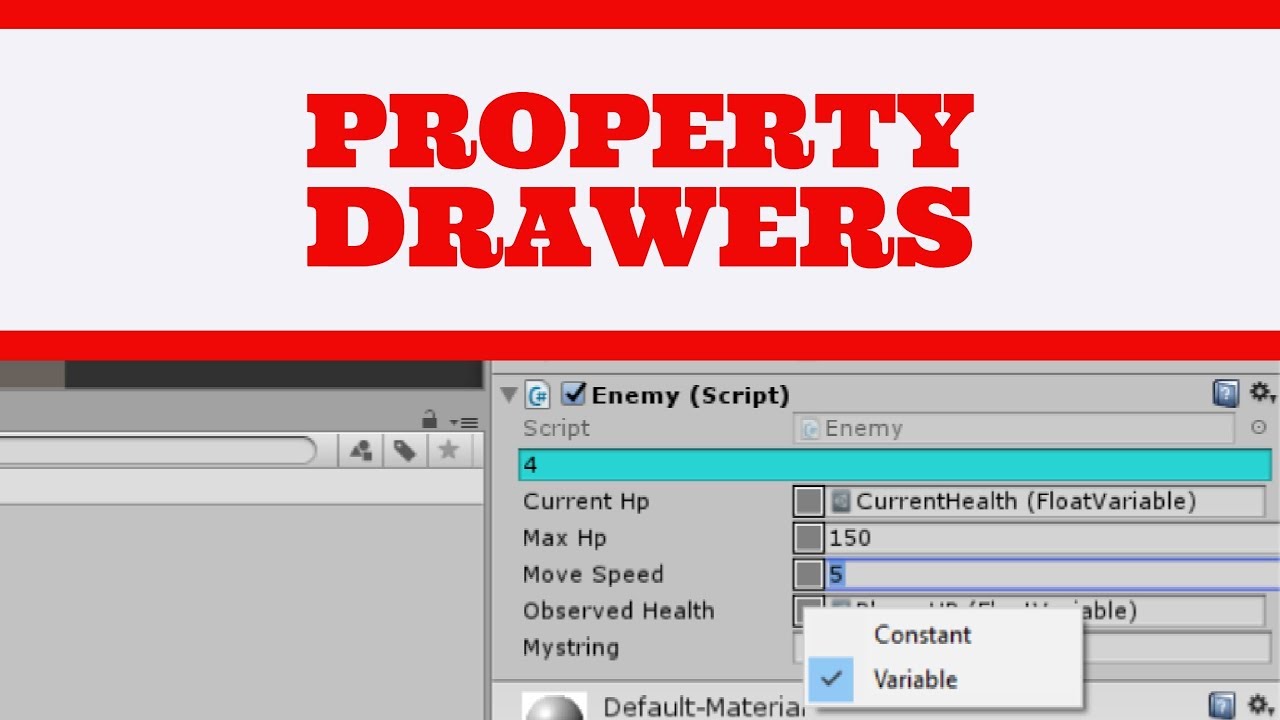
Game Programmer Course - STARTS MONDAY: https://bit.ly/3i7lLtH
Learn how to customize properties in the inspector with simple PropertyDrawer scripts. I'll cover a simple integer propertydrawer first, then move onto a more complex example with a dropdown menu to togg...
onyx harness
Where are you blocking?
robust mirage
I'm sorry - I don't know what you mean. I'm a novice when it comes to editor extensions and tools
onyx harness
you are not blocked yet then
robust mirage
I'm just not sure how to pass in the property references from a shader graph into the typeof() for the CustomPropertyDrawer
Should I be looking at this documentation?
https://docs.unity3d.com/ScriptReference/Shader.html
it looks like I should be using PropertyName?
https://docs.unity3d.com/ScriptReference/Shader.FindPropertyIndex.html
onyx harness
How would you normally extract those property references?
How do you get them
PropertyDrawers are to draw custom UI. From there you can do whatever you want, like a dropdown of your Shader refs
robust mirage
Yeah I would like to have a dropdown of my shader refs that include "Gradient" in their name
robust mirage
I knew that - I was asking for help with syntax since this is all new to me.
I've been looking at some tutorials and all the example property drawers they create are very complex. Meanwhile I am trying to just return all Shader PropertyNames including "Gradient" in their name
Based on the structure of Property Drawer this doesn't seem like it should be complex yet every video I find about Property Drawers is overly complex with explicitly defining too many values for their inspector

onyx harness
I would have help you more if only you answered all my previous questions
Especially this one
How would you normally extract those property references?
 stray hemlock
Can anyone help me out with this? Pls guys
So my prob is I have a FloatField in an editorwindow (using UIElements btw) which is bound to a serializedProperty of a float in the same editor window so that unity automatically handles the undo/redo.
After changing the floatfields values a few times and the undo stack is updated with the change cuz its bound to a serializedProperty, now if I close the editor window the undo operation for changing the floatfields are still present and if I hit the undo Ctrl Z now there r empty undos in the place of the floatfield values being undoed cuz the editor window is closed.
What I need is to be able to undo the floatfield when the editor window is open but when I close the window I want to delete the undo commands in the undo stack for the times I changed the floatfield
Pls I really need some help in this. Editor scripting is killing me
Editor Window Code: https://pastebin.com/w73tHZkH
Pastebin
Pastebin.com is the number one paste tool since 2002. Pastebin is a website where you can store text online for a set period of time.
I tried that but
The description says that u have to have used Undo.RegisterCompleteObjectUndo first
But since Unity is Handling the Undo functionality cuz the float field is binded i dont know if thats called
And Undo.ClearUndo(this) didnt seem to work in OnDisable()
@brisk nova
@brisk nova
yeah, i dont wanna do dat
I think i could work around this issue if i knew something else
Can you help me out with this?
VisualElement Fields call RegisterOnValueChangedCallback when the user is sliding through the values right?
Is there an event or is there a way to know when the user actually stops sliding through the value so i can set an Undo point there?
What i mean by sliding is when you change value of an object by clicking and dragging its name
VisualElements fields call RegisterOnValueChangedCallback for each small change when ur sliding through them
@brisk nova Thanks anyways for trying
Really appreciate it
Can u point to a place where i can get answers quick for UIElements probs??
whole steppe
Attempted to update project that is not loaded: /Users/user/Desktop/game/game-proj/Assembly-CSharp.csproj```Can't get auto complete in vs code
.NET framework installed
vs code unity extensions installed
checked in unity > editor > visual studio code
 minor salmon
Hey is there a way to set up a menu only if the selected Build Platform is WebGL ? #if UNITY_WEBGL doesnt seem to work
waxen sandal
@minor salmon wrapping your menu item in that should work
minor salmon
@minor salmon wrapping your menu item in that should work
@waxen sandal Hmm. i even tried adding UNITY_EDITOR but still i dont get a menu item. Any chance you can spot the culprit here?
waxen sandal
Your methods need to be static
minor salmon
Your methods need to be static
@waxen sandal Thanks Navi! 🙂
viral dune
hi, how do i change the disabled guistyle ?
for example, my animation curve is faded when i disabled it
i wanted it to be disabled, but not faded
any ideas ?
whole steppe
is anyone familiar with reorderable lists because i have a complicated issue
been trying to fix this for a few days now but i am doing somethign wrong here.
minor salmon
I have logic created in an Editor class which creates an Integer in EditorPrefs. I want to use that integer when building my application, how can i achieve that? I cannot use (Platform)EditorPrefs.GetInt("SelectedPlatform") because editor is not supported when building the application.
The only thing i can think of is writing to a file which seems overkill.
onyx harness
You got it.
 cloud wigeon
Are there events for object added, object modified or object deleted in the editor?
cloud wigeon
Any other clean way to detect changes to specific objects in the scene? I really don't want to add a custom script to every object to detect these changes myself or loop through all of the scene objects and check for changes :/
onyx harness
I guess I have already answered that question
 polar mirage
@cloud wigeon i literally have been learning c# and unity for 3 days, but i think that could be a use case for c# attributes?
onyx harness
Lean toward this direction and you will suffer in humongous pain 🙂
There are a zillion things you won't see coming even before finishing your implementation
polar mirage
haha, ive been programming for a bit, so im used to banging my head against wall until 3am 🙂
once you label your objects, you could have some code that gets objects by that attribute and then do what you need.
you still have to label every object you want to track, but maybe a clean implementation.
onyx harness
Which basically means marking every single fields of your project 🙂
polar mirage
it's declarative and easier than adding a script to every object i think
 tired basalt
Is it possible to do a distance based LOD group?
Or manually setting the bound for LOD Group?
minor salmon
I created an editor menu which sets an integer value on a scriptable object instance. This part works i can see the changes on the SO. In another non-editor class i load that instance to the SO and just grab the value to set it on a static field (without any references to the editor class anywhere) . After building and trying to run i get this (see image). Can someone help ?
split bridge
@minor salmon the most likely cause is you have some property that is only serialized in editor. For example if your scriptable object had smth like #if UNITY_EDITOR public float Bob; #endif
tough cairn
private void OnDrawGizmos( )
{
  #if UNITY_EDITOR
        UnityEditor.Handles.BeginGUI( );
        var click = GUI.Button( rect , text);
        ...
im having trouble getting the events to work , any ideas ?
waxen sandal
I don't think you can use handles in OnDrawGizmos
tough cairn
it works ok , renders and all but the current event is always stuck at repaint
any change i could use UnityEditor.Handles.Button with a flat button skin ?
ah nvm its the same problem , though there is a quicker way for this, gonna do a custom editor instead
whole steppe
I have got a reorderable list which works great. This List is a List of item. Now on every item itself i want to draw another reorderable list. It has to be a List of properties. I have already a field on the item which is a List of properties. I tried a few things but i am drawing the list not individually for each item but it is being drawn for all items, which is not what i want. I have attached a gif too, if you take a look you´ll know what i mean. Thanks.
codeshare or paste of code for the code.
Do i have to use something like:
SerializedProperty itemProperty = serializedObject.FindProperty("items").GetArrayElementAtIndex(index);
whole steppe
Ok, i got it working somehow.
But i have to make a few changes, i can not mark the individual list elements. i can only add them rn
onyx harness
You are using the same reorderable when drawing
whole steppe
MenuItem: can I call some dialog box to input some parameters?
visual stag
Sure, open an editor window
whole steppe
and?
wait, I will explain. I have MenuItem that calls function BUT it needs parameters
visual stag
Menu items don't have parameters
whole steppe
Sure I cn create special component that will store all data I need and then get ti's data while execution, but It is not very comfy
I know that menu items don't
visual stag
Or open an editor window from the menu item, and handle it there
whole steppe
sorry, I din't get. Open editor window - what do you mean?
visual stag
What part do I need to explain?
whole steppe
What it will give me?
[MenuItem] this
I'm adding additional components for object (context menu of another component). these components should have values in them to be set. To pass these values I need some mechanism.
visual stag
Perhaps you want to use presets then
whole steppe
googling...
whole steppe
nah, every time they are different
but, hm
I till have limited objects/abstract object at the scene, so should I make presets for every 'limited' type?
But at least I have to tell MenuItem what preset to choose
Is there MultiPreset?
I have about 20 components to fill with values
visual stag
Doubt it, but I imagine it wouldn't be too hard to combine multiple with a scriptable object
 snow bone
any ideas why I'm only getting the first property shown in the editor for this property drawer? https://hatebin.com/tjeawmcevf
Only the "source" property is shown, if I swap them over, then only "tangentType" is shown
visual stag
have you overridden the property height so it's the right size for two fields?
snow bone
i'm not sure what you mean
whole steppe
how to make several fields displayed in one row in Inspector?
Right now every field occupies full row
snow bone
i want 2 rows, not a single row
do i need to do another BeginProperty block for the 2nd?
snow bone
i have 2 variables that i want to show on different rows, are you sure I need to override that?
whole steppe
@visual stag now I found EditorWindow
snow bone
overrideing GetPropertyHeight, just seems to make the 1st field extra tall now, still on one line
visual stag
that is because you are using position.height
You should use EditorGUIUtils.singleLineHeight
Which is like 16 or something
as your second field is at position.y + 165
that could also be very far away
snow bone
The label isn't being displayed correctly, it just reads the variable name with no tooltip, instead of what I've set in the GUIContent labels? https://hatebin.com/qlfwmsbjqo
ie, inspector reads "Tangent Type" instead of "Tangent" and has no tooltip; "Interpolation tangent type"
 unborn ice
Anyone know of a editor tool that makes it easy to visually align sprite pivot points? I have lots of frames, and it would be easier to have them overlaid with onion skinning or something like that.
 mild reef
Anyone know how I can invoke a reflected method in an editor window?
waxen sandal
Just like any other way?
whole steppe
Im getting a random crash (without logs) with UI Elements generated from the following code:
        public static void DrawPropertiesExcluding(this SerializedObject serializedObject, VisualElement container, List<string> exclude)
        {
            SerializedProperty iterator = serializedObject.GetIterator().Copy();
            bool enterChildren = true;
            while (iterator.NextVisible(enterChildren))
            {
                enterChildren = false;
                if (!exclude    .Contains(iterator.name) && !exclude.Contains(iterator.propertyPath))
                {
                    container   .Add(new PropertyField(iterator.Copy()));
                    exclude     .Add(iterator.propertyPath);
                }
            }
        }
yeah the function completes and outputs visual elements.
But once i feed my root via CreateInspectorGUI unity just crashes silently, no crash log.
I narrowed it down to this by commenting it out, and voila - no crash.
no idea how im gonna fix this.
could someone give the above code a test to find out if their unity also fails silently
it also crashes unity within a simplified inspector:
        public sealed override VisualElement CreateInspectorGUI()
        {
            //DetectProperties();
            root = new VisualElement();
            serializedObject.DrawPropertiesExcluding(root, new List<string>());
            return root;
        }
my issues are always the non-debuggable-unsolvable ones.
onyx harness
Have you tried to narrow down the DrawProperties? @whole steppe
By just adding one by one the PropertyField
If the first one crashes, and not the 2nd
or only the 3rd, or whatever
You might be able to understand more
my issues are always the non-debuggable-unsolvable ones.
@whole steppe Maybe because you lack of debug skill
whole steppe
@onyx harness - the entire function executes successfully. The crash happens in unity space.
the crash happens after unity has my visual element structure.
try to debug something in unity space - with no crash log, in a space where your C# debugger cannot travel.
My DrawPropertiesExcluding is an exact copy of unity's DrawPropertiesExcluding, but converted to populate as UIElements. It executes in it's entirely, as I said before.
It crashes universally regardless of what properties are fed through it - after the entire UI is generated.
the previous IMGUI version of the same inspector runs flawlessly.
onyx harness
No crash with that.
using NGTools.Tests;
using System.Collections.Generic;
using UnityEditor;
using UnityEditor.UIElements;
using UnityEngine;
using UnityEngine.UIElements;

public static class Extension
{
    public static void DrawPropertiesExcluding(this SerializedObject serializedObject, VisualElement container, List<string> exclude)
    {
        SerializedProperty iterator = serializedObject.GetIterator().Copy();
        bool enterChildren = true;
        while (iterator.NextVisible(enterChildren))
        {
            enterChildren = false;
            if (!exclude.Contains(iterator.name) && !exclude.Contains(iterator.propertyPath))
            {
                container.Add(new PropertyField(iterator.Copy()));
                exclude.Add(iterator.propertyPath);
            }
        }
    }
}

[CustomEditor(typeof(SimpleLog))]
public class TestEditor : Editor
{
    public sealed override VisualElement CreateInspectorGUI()
    {
        VisualElement root = new VisualElement();
        serializedObject.DrawPropertiesExcluding(root, new List<string>());
        return root;
    }
}
Unity 2020.2b1
- the entire function executes successfully. The crash happens in unity space.
@whole steppe it is not because the crash is in Unity space that you can't prevent it to happen.
If the bug is 100% provoked by your code, you made an impact, you can do something about it.
Perhaps Unity is doing something wrong on its side, but it doesn't mean you did nothing wrong. You made it crash I recall.
try to debug something in unity space - with no crash log, in a space where your C# debugger cannot travel.
@whole steppe Well I narrow down my code until I find the culprit...
My
DrawPropertiesExcludingis an exact copy of unity'sDrawPropertiesExcluding, but converted to populate asUIElements. It executes in it's entirely, as I said before.
@whole steppe The problem is not this code executing til the very end. It is the consequences that you want to address.
UIToolkit != IMGUI, there must be an underlying behaviour that we miss.
If you can reproduce this bug 100% on different versions of Unity, just report it
whole steppe
the bug 100% fails on Generic serialized lists of serialized generic types (which can only be tested on 2020 editions).
the same serialized types are succeeding 100% when rendered within the IMGUI version of the inspector.
Which means PropertyField in UIElements cannot handle serialized types accessed though an interface correctly.
onyx harness
Here you go, make a bug report and you good to go
whole steppe
this is annoying as I hoped to convert all of my inspectors to UIE before this month ends.
onyx harness
If you know exactly what is causing the issue
Just replace PropertyField with an IMGUI container to draw the element
 queen cliff
hi i am creating an image using UIElements and adding it to the rootvisualelement
is there a way to set the pivot of the image that i create? because i want to drag it around
and when i click on it it always starts at the top left
i want to set the pivot to the centre but i cant seem to find a way to do so
 solid moss
Alright so, I’m having a problem of the editor not starting up. I am using 2018.4.20f1 (I use Unity for vrchat.) I can get to the hub, Unity will package resolve and the editor will not open. Here’s the list of everything I’ve done:
-4 completely clean uninstalls and reinstalls
-Updated my license
-Tweaked my firewall, even made file exceptions for both the editor and the hub
-Unplugged and unnecessary usb devices (being a gamepad)
-Reinstalled on my new SSD
-Tried unplugging my Ethernet and connecting, restoring connection after
- Restarted my PC multiple times
-Updated my drivers
Here’s some photos I have taken that might be helpful. The version prompt seems to not be what’s keeping me, as from researching people can still start up the editor. A file path is blanked out for my privacy. Just refer that file path as Aki.
^ I have installed the version I needed and applied it and I still get “unavailable” or unknown
I troubleshooted this for 5 hours.
Only hardware change I’ve made since I last used Unity was an SSD but that shouldn’t be affecting it. Last time I opened Unity was roughly a little over a month ago.
Also, image with two prompts hasn’t showed up again since I moved Unity back over to my main drive.
Editor itself just doesn’t open, btw. It doesn’t open entirely.
mild reef
Hey anyone can tell me what the serializedObject in this tutorial is? https://va.lent.in/unity-make-your-lists-functional-with-reorderablelist/
Valentin Simonov on Programming
In Unity 4.5 we got a nice (undocumented) built-in tool to visualize lists in IDE. It's called ReorderableList. Let's see how to code beautiful interfaces in Unity IDE using ReorderableList
The tutor forgot to explain where he got the serializedObject smh...
onyx harness
There are many refs to it
Can you point out the one?
@mild reef serializedObject comes from Editor itself
whole steppe
I have been trying to fix this or a few days now. I can not select any propertylist items. I am able to add them but not able to delete or select them.
i am using a reorderable list within a reorderable list
whole steppe
I thinkit has something to do with
serializedObject.ApplyModifiedProperties();
because i am using FindPropertyRelative("propList");
onyx harness
I think this is because you allocate a ReorderableList every single frame.
whole steppe
where else would i draw the reorderablelist2, because i can not do it in the onEnable since i have to do it when a new item is added to the Items list
let me see if i can transition the code into the OnEnable too
onyx harness
since i have to do it when a new item is added to the Items list
You just said it
mild reef
whole steppe
So into the AddItem method instead Miki?
onyx harness
Yep
mild reef
@onyx harness Ok...
whole steppe
But there is major problem, the DrawElement method gives me the index the AddItem doesn´t , how could i fix that? I need to acces the index somehow.
whole steppe
ok that makes sense.
let me see what i can do.
thank you for this very important hint. i knew it was a very bad idea to draw the reorderablelist2 every frame
onyx harness
When you select an item, it is saved in the index of the ReorderableList.
Since you create a new one at every event, index is lost.
whole steppe
How would i draw the list in the case 3, i can´t wrap my head around that problem. i got the whole code in the AddItem method.
onyx harness
Read about API DragAndDrop and ReorderableList events.
 strong phoenix
hi want to ask, how do we implement EditorUtility.SetDirty?
i made SO file and System.Serialized it, in the Editor i called the object of it and set it with dirty but it didn't work
visual stag
you should use Undo.RecordObject before the change
and you want to record the parent object that is serializing this change, ie. your ActorData object
(that is the same parameter you would want to use for SetDirty, but SetDirty sucks :P)
strong phoenix
so i just like Undo.RecordObject(player[index])?
sadly it didn't work (idk why)
so it should be like this?
not sure i've been doing the right thing
visual stag
I don't think you can combine Undo and SetDirty
strong phoenix
alright so i just let undo alone right
didn't seems to work
should i declare something or do something?
or it's only work on OnInspectorGUI not OnGUI?
waxen sandal
Anyone knows when TypeCache was introduced?
The APIVersioner doesn't work for some reason
Cheers
onyx harness
I confirm 2019.2
I tried it right away, saw critical bugs right away, decided to throw it right away
But when it was working, I saw interesting gains in lookup time.
visual stag
Does anyone know if there is an asset database find format like t:MyType that works with generic base types?
similar to how you can do a GetType("MyType`1")
onyx harness
@visual stag For your information, I think you can get the list of available types at UnityType.ms_types
The AssetDatabase lookup is done in ObjectListArea.RefreshBuildinResourceList with this line:
UnityType unityType = UnityType.FindTypeByNameCaseInsensitive(name);
UnityType is available since Unity 5.5. The message above should be pretty reliable.
visual stag
I don't know if my types are actually in that list
Seems to be internal types, not ones in scripts
I think it uses TypeCache to do it
onyx harness
From UnityType.Internal_GetAllTypes()
But you are right. In my test in 2018, the list contains Unity types, not user types.
I don't know how it manages to find the right user type
I don't have more type to investigate, if you find anything, feel free to poke me
visual stag
I think it's all internal
it creates a HierarchyProperty set to HierarchyType.Assets and passes a SearchFilter to it (SetSearchFilter)
viral dune
hi, any way to save a scriptable object value on quit unity editor ?
viral dune
i'm using custom editor to edit my scriptable object
and i wanted unity to save the value when i quit unity
 short raft
Hello. Are there any python plugins for Unity?
viral dune
why is my scriptable object not saved when i quit unity ?
visual stag
Undo needs to be called before changes are made
viral dune
what if i callit on OnGUI ?
i want my scriptableobject "values" to stay intact even when i close unity
visual stag
If you recorded the changes using Undo properly https://docs.unity3d.com/ScriptReference/Undo.RecordObject.html
Then they will be saved properly
viral dune
ah, so undo.record, saves the data on the scriptableObject right ?
i call the method on OnGUI, so isnt the data saved everytime OnGUI is called ?
visual stag
It marks the object as dirty if changes occur after it is called (in that editor frame)
If the object is dirty then Unity will save the data to disk when it closes or when File/Save Project is called
visual stag
The example shows how to use it properly
viral dune
okay, thanks a lot
i'm trying it out
yea. still no luck 😦
i'm a newbie here, i just started making custom editor about a month ago
i re-read the docs. it said it records all changes after the record function is called
how do i retrieve the "stack"
i've used setdirty, but i still dont get how it works and how to implement it
viral dune
anyone else that can help me ?, i'm still stuck for a couple of hours now
 south fox
How do I get a reference to a scriptable object in a custom editor window without it needing to be selected in the project view? I want to have settings for my window but I can't seem to find a clear answer.
short tiger
You could use the AssetDatabase to search for an asset of a specific type
south fox
Perhaps.. I'll try that.
south fox
TIL DrawDefaultInspector(); exists. I spent a lot of time trying to do it myself. I succeeded. I them wanted to move it to a new base editor class I could then use and tried naming the method DrawDefaultInspector();. To my surprise unity said "Lol, dude, dude, we have that already haha. You got punk'd bro"
@short tiger That worked fine. Thanks for the suggestion.
south fox
Hello, me again. Long time no spam... I can't find how to create a ScriptableObject from code. I have the menu item and all that, I just want to create a new scriptable object file from a custom editor script.
gloomy chasm
@south fox ScriptableObject.Create
stray hemlock
@minor salmon did u try PlayerPrefs for that.
south fox
I just now found this http://www.li0rtal.com/unity-scriptableobject-factory/
gloomy chasm
You will need to save it though. I believe it is AssetDatabase.CreateAsset
stray hemlock
@aki#5910 I'm pretty sure its cuz ur project was first created with a different editor version.
gloomy chasm
I have two GUI controls that overlap, I can't remember, how do you set which one gets priority?
gloomy chasm
Both, but event is what I mean.
I am using a EditorGUI.BeginFoldoutHeaderGroup(...), and want a int field on the same line.
onyx harness
The first to execute will receive the event first
gloomy chasm
That is what I thought, but when I do that it breaks. I want it to look like this
But when I do it before it looks like this. If I hover over it the field appears on the right, where it should but the name is still 2.
onyx harness
Because BeginFoldout is drawing its background color over it
gloomy chasm
Right, but you see the problem though, if i move it below it will draw right, but not get the events.
onyx harness
Just reduce the width of the BeginFoldout
gloomy chasm
I could, but then it looks ugly because it highlights on hover.
onyx harness
didnt understand
gloomy chasm
Basically, I am just trying to recreate the 2020.2 reorderable lists, but for a dictionary.
onyx harness
This is not what I stated
I didnt understand "it highlights on hover"
Who is "it"?
gloomy chasm
Yeah, I was just trying to add some more context. 🙂 EditorGUI.BeginFoldoutHeaderGroup(...)'s background changes when the mouse hovers over it.
onyx harness
I never understood why people used this version of foldout
gloomy chasm
Idk, but Unity seems to be using it now for most of their controls in 2020.2, so figured it would be good to for consistency.
onyx harness
if you don't need the hover because you find it ugly, just use Foldout
gloomy chasm
I do actually kind of like it. But I may if I can't figure out a way around this.
onyx harness
I don't think you can bypass the hovering
I mean, you can
but it's gonna cost you too much headache if you don't master IMGUI
gloomy chasm
The hover isn't the problem, the problem is that for the foldout, clicking anywhere on it will collapse/expand it. (Apposed to just on the label or the arrow).
onyx harness
Just reduce the width
To be honest, your issues are so not issues, you just don't wanna go simple 🙂
gloomy chasm
I mean, yeah, I could just shorten it, but then it wouldn't look like Unity's which is the goal. But yeah, I just don't wanna do it the simple way. 😛
onyx harness
It wouldn't look like Unity...
Sorry I just don't understand what you are willing to do
Does Unity have hovering or not?
Yes, well you had it and said it was ugly
If no, I suggested you the simple Foldout, and it becomes not Unity-compliant
Got that in front of me
gloomy chasm
Yeah, that is exactly what I am trying to do.
onyx harness
If you reduce the width, you feel it is ugly because the background does not go under the IntField
gloomy chasm
Correct
onyx harness
I don't have time to dig into their code
But I would double draw
You lose the visual focus with this trick
gloomy chasm
Yeah, all good. Double drawing doesn't seem to work. I will dive in to their code again to see if I can figure out what they are doing. Appreciate the help! 🙂
onyx harness
Because when you do 2nd draw, you have to do it on Repaint event only
gloomy chasm
Ah, got it.
onyx harness
First draw handle input, 2nd over draw
gloomy chasm
@onyx harness Found it, this is basically what they did to get it to work.
 EventType prevType = Event.current.type;
        if (Event.current.type == EventType.MouseUp && sizeRect.Contains(Event.current.mousePosition)) Event.current.type = EventType.Used;

        // Foldout header
        property.isExpanded = EditorGUI.BeginFoldoutHeaderGroup(headerRect, property.isExpanded, label);
        EditorGUI.EndFoldoutHeaderGroup();

        if (Event.current.type == EventType.Used && sizeRect.Contains(Event.current.mousePosition)) Event.current.type = prevType;
And then after that they have the field.
Basically I guess they set it as used, and then 'unuse' it.
onyx harness
This is exactly the kind of headache I said earlier 🙂
gloomy chasm
Lol, it's like 3 lines, pretty clean lines actually.
onyx harness
It's not about the size
It's about how to find this trick
Do you think you could have find it?
This is typically the kind of stuff you have to do when you deal with Z-ordering in IMGUI
gloomy chasm
Oh, got it, you mean headache like to find/know, not implement.
I was close to it, had the right idea, I didn't know you could set the event tpye to Used, and it would work. I wonder if/what is the difference between setting the type, and calling the method Use()
onyx harness
If you never knew you could set the event type, yep this trick will stay far away from your mind 🙂
gloomy chasm
Oh, definitely, wasn't trying to say otherwise.
onyx harness
Not sure, but yeah I would say Use just change the type
But good job for digging into the code 🙂
That's the way
gloomy chasm
For sure.
onyx harness
The more you do that, the less you will spend time in here
I will be of no use then 😄
gloomy chasm
I had actually done it first, but reached a dead end, I thought they were using ListView, but nope, just a wrapper around ReoderableList.
Literally called ReorderableListWrapper, if it works it works I guess.
Man using UIToolkit is so much nicer than having to deal with this old stuff, lol. Stuff is everywhere, and there a so many small 'hidden' things everywhere.
onyx harness
Oh you will deal with an equivalent amount of shit with UI Toolkit
I can guarantee it
I'm not used to see Unity dropping a miracle in no time
gloomy chasm
I think there will be less, they have been doing pretty good with it. There will for sure still be some, always, but hopefully, it will all be in the same place though.
Instead of like GUI, EditorGUI, GUIUtility, EditorGUIUtility, etc.
onyx harness
https://twitter.com/_Mikilo_/status/1261383803060142080
You see this one? Mix of IMGUI and UIT, ugly hacks


Revisiting the Inspector (Poke me to join the future open beta of NG Flow Inspector)
#madewithunity #indiedev @AssetStore #unity3d #gamedev #ngtools https://t.co/gB74rQwqqE
 Twitter
UIT is in better shape in 2019 and later
Unfortunately, still have to deal with 2018
gloomy chasm
Oh yeah, I saw that. No how did you get stuff to draw outside of the window? I mean, I both love and hate it because it breaks the bounds of the window, but it is cool!
gloomy chasm
It is just another EditorWindow? Did you clamp it there? More importantly, how the heck did you remove the header?
onyx harness
Border and good positionning is the key, you got fooled huh 🧙♂️
You just need to create an EditorWindow borderless, by manually creating it and showing it as a popup (and also setting the min-max sizes)
gloomy chasm
Very cool! I'm going to finish up my thing, and look in to making a window like that. I have been wanting to see about making a pin/tool bar ala visual studio. But didn't bother because of the border on windows.
onyx harness
Take this
NGSpotlightWindow    window = EditorWindow.CreateInstance<NGSpotlightWindow>();
window.position = new Rect(Mathf.Clamp(mousePosition.x - NGSpotlightWindow.WindowWidth * .5F, r.x + 5F, r.xMax - NGSpotlightWindow.WindowWidth - 5F), r.y + r.height * .5F - NGSpotlightWindow.WindowHeight * .5F, NGSpotlightWindow.WindowWidth, NGSpotlightWindow.WindowHeight);
window.minSize = new Vector2(NGSpotlightWindow.WindowWidth, NGSpotlightWindow.WindowHeight);
window.maxSize = window.minSize;
window.ShowPopup();
window.Focus();
Oh, thanks @onyx harness! 😄
Do you happen to know if it works with other window types besides popup?
onyx harness
What do you mean?
you can't have a borderless floating window (docked)
I can't be docked if that what you mean
gloomy chasm
Ah, that's a shame. Being able to have docked borderless window would be cool.