#↕️┃editor-extensions

1 messages · Page 47 of 1

smoky radish
#

I want to find fields of specified type and change their values. For finding its fields, I use this piece of code:
propertyType.GetFields(BindingFlags.Public | BindingFlags.Instance);
And for Setting and getting their values I should use these functions:
FieldInfo.GetValue and FieldInfo.SetValue. As you know they need instance as an input. So I should first create a instance of that type and assign it to these functions.
The problem is as I know and understand the instance should be created once because of not losing values if I'm right but I can't serialized that instance because its type is System.Object and Unity can't serialize it.

Do I do it wrong ? I miss anything between ?

smoky radish
#

Anyone ? 😄

frail phoenix
#

Thanks Josfe

wind jungle
#

Heyo, maybe one of the smart folks here can help me with this ^^ I wanted to initialize some editor stuff on object creation. Is there a way to access newly created, instantiated or duplicated objects in the editor? An event would be best, but I'm willing to hack around unity to get what I want 😅

gloomy chasm
#

@smoky radish I'm sorry I don't understand what you are trying to do or what the problem is.

#

@wind jungle as far as I know there is no event or callback or anything to hook in to that is called when an object is created. The best you can do is either call an delegate/event on your own in the method that you use to create a gameObject, or you can put something in the Awake method and have the script be Execute In Edit Mode

smoky radish
#

I use this repository for what I want to build.
https://bitbucket.org/rotorz/classtypereference-for-unity/src/master/
As you see it is a dropdown propertyAttribute which items are System.Type.
Now I want to add another functionality to it. After selecting item in dropdown I want to show its fields. So what I do now is I use _classRef of that PropertAttribute which is AssemblyQualifiedClassName and find the System.Type of selected item. Then I find FieldInfo of that type. For changing those fields value I need to use FieldInfo.GetValue and FieldInfo.Setvalue. As you know these 2 functions need instance of the selected type. So I can create the instance by Activator.CreateInstance() so the return type is System.Object.
For storing edited values of those type fields I should have same instance everytime as I understand. So I should first create that instance, then store it and then use it every time.
The problem is for storing I should store created instance in System.Object variable but System.Object is not serialized. So I want to know what I should do then ?

#

@gloomy chasm

#

Now I'm thinkong to store that instance in string instead of object but I don't know if it is possible or not. Then use that string to retrieve created instance.

#

@gloomy chasm now do you get what I want to do ?

gloomy chasm
#

What you want to do is to create and instance of the type that is selected. What I would do is have a field in the script with the attribute that you set to be the instance. It is a little are to tell you how to proceed because I don't know what your use case is. Like will all of the types derive from a single class type?

#

@smoky radish ^

smoky radish
#

Hmmm, I didn't get what you mean. I can create an instance of these selected type but I don't know how to store it.

#

@gloomy chasm

gloomy chasm
#

I mean that in order for a class to be serialized by unity it needs to have the attribute [serializable]. And also what is the point of editing the values of a class that isn't stored? So why don't you store it on your Mono or scriptable object that the dropdown is on?

#

@smoky radish

smoky radish
#

Yup but System.Object is not never serialized.

#

If I store them in ScritableObject which I'm writting editor for it after playing it won't be reset ?

#

@gloomy chasm

gloomy chasm
#

Exactly @smoky radish so, you need to have all the objects inherit from an class that is serializable. Also, you can use I think it is called ISerializeCallback or something like that to make it so a scriptable object doesn't save it's data in playmode

smoky radish
#

So what change if those classes inherits from a serializable class ?

#

@gloomy chasm

gloomy chasm
#

I am having a hard time understanding what your use is so I am not sure how to help you tbh

smoky radish
#

Hmmm, I explained it above.
Assume there are 4 types in dropdown, I should create instance of them and store them because I should use same instance each time for getting and setting fieldInfo values (I think values which are edited will be reset if I use new created instance in getting and setting). But because instances type is System.Object they can't be serialized.

#

@gloomy chasm

frail phoenix
#

Anyone know how to use a PanelChangedEvent in UIElements? there seems to be zero documentation on it

#

there's just a PanelChangedEventBase

#

is there no event for when a panel changes size???

#

this is like the dark ages

#

any way to hack in an event for when a panel's size is changed?

#

how can unity overlook something so basic?

#

it must be here somewhere

gloomy chasm
#

Why do you need to know when the panel changes size?

frail phoenix
#

so I can draw the background grid

#

and also.. the size is NaN on initialization

#

if someone resizes the window then I need to draw more or less background

#

ok, I found the properties that are populated.. they're just berried in an undocumented distant child object .panel.visualTree.localBound

#

if you look at the object's localBound then it's just a bunch of NaNs

smoky radish
#

So you don't have any ideas ? @gloomy chasm

cedar reef
#

@smoky radish If the actual type of the reference is serializable, store it as that type rather than just object

outer cove
#

how would one go about making something like this

#

or more specifically, are those squares on the right an existing unity object or not?

gloomy chasm
#

@outer cove no you would need to make them. I would guess they are doing something like EditorGUI.DrawRect() to draw them.

outer cove
#

ok

jagged fog
#

guys how can I make a delay like: run this every second

#

Instantiate(myPrefab, new Vector3(Random.Range(-10,20), 24, -5), Quaternion.identity);

wispy delta
#

Are you wanting to do this in the editor or in playmode @jagged fog ?

jagged fog
#

well during playmode

#

it spawns rockets and its way too fast

#

so i want it to spawn a rocket every second or 0.1 s

#

invoke only delays it once and the other one WaitForSeconds didnt work in the update function

wispy delta
#

this channel is for editor scripting (extensions, custom windows/inspectors etc) so in the future I'd ask in #💻┃code-beginner but there's two ways to go about it.

  1. Store the last shoot time and don't shoot again until some time has passed
float lastShootTime = 0f;

void Update()
{
    // Shoots once every second
    if (Time.time - lastShootTime > 1f)
    {
        Shoot();
        lastShootTime = Time.time;
    }
}

The other option would be to use a coroutine. You don't want to put it in Update because it is called every frame. You should start the coroutine in Start or OnEnable

void Start()
{
    StartCoroutine(ShootRoutine());
}

IEnumerator ShootRoutine()
{
    while (true)
    {
        yield return new WaitForSeconds(1f);
        Shoot();
    }
}
jagged fog
#

thanks

visual stag
#

@frail phoenix registering a GeometryChangedEvent probably does it too. I mean, there's likely a whole heap of event types I haven't learnt yet 😊

frail phoenix
#

hmm.. I haven't seen that event type

#

thanks, I'll look into it

frail phoenix
#

window/analysis/uielements debugger if it's ui elements stuff

#

there's an IMGUI debugger right below that

#

that will give you info

visual stag
#

There's info pinned to this channel about debugging both

whole steppe
#

Is this a good channel to ask for some quick help: I had a question about Quaternions. Anyone around that could maybe answer a couple quick questions?

visual stag
hoary surge
#

Curious if anyone here has written editor code to check files out from perforce? Wondering if there is some sort of API I can hook into or if I just do it all virual commandline.

#

I.E. you modify a scriptable object in an editor window but perforce has it read only (it's not checked out) and now I want to check it out to apply the modifications to it.,

grizzled minnow
#

@hoary surge Yes, there is an API for that!

            {
                if (UnityEditor.VersionControl.Provider.onlineState == UnityEditor.VersionControl.OnlineState.Online)
                {
                    UnityEngine.Object projectAsset = (AssetDatabase.LoadAllAssetsAtPath("ProjectSettings/ProjectSettings.asset")[0]);
                    UnityEditor.VersionControl.Provider.Checkout(projectAsset, UnityEditor.VersionControl.CheckoutMode.Both);
                }
            }```
hoary surge
#

@grizzled minnow thank you for that! Legit awesome info.

robust sentinel
#

is it possible to assign Editor script to more than one script:

[CustomEditor(typeof(AudioClipRandomSet), true)]
public class AudioClipRandomSetEditor : Editor
#

That AudioClipRandomSetEditor script is correct both for AudioClipRandomSet and AudioClipWeightedSet

#

Is it possible to assign that Editor also for AudioClipWeightedSet?

stark geyser
#

I think you may have to use base class for that

robust sentinel
#

I can't do that

#

Because it's generics, Unity doesn't serialize Interfaces, and overall it's mess (fighting against Unity with its non-serializing interfaces...)

stark geyser
#

I mean if they have intermediate AudioClipSet class for them both, just to couple them, would it break generics?

robust sentinel
#

Yeah, I can't make it: I can show

#

Base (but anything special):

    public abstract class ScriptableObjectSet<T> : ScriptableObject
    {
        public abstract T GetItem();
    }

RandomSet<T>

    public class RandomSet<T> : ScriptableObjectSet<T>
    {
        [SerializeField]
        private T[] items;
    
        public override T GetItem()
        {
            if (items == null || items.Length == 0) throw new Exception("Set must contain any element to call GetItem method.");

            return items[Random.Range(0, items.Length)];
        }
    }
#

WeightedSet<T>

    public class WeightedSet<T, TElement> : ScriptableObjectSet<T>
        where TElement : WeightedSetElement<T>
    {
        [SerializeField]
        private TElement[] items;
    
        public override T GetItem()
        {
            if (items == null || items.Length == 0) throw new Exception("Set must contain any element to call GetItem method.");

            float totalWeight = 0.0f;
            for (int i = 0; i < items.Length; i++)
            {
                totalWeight += items[i].weight;
            }

            float choice = Random.Range(0.0f, totalWeight);
            for (int i = 0; i < items.Length; i++)
            {
                if (choice > items[i].weight)
                {
                    choice -= items[i].weight;
                }
                else
                {
                    return items[i].item;
                }
            }

            throw new InvalidOperationException("This program location is thought to be unreachable.");
        }
    }
    
    [Serializable]
    public class WeightedSetElement<T>
    {
        public T item;
        public float weight;
    }
#

That WeightedSet could be simpler in pure c#, but Unity...

#

Implementation:

[CreateAssetMenu(menuName = "Snake/Sets/AudioClipWeightedSet")]
public class AudioClipWeightedSet : WeightedSet<AudioClip, AudioClipWeightedSetElement>
{
}

[System.Serializable]
public class AudioClipWeightedSetElement : WeightedSetElement<AudioClip>
{
}
#

I have to make that "SetElement" because Unity won't serialize WeightedSetElement<AudioClip>[] items

stark geyser
#

I've used this before, I just don't remember if it survives another layer of inheritance.

robust sentinel
#

I really wanted to have something like base class for AudioClipRandomSet and AudioClipWeightedSet (like AudioClipSet) but I can't do that in Unity

#

it's possible with interface (really weird, but working solution), but it's not possible in unity like I said

stark geyser
#

might have to create extra editor script for it then

#

Oh yea, looked it up, my thing wasn't using generics for this part, so it had base class common for the editor. I've used generics in other thing just to be able to reference scene objects in assets.

robust sentinel
#

hmm I got different question

#

is it possible to make an editor for scripts which implements some interface

#

?

#

Like this:

#
[CustomEditor(typeof(IAudioClipSet), true)]
smoky radish
#

The class which inherits from ScriptableObject is serialized itself ?

#

@cedar reef I've tested that but the problem is if I create base class for those classes which are in dropdown and after creating instance, cast them with that base class after playing mode deserialization in according to the base class and child class are not existed anymore.

#

So ScriptableObject just serialized if it is an asset in the project 😕

#

Still I don't know how to serialize type instance 😕

stark geyser
#

@robust sentinel Here's a bit convoluted idea how to do that. If I understood it correctly. I could be missing the point entirely, generics are still complicated for me :D
Inherited scripts can't use inspector of the base which inherits from a generic. But. They all can use the inspector of the class previous to generics. So this is working, I think.

//Base class
public abstract class ScriptableObjectBase : ScriptableObject {
    abstract public Func<ScriptableObjectBase> GetItem { get; }
}
//going into generic implementation
public abstract class ScriptableObjectSet<T> : ScriptableObjectBase {
    public override Func<ScriptableObjectBase> GetItem { get => () => this; }
}
//then used with a needed generic type
[CreateAssetMenu(menuName = "Custom/GenericsInheritedSO", fileName = "GenericsInheritedSO")]
public class GenericsInheritedSO : ScriptableObjectSet<ScriptableObject> {
}
//and all of its variants would work with this inspector pointing to the base
[CustomEditor(typeof(ScriptableObjectBase), true), CanEditMultipleObjects,]
public class GenericsInspector : Editor {
    private ScriptableObjectBase scriptableObjectBase;

    private void OnEnable() {
        scriptableObjectBase = (ScriptableObjectBase)target;
    }

    public override void OnInspectorGUI() {
        base.OnInspectorGUI();
        if (GUILayout.Button("Get Item")) {
            Debug.Log(scriptableObjectBase.GetItem().name);
        }
    }
}
#

Done editing 🙂

visual stag
#

What's the reason for the Func over just having a property of ScriptableObjectBase?

stark geyser
#

It could be a regular method isn't it? I was overthinking it

#

I wanted a way to return universal value without specific type

#

But ended up just returning base class

visual stag
#

Yeah, it is definitely missing the problem too

#

though I really don't think there is a better way of doing it

#

it's just an awful generics mess to get it done

#

where you have to create solidly declared classes for everything you do

stark geyser
#

This abomination works though, at least returning the correct current class, I haven't tested if I could use it in a collection

#

I probably should stay away from generics 👀

visual stag
#

I wonder whether...seeing as these are SOs

#

you could use an ISerializationCallbackReciever to put them into an array of a base type or something...

#

I dunno, it gets so sprawling it's hard to know exactly what you're dealing with

gloomy chasm
#

I am trying to make a simple custom reorderable list, but I can't for the life of me figure out how to use DragAndDrop, and there is no documentation on how to actually use it. I got as far as starting the drag, but can't figure out how to end it.

odd swan
#

How about try UIElements instead? It's easy to scaleable, flexable, customizable.

gloomy chasm
#

I looked at it, but I can't figure out how to access certain styles and images from unity that I want. Like the 'options dropdown' (thing at the top right of each window)

gloomy chasm
#

@odd swan I am taking another look at using UIElements, and was wondering sense you seem to be using it pretty well. Do you know what the best way to link a variable with a visual element is? (Like if I have a bool and want to show it as a toggle, how do I connect the two?)

odd swan
#

there's many way to implement of this, Unity recommend use Bind feature, but I won't to use that, because I had used custom data structure about this, so I make MVC pattern between SerializedObject / Property my self.
Detect content changes use Manipulator to detect content change then call ApplyModifiedProperties().
In for editor side, detect Undo/Redo changes use register method to Undo.undoRedoPerformed to detect content change then apply to input elements.

#
  • sorry my poor English
#

And rewatched question, I think you might meaning Popup

zealous coral
#

anybody here encountered Serialization depth limit problem when dealing with UnityEvent ? i encountered it in a really really weird way

Serialization depth limit 7 exceeded at 'UnityEngine.Events::ArgumentCache.m_ObjectArgument'. There may be an object composition cycle in one or more of your serialized classes.

Serialization hierarchy:
8: UnityEngine.Events::ArgumentCache.m_ObjectArgument
7: UnityEngine.Events::PersistentCall.m_Arguments
6: UnityEngine.Events::PersistentCallGroup.m_Calls
5: UnityEngine.Events::UnityEventBase.m_PersistentCalls
Serialization depth limit 7 exceeded at 'UnityEngine.Events::PersistentCall.m_Target'. There may be an object composition cycle in one or more of your serialized classes.

Serialization hierarchy:
8: UnityEngine.Events::PersistentCall.m_Target
7: UnityEngine.Events::PersistentCallGroup.m_Calls
6: UnityEngine.Events::UnityEventBase.m_PersistentCalls
#

and yes, before u ask, the hierachy only shows 8765 /876 , the root aren't listed

gloomy chasm
#

Ah, thank you @odd swan
So like this is the recommended way then?

SerializedProperty prop = serializedObject.FindProperty("_enabled");            
Toggle enabledToggle = _rootElement.Q<Toggle>("enabled");
enabledToggle.BindProperty(prop); 
odd swan
#

you should checkout more about MVC pattern, Unity UIElements(uxml), .NET WPF(xaml), Vue.js(html, js library) does exactly with this design

waxen sandal
#

@zealous coral Maybe the log file has more information?

odd swan
#

your example also works, but if you want more make less code, use Binding from layout

gloomy chasm
#

oooh, I see thank you!

zealous coral
#

@waxen sandal no luck with that, it's showing the same thing

waxen sandal
#

Rip :/

frail phoenix
#

@zealous coral I encountered that when I had a class that got serialization callbacks and which had a more derived version of itself as a variable

#

basically if you use inheritance and through any path the class contains a variable of itself then you'll hit that

zealous coral
#

@frail phoenix thanks for that, but that isn't my case right now :/

frail phoenix
#

do you use inheritance at all?

glad falcon
#

I'm making a dialogue system for a 2D game. I have a canvas with a dialogue box and two buttons. It shows up in the game but it moves with the player when I want it to remain stationary. Can anyone help me?

frail phoenix
#

because when I ran into the issue I didn't think I should either

zealous coral
#

yup i do use inheritance, and i know the most common way "Serialization depth limit" error could be hit - A class containing a variable of the same class

[System.Serializable]
public class A
{
    public A a;
}

i am not facing this cause right now

#

it's specifically caused by UnityEvent... somehow

frail phoenix
#

@glad falcon it sounds like your canvas may be a child of the player. Change it's order in the hierarchy.

zealous coral
#

and the worrying part is, my code is working fine, but the Warning (not error) log remains

glad falcon
#

It's not a child of the player

frail phoenix
#

ok, well unity events use the serialization callbacks and you have to create a class to use them

glad falcon
#

I can put it anywhere in the hierarchy and it still happens

#

I've also tried changing the render mode to world view, then my canvas disappears

zealous coral
#

what is its render mode ?

#

it matters

glad falcon
#

I changed it to world view, assigned my main camera to it, then it disappears

frail phoenix
#

@glad falcon I would suggest locking it to a camera

#

that sounds good. you just have to reposition it now that you changed the render mode

glad falcon
#

Still having trouble, sorry for the bother. If I make a new camera, it doesn't show the scene. I copied pasted my current camera and it shows the scene, but I'm not sure where to place it. If I place the new camera directly over my dialogue box it's huge compared to how it is in screen overlay

valid sonnet
#

I am having weird behaviour with my custom inspector built using UIElements

#

What you see is 3 VisualElements being the 3 groups (Prefab header and all its fields, float, and string)

#

And certain rows being added and removed as children of these groups. A row contains the ID and the value and the remove button.

#

Anyone have an idea what the issue can be?

#

I use the visualElement.Remove(x) and visualElement.Add(x) functions.

#

Seems like the layout engine has a bug?

copper grove
#

i need help cant set up visual studio =/

#

i already did what im supposted but it just doesnt work help plz

stark geyser
#

@copper grove Not an appropriate channel. Direct further questions to #💻┃unity-talk
Edit >Preferences > External Tools > External Script Editor

frail phoenix
#

I agree, Shady Mike, UIElements seems to have a lot of bugs

#

I'm surprised that it got out of preview

#

but you didn't say what your issue is @valid sonnet

valid sonnet
#

Just look at the gif @frail phoenix

#

VisualElements disappear, scale down randomly etc.

#

maybe I have a style bug in CSS

frail phoenix
#

no one except you can tell what you intend to happen when you press a button just from the gif

#

have you inspected the elements in the UIElements debugger?

tranquil saffron
#

Can somebody please explain to me why this is working as intended:

    private void OnCollisionEnter2D(Collision2D collision)
    {
        AudioSource.PlayClipAtPoint(breakClip, transform.position);
        Destroy(gameObject);
        level.RemoveBlock();
    }

While this causes the Blocks to stay in the scene and don't destroy themselves?

    private void OnCollisionEnter2D(Collision2D collision)
    {
        AudioSource.PlayClipAtPoint(breakClip, transform.position);
        level.RemoveBlock();
        Destroy(gameObject);
    }

(RemoveBlock() just decreases an integer in Level to keep track when all blocks are destroyed.)

#

Actually now it's working.
This is confusing.

stark hull
#

My guess is some external script is doing something or something outside of the code snippet you send @tranquil saffron

tranquil saffron
#

Actually it was me being stupid.
I added the "Level" game object to the wrong scene, hence it wasn't present, resulting in an error on level.RemoveBlock();
I guess it returned the function on that error, ignoring the Destroy() call afterwards.

cedar reef
#

Yup, an exception stops everything in the method that follows the line that threw the exception

#

Unless you use try/catch

gloomy chasm
#

Does anyone know if it is possible to use Handles inside of OnPreviewGUI?

gloomy chasm
wispy delta
#

That's super cool @gloomy chasm. Nice work. To sort out the depth, maybe you could look at how vfx graph draws the bounds handles in its preview?

gloomy chasm
#

Maybe it only works for things that are actually intersection the geometry?

#

Oh, I had to move it below the render call for the camera and then it works! 😄

outer cove
#

I have this, but it gives me the "an explicit conversion exists" error

 Sprite _CharacterSprite;

_CharacterSprite = EditorGUILayout.ObjectField(_CharacterSprite, typeof(Texture2D),false);
#

nevermind

#

had to add (Sprite) in front of EditorGUILayout

valid sonnet
#

UIElements border-color does not work in 2019.3 anymore?

#

All my border colors are gone

#

No matter which values I set, the UIElements debugger always just shows border-bottom-width and not the other directions...

gloomy chasm
#

Does anyone know the difference between OnInteractivePreviewGUI and OnPreviewGUI? Cause there doesn't seem to be a differences as far as I can tell...

sleek berry
#

For the UIElements users among us, does anyone know where the <Style> uxml tag is documented? I cannot for any docs, nor the UXMLFactory for it.

tribal skiff
cedar reef
#

You use either the old IMGUI system or the new UIElements to make a custom editor

tribal skiff
#

@cedar reef ohh, so... How do they make these elements look different, and not buttons tho...

visual stag
#

Window/Analysis has a UIElement debugger by default, and finding the IMGUI one is pinned to this channel

#

You can use those to find the styling

#

which you can provide to the controls

#

the IMGUI one has a stack trace too which you can look at the source code of

tribal skiff
#

w8 what is that IMGUI debugger have to do with the look?

visual stag
#

It tells you the name of the GUIStyle used for that control

#

which you can use to create a GUIStyle that looks exactly like it

smoky radish
#

Hey guys,
you don't still have any ideas about serializing custom class instance ? (Custom class types are not specified)

keen oasis
#

I know the basics of programming with c# but how do I prevent myself from falling into the trap of being reliant on other peoples code ?

gloomy chasm
#

@smoky radish All you need to do is add the attribute [Serializable] to the class for it to be serialized.

#

@keen oasis you may get better luck n #💻┃code-beginner. This channel is for extending the editor specifically. And to answer your question, it really just depends. Sometimes it makes sense to write something yourself, either for learning or for specific function, and other times it doesn't make sense to reinvent the wheel.

gloomy chasm
#

Anyone know how to use HandleUtility.PickRectObjects? I can't find any info on using it. I tried using the mouse pos, and calling it from SceneView.duringSceneGui but it doesn't seem to find any objects.

hoary surge
polar glacier
#

I don't know if this is the right place, but I need some help with the new UIElements thing, more specifically, how do I get a ListView to expand to fill the remainder of window?

gloomy chasm
#

Thanks @polar glacier it seems that it only returns the objects that are fully inside of the rect. Which is how the selection function works so I guess that makes sense.
What I am trying to do is to get an object that has a specific component on it when the mouse is over it and ignore all other gameobjects. But having a hard time figuring out how to do that :/

jagged fog
#

guys why is my tilemap putting all the tiles on top of each other ...

#

if i erase a tile i see another one

oblique marten
#

seems to be related to my engine, I'll figure it out

#

Ok maybe not, whenever I apply a change to the texture type, even in the editor, it gets reverted back to default

void crag
#

Hello all. =)
I've been trying to make a custom editor and property drawer that lets you pick one out of several concrete types deriving from the same base type, and then lets you edit parameters for your chosen type.
Every idea I had was very hackish, and while I did succeed in making my hacks work for an editor, I can't make it work for a property drawer since I can't find a way to change the SerializedProperty to think its underlying type is that of the deriving class that's actually there instead of the base class that's listed where the property is declared.
Any idea how I can do this?

smoky radish
#

private readonly GenericMenu.MenuFunction2 _onSelectedScriptableObject = OnSelectedScriptableObject;

#

In this code OnSelectedScriptableObject must be static function ?

#

@void crag I'm interested to know how you have achieved that hack way.

#

@void crag Can you explain your problem clearly ?

visual stag
#

It does need to be static, yes

smoky radish
#

What is the reason ?

#

@visual stag

visual stag
#

variable/member initialisers are called before the constructor

#

nothing exists at that point except static stuff

smoky radish
#

So if I assign it in its constructor I don't need to make it static ?

#

@visual stag

visual stag
#

Yes, it's just a delegate

smoky radish
#

Another question if you have time to answer it :D
And if you want

#

In this code, why he used static for all of the functions ?

#

Is it right to do that ?

visual stag
#

🤷 it really doesn't matter

#

there's a very rare performance increase

#

it's not important either way

#

It's more a code quality problem, and that's highly specific to what an API looks like. They probably made some stuff static so it could be shared between drawers

#

and everything needed to be static to support that

#

that type map thing is probably the part they wanted to cache I imagine

#

Anyway, I gtg 👋

smoky radish
#

@visual stag
Because I did that approach and I just found out one problem in my property drawer code. That GetScriptableObjects() was just called for first the propertyAttaribute in my code.```cs
private static List<ScriptableObject> _scriptableObjects = new List<ScriptableObject>();

public override void OnGUI(Rect position, SerializedProperty property, GUIContent label)
{
if (_scriptableObjects.Count == 0)
{
GetScriptableObjects(property);
}
}

private static ScriptableObject[] GetScriptableObjects(SerializedProperty property)
{
Type propertyType = GetPropertyType(property);
Debug.Log(property.name + " " + propertyType);
string[] guids = AssetDatabase.FindAssets(String.Format("t:{0}", propertyType));
for (int i = 0; i < guids.Length; i++)
{
_scriptableObjects.Add(AssetDatabase.LoadAssetAtPath(AssetDatabase.GUIDToAssetPath(guids[i]), propertyType) as ScriptableObject);
}

return _scriptableObjects.ToArray();

}```

#

Okay, thanks. @visual stag

left gate
#

Can you download the unity style sheets

#

As in the sheets they use for their windows?

waxen sandal
#

You can find them in your install dir iirc

#

OR just include the ones you want usign the package manager and open them through the project view

left gate
#

Hmm okay thanks I'll have a look

smoky radish
#

When projectChanged is raised is there any way to have PropertyDrawer's SerializedProperty ?

void crag
#

@smoky radish I'll explain my problem using the actual objects in question from my project so we can use actual names, but the same problem exists for other types in my project and I'd like a general solution.
I have a base, abstract class called CutsceneEvent.
Three classes derive from it, called DelayEvent, ObjectMovementEvent and CameraShakeEvent.
Now, unsurprisingly, I have a class called Cutscene which has a list of CutsceneEvents.
What I want is to be able to add items to this list in the editor.
Each item on this list should have a dropdown selection for the type of the event, corresponding to the classes: "Delay", "Object Movement" and "Camera Shake."
Once you select a type, I want the element for which you selected it to expand and show the various data fields that the event you chose requires.
For example, a DelayEvent has a duration parameter, whereas an ObjectMovementEvent has a movableObject and a trargetPosition parameters.
If you change an event entry from one type to the other, the display in the editor should change from the previous data fields to the new ones.
If you change back, it would be mildly nice if it retained the previous values, but that is very insignificant and I don't really care one way or the other if it does that or not.

cedar reef
#

You could just use an abstract CutsceneEvent class that inherits from ScriptableObject, and have different classes that inherit from that class for your different events

#

Then you edit your events on your ScriptableObjects, and add them to the level's list of events

#

Then you'd be working with OOP and Unity, rather than against them

void crag
#

My CutsceneEvent class already does inherit from ScriptableObject already, and the different events each inherit from CutsceneEvent.
But now what?
I have a MonoBehaviour script with an array of CutsceneEvents in it.
How do I fill it?
It won't let me drag the DelayEvent file, for example, from the project window to an element in the array (where it currently says "None (Cutscene Event).")
If I try to add it to the game object itself it gives me an error saying that the script needs to derive from MonoBehaviour.
Now, I could do that.
I could make them all MonoBehaviours, add them all to the game object, then drag them into the array.
But that seems just really messy.
These values are only meaningful as part of that array.
Having them on the object clutters it up, and is really inconvenient in general.
If I decide I want to replace some with others, I need to delete them from the object - and make sure I have the right ones, since the array only shows the type of the script and if I have several it's up to me to know which one I placed where - and add others in their place, and then manually order them to make sure that I do indeed know which entry corresponds to which script.

blazing cosmos
#

I've tried to to call Raycast(); with ARSessionOrigin.RayCast(); .But it is showing that there is no such methods in ARSessionOrigin

void crag
#

Your screenshot is minuscule.
Please send a larger one.

blazing cosmos
#

Okay

#

@void crag This is the issue

stark geyser
blazing cosmos
#

Yeah But nobody really replied there

#

I had already posted it there

void crag
#

@blazing cosmos Just to make sure - you did try to call it with the proper arguments, right?

blazing cosmos
#

@void crag I tried that but that too didn't work

void crag
#

What's the error you get?

blazing cosmos
#

I found that Rayasting is not difined in ARSession Origin

#

Later I found on web that it has moved to ARRaycast Manager

void crag
#

What error do you get?
Go to the View menu and click on Error List.

blazing cosmos
#

But I don't know how to use that

#

I was following this tutorial

#

I'm newbie

void crag
#

@blazing cosmos Please read what I wrote and find the error message it's giving you.

blazing cosmos
#

Yeah

#

I think it's mot longer located inside ARsessionOrigin

#

It's inside ARRaycastManager

#

But I don't know how to use it in the way it mentioned in the tutorial

cedar reef
#

@void crag You need to create an instance of your class. An easy way to do this is like this:

[CreateAssetMenu(menuName = "CutsceneEvent/FadeEvent")]
public class FadeEvent : CutsceneEvent
{
}
#

Then you can right click in the project window and create an instance of your class through the "Create" menu

#

Then you'll be able to add that object to your list.

void crag
#

@cedar reef I see what you mean.
Didn't know about that, so it's good to learn, but it still leaves me with a less-than-optimal solution.
If I make a cutscene with various delay events in it, I need to make a DelayEvent object for each one.
This seems like it's putting me on the way to make a big mess out of my project folder.

cedar reef
#

If you need to delay different amounts of time every time, that is a little annoying

void crag
#

Whereas what I did may be super ugly - and I'd very much like to find a better way, which is why I asked about it here - but it gives me a much more pleasant result:

smoky radish
#

@void crag Hey there,
I'm not sure if I understand what you want to do very clearly but recently I was working on implementing editor code which I can select Type in dropdown menu and show its fields by using this PropertyAttribute (https://bitbucket.org/rotorz/classtypereference-for-unity/src/master/)
Unfortunately seems Unity has many problems in its serialization system. I needed to store one instance of the selected type to prevent changing field values but because System.Object is not serialized by Unity or base class (Like abstract class or normal class) is desterilized according to the base type (No polymorphism support by Unity) so I didn't have any success in implementing it. The last thing which I wanted to check was Json serialization which I gave up to check.
Right now for my situation I'm using ScriptableObject and dropdown menu which I created for it (Working on making it better)

#

Also thanks for the code.

#

Guys any chance to access the property of PropertyDrawer or its attribute after EditorApplication.projectChanged is raised ?

void crag
#

I'm considering taking what I did and making a generic version of it, but what I have in mind at the moment won't work for classes that inherit from MonoBehaviour or ScriptableObject since for some reason the SerializedProperty.NextVisible() method doesn't return any children when the property type inherits from those classes (whether I give it true or false for its enterChildren argument).
Any idea why?

And an even more important question: is there a way to take a SerializedProperty with a specific underlying type and change that underlying type?
Naturally, I want to change it from the base class it currently sees its serialized property as and change it to a deriving class.

meager mountain
#

Hey guys, I'm having a serialization issue. https://gyazo.com/e25ff93737621060edda939d131f94f4 I have this scriptable objects that contain a list of a custom class, in that custom class one of the field is also another scriptable object. What happens is whenever I turn off unity and then open it and load the file assigning it to the list, all the Blocks go missing (the other fields are fine). In the list they all reference the single .asset file on the left but it seems that I'm missing a step into serialization somehow.

cedar reef
#

@meager mountain Can you put the relevant code into a Pastbin link?

meager mountain
#

sure thing!

#

now that I pasted it I recon I haven't tried to use Odin serialization for my GardenTileMapEntry which might solve it

#

ah forgot the save function

#

but it's basically a jsonutility that gets saved into txt. The corrspective in txt for the blocks is "instanceID": 15688

#

which definitely seems like a problem to me but I might be wrong

cedar reef
#

Nah, that's just the instanceID of the ScriptableOboject set to that

meager mountain
#

so it should be able to reload it from that ID?

cedar reef
#

Yes

#

Can I see your TileMapCollection class?

meager mountain
#

using System.Collections;
using System.Collections.Generic;
using UnityEngine;

[CreateAssetMenu(fileName ="NewTileMapCollection",menuName ="TileMap/TileMapCollection")]
public class TileMapCollection : ScriptableObject
{
    public List<GardenTileMapEntry> tileMapCollection = new List<GardenTileMapEntry>();

}
}
#

ah damn, there's no system.serializable nor odin serialization here

cedar reef
#

Doesn't need it, it's a ScriptableObject

meager mountain
#

oh alright, thought otherwise

#

dang 🤔

cedar reef
#

ScriptableObjects/MonoBehaviours are pretty much fully serializable by Unity, with some limitations

#

buildingSystem.tileCollection.tileMapCollection.Clear()
Is tileCollection just a List, or is it a custom class?

meager mountain
#

it's just my variable for holding the tilemapcollection asset

#
   public TileMapCollection tileCollection;
cedar reef
#

Then TileMapCollection is a custom class

meager mountain
#

yes

#

the one above which has that list

cedar reef
#

Ah, I see, I got confused by your naming

meager mountain
#

yeah ^^'

cedar reef
#

I'm not seeing anything there that would break serialization; are you sure the json file is getting loaded?

meager mountain
#

yep! cause position value and layer index get correctly loaded in

cedar reef
#

It's just the blocks that aren't

#

Is SerializedScriptableObject some sort of Odin-specific class?

#

Or one of your own?

meager mountain
#

it's odin specific, but I was trying with normal scriptable objects and had the same

#

thought maybe that would solve it

cedar reef
#

Ah, I see...I should have known this, but I avoid JsonUtility because Unity's serialization is crap

meager mountain
#

oh

#

what's a good alternative?

cedar reef
#

You could store the path to the ScriptableObject, if it was in a Resources folder, and load it using Resources.Load

meager mountain
#

yeah I thought of adding a block ID and then load based on that

#

oh welp

cedar reef
#

No need for a block ID, just use the path...you can think of a path as a unique ID

#

No other file will have the exact same path

meager mountain
#

I looked up a thing on unity tuts

#

I'm ded

cedar reef
#

Why?

meager mountain
cedar reef
#

Don't worry too much about those

#

None of them will affect your use case, really

#

Ideally, you'd set up a whole AssetBundles loading system for your stuff, but that's not really necessary for what you're doing

stark geyser
#

@meager mountain Sorry I misdirected you to this topic, I thought it was a custom editor problem 😅
That guide is a bit old btw, it advises Asset Bundles in favor of Resources, there's better option now - Addressables.

meager mountain
#

oh, haven't heard of those

stark geyser
#

In the #💻┃code-beginner there are links (in the pins) to the forum and documentation how to use them.

cedar reef
#

Oh neat, I didn't know about those either

meager mountain
#

cool will take a look ty!

meager mountain
#

@stark geyser @cedar reef looks like that actually came in handy to solve my issue! After doing the initial setup I then do this on my LoadMap function

#

    for(int i = 0; i < gardenSlots.tileMapCollection.Count;i++)
            {
                LoadAssetFromRef(gardenSlots.tileMapCollection[i].assetReference.LoadAsset<GardenBlock>(), gardenSlots.tileMapCollection[i].block);
               
            }

    private void LoadAssetFromRef(AsyncOperationHandle<GardenBlock> operation, GardenBlock block)
    {

        block = operation.Result;
        
    }

#

took me a while to understand the whole thing but glad I managed

gloomy chasm
#

Does anyone know how to add objects to a Scene? Like a preview scene created with EditorSceneManager.NewPreviewScene().

gloomy chasm
#

Nevermind, PreviewRenderUtility is the coolest undocumented class I think

modern lagoon
#

Hey anyone here?

#

Ok, fine then.

void crag
#

@modern lagoon You should just ask what you want to ask and when someone is here who knows how to help they'll reply.

grand matrix
#

ReleaseAllScriptCaches did not release all script caches!

What is this? It appears when I just open Unity Editor . And it appears again when enter in the Play Mode.

valid sonnet
#

Labels don't word-wrap in my EditorWindow

#

How can I enable this ? ...

cedar reef
#

In the GUIStyle for the label

#

Unless you're using UIElements, then I don't know

valid sonnet
#

I am using UIElements

gloomy chasm
#

Random question, would it be considered bad practice to use reflection in a editor tool you plan to sell, to access Unity's internal methods/classes?

prisma chasm
#

it's not the worst sin

#

but it means it's going to be more fragile/likely to break

#

since Unity's developers aren't obligated to maintain that functionality/compatibility in the same way they are with public signatures

#

I wouldn't kick an asset store out of my project for using reflection in the way you're describing tho

gloomy chasm
#

Okay, yeah that is kind of what I was thinking. I want to hook in to some of the same methods that the unity prefab sceneview does. But the ones I need are all internal for some unknown reason :/

prisma chasm
#

should stick a support request asking for them to consider making it public while you're at it

gloomy chasm
#

a comment in the code on one of the classes says that they plan to make it more generic so it can be used for other things. But that they didn't have time before release. Though it couldn't hurt to do a support request as well

cedar reef
#

Not really an issue as long as you make sure you test that specific code against all the newest Unity releases when they come out

#

Only real difference is that with the public APIs they're generally guaranteed not to be removed or have their signature changed

prisma chasm
#

or rather, it's a contract with the Unity developers that say they'll mark it obsolete for a little bit before they completely gut it 😄

cedar reef
#

I think even when they mark something obsolete, they wait a good long time before removing it completely, but yeah, you get more warning with the public stuff

#

But it shouldn't be an issue as long as you stay on top of testing reflection stuff to make sure it's current

prisma chasm
#

yah

gloomy chasm
#

Alright, thanks guys. That is sort of what I was thinking, as long as I keep testing with the newest stuff that it should be fine.
Now I just gotta re-dig through the code to make sure the stuff I need is generic enough that I can use it 😛

gloomy chasm
#

It ended up being really easy to override the sceneview. Just 2 calls, and one is just to get a bit nicer lighting.
However I have been trying to override the Hierarchy for like 5+ hours now. Even just trying to make it so it doesn't show any GameObjects, nothing. The thing refuses to bend to my will!

hoary surge
sinful inlet
sinful inlet
#

idk how to use though, and docs should include examples,

basically in my event, i want to invoke range of things, but bools that i want to work as toggle, with this i can achieve that?

waxen sandal
#

Not sure what you're trying to do

sinful inlet
#

@visual stag

visual stag
#

If you want to toggle the boolean used by the persistent listener from the editor you can use that method.
The complex part would be to get the UnityAction<bool> used by the original method

sinful inlet
#

basically i have to endup multiple events

#

as i want to trigger other things too beside bool

#

or have to dedicate function somewhere

visual stag
#

I'm struggling to figure out what you want to do exactly

#

but you could use SerializedProperties

#

and go into m_PersistentCalls, which are a PersistentCallGroup, then m_Calls which are a List<PersistentCall>, then m_Arguments which is a ArgumentCache, where you then just toggle m_BoolArgument

#

I'd consider that being a lot easier than messing around with the reflection I think you'd need to do otherwise

sinful inlet
#

the thing is, as you can see in image above, i am just toggling gameobject/components On or Off with that event, but inspector just allows me to permanently set true or false on those, the best easiest away for me is to create script for that, no big deal, but i am asking here just incase better alternative within inspector.

visual stag
#

Are you asking how to make an event that you pass a boolean from code instead?

sinful inlet
#

nope, i know how to, but i dont want to make event just specific to bool only, but i want that event to make bool true if it was previously false and vise versa

visual stag
#

There is no such event, sorry

sinful inlet
#

basically i have a button when i click game object enabled, then again i click gameobject disable

#

i can do this with script not a problem, thanks :), i was just wondering if inspector allows that (such a simple thing)

visual stag
#

Sorry it took so long to get to the point 😛

sinful inlet
#

sorry my explanation suxs

feral karma
#

What's the right place for editor scripting feature requests? Couldn't find a subforum for it

visual stag
#

but I don't go to the forums often so somebody may know better

#

it seems people are posting in there

feral karma
gloomy chasm
#

Well... I am officially sad. So I can set the SceneView to render the scene I want (like how prefab editing works). But I can't seem to find a way to override the hierarchy (like the prefab mode) or how to detect when the scene is about to change. So I can't do some sort of window to ask the user if they wan to save first... :/

gloomy chasm
#

Thanks @cedar reef sadly that only is called when you actually change scenes. Where what I (and prefab) does is just sort of set what is rendering with a PreviewScene.

#

I can do a check to see if the currently rendered scene is my custom scene. But I can't really check before a scene change. So I can't really do a popup window that say something like "Do you want to save changes before exiting?"
Then of course there is the hierarchy.

#

I could just make custom window that has a 'sceneview' and a hierarchy....?

visual stag
#

You could start with making an OnOpenAsset attribute as a bit of a cheat

gloomy chasm
#

What do you mean?

#

Oh, so that works partway at least. Though it seems opening a prefab doesn't call it.

#

There is public event Action<StageNavigationItem, StageNavigationItem> stageChanging; in an internal class. Which I think is called when going into the prefab mode. But both of it's parameters are also internal so I have no idea how to us reflection on it :/

cedar reef
#

You can get a type by it's full assembly name, if you have to

gloomy chasm
#

Yeah, my problem is that to assign a method or action or something I am pretty sure it needs to have the types as parameters. But if both parameter types are internal...

cedar reef
#

That's what Type.GetType is for, it returns a Type

gloomy chasm
#

But you can't do private void MyMethod(assemblyClassBlaBla.GetType() stageNavigationItem) {}

cedar reef
#

Oh, I see what you mean, that's tricky

#

You could generate the method using reflection, though

gloomy chasm
#

How so?

cedar reef
gloomy chasm
#

I wonder if I could just use object...?

cedar reef
#

No

#

The signature has to match, I don't believe event subscriptions can be polymorphic

#

Yes, it does have to match

#

Just checked

gloomy chasm
#

it seems to work...

#

Just did this to see if it would accept it and it seems to. it printed out "Working"

public class ActionTestClass
    {

    }

    private Action<ActionTestClass> testAction;

    public void TestActionAction(object testAction)
    {
        Debug.Log("Working");
    }

    public void DoCallAction()
    {
        testAction += TestActionAction;
        testAction(new ActionTestClass());
    }
cedar reef
#

Interesting, didn't realize an Action could be used like an event. I tested it with an event

#

What you want to subscribe to above is an event, though

#

Although I didn't test with an event using an Action like that

gloomy chasm
#

Just put event in front and it still worked

cedar reef
#

Yeah, looks like it's good

#

You should in fact be able to do what you want

gloomy chasm
#

Now I will go read how to add actions to an event with reflection on the small chance that this will work and give me a message before changing to prefab.
And if it does, then all that is left is to figure out if I can move or turn off the rotation gizmos on the top right, and figure out how the prefab takes over the hierarchy, hope that it isn't in native code, or in direct calls in OnGUI that I can't hook in to...

cedar reef
#

I'm actually going to have to dig into that second one, that has some powerful implications for editor tools

gloomy chasm
#

Ooooh 😮

feral karma
#

Once you start using Harmony on Unity there's no going back. It's crazy powerful, you can prefix/postfix/change anything in Editor ... as long as it's not in unmanaged land

gloomy chasm
#

Oh nice and it is MIT

cedar reef
#

Whew, finally...been struggling for two days getting IMGui Scrollviews to work properly using RectTransforms

#

The fact that EditorGUI.DrawPreviewTexture doesn't work in a scrollview mislead me for half a day

rancid pulsar
#

How can I detect whether shader code was modified?

#

Looks like AssetPostprocessor.OnPostprocessModel ignores compute shader changes.

rancid pulsar
#

nevermind

tribal skiff
#

How do i make foldout in fold by array?
my tryout...

        {
            /*EditorGUILayout.BeginVertical(EditorStyles.foldout);
            //string s = i.ToString();
            EditorGUILayout.EndVertical();*/
            GUIContent d = new GUIContent(i.ToString(),null,"Dude what ???");

            folders[i] = EditorGUILayout.Foldout(folders[i], d);
            if(folders[i])
            if(folders[folders.Length - 1])
                GUILayout.Label("item");
        }```
the result i am having is all of them listed but they arent folded into each other
it should be like "1" in "0" and "2" is in "1" and finally the lable :/
jagged fog
#

is there a way to rotate a sprite inside of unity? im trying to make a blade rotate animation but i cant roatet the sprites to do that easily

visual stag
#

This channel is for extending the editor

#

Not general questions

jagged fog
#

then where are general questions?

visual stag
jagged fog
#

im allowed to ask questions there? i thought it was only talking

visual stag
#

Questions can be asked anywhere apart from under the Project Showcase heading

polar stone
#

Aha, this looks like the place to be.

cloud wedge
#

I have a class called QuestDatabase. It has one field, a List<Quest> and the list of quests are created in the Awake method. Quest has a field called questName. I'd like to create an editor for a completely unrelated class that has a Quest field. In that editor, I want a EditorGUILayout.Popup that shows all the Quest.questNames, and when you choose one, it assigns the appropriate Quest to that quest property. Can anyone show me how I should write that EditorGUILayout.Popup call?

thin fractal
#

Is this the place to ask doubts ?

#

Ok I am having a problem making script
I have 4 different animation in a ship model and I want to play a specific take on button click as I also have for different buttons so I wanna do this by script can anyone help me cause I don't know what to write in if condition statement I mean
What will be the syntax for
If ( this button is pressed )
{ Do this }
Please help me laughing

polar stone
thin fractal
#

Thanks @polar stone I hope this helps me

polar stone
#

There's a pretty good example of basic buttons.

#

After that, calling your Animation.Play() or analogue should be easy

thin fractal
#

Ok I read it but this I know already
I just want to know how to make a button click event and how to put that in a if statement

#

Btn1.OnClick<>

#

Something like that

polar stone
#

What are you actually trying to do?

#

Ah wait

#

I see what you're talking about

#

K so

#

In the example

#

public class ExampleScript : MonoBehaviour
{
    // Draws a button with an image and a button with text
    Texture tex;

    void OnGUI()
    {
        if (!tex)
        {
            Debug.LogError("No texture found, please assign a texture on the inspector");
        }

        if (GUILayout.Button(tex))
        {
            Debug.Log("Clicked the image");
        }
        if (GUILayout.Button("I am a regular Automatic Layout Button"))
        {
            Debug.Log("Clicked Button");
        }
    }
}```
#

See where it says Debug.Log("Clicked Button")?

#

You would replace that with your Animation.Play() analogue

#

Do you actually understand how OnGUI() works?

#

Yes, you do use the if statement in Unity - my fault, I was thinking of classic C#/Winforms for some reason

#
        {
            Debug.Log("Clicked Button");
        }```
#

That shows a button with a label with the string that's passed to Button(). When it's clicked, the code inside is executed.

#

Do you understand?

thin fractal
#

Yeah things are bit clear now

#

Should I send you a part of my code so that you could tell me where is the fault in my script

#

What if I have 4 different takes in the controller and Take001 to Take 004 can I command that if Button 1 is clicked play take 001 only and button 4 is clicked play take 004 only
All the takes are mute as I want the user to select what they want to play by clicking specific buttons

polar stone
#

I mean, sure, you can post your code

thin fractal
#

Instead of animation.play() how can I direct it to a specific take in the animation controller

polar stone
#

Do you have an Animator component?

feral karma
#

@tribal skiff post a screenshot of what it looks like. Also, if you want indents, use EditorGUI.indentLevel

left gate
#

I want to be able to detect when my Scriptable Object type is deleted from the project. How can I do this?

waxen sandal
#

SO.targets

jaunty furnace
#

i'm haveing issues with a custom editor window... if i start up the unity project everything is fine until i've opend the custom window for the first time... then, everytime i change a script and go back to unity(that is, it recompiles) the mouse starts to flicker dapidly back and fourth between the normal mouse pointer and the loading circle. this goes on for about 2 to 3 minutes before it finishes compiling and everything goes back to normal until i recompile again or restart unity. it's extremely anying and it makes it hard to rapidly debug it. this is what i know so far: 1.the profiler shows nothing out of normal while i'm debuging the editor. 2. when the compilation is done the custom window works just fine 3.it continues to do it even after i've closed the custom window 4.i've got multiple assembly defenitions throughout the project so that shouldn't be the issue. anyone got any ideas of what could be wrong or of what to try?

cedar reef
#

@jaunty furnace Typically when I have that problem, keeping a reference to the window somewhere else in memory actually keeps the window from properly reloading

cloud wedge
#

How do I make an inspector have a dropdown populated by all of the Quest.name fields in my project? Quest is a SO

jaunty furnace
#

@cloud wedge you can get all assets of a given type with AssetDatabase.FindAssets("t:Quest");

#

you can then use AssetDatabase.GUIDToAssetPath(someGuid) to get the path of those returned guids

cloud wedge
#

getting them is the part I know how to do

#

what should my EditorGUILayout.Popup say?

jaunty furnace
#

one minute and i'll get you something...

cloud wedge
#

thank you!

cloud wedge
#

@cedar reef does not help whatsoever. I looked before I asked

cedar reef
#

You know how to fill an array, right?

cloud wedge
#

yes

cedar reef
#

"displayedOptions An array with the options shown in the popup."

#

The example literally shows you how to fill and use that parameter

cloud wedge
#

a dropdown that does nothing when you select it doesn't have much of a point

jaunty furnace
#

index = EditorGUILayout.Popup(index, someArrayConainingTheNames);

#

there you go, does that help?

cedar reef
#

You seriously need to read through that manual page and the example in its entirety

cloud wedge
#

ah I didn't realize I could do this in multiple lines

#

so I can take that index, get the object in the SO array, then assign that to the prop

#

ok now I know what to do, thanks

#

I didn't know the return value is the index in the array passed in

cedar reef
#

Returns
int The index of the option that has been selected by the user.

cloud wedge
#

yes, but when every example you've seen is like positionProp.enumValueIndex = EditorGUILayout.Popup("Display", (int)positionProp.enumValueIndex, displayLabels); it makes you think the only way to use it is as a one-liner

#

cool thanks @jaunty furnace / @cedar reef

jaunty furnace
#

np

#

@cedar reef when you said "keeping a reference to the window somewhere else in memory actually keeps the window from properly reloading" do you mean outside the class? the assembly? or where?

cedar reef
#

Outside the instantiated object of the class, I think I found that event subscriptions were the worst culprit

#

Unity's smart enough to set references to a UnityEngine.Object to null, but not to track down events that have subscriptions from that object

jaunty furnace
#

for what i'm trying to to to be fesible i need more than the main class, would something like nested classes be okay?

cedar reef
#

Should be, I've had trouble debugging the exact problem when that happens

jaunty furnace
#

@cedar reef i tried both nesting all the other classes in the main window and replaceing the events with Action but no luck, anyhing else you could suggest trying?

cedar reef
#

An Action you subscribe to is still an event, it's just syntax sugar. I generally follow a pattern of subscribing to the assembly reload events and clearing all my subscriptions before the reload and renewing them afterward

#

Although I can't guarantee that that's even what's going on with your problem

jaunty furnace
#

i'll try that then...

#

btw, how do i access the assembly reload events?

#

no worries, found the events...

#

nope... didn't work. the events might not be the issue then?

cedar reef
#

Quite possibly

jaunty furnace
#

@cedar reef is there no way to profile the issue?

#

how did you discover it from the begining?

chilly stone
#

Guys is there a way to write custom editor variable, where you can drag scripts from project view, and it would only take a name of that script?

jaunty furnace
#

@chilly stone can't you just do .name on the asset you get?

chilly stone
#

@jaunty furnace is there an Asset type?

#

I'm new to editor scripting, never knew about those

jaunty furnace
#

no, there's no such thing as a "Asset" as you say. though, when you make the object field you get a unity "Object" back... all instances of Object has a .name property. that contains the name of the object, in this case the file name of the asset

chilly stone
jaunty furnace
#

never heard about that one before though it seems like it belongs to version control. it's not the thing you want to use

chilly stone
#

Ok I'll try using Object fields, thanks

jaunty furnace
#

@cedar reef i don't know if you saw what i asked above but i wonderd how you first found the problem. since theyre similar if not the same problem i figure i may find my problem by hearing about how you solved yours...

cedar reef
#

A lot of trial and error, basically

cloud wedge
#

I can't do this because it's read only: questDataProp.serializedObject.targetObject = ...

#

found the answer

#

this library I'm using has a really convenient method I can use instead of all that work

#

fungus has a method like this:

            CommandEditor.ObjectField<QuestData>(questDataProp,
                                                new GUIContent("Quest", "The quest to start. The first entry (if it exists) will be added to the quest log."),
                                                new GUIContent("<None>"),
                                                allQuestData);
#

very convenient

left gate
#

I think I have asked this before, but can you view Unity's USS for their own editor fields?

waxen sandal
#

Yeah

#

Most of it is in their install directory

left gate
#

uh, anyidea where abouts?

#

as in C:\Program Files\Unity\Hub\Editor\2019.2.2f1\Editor\Data?

waxen sandal
#

Oh wait actual fields like an objectfield?

#

Or their own internal editors?

left gate
#

uh, both?

#

i.e. the DefaultCommonLight.css

#

I want to know what the resource path looks like for a fields background

left gate
#

I guess you can't?

tough cairn
#

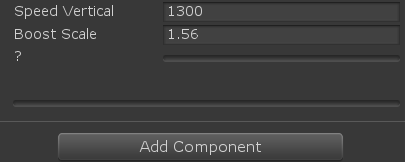
How should I use the CustomPropertyDrawer properly ?

[CustomPropertyDrawer(typeof(Test))]
public class TestEditor : PropertyDrawer
{
   public override float GetPropertyHeight(SerializedProperty property, GUIContent label)
   {
       return 16f * 2;
   }
   public override void OnGUI(Rect rect, SerializedProperty property, GUIContent label)
   {
       var positive_activator = property.FindPropertyRelative("positive_activator");
       var negative_activator = property.FindPropertyRelative("negative_activator");

       float pa = positive_activator.floatValue;
       float na = negative_activator.floatValue;

       EditorGUILayout.MinMaxSlider( ref na, ref pa, -1, 1 );

       Rect rect1;

       EditorGUI.MinMaxSlider( rect, "?", ref na, ref pa, -1, 1 );

       positive_activator.floatValue = pa;
       negative_activator.floatValue = na;

       
   }
}
fleet summit
#

anyone has a content about property drawer using ui elements

cedar reef
tough cairn
fleet summit
#

Thbaks @cedar reef and @tough cairn

feral karma
#

@fleet summit note that what the docs only partially mention is that UIElements drawers will only work if you also have a custom inspector that uses UIElements.

tough cairn
#

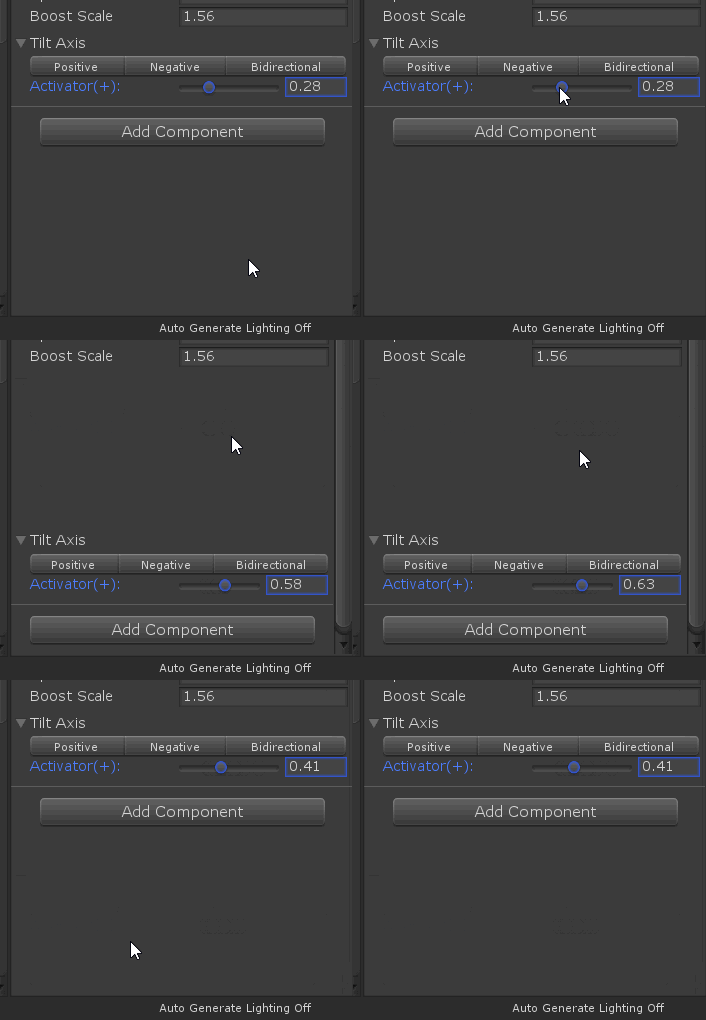
I have solved my problem it seems that negative infinity was breaking the EditorGUILayout.MinMaxSlider

tough cairn
#

how do i save a SerializedProperty after calling GUIUtility.ExitGUI() ?

#

im using EditorGUILaytout inside CustomPropertyDrawer

#

using GUIUtility.ExitGUI() will prevent the jumping, but it won't set the value

tough cairn
#

huh... i commented everything out recompiled and it solved itself ... IMGUI is a strange animal

tough cairn
#

nvm ... its back

#

ok wtf the exact same code will sometimes work perfectly / result in random jumping / won't even render due to error at index 0 position ...

#

Guess its time to learn UI Elements

tough cairn
#

How can i get the label value in CreatePropertyGUI ?
like its done in OnGUI(Rect rect, SerializedProperty property, GUIContent label)

#

hello ?

stark geyser
#

@tough cairn Have some patience and please ease up on gifs in educational channels.

tough cairn
#

( ofc, just gonna say that was an excellent meme )

solar dust
#

Does anyone know a good player-item interaction system? I know how to use colliders to interact but what is a good optimized way for waiting player's input to pick up item (I don't want to walk over and auto pick it up)

#

something with couroutines?

honest grotto
#

Is there a way to dynamically create property drawers?

cloud wedge
#

I'm new to inspector editors. Is there a better way to write this code?

            if (t.questData != null)
            {
                int currentIndex = t.questData.steps.IndexOf(t.questStep);
                int stepIndex = EditorGUILayout.Popup(currentIndex,
                    t.questData.steps.ToArray()
                );
                if (stepIndex == -1)
                {
                    t.questStep = null;
                }
                else
                {
                    t.questStep = t.questData.steps[stepIndex];
                }
            }
#

questStep is a string.

visual stag
#

Almost everything could be cached

#

I wouldn't be doing a ToArray every repaint unless you had to

#

same with the index lookup

cloud wedge
#

ah. Is there a way to turn this into a one liner?

#

or close to it?

#

I feel like this is a lot of if statements

visual stag
#

well, why would stepIndex be -1 ever?

#

oh, because you're doing weird stuff

cloud wedge
#

when you pick the quest (not shown here), the questStep popup will default to a blank

#

so then I think stepIndex would be -1

visual stag
#

I would usually cache an array with a None string as 0

cloud wedge
#

I"m down to do that, but wouldn't it still return -1?

visual stag
#

No, because you would keep track of currentIndex and initialise it as 0

#

only the popup and the initialisation would set it, it would never be anything that wasn't in the popup array

cloud wedge
#

oh i don't know how this works. I thought if I hardcoded it to 0, then that would mean every pass, it would reset the value of the dropdown to the 0-ith display value in the array

visual stag
#

usually I would have something like:

using(var cCS = new EditorGUI.ChangeCheckScope()){
    index = EditorGUILayout.Popup(index, options);
    if(cCS.changed){
        if(index == 0)
            SetThingToNull();
        else
            SetThingToRealIndex(index - 1);
    }
}```
cloud wedge
#

where do you initialize index?

visual stag
#

and in Enable or something:

options = new string[realOptions.Count+1];
options[0] = "None";
for(int i = 0; i < realOptions.Count; i++){
    options[i+1] = realOptions[i].label;
}
index = realOptions.IndexOf(current) + 1;
#

if that makes any sense, obviously it won't compile 😛

cloud wedge
#

so that second example is where the index is initialized?

visual stag
#

yup

#

and where the options array is cached

#

It obviously depends on how frequent things change, like if you're altering the list you'd have to re-cache and initialise

cloud wedge
#

cool, ok thanks

thin fractal
#

Hello everyone
Can someone help me with something

#

I want to call the value of canvas width and height in my script and use it to adjust the position of buttons accordingly as they are expanding on click of the home button

#

I will use the value of canvas height and width to readjust the expanding of the buttons accordingly to the canvas size in game mode

#

Please if someone knows something about this text back

pulsar raven
#

@thin fractal

waxen sandal
left gate
#

(UIElements)
why is it that when I use a default editor resource for a background image, It uses the dark theme?

 background-image: resource("TextField.png");```
thin fractal
#

@waxen sandal I wanna ask you I am a biggner to this i want to know which grp I should text in to ask such questions and what is editor extending ??

#

Thankyou

#

@pulsar raven thanks worked like a charm

wispy delta
#

@thin fractal "editor extending" is adding custom functionality/UI to Unity. Creating custom windows, inspectors, menu items, context menus, assets etc are all fair game for this channel. If you have general questions about Unity #💻┃unity-talk is the place to go. If you have general questions about code #💻┃code-beginner is the place to go. This channel is specifically dedicated to extending the the base functionality provided in the Unity editor. Read through the #🔎┃find-a-channel if you wanna see which channels are best for which questions 👍

gloomy chasm
#

Quick question. I just found GUILayout.VerticalScope, is there some reason not to use this? It seems like it makes code with lots of Begin/EndVertical way more readable.

wispy delta
#

@gloomy chasm Using scopes is better than calling the Begin/End. They look cleaner and you can't fail to close them

#

I think most people just don't use them because they don't know about them or don't know about using(...) statements

gloomy chasm
#

Yeah, they seem way better. I have just never seen anyone use or even mention them before, so I wanted to see if there was some performance reason or something I wasn't thinking of.

wispy delta
#

If anything I assume they'll have better performance

gloomy chasm
#

Cool

molten nimbus
#

Anyone else had problems with object placement from 2018.x to 2019.2?

Hundreds of hand placed objects (Speed Trees in particular) all converged to a central location at the pivot point of the Null object they were parented under...

lilac hill
#

Quick question . I want my image wiggling slightly , i think use Rotation but i can't do it

chilly stone
#

Does someone around here work with UIElements?
I'm making custom editor window and I want to display a list of file names in certain directory when I press a button. Is ListView a way to go?

waxen sandal
#

Yeah sounds like it

outer cove
#

is it possible to add a script as a variable?
as in, you drag and drop the script to a little slot like a game object

waxen sandal
#

Monoscript is the type

#

Not sur eif it's serialized

outer cove
#

thanks

chilly stone
#

So I'm trying to wrap my head around this. Shouldn't ListView update when I'm changing names list? Because for me it doesn't

#

I'm just adding new elements to names inside OnSelectDirectory(), and even calling Refresh() on ListView, but it doesn't update

waxen sandal
#

What's names?

chilly stone
#

@waxen sandal List<string>

waxen sandal
#

Weird

chilly stone
#

It should work?

#

I'm on 2019.1.8 btw

waxen sandal
#

You definitely need to call Refresh but it looks just fine

chilly stone
#

childCount is always 0, while names.Count is fine

waxen sandal
#

Have you tried manually setting the itemssource?

chilly stone
#

I'll try

#

@waxen sandal oh damn it actually worked thanks

#

Weird

waxen sandal
#

Sweet

chilly stone
#

Ohhh I get the reason now

#

It's because after binding listView with names I newed up names in OnSelectDirectory() everytime, so listView lost the reference to it

jaunty furnace
#

i'm haveing some issues with the unity events... whenever i recompile the custom editor. unity seems to go crazy with the events... it spews out a long stream of OnDisable and then alternates between OnEnable and OnValidate. is that normal/expected behaviour? how can i stop/go around it?

dense swallow
#

i am new and bad at programing. and i dont know why my player is going up and to the right, when i want him to only go up

jaunty furnace
#

@dense swallow first of all, this isn't the right chat for general questions. second, you're doing something really trippy with your velocity assignment... what you want is rb.velocity = new vector2(rb.velocity.x, 2);. but you method isn't too good i suggest you do rb.ApplyForce(2, 0); instead 🙂

thick void
#

@dense swallow yes, wrong, channel, but we have all been new at programming once before, it's about trial and error and critical thinking. You have a lot of headaches ahead of you, but stick with it, it is very rewarding

whole steppe
#

how can i change the finger rotations of my fp arms, cause when i change them first and then run in playmode the return to the rotation of the current animation back.

sly notch
waxen sandal
#

@visual stag What magic is that?

visual stag
#

a pain in the ass

waxen sandal
#

Yeah I imagined that 😄

visual stag
#

The actual functionality of the thing was easy

#

getting UIElements to not break in my face? Hard

waxen sandal
#

Oh cool

#

That's a pretty interesting way to abuse uielements

whole steppe
#

@sly notch thanks, ill try it

gloomy chasm
#

How do you use anonymous methods with the GenericMenu AddItem?

#

Nvm, I just had the expression wrong

tough cairn
#

Is there a build in YAML parser in unity ? apparently there isn't one

#

I am aware of YamlDotNet but not sure how to include if i plan to publish it. Do i include the dll file , or should i expect the user to download it himself ? Is there a reliable way to know if something like NuGet is being used ?

waxen sandal
#

It depends on the license of it

#

And you shouldn't use nuget in unity

tough cairn
#

@waxen sandal what do you use ?

waxen sandal
#

For what?

tough cairn
#

@waxen sandal instead of nuget

waxen sandal
#

Download the DLLs yourself

chilly stone
#

How can I see and edit my data class inside editor window?

whole steppe
#

@chilly stone ScriptableObject? Or a regular class/struct?

#

Mark your class/struct as [Serializable]

chilly stone
#

A regular class

#

I already placed that attribute

#

I just have no idea how to make editor window display it and its properties, like in inspector

#

I made PropertyField in uxml and tried to bind it in code, but that didn't work

whole steppe
#

You can't just have a class in your editor

#

It needs to be attached to something that is viewable in the editor

#

Some prefab

#

Or scene object

chilly stone
#

@whole steppe why? I'm just using it as a data holder, it doesn't need to be attached

#

It worked in my older GUI editor window, now I'm trying to make it work using UI Elements

whole steppe
#

Data holder for what? Afaik, you can't just have some class floating around

#

Either it's used somewhere in-game on some object

#

Or it's stored as an asset

#

If you want to hold data, as some stored variables, that's what scriptableobjects are for

split mural
#

hrm, anyone here using UIElements know how to register a function to a button click to a queried button from uxml?

#

nvm, found it out: queriedButton.clickable.clicked += () => {}; on 2019.2

hasty sage
#

EditorGUILayout.IntSlider gives me a stackoverflowexception every time. Does anyone else experience this and/or does anyone have a fix?

int i = 1;
void OnGUI()
{
    i = EditorGUILayout.IntSlider(i, 0, 4);
}

I'm using 2019.3.0a8

harsh hull
#

That's weird, wonder what's wrong

waxen sandal
#

Bug in alpha probably

zealous coral
#

Anybody faced this problem ? I have a monobehaviour in a prefab, when i use a GUILayout.Button in its custom inspector to changes a property's value, that value will be reset when i enter Play mode
If i type a value manually in the field, it records properly
If i unpack the prefab, it records properly

I'm using Unity 2018.3.0f2

visual stag
#

You're using serializedObject.ApplyModifiedProperties() or Undo.RecordObject?

zealous coral
#

i work with SerializedProperty, i wrapped the buttons inside serializedObject.Update and ApplyModifiedProperties

#

the weird part is, the value ONLY resets when i enter Play mode, everything is working properly before i enter Play mode, it's pretty troublesome

visual stag
whole steppe
#

Thanks!

echo leaf
waxen sandal
#

Can you not join multiple discords to spam this?

zealous coral
#

wow, misuse channel + angry react when pointed out

tardy spade
#

hi. have anyone know about a way to override script header in inspector? I would like to add there some info since I am using multiple components of the same type on one game object and I want to be able to differentiate them even when they are minimized

echo leaf
#

just cuz you don't agree doesn't make it wrong

tardy spade
waxen sandal
#

Theoretically you probably can, it's just a giant hack

echo leaf
#

I'd rather write my own inspector extension than override it, considering you probably have few uses cases for this where overriding script affect every use case

tardy spade
#

@echo leaf sure, but afaik there is no way to change the component titlebar even with custom inspector editor

echo leaf
#

if you only create a editor window that mimics the inspector then you can

tardy spade
#

@echo leaf - thanks! I'll look into that

waxen sandal
#

@tardy spade You can get the editor windows of the inspector then use some tricks to get the title elements of the components

#

@visual stag Did something similar for the window titles

visual stag
#

You can selectively inject/replace VisualElements but it's pretty hacky

gleaming zenith
#

EditorApplication.update should only becalled if anything in the UI changes right? Like mouse pos, key press and stuff like that.

#

Why is Unity calling update even if minimized?

visual stag
#

It's called 10 times a second

#

the documentation should tell you this

gleaming zenith
#

Documentation my ass dude

#

thats why I hate the docs

visual stag
#

No need to get grouchy, I was saying that the documentation should say that, not that it does

gleaming zenith
#

Wasn't meant as insult more of a sign of despair lol

#

So I'm trying to find out why my editor is constantly taking 10~12% CPU

#

other projects do not. Apparently it's not due to EditorApplication.update even though it's called in the background

visual stag
#

I've submitted some feedback for that documentation page

gleaming zenith
#

The profiler does not give me any valuable information

visual stag
#

Deep profiling the editor tells you nothing?

gleaming zenith
#

I'm doing some talk with the unity devs at Unite anyway. They'll get my despair :D

#

The only thing that's taking so long (as far as I can see) is the profiling window

#

Maybe you'll see something I don't?

#

Sadly I cannot see "heavy" work - only time consuming work.

visual stag
#

Does seem mostly profiler

#

🤷

#

Sadly I think profiling help is not really possible over discord 😛

gleaming zenith
#

I would expect some tiny steps but many of them causing this issue but not finding any

#

:D it doesn't yeah

dim walrus
#

Is there any easy way to get all assemblies in the project and their respective types?

#

Including UnityEngine.dll and CSharp_Assembly.dll

waxen sandal
#

All loaded ones can be found through the appdomain

dim walrus
#

Does AppDomain give all assemblies in project or referenced?

tough cairn
#

what happens to a process if it was started during edit mode and i clicked play ?

wispy delta
#

what do you mean by process? @tough cairn

tough cairn
#

i create a new Thread

#

( using System.Threading )

wispy delta
#

I haven't used them in the editor but if I remember correctly, at runtime I had to stop them manually when exiting play mode so I assume they'll keep running when you enter playmode

#

Is there a reason you're managing threads yourself and not using the job system?

tough cairn
#

i am starting cmd.exe

#

is there a way to fetch back that thread ?

wispy delta
#

Hmmm I'm not sure. Unfortunately this is a bit out of my wheelhouse, but hopefully someone else knows as I'm curious as well.

cedar reef
#

@tough cairn You can store a reference to the thread when you create it

tough cairn
#

i am, the thread also suppose to debug log out stuff

#

but it stops doing so after i enter play mode

wispy delta
#

I believe Unity reloads the domain when entering play mode so I'm not sure if the reference will persist. Lemme know if I'm wrong tho @cedar reef

cedar reef
#

Pretty sure you're correct about that

wispy delta
#

@tough cairn Isn't there some API for finding processes tho? You could just look for it before creating it kinda like a singleton

tough cairn
#

just tried this:

int ID = cmd.thread.ManagedThreadId;
                    UnityEngine.Debug.Log("Current Thread ID " + ID );
                    Process p = Process.GetCurrentProcess();
                    ProcessThreadCollection threads = p.Threads;
                    foreach( var t1 in threads )
                    {
                        Thread t2 = ( Thread ) t1;
                    }

and it seems like there are 0 threads in current process

#

but i can still see it in the task manager

cedar reef
#

If I remember right, when I was playing with multithreading and Unity, not actually stopping threads when playmode was exited wound up with them just existing off in limbo still doing their thing, rather than stopping and being destroyed

tough cairn
#

@cedar reef that's sort of what happens now, for example if i run ping 20 times it will be alive until the command is complete, or if its waiting for user input it will get stuck there forever

tough cairn
#

Debugging the current process will crush unity:

Process p = Process.GetCurrentProcess();
tough cairn
tardy spade
#

hi. is there any way to implement something like overrides in profiles for custom scripts? for example I would love to have an overridable scriptableobjects

harsh hull
#

You mean a child class of a custom scriptable object?

#

Anyone try UIElements with inspector? How is it?

tardy spade
#

i mean something like volume editor. I am wondering how to approach the case where i would like to have some kind of overrides to scriptableobject instance

#

making it a new instance. something like inheritance but not quite

harsh hull
#

How about passing in parameters after copying the scriptable object

tardy spade
#

yeah, i know how to do it step by step. I am just curious if there is a way to make it easier than implement this (behaviour, editor, selecting only the parameters you want to override and so on)

harsh hull
#

You could create a property drawer for an object type, that way no matter on what component its on, it will be displayed a certain way in the inspector

harsh hull
#

Is there any event that lets me know when an inspector loses focus or a string text field?

chilly stone
#

@harsh hull FocusOutEvent

#

Is there a way to autosize text so it would fit in editor window?

cyan sphinx
#
    public virtual void OnGraphEnd()
    {
        // get all fields on this node
        fields = instance.GetType().GetFields();
        if (fields.Length == 0) return;

        // for each field
        foreach (var fieldInfo in fields)
        {
            // if this field is of type scriptable object
            if (fieldInfo == typeof(ScriptableObjectVariable))
            {
                Debug.Log("Found a field of SO to load");
                ScriptableObjectVariable soVar = fieldInfo.GetValue(this) as ScriptableObjectVariable;
                
                // run on end graph
                soVar.OnGraphEnd();
            }
        }
    }
#

Seems this does not work, via reflection. Because type ScriptableObjectVariable is a base class

#

Can reflection only find child classes via this method?

#

Ive investigated if there was a way to identify the field by an interface instead, but haven't been able to get that to work either.

chilly stone
#

@cyan sphinx this is not really an editor question, but you can use:

typeof(ScriptableObjectVariable).IsAssignableFrom(fieldInfo.GetType())
cyan sphinx
#

@chilly stone , thank you. Working on an editor script (posting here every few days 🙂 ) and this seems to be the only channel that knows about reflection

chilly stone
#

Yeah makes sense

cyan sphinx
#

But, i am not quite sure how to apply your solution. Sorry, I am just reaching the edge of my understanding of reflection

chilly stone
#

Just paste it into if condition

cyan sphinx
#

Cool, ill give it a go. Thank you.

wanton cipher
#

Anyone else getting no GUI implemented when using UIElements for a property drawer?

feral karma
#

@wanton cipher make sure the Editor you want to use that drawer in is also using UIElements

heady magnet
#

hello, I have a question. Use PinObject can show a prefab in project window but when I pin multi objects, it only show the lastest object in project window. Do you know how to show multi objects in the project window?

feral karma
#

@heady magnet if you ping all objects one by one, all will be "expanded" even if only the latest is actually highlighted, so that you at least see all things in your selection.

heady magnet
#

@feral karma what do you mean "one by one"? Is it something like that I use "for" to ping all the game objects? But it still doesn't seems work.

#

I need all selected gameobjects show in project window at the same time.

feral karma
#

Ah, seems you're using 2-column-layout

#

Try 1-column

heady magnet
#

@feral karma it works. many thanks!
But I have another problem. I need them to show in the project window, because I can easily edit them and edit them separately like the picture below.

One colum set is not quite useful, because it not just show the game objects I need.

feral karma
#

If you want to only show some objects you need a filter. Look for scene filter / project filter.

dim walrus
#

I know unity can't serialize generic fields but can i draw a generic field with a custom attribute?

#

(Trying to make a drawer for the attribute, not the field)

waxen sandal
#

Probably

molten nimbus
#

Is there a tool for 360 stereo captures in the editor?

molten nimbus
#

Thanks. For some reason I never managed to make this tool work :S

odd swan
#

anyone have tried type field (MonoBehaviour inherited type) in uielements?

#

...without binding

#

okay i found how to do it

visual stag
#

If you make a component script anything that is serializable can be assigned in the script's importer as a default

#

so you could assign a material there

#

and it would be added by default

whole steppe
whole steppe
#

what does the default material have to do with this?

#

if you have a reference to a material inside the script, then that's it. You can drag and drop it but that won't by itself change anything else.

whole steppe
#

Ah, I think I get what you're saying now. What I think is going on in the video, is that the default graphic material was changed (https://docs.unity3d.com/2018.1/Documentation/ScriptReference/UI.Graphic-defaultGraphicMaterial.html) [EDIT: Actually, just watched it again - no, probably not, sorry, it's probably just the defaultMaterial property of the graphic]
But that probably won't help with your use-case - a shader that renders shadows in the UI. I think you'll need to create a specific material for that, sorry.

#

Seeing how shaders are very closely tied to materia.s

#

materials*

#

I assume your main motivation behind not changing the material is that you want your UI shadow casting to work with 'any material'?

#

okay. Well, as you can see, the material on the GameObject is switched out when he attaches that component. So I'd assume he set the defaultMaterial in the properties of the script.

#

You can do that by clicking on your MonoBehaviour (the asset, the one in the project view) once, you can set default values there.

#

Maybe that does the trick?

#

But then again, if you want it to be a generic shadow solution, you shouldn't do that in a MonoBehaviour that inherits from Graphic (because otherwise you couldn't use it with any other type of graphic such as image or button)

#

what exactly are you trying to do anyway?

whole steppe
scenic kite
#

Anyone know off the top of their head if there is a way to enable static batching at editor time, through script?

#

I see I can assign to GameObject.isStatic at editor time, but I'd just like to set batching, not the whole suite of static features

#

Found it for anyone who's interested... UnityEditor.GameObjectUtility.SetStaticEditorFlags(gameObject, UnityEditor.StaticEditorFlags.BatchingStatic)

tough cairn
#

@wispy delta i sort of got it working in one way only so far

wispy delta
#

@tough cairn How's that?

tough cairn
#

well i can send it messages, the thread is still linked (?) and the process is running in the task manager

#

so if i send something like:

msg %username% yoo!
it will popup a message on screen, but since it lost the event handlers it won't receive the input back

#

i did it by serializing nearly everything i could

#

only problem is that the events/actions are not easily serializable

#
#

iirc the second link didn't even compile without errors

tardy spade
#

guys is it possible to create custom editor for animation event? I am tired of writing function name by hand

visual stag
#

I don't author them, but I thought if you had your object selected you didn't have to do that?

uncut snow
#

Are there any restrictions about using reflection for an editor script. I like to load all classes that derive from a base class for a reorderablelist. So I can add a specific type from a dropdown. But it loads nothing while putting the code in a start method from a mono script it works.

visual stag
#

There are no restrictions

#

Also if you're in 2019.2+ (I think) you can use the TypeCache API and you can get a lot of speedups for that sort of reflection

uncut snow
#

oh nice works thanks

uncut snow
#

Another question. I just try to create a Reorderablelist. I got cs public List<BaseStat> Stats = new List<BaseStat>() { new Defense(), new Health(), new AttackDamage() }; I wanna fill the list with like you see classe that derive from BaseStat and using ReorderableList for that. But after adding a new element all entries are converted to BaseStat.

#

here my relevant list code ```cs
private void DrawElementCallback(Rect rect, int index, bool isactive, bool isfocused)
{
var element = m_list.serializedProperty.GetArrayElementAtIndex(index);
rect.y += 2;

    var list = ((ActorStats) target).Stats;
    Debug.Log(list[index].GetType());

    EditorGUI.PropertyField(new Rect(rect.x += 10, rect.y, Screen.width * .8f, EditorGUIUtility.singleLineHeight),
                            element, new GUIContent(list[index].GetType().Name));
}

private float ElementHeightCallback(int index)
{
    var propertyHeight =
        EditorGUI.GetPropertyHeight(m_list.serializedProperty.GetArrayElementAtIndex(index), true);

    var spacing = EditorGUIUtility.singleLineHeight / 2;

    return propertyHeight + spacing;
}

private void DrawElementBackgroundCallback(Rect rect, int index, bool isactive, bool isfocused) { }

private void OnAddDropdownCallback(Rect buttonrect, ReorderableList list)
{
    var menu = new GenericMenu();

    IEnumerable<Type> stats = GetStats();

    foreach (var stat in stats)
    {
        menu.AddItem(new GUIContent(stat.Name), false,
                    () => OnClickAdd(Activator.CreateInstance(stat)
                                    ));
    }

    menu.ShowAsContext();
}

private void OnClickAdd(object userData)
{
    serializedObject.Update();
    var index = m_list.serializedProperty.arraySize;
    m_list.serializedProperty.arraySize++;
    m_list.index = index;
    serializedObject.ApplyModifiedProperties();
}```
#

any idea what i can do ?

cedar reef
#

Unity doesn't serialize polymorphic lists unless you're using 2020

uncut snow
#

dang ok, thx

uncut snow
#

it should work if my base class inherit from scriptableObjec right ? @cedar reef

cedar reef
#

Yes

radiant sinew
#

im having a trouble with my re orderable list

#

my re orderable list refferences items objects that are contained in a list of scene objects

#

but when i re order the list from the scriptable object the order isnt updated in the scene objects

#

after runtime it reverts back to its previous value

cedar reef
#

Is something else possibly updating/replacing the list while you're editing it?

radiant sinew
#

i dont think so

#

it looks like the changes that im making arent serialized

radiant sinew
#

for some reason after the re order the component keeps pointing at the same index as if the list was not re ordered

hoary surge
#

Wondering if anyone around here has dealt with an issue I'm running into. I've got a custom class that's not inheriting from monobehavior or scriptable object, but it is seralized by unity. I'm trying to access an array of this custom class via SeralizedProperty but I can't seem to cast the reference value to the class...I.E. CustomBlockClass block = blocksProperty.GetArrayElementAtIndex(i).objectReferenceValue as CustomBlockClass; I've been googling and not finding anything solution wise.

#

Surely there must be a way to do it?

radiant sinew
#

objectReferenceValue returns a unity object

#

not .netobject

#

so that cast will always fail

hoary surge
#

So is there a way to get a valid reference or copy of a non unity object out of a seralized property then?

radiant sinew
hoary surge
#

thanks

radiant sinew
#

that should help with debugging

uncut snow
#

Hi i created a reorderable list for a class this class contains => public List<BaseStat> Values = new List<BaseStat>(); should be this reorderablelist. But know i have this line public List<BaseStat> Values = new List<BaseStat>(); also in other scripts. How can i use the custom reorderablist to render everytime like it should ?

waxen sandal
#

Just because you have a recordable list implemented doesn't Mena it gets drawn everywhere

#

You need a custom inspector or something 5

#

Something like that

uncut snow
#

i got a custom edfitor but that just working for one class

zinc peak
#

Whenever i place a different tile above a tile , it seems to change rendering in a weird way

uncut snow
#

I created a custom reorderablelist for a scriptableobject. But when i change value in this list the field instant reset to 0 ```var element = m_list.serializedProperty.GetArrayElementAtIndex(index);
var elementObj = new SerializedObject(element.objectReferenceValue);

    var propertyIterator = elementObj.GetIterator();

    EditorGUI.LabelField(new Rect(rect.x + EditorGUIUtility.fieldWidth,
                                rect.y + 2,
                                rect.width,
                                EditorGUIUtility.singleLineHeight),
                        element.objectReferenceValue.name);
    var idx = 0;

    while (propertyIterator.NextVisible(true))
    {
        if (propertyIterator.name == "m_Script") continue;
        idx++;
        EditorGUI.PropertyField(new Rect(rect.x,
                                        rect.y + (m_lineHeight * idx),
                                        rect.width, EditorGUIUtility.singleLineHeight),
                                propertyIterator);
    }``` im using the property iterator. Any idea ?
#

so the scriptableObject contains a ReorderableList out of other scriptableObjects but instead of a object filed i just show the target scriptableObject fields

uncut snow
#

does anyone have an idea ?

quiet solstice
#

hey, I hate to bother people by asking for help, but I've been working on this all day and I think I'm misunderstanding something, so I was hoping someone could point me to the right documentation or something.

#

I followed a guide (not entirely, deviated a bit for my needs) to build a node editor window (EditorWindow) with OnGUI, and I've added serialization of the node graph into ScriptableObjects with save and load buttons, but I'd really like the editor to support Unity serialization with undo functions and what not since this node editor is going to be pretty important in my project. For custom editors, I simply use SerializedObjects & SProperties and let unity handle the rest, but since I'm modifying a SO with an EditorWindow and not extending Editor, I'm not really sure where to go from here

quiet solstice
#

not working how I want it yet, but starting to get it to work

gloomy chasm
#

@quiet solstice you can use Undo.RecordObject

uncut snow
#

Those "Stat" like "AttackDamage" is also a scriptableObject

#
private void DrawElementCallback(Rect rect, int index, bool isactive, bool isfocused)
    {
        var element = m_list.serializedProperty.GetArrayElementAtIndex(index);
        var elementObj = new SerializedObject(element.objectReferenceValue);


        var propertyIterator = elementObj.GetIterator();

        EditorGUI.LabelField(new Rect(rect.x + EditorGUIUtility.fieldWidth,
                rect.y + 2,
                rect.width,
                EditorGUIUtility.singleLineHeight),
            element.objectReferenceValue.name);
        var idx = 0;

        while (propertyIterator.NextVisible(true))
        {
            if (propertyIterator.name == "m_Script") continue;
            idx++;
            EditorGUI.PropertyField(new Rect(rect.x,
                    rect.y + (m_lineHeight * idx),
                    rect.width, EditorGUIUtility.singleLineHeight),
                propertyIterator);
        }
        
    }``` Thats the part where the elements get drawn.
visual stag
#

When you draw the list do you call scriptableObject.ApplyModifiedProperties afterwards?

uncut snow
#
public override void OnInspectorGUI()
    {
        serializedObject.Update();
        SerializedProperty iterator = serializedObject.GetIterator();

        while (iterator.NextVisible(true))
        {
            if ("m_Script" == iterator.propertyPath) continue;

            if (!iterator.propertyPath.Contains("Stats"))
            {
                EditorGUILayout.PropertyField(iterator, true);
            }
        }

        if (m_property.objectReferenceValue != null)
        {
            m_list.DoLayoutList();
        }

        serializedObject.ApplyModifiedProperties();
        EditorUtility.SetDirty(target);
    }```
visual stag
#

don't set the target as dirty

uncut snow
#

ok

visual stag
#

Also you need to ApplyModifiedProperties on elementObj in the first one

#

and likely Destroy it too

uncut snow
#

the elementObj ?

visual stag
#

Actually, just Dispose

uncut snow
#

@visual stag Thanks the ApplyModifiedProperties on elementObj was the part i'd miss. Big thanks !

uncut snow
#

Another question. I'm writing a property Drawer for cs public class StatCollection { public List<BaseStat> Values = new List<BaseStat>(); } polymorphy list is atm not supported so i use scriptableobjects atm. To add a specific ScriptableObject i need access the List from SerializedProperty property. I can use m_property.FindPropertyRelative("Values") and use InsertArrayElementAtIndex() but it just creates a copy of the base class which is not what i want. Is there any workaround to solve this ?

uncut snow
cerulean osprey
#

how do i unimport a package?

#

each time i delete it

#

it reimports

visual stag
#

@cerulean osprey just remove it with the package manager

cerulean osprey
#

its not in the package manager

#

i got it off the assets store and i cant find it in the package manger

visual stag
#

Is it actually a package? Or is it in your assets folder?

cerulean osprey
#

its in the assets folder

visual stag
#

Then it's not a package and deleting it should work, if not then there's something you're not deleting

cerulean osprey
#

im deleting the whole folder

#

why would it come back

#

im just making a new project file

stark geyser
#

Try searching for it in Packages folder manifest.json Delete the line containing it, if it's there

cerulean osprey
#

eh

#

ill just make a new project file

#

nothing in the old one

stark geyser
#

Folder is in the root of the project

cerulean osprey
#

ok

tulip plank
#

Is this the appropriate channel for UIElements questions?

#

(As it relates to editor extensions)

visual stag
#

Yes

rare surge
#

Hi, have a problem with editorwindow. I made a window to have quick items there and I want to drag out them if I need it. So I this works. For example. I drag the GUI.Layout(image) (which gives me the pointed Object on drag event) and I can move it to folder from A to B. But if I want to drag again it says.. the Object path cannot be found (it shows me the path to A which is wrong). So if I go to folder B and move the object back to A.. now the EditorWindow things my object is now in B which is again wrong. I don't get it why. I have gify to make it easier to understand.
https://i.imgur.com/ltI436M.gifv

waxen sandal
#

Can you share some code?

rare surge
#

I miss one step there

#

This is for the drag and drop

switch (ev.type)
            {
                case EventType.MouseDrag:
                    Debug.Log("PrepareStartDrag");
                    // Clear out drag data
                    
                    DragAndDrop.activeControlID = 0;
                    DragAndDrop.objectReferences = dragableObjects;
                    foreach(var o in DragAndDrop.objectReferences)
                    {
                        Debug.Log(o);
                    }

                    Debug.Log("StartDrag");
                    // Start the actual drag
                    DragAndDrop.StartDrag("Dragging title");

                    // Make sure no one uses the event after us
                    Event.current.Use();

                    
                    break;
                case EventType.DragExited:
                    DragAndDrop.PrepareStartDrag();
                    Repaint();
                    Event.current.Use();
                    break;
                default:
                    break;
            }

This is how I draw and make interactable (this contains the logic for drag out)

                    GUILayout.Label(previewTexture, GUILayout.MaxWidth(maxWidth), GUILayout.MaxHeight(maxHeight));
                    InteractHandler(i);
waxen sandal
#

What happens if you ask the AssetDatabase for the path to your dragableObject?

rare surge
#

I would like to check. My problem is I haven't any detection if the object is dropped somewhere. If the cursor leaves the window eventtype is DragExited. I cannot even check MouseUp. I tried Update and EditorApplication.update too.

waxen sandal
#

Checking when you start the drag is fine

rare surge
#

Yea I did. The path is correct. Weird

#

After moving it it shows the correct path.

#

Maybe I use just the path for the drag and drop and not objectReferences

#

Even while I am dragging it it says correct path.. but why after dropping it says file not found lol. Could it be a bug?

#

With DragAndDrop.paths + AssetDatabase.GetAssetPath it works perfectly

waxen sandal
#

👍

rare surge
#

Thx for helping

waxen sandal
#

Nice, looks good!

orchid prism
#

I have an enum named JumpType, and my Player inspector will use it for various jumps like base jump, air jump, wall jump and others. can I give each option a hover tooltip for each field of this type?

#

or, alternatively, does anyone have enum names that are more clear than this?

public enum JumpType
{
    // Holding jump has no affect on jump height
    SingleHeight,
    // Constant y velocity while holding jump until max height can be reached.
    RocketBoots,
    // Gravity increases when jump button is released or apex is reached.
    HeavierFall,
    // Y velocity is zeroed as soon when the jump button is released mid jump.
    FastFall
}
visual stag
#

@lucid pumice probably ask in #archived-networking , this channel is focused on the development of editor extensions

lucid pumice
#

Okay thank you @visual stag

lucid pumice
#

This may sound stupid but are there any extensions/plugins/assets that i can use to help sort out my Shop? I have had troubles in the past with setting up a simple mechanism where the player "buys" stuff, and that stuff gets added to the "inventory". Preferably something that already has save files handled.

I was working with Godot on a match 3 game and I quit making it when some code I couldn't find was saving the contents of the "Inventory" incorrectly, causing the player to lose stuff they had bought, and gaining stuff they hadn't bought yet. I know it was probably some stupid mistake on my part, but if I can avoid that happening again that would be great. It's a simple thing, so simple that it's basically not even worth programming, as it doesn't impress the employers.

uncut snow
#

You guys got any examples(images) for custom editor for animtion curve ?

#

Looking for some inspiration

waxen sandal
#

The default unity one?

#

Or the multi curve editor

calm thistle
#

Hello ! I can't find how to get the prefab model of a prefab variant via an editor script. Neither in PrefabUtility nor in PrefabStageUtility... Anyone knows ?

uncut snow
#

@waxen sandal doesn't matter

cedar reef
#

Whew, it was a long battle, but I've got Unity adding and switching out property drawers at run-time. This way, I don't have to use attributes, and I can do stuff like making inherited classes use the same property drawer as their base class without having to add an attribute to the drawer for each inherited class

orchid prism
#

Made My first PropertyDrawer. I'm happy with how it turned out but I don't have the ability to adjust the value with the mouse anymore, and I don't know what that feature is called so googling it has had no good results

#

anyone know how I can allow Min and Max to be adjusted via mouse drag?

#

similar to Vector2

#

or if anyone knows where I can find Unity's native PropertyDrawers then I could just study those

cedar reef
#

@orchid prism Are you drawing your fields using EditorGUI.PropertyField?

orchid prism
#

each min and max are a PrefixField and a FloatField

#

I got weird results from using PropertyField but I can take another look

#

ah

#

with PropertyField I didn't know how to control the field size and label size

cedar reef
#

You can draw it without a label and make your own label, if you need

orchid prism
#

oh thats what I'm doing but I don't have float adjustment control

#

I'm not familiar with accepted terms here, so when i say float adjustment I mean how i can drag a float's label and drag to adjust it's value

cedar reef
#

I mean you can draw it as a PropertyField with no label, and you should get the sliding behaviour you're looking for

orchid prism
#

hmm

#

tried

EditorGUI.PropertyField(rect, minProperty, null);
cedar reef
#

EditorGUI.PropertyField(position, property, GUIContent.none)

orchid prism
#

ah

#

it doesn't allow drag when there's no label

cedar reef
#

Dragging behaviour works fine for me using PropertyField, so it could be a bug in a different version of Unity. I'm on 2019.1.14f

orchid prism
#

2019.2.7f2

#

I'm doubtful that it changed between these

cedar reef
#

Stuff breaks between versions, regression bugs happen

orchid prism
#

it's possible, yeah, but I'm just doubtful

#

it works with EditorGUI.PropertyField(rect, minProperty);

#

but then it looks like garbage

cedar reef
#

You can control the label width manually

#

EditorGUIUtility.labelWidth

#

Just be sure to change it back to 0 or the value it previously had when you're done with it

orchid prism
#

ooohhh that did it

#

thanks, man!

cedar reef
#

np

orchid prism
#

getting a weird flicker glitch, now :(

#

btw: min and max sharing values in intended

cedar reef
#

Are you overriding GetPropertyHeight in your drawer?

orchid prism
#

nah

#

gonna paste some code after I clean up some rando stuff

#
override public void OnGUI(Rect position, SerializedProperty property, GUIContent label)
{
    EditorGUI.BeginProperty(position, label, property);
    
    position = EditorGUI.PrefixLabel(position, label);
    var minProperty = property.FindPropertyRelative("Min");
    var maxProperty = property.FindPropertyRelative("Max");
    var shareProperty = property.FindPropertyRelative("ShareValue");
    
    const float labelWidth = 25;
    float oldLabelWidth = EditorGUIUtility.labelWidth;
    EditorGUIUtility.labelWidth = labelWidth;
    
    position.width *= 0.5f;
    Rect rect = position;
    EditorGUI.PropertyField(rect, minProperty, new GUIContent("Min"));
    
    position.x += position.width;
    rect = position;
    
    if (shareProperty.boolValue)
        maxProperty.floatValue = minProperty.floatValue;
    
    EditorGUI.BeginDisabledGroup(shareProperty.boolValue);
        EditorGUI.PropertyField(rect, maxProperty, new GUIContent("Max"));
    EditorGUI.EndDisabledGroup();
    
    EditorGUIUtility.labelWidth = oldLabelWidth;
    EditorGUI.EndProperty();
}
orchid prism
#

it stops happening when there's a param after "Range"

#

I'll worry about this later

chrome geyser
#

The issue is not in OnGUI. It is in GetPropertyHeight()

frigid lava
#

Hey, i'm trying to draw an icon on top of the scene icon here in the hierarchy window, but I only want to do it if the scene meets a condition. I'm hooked up to the EditorApplication.hierarchyWindowItemOnGUI callback, but I've got no clue how to turn the instance id into a reference to the scene. Any clues?

dim walrus
frigid lava
#

That returns null on the instance ID I get from the scene

dim walrus
#

I suppose it doesn't like internal stuff?

#

I'm not really sure what are the scenes actually inside the hierarchy

frigid lava
#

Yeah I guess. I've tried to find some documentation about it, but haven't found anything on the actual scene 😦

dim walrus
#

Hmm if there is no cases but the scenes that the instance id is negative, you may use that to check you are drawing the scene icon

#

But i'm not so sure about that

#

Or better, if the InstanceIDToObject returns null

frigid lava
#

Yeah, but I don't want to draw the icon on every scene, only those who meet a condition. Maybe I can figure out which scene it is by keeping a counter and checking that against currently loaded scenes