#↕️┃editor-extensions
1 messages · Page 46 of 1
 whole steppe
and thats what my assumption is... its a GUI.Box but within it are inputfields..
or each line of inputfield are seperate boxes?
nope i was wrong..
whole steppe
nvm figured it out
whole steppe
how about that black box? what kind of GUISTYLE is this
whole steppe
hopefully someone answers this as this is the only thing im lacking right now 😢
 feral karma
@lucid bay depends on what you want to do with it / how many layers / is this shipped or internal
best codec for massive video playback is HAP, a pretty efficient playback solution is keijiros implementation
Unity VideoPlayer is good for shipping video playback as its well integrated (obviously)
AVPro still outshines it when it comes to playing back hi-res or many mp4s
 smoky radish
 lucid bay
@feral karma Thanks. Any idea if Renderheads is still around? Emailed support but got my email returned.
feral karma
hm, they should be, but haven't contacted them in a while
lucid bay
@feral karma Thanks for heads up re Keijiros plugin! Any idea how it compares with AVPro for HAP? I've only used the latter...
feral karma
I haven't run any tests on it. Compared to the renderheads stuff the keijiro plugin is just super small and immediately ready to go
lucid bay
Yeah. Might be the better choice considering not getting any email support. Will test.
 visual stag
@whole steppe use the imgui debugger to figure out what things are. Info is pinned
smoky radish
Hey guys,
I want to fill the field (The field is Sprite format) in array of scriptable objects with array of Sprites. I do it with EditorWindow and just by assigning each sprite into sprite field of that scriptable object. But they are not saved because after reopening Unity they are empty. What should I do ?
https://pastebin.com/gCVbHBjb
 zealous ice
Hi, is there a way to create scene preview of animation? I want to play animation in editor as preview
 gloomy chasm
@smoky radish The problem is that editor windows cannot store data. What you could do is to have a scriptableobject in the assets folder with the data you want stored on it. And when you open the editor window, it gets the object from the assets folder and uses it's data.
Assuming I am understanding what you want to do.
gloomy chasm
@zealous ice I don't know specifically how to. But I googled how to "unity how to play animation in editor" and there are quite a few solutions, but some may not work. And also depend on how you have thing setup.
zealous ice
I set it up, works ok
gloomy chasm
You got it working?
 next slate
Anybody got a good tutorial on creating custom drawers? I have a public system.serialized abstract class field. I want it to show properties of the oncrete class object it holds a reference to.
 cedar reef
But a warning: Unity won't save what's in your abstract field. Unity doesn't serialize non-concrete fields
next slate
@cedar reef I know unity doesn't serialise non concrete fields. I need a workaround for that.
The particle system has a shape parameter that changes fields based on what shape you select so it must be doable somehow
cedar reef
There's workarounds, the one Unity chooses is to usually actually have several different fields, each of which is a concrete sub-type of the abstract type
Ugly, code-wise, though
next slate
@cedar reef I already have concrete subtypes. I just need a way to serialise it
cedar reef
Yes, I'm saying what Unity's code winds up doing is rather than having one AbstractType field, it'll have a field for each concrete type
It's basically that, or custom serialization
next slate
@cedar reef What exactly do you mean by having fields for each concrete type?
cedar reef
private ConcreteImplementationA;
private ConcreteImplementationB;
private ConcreteImplementationC;
Instead of just
private AbstractClass;
Basically taking polymorphism out of the equation
next slate
I get that but how would that produce different drawers?
cedar reef
You set up different property drawers for each, and have a custom inspector as well which chooses the appropriate drawers to display based on which fields are null
next slate
What about the custom serialisation approach? Is it harder ?
I don't have any experience in custom serialisation. Unless JSON counts
cedar reef
You'd have to write your own file using a different serializer from Unity's and keep it sync'd up, could be harder, could be really simple, haven't really tried it before
Basically whenever Unity resets memory in the editor, you'd have to reload your custom data
next slate
Isn't Odin serilaizer free? Can I use that by hooking onto the editor reset event somehow?
cedar reef
Not sure, I haven't messed with Odin
next slate
Ah ok, thanks for your help.
cedar reef
No problem
 tardy ginkgo
Hey, any good resources for documentation about the new UIelements?
gloomy chasm
Yo, I just found a editor method with not even a full page on google about it. Though it does seem to be documented. It is a foldout method. Rather interesting actually
This is it if anyone else is interested. https://docs.unity3d.com/2019.1/Documentation/ScriptReference/EditorGUI.BeginFoldoutHeaderGroup.html

 hoary surge
@gloomy chasm do you have the chrome plugin that adds extra documentation to the unity docs? if not I suggest you get it and make some comments on what you find.
hoary surge
Thats the one
Which reminds me I should make a note about lerp and how easily you can mess it up heh
gloomy chasm
Oh, that is cool! I will get that, thanks.
Not sure there is too much to say about it. It is actually very well documented. I think it may be new? Seems to be what Unity 2019.2 uses for foldouts.
hoary surge
Well there is a ton of stuff in unity that when you deal with it you find little things off here & there. or the documentation was accurate enough to give you an idea of how to do something but not how to get it to the final spot. That's what the comments are for 😉
And the unity editor scripting stuff seems to be the least documented of everything
gloomy chasm
Yeah, I will for sure be using it. I know there have been things in the past like that. Though of course I can't think of them now 😛
 lament trellis
https://gyazo.com/d5e554675bc645bb0a7ee4a1c393de4b
I have a text object in my UI that is the child of a button.
If I change the scale by script (for example from 0.8 I set it to 0.5), the box in which it is contained is automatically scaled. But this creates problems for text formatting. I wish that when I do text scaling its rect transform remains unchanged (so that it is increased or decreased to keep its original coordinates), so that only the font is scaled.
Can anyone tell me how can I fix this?
 feral karma
Is there any way to have VisualElement behave "like the old system" in the sense of not having to create stylesheet/uxml for a simple thing that's supposed to just look "as default"? It seems to even get a PropertyDrawer to work one needs to have a custom inspector on the parent ...
visual stag
Just make a new ObjectField and register a ChangeEvent of your type to it
gloomy chasm
Is there anyone way to make a GUIStlye to use the Active style without simply having another style for it?
 grim walrus
Can i push a button into a foldout
 desert arrow
why does EditorPrefs.Save() not exist and is there a workaround?
other than managing a .txt file myself
or calling EditorApplication.Exit (0);
related: https://answers.unity.com/questions/1103060/editorprefsset-when-using-batchmode-quit-under-mac.html
Unity is the ultimate game development platform. Use Unity to build high-quality 3D and 2D games, deploy them across mobile, desktop, VR/AR, consoles or the Web, and connect with loyal and enthusiastic players and customers.
 coral nest
Is it possible to draw a editor inspector button next/underneath the prefab header? (Where it says Open, Select and Override)
 waxen sandal
There are but they are all incredibly hacky
coral nest
any resources that i can take a look at?
 median osprey
Hey, all! I'm trying to build an editor script that will modify the UVs of a bunch of submeshes of this collada file I have imported
The big sticking point is, I can't figure out how to access a given submesh of a mesh loaded in from the asset database
It will only ever load the parent mesh, and getting the access to the UVs of any child meshes from the parent seems bizarrely impossible. Anyone have any idea how to do this?
I'm basically trying to write in to the UVs of all triangles assigned to a given material
median osprey
^^Solved
 odd swan
I found some UIElements bug maybe
https://forum.unity.com/threads/scrollview-scrollto-works-weird-when-trying-its-childs-child.729479/
Unity Forum
[ATTACH]
I think scrollView.ScrollTo(VisualElement) is getting scroll offset by just it's parent element, not by scrollView.
 valid sonnet
I created a thing that allows you to use the Pug templating engine for UIElements: https://github.com/sloppycombo/UIElements-Pug

GitHub
Create Unity UIElements UXML files using the Pug template engine - sloppycombo/UIElements-Pug
It is a fork of UIElements-Slim which allows you to use the Slim templating engine
gloomy chasm
Does anyone happen to know how to change the background for items in a TreeView?
 lapis sonnet
https://pastebin.com/ZtM0qHKY Hey can someone help me this code is supposed to up the number of a int on a separate script when you go past the affected object but it's giving me the following error
Assets\Scripts\InvisTrigger.cs(11,9): error CS0120: An object reference is required for the non-static field, method, or property 'EnemyMove.MoveTrigger'

Pastebin
gloomy chasm
@lapis sonnet I am assuming EnemyMove is non-static, but you are trying to assign a variable like there is only one instance (static).
Also, just a heads up, almost any error you get in unity you can copy paste in to google and get the answer you are looking for 🙂
 ornate gulch
are the Mathf.trig functions degree or radian?
visual stag
@eager osprey @lapis sonnet @ornate gulch This channel is for extending the editor. General code questions are to be asked in #💻┃code-beginner
 eager osprey
 zealous coral
Hello guys, i have a question that's troubling me.
How does UnityEvent keep its' listeners' target the same over multi runtime? I am aware that every components' InstanceID is reset everytime unity restarts/scene unloads/loads.
I am asking this because i have a SequenceEventRunner class that holds a list of serializable sequenceEvent. Each of that is an instance of different classes which all inherits from a base SequenceEventBase class.
One of the class has a UnityEvent in it, and i am facing problem recovering the listeners' target from the JSON strings from serializing the sequenceEvents
 rustic lantern
Hi! Somebody used StrangeIoC? I try to find simple example how to use it. Thank you for any help.
 open shadow
Hi there, does anyone know a way in Unity 2018 to change the scene camera speed? I'm working on a strategy game with ships that are a hundred of meters long on a scale of 1 unit = 1 meter, so my levels are supposed to be several kilometers in size, and the player has a kind of topdown view
 prime spruce
whole steppe
prime spruce
whole steppe
Is calling the OnValidate method of the targetscript from the CustomEditor ok?
Because i seem to have a bug which i cant figure out
waxen sandal
I wouldn't suggest calling an Unity event function on your own
 onyx harness
@whole steppe of course you can
whole steppe
Thanks
 brazen sparrow
hi does anyone know how to rotate an object to a specific direction using script.
i want to only transform z rotation
whole steppe
wrong channel
brazen sparrow
where can i ask
 stark geyser
whole steppe
stark geyser
whole steppe
Hello, i have a very weird issue which i can´t solve. I have written a Custom Editor script where the user can choose a sprite and it is replaced on the Gameobject . After choosing a new Sprite, a bug occurs and the size of sprite is not shown correctly and few other bug occur but when entering playmode and stop the bug is gone and everything is shown correctly.
would really appreciate any tips on this one. The bug is that the sprites suddenly start to overlap when they should change the size
 visual plover
Hi all! I created an editor script that adds two components to a GameObject instance in a scene, clears the material references on the MeshRenderer component then applies the changes to the prefab root for the GameObject instance. As a test, I run the code by selecting a context menu option when right-clicking on a GameObject in the scene. When the code runs it works perfectly on the first GameObject I select, but does not apply the MeshRenderer material reference changes at all for any subsequent GameObject it is used on. Here is a snippet of what the code is doing. Any thoughts?
var component2 = gameObject.AddComponent<Component2>();

var meshRenderer = gameObject.GetComponent<MeshRenderer>();
meshRenderer.sharedMaterials = new Material[0];

AssetDatabase.SaveAssets();

string prefabAssetPath = PrefabUtility.GetPrefabAssetPathOfNearestInstanceRoot(gameObject);

PrefabUtility.ApplyAddedComponent(component1, prefabAssetPath, InteractionMode.AutomatedAction);
PrefabUtility.ApplyAddedComponent(component2, prefabAssetPath, InteractionMode.AutomatedAction);

var serializedObject = new SerializedObject(meshRenderer);
PrefabUtility.ApplyPropertyOverride(serializedObject.FindProperty("m_Materials.Array.size"), prefabAssetPath, InteractionMode.AutomatedAction);```@high bronze That's not relevant to Editor scripting, also don't multipost
 high bronze
Well i get multi ignored
visual plover
RE: PrefabUtility save issue - Adding a call to PrefabUtility.RecordPrefabInstancePropertyModifications(meshRenderer); before applying anything through PrefabUtility calls solved my problem.
lament trellis
Hi everyone, I have a problem that I can't solve with the use of a custom font (created in Unity using sprites). Since I can't use the Size font, I'm forced to resize the text using the Rect Transform Scale. The problem is that if I scale, the box containing the text is automatically resized too. I would like only the font size to be scaled, but not the containment box. Can anyone tell me how can I do?
 fringe pier
What is the hierarchy structure of your text?
 idle trellis
heyho anyone here knows how to use that combinemeshes script in the unity documentation?
waxen sandal
@lament trellis Assuming you're doing this in the editor, you can create a font asset and then set the fields on that using SerializedObject
visual stag
@gray pike If you are interested in how to make an inspector/editor show a password field anyway, you could make a PropertyAttribute and PropertyDrawer combo that uses a EditorGUILayout.PasswordField https://docs.unity3d.com/ScriptReference/EditorGUILayout.PasswordField.html
Though you have to remember it's more useful for obscuring input from people looking over your shoulder, and not for persistent content 😉
whole steppe
Hello everyone, how comes a few bugs in the Inspector are fixed when entering playmode and stopping
i have posted my issue yesterday, unfortunately no responses so far. thanks in advance.
 gray pike
@visual stag ah yeah. i think i found a solution to it. maybe XD because i am using Odin for editor. So it's a hassle sometimes to add label to a group 😄
@whole steppe what you mean?
lament trellis
@waxen sandal I'm sorry, but I'm not an expert, and it's not very clear to me what you suggested me to do.
I'll post an image to help you better understand my problem. The top image is the object with the basic RectTrasform. The second is the result with the modification by code. I would like you to modify the scale using code, the font containment box remains the basic size.
I currently use this line of code in the script to change the scale:
balloonText.GetComponent<RectTransform>().localScale = new Vector3(0.4f, 0.4f, 1f);
My text is an "UI Text" object (the font was created using sprite, it is not a "normal" font). It is contained within an "UI Image" object which is represented by the underlying balloon.
fringe pier
@lament trellis Don't use the scale property. Use the RectTransform's Width and Height and see if that helps
lament trellis
I use the scale, because I need to resize my custom font (I can't make it smaller by using font size). If I resize the height and width my font kepp its original dimensions.
fringe pier
I think I got your problem. My best advice would be to switch to TMPro text. It's just much better.
But if you do want to stick with what you have, then maybe scale your text to a desired size and then play with the dimensions (which will not affect the text size) to fit the rectangle wherever you want
If your text scales up as part of an animation or something then you will need to change the dimensions to keep everything proportional
lament trellis
I didn't need to use TMPro throughout my project, and I wanted to avoid importing it into my project just for this problem.
I thought I would try to resize the height and width of my text canvas after making the scale, but I can't do it by code.
By chance, can you tell me how do I access the height and width of the rectTransform to modify it?
I thought I was doing this, but it's not correct:
balloonText.GetComponent<RectTransform>().rect.width =
fringe pier
You can't modify the value of a RectTransform's rect.
Set all the anchors of your RectTransform to 0.5. Then you can change the size of the RectTransform using the RectTransform's sizeDelta property
Note that sizeDelta will not represent the width and height dimensions of the RectTransform if the anchors are not all the same. The value can be thought of (in most cases) as the difference between the dimensions of the RectTransform and its anchors
lament trellis
👍
feral karma
Not a question, just "developer funny" - copypaste error, copied a script and accidentally tried pasting it as filename
zealous ice
Hey, will Unity move their Graph related stuff outside of internal?
I wanted to build dialogue editor like this:
But turns out, it's not that easy
 stuck needle
I'm not positive on what Unity has out themselves, but you could always use something like xNode( https://github.com/Siccity/xNode ) or Sleipnir( https://github.com/red-owl-games/Sleipnir ) @zealous ice
zealous ice
Ok, I will try few things in XNode
feral karma
@zealous ice there's https://github.com/rygo6/GTLogicGraph

GitHub
A generic graph made off the UIElement GraphView built into Unity. - rygo6/GTLogicGraph
basically a stripped down ShaderGraph
zealous ice
Thanks, I will check it too
 harsh hull
Riddle me this, can I hijack the debug log method to display stuff in rich text without the call contaminating the stack Trace?
Id rather not have to having to write a native script so its not in the stack Trace
 pure ridge
Does anyone know if it's possible to detect packages via #define directives?
Like #if PROBUILDER or #if POSTPROCESSING
For integrations and whatnot
visual stag
If you're using assembly definitions you can use the Version Defines section to declare some.
https://discordapp.com/channels/489222168727519232/497874004401586176/577306637648396291
I've posted about them in the past ^
and you can see that some are automatically assigned by packages already in the Player Settings
@pure ridge
Oddly I think the way it works may not mean that an IDE will recognise that a define has been declared, but it works nonetheless
pure ridge
Ah great, exactly what I need, thanks @visual stag !
waxen sandal
@harsh hull I don't think so, let me know if you find something out though
 vestal kraken
Why when i am opening any of my C# scripts in visual studio all the lines are underlined in red like errors? It wasnt happening before.
fringe pier
@vestal kraken Happened with me before. Does it build without errors?
vestal kraken
@fringe pier Yes, it still builds without errors. I just did a fresh install or VS and its fixed the issue.
fringe pier
@vestal kraken I'm guessing restarting VS didn't fix it? Restarting fixed it for me
vestal kraken
@fringe pier Nope, i had to re-install
 cyan sphinx
I am wondering if someone can point me in the right direction. In my editor window, I save an .asset file. To do that you need to supply a path. I am however worried later that the folder might be moved and therefore the path will be broken. What is the correct way to handle this?
fringe pier
@vestal kraken Maybe cleaning the solution or rebuilding it would fix it if you encounter it again
cyan sphinx
            AssetDatabase.CreateAsset(curGraph, "Assets/PleaseEditor/Database/" + createdName + ".asset");
            AssetDatabase.SaveAssets();
            AssetDatabase.Refresh();
@cyan sphinx If you're not sure if the path is going to be this one then you can just store it somewhere as a constant. Edit that constant whenever you change the path
cyan sphinx
More worried that an end user might drag the "PleaseEditor" folder into a new folder. Like "Assets/ThirdParty/PleaseEditor", which will then cause it to be broken.
visual stag
You can find it properly with AssetDatabase.FindAssets($"t:{nameof(MyAssetType)}") and filtering down the results
fringe pier
@cyan sphinx Ah. My bad. I misunderstood your question
cyan sphinx
Its all good, thanks both. @visual stag , ill give that a go.
Although not sure how that can set the initial path? But rather find existing assets
visual stag
Well, your initial path is not a problem, no? Just recreate any folders you need, or use the same find method to find the directory you care about
You can't reasonably go tracking the existence of folders, though you could attempt to search the project for a folder name using the c# directory functions
It's hard to know what you mean exactly though
cyan sphinx
Cool, thanks. 🙂
 sleek berry
Does anyone here have experience with activating a unity license through the commandline with 2019.2 ?
I've been trying to get it setup, but the logs always show a 503 service unavailable since the upgrade from, 2019.1
 undone bobcat
i activated 2018.3 in a docker image on monday but haven’t tried 2019 yet
sleek berry
Seems after about an hour of automatic retries, it suddenly worked
maybe some issues on their side?
 somber lagoon
Hello Guys, i am making a unity multyplayer game its an fps but i got a little problem see, i got this hitmarker that i want to show for .25seconds i already made a code for that but when i shoot a player every player gets to see the hitmarker i only want it to be seeing from the player who shot the other any fixes??? i use UNET btw thank you 🙂
cedar reef
@somber lagoon This channel is for scripting the editor. You may want to try #💻┃code-beginner or #archived-networking
cyan sphinx
Is there a way to check if an editor window is open, without actually opening it? If use this code, it actually launches one, if not open.
var editorWindow = EditorWindow.GetWindow<PleaseNodeEditorWindow>();
(or check reference to it, without opening it).
Was hoping I could pass it a param that would stop one from loading and rather just return null. I guess the only other way it static or store a reference somewhere else.
Ok, found the anwer here I think: https://answers.unity.com/questions/403782/find-instance-of-editorwindow-without-creating-new.html
Unity is the ultimate game development platform. Use Unity to build high-quality 3D and 2D games, deploy them across mobile, desktop, VR/AR, consoles or the Web, and connect with loyal and enthusiastic players and customers.
 shadow violet
For somethig im gonna try later, is it possible to make a label or something similar "draggable" as an object to be placed in a field in the inspector, in the exact same way you can drag an asset from Projects view or the Hierarchy onto a (same datatype) "slot" in the inspector? What could I look into to do something like that?
zealous coral
i saw some node graph thing , so here's a shameless plug of a custom dialogue editor tool that i made specially for my project !
(It's mainly made to be functional instead of pretty and perfect)
cyan sphinx
I am looking to make a blackboard for my custom node editor. Any tips on what to investigate for creating dynamic variables in the editor? (This is new to me).
Off the bat, I am thinking using scriptable objects is the way to go. Either 1 for each base class or a generic? (I dont know much about generics).
zealous coral
iirc, "generics scriptable object" are still not serializable due to the requirement of "the object's class name has to be the same as the script's name"
cyan sphinx
Ok, thanks for the tip!
zealous coral
in my case, for dynamic variables, i am using a function for each type of 'dynamic variable', and have it as an option in the node like this
then related parameters will be displayed as fields below it , Eg. "HasCompletedQuest" , Parameter will be List<int> "Ids"
these are meant to be determined ONLY when the graph is 'executed' during runtime because most of these are 'gameplay data related'
cyan sphinx
🙂 Well, I think its safe to say you are a few steps ahead of me !
zealous coral
stepped more landmines too 😄
i am waiting for the [SerializeReference] to be released, it's going to be so helpful in alot of different cases
serialization is actually quite an important part for development of a game
zealous coral
u are welcome, I am just another growing unity dev 😄
cyan sphinx
It is a process. I just started using reflection for the first time this week. 😋
Making games is one thing, making editor tools is another. Never had a need before.
zealous coral
editor tool will make content creation alot faster, that's what i really like about it
cyan sphinx
Anyone had success in calling a unity event from an editor window. This is what I have so far. But i can only call events on asset scripts rather than the scene object.
SO
[Serializable]
public class SampleVariable : ScriptableObject
{
    public UnityEvent myEvent;
}
In my editor window in OnGui
        sampleVar = EditorGUILayout.ObjectField("Sample Var", sampleVar, typeof(SampleVariable), true) as SampleVariable;
        if (sampleVar != null)
        {
            serializedObject = new SerializedObject(sampleVar);
        }

        if (serializedObject != null)
        {
            serializedObject.Update();
            EditorGUILayout.PropertyField(serializedObject.FindProperty("myEvent"), new GUIContent("On My Custom Event"));
            serializedObject.ApplyModifiedProperties();
        }
Oh, my variables
    private SerializedObject serializedObject;
    private SampleVariable sampleVar;
@cyan sphinx You need to set the event to run in the editor. On the event itself, you'll see a little dropdown set to Runtime Only by default. Change that to Runtime and EditMode
cyan sphinx
Unfortunately it still wont let me pick any scene objects. (This in an editor window), as the target of the event.'
cedar reef
If it's a ScriptableObject that's not in the scene, it won't
@cyan sphinx You can't have serialized references to things in the scene from things that aren't in the scene
cyan sphinx
@cedar reef , ok, thank you.
 ashen star
Hey, does someone know how to download an app file from URL with c#?
cyan sphinx
@ashen star , you might have better luck in one of the general channels, as that is not editor specific. But what you should investigate on youtube is unitywebrequest .
 lethal nimbus
Hi everyone, is it possible to create a pluss sign in the inspector which creates a variable(I have a script which organizes paths, and I want to be able to add an other path prefab by just clicking on sg in the inspector and I don't have to go to the script and add another variable manually)
gloomy chasm
@lethal nimbus Yeah, the easiest way would to have the paths in a list then you could simply add to that list. The other way is much more complex, and involves actually generating a new variable. imo this would be overkill for what you need. But if you want to learn how I would google something like C# procedural code generation.
lethal nimbus
Thanks
whole steppe
Hey,
Does anyone know how I can write a simple editor tool to spawn a block in the scene view?
ashen star
@cyan sphinx thx!
zealous coral
@whole steppe look up Custom Inspector
that's probably the fastest and easiest way for u to put a custom button with functionality
whole steppe
@zealous coral Managed to find a good resource to figure it out: https://learn.unity.com/tutorial/editor-scripting#5c7f8528edbc2a002053b5f9

Unity Learn
Editor Scripting can help you customize and extend the Unity editor to make it easier to use on your projects. This tutorial covers the basics of editor scripting, including building custom inspectors, gizmos, and other Editor windows.
zealous coral
depending on what u actually need , there's alot of different ways to approach this 😄
somber lagoon
can someone help me?
i have a simple fps game and i want a hitmarker than shows up everytime i hit the player
Now there's one problem if player1 shoots player2 than they both get to show a hitmarker
i want it to be when player 1 shoots player2 that only player1 can see the hitmarker
HitmarkerScript
thats my script
cyan sphinx
 young oriole
Hi there! I trying to Bake material in to Texture2D with RenderTarget and Graphics.Blit
But got strange results
- Position of render result depends on position of Editor camera
- Result is stretched
I guess I miss something in Camera configuration or something else but have no idea what exactly I need to change:S
            Vector2Int resolution = new Vector2Int(512, 512);
            RenderTexture renderTexture = new RenderTexture(resolution.x, resolution.y, 0, RenderTextureFormat.ARGB32);
            renderTexture.Create();
            RenderTexture.active = renderTexture;

            Graphics.Blit(renderTexture, renderTexture, _galaxyMaterial);

            Texture2D texture = new Texture2D(resolution.x, resolution.y);

            texture.ReadPixels(new Rect(Vector2.zero, resolution), 0, 0);

            File.WriteAllBytes(Application.dataPath + "/galaxy_A.png", texture.EncodeToPNG());
            AssetDatabase.Refresh();

            RenderTexture.active = null;
            renderTexture.Release();
            DestroyImmediate(texture);
This code looks fine on a quick glance. I'd rather think something is wrong in your galaxy shader.
young oriole
already check UV's they are fine and I using PBR, I tried to assign material to Quad mesh and it works without any stretching.
young oriole
but I anyway need Texture to make heat-map.
feral karma
Lemme guess... this is HDRP with camera relative rendering? Blitting with that material ain't got easy, you'll have to make some adjustments first
young oriole
senpai? @feral karma what kind of adjustments?
young oriole
A task just a make texture from HDRP shader, and use texture for various calculations.
feral karma
Disable camera relative rendering https://docs.unity3d.com/Packages/com.unity.render-pipelines.high-definition@6.9/manual/Camera-Relative-Rendering.html
young oriole
Just for clarify, Graphics.Blit Catch current editor camera (as is, if you create a new EditorWindow the HDRP result will be resized to the created window size) so after Disabling Camera Relative Rendering the problem must go?
well its doesn't help(
oops sorry the window have no effect on the result.
feral karma
Are you sure you disabled camera relative as described in that doc?
Another thing you can try: before your call to Graphics.Blit, do a GL.LoadOrtho() call
Have you tried with another, simpler shader/material?
young oriole
yep I used default unity material to check it
and I recheck again window affect on size:s
Yes im sure, check twice, and shaders recompiled twice too to be sure:D
Simple Unlit PBR
and regular Unity material
And ofc I tried before to write Custom Blit function with GL. but id doesn't work
feral karma
Not sure what I'm seeing in those screenshots - ShaderGraph doesnt work and default Unlit material does?
young oriole
yep
young oriole
okay after some researching I found that Camera option in inspector - Fullscreen Passthrough zoom in the Texture, repro 10/10 but anyway wtf.
 full flax
is there a good way to update a scriptable object inspector class once when something happens (for example, I plug in another SO into one of its lists)
I tried using on gui update I think? but it obviously did it constantly and was not a good idea 🤣
stark geyser
OnValidate works in Scriptable Objects
full flax
ok, that sounds like the answer 🙂
but that's any value, right?
so I'd have to have a check on validate if this didn't change then do x
or if it did change do y
visual stag
if you want to check for changes in an inspector for individual things use a ChangeCheckScope
which you can span across any amount of things you want
OnValidate is called when anything changes
change checks are in the inspector, and OnValidate is on the SO/Monobehaviour script
stark geyser
OnValidate weirdly still not documented in the manual (for the SO) SO seemingly has it's own implementation of it, but it works the same way.
full flax
cool thanks I'll try these 🙂
full flax
I'm having trouble figuring out how to use changecheckscope lol
 stoic knoll
Hi. Do you have any links or advice to workflow with swapping assets on build with addressables?
visual stag
using (var cCS = new EditorGUI.ChangeCheckScope())
{
    toggle = EditorGUILayout.Toggle(toggle);
    if (cCS.changed)
    {
        //Has toggled right now
    }
}```
@full flaxI mean, the docs seem fine for it https://docs.unity3d.com/ScriptReference/EditorGUI.ChangeCheckScope.html
stark geyser
@stoic knoll I'm not sure if it is the best solution, but you can have addressable package with assets having same reference names inside, so your program would know what to swap. Alternatively it may hold a key json/XML file documenting contents so you can tell how to access them.
visual stag
@full flax what do you mean? cCS is the change check scope that's wrapping your controls
This is if you have a custom inspector or property drawer or something
if you want to know when something changes in your control, you do it as I've done it, but your controls are where the toggle would be
visual stag
Do you have a custom inspector?
full flax
hmm not for this right now, is that necessary
stoic knoll
@stark geyser
I'm sure addressable can manage it by itself with "Build content update" option. But I found only 46min long Unite LA presentation about addressable where this is mentioned. I'm looking for something in shorter and more acceptable form 😛 Documentation is definitely work in progress :/
visual stag
Then change check scope is irrelevant and you need to use OnValidate. I've said what's used in what contexts, do I need to repeat "in an inspector" again 😩
Just use OnValidate and store the last value in your ScriptableObject too.
Check if it changed since last time, call your function if it did, and set the last value to be the current
 valid sonnet
How do you respond to a ChangeEvent<> as a default action?
Or can it only be dispatched as a callback
Like this?
        protected override void ExecuteDefaultAction(EventBase evt)
        {
            base.ExecuteDefaultAction(evt);

            if(evt.GetType() == typeof(ChangeEvent<float>))
            {

            }
        }
yeah seems to work
 velvet eagle
is there anyway to bundle a manifest.json in a .unitypackage so that when it gets unpacked the package dependencies are downloaded?
 regal jasper
I don't think so, but you easily add it when unpacking through the package manager API
velvet eagle
oh interesting, like just using AddRequest?
regal jasper
Exactly
 outer kraken
Hey, can somebody explain me the UnityGUI Event ? Maybe with some examples of use-cases? I really like EditorScripting and would like to grow in it, but i think i'm lacking some important stuff here
velvet eagle
@regal jasper actually looking more closely at the docs now it's really feeling like .unitypackage format in general is going away
so maybe better to just eat it and start delivering proper packages
 grand musk
I'm trying to begin with the Ruby's RPG tutorial and my first script refuses to open up
 halcyon pine
Are you getting an error in the console, or is it saying 'no monobehavior found'?
@grand musk
grand musk
@halcyon pine Console:
visual stag
@grand musk make sure you have an editor assigned properly in Edit/Preferences/External Tools/External Script Editor
Also this channel is for questions about extending the Editor. General questions should go to #💻┃unity-talk , general code to #💻┃code-beginner
halcyon pine
So speaking of extending the editor, is there any information about altering the timeline window itself? I was wondering how hard it would be to let you scale multiple clips in a track at once.
visual stag
You'd have to build an editor window that did it
It's up my alley, so I might make some tools to get it done
zealous ice
Hey, do any of you have an idea how to get this icon from Type
visual stag
Use the IMGUI or UIElement inspectors to pick the element and find it's name
There's various icon getting functions you can call, sometimes it's included in a style
I'm out so I can't get you all the deets
There's info about the debuggers pinned to this channel if you need it
lethal nimbus
Hi,
I want to make a system, where I can choose between options and only those variables are visible in the inspector, whose are assigned to the choosed option. Thank you if you can help me 🙂
I would use it to set various features of enemies
The choosable thing would be the type of the enemy
outer kraken
@lethal nimbus you will need to write a custom inspector for it, nothing too complicated
lethal nimbus
Hmmm it sounds frigtening 😄
lethal nimbus
ok
 slow hatch
Hi I'm trying to make a PlayableBehaviour to scrub through a custom animation I've captured
it works fine, I use playable.GetTime() to access the scrubbed time and it plays my animation properly
however, if i trim the animation in the timeline, it doesn't trim as expected
in fact it doesn't trim at all, it will just split the track into two and they will both play from the start
does anyone know what's needed in order to get trimming to work? thanks
cyan sphinx
Is there a trick to getting a custom property drawer to draw on a scriptable object in an editor window?
Ive got my SO
[Serializable]
public class FloatVariable : ScriptableObjectVariable
{
    public float value;
    public float resetValue;
}
In my editor window, ive got this
public FloatVariable nodeValue;
nodeValue = EditorGUILayout.ObjectField("Float", nodeValue, typeof(FloatVariable), true) as FloatVariable;
Which draws the standard SO field.
And nothing 'special' in the property drawer. Works fine in the inspector on a normal monobehavior
[CustomPropertyDrawer(typeof(FloatVariable), true)]
public class ExtendedScriptableObjectDrawer : PropertyDrawer
Driving me a bit nuts. Havent been able to find the answer on google.
cyan sphinx
Maybe its not possible? Maybe I have to create a new class to use inside of the scriptable object, and then apply the property drawer to that custom class?
visual stag
An ObjectField will not draw using a PropertyDrawer
use a PropertyField
@cyan sphinx
cyan sphinx
@visual stag , ok thank you. Ill give it a try.
visual stag
@halcyon pine https://github.com/vertxxyz/NTimeline
I've made a package that I'll probably end up updating with random timeline features as I get time, but I've made a "Fit Between Playheads" operation in it.
You use the Timeline playhead to save a position, move the playhead to the other position, and then fire the operation with your clips selected and they should resize themselves to fit between those two positions
I haven't tested it very much, so it probably wouldn't do nice things if there were other clips in the new space
but it should do what you want
if not let me know and I'll make another operation
cyan sphinx
@visual stag , let me know when your, editor scripting for idiots course, comes out 😄
halcyon pine
so do I need to make a script to fire it, or...?
visual stag
Sorry lol, the window is Window/Sequencing/nTimeline
@cyan sphinx I've often thought about it. Sadly it's a massive undertaking!
halcyon pine
ah, ok. I can't try it this sec, don't have unity open, but it sounds like just what I needed
visual stag
Hopefully. It's a pity it's not possible to actually integrate with timeline in a more intuitive fashion
halcyon pine
yeah
though still better than resizing that many clips by hand
even with ripple mode
will it preserve the spaces between clips, or scale them?
visual stag
scale
I'm not really sure what gap preservation would look like?
Would the gaps preserve their center, start, or end positions relative to the rescale? 🤷
halcyon pine
um, if you use the ripple mode editing you can see what that would look like
visual stag
Ah, so that'd be the center I think
halcyon pine
I believe so
visual stag
I can look into that logic 😄
halcyon pine
That would be awesome:D
Basically, I'm adjusting the length of a bunch of subtitles, so the pauses don't need to be longer or shorter, just the text/animation bits
if that makes sense
visual stag
Yep
cyan sphinx
Hate ask again, but havent been able to find the anwer. You said I need a serialized property. In the, past I have gotten then from serialized objects. However, what if the object is the property you want?
        serializedObject = new SerializedObject(nodeValue);
        serializeField = serializedObject.FindProperty()
The field i want is nodeValue. So what find property?
halcyon pine
On a separate note, how hard would it to make a script that just jumps to the next marker in a timeline? TimeMachine can do it but it seems that you need to track specifics of which clip you want to skip to, rather than just 'the next one' for skipping dialogue in a cutscene.
cyan sphinx
serializeField = serializedObject.FindProperty(this ??)
(nodevalue is a scriptableobject)
visual stag
I think if you have a whole object you need to use Editor.CreateCachedEditor
and draw the whole inspector for it
(well, the editor)
cyan sphinx
Ok, ill investigate that 🙂
This was on my history list from before when reading (but not getting someone elses code): https://docs.unity3d.com/ScriptReference/Editor.CreateEditor.html
Ill start there.
Getting closer I feel. That does indeed display the whole scriptableobject with all public fields into the editor window. The custom drawer still doesnt work. But again, feel its one step closer 🙂
        var editor = Editor.CreateEditor(nodeValue);
        if (editor != null)
        {
            editor.OnInspectorGUI();
        }
@halcyon pine I've hopefully made an operation that conserves those gaps. Not very well tested but I'm gonna go other things either way 😄
halcyon pine
Appreciated in any case!
visual stag
If you're unfamiliar with Package Manager and the integration with git packages, you just remove the relevant lock at the bottom of the package.json file and Unity will automatically get the latest commit
halcyon pine
That is super cool
waxen sandal
@cyan sphinx What are you trying to do?
cyan sphinx
@waxen sandal , get a custom property drawer to work for a scritableobject field in a custom editor window.
The drawer works fine in the normal inspector from a monobehavior script.
waxen sandal
Okay, IIRC, if you create a SerializedObject from your editorwindow and then find the property on that you can do DrawProperty and it should use your property drawer
CreateEditor only works with CustomEditors which PropertyDrawers are not
zealous coral
@cyan sphinx look whether this would be useful in your case
https://github.com/Deadcows/MyBox/wiki/Attributes#displayinspector

disable your property drawer if it doesn't do anything at all
cyan sphinx
Thanks everyone. Ill check that out.
I think I will end up making a custom class to hold all of my fields. Use the SO to hold that class.
Then I can use a custom property drawer for an instance of that class in the editor window.
 severe python
In Unity 2019.3 can you make a custom inspector for the Inspector using UIElements / UXML?
gloomy chasm
Should be able to @severe python
severe python
I can't find any documentation on it
severe python
thanks just found it myself
thats so much better
shit no
I need a custom property drawer
and they also updated that in kind
righteous
gloomy chasm
I have been thinking of using UIElements, but it seems rather convoluted.
severe python
its not, its sooooo so much easier and better
if you can do imgui you can do uielements no problem
if you've done web dev or worked with WPF, it will be really easy for you
WPF/UWP/Silverlight
gloomy chasm
Yeah, I have only doubled with web dev. Like I get how HTML and CSS work together and stuff.
Do you have any recommendations of where to start for learning UIElements?
severe python
Do what I'm doing right now
which is, create an inspector, because its a nice small chunk
in the editor there is a quick-start method for making editor windows which reference uxml files
I used that to create my files, and I'm changing the editor window classs to a PropertyDrawer

from there, you can just do stuff in the uxml file and it works exactly like html, except you have bindings
which I'd suggest going to the documentation page for
now I just have to figure out how to deal with my property scheme and make it unity acceptable...
severe python
wat: 'DependencyObjectDrawer' is missing the class attribute 'ExtensionOfNativeClass'!
cedar reef
@severe python That usually happens when you've got something serialized that used to be a MonoBehaviour or ScriptableObject
Change the file name of the script you're getting that error on, and then change it back
severe python
ah, I see
cedar reef
Or delete your Library + obj folders
visual stag
I stick to c# with UIElements so far, only pulling out USS when the first thing needs to be reused
Not yet touched UXML. Not sure why I would want it without working on a larger team
severe python
I love UIElements and UXML, I think its great. I'm not a fan of the unity format with public fields bieng whats serialized though
though it doesn't even matter, I think my head is about to implode on solving the issue with my data structure, which isn't even really a unity thing, its more a C# thing
that said... unity really hates my data structure
visual stag
I have a binding in one of my UIs that gets created (the whole object field for a property drawer) and then it seems to lose connection to the binding. Not sure what's doing it
It's a rather complicated data layout too, with complex UI generation. I can't really figure out how to debug the issue
severe python
I wrote a whole custom auto-binding system for my uielements ui
which honestly, might have been a huge waste of time
but the normal binding doesn't work because I can't represent my objects with fields
visual stag
What do you mean?
severe python
I have an object modeling system which is really hard for me to explain clearly lol
But its inspired by wpfs dependencyobject system and it's basically a visual scripting system
But for it to work nicely you have to use properties with getters and setters which point at some generic functions to store values in an object which allows you to bind object values together
gloomy chasm
I just realized, with UIElements USS. If you set colors that need to be different for dark and light themes... do you really need to make 2 different style sheets....?
visual stag
Yes. Two sheets
gloomy chasm
Ehh, I guess that makes sense.
visual stag
I would make three
severe python
The whole purpose of which is to let you treat objects as values for the purpose of turning values into calculations
gloomy chasm
Oh, that is a good idea.
severe python
Serialization and rendering of those objects has been a nightmare
gloomy chasm
At first I wasn't sure about this UIElements system. But as I am starting to mess around with it, I am starting to like it. I tend to like to put a lot of work (probably too much 😛 ) in to my custom editors to make them look fancy and nice. And this seems to make that much easier.
severe python
Uielements is great
cedar reef
Got my own system going that just works pretty much like uGUI
I don't know why Unity is all about introducing new workflows constantly
severe python
I don't think UIElements will need to be replaced
It is exactly what you want in a ui system
cedar reef
I feel like the uGui workflow works pretty well
severe python
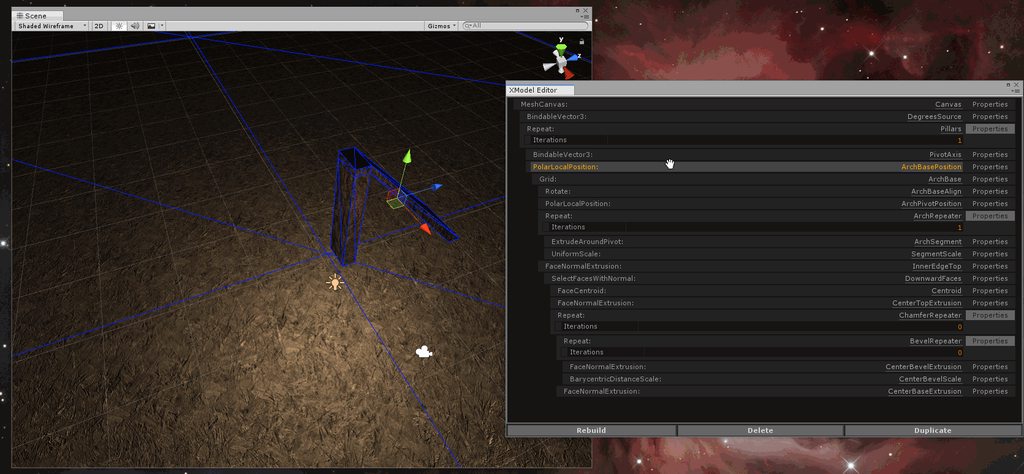
it let me take this:
https://i.imgur.com/KYWrbxI.gif
and turn it into this by only changing the style sheets
https://i.imgur.com/k4T6onX.gifv
I'm a true believer
I'm like Shepherd from firefly
man that original ui was hideouuuus
gloomy chasm
I like IMGUI, and working with it. But imo the biggest 2 drawbacks with it is that it is slow to style due to needing to recompile for each change, and when making large/complex editors the code looks very messy. At least I have yet to find a way to write it so that it looks clean.
cedar reef
I hate doing the IMGui stuff
severe python
I think eventually everyone who works with imgui gets to a point where they have the ability to write clean code, whether through methodology or having some kind of class which streamlines various aspects
I never fully understood styling in imgui, I found it to be very difficult
putting together those editors above was pretty trivial
gloomy chasm
Yeah, I will say, I hate styling with IMGUI
I am sure I will get used to it at some point, but I hate not having any sort of auto complete for uxml
severe python
Visual studio will do it
gloomy chasm
?
severe python
I think I had to do something to get it turned on...
let me take a look around
hmmm, I'm not sure but I have it
according to msdn it should just work because of how unity generates your base files
What version of Visual studio are you using
gloomy chasm
Community 2017 Version 15.9.7
severe python
@gloomy chasm if you open Visual studio, and open a uxml file, go to the XML Menu item at the top of the window, and click on schemas, in there click on the "Use" column header and sort with the checkboxes to the top and see what is there
I have, UnityEngine.UIElements, UnityEditor.UIElements UnityEditor.PackageManager.UI and UnityEditor.UIElements.Debugger
as well as a blank namespace for a file named UIElements.xsd
All of which are in a "UIElementsSchema" folder under my project root folder
if you right click on the project view in Unity, you can click on "Generate UIElements Schemas" or something like that
and maybe that will do the trick
gloomy chasm
Hmm, I have all of those as well, except for Debugger
gloomy chasm
yeah, may as well try updating
severe python
bleh
SerializeReference doesn't work I don't think
public class A { [SerializeReference]public List<A> Children; public string Name;}
the way unity populates the array means the array populates with an instance of the parent
and modifications to name will crash unity
visual stag
Could you do the normal thing where you make a solid class of the generic one (ie. Inherit from List<A> ?)
gloomy chasm
Dang, well I updated and it still didn't work.
Okay, does anyone know how how to use built in stuff? Like for IMGUI you could use a string to find a builtin GUIStyle. I want to use those styles (or the UIElement equivalent), but no idea how.
visual stag
new GUIStyle("name"); or EditorStyles.thing
@gloomy chasm
The UIElement equivalent you'd have to add the classes that you find using the UIElement debugger
which is quite irritating sometimes
I think the controls have consts, though I haven't used them yet
yeah, Button.ussClassName
then you AddToClassList on your control
cedar reef
The GUIStyle class is fully serializable, too, so you can have it on a field and dig into all its different settings
gloomy chasm
I am starting to actually understand what it is all doing now. Right now I am having trouble understanding how you are supposed to use ListView. Only example I can find just makes it directly in c#. I am not sure how to put a 'reference' to it UXML. I am assuming this is me just not fully understanding how to work with uielements yet.
But yeah, not sure how to work with it :/
severe python
I ended up making my own list view class
 fiery valley
hi all! I remember some time ago that someone created a script to make the CustomEditor of a MonoBehaviour script directly from the context menu.. I can't find.. can you help me? thanks
cyan sphinx
Is there any 'built in' way to check the input value of a property field value to see if it matches a specific type? Ie:
           var serializedObject = new SerializedObject(myFloat);
            // draw value
            var propertyValue = serializedObject.FindProperty("value");
            if (propertyValue != null) EditorGUILayout.PropertyField(propertyValue, new GUIContent(""), GUILayout.Height(20));
            serializedObject.ApplyModifiedProperties();
In this case, its expecting a float, but seems someone can type in a string.
waxen sandal
What type is value
 robust sentinel
Do you know how to fix this problem? (EditorScripting->PropertyDrawer)
This works with any one-line variable (like with GameObject, Transform, etc) but it don't work variables with more lines (like Rect variable):
this is the wrong behaviour
W and H is behind, custom PropertyDrawer doesn't support multi lines
It's the code:
https://github.com/IceTrooper/unity-atoms/blob/proposal/2.0/Editor/ReferenceDrawer.cs

GitHub
⚛️ Tiny modular pieces utilizing the power of Scriptable Objects - IceTrooper/unity-atoms
visual stag
there's a method in PropertyDrawers to override where you can provide a height
robust sentinel
yeah, I think it's "GetPropertyHeight"
but still I don't know anything about Editor Scripting
So It's a magic for me
visual stag
Yup, just override that and provide the height you want and it should work fine
robust sentinel
but how to get a right height?
If I use "Use Variable" option it always got one line:
But if "Use Constant" option it should check how many lines the property got
in general it's one line, but with Rect like you see it's two lines
visual stag
You can use EditorGUI.GetPropertyHeight to find the height of a property field
robust sentinel
hmm
If I will add GetPropertyHeight, should I add also SerializedProperty useConstant = property.FindPropertyRelative("UseConstant"); if I got the same line in OnGUI()?
visual stag
whatever you're drawing you need to perform the same logic and get the height of those controls, so if the useConstant property influences the height of the control, then yes
robust sentinel
let me check that
robust sentinel
Ok, I got a first approach, it looks awful:
        public override float GetPropertyHeight(SerializedProperty property, GUIContent label)
        {
            SerializedProperty useConstant = property.FindPropertyRelative("UseConstant");
            return base.GetPropertyHeight(property, label) * 2 + 4f;
        }
First ss is when "UseConstant = false", second "UseConstant = true"
In first ss it should be one line, in second it should be flexible to support one/two/more lines, just get height of property
visual stag
public override float GetPropertyHeight(SerializedProperty property, GUIContent label)
{
    SerializedProperty useConstant = property.FindPropertyRelative("UseConstant");
    SerializedProperty constantValue = property.FindPropertyRelative("ConstantValue");
    SerializedProperty variable = property.FindPropertyRelative("Variable");

    return EditorGUI.GetPropertyHeight(useConstant.boolValue ? constantValue : variable, label);
}```isn't that what you want?
Also, wait, why would you call base?
robust sentinel
I don't know, I'm programming that blindly. It's a magic for me ;p
Yeah, that's what I wanted. I've just coded the same piece of code but with "if statement" not shorthand "?"
Thank you @visual stag it was really helpful 🙂
 hazy umbra
Guys, I'm kinda new to editor scripting and I was wondering if I want to be able to load all my scriptable object in a folder to display some data about them, how should I handle that please ?
hazy umbra
I came up with AssetDatabase.FindAssets and then AssetDatabase.LoadAssetAtPath for each path found, I was just wondering is there was a cleaner way ?
cyan sphinx
@hazy umbra , that is the way.
hazy umbra
ok thanks
one last quick question if I want to make a kind of building system in editor where I create my scene and place object inside of it based on the mouse input, is there a function like Update for that in the editor since I think I can't use Update right ?
cyan sphinx
If you are using the Editor baseclass, I believe it is
    public override void OnInspectorGUI()
    {
}
for a custom editor window, its different.
private void OnGUI()
{
}
Ok thanks a lot 🙂
 flat flax
Hey, does anyone know how you can change a non-serialized field for a prefab through an editor script? I am trying to generate a Texture2D for a prefab in a custom inspector but I can't seem to update the prefab. Changing types like Vector3 and float works fine
cedar reef
OnGUI is only called when you're moving the mouse and actively doing stuff in an EditorWindow. OnInspectorGUI is called at a constant rate (about every .1 seconds)
@flat flax Not sure what you mean by a non-serialized field in that context. If it's not serialized, it won't be visible in the editor or saved with the prefab
flat flax
Oh sorry, It is serialized, but not supported by the default Unity serialization
It's a public field
At least I assume that is why I can change Vector3 and float field but not Texture2D fields
cedar reef
Texture2D is supported by default serialization
flat flax
Oh, really? I posted my code here: https://answers.unity.com/questions/1661630/editing-prefab-fields-from-custom-editor.html
Unity is the ultimate game development platform. Use Unity to build high-quality 3D and 2D games, deploy them across mobile, desktop, VR/AR, consoles or the Web, and connect with loyal and enthusiastic players and customers.
Is there anything you see that might be wrong with it? I guess the difference could also be reference/value types
Any just FYI, changing the float works no matter if I do all the recording and prefabsaving or not
flat flax
Oh sorry, It's a static class I use to generate texture2Ds for a given gameobject
It returns a texture2D, so the issue isn't with that function
And I just tested it with a string, which I could modify
cedar reef
Have you verified that the Texture2D you're returning from that is a working texture?
For example, when you generate your texture, are you doing Texture.Apply() at the end?
flat flax
Yea, I am making it show up in an editor window
TextureDisplayWindow.ShowWindow(prefab.GetComponent<Item>().Icon);
Its a custom editorwindow I made, really simple, but I do get the texture
hazy umbra
    public class Info
    {
        [XmlArray("names"), XmlArrayItem("name")]
        public string[] names;

        [XmlAttribute("name")]
        string name;

        public Info()
        {

        }

        public Info(string _name, string[] _names)
        {
            name= _name;
            names = _names;
        }
}```Can someone explain me why when I use this class to serialize to xml only my array gets into the xml and not the simple string ?I'm guessing here, but name isn't public?
severe python
no problem, and you didn't see it because you're too close to the problem :p
always helpful to have a second set of eyes
hazy umbra
yes ^^
hazy umbra
guys I use Ray ray = HandleUtility.GUIPointToWorldRay(Event.current.mousePosition); in 2 different project in one it works perfectly fine but in the other as soon as my scene camera goes from othographic mode to perspective I get Screen position out of view frustum (screen pos 1117.000000, 623.000000) (Camera rect 2 0 1169 671) UnityEditor.HandleUtility:GUIPointToWorldRay(Vector2) and I really don't get why someone have an idea please ?
whole steppe
@hazy umbra isn’t the GUIPointToWorldRay meant to convert a 2D point your mouse is hovering over into a world ray (Ray in 3D space)? Are you using a 2D view at any point or are you using this from 3D perspective?
hazy umbra
is the project that works fine only 3d perspective but in the one that bug I tried both and it only worked on 2d
whole steppe
@hazy umbra so what your saying is it worked for 2D perspective game but not 3D?
hazy umbra
on the one that bug yes
since it work completly on another project that's why I don't really know what to do
whole steppe
@hazy umbra What exactly are you trying to do?
hazy umbra
cast a ray from the scene camera forward to see where it hits the XZ plane
basicly just to get a point on the XZ plane where the mouse is
whole steppe
@hazy umbra have you tried using this instead https://docs.unity3d.com/ScriptReference/Camera.ScreenToWorldPoint.html
hazy umbra
yep in editor it give me back total nonsense value
whole steppe
@hazy umbra Can you show code of how your doing it currently?
hazy umbra
I'm not on my computer so I don't have the code but basicly it's something like Plane p = new Plane(Vector3.up, Vector3.zero) // might be the other way around don't rememeber Ray ray = HandleUtility.GUIPointToWorldRay(Event.current.mousePosition); if(p.Raycast(ray, out float enter)) { Debug.Log(ray.GetPoint(enter)); } and that give me the point on the XZ plane
gloomy chasm
Well I just found an interesting, very edge case bug... I am using CreatEditor(myObject).OnInspectorGUI() to draw the GUIs for two different ScriptableObjects in my custom editor, but it seems they share a foldout bool...
https://i.imgur.com/06JTEna.gifv
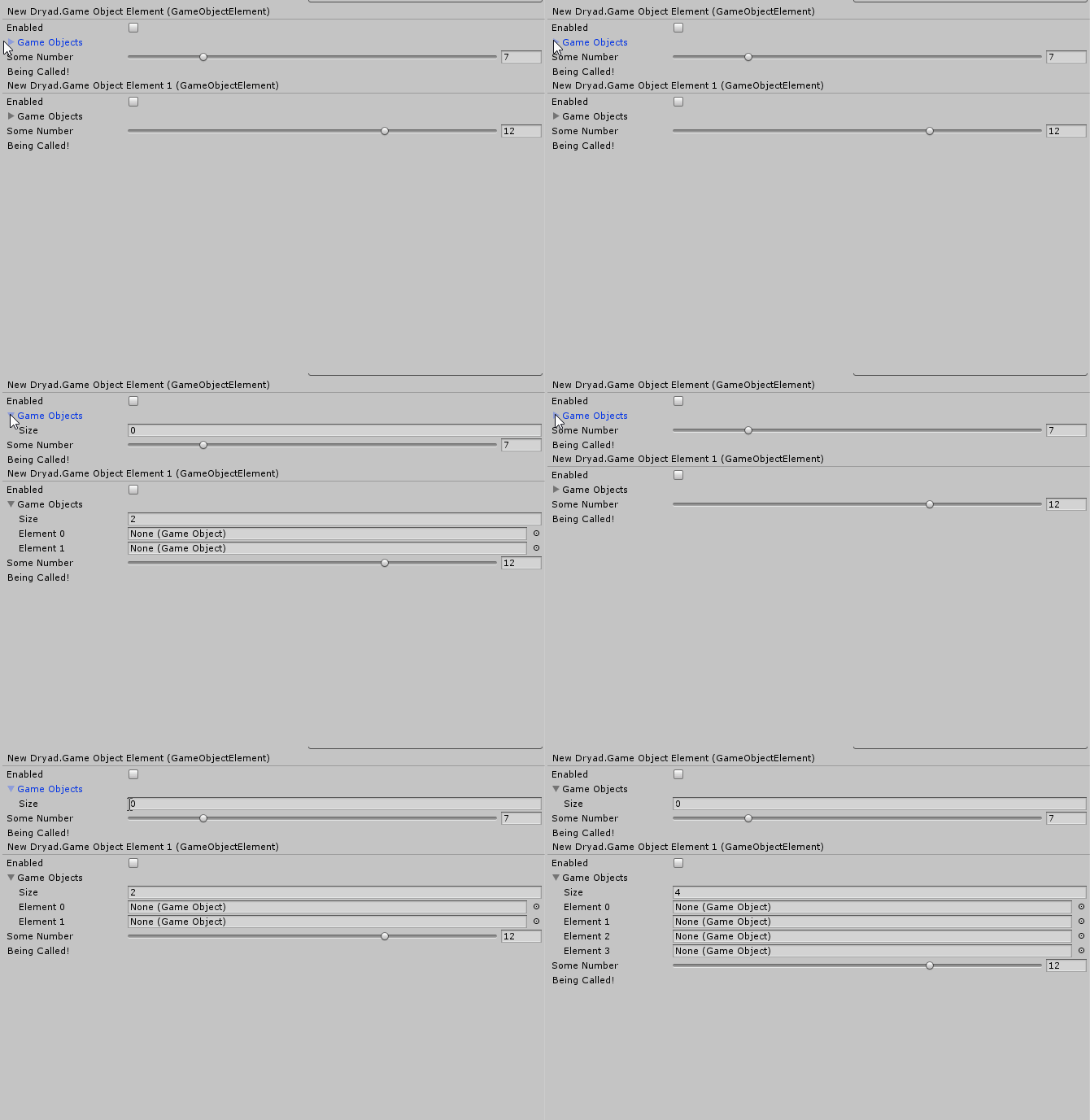
This kinda makes it ugly to use... I am not sure what I will do about it....
hazy umbra
@whole steppe well I tested the script that is on mon buger project on a completly blank one and it work perfectly there is probably some cached data fucked in my other project I will try to reset the cache but never did that on unity :/
hoary surge
So this isn't the exact code I'm using, it's more of an outline (as I can't post the real code because it's super long and for legal reasons) but I'm trying to figure out why a seralizedobject who's values I change by going through seralized properties in a custom editor window isn't getting the values modified when I do ApplyModifiedProperties(); It's a little longer than I'd like...but..
{
    public string isThisThingWorking = string.Empty;

    static public LevelData CreateInstance()
    {
        string path = Application.dataPath;

        LevelData asset = ScriptableObject.CreateInstance<LevelData>();
        AssetDatabase.CreateAsset(asset, path);
        AssetDatabase.SaveAssets();
        AssetDatabase.Refresh();
        AssetDatabase.ImportAsset(path, ImportAssetOptions.ForceUpdate);

        return asset;
    }
}

public class Levels : ScriptableObject
{
    public List<LevelData> levels = new List<LevelData>();
}

public class DataSingleton : MonoBehaviour
{
    /*singleton stuff up here*/

    [HideInInspector]
    public LevelData levelDataInstance = null;

    // assigned in the inspector
    public Levels levelList = null;
    public int activeLevelIndex = 0;

    private void Awake()
    {
        levelDataInstance = levelList[activeLevelIndex].CreateInstance();
    }
}

public class LeveEditorWindow : EditorWindow
{
    public void OnGui()
    {
        SerializedObject serializedObject = new SerializedObject(DataSingleton.Instance.levelDataInstance());
        SerializedProperty prop = serializedObject.findProperty("isThisThingWorking");

        EditorGUILayout.PropertyField(prop, new GUIContent("Not working"));

        serializedObject.ApplyModifiedProperties();
    }
}```wondering if anyone has any ideas what's gone wrong.
All the actual instance data updates in real time so it's just the save that's failing.
My general understanding was that if you modify something through a property field and then apply modified properties it should always 100% work
whole steppe
Isn’t the value of serializedObject always the same?
odd swan
anyone tried put serializedProperty (Copied) to serializedProperty array?
gloomy chasm
I have a problem where BeginScrollView is taking up the full height of my editor window (pushing other things off screen no matter how big I make the window) when it only needs like a quarter of it. I just want it to take as much room as the items in it need, any ideas?
Code for if it matters
_scrollPos = GUILayout.BeginScrollView(_scrollPos, false, false, GUIStyle.none, new GUIStyle("verticalScrollbar"));

            GUILayout.BeginVertical();
            for (int i = 0; i < _items.Count; i++)
            {
                DrawItem(i, perItemLayoutOptions);
            }
            GUILayout.EndVertical();

            GUILayout.EndScrollView();
might not be the best idea but that's the only I have, have you tried settings a fixedHeight on the GUIStyle ?
is there a way to know when in the current event the mouse is on a GUI element or not ?
odd swan
I'm in deep of Unity's dark side
and I think serializedProperty.Copy is not deep copy
uhhh

omg what can I do?
this is 4th try to refactoring my editor by Unity's serialize system limitation

 gleaming lark
Uhh
hazy umbra
someone know if there is a way to hide the rotation gizmos in the top right coarner of the scene view please ?
visual stag
hazy umbra
thanks 🙂
gloomy chasm
Is there any way to draw all the variables from a class that does not derive from Mono, or ScriptableObject?
robust sentinel
Could someone help to write an editor for that ScriptableObject?
    public class WeightedSet<T> : ScriptableObjectSet<T>
    {
        [SerializeField]
        private WeightedSetElement<T>[] items;

        [Serializable]
        public struct WeightedSetElement<T>
        {
            public T item;
            public float weight;
        }
    }
items aren't shown in inspector :/
hazy umbra
from what I know you can't serializable generic type you have to specify a type on a class that inherit from it and mark the class as serializable
I was wondering do the GetHashCode or GetInstanceID always return the same value for an object in the project view such as scriptableobject ?
 left gate
[uielements]Can you set a child element's class in UXML?
I'm using ToolbarSearchField, that element itself does stretch, however it contains several child elements (textElement) that do not stretch which means it goes outside of its container when it is shrank
visual stag
@left gate https://github.com/vertxxyz/NDocumentation/blob/master/com.vertx.nDocumentation/Contents/DocumentationContent.cs#L405
I have a whole bunch of fixes here
The fixes go to the end of that function (some may not be relevant to you)
Also, this is quite old so things may have changed
robust sentinel
@hazy umbra I know that, but how to fix that in a most elegant and smart way
@visual stag Could you take a look at that problem please?
I got those scripts. Base:
    public abstract class ScriptableObjectSet<T> : ScriptableObject
    {
        public abstract T GetItem();
    }
    public class WeightedSet<T> : ScriptableObjectSet<T>
    {
        [SerializeField]
        private WeightedSetElement<T>[] items;

        [Serializable]
        public class WeightedSetElement<T> : ScriptableObject
        {
            public T item;
            public float weight;
        }

        public override T GetItem()
        {
        //some code returns items[i].item
        }
    }
Example implementation for AudioClip:
public class AudioClipWeightedSet : WeightedSet<AudioClip>
{
}
Those scripts are here https://github.com/IceTrooper/unity-atoms/blob/proposal/2.0/Runtime/Sets/WeightedSet.cs
I want to support any type, but the code for every type will be auto generated. I got a problem with displaying items array in the inspector. Should I make PropertyDrawer? Editor? Or what?
Items array just isn't displayed by Inspector because of that WeightedSetElement<T>[]
how to resolve that?
visual stag
[System.Serializable]
public class AudioClipWeightedSet : WeightedSet<AudioClip>
{
}```I think it won't make any difference?
visual stag
Also maybe mark the WeightedSet as serializable too? Not sure if that's needed
What do you mean? You need to mark everything as serializable, and make the actual inline declared variables be of solid non-generic types
The AssetReference<T> class in Addressables is a great example of this
There's specific solidly declared types https://docs.unity3d.com/Packages/com.unity.addressables@0.2/api/UnityEngine.AddressableAssets.AssetReferenceGameObject.html
for each relevant type, so it can be serialized in Unity
robust sentinel
I want to say that I think this is the problem:
WeightedSetElement<T>[]
If I would do that:
class AudioClipWeightedSetElement : WeightedSetElement<AudioClip> {}

and then

AudioClipWeightedSetElement[] items; //those items magically would be serialized, but the first approach no
The bottom approach works
It should fix the entire serialization hierarchy if you have a solidly declared class at the root
as long as things are marked as serializable properly
To test, you can just declare some floats in there and see if they appear in the inspector
robust sentinel
ok!
Look:
public class WeightedSet<T> : ScriptableObjectSet<T>
    {
        [SerializeField]
        private WeightedSetElement<T>[] items;

        public int lol = 3;
I could also mark class WeightedSetElement<T> as Serializable but it wouldn't work
even now:
        [SerializeField]
        private WeightedSetElement<T>[] items;

        public int lol = 3;

        [Serializable]
        public class WeightedSetElement<T> : ScriptableObject
        {
            public T item;
            public float weight;
        }
ugh
visual stag
I need to check some of my own code to see how I've done similar things
robust sentinel
Ok, I know one thing, that works:
    public class WeightedSet<T, TElement> : ScriptableObjectSet<T>
        where TElement : WeightedSetElement<T>
    {
        [SerializeField]
        private TElement[] items;

        public override T GetItem()
        {
            if (items == null || items.Length == 0) throw new Exception("Set must contain any element to call GetItem method.");

            float totalWeight = 0.0f;
            for (int i = 0; i < items.Length; i++)
            {
                totalWeight += items[i].weight;
            }

            float choice = Random.Range(0.0f, totalWeight);
            for (int i = 0; i < items.Length; i++)
            {
                if (choice > items[i].weight)
                {
                    choice -= items[i].weight;
                }
                else
                {
                    return items[i].item;
                }
            }

            throw new InvalidOperationException("This program location is thought to be unreachable.");
        }
    }

    [Serializable]
    public class WeightedSetElement<T>
    {
        public T item;
        public float weight;
    }
[CreateAssetMenu(menuName = "Snake/Sets/AudioClipWeightedSet")]
public class AudioClipWeightedSet : WeightedSet<AudioClip, AudioClipWeightedSetElement>
{
}

[System.Serializable]
public class AudioClipWeightedSetElement : WeightedSetElement<AudioClip>
{
}
Is there any better approach?
How to simplify that code?
robust sentinel
So if I want to create those sets for many variables should I auto generate code for [SomeType]WeightedSet class and [SomeType]WeightedSetElement class, right? Isn't there better solution?
Hmm, yeah, your code looks similar
robust sentinel
omg :C
I hate that hacky solutions in Unity. I tried to also make a base non-generic class for that, but I ended up with interface. Interface would be good, but god damn Unity doesn't serialize interfaces
And in that case I can't make abstract class instead of interface (hacky solution for serialization), because then I need to inherit by two abstract classes (which isn't allowed in c#)
visual stag
It really is confusing sometimes, hell, I know what I'm doing and even I failed to remember properly how to finagle it all together
 molten quest
Quick question: I made a custom gameplay event system where I have a serializable dicitonary of <<customAction>> objects, but instead of having all the data for every action in that class, I want to separate those data in child classes. Is there a way to add child classes to a list/array of parent class from inspector?
I mean, if i have a List<class>, add childClass to that list from inspector.
robust sentinel
yes, it's possible
molten quest
would I have to make a property drawer for the container class and child classes?
hazy umbra
someone know if there is a way to execute a function once a scriptableobject as been renamed ?
left gate
Thanks @visual stag I was looking for a UXML/USS fix but good to know the fix would be cs
🤔 maybe I'll make my own ToolbarSearchField with black jack and flexing
robust sentinel
Is there any option to profile an enditor?
I think there is an option like that, but I don't remember where
visual stag
just enable the Profile Editor toggle in the Profiler
robust sentinel
ahh, there
ok, got it
I got one more question, but it's more advanced
I saw that code in Unite 2016 Monobehaviour Tyrrany:
[CustomEditor(typeof(AudioEvent), true)]
public class AudioEventEditor : Editor
{

    [SerializeField] private AudioSource _previewer;

    public void OnEnable()
    {
        _previewer = EditorUtility.CreateGameObjectWithHideFlags("Audio preview", HideFlags.HideAndDontSave, typeof(AudioSource)).GetComponent<AudioSource>();
    }

    public void OnDisable()
    {
        DestroyImmediate(_previewer.gameObject);
    }

    public override void OnInspectorGUI()
    {
        DrawDefaultInspector();

        EditorGUI.BeginDisabledGroup(serializedObject.isEditingMultipleObjects);
        if (GUILayout.Button("Preview"))
        {
            ((AudioEvent) target).Play(_previewer);
        }
        EditorGUI.EndDisabledGroup();
    }
}
The interesting part is EditorUtility.CreateGameObjectWithHideFlags
The whole concept is that you can preview a sound in an editor (without using a game)
It looks similar to that:
I wanted to make almost the same, but I didn't want to create custom Editor. Instead of that I'm using NaughtyAttributes package, and there is an Attribute which add a button:
    [Button("Play sound!")]
    public void PlaySound()
    {
        AudioSource _previewer = EditorUtility.CreateGameObjectWithHideFlags("Audio preview", HideFlags.HideAndDontSave, typeof(AudioSource)).GetComponent<AudioSource>();
        _previewer.clip = GetItem();
        _previewer.volume = Random.Range(volume[0], volume[1]);
        _previewer.pitch = Random.Range(pitch[0], pitch[1]);
        _previewer.Play();
//        DestroyImmediate(_previewer.gameObject);
    }
Of course I don't have the same OnEnable/OnDisable callback like in Unite talk
So I just paste that "EditorUtility.CreateGameObjectWithHideFlags" in my method
And the question is
Should I remove that strange AudioSource?
I can't use DestroyImmediate because I don't hear the sound. And I can't use Destroy because it won't work with simple Destroy
visual stag
It's not great to have it hanging around, it is essentially leaked
but it won't be saved into the scene
so it'll clean itself up
it's just not great
You should test whether PlayOneShot works with destroy
robust sentinel
hmm, but how that method CreateGameObjectWithHideFlags works? You know I got _previewer variable in a method scope, so outside you got no references to that _previewer
visual stag
Otherwise there is a package that enables Coroutines to run in the Editor
robust sentinel
so maybe GC will destroy that?
visual stag
And you could start one that waits for the source to stop playing, then destroys
It won't destroy it because Unity is a C++ engine
which is why you have to call Destroy on Unity Objects
If you lose a reference to something without destroying it the C# part might get GC'd, but that means nothing to what actually exists in the scene
Though as I said, in this case it never get serialized, it would just hang around in memory until the scene gets reloaded
You can take a look at how long it lasts for by changing it to HideFlags.DontSave
visual stag
Yup, it's an object in the scene
 true rover
Where can you download the Microsoft OpenJDK? My computer doesn't have it but it says it should.
visual stag
robust sentinel
two things
That doesn't work:
    [Button("Play sound!")]
    public void PlaySound()
    {
        AudioSource _previewer = EditorUtility.CreateGameObjectWithHideFlags("Audio preview", HideFlags.HideAndDontSave, typeof(AudioSource)).GetComponent<AudioSource>();
//        _previewer.clip = GetItem();
        _previewer.volume = Random.Range(volume[0], volume[1]);
        _previewer.pitch = Random.Range(pitch[0], pitch[1]);
//        _previewer.Play();
        _previewer.PlayOneShot(GetItem());
        DestroyImmediate(_previewer.gameObject);
    }
And
I made only DontSave
and it's stucked until I run playmode
visual stag
Pretty much as expected 👍
visual stag
So just ask yourself whether that concerns you or not, and if it does, the editor coroutines package would be a way to fix it
robust sentinel
I click to inspect that weird created object
I run playmode
And I still see that in Inspector
even I got no selected object in scene hierarchy
So I don't know if it's even destroyed or just hide o-0
visual stag
It's destroyed, the inspector probably just doesn't update properly
robust sentinel
ah, ok
hmm, ok, I wil take a look at that coroutines
You know, I don't care about that it create those things and didn't destroy until I run playmode
Because it's just for a preview in editor, I won't run that method in a runtime
I was thinking if that would works:
    public void PlaySound()
    {
        AudioSource _previewer = EditorUtility.CreateGameObjectWithHideFlags("Audio preview", HideFlags.DontSave, typeof(AudioSource)).GetComponent<AudioSource>();
        _previewer.clip = GetItem();
        _previewer.volume = Random.Range(volume[0], volume[1]);
        _previewer.pitch = Random.Range(pitch[0], pitch[1]);
        _previewer.Play();
        while (_previewer.isPlaying)
        {
            DestroyImmediate(_previewer.gameObject);
        }
    }
But nah xD
ok, yeah those coroutines could be a better option
or just simple Editor script
visual stag
Yeah, or you could add another execute in edit mode script to the object
that has an update
and checks and then destroys
visual stag
I mean add one to that hidden GameObject
visual stag
editor scripting is hacky 🤷
Oh you can also subscribe to EditorApplication.update and do the same thing. Lots of ways to do the same thing 🙂
cedar reef
Sooo hacky. I wanted to figure out what tabs my EditorWindow was docked next to, and I had to use reflection to get the info off internal classes
Had to use reflection just to figure out if it was docked
visual stag
So much reflection in my life
hazy umbra
I was wondering if there was any way to know what changed from the EditorApplication.projectChanged event ?
gloomy chasm
Yeah, as I am doing more complex editor stuff I find my self having to refer to the C# references code on github more and more just to find simple things.
 forest edge
"internal" frustrations today: trying out the new AdvancedDropdown... which works great. But the AdvancedDropdownGUI (used to change how the item draws when searched for, or in other ways) is internal. Why? Why so much over-encapsulation? Uff...
 elfin cipher
https://i.imgur.com/8TsDgJ9.png I can't figure out what equation to use to make it so the planets will just keep rotating after the 60 seconds is up


Updating planet rotation is also clunky because it does it every second and not frame
hazy umbra
@elfin cipher seems like you are pretty new to unity so to not confuse you to much I'll give you an easy way to do that but probably not the best once you know a bit more but that will still do the work do something like that for each planet ```
float planetCurrentRotationAmount;
void Update()
{
planetCurrentRotationAmount += Time.deltaTime * planetRotation;
planetTransform.rotation = Quaternion.Euler(0f, planetCurrentRotationAmount, 0f);
}
Yeah I am, we're using in comp sci this year but I've been pretty bored today so doing work outside of school before he teaches us.
Thanks
hazy umbra
Np tell me if you have any problem
cyan sphinx
@elfin cipher , your script is not editor related. #💻┃code-beginner , is probably the best channel for this.
@visual stag , have you tried this asset store ver of the editor coroutines. Seems to support more standard coroutine functions: https://assetstore.unity.com/packages/tools/utilities/editor-coroutines-27373

Use the power of coroutines in Editor code, just like you're used to in your regular code.
Also on Github: https://github.com/marijnz/unity-editor-coroutines
Editor Coroutines supports all of the default coroutine functionality, such as StartCoroutine , StopCoroutine...
Its under MIT on github.
cyan sphinx
Fair enough 🙂 I had not heard of it until you mentioned it.
What other editor helpers are hiding? !
visual stag
hoary surge
the guy who wrote More Effective Coroutines has editor coroutines too in his pro version.
but the new built in editor stuff would obviously be more optimal if you are making something to distribute
cyan sphinx
The MIT one seems to have more functions than the official one, so far.
"The iterator functions passed to Editor Coroutines do not support yielding any of the instruction classes present inside the Unity Scripting API (e.g., WaitForSeconds, WaitForEndOfFrame), except for the CustomYieldInstruction derived classes with the MoveNext method implemented"
Based on the speed these things get updated at unity ....
odd swan
omg
SerializedProperty.Copy() is only clone object itself (it means keep pointing same memory address to actual data)
Deep copy yourself :P
Jeez
 zinc peak
Is there any way i can make my client camera not render certain tags but other clients will render them?
 tranquil bloom
@zinc peak Move objects with a specific tag to a layer which the camera doesn't render.
See https://docs.unity3d.com/ScriptReference/Camera-cullingMask.html
Also wrong channel
zinc peak
And how about the other clients?
tranquil bloom
Depends on how you differentiate clients
 deft sundial
how do i customize internal assetbundle names?
hazy umbra
I was wondering if any of you already had this issue I have an editor window that work perfectly fine on is own but I have a button on this window that create a scene the thing is as soon as I create the scene for one GUI loop some GUILayout.Begin doesn't work properly and I get a few error message saying that I can't End without Begin. The whole thing still work after the but having some random error popping like that in the console is not my thing ^^ if anyone have an idea it will be very welcome, thanks.
hoary surge
@hazy umbra that usually means some other script somewhere did a Editor.Begin() without matching up an Editor.End()
finding it's probably not going to be super easy but it's limited to editor scripts so.. filter
hazy umbra
the thing is that I don't have any other editor and as soon as I comment the scene creation line everything is fine so can it be some unity GUI that send me that ?
hazy umbra
well actually work when I create the scene in unity and only open it instead of creating in directly in c#
 near sonnet
hey guys. I've just downloaded the Unity UI Extensions package from the official git for that project, and imported it into my game, and they work fine in the game. however, when trying to reference the namespaces included in the package via script as directed by the documentation (using UnityEngine.UI.Extensions) none of the namespaces are accessible. Does anyone know why this might be?
someone answered my question, actually, nevermind
zealous coral
@odd swan hey what are you working on there?
zealous coral
Oh damn, serializedProperty.Copy is not a deep copy? I just realized that
valid sonnet
Can you get a reference to a list in a ScriptableObject ?
Or does it behave like a value type
I'm getting some strange errors so want to be sure
odd swan
uh wait
are you mean
public class MyData : ScriptableObject {
    public List<string> value;            //<- this?
    public List<UnityEngine.Object> value;            //<- or this?
}
@valid sonnet
or
public class MyComponent : MonoBehaviour {
    public List<MyData> dataList;
}
What kinda strange errors? @valid sonnet
valid sonnet
Index out of bounds, I think I might have found the bug. Was just wanting to confirm that List<T> l = myScriptableObject.myList; indeed gives a reference to the list, and not a copy for whatever Unity reason.
cedar reef
That isn't a "Unity" reason...that's true in all of C#
The List class is a reference class
 crystal raven
List<T> l = new List<T>(myScriptableObject.list) makes a shallow copy
valid sonnet
@cedar reef Unity is known for weird behaviour sometimes so was just making sure
odd swan
You have trying on runtime or editor environment?
gloomy chasm
I can't for the life of me remember how how serialize a polymorphic list of scriptableObjects for things like nodes in graphs. Anyone happen to know?
cyan sphinx
Seems I cannot get a borderless window.
    public static void InitNodePopup()
    {
       // EditorWindow.
        KrakenNodeSearchPopup curPopup = (KrakenNodeSearchPopup) EditorWindow.GetWindow<KrakenNodeSearchPopup>();
        Rect rect = new Rect(100, 100, 250, 250);
        curPopup.ShowAsDropDown(rect, new Vector2(250, 250));
    }
I can get my editor window to open, but it never styles as a dropdown.
Tried, as popup and other types. Always comes out as a standard editor window.
Figured I must be doing something wrong.
The position and size appear to be correct, but not the styling.
visual stag
Try using CreateInstance instead of GetWindow
cyan sphinx
Does anyone know of any tuts or good docs on focus control for GUI? I seem to be having some trouble gasping it.
In the doc it has
GUI.SetNextControlName("MyTextField");
But there is no field name MyTextField. ??
visual stag
it's the next drawn GUI control
it's saying "hey, the next control I draw is called X"
ie. the textfield after the // Make the actual text field. comment
cyan sphinx
Ok. I think 🙂
Ill keep working at it, to see what I can do.
But basically, throw it above the GUI input, give it a unique name, and it tags that gui
for focus control.
visual stag
yup
smoky radish
Hey guys,
Can I find dictionary as a SerializedProperty ?
Also is it possible to find System.object as a SerializedProperty ?
waxen sandal
If your System.Object is serialized then sure
And you can't find dictionaries
Not by default at least
visual stag
Dictionaries are not serializable, so a SerializedProperty would not know about them
you could get their serialized representations if you have a SerializableDictionary implementation
smoky radish
Thanks for answers.
About System.Object as I know objectReferenceValue is UnityEngine.Object but I need to store System.Object. What should I do then ?
waxen sandal
Not sure if you can do System.Object references
But you can descend into them and find the fields
visual stag
use .FindPropertyRelative to find the serialized fields within the object
I've never managed to get any of the things that say they can get objects from SPs to work out
smoky radish
public class Data
{
    public string classRef;
    public object instance;
}```Unity cannot serialize that, no?
smoky radish
So if I have non UnityEngine.Object class, what I should do about serialization ?
Like Data class
waxen sandal
Mark it as Serializable
visual stag
UnityEngine.Object works fine
waxen sandal
And have public/SerializeFields
visual stag
that is System.Object, and you'd have to either specify its type (as inheritance in serialization doesn't work apart from with UnityEngine.Object)
smoky radish
I know. I mean for example this line.
iterator.objectReferenceValue as Data
It doesn't work.
visual stag
well Data isn't a UnityEngine.Object type
waxen sandal
A poco can't really be serialized as a reference
smoky radish
If I cast it to object then Data it works correctly ?
waxen sandal
Purely because of how Unity works
If you want references then you need to make it an UnityEngine.Object
(This is actually coming in 2019.3 iirc with SerializeReference, but that has other limitations)
smoky radish
So what should I do ? If Data class inherits ScriptableObject it is okay ?
waxen sandal
Yh
smoky radish
It is bullshit 😐
So I can't access System.Object too. What should I do about that ?
waxen sandal
I feel like this is an XY problem, what are you trying to achieve?
smoky radish
I want to store the instances which are create by Activator.CreateInstacne() for using those instances in FieldInfo.GetValue and FieldInfo SetValue
waxen sandal
Why do you want that?
smoky radish
Because I want to retrieve public fields of selected type in dropdown menu.
Then show them in Inspector.
visual stag
It'd probably be easiest to avoid SerializedObject/Property then
waxen sandal
Do you require these at runtime?
smoky radish
I think I just need those instances for Editor time.
waxen sandal
Then don't bother with serialization
smoky radish
Hmm, so I should do everything manually then ? Without serializedObject and property ?
waxen sandal
Yeah that's probably better
smoky radish
Okay. Thanks. See what I can do then 😄
 dim walrus
Is there any way to open a window when using the Create Asset Menu (Where you create new scripts, folders, etc)?
visual stag
Use a MenuItem attiribute
put that on a function that opens the window you care about
dim walrus
Oh i see, i always forgot it's actually the same as the Assets button up
visual stag
Yeah 👍
dim walrus
Thanks 👌
smoky radish
Is it possible to use both SerializedObject/Property and regular way (I mean accessing by target) ?
visual stag
Yes, you just have to manage your SO.Update and Apply properly so that the target is always updated properly so you don't have conflicts between the two
it can be a little fiddly at times
hard to explain exactly how it works
cyan sphinx

GitHub
Serializable dictionary class for Unity. Contribute to azixMcAze/Unity-SerializableDictionary development by creating an account on GitHub.
dim walrus
Any way to not let playmode start like when you have script errors?
 scenic kite
Does anybody know if there is an event that can be subscribed to, which is emitted when a Visual Studio breakpoint is hit?
 candid briar
Most likely not since it's managed by visual studio and not Unity @scenic kite
smoky radish
Guys is there anyway to figure out if a ScriptableObject in Project is just duplicated ?
Is there any events for first time creation of ScriptableObject ?
candid briar
@smoky radish Creating a scriptableobject should trigger the importer (I believe) https://docs.unity3d.com/Manual/ScriptedImporters.html so maybe you should look somewhere there.
Another way (although very performance heavy) is to get all the scriptableobjects and see if their values are the same.
scenic kite
Thanks Amasu, didn't think there would be something for that
Would be highly unlikely Unity would intercept a code break and invoke something before returning to the breakpoint's context
cedar reef
You could use your own method that has an event subscription and Debug.Break instead of the Visual Studio debugger
scenic kite
We have devs explicitly using VS breakpoints so they can read the stack
Thanks for the suggestion though
cedar reef
Debug.Break acts the same as a breakpoint, so you can read the stack and all, just specified in the code rather than VS
scenic kite
I was pretty sure that Debug.Break invokes a pause at the end of a frame
The script reference gives me that impression as well
anyways thanks for the advice all, I'll need to look into another workaround
 open elm
how do you use Mesh.CombineMeshes() ?
open elm
nvm figured it out
 frail phoenix
I'm trying to make a UIElements ScrollView scroll in both axies
is there any way to do this?
I can set the flex direction to column or row, but I can't make the scroll area resize in both directions
hoary surge
@frail phoenix granted this is ages old...but I ran across a post a while back from someone who wanted to do something similarr: https://answers.unity.com/questions/816044/46-two-scroll-rects-stacked-one-need-to-go-horizon.html
Unity is the ultimate game development platform. Use Unity to build high-quality 3D and 2D games, deploy them across mobile, desktop, VR/AR, consoles or the Web, and connect with loyal and enthusiastic players and customers.
Not the most optimal but 50% of writing code in unity is looking for workarounds for what you aren't allowed to do.
Mesh.CombineMeshes(FormOfVoltron); would've been my guess
and that function would've had to combine the legs, and arms, then torso
smoky radish
Hey guys,
I declared a List<> in the Serialized class which this class is declared in ScriptableObject derived class. When I duplicate it in the project it has original ScriptableObject list values. How I can clear that list when I duplicate that ScriptableObject ?
hoary surge
How are you duplicating it?
Is it a new menu item you made? because that's not something you can do in unity by default?
smoky radish
@hoary surge By Ctrl + D on that ScriptaptableObject in Project.
hoary surge
I've never done it that way honestly myself.. I mean you could create your own deep copy duplicate method that doesn't copy the data you don't want.. but I don't think you can over-ride the control+D functionality
smoky radish
I don't want override it. I want to know if there is any event which control duplication or control new creation even. By that I can clear the list myself.
hoary surge
it doesn't look like it, it looks like you've got the normal constructor called in one instance and a copy constructor called in the next
it might be possible to hook into the copy...but that could toss up red-herrings in other copies
smoky radish
What do you mean ?
As I know Editor constructor is like OnEnable, It call every time which there is a focus on it.
hoary surge
Well the copy constructor doesn't always get called when you hit Control+D it gets called in other instances too
and it's nearly impossible to determine (at that particular point) what caused it
so maybe it's a Control+D or maybe someone explicitly called it in code
smoky radish
So you say there isn't any ways to determine what is the first time which that ScriptableObject is created ?
hoary surge
Or maybe an editor script needs to make a temp copy of something to change the values and allow you to see the result without actually destroying your data.
The first time a SO is created it's initial values are what you set in the default constructor or outside the constructor such as List<int> myInts = null; vs List<int> myInts = new List<int>();
smoky radish
Yup, I mean first time creation either with menuItem or duplication 😄
hoary surge
So you can init it in the default constructor or outside of it
but I think control+D actually duplicates the item not creates it from scratch
smoky radish
Editor constructor called every time there is a focus on it.
hoary surge
Ok well use that I guess.
hoary surge
I guess in that case I'd add a popup right click menu to create new and prevent control+d on the file
that way it uses the right duplication method
smoky radish
How can I prevent contol+d ?
hoary surge
or just thow up a "You done me wrong" message box if someone used control+d
smoky radish
But it is really bad if there isn't any solutions for duplication.
hoary surge
not sure I actually have to look that up
I'm not saying stop duplication
you just want it to go through a thing you can control like a special copy constructor that wipes data you don't want copied
hoary surge
Object.DeepCopy(Source); object.clearThingIDontWant's array();
It all depends on where things are happening but editor side I don't see a problem
smoky radish
Okay, Thanks. I appreciate.
hoary surge
no worries, good luck. Editor scripting in unity can be mind blowing at times if you want a particular workflow.
smoky radish
Yup, I've written some editor codes and propertyAttribute but still I can't understand it very well and every time I have many problems 😄
candid briar
@smoky radish what you could also do which would be easy and practical is to have a serialized ID that starts at -1 and then on Awake you check if the ID is -1 and then you know if it was duplicated or not and you can send an error to the user, or even remove the file or whatever 🙂
hoary surge
That kind of works and kind of doesn't
a player on a remote server could theoretically be watching the game even though they are dead and unable to do anything
orr even locally if the game is say rainbowsix style
candid briar
?
hoary surge
no respawns
candid briar
I'm referring to ctrl+d
candid briar
There are 3 different cases that will cause a ScriptableObject to call Awake()
1 - When it's created. (Editor Only)
2 - When a scene which contains an object that references the asset is loaded.
3 - When the asset is first selected in the project window IF Awake() hasn't already been called. (Editor Only)
Is what I read and 2 can be a bit of a problem but there are ways around it
smoky radish
@candid briar What do you mean by serialied ID ?
candid briar
an ID that unity serializes, when duplicating Unity retrieves the YAML data on the drive to construct another instance and make a duplicate
So if the data doesn't get serialized by Unity it will not copy it
smoky radish
Hmmm, could you give me a link about it ? I think I don't know what is it exactly and how I can have access to it.
candid briar
@smoky radish I'm just talking about a float value, it could even be a hash. It doesn't matter what type it is along as it's serialized ;P
If the field is public it's automatic or you can add SerializeField
smoky radish
@candid briar oh, you mean this, LOL.
Actually it doesn't help because by duplication that value is copied too.