#↕️┃editor-extensions
1 messages · Page 38 of 1
 visual stag
I've tested it with the style not assigned and it seems to work so i assume you've done that unless you have a version with a bug
as it does use the button style assigned to the current skin
 lucid hedge
Yeah I suspect that's the case. And I don't think it's a version specific bug since I've had this bug on a lot of versions in both 2017.x and 2018.x
@visual stag do you know if UIElements already has an API for custom inspectors?
or is it only windows
visual stag
There is now a root exposed to add to in inspectors I think
but it may be 2019.1 only, I'm honestly not suuuure but it shouldn't be too hard to find out
I thiiiink you override CreateInspectorGUI
and I assume you just return a root VisualElement yourself and it gets added to the root
perhaps because they don't want you modifying the inspector by exploring around from the root (you can't stop me!)
 wispy delta
Is there a way to recreate the rotation controls that is on the transform inspector? I tried using EditorGUILayout.PropertyField() on a Quaternion but got this
visual stag
for a start you can use EditorGUILayout.PropertyField(property, true); to draw something for now
otherwise you have to draw it manually with a Vector3Field or a MultiFloatField
if you want to you can look at the internal quaternion field for the transform inspector at UnityEditor.TransformRotationGUI.RotationField which is "fun"
visual stag
just to add to that - you can use a PropertyAttribute and PropertyDrawer combo to avoid making an editor and create some reuse for the quaternion field
wispy delta
I just found TransformUtils.GetInspectorRotation and TransformUtils.SetInspectorRotation which lets you get/set a transform's rotation based on a Vector3 like how the inspector does it. Unfortunately I don't have a transform, *I wish I could just get the resulting quaternion that the transform would end up being assigned
I guess it needs some additional transform info? If not, changing this method to just return a Quaternion would be a nice refactor
visual stag
I'd just use quaternionValue.eulerAngles
and then set it back with Quaternion.Euler()
wispy delta
I used that a while ago, but I feel like I remember it getting janky occasionally
it would always change the y axis to be -89.999 or something like that
visual stag
Yeah, I usually do some magical rounding
wispy delta
Oh wait, here's the source for the methods:
public static class TransformUtils
    {
        public static Vector3 GetInspectorRotation(Transform t)
        {
            return t.GetLocalEulerAngles(t.rotationOrder);
        }

        public static void SetInspectorRotation(Transform t, Vector3 r)
        {
            t.SetLocalEulerAngles(r, t.rotationOrder);
        }
    }
not so fancy after all
visual stag
well, those are internal
wispy delta
oh 😦
visual stag
(and also use transform values)
wispy delta
ah yes. damn
ok, so I'm diving into property drawers for the first time and am not sure of the best to add undo/redo support. I know how to do it for other stuff, but I'm not sure how to do it for a SerializedProperty
[CustomPropertyDrawer (typeof (Quaternion))]
public class QuaternionPropertyDrawer : PropertyDrawer
{
    private Vector3 euler;
    private bool initialized = false;

    public override void OnGUI (Rect position, SerializedProperty property, GUIContent label)
    {
        if (!initialized)
        {
            euler = property.quaternionValue.eulerAngles;
            initialized = true;
        }

        EditorGUI.BeginChangeCheck ();
        euler = EditorGUI.Vector3Field (position, label, euler);
        if (EditorGUI.EndChangeCheck ())
        {
            property.quaternionValue = Quaternion.Euler (euler);
            // how/where do I register undo?
        }
    }
}
oh I see the issue, it is supporting undo, but the inspector isnt redrawing for some reason
I'm not doing anything different than in the rest of my functioning custom inspectors
public override void OnInspectorGUI ()
{
    base.OnInspectorGUI ();

    EditorGUILayout.PropertyField (properties.Position, content.Position);
    EditorGUILayout.PropertyField (properties.Rotation, content.Rotation);
    EditorGUILayout.PropertyField (properties.Scale, content.Scale);

    serializedObject.ApplyModifiedProperties ();
    EditorApplication.QueuePlayerLoopUpdate ();
}
you shouldn't need the Property Fields as base.OnInspectorGUI should draw them now
wispy delta
Nope, nevermind. It's the code that's not updating its euler value. That's what I get for copy/pasting forum posts.
visual stag
but yeah, also I was wondering what the initialized thing did
wispy delta
i guess it was doing something nice? with the all the initialization stuff removed, I get the weird values of yore
So I see what it's doing. It makes sure to get the correct initial rotation value, and from then on it doesn't convert back from quaternion to euler. So when I undo, the euler is out of sync
visual stag
I usually just round the values slightly before I write them after an inspector change
wispy delta
I'll give that a shot. Although if I could somehow serialize and register undo with the euler angle as well as the rotation I could get it to work perfectly. but that sounds like a rabbit hole I shouldnt enter
What precision do you typically round at?
visual stag
I don't remember, I don't have an example on hand, usually it doesn't take much
wispy delta
ok coolio
visual stag
if that doesn't work well enough, you can always do an angle check between the cached Vector3 and the current eulerAngles, and only update it when the angle changes past a significance value
wispy delta
I've got a custom window that draws a list of buttons, but there seems to be a minimum width that the enclosing layout will shrink to. Here's my abbreviated gui code (you can see the issue in the short vid below)
private void OnGUI ()
{
    scrollPosition = EditorGUILayout.BeginScrollView (scrollPosition);

    EditorGUILayout.Space ();

    // draw auto add toggle here

    EditorGUILayout.Space ();

    // draw add deformable button here

    EditorGUILayout.Space ();

    // draw buttons here

    EditorGUILayout.EndScrollView ();

    Repaint ();
}
When I set the min width of the scroll view:
scrollPosition = EditorGUILayout.BeginScrollView (scrollPosition, GUILayout.MinWidth (150));
I end up with this clipping:
visual stag
I think it's another control and not the scroll view
it's the Toggle Left
add GUILayout.MinWidth(0) to the ToggleLeft and it should be good
just offhandedly, is there a reason to constantly repaint this window?
wispy delta
Not sure, I wrote this a while ago. The lists of buttons is generated via reflection using custom attributes so maybe it was to redraw when the list changes. There's probably a better solution since I'm only doing the reflection call in OnEnable
visual stag
You can likely remove the repaint call then :)
I saw this and thought of your work btw https://twitter.com/TocoGamescom/status/1087041873854844929


Looks like I'm finally getting somewhere with the waves brush https://t.co/hmjGe5k9Wv
Likes
641
 Twitter
wispy delta
Twitter
wispy delta
wooah! that looks amazing!
so I set the min width to zero, but had no luck. maybe im doing something funky where i abbreviated the code with comments?
https://hastebin.com/vowiwigumu.cs
wispy delta
you're a god! thanks a mil
visual stag
There's two debuggers for editor UI (that I didn't use to problem solve this, but might help in the future), 2019.1 has both visible under Analysis, 2018.3 only has the UIElements one. But you can reach the IMGUI one with cs if (GUILayout.Button("GUI Debugger")) GetWindow(Type.GetType("UnityEditor.GUIViewDebuggerWindow,UnityEditor")).Show();
Might help in future :+1:
wispy delta
ooh very nice! thanks!
 whole steppe
 using System.Collections;
using System.Collections.Generic;
using UnityEngine;

public class PathFollower : MonoBehaviour
{

    public GameObject[] PathNode;
    public float MoveSpeed;
    float Timer;
    static Vector3 endPosition;
    int CurrentNode;
    private Vector3 startPosition;


    // Use this for initialization
    void Start()
    {
        //PathNode = GetComponentInChildren<>();
        CurrentNode = 0;
        CheckNode();
    }

    void CheckNode()
    {
        Timer = 0;
        startPosition = this.transform.position;
        Debug.Log("StartPos: " + startPosition);
        endPosition = PathNode[CurrentNode].transform.position;
    }

    // Update is called once per frame
    void FixedUpdate()
    {

        Timer += Time.deltaTime * MoveSpeed;

        if (this.transform.position == endPosition)
        {
            if (CurrentNode < PathNode.Length - 1)
            {
                CurrentNode++;
                CheckNode();
            }
        }
        else
        {
            this.transform.position = Vector3.Lerp(startPosition, endPosition, Timer);

        }
    }
}
```im moving objects from node to node, but they get stuck
visual stag
you cannot compare two floating point values with an equality
unless they have been assigned completely manually compare them with Mathf.Approximately
whole steppe
I dont get it
visual stag
ie. Mathf.Approximately((this.transform.position - endPosition).sqrMagnitude, 0)
visual stag
replace the interior of the if (this.transform.position == endPosition)
whole steppe
K
they going into the ground now
@visual stag how to make 3 players follow a specific path that is split into 5 empty game objects
visual stag
you can also replace this.transform.position == Timer with Timer >= 1
because that's literally what the lerp is doing
whole steppe
wdym
visual stag
I can't really help any more, perhaps someone else will have the time. Just remember you can't assume floats are the same, just approximately the same. And also lerp takes a 0-1 value so if the value you pass it is 1 or greater you're at the destination
whole steppe
K thanks for the help
whole steppe
using System.Collections;
using System.Collections.Generic;
using UnityEngine;

public class PathFollower : MonoBehaviour
{

    public GameObject Positions;
    public float MoveSpeed = 2;
    float Timer;
    static Vector3 endPosition;
    public int index = 1;
    private Vector3 startPosition;


    // Use this for initialization
    void Start()
    {
        //PathNode = GetComponentInChildren<>();
        CheckNode();
    }

    void CheckNode()
    {
        Timer = 0;
        startPosition = this.transform.position;
        Debug.Log("StartPos: " + startPosition);
        endPosition = Positions.transform.GetChild(index).transform.position;
    }

    // Update is called once per frame
    void FixedUpdate()
    {
        Debug.Log(index);
        Timer += Time.deltaTime * MoveSpeed;

        //Debug.Log(" X: " + this.transform.position.x + " - " + endPosition.x);
        //Debug.Log(" Y: " + this.transform.position.y + " - " + endPosition.y);
        //Debug.Log(" Z: " + this.transform.position.z + " - " + endPosition.z);

        if (Mathf.Approximately(this.transform.position.x, endPosition.x) &&
            Mathf.Approximately(this.transform.position.z, endPosition.z)
            )
        {
            Debug.Log("Hi");
            // If the player reaches the target position
            if (index < Positions.transform.childCount - 1)
            {
                Debug.Log("I'm here");
                index++;
                CheckNode();
            }
        }
        else
        {
            this.transform.position = Vector3.Lerp(startPosition, endPosition, Timer);

        }
    }
}
 void cedar
usually for more than a few lines of code, you'll want to use something like https://hastebin.com 😉
 minor marlin
@brisk canopy @wispy delta Found this : http://antondoe.blogspot.com/2016/08/serialization-with-polymorphism-and.html It references the original page I found on Serialization Best Practices but the example file link seems to work after exiting Unity, if your interested

In this article, I would like to share my experience in serialization of classes with inheritance and polymorphism in Unity. If you have s...
lucid hedge
hmm I think you can't do anything custom in that scene view window
it just displays all the custom editor tools you've made for the toolbar on top
pretty neat
lucid hedge
I'm wondering
You know Asset Forge

1.5 speed is pretty slick. Can't wait for Asset Forge 2.0! -Asset Forge: https://assetforge.io/
It's made in Unity
and it's like a whole standalone exe window
I don't get how they made this...
If anyone could give me a clue
Is it like a 'game' they made with a recreation of the scene view and added a GUI?
and then build it to get an exe?
I think that's the case
wispy delta
I don't think they're running editor gui controls at runtime. I mean..for the most part they could, using the legacy gui system, but they could have easily made all the controls with ugui as well
You could ask kenney (the dev) on twitter, he might respond
 surreal quest
He's also on this server
lucid hedge
Yeah just asked him on twitter 😃
It's indeed not an editor extension like I thought
I thought it ran on top on the unity scene view window or something, but it's really like a game they built but then the game is a tool :p
Gonna try this out for some projects, seems really fun to do and you have a lot of freedom
So yeah I guess this is not really editor scripting :p
 zealous ice
Is there any free plugin/add-on that allows to push update to itch.io with one press? Do I need to create my own?
wispy delta
Is there a better way to make a "toggle row" like this? My current implementation is kinda a mess. I have 6 GUIStyles: left-on, left-off, mid-on, mid-off...etc. I draw each button with a different style depending on it's toggle state and whether its on the side or middle of the row. The background, when it is toggled on, is just a 2x2 blue png which (if you look closely) does't quite match the style of the "off" state.
The buttons just change an enum that is used for filtering. So it's essentially an enum field with all options displayed in a row
if (GUILayout.Button (content.AllFilter, filter == FilterCategory.All ? styles.ToggleButtonOnLeft : styles.ToggleButtonOffLeft, GUILayout.MinWidth (0)))
{
    Undo.RecordObject (this, "Changed Filter Category");
    filter = FilterCategory.All;
}
else if...
 waxen sandal
 wispy delta
pretty much perfect thanks. is there a way to make it use smaller buttons? right now it's using the big ones, but the small ones I was using, EditorStyles.miniButton(Left/Mid/Right), were better for conserving space
wispy delta
I actually came up with a nice solution. I have an array of GUIContent called "FilterToolbar." It matches the number of options in the enum, FilterCategory. I loop through the array and draw toggles with my own style (in this case, the collection of miniButton styles.) The toggle's bool value is set to whether or not the current index in the loop is equal to the current enum value. The toggle's content is set to the content in the array at the current index.
using (new EditorGUILayout.HorizontalScope ())
{
    var categoryCount = content.FilterToolbar.Length;
    for (int i = 0; i < categoryCount; i++)
    {
        if (GUILayout.Toggle ((int)filter == i, content.FilterToolbar[i], (i == 0) ? EditorStyles.miniButtonLeft : (i == categoryCount - 1) ? EditorStyles.miniButtonRight : EditorStyles.miniButtonMid))
        {
            Undo.RecordObject (this, "Changed Category Filter");
            filter = (FilterCategory)i;
        }
    }
}
@wispy delta maybe not what you want, but just wanted to show you that you can also put them in a grid or something
I use GUILayout.SelectionGrid for this
and you say 'pretty much perfect thanks. is there a way to make it use smaller buttons? right now it's using the big ones, but the small ones I was using, EditorStyles.miniButton(Left/Mid/Right), were better for conserving space'
but you can pass on a style into the guilayout.toolbar too
like this
ToolBarIndex = GUILayout.Toolbar(ToolBarIndex, menuOptions, new GUIStyle("LargeButton"));
wispy delta
Yea, I didn't think passing a style to it would work since behind the scenes it uses 3 styles (left, right, middle). I guess it just doesn't differentiate between the sides if you use the overload that sends a guistyle?
lucid hedge
Yeah I've had issues with the styles
but if I pass new GUIStyle("LargeButton") onto it
it works
could try a smaller button too
like
(GUIStyle)"EditModeSingleButton" or (GUIStyle)"minibutton"
minor marlin
how do I convert a bool to json? JsonUtility.ToJson(value, true) just returns {} no matter if it's true or false
 slate pecan
a standalone bool doesn't make sense in json
wispy delta
tldr: Is there a way to get Unity to save a reference to a different mesh on a MeshFilter when the scene is saved?
I'm working on a tool that deforms meshes (bend, twist etc). One problem I'm running into is how much space each deformed mesh takes up. Each mesh obviously has to be unique to be rendered, but that results in large scene file sizes when there are lots of deformed meshes. Would there be a way to switch the deformed mesh back to the original one when the scene or prefab is saved? I'm already serializing a reference to the original mesh, so regenerating the deformed mesh isn't a problem.
Here's the data I'm storing. (you don't have to read the whole thing, it's just there for reference) As you can see, I'm not serializing the dynamic mesh (the one that gets rendered). So all I need to do is trick Unity into serializing the MeshFilter with a reference to the original mesh rather than the dynamic one.
// Stores the original shared mesh that other objects may be using.
// Must be serialized so that if the Deformable that encapsulates this class is duplicated the reference won't be broken.
[SerializeField, HideInInspector]
public Mesh OriginalMesh;

/// <summary>
/// References the copy of the original mesh that processed data is applied to.
/// Once this class is initialized, this is the mesh that will be used by MeshFilter.
/// </summary>
public Mesh DynamicMesh;

/// <summary>
/// Stores either a MeshFilter or SkinnedMeshRenderer and abstracts access to it.
/// </summary>
public MeshTarget Target;

/// <summary>
/// Stores original mesh data in NativeArrays for fast processing and multithreading.
/// </summary>
public NativeMeshData OriginalNative;

/// <summary>
/// Stores current mesh data in NativeArrays for fast processing and multithreading.
/// </summary>
public NativeMeshData DynamicNative;

// Must be serialized so that if the Deformable that encapsulates this class is duplicated the reference won't be broken.
[SerializeField, HideInInspector]
private bool initialized;

/// Stores the original state of the mesh before any changes were made.
private ManagedMeshData originalManaged;

/// We can't directly transfer from a NativeArray to a mesh, so this is used as a middle-ground.
/// The transfer goes like this: Native Data -> Managed Data (this) -> Mesh
private ManagedMeshData dynamicManaged;
 prisma chasm
are you cloning the mesh prior to manipulating it?
wispy delta
Yea. I instantiate a copy and assign it to the mesh filter. Any changes to mesh data are sent to the cloned mesh, not the original
prisma chasm
Let me play this back to you
1.) I have an FBX I import into my project
2.) I create a prefab from that FBX that has a meshfilter on it
3.) I run the Beans magic tool on that prefab.
4.) Tool looks for a mesh filter and instantiates MeshFilter.mesh
5.) Tool assigns MeshFilter.mesh to the clone
6.) Tool manipulates the mesh
7.) Tool reassigns MeshFilter.mesh back to the original
8.) Saving the scene winds up saving the wrong mesh back?
wispy delta
1-7 is correct, but saving the scene saves the instantiated mesh as you'd expect. however i don't need it to save every unique mesh, if it saves the original mesh I can generate the unique one at runtime and make the file size smaller
right now if I duplicate 20 default unity spheres and apply my script to them they become 20 unique meshes rather than 20 references to the same mesh
prisma chasm
have you taken a look at .sharedMesh?
wispy delta
Sorry I should have corrected #5. I'm using sharedMesh
prisma chasm
got it
wispy delta
in an ideal world there would be some callback and I could do something like this
onBeforeSerialize += () => Target.sharedMesh = OriginalMesh;
or
private void OnBeforeSerialize ()
{
    Target.sharedMesh = OriginalMesh;
}
 grim monolith
If I understand your issue correctly you can use AssetModificationProcessor.OnWillSaveAssets there you can change the mesh to the default one
 light vault


In Unity 2019.1 alpha, there is a new EditorTools API.
I should probably find a good use for this, but for now it
works as a de-stressing tool that shows me kittens :)
@unity3d #madewithunity #unitytips https://t.co/RUejKZxINy
Retweets
159
Likes
564
Twitter
visual stag


In Unity 2019.1 alpha, there is a new EditorTools API.
Improved kittens!
Thanks @alexanderameye and @superpig ;)
https://t.co/J7nfyZu8PX
@unity3d #madewithunity #unitytips https://t.co/RIjCuz7Qv7
Twitter
 crisp jetty
Glorious.
wispy delta
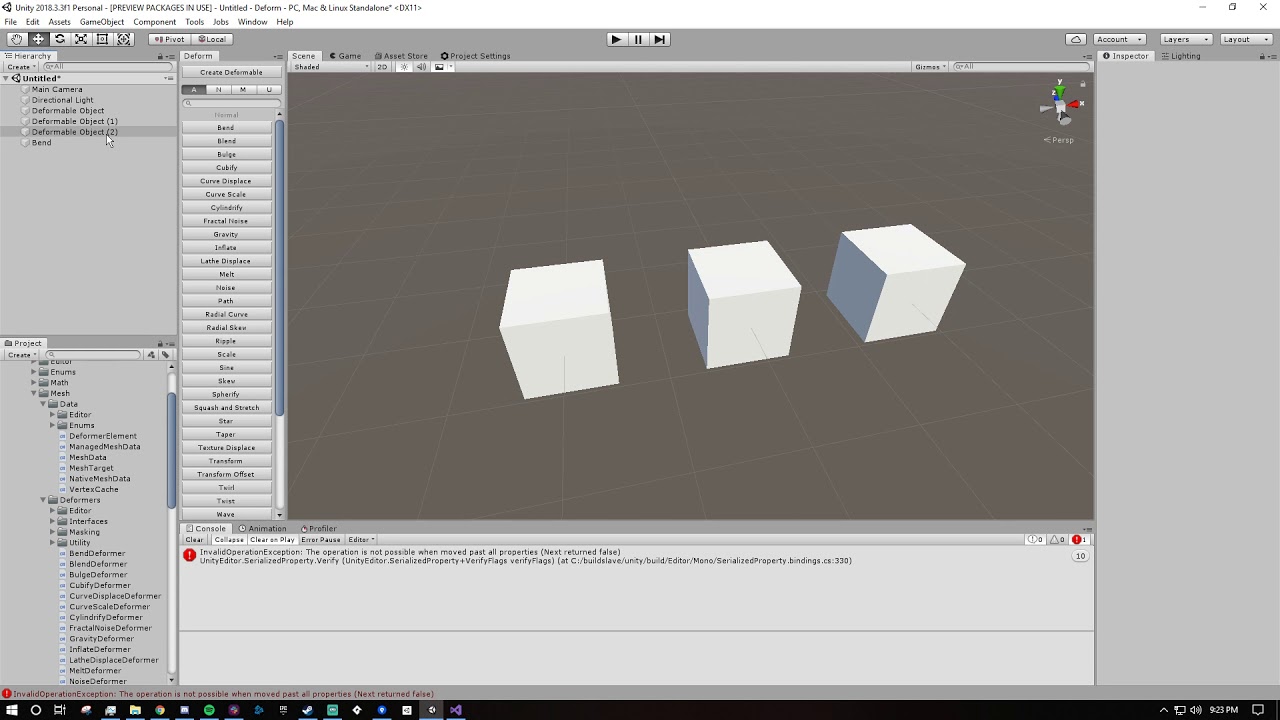
I'm using ReorderableList (a popular repo on github) and when I add multiple objects to the list I get an error that says:
The operation is not possible when moved past all properties (Next returned false) I'm not really sure what that means. What is it referring to in "moving past properties?"
So I started looking into the SerializedProperty class, and I found the method CountRemaining. So you can count how many remaining properties there are? What does that even mean? The documentation says, "Note that calling this method will move the property forward to the end of the SerializedObject."...like wut?
Why does the order or positions of properties matter in a SerializedObject?
 spark zodiac
Anybody with a lot of insight into editor Handles?
Is there any built-in shortcut to determine when a Handles.FreeMoveHandle is being hovered over by the mouse, or if it has been clicked but not dragged? They change color under these circumstances, so they're being detected, but they don't become a GUIUtility.hotControl until they're actually being moved, and the editor won't register any change until then either.
I need Handles.FreeMoveHandle and Handles.Button functionality from a single handle, and have been struggling to find a clean way to do it :/
visual stag
@wispy delta the serialized property class is an Enumerator, so it has MoveNext, Current, Reset. It's not an indexable format like an array of a list. So similar to linq extensions for collections that don't have a counter the Count Remaining function will call move next until it returns false
Ending up at the end of the property
There's a reorderable list that just works built in that just takes a little amount of work to set up in a custom editor
In the case of a serialized property if you pass true to the Next function it will iterate through sub properties, so I assume Count Remaining also has this distinction
Ah no, it uses hasVisibleChildren to make that distinction
wispy delta
@visual stag thanks for the explanation, that makes more sense now. I'm still not sure why I'm getting an error though. If I have a single object selected and add a new element it works fine, but if I have multiple objects selected and add a new element, I get an error pointing at this method in the ReorderableList class:
private float GetElementHeight(SerializedProperty element) {

    if (getElementHeightCallback != null) {

        return getElementHeightCallback(element) + ELEMENT_HEIGHT_OFFSET;
    }
    else {
        // the line below is where the error points
        return EditorGUI.GetPropertyHeight (element, GetElementLabel (element, elementLabels), IsElementExpandable (element)) + ELEMENT_HEIGHT_OFFSET;
    }
}
If I deselect and then reselect the objects, the new element(s) are displayed normally. Are there any common "gotchas" that could occur when calling EditorGUI.GetPropertyHeight or are there any other possible issues you see? My drag and drop area gui is pretty straightforward, it returns a list of components that were dropped onto it, which are then added to the list. so i think the issue *isn't there
visual stag
I'm not sure, I've never used this extension for reorderable lists before 🤷 If their iterator sucks it seems to not be checking whether there is a valid element, and MoveNext gets called in this situation and they continue running code once it returns false
I'm not sure if theres a way to check whether the element is valid once you have it...
maybe propertyPath is empty or something, not sure. I don't think I can help with the specifics of the bug
wispy delta
Gotcha, well thanks for pointing me in the right direction. I'll figure it out eventually
wispy delta
@visual stag I ditched the other dudes reorderable list implementation and you were right, it's pretty easy to make my own version. Unfortunately, I have the same error with my version; however, I actually know what's going on in my code. The error points to the first FindPropertyRelative call I make when drawing an element of the array. Is there some sort of check I need to make? I put a break point on the code and element's property isn't null - so I'm not sure why I can't access a child property.
list.drawElementCallback += (Rect rect, int index, bool isActive, bool isFocused) =>
{
    // get property of current item in array
    var elementProperty = list.serializedProperty.GetArrayElementAtIndex (index);
    // get the element's "active" bool
    var activeProperty = elementProperty.FindPropertyRelative (ACTIVE_PROP); // error here
    // get the element's deformer reference
    var deformerProperty = elementProperty.FindPropertyRelative (DEFORMER_PROP);

    ...
if your structure layout is like:
List<Element> ...;
... Element {
    public bool active;
    public Deformer deformer;
}```then it should just work
perhaps you should null check the elementProperty's value just in case
if it's an Object then you can null check the objectReferenceValue property
wispy delta
yea i've got it as a struct
[System.Serializable]
public struct DeformerElement
{
    public Deformer Deformer;
    public bool Active;

    public DeformerElement (Deformer deformer, bool active = true)
    {
        Deformer = deformer;
        Active = active;
    }
    ...
I just added a null check to the elementProperty and it still hit the error, so I guess it isn't null
It's not even getting to the deformer property, which is the only reference value
visual stag
yeah but the property will be returned even if the object is null
wispy delta
Oh I see, lemme give it a try
So objectReferenceValue will always be null because it's a struct
visual stag
I don't often work with structures that are not inheriting from Object or one of the base types supported by SP
which may be where your problems are arising from
I think there are some extension methods that use reflection into the serialized object to discover properties using the propertyPath seeing as it's not really supported
wispy delta
I'm just not sure why it only stops working when I have multiple objects selected
visual stag
surely your code for adding stuff to the list with a drag and drop is custom?
wispy delta
Yea, but it literally just adds to the list
visual stag
the bug gets caused with that action though, so you'd think it'd be related to it?
wispy delta
Yea good point, but when I click off and click back on they are drawn normally.
visual stag
what happens if you do (perhaps in debug mode) remove an array element from the list but keep it unassigned
wispy delta
remove the reference to a deformer on one of the elements?
visual stag
just an entire DeformerElement
wispy delta
it gets removed without any errors
visual stag
yeah but that actually resizes the list, I mean nullify an element
which you'd have to do in debug mode
wispy delta
im not sure if i can, since it's a struct
visual stag
ah, true, god I have't worked with structs in a list with serialised properties ever, sorry :/
wispy delta
no worries
whole steppe
I have a box collider and if the camera leaves it I want to make it fall
using System.Collections;
using System.Collections.Generic;
using UnityEngine;
using UnityEngine.UI;

public class FallDown : MonoBehaviour
{
    public Rigidbody rb;
    [Range(1,30)] public float speed;

    private void OnTriggerExit(Collider other)
    {
        if(other.tag == "MainCamera")
        {
            rb.useGravity = true;
        }
    }
}
 hushed stirrup
make sure the Camera has a collider and kinematic rigidbody on it too
though #⚛️┃physics would probably be a more appropriate place to ask :)
 past gull
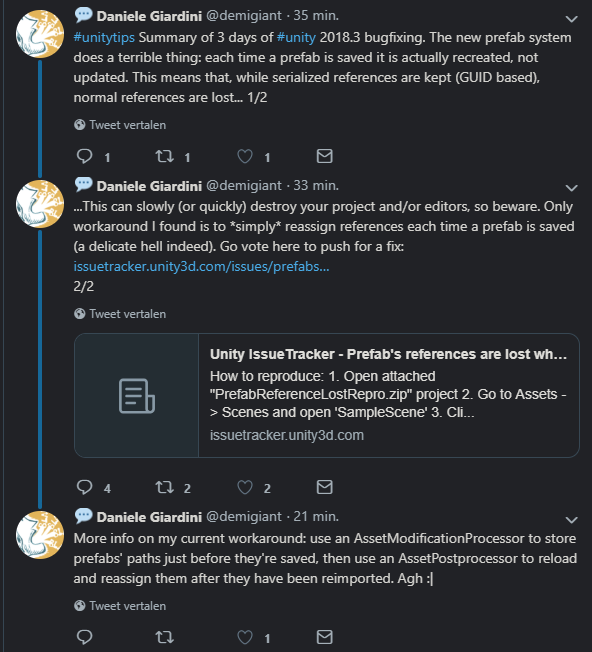
guys, anyone having issues with the editor in 2018.3.3? each time I change a field and save the scene it reimports stuff, not sure what, but wasn't happening in 2018.3.2, I just updated
mmm it is happening in 2018.3.2 too... maybe something changed in my config
 trail dawn
Question about custom icons.
I have some icons inside the the Gizmo folder that are correctly updating the icons of Scriptable Objects. However, this is only working for SO's that directly inherit the script:
State : Scriptable Object > Create State (Works)
StateDecision : Scriptable Object > Create Decision : State Decision > Create Decision (Doesn't work)
Does anyone know f it's possible to hook up the icons?
past gull
(ok, forget what I said, I just restarted my laptop and now it works fine.... :S)
 coarse tree
Is there a way for an editor to create a GameObject and then make that the selected object in the scene?
visual stag
@coarse tree Selection.gameObjects = new []{new GameObject()};
that's written off the top of my head, but you should get the idea
coarse tree
Ah, thanks @visual stag !
visual stag
@trail dawn Similar to assigning gizmos to GameObjects the menu exists on scripts, perhaps using that menu on all your related script types will give the icons to the SO's you need
whole steppe
I want to move something forward with Vector3.smoothDamp
CameraRig.transform.forward = Vector3.SmoothDamp(transform.position, CameraRig.transform.forward, ref velocity, smoothTime);
waxen sandal
Not sure why this is in #↕️┃editor-extensions
Either way you shouldn't set the forward, you should set the position
And you probably want to use the position from your camerarig as current position
And I wouldn't use forward from the camera rig as target position
Use a world space position instead
whole steppe
thanks
waxen sandal
Is there a way to give priority to the label of a property field so that it tries to get the most space? Rather than this?
visual stag
use the https://docs.unity3d.com/ScriptReference/GUILayoutOption.html options to guide it into a better default
or use them to set the size of the label based on the text (which you can calculate using GUIStyle's CalcSize and a couple of other ways)
waxen sandal
You don't really have that option with PropertyField
As you aren't manually drawing the label/input field
visual stag
Well, I'd separate it into two controls
the property field and the label. The internal usage of PrefixLabel just isn't playing nice with that length of text ):
also I've never tried this, so I don't know if it would work but perhaps EditorGUIUtility.labelWidth is a thing you can set temporarily to override the prefix label width?
if it does work, you can set it back to 0 to regain the default value
waxen sandal
Yeah the latter is what I'm thinking
hushed stirrup
@waxen sandal PropertyField obeys https://docs.unity3d.com/ScriptReference/EditorGUIUtility-labelWidth.html
there's a handful of our editors that set that to something larger at the beginning of their OnInspectorGUI
wispy delta
I found a workaround for the error when adding multiple elements to a ReorderableList. Rather than adding the elements directly to the list, I add them through the property like so:
public void Add (DeformerElement element)
{
    var listProperty = list.serializedProperty;
    var newProperty = listProperty.GetArrayElementAtIndex (list.serializedProperty.arraySize++);
    newProperty.FindPropertyRelative ("Active").boolValue = element.Active;
    newProperty.FindPropertyRelative ("Deformer").objectReferenceValue= element.Deformer;
}
This is great for the drag n drop gui, but I also have an editor window that lets you add deformers to the lists of selected object. The issue is that it's a custom window. Custom windows don't come with the builtin serializedObject field like CustomEditors do. Is there a way to get access to all the selected serialized objects from an editor window?
If there was I could do something like:
for each (serialized object in serialized objects)
    if serialized object has deformer list property
        add element to deformer list property
what do you mean by selected SerializedObjects?
you can go SerializedObject sO = new SerializedObject(object);
and cache them from whatever you want
wispy delta
I didn't know I could do that, guess I'll just create a serialized object based off every component in Selection.gameObjects
wispy delta
Still getting the error. What exactly does serializedObject.Update() do? I assumed it syncs the serialized object's values with the actual values on the class. But now I'm not sure because I'm calling it and then failing to find properties that should be there.
visual stag
yes it does
wispy delta
Is there an emote that shows someone's head exploding in a mix of confusion and frustration?
visual stag
what's the error again?
wispy delta
InvalidOperationException: The operation is not possible when moved past all properties (Next returned false)
visual stag
the emote is 
wispy delta
haha u right
visual stag
and it refers to newProperty.FindPropertyRelative ("Active")?
wispy delta
Yea
I stepped through my code that adds the components to the list and it's literally there in memory, just not in the property
visual stag
can you increment the array size before you get it
or do you want it like that, it's a weird way of doing it
it should be ++list.serializedProperty.arraySize, surely
or does that evaluate fine... I think we're into the parts of the language I just do to be safe 😛
wispy delta
I'd like to not have to deal with adding elements to the list via the property and I feel like that's a reasonable goal haha. That bit of code where I added it through the property was just me grasping for straws. It worked for the drag and drop code, it just didn't work from the editor window for some reason
visual stag
well, what's your code like now?
wispy delta
Back to normal. I add the elements to the actual list and then the properties don't exist
I made a video for a forum post earlier today where I walk through the problem. I don't expect anyone (including you) to feel the need to watch it, but I'll post it here in case someone is bored enough to want to watch it
https://youtu.be/lZL3PBXMiRE
 waxen sandal
SerializedObject.Update should take the data from the class and "import" it to the SerializedObject, ApplyModifiedProperties does it the other way around from SO to the class
visual stag
when you call DoLayoutList you surround it in a UpdateIfDirtyOrScript and ApplyModifiedProperties
or surround the relevant SO code in that
in your video you don't seem to apply after calling DoLayoutList which could cause issues
I don't think it'd be relevant to your current problem, but it's something to watch out for
wispy delta
Yea, still get the error. And I just call ApplyModifiedProperties once at the bottom on OnInspectorGUI since I assume there won't be an instance in which multiple properties are changed that depend on each other
visual stag
it could be screwing with you somewhat, can you move it to directly after DoLayoutList
wispy delta
Yea, still an error 😦
But if there's any other stuff that's assumed I've done correctly, don't assume it haha
wispy delta
@visual stag solved it! somehow the object is not being registered as dirty so serialiedObject.Update isn't doing anything. He found the method SerializableObject.SetIsDifferentCacheDirty(). If serializedObject.Update is called after that method, the serializedObject is actually updated. So be warned, if you are changing fields directly, calling Update on the SO may not do anything and you'll have to call SetIsDifferentCacheDirty()
visual stag
but that only seemed to be happening with the multi selected situation... so who really knows what the right circumstances to call it is? We can only stay safe in these trying times
 velvet moon
Hi, does anyone know if something like this works with the cache server? https://docs.unity3d.com/2019.1/Documentation/Manual/DefaultPresetsByFolder.html
we made our own custom solution based on json files, to setup import settings for sprites automatically by folder (compression, pack, pixels per unit, etc)
but unity in their cache server documentation say that you can't have assets that depend on other assets for configuration, because the cache server wont know
 green shoal
hey, I'm having an issue using the EditorGUILayout.Toggle, whenever I try to use the overloaded method with GUIContent and GUIStyle it does not recognize the way I called the method, it says my arguments are invalid and keeps trying to run as a overloaded method with only the bool and all else being GUILayoutOption.
Am I doing something wrong or is the overloaded method obsolete? I do exactly as the tooltip says, I have some prints in case it is needed
wispy delta
@green shoal can you show some code?
green shoal
@wispy delta
GUIContent shortContent = new GUIContent("Type of Effect", "leave true for short and false for long");
GUILayoutOption options;
options = GUILayout.Width(30);
alvo.shortOrLong = EditorGUILayout.Toggle(shortContent, alvo.shortOrLong, EditorStyles.boldFont, options);
this is the part where I got the issue, alvo being the reference for the script selected in the editor
wispy delta
just formatting this rq so i can read it better
GUIContent shortContent = new GUIContent("Type of Effect", "leave true for short and false for long");
GUILayoutOption options;
options = GUILayout.Width(30);
alvo.shortOrLong = EditorGUILayout.Toggle(shortContent, alvo.shortOrLong, EditorStyles.boldFont, options);
boldFont isn't a style
@green shoal you need to create a style and set its font to boldFont. There isn't an overload that lets you set the font directly
green shoal
I tried so beacuse of this part where it worked just fine, I'll look and try not using it
wispy delta
you're using boldLabel not boldFont
wispy delta
haha i thought i was going crazy for a second too
green shoal
I hate when this happens, thanks for the help, I just fixed it and almost cried
wispy delta
haha np 👌
wispy delta
So I created an Assembly Definition file inside the root folder that contains all my code, added my dependencies, ticked "Allow 'unsafe code'" (because I have some unsafe methods) and hit apply.
Now every time I select a gameobject in the scene that has custom editor inside my code folder, I get some weird error that tells me my editor needs to derive from ScriptableObject.
Instance of DeformableEditor couldn't be created. The script class needs to derive from ScriptableObject and be placed in the Assets/Editor folder. Not sure what I'm doing wrong here
wispy delta
I restarted Unity and that appears to have fixed it...weird
lucid hedge
I have an enum and depending on the choice, different options appear under it. Is there an easy way to make the switching 'smooth' and not instant
so the options appear gradually
 somber oxide
I might be going insane (it's happened before), but UnityEditor.Timeline doesn't seem to exist?
wispy delta
@lucid hedge animate the options? i don't think its possible with the builtin enum property drawer. You'll likely have to make your own, but it shouldn't be too hard. You store the enum's SerializedProperty and draw only the serializedProperty.enumNames that you want and then set serialiedProperty.enumValueIndex when you select one.
somber oxide
I'm trying to make an example for the new "Refresh" method for TimelineEditor, the docs say that it exists in UnityEditor, but I get errors when I try it out.
somber oxide
Huh, maybe it needs to be in an Editor folder and not just within a UNITY_EDITOR define?
visual stag
@wispy delta separate your codebase into two Assembly Definitions, an Editor and Runtime
make sure the toggles are correctly set up for the platforms
and make sure the editor refers to the runtime
you can see examples of this in almost all other packages
wispy delta
Now that I actually give it thought you're right, noone threads their editor files amongst their runtime files. While it makes it quick to find a script's editor, I can't easily put them in separate assemblies
visual stag
Why so?
wispy delta
Cuz it groups scripts based on the folder with the asmdef. I have runtime and editor code all under the same folder
visual stag
If you just create two root folders, Runtime and Editor and move your editor folder's contents that's it
 fresh yoke
^
I prefer that too
plus it makes it so much easier to work with asmdefs
you also need that kind of structure if you do packages for packman as they don't support special editor folder there (meaning you need to define the editor only things either in asmdef or in code itself)
wispy delta
That'll be my folder structure from now on 👍
Right now my repo includes the Packages, ProjectSettings and Assets folder. Should I bite the bullet now and create a new repo with my codes folder as the root? Or is there a better alternative? I'd like to be able to use my git repo through the package manager
fresh yoke
PM itself doesn't have handy "refresh" button for git changes if you use the git functionality from it
just something to keep in mind
visual stag
bite the bullet sooner rather than later 🤷
fresh yoke
but nothing prevents you from putting local package to your project and still putting the package alone in git repo
I'm huge fan of the package thing, it just helps keeping everything cleaner
but it can require quite some changes, depending what's been done there
if you had direct paths to Asset folder on includes etc, they need to be converted to another format etc
visual stag
I have been structuring mine as having a root folder with multiple packages in it because I sometimes have example packages and test packages and I only want one repo, but it doesn't currently work like that directly with packman, but it's not difficult to pull a repo to a location and reference it so I figure that's fine for now
people who have direct paths are monsters anyway
fresh yoke
it depends, on some shader code, it does give more clarity
visual stag
ah shaders are terrible at references though which makes it somewhat unavoidable
fresh yoke
I have an example for that
visual stag
at least in C# you can rely on the AssetDatabase to search for data
and then never specifying where it is exactly
fresh yoke
older Unity versions didn't support new Packages/packagename/yourfile paths on shaders, only on c#
visual stag
with shaders you've gotta do relative path stuff
fresh yoke
so to convert Alloy to package format, I had to do this crap: https://github.com/0lento/Alloy/commit/67ebf5e5bbf5b1607b03bd37dafd0b6c37d8c306#diff-eb096de359fed036f03f2a515d30b7d4L173
 visual stag
yee
fresh yoke
it's hideous 😄
visual stag
sucks when you want to move a thing either way
fresh yoke
sure, but in packages you don't really restructure it as often
visual stag
at least with the AssetDatabase you can not think about it
fresh yoke
it's different if you place something in assets folder
visual stag
depends what you're doing hahaha
fresh yoke
because everyone seems to have their own idea on how assets folder items should be structured :p
visual stag
I was making a package for a long time and every major restructure I was glad I didn't have any shaders to worry about 😛
fresh yoke
yeah, I'd avoid direct paths if possible
there's also one thing on PM that isn't implemented
it's not a thing most people need
visual stag
if I run into a goddamn public asset that has path references like "Assets/MyTerribleAsset/Thing.foo" I immediately modify or delete their code
fresh yoke
but it totally lacks a thing that will give you full system path for the packages root folder
wispy delta
@visual stag Sorry for they delay, I didn't run into another chance to respond while I was at work.
How should I handle external code dependencies? For instance, I'm using someone else's spline solution. I have it under a folder called "Vendor" and it has it's editor code alongside runtime code. Should I put it in another asmdef called "DeformDependencies" or something? Or should I create a separate VendorEditor folder and move the spline editor code over there?
visual stag
I'd probably create an assmdef for them
it's a separate API and not dependent on you, so it's clearer (and faster) if you refer to their assembly separately
wispy delta
Sounds good, thanks 👍
wispy delta
What's the best folder to put editor resources in? I was looking through the special folders list and none of them seemed quite right. Anything I put in the Resources folder will be included in builds. Editor Default Resources would be a good folder, but there can only be one and it has to be in the root of the Assets folder. Right now I created a folder called EditorResources. I put settings scriptable objects and default meshes in there and then load them with AssetDatabase
visual stag
I just load stuff via the AssetDatabase and put it where I want to
wispy delta
I was afraid that was the best solution. Ideally I'd like people to be able to move the tool in a separate folder if they're one of the people that works directly out of their Assets folder rather than creating a sub folder for their project, but I guess they'll just have to deal
visual stag
Don't use direct paths, I'll find you a method
public static T LoadAssetOfType<T>(string contains = null, SearchFilter searchAssets = SearchFilter.All, Action error = null, Action success = null) where T : Object
{
    bool allowScriptAssets = typeof(T) == typeof(MonoScript);

    T t = null;
    string[] assetGUIDs = AssetDatabase.FindAssets($"t:{typeof(T).Name}", GetSearchDirs(searchAssets));
    foreach (var assetGUID in assetGUIDs) {
        string assetPath = AssetDatabase.GUIDToAssetPath(assetGUID);
        if (string.IsNullOrEmpty(assetPath) || !allowScriptAssets && assetPath.EndsWith(".cs") || contains != null && !Path.GetFileName(assetPath).Contains(contains)) continue;
        t = AssetDatabase.LoadAssetAtPath<T>(assetPath);
        break;
    }

    if (t == null)
        error?.Invoke();
    else
        success?.Invoke();

    return t;
}
You might want one that returns a bool and outs a T
but something like that works
public enum SearchFilter
{
    All,
    Assets,
    Packages
}```static string[] GetSearchDirs(SearchFilter searchAssets)
{
string[] searchDirs;
switch (searchAssets) {
case SearchFilter.All:
searchDirs = new[] {"Assets", "Packages"};
break;
case SearchFilter.Assets:
searchDirs = new[] {"Assets"};
break;
case SearchFilter.Packages:
searchDirs = new[] {"Packages"};
break;
default:
throw new ArgumentOutOfRangeException(nameof(searchAssets), searchAssets, null);
}
return searchDirs;
}```I forgot how big it was lol
wispy delta
That's nice and meaty, but it looks mega handy. So do I just give it a filename and some extra search options and it finds the file?
visual stag
that's the intention, I've had to change it every few versions so it might need some tweaking
and as I said, it'd probably be better as a Try-style
wispy delta
Does it work with folders alongside the name? Could I doLoadAssetOfType<Mesh> ("BuiltinMeshes/DefaultMesh")? If not, I'd be worried someone else could easily have an asset of the same type and name
visual stag
HHmmmrm, don't think so, but you could modify it easily
I usually just make my asset names more specific
like DeformerDefaultMesh or something
but either way works
wispy delta
Yea I guess I could also compensate with specific names. That doesn't seem too bad
And it would let people override my assets more easily if they wanted to
visual stag
I also have a version that is LoadAssetsOfType, but you can figure out how to make it build a list 😛
wispy delta
Yea this super helpful, thanks
I'm look for but don't see a way to add packman dependencies. For instance, I just moved my code into a new project to create a new repo and my asmdef files are missing references to burst and mathematics. Is this possible yet?
visual stag
you can add dependencies with the package.json file
it even has an editor now
so modify it in the inspector
(might be 2019 only)
wispy delta
Does that have to be in the project root tho?
wispy delta
Bummer, I was hoping I could create dependencies from within the tool's folder so that I could just drop it in a project without it losing references
visual stag
basically you want two references, the package.json file which sets up the package dependencies, and the assembly definitions which set up the assembly dependencies
it being a package enables all this though?
Like, once this is set up you should be able to add the package to any project and it'll set everything up automatically
wispy delta
I misunderstood, and you were right I should have looked at how burst was setup
wispy delta
got it working! this is super cool. I'm not really sure how to handle different versions, but I'm guessing that'll be solved automatically once hosted repos are better supported
visual stag
@bronze mason is the Type for your editor window a bit weird, like generic or something?
visual stag
if you Resources.FindObjectsOfTypeAll does it return your window type at all?
visual stag
hah what?
 bronze mason
Had to check
I'm doing T[] windows = Resources.FindObjectsOfTypeAll<T>(); and it seems like it's not finding any
(or they're null)
visual stag
the GetWindow method uses that resources method internally, so if your window isn't being discovered by it then it will create another window
bronze mason
Ok, good to know
It seems like it will mostly create another instance when the window that was just created is not focused
visual stag
like, immediately created? Or was never focused to begin with?
bronze mason
If I create the window, remove focus & try to get it again, it usually ignores the current unfocused instance and creates another one
visual stag
are you just using a MenuItem?
visual stag
by removing focus I assume you're just getting another window?
or, calling Focus on another existing one
the only thing I can imagine is that either your window is somehow not registering as loaded, or that you're managing to run the code before it is
if the window is being opened from InitializeOnLoad for example, it might be worth using EditorApplication.delayCall just to make sure it's not missing some important thing unity needed to do for some reason
as is surprisingly often a thing I need to do
wispy delta
Is there a way to tell if your code is under the Packages folder? All my code that creates/loads settings and other assets won't work when installed via packman because it does everything relative to the Assets folder
wispy delta
Although I guess I shouldn't store per project settings/assets in the Packages folder anyways right? Because if I did, any changes to the files would be overriden the next time the package is updated or synced with the source files.
I didn't like how TextMeshPro imports default assets and settings into the assets folder, but now I understand why
wispy delta
One issue I'm running into is how hard a package's file path can be to find.
If you add a package on disk Unity literally just references it (ie: it doesn't get copied over)
If the package is made by Unity, it is put under YourProjectName/Library/PackageCache/name@version.
If the package you add is a hosted repo it get's put under YourProjectName/Library/PackageCache/name@some-commit-hash-here
All-in-all I've been unable to find a way for a custom package to load it's own assets
visual stag
My solution I posted earlier had the way to do it built-in?
And also if you use https://mvi.sh/notes/ I have a note on both AssetDatabase.FindAssets and AssetDatabase.LoadAssetAtPath
the one on LoadAssetAtPath is:
If you're trying to load an asset from a Package the relative path is "Packages/com.example.example/...", regardless of the 'real' location of the package files.
Per-project settings do need to be instantiated into the Assets directory, you are correct
wispy delta
Good to hear. Also this website is great, I'd never heard of it in my 5ish years if Unity sleuthing
And I'll test this if you havent already, but I wasn't sure if your LoadAssetOfType method would work if the package was referenced on disk since the files arent actually copied under the project directory
visual stag
If the package is installed the assets are in the database
lucid hedge
So I have these colorfields
but I want to adjust the space to them
so I created a custom GUIStyle
            {

                margin = new RectOffset(0, 0, 2, 2),
            };
```but how do I pass this new guistyle into the colorfield?
colors[3] = EditorGUILayout.ColorField(GUIContent.none, colors[3], false, false, false, GUILayout.Width(18));
so basically how do I override the space between the colorfields
waxen sandal
You kinda can't
You can change the default style
Those controls are made up of multiple controls and styles
So you can't just have one style that changes it
Either make your own, change the default styles, or live with it
waxen sandal
At least, that is as far as I know
lucid hedge

managed to create a nice material editor
palette
and I can change the margins how I want since it's a custom made style
waxen sandal
 lucid hedge
So I know this has something to do with serialization and maybe editorprefs but I'd like to know what's the best way to do this. I have an editor window with fields, but when I close the window and open it up again, the variables reset. How do I save the state the window was closed in?
lucid hedge
because even if I add
[System.Serializable]
to my class
and [SerializeField] to a private variable
it's not saving. When I close the editor window and then open it again, it's reset
 river bolt
so I haven't done what you're trying to do but there is an editor script I use regularly that does

Gist
Unity Editor Scene Camera FPS Improver. GitHub Gist: instantly share code, notes, and snippets.
looks like you want to call EditorPrefs.Set* in OnDestroy()?
lucid hedge
I'm gonna check out the script!
hmm
Editorprefs don't support color fields though right?
lucid hedge
and also using editor prefs will put the variables in a custom menu under preferences right?
I really just have these variables in my editor window
and they reset to their default values when I close/reopen it
Hmm I looked at another editor tool from someone and they don't seem to save the previous state of the variables either
I'm just gonna add a preference entry, I know how to do that
but not for all variables
and @river bolt as you can see, no built in support for color fields
as you said I can just floats though
wispy delta
Could you just save and load a scriptable object?
grim monolith
@lucid hedge Unless they have modified how it works no, you need to create your editor window for the preferences section
lucid hedge
yeah I could work with a scriptable object I'm pretty sure but it's not worth it for this tool I think
just gonna add in some preference entries
btw @grim monolith
what assets do you have, you're a publisher right?
grim monolith

I am a programmer and indie game developer. I started in a company in Puerto Rico called Ai.Robotix Corporation. I currently am programmer lead assistant in Razor Edge Games. My goal is to provide easy to use assets that can help develop any game.Visit my website
lucid hedge
great, ty
wispy delta
@lucid hedge those icons are nice. Did you make them or do you have a site you get them from?
lucid hedge
from flaticon
lucid hedge
you need to mention the artist though , I just do it in my asset store description but I'm not sure if that's enough
wispy delta
Ok cool I'll check them out. I'm struggling with making my own
lucid hedge
Flaticon has some nice icons, definitely for the new 2019 editor theme
however I find that these icons go very well with Unity too
Free Farm-Fresh web icons set includes both 16 and 32 pixel versions. Images have been saved in PNG format on transparent background for your convenience. Download and enjoy this enormous free icons set designed by FatCow - a leading provider of web hosting for individuals an...
Bolt, the visual scripting tool uses those icons for almost everything
wispy delta
I was actually wondering what icons they used, they look great
lucid hedge
the icons fit in nicely imo
looks pretty native
surforge is one of my favorite UI's too
wispy delta
@visual stag
Not sure how I didn't realize this, but while we got drag n drop working; adding items to the lists from the custom editor window doesn't work.
The drag n drop code works because it's in the custom editor and we have access to serializedObject. The window doesn't have access to the serializable object used by the custom inspector, so the properties fall out of sync when items are added.
I needed a reference to the serializedObject used by the custom inspector, so I ended up creating a static list in the custom editor that holds serialized objects. The custom editor adds and removes itself from the list in OnEnable/OnDisable. After the window adds items to the lists I run this code:
foreach (var so in DeformableEditor.SerializedObjects)
{
    so.SetIsDifferentCacheDirty ();
    so.Update ();
}
I'm curious of your thoughts on my approach. Does this seem like this best way to solve the problem, or is there a more elegant solution?
visual stag
It should just apply after charges and update if dirty always
There should be no need to access other scriptable objects
Having applied, the start of the next gui loop should have an update if dirty and it'll just refresh from the target object
green shoal
hey, does someone know if there is a way to limit how much listeners can be added to an event in the inspector? I struggled just to add the event to inspector, now I'm really lost on what to do
visual stag
A UnityEvent? You could just trim it in OnValidate
lucid hedge
lolz
ExportPalette();
oops
so ExportPalette creates a scriptableobject
I didn't put it in the brackets haha
so it was in OnGUI 😮
all those new scriptable objects :p
Unity crashed
visual stag
pretty expected to be honest
lucid hedge
it was a typo
wispy delta
@visual stag Are you talking about the custom editor window? There's nothing for it to "apply." It just loops through Selection.gameObjects and adds the newly created Deformer to any Deformables it finds on those selected game objects. It is running into the issue where the Deformable inspector's serializedObject's properties don't match the actual values in the class and it isn't marked as dirty. We solved this with the drag n drop code by calling serializedObject.SetIsDifferentCacheDirty (), however in the case of the custom editor window, it doesn't have access to the serializedObject so it can't just call serializedObject.SetIsDifferentCacheDirty () after making changes to the list.
Apologies if I'm misunderstanding something
visual stag
I'll take a look at your project again and see if I can get my head around it, sorry. It really should "just work" 😛
though first Rider shall update
lucid hedge
Managed to create a nice palette system for my prefab painter 😃 First time using scriptable objects

 visual stag
Use colours much closer to white for buttons and they'll look a lot nicer!
I'm pleased that it all works though, custom editors are the best
lucid hedge
oh yeah definitely!
grim monolith
Yeah, using scriptable objects really makes stuff easier
lucid hedge
this is an old editor tool that I'm revisiting
I try to never use colored buttons now
wispy delta
is there a reason all the gui scopes are classes, but the disabled scope has a class and struct version?
EditorGUI.DisabledGroupScope is a class
EditorGUI.DisabledScope is a struct
visual stag
no idea, I'd have thought they all should have been structs but who knows, there's some inheritance in DisabledGroupScope that might enable better debugging if not disposed
the docs mention that DisabledScope is preferrable
I also like that the DisabledGroupScope example doesn't even use it lol
wispy delta
haha that's great
wispy delta
got the deformable's scene gui to draw transform tool handles for the selected deformer as well
wispy delta
handy lil function will let you draw your own transform tool and lets you change the handle scale (helpfulfor preventing your custom transform handles from being hidden behind unity handles)
public static void TransformToolHandle (Transform target, float scale = 1f)
{
    var matrix = Matrix4x4.Scale (Vector3.one * scale);

    var newPosition = matrix.inverse.MultiplyPoint3x4 (target.position);
    var newRotation = target.rotation;
    var newScale = target.localScale;

    using (new Handles.DrawingScope (matrix))
    using (var check = new EditorGUI.ChangeCheckScope ())
    {
        switch (Tools.current)
        {
            case Tool.Move:
                if (Tools.pivotRotation == PivotRotation.Local)
                    newPosition = Handles.PositionHandle (matrix.inverse.MultiplyPoint3x4 (target.position), target.rotation);
                else
                    newPosition = Handles.PositionHandle (matrix.inverse.MultiplyPoint3x4 (target.position), Quaternion.identity);
                break;
            // rotation handle doesn't differentiate between local/global pivot mode b/c you'd have to persist the last rotation used
            // in global mode and reset it whenever the object was reselected or the pivot mode changed.
            case Tool.Rotate:
                newRotation = Handles.RotationHandle(target.rotation, matrix.inverse.MultiplyPoint3x4 (target.position));
                break;
            case Tool.Scale:
                newScale = Handles.ScaleHandle (target.localScale, matrix.inverse.MultiplyPoint3x4 (target.position), target.rotation, HandleUtility.GetHandleSize (target.position));
                break;
        }
        if (check.changed)
        {
            Undo.RecordObject (target, "Changed Transform");
            target.SetPositionAndRotation (matrix.MultiplyPoint3x4 (newPosition), newRotation);
            target.localScale = newScale;
        }
    }
}
I'd like to display an object field on the blank space on that toolbar
but EditorGUILayout.ObjectField does not take a GUIStyle parameter.. so I can't pass some toolbar style onto it
what can I do?
this doesn't look too great
 gloomy chasm
I just updated to 2018.3.4 from 2018.0f2. And unless I am dumb, is the bug where a prefab will not save changes of fields from a custom inspector still there?
wispy delta
I'm on 2018.3.4 with tons of custom inspectors and they're all saving correctly @gloomy chasm
zealous ice
@gloomy chasm // Have you marked it as dirty? That might be a reason
wispy delta
If you're using property fields, make sure you call serializedObject.ApplyModifiedProperties ()
when you finish modifying properties
zealous ice
And if you're not using property fields, make sure to mark objects as dirty
gloomy chasm
@zealous ice oh, no. That is what it is a bet...
Is there an example of how to use it? I am having a bit of trouble finding one atm.
wispy delta
@gloomy chasm are you using property fields or are you modifying the targets array directly
gloomy chasm
@wispy delta what do you mean?
wispy delta
can you show me some of your editor code?
gloomy chasm
Yeah, sorry for the delay. @wispy delta
public override void OnInspectorGUI()
    {
         base.OnInspectorGUI();

        if (saveObject.IsPrefab)
        {
            GUILayout.BeginHorizontal();
            EditorGUILayout.LabelField("Prefab Name", saveObject.PrefabName);
            if (GUILayout.Button("Update", GUILayout.Width(50)))
            {
                saveObject.PrefabName = saveObject.name;
            }
            GUILayout.EndHorizontal();
        }
```where/how are you assigning saveObject
gloomy chasm
SaveObject saveObject;

    private void OnEnable()
    {
        saveObject = target as SaveObject;
    }
Ok so you aren't using property fields - you are modifying the target directly. That's totally fine, but do be aware that it will take some extra work to get your code to support editing multiple objects at once and you'll have to mark the object as dirty when you make changes.
gloomy chasm
How is it done most of the time? That is how all the examples on the docs are done.
wispy delta
A lot of the docs on editor code is really bad. Before i type up an example, is SaveObject.PrefabName a field or property?
gloomy chasm
property
wispy delta
To do custom editors I'd use PropertyFields. They work directly off of the serialized data and handle multi-object selection and undoing without you having to do anything.
Here's a simple example. You could write it more cleanly to cache properties, but it gets the point across.
public override void OnInspectorGUI ()
{
    // serializedObject is a class built in to custom editors. They hold all the serialized properties.
    // Whenever you start changing properties you wanna make sure the serializedObject is up-to-date with
    // the actual target's values, so call this method.

     serializedObject.UpdateIfRequiredOrScript ();

    // Now that the serializedObject is in-sync you can draw safely draw properties

    // We can call FindProperty so search the serializedObject for a SerializedProperty with some name.
    // Remember that while it is called a SerializedProperty, it (ironically) cannot be a property and must be a
    // field b/c Unity doesn't serialized properties. I'm assuming your backing field is called "prefabName" in this
    // example.

    var prefabName = serializedObject.FindProperty ("prefabName");

    // Now that we've got a property, we can draw it with PropertyField(). This draws controls for the property
    // as if the field was draw by the default editor.

    EditorGUILayout.PropertyField (prefabName);

    // Once you are done modifying properties, you need to make sure to apply the modified property
    // back to the actual targets. It's as simple as calling this method:

    serializedObject.ApplyModifiedProperties ();
}
Oh, I see. Thank you so much @wispy delta!
I do have a question though. How would I go about editing a property from within the script? Or if I didn't want to use the default drawer for a property?
wispy delta
"editing a property from within the script" do you mean through the editor or from the actual target script?
gloomy chasm
like in the code I pasted where I am setting the PrefabName property to be the name of the GameObject.
wispy delta
SerializedProperty holds properties for all of it's supported value types so you could just do someProperty.stringValue = someOtherString;
As for overriding how it *functions you can use the default property drawer and then modify the value like so
/// <summary>
/// Draws a property field for a float and prevents it from going below min.
/// </summary>
public static void MinField (SerializedProperty value, float min)
{
    EditorGUILayout.PropertyField (value);
    value.floatValue = Mathf.Max (value.floatValue, min);
}
Or you can create a custom property drawer https://docs.unity3d.com/ScriptReference/PropertyDrawer.html
Some builtin Editor GUI methods support property fields, like EditorGUILayout.Slider
There are downsides to using serialized properties tho. As you can see, you are modifying fields only. This is frustrating when you have a backing field and a public property with a custom get/set. You'll have to mirror the property functionality with your editor code because you cannot modify the field via the public property.
gloomy chasm
Field seems to need to have [SerializeField]. Is that right?
wispy delta
It needs to be serialized yes.
If you don't want it drawn by the default inspector you can add [HideInInspector] to the field
gloomy chasm
Okay, yeah. Thank you so much for your help!
wispy delta
no problem 👍
green shoal
I've been trying to go around having a slot for choosing a method in another script but couldn't, is there a way to do that? I managed to get the object to my script, I need to find the methods it can run and make them selectable, how can I do that? I can't find anything like that on the documentation
wispy delta
UnityEvent?
green shoal
so no other way around that EditorGUI.PropertyField ?
I was trying to use a delegate instead, I made the Object selecting box, but couldn't find a way to get it's scripts/components, there is only a method for gameObjects, wich I can't use as I'll be getting scriptable object's methods, if all goes wrong I'll put a huge warning not to select more than one method, but I really did not want to.
wispy delta
you could check out the source for the unity event drawer and try and make your own https://github.com/Unity-Technologies/UnityCsReference/blob/54dd67f09e090b1ad5ba1f55886f327106406b0c/Editor/Mono/Inspector/UnityEventDrawer.cs
green shoal
Oh, I didn't know that you could find those, thanks a lot, I'll try it
wispy delta
yea all the c# code is on unity's github for reference. a lot of it is just bindings to c++ code, but it's still super helpful
green shoal
I looked into it, looks like this is the class that has easier code to do that:
https://github.com/Unity-Technologies/UnityCsReference/blob/73f36bfe71b68d241a6802e0396dc6d6822cb520/Editor/Mono/GUI/ReorderableList.cs

GitHub
Unity C# reference source code. Contribute to Unity-Technologies/UnityCsReference development by creating an account on GitHub.
I'll try it later, but posted the way I think it needs to go in case someone find it useful. Thanks a lot, you reaaaally helped me there
wispy delta
glad i could help haha but I'm not sure what a reorderable list has to do with selecting a method on an object?
visual stag
@edgy aspen is your custom editor for a monobehaviour?
Surely you want to be using the monobehaviour to store data
 edgy aspen
yes
visual stag
what kind of data is resetting? Do you have editor-only data that you're configuring?
edgy aspen
I have dropdowns
a couple of dropdowns and I use them for generating child objects according to these information
(also, I want to show a list of child objects in a list on the editor, how can I do this?)
visual stag
get your target object's transform, iterate through the children in the GUI and show them in a GUI.enabled = false; ObjectField
if your information is completely irrelevant to the monobehaviour's state you could have a ScriptableObject settings asset, or use EditorPrefs, or statically keep some data on hand
each has downsides and upsides
you can also subscribe to EditorApplication.hierarchyChanged to only update the children list from earlier when the hierarchy changes
edgy aspen
the dropdown change is irrevelant to the children 😄 I just asked another question
visual stag
yeah, I'm interleaving two answers 😆
edgy aspen
lol, thanks a lot. I'm digging the editor scripting these days and it's kinda fun, but lots of unknowns to me
visual stag
s'all good, very happy to see more editors and less terrible UI/UX
edgy aspen
👍
wispy delta
any idea why foldouts react visually to clicks all over but don't actually toggle unless you click right on the carrot?
visual stag
probably because my implementation sucks LUL
wispy delta
this is my implementation, default foldout haha
visual stag
Oh yeaaaaaah
wispy delta
just with a changed style and a rect drawn behind
public static bool Foldout (bool foldout, string text)
{
    var toggleRect = GUILayoutUtility.GetRect (1, EditorGUIUtility.singleLineHeight);
    EditorGUI.DrawRect (toggleRect, DeformEditorGUIUtility.EditorHighlightColor);
    EditorGUI.LabelField (toggleRect, text, EditorStyles.centeredGreyMiniLabel);
    using (new EditorGUI.IndentLevelScope ())
        return EditorGUI.Foldout (toggleRect, foldout, GUIContent.none);
}
is this on your latest commit?
I have had trouble with indentation and some editor controls before, it could be that perhaps
wispy delta
no, and trust me its nothing you did it's happens with the default dropdown
visual stag
I'm also not sure if foldouts do actually work if you don't click the foldout itself
is there any case where they do with any other part of the UI?
either way, they're one of the most fiddly editor controls you can work with to be honest
wispy delta
yea i just made a default int array and it worked normally
visual stag
ah yeah it does, hmm
there is a toggleOnLabelClick parameter
pass true and the foldout will work 👍
wispy delta
perfect!
I'm going through and trying to recreate the stuff you did because I was trying to fix a couple things and got pretty lost. If i can recreate it from scratch I'll know for sure I understand how you did it
visual stag
A lot of my implementations there come from the foldout implementation you see in places like the PostProcessLayer
@edgy aspen If you're using data from the MonoBehaviour either use SerializedProperty and SerializedObject functions (+SerializedObject.ApplyModifiedProperties) or Undo.RecordObject, otherwise the data will reset. Otherwise the previously mentioned options are the way to go
Also @wispy delta, there is a SerializedProperty.isExpanded field you could use to serialize the expanded state of some of these properties if relevant (just something to keep in mind)
wispy delta
Cool I'll check that out
just realized im gonna get to enjoy buying unity pro for a month just so i can test all my custom editors with the dark skin. i wish they had a feature where you could turn on dark skin but it wouldn't let you interact with anything or something.
some sort of developer preview mode
I've been avoiding custom controls as much has possible. no custom coloring anywhere
visual stag
I imagine a time where UIElement rules the world and we can have magenta and sea green editors
wispy delta
I haven't messed around with it yet, would you say its the future of editor scripting?
I feel like anything is the future compared to imgui lel
visual stag
It's the future of a lot of it, yes
I personally really enjoy the ease of IMGUI
but UIElement is much more flexible and powerful
just you get to deal with CSS's terrible pain points
with a unique twist
wispy delta
Yea I was gonna say it'll probably be out of the frying pan and into the fire haha. I'm just now starting to get a handle of the imgui quirks, but I am sooo bad at html/css
visual stag
I'm personally going to create all my editors from here out with UIElement, if you're aiming 2019.1 and above it's the thing to do
Before then, don't do eeeet
wispy delta
Idk when Unity will even let me post my asset on the store, it's completely dependent on the burst, mathematics and job system all of which are in "early access." Do they even allow packages with dependencies on experimental packages?
If I can't even put it on the asset store till 2019.x I might as well start rewriting everything for UIElements rn
visual stag
no idea 🤷 I cannot wait until it has proper package support, it should be happening any time now if it hasn't already (did I miss this?)
I do wonder when it's worth switching from IMGUI if you're not doing anything wild
if IMGUI works and you've got it implemented, why change?
wispy delta
yea i'd imagine elements requires a bit more setup initially
and yea rewriting something that already works to be "cool" isn't the best reason
i'd be the unity posterboy tho - using literally all of unity's new tech in a single asset
just need to figure out how to implement ml agents into mesh deformation 🤔
visual stag
missing ECS, sorry not worth the time 😛
visual stag
what is life (without preview packages)?
wispy delta
just waiting for them to release a new mesh class or at least change the current mesh class so I can send native data straight to it without having to copy to a "middleman" managed array first
wispy delta
I asked lotte about it on twitter and she said, "It’s something I never looked in to- in theory we should be able to wrap the native pointer- but what’s actually in it is dependant on mesh setup and on graphics api- it’s hella complex and probably not worth it xD"
visual stag
Well, if it's super relevant to you you could put in the effort to wrap it and I assume get a speed boost. But it does seem like a huge bloody investment that'd be lovely to just have be a simple function
wispy delta
yea. and tbh i am not skilled enough to mess with that. i understand pointers and memory, but not enough to use them without oversight. i crashed unity so many times just trying to memcpy from a managed vector3 array to a native float3 array
visual stag
perhaps a graphics nutjob will find your thing and make a PR 🤷
wispy delta
here's hoping, probably not gonna be making this open source unless it doesn't sell well though
lucid hedge
@wispy delta you fixed the issues with foldouts?
because if not I have some code for ya
wispy delta
@lucid hedge I got it working, but send it my way anyways I wanna see how you did it
lucid hedge
            generalFold = BeginFold("General", generalFold);
            if (generalFold)
            {
                EditorGUILayout.PropertyField(ladderMaterialProp, new GUIContent("Material"));
                EditorGUILayout.PropertyField(widthProp, new GUIContent("Width"));
                EditorGUILayout.PropertyField(heightProp, new GUIContent("Height"));
            }
EndFold();```is what I do for every section
        {
            EditorGUI.indentLevel++;
            EditorGUILayout.BeginVertical(boxStyle);
            GUILayout.Space(3);
            foldState = EditorGUI.Foldout(EditorGUILayout.GetControlRect(),
                foldState, foldName, true, foldoutStyle);
            if (foldState) GUILayout.Space(3);
            return foldState;
}``` {
GUILayout.Space(3);
EditorGUILayout.EndVertical();
GUILayout.Space(0);
EditorGUI.indentLevel--;
}```this for the foldoutstyle
        static GUIStyle foldoutStyle
        {
            get
            {
                if (_foldoutStyle == null)
                {
                    _foldoutStyle = new GUIStyle(EditorStyles.foldout);
                    _foldoutStyle.font = EditorStyles.boldFont;
                }

                return _foldoutStyle;
            }
}```and the boxstyle is Editorstyles.helpBox
wispy delta
nice! I went ahead and converted it to a scope so you don't have to call EndFold()
public class FoldoutContainerScope : System.IDisposable
{
    private static GUIStyle containerStyle;
    private static GUIStyle labelStyle;

    static FoldoutContainerScope ()
    {
        containerStyle = new GUIStyle (containerStyle);
        labelStyle = new GUIStyle (EditorStyles.foldout);
        labelStyle.font = EditorStyles.boldFont;
    }

    public bool isOpen;
    private readonly string text;

    public FoldoutContainerScope (ref bool isOpen, string text)
    {
        this.isOpen = isOpen;
        this.text = text;
        EditorGUI.indentLevel++;
        EditorGUILayout.BeginVertical (EditorStyles.helpBox);
        GUILayout.Space (3);
        isOpen = EditorGUI.Foldout (EditorGUILayout.GetControlRect (), isOpen, text, true, labelStyle);
    }

    public void Dispose ()
    {
        GUILayout.Space (3);
        EditorGUILayout.EndVertical ();
        EditorGUI.indentLevel--;
    }
}
Now you can just do this:
using (var foldout = new FoldoutContainerScope (ref showFoldout, "Foldout Name"))
{
    if (foldout.isOpen)
        // draw gui here
}
The only yhing I would add is toggleOnLabelClick to true. IMO it makes the use of toggles more user friendly
wispy delta
pretty sure it is set to true already
any thoughts on this debug dropdown. not sure which style i should go with (or if either looks good enough)
wispy delta
grim monolith
Aaa yeah my bad, the code on the dicord app is really hard to follow
wispy delta
No worries. I agree it's had to read, especially when word wrap kicks in
wispy delta
is there a way to create an editor layout inside a rect?
I'm making a custom property drawer and instead of manually splitting the rect into smaller rects for each field I'd like to use EditorGUILayout methods
wispy delta
I tried using that, but I couldn't get it to work
public override void OnGUI (Rect rect, SerializedProperty property, GUIContent label)
{
    using (new EditorGUI.PropertyScope (rect, label, property))
    {
        var activeProperty = property.FindPropertyRelative ("active");
        var componentProperty = property.FindPropertyRelative ("component");

        using (new GUILayout.AreaScope (rect))
        {
            using (new GUILayout.HorizontalScope ())
            {
                if (componentProperty.objectReferenceValue != null)
                    activeProperty.boolValue = EditorGUILayout.Toggle (activeProperty.boolValue, Content.Toggle);
                EditorGUILayout.ObjectField (componentProperty, GUIContent.none);
            }
        }
    }
}
I thought GUILayout and EditorGUILayout might not mix, but I use GUILayout.Button along with EditorGUILayouts all the time
visual stag
can you put the brackets for the area scope there, it's weird not seeing them
wispy delta
yea haha, just edited it
for context, this is what it looks like
no errors, i just don't see any gui getting drawn
visual stag
well, then the question is where is rect
if you draw a Rect where rect is does it draw in that place?
visual stag
can you use the GUIViewDebuggerWindow to figure out were stuff is?
wispy delta
do you have that snippet handy that creates the window, i cant find it
visual stag
((EditorWindow)Type.GetType("UnityEditor.GUIViewDebuggerWindow,UnityEditor"))``` etcI've had issues with Areas a lot, but I never remember what fixes the issues or whether i just end up using rects 😛
and drawing GUILayout inside of a ReorderableList is one of the ones that I've had the most difficulty with in the past
wispy delta
weird it doesn't look like its being drawn
visual stag
yeah, I think I've had this issue and I've just used rects
wispy delta
ah well nbd. i'd just never used areas before so i wanted to make sure i was using them correctly
visual stag
yeah you are, it's just I think reorderable lists do not support layout for specific reasons
wispy delta
wonder if its something to do with rects being dragged around. idk how a layout could handle that
but an error would have been nice
visual stag
I think it may be due to the inability to nest GUILayout.BeginArea
and the ReorderableList class uses it already
wispy delta
gotcha
visual stag
Hm, it seems it doesn't, but I have definitely had this issue and there are lots of people saying they've reported bugs and giving various reasons. Either way, consider ReorderableList not compatible ):
wispy delta
@visual stag what are your thoughts on Editor.CreateCachedEditor()? I'm calling the method in the drawElementCallback if the current element's index == the list's selected index. Is that an ok way to use it? It seems to be working well, but I wanna make sure I'm not leaking editors like crazy or something.
creating the editor everytime it draws solves all of the bugs i was running into earlier (from what i can tell)
list.drawElementCallback += (Rect rect, int index, bool isActive, bool isFocused) =>
{
    var elementProperty = list.serializedProperty.GetArrayElementAtIndex (index);
    EditorGUI.PropertyField (rect, elementProperty);

    // get the current element's component property
    var componentProperty = elementProperty.FindPropertyRelative ("component");
    // and the property's object reference
    var component = componentProperty.objectReferenceValue;
    // if the current element is selected
    if (index == list.index && component != null)
    {
        // create it's editor and draw it
        Editor.CreateCachedEditor (component, null, ref selectedComponentEditor);
        selectedComponentEditor.OnInspectorGUI ();
    }
    else
        UnityEngine.Object.DestroyImmediate (selectedComponentEditor, true);
};
it's great, I should have used it and thought about it, but I got hung up on something else 👍
you still have to ensure you clean up when disposing of the editor though
wispy delta
ok cool. i wasn't doing that so i'll make sure to make the list editor disposable
 gray burrow
Anyone know if it's possible to inject SetPass data into the profiler?
Seems like unity doesn't catch it from the graphics API so it's just added in managed somewhere
I have a native rendering plugin which is showing as having 0 setpass calls so I need to flag them for the user
waxen sandal
Oh my git
green shoal
I'm having issues with getting the components from the Object if it is not a monoScript, the way around it was to instantiate get all the reference needed and then destroy the object, I'll try to find a better solution
wispy delta
@green shoal if you're trying to get all the methods of a type in the editor, use reflection
green shoal
I'm using, I'm having trouble with getting anything from a Object, I tried loading it from the assetmanager to see if it was easier, but didn't get anywhere.
For now I'm at least trying to make it work with monoScripts so I have something solid, but the parameters are giving me another headache, I should've started with inspectors before than when I really needed it
got the parameters, I hardcoded the seven types I need (float, bool, int, string, vector3, vector2, audioClip), and got some not so good dependencies on the original class, but it works for what I need, not the best but I'm reaaaally happy that I finally have something
wispy delta
not sure if this solves what you're trying to do, but i made an example on dotnetfiddle for how to get all the methods of a type https://dotnetfiddle.net/#&togetherjs=kI2qw5ojBc
The example prints the names of all the methods in the ExampleObject class to the console @green shoal
not sure why the link was trying to create a session or whatever, never used this site before
green shoal
Im using this, the BindingFlags.DeclaredOnly limits to whatever you used in your class so no inherited methods.
I sent the code but the message didn't go, I don't use discord so I have no idea of what happened
the problem is here, I need this to get the reference:
functionCaller.objectReferenceValue = (Object)EditorGUILayout.ObjectField("Function Location", functionCaller.objectReferenceValue, typeof(Object), true);
but, Object can't give you its components
I was trying to make it a gameObject but by doing so it send the gameObject to the scene
wispy delta
where are you getting the object reference from? what is the functionLocation's type?
oh i see, it's just an object field
well make it's required type GameObject and then you can get all of it's components and get all of the methods
green shoal
yeah, I figured I would end up needing to do so, I was reluctant bc I'm using a lot of scriptable objects in my project so I can make my team write all the dialogs and assign the npc's sprites
wispy delta
Well you could still leave it as an Object and just check if (thing is GameObject || thing is ScriptableObject)
There's probably a better way, but that's all that's coming to mind right now
if it's a scriptable object, you can get the methods directly off of the type, otherwise cast it to a GameObject and get all the components and get each component's methods
green shoal
I'll fix everything up first and then will do that, I'm getting a lot of reference errors because I'm not used to coding inspector. If I check for Objects, MonoScripts and ScriptableObjects it will be fine I think
green shoal
is there a way to make a textField like when you don't make a custom editor and put [TextArea] abova a serialized string?
green shoal
thought for some reason it was some display only, like label field
wispy delta
Is there a way to get all of these buttons in this horizontal layout to be flush to one another? as the layout expands and contracts they'll randomly have 1px of spacing between neighbors
visual stag
use a GUILayout.Toolbar perhaps
might be able to kinda hack the usage to function like a button
wispy delta
That'll be my backup plan. The reason I don't wanna use it is because it either does the big buttons, or you pass it a single style that it uses for all the buttons, so I couldn't have the smooth corners on the outer buttons.
visual stag
if you pass in EditorStyles.miniButton does it not?
I have seen usage of something like new GUIStyle("LargeButton") have the curved outer buttons, so I'm fairly sure it's possible to pass alternate styles that perform in that way
wispy delta
Ah you're right it does work. Idk how it knows to use miniButtonLeft and miniButtonRight just from me passing it miniButton as a style.
visual stag
    midStyle = (GUI.skin.FindStyle(name + mid) ?? style);
    firstStyle = (GUI.skin.FindStyle(name + first) ?? midStyle);
    lastStyle = (GUI.skin.FindStyle(name + last) ?? midStyle);
is how it does it
wispy delta
haha very nice job unity
Only annoying thing is it doesn't reserve space for each button as well. Not sure why, I'm not using any GUILayoutOptions *in either version
visual stag
maybe it just treats them all the same size if a toolbar
there is a GUI.ToolbarButtonSize parameter
wispy delta
kinda better? it doesn't stretch to fill the layout anymore tho. i tried adding GUILayout.ExpandWidth (true) but that didn't do anything
visual stag
you can never win
wispy delta
haha yea. i'll look at the cs reference and see if i can make my own version
visual stag
oh great, FitToContents seems to do no layout distribution
 ashen oasis
So this was something I posted in the Unity slack earlier (before I knew about the Discord). I suspect the Discord has a much higher usage base, so curious if any of you know the proper way to do this:
So when I have code like this:
           ```foreach(EnemyHierarcyPiece piece in SelectedArmorConfig.HierarchyPieceList)
           {
               piece.GraphPositionRect = GUI.Window(piece.HierarchyID, piece.GraphPositionRect, WindowFunction, "Box1");
           }```
How do I detect which is the currently selected window? I can see that selecting the window highlights it visually, but not finding a way to detect which window is visually highlighted....
Seems like the only real way is to watch for mouse input up then store the selected window..
if ((Event.current.button == 0) && (Event.current.type == EventType.MouseUp)) SetSelectedNode(windowID);
wispy delta
just gonna format this a lil better for ya
foreach(EnemyHierarcyPiece piece in SelectedArmorConfig.HierarchyPieceList)
{
    piece.GraphPositionRect = GUI.Window(piece.HierarchyID, piece.GraphPositionRect, WindowFunction, "Box1");
}
if ((Event.current.button == 0) && (Event.current.type == EventType.MouseUp))
    SetSelectedNode(windowID);
Much nicer. 10x the pretty, thank you lol.
wispy delta
yea I may be wrong, but all the node based code i've seen has had to handle all input from scratch (ie Event.current)
It'd probably be easier to make a node class that stores its own rect and has a draw/processinput method and loop through all of them in some manager
ashen oasis
That's exactly what I did for my Node/Graph engine for Unity, lol
I saw this and thought, "Hey maybe Unity can already do this... kinda?"
That's kind of frustrating tbh. Clearly Unity knows which window object is selected since it changes the styling...
I'll put in an engine request ticket. "Method or property that can return the ID of the currently selected GUI.Window"
wispy delta
So does GUILayout.Area just straight-up not work in the editor?
I've got this dead simple code and the button doesnt draw
var rect = EditorGUILayout.GetControlRect ();
EditorGUI.DrawRect (rect, Color.red);
using (new GUILayout.AreaScope (rect))
{
    GUI.Button (rect, "Please work");
}
I know the area doesn't make sense in this example, but the button should draw anyways
visual stag
GUILayout.AreaScope is for GUILayout controls
visual stag
during EventType Layout GetControlRect will return a tiny rect, which is what will then be used for the AreaScope during layout
so if you debug rect it'll be tiny during Layout
and that's likely where your button is
wispy delta
So do i need to store a rect member in the class and only change it if the event type isn't layout?
how do you handle this quirk?
visual stag
that is one way of doing it, but basically combining two layout structures isn't a thing IMGUI wants to do
wispy delta
then maybe this isn't a rabbit hole i should jump down. this is literally all just so i can make the buttons in a horizontal layout group be perfectly flush. Ii could probably just set the horizontal margins to -1 or something
visual stag
you probably already know, but there are two passes, and the first pass will involve registering all the controls for layout, the second is drawing them. The first Layout pass will register the first rect and the area, but then the area will have been passed that rect and ultimately fail, so you have to do that double buffer solution. Really the workaround is to literally calculate the rect yourself or layout a rect which is then served by GUI controls that are rendered in Repaint
so either you have a literal rect passed to a Layout control, or a Layout control passing its rect to a GUI (Repaint) control
or the double buffer (which presents its own issues)
this is one of the benefits of UIElement 😛
you can sorta glean a lot of stuff from https://blogs.unity3d.com/2015/12/22/going-deep-with-imgui-and-editor-customization/
You generally don't have to think about this crap until something isn't visible and you wonder why 😑
wispy delta
yea I didn't know about that but was starting to suspect something along those lines after seeing repaint and layout as event types. it'll probably be a long while before a get a full understanding of how the whole system works, i'll probably have switched over to ui elements before then lol
visual stag
It's an interesting switch because you build the UI once and then update it when things change
instead of having this persistent OnGUI update-like loop
wispy delta
Yea, I'm curious how it plugs into serialized objects/properties
visual stag
same way, just make a new PropertyField(prop);
somber oxide
Is it possible to extend the Timeline window like you would a custom inspector?
visual stag
in part
somber oxide
I was thinking of making a "Refresh" button for ease.
visual stag
what would that do... just untick and retick preview?
somber oxide
It's using the new Refresh function from 2018.3
wispy delta
@visual stag yup, I just decreased the left and right margins on the button styles and they don't have the pixel gap anymore haha. no need for an elegant solution
visual stag
@somber oxide so, I do not think you can extend the actual TimelineWindow itself, but there is a way you can achieve this - but it's only for madmen (like me).
You could make a class that detects when the TimelineWindow is active and make sure it has a UIElement button injected into its rootVisualContainer at the right place in the UI.
But this is wild stuff 😛
visual stag
you can see an example of such nonsense here https://github.com/vertxxyz/EditorToolsKittens
somber oxide
ah, so EditorTools are 2019 only?
visual stag
yeah, but the EditorTools part is irrelevant
you'd have to use the experimental UIElements API because it's only not experimental in 2019
but the general concepts are the same
visual stag
also mine injects into the panel, you want the rootVisualContainer, which you may be able to get easily by just getting the internal rootVisualContainer from the EditorWindow itself
so a whole bunch of reflection can be avoided
a lot of what I had to do was to do with wanting to inject into any panel in the UI, seeing as you know where you want it to go it should be simplified
somber oxide
How do you get the image into that mess of characters?
visual stag
a mystery 👻
string assetPath = AssetDatabase.GetAssetPath(textureToConvert);
byte[] imageData = System.IO.File.ReadAllBytes(assetPath);
outputString = System.Convert.ToBase64String(imageData);```
mystery solvedsure, it's not a good idea and I've done it for memes (https://github.com/richard-fine/unity-ArasIsWatchingYou)
5 year old memes
wispy delta
I'm running into some funkiness with indented property drawers. The second instance of the drawer should be indented. You can see "Update" and "Iterations" are indented, so why not the drawer?
In this pic I added some debug rects:
blue = outline of rect sent to property drawer
red = toggle rect
green = object field rect
The weirdest part is, if I increase the indent level, the object field gets pushed towards the right but the rect that it's drawn with (green) stays the same size
Here's an indent level increase of 4
Here's the property drawer code (with the debug rects stripped). I don't think I'm doing anything weird, but I honestly dont know anymore when it comes to imgui
https://hastebin.com/kacuwimire.cs
visual stag
you will find the EditorGUI controls themselves implement the indent
for example ObjectField uses a PrefixLabel which implements and returns an indented rect
you basically have to implement it yourself with EditorGUI.indentLevel * 15f
there are also some controls that poorly handle indentation (or don't at all), so you have to watch out for them too
wispy delta
Ok good to know. I just found the method EditorGUI.IndentedRect which isn't in the scripting reference for some reason. Do you know if it indents the rect once, or for each indent level?
I can test if you don't know off the top of your head
visual stag
that method will return a nicely indented rect
if you provide it to controls that indent they will indent additionally
wispy delta
perfect.
this is still gonna be some frustrating code tho haha. the object field gets indented automatically within the provided rect, but the toggle doesnt, but the object field rect is based on the toggle rect. so I need to use the indented rect for the toggle, unindent it, and use the unindented version of the toggle rect for the object field rect
💪  🤜
🤜
visual stag
sadly that's GUI programming with Unity 😛
 bitter mural
Ok so I have water that is only generated once the game is loaded
Is there a way to like generate a cube where the water is in the editor only for reference or
 rose bobcat
Hello all. Does anyone know if I can change the name of a layer by code?
 forest vortex
i don't think you can, a layer name is pretty much an editor abstraction.
it's really the number that is used most places.
there might be something in the editor class to do it though
 whole furnace
I've seen assets which create new layers with the names they need
so renaming should be possible as well
(in editor)
rose bobcat
Yeah, just trying to do a config script in editor.
forest vortex
Unity Forum
Hi All
Is it possible at all to add layers by script to the Layer Manager, Iam not seeing any obvious ways of doing it.
Chris
yeah it's through the tag manager
you can modify the serialized object that way
rose bobcat
hmm, I was hoping Unity would have added something official by now. thanks.
rose bobcat
Another one for y'all. I'm trying to set a gameobjects layer to one that doesn't yet exist so I can catch the layer and ask the devs to make sure to run the config script I mentioned. I'm unable to catch the error it's throwing. Any thoughts?
gameObject.layer = LayerMask.NameToLayer("nonexistant layer");
the uncatchable (?) error: "A game object can only be in one layer. The layer needs to be in the range [0...31]"
rose bobcat
haha, thanks.
bitter mural
So, is editor scripting mainly used as making development easier and adding more features?
There’s so much to learn in unity and it’s so overwhelming
forest vortex
yeah that's pretty much what it's for.
You don't have to try to learn everythign at once. I didn't even touch editor scripting until a year into unity.
bitter mural
Ok
forest vortex
and then at first it was just to make custom component panels for some scripts i wrote
green shoal
I want to draw a box with rounded edges here, but I've been reading the documentation and I have no Idea how to do so without drawing it in the wrong place.
wispy delta
@green shoal start a vertical layout group and pass the group EditorStyles.alertBox as a guistyle
whoops, it'sEditorStyles.helpBox
using (new EditorGUILayout.VerticalLayoutScope (EditorStyles.helpBox))
{
    // draw gui that should be within the box here
}
If you just want the texture, you can do EditorGUIUtility.FindTexture ("helpbox");
Here's what it looks like where I'm using it
green shoal
thanks, it worked just as I needed 😄
green shoal
I lost some hours trying to find a way of handling a string[][] with SerializedProperty, is it not possible at all?
whenever I try to string.GetArrayElementAtIndex() it returns an error of nullReferenceException
visual stag
are multi dimensional arrays even serializable by Unity
or do they just not display in the inspector at all
usually one and the other are the same 😛
wispy delta
@green shoal just store all the values in a 1d array
you can initialize it like
string[] values = new string[width * height];
to access a 2d index you can do:
var value = values[x * height + y];
The core of the problem here is that Unity will not serialize a multi dimensional array so SerializedProperty has nothing to find, there are multiple ways (one being the above) to make alternate structures
you can also make an ISerializationCallbackReceiver, make a sub structure, there might be more ways
green shoal
I thought of doing like that, but isn't it wasting a lot of memory? I'm using it to build a system of narrative, it has a lot of objects with this script, if there is an array with a lot of string[1] and another string[30] will it not be just a lot of memory thrown away?
visual stag
do it like:
[Serializable]
struct Sentence {
    public string[] Words;
}
public Sentence[] Sentences;
then
that way it's also much clearer, and your structure can have more content in it later
green shoal
wow, good solution, when editing the serializedProperty I just need to put (sentence) before it right?
visual stag
SerializedProperty sentences = serializedObject.FindProperty("Sentences")
SerializedProperty sentence = sentences.GetArrayElementAtIndex(x);
SerializedProperty words = sentence.FindPropertyRelative("Words");
SerializedProperty word= sentences.GetArrayElementAtIndex(y);```you could use a PropertyField to draw any of them
and make a PropertyDrawer for a Sentence or something 🤷
(obviously my example names are placeholders)
green shoal
I'm so relieved right now, thanks a lot, I'll do it
visual stag
Ah, I edited it to use FindPropertyRelative where appropriate, but yeah 👍 no worries
waxen sandal
I'm trying to create an area(GUILayout.BeginArea) in an reordable list item however the items aren't being drawn at the correct position
Looks like they're drawn at the beginning of the inspector behind other elements
Any ideas why?
visual stag
you cannot use areas inside reorderable list
it's just a limitation of them
Beans and I went over this earlier this week, it's probably searchable if you want more deets
waxen sandal
Ugh, so I can't get guilayout working in them?
visual stag
nope
waxen sandal
Rip
waxen sandal
I guess you can't render a style in a GUILayoutGroup as selected?
I want to scale an element to the size of my layout group and draw behind the items in it ._.
visual stag
Not sure what you mean, but you can style scopes
And if that's not enough you can get the rect from the scope and draw whatever you want there
waxen sandal
I know you can get the with GetLastRect but then your only option is to draw on top of it
I figured it out in a different way but it isn't ideal
visual stag
using (EditorGUILayout.VerticalScope scope = new EditorGUILayout.VerticalScope())
{
    // Use scope.rect to draw something
    // then draw other content here
}``` worthy swan
is it possible to set the active tilemap in the tile palette editor window by script?
 daring zephyr
Hi there! I would like to share a Scriptable Object post.
visual stag

Gist
A function I wrote for setting the active Tilemap via code. - TilemapExtensions.cs
worthy swan
you are a legend vertx
daring zephyr
What do you think about wraping GUILayout & EditorGUILayout?
visual stag
just use GUILayout.HorizontalScope()
worthy swan
such shameless self promotion haha
forest vortex
there's also #archived-unitytips
daring zephyr
Why? Just want to share some post I made talking about edior 😕
worthy swan
I appreciate the articles nonetheless, couldve been a single message though
daring zephyr
Sorry, just wanted to share
worthy swan
no problem always good to share knowledge
visual stag
you can wrap links in < > and they become a bit less obnoxious without the preview
worthy swan
oh I didn't know that, that's handy
daring zephyr
Sorry, just wanted to share
forest vortex
it's all good
daring zephyr
Messages edited, thanks @visual stag
 gleaming zenith
Hey guys. Has anyone of you a deeper understanding of the unity serialization? I try to serialize classes in my external dll (in the plugins folder) but unity crashes (out of memory) when trying to serialize my classes. Is there any way to debug / log this?
wispy delta
@visual stag is probably your guy
wispy delta
I was reading the animation style guide for King of the Hill and it got me thinking - I wonder if Unity has some sort of internal style/usability guide that all their editors have to adhere to. If so, it would be cool to see that released so people could design their tools/extensions to better match Unity's vision for their own editor GUI.
visual stag
I wish they did. Whenever I design custom UI I'm always trying to adhere to what I think best matches their internal style
 candid mist
Is it a good idea to create instances of scriptableobjects that don't get saved as an asset through an editor script? I have something like:
public abstract class Effect:ScriptableObject
{
    public abstract void DoEffect();
}

public class DamageEffect:Effect
{
    public override void DoEffect()
{
    //snip
}
}
public class Skill:ScriptableObject
{
    List<Effect> effects;
}
And then the editor script creates instances of DamageEffect and puts it in the effects list in skill directly, without saving the SO as an asset.
The only reason Effect is even a scriptableobject is because inherited classes don't serialise otherwise so it feels very hacky to me
visual stag
It's fine to my knowledge, you're just losing out a bit on the benefits of it being an asset, but if it's working well without those benefits (seeing as you justified with "the only reason" I imagine this is the case) then should be good 👍
candid mist
hmm alright
It just feels weird since I'm practically using the abstract Effect class as an interface
It doesn't really save any data
 wanton ridge
Since that's the only real way to handle inheritance, I'm pretty sure that's fine. Non-asset scriptable objects can serialize as values within other classes, so you should be good. I do something similar for some one-off level logic.
candid mist
Actually wait it does have some data nvm
 idle perch
Hey! Anyone happen to remember how I can change the value of a serialized variable that's in the scene from an editor script?
nvm I think I found it
 topaz heath
How can i make a custom debug class that is called throughout my code gracefully not be compiled to a build.
 crystal raven
You can use #if UNITY_EDITOR to wrap the whole class
topaz heath
okay thanks, will any code calling methods in that wrapped class have their method calls stripped so they dont blow up?
crystal raven
you need two wrap them with the #if too
topaz heath
😦
crystal raven
or make a dummy class
    {
#if USE_CHEATS

        if ( Instance == null || !Instance.UseCheats || Instance.All == null )
            return false;

        return Instance.All.Contains( option );

#else
                return false;
#endif
}```That way the methods will still work in the build too
topaz heath
got it. thanks.
wanton ridge
Alternatively, you can also use the ConditionalAttribute. This means that any time the method is called, it's ignored unless that compiler flag is set. This tells the compiler to actually remove the code that calls the method, and it only works if the method returns void. This leaves the method itself and it's class around around so that things like reflection can work, so that may still be handy for you. Example:
public class DebugManager
{
    [Conditional("DEBUG")]
    public static void DoSomething()
    {
        Debug.Log("I did something in DEBUG!");
    }

    [Conditional("DEBUG"), Conditional("USE_CHEATS")]
    public static void SuperCheat()
    {
        //Cheat really hard
    }
}

//Elsewhere
DebugManager.DoSomething(); //Will only actually call if the DEBUG flag is set
DebugManager.SuperCheat(); //Will only call if the DEBUG flag OR the USE_CHEATS flag is set. If neither are set, then the call is omitted.
Note that I'm not sure if methods ran as parameters still run, for example:
DebugManager.DoSomething(Player.Kill()); //Does the player still get killed?
Didn't know about that attribute, thanks 😃
wanton ridge
It's a pretty subtle thing. There a bunch of really handy attributes that nobody knows about that can really aid debugging. DebuggerDisplay is one that comes to mind for Visual Studio users
crystal raven
Ok, that's cool too
topaz heath
thats really cool thanks @wanton ridge
the indent behavior on #if directives in visual studio was driving me crazy :S
 dusky plover
Wait wait wait, am I missing something? To my knowledge, we can't SET compiler flags in a Unity project, can we?
visual stag
you can in project settings or using assembly definition features
daring zephyr
Hit enter when you set one and you will see the recompiling
dusky plover
You mean the scripting define symbols?
dusky plover
But that's been around forever. lol I wonder where I read before that it wasn't possible.
Thanks 😃
worthy swan
thanks again @visual stag, I finally got active tilemap switching (somewhat) automated now 👌
 mental wind
Anyone know why adding a GUIStyle to a label moves it up a few pixels? anything i can do about it?
this seems to happen even if I make a brand new GUIStyle and don't modify it at all
wispy delta
Default label style just had a builtin margin/padding i'd imagine
You're losing that when you make a new one
visual stag
@worthy swan sweet! That alone appears to speed up workflow a ton! I wonder what the solution would be if they built it into the tool. Perhaps numbered slots that uses the new shortcut API...
worthy swan
it really does make things easier, and no more painting on the wrong layer
the way I solved it is by having the valid target tilemaps be equal to the name of the selected ruletile, flushing the painttargetcache and invoking autoselectpainttarget when picking a new tile from the palette
curious when the script will break though, doesn't feel super safe using reflection 😛 but it works that's what matters
visual stag
you'll likely have to update it through versions, I was afraid when I sent it to you that we'd be on versions too different 😛
worthy swan
I used the unity csreference repo as reference, is that one actually kept up to date?
visual stag
I usually use ILSpy on whatever version I'm working on
or I let Rider decompile something specific - but I think Rider's decompiler is less accurate with names sometimes, though still majorly helpful
worthy swan
oh I should check those out
mental wind
oh, thanks @wispy delta ! that was very helpful
worthy swan
oh man I should've known about this sooner
navigating/search in ILSpy is already better than on github
visual stag
yeah, it's pretty much always open if I'm working on editor stuff to be honest
 craggy kite
the same decompiler in rider is also available standalone as dotpeek
 proud yarrow
anyone have any strong feels about when custom inspectors / widgets do this kinda thing?
worthy swan
hahahaha
proud yarrow
i'm making a help system and the user can specify a custom button but if they don't, that's one way it can inject a help button into there
worthy swan
it looks like it's photoshopped on
worthy swan
ahh I get that
proud yarrow
but i dunno, in one way this kinda weird stuff generally annoys me
so i'm trying to find a balance
forest vortex
i don't hate it. i think it looks unique.
worthy swan
but, in my opinion, it should just look like an editor script
worthy swan
I just prefer having as little visual 'noise' so to speak in tools/ui
forest vortex
then it's probably good it uses a commonly available but unused spot
hopefully won't interfere with custom editor interfaces
worthy swan
neat
proud yarrow
so custom editor can say 'dont show a button, i'll show the button'
that's editable within the inspector too
you can add / edit entries
and it can export C# code you paste into your editor script to bake the docs in there permanently
then the user can disable further edits if they want
now i kinda want a little of that photoshopped look on my main UI tho 🤔
gloss is addictive
visual stag
I made a searchable documentation window based on code because I was making an editor extension with many packages and it kept evolving and getting refactored. Was difficult to keep up with the changes on a wiki
proud yarrow
ikr? that's why i made this
it's just easier to update if it's all in the inspector
visual stag
https://github.com/vertxxyz/nDocumentation if you want to take a look (it's highly specific and 2019 only)
I wouldn't advise to use mine unless you're wild, but it's a good project to look at for UIElement and a potential structure I feel
worthy swan
wish there were more screenshots!
proud yarrow
can you edit the doc pages inside the inspector?
visual stag
nope
visual stag
yours is definitely more flexible in that manner 😃
I decided that making mine in code would help me ensure refactoring forced documentation changes
visual stag
oh, I thought perhaps it would stay in scriptable objects or something
proud yarrow
to add this to a component you just create a file like this in the editor folder:
using System.Collections;
using System.Collections.Generic;
using UnityEngine;
using UnityEditor;

[CustomEditor(typeof(PersistenceManager))]
public class PersistenceManagerEditor : EditorWithHelpSystem {
}
no before it gets baked into the source it serializes user edits as a binary file
which is pretty much fine as is, but for redistributed components it seems like, might as well bake it in there
thinking about adding a basic search to it, kinda lacking in that way now