#✨┃vfx-and-particles
1 messages · Page 23 of 1
 steel bay
its easier if you don't need it to emit from a source
steel bay
yeah
 sudden latch
the one i linked isn't even ideal
because it uses 2 cameras
but a grabpass in the shader would work as well
it's just grab the screen, distort it a bit, and display
i'd just use that project to see how the distortion portion could work
ah here's the better project i was trying to find
Unity Forum
does anyone know of a shader that can be put on a quad and make this happen to things behind it / seen through it:
[IMG]
All the better if it could...
steel bay
I feel like this might actually be in Standard Assets
steel bay
or whatever they replaced the post processing effects lib with
 vagrant drum
Yeah, don't need a source per say. Just based on depth is great. Like after 100 or so meters start to see it (or whatever number works out best)
sudden latch
yeah the distance factor could be done with depth
or you could simply attach an inside-out sphere with 100 meter radius out from the camera with that effect on it lol
sometimes the simplest tricks are best
vagrant drum
Ooh good thinking about the sphere
sudden latch
i think a screen effect would probably be better though
vagrant drum
I'm not entirely knowledgeable when it comes to shaders. Can a screen effect easily access the depth buffer of the frame?
sudden latch
it should be able to. a lot of effects depend on depth
vagrant drum
Cool. Thanks for the advice @sudden latch
 prime dome
Hey guys. Im filming a short movie and wanted to add some epic backgrounds build in unity with greenscreen. What are your suggestions about shaders, lighting and integration?
 sand widget
large quad with texture
sudden latch
for the greenscreen i'd use an unlit shader
it will retain the exact even tone even if shadows or highlights were to fall on it
save a lot of cleanup work trying to get a good cutout from the greenscreen
 hearty flare
I assume they mean that they're using a greenscreen and comping Unity IN
sudden latch
oh I read it as they want to put epic backgrounds into unity with a greenscreen
but hmm yeah maybe they mean it the other way
there's no real advice then, just have to match the lighting in unity to your scene
hearty flare
just HDRP and go nuts 🤷
prime dome
Thanks guys
 livid hill
Hey guys! I'm trying to convert some shaders that were used by shuriken particles with vertex streams using ShaderGraph, the thing here is that I'm not entirely sure how to approach the declaration of the attributes on the generated code.
Anyone knows how can I ensure that the streams match on my shader?
 arctic sand
hmm, I wonder when how far before RC they'll integrate the LWRP initial support
 quick quiver
these targets don't necessarily mean it'll be ready by 2019.1 release, more like that they target it to work on it at some point
so could also happen anytime between 2019.1 and 2019.2 releases
 fast glacier
Hey everyone, I'm trying to make a particle effect and for some reason it always takes 1 second before the particles start emitting. How do I get it to start immediately?
I found the answer here: https://answers.unity.com/questions/356412/how-to-make-a-single-particle-apear-with-no-delay.html

Unity is the ultimate game development platform. Use Unity to build high-quality 3D and 2D games, deploy them across mobile, desktop, VR/AR, consoles or the Web, and connect with loyal and enthusiastic players and customers.
quick quiver
I assume vfx graph is 6.5.2 as well
quick quiver
is there anything that should do things on that graph?
if you make new vfx graph, does it do anything?
 rustic imp
nope
quick quiver
and you have hdrp asset assigned on your project settings->graphics?
actually I don't think you have as you have the old sky on your screenshot
you need to be running HDRP for this to work
rustic imp
Scriptable Render Pipeline Settings?
quick quiver
you need to assign SRP asset in Project Settings->Graphics
it will now show "none" or something there
so if you don't have the asset, right click on the project tab and add one, it's rendering something there
and after that, assign the hdrp asset in that project setting
if you don't run HDRP, vfx graph does nothing, it doesn't work on built-in renderer
rustic imp
Where do i change it to linear mode?
quick quiver

Unity Technologies Blog
In this post we will explore authoring a scene to be rendered using Unity’s High Definition Render Pipeline, also known as HDRP. We’ll walk through starti...
no idea on your new error tho
it's recommended to restart the editor after swapping to different RP
in general I don't even care about error messages before I've restarted it once
rustic imp
Still doesn't work
 quasi stag
sorry to say that example was not really something that could "sell" HDRP to the viz crowd...
sand widget
They really aren't trying to yet.
At the point they are would be from GDC onward ramping up I guess, the raytracing demo is hard to ignore
By 2020, nobody is going to be ignoring HDRP and LWRP will be more usable across more projects
quasi stag
How can you say they aren't trying when it is obvious the example theme was addressing the viz community?
by 2020? 😄 are yöu somehow working on projects in the future? 😄
arctic sand
A lot of our games will be Beta Tested in the Future™ 😄
sudden latch
it's a sprint, not a marathon. they are starting to court archvis, many little things they have done over the last 6 months
but that's how you do it, not by presenting one page and saying 'ok now everyone use me'
if there's one thing I learned over the years, what tool people end up using isn't dependent on which is the best
it's dependent on what people are taught to use, and peer pressure.
Unity and Unreal are really at parity when it comes to archviz, neither of them Is seen as 'the tool for that job'. So it will be interesting to see if either ever really makes a dent.
 frank garden
Hello 😃 Does anyone know here how I can do this kind of effect with vfx graph ? :/ Im still learning by myself how to make vfx and I have serious issue to find the good node when I need it ^^' Thank you for your time.
https://www.youtube.com/watch?v=KIiH-qUzeUI
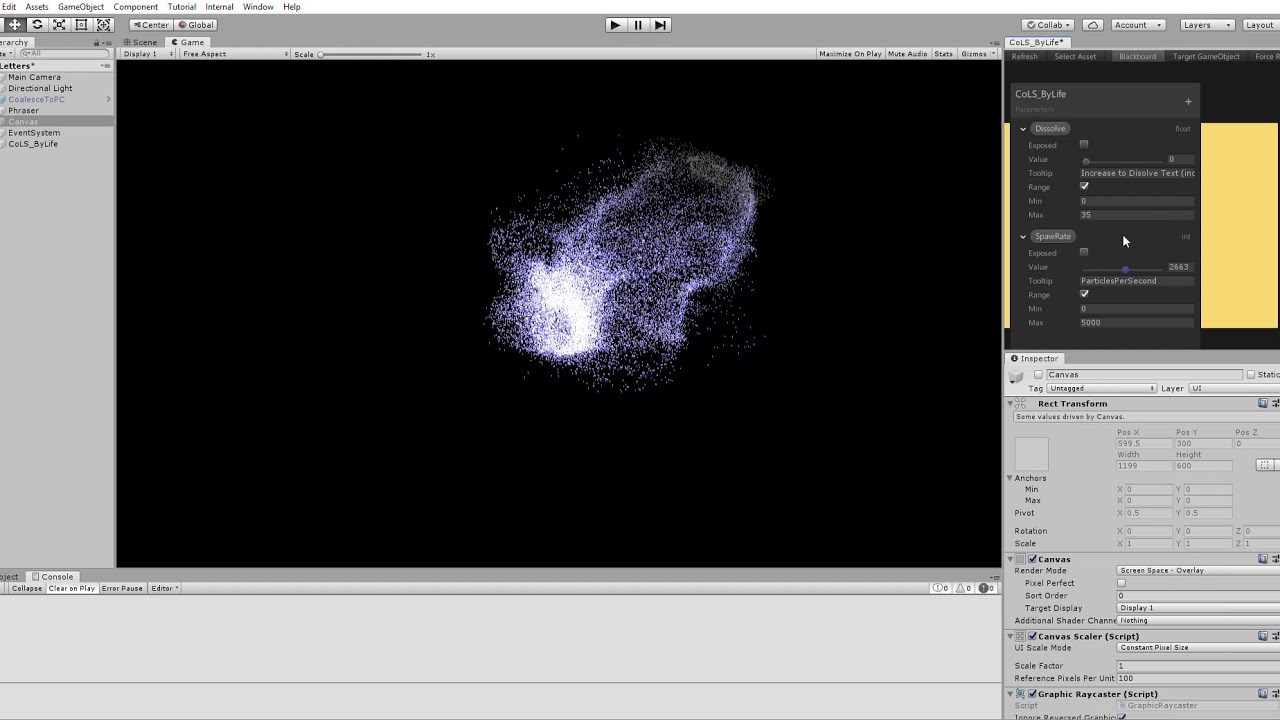
====Links==== Twitter: https://twitter.com/KevinA_Composer Facebook: https://www.facebook.com/pages/Kevin-Anthony-Composer/1581205942097078 SoundCloud: https...
sudden latch
@frank garden I'd check out the VFX Graph examples: https://github.com/Unity-Technologies/VisualEffectGraph-Samples

GitHub
Visual Effect Graph - Samples Project. Contribute to Unity-Technologies/VisualEffectGraph-Samples development by creating an account on GitHub.
they have many examples graphs, including some very much like that.
 white tapir
@frank garden I believe you can do that with a vector field and a custom texture
There is a good example of that (there's a VFX system that feeds into a unity logo for example
the drag would just be an external float parameter, and you'd set it to zero to disable the effect
probably also have the size or alpha as a parameter too in order to fade it out later
 shrewd heath
@quick quiver Referring back to the GDC Roadmap slides you posted... What do they mean by (compute only) when they say... Visual Effects Graph - 2019.2 (Preview) LWRP lit support (compute only) ? Do you know if they are they going to eventually post the videos of the GDC sessions onto YouTube?
 quick quiver
@shrewd heath it means your devices compute capability
not all mobile devices support that
they will do cpu only VFX Graph for LWRP later, first pass is using gpu compute
sand widget
aka speedy gonzalez
shrewd heath
@quick quiver Thanks! All my target iOS/Mac devices run Apple's Metal which means they can do compute on the GPU so I think I should be ok... There is a lot to digest in that GDC 2019 Roadmap document! 😃
frank garden
@white tapir Thank you very much for your detailed answer 😃 I will keep digging in that direction. However I am not sure how i can generate a custom texture for vector field 😮
sand widget
Question: is it correct the best way to spawn a VFX, say an explosion or something like that. I just pool them?
sudden latch
good question
i wonder if it has a pre-warm option like particles had
GitHub
Scriptable Render Pipeline. Contribute to Unity-Technologies/ScriptableRenderPipeline development by creating an account on GitHub.
vfx docs still seem sparse
sand widget
nice, thanks! I guess it's one of those things where you just have to get in the car and learn
sand widget
It might be I just have a lot of visual effect gameobjects then just change the ref to the "asset template" before playing it in code
sudden latch
makes me think of that genie example. it fires a specific effect on click
will see what they did there
mmm they made it as confusing for me as possible, using Playables 😛
sudden latch
guess it uses cinemachine is why
sand widget
I don't like cinemachine either
i'm sure it's great but i prefer to keep it simpler, i think
sudden latch
but it seems the playable just triggers the vfx
white tapir
I get ya @sand widget - cinemachine is fine for some really complex stuff, but I just haven't found it useful for the type of content that I make, typically on a smaller scale
sudden latch
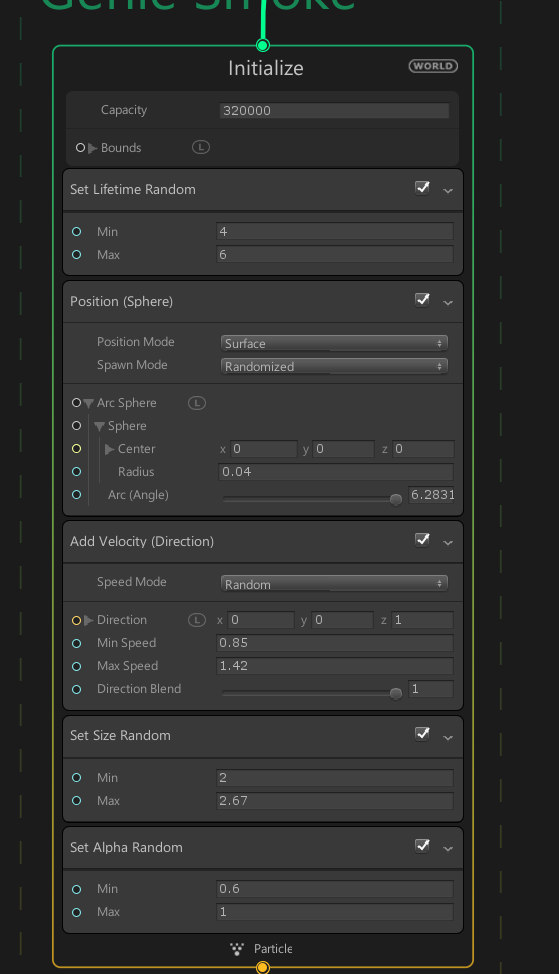
i'm guessing the 'initalize' is kind of a pre-warm?
you tell it how many particles you'll use?
i.e. capacity
sand widget
I'm not really seeing positive use of it, I tried the latest vfx demos which also contain cinemachine and its jerky, glitchy, not really an impression that compels me to leap at it
white tapir
I'm curious to see some real world usage of it (by folks outside of Unity as well) and the techniques used + why they went with the tech
sand widget
annnnnd I hate to say this but in most actual tv shows or films, the camera, at least for dialogue is pretty much a few cuts that are oft repeated, so I may as well invest time into getting just a few repeated cuts working well
I think its a bit overkill for me at least
sudden latch
i think there's nothing special to do, that i can see anyway
you pre-allocate how many particles you will need so it should be ready to go
 cyan moth
Is there any way that I can prevent Unity's particle system to update the sprites on already emitted particles?
I'm trying to emit specific sprites as particles but changing the row of the TextureSheetAnimation module changes it for all.
ParticleSystem.TextureSheetAnimationModule sheet = m_ParticleSystem.textureSheetAnimation;
int[] test = { 0, 0, 0, 0, 0, 0, 0, 1, 2, 0 };
for (int i = 0; i < particleAmount; i++)
{
    sheet.rowIndex = test[i];
    m_ParticleSystem.Emit(1);
}
Anyone here that can help me out? or am I asking it in the wrong section?
 fast thicket
any ideas on why particle system is playing in editor but not on device 😩
cyan moth
Maybe you're using a shader that is not supported on mobile
fast thicket
it's supported
so i've narrowed it down
i'm using a sprite mask with a custom range set to create a ui mask for the particles
custom range is which sorting layers it should affect
but apparently there is an issue which sets custom range to default layer when using asset bundles
 plush sonnet
im lost my nodes, i move camera around,zoom etc but cant find it...
there any hot key to back focus on nodes?
 eager galleon
Try F
 lucid tide
@sudden latch "vfx docs still seem sparse"
^ Yus. We know. THey'll get some love soon. :)
quick quiver
talking of docs
any chance in getting the bottom bar to NOT block the items? 😄
for package docs mainly
100% size:
same with browser forced to use smaller size:
I can't see the last item on https://docs.unity3d.com/Packages/com.unity.entities@0.0/manual/index.html unless I set my browser to show the page in 80%
you can click that "back to top" and it sometimes hides the bottom bar
but it's kinda weird way to do it
lucid tide
leaves desk to scream into ether about package docs
So yeah, that's an annoyance :p
And I don't actually know how to fix that, other than your workaround.
But!
We are working on getting a completely different publishing tool than the one that does packages docs right now (DocFX).
Which will solve that issue. And a lot of other stuff. And have cross-searchability in pacakges docs and the main Manual (YAY!)
So the best I can say (and I'm sorry for that being my best) is: keep doing your workaround for now. We're working on a better delivery system. :)
sand widget
lol
hey everyone if you look carefully, Kat dropped a stitch and made a typo :P
(I'm kidding we're not all watching your typingw5 for realtime chat :P)
lucid tide
Man, I make typos all the time
quick quiver
I type all kinds of nonsense especially when I've just woken up
so if you see lots of (edited) tags after my messages, that means I'm not fully operational yet :p
but about that ECS package issue, there's a simple workaround
just don't put that many items on the same list 😄
lucid tide
No can do - that’s the Table of Contents. We have limitations for nesting. (It’ll all be fixed with our new tool™)
 outer storm
@cyan moth , re: "Is there any way that I can prevent Unity's particle system to update the sprites on already emitted particles?" sorry it's not possible via the built-in texture module. You would have to set the desired sprite index via the custom data stream (ParticleSystem.SetCustomParticleData) and use a custom shader to manipulate the UVs to look at the desired sprite frame.
cyan moth
Thanks for the response! I'll look into that.
outer storm
@cyan moth here is an example of the API + a shader: https://docs.unity3d.com/ScriptReference/ParticleSystem.SetCustomParticleData.html
cyan moth
Thanks! @outer storm
outer storm
if you need help calculating the UVs to look at an individual frame, PM me and I can help you out.
prime dome
Lwrp and Vfx graph:
https://github.com/keijiro/LwrpVfxTest

GitHub
A testbed project for testing Unity Visual Effect Graph on Lightweight Render Pipeline. - keijiro/LwrpVfxTest
Here is a video of it:
https://twitter.com/_kzr/status/1111542340651368449


Trying the latest version of VFX Graph on LWRP. https://t.co/IRefhhrJdN
Likes
196
 Twitter
sand widget
Twitter
sand widget
Regarding VFX, it seems to really mess up billboards when a dir light is facing up (just as sun dips below the horizon for example) while regular HDRP billboards handle it fine.
 compact swallow
How far away is LWRP compatibility with the VFX graph expected?
sand widget
its here now

Trying Unity VFX Graph with LWRP on iPhone X. It runs on compute shader compatible devices. https://t.co/Jx1rRngHAJ https://t.co/0OnnglcogR
Likes
137
Twitter

So, this one (VFX Graph with skinned mesh source) runs on iPhone X too. https://t.co/jz2hQ8XpCo https://t.co/3pNmaezNJe
Twitter
Of course you will need a compute capable device and a lot of LWRP targets will have varying performance with it, so it is not a magic bullet, but something each developer will consider.
compact swallow
 Nice I have the device I just thought that it did not work yet.
Do I have to use 2019.x though?
sand widget
You will have to use 2019.x + the latest LWRP. I'm not clear if the latest has the hooks you need (check kzr's github to see)
You can try in 2018.x but I'm not sure. Also stick to 2019.1 for now
(I think alpha .2 is too bleeding edge)
 I was thinking of transfering to the beta
sand widget
I was thinking of transfering to the beta
sand widget
Any time it's why there's forums and discord :D
 neon jungle
is anyone here working with signed distance fields imported into VFX graph? I've been polishing up an in-scene SDF baker & am curious what version of Unity you're using (latest everything?)
sudden latch
i'd like to work with SDFs and the VFX graph in the future. But so far the only SDF baker for geometry iv'e found is unreal and this:

GitHub
GPU-based SDF generator. Contribute to armory3d/sdfgen development by creating an account on GitHub.
and of course being someone who plays it safe, I use 2018.3 since it's the latest released version.
quick quiver
yeah, I'd really want to see built-in SDF baker
sudden latch
would be nice yes
prime dome
This looks like a nice Mesh To SDF Tool: https://twitter.com/graycrawford/status/1105584468901933057


Currently diving into
guiding #VisualEffectGraph particles
with my @LeapMotion hands
using @aman_gif's MeshToSDF converter
Already seeing so many places where this can go; stoked to explore further https://t.co/QtOvKbEcOv
Retweets
266
Likes
1490
Twitter
Ive managed to get LWRP VFX Graph running on Android. Ill share a video when I can. 😃
quick quiver


Released the code for my real-time Mesh to SDF converter for Unity! https://t.co/jQGBRXJEql https://t.co/NFOFmwtIdo
Likes
117
Twitter
GitHub
Convert a mesh to an SDF for the Visual Effect Graph (Unity) in realtime - aman-tiwari/MeshToSDF
that's cool, thanks for the tip 😃
This will be handy for all kinds of things, not just vfx
prime dome

300k Additive Particles Lightweight Render Pipeline Bloom Post Processing Unity 2019.1b9 Android Galaxy S9 Video recorded on iPhone 5S Ill make some further ...
hearty flare
And then you ran out of battery 😛
prime dome
300k Additive Particles
Lightweight Render Pipeline
Bloom Post Processing
Unity 2019.1b9
Android Galaxy S9
You can hear background clicking from the Unity Demo Team working on Heretic part 2. 😄
quick quiver
is that like the story continuation for book of the dead? 😄
hearty flare
which is a continuation of Adam
quick quiver
it's funny that they did get sequels for Adam even it was never advertised as teaser or intro like BOTD was
hearty flare
Everything is a sequel to Lerpz
prime dome
Unity's Demo Team didn't make the sequels to Adam. That was Oats Studio
Owned by Neil Blomkamp (Director of District 9)
If you haven't seen Heretic (Part 1): https://www.youtube.com/watch?v=34K8YJOMDRY
Unity’s award-winning Demo team, the creators of Adam and Book of the Dead, is working on a new short film called The Heretic. It’s a real-time cinematic run...
Ive dug through the Heretic project a fair amount; happy to answer Qs. 😃
quick quiver
I know they were made by Oats, just found it funny that Adam did get sequels and BOTD didn't despite it was marketed as teaser 😃
I have one question
what shadow techs were used?
did they use VXSM?
occlusion probes?
prime dome
The Lighting is all Realtime and Shadows are just HDRP Contact Shadows (AFAIK)
hearty flare
How does the teleporter effect work? Is it an outwardly projected cylinder with two screen projected textures being interpolated between (with some extra magic)? It's really hard to tell because they've done such nice work with it
prime dome
Although, ill boot up the project and double check. 😄
quick quiver
they said on the gdc it was all realtime but that's kinda vague description
all that tells it's not using baked lightmaps 😃
prime dome
They didnt bake any lighting
quick quiver
that's cool
prime dome
They do have a lot of lights in the project that turn on and off for each shot
quick quiver
the face one looks like such for sure
prime dome
Yep, that one probably has the most shot-lights
quick quiver
that reminds me from the setup Epic has on Paragon character reveals
prime dome
@hearty flare Simplified explanation: its a pretty complex vertex shader that basically deforms the corridor to look like the end tunnel; then disables the original deformed mesh and enables the new corridor for when he walks across it.
prime dome
Ill make a gif for you. 😄
hearty flare
oooh ty
I'd love to know how the control for Boston's paths were implemented too. It could be any number of things, a flexible in-editor solution like keijiro's swarm, alembic paths or even geometry, or something else entirely 😄
prime dome
Its all procedural wires that follow editor gizmos so it flows along 'splines'.
hearty flare
I'd be a little saddened if it was all alembic
prime dome
And when in wire-snake form it clambers to walls using an SDF of the environment (Corridor setup is exported from Unity to Houdini)
And when in Bird Form it uses a Bird-shape SDF instead
And then the wire-controller script sets things like twist amount, number of wires, flow speed, SDF influence etc
Ill grab some gifs for you. 😄
hearty flare
Super cool - I'd love to see if someone could make a proc controller/AI with that sort of behaviour
prime dome
Haha, I was joking around with the DemoT eam that I wanted to port Boston to Mobile AR so have it clamber on walls tracked by AR Phone Scanners and can fly around in bird form. 😄


Boston, the robotic companion, is my baby!
There’s a bunch of things I’d like to show you about it, but for now have this vid of one of its forms, as it cascades down the stairs. 🦇🧶🐉
Likes
281
Twitter
hearty flare
ah sweet, how did I miss this tweet
prime dome
The Cave swapping between warped tunnel and proper tunnel: https://gyazo.com/56a3546abb9b7d5a8e07dd0cec367247
Boston's Wire path: https://gyazo.com/13c6c6f91839ed8beaaf7cdf2352fe52

 hearty flare
I wonder how pleased robert was when he got that working so nicely
prime dome
Debug of the Corridor's SDF: https://gyazo.com/3f71651e055d06a50b405eb3bbdf6185
 hearty flare
the divergence free noise that's used here and with keijiro's swarm just produces such pretty results
prime dome
White is no object influence, grey to black is amount of 'clamber' influence
hearty flare
Lastly the question on everyone's mind: how much of the end environment is cards?

 hearty flare
I honestly wouldn't have expected there to be SDFs or even wires for the bird form, it moves so fast I was imagining just a model with vertex distortions
I imagine the guy's gauntlet would just be that - but now I've seen that the bird is actually wirey SDF stuff I'm second guessing myself
prime dome
The end vista shot's far-away-trees are cards but buildings are 3d objects
However, they Group Batch lots of them together
hearty flare
Thanks for all this! It doesn't get less impressive as you see it all
prime dome
Any time! I gave a 25 min theatre talk at GDC the other week that was recorded and is going online some time soon I think. Some of this stuff is covered in it.
And probably more videos and blogs and whatever in the future.
prime dome
Although, 25 mins is not a long amount of time to explain stuff so it skims over lots of things.
They are working on the second part (just like Adam that had part 1 and part 2) and then stuff will probably be tidied for release later.
Timeline and specifics is TBD etc etc 😄
They did use Alembics for some stuff, btw.
hearty flare
Yeah definitely
prime dome
For when stuff gets destroyed by Boston and things like Cobwebs and Leather Jacket movement etc
And when the coin bounces and the debris is pulled with it.
prime dome
Added some Slider to VFX Graph LWRP Experiment: https://www.youtube.com/watch?v=5k-ev6DjqEo&feature=youtu.be

Max 300k Additive Particles Lightweight Render Pipeline Bloom Post Processing Unity 2019.1b9 Android Galaxy S9 Video recorded on iPhone 5S Sliders control VF...
eager galleon
did they use photogrammetry for the demo?
sand widget
nice gifs, thanks - love seeing this stuff
sudden latch
I was confused by all the talk about Boston, and then I finally figured out you were talking about the Multi-Owl 😛 I heard him call it a name a couple times, but it didn't sound like Boston to my ears.
sand widget
@prime dome what hw can you get this running on at 30fps roughly?
prime dome
@sand widget VFX Graph or Heretic?
sand widget
heretic
my game is currently using HDRP and running 60fps solid on a 5k display with full realtime everything (but sadly no gi) so I'm quietly impressed (although I do choose conservative options)
so I imagine that heretic could easily be an optimised current gen title...
prime dome
At GDC: i7 gtx1080 machine on 1080p
sand widget
looks like a film so I continue to be amazed at HDRP
quick quiver
I think the video said 1440p
sand widget
lovely - and what is more, it is not really optimised yet either (and heretic no doubt favoured getting the work done over general game optimisations)
quick quiver
Unity’s award-winning Demo team, the creators of Adam and Book of the Dead, is working on a new short film called The Heretic. It’s a real-time cinematic running at 30 fps at 1440p on a consumer-class desktop PC.
prime dome
Yep, it runs at that aswell.
sand widget
1080 card 1440p is pretty wild i guess
prime dome
IMO, the project hasn't been fully optimised
There are lots of areas they can compress/trim/refine
They'll probably do that after they finish Part 2. 😃
sand widget
I'm extremely positive and happy regardless
quick quiver
oh
sand widget
you probably realise I'm a huge HDRP fanboy anyway
prime dome
of course!
quick quiver
we had speculation about this before:
prime dome
They use a ton of HDRP stuff
quick quiver
how did you do those lens flares
prime dome
Volumetrics Everywhere
sand widget
those are streaks!
prime dome
@quick quiver Ill check. 😃
sand widget
get it right tsk
prime dome
'Abrams-ing'
quick quiver
it totally should be called that
prime dome
They seem to use a custom Lens Flare system: https://gyazo.com/fc033ffaa4f2dff6ab5ed1aba5a56266

Which is then added as a custom extension of HDRP's Volume system

I wouldn't be suprised if this is rolled into HDRP vanilla at some point. Ill ask the team tomorrow. 😃
sudden latch
Abramization node.
sand widget
@prime dome as you are the actual boss of Unity, please order them to do the realtime 0.6ms GI solution at 4k res that was presented at GDC 2019 :P
<3
prime dome
Not sure what you mean. 😄
sand widget
I've been begging since GDC :'(
prime dome
More info; the custom Lens Flares were originally swiped from the Fontainebleau demo and used for Book Of The Dead and then moved to Heretic. 😃
sudden latch
interesting. so they should be in fountainbleu package
sand widget
oooh
sudden latch
i don't recall the forest being that abramized ;p
sand widget
@prime dome https://www.youtube.com/watch?v=8wCeWwXcoLc - this is my current beggy thing I want from you - please make it, I'll even make you a cuppa tea, anything. I'll even stop being a pest

This session describes the dynamic global illumination system that Gaijin Enterainment created for 'Enlisted'. Its implementation is based on a regular light...
neon jungle
Anyone know about VFX + single pass stereo instancing, is it planned? *edit poked around in renderdoc, they send 2 instances when in stereo instancing, should be able to edit template to work 👍
 tame turtle
I'm pretty new to vfx graph, but does anyone know why my particles fly off into the distance? I just want them to be set onto a grid at the beginning of every update so I can add noise relative to the grid position.
 elfin pilot
@tame turtle At the moment all blocks labeled "Position : " actually add a value to the current position instead of overwriting it. This is something that we did at the beginning so you can compose the way you set the position. In a future update we gonna expose the way you want to combine the position (like in Set Attribute node: overwrite, add...). But in the meantime, all you have to do is add a block that sets the position to 0 before the position sequential in the update.
tame turtle
Good to know, thanks!
sand widget
thanks was helpful to me too
 young mason
Hey! I'm pretty new to the VFX graph, but I'm trying to create some ash or dust floating in the air, similar to the Heretic demo. I have some simple alphas as color inputs for Lit Quad Output, but as they are single sided, the backside is completely black, although still with the alpha cutout. Is there any way I can connect a particular shader or control the shading of the different Lit Outputs?
Or perhaps there's a better way to make those particles other than generating quads
Oh shit, wait, I found it. I had vfx graph fullscreened, so I didn't realize the inspector also shows info about the graph nodes.
quick quiver
Interested in creating filmlike effects in Unity such as fire, smoke or sci-fi holograms? Attend this informative session led by Graphics Programmer Julien Fryer and Senior VFX Technical Artist Thoms Ich, who will reveal how the Pin-Screen effect...
young mason
Nice, I'll keep this on in the background right now! @quick quiver
Anybody know a good way to create some general turbulence for particles meant to just drift around randomly?
I'm trying to use turbulence in the Update node, and even layering multiple turbulence nodes, but there's a clear pattern in which the particles end up traveling, like through tunnels.
I suppose I could insert a randomizer in some of the turbulence inputs, but is there a cleaner way?
neon jungle
i just released my open source Signed Distance Field baker, there is an example scene with VFX graph collisions https://github.com/xraxra/SDFr

GitHub
a signed distance field baker for Unity. Contribute to xraxra/SDFr development by creating an account on GitHub.
white tapir
oh heck yea!
quick quiver
that's cool
stupid question but how the implementation differs from the previous one?
@neon jungle ^
I'm guessing this is just another take on this in general, but not having gone through either implementation, would be nice to know the differences
hearty flare
Xra's is offline, with higher resolution results and better accuracy
the above one is intended for realtime results
quick quiver
ah
I'm actually loading up the project right now to take a peek 😃
so this requires you to add the objects to scene, put volume in it and bake from that?
it does give more control over it, I never thought of having such approach
could be fancy to have mesh specific baker too simply based on the mesh bounds
quick quiver
looking at the particle collision thing, there's probably way you could automatically handle bunch of SDFs for collisions automatically?
thinking of how this work on UE4 particles, there each mesh has their own SDF and it's all transparent to the user, you can get particle collisions automatically against every object if this functionality is enabled
so for this to work on visual effect graph, one would need to do some bounding box check for the objects the particles from this system could hit and feed them in separately on the visual effect graph?
white tapir
@quick quiver hm, that would be a bit tricky, but doable if you have a max amount of SDFs to consider for a system maybe?
Worked out some thoughts on how you'd do it now:
- A script to bake SDFs associated with each mesh collider that you want to use for collision
- A custom block that supports say, 4 fields
- A simple runtime component that tests the VFX system's bounding box against the world and binds up to 4 fields and their offsets (in distance order) to the VFX system
Not sure how well that would work, I might experiment at some point because I would like to have good automatic world collision for our fluid dynamics. Having it at a lower level would probably work a little better though.
white tapir
I'm not sure how you could do lots of objects though at once? If the bounding box was full of separate objects, you wouldn't be able to bind all of those inputs I imagine
quick quiver
so when cars drive through it, it would get affected by them + geometry around
I think UE4 caches the SDFs somehow
white tapir
Yea! I'm looking at something similar, with easier setup than what is done now. At some point I hope to be able to get a tiny amount of data out of the shader with some latency to do two-way forces as well.
quick quiver
for example if you move something there, it will have small delay for DFs to update
quick quiver
they bake the mesh SDFs on mesh imports
but don't know how they cache the world setup
never had to think about this
white tapir
ah, maybe the delay is in the bounds check + distance checks
quick quiver
but you get full world SDF presentation for materials and particles there
white tapir
as to not run that every frame, could be costly worst-case
honestly no idea, could be a number of reasons
quick quiver
should probably examine their system more closely some day
in my use case, I could still use screenspace data for particle collisions for most part, just use SDFs for dynamic objects like vehicles
so that would simplify the setup a lot
but.. thing is, I have tons of vehicles 😄
neon jungle
i dont know for sure, but I think the delay in the large-scale SDF update in Unreal would be them compositing any changed SDF volumes into it. Since its all signed distances i think it should be possible to simply do min(a,b) and union all the things, but when a volume has moved it might have to do more
or it might not even be that advanced and just always does union of all the volumes
with the tons of vehicles, it might work to have a vehicle SDF atlas, where each SDFData has a scale and offset into the atlas, and all the unique SDF textures for vehicles get put into a single atlas volume as part of the bake step
in my project I do that with the SDF volumes and then have a way to index into a StructuredBuffer of volume data, to get the matrix and atlas for a volume. It needs to be more advanced though where all visible atlassed SDF's get raymarched in 1 pass.
with VFX Graph, i think the large-scale SDF would work best, just need a way to composite these per-asset/object SDFs in, maybe I'll get to that
quick quiver
atlas is nice idea
but also, in my case, the SDF data could be same for most vehicles
I just need to have multiple vehicles to be taken into account at once, it's not really all that much for the specific shapes
white tapir
Oh! I didn't even think of compositing. Hm, I think I could get this working in Unity actually
All you'd need is a script on each mesh you want to include + a script on the VFX graph to composite and bind? Probably through a compute shader for speed
honestly I don't think it would be too bad if you just started from nothing and did a composite every time something in the bounds changed. You could even use multiple shader passes with up to X samples taken each, that way you get every object in the world
So no special handling when removing something, it would just rebuild it
sand widget
I'm looking forward to having a time where the whole viewable distance is just a fluid volume
within the same volume it handles atmospherics, particles, vapour, fog, water, everything
fire.
no pressure, of course
white tapir
for sure! right now, for games it's mostly practical to account for boundary conditions with some artificial models. They get close, but it can make certain things like boiling, atmospheres, vapors, harder to simulate well
I love fog, especially animated fog. I dislike fillrate concerns that crop up so often :(
 ocean helm
Hello everyone, I have a question about vfx events.
I'm trying to do something like procedural generation and set up my script to send line data (thousands) to vfx graph using events.
I'm not sure if events are designed for this though. when I call send event in a loop, I'm only getting one small line. I'm guessing particle creation is delayed and event parameters override each other so I'm only getting last line?
When I do it in coroutine though, it works but it's pretty slow of course.
Posting the main part of the graph. I wonder if events arent suitable for this kind of tasks or simply I'm doing something wrong with caching positions etc.
and this is the loop; (is VFXEventAttribute unnecessary?)
var org = Effect.CreateVFXEventAttribute();
        for (int i = 0; i < _points.Count; i++)
        {
            var ea = new VFXEventAttribute(org);
            ea.SetVector3("position", _points[i].Item1);
            ea.SetVector3("targetPosition", _points[i].Item2);
            Effect.SendEvent("AddLine", ea);
            yield return null;
        }
 icy wing
GitHub
An example that shows how to pass data from a skinned mesh renderer to a visual effect graph. - keijiro/Smrvfx
Please nerf Keijiro he is too strong, he managed to do a trail system with VFX Graph
Daaamn
neon jungle
@ocean helm i think that might not be efficient but i dont know vfx well enough. ideallly the posittions are set at once in a compute buffer or similar (not sure if supported)
Maybe they could be updated in a rendertexture that vfx reads
ocean helm
@neon jungle that makes sense actually. I tried to create a texture containing all necessary vector3 data and use that but events were simply easier so I was hoping that would work. I never did vector3 data textures before so that raises a lot more questions in my head, like will uv precision be a problem? color is using floats as well so can I just write v3 to pixel like that? etc
neon jungle
VFX graph can read in the point cache data (pcache) which are just textures so it would work similar to that
it might have to have some nodes to use the point Id or index, converting it to XY coordinate then divide by texture size to get 0-1 uv's
i havent looked at the graphs in this, but Keijiro would likely have to do similar to get the lines generating from the depth image (as far as how the texture is sampled and turned into segments in vfx graph) https://github.com/keijiro/Rsvfx
GitHub
An example that shows how to connect RealSense depth camera to Unity VFX Graph - keijiro/Rsvfx
ocean helm
@neon jungle oh that's definitely interesting, I'll check it out thanks a lot!
ocean helm
I think he gets texture in a different way so I couldn't find something like encoding vector3 list to texture but I saw how he calculated uv to read stuff off those textures so I'll try that part. TIL 😃
 worthy cape
I wish Keijiro was in this server, y'all really love his work. (As expected)
steel bay
yeah, his work is super influential
neon jungle
@ocean helm this is an example of how you could dump vector3 positions into a compute buffer and write to a render texture https://gist.github.com/xraxra/a108da9a92df5100c3407fd3c013bb87
Gist
write positions to texture via compute. GitHub Gist: instantly share code, notes, and snippets.
drop the compute shader into the field in the inspector after adding the component, in play mode the render texture can be viewed by double clicking it, the start index and length change the range of data updated
ocean helm
@neon jungle oh wow, thank you very much! I don't know anything about compute shaders really and couldn't have done it myself but I'll definitely try right away. I really appreciate it 🙏
quick quiver
more about distance field tricks here: https://www.gdcvault.com/play/1026262/Technical-Artist-Bootcamp-Distance-Fields
Come learn powerful techniques for applying distance fields with shaders in UE4. This talk goes over various ways to source distance field data both from within UE4 and from external programs and demonstrates practical examples you can apply to...
slides only :/
but they can do things like this:
would be awesome if we got something like that in Unity some day
that node is on their material editor
hearty flare
that's such a crappy looking debug 😛
quick quiver
?
it's not really a debug node
it's node giving you a distance to nearest surface
it makes more sense in the context tho
quick quiver
I just took one slide, wanted to show that as we discussed the topic here the other day
the talk is basically telling how he did this: https://youtu.be/OQ3D0Q5BlOs

A test from summer of 2016 of a gerstner wave shader, utilizing distance fields for analytical splashes. All splashes are a single mesh here, using a masked ...
hearty flare
that's pretty damn sick
I wonder how long it takes them to bake SDFs for a typical project
quick quiver
in UE4 it's part of the mesh import pipeline
it doesn't take much extra
and you pay the cost on import usually
if you toggle the feat on later, I think then you wait a bit
ocean helm
I have another question, probably much simpler this time. I'm creating some lines from position data in textures using vfx but their positions seems to be scaled somehow. Right is the correct positions (spawned objects to test, so textures are correct), left is the line output with set pos and set target pos. Does anyone has any idea what might be wrong?
pivot point is bottom left so you probably can see all points are like scaled in left one
and graph is very simple like this.
hearty flare
Is your texture set to Linear
I'm not sure how VFX graph handles it but that looks a bit like a gamma curve to me
@ocean helm
ocean helm
@hearty flare I'm not even sure what that means, I'm new in all vfx thing 😦 I'm reading color values on each pixel though. when I do it in a monobehaviour, positions looks correct. When I bind it to my graph, values looks scaled like that.
hearty flare
On your texture importer untick "sRGB (Color Texture)"
ocean helm
@hearty flare texture is created in runtime and I couldnt find a property for it, do you know how I can set it in code?
oh found it!
I just set linear in texture initializer to true and it's scaled properly now! thanks a lot @hearty flare! Soo happy I managed to get all this work finally 🕺
hearty flare
Awesome 😉 I'm glad I could recognise a gamma curve in positions hahaha (it's a pretty common issue with shader input data so I had a lot of hints :P)
ocean helm
@hearty flare I still don't understand it but I'll try to read about it, loving vfx graph so far and I guess I'll definitely start learning this stuff 😃
hearty flare
is this a contour line generator?
nobody wants to learn linear vs gamma, it's depressing 😛
ocean helm
yep, I always did it with mesh generation but wanted to try vfx graph so that I can do effects and animations easier (I guess)
hearty flare
cool - I've always thought about making one of those but have never got around to it. I hope it ends up being in motion!
white tapir
@hearty flare brilliant eye there, I'll have to file that one away for the inevitable times I run into this
sand widget
Thanks for the VFX blogpost all, handy!
It's perfectly what I was asking for a while back when I was wondering what would be the best approaches
quick quiver
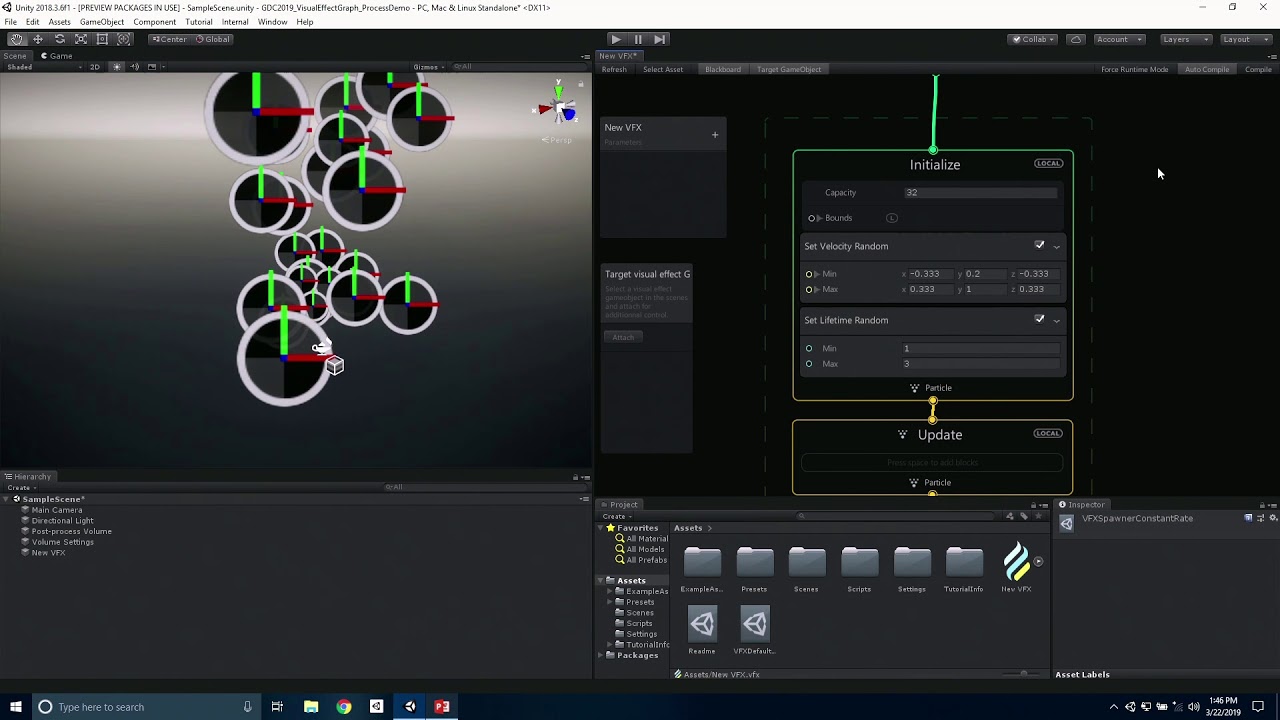
The Visual Effect Graph is a new Unity tool that enables you to easily create advanced and performant GPU simulations and systems. Watch to learn how to use ...
sand widget
Thanks to VFX I do not need a dedicated cloud system
my game's needs are fully met by this
thanks everyone :)
the transparent optimisation for HDRP will work with this I guess.
 crisp sierra
vfx/shader graphs are amazing for sure
Ive been wanting to do VFX layering in arfoundation(ios-lwrp)

Unity Forum
I googled around, and looked all over this forum, and I can't seem to find any definitive answer, currently I'm developing a vr project which prefers...
hearty flare
What do you mean? It's been first supported in HDRP
quasi stag
Yeah at this point it is only HDRP. Sadly.
 bronze wraith
LWRP support VFX graph in Unity 2019.1. since 5.8.0
It's now on 5.12.0
quick quiver
^
sand widget
pats Lily
sand widget
how to prevent large particles in VFX which face camera, from rolling when you look up?
imagine a ring of billboards surrounding you
its perfect but they are large and i do not want them to roll at all when i look up. I imagine it's a nightmare in VR as well.
sand widget
Any solutions or tips?
prime dome
Could you not blend them from face-camera billboard when far away to world-space orientation when up close?
Kind of like a view-direction/position LOD. 😄
No idea if its possible to switch between these orientation modes with VFX Graph
But I assume some kind of shader/script trickery could do this.
white tapir
oh, clarifying the above! the project I'm working on isn't HDRP
or LWRP
so that one can't use the VFX graph
of course I use it with a bunch of other projects, every time I can :)
prime dome
Hello 😃 I'm surprised to not see a discussion around particle system, will it be replace with VFX graph soon ??
sand widget
hmm interesting trick andy. But I never get close to them
same distance throughout just looking up and down only
prime dome
@prime dome Nope; both VFX Graph and 'Shruiken' will sit in parallel as they have different pros/cons
And also lower-end mobile devices can't run VFX Graph
sand widget
I keep shuriken around for the CPU side collisions
Rain is a bit of a pain with VFX if you are inside near outside as your depth won't exist in a lot of situations
neon jungle
@hippocoder they probably use world up for lookat billboarding
It might be possible to blend to world right or forward based on view orientation but may look weird
sand widget
Hi, is VFX Simple Lit working with HDRP Low res transparent offscreen buffer?
it doesn't have a material so I don't see where to "tag" it
white tapir
VFX graph seems to have some stubs for a CPU mode - is that something planned?
would love to see it one day, as a fallback for example. the authoring experience is so nice
actually contemplating building a shuriken fallback for the graph if that doesn't happen
something that reads a graph asset and translates it all to some C# w/ getparticles/setparticles could do most things (albeit not as efficiently)
quick quiver
@white tapir cpu mode is planned
right now LWRP runs visual effect graphs in compute
but there's a plan to add cpu mode that doesn't require compute for those lower end devices
white tapir
sweet
neon jungle
how is Position (AABox) intended to be used? i cant seem to store it from the Initialize block in position (source) attribute or oldPosition, in order to use it later during the Update block
just as a test trying to make a pCache position from map use Blend Position to lerp into a stored Position (AABox)
I would expect that in the Initialize block it would go
Position (AABox) Inherit Source Position (Set) assuming Inherit means take Position from above in the block
then in Update
Set Old Position from Map Blend Old Position (with Get Attribute: position (Source) as slot input)
neon jungle
hmm got it working if Blend Position is in the Output block
 woven lark
Hi all. Is there a way to animate the sprites emitted through the vfx graph in the same manner as in the shuriken particle system? i.e. with a sprite sheet and cycles. Closest clue I can find is the flipbook property but I can't find anything on how that works either. Solutions, hacks, workarounds? Thanks 
elfin pilot
@woven lark We have flipbook support (but no sprite atlas yet). Check this thread for how to use it: https://forum.unity.com/threads/feedback-wanted-visual-effect-graph.572110/page-7#post-4131226
Unity Forum
Feature Request (Unless this is already possible ;-) )
We frequently update: Unity, Visual Effect Graph, other packages ... and change between HDRP...
woven lark
@elfin pilot Thank you so much. Will check it out.
 tame mist
I'm trying to attract a particle to a GameObject. I have a Vector3 parameter and a binder set to bind the GameObject's position to the parameter.
Any ideas what I'm doing wrong here?
white tapir
@tame mist hm, couple things maybe:
- you can use a vector or transform parameter instead of a vector3, which will handle the space transformation stuff for you
- I would add a multiplier to that force vector at the end. By default, particles have a mass of 1 unit so if you're adding 1 unit of force to that it'll take a while to accelerate to the speed that you need to attract something
otherwise it looks fine
prime dome
Hi, is there a block/node similar to this in VFX graph.
I found this in a presentation and thought if something like this is present in the VFX graph.
Thanks for any help 😃
prime dome
Hey, thanks ....will check it out.
It looks like collider settings rather than a query, but anyways thanks again😃
 sullen raft

Get your Invitation: https://jangafx.com/software/embergen We're excited to finally publicly show the first glimpse of EmberGen. Within the next few months, ...
Flipbook generation in real-time, coming to you soon™
😄
sand widget
looks like something old hippo could promote in return for a license :D
white tapir
cool stuff @sullen raft !
sullen raft
Thanks @white tapir 😃
neon jungle
is there no way to Set an exposed AABox on a VisualEffect from script?
white tapir
Not sure! Likely if the struct is available or through an API method, but it might be easier to set a transform and a vector/two vectors instead
(I don't have the docs open r/n so I can't tell you the specific API, since I don't know off the top of my head)
neon jungle
another Q, in the SpaceshipHoloTable example.. there is a custom attribute Base Position both Set and Get uses it as a string for the name, but there is no way to create a custom attribute node as far as I can tell (aside from going into debug inspector) but then unity says it cannot find the attribute and crashes
however if you duplicate the Set BasePosition and change the attribute name, it gets added to the System Attribute summary and works...
so how did they create that node to begin with 🤔
oh i guess its experimental in preferences
 inner topaz
@neon jungle you probable got it now but you can easyly expose the AABox just select the expose option inside the vfx graph live for every other property. You can access it via the name of the AABox + "_size" and "_center" for example : Mybox_size and Mybox_center you just can set this vector3 via code with SetVector3("Mybox_size", myVecotrValue);
cyan moth
Hey, I created a particle effect which uses meshes to simulate a 3D effect. But for whatever reason, the sorting layer / order doesn't seem to work any more when I try to set it on a layer in between UI elements.
The sorting layer does work when I use sprites instead of meshes.
cyan moth
Is there any way I could fix this easily?
 static marten
https://forum.unity.com/threads/free-script-particle-systems-in-ui-screen-space-overlay.406862/ @cyan moth check this out

Unity Forum
I haven't been too active in the Unity forums, but I am a professional dev who has been working with Unity for several years. I've recently been...
white tapir
Looking at gauging interest before I try it out. Would anyone be interested in a baking solution for fluid dynamics/VFX in Unity itself? (instead of using a maya plugin or some other software for example). I'm looking at ways to bake both a spritesheet for 2D, or something like pCache files/similar (whatever format I can compress enough and stream data from effectively) for 3D. The actual systems would be authored with the VFX graph.
This would let you have something up to like a few million particles of fluid simulation (instead of say 100k-200k now) with your only limitation really being rendering and memory limits, not GPU compute time
neon jungle
@white tapir yea that would be cool 👍 makes me think of vertex-animation baked to textures (from houdini or similar)
young mason
Hey guys; is anyone familiar with using the VFX graph prewarm feature in 2019.1? I can't seem to produce any results
I'm just generating some Lit quads with a smoke alpha, and I want them to be in full swing when I play
 idle flame
hey so i havent used the VFX graph yet
but I read what you said in general
it sounds like your issue is with the shader youre using
@young mason ^
 rotund gale
Hello. I just imported a smoke emitter, also learning unity in the process, and the smoke is very light. Is there a way to make the smoke darker or increase the density?
idle flame
Again, I haven't used VFX graph yet but I am being presumptuous in that the innerworkings are similar to particle emitters.
You may want to change the used shader between additive/multiplicative.
You can also change the color property.
young mason
It's a standard lit shader with an alpha. The prewarm feature sits on the graph file, and getting the smoke to show isn't an issue, but I need it to simulate to a certain point before starting the scene/shot
idle flame
The material also has a tint property but you have to be weary on that one because often the grayish default tint you see is a 'balanced' tint and if you increase it the color acts over-exposed.
So it eventually gets to the darkness you need but not quick enough?
rotund gale
Those things did help a bit, thanks. I think what I'm looking for is a way to turn the alpha down, so its less transparent.
idle flame
Yeah, that's under the color setting.
Ideally adjustable on the graph, but on the material if you have to.
rotund gale
I figure it out with some more googling.
The image for the material was a jpg, thus when I set the shader to multiply, it was showing the whole image and just looked blocky. I had to change the jpg to a png with the alpha channel so I wouldn't get the black background of the image.
shrewd heath
@white tapir A Fluid dynamics/VFX based implementation in Unity would be awesome! Since VFX Graph is a standard package I think this would promote continuity when it comes to approach and implementation which would be very valuable. Your VFX Graph implementation could grow and evolve as the VFX Graph does... Maybe custom fluid nodes that we could plug into could emerge when VFX graph starts to support sub-graph nodes?
quick quiver
it seems like there will be a realtime option (if this stuff ever makes it way to official release): https://github.com/Unity-Technologies/ScriptableRenderPipeline/commits/fspm/2019.1
looking at the current commits, it seems like that's fluid sim in participating media, fed into current HDRP volumetrics
this seems to have it's own FluidSimVolumes which are used as it's simulation spaces
young mason
Hey, simple question: In VFX graph, how can I create a number that increments or rises in float value? I want to rotate my particles in a linear way for as long as they exist. I tried using different time operators with a multiplier, but of course that results in an exponentially rising number as it keeps going up
sand widget
Time
lifetime i mean
or even change it in "update" block with add deltatime...
its rather like code actually so if you can code at all, try thinking in the same way :)
init = how they are created
update = do something over time to existing variables
render = do something deterministic with the final result (for example use existing rotation to be a value for something else)
I use this for deterministic particle systems. I want them deterministic so the seed can make an artistic look for certain situations
 bleak cliff
Visual Effect Graph is amazing. Today I did a talk on it for a small convention around here and created quite a cool effect as an example of features that I know.
I do wish VEG had a feature that allows you to export parts of graph as 'prefabs' to use as drop-ins in another effects
unless it's already possible in which case - sweet! 😄
neon jungle
@young mason try the Fraction node/operator, it will give you the fractional part (a value between 0 and 1, ex 12.52 becomes 0.52) so if you frac( time*speed ) the exponentially rising will not occur and it will be a linear repeating 0 to 1 value, then you can further use the value for rotation angle etc
young mason
Thanks friend, I'll try that out! @neon jungle
 uneven wing
are particle force fields for making things like black holes or something?
i've been unable to find out how they work
rotund gale
Need some help please. Still learning the particle system. I need it to do the first burst at the objects first position and a second burst at the second position. I can get it to move fine, but the first burst cuts off and continues at the second. How can I get a full burst at both positions? Thanks.
sand widget
Question: HDRP planar reflection probe isn't capturing VFX, any idea why?
eager galleon
check the reflection probe frame settings, maybe they have disabled transparencies by default
white tapir
@quick quiver interesting that they're doing a voxelized volume approach
leads me to believe it's a grid simulation
white tapir
GitHub
Scriptable Render Pipeline. Contribute to Unity-Technologies/ScriptableRenderPipeline development by creating an account on GitHub.
some fluid sim WIP
it's been on their roadmap for a while
though I'm less of a fan of grid methods for sim
you can lose a lot of detail. Good to combine though with particle sim!
unless it's for rendering...which would be great tbh
neon jungle
@rotund gale not too sure on the bursts, have you experimented with 2 separate spawners (two initialize contexts) ?
 eternal flower
Sadly, a pipe dream for LWRP and mobile..... Wonder if most mobile devices have GPU's, though....
white tapir
They all have GPUs, though? Though not everything has compute support, Unity is planning on a CPU fallback
Looked more closely at the fspm code... Not much there but it seems HDRP will get fluid sim volumes, likely for rendering fluids in a volumetric way. All of that code was rendering related though, my guess is VFX will add an output to render into these volumes
So it'll probably work with the VFX graph handling simulation. All speculation though 👀
Tbh it's what I would like to see, to get better rendering from Fluvio, injecting the fluid into a volume would look great
neon jungle
I cant seem to individually scale quads in vfxgraph is there a trick to it?
neon jungle
ill have to mess with it more, but the general issue i was seeing is in the Update context, if i did set size or multiply size, it just sets to all of them the same... I was trying to use the current position (get position attribute current) to drive coordinates sampling a texture and feed it in to the set size
can custom attributes be accessed across-contexts ? say for example a custom attribute is set via initialize context of spawner A, and then i get that attribute in the update context of a different spawner
white tapir
@neon jungle yea they can, are you setting size anywhere else?
either directly or a curve even (without multiply mode)
neon jungle
it seems to be an issue across-context's (or separate systems in a single vfx graph, not sure what the dotted rectangles are called)
neon jungle
i think its not an issue, makes sense now 😄
the spawner in the other system wouldn't have the same attributes set, i was mistakenly thinking i was sampling from the particles position in X Z within a bounds (normalized to get 0-1 UV) but actually the only reason I could use that X Z position is via setting it when the particle initializes, so the other system wouldnt be able to grab any of that data
(so it's not that it was "live" sampling via position... that was already stored from the start which is why i could use it)
white tapir
ahhh different systems, just reread
sand widget
hi all, there's a studio I'm trying to help migrate from their inhouse engine but they're stumbling at trying to get things to glow - any help? would be a pretty big win for Unity to land this studio https://forum.unity.com/threads/feedback-wanted-visual-effect-graph.572110/page-11
Unity Forum
With the new HDRP bloom only blooming things that are actually overexposed, there is a new slider on lit and a new node in shader graph to make things...
@vestal solar because there isn't in fact, anything Remy can't do :P
some kind of exposure issue
 vestal solar
Using hdrp ?
Yes (sorry, read to fast)
There's an material parameter name something like "exposure weight". This will allow to bypass the"real" exposure to make objects bloom more easily
Sorry for not being a lot precise, it's day off here and I'm not near a computer :)
@sand widget ^
vestal solar
It maybe depends on what version you're using or what output. Lit Mesh vs lit quad for example
sand widget
just basic quad/additive, thought it would be sufficient as unity's glowing logo example uses it
i found removing exposure from the scene brings it back
weird as it's 2019.1 etc
go have your day off :P i feel super bad keeping you
sand widget

Unity Forum
With the new HDRP bloom only blooming things that are actually overexposed, there is a new slider on lit and a new node in shader graph to make things...
seems to me VFX graph is broken and not very useful in scenarios where a scene is setup with physical light units.
By contrast, shuriken and regular unity materials are fine.
white tapir
One day unity's lighting model will get rid of the odd legacy things and discrepancies :P I keep thinking of the intensity issue
sand widget
yeah its just lots of different moving parts and often they never seem to meet even though they want to
 teal igloo
Does anyone know why my particle system appears behind my object for everything except ONE of the types of objects?
Normal
terrible
 fallen valley
shader render queue is the first thing that comes to mind
eternal flower
Bet so here.
Also, Make that an add or a premul.... Unless you want to make it look like an N64 title.
 ebon moth
Is there a way to Set Angle Random but not use curves?
eternal flower
You can use "random between two numbers."
ebon moth
ah thanks
eternal flower
Did it work?
ebon moth
well i found another way via get attribute velocity and setting the angle by it but the Random Number node(i assume this is what you meant?) looks like it will fit the bill for future uses
eternal flower
Wait...... is this for the shuriken particle system, or that VFX graph?
eternal flower
I was gonna say. I never tried it, before.
ESPECIALLY if it's only available for HDRP
ebon moth
also this question applies to both(but im more interested in the vfx part), if I have an array of positions and want to spawn the same effect at all positions, can I do that in a single frame? or do I need multiple systems?
havent had luck with that in either the old or new system tbh but not sure if im doing it wrong
white tapir
multiple systems might be simpler, but depending on your use case spawning them in different spots could work too. Definitely doable
You'd just set start positions (either in a shape or at a point as normal), then set the position based on some factor. A modulus would evenly distribute it. For example if you have an array of 40 spawn positions...
set position node, to: particle ID mod 40
ebon moth
thanks @white tapir, how do I feed an array into the graph though? I don't see a blackboard option for an array of vectors
white tapir
Hmm, might need to get creative. No direct way
Knowing me I'd make 3 animation curves lol
That's what I used for an array of sound values using different scaling techniques
ebon moth
i dont know if i can get that creative, my use case was just for reusing a muzzle flash but it might be less hassle just to have multiple spawners
white tapir
do you have multiple going off at the same time?
honestly for something like that though, just use multiple
will save a ton of hassle, and unless you have an absolute ton of muzzle flashes at the same time I doubt you could even see an impact
I've run hundreds of systems at once with minimal performance degradation - the VFX system is fast, the runtime very small and nearly everything done in compute shaders
white tapir
hi folks! anyone know if there's been progress in the VFX graph for getting things out of a system? I'm still using a 2018 version and not sure where I can find a changelog for everything after that
other than what I assume are stability/bug fixes
tame turtle
@white tapir If you select the package in the package manager there's a link to the changelog
white tapir
thanks! somehow I missed those
tame turtle
Am I using "Set Size Over Lifetime" incorrectly? I'm spawning particles on a grid with a periodic burst and trying to scale the particles down to 0 before the next burst. If I disable the "Set Size Over Life" block, the particles are positioned correctly on a grid but with the block enabled the particles are nowhere to be seen
tame turtle
that was it, thanks! is there a reason you cant change the size in update*initialize?
white tapir
well, you had it in initialize
unsure actually, but my guess is that the attribute is either getting reset or not getting into the layout for some reason
would have to troubleshoot the shaders to confirm, tbh it seems like a bug unless there's a good reason for it
tame turtle
ok good to know, thanks
white tapir
oh!
actually I know why, and it's intended
you're setting size over life once when the particle is spawned in initialize
so it's set to zero
you have to update size every frame, either in update or output
initialize only executes on spawn, the others every frame
tame turtle
my initial thought was that setting it once would persist the effect or something, but obviously each particle isn't going to remember its own curve for its size over lifetime. i guess the phrasing was what confused me. maybe something like "apply size over life" would be more clear? idk
either way, problem solved 👍
white tapir
fair enough, it can be a bit confusing. basically there's a SetAttribute block that can set a bunch of stuff
and it translates to: attributename = value in shader code (with a function for sampling a curve on the GPU if needed)
ebon moth
i was personally just trying to reduce my monobehaviour usage with ecs, wouldve liked to have had one script that every request could be sent through
sand widget
eventually
tame turtle
I'm trying to have my vfx graph particles look along the direction they're moving. I added a "Look At Position" block to the output which looks at oldPosition (it's fine that they look backwards cuz it's just a bunch of cubes) This kinda works but results in some very odd flickering. As soon as I remove the "look at" block the flickering goes away. Here's my graph https://imgur.com/a/QbXmQ5D
tame turtle
I switched the block to "Fixed Orientation" and passed the derivative of the noise I'm using and that seems to work. Odd that looking at oldPosition caused the particles to disappear every few frames tho.
 lucid ledge
looks insane
sand widget
Try a larger bounds for it, AFAIK it also might be a known bug.
Or disable bounds culling
white tapir
@sand widget I've tried that in the past without success. Thought it was fluid sim issues too but when I disconnect it I get the issue. I'm almost certain it's a bug because it's very inconsistent and restarts change how it happens too. However, I haven't seen it in months and am still on 18.3 right now, no idea if it was fixed or changed
Speaking of bugs
sand widget
itches
white tapir
Does anyone here run into an issue with Shuriken where trails don't keep the proper size?
 supple laurel
Hi! I’ve never shared nothing but I’ll start with my last work. Hope you like it >< Feedback is always welcome 2 https://twitter.com/srrafles/status/1126874993055469569?s=21


For the #VFXFriday
I'm still inspired by the Battle Academia skins
Hope you like it c:
#MadeWithUnity #RealtimeVFX #Gamedev https://t.co/mgzkDQH9qq
Retweets
341
Likes
2023
Twitter
Nop, what version @white tapir ?
eternal flower
Had THAT before.... Ballbuster until it was fixed by going into 2018.3+
white tapir
I'm on 2018.3.8
eternal flower
If so.... Let me look at one of my systems....
one's for a hail of bullets, and I made it SPECIFICALLY to be trails than particles.
FOR example.
The attributes for my bullet's trails.
 spice nymph
Is it possible to do custom sort on a ParticleSystem using a job? The Unity distance sort is not sufficient for mesh based particles, as you move through the particles or rotate the camera particles pop in and out in front of each other. The sort needs to be on closest box or sphere surface instead of center, I am writing this but finding it slow to sort because I am using get/set particle calls. I see job samples but they only involve getting or setting some of the particle attributes, not re-arranging them.
 delicate horizon
I have a question about particles, is this the right place?
delicate horizon
ok i have a problem with a sub emitter spawning at random height, when it has to be on the collision ground. I found a setting that affects it partially, in, "shape" block (position), but it still does it random.
when the "position" is set to zero, it appears above the goal
I don't know C# by the way 😦
Any clues?
delicate horizon
I'll see what I can do..
Oh wait, there's a way to share the screen in discord, I forgot how
DM ok ?
delicate horizon
we didn't sove it q:
tame turtle
I can't seem to get emission and bloom to play nice with vfx graph. The intensity of the particle's color is greater than 1, I have bloom enabled in my post processing settings and the Lit Mesh Output block's color mode is set to "Base Color and Emissive." Any ideas as to what I might be doing wrong? If I add a default cube with an emissive material to the scene it glows fine, so it's something to do with vfx graph.
 polar rivet
Hey, im making a game that has a dragon in it, and im currently trying to make a fire breath VFX / partical system (similar to "king of the storm" from Dark souls 3), And im having a really hard time. What would be the best approach?
hearty flare
I assume you've seen the Unity Particle Pack @polar rivet it has some pretty nice starting points for fire
apparently the reviews speak of it changing project settings a lot so I'd import it in an empty project and transfer what you need
polar rivet
thanks for now, have another question. VFX graph -> Lit Quad Output -> Material Type = Translucent. Makes my partical effect Green. Using Unity 2019.1.2f1
hearty flare
Your diffusion profile isn't set up properly
You just create a new one Assets > Create > Rendering > Diffusion Profile List and assign it to the HDRP Asset's Diffusion Profile List property to fix it I think
polar rivet
thx
delicate horizon
i'm still strugling to find a solution, here's a video about my problem
https://mega.nz/#!KIA2nCxJ!HPJS459yuvhWg2DkFeb8p3fP_HordhMAo7bnVnNLoUc
prime dome
I have a problem where even default created VFX graph ruins the particle texture color in quad output, it's always very dark. Anybody have a solution to this?
Here's the original test texture.
prime dome
Found an issue on issue tracker. Turns out unlit particles don't ignore exposure so I need to crank up the color intensity to get the original texture color back.
Unity pls, this is broken.
white tapir
@prime dome I ran into this as well today!
 tropic current
hey there! I'm looking for water splash vfx tutorials (not realistic style), any reference? thanks!
 pastel trout
@white tapir were you gauging interest in a VFX liquid baking solution a while back? can't recall exactly
but if so, i want to register my interest in that 1000x
white tapir
yea!
pastel trout
would it be a paid asset on the store?
white tapir
unsure
for now there's FluvioFX, which is open source

GitHub
Fluid dynamics for Unity's VFX graph. Contribute to thinksquirrel/fluviofx development by creating an account on GitHub.
pastel trout
i'll check it out, thanks
white tapir
yea! https://getfluv.io links to a twitter feed w/ some demos
The latest Tweets from FluvioFX (@getfluvio). Free, open-source fluid dynamics for Unity's VFX graph
pastel trout
welp, looks like i'll be updating to HDRP sooner than planned
 leaden shore
hey guys my default vfx particles are just all black
any idea why
in the tutorials they are textured
 neon otter
Hello, unity announced on 2019.2 beta "Additionally, Shader Graph now has 2D Masternodes to create 2D Unlit and Lit sprite shaders." But I can't seem to find it, does anyone knows if it actually doesn't exist?
quick quiver
@neon otter probably need at least 6.7 LWRP for it
6.7.0 got "Added two Shader Graph master nodes: Lit Sprite and Unlit Sprite. They only work with the 2D renderer."
6.6.0 got: "(WIP) Added an experimental 2D renderer that implements a 2D lighting system.
(WIP) Added a Light2D component that works with the 2D renderer to add lighting effects to 2D sprites."
neon otter
Thanks!
neon jungle
@tropic current this might be of interest 👍 https://realtimevfx.com
 neon otter
I'm having an issue when trying to find that package 🤔
plush sonnet
6.7 still not released?
tropic current
@neon jungle I already know that ref 😃 thank you anyway
 frozen temple
is the vfx graph borked right now, tried to start a new project and its throwing 2 red errors when I try to enable the vfx graph package. "Library\PackageCache\com.unity.visualeffectgraph@6.5.3-preview\Editor\Models\Contexts\Implementations\HDRP\VFXAbstractParticleHDRPLitOutput.cs(214,67): error CS1061: 'DiffusionProfileSettings' does not contain a definition for 'profile' and no accessible extension method 'profile' accepting a first argument of type 'DiffusionProfileSettings' could be found (are you missing a using directive or an assembly reference?)
"
vfx graph (6.5.3) and HD RP (5.2.3)
quick quiver
@frozen temple don't do that
use same base version for vfx and hdrp
6.x is for 2019.2 so if you are on 2019.1 stick to 5.x
5.2.3 is ancient now too
5.13 is probably newest on package manager
(or 6.5 if you are on 2019.2)
frozen temple
I just re-downloaded unity the other day, it is 2019.3.0a2
Just clicking to include the package without changing anything gives me versions 6.5.3 vfx, and 6.5.3 hd rp. I was trying older versions i had seen used in a tutorial video and several others to try and get it to work.
but this throws these errors changing nothing else but installing them.
@quick quiver
and it did throw a "GUID is not initialized" when installing them
quick quiver
well, when you use alpha, anything can happen
technically you'd need to use 7.x series for 2019.3 but there's no official release yet
frozen temple
what version should i use 2019.2? I'm literally just learning unity as I go
plush sonnet
at my case, HDRP at 2019.2 and 2019.3 very bugged. tons of bugs
quick quiver
well, in practice, you use 4.x SRP series for 2018.3 and 2018.4 LTS, 5.x for 2019.1, 6.x for 2019.2 and 7.x for 2019.3
5.x does seem to work on 2019.2 too but I don't think it's officially meant to be used with it
the issue with HDRP on 2019.2 and 2019.3 is that there's no approved releases that aren't old
6.5.3 HDRP that you get on package manager is already pretty outdated as these things move fast
there's 6.7.1 HDRP on staging and github release for exmaple
frozen temple
i wish these were better documented for new people so we don't get frustrated and driven away 😃
quick quiver
and I've been using github master with 2019.3 alpha successfully
well, alpha isn't meant for people who need documentation
it's really meant for early adopters who already know how these things work 😃
frozen temple
yeah but it is the default selected when choosing to install it from scratch, I didn't know better so i just left it selected
quick quiver
if you want something more stable, I'd recommend sticking with 2019.1 or 2018.4 LTS atm
but HDRP itself is still in preview anyway
frozen temple
thank you after switching down to 2019.1 and 5.7.2 (and restarting) I was able to get it to work... thank you for the assistance
 hot plover
Hi! I'm a 2D peasant trying to upgrade into a vfx artist. I am struggling the Unity trail system at the moment, is there any way to force it to leave a simple dotted line?
delicate horizon
hey guys, what's the module in shader graph for making a gate for values?
like if i have two different streams of values, and I want to let only one stream through at a time
Thanks a bunch!
young mason
Hey! I'm using the VFX Graph in HDRP. When using an alpha on particles, they're are invisible when looking at them top-down. They're visible from every other angle, even from below. I've tried different orientations and shading, but it makes no difference. What am I missing?
Ah wait, I got it. The "soft particle" option is the culprit. I had it to set to relatively high, so when the planes face the camera upward, the whole plane would end up within the Soft Particle threshold
 worn cloud
Is it possible to create a vortex effect like in blender with unity? I've tried the particle force field but whatever settings I use the particles don't behave like they are sucked in. They just stay on the surface and bounce off etc.
quick quiver
@worn cloud one way to do that is with vector fields
visual effect graph supports them
vector field itself is just 3d texture that tells the velocity in each point inside a volume
vfx graph then applies that as a force to particle
well, velocity is probably wrong word there but each point in the volume has direction and strength 😃
authoring these is bit of a mess right now, I think you still need houdini to prepare these if you want to use tooling Unity has provided but the format itself is trivial
there just isn't any blender etc tools that do it out of the box for Unity's 3d texture format
worn cloud
I don't have houdini
quick quiver
there might be some fga baker for blender because UE4 uses vector fields too
so if you find one, then you can just figure out how to convert fga to 3d texture :p
there's a package on the asset store that does the conversion too but I dunno if I'd buy it just for that purpose
quick quiver
there's probably some programmable way to do the vortex effect too
quick quiver
I haven't used vfx graph much so can't tell how one would do it, I just know vector fields could be used for all kinds of presimulated forces
worn cloud
if it gets too complicated I'll just drop it
 dull solar
how would you achieve this equally-distributed-in-all-directions velocity like this in vfx graph?
cos this is how i've done it but it really feels like i'm missing something way simpler
i'm finding the angle increment inbetween each particle and multiplying that by the particle index, and that's how much to rotate the velocity vector by
worn cloud
is it possible to spawn meshes/gameobjects via the effect graph?
I've been able to make a nice spawn rate but now I need the particles to have a specific shape
nvm found it had to change the output
now I just need to be able to use multiple meshes randomly
is there something like a mesh array/list I can plug in to mesh node of the output block?
can't find anything like that when I type in mesh/array or list
I've tried like this but it's not working:
worn cloud
it only works when I remove the random number node
I've tried to round/floor/clamp with the random number output but that also didn't work. Can I somehow check what the random number output value is? Like print or console.writeline does.
fml why is there no toint or something
I get that the output is a float but I can't get it to be a 0, 1 or 2 int
 robust widget
Hey guys is there ways to add multiple cubemaps or reflection textures to different objects in a scene?
outer storm
@delicate horizon re: "ok i have a problem with a sub emitter spawning at random height, when it has to be on the collision ground. I found a setting that affects it partially, in, "shape" block (position), but it still does it random." you probably need to disable the shape module on the sub emitter, or set the radius of the shape to zero.
@hot plover i would use a particle system + sub emitter to leave a dotted line
delicate horizon
I'll try that ty!
neon jungle
is there no way to compose a Matrix4x4 in VFX Graph? 😦 I can inline a matrix4x4 but not able to input float4's etc to set columns
maybe i can compose it from the transform node
neon jungle
was able to make a custom operator that does it but then realized it isnt needed
 spark tusk
I'm using shader graph, how do i get the depth underneath the face the texture is rendered on?
i want to do water foam/depth
neon jungle
@spark tusk you can use the scene depth node, it will read the depth buffer, https://github.com/Unity-Technologies/ScriptableRenderPipeline/blob/master/com.unity.shadergraph/Documentation~/Scene-Depth-Node.md
GitHub
Scriptable Render Pipeline. Contribute to Unity-Technologies/ScriptableRenderPipeline development by creating an account on GitHub.
also a question more suitable to #archived-shaders
spark tusk
sorry, and thanks!
quick quiver
2019.1 has support for unlit vfx particles on LWRP
2019.2 should have or will have support for lit particles on LWRP
but it still requires compute capable GPU
so you can't use vfx graph on low end mobiles still
@cobalt elk
 cobalt elk
i'm on my high-end computer
i created both LWRP and HDRP project. and none of them is emitting particles. why?
I even added the swarm template to the VFX.
quick quiver
fairly impossible to guess from that description 😃
make sure you install right visual effect graph
use same version as you used for HDRP or LWRP
cobalt elk
There!
Same and latest version. no particles emitting.
it suppose to emit at least that "DefaultParticle"
quick quiver
and you have HDRP asset assigned to project settings -> graphics?
quick quiver
np 😃
cobalt elk
strangely. HDRP works. but LWRP doesn't.
I'll try few more tentatives.
ah the versions.
nvm
hmm yeah both on 5.13, asset defined in project settings and particle not emitting for LWRP.
I'll do some research.
Ahhh after changing in Project settings > VFX
Packages/com.unity.visualeffectgraph/Shaders/RenderPipeline/HDRP
to
Packages/com.unity.visualeffectgraph/Shaders/RenderPipeline/LWRP
It works like a charm. Well, there it go for those who face this same problem.
delicate horizon
the sub emitter spawn heights has nothing to do with what you have described @outer storm "you probably need to disable the shape module on the sub emitter, or set the radius of the shape to zero.".
outer storm
@delicate horizon ok. it might be best to post more details as a forum post at http://forum.unity3d.com/forums/general-graphics.76/ and I'll try to help some more.
delicate horizon
Oh really!? Ok I’ll post later, thanks!
 final sigil
Hey dear community,
I'm struggling with a "simple" case but I still can't figure out my problem.
I have a simple galaxy where stars are generated from a point cache (vertex + color)
In the output context, i want to smoothly fade the alpha of my stars according to the distance with the camera.
But the GetPosition node doesn't give me the correct values...
Thanks in advance for the tips !
The output context
elfin pilot
Your system is in local space, so particle position is expressed in local space. Try to transform the position from local to world before computing the distance to the camera
final sigil
@elfin pilot Thanks a lot, it was that 😉
delicate horizon
I was joking about attaching a culling stencil object to the camera, and cull everything that gets near it,
but now I'm really starting to think, wouldn't that be the best way?
Since I made this thing: https://i.imgur.com/FWIfDcM.gifv ,
now I'm wondering about attatching it to every material in a game scene, that would take way to long.
What about a shader for a camera, that would react to a group of objects, a layer?
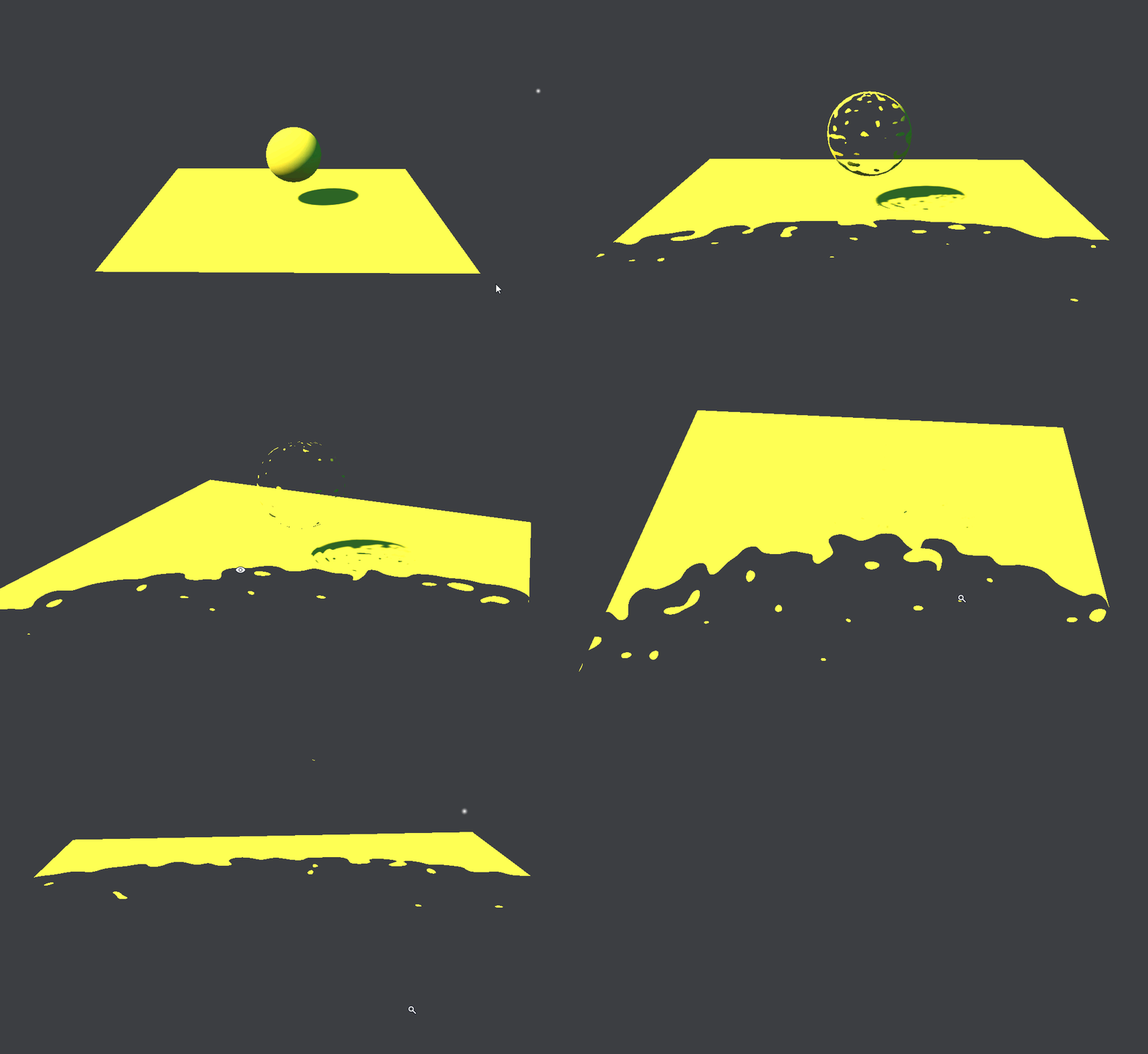 delicate horizon
Is there a way to do it without needing to have a mesh on the camera?
 true shore
delicate horizon
true shore
delicate horizon
can you elaborate more on that?
but before you do, here's a tutorial that I followed but used amply shader editor instead
http://glowfishinteractive.com/dissolving-the-world-part-1/
 sand widget
Is there any plan for VFX to use a low res transparency pass like HDRP supports natively?
elfin pilot
@sand widget Yes it's coming in next 2019.2 package
sand widget
Question: I would like to spawn things in a circle or ring around the local position but the orientation or up-vector of Position (circle) is not matching the world up.
How do I change this?
hearty flare
I would make the circle around it in world space and then InverseTransformPoint the locations into local space, easiest for me at least
If you're using VFX graph then I would do the same (it's just a Transform step)
sand widget
I see! thanks for the advice. I guess it's just all in local space and by default VFX's local axis is different to transform axis.
 crisp spruce
Hey 👋 Is there a simple way to randomly spawn a particle effect on collision with terrain/meshes?
I'm looking to create rain splashes that randomly spawn on models I've imported. Something like the engine is raycasting down from the sky and whenever it hits a 3D collider it spawns a splash.
 stark crest
you can do it easily with Suriken (with can pop sub emitter on collision/death of particle) but i'm not sure with VFX graph , there is a depth collision system but i didnt try it. If you do it with suriken you will have less particle but the way you can handle it is you will have to work with "cluster" of box-shaped raining area (like 10x10 meter each rain area, -1000/500 max particles each) so with occlussion culling active (area need to be occluding static), you can have only few rain area in view active. It didn't cost me some much perf, i did it on VR game.
 manic nymph
Hello, Im using Line Renderer for a Laser Effect but if start and end point ar close the Mesh seems to bend. https://streamable.com/6gezc Anything i have to take care of that it works correctly ?
 hearty flare
@manic nymph does giving it some Corner Vertices (even 1) fix the problem?
manic nymph
nope not really
hearty flare
Hrm, I think that problem gets more apparent with thicker lines. I would probably make a custom one that allows overlapping.
I imagine there's some different line / trail renderers out there that handle it properly - you'll have spikey ends if you're at acute angles that'll go through walls, so I think it needs something more custom than Unity provides anyway
 cobalt scarab
Could also try using multiple line renderers.
hearty flare
I was thinking that my 'performant' lazy implementation would be a sophisticated version of that with a bunch of pooled quads that you could material property block the corner angles for. How far you go depends how nice you would want the corners really
cobalt scarab
And the most laziest would be to use particle system as a bouncing line renderer 😄
white tapir
I use vectrosity for everything related to line renderers
hearty flare
Documentation
Visual Effect Graph: https://docs.unity3d.com/Packages/com.unity.visualeffectgraph@latest
Roadmap
https://portal.productboard.com/unity/1-unity-graphics/tabs/9-visual-effect-graph
Git
VFX Graph Samples: https://github.com/Unity-Technologies/VisualEffectGraph-Samples
VFX Toolbox: https://github.com/Unity-Technologies/VFXToolbox
VFX-Essentials (Samples): https://github.com/Kodrin/VFX-Essentials
SDF Tools
Mesh to SDF: https://github.com/aman-tiwari/MeshToSDF
SDFr: https://github.com/xraxra/SDFr
Particle Effects
FX For UGUI: https://github.com/mob-sakai/ParticleEffectForUGUI
KumoWorks cloud generator: https://opentoonz.github.io/e/download/kumoworks.html
Youtube
VFX Graph Tutorials, Thomas Iché - https://www.youtube.com/watch?v=sNJ_SU20-o0&list=PLtRuo28h-g1mndib2hMyp-dVfx7Jq9cOH
Principles of VFX with VFX Graph:
- Episode 1: https://www.youtube.com/watch?v=hXjNC8pNOTE
Blog
Realistic smoke lighting with 6-way lighting: https://blog.unity.com/engine-platform/realistic-smoke-with-6-way-lighting-in-vfx-graph
https://resources.unity.com/games/definitive-guide-to-creating-visual-effects?ungated=true
Roadmap
Rendering & Visual Effects: https://resources.unity.com/unity-engine-roadmap/rendering-visual-effects
 tepid sorrel
Interestning.. when I connect pcache position to attribute map the ui throws a small fit:
delete the connection and its fine again 🤔
Myea I used the point cache bake tool which probably isn't working perfect yet 😛 Everything looks fine if i use the MaskFace.pcache from samples
nevermind, works fine if i use ascii
prime dome
Hello, is anyone know how to manage particule system movement from a point A to a point B with some random moves? I'm sure there is an easy way to do it, but I didn't find it... Thx
 paper lava
I have a particle effect which is triggered on level complete. However i added a tinted screen for level complete but this now covers my particle effect. Is there a way to get the particle effect to show on top of the tint UI? I have tried order in layer on the particle but that doesnt do anything.
steel bay
are you using uGUI?
if you want your particle system to render above your UI, you'll need to switch your canvas from overlay to camera and set the camera depth to be higher than whatever camera is rendering your vfx
in general, thats an obnoxious approach since you'll usually want to sandwich your pfx in between elements
I've had some luck with this framework - https://github.com/mob-sakai/ParticleEffectForUGUI
Which allows for asome finer grained layering into a UI hierarchy

GitHub
This plugin provide a component to render particle effect for uGUI in Unity 2018.2+. The particle rendering is maskable and sortable, without Camera, RenderTexture or Canvas. - mob-sakai/ParticleEf...
paper lava
@steel bay I'm not using uGUI. Just the standard UI in Unity. I tried switching the canvas from overlay to camera but then all the gameobjects in the scene show over the UI. I think a work around maybe do delay the level complete screen coming in by fading in so then the user will see the particle effect in the world and then screen will show correctly.
hearty flare
@paper lava they are the same thing, UGUI and the standard Unity UI
 vagrant loom
hello, I have a problem with visual effect graph, I can't see any particle effect, there is the tea pot icon or rather the magic lamp in the scene but no effect is displayed, and this both with LWRP and HDRP
LWRP, HDRP and visual effect graph are up to date
i went to edit, render pipeline and then upgrade all materials but still the same problem
is there a simple trick that I missed ?
quick quiver
@vagrant loom you actually have to use either LWRP or HDRP....
and only really recent LWRP supports vfx graph
and I think only for Unlit
unless the Lit update has landed already
in HDRP it works from first VFX graph versions
by use I mean, you have to have SRP asset assigned to your project settings -> graphics
vagrant loom
yes, I first tried with LW and nothing was displayed, then I thought I would try with a HDRP project, so i created a new project with HDRP from the beginning
but still no particle effect is displayed
quick quiver
I'd still double check you have the right asset assigned
especially with HDRP, there isn't many things that can go wrong with that
basically check that your HDRP and VFX packages are using the same version and check that you have HDRP asset created and assigned in project settings
should show up
vagrant loom
yes, I went there , edit - project settings - and then in graphics HDRP asset is selected
it's the exemple scene with a small room and buckets
example
quick quiver
can you show a screenshot from the package manager window?
vagrant loom
behind in magenta is a normal particle effect i created, it seems it's missing some material or I didn't give it one
quick quiver
so it's only missing proper material?
vagrant loom
no, behind in magenta, is normal particle effect
quick quiver
if you make a new vfx graph and place it in the scene, it shows those default billboards?
ah
quick quiver
even when you hit play?
btw, if you need to use shuriken with HDRP: https://forum.unity.com/threads/hdrp-particle-system-shaders.643840/
vagrant loom
yesm nothing hqppens
qnd I jsut hqd this error zhen running gq;e
NullReferenceException: Object reference not set to an instance of an object
UnityEditor.GameObjectInspector.ClearPreviewCache () (at C:/buildslave/unity/build/Editor/Mono/Inspector/GameObjectInspector.cs:210)
UnityEditor.GameObjectInspector.OnDisable () (at C:/buildslave/unity/build/Editor/Mono/Inspector/GameObjectInspector.cs:198)
UnityEditor.VFX.UI.VFXViewWindow:OnDisable()
quick quiver
I haven't tried those SG's myself but done something like that manually
vagrant loom
oops querty
i just had this error while running game
and this other error while saving the scene
Multiple managers are loaded of type: VFXManager
UnityEditor.EditorApplication:Internal_CallGlobalEventHandler()
quick quiver
that is just 2019.3 bug
I think it's fixed on newer 2019.3 alphas
anyway
try to open your vfx graph once
quick quiver
it's possible it hasn't compiled it automatically
quick quiver
it's not all right on my end either with 6.7.1 and 2019.3.0a6 but then again, 6.x is meant for 2019.2
7.x is meant for 2019.3
but this dark material thing I see, I think there was some reason for it, I've seen it before
vagrant loom
and if you create a simple swarm, it shows ?
quick quiver
yes
and just to be clear, there isn't any 7.x SRP releases yet, only stuff in the github for it
just saying 6.x aren't really meant for 2019.3 even if it works atm
vagrant loom
Remove 1 owners that couldnt be deserialized from of type UnityEditor.VFX.VFXDataParticle
UnityEditor.VFX.VFXData:OnEnable()
another error
quick quiver
you probably don't see it because of those errors then
you could try to update the alpha
altho a4 isn't that old
vagrant loom
yes i will try that, hoping it doesn't break more things
quick quiver
in general, you are bound to get random issues with these
vagrant loom
yeah well no, when I installed the hub, i just downloaded the latest available version
quick quiver
2019.1 is latest official release
vagrant loom
i will try, thanks for your help
vagrant loom
so i installed latest alpha, and still no effect is showing, and i have this error
Unexpected type : UnityEditor.VFX.UI.VFXSystemController
UnityEngine.GUIUtility:ProcessEvent(Int32, IntPtr)
this is with lwrp
vagrant loom
so i now tried with latest alpha, and latest updates for HDRP and visual effect graph and finally it works
i didnt do anything special, just created a visual effect graph asset and it worked
so I think there are problems with earlie ralphas and LWRP
even this latest alpha has problem with LWRP and visual effects graph
quick quiver
well, only unlit works on LWRP unless the Lit support got into it already
(for vfx)
vagrant loom
the difference here is that it created a VFXDefaultResources asset, and it didn't create it in my previous attempt
or at least I think, I m sure it wasn't there before
tepid sorrel
So I'm pretty noob at vfx. Sometimes it isn't clear to me whether to use a particle system or a shader (or two), or maybe a particle system with a custom shader. What would you use for eg. an Aurora Borealis effect (and why?)
Even an effect such as fire isn't always clear cut to me.. depending on the use case
 light siren
Worked a bit with shader graph and particles, need some feedback. There were no trail before but i think it looks more like a portal. Cant stop tweaking it, so many possibilities, so feedback hopefully gives me the "stop, its ok as it is" now
Xeethrax, you can use both. Aurora animation with shader graph i think would be easier and less resource intense.
Particles for the outline "dust" effect, if there is any. But you can do it with only particles too, i believe harder though.
tepid sorrel
Thanks @light siren - cool portal btw 😃
light siren
Ty, I guess its ok as it is, my goal is to achieve AAA quality, once its done, next part..
white tapir
Love that portal - is that a stargate? 😛
light siren
Ty, and no 😄 , I just went with generic idea ive seen everywhere, messed around a bit with shadergraph and its twirl.
Didnt know how to do the outline with shadergraph so went with particles. (Might redo it with shaders though, i mean.. it makes sense, but doesnt have the volume the particles have).
And for particles it was just emission to the sides first, then -0.15 velocity for backwards effect, then I came up with rotating it, then discovered trails, and so on.. for 2h.. improvised basically the most.
Pretty sure can be used for stargate actually :) But ive got some feedback about it and I do aswell think now it looks too cartoonish, might adjust the saturation later on when scene context is present. Its supposed to be a portal in ruins later, mid a dark forest.
And thanks to unity releasing the shader graph, my life is now complete, will experiment further. (Energy shield next)
compact swallow
@light siren that has to be literally the fanciest portal I have ever seen!
light siren
Thx. Nah I wouldnt say fancy, maybe intermediate, it was my first and 2h improvised work, think there are a few better ones out there.
Mine has a few things to fix, i.e the twirl is coming out of nowhere, and i dint know how to give a trail a fade-in, the particle has it, but trail seem to not getting affected by it.
There is flickering going on from specific perspective, I have to move the twirls a bit out of the portal itself, not sure why it flickers, nothing seem to affect it.
Im open for ideas regarding this two issues :)
 low anchor
