
#archived-hdrp
1 messages · Page 60 of 1
 waxen lantern
@gleaming crow yeah that makes it sound like they may be rewriting the entire thing for a new approach or new terrain system altogether for HDRP. i wouldn't be surprised if it did use VFX graph.
 gleaming crow
I hope so...
 elder tinsel
I'm trying to use the Custom Render features in URP, but when I select on the layer mask to exclude some layer, nothing happens.
It is supposed to ignore the rendering of that layer.
Any Idea why this could not work? I'm sure I assigned the layer to the model.
 hallow sundial
Noticed this might be a better fit here.
Hey guys, quick question. Do recent versions of the HDRP still have fog density volumes, or were they dropped along the way? Last version featuring it in the docs seems to be 7.1.8.
My current project has a custom pipeline and I'm looking towards HDRP for a side project. I'd like to have seamless transitions between an outdoor and indoor environment, without the fog being pushed back upon entering a larger building, since I'd like the outside view to remain intact while indoors. Am I even on the right track expecting that functionality from fog density volumes?
 main trellis
i use HDRP ver. 7.4 and still using fog density volume
 livid juniper
How does 3d object with 2d URP material reacts to 2d light?
The reason why I asked this because I want to make visual novel with 3D background but looks 2D in camera what should be the best approach
- Everything 3D, relies on shader.
- 2D character and 3D background.
I want
- background to be 3D because it's flexible and dynamic.
- characters are affected by light in scene
 elder merlin
It's supported @compact nexus but you're gonna need a pretty beefy PC to run it
hallow sundial
@main trellis, thanks, so it seems like at least the 7.x series supports it. Good to know 🙂
 compact nexus
@elder merlin how beefy exactly?
elder merlin
I don't know. Half Life Alyx would be my benchmark
 turbid matrix
@compact nexus I'd go with URP if you need VR
HDRP VR is more suitable for some high end visualizations
compact nexus
k. its just soft shadows looks terrrible and the max cascades is 4 and it still looks bad
waxen lantern
Another stupid question but i assume hdrp is too much for vr as your basically rendering everything twice?
@compact nexus Not exactly, single pass instanced rendering avoids rendering the left and right eyes from scratch. More info on this and using HDRP for VR in general:
https://blogs.unity3d.com/2020/03/12/creating-immersive-photorealistic-vr-experiences-with-the-high-definition-render-pipeline/

Unity Technologies Blog
We’re officially bringing virtual reality to the High Definition Render Pipeline (HDRP). In 2019.3.6f1 and after with package version 7.3.1, HDRP is now verified and can be used in VR. This blog post takes a technical dive into using HDRP in your VR project. To learn more abou...
compact nexus
ok. i would love to be able to not have shit shadows. tysm! you bet my ass is going to be reading that
all day
waxen lantern
That said, echoing what others have said: you are likely going to need to target next gen hardware and very high end current gen hardware to get acceptable performance.
compact nexus
im not the best at optimization so ill have to really do some work on that
waxen lantern
@compact nexus Also worth mentioning that Unity is working on improvements to shadows in URP at least being able to tune the options like cascades more precisely. you can see this on the Unity Graphics Roadmap productboard. I doubt URP shadows will ever look quite as good as HDRP shadows but just something to keep in mind.
compact nexus
ok
turbid matrix
I kinda wonder why they don't put same shadow filtering options on both tbh
just because you pick URP doesn't mean you wouldn't want to have option for PCSS for example
waxen lantern
@turbid matrix looking at the URP roadmap i think the plan is to make the shadow settings more in line with HDRP at least,
@turbid matrix but yeah i agree with you wholeheartedly ... in the long run, maybe within 5 years from now i hope these RPs just merge into a sort of highly configurable Hybrid RP (with URP and HDRP like "presets.") i mean this example is exactly the type of custom "mis-matched" render pipeline many devs choose unity for but building a custom SRP isn't very modular or approachable rn. e.g. super realistic physical shadows and a minimal stylized appearance and for everything else, or vice versa: maybe you want your shadows to be super cheap and don't care because you are spending your performance on many other costly "HDRP" features.
easier said than done of course to make the infinitely and easily configurable render pipeline. but i think that's what a lot of devs really want. a little bit of render pipeline A, a little bit of render pipeline B. not just, choose A or B or if that doesn't suit your needs I guess you're on your own, good luck with that and/or hope you can budget in a crack team of graphics programmers.
 dense moth
😢 absolutely bonkers.
builds stopped rendering again and this time specifying shader variant collection isn't working
 late schooner
late to the chat but a big fan of filterable shadows for art direction and overall quality and would love to see that some love with the SRP unification/rework
 warm coral
Does anyone know how to use Graphics.Blit in endFrameRendering callback?
Based on this page:
https://docs.unity3d.com/2020.1/Documentation/ScriptReference/Graphics.Blit.html
If you are using a Scriptable Render Pipeline (like HDRP or Universal RP), to blit to the screen backbuffer using Graphics.Blit, you have to call Graphics.Blit from inside a method that you register as the RenderPipelineManager.endFrameRendering callback.

I did just that:
RenderPipelineManager.endFrameRendering += (context, camera) =>
            {
                cam.targetTexture = null;
                Graphics.Blit(targetTexture, null as RenderTexture);
            };
This causes Unity to flood errors
Like these
Did I do something wrong?
 gaunt minnow
Can some help me with uro when I make a new 3d project and add the urp to it still looks like it use the standard graphics
 dawn sorrel
@warm coral yes.
Passing null for the src texture can make sense since your shader might not care about _MainTex.
Passing null for the dst texture makes no sense.
 midnight oyster
Hey guys, I'm working on a scene with URP and Cinemachine. I'm trying to blend between two cameras and I can't change the post-processing accordingly. How do I do this with URP? With the standard renderer, all I would need to do was add a volume extension to a virtual camera and it would work, but not with URP, I suppose.
Oh, wait, it seems I just needed to remove the Global Volume object. I don't know why that wasn't working before but I'm glad it is now
 dreamy mango
Is there a way to implement the Thermal Camera effect on a RenderTexture?
Is there also a way to implement contrast settings on a RenderTexture?
 civic nymph
Hey, I'm on unity 2020.1.6f1 URP And I recently got a package that uses depth texture to make decals, it works fine in 2019 but wont render the decals in 2020 is this a known bug?
waxen lantern
@civic nymph you'll want to contact to the developer of the package about that. There is no guarantee of forwards compatibility for 3rd party packages, especially ones that extend Unity features or packages that are in heavy development and subject to change (like URP.) The developer may need to make changes to the package for it to continue to work in newer versions of Unity and URP.
civic nymph
Ok thanks, I messaged him, still waiting on a response. Just wondering if there's a known bug with Depth Texture not working in URP in 2020
waxen lantern
@civic nymph it could be a bug, though my bet is this case is more likely to be a compatibility breaking change, such as how since URP 7.2.0 (Unity 2019.3.0f6+) a depth texture setting must be enabled on the URP pipeline asset and/or your Camera(s,) instead of being on by default even when you didn't need it. Keep in mind, breaking changes often require modifications to code, not just a UI accessible setting like this: https://docs.unity3d.com/Packages/com.unity.render-pipelines.universal@8.2/manual/upgrade-guide-7-2-0.html
civic nymph
the effect functions in 2019.4.4f1 with the depth texture enabled on the camera, but not in 2020 I'll check the code, there's no errors though. Thanks!
 feral mulch
I just started with Open source project and I came across with this error. Can someone help me with this problem.
warm coral
@dawn sorrel Passing null to the dest will blit to the screen, based on answers I saw online, but that doesn't relate to my problem anyway (I assume)
warm coral
Anyone has idea how to copy RenderTexture to the screen (after everything is finished rendering including the post effects)?
I know there is Renderer Features, which I could select the wanted material and when it will run, but how can I pass to the material the Render Texture?
Should I set it in script with something like endFrameRendering?
And if anyone know, I am trying to look for information about these features (custom renderer features for example, there isn't really a lot of info about these)
warm coral
Okay.. figured it out.. theres no docs anywhere so maybe it will help someone:
RenderPipelineManager callbacks (replacements for OnRender, OnPreRender, etc..) has two arguments, context, camera, the camera is an array (for some reason) and the callback is called once per camera and the array containing one element which is the current camera. I imagine the array is for the camera stack.
The important point: Before you do anything in the callback, check that you are using the correct camera that you meant to use.
And heads up: If you are saving your camera as a property and use it in the callback (like I did), and do operations on the saved camera (like Graphics.Blit) and not check that you are in the correct camera in the callback, you will get a lot of errors and recursive calls to the callbacks because:
You basically rendering after everything is done, and you may (accidently) call the other camera to blit, which will cause another callback to be called and you may enter a recursive loop (like the errors I showed above)
Hope it will help someone in the future and hope some info will be added to the docs 🙂
 eternal laurel
hey what is the deal with realtime directional light shadows not blending with point light shadows. I remember that HDRP used to do this out of the box.
 scarlet hull
Sorry, what ?
 lilac thistle
I'm trying to use HDR rendering with URP for the first time and for some reason when I enable it on the renderer and on the camera my camera just renders black 🤔
 restive arch
I’m using the latest version of LTS 2018 and LWRP. I’ve been trying to get my trees to work, and the ones far in the background are just... black. I assume this may have to do with the fact that I’m not using the vanilla tree shader, so is there anyway I can convert them to LWRP? I’ve been trying to do so using Shader Graph, but there are still properties missing that I can’t find while looking through the Built-In shaders’ code.
 keen pivot
i've been on a bit of a journey trying to get objects to highlight when occluded in HDRP. i'm walking 3 paths right now...
- using an extra material on an object, using ZTest Greater, and have the alpha fade out when the object is moving. this works and performance wise seems almost free, but other items in the gameobject occluded it and make it look a bit poor
- HDRP Outline is an asset i purchased a while back which addes a custom renderer after post process. it seems if you add all the meshes you want in the gameobject, then they dont occlude each other, you can choose outling, fill pattern etc, it produces the effect exactly, but there seems to be a near 10-15 fps penatly, which doesnt seem right, but the dev seems to have gone dark, i'm not sure if its a unity bug or what
- i found @turbid matrix 's post in the forum with some stencil thing, it didnt seem to work out of the box and a shader says its not SRP batcher compatible, but the subsequent links pointed me to a github repo that has stencil show and stencil write with no custom pass needed, however that seems to to allow the ZTest Greater option at all
should such an effect be expensive on performance?
and i suppose, is a custom pass the way to do it or now?
 tame narwhal
hi iam having a problem
i am trying to make like a coolflow shader using blom effect and shader but ween isetup post processig the glow worked but it pink and wheen i added render pipeline asset the shader worked but the bloom is gone i even tried to update the project to universal renderpipeline and it gets worst anyhelp
any help
any help plz
tame narwhal
pplz help
dreamy mango
Is there a way to exclude the UI from the render pipeline?
turbid matrix
@keen pivot yeah, the thing I linked there initially doesn't work anymore but one from git repo does
I'd rather have that stencil pass on the main shader though
I guess it's somewhat easy to stuff there if you are fine with ASE as you can make custom HDRP template easily with it
for SG, I'd probably just do some post processing script that injects the needed stencil stuff to generated shader graph etc
of course the ideal solution would be if Unity would just expose those stencil bits, could be hidden by default
using the extra pass to mark the stencil isn't horribly expensive but it's extra pass still
 crimson quartz
Not sure that this is right channel for question. In our project we using Unity 2020.1 WIth URP 9.55, last DOTS version and last version Addressable. We have blocks(meshes) which load through Addressable then convert them into DOTS world. We have rendering problems with iOS
 tender vine
hello my friends
has anyone had any experience, using the URP, of creating per-camera post-processing effects? i do have a solution but i am hoping there is something better
i don't think using volumes makes sense
this is just for a temporary static/glitch effect when switching cameras
keen pivot
@turbid matrix nah, i didn't understand almost everything you said 😛 i never understood in the github thing why i needed a stencil view shader, i applied it to a plane and it shows the stencil items, but i can see them anyway if they have the stencil write shader, nither appear to allow me to change the Ztest. it looks more like a proof of concept on how to do...stuff....
i was trying to put..something...in place to kind of prove that a stencil occluded highlight pass doesnt take up 15-20 fps worth of GPU power.
turbid matrix
the stencil write and read shaders on github isn't supposed to be like example on how to use it at all, it's literally their internal test project that just checks the stencils work
keen pivot
i did manage to download this: https://github.com/alelievr/HDRP-Custom-Passes

GitHub
A bunch of custom passes made for HDRP. Contribute to alelievr/HDRP-Custom-Passes development by creating an account on GitHub.
and that has a selection thing that kinda works
it was quite late and i didnt have time to see how it affects performance yet
but that allows me to get an outline of certain objects that use a Greater ZTest
 long plinth
How do i complete what unity began? They started to make HDRP and half way thru just gave up
this is how my scene looked a moment ago.
I didnt touch anything. I was using discord. Unity is open on main screen, 0 interractions. Now it looks like this
 broken lichen
So it's resetting your settings for no apparent reason?
long plinth
that i noticed just now. The main problem is, to have a skybox with its intended colors i have to put insane multipliers which turn everything else black (see the first screenshot)
broken lichen
Does changing exposure not have the same affect?
long plinth
https://www.youtube.com/watch?v=bm10Pj6UdRE&lc=UgyJzRAwu9iQeJk9PjF4AaABAg my main problem is this.

it gives me 4 options, Fog with messed up dark skybox, fog with normal skybox, no fog, messed up skybox or no fog, normal skybox.
i dont have to change any values for HDRP to glich out extremely.
broken lichen
That does look buggy
long plinth
So does anyone know how to fix what unity began and didnt bother finishing?
tame narwhal
hi iam having a problem
i am trying to make like a coolflow shader using blom effect and shader but ween isetup post processig the glow worked but it pink and wheen i added render pipeline asset the shader worked but the bloom is gone i even tried to update the project to universal renderpipeline and it gets worst anyhelp
scarlet hull
So does anyone know how to fix what unity began and didnt bother finishing?
@long plinth
Can you develop on what you consider is not finished ?
From what I see and understand of your screenshot, the rendering is totally expected.
@tame narwhal Please post more informations, like your URP / Post process setup and the shader or shadergraph
long plinth
by totally expected u mean skybox switching from dark to decently lit all the time?
it being affected by oppening fog tab?
look at the video
scarlet hull
Expected : having black objects when the sky intensity is very high.
There is auto exposure by default, if the sky has a very high light intensity, the other objects are under exposed.
long plinth
Okay, but how does opening fog tab increase its exposure? Closing it decreases, scrolling decreases etc?
the sun object is turned the wrong way skybox literally turns almost pitch black.
scarlet hull
I can only think that this is a side effect of the game view not beeing refreshed every frame when out of play mode.
When you enable/disable fog or move something in the inspector it triggers a refresh, but then auto exposure kicks in by taking the values of the PREVIOUS frame.
I suggest tweaking in the scene view.
Skybox turns black when using the HDRI sky ?
long plinth
Scene view is hard to work with, as skybox is super stretched, on second screen there is game view, it shows accurate skybox and the dark skybox. In gimp i have the actual skybox file open for color reference how bright it should be
scarlet hull
Don't use orthographic projection in scene view
long plinth
i turn camera 180 degrees and its all finely lit up
scarlet hull
For the skybox "color", like I said, it depends on exposure.
Try switching to fixed exposure
long plinth
its still dark. Not as dark, but dark. And just tilting camera up makes it turn dark
camera at 0 rotation
and i turned it by 180 degrees.
 trail kernel
lord thats bright
long plinth
light is comming dirrectly from left side of camera and skybox turns to extremely bright white.
only post processing on is fog
turning is off didnt made much improvement
what i need is tho, is for skybox to stay never changing, so i can adjust the scene according to skybox.
scarlet hull
If the lightness of the sky changes when you move/look arount, than it's very likely to be because of auto exposure
long plinth
then how do i set auto exposure to 0 and complete anything it does to skybox?
Cause i have 0 effects on
long plinth
 drifting vault
He talking about separate component
scarlet hull
That's the sky intensity, not the camera exposure
long plinth
okay, that i think fixed it... i think...
long plinth
is it possible to use HDRP fog and give it noise?
so there is chunky mist floating instead of even cube of mist
drifting vault
@long plinth you have to use Density textures
 royal hatch
Can someone help me? I'm kinda new with unity, specially with the hdrp and i can't figure out what to do with this error
ArgumentException: GetComponent requires that the requested component 'PhysicallyBasedSky' derives from MonoBehaviour or Component or is an interface.
UnityEngine.GameObject.TryGetComponent[T] (T& component) (at <e8645a79b0794e0e9a2b5bbff081b88a>:0)
UnityEngine.Component.TryGetComponent[T] (T& component) (at <e8645a79b0794e0e9a2b5bbff081b88a>:0)
DayNightCycleController.Start () (at Assets/Scripts/DayNightCycleController.cs:51)
All i need to do is to be able to change the "Space Emission Multiplier" component value on my physically based sky, i've been searching for a few hours but nothing comes up for Unity 2020.1.4f1
Error line is 51, to wich the code is
skyVolume.TryGetComponent<PhysicallyBasedSky>(out sky);
if anyone thinks can help me @ me
 prime merlin
can someone confirm if gtx1060 support rtx
?
because in the website they say it's supported , and I have the reequipments, also I got it to tier 3 which's the highest , as well the hdr wizard shows check mark for all settings even dxr
but the setting shows message says tat your device isn't supported ..?
turbid matrix
@crystal pilot https://github.com/Unity-Technologies/Graphics/pull/2083

GitHub
Note: the changed files also include #2070, because it is required for proper/easier testing. The only changes for this PR are in the last commit (503d74c). PR 2070 should be merged first.
Purpose ...
 storm lark
is there any way to fix this error
Default Renderer is missing, make sure there is a Renderer assigned as the default on the current Universal RP asset:VeryHighUniversalRenderPipelineAsset_Backup UnityEngine.GUIUtility:ProcessEvent(Int32, IntPtr, Boolean&)
by setting the default renderer on runtime?
it looks like i have to set UniversalRenderPipelineAsset.scriptableRenderer but it only has set method
 rich spade
@storm lark I believe this is to do with having a default asset created (create->Pipelines->urp->forward renderer). Which should automatically get assigned to the current RP asset. I experienced this last week, might have been in a beta version of Unity. As the assets were all correct an accounted for a few resets I think it went away.
Which version of Unity are you using?
storm lark
I am using Unity 2020.1.7f1.
also i am trying to make a new universal render pipeline asset inside c#
to load the configuration file and apply the changes to the new pipeline asset
and then setting that pipeline asset be the one that the game uses
its better to explain with code
UniversalRenderPipelineAsset universalRenderPipelineAsset = ScriptableObject.CreateInstance<UniversalRenderPipelineAsset>();
StaticClass.CopyAllTo(universalRenderPipelineAssets[QualitySettings.GetQualityLevel()], universalRenderPipelineAsset);
//Copying all the selected Quality level's default render pipeline settings to universalRenderPipelineAsset.

//(Reflection stuffs to read the line from the config file and set the read value to universalRenderPipelineAsset.).

QualitySettings.renderPipeline = universalRenderPipelineAsset;
like this
i am doing like this because due to how scriptable objects work, the render pipeline asset gets changed until the game restarts
and i dont want that.
rich spade
it seems not all the values are getting copied over, the link to "forwardRenderer" asset is presumably getting lost.
I'm a little curious as to why you feel it's necessary to do this, but you don't have to expand on that if you don't want to.
Perhaps someone will chime in on why this is happening / how to work around it.
storm lark
i need to do it because of the "flexibility" of the config file
for example, if a single line that contains a variable gets deleted, the ge can just use the default value instead
i could hard code every values for each quality level
but thats a bad solution imo
rich spade
Ah so changes are made, meaning you can't get back to "default" level until game is restarted.
How about you have your quality levels, then a "custom" one. If a user makes changes you copy those defaults to the custom asset and any changes the user wants to make only affect it. Save those changes to the config file as usual to be restored on load etc. That way the normal quality levels will always maintain their "defaults".
If that makes sense, maybe this will get around the error message when trying to create in code.
actually that probably won't work, as I made a change to "shadows" on current asset, swapping quality didn't reset that change. so may need to dig a little deeper to see where values are stored and which get overwritten.
storm lark
this would be 300 times easier if scriptable objects dosent save changes
or if all values had setters
storm lark
i think i have gotten a better idea
when the user changes the quality level
the game will get the original asset of the current quality level's pipeline asset and overwrite the current loaded quality level's pipeline asset
after that we change the quality level
edit : dosent work
 candid basin
in URP is there a difference between Blit() and cmd.Blit()?
which one should I use?
 fiery marsh
@candid basin Are you referring to the Blit method in the ScriptableRenderPass maybe? https://github.com/Unity-Technologies/Graphics/blob/4ad03e7975af24c8e60c974edb24c696e74e39b3/com.unity.render-pipelines.universal/Runtime/Passes/ScriptableRenderPass.cs#L206
It seems to set the render target to destination and calls cmd.Blit anyway.
candid basin
Yeah I'm referrring to that!
thanks
why would it change the render target though?
a blit operation is a simple copy from 1 buffer to another right?
I guess in some cases it makes sense that after you copy, that buffer should become the target
fiery marsh
That bit I'm not super sure on... but the CommandBuffer.Blit docs page mentions this :
Note that Blit changes the currently active render target. After Blit executes, dest becomes the active render target.

Often the previous content of the Blit dest does not need to be preserved. In this case, it is recommended to activate the dest render target explicitly with the appropriate load and store actions using SetRenderTarget. The Blit dest should then be set to BuiltinRenderTextureType.CurrentActive.
(https://docs.unity3d.com/ScriptReference/Rendering.CommandBuffer.Blit.html)
I think basically, calling SetRenderTarget allows clearing the contents of the destination prior to the blit?
waxen lantern
can someone confirm if gtx1060 support rtx
@prime merlin
- First, not supporting "asynchronous execution of raytracing effects" alone shouldn't keep it from working, that's just a performance optimization, perhaps only on "RTX" cards.
- Do you have a 6GB GTX 1060? less than 6GB and it's not supported by Nvidia for raytracing.
- Also make sure you have updated to the latest Nvidia drivers, and you may even need to update Windows.
- And be prepared, it's going to be very slow compared to an RTX card.
Error line is 51, to wich the code is
skyVolume.TryGetComponent<PhysicallyBasedSky>(out sky);
@royal hatch you may have not added and set up your physically based sky completely? check the steps in the documentation, or maybe even better, start a new project using the HDRP template and compare to that or build from that example scene. Also make sure you're using a stable / final Unity version like 2019.4 LTS or 2020.1f (f is for final,) not some alpha or beta version and not using some preview HDRP version with it either. https://docs.unity3d.com/Packages/com.unity.render-pipelines.high-definition@8.2/manual/Override-Physically-Based-Sky.html
 crystal pilot
@turbid matrix sadly that actually makes an interesting new problem XD As then ALL layers have bloom regardless of setting
However, he did seemingly fix the UI space render so that is good 🙂
turbid matrix
wait what 😄
yeah, I guess so. I think I read it differently on my end but I think you are correct
When using camera stacking, as with the repro project, bloom should only be applied on the last layer of the stack
crystal pilot
Yeah
turbid matrix
that only makes sense if it applies to all layers
crystal pilot
Right, which defeats the use of the Compositor
turbid matrix
exactly
crystal pilot
As each layer has its own volume
turbid matrix
I don't even think your use case is not that niche
crystal pilot
Nope
turbid matrix
like, it feels like proper example of using it
crystal pilot
The compositor thus far is not even for gameplay
turbid matrix
def not
crystal pilot
They have stated as such
turbid matrix
yup
crystal pilot
I have to wait for Pavlos to see my comment on github
turbid matrix
btw if you want to test that on your end, just clone the repo with git lfs and checkout that HDRP/case_1272621, drop it's srp core, hdrp, hdrp-config, shadergraph and vfxgraph packages to your projects packages-folder and try it on latest 2020.2 beta, it should run as is
you probably knew these steps, just making sure
crystal pilot
I may later, slightly busy still 😛
I don't mind using preview stuff but I prefer package manger at the very least
turbid matrix
most things on that repo runs as is on 2020.2 betas
yeah it will take a while for that to land on PM considering it's not even merged yet
turbid matrix
that plus 10.x packages aren't really shipping atm, they only have one preview
yeah, can totally understand
 flat temple
Anyone know of a fluid physic asset that would work in HDRP ? I keep searching for one on the asset store but while there are some for URP, none of them seem to work for HDRP.
 elfin nest
does a lot of solo devs do combined hdrp urp projects (urp for handheld, hdrp for pc)? or is that just silly to even think of? (I understand it depends on the project, but still any info would be appreciated)
dawn sorrel
Hello! I am running into some issues in my 2d game using the 2D Render Pipeline. When the camera moves around or the camera scale changes my sprites get a weird effect on them and look low quality but when the camera returns to being stationary, the sprites go back into 'focus' and they look straight and anti-aliased. Any ideas why? I've tried disabling post processing, changing my settings on the camera, and also into splitting the sprites up into smaller images, changing their import settings to generate mipmaps or change the compression, etc, nothing.
dawn sorrel
@flat temple you could try Mudbun.
 snow summit
How do I get camera forward direction vector in HDRP shader pls?
 inner parcel
@elfin nest you said correctly that it depends on the project. It also depends on the ability of time to be able to spend time aswell. Working on hdrp and urp separately for targetting different platforms is just crazy.
If you want to take some leap of faith, I'd recommend you using URP if youre sure you wont be releasing your project soon, because deferred rendering and volumetric fog is coming soon for URP platform aswell. If URP still limits you, I suggest just stick to the default render pipeline until it becomes obsolete or until Urp is able to satisfy your needs
I personally use HDRP for my project but im not satisfied at all with the performance, and the amount of optimization it needs to just get decent fps is quite high compared to urp where with little compensated visuals, you can get amazing level performance
elfin nest
thank you for that detailed answer! i’ll go with urp! @inner parcel
waxen lantern
@crystal pilot thanks for your contribution in real world testing and feedback to help drive development on the HDRP Compositor, in any case 💯
prime merlin
@prime merlin
- First, not supporting "asynchronous execution of raytracing effects" alone shouldn't keep it from working, that's just a performance optimization, perhaps only on "RTX" cards.
- Do you have a 6GB GTX 1060? less than 6GB and it's not supported by Nvidia for raytracing.
- Also make sure you have updated to the latest Nvidia drivers, and you may even need to update Windows.
- And be prepared, it's going to be very slow compared to an RTX card.
@waxen lantern
yes I have 6gb of vram ,
I already did everything above also hdrp wizard have everything as green check mark, so idk if anything else should be done, I know it's going to be slow, I tried path tracing renderer before, but I want to use unity implementation and lower ray training samples to the extent where it's playable on small mini games
scarlet hull
To have it playable, it will just be noisy as hell.
Path tracer needs multiple frames to accumulate, and if anything moves the accumulation is refreshed.
 blissful geode
God damn, the first person to release a working stencil shader for hdrp is going to be rich
scarlet hull
An will probably have nightmares keeping it up to date, but why not
blissful geode
I need one, I feel like I have way less features since I switched my project to HDRP. Many things I need disappeared. Like no more stencils, no more stereoscopic mirrors, no more contact or pathtracing shaders, we also loose the multiple camera post processing to play with depth. Many things has to be done again, and sometime by getting your hands dirty on the engine, while a ton of resources existed over the net, resulting an huge loose of time. I feel like we gained good things, like fog, better shadow, SSS and pp volume but that we loosed a lot of useful ones too.
scarlet hull
"contact or pathtracing shaders" I don't really get this part
blissful geode
About the contact part : I had some funny materials allowing water to ripple on contact of particles or player movement, snow to dig under your feet so you left footsteps. It was based on a camera system writing on a render texture, and a custom shader.
About the path tracing it's a mistake, I meant ray marching 😄
scarlet hull
Both of these are still doable
blissful geode
I know it's little features, and it can be done again somehow spending a lot of time. But the main problem is when there is a lack of documentation, cause HDRP is pretty new
Like I cannot find anywhere a way to make something as simple as a stencil shader. It was literally two line to add in Standard pipeline
scarlet hull
This part is indeed the trickiest one. I think Amplify Shader kind of supports it, but it might break with an HDRP update, as the stencil buffer is heavily used by the engine.
The team is aware about it, and is willing to bring a solution, but there is not ETA for the moment.
blissful geode
I understand, well I shouldn't complain it's such awesome job that you'r doing on this engine. Thanks Remy !
scarlet hull
I know it's extra work, but maybe you can workaround the limitation using custom passes in HDRP ?
blissful geode
Yes i'm definitively going to look into this, I know using multiple cameras to render textures is a trick from an old time, and it isn't how it is supposed to be done today.
royal hatch
@waxen lantern Thanks for trying to help, ended up re-doing the project to make sure that every default was correct(Doesn't matter since i don't have too many assets yet), it ended up being a rookie mistake on the code, as always, i was trying to call "skyVolume.TryGetComponent<PhysicallyBasedSky>(out sky);" when i should have been calling it's profile wich would be "skyVolume.profile.TryGetComponent<PhysicallyBasedSky>(out sky);", either way thanks
 autumn ginkgo
Question, Why saved by batching is negative ? It means that is actively batching correctly or what ?
It means that is making two batch calls only ? Or 431 draw calls ?
 snow helm
Hi there! I'm using HDRP and I keep getting this warning message Max shadow requests count reached, dropping all exceeding requests. You can increase this limit by changing the max requests in the HDRP asset and I can't seem to find the place to increase the shadow request limit.
ah, nvm found it
lilac thistle
@autumn ginkgo it means they weren't needed, so the total calls were only 4
According to SetPass calls
autumn ginkgo
@lilac thistle Oh! Thanks! So Unity made the less batch calls possible because i have 4 models total in the scene (repeated)
lilac thistle
If you open up the Frame Debugger and enable it you can see what each draw called turned out to be
@autumn ginkgo doing some googling on the issue and it looks like it could be a Unity bug, it's not supposed to be negative 🤔
I'd look at the frame debugger to diagnose what ultimate is being drawn 🤷🏻♂️
autumn ginkgo
@lilac thistle Oh, i'm on a two months old beta, so maybe it's fixed
lilac thistle
I get the same issue with one of my URP projects on 2019.4.11
autumn ginkgo
Part of why i asked was because the negative number was making a mess on me
negative 400 batches is better i think 🤔 😅
 gilded knot
did dynamic batching change recently?
I was sure you couldnt batch a mesh with more than 300 vert attributes
but now it seems to be doing it with more
(I've not seen negative saved by batching fwiw)
 oak jetty
I want to use universal render pipeline to use shadergraph. I run into the issue that shadows are not rendered when I get a bit far away. There are no shadow options in project settings. How do I fix my shadow distance?
fiery marsh
There are shadow settings on the URP asset
oak jetty
Thanks!
 shell vigil
I want to render 3D models in combinations with tilemaps, I use Y as Z for transparency. (not sure if still applies when I moved to URP as the setting disappear, but I assume I still do). As far as I can see is that using transparent materials will successfully occlude the 3D model in the tilemap environment, but it does mess up the destails of the characters as there is no Z write. I'm trying different things with Render feature to add render objects with mask but to no success yet. Anyone have any idea or tips on this?
rich spade
@shell vigil I'm struggling to get my head around your question. Are you wanting to mix 2D and 3D models but having issue with draw order?
shell vigil
Yeah
rich spade
as I understand it, URP can give you depth... but not for transparencies. So your first assumption with render feature maybe the way to go.
but it's an awkward subject as yet not too many examples around
keen pivot
i dont know if anyone is familiar with these HDRP custom pass examples....https://github.com/alelievr/HDRP-Custom-Passes
GitHub
A bunch of custom passes made for HDRP. Contribute to alelievr/HDRP-Custom-Passes development by creating an account on GitHub.
but there one there called 'selction' and it highlights objects
you will see the blue outline stays visible even when the object is occluded
what i would like to do, is have it visible ONLY when it is occluded
there seems to be an 'override depth' option, but if i set it to greater, then it then line doesnt appear at all
'write depth' option doesnt make any difference
does that seem right to you?
i'm guessing we still dont have access to stencil in HDRP 10 shader graph?
scarlet hull
No stencil in 10.x
As for the outline custom pass, I can help, I did it initially 😄
To do what you want, you'll probably need to change the fullscreen custom pass shader code to display only when occluded.
 whole fossil
@keen pivot afaik the repo that you've linked has an example for a selection pass that allow you to control color of outlined object when occluded and when its not
keen pivot
noice! i'm new to this so bear with me, i thought i had tried that by chaning this in the 02_Selection_Fullscreen.shader code:
but its still always there, i've set it to white so its easier to see
am i doing the wrong thing or misunderstanding?
(and i tried GEqual too)
@whole fossil does it? i'm looking at the 'selection' project, and i don't think it supposed to do that. it has a behind factor, but not an in front one
 scarlet hull
No, the depth test in the full screen pass is done here : https://github.com/alelievr/HDRP-Custom-Passes/blob/master/Assets/CustomPasses/Selection/Shaders/02_Selection_Fullscreen.shader#L96
GitHub
A bunch of custom passes made for HDRP. Contribute to alelievr/HDRP-Custom-Passes development by creating an account on GitHub.
Sorry, I didn't comment at all that thing 😄
keen pivot
@whole fossil that only allows you to change what it looks like when its occluded, not change how it looks when it is NOT occluded.
whole fossil
 keen pivot
@scarlet hull i'm out of my own...depth...there, i just muddle through what i've picked up. that line ONLY? changing the comparator doesnt change it: alphaFactor = (db<d)?_BehindFactor:1;
whole fossil
maybe I don't understand something but this gif demonstrates that it can change how it is rendered when not occluded
keen pivot
no, its probably me that doesnt understand, let me check that out
keen pivot
okay so.. you cant change the appearance of when its ONLY occluded, so you can make it show everything, or only unoccluded, not the way around i'd like it
and it only applies to the inner right now, the outer lacks that ability too
i'm sure this is a great example of how it could be done, if i understood it better 🙂
scarlet hull
Yeah, I coded it that way. But if you're comfy enough with shader code you should be able to work around it to your needs.
The main idea is to do masking of objects based on the custom color buffer (that contains the highlighted objects only) and the two depth buffers (scene and highlighted objects)
keen pivot
here is how comfortable i am with shader code: Shader Graph
scarlet hull
Well, sorry for that, there is no shadergraph master for this
keen pivot
yeah, i know 🙂
scarlet hull
Now, thinking about it, you should be able to hack your way with my setup ...
Try out changing the DrawRenderers custom pass depth buffer to camera, and the depth test to less
keen pivot
there is an asset that does this, but it doesnt have a custom pass volume like this, and it seems to eat the framerate, and i'm not sure why, it doesnt seem like a heavy function, maybe it is
oh i love a good hack my way, i'll try that
like this?
scarlet hull
Well, at least thats what I would expect
keen pivot
thats its exactly the same? 🙂
scarlet hull
Let me check that locally, I have the project laying around
keen pivot
cool, thanks!
scarlet hull
So, my hacky solution only partially works, it also displays the overlay on self intesection :
If you want to try, here is the setting :
keen pivot
ah, i hadnt change the clear flags to color
self intesection is the problem i'm trying to get around, as thats what a regular shader with Greater ZTest would do anyway i think
that may be a lie
intesecting other meshes in the object is the issue with a regular shader
scarlet hull
It's still the issue when rendering the objects in the dedicated color buffer
Because in that case, some parts of the objects are still "behind" the rest of the object itself
I did a try at changing the full screen shader, but now a highlighted object also occludes an other one 😄
keen pivot
i have this: https://assetstore.unity.com/packages/vfx/shaders/fullscreen-camera-effects/hdrp-outline-162150

Add depth to your project with HDRP Outline asset from Knife Entertainment. Find this & more VFX options on the Unity Asset Store.
i dont know HOW that works, you add something to the render pipeline like this
not sure if thats just another older fashion for a custom pass
but it really hits performance, not sure if thats a unity issue or not as i have no idea how complex this effect actually is
when i used your custom pass it didnt seem to have any noticable effect on the performance
scarlet hull
I have no idea how it's done in this package
keen pivot
probably never know, the author seems to have vanished, hope they are okay
keen pivot
at a first glance, that seems correct
scarlet hull
There is still this issue with overlapping selected objects
keen pivot
lol so i looked at my own project and i had got as far as the options you had showed me
scarlet hull
If you want to try out my solution, you can paste this to replace the main function of the fullscreen shader :
    {
        float depth = LoadCameraDepth(varyings.positionCS.xy);
        PositionInputs posInput = GetPositionInput(varyings.positionCS.xy, _ScreenSize.zw, depth, UNITY_MATRIX_I_VP, UNITY_MATRIX_V);
        float3 viewDirection = GetWorldSpaceNormalizeViewDir(posInput.positionWS);

        float d = LoadCustomDepth(posInput.positionSS);
        float db = LoadCameraDepth(posInput.positionSS);

        float4 c = LoadCustomColor(posInput.positionSS);

        uint offset = 5;

        int sampleCount = min( 2 * pow(2, _SamplePrecision ), MAXSAMPLES ) ;

        float4 outline = float4(0,0,0,0);

        float2 uvOffsetPerPixel = 1.0/_ScreenSize .xy;

        float2 sampleUV = float2(0, 0);

        for (uint i=0 ; i<sampleCount ; ++i )
        {
            sampleUV = posInput.positionNDC + uvOffsetPerPixel * _OutlineWidth * offsets[i];

            bool customDepthTest = SampleCustomDepth(sampleUV) < SampleCameraDepth(sampleUV);

            outline =  max( SampleCustomColor(sampleUV) * customDepthTest, outline );
        }

        float4 o = float4(0,0,0,0);

        float4 innerColor = SAMPLE_TEXTURE2D( _Texture, s_trilinear_repeat_sampler, posInput.positionSS / _TextureSize) * _InnerColor;

        innerColor.a *= _BehindFactor;

        o = lerp(outline, innerColor * float4(outline.rgb, 1), ( db > d ) * c.a) ;

        return o;
}```with the self intersection
just trying that now
thats with the custom pass options all put back to default yeah?
scarlet hull
yes
scarlet hull
One day I'll take time to make a proper outline 😄
keen pivot
sorry not the best angle to show that
did the second picture load? i had an internet blip
scarlet hull
it did
keen pivot
so what the hdrp outline seems to do, is combine all the meshes into one stencil or something, then works on that
scarlet hull
It's exactly what is happening in this setup
keen pivot
so based on your experience, would you consider that a very expensive graphics operation?
i cant seem to find out where to profile it to see how much time just that process is taking
scarlet hull
look into the frame debugger
or use an external frame debugging tool like renderdoc
It's not so much expensive, but does take a lot more memory, because it allocate two additional fullscreen buffers
keen pivot
here he is:
its...53....things
i cant see 53 wossits costing me that much fps, maybe its memory as you say
candid basin
Remy are you familiar with the 'copy depth' pass in URP?
I have an issue with it. I have a custom pass where I render objects with a shader to the main camera buffer. This shader simply sets some stencil values. Everything is fine, and I'm able to use these stencil masks later in the rendering process EXCEPT for when Unity adds the 'copy depth' pass in the render pipeline. When that happens, the stencil mask seems to be cleared entirely and I have no real idea why.
scarlet hull
iirc, usually depth and stencil are stored in the same buffer data.
That's maybe why this clear hapens :/
candid basin
yeah even when I'm not using stencil but some depth data, it's being cleared as well so that must be it
it only occurs when Unity does a copydepth pass though, not in the case that they do a 'depth prepass'
I'll take a look once more at the copydepth pass and see why this happens :/
 simple quarry
I'm trying to use the Vulkan render pipeline for a game I'm working on, but without a clear reason, I'm getting only 30-40 FPS in a really basic scene, with no subsystem of the GPU or CPU core being the bottleneck. I have replaceded all shaders that might be troublesome, but that didn't help.
In DX11 or OpenGL Core, I'm getting 250+ FPS with the exact same settings. DX12 has similar issues as Vulkan, but they're less severe.
Does anyone know what might be causing this?
waxen lantern
@simple quarry you are referring to the Graphics API, not the Render Pipeline. That said, this channel is still the best place to discuss it, ha.
waxen lantern
@simple quarry
- it's difficult to guess the issue without any idea what your hardware specs are, what exactly is in the scene, what render pipeline you are using (BIRP, URP, HDRP, etc) even with that information, there are often too many factors at play for someone to really provide any valuable insight without the project running right there in front of them.
- have you checked the Unity performance profiler (cpu and gpu profilers) and frame debugger for statistics? those should give you some idea of where the bottleneck is.
- regardless, know that support in Unity for these new Graphics APIs, DX12 and Vulkan is still a work in progress and unoptimized in many ways.
- having said all this, if you don't have a very specific project requirement that depends on these new APIs (e.g. real-time raytracing, async pipelining) and/or are not fully prepared on the profiling and debugging process --you should probably steer clear of them for now.
shell vigil
Anyone would know why when using universal RP that the importer decides to put an offset in Uv of 0,1 ?
simple quarry
@waxen lantern Sry for my mistake. I know Vulkan, DIrect3d etc. are graphics APIs and not render pipelines, it's just been a really long day...
I'm using Windows 10 version 1909, a Ryzen 1700X and a RX Vega 64 running the professional driver. I'm using the standard/legacy render pipeline.
The profiler reveals nothing too helpful, unfortunately... If I'm reading this correctly, the PlayerLoop is what defines the framerate, but the main thread doesn't even saturate its CPU thread...
This is the OpenGL Core run, for comparison
Relative times look similar, but everything is faster...
a quick look at the task manager also shows that both CPU and GPU usage are now higher, with the GPU hitting 100% usage at times.
I'm far from an expert, but could this indicate it's a memory bottleneck of some sort? i.e. the CPU or GPU spends tons of time waiting for data and just idles while it does so?
I'm downloading Radeon GPU Profiler now, so I can dig deeper
 split spire
Can someone help me with an HDRP problem? Somehow changes on the Volume is not updated on screen. The weird part is, that it does update after I've selected the gameObject with the volume in the hierarchy. I guess I've accidentally set up something wrong.
Unity 2019.3.9
HDRP 7.3
 distant garnet
Hello guys. Any update on the Trackball slider issues for Gamma Lift Gain post processing? I'm using HDRP 9.0.0 pr54 and the issue resetting the slider to the top left is still there even though from the forum it is said as fixed. Any info? I found this commit which was supposed to fix the issue: https://github.com/Unity-Technologies/Graphics/commit/484c8ca0882624e708fe756b50fa5405b40b9742
distant garnet
Hello guys. Any update on the Trackball slider issues for Gamma Lift Gain post processing? I'm using HDRP 9.0.0 pr54 and the issue resetting the slider to the top left is still there even though from the forum it is said as fixed. Any info? I found this commit which was supposed to fix the issue: https://github.com/Unity-Technologies/Graphics/commit/484c8ca0882624e708fe756b50fa5405b40b9742
OK, answers here: https://forum.unity.com/threads/lift-gama-gain-bug-19-4lts.914483/
 valid dock
I've noticed that in Unity 2020.X/HDRP 8.2.0 and 10.0.0, when doing a VR build, the game window no longer mirrors the VR perspective... it's just black. This seems like a pretty big bug, but maybe I'm missing something? Anyone have any insight?
simple quarry
I did more digging, and the issue is a process called gfx.WaitForPresentGfxThread and its only subprocess called Semaphore.WaitForSignal.
According to the documentation, this process is intended to make the CPU wait until the GPU rendered the current frame before it issues the next one. However, this isn't the case here, my GPU is idle over 75% of the time, even though it automatically drops drastically below its base clock.
So, it looks like the CPU and GPU are kind of waiting for each other instead of doing their work...
Is this a bug, and how could it be fixed? (I'm getting this issue on Vulkan and Direct3D 12)
waxen lantern
I did more digging, and the issue is a process called gfx.WaitForPresentGfxThread and its only subprocess called Semaphore.WaitForSignal.
According to the documentation, this process is intended to make the CPU wait until the GPU rendered the current frame before it issues the next one.
@simple quarry I recommend to first add the GPU profiler module to the performance profiler. Currently you are only profiling the CPU so GPU activity is not visible, aside from the CPU waiting for the GPU duringgfx.WaitForPresentGfxThread
simple quarry
The GPU profiler is incompatible with Vulkan, but I have Radeon GPU profiler instead
waxen lantern
ah ok i see
simple quarry
This is the timeline on the GPU side
It's just idling most of the time and waiting forinstructions
waxen lantern
Is this a bug, and how could it be fixed? (I'm getting this issue on Vulkan and Direct3D 12)
@simple quarry Whether it's a bug or a known issue, You could certainly file a bug report with an example project attached. It is helpful for Unity to have more information on different hardware platform while they are optimizing performance on these new APIs
simple quarry
Looking through the Unity website, there's tons of people who have been getting this issue for several years now. It's also in the known issues list, but only for running Vulkan on Android, not on Windows, and Direct3D 12 isn't mentioned either
waxen lantern
I've noticed that in Unity 2020.X/HDRP 8.2.0 and 10.0.0, when doing a VR build, the game window no longer mirrors the VR perspective... it's just black. This seems like a pretty big bug, but maybe I'm missing something? Anyone have any insight?
@valid dock If not a bug, maybe a performance optimization? to not copy that frame buffer to the mirror window by default? could just as easily be a bug though, if the default behavior is still intended to mirror, especially with these new versions that are in beta / preview and expected to have bugs. file a bug report and you'll find out at least.
Looking through the Unity website, there's tons of people who have been getting this issue for several years now. It's also in the known issues list, but only for running Vulkan on Android, not on Windows, and Direct3D 12 isn't mentioned either
@simple quarry Yeah I was going to mention, Unity's focus for Vulkan optimizations is on Android since almost every other platform can use another API
so it will be addressed for Android and mobile GPUs first, and hopefully that just resolves it in total but hard to say. For desktop PCs, DX12 is the focus in terms of new graphics API development.
Still, Vulkan and DX12 are very much a work in progress, expect issues and a lot of room for optimization. I'd avoid using them with Unity for now if at all possible unless you're gung ho about helping drive development and feedback, bug reporting, etc.
valid dock
i filed a bug report
it has to be a bug... there are no options anywhere about whether or not to mirror to the game view... it's been the unity default as long as VR has been around
i could really use a solution though... i moved up to 2020 to get around another bug
sigh
gotta love the HDRP VR development experience
waxen lantern
i could really use a solution though... i moved up to 2020 to get around another bug
@valid dock a bug fix that hasn't been backported to 2019.4.x?
valid dock
not as far as i know
worth trying though, thanks
i saw a Unity dev on the forum mention that it would be back-ported tho
and that was in august
waxen lantern
yeah I mean also possible a fix hasn't yet been back ported
valid dock
yea... that would be the ideal solution here
simple quarry
Well, the plan is to release that game on the Nintendo Switch, and we're not sure if OpenGL will be usable for that because of its higher VRam usage...
So I'm kind of stuck with Vulkan
waxen lantern
@simple quarry ah i see. do you have a Switch dev kit you can test a build on? or even a rig with an Nvidia Maxwell series GPU (GeForce 700 - 900) ? On the off chance it performs differently.
@simple quarry I would also try URP with Vulkan to compare.
simple quarry
I don't have a dev kit (I'm on a team and another member has it), but I have a Gtx 750Ti
waxen lantern
That GTX 750Ti is more similar to the Nvidia Tegra X1 in the Nintendo Switch anyway, both Maxwell generation architecture.
And also worth testing URP to see if some optimizations have been made for Vulkan there or if it's not a factor.
valid dock
wow... somehow the bug i moved to 2020 for is even worse in 2019.4... the bug is that w/ Single Pass Instancing VR, TextMeshPro only renders in the left eye. in 2019.4... it doesn't render... AT ALL!
waxen lantern
@valid dock problem solved right? 😆 works as designed now.
simple quarry
Ok, porting to the URP will be tedious, but still worth trying
waxen lantern
@simple quarry well maybe a simple example scene anyway, small vertical slice
simple quarry
Hmm, yeah, I will experiment with simpler scenes
waxen lantern
@valid dock it looks like some people have been working around this by modifying the textmeshpro shaders to support single pass instanced? https://forum.unity.com/threads/textmeshpro-and-single-pass-instanced-stereo-rendering.542409/
Unity Forum
Right now, if XR settings use "Single Pass Instanced (Preview)", you only see the text in the left eye (and not the right).
I saw another thread...
valid dock
yea i looked at that but its not clear what modifications are made
simple quarry
Thank you for all the help!
valid dock
and its for a really old version
waxen lantern
@valid dock which leads me to think that maybe the fix would need to be in an update of the textmeshpro package? not so much hdrp or unity
waxen lantern
ah ok
waxen lantern
but then you have the blank mirror window issue.
valid dock
UNITY_INITIALIZE_VERTEX_OUTPUT_STEREO(output);
oh maybe this could help
yea... blank mirror window is not acceptable
lol... that line is already in the shader, so it must not be the solution
compared them side by side.... don't really see any diffs except one new property added for a new attribute in this newer version of TMP
simple quarry
I tested all kinds of variants of the test scene, and it seems like the GFX.WaitForPresent bug only surfaces when there's a screen-reading shader loaded into VRam. Interestingly, it's irrelevant whether that shader is actually being used or not
So if there's no other solution, I'm going to cut down on the graphics features so that no shader needs screen reading any more
This is really not the outcome I wished for, but at least it's diagnosed now
I'm going to file a bug report
waxen lantern
@simple quarry ah interesting, thanks for sharing your findings
 wind fox
Quick question about render passes: I want to implement an effect that draws in a buffer and reprocesses it at least 3 times
like, draws to an initial buffer, then the next pass takes this buffer and draws over it, and so on
Can I do this using the EnqueuePass command in the render feature? Isn't it better to use a framebuffer fetch (assuming a compatible platform)?
dawn sorrel
@wind fox You can do it in one pass.
Just ping pong blits between 2 textures N times.
wind fox
I thought also about that, no need to make an endless series of temp textures
wait, so in the end the RenderFeature will still have one EnqueuePass call, but in the actual RenderPass Execute method I will ping pong between two textures, right?
dawn sorrel
Yeah. CommandBuffers can hold more than 1 command.
wind fox
mhhhh, how about performance, is ping-ponging within the pass more efficient than ping-ponging in multiple steps?
dawn sorrel
Yeah. Each pass sets up the render target.
wind fox
mhhh, I see, thanks
 fair needle
Hey! I'm running 2019.3.1f, and I need to upgrade my HDRP to 7.2, but the highest I can see (with preview packs on) is 7.1.6
How can I access 7.2?
It should be available in 2019.3
scarlet hull
Tried upgrading your version of Unity ?
fair needle
I need to stay on this one for the project. But everything I google seems to say that 7.2 is available in 2019.3
Or I'm at 2019.3.0f1
scarlet hull
Indeed, it should be there. Of course, you didn't miss the version dropdown in package manager ?
fair needle
No, all in that list is just 7.1.5 and 7.1.6
fair needle
Ahhh okay. Can I see this compatibility list somewhere?
scarlet hull
I don't think we have a public matrix for this information. But if you look at the github repository, and navigate to the HDRP package.json file from the 7.2.0 tag, you can see it : https://github.com/Unity-Technologies/Graphics/blob/65fdede8d9e8dd525df50dded74f63b74c3c909f/com.unity.render-pipelines.high-definition/package.json
GitHub
Unity Graphics - Including Scriptable Render Pipeline - Unity-Technologies/Graphics
scarlet hull
By the way, if you can not make the upgrade to 2019.4 (and I don't really see a reason to not do it), the latest HDRP version for 2019.3 is :
HDRP 7.4.3 for Unity 2019.3.2f1
fair needle
Thanks!
 weary fog
Anyone know how to get GPU frame timings? I'm trying to use the FrameTimingManager class, but it's just returning 0. The documentation says that it supports Windows standalone, so I'm thinking this has something to do with HDRP?
weary fog
Yes, it is enabled there
I switched to DX12 and now it's reporting something other than 0
Oh I'm stupid, the documentation says DX12 only for windows
waxen lantern
I need to stay on this one for the project.
@fair needle You don't need to and should not stay on 2019.3. the Long Term Support variant of 2019.3 is 2019.4 LTS. If you stay on 2019.3 (which is identical feature wise,) you're just out of luck if something doesn't work as only 2019.4 has support long term. The LTS releases are the same as the release preceding them, they just also get critical bug fixes and Unity will actually be able to help you if you have a problem, need support, or submit a bug report, etc
fair needle
@waxen lantern Thanks, I'll try and convince the team to upgrade asap! The challenge is that we have delivery very soon and it may cost us valuable hours to install and reimport the project on all stations. An upgrade is really overdue for us though, so I may go and do it manually on everybody's computer over the weekend 😄
waxen lantern
@fair needle I see, well. just make sure you have redundant backups of the project
just in case
@fair needle getting a whole team upgraded in the final hours is definitely a risk though, I see where you are coming from.
maybe wait for the 1.1 
fair needle
We have a couple of weeks left actually, so I'm sure we can do it. But since everybody is working remote, our individual schedules has also organically gotten out of sync, so everybody might be doing the upgrade at different times and days, which may lead to bottle necks over the whole week!
waxen lantern
@fair needle yeah, as @scarlet hull was saying it's relatively low risk to update 2019.3 to 2019.4 but up to you if possibly losing that time with your team logistically is worth the reward i.e. getting what you want or need from upgrading HDRP
fair needle
It's worth it to be bug free. Thanks for the help!
prime merlin
OMG , Unity ...
why Unity renders looks like a clustered low resolution
like 2010 render or something
I mean
see this :
thhis quixel basic 3D renderer
ans this is unity's
now I baked cube maps reflection probes static lights ultra quality of almost everything , the bump map and other textures are 4K assigned automatically , still missing details
turbid matrix
only obvious difference here is the lighting itself, can't really see details from it
 upbeat badger
is there any direct lighting in scene?
 slate plinth
hmm, I'm trying to use https://alexanderameye.github.io/outlineshader.html but whenever I add the outline renderer feature to my renderer features, the whole world goes black. now, I tried hacking the HLSL to return float4(1, 0, 0, 1), and still, everything goes black, so I don't think it's using the shader... any way to debug this?
rich spade
frame debugger is your friend for that or renderdoc, I assume you have got depth texture enabled in the URP asset (also assuming urp)
slate plinth
oh I figured it out, I was using a PBR Graph rather than an Unlit Graph...
rich spade
aah 😄
slate plinth
hmm, other question, it seems like the "renderer list" in the pipeline asset is just for holding multiple possible renderers, only one of each can be selected ("set default") at once.
now in a given renderer, I get to pick what it's filtering for opaque and transparent mask.
but what if I want to apply some rendering to layer A, and some other rendering to layer B?
(I'm using URP if this is relevant)
rich spade
My understanding is that you can apply these to different camera's, I'm probably wrong but only way off top of my head would be to stack camera's. Specifying the layers by occlusion settings and assigning the relevant renderer to the camera. This would allow render features on specific layers for example, but only per camera.
slate plinth
oh I see, I was a little confused because then my "main preview" in shadegraph was being affected by this renderer that's not meant for meshes so it was annoying, maybe I can get it to only work for the final camera, thanks!
rich spade
yea shadergraph preview isn't perfect afraid, best to look at final result in scene 😉
 covert ether
Is there a terrain shader available for HDRP that has triplanar textures? Terrain doesn't look right with textures stretching on the sides of cliffs
 velvet chasm
so here's a weird issue: when building a project that uses Universal Render Pipeline, il2cpp crashes
velvet chasm
Yeah sorry for the delay in providing details, but I just made a vanilla URP project and without adding anything it's still goofed
When I click build and select a location, it gets to the il2cpp stage, hangs for several seconds, then the process crashes
waxen lantern
@velvet chasm what version of unity editor?
velvet chasm
I've tried using 2019.4.12 and 2019.4.9
I think I downloaded one of the 2018 versions, but forgot to test it? But I'm fairly confident it will be the same
I could give it a shot, but it's like...6:30 here lol, I'll do it tomorrow
Another thing worth noting is that the Unity Hub keeps telling me I need some Windows update? But trying to install it tells me it's incompatible with my version of Windows
Which, as far as I know, is up to date
dawn sorrel
@covert ether MicroSplat wit HDRP and triplanar addons.
 bright gulch
i know this problem
and why this happen
i need a shaderPBr to make a shield
but when i put the rendrerpipline every standard material be like this
so what should i do
waxen lantern
Another thing worth noting is that the Unity Hub keeps telling me I need some Windows update? But trying to install it tells me it's incompatible with my version of Windows
@velvet chasm that is concerning. maybe something is off with the Windows version and or the Windows SDK version that il2cpp is using to compile a windows executable.
blissful geode
https://gyazo.com/f24f09ab8324af6f03ef4c5e22fbc5b9 !
Finally got a stencil working on hdrp...
Now I have to get it to work with HDRPLit and not hdrp unlit !
 dawn sorrel
is somebody packing their normal maps into regular textures here? I'm trying to unpack a normal map from a regular texture's G & A channel. But I'm getting wonky results with the following approach:
dawn sorrel
d'oh, classic rubberducking. The issue was that I forgot to disable the sRGB flag in the texture import options.
 potent reef
is this the place to ask about 2D tilemap rendering ?
dawn sorrel
Is there a way to suspend updating of camera motion vectors for only one frame (no update) without replacing unity's built in buffer?
This is needed because I have Origin Shift.
 heady ruin
Given how many assets from the asset store seem to have issues with URP, is it better to stick with standard 3D projects if planning to use older purchased assets?
 spark wasp
in my viewport and camera preview, it's good. but in the game viewport, it's upside down. why?
spark wasp
I started clicking everything until..
turning this on fixed my problem.. I'm confused
 indigo summit
out of curiousity, other engine are mostly moving to volumetric lighting model nowadays ie sdf and voxel. What are the plan of unity regarding this though?
rich spade
@heady ruin in short yes, but if you want to try URP check on the asset store page for the product. Most of the major ones support URP and mostly work out of the box. Models, textures etc will work regardless, models with special shaders will need checking.
blissful geode
@indigo summit one of the reason why unity changed the render pipeline by creating HDRP was actually in order to allow volumetric lightning.
indigo summit
Ah right, sorry that might be confusing. What i mean is the global illumination lighting model, SDF and Voxel are generally stored as a volumetric texture data.
scarlet hull
To stay in the world if HDRP, iirc the new lighting probe volumes are actually storing the GI data in a volumetric texture.
This is still in development though
As for dynamic voxel GI (showcased in UE5 demo), this is one solution for dynamic GI systems. IDK if there is plans to do it soon or not, or to use any other solution.
wind fox
I need some pointers on how to do a Custom Render Pass; if I have a main off-screen buffer and two ping/pong buffers, shall I set at least two custom render passes for a single feature and enqueue them in the correct order? How does one pass push its processed buffer to the next pass in the queue?
indigo summit
To stay in the world if HDRP, iirc the new lighting probe volumes are actually storing the GI data in a volumetric texture.
This is still in development though
@scarlet hull well my question mainly in general regardless any render pipeline, beside light probe volumes doesn't have to be dynamic, it can be also prebaked at interval time and blended at runtime.
But again, i'm just merely curious about it.
 atomic wing

@prime merlin I get pretty decent rendering in hdrp, make sure your pp stack is good (AO, ACES tonemapping, split toning, chrom abbr, get beautify), turn up the lux on your directional light to about 20-30k maybe even higher and you should start seeing more detail.
 turbid geode
Anyone really used to HDRP ?
waxen lantern
@indigo summit well for real-time Global Illumination there is RTGI (Ray Traced / World Space) for GPUs with hardware raytracing tech and in the next Unity + HDRP release, SSGI (Screen Space) will be available as a fallback method for older GPUs https://docs.unity3d.com/Packages/com.unity.render-pipelines.high-definition@8.2/manual/Ray-Traced-Global-Illumination.html
@indigo summit as for URP, there are a few items "Under Consideration" on the Roadmap regarding Global Illumination: https://portal.productboard.com/unity/1-unity-graphics/tabs/3-universal-render-pipeline
Product roadmap and feature requests. Welcome to our product portal.
indigo summit
well that's just bit sad to hear though if RTGI are the only solution.
waxen lantern
@indigo summit it's not, there are at least 3 different solutions encapsulated in what i've mentioned
do you mean a solution you can use right now in this moment?
indigo summit
no not right now, my original question are what are planned for that or is there any
turbid matrix
they are building DDGI variant for 2021 but it's looking like 2021.2 arrival atm
waxen lantern
There is also some plan for further development in light probe based real-time GI for HDRP, and I assume URP's proposed GI would have a similar method.
yeah what @turbid matrix said
indigo summit
ah right, i totally forgot about DDGI
turbid matrix
could be that they pass whole 2021 even, considering that the focus next year is for the stability
enlighten does still work with HDRP but it's kinda soft locked on 2020 cycle HDRP's
they haven't really removed any code, there's just one boolean set to false on the source code to disable it
but enlighten is far from ideal
indigo summit
i just have a love and hate situation with Enlighten 😄
turbid matrix
enlighten will be fully removed from unity core on 2021 though
so, can't really rely on it if you need something from next years cycle
that is, unless they've adjusted their plans on it's removal
but it did sound like issue with their licensing
so it's pretty likely to be gone
indigo summit
yeah looking at "that" licensing situation, don't think it gonna stay
waxen lantern
seems it may have been multiple reasons. safe to say it's gone now in any case.
indigo summit
hmm
i wonder, is leveraging lightprobe would be a bad idea or not
baked the probes every 4-5 hours and blend them
turbid matrix
my issue with DDGI etc probe setups is that they still require baking
if you could do that in reasonable time in runtime, that would be fine but for example afaik DDGI still requires DXR hardware for authoring
that rules out procedural generation on levels and fancy level editors
indigo summit
for me personally baking probes are fine, as long as i can minimize or remove lightmap usage
but well everyone have their own cases of course
waxen lantern
@turbid matrix @indigo summit i couldn't remember what DDGI stands for but then i found this deck and remembered I did peruse this when Dynamic Diffuse Global Illumination was presented at GDC (and GTC) 2019 https://developer.download.nvidia.com/video/gputechconf/gtc/2019/presentation/s9900-irradiance-fields-rtx-diffuse-global-illumination-for-local-and-cloud-graphics.pdf
@turbid matrix @indigo summit also for posterity, this Unity presentation from Unite 2019 that seems to present the exact same DDGI tech in Unity.. even using the same test scene as Nvidia's DDGI talk.. but under the umbrella guise of "RTXGI" i'm guessing due to the terms of some cross-brand marketing deal https://youtu.be/F3hIculYFwM
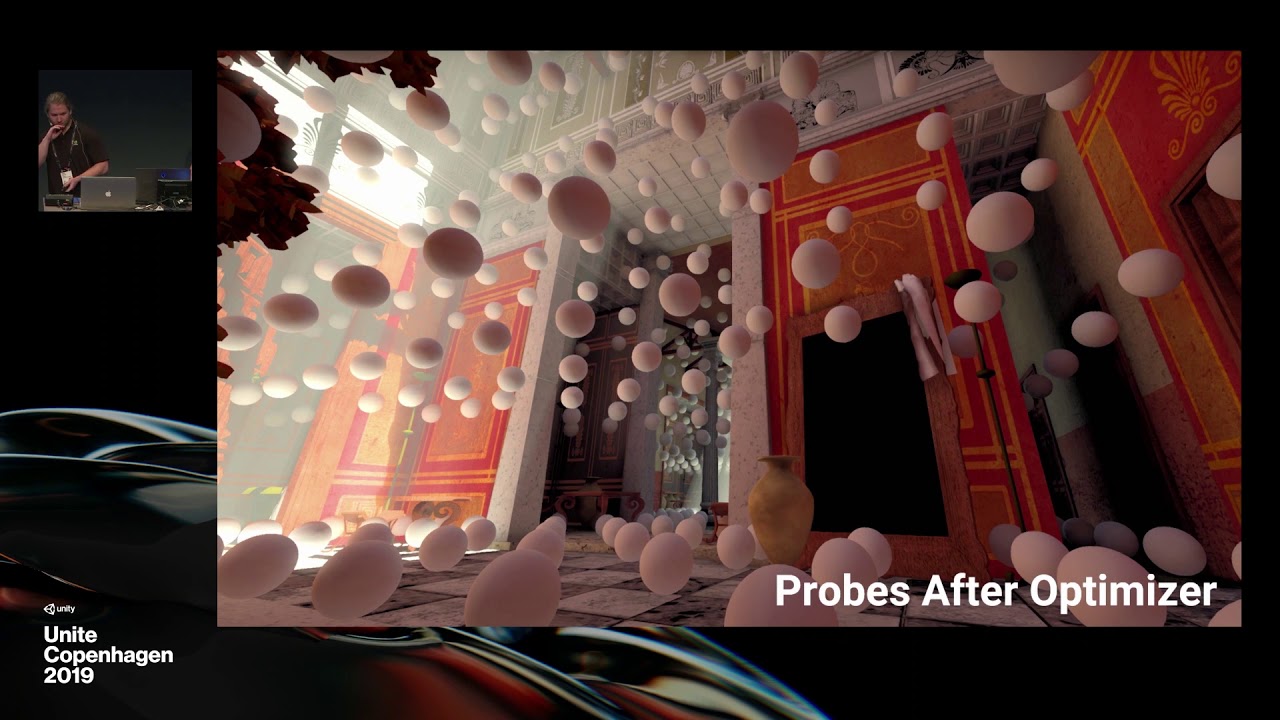
NVIDIA RTXGI was leveraged to create real-time global illumination in Unity. The product-facing integration of this tech combines great artist workflow with stunning real-time ray traced results. In this talk, we review ray tracing, show behind-the-scenes VFX breakdowns for a ...
turbid matrix
@sinful locust I'd always start by closing the editor, wiping the library folder and opening the project again
especially when dealing with different SRP versions, there's often things left behind on the cache that break things
indigo summit
wait how do you enable SSGI in 10.x now?
it's enabled on HDRP settings and global volume
but it seems it's not visible
been a while since i'm tinkering with bleeding edge
scarlet hull
Did you check the frame settings also ?
turbid matrix
you need both frame settings and hdrp asset to enable it + the volume itself
I personally still think HDRP setup is horrible, despite me knowing how to use it
I'm curious though, will it still be frame settings once we go full time to render graph?
waxen lantern
wait how do you enable SSGI in 10.x now?
@indigo summit the SSGI doc page isn't up yet but we assume the process is similar to setting up RTGI which is in the HDRP docs: https://docs.unity3d.com/Packages/com.unity.render-pipelines.high-definition@10.0/manual/Ray-Traced-Global-Illumination.html
since SSGI is meant as a fallback for non raytracing capable GPUs, i would hope it's nearly identical
turbid matrix
waxen lantern
@turbid matrix nice, i was thinking it might be there already.
@turbid matrix err, i get a 404
indigo summit
Off
no difference, and all the settings are enabled afaik
welp not sure why, it was working on previous version :/
waxen lantern
@indigo summit what's up with your scene that it already seems to have GI though?
indigo summit
uh no, it's just ambient light from the sky
waxen lantern
@indigo summit can you disable that for testing? any ambient light is just making it more difficult to see what's going on
indigo summit
waxen lantern
perfect 👌 ha
waxen lantern
i know it worked in previous version like this, but does it work with any other light types? @indigo summit
@indigo summit also did you "enable Screen Space Global Illumination in your HDRP Asset." ?
oh i see one of your earlier screenshots may be that, out of context
waxen lantern
@indigo summit did you upgrade this project from the previous version? maybe worth trying a fresh test project with this version
indigo summit
nope, fresh using the new HDRP template
waxen lantern
@indigo summit this is a shot in the dark but maybe try forcing deferred render path or enabling the depth texture on your camera
turbid matrix
@indigo summit I don't think SSGI applies to static objects if you have baked GI enabled
like, if I take the old HD Template with workbench scene, SSGI does nothing until I actually remove baked lights
waxen lantern
ah that's a good idea to check, too
turbid matrix
(unless I put some dynamic object there)
in case you use baked lighting, SSGI can help to bridge the gap between baked stuff and dynamic objects
turbid matrix
no you don't
indigo summit
why it's not follow the HDRP settings ?
turbid matrix
only if you actually had override there already
by default it uses the default frame settings from your project settings
you can still override it per camera if you really need to
what I suspect happened here was that you had frame settings override set for your camera already and that overrided the default settings on project settings
turbid matrix
or.. you never checked that thing in the first place, yes
(which I and Remy suggested you to check in the beginning already)
indigo summit
so the render pipeline settings are not override the default settings?
i totally forgot this thing exist 😄
turbid matrix
pipeline asset doesn't mean same as frame settings
indigo summit
i see
turbid matrix
basically you can swap pipeline assets as you will and you can also override frame settings per camera if you need to
I find this setup quite confusing as you then mix it with volume settings on top of all
indigo summit
i guess that's what happened to me then 😄
To many thing to check just to enabling stuff
kinda redundant
turbid matrix
yeah, there's some logic behind it but I feel like it should be all just automated
indigo summit
well the camera frame settings override are make sense
but the default settings and render pipeline settings are basically almost the same
should've been centralized at least
turbid matrix
I think it goes internally like:
- is this feat enabled in SRP asset, if so, make sure we allocate and prepare needed buffers and setup for it
- is this feat enabled in frame settings, make sure we actually apply it to this camera
and volume settings then just control the settings for it
also there's a thing about scalability... you can control different quality levels to enable different features so it needs to be in HDRP asset (as you can swap these assets per quality level)
should've been centralized at least
@indigo summit this is something I've suggested Unity quite a few times
basically the current mess is caused by them not changing past conventions and just stacking their things on top + scattering those around as well
indigo summit
another "Yikes" situation
turbid matrix
Unity is really concerned about changing anything that could break backwards compatibility on core setup
so stuff like this happens
I do hope they will do something about this next year when they unify the SRPs
blissful geode
So I managed to reproduce a "hole" stencil shader in hdrp
https://gyazo.com/201e553368c157d0a0e7b1288d90b96b
I explain how to do here with custom pass if someone need it.
https://stackoverflow.com/questions/57044672/is-it-possible-to-create-a-depthmask-effect-in-unitys-hdrp/64352913#64352913

Stack Overflow
I've been banging my head against this for a while but I cannot figure out if it is possible to create a DepthMask shader for HDRP (as descibed here).
For my exact use, I'm trying to create a "ho...
indigo summit
now i'm kinda scared to see the future of SRP
turbid matrix
wonder if that queue thing was that broke my past custom pass stencil example
I never had time to revisit it but some users said it didn't work anymore
there was a slight change in HDRP that affected the default queue stuff which I had to fix on the movec spoofing shader
so, could have been same root cause even
I never really liked the custom pass for stencil masking though, I'd rather set the bitmask from main HDRP shaders / shadergraphs
modifying HDRP to allow that has been on my todo list for a long time but there's always been more important stuff
waxen lantern
@turbid matrix do you have a concise description of render graph? i see it all over the graphics repo, tests and features for it. I assume it's some internal parallel code refactor to help make SRP more manageable? but I really have no idea
turbid matrix
afaik it's quite similar to current frame graph but it decouples the graph from frame itself
there are plenty of technical talks and slides around that explain this concept better than I ever could
frame graph itself is already quite modern thing, render graph is just the latest and newest thing
UE4 for example moved to RG in 4.22 but their change was more radical due to so different architecture before it on their renderer
waxen lantern
ah ok, so it's the hip new paradigm? not even something really Unity specific
or a design pattern i guess
@turbid matrix anyway, thanks. that gives me enough information... to find relevant information on it lol
waxen lantern
@indigo summit makes sense, the probe isn't limited to screenspace
@indigo summit i think you could crank up the SSGI settings to at least get something closer, but like @turbid matrix was saying, you can just use light probes for GI on static objects / architectural elements, and use SSGI or RTGI for dynamic objects only.
should be able to maintain some balance of quality and performance that way
indigo summit
i like the current probe volume bake quality, in previous version it was weird
Also probe volume seems lit dynamic object
turbid matrix
I was really referring to regular baked lightmaps earlier with my comment
and yeah, probe volume should work with dynamic objects too
it's just your dynamic objects won't contribute to it
indigo summit
i can live with that 😄
wind fox
A noobish question: if I have a custom render pass in which two buffers keep ping-ponging on each other with a specific material, I expect to see in the end the results of each blit piling up
which is actually what I'm looking for
but what's happening is that sometimes it's clearing the dest texture instead of blitting its result
Now, I'm pretty sure I'm doing a mess in the Configure method, but I can't find any documentation on how should I properly use the three overridable methods in ScriptableRenderPass (Configure, Execute, FraemCleanup)
I mean, it's almost self-explicative but without knowing what's going on under the hood leaves me confused
turbid matrix
@wind fox you didn't specify what renderer you are trying to implement that for
wind fox
URP
turbid matrix
but if you just need feedback effect on few buffers, you could implement that directly on custom render texture
URP unlit shader graphs can be used as CRT shaders as well
wind fox
I'm doing a custom render feature, which contains two custom render passes; the first one just blits a "seed" texture, the second pass bounces an effect back and forth N times before blitting the final result to screen
turbid matrix
yeah, so you don't really need to render anything from screen into it?
wind fox
Actually, yes, the "seed" comes from the screen
turbid matrix
even if the initial seed comes from capture, you could still use CRT setup
here's one example (for built-in but same logic applies on URP): https://github.com/keijiro/RDSystem
 wind fox
what do you mean by CRT, Temporary RTs?
turbid matrix
CustomRenderTexture
it's special type of RT that you can directly render a quad with material into
wind fox
mmh, that's what I'm doing right now, how does it change?
turbid matrix
it's handy for anything that needs feedback kinda thing, like water propagation etc
wind fox
I mean, in my pass I do cmd.Blit(source,dest,material)
turbid matrix
does blit actually work on URP?
but yeah, if you do that already, it won't really change anything other than simplify the setup
I asked if blit works because I've seen x amount of forum threads saying it doesn't work properly on SRPs
wind fox
It is "working", that is, it's taking the source texture and it's blitting it into the dest buffer through a specific material
What happens though is that I have the feeling it seems like something wrong happens when I blit back and forth, as if it either auto-clears the dest or the source after each blit
My guess is that I have to put the proper commands in the Configure step, but there's literally 0 documentation about it
Since one of the suggested commands is ConfigureClear()
wind fox
btw, Blit works in URP, but you have to call it through a CommandBuffer, not from Graphics
 sinful locust
any chance that URP will switch to a Camera-relative rendering model?
candid basin
@sinful locust It's under consideration
I have a question, in the 'future', will raytracing become the main rendering algorithm in Unity?
sinful locust
hmm 2+ years ago
candid basin
@sinful locust yeah for sure, don't count on it
I guess vote on it 🙂
but not sure how much they actually look at the votes
sinful locust
GPUs are no where near powerful enough to do full raytracing. I suspect they are at least a couple orders of magnitude away from that.
I'll just use HDRP, no need to wish for something that may never come when something already exists that meets the need 🙂
candid basin
but in theory, that's where we are heading right? I'm asking because I'm taking a rendering course right now, and the professor said that rasterisation is being used less and less because of triangles getting to sub-pixel size
sinful locust
I dont really get Unity's duel rendering approach, in the long term anyway, seems like at some point the limitations of URP will necessitate moving to HDRP or yet another rendering solution.
candid basin
I'm not sure if you saw that ue5 announcement video, but there they had some scene with crazy small triangles, and lots of them? That's not using rasterisation?
sinful locust
ya that wasn't raytracing tho.
research Unreal Nanite if you want more details. The solution has limitations, which the demo was designed to avoid.
its cool tech, but like is normally the case it isn't the end all be all solution to all things 🙂
turbid matrix
@sinful locust in short term, Unity will try to make URP and HDRP swappable so you can author your project once and use on all targets
in longer term, they have DOTS and it will inevitably get it's own dedicated renderer some day. Today they use hybrid renderer that binds dots to URP and HDRP but I'd expect something more "pure" ECS renderer eventually
given Unity's current pace on these things, I wouldn't expect to see functional (nonhybrid) DOTS renderer in like... 5 years)
unless we count some more limited Project Tiny things but that's a whole another story
keen pivot
does static batching objects in HDRP override the SRP batcher?
i know SRP overrides instancing
i'm having problems understanding the frame debugger in any useful way at the moment and i'm wondering if i'm making my own life harder by marking objects as static
waxen lantern
ya that wasn't raytracing tho.
@sinful locust nor is it "traditional" rasterization
@candid basin there is a broad spectrum of rendering techniques to work as stop gaps between rasterization and raytracing such as texture space shading, mesh shaders / indirect rendering, custom gpu software rasterization, various global illumination / irradiance methods like voxel cone tracing. to name just a few. and the real-time raytracing you see today in photorealistic games is all hybrid ray tracing, i.e some passes are rasterized such as albedo and others are raytraced separately with their own denoising passes. and you can mix and match as little or as much raytracing and other techniques as you'd like. it's modular and complex but currently the best approach we have to balancing quality and performance.
waxen lantern
GPUs are no where near powerful enough to do full raytracing. I suspect they are at least a couple orders of magnitude away from that.
@sinful locust maybe for an all purpose, one pass path tracing solution. which is still a type of ray tracing depending on who you ask. (plus a single denoise pass of course.)
@candid basin which would bring real-time rendering / lighting on par with say, blender cycles or octane's path tracing methods. much more simplified and unified, easier to set up and manage versus some frankenstein method with dozens of passes like we have right now.
fortunately ray / path tracing scales in parallel almost perfectly, so we'll be on our way to that first order of magnitude later this decade once multi-gpu chiplet architecture (multiple GPUs dies on one package and IHS with a nano interconnect fabric) inevitably arrives from all major gpu makes. even laptops will be available with "multi-GPU" though it will be transparent to the user and developer as a single GPU for most purposes aside from low level explicit multi-GPU API access if desired.
this multi-gpu "chiplet" architecture will also bring with it on the driver / API / engine level much simpler discrete multi-gpu scaling for those that want to throw money at a custom 8 to 10 GPU server to get closer to that second order of magnitude sooner than moore's dead law will allow in die shrinkage. so there's hope but it's still gonna be a while... it's an era that's going to look a bit like the old days of silicon graphics where there will be $100,000+ workstations and servers that can render 10x+ higher quality graphics in real-time than anything available on consumer level due to silicon fabrication constraints and costs.
dawn sorrel
@wind fox you're supposed to use Blit that you inherit from ScriptableRenderPass I think.
Like this cs Blit(cmd, source, destination, settings.blitMaterial, settings.blitMaterialPassIndex);
wind fox
@dawn sorrel mmmh, how does it change from using the CommandBuffer retrieved from CommandBufferPool.Get(profilerTag)?
it still requires a CB to be passed into
on a sidenote, all my blitting issues may stem from a precision issue in the shader I wrote
dawn sorrel
I dunno, it does some stuff inside.
 plain burrow
cinemachine not working for HDRP?
Library\PackageCache\com.unity.cinemachine@2.3.4\Runtime\PostProcessing\CinemachineVolumeSettings.cs(5,42): error CS0234: The type or namespace name 'HDPipeline' does not exist in the namespace 'UnityEngine.Experimental.Rendering' (are you missing an assembly reference?)
scarlet hull
Can you upgrade it ?
This seems to reference an old version of the HDRP api when if was still in preview
indigo summit
In Legacy Post Process Stack we have a debug histogram viewer, is that available in HDRP?
turbid matrix
@indigo summit have you checked the debug mode?
indigo summit
HDRP debugger?
waxen lantern
@indigo summit see automatic histogram on the HDRP roadmap. https://portal.productboard.com/unity/1-unity-graphics/tabs/18-high-definition-render-pipeline
Product roadmap and feature requests. Welcome to our product portal.
waxen lantern
Debug modes
In addition the following new debug modes will be added to assist you with setting the correct exposure for your scene:
- Histogram View
- Final Image Histogram
turbid matrix
yeah, that thing
I think it was only added to some of the recent HDRP versions
so if you are looking at it on 7.x you probably won't find it there
indigo summit
i'm on 9.x
waxen lantern
that's true, the roadmap states it will be available for 2020.2 and HDRP 10.0, it's not finished yet
turbid matrix
hmmm, it's possible the setting hasn't even been exposed yet
I've seen PR and images of it on github so I thought it was merged
waxen lantern
i mean it's supposedly in beta but not trying to set false expectations for anything that isn't part of a final release.
waxen lantern
@indigo summit exactly, ha. it will be soon. they've done most of the work, just needs to go through beta testing stage
indigo summit
ah alright, Thanks for the info everyone
 tiny mirage
Hi there, I'm using URP 10 and I'm having issues with custom render passes. I'm trying to make this 'Kawase Blur' work in the UniversalExamples project, but it seems that 'cameraData.renderer' is not internal, meaning I can't access it anymore.
I found out that you can now configure requirements (such as an opaque texture for the blur) by using ConfigureInput, but I'm not to sure when to call it...
waxen lantern
i'm on 9.x
@indigo summit
@turbid matrix speaking of do you know why SRP 9.x even exists or why anyone would want to use it? as far as i know:
SRP 8.x is for 2020.1
SRP 10.x is for 2020.2
i mean, aside from the fact that it's increasingly fashionable to skip version 9 for marketing purposes 😂
waxen lantern
ah yeah maybe for backporting new features from 10.x without breaking changes in 8.x
that's just my guess, though
 patent sun
Im playing around with HDRP. Is there any way to make this room dark?
 lethal pagoda
Wasn't 9.x.x for testing DOTS HybridRenderer support?
 glad tartan
@waxen lantern 9.x.x is for 2020.1 it's not an intermediate version or anything like that, it's just the version for 2020.1. It was supposed to be 8.x.x but there was a change that needed editor changes as well so when that happens HDRP, URP, and Shader Graph, and VFX Graph gets a version bump to keep everything with the same main version number.
2020.2 could end up with a 11.x.x if they were still doing massive changes to SRP but things are in stabilization mode right now so not a lot of new features are being introduced. Mainly bug fixes and performance optimizations.
So that's the main reason why versions can change for a release
waxen lantern
thanks for the clarification, @glad tartan. that makes sense 👍
glad tartan
No problem
@patent sun Only way is to bake lightmaps or use the Probe Volumes. Easiest is to bake lightmaps
actually they are both pretty simple but lightmaps are what you will find the most info on as probe volumes require some additional setup on HDRP side
turbid matrix
@waxen lantern there's additional info and reasoning here: https://forum.unity.com/threads/srp-9-x-x-and-srp-10-x-x-important-information.937283
Unity Forum
Hi,
It appear to us that we haven't communicate about the new "-preview" package that we have done.
Here is a sum up of binary version and HDRP...
basically in the nutshell, 9.x is just to give 2020.1 users preview of what 10.x will be in 2020.2 as Unity didn't have time to bring all the new stuff to 2020.1 officially. therefore 9.x will be only released as preview
10.x is likely to see actual releases, not only previews but so far they've labeled current releases as previews. I think it's because there's quite big changes and 2020.2 isn't actually out yet
patent sun
@glad tartan i need realtime lighting :/
upbeat badger
RTGI or SSAO + SSGI
glad tartan
Unity currently dosent have any other occlusion solution for lighting other than baking lightmaps. Maybe you can get something on the asset store but other than that you are out of luck
turbid matrix
that's baked solution as well though
and at this point, you'd probably want to go with probe volume if you needed something like that
patent sun
how to use probe volume?
turbid matrix
it's highly experimental atm
probably want to try it on latest 2020.2 beta and HDRP 10
I don't think there are docs for it because Unity doesn't really want people to use it yet
things could change / get removed
waxen lantern
Im playing around with HDRP. Is there any way to make this room dark?
@patent sun put a door on it?
 patent sun
bruh xD
glad tartan
@turbid matrix Your port of occlusion Probes works with HDRP 10?
turbid matrix
no idea, it could
but last time I checked, it didn't really work with high intensity lighting values
so for baking you'd have to use old style lighting range (no exposure adjustment)
tiny mirage
Bumping my question from earlier. It seems that URP 10 has broke the Blit custom render feature. Has anyone tried this yet? I've been at this all day :(
 analog meteor
how do i update to urp 10? i wasnt able to find it in package manager. Is it exclusively for 2020.2?
also, it looks like urp 10 has real time ambient occlusion now?
oh crap urp 10 breaks blit? might be a no go for me then lol
tiny mirage
@analog meteor Yes, and yes. You need the 2020.2 beta, and SSAO comes as a Render Feature
analog meteor
is it worth it?
tiny mirage
If I can fix the Blit issue, yes I guess. You also get Shadergraph 10
tiny mirage
New UI. Frag and Vert are clearer to see. Haven't delved into it yet
analog meteor
ooo
turbid matrix
@tiny mirage @analog meteor main big thing on the new SG setup is that you can now actually have multiple targets for same graph... meaning you can use same shader graph for both HDRP and URP for example
if you have both packages installed and have both set as your SG targets, the generated shader will include requires shader passes for both SRPs
analog meteor
ooh that’s insane!
does that mean that urp shader graph now has some of the features that hdrp graph has?
turbid matrix
no
it just means you can mix different shader graph templates to single SG
like, if you pick HDRP Layered Lit variant for HDRP and URP Unlit variant for URP, you can still wire it, it'll just ignore the wire / node entries for the URP that are not valid for that target
there are some URP specific nodes out there as well
normally if you do want to author for both targets, you'd just pick similar templates for both and use functionality that exists for both
@waxen lantern I also just saw this message from stramit on the forums: The 9.x.x package stream has been an experimental stream that was used to get early access to a number of forthcoming features in SRP and Hyrbid renderer. Now that Unity 20.2 is in beta this stream will stop being maintained. All changes from this package stream have been rolled into the 10.x.x release stream. 10.x.x will be the verified package in 20.2 and included as part of the Unity installer. The 10.x.x stream is available via package manager if you are on Unity 20.2.
waxen lantern
Bumping my question from earlier. It seems that URP 10 has broke the Blit custom render feature. Has anyone tried this yet? I've been at this all day :(
@tiny mirage @analog meteor v10 Graphics packages and Unity 2020.2 are also still in beta, so issues like this are to be expected. and i'd expect it to be resolved before release assuming anyone submits / submitted a bug report about it.
drifting vault
URP 10.1 with shadowmask support should be come soon
lethal pagoda
Are there any news when new URP 10.x.x preview release will be available on Package Manager? I am not able get the ones downloaded manualy from github to work and the latest on Package Manager is from August 03, 2020
waxen lantern
@lethal pagoda Graphics 10.x packages will release with Unity 2020.2. which is scheduled to release Fall/Autumn. so... presumably sometime between now and December 21st, the first day of Winter 🥶
turbid matrix
@lethal pagoda you can't manually download the SRP packages from github so I don't wonder you didn't get it working
you need to clone it via git tool that supports git lfs or you won't get binary files properly
current srp master probably works with latest 2020 beta 7 if you want to try the bleeding edge
lethal pagoda
@turbid matrix Cool, will try it out, thanks 🙂
tiny mirage
I've finally found it. In summary, in URP 10, the renderer struct seems to be inaccessible inside scriptable render passes because it became internal. Without renderer access, it's hard to make Post Processing effects because we can't access the camera's color target.
To fix this, use a RenderTargetIdentifier with _CameraColorTexture for address, this'll get the texture for your PP needs.
waxen lantern
@tiny mirage thanks for the heads up. sounds like it's a breaking change, not a bug, fortunately. also, seems related to this mention in the upgrade guide:
DepthNormals Pass
Starting from version 10.0.x, URP can generate a normal texture called_CameraNormalsTexture
https://docs.unity3d.com/Packages/com.unity.render-pipelines.universal@10.0/manual/upgrade-guide-10-0-x.html
waxen lantern
current srp master probably works with latest 2020 beta 7 if you want to try the bleeding edge
@turbid matrix yeah @lethal pagoda you should generally never use SRP package versions with Unity versions that they aren't verified / meant for, anyway. that's why Unity removed this ability from the package manager, in most cases people were just breaking their projects. (e.g. if you did manage to install URP 10 into let's say 2019.4 or 2020.1 many things would not even work. so, unless you have a sizable team that wants to maintain a custom fork of these packages for some special reason, don't ever do this.)
So like 0lento said, if you want to try URP 10 before it's released, The Unity 2020.2 beta has it pre-installed. Or just wait about a month or so for final release if you aren't sure you want to become a beta tester.
 livid lily


 faint nymph
@livid lily you have to convert all of your shaders into HDRP
it's not a fun process
Why is bloom causing weird glowing bits on non-glowing areas? In this case, the sword...
 true zealot
It looks like you might have a shader scenario that is causing a very bright or NaN value
which is blooming out
There's a suspicious black dot in the center of that bloom
 opal sierra
what is the best way to make a toon shader like breath of the wild in HDRP?
turbid matrix
That sounds like total waste of hdrp tbh
Do it in urp rather
It will be harder to make in hdrp and it will be a lot more perf heavy so you only lose in all fronts
@opal sierra ^
opal sierra
I've been looking at tutorials and I see only unlet materials for toon shader
so does that mean no shadows and anything like that?
I am more looking at a "post process" type toon if you know what I mean
like I want all the lighting stuff HDRP is doing, but after all of that, but instead if smooth gradients, I want it segmented
turbid matrix
Unlit doesnt mean it couldnt have shadows
opal sierra
It feels like all the toon shaders out there discards all of the lighting stuff included in unity
turbid matrix
It just means shader itself doesnt accept global shadows, your sg can still create it's own if it has access to the data
Among first google hits https://github.com/ciro-unity/BotW-ToonShader
GitHub
A recreation of Zelda: Breath of the Wild's toon shader in Unity, using Shader Graph - ciro-unity/BotW-ToonShader
But this really sounds like you dont really want botw look
turbid matrix
If you want PP effect and hdrp then do it as hdrp custom pp
opal sierra
oh?
turbid matrix
I doubt you find any tutorial just for that but it's totally possible
I guess you could try custom pass too with SG but I'm not sure if you get access to everything you need that way
opal sierra
custom pass?
turbid matrix
Custom pp means you write the pp shader(s) manually, no shader graphs there atm
@opal sierra these should get you started:
HDRP Custom PP docs: https://docs.unity3d.com/Packages/com.unity.render-pipelines.high-definition@8.2/manual/Custom-Post-Process.html
HDRP Custom Pass docs:
https://docs.unity3d.com/Packages/com.unity.render-pipelines.high-definition@8.2/manual/Custom-Pass.html
Custom Pass intro:
https://www.youtube.com/watch?v=vBqSSXjQvCo
Git repo with bunch of custom pass examples:
https://github.com/alelievr/HDRP-Custom-Passes/

When using the High Definition Render Pipeline (HDRP) we can use a custom pass to change materials on scene geometry, change the draw order in which objects being are rendered, and read camera buffers to use in our shaders. In this video, we'll take a look at how we can build ...
GitHub
A bunch of custom passes made for HDRP. Contribute to alelievr/HDRP-Custom-Passes development by creating an account on GitHub.
opal sierra
Thank you, will look into it
turbid matrix
as for how you can do the toon shader in PP, you can probably find more examples for that if you seek out some tutorials for UE4 as they tend to do it in PP often there
turbid matrix
I don't really see anything in that which would require HDRP
turbid matrix
there is no volumetric fog in your example
turbid matrix
anyway, do note that what you are going for here (hdrp, volumetric fog etc) will mean the end result will be very demanding, it will not run on weaker computers
or well, at high frame rate at least
if you target anime frame rate, that's fine then 😄
opal sierra
so what would you recommend
turbid matrix
I just stress that because people often think that simple looks would run fast but it really boils down how you get there
opal sierra
just having HDRP will reduce fps?
turbid matrix
yes. big time, especially if the computer isn't high end
when I test even the default workbench template from URP and HDRP in my old i3 with dedicated old nvidia gpu, HDRP runs that scene (without volumetric fog!) at 18fps where URP is like 120fps
I couldn't even enable volumetric fog on that rig
opal sierra
so URP is good then
turbid matrix
if I do the same test on my high end computer, the difference isn't as radical
opal sierra
what cant I use with URP that HDRP have?
turbid matrix
just trying to tell that there is a high cost on HDRP if you want your game to be available to more people
opal sierra
URP is still the new unity rendering engine right? not the old unity legacy stuff
turbid matrix
URP and HDRP both use scriptable render pipeline and both are "new"
anyway, HDRP can be fine if you target only machines that can run it, but that's really up to you to figure out what is your target for the game
opal sierra
This game is more of a look around game, but it "supposed" to run on VR
so I guess FPS is important
turbid matrix
VR will be quite demanding on HDRP
opal sierra
can I still do the stuff you send above with UDP?
Shader graph + VFX graph stillwork?
turbid matrix
with URP, you could just do the whole thing on SG
VFX graph works in URP as long as you target systems that have compute capabilities
URP itself runs on all devices, but VFX Graph won't run on all mobile phones
opal sierra
Keep in mind this is a 3 week project, so I am trying to get the look I am looking for as fast as possible
opal sierra
I dont know how much shaders I will need to write for UDP to look right
turbid matrix
then just take the URP shader somewhere and forget the volumetrics 🙂
turbid matrix
should be able to
I don't remember the default PP effects URP has atm but with custom shader graphs you could do that in there as you do get depth buffer access there
also if that's some school assignment, you probably don't need to care that much of the perf (as long it runs on the demo machines)
I thought this was like for actual bigger scale project, hence suggesting to keeping it slim
opal sierra
yeah, not big scale project
it is for school, it should be VR but now it is not cause they cant give out VR stuff to everyone
our project is like a calm scenery game
so I thought to make the graphics a bit better/unique
faint nymph
I would definitely avoid HDRP for Vr
faint nymph
URP or built in for sure for Vr
turbid matrix
and adding volumetrics on it will be even worse
faint nymph
Not sure why you'd need volumetrics for anime scene
And using volumetrics for Vr is also quite questionable
turbid matrix
but the bottom line here is, you have limited time, and it sounds like you have no experience on these systems yet. You'd be going so much faster on just by looking at the existing tutorials on this with URP vs rolling everything from scratch on HDRP + it wouldn't run well on majority's computers
- URP and VR is actually doable
faint nymph
Yep and I'd even consider going for built in if you're doing such a short term project
Because there are 1000x resources for builtin
Easier to quickly put something together
URP isn't actually much faster unless you have a lot of lights, since urp has forward base and builtin forward has light per pass
turbid matrix
I'm a seasoned programmer who knows HDRP and it's custom passes and I'd need all that time to even get that looking end result
just trying to put things into perspective here
there's like literally no time for anything else
faint nymph
Unless you want to dig into urp code, which I'd say you probably don't have any time for that, I'd consider sticking to builtin
Yeah
At least avoid HDRP lmao
faint nymph
You should only use HDRP if you have a real reason to use it
turbid matrix
built-in can do it too for sure, I tend to not recommend it mainly because it's not really under development anymore and working with SG's can be easier if you are new to all this
opal sierra
The back up was soft lighting + letting baked light maps do the work
faint nymph
For a short project I'd imagine builtin would be really good
Assuming you have amplify, actually
If not then go urp yeah
opal sierra
amplify?
faint nymph
Shader Editor
turbid matrix
I'm assuming here that school project = no paid assets
opal sierra
yeah, not buying stuff here
turbid matrix
Amplify Shader Editor is a paid shader editor that's especially useful if you use the old built-in renderer
faint nymph
I personally use Amplify + URP
turbid matrix
it does work on URP and HDRP too but there you have shader graph as well
ASE itself is awesome
faint nymph
I hate shader Editor, way too limited, but hey it's free so there we go
Perfect for people wanting to jump in
Glad it exists
turbid matrix
for me the the main reason to stick with SG for most things is because I do use bleeding edge HDRP all the time and maintaining ASE's HDRP template myself is pain... I do upgrade it myself every now and then if I need something because ASE does support few extra things like CRT and tessellation
Amplify only supports stable unity releases
faint nymph
Ahh yeah I have my own URP Template, and have to modify it sometimes
turbid matrix
which is understandable
faint nymph
I dont do bleeding edge though, since I'm trying to have a stable game XD
opal sierra
so.. urp it is?
faint nymph
I'd say so yes
turbid matrix
that's what I'd personally go with if I had project like that
faint nymph
Me as well, if I had the resources you do Ender
I spent the last week converting my big project from builtin to URP and oh boy was it a pain
But now it's done :)) yay
And the game goes zoom zoom cause of the single lighting pass forward renderer and simplified lighting
faint nymph
Question - in URP are lights culled per-object? That is, if a light's range doesn't meet with the object, does it calculate lighting for that object? It almost looks like... yes?
oh wait, they are culled
never mind!
opal sierra
Thank you, I will stick with URP then
turbid matrix
@indigo summit btw saw these when using debug mode to check something else:
it puts full screen wide histogram at the bottom of the camera view:
but yeah, that's probably only available on bleeding edge HDRP
opal sierra
How hard is it to modify the URP Lit shader to get the banding effect of a toon shader?
 ripe fable
GitHub
A very simple toon lit shader example, for you to learn writing custom lit shader in Unity URP - ColinLeung-NiloCat/UnityURPToonLitShaderExample
@opal sierra you might like this.

first try at working in a different style today
^short test I did with it on URP
opal sierra
pretty cool
I am just messing with the default lit shader right now, not too advanced
@ripe fable thanks, how hard is it to use? does it support unity's default lighting stuff?
ripe fable
For URP yeah, just a replacement for your default lit shader, I remember it being really easy to use
opal sierra
oh dang
if I get board of this I will definitely check it out
or have no time that is
opal sierra
 mighty aurora
Apologies I'm not sure if this would be a lighting or RP question.
We want to upgrade to URP but our 3D game has flashlights (spot lights), amount depending on the number of players. I'm curious if there's a trick or workaround we could use or would it be best to wait until URP deferred is out? (Which i'm curious how that's going)
 sweet lodge
I'm having a issue with URP with unitye 2019.4.10f it's not creating render features correctly
I right click and it create a render feature it comes off as a script
 gaunt wolf
Does URP work with Unity 2018.3 ?
drifting vault
2018.3 is super old. try 2019.3 @gaunt wolf
turbid matrix
@gaunt wolf technically yes, since it was called LWRP back then
it got renamed to URP for 2019.3
but if you mean like, can you use current URP versions on your 2018.3 then that would be a definite no
also you shouldn't use 2018.3 in the first place but 2018.4 LTS if you are stuck on 2018 version
gaunt wolf
So if I opened my project which is currently in 2018.3 in 2019.3, would it work ?
turbid matrix
dont use 2019.3 either, use 2019.4 if you go for 2019
we can't tell how much work it would be to migrate your project to newer version, make sure you have a backup and try upgrading
everything is doable