#archived-hdrp
1 messages · Page 55 of 1
 dawn sorrel
 grave totem
Hi, I've got a quick question. I'm working on a space exploration game in Unity which is going to be low poly. When I was tinkering with rendering, I decided I'd try HDRP, but thought it was overkill for a low poly project, however now I'm seeing the volumetric skies feature, which would allow me to render atmospheric skies correctly. For a low poly game, is this use case still overkill? I'd love an opinion, thanks!
 turbid matrix
@lost fern URP requires Unity 2019.3 or later
dawn sorrel
I think they seen my message and assumed you were on 2018
turbid matrix
yeah, 2019.2 is 100% unsupported too
you shouldn't use it
if you find a bug in 2019.2 and tell Unity about it, they won't fix it because it's tech release that's now out of support
just use 2019.4 LTS now
 lost fern
alright thanks
grave totem
I think ima go for HDRP
turbid matrix
@grave totem HDRP does have bit prettier shading but it's also more perf heavy
if you want your game to run well on as many target devices as possible, URP is way better option
grave totem
Yea, I'm not too bothered for target platforms, I'm targeting PC only really
 prime merlin
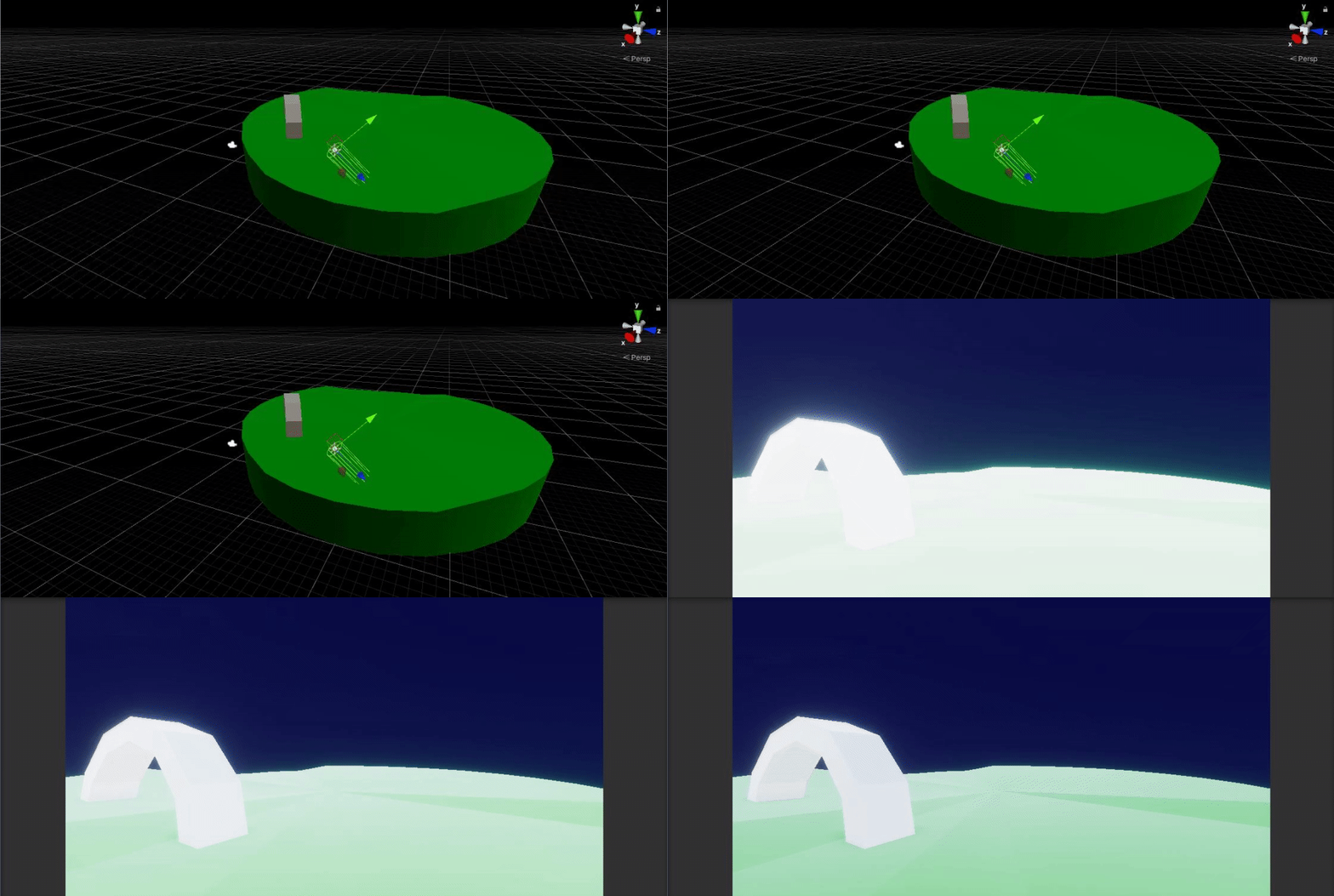
why the quality is very bad
The colors is washed and everything is missed
does anyone know why this could happen?
 mighty swift
I'm guessing it's your indirect lighting.
Looks like the top images have a warmer fill light.
But I'm not an expert in that stuff. I'm more into programming and optimization.
turbid matrix
@grave totem even on PC, HDRP limits your perf on lower end computers
for example I can't run HD template faster than 18fps at 1080p on my low end test rig (i3 + nvidia gt640)
where URP template runs 110+ fps
this really shows up the weaker the rig is
on relatively powerful computers the difference is not as big if you tweak the settings
grave totem
I mean, I know its gonna lower support for PC's, but I think its kinda necessary given the technologies I require, plus when I was working with some custom mesh generation stuff, I had really bad shadows on URP and built in, HDRP was the only pipeline that made it look any good (they had strange edges etc.)
turbid matrix
using built-in renderer is also one option
it does require some 3rd party assets to make it look pretty though
like NGSS for PCSS shadows
some solution for volumetrics etc
grave totem
I think I'm going to stick with HDPR, especially loving the whole shader graph thing
thanks for this information though!
 abstract elbow
hey how do you render with hdrp flawlessly, last time i installed hdrp, i couldn't open my game and had to make another one
 covert saddle
Does anyone have a technique or an idea for how to get the equivalent of GL. drawing for lines using SRP?
Just to draw a line between two points.
 cyan delta
uhhhh so, is there any way in Unity 2019.3 to have both URP with a 2D Renderer and a way to separate camera post process between a UI canvas an the actual game? Camera stacking doesnt work on 2D Renderers, and using sorting layers to put the canvas targeting a single camera doesnt really let me exclude the UI from the camera post processing
 celest ice
can anyone see how i'm getting ZFighting here?
the terrain seems to render on my mesh geometry even though it's a terrain hole?
using HDRP 8.1.0/unity 2020.1.0b13
celest ice
also, while it's not what i expect to see.. can i exploit this to just render the terrain and not the white somehow?
hmm if i make the material transparent there's no zfighting
 drifting vault
@celest ice why do you need to use terrain holes?
just place a volume snow model on top of the terrain
 celest ice
eventually for things like this (but it doesn't work with multiple planes properly yet)
 fierce patio
Does anyone know if VFX Graph can be used targeting Nintendo Switch?
 indigo summit
if Switch support Compute shader it should run
celest ice
you profiled it?
then you know why the performance is bad? 🙂
idk sorry, i don't think HDRP is really designed for VR
 wild oasis
Anyone knows why a post processing bloom effect in URP on android would drop the performance down to 5 fps, and is there a way to fix it?
 broken lichen
Bloom is expensive on mobile, mostly because of the tiled renderer
wild oasis
tiled?
broken lichen
The solution is to not use bloom 🤷♂️
Mobile GPUs use a optimization technique called tiled rendering
wild oasis
damn... I guess that's really the only solution then...
broken lichen
Basically, instead of drawing all the pixels on the screen at once, it draws them in batches, tiles
wild oasis
It works perfect on my device, but lags horribly on my friends, I didn't believe there could be such a difference...
I see
broken lichen
Bloom has to blur the entire image, so it has to wait for all the tiles to finish
Which is what takes so long
wild oasis
Is there a technique to find out if a device can or can not handle the bloom?
broken lichen
Which phone model is it working on and which model is it not working on?
wild oasis
works on my Pocophone f1(or something like that).
lags horribly on HUAWEI P20 LITE
I guess it's the gpu difference...
broken lichen
Yeah, yours has a GPU that is significantly faster.
https://www.notebookcheck.net/Adreno-630-vs-Mali-T830-MP2_8780_7310.247598.0.html
Notebookcheck
wild oasis
So what are my options? Should I just put an option to disable the post processing in the game?
broken lichen
I don't know what the standards are in mobile gaming. The only mobile device I have to target is the Quest, which is nice because every player will have the same hardware
Targeting thousands of different mobile hardware sounds like a nightmare
wild oasis
Yeah. Maybe I can detect low fps on start and disable the post processing automatically?
broken lichen
Sure, that's basically adaptive quality
wild oasis
sounds like a walkaround though... =/
broken lichen
There might be some libraries that can give you some kind of benchmark score given a CPU/GPU model name, which you can use to automatically choose a quality setting
wild oasis
Hmmm... Sounds like too much hassle for a first game, that I'm pretty sure is not gonna shoot 😄
broken lichen
In the case of bloom and any post processing effect that needs to access any pixel from any other pixel, like blur, distortions, are always going to have some base cost from waiting for all the tiles.
There isn't really any way to downgrade it, you're always going to have to wait for the tiles. I believe it's called a resolve.
wild oasis
Well, thanks for the info. I guess I'll use some primitive solution for this projects. It was a valuable insight into mobile performance...
turbid matrix
@astral prairie you tested it on actual build or only in editor?
editor has huge overhead
but yeah, HDRP isn't ideal for VR, it technically supports it but URP would run so much better in VR
 rare pendant
I use URP
rare pendant
Well , when i use opengle3 for my android game , it works properly , but when i use vulkan , fore some reason a clipping plane is set for a certain distance , but i need vulkan for other reasons , how can i solve the clipping plane ?
 merry kite
How hard is it to switch between URP and HDRP? Right now I'm in the built-in renderer, and seems it's easy to swap to either URP and HDRP. But which way is it easiest to move after I switch?
- Stay in built-in as long as possible
- Move to URP, and if necessary move to HDRP at a later stage
- Just go HDRP from the start.
wild oasis
I've found the source of lag in my game... It was not the post processing. At least it was not the main culprit... It was the new 2d lights and 2d renderer on URP... Lesson learned... Don't use stuff in preview for a real project...
 rich spade
@merry kite decide on your target audience, consider your timescale and skill level / team size. IMHO to make most of HDRP you need more skilled colleagues / time to make it work.
URP is pretty stable getting, but it does keep changing... which means assets from store with different version requirements / slow to update.
So probably 1. is best option if you want to just crack on and code. 😉
merry kite
Thanks for the feedback. It's what I was thinking. Guess I'll just keep on with the built-in for now. URP seems good, but I guess I'll switch when/if needed.
If I wanted graphical fidelity I'd just do it in Unreal, anyways 😛
 reef pier
Anyone know if you can get Linear Fog in hdrp?
https://docs.unity3d.com/Packages/com.unity.render-pipelines.high-definition@5.9/manual/Linear-Fog.html
I found Linear Fog volume override in an old version of HDRP, but it seems to be removed in the most recent version
 crude trail
broken lichen
crude trail
broken lichen
@crude trail Is that a post processing shader?
Or something specific using the voxel data?
 steel lintel
Just specific using voxel data actually. I implemented this https://0fps.net/2013/07/03/ambient-occlusion-for-minecraft-like-worlds/
But the tricky part is that you have to use the particle lit shader.
Everything else completely ignores color vertex data
(I wrote the code behind the image Jack posted for the project were both on)
 full trail
how do i switch from urp to hdrp
full trail
why does my material become invisible when i turn the rendering pass to raytracing
 scarlet hull
how do i switch from urp to hdrp
Change the render pipeline asset assigned in the graphics and quality settings.
You will also have to change your materials (unless you're using a PBR master node based shadergraph, that can be common)
why does my material become invisible when i turn the rendering pass to raytracing
How did you do that ? Did you go in the HDRP wizard to enable raytracing ?
my ray traced shadows arent showing up
Well, if the previous statement about the materials beeing invisible is not fixed, I don't see how you could know if you have shadows or not ...
 tawny briar
i imported botd features>wind control and art>environment everything is fine with the tress but ofc i want wind however the wind script has an issue [HDRPCallbackMethod] doesn't exist apparently and HDRenderPipeline.OnPrepareCamera nor does that
can someone help
[HDRPCallbackMethod] static void WindControlSetup() { HDRenderPipeline.OnPrepareCamera += SetupGPUData; }
 whole fossil
guys, does any1 know how to change render queue of tmpro in hdrp? I want to render world space textmeshpro in world space after post processing but I am unable to. When I am setting
"RenderType"="HDUnlitShader"
"Queue" = "AlphaTest+51"
tags in tmpro shader it stops being visible at all
 hushed canopy
Hello guys, Any way to add custom effects to the URP post processing?
full trail
I created a new hdrp project from scratch which fixed the invisible issue, but no Shadows are appearing @scarlet hull
scarlet hull
What about the HDRP+DXR settings in the wizzard
full trail
Yeah that's what I'm talking about
When I have ray tracing on theirs no shadows
I can't remember if there are any shadows without raytracing on
@scarlet hull
here is what my scene looks like
@scarlet hull
ok it seems i fixed it
i think its because i had hdri sky on
hushed canopy
Any way to add custom effects to the URP post processing? @scarlet hull
full trail
why are there no shadows when i have hdri sky turned on
scarlet hull
Is it because the light that emits shadows is washed of by the intensity of the sky @full trail
@hushed canopy iirc it's possible, but I don't remember how on top of my head
wild oasis
anyone knows how to disable the Post processing property(?) on camera in URP via script? Camera doesn't seem to give access to that...
 fiery marsh
@wild oasis I think it's probably part of the UniversalAdditionalCameraData component that's added to the object with the camera.
turbid matrix

When using the High Definition Render Pipeline (HDRP) we can use a custom pass to change materials on scene geometry, change the draw order in which objects being are rendered, and read camera buffers to use in our shaders. In this video, we'll take a look at how we can build ...
 vast prism
HDRP: Why do the far things in my scene go dark if I add a reflection probe?
turbid matrix
@astral prairie I'll answer in #🥽┃virtual-reality to avoid crossposting
full trail
for some reason the ray tracing reflection is limited to a small radius
how do i fix this
also the raytraced shadows dont appear on raytraced materials
turbid matrix
I don't think raytraced effects will show on raytraced reflections if that's what you mean
like, if you have RT GI, it will not show on your RT reflections
as for the range, I don't know if you can tweak that anywhere without modifying HDRP package
someone worked around that just by using smaller scale models/base unit
@full trail
RT distance should still be like 50 m
 main osprey
I upgraded my project to URP and did the Upgrade Materials thing
Some are working
others aren't
How do I fix it?
wild oasis
these might've been custom materials/shaders. YOu need to convert them manually.
@main osprey
main osprey
I'm trying, but there aren't proper material under URP for things like water
either things are getting way too dull or too glossy
@wild oasis
wild oasis
you'd need to create or find a custom shader for that
main osprey
so shaders that work with URP
dawn sorrel
Weird request but really important. I'm looking for a script that lets me edit the layer of a mesh render. Not sure if this is the right channel for it though
full trail
@turbid matrix so you cant modify the range?
turbid matrix
I don't remember seeing such setting
full trail
meaning theres no way to fix this issue
turbid matrix
there are plenty of ways to fix the issue
full trail
like what
turbid matrix
use reflection probe to cover the rest of the area, scale scene smaller
also there are some ray range settings on some effects apparently?
main osprey
All the materials are working now, except for the Canvas which is still pink, how do I fix the canvas?
@wild oasis any idea?
main osprey
The flip side is working, I mean if I look at the other side of the canvas its transparent but obviously flipped
Also in the game if I open UI elements it becomes all grey
wild oasis
can you select one of the ui elements that has a material and take a screen of it?
main osprey
sure, give me a min, currently building the game
Ah okay none has any materials
Its just tests and few buttons
Ah I might have found the culprit
Its always the small things
I had a test canvas that has a material, which is pink
wild oasis
Anyone knows if it's possible to disable hdr in the urp asset via script at runtime? I've tried UniversalRenderPipeline.asset.supportsHDR, but it doesn't seem to affect the setting...
ok it does work. There was a mistake in my code...
Doesn't seem like it works in a build though...
rare pendant
does anyone know why the farcliplane is different on different graphic APIs? on Opengle 3 its normal , but on vulkan it is closer
how do i change this
and it seems that transparent textures arent affected by this clipplane
its in URP
 glad tartan
a newer version of HDRP and URP 9.x.x preview package got released today if anyone was waiting for a package release to try some of the newer features
 reef elbow
Hello: I changed from default rendering to urp. Everything turned pink so I went to Edit -> Render Pipeline Upgrade Project Materials. Now I removed URP. How would I revert the materials back to normal because they are all pink in the default rendering?
drifting vault
@glad tartan cool. with version of unity needeed? 2020.2 or 2020.1 ?
glad tartan
It's for 2020.1 but it works with 2020.2 as well
Actually I've only been using 2020.2 so that's what I tested it with
9.x.x - 2020.1
10.x.x - 2020.2
turbid matrix
according to the package, 2020.1.0b13 is min supported atm
glad tartan
makes sense, b13 was released today as well as those packages
 unreal fog
Can u please help me? Every time i left click on "Paint terrain" my objects start to clip? https://gyazo.com/206a814affc72f0a2acfe72cf243cf6f
 glad tartan
Yea. I mainly use the latest alpha with the latest staging branch
I like messing with the new features as they come
 sterile cairn
I upgraded to the HDRP and I've got a script that generates terrain with a given material.
after upgrading everything turned pink, so to test, I made a new terrain and it had "Default HD Terrain Material" assigned to it
can't seem to access this from the script window, is this a different type of material?
Or should I just use the "Create" button next to that material on the terrain I created and use a copy?
 blazing cargo
Hey so I'm trying to make a shader with the unity shader graph but the master node is saying this I tried installing Lightweight RP but it still is just pink
unity shader graph the current render pipeline is not compatible with this master node
sterile cairn
nvm, I did that and it worked
blazing cargo
Any Help
 true zealot
@blazing cargo have you actually added URP/LWRP to the graphics settings?
blazing cargo
no lemme try that
true zealot
looking at the getting started is always a good idea https://docs.unity3d.com/Packages/com.unity.render-pipelines.universal@8.1/manual/InstallingAndConfiguringURP.html
blazing cargo
yah I haven't messed around with shaders and rendering much so I probably should do that
blazing cargo
@true zealot So i was trying to put the lwrp in graphics but then I realized I had to make a RP asset but when I when to Edit I couldn't find Edit>Rendering I'm using unity 2019.3.5f1
true zealot
My guess would be that you don't have it installed. LWRP is now URP in 2019.3, if you installed LWRP it should install URP
blazing cargo
true zealot
You shouldn't have the core RP manually installed, nor should you have multiple render pipelines either
Everything should be an automatic dependency of the render pipeline you want
blazing cargo
so should i uninstall everything except for lwrp and urp
or should I keep core RP too
true zealot
only URP
blazing cargo
@true zealot
true zealot
Hrm, it must be a dependecy then, check the list 😄
blazing cargo
ok
so I put the correct rendering in graphic setting but now everything is pink and I cant look in the inspector @true zealot
nvm can look in inspector
true zealot
Everything will be pink if they're not using render-pipeline shaders
https://docs.unity3d.com/Packages/com.unity.render-pipelines.universal@8.1/manual/upgrading-your-shaders.html
blazing cargo
Now the terrain in pink and Its extremely dark @true zealot
and my graph shadder wont work
true zealot
Shader Graph should now be working fine
Try making a new graph, what's wrong with it?
blazing cargo
wait i think making a new one works
true zealot
No
 quiet cove
Ok
blazing cargo
ok Shader graph works now how do I fix the lighting and terrain being pink
true zealot
There are other communities that have that sort of thing, and Unity Connect is an appropriate place too
quiet cove
Ok ill join it
true zealot
@blazing cargo The link I sent described the shader mappings, you just need to remap them manually if the automated remapper (also in the link) didn't work
quiet cove
oh it swebsite
blazing cargo
@true zealot how do I remap the terrain there is no shadder option
blazing cargo
ya but on the terrain inspector there is no option for changing shaders
true zealot
if you click on the settings tab there is a material
blazing cargo
there we go thank you
blazing cargo
@true zealot Everything is working except for speed tree I tried fixing it by manually changing the shader of the materials but now instead of pink its just a flat black or gray and I was looking at the list in the link and nothing was there for me
true zealot
https://docs.unity3d.com/Packages/com.unity.render-pipelines.universal@7.1/manual/speedtree.html
🤷 I don't use terrain or trees so I can't be of any help
Documentation
https://docs.unity3d.com/Packages/com.unity.render-pipelines.high-definition@latest/index.html?preview=1
Raytracing: https://docs.unity3d.com/Packages/com.unity.render-pipelines.high-definition@latest/index.html?subfolder=/manual/Ray-Tracing-Getting-Started.html
Configuration / Upgrade
https://docs.unity3d.com/Packages/com.unity.render-pipelines.high-definition@latest/index.html?subfolder=/manual/Upgrading-To-HDRP.html
Github
Raytracing Example: https://github.com/Unity-Technologies/SmallOfficeRayTracing
Custom Passes: https://github.com/alelievr/HDRP-Custom-Passes
Graphics (All technologies): https://github.com/Unity-Technologies/Graphics
Forums
https://forum.unity.com/forums/high-definition-render-pipeline.386/
Graphics Experimental Previews: https://forum.unity.com/forums/graphics-experimental-previews.110/
Tutorials
Custom Pass Framework: https://www.youtube.com/watch?v=vBqSSXjQvCo
Hair Simulation: https://learn.unity.com/project/getting-started-with-hair-simulation
E-Books
Guide to Lighting https://resources.unity.com/games/the-definitive-guide-to-lighting-in-the-high-definition-render-pipeline-unity-2021-lts-edition
Blogs
Get acquainted with HDRP settings: https://blog.unity.com/technology/get-acquainted-with-hdrp-settings-for-enhanced-performance
Roadmap
https://portal.productboard.com/8ufdwj59ehtmsvxenjumxo82/tabs/18-high-definition-pipeline
What's Next for SRPs: https://forum.unity.com/threads/what-is-next-for-us-at-unity-with-scriptable-render-pipelines.924218/
turbid matrix
regarding HDRP virtual texturing support on new 9.x release:
they've streamlined the setup a bit, making SG wiring less tedious
turbid matrix
additionally: 9-preview will only work with 2020.1. We'll need to backport a fix first. It might take a few more weeks for everything to land in 2020.2.aX and hdrp 10 that allows you to use hybrid v2.
(for VT support)
 hard berry
Can anyone help me? I'm trying to make the ambient lighting go down with height. If the height of the camera is 0 or greater, the colour should be white. If the height of the camera is, say, -1000 or lesser, it should be black.
I've tried lerping between the two and the skybox colour is changing but the lighting remains the same as surface lighting
turbid matrix
hmmm, v10.0.0-preview.4 tag @graphics repo
dawn sorrel
@turbid matrix so is it in upm unity a16 ?
 remote forge
@turbid matrix We have locked down the features for 20.2 and started the hardening process. That version (or a similar one) will start appearing in the builds for 20.2 soon.
 zenith vortex
hi guys
so
i have a problem
i'm using hdrp on my project
and i get this error
Max shadow requests count reached, dropping all exceeding requests. You can increase this limit by changing the max requests in the HDRP asset
UnityEngine.GUIUtility:ProcessEvent(Int32, IntPtr)
and it's also laggy as hell
i have quite a few point lights
but they dont interfere with each other so there's not other shadow rendering on top of it already
and the scene is really laggy even before starting
what can i do to get rid of the lag?
and still have some lights in the room
 hazy yoke
@zenith vortex so yeah the issue with shadow casting point lights is that each point light takes 6 shadow maps, so is roughly equivalent to 6 shadowcasting spotlights. Youll either want to change the draw distance on the point lights to be shorter (if the room is big, and can afford to lod them out) or try and replace some of the shdow casters with point lights that are using cookies and not actually shadowcasting. If youre targeting heavier machines, you might be okay to up the shadow map count.
zenith vortex
Well I kind of fixed the huge lag i was having by raising the Max Shadows from hdrp up to 5000
I dont get the error anymore but it's still not as smooth as it should be
hazy yoke
how many shadow casting point lights are you using?
 stark elbow
I have the weirdest looking shadow banding within a URP project, no matter what I adjust I either get the shadows actually close up to the object casting the shadow but with some form of banding, or I get them clean crisp and a good unit or 2 away from the object, any ideas?
am I right in thinking this could be down to the normals of the objects casting the shadows?
I've tried every slider, toggle, switch, pully, lever and dropdown available in my URP settings and my lighting settings
hazy yoke
@stark elbow is this all from a directional light?
stark elbow
yeah I have a directional light, I have tried it on its own custom settings and with the URP lighting settings, messing with the depth helps but that leads to banding, changing the normal ruins it and altering the cascades in the URP gets it somewhat close but it effects objects either close up or at a distance depending on what I change
the intensity cycles up and down based on the day night cycle
shadow res is at 4096 as well
looking at these two shadows though it makes me think that its possibly the normals on the right shadow that are leading to this? If I reduce its depth I get banding on the object itself
hazy yoke
let me take a look at some settings real quick~
stark elbow
thanks!
hazy yoke
can you go to Window/Analysis/Frame Debugger and hit enable on the window with that view?
hazy yoke
not easily
if you have renderdoc, you could send me a capture but dont want to make you do that lol
stark elbow
I dont think I do sorry
hazy yoke
all good, if you step through the calls there you should find one called "Render Main Shadowmap"
hazy yoke
should ™️ show the objects getting drawn to the shadow map
stark elbow
I think I can faintly see them in the distance
I think its the objects inbetween the peaks
is this from the POV of the light?
stark elbow
apart from normals the only difference is that one is a mesh renderer and one is skinned, no problem
hazy yoke
if you set shadow bias to 0 does it fix the weirdness on that mesh?
shadow normal bias specifically
hazy yoke
right yes thats gonna happen, I was more trying to see if it was the bias messing up that objects shadow
stark elbow
when I lower the depth bias, the shadows touch the object thats casting them, without that they are offset slightly
like this (if I increase depth bias to the point of the artifactcs on the object being removed)
but with depth bias at 0 they cast from the intersection point of the mesh and the ground
hazy yoke
yeah no that was just a test thing I wanted to try, not a recommended setting 😄
could you switch to two cascades and set 1 to 85%?
hazy yoke
oh and return the biases to normal
hazy yoke
1 1 for now
stark elbow
what value are you using for depth?
hazy yoke
1
stark elbow
hazy yoke
so here is where I am confusd
stark elbow
thats directly using the URP settings
hazy yoke
this is still with soft shadows on (both on directional light and settings asset)
stark elbow
yeah the directional is soft shadow and then use pipeline settings for its bias and the URP asset is soft enabled and the settings i sent
hazy yoke
play around with the cascade split percentage and see if you get a nice value there (hard to know the best value without knowing camera/object location)
are you able to remove the jagged edge? (thats the main part I am trying to solve for)
stark elbow
thats the best it goes, although the weird halo type effect comes into play
hazy yoke
yeah thats where the cascade split is happening
stark elbow
if I lower it anymore it starts removing the shadow line by line, (like scanlines almost)
hazy yoke
what you are essentially doing is playing around with the resolution based on distance to object, so anything beyond the distance ring, you drastically lower resolution
stark elbow
this is what was happening at runtime earlier, when the sun would rise/set the edge of the shadow coming from that object would have a scanline effect that would fill in from left and right the next portion of the shadow as it got bigger
25-75 gets this
slightly lower and thats the cut off
hazy yoke
alright, so it may be that with your particular setup for how nice shadows you want, the builtin shadow softening isnt enough
cause that high of a resolution is just going to be terrible to try and balance with long distances
so you CAN solve this, but it gets a bit more graphicsy
stark elbow
oh okay, what would I need to solve this?
hazy yoke
essentially we would want to write our own shadow filtering
in other words, blur the shadow maps ourselves with a larger radius
stark elbow
that sounds nasty, is this hard to do?
hazy yoke
depends on your level of understanding the renderloop and writing shaders
let me see if there are any nice tutorials or assets
turbid matrix
@remote forge I assumed that would happen about now (it's about to go to beta). 10.0.0-preview.4 requires a17 due to one namespace change so I guess there's no hurry yet to get it on PM (we only just got a16)
stark elbow
oh okay I can look into it, I'm able to understand them somewhat, I'm not a shader whiz though
worst case I can ask my publishers though, thanks 🙂
turbid matrix
@dawn sorrel no upm package yet, but like mentioned, it wouldn't work on a16 either way
I've manually patched the namespace change to make recent 10.x run on a16 but yeah, it's always a bit of a catchup when you use bleeding edge stuff.. we get bleeding edge HDRP from github but alphas are like 1-2 weeks behind what Unity staff uses for dev
hazy yoke
@stark elbow other option is to get the packages from git and modify the shadow filter locally, but that has the gnarly consequence of having to deal with updating and dealing with merge conflicts
stark elbow
okay no problem, I'll talk with my publishers and see what they recommend, thanks for the help though!
hazy yoke
yeah ofc, and who knows maybe someone else has a nicer way to handle it 😄
turbid matrix
git ❤️
@stark elbow quickly looked at your initial posts about this
you REALLY need distance of 2000?
it's root cause of this
it's not really typical at all to require that long shadow distance, hence your results
stark elbow
Maybe not 2000 but at least 1500 due to the size of the plane used as the ground, if its lower you can clearly see the cutoff point
turbid matrix
we'd typically be at 100-500 distance ballbark
most games tend to accept that the cutoff point is visible
it's a compromize with perf and shadow filtering quality
stark elbow
ill break the news to my artist, there will be tears
turbid matrix
also most games simply don't have that long draw distance (or have things that block the view for further views)
stark elbow
okay thanks ill keep that in mind, maybe there can be some reshuffling
hazy yoke
dont forget that there are always ways to fake things too haha
glad tartan
Yea, shadows that far are usually faked
turbid matrix
or people simply use some totally different tech for far shadows
I don't think there's any for URP
for example UE4 can use cascaded shadow maps close by and then extend that range with distance field shadows
glad tartan
Yea. UE4 has a lot of Distance Field effects that are really nice
zenith vortex
@hazy yoke I saw the message now, i have 25
hazy yoke
ah yeah no thats 150 shadow maps 😅
so yeah either bring that shadow draw distance really tight or use cookies, or both really at that amount
also making sure not everything is casting a shadow
only important pieces really
if you need a lot of small objects, consider combing them into a single mesh
hazy yoke
also, if you just want a LOT of point lights, an implementation like this one might be more beneficial https://twitter.com/GamesSoaring/status/1261419507324555264


"Aziz light!"
I needed a cheap dynamic light... for... you know, reasons. This is 10,000 interactable lights.
#indiedev #madewithunity #indiegame #gamedev #breakwaters https://t.co/06NFOvk1b7
Likes
495
 Twitter
hazy yoke
Twitter
hazy yoke
those are not shadow casters, but they are cheap
hazy yoke
no thats another technique if you were needing something like that
youd have to implement it
as for cookies
zenith vortex
oh alright
hazy yoke

making point light ones are a bit harder since they have to be baked into a cubemap (if I recall) but are conceptually the same
hazy yoke
theyre very nice 🙂
hazy yoke
sure!
you could also potentially write a script to make the cookies per light in engine, but itd be better if you could reuse the cookies in multiple lights just to avoid having to send so many textures to the gpu (there may even be a cookie limit if I recall, but much larger limit than actual shadow casters)
zenith vortex
even more optimization
cool
but i dont think i'll get to that point to hit the cap of textures :))
hazy yoke
well, if something like 10,000 was your goal didnt want to assume haha
zenith vortex
lol
10,000 doesn't sound that bad
might try burning my pc with normal shadow casters before using cookies
 valid dock
 turbid matrix
I don't get this: https://github.com/Unity-Technologies/Graphics/pull/1113

GitHub
Purpose of this PR
When disabling motion vectors on the HDRP asset, but SSR is enabled (in the asset and in the frame settings), we get a black screen and an error.
This PR does not allow enabling ...
why SSR would require motion vectors?
sterile cairn
Not sure what's going on here but
it's just grass
i swapped it to the standard LWRP lit shader just to make sure it wasn't an issue with my own shader
but it's still happening and i'm not 100% sure how to describe it to figure out a fix
this is with my custom shader, which just adds some grass sway and fades out the grass the closer it is to the camera
it makes everything look pretty bizarre
keep in mind everything past the edge of that circle is rendering at 100% opacity
sterile cairn
tried it in HDRP as well, having the same issue:
fixed it in HDRP by enabling writing to the depth buffer, but I don't want to use HDRP
indigo summit
@sterile cairn are you using alpha blend? use alpha clip or cutout
drifting vault
Someone tried, is that works?
Unity 2020.2.a16 and HDRP 9.0 preview 33?
on my side its doing nothing when i enable that both in HDRP asset pipeline and Camera Frame settings
scarlet hull
Did you check in the volumes ? 🙂
drifting vault
yea
scarlet hull
Hum , iirc, should work then
drifting vault
Maybe i have to enable DXR/RTX?
 ripe fable
a16 is completely broken with the entire ray tracing stack, maybe it affects non-rt screen space effects too? I recommend sticking to a15 for now.
drifting vault
Better to do not use any alpha, just play with them hahah
ripe fable
I did a lot of testing with it and there's no way to get things to work, I just made yesterday's HDRP/staging + all open render graph PR's compatible with a15 instead.
yep
drifting vault
@scarlet hull its works on Forward or Deffered rendering?
scarlet hull
It doesn't rely on DXR, and should work in both render modes
drifting vault
in HDRP asset pipeline
at the camera
and in volume im setup something called Global Illumination (not sure if that related to Screen Space GI)
Ehhh sad its not working for me =(
I want to play with SSGI so much
aha, its seems like working only when you enable it in scene camera debug mode
scarlet hull
Weird
Not sure if it's related, but on my project, SSGI is not exactly the same as your (see the name)
drifting vault
yea, but now its works.
Placing green cube on Sun Light make all objects a bit green around
ripe fable
Unity Forum
From the beginning, we developed the SRP architecture to solve several goals:
Provide the most optimal pathways to take advantage of the fragmented...
Also.
You will still be able to override the graphics packages with a custom fork or branch from the git repository - just like you do now
🙂
drifting vault
SSGI looks really cool
but yea, its eat performance 2x time more on GTX1660Ti
left - SSGI off. right - SSGI low no full screen
but FPS same with SSGI on any settings low,medium,high and same fps with full screen rendering or half screen rendering
no idea what its mean, but that happening when you enable SSGI or Hing Quality Volumetric fog
so both options cause CPU usaga from 8 ms to 50 ms
remote forge
https://forum.unity.com/threads/feedback-wanted-streaming-virtual-texturing.849133/page-2#post-6051572 New version of the VT sample project is available .
Unity Forum
Hi Lars, yes I expect that to work. I'm curious, how do you expect to use VT in your mobile projects? How large in terms of storage size do you think...
turbid matrix
I'm kinda torn about VT
I've waited for it to arrive for years
and now that it's here, we have raytracing which isn't compatible with it :/
wait..
"We want to allow URP and HDRP pipelines to live in the same project. You will be able to have pipeline-specific assets such as Materials, Cameras, or Lights in different scenes while successfully building and running a project for a single pipeline"
this is exactly what I did on my URP / HDRP runtime swap proto
that SG stack change helps a lot on this
my main issue on this is still the exposure bleeding from HDRP to URP
remote forge
my main issue on this is still the exposure bleeding from HDRP to URP Do you mean post fx exposure, light exposure?
turbid matrix
@remote forge I mean, when I did the last proto of URP and HDRP swapping at runtime, I found that if I had anything but exposure of 0 on HDRP, it totally blew out URP scene when I swapped these. I'm not sure if this happens if you only do it on editor but it's totally possible.
The way I do the swap for example from HDRP to URP:
- Unload HDRP specific additive scene with lights, volumes and camera
- Swap the HDRP asset into URP asset for the graphics SRP asset value
- Load URP specific additive scene with lights, volumes and camera
this works fine in my brief testing except that if I have HDRP exposure (I think especially for the sky exposure) larger than 0. Even if I turn the exposure down prior to SRP swap this happens, I even used coroutines to wait one frame between these operations but URP lighting was all overexposed every time.
of course URP and HDRP would have different sky solutions
remote forge
ahh yeah 🙂 this is something to solve (for us). with the cross compatibility work
turbid matrix
I also do fully understand this is not supported workflow atm
I'm going to do some write up on that forum thread later about things that are on the way atm + some other thoughts on the other mentioned things there
remote forge
In some prototypes we did we had some scripts that tweaked this when the pipeline was changed.
Looking forward to it..
turbid matrix
if you have any clue on how to fix the exposure issue I'd love to hear it
otherwise I can make this work even today
I mean there's plenty of extra work but I can work around it
SG stack change helps a ton on this already
I did a proto about LWRP / HDRP runtime swap around 2019.1 etc I think and I had to swap all shaders for the materials for it to work
main reason why I'm interested on this is because in my testing with URP and HDRP templates alone, my low end PC only did like 18fps on stripped down HDRP where URP ran well past 100fps @1080p
that plus URP would really be better pick for optional VR mode
ripe fable
Small update, you can make 3 layer virtual texturing work with DXR ray tracing if you use a setup like this.. very weird. If you directly use the Out3 from the first sample node, it will break (render completely black in reflections)
turbid matrix
I got it working too, but with the regular setup only
this is super sketchy atm
VT's RT reflections also doesn't work on 9.0.0-preview.33
but seem to work on 2020.2.0a15 and HDRP from github
getting a ton of exposure issues on a15 and a16 now with raytracing though
I'm starting to wonder if I should even bother using higher light intensities at all when there's always something getting broken with it :/
glad tartan
I mean, when I did the last proto of URP and HDRP swapping at runtime, I found that if I had anything but exposure of 0 on HDRP, it totally blew out URP scene when I swapped these. I'm not sure if this happens if you only do it on editor but it's totally possible.
Once they get URP to also use Physical light Units it should work well with both HDRP and URP
turbid matrix
well, as well as it works in general 😄
I constantly fight with exposure setup on HDRP when I test things
it keeps breaking all the time
of course it's part of being early adopter
but it's been broken even on official releases
glad tartan
Only DXR for you? It's fine for me and even better with 10.x.x or the new 9.x.x release with Automatic Histogram
for some reason this exposure mode is more correct than automatic
turbid matrix
DXR is what makes it break more, yes
I also always use fixed exposure
I don't like the auto setup
glad tartan
ah yea, I haven't used DXR in a while
turbid matrix
a16 totally blows the whole screen white on DXR reflections
and I didn't quite get a15 to work fully right either
glad tartan
Yea, that happened to me some tiem ago as well
If you scale down the exposure itshould work
Sun
1000 lux or (Maybe 10,000)
Exposure
6 EV or (10-11 EV) for the 10k lux light
ripe fable
on a16?
ripe fable
I'm just going to stick to physically based values and wait for a fix. 😄
turbid matrix
anyway, seeing VT working on DXR reflections makes me happy
it's super sketchy right now but hope it can get better
 inner badge
Yo guys
How would I edit the lighting of my custom made skybox in URP?
Its a bit too bright
i also want to position a sun in it
 atomic wedge
Hey guys! I am using Unity 2019 4.2 LTS (HDRP), when I move the camera along the Y axis, the sky turns black
glad tartan
This only happens if you are using the physical sky and the camera goes below 0 on the Y axis for the world. THere is a fix for it coming but right now what you can do is either lower the planet radius or sea level for the physical sky
dawn sorrel
looks like i better wait for untiy 2030 final with hdrp 35 XD
@atomic wedge that sucks
dawn sorrel
tbh am tiered of testing and doing the same thing every update.
glad tartan
well anything major
what are you testing any doing every update?
it should just upgrade to the new version and you get a few new features and fixes
@atomic wedge To get the sea level you need to Enable
Earth Preset and disable the Boolean for it and it will show the settings needed to customize it
You can either reduce the
- Planetary Radius
or - Planet Center Position (Y)
atomic wedge
@glad tartan Thanks!
dawn sorrel
@glad tartan its just the hype of testing new thing
i have a car game am developing since unity 4
its been long way )
glad tartan
Ah, well you'd need to stick to a version of both Unity and or (HDRP/URP/built-in) that will fit your project
New features are always coming with new versions of software
glad tartan
Not sure what's the issue? Also which version of HDRP are you using? and which sky?
sterile cairn
@indigo summit in what field? i haven't seen either of those available since I started using the SRP
also, not sure why, but camera position from shader graph seems to be fixed in place in HDRP
unless there's something specific i need to do
does HDRP treat camera position as local space by default?
glad tartan
Not sure, but you'll need the
HDRender Pipeline namespace in your script
turbid matrix
@atomic wedge since that's a volume component, I'd expect this old workflow to still work with it: https://forum.unity.com/threads/hdrp-2019-1-how-do-you-change-effects-volume-overrides-through-script.668842/#post-4497160
need to swap that namespace to current one though
using UnityEngine.Experimental.Rendering.HDPipeline; -> using UnityEngine.Rendering.HighDefinition; or something like that
oh wait, you mean the update command?
well, you probably find it in similar space still
atomic wedge
oh wait, you mean the update command?
@turbid matrix Yes
ok, but how to get a link to an object HDRenderPipeline?
turbid matrix
did you look at the link I posted?
 patent sun
do HDRP supports intel HD graphics?
glad tartan
If the integrated graphics supports compute shader then yes. Performance on a card like that with HDRP or any high end realtime renderer is questionable though
glad tartan
Not sure if I get this correct but, this wont be affecting alpha and beta versions of the editor right?
Right now if there's a new feature in SRP and there are API changes the package version gets bumped. Usually the next or a few Editor releases (during alpha or beta) later we can use the new features/changes made.
This seems like it will have a set SRP core for that version of Unity and when those API changes happen we wont get them until the next major release of unity. So basically the only thing we can get from GitHub are bugfixes?
If so is this only limited to Final/Released versions of the Editor and those of use who use Alpha and Beta will stay the same as it is now?
turbid matrix
@patent sun technically yes but there has been a lot of intel specific artifacts in past
It is mainly due to intel drivers
 waxen lantern
Not sure if I get this correct but, this wont be affecting alpha and beta versions of the editor right?
@glad tartan I believe it will, because the verified packages bundled with core will still need testing in alpha and beta before it ships ;).
This seems like it will have a set SRP core for that version of Unity and when those API changes happen we wont get them until the next major release of unity. So basically the only thing we can get from GitHub are bugfixes?
@glad tartan No need to worry just because they mentioned bug fixes and didn't specifically mention new features. A github branch with newer features will let you have new features, too.
waxen lantern
This seems to just mean essential Graphics packages are bundled with the Unity install just like the dozen or so other packages that are already bundled with Unity. But you can override them the same as always if you really need to.
It doesn't seem it will ultimately change the flexibility available to developers.
It just makes it a smoother process to get up and running with SRP when starting a new project and will help foolproof people from hosing their project so easily with mismatched graphics packages by just clicking around in package manager.
We may just have to jump through a few more hoops if we really need to override the verified packages is all I'm reading here, i.e. copy and pasting a branch link from github, instead of being able to just click on update to preview x.x.x and watch the errors roll in lol.
 torpid bluff
Hello everyone, i'm having a weird issue with HDRP and Volumetric fog, it's a bit above my skills to be honest, my screen flickers to black because of a NaN issue. I enabled the debug view and found out there is a strange rectangle of NaN values following my screen but clip through the world (that's why it flickers when i move, if a mesh completely hides it, i see the game) :
it only happens when playing in editor and it stops when i disable volumetric fog for the post fx volume
also if while playing i turn off volumetric from the HDRP default settings and turn it back on, i get my fog back but not the NaN rectangle.
Any idea ? 🧐
turbid matrix
URP's SSAO is now finally merged to the master: https://github.com/Unity-Technologies/Graphics/pull/8
GitHub
Purpose of this PR
This is the first and second part of an SSAO implementation for URP.
SSAO will be added incrementally to the master branch. The plan is as follows:
Part-1: SSAO with Depth only ...
meaning, at least future URP 10.x will have it
 timber quiver
hi, I'm wondering if it's possible to layer post processing effects in the universal render pipeline with camera stacking? I'd like to add a couple post proc fx only to certain game objects that are rendered by an overlay camera. My urp version is 7.2.1
dawn sorrel
is it better to enable screen space shadows in the pipeline asset or use just the max shadow count? or both? not sure
sterile cairn
alright so after solving my issues with transparency/alpha blending i'm sort of concerned about making LWRP/URP look good
any articles on that that you guys find helpful?
reading the "boat attack demo" blog entry in pins right now
 frigid kelp
Anyone know why my scene might be extremely bright when I run it? I have only 1 directional light, with an intensity of 1 Lux (Very Little Light). There are no other lights in the scene. I'm currently using HDRP.
 celest ice
looks like it's exposure.. maybe the sky is too dark?
frigid kelp
Maybe. Is there i way i can preserve a dark background without this problem?
celest ice
i guess play with the exposure post processing settings
you can set manual exposure or change how it's calculated
true zealot
the roadmap is pinned to this channel
turbid matrix
there's no plans to have DXR support for URP afaik @dawn sorrel
they are still struggling to get basic functionality in and their focus is clearly on making URP to have more feature parity with the old renderer
DXR is super high end rendering feat though, so it makes sense it's on HDRP
 barren kindle
Has any blessed beings made any ocean shaders for urp?
rich spade
just about everyone has now, it's not that difficult 😉
turbid matrix
boat attack anyone? 😄
also, making ocean shader is super simple
but making good looking one is absurdly hard :p
dawn sorrel
anyone know how I increase the distance the details are rendered at?, everything seems to blur or disappear after a certain distance:
HDRP
celest ice
trying to write a geometry shader based on some older stuff from Keijiro.. it seems to work in play mode but the world matrix doesn't seem to be applied in edit mode.. any ideas why?
edit mode:
play mode:
basically just using the generated Vert() function in the geometry shader
@dawn sorrel your pic is really small.. everything is blurry
dawn sorrel
@celest ice sorry theres a bigger one, after a certain distance it just stops rendering texture details
celest ice
i'm not sure what it's meant to look like.. do you have anisotropic filtering on the texture?
might be worth playing with mipmap settings too
dawn sorrel
@celest ice heres the inspector for the texture
celest ice
try Trilinear and/or increasing aniso level?
you could also try disabling/enabling mipmaps under advanced
dawn sorrel
ok ill give it a shot, thanks
i thought it might be something to do with the camera, as it happens in a radius around it
celest ice
my guess would be mipmaps if it's an obvious circle
still stuck on my question above if anyone has any ideas https://discordapp.com/channels/489222168727519232/517108768933281843/729389960708489237
it's the same in both Scene and Game views.. (only works in play mode)
i don't understand why it's different
dawn sorrel
@celest ice it was mipmaps, thanks a lot for the advice (no idea about yours, otherwise i would happily help, i'm still a bit of a noob :P)
I've been getting this message and I still don't know how to update the pipeline. Help?
@dawn sorrel quit unity, then load the Unity Hub, go to installations then Add (select the latest version)
install that, then go to projects and click the small arrow next to your project and select the new engine, then launch WARNING, PLEASE BACKUP YOUR PROJECT BEFORE DOING THIS
Epic, thanks @dawn sorrel!
@dawn sorrel Just in case, heres a screenshot for you
Is there a way to back up the project from the hub?
just find your project folder, copy then paste somewhere else to back it up
no way from the hub i'm aware of
celest ice
that message is just saying to update HDRP, not unity?
dawn sorrel
Okie, I've been doing that and was wondering if I've been doing it the noob way heh
that isnt updating the hub, it's updating the pipeline @celest ice
Yeah I'm using Unity's latest version I think
The latest LTS one
celest ice
2019.4?
dawn sorrel
2019.4.1f1
in that case, launch your project, at the top go to window - package manager
then select the HDRP package and update it
I think I tried doing that before
Yeah I thought you were saying there's a separate HDRP package installer in the hub, not the Unity version
screenshot your package manager if your not sure (windows key + shift + s will let you take a snippet of your screen)
OHHH Do I need to update the HDRP Config?
I didn't realize that's what I needed to go to
keep everything updated
Yeah I didn't notice before
if it can be updated, DEW IT! -palpatine hands-
Yis
@celest ice apologies, you were right, was a bit of a doh moment for me there
No problem haha
I've updated my Unity versions many times and switched between them for various projects
But I'm sticking with the LTS versions from now on
yeah you can easily forget that sorta stuff if your jumping pipelines
yup
It's odd, I've been tryna use HDRP and at the moment it's just looking like URP with some more materials and post-processing and a lot more lag
But then I look at the mini movies by Unity and I'm wondering how it all looks so good lol
HDRP does look good but I feel like I'm missing something crucial
celest ice
good artwork to render in it?
dawn sorrel
I'm now going through courses on Unity Learning which is epic
Yeah I guess it depends on the art, as well as the lighting itself
celest ice
they've released some HDRP videos on youtube in the last few weeks
showing how to set up lighting and stuff
dawn sorrel
Honestly the sample scene assets look kinda bad in HDRP compared to URP which it looks kinda native to
Noice
I imported my ducky model tho and it looks really good in HDRP
I guess the texturing itself is what's throwing me off with that sample scene
Though I do notice that sometimes areas aren't fully shadowed naturally with how the shadows connect, which I assume contact shadows is meant for but in my experience they look really odd at times.
See the shadow from the beak isn't fully connected, like the light kinda almost ignores putting a shadow from the beak onto the cheek
I suppose I gotta mess with the threshold
celest ice
still stuck on my question above if anyone has any ideas https://discordapp.com/channels/489222168727519232/517108768933281843/729389960708489237
dawn sorrel
I'm trying to figure out how to have visible ambient occlusion baking as a lightmap/shadowmask without baking all shadows
In URP this is really easy to do
But in HDRP I can't even tell if there's AO or not
Also how do I set the visible HDRP setting in the editor to Ultra?
full trail
how do i enable raytraced effects for example raytraced shadows on raytraced materials
turbid matrix
@full trail look at the pinned message
dawn sorrel
Any particular reason why my duck model has an underglow randomly? (HDRP)
glad tartan
@dawn sorrel It seems you don't know much about HDRP or rendering. You'll have to spend more time with it before discounting things and you'll be bale to see the huge difference between HDRP and URP even in the sample scenes.
To enable higher quality settings for HDRP you do it the same as URP. One the Pipeline asset.
For HDRP you can select it in the Project Tab and edit it in the inspector or use the project Settings Tab
dawn sorrel
I'm new to Unity's stuff, I'm more familiar with Blender
I'm hoping to prep for making some short films in Unity
glad tartan
@dawn sorrel
Any particular reason why my duck model has an underglow randomly? (HDRP)
This can be from two things. Ambient sky or light probes need to be rebaked
dawn sorrel
oh oki, thanku
glad tartan
I see, well it's similar to using Eevee
Not sure if you mainly use Cycles
With realtime rendering a lot of things need manual updating when lighting condition changes
dawn sorrel
Ok so my issue was under Quality all the levels were hidden. The only one that was showing was "Normal"
I used both Cycles and Eevee, mostly Cycles
now I am learning LuxCore for realism
The thing is I know the concepts mostly, it's more a matter of finding things lol
And wondering why when I do things one time it works differently in another project
glad tartan
Yea that's fine. Quality settings is just for the built project or if you want to quickly switch between quality in the editor.
To just turn everything to max in HDRP you do that with the pipeliene asset
There is a blogpost made by Unity that can help you easier without a wall of text here

Unity Technologies Blog
Prior to Unite Copenhagen in September 2019, Unity collaborated with Lexus and its agency Team One to showcase a real-time car configurator and promote Uni...
This blog post will help you to setup HDRP to basically it's highest settings
as well as understanding things a bit more
dawn sorrel
Thank you!
 ashen rock
Not sure if this is the right place for this, but I'm having a bit of an issue with the HDRP and am unsure what to search for. Whenever a part of the scene has a fast change of contrast or lighting, the correct color only seems to sort of "bleed" into place with a slight delay.
So in essence, when I for example change the material on an object from dark gray to yellow or something similar, the object seems to still be gray on the edges for a split second before the yellow color has fully "covered" it.
I'm not sure how to describe it and I dont know if this is normal behaviour maybe caused by some post processing
glad tartan
That's most likely the TAA
ashen rock
There are so many quality settings, where do I change that? Project settings?
glad tartan
On the camera in your scene you will see the Anti-Aliasing Option, you can either configure it or change it to another one. Most likely SMAA (At the bottom)
although what you see mainly happens because the game isn't running. TAA is a tiem based effect so since your game isn't being played you see the effect slowly happen in your scene view or game view while it isn't running.
ashen rock
Do you mean I have to build to see the actual effect
because it happens quite prominently in play mode
glad tartan
No, just playing the game
In play more you can sometime still see ghosting from TAA although it might not be as bad as the scene view while it's not playing
ashen rock
Well switching to SMAA definitely fixed it, thank you for that tip!
glad tartan
if you are using a newer version of HDRP with the TAA settings you can configure it to have less ghosting. Otherwise it would be better to choose another AA setting
No problem
ashen rock
I'm just guessing from their relative positions in the dropdown that TAA is slightly better performance-wise?
That seems to be how it usually goes
glad tartan
No, TAA is the better looking AA but it can produce that ghosting effect you see since it needs time to resolve. It should also be the most demanding in terms of AA on the camera. You also have MSAA with the forward renderer that's even more demanding
ashen rock
@glad tartan sorry, I should have not been lazy and just googled it first. I'm just reading up on the different types
Thank you for taking the time 🙂 I'll do some more reading to figure out what works best for me. Docs seem to indicate that SMAA works well for simple cartoon-like styles so that might be the right choice.
glad tartan
Yea, the Docs is the best place to find info on the HDRP features
ashen rock
at least when I know what to look for. But with an issue like this that I don't even know how to describe, it's tough to find anything useful.
glad tartan
Yea, I get that.
dawn sorrel
I'm installing Measured Materials from the GitHub link in that HDRP article thing. Taking quite a while. I guess it'd be nice to have some awesome mats already set up.
I'm now regretting not going through all the regular set up steps before doing so though, heh
glad tartan
Yea, it takes a long time because of all the textures being imported
turbid matrix
@astral prairie there's no conversion path between URP and HDRP
built-in to HDRP or built-in to URP
you can't go back or convert between
basically if you have to do this, you do it manually
 frigid quarry
I have the lwrp installed but I can't make a lwrp renderer
this tutorial says I need to make one
 long wagon
It's URP now, LWRP is leftover from it for compatibility with older projects.
@frigid quarry Use quickstart in the manual as a tutorial, it's posted in the pinned messages here.
frigid quarry
got it
 elfin crown
I've just changed my 2d projects render pipeline to URP and now my Skybox is gone. I can't make it visible again, can someone help? this is what it was before
it's set in the lighting settings but this is how my scene looks
 exotic cipher
I'm trying to create a scene with multiple lights on a fence. For some reason it's giving them a direction I didn't tell it to..
I want each lamp to have it's own light, but it's focusing the center..
nvm, found out they all need to be marked important!
turbid matrix
HDRP decal layers now merged in github: https://github.com/Unity-Technologies/Graphics/pull/1136
GitHub
Purpose of this PR
Code can be review in this PR: #1127
this PR include Material change of graphic test as well.
This PR add Decal Layers system as well as an optimization for regular decal.
Decal ...
whole fossil
this is big! I wonder if will it land on a 9.0.0 release or we will have to wait for 10.X.X
elfin crown
https://discordapp.com/channels/489222168727519232/517108768933281843/729516374401220660
still no one an answer for that?
waxen lantern
trying to write a geometry shader based on some older stuff from Keijiro.. it seems to work in play mode but the world matrix doesn't seem to be applied in edit mode.. any ideas why? basically just using the generated Vert() function in the geometry shader
@celest ice Word to the wise... stay away from Geometry shaders if possible --they are on track to be deprecated soon Industry wide as their functionality is superseded by Compute shaders and Mesh shaders which are more performant at the same tasks and do much more as well. Because of this some graphics API have not / will not ever support Geometry shaders namely WebGL, WebGPU and Metal.
In a way... investing in Geometry shaders right now is like investing in Adobe Flash before it died.. it's a sunset technology. Like WebGL. There's definitely compatibility reasons to still use them if you're already invested and familiar... but I wouldn't start a big project or invest a lot of time or resources into learning or writing code reliant on tech that is about to disappear. I mean maybe if I'm getting paid generously for it but even then it's not the best investment in experience for my career.
celest ice
hmm, ok.. i'm trying to get some kind of fur working, i thought that would be the most efficient way to do shells
but it turns out the fill rate is too slow with the lit shader anyway
(8 shells and it drops to like 30 fps when up close on my gtx1080)
it sounds more expensive to do in a compute shader, but i'll look into it :/
still curious why it doesn't work in the outside of play mode, but pretty much given up on using shells with the lit shader now anyway
glad tartan
There's also this What's New doc for HDRP 10 changes. There are a few things in there I missed by just messing around with HDRP that wasn't visible up front. Like the Motion blur for path tracing. I saw it in a branch a while back but didnt knew it got merged.
GitHub
Unity Graphics - Including Scriptable Render Pipeline - Unity-Technologies/Graphics
turbid matrix
I can't wait for a17 so those IES changes stop messing up my workflow 😄
I've waited for more info on accumulation motion blur
current docs seem to imply it could be used even without path tracing
this could be nice for things like wheel motion blur where single frame result doesn't cope that well with angular velocities
(you'd still need to restrict the movecs)
waxen lantern
it sounds more expensive to do in a compute shader, but i'll look into it :/
@celest ice compute shaders are cheaper when optimized properly. this is an older article which concludes by saying " In the future, perhaps we want a lower level model there, something like, “Here are N compute threads responsible for M input primitives.”, where N and M are both application-defined knobs. Food for thought, at least. "
and that's exactly what you can do with compute shaders (and soon with mesh shaders which are basically compute shaders specialized for mesh geometry so easier to setup and even better performance) http://www.joshbarczak.com/blog/?p=667
@celest ice quick comparison table of why mesh and compute perform better and are more flexible than geometry shader, from nvidia research. (but mesh shaders are not only for nvidia GPUs)
@celest ice no major engines support Mesh shaders yet but they all will soon as the major graphics APIs are just now adding support for them. You can use Compute Shaders in the meantime with Unity's DrawMeshProcedural and DrawMeshProceduralIndirect and get really amazing performance.
celest ice
thanks landon, appreciate the info
i think my issue was fill rate rather than the geometry shader, but i'll give compute a go
waxen lantern
@celest ice yeah I mean by all means do whatever if it's just a quick effect or small project and it isn't a show stopper.
I just try to spread the word when I see people having issues with Geometry shaders because they have so many inherent issues / limitations and lack of platform support that It's wiser to stay away if you can.
Or at least you won't be surprised when one day you can no longer use geometry shaders in your project , which is already the case if you target iOS, macOS or the Web, it's a no go
(of course WebGL doesn't have compute shader support either and never will... but WebGPU is replacing it soon and will most likely become the de facto cross platform Graphics API even for native Desktop and Mobile apps)
 weary fog
Has anyone tried out the new TAA on hdrp 10.0? Is it as much as an improvement as the "What's new" says it is?
A lot of those 10.0 changes seem great
Finally settings for fog resolution and the such
Lightloop changes are also great, HDRP is sucking up my frame times right now on 8.0
turbid matrix
it's an improvement for sure
it has better ghosting rejection and you finally get more options to tweak (along with speed rejection option)
also while Unity will not backport it, I've put TAA changes to 7.4.1 here in case anyone want to test it on 2019.3/2019.4: https://github.com/0lento/Graphics/tree/taa-update-7.4.1
weary fog
have you back ported it to 8.1 orjust 7.4?
drifting vault
@glad tartan Path tracing = DXR?
@turbid matrix do you think HDRP 10x will come with 2020.2.a17?
 atomic wing
SS GI? hmmm
 rotund quiver
In Universal Render Pipeline, I'd like to have a bloom post processing effect, but ONLY for specific UI elements. It's okay if this causes an extra rendering pass or even five.
How would I start?
My idea is as follows:
RenderMainCameraStack(framebuffer);
RenderSpecialUICamera(render_target);
Blend(framebuffer, render_target);
The main problem seems to be that my UI is a Camera Space Overlay and I can't render the canvas in two layers at once.
So how could I render a different layer (e.g. UI, and UIGlow) using the same canvas?
drifting vault
Well im only able to test all via package Manager
waxen lantern
@glad tartan Path tracing = DXR?
@drifting vault DXR is just the part of the DirectX API used to access Ray tracing hardware acceleration features of the GPU if available.
Path tracing is a type of Ray tracing that is more true to life in simulating light transport than typical Ray tracing methods... but Path tracing is slower and more computationally expensive so it will take some years for it to be practical to use real-time at interactive frame rates. But engines are already adding experimental support for Path tracing. This is typically a separate rendering technique alongside "regular" Ray tracing or "hybrid" Ray tracing, that is to say: a mix of Ray tracing and regular old triangle Rasterization.
glad tartan
I've been using the Path tracer since early 2020.1 alphas, it's pretty nice in its current state. It's there as a ground truth check for realtime raytracing and will probably be used for pre-rendered animations in the future. Seems you can even do it now with recent updates to the Unity Recorder to support rendering the samples per frame. I'll probably mainly use it to take screenshots though.
rotund quiver
Well I almost got it, but the PostProcessing will totally flatten the alpha channel.
Meaning... post processing off:
Nice and transparent (inherits postprocessing from another camera in this pic)
Postprocessing on, the alpha is discarded / set to 1, while the initialization color is kept (but not its alpha value)
I could maybe write a fake bloom...
atomic wing
nice
wish they would add tessellation to the HDRP shader graph, oh and bump up the shader keyword limit XD.
Those 2 things make me so mad.
 fresh veldt
how can I use SpriteRenderer as a child of RectTransform?
Specifically I'm trying to render an avatar of my character; so I need the RectTransform to position correctly in the UI, and then SpriteRenderer to actually render the character (using animator too)
waxen lantern
It's there as a ground truth check for realtime raytracing and will probably be used for pre-rendered animations in the future.
@glad tartan Ah thats a good point. I remember a talk from an Nvidia engineer saying you should have a path tracer in your game engines so you can "check to see if your lighting hacks are any good" something like that, the laymen's term rephrasing of compare to ground truth ha
glad tartan
Yea, UE4 did the same when they added RTX support as well as Minecraft, they added a path tracer as well. Unity seems to be making into it's own renderer though so that's nice. It's supporting all the features and even extra path tracing specific features. DoF, Random Walk SSS, Motion blur, etc
 red crystal
I'm working on a top-down 2D game for mobile. Is there any reason to consider jumping to URP? Are there any pitfalls to doing so?
 harsh tree
Anyone know why when I try to convert my materials to URP from SRP, the textures are super dark? Or if I use the URP/Unlit shader, the colour is normal, but I lose my flat shading?
turbid matrix
just to be clear, URP = SRP
you mean from built-in renderer to URP
I'm going to go and guess you converted from a project that was configured to use gamma color space and URP is using linear color space
@harsh tree ^
I dunno about URP for sure but HDRP at least doesn't support gamma mode at all, wouldn't be surprised if URP were the same
turbid matrix
as totally different note, just saw this: https://github.com/Unity-Technologies/Graphics/pull/1155
GitHub
Purpose of this PR
This PR is adding shadow computed from the cloud layer.
Testing status
Manual Tests: What did you do?
Opened test project + Run graphic tests locally
Built a player
Checked...
| - **Shadow Opacity**          | Controls the opacity of the cloud shadows. |
| - **Shadow Tiling** | Controls the tiling of the cloud shadows. |```that being said, I don't quite understand the cloud layer design: https://github.com/Unity-Technologies/Graphics/blob/v10.0.0-preview.7/com.unity.render-pipelines.high-definition/Documentation~/Override-Cloud-Layer.md
GitHub
Unity Graphics - Including Scriptable Render Pipeline - Unity-Technologies/Graphics
like, why would they have only some weird flowmap setup for animating clouds, instead of like supporting custom cloud shader for it
I can get that current setup is easier to make perform well but this feels quite outdated in todays world where we have more advanced cloud rendering techs around
harsh tree
I found the issue I believe. When I click this weird button so that it has one yellow ball, the colour is correct. If its set to two yellow balls, it's incorrect. However, with one or two yellow balls, my models are not updating to reflect the change. What does that yellow ball thing even do?
@turbid matrix Yes, my colour space is set to Linear.
turbid matrix
@harsh tree afaik those buttons only apply for how you preview the material in the inspector, they shouldn't really change anything in actual scene
as for the yellow balls, they just change the preview lightsources, you can see the effect better if you click on that square shape right next to it and preview the material on a sphere
but what I meant for the color space was really what it was before conversion. also you could doublecheck your color textures are set to use sRGB (on texture import settings)
URP conversion shouldn't swap this though
harsh tree
I dont know. I dont understand. It must be my texture.
glad tartan
@turbid matrix maybe it's just one type of cloud system we will have. Like how there are a few different sky types.
So maybe Volumetric Clouds down the line
turbid matrix
I was more of like hoping more flexible generic cloud layer I suppose, something that you could easily expand with 3rd party assets
but yeah, I'd welcome built-in volumetric clouds too, doesn't seem like it's on the table though
I knew Unity was working on cloud support but they didn't mention in past how they'd do it. I guess this tells it now
drifting vault
@turbid matrix maybe in future we will get same clouds as RDR2 has now=D
 midnight glacier
is it normal for URP builds to not have the graphics settings window on launch?
scarlet hull
Are you sure it's only for urp ?
celest ice
it's normal for unity since around 2019.1
midnight glacier
Oh, I see
whole fossil
guys do you know anything about lightlayers and instanced rendering? I am unable to draw anyone attention to that matter or maybe there is something going on
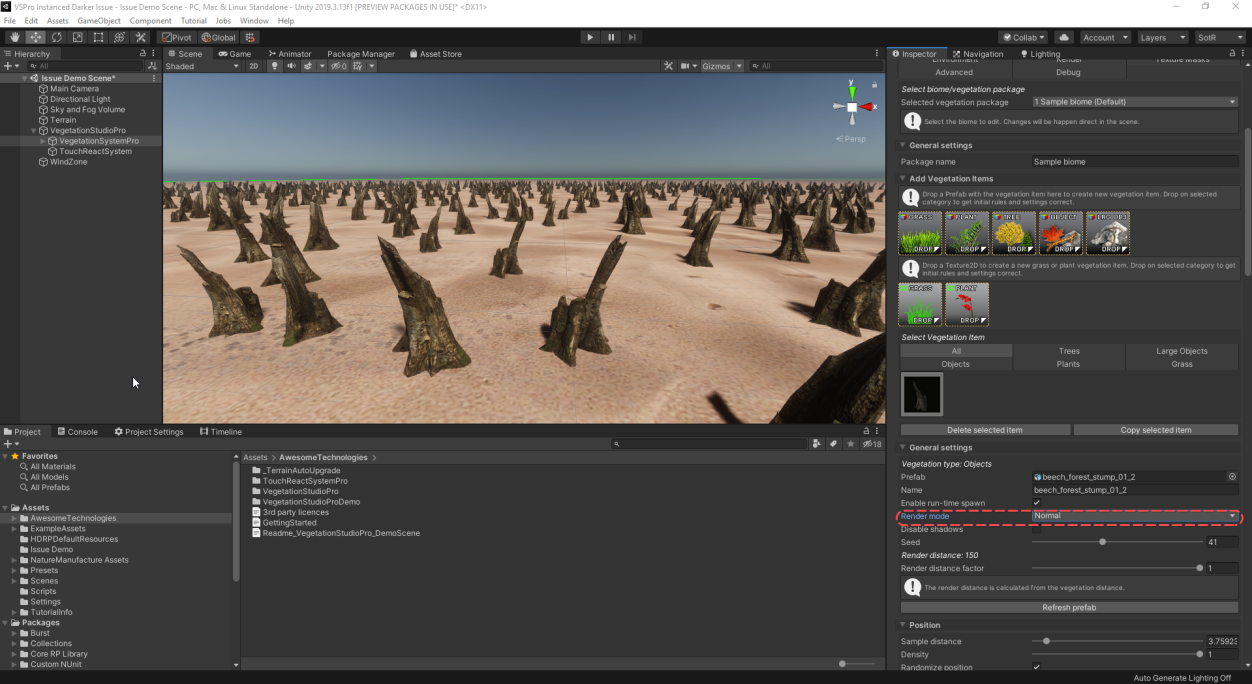
Unity Forum
Hi,
I am writing this post to make some awareness of the issue that emerges when using LightLayers with instanced rendering. I think that there is...
 sand hamlet
I've been using the new 2D renderer and so far it seems great. One question I can't seem to find a clear answer for...
if I don't want to use the new 2D lights, is there any benefit of using the 2D renderer over the other URP renderers? Which would be best for a 2D game, that doesn't use the new 2D lights?
in the documentation it says When using URP with the 2D Renderer selected, the Light 2D component introduces a way to apply 2D optimized lighting to Sprites. if I'm not using the lights is there any benefit to using the 2D renderer? or could I get better performance from one of the other renderers?
turbid matrix
full trail
@turbid matrix i have a raytracing card but it only renders one image
when i move the camera nothing changes except the gizmos
full trail
@turbid matrix do you know how i would fix this?
turbid matrix
no
I don't use path tracing
I have tried it a long time ago but not recently
@full trail are you actually testing this while playing in editor?
glad tartan
@full trail There's no such thing as Realtime Path Tracing in Unity, that's only for raytracing.
Path tracing works in play mode but not so well since the scene has to resolve the samples each frame.
It's bust to just use it as a renderer to render out a image sequence/file, or to just use it to render screenshots.
full trail
I still don't think it's normal that the path tracing only render 1 frame
@glad tartan
glad tartan
That's how they work. To render a sequence you will have to setup a render and let it go through it for however long it will take to finish.
full trail
How do I make it so that it renders a new frame everytime something changes in the scene
@glad tartan
glad tartan
Dosent sound like you are using path tracing if that's the case. Not sure what's actually happening on your end actually.
Even just looking at the game view (without path tracing anything change will update)
full trail
I'll show you a video one I can get to my computer
waxen lantern
@full trail There's no such thing as Realtime Path Tracing in Unity, that's only for raytracing.
@full trail to extend what
@glad tartan said above, there's no such thing as real-time path tracing yet, period. Not just in Unity, but in any major engine or software anyway because it's not practical... The hardware to path trace realtime doesn't exist. So for now it's just Ray tracing and path tracing is only capable of rendering frames progressively when the camera doesn't move for lighting reference and still images. There will be GPUs that can acceptably real-time path trace at interactive rates in 5 to 10 years, though.
full trail
@waxen lantern @glad tartan the path tracing only renders one frame

This is "board game 2 - game - PC, Mac & Linux Standalone - Unity 201937f1 Personal [PREVIEW PACKAGES IN USE]_ DX12 2020-07-07 19-04-55" by toto…
@waxen lantern also thats not true minecraft has realtime pathtracing

Engineers from NVIDIA and Microsoft cover the technical aspects of adding path tracing to the hugely popular Minecraft. We'll walk through the technology and engineering that went into creating the RTX version of Minecraft; a glimpse at the technical decisions and process invo...
full trail
when i enable raytraced materials raytraced effect dont appear on the material for example raytraced shadows
waxen lantern
@full trail when i say "major engine or software" i mean engines for traditional interactive and game development using polygons major engines like unity, unreal, crytek... minecraft is a special case because they use gigantic voxels, not traditional polygons. so they exploit that.. It's easier to compute path traced lighting when the spatial resolution is so low with these giant voxels and there are no angled or round surfaces, etc.
full trail
so far my game is just basic shapes
if i make them low poly can i add realtime pathtracing
so does this mean i would have to build my own game engine if i want realtime path tracing for my lowpoly game
@waxen lantern can you help me with the raytraced effects not appearing on raytraced materials
waxen lantern
so does this mean i would have to build my own game engine if i want realtime path tracing for my lowpoly game
@full trail Yes, that's typically the only way it's been done....Quake II RTX is very low poly so they were able to write a custom engine with real-time path tracing for it. Or with Unity you would at least need some sort of custom render pipeline.. which would be a very large amount of work for someone to do by themselves.
@full trail I believe getting regular real-time ray-tracing effects working is your best bet --it looks just about as good as path tracing for most scenes and materials.
@waxen lantern can you help me with the raytraced effects not appearing on raytraced materials
@full trail I am not able to help you much, I'm sorry. But I can recommend a few things:
- Make sure you have updated to the very latest version of Windows and the very latest Nvidia drivers installed.. it's very common that there are issues with real-time raytracing if this is not up to date since it is still so new.
- Get the example raytracing project working first before your own, or build your project within the example scene: https://github.com/Unity-Technologies/SmallOfficeRayTracing
- Refer to the Getting started with ray tracing article in the Unity HDRP docs which covers many things you can try to make sure it's all set up correctly: https://docs.unity3d.com/Packages/com.unity.render-pipelines.high-definition@8.1/manual/Ray-Tracing-Getting-Started.html
GitHub
This repository contains a startup DXR project. Contribute to Unity-Technologies/SmallOfficeRayTracing development by creating an account on GitHub.
best of luck to you @full trail
full trail
ok ill try all of those things and if it still doesnt work ill ask unity fourums
thank you @waxen lantern
glad tartan
The new HDRP template scene. It looks nice. Wonder if it's the same for URP or they will have something else to show of its strengths.
full trail
the one above is raytracing with my current settings
and the one below is path tracing
does anyone know what settings i could use to get as close of a result possible to the path traced image without actually using pathtracing
glad tartan
You have to enable the effects needed since things like this can be scene specific. Path tracing includes everything for its rendering. Realtime raytracing you get to pick and choose which means it's not all on by default or at max quality. For instance to get something similar for this scene the most you would need is GI and maybe Reflections enabled for raytracing.
drifting vault
@glad tartan yea, that really nice scene for showcase. Where are you dig that picture? 😄
scarlet hull
It's the new HDRP template that will come soon.
You can already see it in the graphics repo
drifting vault
nice, looking forward to HDRP 10x!
volumetric light scalability and lightloop optimization will really help in improving performance on VR!
Because right now in in VR when you have to render VR per eye in big res + volumetric light - that very heavy
indigo summit
is 10.x still unreleased yet?
indigo summit
ah i see, it's been a while since the last time i open 2020.2
drifting vault
you have to check new SSGI on 2020.2a16 with HDRP 9.x preview 33 😄
very promising technology
 karmic hill
Hey, could anyone help me (literally) shed some light on this issue? I just swapped my project to URP, changed to proper shaders, but now my 4 directional lights are only casting a single shadow on objects, when it used to do the proper 4.
broken lichen
@karmic hill URP only supports realtime shadows from one directional light, for performance reasons.
Built-in renders shadows a different way which is heavier, but is additive so you can always add more on top.
karmic hill
Well shoot. What's my next best option then if I want the additional shadows and try to create an hard outline effect on my character?
Something along the lines of this effect, but the model actually being invisible
broken lichen
Couldn't you just do that effect with the main renderer disabled? Or is that not what you want?
You might have to do some extra stuff to ensure the inside remains blank instead of being filled black
karmic hill
This is my first time playing around with shaders in Unity, so I have no idea what I can and cannot do😅 I'm working with a boxing ring setting so I value the shadows a lot so...
 trail flower
is there a plan to have the equivalent of the camera depth normal render target in URP?
broken lichen
@trail flower I haven't heard that it's planned to be added. Though ambient occlusion is in research and that usually relies on depth + normals, so who knows.
You can always implement it yourself
There are some that have already done that
They're working on URP deferred as well, which will of course always have depth and normals buffers. They might just limit it to that.
 lyric ravine
Anyone knows where TargetEye has disappeared to in URP? The camera dropdown for it is missing
 upbeat gale
Hi, I'm hoping someone can help me -
I'm having trouble with onPostRender() not being called on Android
Is there a workaround for this? A setting somewhere that I'm missing?
Works great in the editor of course
I have two cameras in my screen, the main one the user sees and the second one that is just the item I want to save out
waxen lantern
The new HDRP template scene. It looks nice. Wonder if it's the same for URP or they will have something else to show of its strengths.
@glad tartan It certainly beats the cheeky construction 🚧 set
glad tartan
The new template scene for 2020.2 has been on GitHub for a while but I've never bothered to look at it because I thought it was just an updated version of the current one, showing some new features in HDRP 10. Last night I got tempted and checked it out when I saw a commit for it. on GitHub. It's actually a pretty nice scene that's made to demonstrate lighting in HDRP (Physical lights) and to show off it's capabilities. It's why I said I hope URP get's an updated scene as well to show off it's capabilities. Guess Boat attack is like that but it's also decently customized.
Here's a screenshot of the template screen although not showing much
@full trail It's also good to remember that raytracing is still wip and most of the time dosent 100% match the path tracer. For instance right now I dont think it samples the sky properly for GI so you might have a hard time getting proper GI from the sky
turbid matrix
@drifting vault a17 is already out
glad tartan
GitHub
Purpose of this PR
This PR adds a new UI option in the DoF volume in order to enable the physically-based DoF that was previously merged.
More importantly, it improves the quality (and stability) ...
drifting vault
not yet for me @turbid matrix
glad tartan
you can get it from the website
drifting vault
oh 0_o
glad tartan
and download it from the hub
turbid matrix
@drifting vault https://unity3d.com/unity/alpha/2020.2.0a17

Unity
Unity is the ultimate game development platform. Use Unity to build high-quality 3D and 2D games, deploy them across mobile, desktop, VR/AR, consoles or the Web, and connect with loyal and enthusiastic players and customers.
you can get these links from official beta RSS feed
drifting vault
thanks. but in package manager still HDRp 9.x preview 33 ?
drifting vault
nice, im comming
turbid matrix
I'm using this just from github
hdrp/staging branch from yesterday at least works as is
drifting vault
ah, well my github not working 😄
turbid matrix
haven't updated today
turbid matrix
it's been longest time that you can actually use hdrp/staging or master on latest alpha
usually github is ahead of our alphas and you have to roll back some changes if you want to it
ies changes were last things that screwed things up for easy testing
that being said, there's some ies issues still
like, if you just generate a shader code from shader graph and save it to your assets folder, unity will spam 4 errors to console for it
but it will still work as they are actually warnings
it's complaining about some ies stuff there
I know this only because I've tried to manually mix few shaders with this
drifting vault
how to know with version of HDRP available for with version in package manager?
cuz im not sure that i will able to download HDRO 10x preview from package manager in 2020.2a17 😄
turbid matrix
you won't be able to
drifting vault
alright.
turbid matrix
there's no 10.x releases there
usually Unity puts SRPs for the new unity version in the PM along the beta cycle
I can't remember them doing that during alphas
2020.2 betas are not far off tho
that being said, you've seen this? https://forum.unity.com/threads/what-is-next-for-us-at-unity-with-scriptable-render-pipelines.924218/
Unity Forum
From the beginning, we developed the SRP architecture to solve several goals:
Provide the most optimal pathways to take advantage of the fragmented...
if that happens, that probably means that 2021 cycle ships SRPs along with engine itself
glad tartan
I think this will be fine for released versions because it's the same as it is now. You only get bug fixes for that version of HDRP if any. Hopefully it won't affect alpha and beta though
waxen lantern
@turbid matrix thanks for the heads up i hadn't seen that post yet
I also noticed as of yesterday, HDRP finally has a roadmap on the unity graphic product board. though it isn't really fleshed out yet.. it only has "In Progress" items so nothing new down the road that we didn't already know about: https://portal.productboard.com/unity/1-unity-graphics/tabs/18-high-definition-render-pipeline
Product roadmap and feature requests. Welcome to our product portal.
ripe fable
Ahh finally.
glad tartan
Yea, all the In Progress items are what's being worked on now for HDRP 10, maybe some will also be back ported to 9.x.x
turbid matrix
ah they finally added it
I actually did check yesterday and it wasn't up yet
but it's been long coming
that being said, they didn't put ANY upcoming things to that, only things that are already implemented and coming to 10.x
but yeah, early days
waxen lantern
@turbid matrix I suspect once they have populated it with more items they will actually make a forum post and announcement about the HDRP roadmap, as was recently the case when announcing the VFX graph roadmap
indigo summit
man i hate that portal board. how many time do we have to confirm email everytime we open those board?
turbid matrix
there's email confirmation? 😄
I've never had to fill anything to see it
but I haven't really voted on it either (I get that you probably need to be signed in to be able to vote)
@indigo summit you mean submit idea now or just generic browsing of the board?
I've never ever been asked any sign in details to just view it
indigo summit
all of them
indigo summit
it keep asking me email address and asking for confirmation :/
turbid matrix
can you try with another browser?
also wonder if it somehow remembers you've signed in once before 😄
this would be nice for HDRP too: https://portal.productboard.com/unity/1-unity-graphics/c/34-blob-shadows
Blob Shadows are "fake" shadows created by drawing a 2d shape and projecting it on the ground below the object you'd like to cast a shadow, instead of having the object cast real shadows.
I've used decal projection for this in past
indigo summit
it seems it doesn't remember my signed in
indigo summit
what happened with DDGI? it seems gone quiet
turbid matrix
they didn't really make big noise about it even before, only did that one presentation about it on Unite CPH
but for things like this, I'd love to see that HDRP productboard populated for "what's next" etc
but they'd probably put some really vague "realtime gi" description to it anyway
indigo summit
and more vague description "Make the scene LIT"
glad tartan
URP already have vague Realtime GI on the board (I think it's in the Under Consideration section)
almost 2021, hopefully we see that new realtime GI soon
although they'll probably target 2021.2
turbid matrix
posted may 2018
 quaint sonnet
Just noticed that you can't use 2 directional light with LWRP.
So how could I make meshes enlighten on the back ?
quaint sonnet
For me it doesn't even enlight
It either one or the other.
But they can't both enlight
turbid matrix
LWRP docs state you can only have one dir light in general
here's one for URP: https://docs.unity3d.com/Packages/com.unity.render-pipelines.universal@7.4/manual/universalrp-builtin-feature-comparison.html
I'm not sure what to make of the URP doc as it only says light limit of one for main directional light
which is frankly silly wording as you'd assume "main" would always mean one
 ionic dew
Hello! :D
How do you set texture offset from a PostProcessEffectRenderer ?
_paletteShader = Shader.Find ("Hidden/Custom/PaletteSwap");
var sheet = context.propertySheets.Get (_paletteShader);
sheet.properties.SetTexture ("_PaletteTex", settings.LookupTexture); // No clue of how to add the texture offset :|
Before i used to access the material itself:
material.SetTextureOffset ("_PaletteTex", TextureOffset);
 granite grotto
Hi guys! Are there any new API for creating custom master shader graph nodes (HDRP)?
If no, maybe you know any articles/tutorials for doing it by modifying the HDRP package? I can learn it from the package source code but having a reference would be nice 🙂
scarlet hull
No, and no