#archived-hdrp
1 messages · Page 49 of 1
 midnight skiff
void Unity_SceneDepth_Eye_float(float4 UV, out float Out)
                    {
                        Out = LinearEyeDepth(SHADERGRAPH_SAMPLE_SCENE_DEPTH(UV.xy), _ZBufferParams);
}```kinda 😄
well, what i want to point out is, that there is a _ZBufferParams
this is the explaination for my initial problem about the LinearEyeDepth havon more than one parameter
i just need to find out what the zbuffer is and then i might have the hdrp piece for builtin LinearEyeDepth
thanks alot for bringin me this far
@turbid matrix
 turbid matrix
testing BOTD on 2018.2 atm
kinda sucks that GPU lightmapper is still unusable on that, trying to rebake lighting on cpu progressive is taking forever even on high end rig
also barely getting proper cpu utilization on this
it's jumping between 20 and 50% most of the time
I guess 1 hour doesn't sound all that bad if you don't know the speed on gpu bakers 🙂
mainly just annoyed that this doesn't utilize all cores properly to the max
 glad tartan
I was just thinking about something that raised this question. From the Roadmap Q&A someone asked when Built-in would be deprecated and a dev replied that it's not anytime soon as it will be getting new platform support (the new consoles). Since the Xbox Series X will be using DX12 U which supports VRR, Mesh Shaders, Ray Tracing, and Sampler Feedback.
Will the Built-in pipeline just support DX12 U (just the updated API) or maybe not at all and still use DX12 and get build support and nothing new for the new consoles? Basically helping devs who wanted to target those platforms with their current projects who can then transition to HDRP after?
turbid matrix
@glad tartan isn't DX12U just extension set for DX12? meaning they can probably use core DX12 on next gen consoles even before those additinal feats get implemented (if they even get implemented)
I can totally see VRS and DXR 1.1 getting supported but I wouldn't count on getting the rest supported by unity any time soon
I'm talking about SRPs now
I wouldn't expect any of the DX12U specific feats on built-in renderer
turbid matrix
note to self: don't try to put 16k resolution planar reflection on HDRP
unity not only crashed but my whole windows stopped responding, everything just froze 😄
 remote forge
Hi all, some Important information here: https://github.com/Unity-Technologies/ScriptableRenderPipeline/blob/master/README.md

GitHub
Scriptable Render Pipeline. Contribute to Unity-Technologies/ScriptableRenderPipeline development by creating an account on GitHub.
turbid matrix
so, TL;DR: new repo now at https://github.com/Unity-Technologies/Graphics
GitHub
Contribute to Unity-Technologies/Graphics development by creating an account on GitHub.
I still wonder why the new repo hasn't purged all the outdated many years old branches?
remote forge
Forum thread here:
https://forum.unity.com/threads/srp-repository-migration.861625/

Unity Forum
THIS REPOSITORY HAS MOVED
tl;dr As of April 6 2020 the old SRP repository is no longer in use or maintained. Please migrate to using the new...
@turbid matrix Purging old branches will happen over the next few days.
turbid matrix
ah ok, that makes more sense
there's close to 800 branches there now which all just can't be relevant anymore 😄
remote forge
Yes, it increases the clone time a lot from our tests. We think we can prune abut 75% of them.
(keep internal backup of course :))
turbid matrix
the folder structure is still the same, right?
remote forge
Yes, all the same there.
turbid matrix
like, if I just move my upstream remote from my SRP fork, it should just work
remote forge
Oh. That's specifically called out. We transitioned to LFS which means we the SHA's are all changed.
So you will need to reclone 😦
turbid matrix
ah, that's good to know
well, I'll see what I can work out
I have a lot of custom branches on my own fork
so can't just naively reclone
remote forge
Do you have local modifications? Are they on a custom branch? I can walk you though migration.
turbid matrix
there is mention on this on the FAQ tho
It will be difficult to migrate and also preserve history, you will need to either cherry pick your individual commits across to the new repository or do diff and make a single commit with this diff
We do this by taking a diff from the last master you had, and diff the working branch. Then apply this to the new fork.
yeah, it's not impossible, I can make branches again just fine
remote forge
Yeah. So in your case depending on if you have been merging into your custom branches or rebasing then there might be different approaches.
turbid matrix
I'm quite used to git, just trying to figure out the best route of action
remote forge
👍
turbid matrix
I guess easiest would just to squash the changes on my custom branches and cherry pick them to the new repos branches
remote forge
Yeah. Make a clone of the new repo, set the old fork as a remote then cherry pick the squashed change
turbid matrix
I'm now officially the first person to fork the new repo!
gotta find joy in little things
remote forge
User 0 😉
turbid matrix
that being said, I should have just waited for you guys to clean it up first 🤔
remote forge
Your choice, it will be within 7 days I think .
turbid matrix
it's not really an issue, can just let git clean it after it's done
I wipe all the branches from the fork itself anyways as first step
always just pull things from upstream (unity) repo as basis
my public SRP repo fork only has like 6 branches
and have like dozen local ones
remote forge
smart 🙂
turbid matrix
it's impossible to find the branches if those 800 are there
 lyric ravine
@remote forge User 1 here (2nd fork). I find it a bit weird that you have already made the SRP repo private, as that means that all the information around mitigation is in the NEW repo, not the old one
turbid matrix
it's just temporary
like the forum post said, they'll take the original repo offline for few days so they can backup it properly
remote forge
@lyric ravine We are backing up the repository right now.
lyric ravine
Make it readonly, clone it, whatever, but you ARE disrupting our active projects by that as it's not possible to continue with planned work (merging SRP branches into our fork)
If you plan sth like this don't announce it like 2 hours before you do that
remote forge
If you have a fork though you have the code?
turbid matrix
all branches are on the new repo tho?
lyric ravine
Yes but there was planned work of merging in stuff from master.
@turbid matrix the remotes are not compatible as the description says. Can't just merge over, will have to now do totally unplanned rebase/patch/cherry-pick work
turbid matrix
yeah, it's going to be a bit of pain during the transition
lyric ravine
That's fine, but man give us more than an hour of notice
turbid matrix
but SRP repo is not getting any updates anymore, so you have to move to new one at some point anyway
ah, thats a fair point
lyric ravine
to at least do a pull of all existing stuff
turbid matrix
I keep my upstream fetched most of the time so I have local version of all of the SRP repo
lyric ravine
Well some of us have to work from home and do child care and can't just jump in an hour to do that after the weekend
So, @turbid matrix your "old" fork should be up-to-date with latest Unity version that was available?
remote forge
Sent you a direct message herbst
turbid matrix
my public fork has none of the unity's branches, but the local forks remote for Unity's repo (upstream) has all the things they've had in past
if you have a clone from original SRP repo, you can just add it as local remote for your new fork
I'm currently transitioning my custom branches to the new one, can report if I find any showstoppers
turbid matrix
didn't really face any major issues since I don't need to rebase anything, basically commit hashes are different but I mainly had to cherry-pick commits so that was all nice and simple
how I did it on my end was that I just used git checkout for the base using new repo's commit hash values to get the branch to same starting point or if it was based on actual release, just checkout the release from new repo as basis then just cherrypicked all custom commits from the old fork on top
since all the same branches are on new repo (as on the old one), merging work from there should work just like before if you just redo your local branches first to be based on the new repo
btw, it's crazy that we were at 1.x on SRPs just two years ago (cleaning up my forks releases now)
been testing these ever since they got here and it feels like way longer time already
remote forge
The version numbers can get a little crazy if you try to do semvar properly. We are only 'mostly' correct and it's still a lot of numbers.
turbid matrix
yeah, I guess that slows down a bit now that the amount of tech releases got dropped by one
 severe spear
Anyone able to comment on what the overhead is like for the decals in HDRP? I'm assuming they are batchable when set to static and what not eh?
turbid matrix
I'd just test them on your setup and make your own conclusions
it's hard get generic impressions on a thing like that when people's use cases for decals can vary a ton from small bullet holes to actually dressing half the level
 hazy yoke
if I recall so long as they arent set to affect transparency they should be fine to use, we used them as mesh decals on most of our geo as detailing
 strange sequoia
So I'm wondering how srp handles compared to standard where objects, textures and materials are concerned.
I know with standard you want to minimize the number of materials and textures, using larger bundled textures if needed.
From what I hear unreal engine is not like this and handles more materials and more smaller textures better. Like having many objects with tiled textures.
So has SRP changed this from standard or still roughly the same performance and draw call wise?
turbid matrix
@remote forge fyi, there's a typo on line 48 here: https://github.com/Unity-Technologies/Graphics/commit/653bb2d619b5f6bcea38949721b600be84106d73 "Unity Grpahics repository"
turbid matrix
@strange sequoia SRPs can use SRP Batcher that can batch materials that use the same shader variant
more technical explanation here: https://docs.unity3d.com/Manual/SRPBatcher.html
strange sequoia
Ah neat, thanks
turbid matrix
well, "can" use is bit wrong way to say it. it's enabled by default
strange sequoia
Hm, maybe i will change to URP....
I'm rather late in the game for my visual development, but i should at least research it in the mean time...
The issues with the number of materials is my biggest problem especially when i target web and mobile platforms beside PC...
And i recently decided to scale back other aspects and push for quality. So this might be a reasonable part of that compromise.
strange sequoia
Another question, normally i use shadow mask for my baked shadows and not supporting that kinda sucks.
And it seems like there's some AO options.
So really i'm down to that one thing. I'm pretty sure baked indirect doesn't solve this well enough.
Considering most of my game takes place insider a building baked shadows worked best, but without shadow mask it might consistently look awkward...
I dunno maybe i'll have to test it...
turbid matrix
@strange sequoia ?
afaik shadow mask is supported by HDRP
according to docs it's per light setting there
strange sequoia
No I need URP due to android and webgl support
turbid matrix
ah yeah that's more limited then
hmmmm, this says it's released: https://portal.productboard.com/8ufdwj59ehtmsvxenjumxo82/c/21-shadow-mask-support
A shadow mask is a Texture that shares the same UV layout and resolution with its corresponding lightmap. It stores occlusion information for up to 4 lights per texel, because Textures are limited to up to 4 channels on current GPUs.
To read more, see:
actual docs state it's in research
hmmm, apparently it's not merged in yet
GitHub
Contribute to Unity-Technologies/Graphics development by creating an account on GitHub.
that branch was last updated 4 days ago
@strange sequoia if you are not in a hurry, could be worth to just wait
strange sequoia
Yeah fair enough. Very time I consider it theres always a feature missing to make me hold off XD
turbid matrix
URP has been like that, yeah
deferred, ssao, point light shadows still coming up
from those deferred and ssao have had wip branches for quite a while
remote forge
URP has been beefed up in terms of people over the past few months so start expecting more things to land 🙂
SSAO and Deferred are trucking along well and we are really starting to round out a lot of the other features 🙂
Also so many bug fixes and minor improvements.
But yes, some things some people still need are not quite there yet, but we are working on them.
 elder merlin
That's great to hear @remote forge
I can't wait to move our projects onto URP but there is still a way to go. But it's just a no-brainer for VR
 shell vigil
Hey, I upgraded to 2019.3.8f1 yesterday from 7f1, it said it had to update HDRP materials, and now it's throwing me GetLoadedImportedAssetsAndTargetHashes called with invalid targetHash with soem assertion, but no file or path info. Anyone experinenced the same?
 long wagon
On 2019.3.8f1 update broke URP shaders and killed previous package when switching to another version. After installing URP again, just opening them up in Shader Graph and re-saving fixed them.
strange sequoia
Well thats good. Cause HDRP looks nice but i can't use it at all far too limited platform wise. :<
So i really need URP feature complete.
turbid matrix
hmmm, not sure what to make out of this comment:
I'm mainly puzzled that he mentioned angle based fading, I didn't know that was on the table
I'm aware of the decal layers branch though
 scarlet hull
Why puzzled ?
turbid matrix
based on the earlier discussions, it seemed like it wouldn't happen due to no normal data at the decals execution point
I'm mainly curious if this is now happening still or if that comment was only for the decal layers essentially (which I know has been worked on already)
I asked about it on the thread as well (https://forum.unity.com/threads/hdrp-decals-projection.861790/#post-5680951)
as a side note, would love to have some product board for HDRP as well (like there's now for URP and SG)
would be so much nicer to track what's planned and what's possibly coming
having github access is already awesome for seeing the wip things though 🙂
scarlet hull
It is happening. iirc, the angle base fade is done using a normal approximation of the depth map
turbid matrix
that's nice 🙂
and yeah, I think we discussed the normal generation here too last time this topic was up
main concern there is the cost
shell vigil
@long wagon So I should remove package and add again? I don't have any custom shaders.
turbid matrix
@shell vigil I've gotten those errors for a quite a while now on 2020.1 and HDRP
I get these every time I load the project in editor
I only get them on project load
I dunno if it's even related to HDRP in any way, could just be the new asset db
that was new in 2019.3
I haven't really seen any negative impact despite getting those errors so I've just ignored them
shell vigil
Yeah, same only on load, but only got them when updated to 2019.3.8f1 from 2019.3.7f1
turbid matrix
those errors are kinda nasty as they don't give you any info beyond what shows on the main console
I guess one could up the logging and see the actual editor logs for this
Unity Forum
Hello :)
After upgrading my project from 2019.2.17f1 to 2019.3.0f6 I keep getting these two error messages (two of each) after loading the project....
here's one user message from that thread:
Although, I switched to v1 just to see whether it was related to v2 or not. My test included clearing the cache and cleaning up generated files (temp, lib, etc.) as well. I have switched back to v2 and get the error again.```"Invalid targetHash" and "Assertion failed" error messages when deleting packed atlases Error messages occur when atlases are packed...
heh, "Fixed in 2020.1.0a24"
it's still throwing those at me on 2020.1.0b4
 void musk
Guys i want to make a mobile game and use URP the problem is that as soon as i use teh URP in my project i start seeing some lag like some frames etc i dont know what's teh problem but the projects runs smoothly without using it (the project is 1 sprite and 1 controll script so tehre si no performance issues or whatever)
if anyone knows what's this im really stuck
 rich spade
@void musk is this in editor or on test device? I would make some basic features then check and compare on test device. ;)
Lag in edit can be anything or nothing, it's what happens on consumer device which matters.
void musk
in the editor its smooth
on teh etst device it fels like there is some lag or some frame problems
rich spade
then you may be better not using URP, it's still very new and constantly changing. I moved to URP myself recently (desktop target) I notice nothing major. Improvement if anything, mobile platforms vary so much I'd probably not go with URP. But that' sjust my opinion. Others may know better 😉
midnight skiff
Hey guys. Quick question about custom post processing shaders in HDRP.
Is a Properties{} section in the shader file the correct way to get these properties in the inspector? Or do i do that within the CustomPostProcessVolumeComponent?
i tried the property field in the .shader but the properties act strange or not at all even though they appear normally in the material inspector.
especially interested in a colorpicker. I found the FloatParameter for the CustomPostProcessVolumeComponent but something like ColorParameter does not seem to work
hazy yoke
Usually if youre doing a post process in HDRP you want to do it through the postprocessingstack (at least if you want to get the blending between volumes and ui)
Otherwise youll probably have to make your own custom inspector
Doing it yourself will probably be easier though since I dont think custom post process effects are supported out of the box like they used to be in HDRP, so might need to add in your own delegate callbacks in the SRP
turbid matrix
https://docs.unity3d.com/Packages/com.unity.render-pipelines.high-definition@8.0/manual/Custom-Post-Process.html has example of exposing the properties
also the colorblind filter I linked earlier implements enum properties for the custom PP (you need a bit of extra for it)
hazy yoke
oh awesome, glad to see thats supported again
midnight skiff
https://docs.unity3d.com/Packages/com.unity.render-pipelines.high-definition@8.0/manual/Custom-Post-Process.html has example of exposing the properties
@turbid matrix yeah, i based my current custom PP effect on this, but i couldn't find the right keyword for a colorpicker.
the solution was to just cast.
m_Material.SetColor("_ShaderColor", (Color)PPolor);
Though, i still dont know why the poperties in the shader are displayed correctly in the material inspector but dont seem to work
turbid matrix
again, the HDRP's own PP shaders are awesome resource as they probably implement everything somewhere that you may need
that's how I figured how to expose those enums as custom PP properties
it's completely undocumented
midnight skiff
i had a look earlier at the vignette PP because it was the only PP with a colorpicker in the inspector, but that .cs was completely different to the GrayScale custom PP sample
turbid matrix
if the controls don't do anything, then you don't set them for the shader properly (or to right shader)
that custom PP doc did have functional example for that tho
midnight skiff
setting the parameter from the .cs works now.
but the different method, to set the parameters in the .shader was confusing me because the parameters were displayed in the inspector correctly. I expected them not to show if it was not the correct way for PP parameters.
But after some testing it seems like they are not getting updated by the inspector and only accept the initial value set in the .shader parameters.
i wanted to set them from the .shader since i know it that way. but i will just to it from the .cs now.
severe spear
^ been curious to see the current snapshot of HDRP + raytracing.
I've gone through the wizard and changed it all over to the necessary config.
Whenever I change any of the render pass for materials to Raytracing I get nothing out of like the cube in the image above.
And yes, I am running on an RTX 2080 😛
Has anyone ever dealt with this, and what I may need to do to correct this?
glad tartan
@severe spear The only material type that needs to use the raytracing render pass is transparency and you use a Recursive Rendering volume component to make it render the glass. Everything else uses the default render pass
severe spear
@severe spear The only material type that needs to use the raytracing render pass is transparency and you use a Recursive Rendering volume component to make it render the glass. Everything else uses the default render pass
@glad tartan I've been following guides similar to this and cannot get raytraced reflections to work
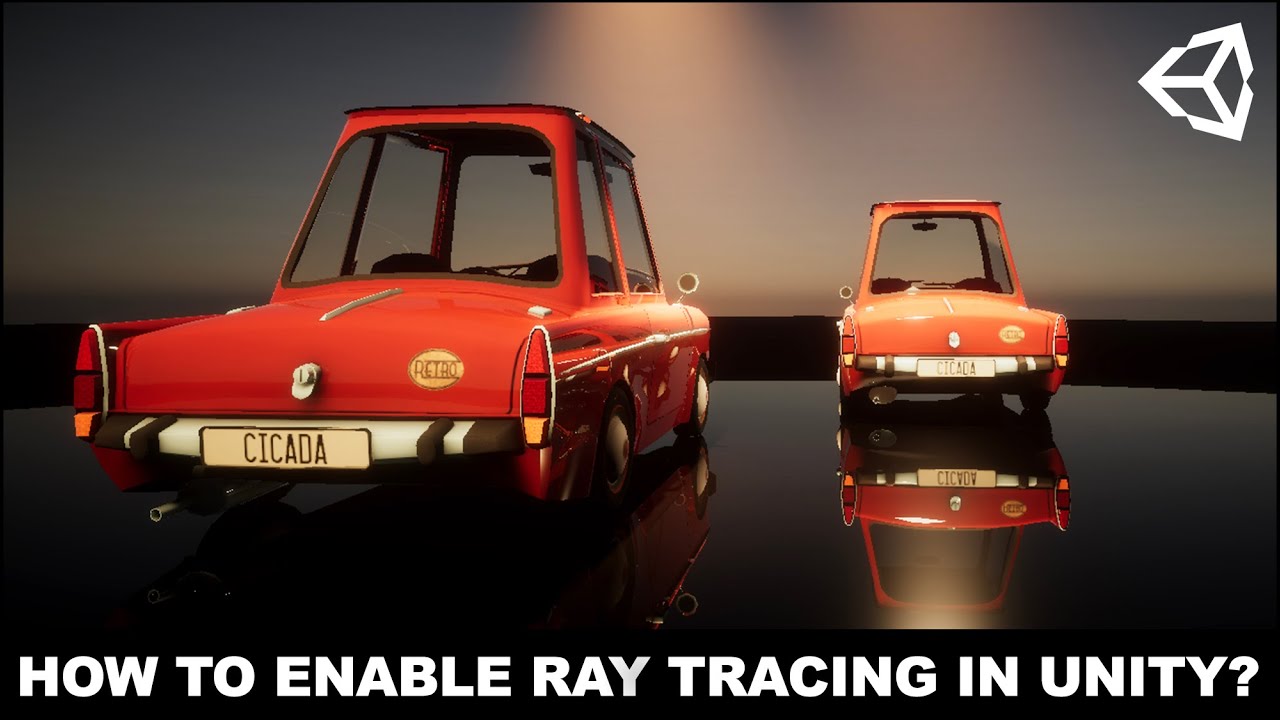
Enable Ray Tracing in Unity with Unity 2019.3 final version by joining me today where I walk you through the entire process of creating a new project with HDRP, enabling HDRP + DXR, importing a 3D model, upgrading 3D model car materials to HDRP materials, and lastly looking at...
glad tartan
reflections uses the SSR Volume component. So you add to to a volume and enable the raytracing option
severe spear
^ like this?
Because I do have this and am not seeing the RT reflections
I think something is bugged with 2019.3.5f1 or my driver is whacked
Even in the sample scene it isn't running how it should
(look at the canteen for example)
glad tartan
Hmm, it's hard to tell whats going wrong since I cant really see everything in your project. This has also never happened to me.
One thing I'd suggest is to check your settings to see if Raytracing is enabled in the frame settings. it might be enabled on the Pipeline asset but not in the frame settings
severe spear
^ it is totally bugged in 2019.3.5f1
Here's the demo scene in 2019.3.6f1 and it's running as expected
Thanks for the input @glad tartan, I do appreciate the help. I'm just glad I'm not crazy and that it was just that editor version goofing haha
 worldly sedge
Hey, I have a little problem.. I am using the HDRP.
I have a point light set on a wall and it shines on the other side of the wall. It bakes on the other side too. If I decrease the range then the light is too small and I can see like no light. What should I do to make the light not to through the walls?
scarlet hull
@worldly sedge You enabled shadows for this light, right ?
turbid matrix
@severe spear make sure your materials have higher smoothness than that 0.9 or lower the threshold on ssr settings
Default 0.9 is too high value IMO
Altho lower smoothness values require agressive denoiser values to filter the noise they generate on RT reflections
 whole fossil
guys do you know why it is taking so long to hdrp 7.3.1 become verified? there is no verified package greater than 7.1.8 and in my opinion 7.2.0 was pretty big
turbid matrix
it's bit weird yeah considering HDRP is officially released on 7.2.x
I'm guessing they did the verification passes for packages before 2019.3.0 released officially and they don't normally do them again for the same major version or something
turbid matrix
hmmm, you need camera stacking on 2D as well? https://github.com/Unity-Technologies/Graphics/tree/2d/camera-stacking
I can imagine there being some use cases if URP's 2D lights don't have light layers but would think it would be better to just implement them instead then
 ripe fable
Does anybody know what happened to the open PR's in the old repo?
Ah, found the PR on the new repo, it was missing the DXR label. 🙂
GitHub
Unity-Technologies/ScriptableRenderPipeline#6178
 gilded maple
Hi, is that possible to downgrade project from HDRP to SRP automatically ?
 spiral ginkgo
seems like urp point light realtime shadows has been a highly requested feature for awhile. do we know if it likely to be implemented in the near future ?
scarlet hull
@gilded maple "downgrade from HDRP to SRP" doesn't make any sense
gilded maple
I don't have choice because I really need volumetric clouds for my project and I didn't found any assets that support HDRP or URP
scarlet hull
Oh, so, I guess you're using wrong name here. Are you refering to the "legacy renderer" ?
scarlet hull
SRP is the general API to write your own renderer in Unity, it's the fundamental brick that is used to build HDRP and URP
scarlet hull
Build-in (sorry, I should not name it legacy) renderer is the "old" blackboxed renderer of unity
And no, there is no automated way to convert from HDRP to built-in, but it's possible to automate it yourself, or maybe somebody already did it and posted the needed scripts
gilded maple
I already started, it's easier that what I thought
Only problem I have is that the sun is still lighting my tree's when under the horizon
below*
scarlet hull
Well, unless you place a big plane object beneath the scene to block the light by casting shadows, this is kind of expected 🙂
gilded maple
I remember that was the reason why I switched to HDRP
scarlet hull
Are you speeking of the orange light "in the horizon" ?
gilded maple
no
scarlet hull
'cause I'm squinting my eye but only see a black tree silhouette
gilded maple
yes
scarlet hull
I guess those are the ones rendered as billboards then
iirc, this doesn't work yet in hdrp 🤔
scarlet hull
👍
 languid wren
hello
i have to build a tablet app.. i usually use 2018 is there a big reason why i should move to unity 2019 for this or should i just stick with 2018. Is URP our of preview and does it make a big difference on 3d app performance on tablets or is it the same as the unity rendering in 2018
gilded maple
Yes URP is now out of preview, and you have more options for render pipeline.
languid wren
im not to concerned by the renderpipeline
was just wondering if it rendered faster/more efficent for mobile out of the box
spiral ginkgo
im pretty sure it does but it will also have more limitations
gilded maple
On PC with HDRP I got 60 FPS instead of 40 just by upgrading to 2020
It's probably the same thing on mobile
 simple vine
Hmmmm, I quite confused
I'm writing a simple compute shader from scratch and it doesn't seem to work
The whole thing that the compute shader does is that it writes 1 to the UAV texture (RW_TEXTURE2D macro unrolls in Texture2D<uint>)
The texture is properly marked as a UAV one, I get a proper amount of thread groups
But the output is always zero, as if the shader is never ran
What might be the problem? It's a very simple thing for it to break, the error must be a very stupid one that I can't spot
 split spire
Don't you need to run the program? Like dispatch the compute shader from script and hit play?
turbid matrix
hmmm, apparently DLSS 2.0 is now trained so it fits all games (doesn't need game specific ML training like on DLSS 1.0)
only need the implementation
they got implementation for unreal already but it's still served upon request
wonder if this is anything that would be on the table for HDRP at any point
 sonic wasp
I'm trying to create a basic lamp for my game. I added this light property to the prefab, but there is no light emitted from my lamp, either in the scene view or in-game. Is this due to something I'm overlooking in the Universal Render Pipeline? Online tutorials that I have watched never had this problem.
turbid matrix
@sonic wasp is it disabled in game view too?
Your light component said you've disabled lighting on scene view
The toggle for that is on the scene views top bar
I think the icon looked something like light bulb
turbid matrix
How to reproduce: 1. Open user-submitted project (ResourceBarrierHandicap.zip) 2. Open "SampleScene.unity" scene 3. Set DirectX11 as...
this was fixed on 2020.1.0b5 that got released today
 indigo summit
Wait PCSS soft shadow are removed from HDRP? or it's changed with other soft shadow filtering?
i like how it looks though, But there's some issue with point light
indigo summit
HDRP on high shadow filtering quality, you get PCSS (i think?)
scarlet hull
(and when you used forward rendering)
indigo summit
Directional light soft shadow looks different than previous version though, i's just softening the shadow now
(and when you used forward rendering)
@scarlet hull Oh right, only on forward, i always using forward 😅
ah damn gif compression ruin it
This should be better, in previous version we can get some kind of area shadow for directional light
scarlet hull
Maybe some advanced shadow settings to tweak here . :/
indigo summit
hmm none of them seems affect the shadow filtering
previous version was looks good though, also almost match with baked shadow
Also there is an artifact on shadow cascade blending area
scarlet hull
Ok, thanks, will try to investigate on this.
You can also submit a bug report if you're brave enough 🙂
indigo summit
also this slider seems doesn't do anything
Ok, thanks, will try to investigate on this.
You can also submit a bug report if you're brave enough 🙂
@scarlet hull for which issue? 😰
scarlet hull
Well a "soft directional shadows regression" ?
indigo summit
ah right, how about the point light issue?
are those intended or a bug?
Square point light with radius bigger than 0.5
scarlet hull
Might be expected ... like, is the point light closer to the ground than 0.5 on the Y axis
indigo summit
Hmm it's quite high though
well the lower the point light, the more apparent the artifact is
scarlet hull
So, might as well be expected 🤔
hazy yoke
yeah, thats likely just due to how shadows work with point-lights though (6 shadow maps) so youre just not hitting the boundary
the more you pull it up I mean
it does look like that blend is odd
hazy yoke
oh yeah no I meant that you might be seeing an artifact of the blend of the faces of the point light
indigo summit
ah i see, the edges of the cubemap
just out of curiosity, why not add support for dual paraboloid projection for point light?
hazy yoke
Thats something you would have to take up with the SRP teams, I work on shadergraph so we just support the decisions they make 😆
indigo summit
well i'm just mostly curious, but not that curious 😁
hazy yoke
If I had to guess its just a case of "bigger fish to fry"
indigo summit
well i don't mind with that 🙂
hazy yoke
yeah, we will get to the point (I hope) that we have things stable enough that we can come back and fix these smaller things more readily, but that may just be a pipe dream too. 😃
 late schooner
would suggest octahedral projections over dual paraboloids
but shadows in general are not in a great place w/ Unity 😐
indigo summit
it's under the shadow of other issue . . . . 😬
late schooner
yeah unfortunately I think there are a few pretty fundamental design mistakes with SRP right now-- I don't so much mind that the stock shadow solution has edge cases
what I do think was a huge, huge problem is the lack of a modular shadow system to begin with
since it results in duplicate work for Unity nor can users implement their own workaround(s) or make stylistic decisions
I'm actually a little puzzled why product management didn't think to do this to begin with considering HDRP essentially wrote one anyway
indigo summit
you mean the legacy renderer shadow system?
late schooner
not exactly
so right now HDRP has a whole internal system dedicated to managing/caching shadow maps for lighting
Unity Engineering has a whole matrix of rendering algorithms and quality settings set up
as has been observed, the URP team has access to none of this despite it actually all being equally valid for forward rendering systems, etc.
you can build invalidation algorithms to re-use the same shadow map for every light if you feel like it
so what's baffling is that rather than share work across teams it looks like UT PMs just forced everyone into doing stuff from scratch with the net result that there are two monolithic systems with independent/conflicting settings
especially since one of the stated goals of SRP was modularity in rendering
I think this was a really bad judgement call
indigo summit
ah, i see what you mean
late schooner
postprocessing is another example of the same kind of mismanagement
that's a straight regression at this point
with the separation of the single PPv2 into per-project stuff
why can't URP use the HDRP SSAO framework?
reasons
turbid matrix
ummm
HDRP package is "9.0.0-preview.13" but
dependencies
com.unity.render-pipelines.core    "9.0.0-preview.13"
com.unity.shadergraph    "9.0.0-preview.14"
com.unity.visualeffectgraph    "9.0.0-preview.13"
com.unity.render-pipelines.high-definition-config "9.0.0-preview.15"```such a weird mix
wonder if this will be a thing with preview.numbers
late schooner
hdrp_final_final_v2_usethis
remote forge
Preview releases will have weird versions because the preview numbers are auto-bumped daily and only if there are changes. So for example same days core doesn't change so the last number doesn't get bumped.
Automated script does it.
 light whale
I know this is really basic .. how to not everything bloom starting from an empty hdrp scene?
indigo summit
set the bloom intensity to low value, around 0.1 - 0.2 i think
light whale
I don't have bloom enabled in the post process volume - is there some setting somewhere else?
light whale
my bad.. think I had the material set to be lit..
wait.. what.. so confused.. lit material doesn't mean emissive... and emissive colour is set to 0
indigo summit
lit as it's receive lights and shadow
light whale
turns out.. setting the camera background to a transparent colour might be responsible
and what's with the auto-exposure even when I manually add it to the post process volume and disable it... :/
👍 😅
 plucky elm
Hey everyone, we're hitting a major issue with HDRP and we're running out of options.
Long story short, we're trying to set the Diffuse of an HDRP/Unlit texture using Material.SetTexture at runtime.
The problem is, we get this error, even though we are using SetTexture!?
Any help would be forever appreciated
whole fossil
@plucky elm i dont know about the reason you are experiencing the issue but maybe a workaround will be to create unlit shader based on shadergraph and expose required parameters and then access those in your code?
plucky elm
That's a great idea @whole fossil I will try that now and report back, thanks!
turbid matrix
Preview releases will have weird versions because the preview numbers are auto-bumped daily and only if there are changes. So for example same days core doesn't change so the last number doesn't get bumped.
ah this explains it
plucky elm
I'd like to report back that it's working as intended by creating my own Unlit Shader with Shadergraph, thanks a million @whole fossil
turbid matrix
@light whale we had a discussion about those default volume settings on the forums
it's kinda bad now because default profile volume is actually IN the hdrp package but hopefully it'll be moved to your project folder in the future
would make it's existance clearer to users as well
 quaint robin
Hey all, I just upgraded my project from LWRP to URP and I'm trying to use camera stacking to create a 3D skybox, since the "clear flags" was removed from cameras with the URP. I'm in Unity 2019.3.7f1. Documentation says I need to change the setting "Render Type" from "Base" to "Overlay", but when I select the dropdown I don't have the overlay option at all, only "Base". Additionally, the label in my Unity editor says "Render Mode" instead of "Render Type". Does anyone have experience with camera stacking in 2019.3?
quaint robin
Or does anyone know of a workaround i can use with URP to make a 3d skybox that renders under the main scene?
late schooner
usually you want to adjust clip planes/depth ranges
z-fighting and all around crappy precision can be a problem depending on scale, so ideally you just blow away the depth buffer like nothing happened
 deep rapids
Anyone familiar with 2d lights inthe URP
I had a question in the #archived-lighting channel
 cobalt idol
Hi, I just upgraded from URP 8.0.1 to 9.0.0 and it seems the behaviour of buffer.Blit changed. The _MainTex in my shader is no longer set when I blit from CurrentActive into a temporary render target. Does anyone know if this parameter got renamed? Also, it seems the vertical texture flipping on Blit is not consistent between the two versions. I couldn't find a changelog that mentions this. Many thanks!
 frigid nova
what is this new Prob Volume thing?Started using it and it looks WAY better than regular light probs and better than proxy volume probs
also its has this new post effect component
scarlet hull
I didn't follow it from close enough sadly, but from what I remember of it : use volumes to bake a high density array of probes, that are interpolated per pixel without need of lppv
frigid nova
whatever it is its working like a charm finally a decent solution after the occlusion probs thatwere shown on 2019.1 back in the day
split spire
Are Speed Trees possible on HDRP?
turbid matrix
I'd link the PR for the probes but it's on the old repo that's offline 😄
I'm mainly curious if the new probes are preparation for the upcoming realtime gi
glad tartan
Yea, I was wondering if they dropped DDGI for this or is this something separate
turbid matrix
it feels like the such probe structure could fit DDGI as well, hence asking
glad tartan
yep
turbid matrix
I mean, they literally wanted to build a probe volume for DDGI
the thing they showed had some custom solution
 tight bloom
Does anyone know what might be causing this flickering issue? Using HDRP with a shader graph material
glad tartan
Don't, remember having that issue before. Try disabling some stuff in the scene to try and narrow it down. Ref Probes and things like that
whole fossil
Does anyone know what might be causing this flickering issue? Using HDRP with a shader graph material
@tight bloom try to activate scene view stop nans in preferences -> hd render pipeline
tight bloom
@whole fossil Ah thanks, seams like it fixed it
turbid matrix
some PP effect responsible for the NaN's?
glad tartan
I remember seeing that HDRP and URP would have the scene template package included as a dependency. Is that still planned? It's a nice package and will be useful to setup new scene defaults. I use it in a few projects already.
turbid matrix
@glad tartan can you be more specific?
HDRP wizard already places new scene default for you
there's a default resources folder in the assets folder that has prefab for the new scene
if you use dxr it has it's own prefab as well
you can also set default volume profile that applies to all your scenes
glad tartan
Yea, I know about all that. I've been following HDRP closely, and using it exclusively since it was available in 2018.1 and messed with it when you could only get it from GitHub and it came bundled with LWRP and all the demo scenes.
What I'm talking about is specific, basically exactly what I mentioned. There is a package in Unity called Scene Template It's not well know or advertised by Unity so I guess it slipped by a lot of people. It allows you to create custom scene templates for your project and be able to choose which one to create a new scene from. I've been using it since it was added to the package manager. After a while I saw there was a branch in the SRP repo that was going to use this instead of the prefab asset the wizard creates and it would be bundled in the project templates. So I was wondering if that is still in the works or it got scrapped.
Scene Template - When you select New Scene (Physical Sky is a custom one I made)
glad tartan
Yea, It's not a big deal since you can get it yourself but it would be nice to have it by default and using that instead of the prefab
turbid matrix
would you have use case for multiple templates for the specific type of project though?
I can imagine having a templates for menus being potentially nice
scarlet hull
In the case of HDRP, it would be templates for interior / exterior lighting, or no lighting at all (full empty scene) for exemple.
whole fossil
some PP effect responsible for the NaN's?
@turbid matrix yeah. I've noticed that under some circumstances bloom can act weirdly enough to produce NaN's
 trim bone
im trying to understand hdrp custom passes and my camera buffer rendertexture is white
protected override void Execute(ScriptableRenderContext renderContext, CommandBuffer cmd, HDCamera hdCamera, CullingResults cullingResult) {
        RTHandle colorBuffer;
        RTHandle depthBuffer;
        GetCameraBuffers(out colorBuffer, out depthBuffer);
        renderTexture = colorBuffer.rt; //renderTexture is also a public field and viewing it in the inspector just shows white, not what the scene camera shows
}
what am I missing here?
 frigid kelp
Hey I've updated my project to a version that supports LWRP, and I installed the Universal RP. However, there is no render-pipelines-light in the package manager
Do I have to download the package somewhere/somehow?
I started my project with the 2D template, and I really don't want to restart it, since I'm already far in development.
 true zealot
? LWRP became URP in 2019.3 @frigid kelp
If you have it installed, then you have everything you need
 barren marsh
Hi
Is it possible to render a camera to an external texture2d with rendertarget flag using DirectX11 ? I don't care about C# or C++ API
 dawn sorrel
I've been doing some stuff in Unity before but I would like to begin anew
I'm not sure which rendering pipeline I would like to use (and also which version of Unity)
My requirements and other stuff:
-being able to use materials with ao / metallic / roughness (or smoothness) textures
-being able to use decals
-vfx graph and preferrably unity'sparticle system at the same time
-I don't care about 2d / dots
-It can't be a pipeline that needs a really good PC to work fairly well, my good old wooden PC won't handle it
Any tips / advices?
 drifting vault
@dawn sorrel use URP (Universal Render Pipeline)
that pipeline focused on mobile/potato PC/portable VR
drifting vault
URP do not have build-in decal system
but you can buy decal solution for URP in asset store
or make own
dawn sorrel
Okay, thanks for help
barren marsh
Is it possible to render a camera to an external texture2d with rendertarget flag using DirectX11 ? I don't care about C# or C++ API
Seriously no one ?
late schooner
You're asking a pretty specific, technical question and missing some important semantics, calm down ^
answer depends on if you need Unity to draw to a surface you created or if you need to access a native ID3D11Texture in your code
see Texture.GetNativeTexturePtr if the latter
barren marsh
@late schooner I have it man , I'm not angry or something :D
I'm using SharpDX
Original Question :
https://gamedev.stackexchange.com/questions/181601/optimized-way-to-show-unity-rendertexture-in-wpf-using-sharpdx
UPDATE 1 :
Ok I got it working but in non-standard way , I need better and faster solution to this and my sharing surface code is not working...
This is the method I used Memory Streaming and it works fine but it has no good performance for large results.
https://cdn.discordapp.com/attachments/596046911010504754/698407592870936576/unknown.png
https://cdn.discordapp.com/attachments/596046911010504754/698408351876251718/unknown.png
and this is my method using DirectX surface sharing which result a black output with no errors.
https://cdn.discordapp.com/attachments/596046911010504754/698407947159732305/unknown.png
Result of Memory Streaming , It has delay and size is 300x300 and JPEG , on 1000+ it starts to delay for 200ms~600ms with DDS or PNG even ~1000ms delay :
https://cdn.discordapp.com/attachments/596046911010504754/698409356194086932/result_of_dxmemorystream.mp4

Game Development Stack Exchange
I'm writing a Unity plugin which uses WPF for UI , Plugin runs in same process of Unity and has direct access to unity's memory.
Unity Code :
render_rt_desc = new RenderTextureDescriptor(300,...


But Now I'm thinking if it be possible to just render unity camera to a shared Texture2D generated by SharpDX directly.
late schooner
and that part, unfortunately, is harder, as I don't believe there's a way to have Unity consume a native IntPtr D3D resource
barren marsh
and that part, unfortunately, is harder, as I don't believe there's a way to have Unity consume a native
IntPtrD3D resource
@late schooner Even within C++ native plugin ?
late schooner
I think the native plugins assume you're doing all the work with native code, I don't think you have much of the C# binding back-end
you can absolutely query the device/resources/etc. and issue commands, but I don't think there's a layer to actually create new C# objects
barren marsh
I don't have any issue I do C++ and C# , If it's possible I'll do it but I don't want to waste my time on something is not possible
late schooner
I understand, I'm simply saying that I don't believe the internals of the C# binding layer are exposed to the Unity native plugin API
on the basis that Unity Engineering thinks you would do C# things in C# and C++ things with the extension points made available
I am doing some poking around in the official samples
barren marsh
Cool , is there any place I be able to get help and information from unity official engineers ?
Because It seems discord level is not suitable for advanced (not exposed ) subjects like this
turbid matrix
it's not that advanced topics wouldn't fit here, you are just asking about super niche thing
as for native rendering plugins, I know they exist but never had to implement them myself
GitHub
C++ Rendering Plugin example for Unity. Contribute to Unity-Technologies/NativeRenderingPlugin development by creating an account on GitHub.
that includes sample for https://docs.unity3d.com/ScriptReference/Texture.GetNativeTexturePtr.html
barren marsh
@turbid matrix thanks , I checked this before , it's nothing different than SharpDX by hack into unity graphic device , the point here is** I don't want to get a pointer to a unity texture and do stuff I want to set a pointer**
late schooner
and to reiterate to you
answer depends on if you need Unity to draw to a surface you created or if you need to access a native ID3D11Texture in your code
I understand, I'm simply saying that I don't believe the internals of the C# binding layer are exposed to the Unity native plugin API
in order for native-side texture creation to work, you need to make the C# binding aware of a lot of technical specifics for platform 3D APIs
and this problem goes away if you adopt a black-box/one-way binding approach
barren marsh
@late schooner I don't need to use any C# I can do native
so , Unity 's RenderTexture is a DX11Texture2D with RenderTarget flag ?
late schooner
We are aware that RenderTexture exists as a C# class in the Unity script layer
?
not necessarily, at least in terms of formal guarantees. Something like that is involved, but there are a few other D3D resources in there for MSAA resolution, etc.
glad tartan
So I tested the Probes volume and it seems that it's just a light probe grid that stores better lighting information. So you still have to bake your lightmaps and then it also store that lighting information in a probe volume asset for dynamic object to use.
I thought it would have been able to be baked without having to bake lightmaps as well
It works solid though, the dynamic objects looked like they were also baked as well. Even if you cleared your lightmaps but not the probe volume bake and you enable the probe volume, it looks exactly like the baked lightmaps.
Guess now I wait for DDGI or the realtime solution mentioned to be coming next year. Then I wont have to worry about baking lightmaps and also be able to get decent occlusion for things like vegetation.
barren marsh
We are aware that
RenderTextureexists as a C# class in the Unity script layer
@late schooner I thought Unity has C++ api too , but it doesn't it seems :) Now I get what you say
 upbeat badger
You dont need to bake lightmaps for probe volume. Enable contribute GI static flag then set receive GI type to Light Probes in Mesh Renderer and bake Probe volume.
This is my test scene for probe volume without lightmaps
Cube inside house is dynamic everything other is static
late schooner
that looks pretty good
glad tartan
@upbeat badger Ah alright, thanks.
glad tartan
I forgot you could set objects to receive from probe only.
Well time to enable this is the BOTD project and see how well it looks.
sonic wasp
I'm trying to create a basic lamp for my game. I added this light property to the prefab, but there is no light emitted from my lamp, either in the scene view or in-game. Is this due to something I'm overlooking in the Universal Render Pipeline? Online tutorials that I have watched never had this problem.
I even tried testing with an exterior point light
frigid nova
Guess now I wait for DDGI or the realtime solution mentioned to be coming next year. Then I wont have to worry about baking lightmaps and also be able to get decent occlusion for things like vegetation.
@glad tartan Thats what im waiting for too, but i rencently tried the ray tracing solution and i must say it was amazing im gonna have to get an rtx to render my scenes properly
glad tartan
Yea, raytracing is pretty sweet. I use it every now and then when there's a new feature added or if I want to take screenshots since it runs at 1-5 fps with all effects on using a GTX 1080 GPU. I'll be using it a lot more when I get a GPU made to do Realtime Raytracing. It will be nice when that's the standard.
barren marsh
@glad tartan is DDGI only accessible via RTX Cards ?
drifting vault
Im enabder SSR in HDRP asset and add SSR component to PP volume
buts its not works
someone know how to make work Screen Space Reflections in HDRP?
turbid matrix
@drifting vault enable them on frame settings
also make sure hdrp wizard shows green for everything
turbid matrix
I feel that the both volume components and hdrp asset should nag if you enable settings in them but haven't enabled the counterpart in frame settings
drifting vault
thanks @turbid matrix
turbid matrix
np
you'll get used to these settings getting scattered around but it's not intuitive
@drifting vault also, if you don't need camera specific override, just set it in default settings instead
Edit->Project Settings->HDRP Default Settings
that camera specific frame settings override is there only if you want to adjust this per camera
like for example if you use camera to render to render texture etc
drifting vault
hmm, seems like better to use reflection probes
turbid matrix
for ocean, you could try planar reflection
drifting vault
yea you are right, thanks
i setup a big height for planar reflection
so it's show good reflections on wet sand
 uncut root
Does anyone know when TAA is being executed in HDRP? When sampling the depth texture in custom post processing, it's jittered https://gyazo.com/402f2d91c14870bb8d6c7ae08c3c2d76

Granted, I don't fully understand TAA. But it seems the "filtering" hasn't yet been done at this stage (AfterPostProcess)
 solar nest
Hay, i have problem with upgrade'ing HDRP
After download newer version of HDRP than 7.1.8 Unity crash
When i want to open my project:
after pressing ok, unity crash again
turbid matrix
@solar nest are you using latest 2019.3?
turbid matrix
no idea then

and here's the whole frame graph: https://docs.unity3d.com/Packages/com.unity.render-pipelines.high-definition@9.0/manual/Images/HDRP-frame-graph-diagram.png
uncut root
Also found an explanation here: https://github.com/Unity-Technologies/Graphics/blob/6277224b5bbb73d434d524904e07e15e5284b456/com.unity.render-pipelines.high-definition/Runtime/RenderPipeline/HDRenderPipeline.cs#L4646
Rabbit hole goes deeper still
GitHub
Unity Graphic - Include Scriptable Render Pipeline - Unity-Technologies/Graphics
turbid matrix
ah, TAA does need jittering for static views, otherwise it'll not work
it does work in motion without jitter as the motion gives the new temporal data it needs
glad tartan
@barren marsh Yea DDGI will only be available for GPUs that support Realtime Raytracing. DDGI isn't available yet so we don't have access to it, from what I can tell it might have a bake feature that lets you save/cache the GI and this will work on any GPU, It just wont be realtime. This is still a good use since you will be able to have GI and a lot less work to have it. No lightmaps or even waiting a too long for the baked lighting to be done (This would still need a supported card to be able to bake it though)
turbid matrix
I dunno if they will even allow baking it realtime in build, it's not been discussed on the presentation I think(?)
I think they did mention though that the once baked data in the editor is usable for realtime lighting on any gpu on actual build
 timber kiln
I loaded URP into my project everything turned pink now what to do?
turbid matrix
timber kiln
@turbid matrix i did all of that doesnt work
solar nest
Ok, i dealt with my last problem
But
Currenty i have another xD
After upgrade HDRP to 7.3.1 my project crash in random moments of game
something like 3-10 s of playing
In additional i have this error
any idea?
glad tartan
I dunno if they will even allow baking it realtime in build, it's not been discussed on the presentation I think(?)
@turbid matrix
Yea, I didn't see anything on this in the presentation. Not sure why anyone would want to bake the lighting in the build if you can run it realtime.
turbid matrix
@timber kiln so you did this?
trim bone
whats the difference between: commandbuffer.Blit, HDUtils.Blit_xxx and Graphics.Blit?
dawn sorrel
hi
i have a RawImage that I put a texture on (by doing image.texture = tex) every Update (or also tried every FixedUpdate), but it doesnt show the texture when I run it.
any idea why?
i've had a similarly weird issue where if I put the line assining the texture inside one script's FixedUpdate it worked, but if I put it in another it didn't work. Now it just doesn't seem to work
it's just so random. I don't understand :PP
any ideas?
 stiff star
I was curious if the Scriptable Render Pipeline will replace the built-in renderer at some point, or if there has been any info on that?
I haven't used any SRP, but I understand that even the pre-made URP and HDRP are actual files you need to have in your game assets, and then require some tweaking from the settings to make rendering use these?
turbid matrix
@stiff star you can check the pinned messages on this channel for both urp and hdrp docs
Both have some sorts of getting started -guide
stiff star
Right, thank you, but my question was mainly concerning the first part. I was indicating it is currently an add-on, but I was wondering if it is planned to become the default?
turbid matrix
@stiff star with few exceptions, new features only land to SRPs, so the idea is that the built-in renderer will slowly phase out. The idea is that most new projects would start with URP now
the built-in renderer is not going away as long as it has big userbase, so at least in past Unity has messaged that they'll keep it around until their stats indicate only tiny minority is using it anymore
stiff star
I see. That's reasonable.
However, it doesn't seem all too intuitive to start out with the URP in a new project. While it might not be difficult if you're following a guide, it's still a very deliberate effort to do so, and I'd wager most all newcomers don't do so.
But that's not really a question, but a point of contemplation.
turbid matrix
a lot of new things in unity are kinda making the engine tad harder to grasp for newcomers
it's partly due to the design and partly just because new systems do so much more so they are more complicated to begin with
 wide forge
Anybody knows why I got this error?
The type or namespace name 'ProfilingSampler' could not be found (are you missing a using directive or an assembly reference?)
And others
It is preventing me from playing my game and it appears when i install the light weight render pipeline
stiff star
It's not about it being harder to grasp, but that they won't really achieve their goal of reducing users of the built-in renderer as long as it's not trivial to not use it.
turbid matrix
"It's not about it being harder to grasp", " as long as it's not trivial to not use it" 🤔
I don't follow
doesn't the latter just mean the former thing
@wide forge never seen that error but out of my head... there could be some perf testing package on your project that's not compatible with LWRP package you have installed
so would double check the LWRP's dependencies and make sure you don't have mismatching perf testing or testing framework packages on your project
wide forge
I just had to reset my package manager and reinstall stuff
turbid matrix
also if you're on 2019.3, you should ust use URP directly 🙂
stiff star
I mean, I create a new project in Unity, and it's not already the URP out of the box. Whether it takes 5 minutes or hours to set it up doesn't matter, since a lot of people will just use the built-in renderer they start with.
So if they would want to deprecate and phase it out, shouldn't the first step be to not make it the default?
turbid matrix
I guess this is why they have URP and HDRP templates
I find them horrible starting points for a new project tho
they are nice for examining the setup tho
turbid matrix
also if you use HDRP, all you need to do is install hdrp package and run hdrp wizard, make a new scene after it's done
of course this is not going to be obvious to new users
I feel that the hub's template system should work somewhat differently, basically you should just pick features and if you need sample content or not
like let you pick between built-in renderer / URP / HDRP, if you need VR, raytracing, ask for target device (mobile/generic desktop/highend) etc, then ask if you want to get sample content in the project
 dim portal
Hi there. Is there a solution available on how to get MSAA running with URP on the Oculus Quest? The quality settings are getting overridden somehow, so that AA is always disabled.
drifting vault
@dim portal you have to download Unity 2019.3.9 and last URP version 7.3.1
dim portal
@drifting vault I'm working with that versions
drifting vault
and MSAA not working?
dim portal
Nope. MSAA is working the first two frames. Then it's getting overridden, but I don't know why and where.
drifting vault
strange
dim portal
It's not even working within the sample urp project template on a fresh project.
drifting vault
that strange, try do then bug report
 edgy harbor
Does anyone have an idea how i can change the specular color of the HDRP/lit-material via script? With the old renderpipeline i could just use ".color" to do that. Is there any documentation on how to access all the different properties of the materials in HDRP via C#?
 fiery marsh
@edgy harbor In any pipeline if you obtain the material reference you should be able to use material.SetColor("_SpecularColor", color). See https://docs.unity3d.com/ScriptReference/Material.SetColor.html. There's also SetFloat, SetTexture, SetVector, etc for other property types. In order to find the property name to use you might need to look at the shader, e.g. https://github.com/Unity-Technologies/Graphics/blob/master/com.unity.render-pipelines.high-definition/Runtime/Material/Lit/Lit.shader
GitHub
Unity Graphics - Including Scriptable Render Pipeline - Unity-Technologies/Graphics
edgy harbor
Thanks!!! That solved it. The githublink is a great reference for all the material stuff
lyric ravine
Anyone else noticed that there's no Lightweight 7.3.1 package? This makes upgrading a pain for novice users, already had to help a couple of people with this
(Lightweight packages were updated so far as "placeholders" that when used automatically upgrade to URP. But not anymore for 7.3.1)
@remote forge I think
remote forge
Let me check that
remote forge
@lyric ravine 7.3.1 of lightweight should be promoted now (was an oversight)
lyric ravine
👍 thank you!
(I'd recommend that QA tests "upgrade pathes" for major Unity and package releases to avoid confused users)
indigo summit
okay one question for SRP devs. . What is the decision to put advanced option hidden under the menu cogs button?
i'm just a bit annoyed that i have to click that thing everytime i add a new game object :/
turbid matrix
to put it bluntly, I'm pretty sure it's there to protect from clueless artists from messing the settings up 😄
(doesn't mean I agree with it)
indigo summit
@turbid matrix somewhere outhere there an artist that just got pissed 😄
 valid dock
URP 7.3.1 is out? i don't see it in package manager
turbid matrix
it's out
expand the option in case you only see the verified package
@valid dock
 frigid cypress
are you on the latest binary patch of the editor?
turbid matrix
@valid dock URP 7.3.1 needs 2019.3.2f1 or newer 🙂
 viral eagle
Did I mention how much I hate that these releases aren't sync'd to proper editor releases?
turbid matrix
I love it
viral eagle
You should try supporting an asset on it. 5 different versions of an SRP for one version of Unity, no way to ship something that just works on 2019.3.
turbid matrix
means we can get the versions as soon as they are out, in the old system we'd stack up updates for next release
yeah I can see how that can suck from asset dev's perspective
from users POV it's great
unless you rely on 3rd party stuff
but I avoid 3rd party stuff because it's always outdated anyway:p
viral eagle
Until they try to use one asset that needs 7.2.1, and another that needs 7.1.8, and another that needs 7.3.1..
Wouldn't be if they could do things in a way that's maintainable.
valid dock
3rd party assets are a big built-in value of the Unity ecosystem
turbid matrix
until you actually use them in production..
then it can be huge time sink
you get into situations Jason just mentioned
valid dock
i mean, choose them carefully...
turbid matrix
it was also an issue before the package system
I can't wait until asset store publishers are forced to use upm system
no more 3rd party assets messing up my projects
viral eagle
At my last company I treated it like buying code from someone we fired. Expect to own it, so choose wisely, but it's still a ton faster than writing it all yourself.
No, you'll just have even more breakage..
turbid matrix
I wasn't talking about compatibility now
but actually not letting asset store assets mess up projects
I absolutely hate the assets folder bloat
Unity should have enforced that stuff even on the current system
viral eagle
Yeah, having them in packages will be nice for that reason, but it's going to be an even bigger mess if it's really ever just a bunch of packages all getting released on completely different schedules, breaking each other, never having a single version of everything you need aligned to all the same versions, etc.
Lot of issues with people randomly renaming and moving stuff will be gone though.. hopefully.
turbid matrix
I dunno, with packages you can actually have dependencies
so it's not as bad as current system on that way
viral eagle
Yes, you just can't resolve them.
valid dock
by sometime in 2023, everything ought to be moving nice and smoothly
after we get through this transition
viral eagle
I have doubts..
turbid matrix
yeah, I've seen that most asset publishers hate this current setup
but yeah, I don't really rely on lots of assets anymore as they just are a huge risk
viral eagle
stability comes from architecture decisions, and they haven't made a stable architecture.
turbid matrix
1/3 of the useful assets I've bought have been deprecated shortly after buying them
and getting updates is always with huge delay
it's just not nice for users POV at all
so, better stick to stock stuff or maintain stuff yourself :p
turbid matrix
yeah, I've learnt this the hard way 😄
valid dock
sometimes using asset store packages is the only way
turbid matrix
shouldn't be
viral eagle
I mean, you could spend 3 years writing a shader as fast as MicroSplat, but you likely wont.
valid dock
i mean... the only other alternative is Unity themselves covering every kind of functionality smaller teams and independent developers could need
viral eagle
which do you consider latest?
turbid matrix
8.0.1 I guess 😄 but I know asset store publishers avoid unity betas so 7.3.1 I guess
viral eagle
it's compatible with 7.3.1
I've had to restrict it down to one version of the current unity version + LTE releases. So right now URP 7.2.1 on Unity 2019.3, and LWRP on 2018.3..
It was getting to be complete madness trying to work across essentially 12 pipelines without an abstraction layer (basically, I was writing surface shaders for Unity, since they didn't).
All preventable. This is unity's mess, and forcing people into a shader graph is not an answer.
especially that shader graph, geeze..
valid dock
yea it sounds bad
and whether or not you like to use asset store packages, there is no arguing that it isn't a fundamental part of Unity's ecosystem
viral eagle
but yeah, if you want to script kid it and develop on the latest alphas.
 finite nexus
Hi guys, I'm trying to create a setup where a shader pass writes to an off-screen buffer, and then a second shader pass that writes to the screen can sample from that buffer
is this possible to do in URP? I searched pretty thoroughly but couldn't find the intended way to write to a separate buffer, and I'd hope that I wouldn't have to create a custom render pipeline for such a simple setup
turbid matrix
@finite nexus if https://docs.unity3d.com/Manual/class-CustomRenderTexture.html is fine for you, you can even write shader graphs (on URP, not on HDRP) that write to CRT and then sample that on the other shader
finite nexus
@turbid matrix that looks like it should work for what I'm trying to do, thank you!
turbid matrix
@finite nexus this uses CRT: https://github.com/tim-neville/Snow-Tracks-ShaderGraph-Unity-2019.1
(and SG on LWRP)
finite nexus
@turbid matrix do you know how to indicate at what point in the pipeline the CRT should be updated?
turbid matrix
@finite nexus wait, you need actual on world rendering to the material?
then that CRT isn't the right thing
CRT is just for writing shader directly to the render target
turbid matrix
what kind of data?
finite nexus
in this case, world space position
in my shader I want to sample the world space positions of other areas on the screen for each fragment
but normally you can only access the world space position of the current fragment
I just found this article describing Scriptable Renderer Feature which I think is what I want https://alexanderameye.github.io/outlineshader
 prisma sleet
@turbid geode I realize it's been like...weeks, but I'm also trying to port something that used OnRenderImage to the scriptable rendering pipeline. Fact is, OnRenderImage is simply not supported in the SRPs. I am a complete noob at this, but am investigating using the PostProcessing package found in the Unity Package Manager, which I believe is meant to be a replacement for OnRenderImage (amongst other things). However, it works completely differently, of course, so it's not an easy job.
scarlet hull
@prisma sleet The post processing package should not be used anymore with SRPs, as they have their own integrated post process.
You might want to look for the events here : https://docs.unity3d.com/ScriptReference/Rendering.RenderPipelineManager.html
scarlet hull
💩 happens
solar nest
Anyone knows what can i do with this 💩 ?
This is completly new project with HDRP 7.3.1
scarlet hull
Like, new project from HD Template ?
solar nest
Yep
scarlet hull
Latest unity 2019.3 I guess ?
scarlet hull
Hum, so you deleted the HDRP asset of the project, while it was assigned ?
Doesn't seem to be a good idea
scarlet hull
were you able to create a new HDRP asset ?
If yes : assign it in : project settings / graphics / custom render pipeline
solar nest
Yep
Aaah
I know
And i made it
i have much of problems with HDRP 7.3.1
I can't even select anything in my other project cause Unity crashes
scarlet hull
give me some time to reproduce you issue, creating and importing the project takes a few minutes
solar nest
Oke, thx
scarlet hull
Hum, if I delete all the assets from the template I only have warnings about garbage collection, not your error.


 scarlet hull
Might be worth looking at the RP wizard and check if everything is green :
solar nest
oh 💩
i completly forgot about this
heh...
Thanks for help
It works!
Thanks!
scarlet hull
😉
 fading rose
Hey everyone!
Hope corona is treating you and your loved ones well.
I have this question, anyone can help with this?
Through this transparent material I can see the shadow of the plate but not the plate itself.
Any idea why would this be happening?
drifting vault
@fading rose wow wow, with materials settings use your plate?
true zealot
looks like your glass is writing to depth when it probably shouldn't (unless you rendered it in a different order)
and your plate, etc, is marked transparent for some reason
fading rose
Thanks. I have put all the plates and glassware on one material to reduce draw calls, probably that is why.
this is the material setup.
However disabling depth write doesn't fix anything and it is necessary in order to render the objects properly. Without it you get serious errors.
Perhaps I should not put these two together. I will do that.
scarlet hull
You're using refraction.
Refraction works by sampling the color buffer that was saved with only the opaque objects rendered. Since your glass has refraction, even if the plate (that uses the same material) is rendered before, it is not in the refraction color buffer, and is not visible through the glass
Grouping objects together is generally a good idea, but don't mix opaque and transparent
fading rose
If I create a new material with the same textures (but now opaque material instead of transparent) will the textures be loaded in memory twice?
fading rose
Of course the same. 🙂 Thanks
 jolly wren
Are terrain shader assets a necessity for somewhat decent terrain shading or is URP and some time and patience able to do the same thing? I'm new to terrains so I'm wondering
 torn harbor
Hi, i am new with urp (7.1.8) and have question, maybe anyone can help? What is right way to render image from camera to renderTexture only once from method call? I explore a lot of urp-examples today, they all used ScriptableRendererFeature/ScriptableRendererPass, that execute every frame, but its overhead for my case. (i want render camera image to texture, than blur it with command buffer and use as background in ui).
hazy yoke
There should be a slot on the camera component itself that you can specify a render texture target
prisma sleet
@scarlet hull thanks for the heads up on the PostProcessing package
torn harbor
@hazy yoke thank you! I am forget about it
finite nexus
does anyone know the difference between CommandBufferPool.Get(name) and just creating a new CommandBuffer with new CommandBuffer(name) ?
I can't find any documentation as to what CommandBufferPool actually does but I see some examples that use it
 candid basin
Brrr
The render objects feature stencil override doesn't work
it keeps resetting when I leave the inspector window
hazy yoke
@candid basin try setting inspector window to debug mode before doing it?
and not switching back I mean, just staying in debug mode
candid basin
that works
Yeah if I enable it in debug, then leave debug, it stays
but in normal mode it resets back whenever I deselect the renderer
lyric ravine
@candid basin I reported multiple bugs (still unfixed) about that custom inspector being broken, maybe you found another one
hazy yoke
nah this shouldnt be custom inspector
candid basin
yeah I'm on 7.3.1
hazy yoke
this is true of both srp's inspectors
candid basin
Is this a known issue?
hazy yoke
unsure, if its an exposed value on the normal inspector then maybe? This is just coming from memory on my previous project
lyric ravine
The one most related to what you wrote is
"1218982 [URP][Editor] Renderer Features editing Feature Name has no Undo support", and in that one I described multiple issues with the Render Feature inspector stuff
But please report another one. So many custom editor errors / programming mistakes in URP and HDRP -.-
 vernal burrow
hello!
I just updated hdrp to urp a while ago
And I dont find where the procedural sky component is
was it removed?
also what happened with volumetric fog?
oh I found out what happened to the skybox
dawn sorrel
what happened to the skybox
vernal burrow
I didnt found the procedural skybox component, but I just noticed that you have to create a material for it
but now, what about the volumetric fog?
dawn sorrel
no clue, i'm a beginner to those
vernal burrow
Ahh, okay
turbid matrix
I just updated hdrp to urp a while ago
@vernal burrow so are you on URP now?
vernal burrow
yes
turbid matrix
you don't really update from hdrp to urp so wasn't clear what you meant
there's no volumetric fog on urp
turbid matrix
HDRP is WAY more featured than URP
vernal burrow
however HDRP doesnt have camera stacking
turbid matrix
technically it does
vernal burrow
where is it?
turbid matrix
but it doesn't have nice UI tool for it like URP has at the moment
they are working on it tho
turbid matrix
GitHub
[Original PR review: https://github.com/Unity-Technologies/ScriptableRenderPipeline/pull/6417]
This PR introduces a preview of the HDRP compositor tool. The tool is available from the [Window &...
no idea how long it'll take for that to get merged
it's been on the works for a while
vernal burrow
ahh I see
turbid matrix
technically you can do this via scripting on current HDRP already but it's totally undocumented and things may break
I'd wait for that PR to land or try the PR version first
vernal burrow
I would like to do it, but with out documentation, I cant do anything, so I guess I will wait
the thing is that using 2 cameras in hdrp is really expensive
turbid matrix
camera stacking isn't something HDRP team is recommending for game use though
it will be, even with stacking
vernal burrow
with one cam I could get 250 fps, but with 2 I get 60 or less
turbid matrix
why do you need it?
vernal burrow
for adjusting camera fov in gun view and in main camera view
turbid matrix
you can already do that via shader
vernal burrow
with a post processing shader?
turbid matrix
with shader graph shader
https://github.com/Unity-Technologies/fpssample does this for example
GitHub
A first person multiplayer shooter example project in Unity - Unity-Technologies/FPSSample
they render a tiny gun, then reproject it to appear bigger with custom fov
vernal burrow
but I mean, how can I render the shader on screen
as I know, the only way to do that is with custom postprocess or with screen overlay canvas UI
turbid matrix
alternatively, I think you could just render the gun using HDRP custom pass on later injection point so it will render on top of existing things
all in all, you'd want to avoid the camera stacking for a thing like that
and if anyone would ask me, I wouldn't recommend even doing the gun on top of everything hack
vernal burrow
I already tried that, but the fov isnt working, however the perfomance increased a lot when I tried that
turbid matrix
you can fix the gun penetration by just moving the gun out of the wall
vernal burrow
what would you sugest?
remember that the scale of guns are not the same for all sort of guns
some could be larger, other smaller
turbid matrix
yes, but I mean, you can't physically push the gun through a wall, you'd point the gun elsewhere in that kind of case
I'm always all about more immersive and believable setups myself
I've done the camera stacking gun hack in past and I really hated it
it really messes up with depth perception when the gun sinks into boulders etc
of course that hack is the easy way out
vernal burrow
ahh I see, I think same way as you, but there are some things that cant be fixed easily
one of the solutions that I thougt was adding a collider at the barrel of the gun
turbid matrix
anyway, if I needed that, I'd try experimenting with custom passes first
vernal burrow
it might work, I havent tested that
yes, I did that yesterday, but today I will work on it again
turbid matrix
if you use hdrp that is
vernal burrow
yup, thanks you so much!
turbid matrix
as another note, there's a doc update coming for reworked TAA: https://github.com/Unity-Technologies/Graphics/blob/1b25fdafc29ef9a0bd90148e7feb927fc882778e/com.unity.render-pipelines.high-definition/Documentation~/Anti-Aliasing.md#TAA
GitHub
Unity Graphics - Including Scriptable Render Pipeline - Unity-Technologies/Graphics
 tranquil gate
hello! does anyone know why a camera can't seem to draw it's own rendertexture correctly? why is it black and not infintely repeating? (i'm in URP)
the arrows represent what camera draws to what texture
turbid matrix
I wonder if it's because you are rendering to the same RT than would have been on the screen
maybe adding extra RT and alternating between the two RTs (for each camera) would fix that?
tranquil gate
i've already tried it... it didn't work
rich spade
@tranquil gate I can't imagine that it would stack due to the nature of it, you could do something similar in a shader though. Depending on what your trying to achieve exactly, you might not even need an RT.
torn harbor
@tranquil gate i tried to reproduce (urp 7.2.1) in two ways -
- use first camera output as renderTexture and second camera to render scene, like it describe in documentation
- use renderFeature to manually blit screen to render texture.
And both ways work, maybe i misunderstand something, sorry then) 🤔
 hardy lily
Kind of confused here. I thought Unity's Premultiply blend mode is (One) + (0neMinusSrcAlpha) and not just, well, Alpha, yet again, or (SrcAlpha) + (0neMinusSrcAlpha). In premul, I thought the RGB and the alpha of the image are independent and not together like in alpha. Is premul, by chance, deprecated, or is this a bug?
Because if this is a bug, where do I go to fix it?
This is for URP, by the way.
turbid matrix
@glad tartan yeah, I tried that earlier
it's still slower than DX11
HDRP team did message that DX12 perf will be improved on 2020.2 but my simple test scene didn't have huge perf bump
glad tartan
Yea, I expect it will be a while before it's on par or better than DX11
turbid matrix
my current proto on DX12 (no DXR): 273fps - 3.66ms
DX11: 338fps - 3.0ms
on that 2020.2.0a7 that is
glad tartan
It's similar for me. This is without Hybrid renderer or anything extra. Just DX12 vs DX11
what will the next version number/name for HDRP be with 2020.2
10.0.0
Wonder if it will be raised like this or formatted different
turbid matrix
would expect 9.x to become the releases for 2020.2
right now 9.x still works on 2020.1 but that's kinda how these things have went in past too
at some point they need to add feature that will not work on the earlier version
glad tartan
yea currently 9.x.x is for 2020.1
For 2020.2 it might get bumped to another version, as each editor have their own package version
GitHub will bring the message
 short thorn
How do I enable the SRP Batcher in unity 2019.3 with hdrp (7.1.8)?
glad tartan
@short thorn It's enabled by default
short thorn
thanks
 dense brook
Hi, does Custom Render textures work with HDRP?
Or I need to use Graphics.Blit instead? In that case, what is the difference actually? I want to use some compute simulation shaders on a same texture
dawn sorrel
Trying to import Unity graphics (formerly ScriptableRenderPipeline). Tried both the "Latest-Green" and master. I'm getting errors regarding CSharpToHLSL.cs; using the most recent alpha build 2020.2.0a7 com.unity.render-pipelines.core\Editor\ShaderGenerator\CSharpToHLSL.cs(2,7): error CS0246: The type or namespace name 'ICSharpCode' could not be found com.unity.render-pipelines.core\Editor\ShaderGenerator\CSharpToHLSL.cs(286,57): error CS0246: The type or namespace name 'TypeDeclaration' could not be found ... etcTried importing the ICSharpCode.SharpZipLib.dll directly into project plugins folder (a solution mentioned online years back) but that didn't work either
turbid matrix
oh wow
they actually started fixing the microstuttering on Unity
The fix for DX11 in the player is part of the first 2020.2 alpha. Other platforms are to follow (timelines TBD).
just to note about this that this is basically what happens all the time, basically the deltatime keeps overshooting and it's always around vsync but never at it
this has made some PP algos a pain as you can't get smooth velocity from motion vectors
 silent mortar
Speaking of microstuttering anyone have a solution for microstutter/flickr whatever the world is going on here?
Would love some assistance it is driving me crazy, very hard on the eyes the shifty pixels.
It is affecting both 2D tiles and sprites both.
true zealot
vernal burrow
I already saw it, but when I enable the raytracing check box, it says that my device is not compatible
true zealot
have you updated your drivers lately?
vernal burrow
yup, I got the latest version of them
true zealot
I've no idea then, hopefully someone else will know
true zealot
I'd just check the entirety of that doc and make sure you've done everything, including the ones that are easy to miss like: Windows version is at least 1809
vernal burrow
I checked it twice
and I got that version installed
however I noticed somtething on the HDRP wizard, but I think it is caused beacause of that error
it says that there is an issue with dxr resources
I clicked fix and it imported something
it was gone
but when I opened the wizard again to see if I missed something, the error was there again
 spark wasp
is there a way to draw triangles directly with the built in render pipeline?
I'm looking for something like UnityEngine.Rendering.DrawTriangles(triangles)
tranquil gate
@torn harbor hi, i saw you made it work. could you be so kind as to give me the project where it can be seen working? i may be able to find my problem by looking at the functioning thing you did. thanks! 🙂
torn harbor
@tranquil gate no problem, i will send you dm
 winged monolith
Does anyone know how can I debug the "other" graph in the profiler? I have heavy usage, and I have no idea where it might be coming from
turbid matrix
@winged monolith you can see the details on the bottom part when you click at any point on that graph
if you profile on editor, there's a huge overhead there
winged monolith
@turbid matrix the details of the editor dont seem to open in the hierarchy
turbid matrix
it's like that for a reason
you can make it show that stuff but the point is that you shouldn't worry about things that happen on editor side unless you write actual editor tooling
always profile on actual game build if possible
winged monolith
But if it is so slow that I cannot work on the game, it wont help me...
 stoic depot
has the scripable pipeline source code that was on github been removed?
I wanted to figure out how to do something with GetAdditionalLight() in URP but the code explaining how that might work has kinda vanished lol
I can use the code in the package section of my project, but it was just something i had used before
candid basin
GitHub
Unity Graphics - Including Scriptable Render Pipeline - Unity-Technologies/Graphics
@stoic depot
finite nexus
hi guys, my custom Scriptable Render Feature works perfectly in the scene view, but doesn't seem to do anything in the game view (whether in play mode or not). any ideas why this might be happening?
turbid matrix
that explains the reasons behind the repo move
TL;DR: new repo now uses Git LFS so cloning it will not take forever anymore
stoic depot
fair
 faint nymph
Does the repo contain textures or something?
turbid matrix
yes, there are tons of small binary files that are now handled by lfs
so you can't just download the zip from github anymore for example
faint nymph
Ahh I see
turbid matrix
(need git lfs compatible way to clone/fork it)
faint nymph
Indeedo
turbid matrix
apparently there are some prebuilt dlls too
I mean just look at the first reply on the forum thread 🙂
stoic depot
another URP question: how do you access the directional lightmap in a shader? I'm making a custom lighting shader thing un Amplify Shader editor and want to use it
split spire
Is terrain grass in HDRP possible? If not, are there some alternatives?
drifting vault
@split spire place grass as tree 🙂
turbid matrix
I'm testing this change on 2020.2 but I'm frankly not seeing it:
Improved Time.deltaTime consistency for D3D11 graphics API
I wonder if it's tied to SRPs since my test setup is on blank scene with built-in renderer
there's comparison from DT captures along time between 2020.1.0b5 and 2020.2.0a7:
it's bit noisy but one can tell there's not really any notable difference on DT consistency between the two
weirdest thing is that there is however happened a notable difference to DT consistency during 2019 cycle
true zealot
gotta make some box plots
turbid matrix
here's the diff between 2019.2 and 2019.3 (note that it's different scale due to way more noise on 2019.2):
Basically every Unity version up to 2019.2 represents 2019.2 on this graph, and every unity version on that is 2019.3 or newer looks like 2019.3 graph here
what baffles me is that the improvement should only be at 2020.2 so it's totally possible that there's some other change that dramatically changed this earlier already
I also tested 2020.2 with DX11 and DX12 and there's no difference
so I'm guessing the logical explanation is that the DX11 fix hasn't even landed yet / to be included on currently available 2020.2.0a7
it's not mentioned in the release notes either, only on 2020.2 new features thread
well, this explains something: The change actually made it into 2020.2.0a8 and I didn't realize we only realized 2020.2.0a7.
so, it's only getting better I guess 😄
it's also possible that the fluctuations on empty scene don't really correlate that well on scenes loaded different frame loads on cpu
I mean empty scene would have pretty consistent cpu load in comparison to say game that has various systems taxing cpu at times
split spire
@drifting vault so the whole detail tab is not used in HDRP?
Thanks for the answer btw
drifting vault
@split spire yes, for now details tab not working in HDRP
cobalt idol
Is there any way to apply a RP in the editor scene window? More specifically, I have a post-processing pass I would like to see in scene view. Alternatively, is there a way to override the materials used in scene view?
I saw an old 'hack' based on using LOD, whereby you could configure an ultra high LOD for your 'in scene' material, and then turn the game to a lower LOD so it falls back to the actual shader you want - but these seems clunky and I wondered if there was a better out of the box solution
candid basin
Uhm I don't know 100% for sure if this is the same thing or the thing you mean but I do this in my project @cobalt idol
The red tinted texture is 1 pass
outline pass is another one
So I have this material that adds the outlines
And it's shown in the scene view
cobalt idol
thanks @candid basin , is that inspector your SRP object?
cobalt idol
(just waiting for unity to load)
candid basin
in older SRP versions it might look a bit different, the renderer features will be in a list UI
candid basin
yup it's that one!
maybe this article could help with a feature like that
you probably don't need an outline but the feature in the article is similar to the one I use currently
cobalt idol
The post process itself works fine - but only in the game view 🙂
it doesn't get applied in the scene view
candid basin
the post process is also with a renderer feature?
cobalt idol
yeah
candid basin
Hm I don't think I ever encountered that
cobalt idol
the render feature includes a separate rendering pass and a full-screen post process
ends up like this in game view:
cobalt idol
both
candid basin
looks great btw haha
cobalt idol
thank you 🙂
I'm doing a slightly different pixelisation method, which doesn't involve rendering to a low resolution render target once per object
but it does require one full screen pass
either way, it looks like my scene editor doesn't actually apply the render feature, only the game window does (unless there is a subtlety I am missing, like render target 'active' being different between them)
candid basin
could you take a look at this

is what you're doing much different?
I mean just in terms of core structure
maybe something with the CameraTarget, not sure
cobalt idol
ill have a read through
btw, I found a lot of inconsistency with blit when upgrading to 8.0.1
candid basin
I hope my effects don't break when moving 🙂
cobalt idol
It seemed like depending on the render target it would either be a dynamic draw or a copy texture, and would flip uvs accordingly
it broke all of mine 😄
It looks very similar - there are a few extra blit calls but apart from that the structure is the same
 atomic wing
Anyone use HDRP? I cant figure out what that weird auto-exposure effect is that increases exposure when looking down, and makes everything dark when looking level to the ground. It doesn't seem to be auto-exposure or AO
 daring lodge
anyone have a way of drawing a single skinned mesh renderer to a camera without taking 10ms on hdrp?
Right now if I call a Camera.Render(), it takes 10 whole ms to render the single object
If I try to use CommandBuffer's DrawRenderer() function, it draws to every camera
 snow lake
Good day all,
I'm having an odd rendering effect in the editor play mode for HDRP when using entities in Convert and Destroy mode (Inject doesn't work for Unity Physics). The rendering works fine until I enter play mode where light bouncing/ambient lighting seems to stop working:
Example: Editor - Edit Mode
Editor - Play Mode On:
This only occurs when I changed all of the game objects to ECS Entities. It works fine in Convert and Inject GO mode but then collisions break in Unity Physics (no collisions).
 ember breach
Currently entities does not work with this lighting, try making your own shader graph and using it on your entities, standard materials does not work with lighting
ember breach
its in preview so there are many things that are going bad with it 😄
snow lake
Yeah but I find it funny that something that's promoted as much as HDRP doesn't work with ECS, which is also the "new way of doing things".
ember breach
Like almost everything works, you just have to have right setup, the only thing currently that holding our studio back from using full stack is that NetCode using new Physics is not running at fixedFrames, so it runs on the client side of things, its pretty common issue and the staff is looking into it so hopefully they get it working so we can do some cool stuff with it, but there is not much point in using all of the feautures right now, basically we are now using URP only, no ECS etc. for now.
snow lake
Ah okay.
turbid matrix
@snow lake hybrid rendering is still sketchy
Even with v2
Need more time for it to mature
I'm currently just rendering stuff on gameobject side
snow lake
Is there a way I can use Unity.Physics while still having the world run in GO mode? Havok is complaining that it only works with entities.
Convert and Inject just breaks it outright.
turbid matrix
There are ways to mix go rendering and ecs physics