#archived-hdrp
1 messages · Page 44 of 1
 turbid matrix
oh, that works
but it doesn't work like expected
I actually tested this yesterday but there was another issue with it
is the depth testing supposed to be disabled for this feat in general? I mean, the prio does work if I disable depth testing
if that's intended, then the docs should add a mention about this
I'll grab a screenshot of the issue I saw with the deph testing disabled
 scarlet hull
yes please
turbid matrix
I actually have no clue why this happens:
the tree "trunks" are capsules, not cylinders
scarlet hull
(sorry for dummy question, but it's suprising)
scarlet hull
Go to bed man 😄
turbid matrix
I get the capsule shape preview on that mesh when I select it but it had capsule collider
scarlet hull
well, shape gizmo when you select the object is the collider. Or are you talking about something else ?
turbid matrix
yeah, this is 100% on me 😄
I forgot these had collisions
yeah, I suppose I should update the issue report then :p
 celest rose
Hey friends, I’m working on a project using URP and I’m having problems with lighting and shadows.
The easiest issue to identify is that shadows are only appearing very close to the player. I’d like them to render much further away, as the effect is jarring.
Additionally the lighting in general feels very flat. I suppose that could be because of the simple set up, but I’m wondering if I’m going about the process incorrectly
I will upload a video for you to see rn
Thanks for any advice!
turbid matrix
@scarlet hull I still think the docs should be updated for this
if you look at the settings now, this works:
but options on doc page are from some older version(?): https://docs.unity3d.com/Packages/com.unity.render-pipelines.high-definition@7.1/manual/Images/RendererAndMaterialPriority1.png

there's no depth write option on the docs screenshot, nor mention of this on the doc example
scarlet hull
good point
turbid matrix
I updated the issue report with the note about this
what's stupid is that I actually tested that depth write disabling last night but thought it wasn't doing what I expected because of that stupid cylinder mesh
that's when I should have gone to bed :p
but I did get the stencil pass working tho
@celest rose I have no idea what's going on there but it's definitely not supposed to work like that 🙂
celest rose
Good call
turbid matrix
have you tried with new URP asset?
celest rose
I can definitely try replacing it, but I feel like I've done that
unfortunately I'm away from Unity at the moment but I will give that a go
turbid matrix
@celest rose there's shadow distance setting on URP Asset itself, so could try tweaking it as well
celest rose
that sounds promising. I'm starting to think that it is currently at the default setting, and that everything in my scene is just too big. I will check the setting you're talking about and if it seems like I need to push it too much I'll go make sure all my models are scaled correctly
thanks for the advice @turbid matrix !
turbid matrix
it could be scale issue, yes
unfortunately I have really limited URP/LWRP experience, not spent that much time on that side 🙂
scarlet hull
@turbid matrix So you know, I talked with the devs about the issue, and apart from updating the doc, we will also look to have transparent materials have depth write disabled by default, as this is how transparent should work
turbid matrix
@scarlet hull I wonder how that would work, I mean disabling depth write also makes the transparent objects render on top of all opaque materials as they don't do any depth testing then
like, for example if I have blue opaque material in front and put transparent material without depth write behind it, it will render it on top
or am I missing something?
scarlet hull
you're confusing with depth test
turbid matrix
oh, I had that disabled 😄
yeah, that works
so... I'll just trust you guys know what you are doing 😄
 whole fossil
aren't decals issue (persisting in editor, despite switching decal projector off) should be fixed in 7.1.8? I've asked you guys before but the issue still persists
turbid matrix
@whole fossil switching them off how?
whole fossil
by disabling game object with them
turbid matrix
works for me
whole fossil
maybe i'll just test things @ my side for now. maybe it is something there 🙂
whole fossil
same here ^^
turbid matrix
because it even projects the decal once on the object even after I've moved the projector away
whole fossil
exactly. I am getting couple of "copies" placed with a little offset of the decal position. resulting with something different than expected 🙂
at play it is a little better, but something is fishy there one way or another
turbid matrix
this clearly shouldn't happen 😄
I think the on/off toggle does work
but it leaves something behind
like if I move that back in range to reach the sphere, it definitely does project more if it's enabled, if it's disabled it doesn't do any changes anymore
whole fossil
exactly. also experiencing this
turbid matrix
I'm guessing automated tests fail to spot this as it does work if you just have static projection
have you filed issue report for this?
also what's funky is that now after I entered play mode again, it's fixed
but I def tried this in play mode before when it broke
ah
so testing further, it breaks if you have stencil projecting to something at the time you turn it off
the image sticks to it
as a workaround, I guess you could just turn the decal shader alpha to zero before disabling it
@whole fossil
whole fossil
thanks for the tip! 🙂
i haven't filed an issue report for this as I was expected that this will be fixed in this release. Someone mentioned it here before 🙂
It happened after 7.1.6 iirc
turbid matrix
but I do wonder if it still keeps allocating more resources because it doesn't fully remove the decal

GitHub
This fixes: https://fogbugz.unity3d.com/f/cases/1204967/
The issue was that under some editor operation both OnValidate and OnEnable could be called and both of those functions could add the decal ...
it does have "backported 2019.3" label
hmmm, I did check the change and decal code it bit different on 7.x vs what it is on master
yup, the fix isn't backported there
current master: https://github.com/Unity-Technologies/ScriptableRenderPipeline/blob/master/com.unity.render-pipelines.high-definition/Runtime/Material/Decal/DecalProjector.cs#L275
release/7.1.x: https://github.com/Unity-Technologies/ScriptableRenderPipeline/blob/release/7.1.x/com.unity.render-pipelines.high-definition/Runtime/Material/Decal/DecalProjector.cs#L251
and this is the PR's change: https://github.com/Unity-Technologies/ScriptableRenderPipeline/pull/5375/files
note how that change is in master but not in 7.1.x
please bear with me, @scarlet hull, but is this known to be missing?
that backported-2019.3 was set on Dec 20 so it's probably pretty safe to assume it just got lost in the way
turbid matrix
I just tested meging that PR to 7.1.8 and it does fix the issue for me
scarlet hull
Ok, thanks for info, I will investigate tomorrow
Note that it is possible that it was backported to release/2019.3 and not release/7.1.x
turbid matrix
why are there two of those btw?
hmmm, I guess that's what happened here because this exists here: https://github.com/Unity-Technologies/ScriptableRenderPipeline/blob/release/2019.3/com.unity.render-pipelines.high-definition/Runtime/Material/Decal/DecalProjector.cs#L279
so the fix did make into release/2019.3 just not to release/7.1.x
scarlet hull
Decision was made to only backport high user pain bug fixes for 7.1.8 and keep the rest for 7.2.x
turbid matrix
makes sense
 undone crow
Hi all, I have issues when I rotate my directional light. The fps drops from 150 down to 3. I checked the profiler and there's a huge spike "Semaphore.WaitForSignal" went from 0ms to 455ms while rotating my directional light. Anyone know why this is happening? I'm on HDRP 2019.3.0f5.
turbid matrix
@undone crow you use physically based sky?
it's super heavy to update
no idea on semaphore thing, it sounds like a generic thing
whole fossil
Decision was made to only backport high user pain bug fixes for 7.1.8 and keep the rest for 7.2.x
@scarlet hull my pain is excruciating ^^
turbid matrix
lol
well, it's three line fix if you have to have it now 🙂
just move the HDRP package from library/packagecache to packages folder and edit the file there
whole fossil
yeaaah, I know 🙂 just kidding as the explaination soundes a little bit funny to me😄
turbid matrix
I'm guessing 7.1.x is going to be first HDRP release then? I can't see why otherwise postpone trivial fixes further
whole fossil
i thought that it will be the 7.2.0
turbid matrix
they are running out of time for that
whole fossil
yeah I rather doubt that if they can make it until the end of january
turbid matrix
7.2.0 changes are HUGE
whole fossil
it would be somewhat interesting if fixes like these would "wait" after initial release of 2019.3
whole fossil
wow
turbid matrix
I sure wouldn't want to be their QA when that goes live
so many fixes to break more things 😄
turbid matrix
hmmm, I wonder how many of those 7.2 items are between 7.1.8 and 7.1.1 tho
because on the 2019.3 branch, the earlier entry is for 7.1.1 prior to 7.2.0
so, it might not be that big after all
undone crow
@turbid matrix Nope, I do not, I use the Procedural Sky. Any ideas what it may be?:)
 glad tartan
I've been keeping up with this list for 8.x.x on the staging branch. A lot of fixes and changes
turbid matrix
I thought they removed proc sky already 🙂
or did you install it through the additional package?
glad tartan
@undone crow you are most likely using a version of HDRP with a memory leak for the sky manager
undone crow
Installed via additional packages.
turbid matrix
ah ok
undone crow
@glad tartan Ok, what does this mean? 🙂
glad tartan
you would have to upgrade to a version with that fixed. I didnt see the backport in the packaged released today but that issue did get fixed.
undone crow
Hmm. What do you mean, is there a new version that has this fixed?
glad tartan
it might be in the 7.2.0 package
well I'd say update to the package released today and see. That's 7.1.8
turbid matrix
according to changelog, it's not in 7.1.8
will be in 7.2.0
"Fixed a leak in sky manager."
glad tartan
I didnt see the fixed in the change log but theres another that had a leak as well so maybe they missed it
yea
turbid matrix
apparently leak in sky wasn't enough high pain issue 😁
glad tartan
I'm mainly on 2020.1 and Staging so I dont really check up on the 2019.3 versions
undone crow
Oh its been terrible, my games whole weather/day/night system is broken haha
undone crow
Well thanks guys, then I know the fix will be coming soon, I will update it and see the 7.1.8 though.
turbid matrix
hmmm, 7.1.8 change log does have: "Fixed memory leak in Sky when in matcap mode."
there's matcap mode? 🤔
undone crow
@glad tartan You said you're on 2020 version, is it good?
undone crow
I'm very confused with the features, hdrp and whatever all there is hehe
turbid matrix
if you use HDPR, you grab something from github and sometimes need to mod that stuff to even run
I wouldn't recommend alphas for users who just want things to work out of the box
but if you like experimenting and seeing stuff early on, just go for it
just don't expect anywhere as easy and smooth path as on released versions 🙂
undone crow
I did run my proj with 2020, but it just broke down, so I went back to 2019.3
Kinda demotivating when you open the project and there are 100s of random errors
turbid matrix
also often alphas break/remove things that your project may have depended on
like for example, today, there's no way to run OpenVR on 2020.1
(so no HTC Vive/SteamVR)
undone crow
Yeah I understand 😦
glad tartan
For sure.
I mainly use the alpha versions and the latest HDRP update from GitHub if there's something I wanna play with or things that i'm waiting on are added. Also making sure everything is good for when we port our project over to it.
undone crow
What's the good thing from 2019.3 to 2020?
I mean what does 2020 has to offer that is better.
turbid matrix
there are small things, for HDRP, it's constantly evolving so you get the latest stuff only on the bleeding edge side
glad tartan
I actually haven't gone back to the default renderer since HDRP got released on the package manager. Before that every once in a while I would get it from GitHub to see where things were at. This was back in late 2017 and you could only get HDRP from GitHub by cloning the whole repo. Changes from then till now are major
turbid matrix
2019.3's HDRP got feature locked a long time ago
only small changes and mostly bug fixes coming to it's HDRP now
you also currently need 2020.1 to get things like DXR effects that take skinned mesh renderers into account
on 2019.3 they only support static meshes
undone crow
I have the weird idea of always wanting to stay on the latest version for some reason.
Ah
turbid matrix
DXR support is still quite raw
undone crow
What kind of projects are you guys working on?
Or maybe I'm not allowed to ask that in here 😛
glad tartan
You think some of the DXR stuff will be back ported to 7.2? That might be the release/LTS version of HDRP so a lot of people will be using that
Should be pretty solid
turbid matrix
you can ask, people answer if they want, it's bit out of this channels purpose tho
I'm working on a racing game but that's really what I can tell here
undone crow
Nice nice
turbid matrix
@glad tartan they backported the skinned mesh support to 7.x HDRP but 2019.3.0f5 doesn't support it
so we'll see if they land the change on editor/player eventually
that being said, DX12 support will remain flaky on 2019.3 so you'd still want to go for 2020 cycle on DXR
undone crow
I upgraded to 7.1.8, made no difference to my project. So hopefully the 7.2.0 will do the thing for me. Do you guys know if there's any ETA on it?
glad tartan
yea, that would be nice for those who want to use DXR and stay on a stable version of the editor and HDRP. (Next gen consoles and PC GPUs)
turbid matrix
if you want to experiment, you can just grab release/2019.3 branch from SRP github and try it today @undone crow
undone crow
You mean I can try the 7.2 version tonight?
undone crow
Is there like a list of things they got working in it already?
turbid matrix
it has all fixes that are integrated to that branch till this moment
but like mentioned earlier that list contains some earlier HDRP fixes too
undone crow
Hmm okay
If I wanted to import that in my project now, is it complicated?
I use the package manager
So not sure how to do it that way
turbid matrix
you could just download the branch as zip and extract it somewhere, copy all needed packages to your projects packages folder (this means all SRP core, hdrp, hdrp-config, shader graph and visual effect graph packages)
how I do it myself is that I have a local folder where I manage my own SRP fork and have projects package manifest use it directly from those folders
this setup makes more sense for me since I play with git a lot and it's faster to try new things when I don't have to copy anything to try new changes
to just get that branch as zip, this would work: https://github.com/Unity-Technologies/ScriptableRenderPipeline/archive/release/2019.3.zip
undone crow
Sounds a lil complicated, but I'll try the zip alternative
turbid matrix
it's not that bad once you get used to it
but sure it's not as convenient as just using package manager
turbid matrix
that's just their internal branch name
also since it's wip branch, there's no guarantees it'll work properly even
undone crow
I'll be waiting for them to release it, will be better for me 🙂 Thanks for the help though, do you have any clue how long it might take for them to release it?
turbid matrix
could be weeks, could me month
as another topic, saw this on recent hdrp staging merge pr: "Disable POM test in 1708 SG_OnSG as it is unstable"
isn't the point of tests to show instabilities?
no idea what happened there tho
scarlet hull
In that case, iirc, it's maybe related to how our test framework works. In some cases we have very hard time to just understand why a test is failing on our CI but not locally, and the fail is due to something like 3 pixels that are shifting on server. When looking at the rendering result it is still ok (as expected from an human eye), but still "failing".
I agree that we need to cover those cases, but it is very time consuming to make it work, and not high priority enough compare to other tasks
 forest schooner
Fixed
 elfin osprey
Does anyone know why Id get a redefinition of _Time error when including any URP hlsl? Happens on any shader regardless of other includes. Tried to set up asmdefs. Im stumped.
It seems all the default renderer params in UnityInput.hlsl are already declared, but with no includes?
turbid matrix
@elfin osprey if you meant to ask that in this group, I guess #archived-shaders would give you more people who actaully modify shaders manually here 🙂
 candid basin
Could someone give me an example of what camera stacking in Unity could be used for?
Like a specific use
turbid matrix
in past people used camera stacking mainly to render weapon using different camera, on top of the normal camera
scarlet hull
Also this
turbid matrix
this way you dont see gun clipping into geometry as it is rendered on top
another classic example is people doing space rendering with further way planets
candid basin
But the weapon could just be an image overlay right?
turbid matrix
when you render the background with different camera, you don't have to worry about the difference in scale between background and foreground camera
you mean like using RT for it?
you could do that, but it would be more expensive
elfin osprey
Yup, layers
 drifting vault
But on URP staking cameras not support cascade shadows
and i see background layers shadows on top of the primary gun layer
drifting vault
maybe im talking about something else =/
But on URP you can render gun and other worlds on two separate cameras
and then combine it
turbid matrix
Camera Stacking landed on main code line for 2020.1 today. I'm starting the backport to 2019.3. We have a 7.2.0 package planned for end of January that target to have Camera Stacking + several bugfixes.
from phil_lira's forum post on Jan 9
 thorn lodge
hooray
turbid matrix
I personally wonder when this will happen on HDRP
or if it will happen on HDRP
I've seen random commits/PRs that look like they are preparing for it
but it could be for something else too
 ripe wren
How can I access UniversalRP lightning->castshadows setting via script in runtime ?
 novel burrow
Not sure about urp, but in hdrp there is an additional script on the light (HDAdditionalLightData), i suppose there's one on urp lights as well. Make sure to add the right namespace to your script if you want to find it in your script
ripe wren
I can acces some other settings but not that one
turbid matrix
if it's in the SRP asset itself, you could possibly tweak it directly from it
ah, maybe it's not exposed then
turbid matrix
bit radical but you could swap the whole asset at runtime 😄
ripe wren
that's an option but I just needed that option looks like not exposed
camera can access to it tho weird
turbid matrix
maybe it's set to internal
novel burrow
oh my bad i thought you wanted to disable shadows for one light not for the whole pipeline
but isn't that actually the solution for your issue? Disable shadow casting in the light's setting instead of the pipeline?
turbid matrix
I don't quite get why they'd not have every SRP asset propery as public tho
novel burrow
I mean if it's urp there are propably only 1-2 shadow casting lights in your scene anyways
turbid matrix
only reason I can imagine is that it's not something you can safely toggle at runtime on build
 fiery marsh
I think you can disable shadows for a camera via the UniversalAdditionalCameraData
turbid matrix
like, if they strip things based on that setting when you do a build
ripe wren
okay, looks like better doing with light or camera, thanks.
turbid matrix
@ripe wren can you give screenshot of the SRP assets setting?
just curious if it's truly not exposed
ripe wren
this one
turbid matrix
@ripe wren how do you access that asset in your code?
ripe wren
@turbid matrix UnityEngine.Rendering.Universal.UniversalRenderPipeline.asset
fiery marsh
I believe it allows you to get the value, but not set it
turbid matrix
I think this is the actual bool behind that checkbox: m_MainLightShadowsSupported
anyway, I think it really boils down to what I mentioned earlier
some of these settings are not meant to be modified on built game
so, iterating throught the light components might be the only option
fiery marsh
You can also disable shadows per camera using UniversalAdditionalCameraData. I mentioned that above but you might have missed that.
I haven't tested to see if it actually works at runtime though
ripe wren
@fiery marsh I saw it thanks, Light or camera works for disabling shadows.
 stone cobalt
So I just started working with URP and I wanted to use some anti aliasing
theres one under camera component, rendering and another one in PP volume
which one is better?
drifting vault
@stone cobalt do you use PPv3?
scarlet hull
He mentioned URP, so I guess so
stone cobalt
I think PPv3 is the builtin one right? if so yes
stone cobalt
Theres an AA option under quality on URP asset
drifting vault
Do you care about optimization?
stone cobalt
well atm no, just early stages
mostly curious which one is the better option
both in terms of looks and performance
oh I just realized the PP one is SMAA and this one is MSAA
drifting vault
MSAA and SMAA looking better.
FXAA better in performance case
but again, you can do graphic settings option for peoples, someone with good PC will use SMAA, someone with potato PC will use FXAA or disable AA
stone cobalt
true
my confusion came from the fact that I thought they were both MSAA, my bad facepalm
turbid matrix
MSAA is heavier and is not done in post
It also only handles geometrical edges so if you have alpha textures with holes, it doesnt natively fix their aliasing
Post processing AA's take rendered image as input and detect edges from it
@stone cobalt
stone cobalt
I see, thanks!
glad tartan
https://github.com/Unity-Technologies/ScriptableRenderPipeline/pull/5625 I wonder if there will be more advanced implementations for the high tier of raytracing and the Path tracer like Random Walk SSS
GitHub
This PR adds a volume override that allows user to have ray traced sub-surface scattering instead of the rasterized variant.
The only user facing parameter that affects it is the "Scatte...
turbid matrix
@glad tartan yeah I saw that earlier, was expecting them to do that
That being said, it could be beneficial to have access to the internal ones too
Like, you need to know the ExcludeFromTAA bit to make a shader that tags that
In the custom pass I shared earlier I just hardcoded it
Also it's safe for user to reuse the unused internal bits if it's know that for example smaa or taa isnt being used, theres 2 extra bits immediately
IMO the call to reuse these should be up to the user
Not having that internal enum public doesnt prevent anything, it is just more convenient in actually knowing where those things are automatically
glad tartan
Yea, it would be nice if there were more advanced part of the docs for things like this. Since this ties into optimization it would be nice for the advanced users to easily get this knowledge
drifting vault
hmm someone have problems with refraction?
its kinda works good, but i see artifacts.
Big or small areas of window kinda do not do refraction
 gritty sable
LWRP, how do I add more distinction to edges in shadow?
The two away-from-the-light sides of the block are the exact same color
turbid matrix
I noticed this got merged too https://github.com/Unity-Technologies/ScriptableRenderPipeline/pull/5621
GitHub
Purpose of this PR
Depth write is now disabled when switching from opaque to transparent for new materials.
Tested the creation of materials and switch opaque to transparent + migration code with ...
that's the thing Remy mentioned the other day about when discussing about sorting prio thing
 tight vessel
My project is in the Universal Render pipeline
This is what it looks like in the scene (it's that boat demo Unity uses a lot)
this is what it looks like in game
It may be important to note this is in VR
It looks perfectly fine when it's rendered to my desktop. When I change it to render in VR it looks like the second image above
 wild oasis
Might be some shader version specific to vr that is not supported by urp.
Or a shader that is not included in the build.
turbid matrix
those clouds and vegetation use shader graphs with custom nodes
maybe some of that isn't just compatible with VR
or you could just try to open those shader graphs and hit "save asset" to recompile them
celest rose
hey friends, I'm trying to use a game object as a crosshair. I wanted to have it be effected by bloom etc, so I set up my render layers with this:
but my crosshair is still occluded by geometry. any advice appreciated
 ember breach
If you wanted bloom etc you can just use world space canvas or the one that will be attached to camera, then it will receive effect like bloom from stack
 left mango
Is there a way to make LineRenderer disable culling, i.e. make the lines visible from all angles?
novel burrow
You could simply add a material that has a shader assigned to it where "Cull" is set to "Off", but I'm not sure if that is actually the issue here. The line renderer should always be visible by the game's camera, if you can't see it there might be something else going on. Maybe it's just occluded?
@left mango
left mango
@novel burrow It's just in the editor it seems
novel burrow
Scene view or game view?
left mango
scene
novel burrow
Is the line rotated towards your main camera? It might just get the wrong camera position
left mango
no idea what rotation it has, I've just asked the LineRenderer to draw a line between two points. Also line.alignment = LineAlignment.View;
novel burrow
I suppose it's just an issue with a wrong camera position in the scene view, if you really want to fix it by disabling backface culling you have o do this by assigning a material where "Cull" is set to "Off" in the shader
left mango
It's the only way I know how 😛 Oh, wait - the main camera isn't the same as the editor camera is it? That'd explain why it happens
afk
 proud lily
Hey! I was watching Brackeys guide on how to upgrade to HDRP. In his video he creates a Scene Settings objects, but I cannot find it in my unity. Has this feature been removed / moved somewhere? I am using Unity 2019.3.
proud lily
Can do! https://youtu.be/12gkcdLc77s?t=400 @turbid matrix
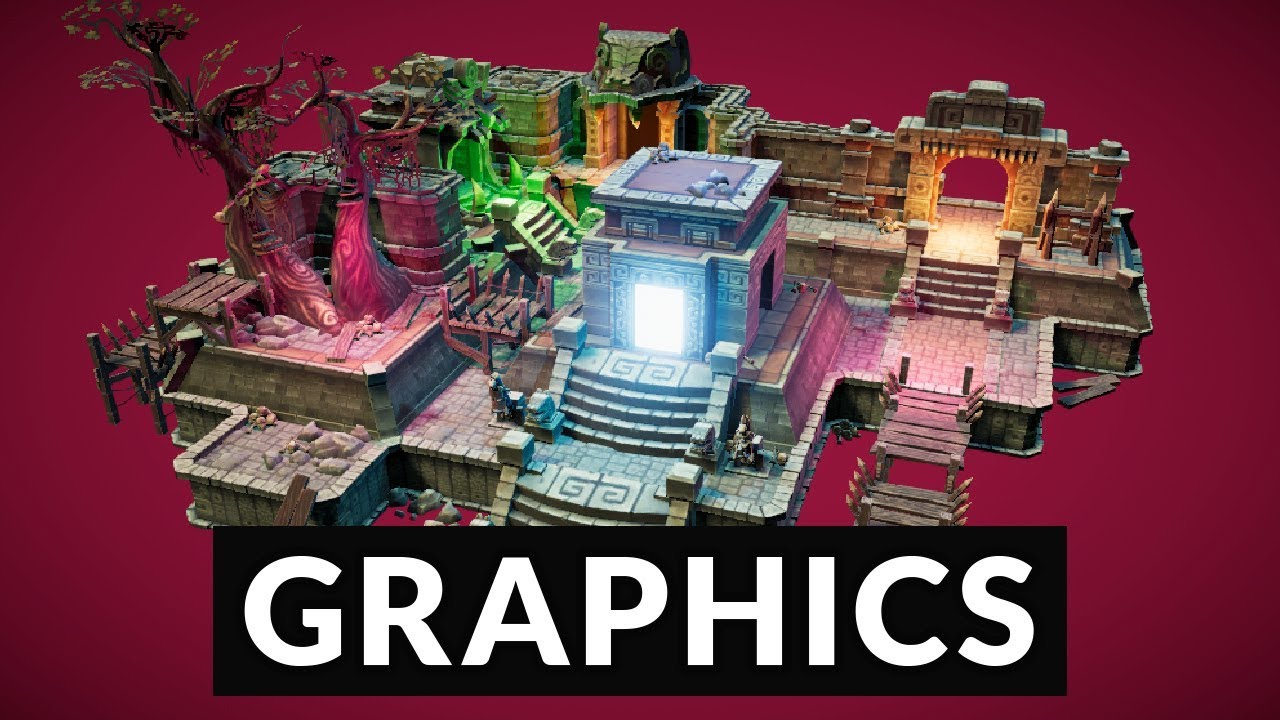
Upgrade to HDRP and take your graphics to the next level!
This video is sponsored by Unity
👕 LINE OF CODE: https://lineofcode.io/discount/SHIRTMEUP
● Temple asset: http://devassets.com/assets/mayan-temple/
● HDRP Documentation: https://bit.ly/2tyBHyz
● More abo...
turbid matrix
ah, they had that shortcut back then
yeah, it's not there anymore
basically if you start with HDRP now from empty project (so not from HDRP template), you can just
- install HDRP package
- run HDRP Wizard from main menu->Window->Render Pipeline->HD Render Pipeline Wizard
- with wizard, hit "Populate / Reset" for Default Resources folder
- with wizard, hit "Fix All" button with the config you want selected (HDRP / HDRP + VR / HDRP + DXR)
after it's done this, new scene you make will have that scene settings equivalent out of the box
technically you can make that volume from scratch too
just do right click->Volume->Global Volume and then assign it either existing volume profile or make a new one
@proud lily ^
proud lily
Holy crap, that was way easier than anything in the video. Thanks for the detailed guide!
Managed to get it working with HDRP selected
turbid matrix
I'm sure there will be new tutorials for HDRP soon that are not that outdated
proud lily
Hope so as well. Now to get started trying to find the right values for light / shaders for my materials
turbid matrix
do note that the HDRP defaults for lights intensities are way higher than on the old setup
so this is what the exposure component on volume corrects
I think the directional light on new scene defaults to 100k on intensity
where on old setup it was 3.14 or 10
proud lily
seems to default to 3.14 when I create a new directional light
turbid matrix
for lights, it still uses old defaults
proud lily
ooh, do you mean for new scenes?
turbid matrix
but if you make a new scene, it'll use the default root prefab that has higher values
yes
it's still bit mixed setup
HDRP's settings are quite complicated nowadays
you got some settings on HDRP asset, some on volumes, some on project settings default frame settings
and some PP effects have defaults on project settings as well
that last part really pains me as I'd want to set them all on scene
(or on those assets assigned in scene actually)
proud lily
Huh, think I'll try to stay far away from all the settings at the moment. Got to get better used to Unity before moving deep into HDRP
turbid matrix
it's something Unity is aware of and I'm sure they'll improve on the setup side of these things
proud lily
Mhm, I'm sure. Seems that they fixed the issue with new scene lux values
still get 3.14
turbid matrix
you will get that for new lights anyway
I just tried to say that the new scene has higher intensity, but this doesn't carry over to new light defaults
 errant surge
i set up URP in my projects
but i don't know why 2d lights doesn't not effects my sprites
nor the scene itself. I have seen video where the scene should turn black once you switch
to URP but it doesn't happen to me anyone have an idea or experienced the same problem?
turbid matrix
@errant surge you've setup the URP asset for 2D renderer?
I think brackeys had some simple guide on that, but it might be outdated already
stone cobalt
Whats the purpose of DefaultSceneRoot prefab when using HDRP?
The documentation's explanation is so.... lackluster
turbid matrix
@stone cobalt it's basically "default scene" when you create a new scene with the editor
you can also just drag it into empty scene too
glad tartan
It seems the tone mapper in Unity is hard capped at the top end at around 95% of the peak brightness. Would be nice if we were able to control that or even if it was at 98% it would be better.
turbid matrix
you mean ACES or in general?
glad tartan
Haven't checked it with any other tone mapper or just a custom lut but ACES is capped
stone cobalt
Thanks for replying, I'm still not sure what you mean though
the prefab isnt even in the scene
does it define which scene is "default" when placed inside one?
glad tartan
It's to basically have a default lighting setup for a new scene. You could make your own custom new scene with it but the new Scene Template package is better for this.
stone cobalt
aah, I see
turbid matrix
@glad tartan you sure ACES isn't meant to do this? I don't know the implementation details myself
glad tartan
nah, ACES has a huge color space but the broadcast range from black to white that we can use it seems they capped Unity at 95% of that
every screenshot taken from the editor opened in resolve show the cap there
you can only go down to full black but only 95% white
have to use resolve to validate things with the scopes there since HDRP dosent have any scopes yet
Here you can see a regular screenshot and it's range
turbid matrix
is that with autoexposure or does the exposure even play any role in that?
glad tartan
Now with a screenshot that I maxed the black and white of ever post fx that controls luminace
Blacks go to black 0 (which you want to be slightly above) but the white is capped
you wouldnt want to max it out but a little more range would be nice to have
turbid matrix
yeah, I wonder what's up with that
glad tartan
yea. ACES is the tonemapper you'd want to use especially if you are targeting HDR and it will fit well with any display/color range
Luts are locked to SDR and I'm not sure about the Neutral or custom option
 formal kindle
@errant surge did you solve your problem? If not, are you using Lit Sprite material in your sprites? I recomend you reading this documentation. https://docs.unity3d.com/Packages/com.unity.render-pipelines.universal@7.1/manual/ShaderGraph.html
errant surge
@formal kindle i didn't
I'll give it a try thanks
@formal kindle what does it means ? every texture must have this shader?
ahh i got it basically
when you upgrade your project
all the sprites have the default sprite material
that is not that spriteLit one needed by URP to work with 2d light system
thanks a lot mate
formal kindle
@errant surge I don't know why the URP upgrader didn't change your materials automatically, though it did. I'm glad to be helpful 🙂
turbid matrix
you'd have to run the material upgrade script for that
candid basin
Got some very primitive ambient occlusion working in URP
It looks bad, but it's also the first time I ever tried writing an SSAO shader
Hoping to improve it, but I have some reading up to do on some articles about AO 🙂
 radiant ingot
That looks pretty cool, how did you hook the effect up?
candid basin
Custom renderer feature to apply the material as a screen-space effect
and the shader itself uses the depth texture
as well as normals decoded from a _CameraDepthNormalsTexture I generate
turbid matrix
I'd want to play with the normal decoding on HDRP
right now there's an issue with HDRP decals where you can't omit decals from surfaces when projected in big angle
so it'll just stretch the decal on walls etc
this is an issue with blob shadows etc if you can't just toggle the decals off from the materials
the issue here is that HDRP decals are processed really early in the framegraph, there isn't normal buffer yet
you can do depth prepass if you want and then you could generate the screenspace normals from that and use that on decal shader
it's going to be tad expensive tho
for SSAO, you could just do it on half resolution to save on that cost I think
 distant garnet
hey guys, im an experienced unity dev but didn't have the opportunity to dig in too much into hdrp and urp. Our studio is working on a new project and we are in the prototyping phase. I'd like to know if it is the right time to switch from legacy to urp or hdrp, and if there is a general guideline or rule of thumb to choose between them. Any help would be greatly appreciated! 🙂 Here is what we would need to do:
- we target high end PCs
- we have a stylized art goal (not necessarily realistic i mean)
- custom shaders
- custom PP effects, eventually play with the render queue to do fancy stuff
- color grading (from a LUT ideally)
- custom volumetric effects (raymarching) - or builtin if there are some
- if possible, deferred decals
candid basin
@distant garnet https://docs.unity3d.com/Packages/com.unity.render-pipelines.universal@7.1/manual/universalrp-builtin-feature-comparison.html You can read this for default vs URP
Here is default vs HDRP
Going over those 2 documents should already give you a good idea
distant garnet
thanks I'll have a look! above my updated "constraints" in case that is helpful 😉
candid basin
And I've only used URP and I can say that URP has no deferred renderer, no decals, and as of now no real way to write custom PP effects
Of course, the pipelines are scriptable so you can always implement these features yourself, but there is not built-in support as of now
 distant garnet
good stuff thanks
given that : https://docs.unity3d.com/Packages/com.unity.render-pipelines.universal@7.1/manual/universalrp-builtin-feature-comparison.html, why would one want to switch from legacy to urp if its not for shader graph ? 😮
candid basin
Not sure, I'm not using it for making a game, but I guess having the render pipeline be scriptable opens a lot of possibilities in terms of customizability
stone cobalt
Does MSAA not work in HDRP?
I'm on Forward Only and MSAA off or 8x doesnt seem to make any difference
I'm certain my HDRP asset is setup correctly since other settings work and affect things, just not MSAA
 lyric ravine
2019.3 Release! Can someone from Unity please explain how to actually use it? Is it using XR Management? URP?
 ripe fable
Awesome
glad tartan
@distant garnet HDRP is the one that will fit all of your needs currently
- we target high end PCs - Both HDRP and URP but HDRP is the target for High end PCs and Consoles (Current and next))
- we have a stylized art goal (not necessarily realistic i mean)
- custom shaders - Custom shaders for your look with shader graph or code (Code will include a lot more work)
- custom PP effects, eventually play with the render queue to do fancy stuff - You can make custom PP efect with HDRP (URP not yet but coming)
- color grading (from a LUT ideally) - (Both supports this)
- custom volumetric effects (raymarching) - or builtin if there are some - (Only HDRP supports Volumetric)
``- if possible, deferred decals ` - Only HRP has Deferred Decals
So it's basically an HDRP target project. If you want to do some more work you can wait for URP to get Deferred renderer (That's close) and then implement what's missing for you (Until it's added or maybe not)
turbid matrix
@stone cobalt you sure you watch game view for the MSAA results?
I dunno if they apply it on scene view (they still could)
stone cobalt
Oh I was about to post, I found the solution
I had to activate MSAA in frame settings inside project settings
stone cobalt
yeah xD
turbid matrix
that would have been my next question 😄
stone cobalt
haha
turbid matrix
there are bunch of items you need to activate there
like contact shadows
(if you want them)
stone cobalt
that seems to be enabled
turbid matrix
tbh, the current setup is quite messy
stone cobalt
I feel like these should enable when you enable them inside the hdrp asset
turbid matrix
there isn't always notification you are missing setting in place x
last time I ranted about the setup, the answer was along the lines "they are aware of the setup issues and will work on it in the future"
it's only gone more messy the further HDRP has gone
stone cobalt
aah so it's Soon™️
turbid matrix
if there wasn't HDRP wizard, this would be close to impossible for new users to get running properly
IMO the whole wizard is weird thing to have, these things should work without one
but I can see how it's needed with the setup they have now
turbid matrix
"we know these things will get misconfigured so we'll just make a tool to fix them manually"
I really like HDRP but UX side is super messy now
my latest annoyance is the volume defaults on project settings... I'd really not want them enabling effects outside the scene volumes for me
stone cobalt
yeah I'm only getting started and it feels that way for sure
turbid matrix
I guess the default thing would be more handy later on but it's confusing at first
stone cobalt
wait theres a different volume just in project settings?
turbid matrix
they enable default volume settings there, yes
stone cobalt
hmm its using the DefaultSettingsVolumeProfile which is inside packages folder. not inside my assets
 plucky epoch
HDRP Transparent Shadow Catcher Shader for use over a live camera feed - Is this possible yet?
turbid matrix
no idea what that even means 😄
as another note, now that 2019.3 is out, I guess it's fairly safe to assume we didn't get skinned mesh support on 2019.3's DXR
the option to conf it on editor just doesn't exist on 2019.3.0f6 like it does on 2020.1 alphas
also they verified HDRP 7.1.8 for 2019.3 now, which was expected
it makes sense now that they branched for upcoming 7.2.0 as it would have not made it in time
ripe fable
Huh, weird, I thought it was confirmed for 2019.3
fiery marsh
@candid basin Is that in URP? Might be that you deleted the renderer if one was put into the index 1 slot on the URP Asset? Like here :
candid basin
I thought so too, but it's there
Maybe I'm messing it up in one of my scripts.. I'll check
fiery marsh
Is one of the cameras perhaps wanting to use the one in index 1 slot?
Heh, yeah. It looks like that error happens if the camera was using a different renderer, and then it was removed.
@candid basin
candid basin
It's super weird, the camera is just set to use the default renderer
I am getting a reference to one of my scripts though
fiery marsh
Hmm, is that the only camera?
candid basin
where I call "UniversalRenderPipeline.RenderSingleCamera"
no it's not the only camera
that might be it
I'm using a secondary camera for reflections
but can't 2 cameras use the same renderer?
turbid matrix
@ripe fable not officially tho, the skinned mesh DXR support IS in HDRP 7.1.8 but editor doesn't have it so it's probably just missing the whole c++ counterpart
fiery marsh
They can, but is your other camera set to use the correct renderer too?
candid basin
The issue is gone when I do this, but that seems kind of silly
I'll check if it is set to do that
yes!
I was calling SetRenderer(1)
switched to 0
Okay cool, thank you @fiery marsh ❤️
 true drum

Popular Blender Classroom benchmark scene rendered in Unity using Standard Render Pipeline.
Indirect Lighting was baked using progressive CPU renderer in Unity 2019.2.
You can download the blender scene file from blender's official website.
To know more about the lighting w...
 indigo summit
Standard RP? as in the Legacy Render Pipeline?
candid basin
I'm pretty sure yes
candid basin
not yet?
but that's the plan right, long term, for it to be legacy?
if in 2020 they want to reach feature-parity with built-in
oh and in 2020, 2020.3 will be the LTS version, that's interesting
good
candid basin
@turbid matrix what was the license on boat attack again?
Can the scripts be used in an asset store asset you think?
I would think it's not allowed, but you never know
candid basin
Alright, will put my lawyer glasses on and give it a read haha
turbid matrix
it used to be CC-BY-NC in past: https://github.com/Verasl/BoatAttack/blob/release/2019.1/LICENSE
I'm really happy they changed that
because now you are allowed to use the things from it on your own Unity projects
@candid basin to word it differently, Unity Companion License is the same license most Unity packages ship with, including all SRP packages
candid basin
So as far as I understand it, I can include a script from it in a unity asset, as long as it's used within the Unity engine?
turbid matrix
this is the main thing to take away from the license: 3.3 Your right to use derivative works. You will always have the right to use derivative works of the Software you create, consonant with this License.
well, for that, you'd need to consult asset store as it's separate license from asset store license
candid basin
I will do that, I'd like to be 100% sure
turbid matrix
I know assets on the store that have marked Unity Companion License licensed assets in the asset description separately
what I don't know if this is commonly accepted approach
look at the end of fthe description
Pack contain ported wind from Unity 2018 HD SRP into lower unity versions and LW SRP this means that asset uses: NMWind.cginc ,NMWindNoShiver.cginc ,NMWind.hlsl, NMWindNoShiver.hlsl, NM_Wind.cs, ShaderWindSettings.cs, 3DNoise.psd, GustNoise.psd under Unity Companion License see Third-Party Notices.txt file in package for details. ```URP's integrated post-processing solution does not currently support custom post-processing effects. If your Project uses custom post-processing effects, these cannot currently be recreated in URP's integrated post-processing solution. Custom post-processing effects will be supported in a forthcoming release of URP.
kinda weird that they didn't hurry the custom effects for URP
considering it was always known it's going to be "full" release
candid basin
0lento I got those reflections working nicely by the way
little to no adjustments were needed
candid basin
Yeah from boat attack, planar reflections in URP
you linked me the project on github few days ago
whole fossil
Hi guys, since the release of 2019.3.0f6 - do you have some info about the release of SRP 7.2.0? Are there any rumors or predictions?
turbid matrix
7.1.8 are the new verified packages with the 2019.3 release
would assume it'll take a while for 7.2.0 to get out as they need to stabilize that fork too
turbid matrix
@ripe fable you know what this will mean? https://blogs.unity3d.com/2020/01/29/switching-to-two-releases-in-the-2020-tech-stream/
ripe fable
Nope, not yet
turbid matrix
it means first usable DXR versions at Q3 earliest as the DX12 speed inprovements were supposed to land on 2020.2 😄
and that's now the years last TECH stream
and we know already it's still going to slip into Q4
but at least we can expect some previews in the summer
ripe fable
Hmmh
turbid matrix
of course it's possible this will change DX12 priorities for HDRP team too
we just don't know into which direction
but if you have to guess, it's usually going to later
ripe fable
yeah
 vague prism
@candid basin if you get any insight into how to replicate the planar reflections from boat attack, my team and I would kill for a breakdown 🙂 We've been going over it in the 2019.3 release but it's v.hard to discern and there's no tutorial's out there related to it
turbid matrix
@vague prism did you see this one? https://discordapp.com/channels/489222168727519232/497874081329184799/669969148847063080
vague prism
@turbid matrix yes! I'm just looking at it again now. Though it throws an error with IBeforeCameraRender, seems UnityEngine.Experimental.Rendering.LightweightPipeline isnt used in later versions
candid basin
I'll send you my script
you need UnityEngine.Experimental.Rendering;
and UnityEngine.Rendering.Universal;
vague prism
ah that's what it is now. thank you very much indeed this will be a BIG help
candid basin
And basically you just put it on a gameobject in your scene
And set up a 'target' object, which the script will mirror around
And then it generates a "_PlanarReflectionTexture" texture which you can sample in a shader and that should be it, have fun!
turbid matrix
getting slowly more editor functionality for upcoming virtual texturing: https://github.com/Unity-Technologies/ScriptableRenderPipeline/commit/5b5b4f8e6804f1da21b9eedc50224d79f7fdc904


can't test it because the needed api changes are not in a20 yet
but yeah, we'll probably know more once GDC is up, would expect any announcements before that
that's 1.5 months away now
talking of which: https://schedule.gdconf.com/session/fast-denoising-with-self-stabilizing-recurrent-blurs-presented-by-nvidia/873802

GDC 2020
Dmitry Zhdan (NVIDIA)
vague prism
@candid basin o.m.g it works!
 trim bone
hmm I feel stupid as I cant get the reflections to work
vague prism
thank you thank you thank you! this has been a headf*ck for so long for me
turbid matrix
@trim bone which ones?
trim bone
the script alexander posted
turbid matrix
you coupled it with the rest of the things?
trim bone
ok false alarm, something with my shader wasnt working properly
turbid matrix
( I have no idea if it's self contained in that single file )
ah, it's just custom render pass
trim bone
so it uses SetGlobal to pass the rendertexture to any material with the specified property, for some reason my own shadergraph doesnt work but copying the shader from that old lwrp samples repo(you linked a while ago) works, even though it is basically they are setup the same? 😩
candid basin
lovely
and yes it's just 1 script
@trim bone what doesn't work with your shader?
You should create a texture2d property, change the reference, set it to be not exposed, and then sample it
trim bone
ahh that was it(it was exposed), thanks @candid basin
 open cape
hello, does anyone knows how to interpret the data from "fog" node in shadergraph?
open cape
i think the density output might have a bug in 2019.0.3f6
if i plug the density into the color directly, i see nothing
oh sorry i just saw #archived-shaders channel, switching there
 vivid sail
I noticed that 2019.3 ships with support for 3rd party materials, does this include the HDRP? or will we still need to make HDRP materials to replace them?
turbid matrix
@dreamy fox I've been looking at the ExcludeFromTAA stencil bit use more and there's something I don't quite grasp. If that stencil bit is used, TAA shader should just do a passthrough but there's a clear softening on the aliasing still when excluded from TAA. I mean I can definitely see it's not regular TAA anymore (as it doesn't ghost) but it's also not same as no AA at all
is there some logical explanation what softens it? the jitter on sampling?
ExcludeFromTAA isn't documented due to it being an internal stencil bit (altho I could definitely see value on exposing it to users on regular shaders even)
hmmm, I guess it really is that jitter... it looks smooth on the view but if I record it and step frame by frame, it's clearly aliased and I can see the jitter from frame to frame
I also wonder where that jitter comes from because it keeps still shaking if I omit the jitter from that FragExcludedTAA pass
Edit: this is due to projection jitter on HDCamera? It's always set to true if TAA is enabled
..also.. why TAA shader got passed depthbuffer on the ExcludeFromTAA PR? I don't see it being actually used by the shader
 night lance
We have looked at this model in all three render pipelines (standard, HDRP and URP) and for some reason only in the URP we get this banding across the face. We experimented with changing the normal calculation in the FBX import area but got very mixed results. Any ideas on what the culprit may be?
turbid matrix
@night lance shadow bias most likely
turbid matrix
@dry moth you mean you don't want green alien skin?
you didn't really tell what was wrong
turbid matrix
so hdrp
turbid matrix
I think hdrp wizard can correct that
 dry moth
but im trying to figure out how to load the hdri
turbid matrix
also the green color is indeed by design if you have diffusion profile missing
dry moth
yeah
night lance
@turbid matrix Shadow bias changes worked, thank you!
turbid matrix
np
turbid matrix
I feel I'm close to getting TAA working on custom PP pass but I think I'm failing to update the view constants for TAA jitter here because interally it sets these to false if regular TAA isn't selected
it feels like it works in motion but in still image the AA fails, so fairly certain the jitter is not working right
 heavy ice
@glad tartan Regarding the SSS message: yes we are adding features all the time, there will be other complex features incoming.
glad tartan
Nice! looking forward to how things advanced.
turbid matrix
I'm mainly wishing for vertex offset/manipulation support for DXR
ue4 already supports it but last messaging I got from Unity was that vertex modifications on shaders is not on the table
I can imagine that being complicated tho
glad tartan
Yea, plus UE4 had a one year lead on Unity with their DXR implementation
turbid matrix
something like that 🙂
altho we don't quite know what all went behind the curtains on Unity camp before they showed their thing first time
heavy ice
vertex offset is a complex task yes
 plucky vigil
Did they remove SSR in the latest HDRP preview?
plucky vigil
In the past I didn't have to
Thanks for reply, will look into this asap
ohhh i see
thanks!
turbid matrix
hmmm
I'm getting spammed by this on old HD template with DXR
would be nice one could at least point out which object it is
well, it was the transparent parts on the hd templates level tool
 random knot
I'm trying to render holes in the ground, and I want to use these disks to "punch out" a hole in the ground
essentially I want to not render the floor where these disks are, so that the hole meshes may display through
how can I do this using depth / stencils?
I did it by accident once so I know it's possible, but I don't know what I did that made it work
I managed to get it to do this
random knot
i can't use whats shown above anyways because it breaks realtime shadows
heavy ice
@turbid matrix which version are you using? In the recent version, that warning message does not appear anymore at runtime but is available in "Edit" -> "Render Pipeline" -> "Check Scene Content For Ray Tracing"
 fading rose
any idea why this is happening? it was not happening when I first started working on the project. it happens regardless of the HDRP version.
fading rose
Apparently this is happening for some reason when many lights i.e. 36 or more, are added in the scene. After removing all these lights the "show" stopped.
This should not be happening since there are only a few shown on camera. (in this case 5) There should be some sort of culling when lights do not affect the camera view.
 wraith blaze
Any idea why the SSR quality is so low,i did set it to high quality but nothing changes?
fading rose
Can't say for sure, but from the look of it, there is a good chance that your normal map is the problem. It is too grainy or perhaps stretched.
Also not sure how you fixed it. there is a different setting for the camera and a different one for the reflection.
wraith blaze
Dont have a normal map, only a wet material
fading rose
your material has no normal map at all?
wraith blaze
Didnt asign one
fading rose
I can see the windows of the building on your reflection which means it is very high quality. So the quality is not the problem. SOmething else. Try reducing glossiness a bit or play with Metalness. Something like that.
lyric ravine
@fading rose I reported that as bug a while ago and got told it's a feature. HDRP supports max. 24 lights per pixel. Solution: Reduce the range of your lights so they don't overlap as much. There's a HDRP Debugger which allows you to check how many lights shine on each pixel
fading rose
@lyric ravine "feature" 😄 thanks.
lyric ravine
Well, it seems it allows for good performance as they basically store the light indices in a 32bit data type in some way. Going over that would decrease performance considerably
fading rose
There are not many overlapping lights and their ranges are short. I added the same amount of lights in a different manner and it does n't do that.
lyric ravine
For visualization/non-realtime rendering purposes you can force HDRP to not use Light Compute and then you can have any number of overlapping ones, but that's not very useful for performance
fading rose
I have only up to 4 overlaps, but it appears their shadows are peculiar too.
lyric ravine
this is how you can debug
fading rose
oh well 😄 I kind of fixed it but now I got a new issue which just popped.
lyric ravine
gives you those fancy numbers in scene/game view
fading rose
Thanks.
lyric ravine
- make sure to show ALL and not just "punctual" which is default
fading rose
another option may be to use light layers and kind of sort them out this way.
turbid matrix
@heavy ice ah, I'm normally on HDRP/staging with 2020.1 alphas but I got that on 2019.3.0f6 and HDRP 7.1.8 while upgrading my https://github.com/0lento/Unity_DXR_Test . Also pease don't judge me on that project 😄 It's only purpose has been to have simple project that has DXR preset out of the box for few scenes as some have struggled in past in getting these settings enabled (started that when HDRP Wizard didn't have DXR option yet, but been updating it every now and then now too).

GitHub
Test project for Unity 2019.3 and DXR. Realtime Sponza and HDRP Example scenes. - 0lento/Unity_DXR_Test
@wraith blaze is this with HDRP or built-in with PPv2 SSR?
heavy ice
@turbid matrix ok i just checked, the behavior was still in 7.1.8. It will be fixed in next package
lyric ravine
yeah "pixel' wasn't entirely correct from my side either, it's per Tile
a tile being some square pixel area that's configurable somewhere
fading rose
hmm that was a very useful optimization tip. Thanks.
I don't know much, but, I would expect Unity to handle this a bit more smartly.
wraith blaze
@turbid matrix HDRP
turbid matrix
@heavy ice ah, good to know. Can you tell why is this particularly bad in submeshes for ray tracing though? You can't fast track some things when you have different material paths on same mesh? One would think it wouldn't make much difference if there's submeshes with different materials vs meshes with different materials for this kind of thing
but obviously I know nothing what goes behind all this tech wise
lyric ravine
Well, I talked to the guys who are working on this and they were very surprised anynone would have more than 24 lights on a single tile (we were using it for Stage Light Design with ~200 lights and obviously ran into that limitation)
heavy ice
the meshes that are opaque that are ttached to the transparent ones will have an extra cost that they do not need to be because of API limitations of DXR
fading rose
They are surprised because they have no practical experience in the field 😄
lyric ravine
Imagine 200 rotatetable lights all shining on the same person on stage 🙂 you get those weird artifacts everywhere as the tiles just randomly clamp whatever 24 lights happen to be sorted first from a specific virewpoint
heavy ice
it won't change the world if you have one in your scene, it won't destroy your perf, but if you too much it may become measurable pretty quickly
turbid matrix
ah ok, will keep in mind
fading rose
They just make up numbers that make sense to them and based on these assumptions they move on until someone like you and me provides feedback, although it is often too late when that happens.
turbid matrix
so better to just keep translucent/transparent objects as separate meshes
heavy ice
yes
fading rose
Yeah I was reading this the other day. for DXR you need to keep your object as "clean" as possible.
I also have started doing these on a single texture atlas in Substance.
But in any case that is often the case anyway, even without DXR. The more different materials on an object, the worse performance you get.
i.e. I know many people, mainly in visualization, who are used to do multi-material objects in 3dsmax and this turns out to be a very bad thing.
heavy ice
@turbid matrix if you are intested in understanding all (most) of the current ray tracing set you can also open the test project
it has a wide variety of configs properly set up
turbid matrix
oh you mean the one on SRP repo
heavy ice
GitHub
Scriptable Render Pipeline. Contribute to Unity-Technologies/ScriptableRenderPipeline development by creating an account on GitHub.
turbid matrix
I've seen it but haven't actually opened it
I've mainly looked at the regular HDRP testproject there 🙂
heavy ice
it's very similar, it is only focusing on ray tracing features
turbid matrix
ah, I only ask because I know the c# change on it IS in 7.1.x
I dunno why the thing got backported to it
heavy ice
to avoid having multiple version to maintain
heavy ice
Yes, it won't do anything unexpected but it will only work in 2020.1
turbid matrix
other thing I now wonder is that are DX12 perf improvements targeted still at 2020.2 now that TECH streams got cut from 3 to 2 on 2020
I think Seb wrote a long time ago on the forums DX12 perf regression (in comparison to DX11) would be addressed on 2020.2
so I guess it's safe to assume 2020.2 is still the target, it's just moved further down the year
fading rose
@heavy ice please try to add as much as possible in 19.3 😄 it is the last Unity version with guaranteed OpenVR support 😄
turbid matrix
@wraith blaze tbh it's bit hard to see what's going on from your image. the reflections don't really all look like SSR at all
the lack of proper VR support on 2020.1 is surely a bummer
but I guess Unity puts all faith now for Valve to deliver
it's still quite alarming from users point of view
wraith blaze
Its both ssr and reflection probe forgot to mention it
heavy ice
We try to backport everything we can (as long as the engine does not need a feature) @fading rose
fading rose
@lyric ravine and apparently this count does not change even if you make the lights baked.
lyric ravine
That might be a bug - if you set them to "Baked Only" and actually bake they should not be counted there anymore. If they are, please report a bug!
fading rose
hmm I will.
turbid matrix
so, still wondering what to do with the TAA's projection jitter.. I haven't really thought about this before but in the nutshell for TAA to work, the camera projection is jittered subpixel range around to get tad different render around the edges and TAA algo can then filter these as stable image via temporal filtering
it's just when I want to omit TAA from partial screen, I can't get away from the jitter because it's already rendered to it
what's silly is that I didn't even notice this first with ExcludeWithTAA stencil bit because my main screen is 144Hz
the jitter doesn't show at all and it appears smooth with it despite TAA isn't applied but projection is jittered
but if I capture or render it at 60Hz, this is what really happens behind the curtain:
so what I'm thinking now is that because this jitter isn't really noticeable for things that are already moving on screen, I could just use TAA for everything that has close to zero velocity (where I know TAA would never ghost) and then just apply some different AA / blur when things are in motion and only apply this effect for select materials tagged with that stencil bit (only for materials I know would ghost with normal TAA)
and I realized this is almost identical again with https://aws.amazon.com/blogs/gametech/anti-ghosting-with-temporal-anti-aliasing/
that article mentions all these things actually, just forgot about the technicalities for a moment
the main issue with that velocity check is that motion vectors jitter way more on Unity due to the frame stability, so you really see the edge where the effect is applied moving back and forth
this was the old test I did with their approach a long time ago
I had to use a lot bigger blend radius to try to hide the stuttering, but if the motion vectors could be averaged on some buffer, it would greatly help on this
if camera stacking ever comes to HDRP, we could in theory render the elements that ghost (ground mainly) using different camera without subpixel jitter and just use different AA altogether for it
would probably be still quite expensive
wraith blaze
Stil having the problem of the SSR looking like this,dont know what is wrong
turbid matrix
@wraith blaze for some of the reflections, it really just boils down on SSR not being in range to have screenspace data for it
and then it'll fall back to reflection probes, which are highly inaccurate and don't really reflect things in positions you'd expect just by looking at the screen
wraith blaze
Hmmm
turbid matrix
they work on cases where the surfaces aren't highly reflective or you can't clearly see what they should be reflecting
realtime reflections are pain
avoid them if you can 😄
wraith blaze
my reflection probe is baked
turbid matrix
DXR reflections would work but you can't design your level art to work only with select GPUs
yeah I really meant that your reflections are still computed realtime, using the baked probes and screenspace reflections
wraith blaze
Ah
turbid matrix
if you have like a road that's always on a flat plane, you could technically use planar reflection for it
it's tad expensive tho
wraith blaze
Ok ty for the tips 🙂
wraith blaze
Managed to get the reflection better thx for the help
 stable acorn
How do i get post processing to work with Universal render pipeline?? Post processing works without it fine... (2D)
fiery marsh
@stable acorn This page might help : https://docs.unity3d.com/Packages/com.unity.render-pipelines.universal@7.1/manual/VolumeProfile.html
In short, right click the Hierarchy and add a Volume object, then click the New button to add a profile where you can add post processing & adjust settings. Make sure Post Processing is also enabled on the Rendering tab on the Camera.
(Note, URP isn't compatible with the PPv2 stack, it has it's own)
turbid matrix
note: URP will be compatible with the PPv2 stack but apparently the change didn't make into recent URP
as another note, I tried to cheat in getting custom TAA through custom pp pass by letting built-in HDRP TAA do the camera subpixel jitter but bypassing the TAA with ExcludeFromTAA stencil
idea was that I'd get the camera jitter computed for me but not apply the stock TAA shader
that exclude pass adds extra jitter to the image 😄
so now I wonder, can I actually do the camera projection jitter manually when TAA is set off from the camera
(as it would let me bypass the whole TAA conf that's causing grief now)
ah, I can probably still set that projection matrix manually using those srp camera callbacks
sorry for the rubber ducking here :p
stable acorn
@fiery marsh i got it working thank you! Im looking for a specific effect but i dont know the name of it if you could help me if you know it
it makes things look retro, with lines and stuff in the screen. im making a retro like Space shooter
fiery marsh
@stable acorn Something like an old crt monitor or vhs effect? Not sure if that's what you mean. I think the current post processing doesn't really support custom effects. You might be able to use a combination of Lens Distortion, Chromatic Aberration and Film Grain or something for a retro looking effect though.
If you really need a custom effect, you should be able to apply a custom post processing/image effect shader using a Blit pass on the Forward Renderer. ( like the Blit pass scripts here : https://github.com/Unity-Technologies/UniversalRenderingExamples/tree/master/Assets/Scripts/Runtime/RenderPasses )
stable acorn
Yea like this @fiery marsh
fiery marsh
Yeah, might be able to use the post processing options I mentioned above for that. For the lines the Film Grain might work as you can specify a custom texture using a bunch of horizontal lines at different alpha values. (Doesn't seem to be a way to control how fast it moves though which might be a problem).
 pallid crystal
Does anybody know if there is any way to achieve half-transparent shadows on specific objects in HDRP? In built-in pipeline I could just have..
- The mesh set to not cast any shadows.
- The same mesh copied, but set to "shadows only" and using a standard tranparent "fade" shader.
The shadow would be partially transparent (via something like dithering). Can a similar effect be achieved in HDRP?
 sinful locust
Anyone have a sense for where URP feature parity will be compared to HDRP in say 1.5 years? i.e. if someone is starting a PC centric game today that isnt planned to hit early access for quite sometime what would be the main consideraations to use HDRP vs URP for a 3d openworld, procedural (mostly space) game? Intend to use dots/ecs/burst.
glad tartan
If you want to use any advanced rendering and post processing then HDRP
URP will have feature parity with the current Built-in Pipeline but wont have feature parity with HDRP. Wouldn't make sense to have separate rendering pipeline if that was the case. Universal RP is to target any platform, HDRP target Compute capable devices. PC, current consoles (PS4,Xbox One), and inevitably Next Gen consoles (PS5, Xbox Series)
sinful locust
@glad tartan from what I read HDRP requires an order of mangitude more expertise and effort to do comparable work to what can be done in URP, is that true? If so it would seem one would need to decide what these "advanced features" are and if the game would be ok to live without them.
So I guess my question reduces to.. once URP hits parity with built-in what will I still be missing from HDRP?
turbid matrix
@pallid crystal HDRP's DXR support transparent shadows but it's obviously not generic option
glad tartan
@sinful locust Well comparing standard Built-in (No plugins/addons) to standard HDRP. Off my head
- Better light interaction with materials (URP is also better at this than Built-in)
- Wider material Variation/models (Fabric, Sub Surface Scattering, etc)
- Physical Sky (Can be used for Dynamic time of day)
- Coherent lighting (Transparency, Fog, Post processing)
- Shader Graph
- VFX Graph
- and a lot more
sinful locust
what are you thoughts on HDRP around the difficulty to develop/ time vs reward?
glad tartan
That's something more personal (Depends on how you made your games with Built-in with regards to quality and such that you went for). For me it's not much difference in terms of work load work. Actually faster for me
Faster doing light, post, and generally getting a scene to look good
 kind nebula
I prefer VFX graphs to particles in how you make em, i like it being so visual n stuff
glad tartan
VFX Graphs questions you can ask in the VFX channel
glad tartan
alright
sinful locust
Renardo any idea why I keep seeing people say HDRP requires high level dedicated graphic developers, where as URP does not?
glad tartan
Yea, that's for lower level customization. Most people wont mess with that unless you have graphics team/devs
- Higher level of customization would be Custom Passes and Custom Post Processing
- Lower level changing/adding rendering features (Custom Shaders to interact differently with lighting)
sinful locust
So is it fair to say that in most cases if your focus is on URP comparable features and you are using HDRP the implemetnation time will be similar?
glad tartan
That depends on your project, what features you want and if you want to customize the rendering.
If you are just using both as default then it's about the same time getting everything going. (For HDRP it's default shaders uses packed textures so you would have to conform to that unless you create your own shader with shader graph) URP use packed textures as well but it's more of an option. So the same way you pack for HDRP it will work with URP but if you want to pack your textures the same as built-in then those will work as well.
sinful locust
Ok thanks for the info, sounds like I just need to tinker a bit with both before deciding.
glad tartan
For sure, that's the best way to get an idea of how they are. HDRP is a slightly different mindset to both but isn't anymore difficult
kind nebula
hey quick question
how do I know if a pipeline is compatible with VFX?
cause I'm using a custom render pipeline
glad tartan
Both HDRP and URP are compatible with VFX graph. Custom pipeline will have to add support for both Shader Graph and VFX Graph. The docs should have the ways to do that
Don't know who to address this to here, that could pass on the info. Since it's Friday and late everyone is probably off
I just found out why the Physically Based Sky in HDRP looks so weird at sunset, and it's the implementation. Frostbite has the same Physical sky Implementation and they discuss this exact problem here and how it's solved. It's timestamped at the exact section mentioned (about 30 seconds watch time from timestamp).

This course provides a brief introduction to the physics and mathematics of shading. Speakers from film and game studios share examples of how physically based shading models have been used in production.
 short thorn
Is there a way to convert materials from urp to hdrp? I've tried the convert all materials option and the convert selected materials option but these are not working. Using 2019.3.0f6
glad tartan
You have to do it manually. URP and HDRP only converts Built-in (Standard) materials to their new material system
short thorn
That sucks. Thanks for your help
 coral crystal
How does unity render alphas?
kind nebula
yeah been looking around but havent found how to make VFX graphs be happy with the custom render pipeline
 valid dock
is there a way to see which Volumes are contributing to the final output in HDRP? getting some unexpected results and it would be super helpful to understand what's going on.
turbid matrix
it's not all that simple
I mean, you can have different effects on different volumes and have many with overlapping functionality (so you can have multiple volumes affecting the same place at once, just by different effects)
it then just boils down on which effects are on which volume, what is that volumes priority or if it's active locally or globally
but if you have weirdness going on with volumes, I'd definitely check the default hdrp volume first as it has many things preset for you which you might have not known about
and by that I don't mean any volume on scene
you can find the default thing linked on the project settings
@valid dock
and also going to point out the obvious: the effect in active volume with highest priority is going to override the same effect set on lower priority volumes
valid dock
yea
i was thinking about just turning everything off in the default
and just keeping a global volume at low priority that is always ther
another thing I was getting a little stuck on was trying to additively load a scene with baked lightmaps. when i additvely load it, the lightmapped geo appears totally blown out
did a little searching and saw that this was an issue going back a ways with the legacy pipeline, but i couldn't really find anything about whether this would be a problem in HDRP... i figured that they'd have improved the workflow with that sort of thing for HDRP
turbid matrix
was just going to ask if it is broken only with HDRP
there are example scenes for this scenario on Unity Asset Store for the old renderer
valid dock
right i noticed that, but i just assumed that it wouldn't be relevant to HDRP
turbid matrix
just thinking if it's meant to be done in specific way to work
valid dock
apparently they just finally fixed an issue where light probes would break when being additively loaded
true, might be worth taking a look at then just as an example
turbid matrix
I've never really used baked lighting much so can't comment from experience

What is this?
This is a free educational project to help teach the fundamentals of working with lighting and Additive Loading in Unity. Understanding these concepts is crucial to the successful implementation of global illumination in Multi-Scene setups.
The project cont...
valid dock
yeah i might have a look at it
but right now i think my bigger problem is unexpected results from my Volumes
turbid matrix
what's the issue?
valid dock
i tried restructuring my system to not use additive loading and just put the few persistent pieces in DontDestroyOnLoad
but when I load in my next scene, it starts super bright and then over a second or so, fades down to how it is supposed to look
turbid matrix
ah
it's the autoexposure
for the time being, you can just use fixed value for exposure component if you don't need it to adapt
turbid matrix
there's a fix coming up, it's merged in github but I don't think it's on currently available HDRP packages
valid dock
is that something in the defaults?
turbid matrix
(for the initial flash to white)
turbid matrix
there's just TONS of settings spread around on HDRP now
like, to get specific things to work, you might need to set them on now on three totally different places before they function
valid dock
yea really strange design
valid dock
sure
turbid matrix
but the UX is quite far from ideal right now
valid dock
yea... i feel like i'm going to have a hard time, but i wanted to make the jump on this project
turbid matrix
GitHub
Purpose of this PR
In scenes with very high or very low exposure, the first frame when entering play mode would be either fully white or fully black when using Auto Exposure. This PR fixes it by ma...
valid dock
what are "frame settings" and "hdrp asset"
are those things that i'm going to need to be concerned about?
valid dock
hehe
turbid matrix
it should cover the basics
turbid matrix
you can find hdrp docs pinned on this channel for example
but of course package manager has links to docs too for each individual package
valid dock
right
turbid matrix
those docs are good help when trying to figure out things
valid dock
so maybe we can expect that autoexposure bug to be fixed in the 7.20 release coming next week
turbid matrix
I've used HDRP since early 2018 cycle when they announced it and I still keep checking various things from those docs
valid dock
probably will not be using autoexposure anywhere on this project though.
i'll want to dial it in for each scene
turbid matrix
well,just set it to fixed then
valid dock
and animate it a bit for transitions
turbid matrix
that's what I do anyway
to be honest, I got so tired of it flashing that I just chose to put it on fixed all the time 😄
automatic can have real use cases
like if you want the player to get blinded for a brief moment when going from dark to bright place etc
valid dock
yea this project is VR and no locomotion so you'll be in a fixed position
turbid matrix
for VR, I'd imagine you'd want to have that fixed
valid dock
if you were moving from a dark room to an outdoor environment, i could see it making a lot of sense
but yea... that explains a lot. not sure i agree with having auto-exposure the default!
turbid matrix
it's quite common default
UE4 sets it to default too
and most users disable it there as well 😄
in HDRP, you do need the exposure control still if you use more realistic lighting values tho
so have to use it with fixed setting in most cases still
if you really want to omit the whole exposure control, you need to revert to old style lighting intensities, like put your directional light intensity to max 10 instead of 100k it is now etc
and remove exposure values from sky etc components
valid dock
huh
do the exposure values correspond to a real world value?
like f stop or something?
turbid matrix
no idea on that
valid dock
hmm
turbid matrix
but if you don't have any, you'll see just a white screen 😄
valid dock
right
turbid matrix
(unless you go to old style low intensity lighting )
anyway, you got the flashing fixed now I assume?
valid dock
well i have some ideas about how to restructure my various volumes
Unity really needs some proper examples for this stuff
the manual is dense and not really enough
turbid matrix
I dunno, I feel it's more of an UX issue right now
things are just so spread around it's hard to find right place to start looking when you face issues
(unless you know where things are by keeping up with their changes :D)
valid dock
😩
valid dock
you have to restart Unity when you switch your default volume asset 😛
before it takes effect
hehe so what i learned is that my 2 scenes had drastically disparate lighting settings that were obscured to me by the autoexposure... i had to turn my area light from 2000 lumens to 3 lumens 😂
glad tartan
If you have it all setup correctly you wont have to edit light values like that.
 solemn bay
I'm using the URP with its post processing. I'm doing a 2D project and am trying to get the Depth of Field to work with sprites set at different distances. However, it seems like there's no Z-write and it just sees all the sprites at the exact same depth.
There's only one 2D-lit shader with the URP. Anyone know how to get Unity to work its depth of field with sprites?
tight vessel
Im trying to get that boat game demo Unity uses and put it into VR, but for some reason the water looks like this
It's like the water's reflections are split in half and swapped for each eye
turbid matrix
try it without planar reflections
they probably didn't built them VR in mind
there should be toggle somewhere for this
 sudden vale
Hi, how do you make a game (runtime with harmony patching) to not use baked npc-s with 256px textures, but use the 1024 textures that are in the assetbundles? So far I could extract the big textures to the disk and load/replace them at unit spawn, but I have a feeling that I'm missing something obvious. My graphic settings are all maximum.
Or alternatively how can one load these asset resources (textures) from the game bundles without any assetguid, as textures don't have those? Is there a way to search inside all bundles based on texture names? I couldn't find any way for days.
pallid crystal
@pallid crystal HDRP's DXR support transparent shadows but it's obviously not generic option
@turbid matrix Oh well, I guess I'll just stick to no shadows for my characters. Thanks for your info!
turbid matrix
hmmm, I guess latest hdrp staging will be broken for a while now as last two commits require engine c++ changes again 🙂
it's a trivial one line revert tho
(to keep it running on a21)
 blissful blade
does the post-processing from universal rp work on 2019.3 or do i have to wait 2020.1 for it?
 limber portal
@blissful blade yeah post-processing should work. It comes bundled with URP.
blissful blade
i see, i found out that in this text, it's said it's not working and have to wait 2020.1
or did i misread it?
 lethal sandal
I'm attempting to do some post-processing with URP, I see the effects in the scene view but not in the game view. What am I missing?
blissful blade
in my case, it's both that is not working, i probably missed something too
for your case, have you checked the layer mask?
it should be checked "everything"
fiery marsh
Make sure the camera has Post Processing under the Rendering tab enabled
lethal sandal
Bingo! Thank ya
fiery marsh
(And for scene view this needs to be enabled)
 true zealot
Including the button itself
fiery marsh
Hmm the button doesn't have to be enabled for me
Ah, I think the button is only enabled if all of the dropdown is ticked
true zealot
Ah, you're right. Weird
fiery marsh
Yeah that does seem a little odd. Might be better if there was a "partially enabled" state, not sure what visual that would be though.
true zealot
Do you have a post processing layer?
true zealot
Or is that not required in the new URP PP
blissful blade
apparently i didn't added them as postprocessing layer... or even tagged them as so
and still not working
true zealot
It's not a normal layer, it's a component
that you need on your camera
But I'm not familiar with the new URP/HDRP PP to know whether that has changed
fiery marsh
Nah, you don't need that in URP's one. It has it built-in to the camera.
true zealot
Does it still need tags or anything?
fiery marsh
fiery marsh
It has a Volume Mask setting for which layers the post processing is on
And there's a tickbox to enable it too
You will also want to look at your post processing settings, as quite a few of them look like they have an Intensity of 0, so they might not be visible?
fiery marsh
Also I think the Volume Trigger on the camera is to do with Local volumes, if you want it to blend based on a different transform than the camera.