#archived-hdrp
1 messages · Page 42 of 1
 turbid matrix
and not logical at all
you had to know how it worked
you couldn't even figure it out on your own without some tutorial/doc
I mean now the camera layer / pp layers stuff
 cerulean wolf
hmm that's annoying, strange they don't UX it stuff as PP is usually a very important part of making a game look good
turbid matrix
HDRP's initial setup is going strongly in that same PPv2 path
it's super complicated now
it's so bad they had to make a wizard to fix your project for you
as it's not feasible for users to fix each issue separately anymore
HDRP now has settings for settings
and things scattered all around
I'm used to this but it's not a nice UX at all
(and Unity is aware of this)
cerulean wolf
it's so bad they had to make a wizard to fix your project for you
I might have misunderstuud but is this like how the shaders of standard are incompatible with URP/HDRP?
turbid matrix
I mean more like, you have to have specific files setup on other files for things to work right
cerulean wolf
settings being scattered is definitely impression I am getting
I guess that is also the price you pay for customization, different points everywhere. And I think that is a big part of the goal of SRP isn't it?
turbid matrix
new user could never get this running properly without the wizard
customization is another thing
this is organizational thing
they will fix it to some extent at some point
but it's going to be super messy on HDRP launch now
cerulean wolf
Aah alright. I guess it's similar to the pipeline assets which store some settings, but then for most lighting / fog for example it's in the Project Lighting settings
But then exploded across all the hDRP features
turbid matrix
HDRP adding default values to the mix is not going to help on the new users confusion
in past, PPv2 just added default values on the initial setup
 candid basin
0lento have you tried creating your own rendering pipeline?
turbid matrix
now the component defaults are buried in the project settings
no, I haven't wanted to do that
main reason I'm even using Unity is that I can use their renderer
if it weren't for that, I wouldn't even use Unity or any built-in game engine
candid basin
I think I'm gonna give it a go next month, I'll learn a lot
about rendering in general
and catlikecoding's tutorial seems amazing
cerulean wolf
yeah that one is really good, also a very basic example by keijiro. Gives a very concise overview of a basic pipeline https://github.com/keijiro/Retro3DPipeline

GitHub
A minimal example of a custom render pipeline with the Retro3D shader. - keijiro/Retro3DPipeline
turbid matrix
don't get hopes up on the catlikecoding one
I mean it's super good
but also at the same time, super outdated
cerulean wolf
I think he has another one which is up to date
turbid matrix
it was written when LWRP and HDRP were just coming up
ah
well that's different then
cerulean wolf
he has an "new" one for Unity 2019.2.6
turbid matrix
if you really want to be a rendering engineer, just go with it 🙂
cerulean wolf
And you could always peek over at how URP does it, the render loop is not too difficult to follow
turbid matrix
I don't personally see the gain on trying to implement something that would require a big team for years to get something decent out of it
cerulean wolf
HDRP is a bit more difficult and jumps over to different classes but with some time it's still readable
turbid matrix
but if you do it for learning purposes, that's fine
I'll personally just try to understand the internals enough so I can modify things that don't quite work like I need them to
cerulean wolf
It's more something of flexibility I think. If you want some feature that does something slightly non standard in most engines you end up rolling around in hacks.
candid basin
But like if I had a game with a very minimalistic style
you think I could benefit from a custom SRP?
because I don't have all the bloat that's used to make it 'universal'
let's say I don't need thinks like GI, or even lit materials
just opaque/transparent and unlit
a custom SRP could save you on performance right?
because you only create the things you need
turbid matrix
URP is quite minimalistic already
you could just modify it's shaders and cut the feats you don't need
it would take a fraction of the time of building something equivalent from scratch
candid basin
so when would you see using a custom RP as a good option?
When you are a large company, have the funds to put a team on it?
turbid matrix
if you can afford full team for it or if you just want to fiddle with things to learn
I don't expect many indie games with fully custom SRPs
of course some will still do it
 fleet nova
Yeah I feel like you would at least need someone capable of making an SRP on the team. Maybe there's some open source GitHub code for a similar SRP functions you're interested in.
At least to reference to help blueprint your own.
 exotic robin
Any idea on how to add another buffer on the URP toon post processing custom example? https://github.com/Unity-Technologies/UniversalRenderingExamples/blob/master/README.md

GitHub
This project contains a collection of Custom Renderer examples. This will be updated as we refine the feature and add more options. - Unity-Technologies/UniversalRenderingExamples
I want to use the blit sample and use an extra rendertarget to make a simple blur effect
I have no clue compared to legacy pp...
exotic robin
looks like I still can use a RenderTexture and blit like in legacy...more to come.
 ripe fable

GitHub
Fix a bug that broke the pre-exposition for ray traced reflections.
https://fogbugz.unity3d.com/f/cases/1202239/
@turbid matrix
Also, a15 is out on the hub guys. 🙂 It adds support for ray traced skinned mesh renderers.
 abstract canopy
Any idea why the pixels look this way on the universal pipeline.
Vs the old rendere
 drifting vault
@abstract canopy show us your material settings
abstract canopy
Simple default one with a texture
For some reason when i use no filter textures the pixels look wierd even though i disabled antialiasing.
turbid matrix
yay for the reflection fix 🙂
 indigo summit
Is Shadergraph development depend on SRP team or they are independent?
 glad tartan
Some features are dependent on each SRP but for the most part the tool itself is separate. Theres actually a few different branches for features for Shader graph on GitHub rn.
Statistics, Custom Shader UI, Custom Passes (HDRP), etc
It also seems like a few things are being changed
 urban oak
I'm trying to implement a custom pass using HDRP's custom pass volume where you can only see certain objects by looking through a specific object. In my example, the white plane in the back is normally hidden but I made it white to show its position. When looking through the blue frame, which is a plane with an alpha texture, the hidden object's material is overridden when the depth buffer is greater so it can be shown. However, any other objects that are between the blue frame and hidden object are being drawn over by the hidden object. Just like the front green cylinder that is blocking the hidden object and blue frame, I want the back cylinder to block the hidden object when in front. Currently my render pass first renders the layer of the blue frame as "All Transparent" then renders the hidden object's layer as "All Transparent"with the depth being overridden when depth is greater than to the different material and lastly everything else except for the layers of the blue frame and hidden object are rendered as "All Opaque".
 waxen lantern
@urban oak i remember doing something like this just by setting particular blend modes and render priorities on the objects. rendered with a single forward pass. not unity but opengl based, pretty conventional render pipeline.
that is to say i'm pretty confident a similar approach could be done with unity and hdrp but it may be better to just go with the custom pass, especially if you are using deferred rendering.
urban oak
@waxen lantern Im using forward rendering in HDRP, do you know how to change the render priority of different layers?
waxen lantern
and i know some people have also done things like this by rendering their scene twice, once to a render texture to get the handheld portal / scope to another world effect. textured onto the scope / in the blue frame
not the most efficient but definitely works
hmm not sure on that in particular, (changing priority of layers)
urban oak
I’m new to doing custom render passes and don’t fully understand all about the injection points and render queue and such but I have some result that is nearly there it’s just that one anomaly where objects can’t block what’s between the blue frame and the hidden object.
 visual needle
is there any solution or workaround for decals/projectors in URP?
turbid matrix
GitHub
Fix a bug that broke the pre-exposition for ray traced reflections.
https://fogbugz.unity3d.com/f/cases/1202239/
finally got the DXR reflections back 🙂
skinned mesh reflection also work on DXR now using 2020.1
but I still can't make DXR scene prefab using the wizard on latest hdrp/staging from github
when I hit the fix button on wizard, I get "Value cannot be null." error on console:
I've wiped the HDRPDefaultResources folder and populated it again but it still can't make that dxr prefab there
this works on 7.1.x but not on 8.x from github
I wonder if it's somehow related to using the local package using file reference to HDRP
turbid matrix
also doing vertex offset using shader graph is still not reflected with DXR
but that was kinda expected
wonder if that's ever going to happen
because it'll look weird to not have stuff like foliage sway not show up on your reflections
 dense brook
Hi, sorry for asking again same question, but is something like old grabpass planning for URP or HDRP? Right now there is only opaque texture, but I really want to make custom distortions that will affect transparent objects too.
turbid matrix
HDRP has custom pass and custom postprocessing pass
I doubt it'll work exactly same, but should give you access to the data you need to do similar things
turbid matrix
do also check this https://github.com/alelievr/HDRP-Custom-Passes/

GitHub
A bunch of custom passes made for HDRP. Contribute to alelievr/HDRP-Custom-Passes development by creating an account on GitHub.
I don't know anything about URP :/
I know custom passes are on their roadmap, which I assume is a similar deal to HDRP's custom passes
to add to the previous topic: what's funny is that the vertex offet meshes shadows do get updated on the static object on the reflection 🙂
turbid matrix
there is raytracing rendering pass on shaders but I have no idea what it does or how to use it
also that vertex offset needs to work on DXR eventually for DOTS animation to work
at least afaik, DOTS uses shaders for animation
 lyric ravine
Also still waiting for a fix for GPU Mesh Instancing for particles for URP/HDRP, because that should make them work with DXR as well (right now they don't since it's a dynamic mesh). Currently I feel like SSR just looks way better than DXR in almost all cases, because so much is missing in DXR unless you have a scene with no effects and everything is opaque
Still cool to have stuff like GI and recursive reflections 🙂
ripe fable
@turbid matrix I'm getting the same error. I do get a grey screen in standalone builds and black reflected PBR sky with 11k light, auto exposure and dynamic ambient though.
Currently made a bit of a frankenstein HDRP based on 7.1.5 with a few useful changes like the skinned mesh renderer support, will be using that until a new version is out. 😄
turbid matrix
7.1.5 on 2020.1? @ripe fable
I did hear 7.x still runs on 2020.1 but haven't tried it myself
also that error isn't a showstopper.. it's just there to setup the prefab for new scene so it's proper for raytracing use
but that's not an issue to do it manually
or just migrate the prefab from 7.1.5
I'll try this github version on standalone, I never cared to even try it before because there wasn't really any motivation to go for 2020.1 for me prior to skinned mesh DXR support
well, I tried it
I get fully black screen on the build 😄
I'll try 7.1.6 with those few PRs
well, still black screen on build (with 7.1.6 and 2020.1.0a15)
ripe fable
that's weird, did you clear your library?
turbid matrix
yes
both did work in the editor for me
my player logs are spammed full of these 😄 NullReferenceException: Object reference not set to an instance of an object at UnityEngine.Rendering.HighDefinition.HDRenderPipeline.BindRayTracedReflectionData (UnityEngine.Rendering.CommandBuffer cmd, UnityEngine.Rendering.HighDefinition.HDCamera hdCamera, UnityEngine.Experimental.Rendering.RayTracingShader reflectionShader, UnityEngine.Rendering.HighDefinition.ScreenSpaceReflection settings, UnityEngine.Rendering.HighDefinition.LightCluster lightClusterSettings, UnityEngine.Rendering.HighDefinition.RayTracingSettings rtSettings, UnityEngine.Rendering.RTHandle outputLightingBuffer, UnityEngine.Rendering.RTHandle outputHitPointBuffer) [0x001cd] in <7b3241279e41482789ea09b1c46eb5db>:0 at UnityEngine.Rendering.HighDefinition.HDRenderPipeline.RenderReflectionsT2 (UnityEngine.Rendering.HighDefinition.HDCamera hdCamera, UnityEngine.Rendering.CommandBuffer cmd, UnityEngine.Rendering.RTHandle outputTexture, UnityEngine.Rendering.ScriptableRenderContext renderContext, System.Int32 frameCount) [0x00078] in <7b3241279e41482789ea09b1c46eb5db>:0 ...
ripe fable
hmm.
turbid matrix
obviously something isn't assigned right
or the build strips something it shouldn't
(this is still a mono build)
ripe fable
You can try this if you want, this is my edited 7.1.5 which I use on 2020.1 a15. Doesn't include the docs/examples to keep filesize low. https://downloadgamemods.com/hdrp_7.1.5_dxrfixes.zip
turbid matrix
I dunno if it would make a difference
unless the reflection fix is broken somehow
these were only things I added on top of v7.1.6 myself
ripe fable
Countless of bugs have been introduces after 7.1.5, I don't even feel like reporting them at this point 😛 they should be able to see them right away when they play around with it
turbid matrix
but it's possible the fix wasn't tested on build
did you include other than that skinned mesh renderer change on your 7.1.5?
ripe fable
nope, well it required some things to be restructured in the hdraytracingmanager so that's in too.
Standalone builds don't work in 7.1.6 afaik
ripe fable
I would have created a fork but it these changes seemed too temporary and didn't think anyone would need them before they are fixed officially 😄
turbid matrix
for 7.1.6 the thing just dropped in
ripe fable
My skinned mesh renderer hands reflecting in the mirror and casting RT shadows on themselves. 😛
turbid matrix
yay 😄
I'm importing stock 7.1.5 with your raytracing manager cs file
will see if I get this going
ripe fable
that should work
turbid matrix
there was some changes to some assets but I don't think they are mandatory
so only took the cs change
I really hope Unity figures out the vertex offset thing for DXR
UE 4.24 got it now
so it's definitely possible to do
(WPO is their equivalent to this)
ripe fable
Hmm yea
Same for skinned mesh renderer LOD's + DXR. It doesn't seem to be working right now, I've tried everything.
turbid matrix
ah, but lods don't even work for static meshes on DXR?
at least I thought they always use the highest LOD for it
ripe fable
I'm not sure, I think someone in the official forum thread actually used LOD's to increase DXR GI/reflection performance on static meshes? Or maybe he just used a masking layer with lower poly meshes.
 frigid ibex
Hi, sorry about interrupting, but I have a really simple question, that I’m totally unable to find a clear answer. In hdrp as a general thumb rule, in imported textures, should let the sRGB check on? Albedo? Mask map? ...others?, if it comes from substance? If it comes from mega scans?.... is stupidly basic thing, but I think that there is no clear way to knew the answer by myself , even I can’t use testing easily because Hdrp peculiarities 🥺
The worst is that if I misunderstood it it will ruin all the visuals 🤦
turbid matrix
@ripe fable your 7.1.5 mod did work on the build
ripe fable
👍
glad tartan
@frigid ibex Colored textures such as Albedo will be sRGB
for greyscale textures especially ones that need to use all the texture data for effects including, Height maps, Mask Map, vfx textures, etc. these would be set to linear (which is just sRGB check disabled)
frigid ibex
@glad tartan That is what I read in some places, but when I see the HDRP example scene from unity the mask map is like this:
Technically the mask map uses the black and white of each channel for its purposes, so it's a no color texture, and then the sRGB should be unchecked, no?
glad tartan
Yes for the textures in the mask map to have their full range you have to unckeck sRGB otherwise they are clamped to the sRGB range
frigid ibex
@glad tartan So, all the HDRP sample scene that is included by default by Unity has that error? !! 😨
turbid matrix
I wonder if that's the default import option and Unity just missed that
because it makes no sense for anything but albedo to have that checkbox ticked
mask contains metallic, occlusion, detail mask and smoothness
and all of them should be linear
frigid ibex
So if the texture doesn't use colors, the sRGB should be disable, no? (I don't feel secure about this anymore 😦 )
About the example it sounds strange, I mean I'm not talking about an obscure example from a github, I'm talking about the main example that is the base to show Unity HDRP to any new user that want to use HDRP, maybe is because it doesn't matter?
I don't know it is too strange to make such a big mistake and keep it so long.
It also happens in a non hdrp, This is from a new project with 3D with extras:
is the same
glad tartan
It's the default settings for all texture. It would be nice if you could just import textures and they get imported with their proper settings. The Fontainebleau Demo has a script that detects textures by name on import and imports them with the correct settings as long as they follow the set naming convention for each texture. This would be nice as default in the engine along with the updated Gameplay Ingredients package that allows play from anywhere (scene view location), camera POVs, and scene view to game view camera mirror
 manic turtle
Hi everyone,
Quick question on LWRP and Reflection Probes : In previous versions I used blending of multiple probes without problem but in LWRP 2019 it seems like it doesn't want at all. Is it a limitation ? I have to tweak something ?
frigid ibex
@glad tartan and @turbid matrix Thanks! Ok, so I have to correct all the maps that are not colored and uncheck the sRGB.
Just a reflection, if it is not included a automatic system, at least a clear advise in the documentation page and/or in the tutorials, I mean is really simple to advise, is systematically wrong 😔 and in the long it will make that many projects (Unity itself also) look wrong and will suffer from this stupidly simple error that can be solved in so many ways 🤦♂️
frigid ibex
I keep testing, and I see a intelligent move by the Unity guys, the smoothness due to be in the alpha channel is not really affected (sRGB only correct the colors) but the Ambient occlusion ,the metallic an the mask are affected anyway. 🤔
turbid matrix
it really should be in the docs IMHO (but I didn't see it there either)
something people doing documentation could improve I suppose
if you use industry standard PBR texturing tools, they treat these maps this way as well
also since you mentioned substance and megascans, substance painter maps materials like this, I dunno if substance plugin for Unity supports HDRP yet so can't tell from that and if you use Megascans, you should use Quixel Bridge to import the texturemaps and I'd expect it to handle this for you
@frigid ibex
frigid ibex
I need to learn more about bridge because I didn’t find the hdrp export option, the point is that if you do everything correct and then import wrong, them you have the problem.
Anyway because of being a industry standard (PBR implementation details) it shouldn’t be leaved to the industry to teach it, it is like the problem of a person with a heart attack been seen by too many people, no one call the ambulance because they think that someone else will do it 😞
urban oak
I see that Unity HDRP has an experimental shader called Eye Graph that has a bunch of stencil related properties but can't find any documentation or tutorials to understand it. I'm trying to make it so that certain objects can only be rendered when in front of a specific object which I managed to do by doing a custom pass volume but then any other object that comes in between will be overridden. I found shaders that use stencil refs to make a mask and they work the way I want it but is not compatible with the SRPs, resulting in pink color. What do you make of this?
turbid matrix
@urban oak to use stencils with HDRP, you need to customize the actual HDRP package atm afaik
at least that's what I did when I needed access to it
I'd love to see some API to access and assign that on unaltered setup
but for what you are doing, you might be able to pull something off with the new custom pass api
glad tartan
Has anyone gotten Gfx.WaitForPresentOnGfxThread to a low ms frametime with HDRP? No matter what I do it seems to always be at a high ms
(I know HDRP is GPU Bound but this is where almost half of my frame time is for the CPU in all the builds I've tested so far)
glad tartan
Might actually have to do with the builds showing they are using the SRP batcher but aren't? (Not actually sure what's happening here)
Using renderdoc it shows everything as a separate drawcall but if I attach the same built to the editor's Frame Debugger it shows that they are being batched with the SRP batcher.
In the builds I have the SRPBatcherProfiler script and it shows that the batcher is on. Switching it on and off shows the same performance (ms) and the result in render doc while in the Frame Debugger it shows the batcher is now off and it's instancing what I set to use GPU instancing
Would like to know if anyone else is having the same issues as every build from different projects I've tested till now shows the same result. Basically as if the SRP Batcher isn't on
 sharp scarab
Hello, I'm sorry if this is not the best channel to post this but I don't know where to... I'm having an issue when I ported my project from unity 5 to unity 2019, everything looks red like if an ambient light is affecting everything. I see that in the lighting window it has three colors in the gradient type of lighting and one of them is red, I changed that but it still the same, anyone know what can be happening?
 marble mica
So I'm prototyping a Tower Defense game and I'm using Universal Render pipeline since I plan on targeting consoles at some point and maybe mobile.
I have an issue where my 3D objects are showing through other objects even if they are inside of objects.
Not sure what is going on since I don't work in 3D that often.
Actually now that I think of it my VFX particles are ending up rendering behind the objects as well and that isn't suppose to happen.
urban oak
@turbid matrix I tried using HDRP's Custom Pass Volume to create that masking effect and it worked for the most part but if anything else come in between the mask and the hidden object will be overridden by the hidden object.
turbid matrix
100 open PR's now at SRP github 🙂
don't remember them having this many open before
glad tartan
yea, been watching it climb from 70
Wonder if a lot of them will make it for 2019.3 release
turbid matrix
I think these are mainly accumulating mainly because they've been focused on 2019.3 release
it's happened before on previous Unity releases and other milestones for GDC etc but they never got to 100 before 🙂
frigid ibex
Anyone knows how many global keywords does HDRP use?
 dawn sorrel
Hey guys, can someone help with?
I'm using HDRP and I'm getting this errors, and nothing is displayed on the scene
dawn sorrel
Does anybody have a solution to draw debug lines from code in the game view with HDRP? I've hit multiple road blocks, seeing how neither GL nor command buffers seem to work in HDRP
(I'd rather not resort to pooling GOs with line renderers)
 tender atlas
anyone familiar with the new 2019.3 2d lighting?
can't seem to get shadows to work
nvm found it.. needs a caster component
 empty star
@dawn sorrel graphics.drawproceduralIndirect or similar would push your lines through SRP's CullResults (probably easiest way) command Buffers work they just need to be executed in the SRP context, otherwise they render first
dawn sorrel
thanks - do you know of any examples? couldn't find a whole lot about DrawProceduralIndirect in combination with HDRP
turbid matrix
noticed this on 2019.3 roadmap
it was also on 2019.3 rc changelog as: Windows: HDRDisplay is now supported for UWP and Windows Standalone for DX11 and Dx12
missed this earlier
wonder if it works on HDRP as is as it already supports this on consoles
I do wonder about steps to take to setup this properly tho
marble mica
So I fixed my issue, but I don't understand why setting the material to transparent messed everything up. Had to set it back to opaque.
turbid matrix
they are still going to backport dxr skinned mesh renderer support to 2019.3 apparently
turbid matrix
ripe fable
Awesome
empty star
@dawn sorrel there isn't anything special for hdrp, it would just need a shader that has a Lightmode tag defined that HDRP looks for, could just use unlit, you'd call it from update() or an editor function and unity pushes it through as if it was a regular meshRenderer
Your lines could be updated and set with a compute buffer
Or if you're on 2019.3 beta the newly exposed mesh api could help for just using a regular mesh
turbid matrix
that DXR commit + bunch of other DXR fixes is now on release/2019.3 branch 🙂 https://github.com/Unity-Technologies/ScriptableRenderPipeline/pull/5300
that being said, it doesn't actually work on 2019.3 versions we got today
so kinda wonder if it was oversight or if they are truly going to backport the feat to 2019.3 binaries as well
I tested it with @ripe fable's modified 7.1.5 raytracingmanager which has the same commit applied
 scarlet hull
You guys are a bit over-enthusiastic and crazy, you know that, right ?
But I love you for this 😄
turbid matrix
can you tell if it's coming? 😄 @scarlet hull
"I cannot confirm or deny this"
it's fine
scarlet hull
Well, if the change has been merged in the release/2019.3 branch, it will come in the next release for 19.3 🙂
turbid matrix
main reason to want this on 2019.3 is because things are still quite broken on 2020.1
that's nice... that change in HDRP doesn't break anything without editor support, hence wondering if it's an oversight
(it just doesn't do anything)
so, will be looking out for that ray tracing mode option for skinned mesh renderer's in the future 2019.3 releases then
I did notice that 7.1.7 will require 2019.3.0f3
and since we are super close to xmas, I'd expect 2019.3 to release this or next week
scarlet hull
"I cannot confirm or deny this"
turbid matrix
@scarlet hull you know if there's a bug report for latest HDRP versions (7.1.6 and github) not working at all on the builds?
when I build these, I only get black screen on build
it might happen only with raytracing tho as I remember getting logs filled with raytracing related errors
this happens on 2020.1 alphas and SRP from github hdrp/staging as well
ripe fable
turbid matrix
the dxr denoiser fix got merged now too 🙂
should try it out but not expecting miracles
unless they get the denoiser super good, raytraced gi is useless in games
ripe fable
I'm waiting for the next "stable" build because there are too many things going on atm
turbid matrix
I'm actually expecting more from DDGI at the moment
as it'll not have similar noise issue due to totally different design
turbid matrix
this mean we can finally get shadows from tinted car windows? 🤔
it's kinda thing that's always bugged me
turbid matrix
also, I thought this wasn't coming for HDRP: https://github.com/Unity-Technologies/ScriptableRenderPipeline/tree/HDRP/camera_stacking
turbid matrix
I did try those color shadows but either they don't work on 2020.1.0a15 or I just failed to understand how to use them 😄
I see the option on the directional light's screenspace shadow options but it doesn't really do anything
I see green tint at the edge of the shadows for a second when I toggle it on but that's it
scarlet hull
I'm working with hdrp/staging right now, and I can say that it works
turbid matrix
this is where I tested it with
is there something special you need to do?
like, how does those semi-transparent shadows work?
also does it require never than a15?
scarlet hull
I'm using a15 also
turbid matrix
I do get this error on console tho: Assertion failed on expression: 'ValidTRS()'
I think i've seen it a lot in past too with hdrp/staging and alpha
scarlet hull
My bad, I confused this with the shadow tint, and I was not on latest staging 😄
turbid matrix
ah, yeah, the thing I'd want to have is weaker shadows for translucent materials
I'm not sure if it's a thing this would enable if it worked but wanted to try 🙂
any idea on the HDRP DXR build's runtime issue? like, if it's a known thing
NullReferenceException: Object reference not set to an instance of an object
  at UnityEngine.Rendering.HighDefinition.HDRenderPipeline.BindRayTracedReflectionData (UnityEngine.Rendering.CommandBuffer cmd, UnityEngine.Rendering.HighDefinition.HDCamera hdCamera, UnityEngine.Experimental.Rendering.RayTracingShader reflectionShader, UnityEngine.Rendering.HighDefinition.ScreenSpaceReflection settings, UnityEngine.Rendering.HighDefinition.LightCluster lightClusterSettings, UnityEngine.Rendering.HighDefinition.RayTracingSettings rtSettings, UnityEngine.Rendering.RTHandle outputLightingBuffer, UnityEngine.Rendering.RTHandle outputHitPointBuffer) [0x001cd] in <ced7056a15e94cc399f5e63be0bdc5d3>:0
I get logs spammed with this stuff on build and nothing renders on screen
started happening on 7.1.6 and later github branches (including hdrp/staging with 2020 alphas)
7.1.5 still works on builds
it's kinda major issue IMO if Unity plans to release HDRP 7.1.7 to be used with 2019.3 release and the builds completely fail with DXR (despite DXR is still on preview state)
I guess could file issue report with 7.1.6 since it's on package manager and does this but I'd rather not file more duplicate issues if there's one for this already
scarlet hull
I'm searching for the dxr build if we have something logged.
dxr is still to be considered experimental
as for the semi transparent shadows, there is an ugly thing to do for the moment to make them work : disable shadow casting on the mesh 😄
scarlet hull
For the tint, you'll need to use the transmittance color in the refraction inputs
turbid matrix
I'll play around with those, I don't really need the tint that badly but having weaker shadow for windows is something I thought I wouldn't see at all 🙂
glad tartan
I was looking at the HDRP and Built-in comparison and SRP Batcher is missing from the batching section.
https://github.com/Unity-Technologies/ScriptableRenderPipeline/blob/master/com.unity.render-pipelines.high-definition/Documentation~/Feature-Comparison.md
GitHub
Scriptable Render Pipeline. Contribute to Unity-Technologies/ScriptableRenderPipeline development by creating an account on GitHub.
actually by shader is the SRP Batcher. Might help if it's labeled as By Shader (SRP Batcher)
turbid matrix
I've also totally forgot to test this https://github.com/Unity-Technologies/ScriptableRenderPipeline/commits/HDRP/CMAA2
wonder if it'll get merged into main at any point
just merged that cmaa branch to latest hdrp/staging
it doesn't look half bad there
glad tartan
Nice, Is it forward only?
turbid matrix
nah, these are all PP
it doesn't mind if it's forward or deferred
(it's not related to MSAA)
I only tested this on the hdrp template tho
would need to have foliage and moving stuff for proper test
I mainly wanted to see if it's trivial to merge for testing
had to update few lines of code but was relatively straight forward
oh
// TODO: support CMAA2 with MSAA?
anyway, it's pure PP atm
glad tartan
Oh, I tought it would be with the other AA on the camera
turbid matrix
nah, it's one of the camera PP options 🙂
with this included, you get FXAA, TAA, SMAA and CMAA2
glad tartan
yea, that's what I expected
turbid matrix
2019.3.0f3 out now (Release Candidate 3)
turbid matrix
well, raytracing mode for skinned mesh is not on f3 (in case anyone wondered)
 wooden breach
Does anyone know how to configure graphics tiers in LWRP?
Not like LODs, like quality levels
candid basin
In project settings>Quality?
turbid matrix
well... 2019.3 release next year then 😄 ( #497866432277643275 )
glad tartan
2020.1 a16
 prisma sleet
hello, is HDRP officially stable yet?
scarlet hull
HDRP will be officially out of preview with Unity 2019.3 official release
prisma sleet
thank you
turbid matrix
which will happen January 2020
prisma sleet
yeah 😛
drifting vault
@prisma sleet im complete two project with current HDRP, so kidna stable and product ready xd
dawn sorrel
After watching the new Xbox Series X trailer I've thinking. I have a RX 480 graphics card and of course it doesn't support ray tracing.
But if I still use bake global illumination and bake reflections will my game look outdated?
also I'm using HDRP
scarlet hull
easy answer is : no
dawn sorrel
ok
turbid matrix
unless it's some RTX promo, games will still focus on the visuals to look good without raytracing hardware
even with new consoles technically being able to do RT, it doesn't mean majority of the games on those platforms will do it
indigo summit
i'm curious though, what is the percentage of gamer already using RTX now?
it's almost like the DX10/11 cycle again, which take a while to get gamer using latest hardware
 topaz dawn
I have a problem with an HDRP setup. I have created a scene with the HD Template. Using the default settings and using the HD RenderPipline deffaut asset, I placed a prefab in the scene that had a material using the HDRP/Lit shader.
The gameobject does not render in the editor or in the camera view. (This has been posted to Unity Forums also)
Does anyone have any idea as to what I am missing? (Unity 2019.3.0f3 and HDRP 7.1.6:: running on nVidia GTX 1080)
turbid matrix
@topaz dawn I'd recommend against using 7.1.6, it's quite broken. 7.1.5 is fine
but to your issue, if you face difficulties, it's always good to run HDRP wizard and fix potential issues with it's helper tools
you can find this on Window->Rendering->HDRP Wizard
or something like that (I don't have Unity open atm), anyway it's in the same mainmenu groups as Unity's profiler etc is
 whole fossil
hi! it's been a while and since hdrp is coming out of preview - are we able to filter the decals somehow? I've heard somewhere that there may be an option to filter them based on a lightlayer or something
 meager valley
Is there a significant performance difference between linear and gamma color spaces?
turbid matrix
it's not a perf reason
 plain finch
idk if this is a HDRP thing, but my camera isnt picking up the changes made by my volumes
Scene View
game view
the hue shift isnt being picked up
and the weirdest part? if i click the camera in scene view, the preview shows the change
dawn sorrel
For low powered devices gamma vs linear did used to have some performance implications. However pretty much all hardware has caught up with it, at least the hardware you should care about
any opengl es 3 device should have support for srgb sampling
 night abyss
Is it possible to get SRP batcher to work with Oculus Quest ? it should be compatible with multiview according to the doc. In 2019.2 with LWRP I can't get it to work and in 2019.3 ('URP') XR rendering modes are either single pass or multipass.
lyric ravine
Only on specific commits in SRP master @night abyss , there's no released version that really works unfortunately. This is my SRP fork with a known "good" commit + some improvements for working with Quest:
https://github.com/prefrontalcortex/ScriptableRenderPipeline/tree/ffr-hack
Note that it does support SRP batcher but not GPU Instancing (no URP version works in all combinations right now)
night abyss
@lyric ravine thank you
lyric ravine
Also, please report bugs to Unity if stuff doesn't work on official releases. Only way to make them aware
night abyss
no offense but I reported bugs for a decade with 'various' results. I have deadlines and at one point that sentence was getting me mad 🤪 , It's hard to imagine Unity don't check a feature before advertising it.
lyric ravine
Haha 🙂 not sure if that last sentence was sarcasm
turbid matrix
advertising feats way before they are finished is pretty normal on all game engines tho
oh wait that was for SRP batcher?
yeah, it should work but I know it's buggy
it's broken many tims on HDRP side but HDPR isn't even out yet, no idea how bad it's been on URP but I'd expect a rocky road there too :/
glad tartan
@scarlet hull Is Geometry Culling on the roadmap for HDRP?
scarlet hull
What do you mean by that ?
glad tartan
The culling technique that runs in compute buffers that allows geometry to cull other geometry as well as geometry not seen in the camera frustum. The only two implementations I know of it are in the New Modern Warfare game and Frostbite for Dragon Age Inquisition
Modern Warfare - Timestamped
https://youtu.be/eAg3yp2C2uU?t=480
Frostbite talk on Page 46-48
https://www.slideshare.net/gwihlidal/optimizing-the-graphics-pipeline-with-compute-gdc-2016
It's the big series overhaul. Infinity Ward's new engine shines in its campaign mode, where every level demonstrates a new rendering technique - as detailed here with exclusive behind-scenes footage. The PS4 and PS4 Pro versions are in the limelight here today as well, with a...

 alpine perch
anyone with exp in URP?
There's this 2D sorting system where it automatically sorts my sprites using y order (eww.. right? 😛 )
can I somehow adjust that "sorting"
what I want is for an asset to use this method for sprite sorting calculation
public Sprite SomeOtherObject;
public int AdjustedOrderAmount;

float sortingOrder => SomeOtherObject.sortingOrder + 0.00001 * AdjustedOrderAmount;
the problem is I think this should be done via post-processing and I don't know how
topaz dawn
I have some older assets from packages bought several years ago and are no longer supported. I want to use them in a new project using the HDRP. The materials that come with the packages have legacy shaders with reflection cubes. Almost all of them do not get converted when using the HDRP conversion tool. The ones that are pretty much standard difussed I can manually convert. But the ones with cubemaps for reflection, I do not know what an equivilent HDRP shader would be.
Can anyone point me in a good direction to help me understand what to do to manually convert these?
Shader with reflection cube
dawn sorrel
Since HDRP camera is now the 'scene origin' does that make infinite worlds more easier to do now or do you still have to do a bunch of calculations to make sure the world 'moves' back to the origin stuff.
glad tartan
@topaz dawn There's no equivalent shader for that in any of the Scriptable Render Pipelines. You can recreate the shader with shader graph. With that said using HDRP on a project with shaders like this seems overkill. URP would be a better fit if you are trying to get the same shaders.
 paper copper
@glad tartan this is a well know technique (I think GPU-Driven Rendering Pipelines were among the first to openly talk about it https://advances.realtimerendering.com/s2015/index.html) but it is very invasive to the gpu pipeline and requires "advanced" rendering setup and gpu features (compute, multidrawindirect, stateless resources, ...). It is very hard to pull of in a generic engine (even harder when you have to run on 'old' APIs like d3d11 or GLES) where you cannot control every step. for example IIRC the presentation I linked had requirements that all geometry had to be a multiple of 64 faces.. something a closed production can do but is near impossible for a generic engine. That be said, with the arriving of mesh shaders and next-gen, it is not unthinkable that we will see it in the longer future as it has a lot of benefits 🙂
 opal bison
so if i create a canvas with render mode: screen space - camera
and set it to the same distance as the camera's clipping plane near value
it turns out it's rendered on top of any 3d world object that's very close to the camera
this must be due to render order.
is it guaranteed that UI is rendered after world objects
 graceful lance
how can i control value of emission intensity in script
obstacleMaterial.EnableKeyword("_EmissiveIntensity");
obstacleMaterial.SetFloat("_EmissiveIntensity", 2f);
i use method like this but intensity of emission is always 0.
i am using unity 2019.3.1f with URP.
 native goblet
isn't the keyword _EMISSION?
graceful lance
obstacleMaterial.SetFloat("_EMISSION", 2f); or obstacleMaterial.SetFloat("_Emission", 2f); is not working...
I dont know which keyword i should use to change intensity value ..
glad tartan
@paper copper It is very hard to pull of in a generic engine (even harder when you have to run on 'old' APIs like d3d11 or GLES) where you cannot control every step. for example IIRC the presentation I linked had requirements that all geometry had to be a multiple of 64 faces.
That might add to why the Modern Warfare runs on DX12 only along with Raytracing (and whatever API the PS4 uses)
The poly count limitation I think isn't a problem now compared to back then when it was just introduced.
Somewhere down the line this could come to HDRP for DX12 like Raytracing
 cosmic veldt
Hello everyone! I'm trying to create an object outline effect in Unity 2019.1 with LWRP 5.16. I've tried a number of approaches, including vertex displacement shaders, ScriptableRenderPasses and ScriptableRenderFeatures (including the ones in Unitys official example projects found in https://github.com/Unity-Technologies/UniversalRenderingExamples). None of these approaches produce the results I'm after, instead creating gaps between meshes or displacing the outline in a way that doesn't envelop the object. If anyone has any suggestions on other approaches or things I might have missed I would be very grateful 😄
 warm latch
Hey everyone, I'm doing HDRP in VR and I noticed that I can't see the occlusion mesh, does that ring anyone's bell?
Do I have to do it manually? it worked in non-HDRP
candid basin
@cosmic veldt
take a look at that, it might be a bit outdated and be sure to check the 'important' disclaimer on the top
the code isn't the greatest
but it works
this is an example of the outlines it generates
I'm going to update the article in January
 fervent plover
@candid basin looks great! Do you have a Toon shader there too? Does it also work for hdrp? I haven’t found any info on how to get access to the lights in hdrp.
cosmic veldt
@candid basin Thanks a lot! I've followed the steps in the article, but I have a few questions. After adding the RenderFeature to the ForwardRenderer, I can't see any settings as displayed in the picture. This is presumably because the RenderPass doesn't actually contain any serialized settings in the first place, but even when I try to add settings they don't show up in the editor. Any thoughts on what I could do about this or how the script should look like with the settings?
Secondly, the way described of creating the DepthNormalsTextureNode don't seem to as I can't add new files to the imported packages in my project, and placing it anywhere else makes the code break as it tries to access types internal to the Shadergraph namespace. After disregarding this step and following the other steps though, it looks like the edge detection still works in Shadergraph, so maybe this node might not be strictly needed?
Lastly, even after following all these steps and the outline looking correct in Shadergraph, no outline is added in the editor or in the game. Could this be because of the node problem described above, or could i have missed something else?
candid basin
@fervent plover yeah Toon shader in there, it's in URP. There is a unity blog post about lights in shader graph,that might help
@cosmic veldt I'm really busy right now and don't really have the time to look into this. Can you send me a PM so I remember to get back to you? I can look into it starting on Monday if that's alright.
cosmic veldt
Absolutely, thanks again 🙂
empty star
@warm latch I'm not sure if they have it implemented, best way to know for sure would be a renderdoc capture
At work with a custom SRP we had to do our own lense mask
And for something as heavy as HDRP a gradient resolution technique may help more
But that would be a large undertaking lol
Unity's render state blocks are not very useful in this case
Unless something has improved in 2020.1
turbid matrix
GitHub
Change the ray tracing condition to change from screen space shadow index to screen space shadow slot index.
Allocate two channels for ray traced area light shadows
Fix an issue with ray traced are...
 foggy plaza
Hey guys, how can I check if Render Scale gets applied?
Also, does it change the rendering resolution like XRSettings.eyeTextureResolutionScale?
(sorry for crosspost but I guess that's more Programming related than Art)
ripe fable
Yeah I saw those PR's, still no fix for reflection exposure & standalone builds afaik.
glad tartan
Reflection Exposure got fixed about a week ago
ripe fable
The latest fix I tried introduced these issues:
https://forum.unity.com/threads/unity-experimental-hdrp-dxr.656092/page-11#post-5266608

Unity Forum
I suspect its for 2020.1 only because Sebastien Lagarde specifically edited the title of the PR to include [2020.1] and there is no...
 pallid jolt
Hi, i'm working on somehting in unity. I had to use shader graph, to make it work I read that I needed to switch to "Light weight Render Pipeline" which I did! Shader graph works perfectly, however, since I changed pipeline, all of the shadows in my project are not rendered anymore. Does any of you have a clue? Thanks in advance
(no shadow at all, i should mention: I'm using 2D sprites (on planes) in 3D environment)
I tried to tweak all parameters in my sprites/materials... Without any result.
pallid jolt
Hi, let me check that.
(I'm very new to unity) Can you please specify where I can find that renderer asset
candid basin
Yeah so uhm, if you go to project settings>quality, you assigned a pipeline asset right?
pallid jolt
yes
candid basin
Basically that asset
Select it in project folder
And look at the inspector
There will be settings there related to shadows
pallid jolt
Perfect, i had no clue this existed, i'll try to tweak things
Sure! Thanks anyway kind sir
candid basin
Yeah so settings related to the render pipeline are there
And also some other settings are located on the camera
pallid jolt
I tweaked things there without any result 😦
I feel like i should show this, too :
this msg is there since I changed pipeline
It doesn't make any sense that shadows are not supported by LWRP. I'm convinced there's a way.
Or, you have to choose between using shader graph and having shadows (?) 🤔 Mmmh... nah
turbid matrix
7.1.7 packages on bintray now
empty star
@pallid jolt what shader is being used on the material? Based on Lit?
Try changing from no cascades to 2
pallid jolt
Hi, i'll try that, thanks
 eternal laurel
so 7.1.7 is out how long till it hits the package manager ?
glad tartan
I'm trying to load a normal map from disk at runtime for an HDRP material. Currently it's just loading as a regular texture so it dosent look correct. Does anyone know how to properly load a normal map as a normal map from disk at runtime? I'm guessing there shouldn't be anything HDRP specific for doing this. I have it hooked up to the material properly
glad tartan
Ah thanks. Didnt find the Importer Type when I was doing this
 left mango
Is there a guide somewhere that can help me choose RP? Also, what's the major hurdle to switch between them?
glad tartan
@left mango https://www.youtube.com/watch?v=2wUPgl7upnU
URP/LWRP Closer to the built-in Pipeline (Target any platform)
HDRP more advanced graphical features (For consoles, Desktop With Compute shader support)
You choose depending on the type of project you are working on as well as the platforms you want to support

Find out more at http://ole.unity.com/srp
In this video, we take a look at some of the things you'll need to know about the upcoming Scriptable Render Pipeline in Unity.
left mango
thanks
Is multithreaded rendering not supported on Linux? I can't get Unity to use it, not even with -force-gfx-mt
Hm, and it's not using the GPU :\
left mango
12h later and I'm still trying to get the RP to use my GPU - any help appretiated 🙂
 compact crown
I'm totally confused.. when using URP on Unity 2019.3, am I supposed to install the post processing stack from package manager or not? 'cause it's not installed yet there is post processing stuff present but I'm having trouble figuring out how to manipulate effects at run time
 true zealot
URP comes with it's own post processing
left mango
This is from the profiler - this does mean that the RP isn't using the GPU, right? Just making sure I'm not fooling myself...
true zealot
that just means you haven't added the GPU profiler
left mango
oh, well that good info.
so how do I add it? Can't find anything in packagemanager
found it!
huh, not supported by the graphics driver :\ Bet its because I'm on Linux....
no.it's supposed to be supported. hm. correction, that table was for remote profiling.
true zealot
You just need to enter playmode
left mango
I am in play mode
true zealot
Ah, then it might be a linux thing
left mango
true zealot
Usually if you start recording in play mode it'll fix itself
compact crown
got the hang of it I think, also found what I was looking for under the namespaces UnityEngine.Rendering and UnityEngine.Rendering.Universal
left mango
Once a mesh is generated and passed to the MeshRenderer, it shouldn't require processing power from the CPU, should it? My problem is that as I add more meshes, the amout of CPU goes up linearly with the amount of meshes. Perhaps I've missunderstood the concept?
true zealot
The CPU has to do a lot of work batching depending on your setup
left mango
Yeah, I definately have missed some fundamental part of how an RP works....
So even for a static scene, the CPU has to prepare meshes for rendering?
 simple vine
I have a question regarding a custom RP
I'm currently trying to experiment with writing a barebones deferred RP, just for the lulz of it
Problem being that Frame Debugger is not working correctly for some reason
true zealot
Static batching should take care of most of the CPU side of stuff. I imagine you're GPU bottlenecked but it looks like the CPU because you can't profile it properly
simple vine
RenderTargets are all created and bound nicely, shaders write to it with MRTs quite effortlessly, RenderDoc proves it, but frame debugger is just not displaying info correctly
Renderdoc
...and unity
Not to mention that FrameDebugger gives incorrect info about the framebuffer data. It thinks that all of the buffers use R11G11B10 float type, while in reality only one of them uses it
What gives?
left mango
Performance wise, is there a better way than to instanciate a prefab with a MeshRenderer & MeshFilter for each mesh I want to display?
 plush fog
can someone give me a pointer how to increase the render distance of volumetric lights in hdrp?
dawn sorrel
Hi guys,
In order to save production time for my game, I was thinking about not using normal maps or using Substance Designer or Substance Painter. I would simply use flat colors applied to polygon selection. Meaning that Each prop could have approx. 3-5 materials that is basically just a uniform color. So I would be using like 25 materials for my entire game that all meshes would re-use.
I wanted to know if this was a good thing for performance or a bad thing.
Is the trade off worth it?
UPDATE:
I read that vertex color might be the best approach to use for this workflow...
native goblet
I would think some shader solution would be the best bet, either mask driven of vert color driven
drifting vault
@dawn sorrel then better to do a Atlas Texture with all colors and apply it to UV, your 25 materials will down to 1
native goblet
you really wouldn't need a texture at all unless it's a mask to determine where each color goes on the models, just feeding a material a color should work for those variants
since vertex colors are already part of the models cost, you could have up to 4 different areas on the same model that you can place those colors on
 distant venture
That setup can work even without vertex colors, but you’ll have to do some scripting to swap out the colors with material property blocks while using the same actual material
Then your 25 draw calls will be 1 sort of batched one
(25 batches but only 1 SetPass)
native goblet
the vert coloring would enable to isolate areas on the model then with a single material be able to shift colors around, that is if you have the vertices on the model needed for that fidelity
plus I don't believe skinned meshes can be batched
dawn sorrel
Oky, so Im actually going for the Texture Atlas method. It's the only method that offers high precision.
I think that's what the devs behind Guilty Gear Xrd used anyway. More or less. They had UVs and assigned UV islands to those blocks of colors
native goblet
it really depends on your needs, if you need this cel shaded base/tint/shaded system going with textures like that works, but if you just want to shift colors around on the models, there are several ways and some don't require textures at all
left mango
Is there some debug feature that enables easy visualization of triangles and vertices in a mesh? I'm debugging the reason behind why I'm getting these jagged edges.
native goblet
theres this
those jagged edges are clipping due to overlapping geometry, you probably have double triangles happening
native goblet
if that's the case you won't see much with the Wireframe mode
left mango
that's two different "fronts"
native goblet
check the mesh properties in that little window on the bottom left, when you select the 'mesh' of your gameobject, you can tell if you count what you think you should get vs what you get
yeah, those are offset I imagine, but that front 3x3 is probably duped
left mango
windows on the bottom left?
native goblet
sorry, what is where my inspector is 🙂
if you double click the 'Mesh' in your mesh filter on that gameobject you created the mesh for, you can see the mesh on the bottom of the inspector window, you can see some stats
native goblet
are you making two planes there, each 3x3?
left mango
yeah
no wait! it should be 4 by four
that's the problem 😄
My offset calculations are wrong.
left mango
mm, something like that
native goblet
your edge points on that 4th row are all going to the opposing diagonal side, probably 0, 0, 0?
making meshes was fun, especially when you start getting into procedural stuff 🙂
left mango
This is my first game project, so its all new 🙂
native goblet
ah nice, I did a minecraft thing for my first unity one, involved a lot of mesh creation, chunks, etc, it was an interesting learning experience
left mango
been doing dev for 20 years, never wrote a game 😛
native goblet
nice, what part of dev?
native goblet
I've been at it since 1995 😛
left mango
94 🙂
native goblet
I mean what part of dev, like programming, art, etc
left mango
oh. Programming
native goblet
artist here, though I've been doing tech art lately professionaly
left mango
this will be a functional game, not beautiful...
native goblet
gameplay is most important!
left mango
"tech art" ?
native goblet
in video game development tech art is like a bridge between art and programming, mostly deals with optimization, setting up pipelines, etc
left mango
indeed it it. I still think fondly of Asherons Call (the original). It was ugly a-f, but it had feeling
native goblet
most games in the late 90's and early 2000's that were 3D were pretty fugly
left mango
true, didn't have much to compare to back then though..
native goblet
what are you trying to do with mesh gen?
left mango
terrain, i.e. a minecraft-like world (yes, yes another one)
native goblet
best way to start
left mango
it's an eashy concept, but with lots of good thinks to teach. I'm probably going to do something like marching cubes, or at least smooth out the terrain a bit...
native goblet
I haven't gotten into marching cubes, but more height based chunk system with blocks, I converted it into a more smooth terrain thing but I didn't like it as much as the blocks
left mango
depends on the game I guess
native goblet
for sure
left mango
thank you so much for the input, I'm going to dig into this now so I might go silent for a bit.
native goblet
no worries, good luck
left mango
Fixed it 🙂
Problem was a missed multiplication of the voxel width when claculating vertex positon
native goblet
@left mango nice
left mango
one thing less to worry about 🙂
left mango
what I do worry about is performace (and I'm sure I have things to learn here), but when I about 6000 meshes (1M tris and 3M verts) of random cubes within a 255x255x255 volume, framerate drops to ~30fps even though the meshes are all static and nothing is moving in the scene. Perhaps this is normal...I have no idea how to judge this
native goblet
what is the size of one of those meshes? and why are there 6k of them?
size as in geometry, tris verts, etc
chunk wise that should be lower, but maybe your chunks are super small?
left mango
They're 1x1x1 cubes, so 4*6 vertices. I'm just spawning them randomly to test things out
A chunk will be larger later on, up to 12x12x12 units (to fit into a mesh)
native goblet
yeah, that's a lot of draw calls and individual gameobjects, too much to handle, generally the chunks of meshes you generate are like 16x16x16 each or something like that, I don't know what minecraft would be
yeah, that will help when you do that, that'll cut your 6000 meshes by a ton
Chunks are 16 blocks wide, 16 blocks long, and 256 blocks high,
left mango
draw calls, that's something that keeps popping up but I've not been able to find a good explanation of
native goblet
didn't know they were that deep
the idea is you want as few individual actors and on those actors as few materials as possible, some can be batched if you set them up smart
draw calls can multiply on actors too by the amount of lighting passes
 karmic raptor
draw call is basically a draw() call for the gpu. if u need to change sth for the drawing (texture, material, property, mesh drawing mode etc.) u generate a draw call, because u need to stop pushing vertices to the gpu and re-configure your drawing mode.
left mango
Ah, thanks Simon
native goblet
I think in minecraft there are 64 chunks of 16x16x256 cubes
left mango
In the scene at any given time you mean?
native goblet
then you just incur the generation cost when you move and new chunks are built and then an update to ones you dig on
yeah, based on your view and position
left mango
right
native goblet
so yeah, like you said when you do your 12x12x12 thing it will help, though you can take that further to help with the # of actual actors
one optimization recommendation, is when you actually do build a mesh based on digging or building, that you separate the visual mesh generation from the collision mesh generation, put them on different frames, on my game they were around equal as far as processing, so it helped the game feel smoother
left mango
I think 12^3 is the max for a mesh, unless I change the mode of it, then it'll go to 2^32 or something
native goblet
yeah, it used to be 65k or so for triangles, but I think that has been lifted
left mango
No, I think it still applies, I got en error when I made them larger
native goblet
ok, yeah, just reading about that
I think 12^3 is the max for a mesh, unless I change the mode of it, then it'll go to 2^32 or something not sure what you mean here
left mango
Hm, separating the visual and collision meshes? I was just going to use the same one as any voxel that is visible also needs a collision mesh
native goblet
yeah, I think when you apply the mesh data, you have to them apply that as the collider, that is the part you do on another frame, and only for the one you are standing on (up to 4 I guess if you are on a corner)
trying to find an example
left mango
not sure what you mean here
There's supposedly a porperty on the Mesh that can be set to allow meshes up to 2`32 vertices
native goblet
1024 seems low
so on the object you have the MeshFilter on, the MeshCollider would need to be updated with that mesh too
that process seemed to be as much processing time as actually making the mesh, not sure why
left mango
1024? it's an int, 4294967296
Ah, ok. Now I get what you mean - assign the collider separately.
native goblet
oh, haha
yeah, that was just a little tidbit, I think you just need to get your chunks code working and then you'll find new bottlenecks!
left mango
oh, I'm sure I will
native goblet
pooling chunks is another fun thing to do
left mango
It's new things all the time, not just bottlenecks etc, but new concepts. I'm glad I've got the skills to write code already.
yeah, pooling is already part of my implementation, not chunks per see, but the underlying parts
native goblet
yeah, chunk gameobject hopping, that one was a bear to work out for me
left mango
Anything special issues you want to share?
native goblet
well you just move the gameobject to it's new position and regen with the new positions chunk info
like when you walk +z, you will move the stuff way behind you to the new position in the +z direction, and regen
can't recall if I moved first then regenned, or regenned then moved though
left mango
Ah, you're refering to those parts. I think I've got those roughtly sorted out, at least in theory. Got to make my chunk generation multithreaded first though
native goblet
with that too, the distance ones, you don't even have to queue up any collision gen unless you have ai or coop stuff going on
ah nice, I didn't do any threading or jobbing, I just worked to get the chunks to gen fast enough to not really 'feel' it
just a queue system I shared over frames
left mango
mm, it's going to be interesteing when npcs are added.....moving them without actually having them "in game" etc....
yeah, MT might not be strictly needed
native goblet
MT?
left mango
multi threading
native goblet
well the job system I think is for this, but I have not successfully implemented that yet
left mango
I've got some reading to do in that area, need to figure out what parts must run on the main thread etc.
my goal is to make it all event based, i.e. just send a position to the backend and it'll generate/unload the terrain as needed
native goblet
yeah, just prioritize things you are interacting with, and you're good to go
left mango
so...on a related note, number of meshes is supposed to go down when unloading right?
somethings tells my I'm not releasing mine....
native goblet
you mean destroying?
left mango
yeah
native goblet
do you see them still in the hierarchy?
left mango
well, I pool my "realizer" objects, i.e. the object that has the Mesh Renderer & Mesh Filterso they are still in the tree, but the number just goes up...
native goblet
maybe your references are not valid when you destroy?
are you still instantiating even when pooling?
left mango
No
The pool grows by X objects if needed, other than that it stays at a fixed number.
native goblet
so when do they start to grow, when you move around?
left mango
When instancing new meshes, yes
My (possible) problem is that the number of meshes (as indicated in the profiler) just goes up, even when I'm reusing the Mesh filters
native goblet
I'd have to see your code, it just sounds like instead of pulling from the pool the previously used gameobjects, you are creating new ones
that is true, you might have to clear
I think that is it
left mango
that was my first thought too
I'll tripple check....
nope, definately reusing form the pool
native goblet
            verts.Clear();
            uvs.Clear();
triangles.Clear();```I clear everything 🙂
        chunkMesh.tangents = CalculateMeshTangents(chunkMesh);
        chunkMesh.RecalculateBounds();
chunkMeshFilter.mesh = chunkMesh;```there is the meat, I forgot I do a few steps
left mango
 public void Return(IMeshRealizer realizer)
        {
            realizer.GetFilter().mesh.Clear();
            realizer.GetRenderer().enabled = false;
            realizer.GetRenderer().material = null;
            pool.Enqueue(realizer);
        }
I'd expect the first line to clear the mesh....
native goblet
I do remember something like this though, trying to find were I might possibly clear at any other point
oh, are you creating a new mesh every time?
new Mesh(); is this anywhere?
left mango
Btw, if I forget to thank you for your help again later - thank you! Having someone to juggle these things is worth loads.
native goblet
no worries, thanks 🙂
left mango
No, quite sure I'm not. Let me double check...
native goblet
I think that was the devil for me
left mango
well, I do allocate meshes, but that object in it self is supposed to be pooled.... hmm...
lets see what a brakpoint in the c'tor says...
native goblet
well even the same object, if it's creating a new mesh every time it updates, those still exist as separate objects, I guess
you create the mesh, then apply it to the mesh filter, the old one just kind of lingers
left mango
private readonly Mesh mesh = new Mesh(); one--time only...
native goblet
you can do some profiling help I think by naming the mesh, I can't remember if that was something, you could put a time stamp on it or something
what chunk it was part of, etc
that's a lot of textures too
native goblet
I'd just make sure you aren't making more gameobjects (sounds like you checked that), then you aren't using the new keyword in any repeating code (or updating, etc)
left mango
found it.
x)
You know when you're in the middle of something and something breaks you out of your zen?
well...this is the result of one of those times. I've only written half of the pooling....
left mango
Not gameobjects, no. But my MeshData class isn't returned to a pool
in fact, it's not pooled at all it seems. :\
native goblet
the gameobjects I imagine only need to be pooled
they would bring in what they need, and as long as you aren't doing any 'new' stuff on meshes and textures, you should be good, but I'd have to see your implementation
left mango
if by "gameobject" you mean things in the tree, then the only things there are the prefab-clones of the items I named "realizer" above. Everything else is handled "in-house".
well, now I know what to work on next 🙂
native goblet
🙂
 velvet comet
Anyone know how to convert custom shaders to LWRP?
have no idea how to do it and I don't have enough programming knowledge to pull that off
native goblet
if you know what the shader does, and especially if you want to mess with it later, recreate it in shader graph
velvet comet
I'm not exactly sure what it does, though.
It's a recreation of the base Halo: Combat Evolved shader that a fren sent me ages ago.
Basically allows the multipurpose texture maps to be used plus color maps.
left mango
Why is it that when I installed the LWRP package, I get menus for URP instead?
...and only URP RP assets are available. :\
left mango
uhm, ok. thats not obvious from the docs...
thanks
...and it's still named LWRP in the package manager
left mango
left mango
hm, ok. ...could have just marked it obsolete and refering to the urp.....oh well...
left mango
huh, seems LWRP isn't officially supported on Linux, guess I'll go with HDRP then
The Unity title says Vulkan, but the editor scene view says OpenGL isn't supported; how do I make the scene use Vulkan too?
seems the editor defaults to OpenGLCore if it is listed in the Graphics API
 delicate iron
newb question here, I'm using Unity 2019.2, and I created a 2D project. All I'm trying to figure out is which rendering path (forward or deferred) I'm using. The docs say "the rendering path used by your project is chosen in the Graphics window". Is this where I should be looking? I only see the scriptable render pipeline option
Oh, I'm blind - its per-tier, I see it in there
Sweet 👍
 low spindle
Noob here, using LWRP 7.1.7
When I'm using two different light sources, the effect that's produced is amplified
How can I get rid of this effect?
Much appreciated
Never mind; managed to find out about alpha blending on overlap
 magic ravine
Anyone else editor crashes / freezes when selecting an HDRP asset in the project settings? 2019.3.f3. I've tried different scenes, new pipeline asset but nothing works
I just don't understand why HDRP performance is this bad really. I have to constantly switch to the default renderer just so I can test new code since it takes about 15 seconds to get into play mode with hdrp (yes, I have enabled the new play mode option) compared to 1 sec on the default, and then the editor freezes my entire PC if I compile code while in play mode if I'm using HDRP and I have to restart. HDRP version is 7.1.7
delicate iron
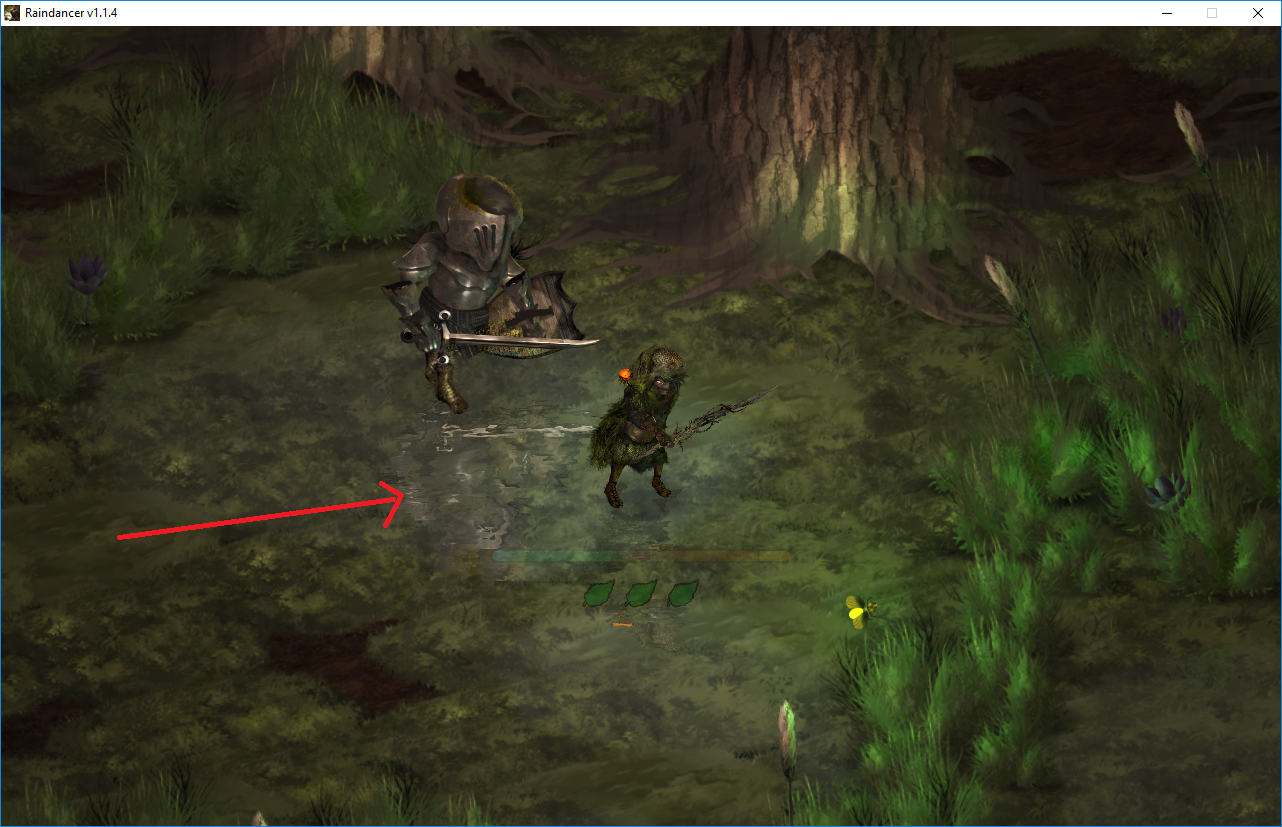
Unity Forum
Hey guys, I would seriously appreciate it if someone could just point me in the right direction of what I should be researching here (just some...
Posted on the forums a couple days ago, but didn't get an answer. Basically just wondering if I need to be using a scriptable render pipeline or if there is an easier way to achieve that effect
Would appreciate any suggestions!
native goblet
https://www.youtube.com/watch?v=GTILVBmI6KA something like this?

In this short tutorial we'll learn one easy way to create 2D water/reflections in Unity!
Jason's Unity/C# Mastery Course: https://game.courses/mastery-course-blackthorn/?ref=25
Suppo...
delicate iron
@native goblet thanks, ill give that grabpass setup a try!
 unreal lantern
Hey everyone. I'm looking for a bit of help on how to keep a camera targeted at a render texture from clearing. I'm currently using URP and 2019.3.0f3.
In SRP camera's had a flag for 'dont clear', but since that has been removed I figured I'd have to do this manually through a custom Render Feature / Render Pass. However, I am far from a graphics programmer and am in a bit over my head, would anyone have some good resources for the new URP pipeline? The Unity documentation may tell how to use the scriptable pipeline but it's far from a guide on how to write new kinds of render passes.
 rotund atlas
Hello there! I would kindly ask for a bit of help regarding the LWRP's custom forward renderers. When you make a pipeline asset and set the renderer type to custom, you can put a custom forward renderer there as data. In it you can add renderer features like assigning a custom material to render the object, when that object is behind a surface, given that it is assigned the renderer feature's layer. Is there any way to access an instance of that custom material on an object assigned to the renderer feature's layer via code (f.e. accessing the render behind objects material on a sphere set to the "MyLayer" layer)?
delicate iron
I'm trying to set up a 2D project with URP and use the 2D lights. I've got the project/pipeline/etc all set up, but my sprite isn't reacting to light. It is using a material with the URP/2D/Sprite-Lit-Default shader as it should. I don't know what else to check 🤔
The sprite is just showing up as though there was no lighting system (the sprite's normal color)
Nice, the lights button at the top of the scene view was off. Didn't even know that existed. Cool.
turbid matrix
since there's radio silence on the DXR player issue from Unity's part, I finally filed a bug report about it
Case #1208354, filed for getting NRE's spammed on built player and no image when using DXR reflections on HDRP 7.1.6 and newer
(should have filed the issue report ages ago but holidays and such)
altho I still dunno if we are supposed to file bug reports on experimental feats despite it's broken on actual package
ripe fable
Ah, nice. 🙂
turbid matrix
anyway, they have easy repro now at least
ripe fable
There are still issues with the reflection exposure too, but I don't know if it's already known on their end, or from my forum post. :/
ripe fable
I tried a PR they submitted a while ago and it introduced new exposure issues
turbid matrix
ripe fable
But yeah, at this point I'm just waiting for the next release and test it again, will submit a bug report if it's still present then.
turbid matrix
I think that was after the forum post you made
ripe fable
Yeah I noticed that one but I assumed 'artifacts' would be something noise related instead of wrong exposure, but I'll give it a go
 pine bloom
Im not entirely sure where to ask this question - but in Unity 2018.3, every time I save, it takes like 5 minutes cause for some reason it insists on re-saving all prefabs (mostly my maps), even tho absolutely nothing changed on those prefabs, where in previous versions and newer versions I never had an issue having to wait so long for it to finish the save cycle, it never had to constantly re-save a zero-changed prefab, is there any reason for this, or a way I can disable that or is that just how 2018.3 works and ill just have to upgrade to a higher 2018.x version?
 exotic plume
Hello everyone! Is there a list of things that currently are and are not working with DXR setup in HDRP? What I mean is - All light types supported? HDRI skies? animated emmissive materials? Also pathtracing vs. not ? somethings not supported?? I'm trying to build a few IDEAL default lighting setups to show off models and animations with.
turbid matrix
@exotic plume official docs are probably the only place that lists any of these things
but do note that it's still experimental, you won't find clear list easily at this stage
a lot of these things still break too
so it's far from done atm
exotic plume
Thanks @turbid matrix have you tested DXR enough to know / have any hot tips / pitfalls for me+ others??
 steel gorge
Hey team! Can someone tell me if it's possible to set the render order for a material using URP or will I need to write a customized shader by hand?
turbid matrix
@exotic plume I've tested it enought to say it's still at least one year off from being production ready (just talking about basic functionality now)
first of all, denoisers are still too laggy for game use, there's tons of ghosting, then DX12 support is quite wonky still, HDRP team plans to fix the perf regression on DX12 itself at next summer (not even DXR issue but you need DX12 to use it), they also keep refactoring DXR a lot so it's pretty broken atm, like you can't even run current versions on player builds
it's super mixed bag atm and it doesn't feel like there's a big team working on it but I really don't know the specifics on that part and Unity can't tell us 😄
I'm sure they get there eventually but it's still a long way to go
turbid matrix
@ripe fable Hi, I don't think Vertex manipulation in shaders will affect ray tracing in 2020.1. Skinning and blend shapes are the focus, including better handling with the denoiser.
well, that was expected, but was hoping they'd even investigate this
UE4 can already do this
from same post:
If not please let us know.```to me, it still looked bit wonky on 7.1.7 but I didn't test it extensively
ripe fable
Hmm
exotic plume
@turbid matrix Thank you so much. Ya in my testing ghosting happens a lot - wish there was a way to sort of reset the render to remove the ghosting. Also having trouble getting some meshes to show up at all
delicate iron
I just switched over to URP with the 2D Renderer. Everything is working fine in the Editor, but when I build the game, almost everything is missing or looks wrong
I made a tiny scene there to show what its doing. Clueless as to what would cause this 🤔
And when I say everything is working fine in the Editor, I mean both in the #scene view and the Game view when running the game within the Editor
delicate iron
This seems to have been a two-fold problem. First I fixed the issue in my mini-test scene (above) by deleting the /library/ folder in my project and letting Unity re-build it.
Then I went back to my actual gameplay scene, and the same problem persisted. I eventually figured out that it seems to be a script-execution-order issue where my first room isn't loading (activating the objects) which it does in a script on Start(). I'm not yet sure why this is happening, or why it only started after switching to URP, but I'm aware that there isn't a guaranteed order of how Awake() and Start() are executed across all of the scripts, so I could see why it might work in the editor and not in the build.
When I "load" the initial room that the player is in, its basically just iterating through the objects in that room (which are inactive) and saying SetActive(true). For some reason that isn't working on startup. If, after I start up the game, I call the same function to activate those objects they then appear. I don't really see how that would be a script execution order issue 😕
delicate iron
Alrighty, just to add some closure to my saga (lol), it was a NPE that was only happening in the standalone build that was causing the room not to load. I'm used to NPEs = program crashing, not trying to continue to run 😓 But yeah, it was due to a SEO issue so was totally my fault
 strange badger
Anyone know why when I upgraded from LWRP to URP all my post processing effects stopped working?
Tried reinstalling them and checked to make sure Post Processing was enabled in my pipeline asset and it all looks correct...
delicate iron
Is it custom post processing? I believe urp doesnt support custom postprocessing. Worth googling, im not 100% sure
strange badger
Just standard stuff from the package manager. All I want is depth of field and ambient occlusion.
But it seems that none of the effects are working, tried color grading and vignette just to see if they'd show up and no dice
turbid matrix
@strange badger URP has it's own built-in PP now
I think I saw WIP branch where they are working on adding temporary support for the old PP package to help with the people who upgrade projects but there's no official word on it
basically you should just adapt to URPs own PP as it'll be what's going to be there in the long run
(and is there now)
this build-in setup is simpler to conf too
no more camera layer nonsense
 prime merlin
Can anyone design a shader with implementation of BTF texture maps with automatic global illumination ?
turbid matrix
that's pretty loaded question
prime merlin
why
delicate iron
Is GPU instancing only useful for 3D games? I'm working on a 2D game that is top-down (so sorting is done along the y-axis). It seems like the point of GPU instancing is to draw the same mesh in a bunch of different places all at once. If I have a ground-layer with a ton of grass sprites (like, maybe 4 or 5 different grass sprites that are copy/pasted all over the place to cover the ground) is there any way it could benefit from GPU instancing?
(my guess is that you can't use GPU instancing in 2D since you don't use the depth buffer for rendering)
glad tartan
@delicate iron Depth buffer isn't what GPU instancing uses it uses vertices/meshes that are the same. 2d uses meshes (mainly quads) to draw the sprites so they can be instanced as well
delicate iron
Thank you
But can they be instanced still if I'm using the y-axis sorting?
For some reason I'm imagining it wouldn't work with any sort of "sorting order" (I could be totally wrong)
Basically my situation is that I have those grass-sprites (lets say I have like 10 different sprites for the ground), and they are on a texture atlas so they can be batched for sure. I use the y-axis sorting order, and I was wondering if they could be GPU instanced or not. Also can GPU instancing carry across Layers? Like, if I had a layer of dirt sprites, and a layer of grass sprites on top, and they all share the same texture atlas 🤔
whole fossil
hi. guys - I know it is a pretty old topic but I haven't found any resolution for this. The thing is - multiple cameras in HDRP. How to handle a case where I want my world space UI not to be affected by a disortion for example?
 cursive tulip
@whole fossil what do you mean with "distortions"? Motion blur and things like that?
whole fossil
this illustrates the issue I hope 🙂
depth of field, distortion as shown above (caused by vfx graph with output quad distortion node)
cursive tulip
try making a material for the UI (with the default shader) and tweak the shader queue
the material for gui text i think was GUI/Text Shader
im not sure of this approach of fixing the issue as i never had it though
whole fossil
will it work with the text mesh pro? I think it uses their own shaders
cursive tulip
oh,yes
shader queue is a shared property between all shaders
at least in built in
whole fossil
kk, thanks. will try it later
whole fossil
thanks! I am a little bit sceptical tbh so if there is another way please let me know 😄
cursive tulip
ok,dont worry
@whole fossil but you have other camera for GUI,right?
remove the vfx layer from the gui cam
exotic robin
hey there! I have a weird behaviour with lit particles in URP, as soon as I activate the fog and the camera is a bit far away (not to a point where I should see the fog) they become squared and unlit to the color of the fog. Ignoring fog with those particles could be fine to me, as long as I don't have this ugly result.
cursive tulip
is there a special reason that you want them lit?
also what blending mode are you using
exotic robin
yes I would like to keep them lit (unlit has no issue though)
cursive tulip
what blending mode are you using?
exotic robin
works on alpha mode 😮
prime merlin
Since we can't simulate Periodic table properties of elements
can't we get accurate PBR material depends on its RTI, polynomial mapping through bidirectional texture material maps easily by a custom shader ?
cursive tulip
dope
exotic robin
it's smoke, additive will burn it
cursive tulip
oh,didnt know that
exotic robin
wow ok thanks
cursive tulip
@prime merlin what is that rti polynomial map thing
exotic robin
I prefer premultiply for smokes but I can live with alpha blend.
cursive tulip
oh ok
exotic robin
💪 thanks @cursive tulip
prime merlin
idk
cursive tulip
👌
is there any way to get the HDRP rtx path tracer progress through script? I would like to make a video render and like to make it fully converge a frame,then move to take a screenshot (I already have that coding part,dont worry) then fully converge a frame and continue.
prime merlin
This is a simple bidirectional realtime path tracer, implemented in a webgl fragment shader. The shader shows the difference between a bidirectional path tracer and a normal path tracer rendering the same scene (with 128 samples per pixel).
You can find (the full source of) ...
turbid matrix
@prime merlin I don't think you'll find answers to that kind of questions here unless you come across some 0.1% of the server userbase that even knows what you are talking about. if you refer to some artifcle of paper, it would be easier to give a link to that directly here instead of asking if thing x is possible
with SRPs around, you can do quite custom setups now
but it's not trivial
cursive tulip
oh i saw that some time ago @prime merlin but i still dont understand all that whole thing
Maybe "bidirectional" refers to multiple bounces?
prime merlin
@turbid matrix thanks , I know that's probably would ve the case here
turbid matrix
I have a feeling you just keep throwing things here in search of realtime gi etc
Unity is working on ddgi, but it's scheduled to arrive in 2021 earliest
if it were simply throwing together some shader, it would have been done by now
prime merlin
The reflectiveness of a material by measuring the light point and view point
turbid matrix
and if you need realtime path tracer, you could look at the DXR path tracing
cursive tulip
yea
cursive tulip
i was asking about that a bit ago
but about getting the progress of the pathtracing process through script
is that possible?
turbid matrix
I dunno
cursive tulip
like the current samples
turbid matrix
I think some user on the forums wrote a simplified DXR raytracer using Unity's api and SRP api
could be probably easier to examine that for entry points vs looking at HDRP sources
ripe fable

GitHub
Simple DXR powered PathTracer in Unity. Contribute to SlightlyMad/SimpleDxrPathTracer development by creating an account on GitHub.
turbid matrix
yeah, that's the one
oh, it used built-in renderer and no srp
remembered it wrong then
there are technical talks about Unity's raytracing though if one is interested in more finer details how it all works
cursive tulip
what is that "no analytical light sources" thing? No point,directional or spot light sources compatible?
turbid matrix
I personally only care of the results 😄
prime merlin
Unfortunately unity determent material properties by its its albedo colour, metallicness , or smoothness instead of the actual properties this is huge mistake for photorealism ,
but the introduction of scriptable pipeline hopefully we can improve that
turbid matrix
I dunno, current PBR setup is industry standard so it makes sense to use it on a game engine
reinventing the wheel there would guarantee no existing tool would support texture authoring for Unity
I do get the appeal of entering more direct values but that gets super hard when we have tons of different ways to measure these things and everyone wants to do it on their own way
right now the industry has accepted middle ground on how to describe the materials same way
I'm not against better ways to do things, but there has to be feasible path toward it
or it'll never get adapted
prime merlin
What if we cando this through a script
turbid matrix
do what exactly?
whole fossil
i am struggling with my issue... is camera stacking even supported in HDRP 7.1.7? It kinda works but messes post processing / render settings despite layers and volume layers being set up correctly
cursive tulip
did you disable post processing (in custom frame settings) in one camera?
turbid matrix
@whole fossil it's not supported, you can see the feature chart here: https://docs.unity3d.com/Packages/com.unity.render-pipelines.high-definition@7.1/manual/Feature-Comparison.html (no stacking for HDRP)
 median cypress
@prime merlin HDRP supports AxF materials too, you can find it under Runtime/Material/AxF
I think it’s too complicated for making games, but maybe good for making photorealistic architecture apps?
turbid matrix
also worth noting that stack lit shaders are there for visualizations / higher fidelity
whole fossil
@turbid matrix - thanks for clarification! What is the recommended way of having world ui not affected by a post process etc. then?
turbid matrix
I dunno about UI but there's a setting on HD Unlit shader that lets you render it after PP
turbid matrix
this is pretty cool: https://github.com/Unity-Technologies/ScriptableRenderPipeline/pull/5414
GitHub
Purpose of this PR
Improved the speed of HDRP when entering / exiting play mode with the experimental play mode option enabled by a factor of ~25.
Changed the texture caches to use a RenderTexture...
HDRP is still the slowest part of the enter play mode thing, but now it takes something like 50ms instead 1200 which is more reasonable
 polar light
Hi all. I updated to 2019.3 and now i'm getting
The type or namespace name 'HDPipeline' does not exist in the namespace
This used to work
using UnityEngine.Experimental.Rendering.HDPipeline;
Did the namespace get changed?
turbid matrix
yes
HDRP is going out of preview state so it can't be under experimental anymore
it's something like using UnityEngine.Rendering.High-Definition; etc now
@polar light
just check the autocompletion on that unityengine.rendering.... if something like that but can't remember exactly
polar light
Yeah i kinda found them, but for some reason my VSCode is being slow...
exotic robin
hey there! have you guys seen an issue in URP where if you have a lit transparent shader (using URP Lit shader) it will render shadows that are behind the object?
as soon as the object has a shader with "received shadows" turned on, it does this.
exotic robin
so from what I understand now it's not possible to have lit transparent particles that receive shadows in URP, but it's doable in HDRP (through VFXGraph)
if anyone has a workaround please let me know, thanks
 plucky elm
I have a question with the HDRP, and it's kind of hard to explain so bare with me.
There's like, cascading levels of detail on the camera, and they're extremely noticeable in game, how do i extend or mitigate this issue? I'll try to post a screenshot but it just doesn't translate as well, maybe someone knows what I'm talking about.
drifting vault
@plucky elm open normal texture settings and play with control of mip mapping
native goblet
@plucky elm that looks like your normal is not seamless
plucky elm
Thanks guys ❤️
dawn sorrel
Are we supposed to actually use LWRP or HDRP or are those ''in development''?
I keep receiving messages to not use them and use Default Unity or Legacy instead
true zealot
URP's very usable, just check the feature set and make sure it suits your game. HDRP's still in preview, and much less stable, with varied problems.
 main violet
I wish I understood all of this 😦
main violet
..This is why I pay people lol.
dawn sorrel
Sure, if you are rich, all your problems can be solved in a week
🤣
Anyway, Im using Unity Legacy (I assume that the correct term)
LWRP didnt seem stable
true zealot
LWRP is URP (Universal) now, and out of preview
dawn sorrel
oh seriously?
I thought that was an old name
not a new one
XD
Is URP supposed to replace Legacy?
true zealot
Yes
dawn sorrel
🤫 so Im glad I picked up Legacy before it disappears
😂
It looks promising, still
But all games now have shitty mouse input. It's really annoying. Graphics heavier, moar input lag
Games have 2-4 times the amount of input lag that Quake 3 Arena had
public class GameManagerScript : MonoBehaviour
{
    int targetedFrameRate = -1;

    void Update()
    {
        Application.targetFrameRate = targetedFrameRate;
        QualitySettings.vSyncCount = 0;
Im currently running this with LEGACY.
Runs very well.
With URP, it was either causing weird visual stuttering or frame rate was locked at 500fps
weird behaviors
main violet
i wanna talk and I wanna help, but I don't wanna be banned again lol.
But that script... is weird.
I'm shutting up vert.
dawn sorrel
using System.Collections;
using System.Collections.Generic;
using UnityEngine;

public class GameManagerScript : MonoBehaviour
{
    int targetedFrameRate = -1;
    float deltaTime = 0.0f;

    void Update()
    {
        // Make the game run as fast as possible
        Application.targetFrameRate = targetedFrameRate;
        QualitySettings.vSyncCount = 0;

        deltaTime += (Time.unscaledDeltaTime - deltaTime) * 0.1f;
    }

    void OnGUI()
    {
        int w = Screen.width, h = Screen.height;

        GUIStyle style = new GUIStyle();

        Rect rect = new Rect(0, 0, w, h * 2 / 100);
        style.alignment = TextAnchor.UpperLeft;
        style.fontSize = h * 2 / 100;
        style.normal.textColor = new Color(0.0f, 0.0f, 0.5f, 1.0f);
        float msec = deltaTime * 1000.0f;
        float fps = 1.0f / deltaTime;
        string text = string.Format("{0:0.0} ms ({1:0.} fps)", msec, fps);
        GUI.Label(rect, text, style);
    }
}
Goodnight yall, sweet dreams.
dawn sorrel
I dont know what is so weird about it.
Uncapped or Capped frame rate
sync frames
Display FPS
drifting vault
Someone have crashing after 5 min in play mode on URP ? https://issuetracker.unity3d.com/issues/mac-crash-on-processshadowcasternodevisibilityandcullwithoutumbra-when-same-rp-asset-is-set-in-graphics-and-quality-settings
How to reproduce: 1. Open attached project(link below) 2. If project didn't crash, enter the Play Mode Reproducible with: 2019.3.0a1...
fervent plover
Are lightprobes a bit broken in URP 19.3 ? The darker sphere on the right is darker than the actual probes + a lightmapped sphere to the left.
This is a clean install, the spheres have a white, simple lit urp material.
And the sphere picks up probes that are similar in intensity, so it's not that it's picking up a probe sample that is much darker than others.
 young drift
Good morning. 🙂 I have what I think is a simple (noob) question. I'm trying to make textures that aren't anti-aliased -- that is, I want the textures to be pixelated. I've gone into the LWRP, and under Quality, I disabled Anti Aliasing. I then imported a simple texture (.png), and made a texture out of it. Bu ... it's still anti aliased. Is there something obvious I failed to do?
native goblet
@young drift you are talking about two different things, you want filtering, as in point, bilinear or trilinear
young drift
Oh! Okay.
Thank you. 🙂 Where do I change the filtering?
oh nevermind, I found it
It's under the .png settings, filter mode. Thanks for pointing that out 🙂
native goblet
nice discord portrait, Deus Ex!
young drift
Thanks. 🙂 One of my favorite games
native goblet
yeah, 'twas a good one!
exotic plume
hello Everyone!
Has anybody tried this asset ?

Unity Forum
Hi, it really depends on how much VRam do you have and what image effects are you using. In some cases rendering a resolution that high isn't supported...
EARLY ADOPTERS DISCOUNT 25% OFF
If you use Unity to make movies, or wan't to export a high quality animation of your project into a video - Deckard Renderer is for you! It is made to overcome most of the problems in realtime graphics.
-Render videos from your Unity project...
ripe fable
Looks pretty cool, I wonder if their motion blur can be made to work with the HDRP in real time.
Currently still looking for a plug & play alternative to the default HDRP motion blur as the default blur does not work well with fast rotating objects (car wheels for example)
One of the new features for Deckard is a Real Motion Blur. If works for any type of a motion. It's best seen on a circular motion, where a standard vector motion blur fails. Also, Deckards motion blur works also on shadows.
exotic plume
not sure about realtime but the motion blur is much better than unity's built in (HDRP)
I just purchased it so I will post my findings here
also ... how did I not know about this!? https://github.com/sonicether/SEGI
GitHub
A fully-dynamic voxel-based global illumination system for Unity - sonicether/SEGI
ripe fable
SEGI has been abandoned for a long time, I used it for about a year.
Check out this fork:
https://github.com/ninlilizi/SEGI
And check out Nigiri:
https://github.com/ninlilizi/Nigiri
true zealot
Good, just making sure it's understood seeing as there was mention of the blur in real-time. The blur is entirely a product of the offline render nature of deckard
ripe fable
Ah ok, thanks.
turbid matrix
none of the generic motion blurs work on car wheels 🙂
you'd really need to spoof the motion vectors for that to work
but Unity's motion blur has artifacts on even turning car with chase camera
oh, missed the offline renderer discussion
yeah, that makes sense
 scenic jay
You "can" have a custome shader that will provide the correct motion blure data for the weels but that , lets say difficutl
turbid matrix
this spoofs the motion vectors https://github.com/Unity-Technologies/PostProcessing/tree/v1/PostProcessing/Utilities/CustomMotionTexture on PPv1
GitHub
Post Processing Stack. Contribute to Unity-Technologies/PostProcessing development by creating an account on GitHub.
it also still works on PPv2 with built-in renderer if I remember right
but you'd need to mash up some custom HDRP shader to get it going there
turbid matrix
looking at motion vector stuff in current HDRP came me to find this:
// TODO: CAUTION: current DecodeMotionVector is not used in motion vector / TAA pass as it come from Postprocess stack
// This will be fix when postprocess will be integrated into HD, but it mean that we must not change the
// EncodeMotionVector / DecodeMotionVector code for now, i.e it must do nothing like it is doing currently.
// Design note: We assume that motion vector/distortion fit into a single buffer (i.e not spread on several buffer)
void EncodeMotionVector(float2 motionVector, out float4 outBuffer)```that comment talks about waiting for PP stack support getting out of HDRP but that happened on 2019.1 already 🙂
velvet comet
Anyone know if LWRP is capable of multiple UV sets?
native goblet
you can access any UV set in shader graph
velvet comet
Kk
How do I modify the standard lit shader to choose between multiple sets like the original standard shader?
native goblet
have to roll your own in shader graph, or code it up
velvet comet
How would I set such thing up in Shader Graph? Barely know enough coding to pull something like that off and never tried SG before either.
NVM, figured it out I think
eternal laurel
Hey, can someone tell me if I can pack the emission texture for the SimpleLit shader in URP into a channel of the base map or does it need to be a separate texture?