#archived-hdrp
1 messages · Page 34 of 1
 turbid matrix
 drifting vault
weird errors just spam my project
 true zealot
If you change the stack trace logging to full then sometimes it shows what makes errors and you can figure out where they're coming from
sometimes though you just need to restart Unity :/
drifting vault
alright. only last error left...
remove that not possible, unity will reinstall that package again
and errors with AABB etc happened when i open editor view 🤔
true zealot
Likely there's a version mismatch with it, and you've gotta roll back or update a package
sometimes it's a package that has a dependency
it can be a pain in the ass to sort out
true zealot
Animation Rigging might depend on it
you'd have to look through them and check the dependencies
drifting vault
hmm, let me delete it
turbid matrix
@drifting vault that's a bug
your PM only lists packages that are already on your project
just click around, change the view etc
it randomly updates it again 😄
PM UI has been super bugged like that ever since 2019
drifting vault
@true zealot you was right, its Animation package - thank you!
turbid matrix
also make sure you have preview packages enabled under that advanced
drifting vault
2019.3 become Beta when 2019.2 will be released?
turbid matrix
around that ballpark, yes
I dunno if they plan to release 2019.2 before or after the holidays
it doesn't feel like it should take much longer
drifting vault
Alright. @turbid matrix HDRP 6.8 released for 2019.2 B only?
turbid matrix
@drifting vault it's only at staging atm
6.8.1 is latest there
also if you use 2019.3, latest github master work with it atm
there are occasionally some commits there that require wait for new beta but current master should run on 2019.3.0a6
 tawny silo
I get a white screen when I enable MSAA in the HDRP for VR, is it possible to do this?
tawny silo
Well, got past that issue - the exposure setting on a post processing profile was messing it up. Changed that to fix with a value of 9 sorted it out.
However, now I can see that the left eye is getting both screens output as a split screen ...and the right eye is just black. Disabling MSAA and it goes back to how it should be
 quasi mulch
nice
@glad tartan
right so I got the GI of my dreams but sods law, I finally tamed enlighten + probes completely last night. LAST NIGHT.
All automated setup: meshes, params, probes, everything, for all situations. For HDRP.
then somehow in a twist of gremlin fate
this announcement now its all being binned
:D
I'm brit so I'll laugh lol
hahahah
I've lost me GI marbles.
tawny silo
This is the issue
https://gyazo.com/9c257769ac94648d0ddd6829bdec8794

 warm crescent
I have a newbie-render question.
should be enough disabling the mesh renderers of part of my map to increase performance?
or should I do somethingelse?
 lyric ravine
@warm crescent first figure out where your performance goes - is it even GPU or CPU? If it's GPU, disabling renderers is what occlusion culling is doing - if you know which ones to disable in addition to that go for it. Btw , next time I'd recommend asking this in #💻┃unity-talk
warm crescent
@lyric ravine first of all thanks for your response. Unity's occlusion culling donesnt work well when there are shadow casters, its a reported bug. So we are making our own occlusion culling,
To reproduce: 1. Open provided project 2. Open Assets/Scene/Scene.unity 3. Open Windows/Occlusion Culling and switch to the Visualiz...
I will follow your advice and ask next time in #💻┃unity-talk, for the moment we were having problems with the gpu, now seems we have lowered it a little bit but I was wondering if it was enough or not disabling the renderers, I ended up disabling the whole gameobject just in case
thanks again
true zealot
Roadmap
Rendering & Visual Effects: https://resources.unity.com/unity-engine-roadmap/rendering-visual-effects
What's Next for SRPs: https://forum.unity.com/threads/what-is-next-for-us-at-unity-with-scriptable-render-pipelines.924218/
 hot jungle
hey I need help
I am using Lightweight RP and everything except the global light isn't working
@true zealot apologies for another ping, but you look like you might know. Could you help me out?
true zealot
I don't know, please don't ping me 😛
hot jungle
Ok sorry.
 mortal horizon
Hello
Is there a Way to say a Decal "draw only over a special Object"?
For example: I have a Object, We name it "Tank". Now I have a Street and on the Street wir have some Decals for the lines on the Street.
Now I don't want that the Tank have this lines to. But (and this is the problem) I want that this tank get other Decals like a Bullet hole or something else like that.
To unterstand. Tank and Street have the same Material.
I want that the tank can have Decals but not all Decals. Only Special decals.
Is there a way to use that or is Unity planing to implement such a feature to decals?
I don't want to use a Script on every Decals because we have more than 1000 Decals in the Scene
lyric ravine
@hot jungle Check the settings on your lwrp asset.
hot jungle
@lyric ravine I did. and as a strange quirk of it, when I completely uninstalled the package and reinstalled it I was able to get only 1 point light to work
no more work after that
It doesn't work if I try it again and it doesn't mean one point light at a time, but one specific point light
lyric ravine
And it's not working on build or in the editor?
hot jungle
@lyric ravine It only works in the editor, but not in the game view even on play. I haven't made a build yet though
hot jungle
I have tried everything to try to be able to add more lights but it doesn't work
I can only add more global lights
ok, I looked at it abit more and diagnosed it is a camera problem
but Idk what the camera's issue is
 slim flicker
looks like LWRP 5 is now considered out of preview, but I still can't find any official documentation anywhere with regards to authoring custom shaders :/

Gist
Template shader to use as guide to create Lightweight Pipeline ready shaders. - LightweightPipelineTemplateShader.shader
this is the closest thing I can find but it's 1.) for 4.x and requires manual tweaking to be compatible with 5.x and 2.) has a giant warning at the top saying it "does not match perfomance of the built-in LWRP Lit shader"
 last cipher
i'm unable to click the plus button to add a new Renderer Feature. is this a known bug? im using LWRP/Core 6.5.3 and Unity 2019.1.8f1 on macOS
 quasi kiln
turbid matrix
quasi kiln
turbid matrix
you can use both
Hybrid Renderer also works with HDRP
HD Lit shader also has specific DOTS instancing flag
@quasi kiln
MegaCity demo used HDRP with that setup as well
turbid matrix
np
lyric ravine
Have you guys seen performance improvements for using DOTS with LWRP? If yes, from how many objects? Like, if I have 50 objects, will I already benefit, or is that more as in the demos (10s of thousands)
turbid matrix
https://github.com/Unity-Technologies/ScriptableRenderPipeline/tree/hw19/GTEyeO ground truth eye occlusion? 😄
been fun spotting these hackweek branches and repos
 glad tartan
theres also one with the Eye Master Node for shader graph
 exotic plume
Ya I’m ditching HDRP and going to octane
At least for non-real-time rendered videos
 whole fossil
hi everyone. Since 2019.3 is in alpha does that mean that we are able to implement custom post-processing in HDRP?
turbid matrix
no
but there is a draft of "fullscreen pass graph" aka pp graph
I'm hoping it'll make it to the 2019.3 / HDRP 7.x release
but considering the time table they have, it's not granted
you can see the commits here https://github.com/Unity-Technologies/ScriptableRenderPipeline/commits/HDRP/feature/post_process_master_node
I need this way more than actual PP extending in code 😃
if you have to have something in code, you can manually mod HDRP already, of course it's not as tidy as using extension api but you may need to go for that approach anyway as they can't expose everything in HDRP for the custom pp's
whole fossil
I'll guess it is only way for a long time. but it is really unfortunate to need to repeat this step with every update of pipeline 😦
thanks for the info
 tardy yew
In the built-in pipeline, how can I get the screen backbuffer RenderTargetIdentifier?
turbid matrix
"AO now uses a proper history buffer to avoid issues when more than one camera have AO at the same time."
that didn't take long
(no sarcasm)
now that I think about it, this would have broken on splitscreen setup as well
not just in editor with scene and game views
 strange heath
No idea where should I put this question, but it isn't strictly about SRP, but rather rendering
I know how to apply the UVs into mesh that has quads, but how do I apply the uvs pre triangle? 🤔
turbid matrix
UV is just 2D mapping in 0-1 space for both axes
it doesn't care about quads or tris at all, but it can fit those shapes if you've mapped it to match those exactly
@strange heath
strange heath
Well
My voxel map is built like that
Submesh 0 are regular voxel that utilizes quads
Submesh 1 has marching cubes
Marching cubes generate from 1 up to 5 tris per voxel
And I need to somehow apply UV to those tris
(I made a tri-planar shader that uses UV as coordinates for texture atlas)
@turbid matrix
turbid matrix
but if your shader uses world space scale anyway, your UV mapping wouldn't really matter much?
strange heath
UV mapping matters, because as I said it's used to grab texture atlas
Whole mesh is a single texture with different UVs for texturing
It uses world space just to tile it perfectly
turbid matrix
how many unique textures you have on your atlas? like, is it really worth that optimization to save few drawcalls when it just adds extra complexity?
but all in all, I don't quite grasp why you care about the tris UV mapping here, you can't force three edges to make a quad to fill the whole UV, at most it'll fill half
I honestly have very little clue what you are after here, sorry :/
strange heath
It's not about saving drawcalls
It's about texturing greedy mesh and marching cubes to be tileable
And non-stretched
And it's okay to have half of UV since I do math on UVs before I apply those to shadet
Shader*
I multiply it by tile amount, floor, divide back
exotic plume
Hello!! I have question about rendering Alembic animations in Octane for Unity -I cant seem to find an answer anywhere else
I'm trying to determine if this is a limitation of Octane, or just a limitation of Octane for unity , or a Unity issue???
The Alembic object does show up in my PBR render target render view but if I advance the timeline everything else changes time but not the alembic animation. Its like its stuck on the first frame... and yet in the scene view and game view the Alembic animation is advancing just fine.. Any ideas?
example: Here is the animation at frame zero - Scene, Game, and Octane renderview all the same
and here is the animation at frame 240- Notice how the Octane view's Alembic didnt change from the first frame...
lyric ravine
Just a random guess, maybe advancing the abc timeline doesn't set the scene dirty so octane doesn't update? You could try animating another object (e.g. regular cube) in the same timeline and see what that does
 robust mirage
Could anyone tell me if there is some kind of documentation around ScriptableRenderFeature? As far as I've seen it replaces all the IAfterOpaquePass etc. interfaces.
 viscid egret
so i cant get my HDRP project to build
hangs on shader variants
anyone had experience w/ this?
turbid matrix
@viscid egret you sure it hangs?
it just takes a super long time
for me the initial build can easily take hours
viscid egret
jeez
stuck on a single variant (if the UI is to be trusted) for 45 mins +
and then my GPU seemed to hang
now crashing on project import so i gues i need to nuke my lib
ffs
i guess im going for a walk while I try for a 3rd time ;x
viscid egret
emergerd it worked
 simple vine
I think I might be misunderstanding something, but let's think theoretically
More drawcalls mean less performance, correct? What exactly affects that performance though?
Opening something like Nsight reveals frame occupancies where general shader units perform healthy work, at around 80-90% (so they are not rejected by depth ROPs) and have little to no overdraw. There is no idle time/percentage either. Does the high drawcalls amount hurt in this case? If so - how?
lyric ravine
@viscid egret try disabling "Optimize Meshes" in project settings, that cuts shader compilation time down by 30x for SRPs currently
turbid matrix
@lyric ravine I dunno if that's ever been an issue with HDRP
and they fixed it for LWRP on some recent release
How to reproduce: 1. Open attached Unity project "gunspinningvr" 2. Build project Expected result: Project is built successfully on ...
"Fixed in: 2019.2.0b7, 2019.3.0a6."
 mighty swift
Oh is it "optimize meshes"?
I've been having a serious rough time with HDRP... back in 2018.3 days it will actually completely lock up. Once tried going for a walk. Came back an hour later and it was still on the same step.
It would advance if you shut down unity and start it back up again.
Hasn't really been a problem in 2019.1, though. It's been slow but it completed if you have it like a half hour+.
drifting vault
hmm , weird
i update from Unity2019.3.6 A to Unity2019.3.7A
like it looped
and at end of updating project its import same assets
its import 14 prefabs, but infinity, again and again
turbid matrix
that happens sometimes
it'll finish at some point
but when it goes to state like that, it'll do that with all kinds of things
at that point, I've just wiped the library and let Unity process again all those files
usually it works properly then again
true zealot
the library just contains imported files, ie. files processed by unity into the internal formats that it uses
deleting it just causes Unity to reimport all the files, and nothing is lost
 tacit slate
do you know of any paper about down scaling resolution. i'm mainly curious how AA, scaling resolution by half versus by 90% affects the experience
turbid matrix
@drifting vault unity's library folder (beside Assets etc folder) is just Unity generated cache
everything in it will be regenerated if you wipe it
it's just, sometimes the cache goes bonkers
drifting vault
Thanks @turbid matrix
turbid matrix
if you use version control, you ignore this folder completely
so in the fresh clone, you'd not even have the folder before you run unity editor 😃
turbid matrix
no idea
and 2019.3 technically runs 6.x HDRP
but you really should use 7.x
and no there's no 7.x HDRP releases yet
it's similar case with 5.x HDRP
they run on 2019.2 as well
atho you should use 6.x on 2019.2
turbid matrix
wonder if there's some HDRP team eye challenge going on
there are two hackweek branches with different people pushing commits to them and both are doing eye shading
"Making pupils great again"
true zealot
olololololz
committed 2 days ago``` ripe fable
🤔
drifting vault
So we have right now hair shader, and will come eye shader
turbid matrix
I liked this one "progress, but not really"
but yeah, it's hackweek, people are just having fun 😃
oh, they are working on hair too on the hackweek I think
"Added some initial utility functions for the Marschner model. "
that's actually in the first linked branch
Marschner hair shading model is the thing pixar came up with I think
current HDRP hair is Kajiya and Kay I think
glad tartan
A lot of cool stuff coming out of Hackweek
drifting vault
delete library folder and...
turbid matrix
A Customer tried to extract the Materials from the Model "Ground", then Unity crashed giving Him this Error and He can't start the P...
(that shouldn't happen)
How to reproduce: 1. Create a new HDRP template project 2. Install the VFX package 3. Update the HDRP Package to 6.5.3 4. Observe th...
it could be issue with the HDRP version you use as 6.x is not really meant for 2019.3
latest master works on 2019.3.0a7 if you take away the last 3 commits
drifting vault
Thank you
turbid matrix
it'll be easier once 2019.3 goes to beta and we get first HDRP release for it
seems like they've been busy on making 2019.2 version play nice lately
as 2019.2 is getting out of the door soon
glad tartan
Some of the stuff from hackweek will make it into the main branch of SRPs like last year I'm guessing?
This branch for LWRP is getting a volume system like HDRP and also a merge of Physically Based Sky that a someone did earlier this year
https://github.com/Unity-Technologies/ScriptableRenderPipeline/commits/lw/hw19/volume-env

GitHub
Scriptable Render Pipeline. Contribute to Unity-Technologies/ScriptableRenderPipeline development by creating an account on GitHub.
turbid matrix
@glad tartan pbr sky is already in the master
glad tartan
what I just mentioned is for LWRP
I know HDRP PBR Sky is already merged
This will be a nice addition to LWRP though if it makes it in
turbid matrix
Ah
viscid egret
any info on the HDRP PBR sky ?
glad tartan
It's on GitHub in the Master branch for SRP if you wanna try it
This is for 2019.3 though, It might also be in a release for 2019.2 as well but it's still being worked on.
 upbeat trail
Reflection probe box projection not working in LWRP ?
 barren kindle
no :( and i have no clue how far away it is
upbeat trail
it looks like it is scheduled to 19.3: https://forum.unity.com/threads/feedback-wanted-lightweight-render-pipeline.562291/
Unity Forum
LWRP 4.0.0-preview is out
Upgrading to this version requires Unity 2018.3.0b3.
This version changes the light attenuation computation to be...
barren kindle
Last edited: Nov 16, 2018 
 ionic glade
is there a way to get the version of LWRP being used from C#? i couldnt find anything in the code from a few searches at least. as an example i want to notify users of an incompatibility with versions before e.g. 5.13, and it would be useful to have this directly query-able
oh i see the package manager API which i think i can use to get the version
 visual needle
how can I apply the bloom post processing effect only on a selected camera?
 dawn sorrel
@visual needle this may help. https://answers.unity.com/questions/1355103/modifying-the-new-post-processing-stack-through-co.html

Unity is the ultimate game development platform. Use Unity to build high-quality 3D and 2D games, deploy them across mobile, desktop, VR/AR, consoles or the Web, and connect with loyal and enthusiastic players and customers.
visual needle
I'm not looking to edit postprocessing through code, I'm having trouble with the postprocess setup itself as I'm getting effects applied where I don't want to, so this thread has nothing to do with my problem
dawn sorrel
Well it kind of does, simply turn off bloom when switching to another Camera, which is the answer to the question you asked. Other than that - simply don't put a Post Process Layer on a camera and it shouldn't have it, but then you get none of the other effects (if any are on). Unless you are rendering two cameras at once, if so I can see the problem then... You could also try using Volume Zones if the cameras are in two different areas.
visual needle
I'm using two cameras rendering at the same time and they are nested
on top of that, I'd like to use the antialias from post processing package instead of the built-in one, so both of them would need to have a post processing layer
 serene osprey
Just a guess but maybe you can disable/enable postprocessing options on OnPostRender or OnPreRender on a script on those cameras
dawn sorrel
You could try this - not sure how efficient it would be or if it will even work. If the two cameras are layered to capture different things (E.G. - Camera 1 - The world, Camera 2 - the Gun, etc)... You could try just placing two different stacks in the scene and have them only care about the things they need too care about by using Layers and turning off the ones that aren't needed. But how computationally expensive this is (if it works) I have no idea, if I've done it - it's been so long ago I can't remember.
So set camera 1 and 2 to layered. Make camera 1 ignore the layers that Camera 2 cares about.. Now on camera 2 disable all the layers Camera 1 cares about. Pop in a new post processing stack volume into the scene with a separate profile with the bloom disabled. And it should only work for that cameras layer.
On that note. If you're using HDRP I don't believe layered cameras are a thing anymore. (at least at the moment). So not sure how to handle that kind of stuff.
serene osprey
Does AA actually work without assigning a layer and therefore ignoring post processing volumes?
visual needle
I'm using built-in pipeline, and figured out already
disallowing HDR and setting the bloom threshold to 1 fixed it
just using different profiles for both cameras wouldn't work
and no, you need a layer for the post processing AA to work
otherwise you'll be stuck with the built-in one
dawn sorrel
What was this second camera for? This might be why we weren't able to help a bunch.
Because I didn't even think of HDR because it helps with color's coming out correct.
visual needle
rendering some 3d UI objects above everything else
dawn sorrel
Ohh okay. Man I ain't done that in years, honestly forgot about doing things like that. Last time I did that was back when we still used OnGUI as I didn't want to code the GUI so I did ortho cameras and such lol.
serene osprey
I last did that when I had touch UI particle effects.
drifting vault
hmmm is LWRP will have own Volumetric Light?
 candid basin
Depth + Normals Texture ever coming to LWRP?
it's says 'not supported' but I don't see the reason why it's not added
true zealot
@candid basin I've pinned links to forum sections (before you asked in general) so look there first :)
Also lmk if there's anything else along those lines to be pinned
 charred canyon
sorry if I'm in the wrong channel but as a total beginner should I go with LWRP or invest more time and go with HDRP? I have a mid tier computer, not sure if it's enough for HDRP.
 empty star
LWRP definitely
turbid matrix
I wonder if HDRP will ever support PCSS on deferred
I wouldn't care about this otherwise but it does kinda suck to not have this option if you want to support DXR (as that will require deferred on HDRP)
(thinking of use cases where you don't use DXR for shadows at all)
last cipher
i'm unable to click the plus button to add a new Renderer Feature. is this a known bug/are there any known fixes? im using LWRP/Core 6.5.3 and Unity 2019.1.8f1 on macOS
downgrading LWRP and dependencies to 5.16.1 seems to work 🤔
turbid matrix
@last cipher you shouldn't even be able to install 6.x on 2019.1
it's not supported nor compatible
last cipher
not sure how i did it in the first place, but i just went to check and it's gone
turbid matrix
you can manually write a version that's not compatible in the manifest, Unity doesn't protect you against it
so if you just copy/pasted the lines manually, that can happen
but PM itself will not let that happen if you install everything through it
Unless there's some configuration issue on Unity's end of course
ripe fable
I wish we could have GTAO in the current experimental DXR branch, I tried hacking it in but no luck 😦
turbid matrix
it shouldn't take long anymore to get DXR running on 2019.3
at least you'd think they'd enable it a good while before actual 2019.3 release
ripe fable
yeah..
Also do you happen to know if the PBR sky is in 6.8.0?
I'm on 6.8.0 and my sun disk is broken, but I think that was a remaining issue with the PBR sky.
 warm wagon
any clue when terrain will be supported with the pipelines?
turbid matrix
you mean terrain grass?
because terrain rendering has been supported for a good while already
@warm wagon
and current terrain grass will not be supported, at least by HDRP
there will be another system for it eventually
@ripe fable PBR sky and old procedural sky are two completely different sky systems
and they now call it physically based sky I think
but still
I think it's only going to be 7.x feat
they've fixed the sun disc on procedural sky recently
I dunno if it's in 6.8 yet (you'd see it on change log I think)
warm wagon
@turbid matrix terrain "Draw Instanced" still doesn't work with HDRP, will that be supported by the pipeline? Using 2019.1
turbid matrix
@warm wagon I don't know what you mean by that
I know the setting but I don't know where you are trying to apply it
like, terrain material, terrain grass, terrain trees?
warm wagon
terrain itself
turbid matrix
why you'd need instanced material for that?
you only got like few terrains on the whole level?
and are you using actual HD Terrain shader?
ripe fable
@turbid matrix ah yeah thanks, that's what I thought.
warm wagon
i'm terraforming everyframe, RenderTexture is the best approach when manipulating 1kk+ heightmaps each frame, at least the best one i've found. Also i meant using the shader graph to manipulate the terrain shader, i am aware of the default HDTerrainMaterial
turbid matrix
ah so you are not asking if the SRPs support terrain
but if SG will support it
there's no "terrain graph" in the works atm afaik
I wish there was
warm wagon
i see, thanks @turbid matrix for the heads up.
turbid matrix
I've tried to get more info on SG's terrain support but apparently it's still just some thing they have on backlog among other "could be nice to have" things
turbid matrix

Unity Technologies Blog
Unity is required to remove Enlighten but will continue support as-is through 2020 LTS. We have a robust replacement for Enlighten Baking with the CPU and ...
oh well, that was just same info as on the forum post before
turbid matrix
lyric ravine
so "we'll remove it in 2020.1/2021.1" actually means "it's gone now in 2019.3"?
turbid matrix
means deprecated in 2019.3 and 2019.4 so people don't start using it anymore
it's still there if they want to enable it
barren kindle
they removed enlighten? 
turbid matrix
*are removing
also do note that enlighten will be removed only in 2021 for built-in renderer
it's going to be removed in 2020 for HDRP
barren kindle
oh they had have to remove it because enlighten was shutting down 🤔
turbid matrix
but HDRP and enlighten has never been proper combo
that's what they say at least
Due to Geomerics shutting down Enlighten as a product, Unity is required to remove Enlighten.
but at 2 years ago: https://www.gamesindustry.biz/articles/2017-06-15-silicon-studio-acquires-enlighten-tech-from-geomerics

GamesIndustry.biz
UPDATE: Japanese firm has acquired licensing and development duties, Geomerics has
I dunno if there's any new article about their current position on this
GitHub
Purpose of this PR
This PR brings new post-processing features to LWRP.
PPv2 has been completely removed.
Added support for the generic Volume System from Core (VolumeBlendingPass).
Included effec...
This PR brings new post-processing features to LWRP.

* PPv2 has been completely removed.
* Added support for the generic Volume System from Core (VolumeBlendingPass).
* Included effects in this first iteration:
  - Stop NaN utility (disabled by default, don't use it in prod!)
  - Anti-aliasing (FXAA, SMAA)
  - Depth of Field (Gaussian & Bokeh variants)
  - Motion Blur (camera only)
  - Panini Projection
  - Bloom
  - Lens Distortion
  - Chromatic Aberration
  - Vignette
  - Full Color Grading stack (HDR / LDR mode set up in the pipeline asset)
  - Film Grain
  - 8-bit dithering
* Note: TAA and Object Motion Blur won't be implemented until motion vectors are available in LW.
* Almost complete XR support (single pass instanced). Only Gaussian DOF and SMAA are currently not working with XR.
* Still a bunch of TODOs and FIXMEs in there, we'll get to them after the feature cutoff.
* I moved a few things around in LWRP and abstracted some parts of the code, but nothing substantially big (see the code).
* There's an HDRP related change in this PR because I moved some stuff to Core so I had to patch the HD part of it.
they will remove PPv2 from LWRP too?
they earlier said it would coexist
man, this is going to piss off so many asset developers 🤔
also, this neither has option to extend the PP (at least yet)
also since this is on PR's already, it'll probably land on 2019.3
I don't get it
if it really lands on 2019.3 it'll screw over AGAIN so many people who started development on 2019.1 and 2019.2
they did this on 2018.3 when they introduced nested prefab and physx 3.4 changes on the last TECH release and many were forced to stick to 2018.2 with zero Unity support
IMO this level big changes should always be postponed to next years first version if possible, unless it's some preview tech we are talking about (but LWRP is released already this year)
 indigo summit
oh i guess i'm technically included on those who got screwed then? got stuck in 2018.2 currently 😅
 umbral knoll
Why are they removing PPv2 from LWRP? I thought that was the preferred way to do post processing in LWRP? What is replacing it?
turbid matrix
it was supposed to be optional
but that PR doesn't look like it'll be
reason why they'd do this is obvious (swap in place)
it's just so much easier to maintain one system
glad tartan
I tried to use the LWRP PPV3 a few days ago but only got errors.
Sounded like it would work from the changelog but maybe that's on a newer alpha version not released yet.
turbid matrix
could be, current master is kinda mixed setup
there are some changes there that require a8 at least
turbid matrix
wait, what?
isn't that exactly what Unity recommends for people to do?
to move from LTS to next LTS
so from 18.4 to 19.4 (which is essentially same as from 18.3 to 19.3)
and all things considered, I'd recommend using only LTS for most users, taken into account late changes in 20xx.3's nowadays
turbid matrix
in case here any HDRP users on 2019.3.0a8, due to the api changes you need latest master with current hdrp/staging merged to it to be able to run it
altho it looks like the staging is going to get merged any moment now and then obviously just plain master will do
ripe fable
Thanks man, was just installing 0a8 😄
turbid matrix
oh I don't know if the old 6.7.1 from PM would still run
I just know the previous master wouldn't
 sweet vault
how do i add a skybox with lwrp
there is no skybox
i want to add one
glad tartan
The previous versions won't run. I tried lastnight with a project that uses 6.8.1 and I got errors
turbid matrix
ah
there are some API breaking issues on latest a8 but I didn't know if they only affected recent 7.x things or the older things as well
I guess it's a good thing
because now people will not accidentally run 6.x on 2019.3 anymore
glad tartan
yea, I was wondering where the cutoff point would be. All the other releases had one
glad tartan
the 7.x.x version work, just tested it
turbid matrix
@glad tartan master worked out of the box?
glad tartan
yes
turbid matrix
huh
I could have sworn mine nagged for the lack of this earlier: https://github.com/Unity-Technologies/ScriptableRenderPipeline/pull/3940
GitHub
Purpose of this PR
Add the light scripting API (see link below)
Deprecated the AdditionalShadowData component and moved all its properties to HDAdditionalLightData
You can have an overview of the...
glad tartan
I updated to the latest then link the packages and it worked
glad tartan
ah, Staging got merged in a few hours ago
turbid matrix
they put a lot through that staging now, less things to handle on merge conflicts I suppose
glad tartan
No clue why it worked then, didn't get any errors either
turbid matrix
I kinda liked when everything was a separate commit tho
I could mix some things too
only API change I know for certain that is on a8 is the UIElements border change
and that commit has been on hdrp master for like week now already
sweet vault
help my water doesnt look anything like this?
glad tartan
@turbid matrix Just tried it on another project and it works fine as well.
sweet vault
tutorial: https://www.youtube.com/watch?v=uhin2FNdxPI&t=74s https://gyazo.com/1c952bce04f801ce76251e488cbd5fd8
my water: https://gyazo.com/2498606a6a2d257b9a79c55d45bde306
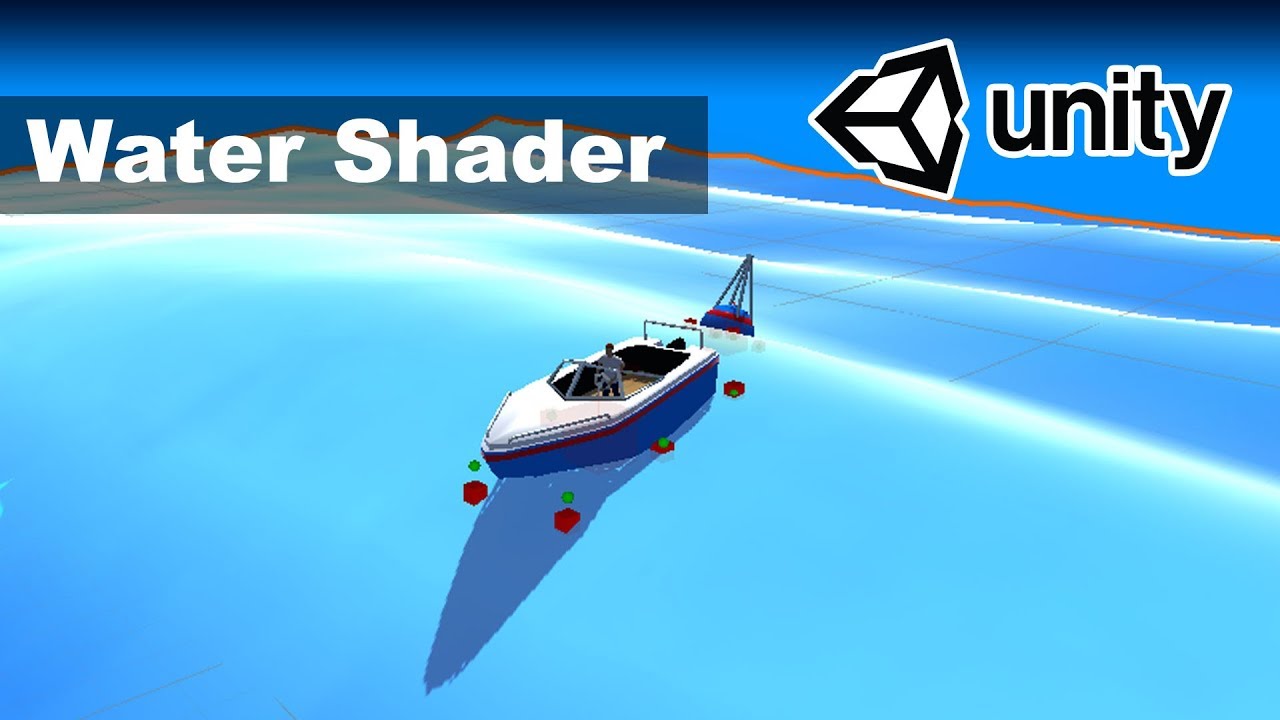
In this tutorial we will create a beautiful water scene. The tutorial is divided into 4 chapters. Every chapter will explain how a specific step to create th...


 earnest granite
Hi guys, does anyone know if VFX Graph works with LWRP + 2D Renderer ? (it seems not but maybe I'm missing something)
turbid matrix
I wouldn't expect it to
has unity mentioned they'll implement 2D support for vfx graph?
earnest granite
I'm not seeing that information anywhere so I guess not
turbid matrix
even LWRP suppport is relatively new for vfx graph
empty star
VFX graph works in LWRP, just need to set the proper path in project settings > VFX as LWRP instead of HDRP
thats how custom pipelines can be supported with VFX graph also
(the path points to shader templates)
if the 2D pipeline for LWRP uses a LightMode tag different to LightweightForward then vfx graph may not show up, but if the 2D pipeline still renders that LightMode tag then VFX graph will work
earnest granite
I think it's a different tag since there was no errors nor warning and nothing was rendered
sweet vault
the tutorials tell me to add HDRI in the volume to add a skybox in lwrp but i dont see anything? https://gyazo.com/5e3f00b42b9f26748537e06c469ef38f.gif
 glad tartan
That's never been in any LWRP tutorials only HDRP.
For LWRP you add a skybox the same way as with the Default Renderer
turbid matrix
well, so far
once the LWRP PP change lands, it'll be similar setup to HDRP
but yeah, that's not what we have there today
glad tartan
Yea, but the new LWRP PP stack volume only has Post processing so you still can't change the sky with it until the LWRP volume system is in. There was a hackweek project on LWRP Volumes so in time it will be similar workflow to HDRP
sweet vault
i dont understand
glad tartan
For LWRP (currently) you change the sky here
sweet vault
thanks
glad tartan
Looks like part of HDRPs Sky setting is going back to that window as well
turbid matrix
yeah I noticed that as well
but that actually makes sense
altho... it does affect nonbaked lighting as well despite the wording
at least if you dont have that, your shadows will be quite dark even if you are on full realtime lighting
indigo summit
i'm actually been getting bad lighting bake due i forgot to add static lighting component, like multiple times 😄
turbid matrix
yeah, that should be automaticly included if you use baked lights
I don't even get why it's been additional script
glad tartan
Yea, since it will be in the lighting window now it's slightly less work adding it as a component. Just gotta remember it's there now
turbid matrix
experimental getting removed from HDRP + "Renamed HDPipeline to HighDefinition"
I agree that UnityEngine.Rendering.HDPipeline is bit silly name
ripe fable
Cool stuff
I'm finally done porting the Fontainebleau Demo to the DXR and the latest master branch. The procedural sky sun disk still gives different results in both projects but maybe it was just bugged in the DXR branch.
lyric ravine
Any way to do Triplanar object space + tesselation in HDRP? Seems ShaderGraph doesn't support tesselation while HDRP/LitTesselation only supports world space triplanar...
mighty swift
@turbid matrix Yup. Nothing on package manager works with 2019.3.0a8. Thankfully... GitHub.
indigo summit
@lyric ravine tesselation is the main part that still missing in SG, and still no news about it 😦
turbid matrix
well, tessellation, terrain support and post processing for me (things missing from SG)
I've tried the PP draft but it doesn't really work yet (at least once merged)
 inland gyro
 gusty sun
Hey guys, new to the channel. Anyone have some time to sit with me and talk about some questions I have with Unity HDRP.. My questions involve setting up lighting, Baking, and getting everything to a render ready standpoint. I am looking for someone mid-senior level and I would pay you for your time!
 strange edge
Hi there! I’m working with Unity 2019.1.9 and HDRP 5.6.1(because higher versions have compile errors)
Does anyone know why the only light source that works is the original directional light and duplicates of it. If I change the light type or create a light from scratch it doesn’t do anything at all.
I also cannot change the skybox at all
turbid matrix
I wouldn't be surprised if you get issues on that old HDRP
what errors you get with 5.16.1?
@strange edge
strange edge
@turbid matrix There are a total of 14 errors. A few of them are:
Library\PackageCache\com.unity.render-pipelines.high-definition@5.16.1-preview\Editor\ShaderGraph\HDSubShaderUtilities.cs(555,87): error CS1503: Argument 3: cannot convert from 'string' to 'bool'
Library\PackageCache\com.unity.render-pipelines.high-definition@5.16.1-preview\Editor\ShaderGraph\HDSubShaderUtilities.cs(555,115): error CS1503: Argument 4: cannot convert from 'System.Collections.Generic.HashSet<string>' to 'string'
Library\PackageCache\com.unity.render-pipelines.high-definition@5.16.1-preview\Editor\ShaderGraph\HDSubShaderUtilities.cs(681,55): error CS1501: No overload for method 'GetPropertiesDeclaration' takes 2 arguments
Library\PackageCache\com.unity.render-pipelines.high-definition@5.16.1-preview\Editor\ShaderGraph\HDSubShaderUtilities.cs(892,37): error CS1061: 'SurfaceMaterialOptions' does not contain a definition for 'alphaSrcBlend' and no accessible extension method 'alphaSrcBlend' accepting a first argument of type 'SurfaceMaterialOptions' could be found (are you missing a using directive or an assembly reference?)
strange edge
I was able to resolve the compile errors and update to 5.16.1 by updating shader graph. I didnt realize I had an outdated version.
indigo summit
wait, why did you update shader graph separately? normally when you update a render pipeline it should update the dependancies automatically
turbid matrix
Yeah. Dont install sg separately
strange edge
I had to for some reason it didn’t do it automatically. I wasn’t able to get hdrp to work at all until I installed shader graph first 🤷🏻♂️
 rugged cargo
hmm where should i post a building error, render pipelines?
i tried deleting this package file and i tried reinstalling after googles, but that didnt seem to help 😦 anyone fixed it before?
Library\PackageCache\com.unity.multiplayer-hlapi@1.0.2\Runtime\NetworkDiscovery.cs(317,30): error CS0117: 'NetworkTransport' does not contain a definition for 'SetMulticastLock'
hmm seems like another round of googling said the newest version has the fix, guess ill go for another round of reinstalls
strange edge
@rugged cargo probably try the networking channel
drifting vault
RIP.Unity 2019.3.8A ruin whole HDRP
barren kindle
2019.3 does not have a compatible hdrp yet. stick to *.2
 frigid cypress
well, 19.3 does have a compatible HDRP, you just have to clone it from git 😉
barren kindle
i dont know how to do that
mighty swift
The process isn't too bad.
drifting vault
clone from git, ouch well ok
strange edge
Using HDRP, I suddenly have weird edge stuff happening when I move my screen around (not having changed any settings) the effect gets stronger or weaker depending on the strength of the light. Anyone know what might be going on or how to fix it?
strange edge
It seems to be tied largely to volumetrics as when I turn them off or down, the effect goes away or lessens
indigo summit
seems like temporal filtering broken again
drifting vault
hmm, i need to delete HDRP from Package Manager and then isntal that somehow from github?
ripe fable
You don't need to, you can just hop on a LTS release, but if you want to play with alpha editors and unreleased render pipelines, yeah.
 scarlet hull
You can remove the package using package manager ui, and then add the packages folder
You need : SRP-Core, Shadergraph, VFX-graph and HDRP
Using the "add package from disk" function :
drifting vault
i just want to HDRP 6.8 where are i hope they fixed problems with planar reflections
scarlet hull
Why not 6.9 ?
drifting vault
idk where i can know last version of HDRP and with version of unity support it
scarlet hull
So, I checked, and 6.9 is available only for 2019.2.0b9 and on
but 6.8.0 and 6.8.1 are compatible with 2019.2.0b5 and +. Sadly, because of technical issues, they never got our of the staging repository.
@drifting vault You can still get it using the trick here : https://forum.unity.com/threads/how-to-use-both-packages-and-staging-packages.534115/
Add "registry": "https://staging-packages.unity.com" in your project's Packages/manifest.json and version 6.8.1 should appear in package manager.
Unity Forum
I was attempting to use both previews of VectorGraphics and the Unity ECS in the same project, they use different registry values. One being...
scarlet hull
Yeah, I just discovered this ....
drifting vault
and same problem with 2019.3.8 alpha
scarlet hull
We're investigating
scarlet hull
It's not supposed to work with latest alpha anyway. We're currently doing a 7.0.0 package compatible with it and the nexts 2019.3
scarlet hull
Still, you should be able to get 6.8.1 using the staging registry
true zealot
It's easiest if you just start the file with:
{
  "registry": "https://staging-packages.unity.com",
"dependencies": {```thank you
hmm but there only update to 6.9
i was think like it will hack and get me access to 6.8 😄
drifting vault
wow
somehow it updated to 6.9
but still i cant see anything in editor and camera view
scarlet hull
Oh, I had that before ... coudl you try closing the projet, trashing library, and opening it again ?
 remote forge
Hi all. We will be making a pretty significant change to LWRP over the next few weeks for 19.3 and I wanted to give a heads up / take time to answer any questions or concerns you might have. So what is this change? We will be renaming LWRP to Universal Render Pipeline. Here is some text describing the reasons:
Lightweight Render Pipeline is Evolving!
In 2019.3 we will be renaming the Lightweight Render Pipeline to the Universal Render Pipeline.
Lightweight Render Pipeline has been growing and changing since coming out of preview. It has increased platform reach, added a number of features and become something we are very proud of.
When we originally envisioned LWRP it was as a fast streamlined pipeline for mobile and lower end devices and the name was chosen to reflect that; Lightweight. Over the last year though we have been extending features, performance, and platform reach so much that Lightweight doesn’t feel like a good fit anymore. We want everyone to feel just as confident in Universal as we do! Our first step will be to rename the LWRP to the Universal Render Pipeline in 2019.3.
Why Universal?
Universal reflects the intended role and nature of the render pipeline.
Universal runs anywhere Unity runs.
Universal has tooling designed for everyone.
Universal is designed for making all types of projects (2d, 3d, xr)
Universal is growing to become the default rendering option for Unity projects.
What does this mean for me as a user?
If you have been using LWRP for the last year then should have a good idea about how the pipeline works and the feature set it currently has. When transitioning from LWRP to UniversalRP we want to make sure the process is as seamless and streamlined as possible. A project that currently working in LWRP should upgrade to Universal with very little intervention. We are preparing a more detailed upgrade guide also.
 inland ferry
Okay, so forgive me as I have not been keeping up with the development of the LWRP. But if I remember correctly it had some pretty large shortcomings. Like only displaying a single real time light at a time. Is this still the case?
Is there a good place I can look at the main differences between LWRP and HDRP?
true zealot
There is a built-in comparison chart here https://docs.unity3d.com/Packages/com.unity.render-pipelines.lightweight@latest/index.html?subfolder=/manual/lwrp-builtin-feature-comparison.html
inland ferry
Cool, thank you. I wish there was one for LW - HD too. Is there?
true zealot
That doesn't exist yet as far as I know, but the others should be able to help there if I'm wrong (also I updated the link to refer to latest)
inland ferry
Alright. Oh well that comparison is much easier to read. Thanks for your help! 😄
lyric ravine
@remote forge my biggest concern with all that "out of preview" talking is the nonexistant/limited automated testing of LWRP/Universal on actual platforms that are not the Editor (Android, Desktop, VR is where I reported the most bugs, all of them would have been catched by automated testing). Is that something that is gonna get addressed for 2019.3? For being the go-to pipeline for everything it is far too buggy currently in my opinion.
remote forge
@lyric ravine For some internal unity info stuff: we are rolling out a new testing infrastructure / farm right now. We have standalone (windows / mac) already being used internally and are bringing up android / ios now. More platforms to follow including playstation / xbox / switch are also scheduled for the next few months and should all be running internally before 19.3 officially ships out of beta.
We have been testing for a long time (in an automated way) but not had the platform coverage needed. It's needed for us internally and for end user confidence.
lyric ravine
Yes, it's definitely needed! I had to say I was really surprised learning that e.g. Android VR is just not really tested before rolling out. And yes, that definitely didn't help to improve my confidence in it. I hope "Android" includes Android VR and "Desktop" includes "Desktop VR"?
lyric ravine
About the user confidence, as that's super important in my opinion for going "Universal": my current confidence (from a hard first six months with LWRP in various projects) is on an all-time Unity low. Basically every day I find a new combinatorial bug (some combination of settings resulting in unexpected issues and undefined behaviour), which rarely happened with Built-in. I hope the new testing pipeline helps to overcome those - and then I think the name "Universal" makes a lot of sense for an SRP that gives a baseline quality on every platform. Please, @remote forge , be prepared for finding a lot of combinatorial bugs once that's up and running and take the time to fix them before releasing.
 next sentinel
How can I edit physical camera settings via script?
using HDRP
Specifically the extra settings like ISO
For reference I figured it out: HDPhysicalCamera physicalCamera;
glad tartan
PBR Sky will be replacing the Procedural sky soon
You will still have it but it's converted to an HDRI
Seems you will also be able to use/continue using it as it will be in the HDRP samples
which you can get from the package manager when you select HDRP
turbid matrix
Ummmm yeah
That'll mess up sooooo many people
IMO they should just default to a new sky instead
This will just make people think their sky is broken and doesnt follow dir light....
I can already imagine forums getting filled with threads where people complain hdrp sky being broken :p
It is inevitable
Sometimes I wonder if people at Unity fully grasp the scale of these changes... And that they affect users with very different skill levels
 weary fog
don't know if this is old news
glad tartan
I thought they would default to the new PBR Sky instead but it's gonna default to an HDRI sky component with the Procedural sky as a cubemap
turbid matrix
Yeah I know they default to hdri now.. But their default hdri texture looks the same as old procedural sky
So that will cause a lot of pain among people who are leas experiences with recent hdrp
@weary fog gtao has been on master for like 1 month but it's still relatively new as it'll only be in 7.x.x / 2019.3 hdrp's
 obtuse cave
void Awake()
{
        if (ReplacementShader != null)
                MapCamera.SetReplacementShader(ReplacementShader, "");
}
Is not supposed to work in LWRP?
true zealot
I'm pretty sure you're meant to use the custom forward renderer feature
Or something along those lines
and that replacement shaders aren't supported like that
glad tartan
It seems the last release of LWRP will be for 2019.2 then URP (Universal Render Pipeline) replace it in 2019.3?
glad tartan
Ah alright
That's the sense I got looking at how things are on GitHub
 topaz ravine
ok lets go peoples, a LWRP question!
i use a custom render data with the new features like blit, render object, full screen quad etc. Actually i'm using the render object feature like in the demo "custom renderer exemple" with no special shader override, so i did disable the layer "character" in the asset, then enable it in the render object feature, the problem is i can show shadows through my character (depth or shadow map problem?), ty to take some of your precious time for this.
gif is coming
I really think that the depth buffer isn't modified by the RenderObject feature (only color), can i acces to the depth buffer and modify it easily from the feature's script? there is a little lack of documentation here.
topaz ravine
ah yes and it is same issues on unity 2019.1 and LWRP 5.xx and unity 2019.2b and LWRP 6.xx, i'll give a try with the "universalRP" and unity 2019.3 but i think 'ill have to modify the pipeline more in depth(lol) -_-
lyric ravine
@scarlet hull I'm getting internal LWRP errors when trying to build an Android VR project with LWRP 6.9.0
scarlet hull
@lyric ravine I'm more a HDRP guy, sorry. But I'm trying to poke people to help you
lyric ravine
Yes, please do. I am trying to document my findings here.
https://forum.unity.com/threads/feedback-wanted-your-feeling-about-2019-2-in-its-current-state-b7.705839/#post-4739174
I think you guys really want to take a look at this.
Unity Forum
Dear beta users,
We would like to invite you to tell us about your gut feeling regarding the current state of 2019.2 (b7).
A gut feeling should NOT be...
lyric ravine
@scarlet hull any news?
scarlet hull
It's been raised to the devs. I don't see any aswers yet, maybe they're having private talks. It takes time, and we're very busy prepping the next package.
drifting vault
cant wait for 7.0 for 2019.3 😄
drifting vault
P.S. HDRP 6.9 not working at 2019.2.b9 ? Only 6.8.1?
lyric ravine
@scarlet hull got an answer from Felipe, thanks. I understand you guys are all busy, just thought it might be important that the latest and greatest package is broken from the start 😉
scarlet hull
@drifting vault Should work. Looking at the logs, the issue you have come from the sample content. Do you mind removing it from the project ?
Personally, I never had issues with 6.9.0
Well, not those.
drifting vault
maybe, P.S. where is HDRP for SPR render?
ripe fable
Also, guid/hashing errors sounds like it could have something to do with your cache/libary. Maybe try deleting your library folder.
scarlet hull
You need to create a HDRP asset
ripe fable
lyric ravine
why is that Wizard hidden under "Analysis" not "Rendering"?
scarlet hull
We moved it to "General" recently ... But we're thinking of putting all HDRP stuff in a single sub menu somewhere
lyric ravine
Hopefully in a uniform place together with LWRP stuff
scarlet hull
You shouldn't have LWRP and HDRP in the same project
lyric ravine
As someone who is often switching between the pipelines in different projects I still want to have similar stuff in similar areas
Hope you guys think about that together (HDRP and Universal teams), where "SRP related stuff" fits, and not "HDRP is here, Universal is over there"
last cipher
i've read in some places (notably here: https://forum.unity.com/threads/gl-lines-and-gl-functionality-with-lwrp.618985/) that rendering callbacks were (past tense) deprecated, so drawing lines and whatnot wasn't available at the time. however, it seems similar callbacks have made it back into the SRP library. i'm trying to combine the old GL.Draw() methods with the SRP callbacks, but it doesn't seem to be working. is there anything that i'm doing wrong or is there another way to draw pixel-wide lines with the SRP (specifically the LWRP)?
here's a temp script i've created with the basics of what i need. this is currently what i'm using (which doesn't work)
EDIT: the callback is working (tested with a debug), just not the line drawing
public Material lineMaterial;

void OnEnable()
{
    RenderPipelineManager.beginCameraRendering += BeginCameraRendering;
}

void OnDisable()
{
    RenderPipelineManager.beginCameraRendering -= BeginCameraRendering;
}

public void BeginCameraRendering(ScriptableRenderContext context, Camera camera)
{
    GL.PushMatrix();
    lineMaterial.SetPass(0);
    GL.Begin(GL.LINES);
    GL.Vertex3(-1, 1, 0);
    GL.Vertex3(1, -1, 0);
    GL.End();
    GL.PopMatrix();
}
 unborn ridge
Alright so I have no idea where to ask this, so I'll just give it a go here. I am coming from 2018.2 and almost always used the default 3D starting template. I updated to 2019.1.9f today and chose the HDR template, now I cannot edit the default material on objects? It's locked off / greyed out. Is there a way to allow edits or assign a new default material to objects that get created?
barren kindle
that is the default material given to any "i was not given a material. give me one that cannot be edited"-item. give it one
unborn ridge
So I have to manually assign a material to every new object now?.. Seems like a step backwards in workflow. =p
I'll just go back to 2018.2 then.
 inland solstice
You can still use 2019 without HDRP
And if there’s something you don’t like... well, it’s the way of the future so gotta get used to it sometime lol
unborn ridge
Eh was just trying to prototype something real quick but got caught up on something as basic as changing a material color on a button press for 2 hours.
Didn't get anything in the console either like "Cannot edit material because blah blah"
unborn ridge
Now onto where to find shadow intensity. 😢
inland solstice
In HDRP I believe you have to create a Volume in the scene? That’s what the blog said. I haven’t gotten to it yet in my prototype
 ionic flume
I'm trying to make a toon shader for the light weight render pipeline and i'm having big problems trying to get a main light data custom node working. were custom nodes removed?
i heard that there was a "custom function" node but i'm not seeing it in the utilities panel.
frigid cypress
@ionic flume , responding in #archived-shaders as that's more relevant c:
glad tartan
@unborn ridge Yes, LWRP is closer to the Default Renderer workflow (Currently have some limitations on shadows and lights though)
mighty swift
Wow... unless I did something wrong, HDRP on GitHub does NOT like Test Framework 1.0.17
turbid matrix
Packages in general are quite picky on right test packages
For example ecs stuff went bonkers on newest test packages when trying to build
Altho that was probably issue on the newer test package itself
 strong frigate
whoa whoa hold your horses. LWRP point lights in a single pass, does this mean it gets the point light benefits of deferred, without actually being deferred??
 modern fiber
Sounds like Forward+
turbid matrix

Speech description: Ray tracing hardware acceleration (RTX) is a newly available feature that allows graphics developers to increase their image quality. Whi...
drifting vault
How to add HDRP SPR if there nothing?
HDRP 6.9 Unity 2019.2.b
ripe fable
Did you create the asset?
drifting vault
I think like when you import package, its should be in package folder
ripe fable
If you're new to the HDRP I recommend staying to a Unity LTS release, a stable (non-staging/master) HDRP and trying a getting started tutorial. No offence but you likely won't be missing any features and will have a much better and more stable experience
drifting vault
I not new, just last version seems broken to me
ripe fable
Ah ok, have you created the HDRP asset using one of the two methods we posted above and it's just not showing up when you try to select it?
candid basin
I was following the catlike coding tutorial to create a custom rendering pipeline but there seem to be some API changed and I'm getting this error when calling base.Render
"Cannot call an abstract base method..."
where can I found more about what API changes happened?
and why this base method is abstract now
candid basin
I have another questions
I'm using SortingCriteria.CommonOpaque
but my objectsaren't always rendering from front to back
what's the reason behind this?
this is the order I'm getting
green, red, yellow
and then transparent
I would expect red to render after yellow since it's further away
hmm the docs say the objects are sorted 'by various criteria'
so I guess front to back is not always the optimal order it seems
 tall hamlet
it seems that first it render those who aren't touching to do a full blit without more calcs and then it does the others (but it's just a guess)
and when colliding it put the opaque ones first I guess
modern fiber
It's pretty common for renderers to sort by shader, as that way is the cheapest to render on the CPU
candid basin
When would it make sense to make your own rendering pipeline from scratch?
Wouldn't it make more sense to just start with a template LWRP/HDRP and then customize it to your liking?
whole fossil
hi eveyrone! Are there any news about extending the new post processing in hdrp? Im unable to find any reliable information about this and it was quite some time - it is starting to be really frustrating
 stuck roost
When I switch on refractions in the standard HDRP shader 2019.1, the material becomes opaque. Is it a bug?
hdrp 5.7.2 and 1080 gtx gpu
turbid matrix
@candid basin only if you a) like to tinker with rendering tech and don't mind working on tech rather than on a game b) you have a big team that needs custom solution and can afford the extra resources to make that happen
for smaller teams it makes more sense to just modify HDRP or LWRP
candid basin
good explanation
then I'm just going to modify LWRP
but play around with my own RP when I have some spare time
because I do enjoy working on it
strong frigate
Has anyone experienced objects being invisible only in a build with the lwrp?
scarlet hull
@stuck roost I don't have the issue with Unity 2019.1.10f1 and HDRP 5.16.1. Worth updating ?
turbid matrix

The talk will cover the biggest challenges encountered during the production of The Heretic – a real-time short film made with Unity. We will go over technic...
indigo summit
which HDRP that compatible with the latest alpha?
scarlet hull
None from package manager. You can try the release/7.0.x branch on github, but we're still doing some firefighting with it.
indigo summit
ah dang, how do i use Github Packages in unity project? i totally forgot how to set it up
turbid matrix
@scarlet hull you know if PP extending still coming during 2019.x cycle?
Seb commented on the forums long time ago it's coming to 2019.2 earliest but right now all I see is a draft of PP Graph on the github and no hooking points for regular PP effects
well, I see the point where the extensions would go but there's nothing there
would be weird to have HDRP release on 2019.3 with zero means to extend it
(beyond modifying the actual HDRP source code)
also just checked that 7.0.x branch, I see Universal RP is already part of it 😃
indigo summit
ah shoot, i need to reclone the repo. I've lost my local repo due my disc was dead. A well -_-\
scarlet hull
@turbid matrix Our goal is to provide support for custom PP during the 2019 cycle.
First it will be with pure shader code, and support for shadergraph will come later on.
turbid matrix
I tried the wip draft version few times, it was a nice start
would love to have the sg setup too
but the scripting version is more crucial to people right now IMO
graph will enable more artist minded people to make custom effects but without the scripting setup you can't port existing things which many projects need
indigo summit
@scarlet hull the release /7.0.x or 7.0.x-test?
turbid matrix
release/7.0.x I'd assume
scarlet hull
Yep
turbid matrix
github master also runs on latest 2019.3 alphas
but I assume 7.0.x is more stable at this point
where master is working towards future 7.x release
indigo summit
i'll try the stable one i guess
at least i need to set them up first
😄
oh wait
when i use github, should i also link all the folder manually?
or i just need to link the HD folder only?
scarlet hull
All
"com.unity.visualeffectgraph": "file:[Path]/com.unity.visualeffectgraph",
    "com.unity.shadergraph": "file:[Path]/com.unity.shadergraph",
    "com.unity.render-pipelines.core": "file:[Path]/com.unity.render-pipelines.core",
    "com.unity.render-pipelines.high-definition" : "file:[Path]/com.unity.render-pipelines.high-definition",
    "com.unity.render-pipelines.high-definition-config" : "file:[Path]/com.unity.render-pipelines.high-definition-config",
okay
turbid matrix
you need the VFX thing now too
indigo summit
let's see
indigo summit
what is test framework?
scarlet hull
Yep, and other new one !
turbid matrix
"Configuration files for the High Definition Render Pipeline."
indigo summit
what other new one?
turbid matrix
I think you can omit the test framework if you don't run any tests
indigo summit
ah
turbid matrix
I dunno if HDRP tests even ship anymore on that same repo
but yeah, you should be fine with the items Remy listed above
indigo summit
alright i think i've set everything. let's see how it goes
usually i got path problem
turbid matrix
(also noticed the -config is super new, version I used from few weeks back didn't have it but it's now on master too)
scarlet hull
HDRP tests are still on the same repo. The test framework is our ... test framework to do graphic tests with testrunner
indigo summit
i'm actually kinda lost track on what was changed on HDRP
it's been a while since the last time i test it out
oh and @scarlet hull i'm getting error on XRSystem.cs
scarlet hull
hdrp-config is a small package that will hold a config file to alter defines in the shaders to reduce the number of multi-compiles (and shader compilation time).
Because as a end user you can't alter files in a package, we plan to add a UI tool to allow you to set your defines, and this window will replace the HDRP-config path by a generated local package in your /Packages folder, to hold the file (probably a *.hlslinc) with the defines
indigo summit
scarlet hull
@indigo summit oh ... yeah ... sorry, apparently I went to fast ... you'll need are more recent binary (not publicly available) to run with those latest revisions ...
turbid matrix
I'm just testing master
GetMirrorViewBlitDesc isn't part of latest available alpha yet
indigo summit
whaaaa........!!!???
scarlet hull
binary => Editor version
turbid matrix
he means, the version on github does not work as is on our editors
indigo summit
yeah i 've just notice . . ;
turbid matrix
need to wait for new version at this point unless you are ready to cherry pick or roll back commits manually 😃
indigo summit
eeek
scarlet hull
Sorry, it moved so fast last weeks that I'm kind of confused with what is publicly supported or not
indigo summit
well, i guess latest alpha doesn't have a working HDRP then
scarlet hull
You still can pick the repo from the commit before we broke support with latest alpha ... but I don't know precisely wich one it is 😄
indigo summit
now that's. . . . . .
is the main problem 😄
ah well, i guess i can't play with HDRP today
😞
indigo summit
Source Tree
turbid matrix
one sec, I'm still loading mine up
turbid matrix
I think if you roll back to this commit, HDRP itself will run: https://github.com/Unity-Technologies/ScriptableRenderPipeline/commit/6ddbc83c3ced53fadf52db8fe9d04a9eb3a9950f

GitHub
-
Extend specular fp16 overflow fix to cover Switch
-
Update changelog
that's on master
indigo summit
gotcha, i'll check it out
turbid matrix
I get HDRP rendering on myself with 2019.3a8 and master rolled back to that point
the hybrid renderer thing I get is due to recent HDRP namespace change
just need to rename the offending parts HDPipeline->HighDefinition
indigo summit
@turbid matrix hmm got one problem on cinemachine, it's exactly about the namespace change. but for some reason it's also cannot find HighDefinition
oooh Experimental was removed
so HDRP are out of preview? really ? 🤔
turbid matrix
it's preparation for 2019.3 release
it's officially released along 2019.3
they did the same with LWRP on 2019.1
they need to prepare the namespace changes
the namespace for HDPR changed now from Experimental.Rendering.HDPipeline to Rendering.HighDefinition
so it's not just removing Experimental
@indigo summit
at this stage, could be easier to just revert the namespace renaming if you have lots of packages that rely on the old one
indigo summit
i only have problem with cinemachine
but it's an easy fix
got it working already
turbid matrix
2019.3 package manager also lets you move packages to local packages with single button press 😃
it's handy if you just need to mod some package randomly
turbid matrix
there's that "Develop" button on the bottom
once you've installed the package first
indigo summit
so that's is the purpose of that button 😄
turbid matrix
under + on the left top corner, there's also option to make a completely new package
and you can add asmdefs to packages using normal editor UI
so, doing custom packages is now easier 😃
turbid matrix
it's handy when you make small changes that you don't care to put on version control (altho you could just add the local package there then if needed)
I've done this manually for a year now
that button just does what I've done myself before: it copies the package from package cache to your Packages folder
indigo summit
say, did any one tried using the pixel depth offset in HDRP?
for some reason if in play mode and i got any object using material with pixel depth offset it freeze my unity editor
got to force shutdown the editor
turbid matrix
can you repro that?
because, while in alpha and random HDRP from github, I get random freezes in the editor all the time
I don't really pay much attention to them unless they always happen the same way
indigo summit
i'm trying to
now i cannot open my project
unity keep freezing everytime i open that specific project
stuck roost
@scarlet hull
I don't have the issue with Unity 2019.1.10f1 and HDRP 5.16.1. Worth updating ?
tried unity 2019.2 and hdrp 6.7.1, problem solved.
indigo summit
@turbid matrix yeah i think i found what causing the freeze, TAA. when any object with Pixel Depth offset shader are coming in view and TAA are active, the editor are freezed. But if i disable TAA it run fine
not sure it is caused by the current alpha version or the current hdrp
indigo summit
Wow. Physical Sky are Confusing
indigo summit
oh wait i think i got the hang of the PBSky thingy
lyric ravine
Any idea how I would approach adding Light Cookie support to LWRP?
drifting vault
Anybody is alive there?
scarlet hull
No, I ate them all.
@drifting vault If you have a question, simply ask, somebody that is able to answer will probably do it.
lyric ravine
@scarlet hull so, tried setting up HDRP with the latest 2019.3 alpha yesterday and gave up frustrated at some point (packages not working, packages in staging not working, version in github too new for Unity version, compile errors/namespace errors in multiple packages).
Which Unity+HDRP version would you recommend for starting a HDRP project right now, especially if I wanna play with the VR support?
scarlet hull
Latest public possible. Unity 2019.2.0b9 + HDRP 6.9.0
drifting vault
i was think like everyone is go sleep until release HDRP 7.0 😄
lyric ravine
OK so "don't touch the alpha until 7.0 is there"?
scarlet hull
You can still roll back to an older alpha that is compatible with 6.x, but then, I don't see the point to not simply stay on 2019.2
lyric ravine
OK guess that's what I needed to know.
turbid matrix
I personally think it's good that 6.x don't work on 2019.3 anymore
oh course it would be nice to have some 7.x for the alphas but at least we don't end up in same situation as with 2019.2 where people keep using 5.x on it
(instead of 6.x like they should)
scarlet hull
@safe root That's more a question for #archived-shaders don't your think ?
But "converting" a surface shader to vertex/frag is not an easy task.
Handling the vertex part is kind of easy, as it's almost a copy/paste from surface shader to your new one.
But for fragment, you will have to implement the lighting functions.
And furthermore, you will have to manually handle all the passes that Unity supports.
So, question : Why do you want to do that ?
 safe root
@scarlet hull I got this http://www.shaderslab.com/demo-16---pit-an-object-with-stencil-buffer.html
I want to combine it with part of this http://www.shaderslab.com/demo-92---outline-and-screenspace-texture.html
To get an outline for the object that is used to mask.
So i wanted to implement multi pass shader for the outline purpose, which does not seem to work (Or i dont know how to make multipass) with shader with surf which is the first one.
turbid matrix
I have a feeling we'll see a lot of this now...
I probably shouldn't have replied to that either
it's just.. people have way too high expectations for alphas
or lack of understanding what using alpha builds involves you with
on the other hand, I totally understand why Unity didn't share these in the past as there's a lot of this kind of mentality in the community, but on the other hand, alphas are awesome for more advanced users who are fine with the issues they come with
lyric ravine
I guess the outrage is just coming from the fact that an expectation is that publicly released things, be it alpha or not, have at least been opened once by someone at Unity verifying that it does something. Otherwise I'm not sure why you'd release it to the public at all
 humble furnace
@turbid matrix some people think alpha is like that in "alpha-male"... It should contain everything with stability. 😅
turbid matrix
at least Unity stopped offering alphas and betas first on the Unity Hub now 😄
that was horrible while it happened
scarlet hull
@safe root It's been a while since I did do any surface shader, but iirc :
You can just write multiple CGPROGRAM block to have multiple passes with your surface shader.
safe root
@scarlet hull thank you , can it have vert and frag functions ? the different block?
 zinc jay
@turbid matrix well, it was even more horrible for asset creators
scarlet hull
It should work if you put it in its own pass bloc ... not sure
zinc jay
cause when they did that, tons of people started flooding them with support questions about alpha
lyric ravine
Can anyone point me in a direction for how to support multiple SRPs with one Asset package? I have some common stuff that I want to reuse between both LWRP and HDRP projects, and I'm refusing to believe the right way is to "have two separate packages that you maintain separately"
 desert yew
I'm interested in this too
turbid matrix
you need to be more specific
why you need that?
and for what
if it's shader graphs, you can use graph versions that are not specific to HDRP, they work then on both LWRP and HDRP
hmmm, interesting, this was a PR for a brief moment but got closed without any comments: https://github.com/Unity-Technologies/ScriptableRenderPipeline/pull/4147
GitHub
Purpose of this PR
Why is this PR needed, what hard problem is it solving/fixing?
Release Notes
Please add any useful notes about the feature/fix that might be helpful for others.
Testing status
...
PR was against master so I wonder if they still plan to get first version out for 2019.3 or if that was a mistake and it got closed because of it?
also possible it was supposed to be merged to some other branch instead
lyric ravine
For example: say I have some architectural assets/walls/materials/a sample scene that I want to use as submodule in various projects. Been doing that for years, but with SRP now there's people using it with Built-in, with LWRP and with HDRP.
I could make tons of Prefabs that are all duplicates/variants of each other, but that feels wrong.
Prefabs would work for some stuff, but I'd like to have one example scene and not three to maintain
turbid matrix
you could just make few basic shaders for your materials using PBR Graph
those would then work on both LWRP and HDRP
built-in requires something different tho
 swift minnow
currently having a problem where the LWRP 2d lights are culled when they shouldn't be
they dont take into account the falloff offset
as you can see the lights should clearly be visible, but they only appear when the main part of the light gets into view
anyone know a solution to this? or do I just wait for a patch?
 glossy cobalt
@lyric ravine @desert yew I have a single package with support for both LWRP and HDRP. And I've got some scripts / shader in common, and other specific for each SRP. Initially all I did was split my package in 3 folders, "MyPlugin_Base", "MyPlugin_LWRP", "MyPlugin_HDRP" and the user was expected to import only Base and LWRP, or only Base and HDRP. I documented it too. Honestly it wasn't too bad and I went on 1-2 month with this with only a couple users that I had to help setup the thing.
About 2 month ago, I did an update which introduced a "Getting Started" window, which handle all of this. What I did is that when you import my plugin the first time, you get only the boostrap code and some not-imported package files. This window pops up, and when you click on buttons it automatically trigger the import of the right package for you.
I even did a "cleanup" button at the botton so people can easily switch between SRPs.
Since I released this update, I've literally got 0 support question - which is extremely appreciated. (I don't sell dozen of those packages per day neither, but still).
The window took me about 4 hours dev to get perfectly right, testing with different Unity versions ....etc; but it's a really nice quality of life for me to not have anyone asking for help setting up the plugin. So yeah, definitely the way to go in my opinion 😃
(also I think it's recommended in some Unity guidelines, that if you've got some incompatible stuff, you should put a unity package that the user can manually import. I just did this, with a better UI)
lyric ravine
Yeah, sounds like a good way for Asset Store Packages where you have updates that are pretty rare and many people using it. For me it would be the opposite, a lot of updates/changes and few people using it (for internal usage). Handling three things doesn't sound too great for that... but we'll see
glossy cobalt
Well I handle 2, HDRP and LWRP which you've got to do anyway. I've got the two branch of the same git repo, one using LWRP and one HDRP. I develop in those; then when I want to push an update, I have a script to export the .packages from there, copy it into another project which contains only the bootstrap (which should almost never change). Then I only need to check the "upload project", if everything's fine I upload to the asset store from there.
I have to admit your workflow might be different, but in my case, pushing an upload is pretty fast (<mn). And with LWRP and HDRP, multiple Unity version and multiple SRP versions, it's testing that takes a while; not releasing the update.
dawn sorrel
asking here too: is it possible to tell apart a real time animtion from a video playing when both are .exe files created by unityß
?
inland solstice
Interesting question.... not technically but you can make educated guesses based on quality. Like a Pixar movie obviously isn’t real time. However the recent Unity Hdrp demo the heretic is real time and looks like a movie
So ultimately no you can’t
Unless there’s a flaw that gives it a way
 trim bone
well if you ran something demanding on your cpu or the real time animation was limited by hardware you would be able to tell by the playback framerate
also perhaps by examining the pixels(csi enhance!) and resolution scaling
inland solstice
I don’t know how true it is but supposedly the heretic demo for hdrp runs 60fps on pretty moderate hardware
drifting vault
Dreaming for something like Unistorm @turbid matrix ??? https://www.youtube.com/watch?v=7rd4zGtYKro

UniStorm 4.0 is an upcoming massive free update that adds procedural volumetric clouds. This video shows a time lapse of UniStorm 4.0 and its new volumetric ...
turbid matrix
I'd be fine with enviro clouds as well :p
just some setup that doesn't look like crap

Enviro - Sky and Weather for Unity 5.6+ Enviro - The complete dynamic AAA sky and weather solution! https://www.assetstore.unity3d.com/en/#!/content/33963 As...
it's a very similar effect
from these videos I prefer enviro
drifting vault
lets hope for volumetric clouds in new HDRP
scarlet hull
Not for the next release, no ETA, but it's on the roadmap 😉
turbid matrix
oh, that's great 😃
considering sky effects everything, would love to use default setup (despite people would immediately say "he used default sky" :D)
@scarlet hull additional question to that, is there any plans on revealing that roadmap to public? 😄
I'm guessing no
scarlet hull
You guessed right.
turbid matrix
Unity isn't greatest when it comes to roadmaps
we usually get breadcrumbs and need to connect the puzzle ourselves
which is better than nothing still
scarlet hull
We prefer not to reveal it publicly to avoid people complain if some stuff are delayed.
This was also mostly true during the preview stage, as the roadmap was a bit ... "organic" 😃
turbid matrix
yeah, that's what I assumed
we see a lot of complaining about previews and alphas/betas being around
I'm personally super happy they exist but some people just expect only production ready stuff and still can't keep their hands off the previews :/
that being said
there's one item that I'm super curious about
GitHub
Purpose of this PR
Why is this PR needed, what hard problem is it solving/fixing?
Release Notes
Please add any useful notes about the feature/fix that might be helpful for others.
Testing status
...
I'm not expecting any targets for this as Unity has been super silent about it
I'm realistically expecting it to happen on 2020.1 for first preview, but was surprised to see the PR for the master (altho it got immediately closed)
turbid matrix
7.0.0 SRP packages now on staging + github releases
but to use it, we still need to wait for few weeks to get actually supported Unity Editor for it....
need a10 for it
we are on a8 now
lyric ravine
Has anyone gotten HDRP + VR working with PostEffects on 2019.2? If yes, with which version?
ripe fable
What problem are you facing?
lyric ravine
Bloom wasn't working at all. I got it working by putting all effects on a single volume instead of the 3 default volumes
 ionic remnant
Is there any info on a release target for GPU particles/VFX graph for LWRP? e.g. 2019.2
glad tartan
We skipped last week which would have been a9, so if theres a release soon it will probably be a10 or later
 brave cobalt
I want to upgrade my LWRP to version 6, but the "Render Objects (Experimental)" ScriptableRenderFeature is missing from that package.
I don't see it mentioned in the change notes
turbid matrix
@brave cobalt could have lost experimental status
 obtuse summit
Hey, is anyone on who knows about lighting?
 long wagon
Probably someone in #archived-lighting
obtuse summit
Geez, so many channels. Thanks.
 vapid wren
Seriously tho, so many channels. Would anyone here be able to answer a question about optimizing rendering of 3D models? Is there a way to selectively clip objects based on tags/layers or something?
lyric ravine
How would I set up the Frame Settings in HDRP to basically have the cheapest rendering path possible? I need to render simple Unlit stuff without lights into a couple of RenderTextures.
While the GPU seems to barely notice, the CPU load of having all these HDPR cameras seems to be prohibitive (adding ~10ms of CPU time per camera and ~0.1ms GPU time)
I tried to turn everything off in the custom frame settings, but the upfront cost seems to stay the same.
drifting vault
HDRP 7.0 will come with 2019.3A10 or 2019.3B1 ? 😄
drifting vault
again everyone is gone 😦
turbid matrix
Summer..
candid basin
in LWRP, my edge detection can't read depth in the scene view but it can in the game view
why is that
 vernal hazel
Hello, is there a way to define a node that has input that can be setup similar to the fog node? So that there is one central spot to set up some "global" vars ?
lyric ravine
@AJ don't check the "expose" checkbox for the property and set it via Shader.SetGlobalVector etc
vernal hazel
@lyric ravine coolio, thx!
 stiff karma
why doesn't this shader work with the LWRP? https://github.com/keijiro/RippleEffect

GitHub
Water surface ripple effect for Unity. Contribute to keijiro/RippleEffect development by creating an account on GitHub.
barren kindle
because they were made for not-lwrp
inland solstice
For both LWRP and HDRP shaders not made specifically for it won’t work. If you do a conversion to SRP on materials you’ll notice one thing it does is change to default shaders it comes with, and custom shaders won’t really convert at all
glad tartan
a10 just got released so for everyone waiting on it to test HDRP or LWRP/URP 7.x.x you can now
inland solstice
There are LWRP waters on the asset store I believe. For HDRP I think the only one on the store is ambient waters which comes with Gaia
And RAM rivers
barren kindle
i cant find the reflection probe box projection option any more 🤔
oh its proxy volumes now
umbral knoll
@candid basin Are your shaders included in a Resources folder or added to the Always Included shader list?
drifting vault
@glad tartan yeaaaaah!!!!
glad tartan
Forgot to asked this before.
Why was the HDRP config package added or separated?
turbid matrix
I think remy mentioned it before but it doesnt make much sense
GI: Added support for baking box and pyramid shapes for HDRP sportlights.
New sportlights spotted 🤔
 analog fjord
great jorb there
turbid matrix
What I wonder if HDRP also supports this: Windows: HDRDisplay is now supported for UWP and Windows Standalone for DX11 and Dx12
Should get some hdr supported monitor for testing purposes I suppose
scarlet hull
@glad tartan @turbid matrix The config package will be used to declare a global shader include file for HDRP that will strip part of the shader code, depending on your settings (to have less shader variants, an less compilations time).
We needed to do it this way because it's not possible to properly modify a file included in a package, if the said package is imported "regularly" through package manager.
So the idea here is that if you want to alter the include file, we will provide a utility that will automatically change your package manifest to use a local copy of the HDRP config package, that you will be able to modify.
We also plan to provide an editor utility to visually edit the shader include, and thus, avoid errors in it.
We had to add this package (empty for the moment) for this release, as HDRP is getting out of preview, and we wouldn't have been able to do it later until the 2020.1 cycle. Functionalities for it will come in later updates.
TLDR: HDRP config package does nothing for the moment, but it will come later on, to help you reduce the shader variants and compilation time.
drifting vault
Hair shader not working? I cant change Alpha Cutoff from 0 to 1
HDRP 7.0 2019.3.10A
scarlet hull
What do you mean you "can't" ? The slider doesn't move at all ?
drifting vault
Also @scarlet hull when Planar reflections will be fixed?
Since HDRP 6.7 Planar reflections gone or work like that in screenshot
ah settings...
ok its working fine now i think
drifting vault
thanks. what about hair?
scarlet hull
I'm looking at it. Had to re-download the public beta to be sure I'm on the proper version, create a new project ... takes time 😃
drifting vault
yea, i order two SSD for speed up that somehow
at least cool that reflections workinf fine. WIll try now how works refractions 😄
anyway i happy with HDRP 7.0 . Hope i can fix hair somehow. Hair important for my cartoons 😄
what is difference between micro and contact shadows? 🤔
scarlet hull
For the hair shader bug : This was introduced with a refactor of our code to allow to modify the surface option of shader graph materials without having to edit the master node properties.
When this was done, some shader properties were hard coded, in particular _AlphaCutoff. And thus, using this as reference name in SG will result in the behaviour you had.
I'm poking the responsible of the samples to update it.
TLDR: Just change the Reference of the "Alpha Cutoff" parameter in shadergraph to something else (_AlphaCutoff_Mine for example), and it will be fixed.
Contact Shadows : This is an other name for screen space shadow. A screen space raytrace pass is done against the z-buffer to have shadows that are generally more precise then the light shadow maps.
Micro Shadows : This is a technique combining the AO and normal map of your material to fake shadowing of the relief of the surface "described" in the maps.
drifting vault
Thank you @scarlet hull . Now i feel like hair look better for me 😃
But double side not working?
scarlet hull
iirc you shouldn't use this toggle for hairs.
It should do double size by default, but this toggle is common for all HDRP shadergraphs
drifting vault
Just when i enable or disable double side- i cant see hair from other side but i see that shadows changed
scarlet hull
Hum, that's strange, I'm checking on a simple basic unity sphere, and clearly, it should render double side
 ashen rock
Hope you don't mind if I cut in with a short question: I'm trying to do some prototyping with cube primitives. For some reason the standard Lightweight RP/Lit shader they use doesn't seem to get included when I build (that material is pink). A custom material using the same shader somehow works. There is probably something really basic I'm not seeing.
drifting vault
Unity crashed when i open scene, there anyway to open unity with default scene?
or Unity always open last saved scene?
scarlet hull
@ashen rock I don't work with LWRP enough to know why you have this issue.
@drifting vault You can delete the file [Project]/Library/LastSceneManagerSetup.txt
drifting vault
haha thanks you!
 calm musk
Hey I've switched over to the LWRP and am making a first person game. I followed https://github.com/Unity-Technologies/LWRP-CustomRendererExamples/wiki/fpsdemo in order to get a separate rendering pass for the weapon view model instead of using a dedicated gun camera which LWRP doesn't support

GitHub
This project contains a collection of Custom Renderer examples. This will be updated as we refine the feature and add more options. - Unity-Technologies/LWRP-CustomRendererExamples
But now I'm getting an error where shadows from objects in the scene are rendering above the weapon model
I've checked that my Forward Renderer settings are the same as in that tutorial but I'm pretty out of my depth on debugging this problem
indigo summit
wow. . . i guess we still have to wait for a while huh??!!
btw what is this RenderPass option in the HDRP graph?
Shaders
Oh. . . okay. Only Showed up other option if the shader are Transparent
 empty lagoon
https://gyazo.com/60407284f15af681bf0561e14eb7df36 the directional light takes up the tris up by 6X - anyone have any solutions for reducing this?


 indigo summit
Shadow Caster?
mighty swift
Yeah it's been a little while but I'm guessing you're rendering four shadow cascades with the directional light.
It doesn't seem to be affecting your framerate that much... so it might not be worth optimizing. Make sure you get a good GPU profile of the situation to know exactly what your bottlenecks are.
But it also looks like your game is top-down. If that's the case, you might be able to get away with only one or two shadow maps.
(Since you can control how much your camera can see anyway.)
All of that @empty lagoon btw
If it's not top-down then yeah consider accordingly.
Although, again, that's not really a lot. It's... significant, but not a lot.
Other than that, it's doing things like disabling shadows for complex objects that don't really contribute to shadows, etc.
................
I guess I should actually say what's going on.
The game doesn't really know when a directional light will be blocked (shadowed) by an object in your scene.
Unless you're doing raytracing, which Unity doesn't support yet, you can't just look at a fragment and say "Yeah this light was already blocked".
The solution is to look down the light and make a texture, called a shadow map, which is a depth buffer corresponding to how far the light can shine before it hit something.
To make that texture, it has to render from a camera pointed down the light. This means it needs to render every (shadow-casting) object in the scene again with a very simple shader (how far it is away from the light).
This texture gets blurry fast, so "shadow cascades" are used. Unity draws up to four textures from the perspective of the camera... each texture covering more area, which means one texture pixel corresponds to a bigger area... but each texture being used for progressively further fragments.
So close-up things will get high resolution shadows... further things will get blockier.
But this means it needs to:
- Draw everything you can see AND
- Draw everything that could possibly cast a shadow into what you can see.
- And do #2 again
- And do #2 again
- And do #2 again.
So, in your case, 1.1 million triangles end up being drawn once... then another 4.9 million triangles end up being drawn across the four shadow maps
Unity gives you the controls to manage shadow maps, though. If you only need to draw 50 meters of shadows... then you don't need 4 cascades to draw shadows out to 700m and make them progressively sharper.
That said, the shader is CHEAP. WAY cheaper than the initial draw.
Once the ROP outputs... the shader basically just says "What's the depth? Kthx." and that's it.
It'll matter if you're bandwidth bound (too many vertices) or ROP bound (big triangles taking up too much texture space) but you need to profile that.
But if you're not bandwidth or ROP bound, then it really doesn't matter.
empty lagoon
Scott, first off, ❤ ❤ <3. Second off, would you be willing to come chat with us in voice with some of this info? I would toss you some consulting $$ 😄
mighty swift
Payment wouldn't be necessary for a quick explanation. When and where though?
 woeful raven
I have a 2019.1.x VR LWRP project that I am using "GraphicsSettings.renderPipelineAsset = nextAsset;" to switch between different assets to for quality switching. On Vive, this works fine, you can see the shadows and anti-aliasing changing, but on Oculus Quest the app usually (not always) freezes and never recovers, but it's not throwing any errors in logcat. Is there something I am suppose to be doing in addition to the above assignment, like telling the scene to reset all renderers (and if so, how?)?
 boreal yew
anybody know why Procedural Sky would be working in HDRP but not Gradient Sky? I've added a Gradient Sky override like the docs say but it doesn't seem to be getting used at all
well, now the procedural sky isn't working anymore either
boreal yew
reinstalling the HDRP package and restarting unity seemed to fix it
calm musk
I'm back at it again with a LWRP rendering problem
Shadows are drawing on top of a model being rendered through a Forward Renderer and I don't know why
I'm implementing https://github.com/Unity-Technologies/LWRP-CustomRendererExamples/wiki/fpsdemo which is, I assume, part of the problem
GitHub
This project contains a collection of Custom Renderer examples. This will be updated as we refine the feature and add more options. - Unity-Technologies/LWRP-CustomRendererExamples
Does anyone know what might cause that?
calm musk
The vast silence does not fill me with confidence
calm musk
I've disabled shadow cascades and that appears to have fixed the problem, but that feels hacky to me
empty star
it might be the order the renderer feature is being called (the Event drop down) hard to say without seeing the forward renderer setup
actually that isn't it
looking in RenderDoc the forward opaque (Lit) samples the shadow map
if you're using Lit just try disabling "Receive Shadows" on any FPS-view-specific materials, could use a MaterialPropertyBlock to set that on those renderers
there might be a better way to do it but im not sure atm, that seems the most straightforward @calm musk
you would need a separate shadow map anyway for the FPS-view stuff since the camera matrices are likely different between the FPS view and regular view
and its a much smaller scale range etc..
actually _ReceiveShadows is a keyword (feature/variant) toggle via the Lit shader inspector so a property block wont work there