#archived-hdrp
1 messages · Page 29 of 1
 scarlet hull
 indigo summit
i guess i'm rolling back to 6.2.0
scarlet hull
6.5.2 is quite stable imho
indigo summit
i was looking forward for the new scene color node though
so i don't have to use exposure node anymore 😄
alright i'll check 6.5.2 then
 turbid matrix
ummm

GitHub
Contribute to Unity-Technologies/Unity-Experimental-DXR development by creating an account on GitHub.
that seems like dump of of editors data folder
there's no readme
like, is that supposed to be used in place of existing editor files?
for what editor version? 😄
really weird approach
 covert fjord
It will probably be a blog post explaining how to do it
covert fjord
or install 2019.2 alpha and replace the files
turbid matrix
like mentioned on the #💻┃unity-talk I do wonder why they put editor files on github, it's like super weird thing to do
considering they have a pipeline to release custom engine builds already
with proper installers and all
 upbeat badger
Does anyone know when new driver for raytracing on 10.x series will be out?
turbid matrix
only that nvidia said it would be out this month
but I'd take such vague dates with grain of salt, could be this month, next month, this years summer 😃
upbeat badger
i hope my gtx1080 can handle raytraced shadows or GI in 1080p 30fps
upbeat badger
yeah you right. It was very positive from my side
but maybe in scene with one plane and cube...
😌
turbid matrix
I dunno how Metro did it
they got fairly good performance with DXR GI
so I guess there's hope
upbeat badger
so what the most heavy effect do you think? GI>reflections>shadows>AO?
turbid matrix
I dunno about the gi and reflections
you'd need more rays for nice looking reflections but I also expect you can opt out the reflection for more pixels in the screen than for the gi
I'm no rendering guy tho
so my guess is as good as anyones

This demonstrates traditional graphics techniques vs. RTX by making a fully ray-traced "game" in Unreal Engine, looking at global illumination in part 1. Ad:...
that doesn't look so hot 😄
upbeat badger
why there is zero noise in the unreal rtx demos
did they crank up sample count?
they say shadows is the most performant raytracing effect https://youtu.be/EekCn4wed1E?t=1096

As of Unreal Engine 4.22, Unreal’s renderer will support the new DXR API for real-time ray tracing. During this Unreal Engine Learning Theater session at GDC...
except ao maybe
scarlet hull
That seems logical as for shadow you only need the information "did I hit something ?" for each ray.
upbeat badger
i like the ability to render different materials on objects in raytraced reflections
turbid matrix
https://github.com/Unity-Technologies/Unity-Experimental-DXR has executables now
can't test it on my gpu tho
I expect you'd pair that custom editor with HDRP 6.6.1
turbid matrix
covert fjord
turbid matrix
yup 😃
oh
they ship the template with the HDRP
HDRP version itself is based between 6.4 and 6.5
turbid matrix
@covert fjord which RTX gpu you have?
turbid matrix
I'm looking at the HDRP shipped on DXR template
this is weird one
changelog is marked to be between 6.4 and 6.5 but it also got totally random feats that 6.5 never got
like```- Added depth offset input in shader graph master nodes
- Added a Parallax Occlusion Mapping node```
and I don't think that demo uses either
so, I'm guessing this has been branched from some staging version never got the 6.5 log update
oh
changelog matches
also date is just few days ago
well, now we at least have the commits for the changes that don't exist on main HDRP
6.6.1 i still missing things
 barren kindle
i cant play any dxr demos 🤔 i wonder what i am missing
upbeat badger
rtx gpu?😂
barren kindle
oh. my windows is too old 😅
barren kindle
this is most impressive
but i had to turn off the light sources, or performance would suffer. but still impressive
and i did this. thats it
barren kindle
the 2080 ti rog strix one
 twin spire
latest alpha editor required for DXR?
barren kindle
im not able to get shadows to work. and then i realized that this scene has baked lightmaps. i feel tricked
sure i can see a blob go in and out under the table when i toggle shadows, but thats... nothing 🤔
anyway i look forward to where unity will take this <3
 glad tartan
In the image above by Lennart shadows are working and in the Demo Unity showed at GDC shadows are also working. So this might be something on your end
turbid matrix
@twin spire only way to run DXR with Unity right now is to clone this with git: https://github.com/Unity-Technologies/Unity-Experimental-DXR, add that unity version to your hub and make new DXR template with the hub using this engine version
Hub will tell it's 2019.2.0a5 (but it's special edition)
twin spire
@turbid matrix alright, i'm cloning, it's containing a sample scene?
 ripe fable
@turbid matrix I think I've done all of that, I'm also on 1809 with a RTX GPU, located the correct version in the hub, but there doesn't seem to be a DXR template in the dropdown
turbid matrix
@ripe fable make sure you can see your DXR path in the Hub

then when you make a new project using the hub, FIRST pick that 2019.2.0a5, only then look for DXR template
 turbid matrix
you got a5 more than once there?
oh wait
you probably didn't clone the repo with git?
ripe fable
yeah i did
turbid matrix
because I dont think the git repo itself contains the templates, they are downloaded via git lfs
np
 grave spade
hey guys, anyone here who kind of replicated the legacy deferred renderpipeline in srp?
I would be really interested how it would perform. As the HDRP is way over the head for me but i still want to go with deferred rendering for a few screen space effects.
But for this i want to modify/add a few things like a second pass for transparent objects which is more then cumbersome to hack into the legacy renderpipe.
 remote forge
grave spade
remote forge
grave spade
yeah i'm aware of it.
are there already some spec's available?
how it will be structered?
In a similiar manner of how the legacy deferred works?
Im mostly asking, to know if it makes sense for our project to start now writing our own deferred renderer in srp, or continue hijacking the legacy stuff (skipping the futures which we currently cant really implement right now without performances drops because of missing hooks) and then move on and modify the lwrp deferred pipe?
ripe fable
I keep getting this.. I've pulled the repo and redid the steps multiple times now..
The file exists and does not seem to be corrupt, it hangs for a while and 'crashes' with that error. Is there any way to do this manually?
turbid matrix
just unpack the mentioned file manually somewhere
that's the dxr template file
so it's just fully contained Unity Project after unpacked
@ripe fable
7z should be able to unpack it for example
ripe fable
I've just solved the issue, it only occurs when I try creating the project on a different disk than the unity install.
turbid matrix
that's so weird 😄
maybe you try to put the project in path itself that's too long
like, if it runs into some windows path size limit
I doubt it's drive related
but could be path length or some special characters on the path that messes it up
I've had my dev tools on really short distance from drive root for ages to not run into that kind of issues
 iron hollow
so finally got to look at that DXR repository, and i'm disappointed at the lack of info
what version of unity does it require?
i'd expect they would at least specify that
 quasi mulch
it is a version of unity
iron hollow
was there any blog post or thread to go witih it?
oh i thought it was a template for Hub
quasi mulch
just clone it, its a premade version of unity
iron hollow
why were people saying to install it in the hub folder
quasi mulch
then open it and then come back here and then moan some more cos that will happen and it will be justified
dunno i opened the folder and....
its a full version of unity
iron hollow
ok will just try it
quasi mulch
i guess they're saying that because hub will try to open it but you can just use the hub's option when making a new project to favour this version which is 2019.2 a5
cos the hub is no longer optional
but its fine you'll get it
iron hollow
yeah i know about the hub
i just would never install unity into the hub folder
I do my installs like that Offspring song 😛
 plush pilot
pretty fly?
iron hollow

http://www.youtube.com/watch?v=Vg3VmbZA8Sg&fmt=18 Lyrics You gotta keep'm separated They're like the latest fashion They're like a spreading disease The kids...
quasi mulch
its too much work for me so i just let hub have it
iron hollow
you gotta keep em separated ;P
quasi mulch
i dont like the hub but its not a battle i care about
i care about the glory of light and the hunger of the dark: GI please, and realtime
turbid matrix
oh, I probably worded the hub folder wrong
I mean by that the folder Hub installs Unity installations into
you can change that from the Hub setup
if you put any Unity installation manually in the same folder, Hub picks it up automatically
but you can always just install /unpack the custom engine anywhere you like and just tell hub where it is
iron hollow
oh ok, i probably skimmed too fast, was trying to catch up to everything from last night

that's a lot of files
or is that bytes lol
i'm not sure they don't give it a label
i think it's bytes

so i ran the DXR version directly, and it started the hub
and seems that made the hub 'see' it
didn't have to manually add it
iron hollow
it's still compiling shaders. so slow to start up an empty project
well i guess it's not empty
HDRP is kind of slow to compile the first time you install it i guess
(and almost every time unity updates 😛 )
ripe fable
The editor itself is really slow for me too, and keeps crashing (sometimes with errors, sometimes without), but yeah that's part of it being an alpha, it looks great.
iron hollow
i'm getting the game view appearing on every pane
and flickering like a rave
never had this before
let me try exiting and restarting
i wonder if it hates I have SLI
i get a msg in the console when i can see it: d3d12: Profiler is enabled, but stable power state is not. GPU timing errors are expected.
it's like whatever pane i mouse over will draw, but the rest then scramble
ripe fable
Yeah same message here
iron hollow
 plush pilot
🔥
iron hollow
if i mouse over Hierarchy, then it shows, but then everything else shows Hierarchy lol
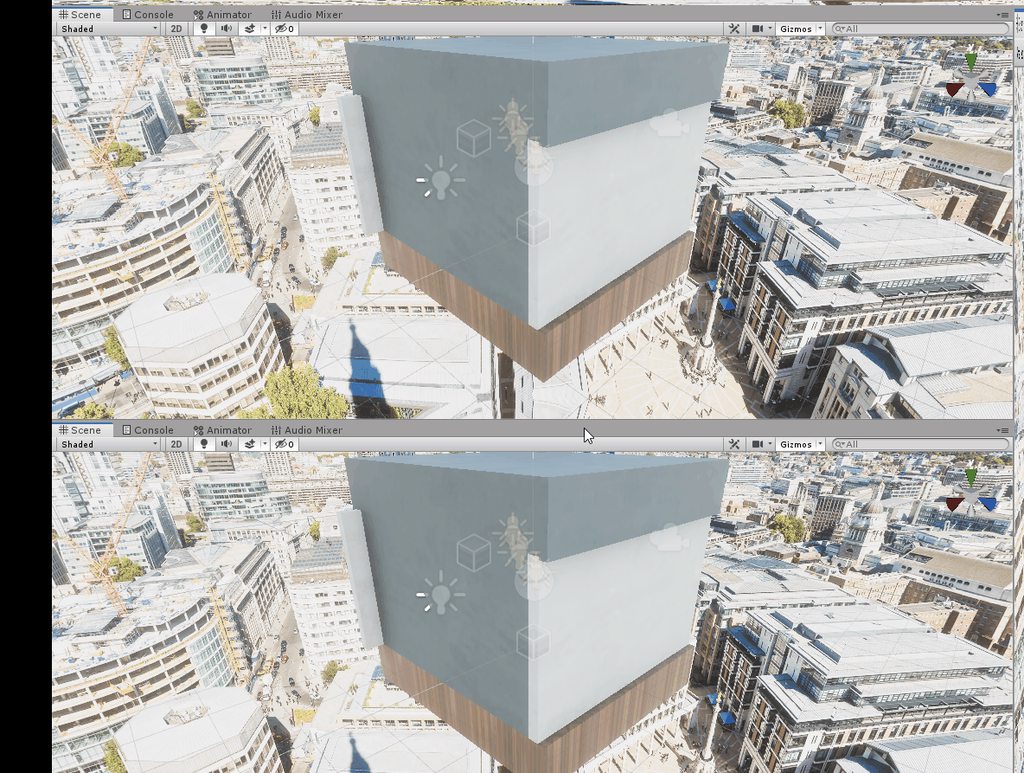
pretty much unusable.
quasi mulch
GitHub
The Experimental DXR project is a Unity custom version + HDRP custom version that support DXR. It aim at allowing users to play with DXR features. It is not representative of future integration of...

Unity Forum
Unity release today a github project named Experimental DXR project to be able to play with DXR....
quasi mulch
I appreciate they want to divert resources to this because everyone and his chimp is doing it so I can't complain
it won't be long before all new gpus handle 2080's workload
the box is well and truly open now
it doesn't help current gen so just a gi fix for that would be fine for me :P
turbid matrix
I doubt much effort will be put to realtime gi now
quasi mulch
I agree
quasi mulch
it's sad
but pointless
so i'd like them to actualyl make enlighten worth using though, currently i don't understand why its not even working properly. if it worked as intended and the textures were streamed well, then.... no complaints.
it's been really neglected recently
turbid matrix
We are delivering production-focused real-time Ray Tracing with a full Preview coming in HDRP in Fall 2019, including early Preview of a full-frame path tracer.
so, Unity 2020.1 it is
iron hollow
I haven't updated my video drivers in a bit, maybe I should.
might help
yeah seems i'm 5 versions behind
iron hollow
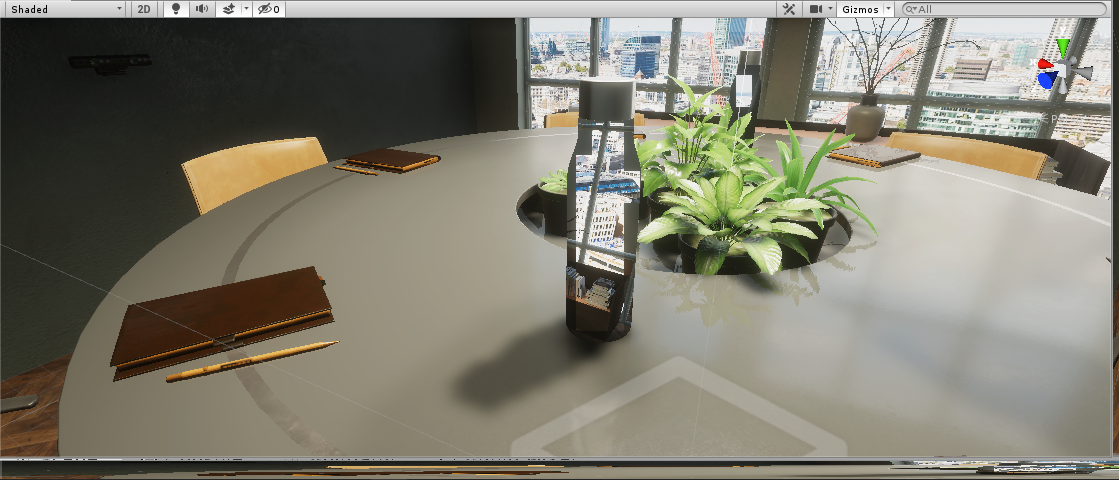
updating drivers didn't really help but at least I can see inside the room
it's funny i'm getting raytraced reflections on the water
even though I have a 970
might just be reflection from a reflection probe hmm
barren kindle
i wish the dxr demo scene did not have any baked lighting. i find it very silly
also raises a red flag. how much does unity want to cling on to their lightmap baker?
the future is now old man etc etc
quasi mulch
I just want gi that works (tm) and maybe some trees.
ripe fable
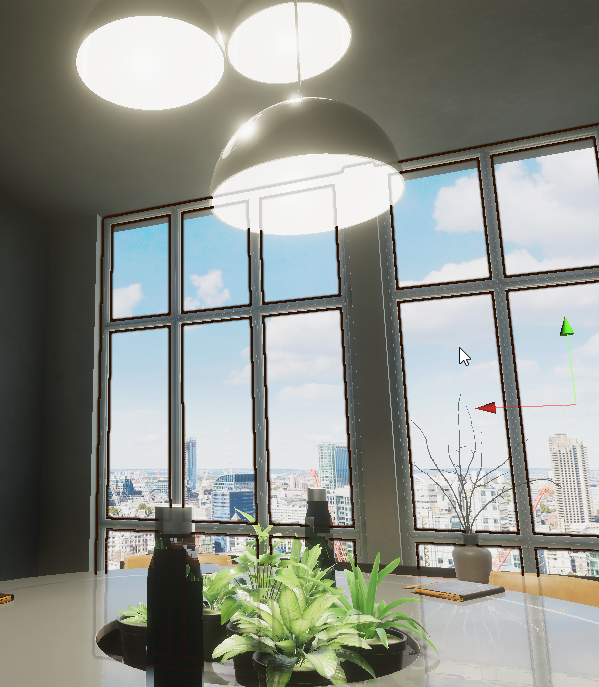
Everything works as expected here after playing with it all night. I'm pretty sure what you guys are talking about + the screen space reflections etc. are only used when you turn DXR off.
That's only one 1 sample for the shadows and 1/4 resolution reflections. 😁
 iron hollow
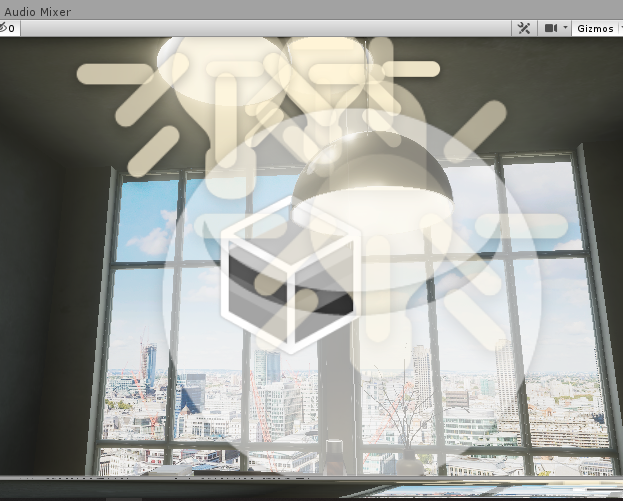
well you saw my pic above without raytracing, i actually get a really nice refracted bottle
 turbid matrix
just click on the gizmos 😃
ripe fable
Oh yeah, I'm not using the primary visibility option because I think it needs some performance fixes
iron hollow
yeah they don't show up for me
ripe fable
 turbid matrix
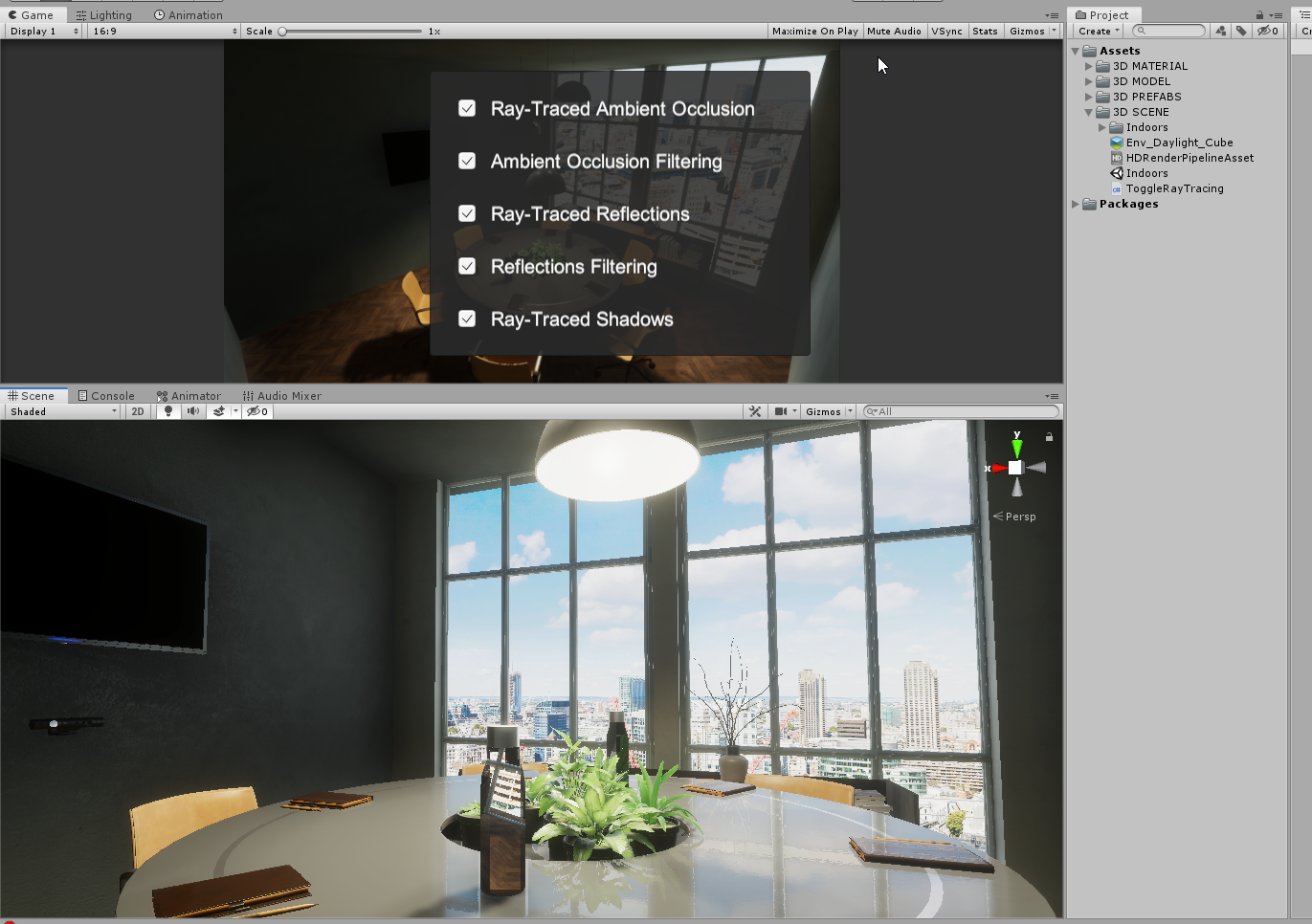
well, technically you should only check the graphics in game view and while running
iron hollow
reminds me i wanted to try turning of SLI and see if that fixes the UI
turbid matrix
but you can't run the scene without DXR gpu so 😃
iron hollow
because it's just so unusable for me
turbid matrix
I did port that to regular HDRP 6.6.1 tho, just to look around the scene better
they do crazy high iterations on the SSR settings too btw
they have like 128 there
when something like 32 is normal
turbid matrix
that kind of setting would tank the perf on my computer
 turbid matrix
you don't get errors on the console?
iron hollow
i do nowyes
turbid matrix
I got like 2 miles long error list 😄
iron hollow
before I couldn't even see the console lol
turbid matrix
ah
iron hollow
ui was totally broken
turbid matrix
btw, SSR with sky option (which is enabled by default and also enabled on that scene) has never really worked properly for me
but in that scene, I don't think the sky reflection is big issue as sky is barely visible
it just does really weird things if enabled
it's kinda pain as I'd want to see the sky on SSR
but the artifacts around every object it reflects is not acceptable
tempted to file a bug report even it's probably broken "by design"
iron hollow
they will have to work on proper fallbacks for platforms without RTX
i know it's early
quasi mulch
give gi
everything else is meaningless
what will happen is dots will get all big and stuff and they'll go "well this has shitty perf even with raytracing and enlighten isn't cutting it" then theyll add realtime gi :P
raytracing will still suffer in a large scene because you need more rays to cover as the vew expands
its a local thing really
cache further out i guess
iron hollow
just make the ray get fatter as it moves from the view point
if the screen is 1920x1080, you only need that many rays, ever
one for each pixel on the screen 😛
but each ray covers more area the farther out it is
so a close ray only needs to deduce the color of a small area
quasi mulch
there are problems with the ray fatter approach, you start getting false positives
iron hollow
but a distant ray could need to average a small house
quasi mulch
but the rate of change in the distance won'tchange much anyway so they dont need to get too fat and we can cache it
it'll just converge later
iron hollow
but you don't like that
quasi mulch
i dont mind it
iron hollow
just like you don't like removing shadows in the distance ;p
quasi mulch
i just want something that works without 50 ms spikes
only perfection will do
kisses fingers
turbid matrix
2019.1 and incremental GC *cough
apparently they planned that to work in editor too for 2019.2, not sure if that has landed on current alphas
quasi mulch
this is all part of unity's 3 year plan to make the ultimate battle station in the universe
turbid matrix
they sure keep us waiting on those GDC videos
really hoping GDC Vault at least would get some content today :/
they haven't been this late for years
quasi mulch
They'll rue the day
turbid matrix
ah, this is a PR now https://github.com/Unity-Technologies/ScriptableRenderPipeline/pull/3341

GitHub
Purpose of this PR
Why is this PR needed, what hard problem is it solving/fixing?
Release Notes
Please add any useful notes about the feature/fix that might be helpful for others.
Testing status
...
no cloud system there at all
was kinda wishing they'd add one
also weird to see a PR that hasn't been merged to more up-to-date master before doing the PR
that's based on master that's from Feb 5
oh wait
this is some random person trying to PR it 😄
this hasn't happened in a while
well, that explains it
quasi mulch
well i dont mind about clouds i'll billboard the heck out of it
realtime clouds are overrated
but i do want a nice pbr high perf proc sky for the sun and general lighting
that would be nice
....assuming it doesn't cause 50ms spikes
huh its just sitting there
i guess everyone kinda just focused on rtx
I wonder if alpha is stable now?
indigo summit
pbr sky is a confusing name
turbid matrix
I'm surprised that nobody closed that PR yet
but then again, there's not been much activity on the PR side for days (last merge was 3 days ago)
barren kindle
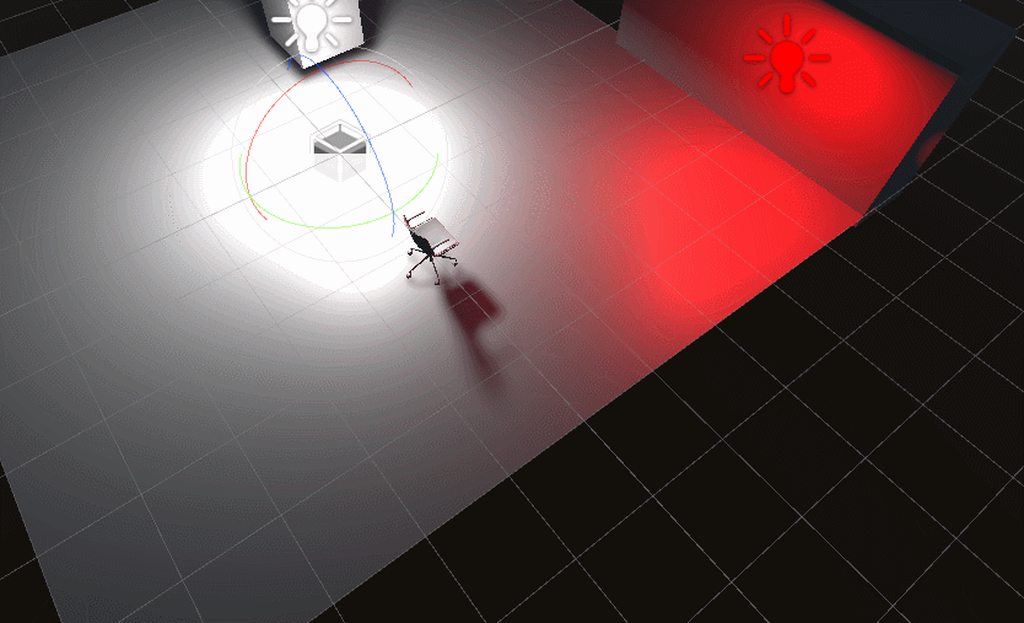
i am unable to use the raytraced shadows 🤔 i have no idea how to use it
ripe fable
Create an area light for example and use these settings:
And make sure they are enabled in your raytracing environment.
barren kindle
ah i see. its only for area lights. aaaaah
yep. its working now  https://i.imgur.com/wzkEOxc.mp4
@quasi mulch i read the docs many times, but it does not mention area lights or shadows anywhere
it is basically "hit this checkbox and you get shadows. promise"
 heavy ice
Make sure to try raytracing effects in game view, not scene view!
Especially Shadows, Reflections and AO
barren kindle
oh hey you werent joking. looks perfect in camera
 drifting vault
hmmm in HDRP i disable motion blur, but object with motion still have something like motion blur 🤔
quasi mulch
HDRP is a bit messy with motion blur and TAA in general I find. It's borderline unacceptable in some cases.
Fantastic for slow moving images though.
In above screen if mb is disabled, it is probably transparent having a hissy fit with TAA somewhere
Try using postpass option in the transparent shader if possible
turbid matrix
LWRP is getting out of preview. It brings improvements in performance, workflow, and extensibility over the Built-in pipeline. In this session you will learn the benefits of using LWRP, how to setup your project to use it and how to extend it to...
quasi mulch
watching... !
 robust mirage
Has someone here seen the new Custom Node API? It's twice as bad as the old one 😦
quasi mulch
Can unity add this without RTX please: https://www.gdcvault.com/play/1026469/Scalable-Real-Time-Global-Illumination
This session describes the dynamic global illumination system that Gaijin Enterainment created for 'Enlisted'. Its implementation is based on a regular light probe field that is calculated in an accurate way from scene representation (voxel and/or...
indigo summit
wait i confused, what kind of GI tech did they use actually?
voxelized the scene and bake irradiance volume?
as in volumetric lightmap/lightprobe?
no wait not prebake
quasi mulch
0.6ms cost on xbox one x (no rtx!) at 4k res
of course you should ALL be demanding this in unity
indigo summit
yeah but i'm still confused, that's not voxel cone tracing isn't?
quasi mulch
join my secret club of GI ... actually you are already in the club right?
indigo summit
or simplified version of it?
indigo summit
just curious what are those!!!!
quasi mulch
its just this way of doing it is not only gorgeous, it's effectively unlimited scale
and no 84 years of waiting for some clustering nonsense that eventually crashes
indigo summit
Daytime support, destruction and construction support <- yup i want it
"Dad can we buy that!!!!"
quasi mulch
enlighten works for a tiny level and is static and frankly... unusable shite.
out with it
the images are perfect for my game
indigo summit
i never touch enlighten anymore after progressive lightmapper exist
quasi mulch
it gives you the dark interiors and bright exteriors
i would gladly sacrifice cpu and gpu time to this
avg perf is going to be 1-2ms for a lot of regular projects i guess but it works on all hardware not rtx
RTX is great but way unaffordable, it is not realistic for today and tomorrow
indigo summit
what is geomerics do nowadays, i never heard from them anymore 🤔
quasi mulch
they weren't getting much attention and got sold
silicon studio bought them a while back
indigo summit
oooh
quasi mulch
it just sits there with yebis and other stuff but i dont think its important
indigo summit
yikes
quasi mulch
This session describes the dynamic global illumination system that Gaijin Enterainment created for 'Enlisted'. Its implementation is based on a regular light probe field that is calculated in an accurate way from scene representation (voxel and/or...
beggy beg!
UNITY ME!
cries and holds onto Joe's leg
sends flowers to seb lagarde and pizza to seattle
 quasi mulch
these things are temporal and propagate slowly
so it's fine for lights moving just not super fast. A door opening or a a roof blown off are all acceptable speeds
lexie's approach also takes time to update too
thats why it's 1-2ms
robust mirage
@quasi mulch lol you were the one in the forum about the custom node API... why is it like this man? Could you please tell me?
robust mirage
Well, instead of specifying a custom node each time in the GUI vs a C# class sounds like it would take more time in the long run right? Is the base class sealed forever?
indigo summit
That GDC SRP talk are interesting
i never follow LWRP and current state seems promising (based from that talk)
quasi mulch
The technique scales well from high end phones all the way up to RTX land
beyond that, one only need increase resolution and iterations so it scales forever
be nice to escape the enlighten thing I think
robust mirage
@quasi mulch Did I say something to annoy you man? I'm here with friendly intentions 😛
indigo summit
the Hippo are agitated, they need realtime GI
quasi mulch
I am super happy with Unity's one-day-rightful decision to release truly realtime GI :D
robust mirage
Alright then... no need to reply if you don't want man : )
quasi mulch
I guess I do not understand you, I thought I had replied to you :)
be back later need to cook
indigo summit
you cook!!!!!????
robust mirage
Oh hey man, it's very simple, the CustomNode superclass is no longer public. And to make a custom node, you would need to create one in the GUI, in what way is this a better solution?
@quasi mulch sorry for misunderstanding you misunderstanding me :p
quasi mulch
I see, how would I do the FPS rendering in this?
indigo summit
wait didn't you watched the GDC talk?
robust mirage
🤔 FPS rendering stands for?
robust mirage
And how is that related to rendering? Guess I'm mentally challenged or something
indigo summit
well you need another render pass/queue for FPS objects to avoid the gun/hand overlap with the world
robust mirage
Hmmm.. and by overlapping you mean so that it would'nt start clipping in other things or?
robust mirage
alright, but you can sort-of fix that with a ZTest Always right?
robust mirage
Ahh right
indigo summit
for the FPS objects
indigo summit
no problem 😁
robust mirage
Ever heard of the mighty Keijiro?
He apparently made 500 repo's. Like holy chippers that's insane.
(and counting)
 dawn sorrel
Hey reanimate.. which video are you taking about btw
robust mirage
@dawn sorrel I think they're talking about this one: https://www.gdcvault.com/play/1026179
LWRP is getting out of preview. It brings improvements in performance, workflow, and extensibility over the Built-in pipeline. In this session you will learn the benefits of using LWRP, how to setup your project to use it and how to extend it to...
A bit higher up the chat
dawn sorrel
Okk ..thanks
robust mirage
haha np
@turbid matrix Hey man, do you know anything about the earlier issue? I'm kinda trilled to know if I'm right or wrong 😛
turbid matrix
I don't quite know what the issue is
the old node api was removed because Unity can't guarantee the compatibility with it in the future
it's kinda irresponsible to let people do things on api that they know they can't maintain forever, so it just had to go
you said you can't use the old api, fine, that's not really the core issue
what's the issue?
dawn sorrel
There 's shader graph talk in gdc.... maybe you shold check out that.
Though I am not sure if it solves your issue
turbid matrix
like, what can't you do with current setup?
@robust mirage
yeah, I linked the SG talk on #archived-shaders a while ago 😃
robust mirage
@turbid matrix https://forum.unity.com/threads/unable-to-create-custom-shader-graph-node-due-to-inaccessibility-of-customfunctionnode-class.586876/ this thread is about Error: CS0122: 'CodeFunctionNode' is inaccessible due to its protection level which apperantly is a design choice. You have to create custom nodes through the GUI now..
Unity Forum
Error: CS0122: 'CodeFunctionNode' is inaccessible due to its protection level
Unable to inherit from the class CodeFunctionNode due to its protection...
turbid matrix
yes, I'm aware
I've used the new API for it
it works for me, there are some things that you can't do
so trying to ask you here, what is the issue you have with it?
other than it's not the old thing
you need SG 5.8.0 or newer for this
so HDRP 5.10 or LWRP 5.10 practically as 5.8 wasn't that great release
robust mirage
Maybe I'll have to check again but, isn't making a custom function node in the GUI for every custom function node annoying? I'd prefer having to select my custom node by searching and pressing enter each time I want to use it
And pasting code in a textfield?
turbid matrix
you can wrap the custom function node inside subgraph
that's reusable
you can do nested subgraphs now so that's not an issue
robust mirage
That's a workaround don't you say?
robust mirage
But why the change? Because unreal does it?
turbid matrix
I personally prefer this approach to the old messy one
nah, the reason has been told
it has nothing to do with ue4
but that they don't want people to make tons of content with the old api which they can't guarantee to keep as is
also, the old approach is kinda messy
I don't wonder they wanted to get rid of it
you write c# that writes that shader code
I mean, that's super hacky
now you can just write shader code in separate files
ref to them in custom function node
that's nice and clean
or if it's simpler thing, just paste the shader code in the node itself
no need to write c# for it
you can do it in a minute
robust mirage
I guess it's plausible.. I really dislike writing shadercode in a textfield..
I like syntax highlighting and autocompletion 😛
 frigid cypress
we have the ability to reference an hlsl file and include those functions using the custom function node
turbid matrix
you don't get highlighting on c# script for hlsl code like in the old mixed setup
frigid cypress
write it in your IDE of choice and call it in C:
turbid matrix
yeah, now you actually get the proper ide experience for it if you want it
robust mirage
Hehe, alright. I guess you're correct. Thanks for explaining it to me man, appreciate it
turbid matrix
the string input on the node is mainly meant for small oneliners and such
robust mirage
I wanna be orange like the cool kids here
turbid matrix
@frigid cypress you know the pragma issue people had on the new approach?
 sly sentinel
what's the pragma issue
robust mirage
Look at me guys, I'm cool now
turbid matrix
heh
robust mirage
I sculpt in zbrush and stuff, so I do things beside programming 😛 I'm allowed
turbid matrix
anyway, the person on that thread is the creator of Vegetation Studio Pro, he had this hack for old SG custom nodes where he injected pragmas through it
but apparently this doesn't affect the main shader now on new custom function node
and you can't put anything on string input that affects the whole shader
robust mirage
Ai, guess it maybe needs some more work.
turbid matrix
@sly sentinel this is his old approach https://github.com/AwesomeTechnologies/VegetationStudioPro-ShaderGraphNodes/blob/master/IndirectNodeHD.cs
well, this is rather special case
it's a hack for the old system too
in ideal case, we could feed in custom shader code for the main generated file too
sly sentinel
ah ya. pragmas in includes wont work
turbid matrix
like way to put it in master node directly
sly sentinel
ya that could useful
turbid matrix
wouldn't need to hack around with dummy passthroughs either 😄
sly sentinel
nice way to bypass that limitation in the shader compilation too
doesn't work currently because pragmas in include wont work and if you arent using a file on your custom function node, you are creating the function body and pragmas wont work there either
turbid matrix
another thing that bugs me about SG is that it's pretty hard coded for it's templates now
for example with ASE, you can just copy any template file and it'll show up as a new thing
for example their SRP shader templates are all contained in single file each, you can easily upgrade and modify them
would be fancy if some day SG could do the same
frigid cypress
the list of "would be fancy if" for SG features grows ever longer :p
turbid matrix
😄
that's something that would make it easier to make more customized shaders for SRPs tho
it's easier to maintain a modified template than say, modified shader from generated result
I've upgraded few custom HDRP shaders manually from version to another and it's been pain
"would be fancy if it didn't stall for 7 seconds after each wire connection"
and yes it happens even with the new async PR
that's actually a huge productivity killer
also not something that happens on any other shader editors
quasi mulch
did I hear unity staff promising realtime GI like as shown at GDC?
I am sure I did!
wiggles his little finger in his ear
sniffs the end while nobody is looking
is the custom render order thing coming to HDRP?
(42 mins in https://www.gdcvault.com/play/1026179)
dawn sorrel
@quasi mulch where did you find the unity staff promising about the GI 🤔🤔
barren kindle
/me gives beast, enlighten, progressive cpu and progressive gpu the stinkeye
quasi mulch
what did I actually say ? :>
barren kindle
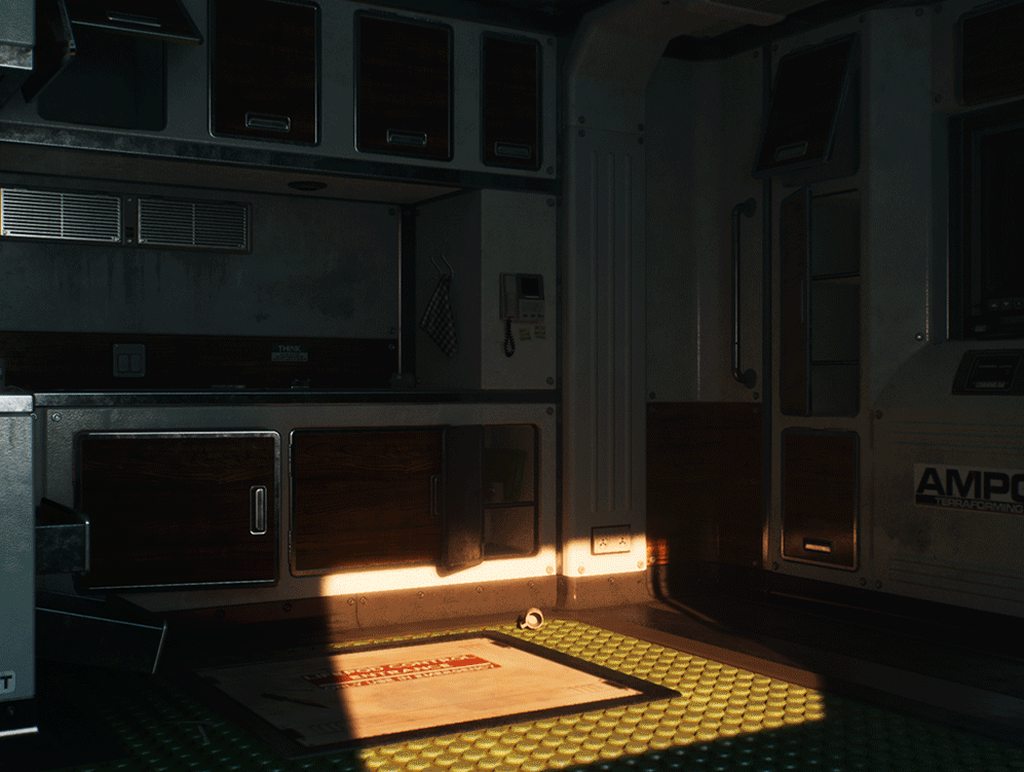
im having a look at the dxr indirect diffuse https://i.imgur.com/HEBloMl.mp4
what impresses me is that the scene is only lit by emissive materials
quasi mulch
it's nice
indigo summit
it's expensive (in term of money)
@quasi mulch speaking of fast realtime GI Remedy already using it on quantum break isn't? and it runs quite fine tho
quasi mulch
yeah all AAA have some solution by now in 2019
it's wierd if a game doesn;t
its a solved thing with just general optimisatiob based around voxel cone concepts I suppose, and patching that up
because baking it makes no sense at all
dots huge worlds etc
you're not baking it.
saw the god of war one too, interesting
baked though
dawn sorrel
ue4 is getting screenspace gi in the next version, it took them only 5+ years! maybe if they could clean up lpv implementation, they could get parity with cryengine 2! 😄
 quasi mulch
is it DXR or just works on anything like the gdc thing?
DXR is something that anyone would expect I guess
dawn sorrel
no dxr, it just works, entirely screen space though, just like ssr
cryengine 2 used to use lpv for short range and ssgi for long range global illumination
quasi mulch
doesn't seem as good or fast as the one presented at GDC
dawn sorrel
I'm guessing the gdc one requires geometry to be static, I doubt they are voxelizing everything every frame
I just glanced at the slides though, maybe I'm wrong
well, ssgi is really old news
I'm guessing they liked the unigine demo and decided to implement it on a whim
quasi mulch
no it's purely dynamic
full open world
no need for lightprobes or AO
6ms with 4k res on xbox
0.6 sorry
i crave it like cake in my face
I'd settle for anything dynamic at this point
dawn sorrel
well, cryengine svoti also claims to be dynamic, but it spikes when you revoxelize the scene
quasi mulch
This session describes the dynamic global illumination system that Gaijin Enterainment created for 'Enlisted'. Its implementation is based on a regular light probe field that is calculated in an accurate way from scene representation (voxel and/or...
has no limitations that matter
dawn sorrel
ah, they are dividing the work over multiple frames
apart from fast moving lights and object, there doesn't seem to be hard limitations, neat! 😄
dawn sorrel
@dawn sorrel btw, can you link the source where you found that Ue4 news??
I know they are getting a GI for DXR but I have not seen anything for non DXR.
dawn sorrel
its a forum post, its already in the engine if you compile it from the master
Unreal Engine Forums
I haven't heard any info on this. What's the status, is this coming out of development and making the next release?
dawn sorrel
Okk ...so it is actually a asset by someone.... not really an official one by the Ue4 devs.
eh? no not really
its in the dev branch
Even Unity has one asset in development btw
https://forum.unity.com/threads/hxgi-realtime-dynamic-gi.472486/

Unity Forum
I've been working on a Realtime GI solution for Unity. I'm not able to use Unity's pre-computed GI system, since my game is procedurally generated;...
if you are referring to the twitter post, tim hobson is an epic employee
barren kindle
what? that hitbox guy is working for unity now?
turbid matrix
I think he just meant that someone is making something for Unity
we see projects like that come and go
while it's cool, it's also something that's hard to get truly exited about
if you are, then you probably haven't seen 10 previous attempts
yes, I'm super pessimistic when it comes to realtime GI projects 😄
usually these threads go for few years before the dev drops the ball
sometimes there's some preview release but never something that is production ready
it's still cool that people try it
but unless it's people who have resources to maintain the work, it's not something I'd put any expectations into
and by resources I mean like big company behind it
this was on that thread's end 😄 https://github.com/Looooong/Unity-SRP-VXGI

GitHub
Voxel-based Global Illumination using Unity Scriptable Render Pipeline - Looooong/Unity-SRP-VXGI
apparently he did new SRP for it
dawn sorrel
from readme "This project is my graduation thesis"
turbid matrix
that being said, there's like few k lines of code in the SRP directory
if even that
so, looks like some MVP, which is fine for thesis
dawn sorrel
Yup, I do agree with you on this.
But, still if the project is interesting Unity often picks up the project as in case of Cinemachine and Probuilder.
barren kindle
somehow i think unity is hellbent on keeping the lightmap baking solutions :(
maybe because mobile games is where the money is? 
as an unitarian, i have been watching at unreal and cryengine in envy for .. years
dawn sorrel
unreal is THE place for lightmaps though
turbid matrix
they didn't pick up SEGI 😄
dawn sorrel
they don't really have a dynamic gi solution
lpv is half baked (as in barely working), vxgi is dx11 only
dawn sorrel
this ssgi is, screenspace, so its pretty jarring during movement
turbid matrix
Unity got progressive lightmapper, also now gpu version
unreals baker is still cpu only
and you have to bake often for hours to see anything
it's even worse there than with Unity
VXGI 2 is nvidia maxwell+ only btw
VXGI 1 still ran on lower end cards and AMD but it was practically too slow on anything but Maxwell+ that got additional HW support 😄
- VXGI was never officially integrated to UE4
you still need to run special branch from nvidias fork for it (or use some merged branch for nvidia techs like the ones I maintain there)
but I guess it's some grass is greener on the other side kinda thing
only cryengine out of these three does realtime gi
dawn sorrel
I wish they didn't scrap dfgi that early, curse you paragon 😛
turbid matrix
and even they now have setup that bakes some of the data for it
dawn sorrel
if only they had fortnite br back then 😄
turbid matrix
so it's not fully dynamic
well, fortnite did drive DFAO back then
it was literally the thing DF's were built for initially
dawn sorrel
well it (svoti) was never fully dynamic implementation, it always caused a spike when it voxelized the scene, they just did it at start and didn't touch anything afterwards
turbid matrix
DFGI was a side project that came from it
dawn sorrel
Its a shame too, because it looked better than vxgi in many cases when I tested DFGI
it did cost something like 30ms though 😛
barren kindle
i am tempted to try this raytracing thing in vr 🤔
turbid matrix
current gen high end GPU's struggle to run this at 60Hz, imagine doing it 90Hz twice
 simple hollow
In 2019.1b 10 i created a new HDRP project and the HDRP version was 5.7. The procedural sky’s sun disk was off. When it is turned on the lighting gets unbalanced in the scene and I can’t figure out how to fix it. Is this normal?
drifting vault
VXGI in UniGine no?
turbid matrix
@simple hollow yes, there's issue with the current sky's sundisk if you use realistic lighting values
@drifting vault VXGI is nvidias tech
there's at least UE4 integration for it
simple hollow
That’s good to know thank you @turbid matrix
turbid matrix
don't expect Unity to fix that either (they might but I doubt it's a priority)
current procedural sky is just port of the old Unity 5 sky system
they are working on more modern sky setup now
so, there will be replacement, but it remains to be seen what will happen for the old sky
I'd guess they just leave it around for older projects for compatibility reasons as is
simple hollow
Seems reasonable
turbid matrix
relevant branch's commits: https://github.com/Unity-Technologies/ScriptableRenderPipeline/commits/HDRP/pbr-sky
last change 12 hours ago
so it's been actively worked on
simple hollow
But in its current state you shouldn’t use HDRP so it’s probably somewhat of a priority
turbid matrix
I think there was like one month pause for that before due to GDC coming up/change of priorities but seems like it's been picked up again now
oh it's coming before HDRP is released alright
"shouldn't use HDRP" doesn't stop game studios from adapting into it already 😃
but most of the projects using it will probably release later on, and HDRP will be out already then
quasi mulch
What she really wants from her man
 frigid nova
i usually dont agree with the hippo but i agree on the last mem.I found a new engine that does lighting good,its called unigine 2 and tbh its insanely good.Dunno how much i can do with it but for now its a gem for lighting at least
 fading rose
This started popping up out of the blue. Any idea how to fix it?
Shader error in 'Lightweight Render Pipeline/Lit': failed to open source file: 'LitInput.hlsl' at line 112 (on d3d11)
||Compiling Vertex program with LIGHTMAP_ON FOG_EXP2 INSTANCING_ON _NORMALMAP _GLOSSYREFLECTIONS_OFF _MAIN_LIGHT_SHADOWS _ADDITIONAL_LIGHTS _SHADOWS_SOFT _SPECULAR_SETUP _OCCLUSIONMAP
Platform defines: UNITY_ENABLE_REFLECTION_BUFFERS UNITY_USE_DITHER_MASK_FOR_ALPHABLENDED_SHADOWS UNITY_PBS_USE_BRDF1 UNITY_SPECCUBE_BOX_PROJECTION UNITY_SPECCUBE_BLENDING UNITY_ENABLE_DETAIL_NORMALMAP SHADER_API_DESKTOP UNITY_LIGHT_PROBE_PROXY_VOLUME UNITY_LIGHTMAP_FULL_HDR||
quasi mulch
out of the blue is the suspicious part
Are packages in sync? same version vfx etc
perhaps right click the LWRP folder in the project and reimport
fading rose
yeah they are in sync. I will delete the cache file once more and see if it gets fixed.
meh... it changed to this:
||ArgumentException: Can not deserialize (UnityEditor.Experimental.Rendering.HDPipeline.HDPBRSubShader), type is invalid
UnityEditor.Graphing.SerializationHelper.Deserialize[T] (UnityEditor.Graphing.SerializationHelper+JSONSerializedElement item, System.Collections.Generic.Dictionary2[TKey,TValue] remapper, System.Object[] constructorArgs) (at Library/PackageCache/com.unity.shadergraph@4.10.0-preview/Editor/Data/Util/SerializationHelper.cs:103) UnityEditor.Graphing.SerializationHelper.Deserialize[T] (System.Collections.Generic.IEnumerable1[T] list, System.Collections.Generic.Dictionary`2[TKey,TValue] remapper, System.Object[] constructorArgs) (at Library/PackageCache/com.unity.shadergraph@4.10.0-preview/Editor/Data/Util/SerializationHelper.cs:153)
UnityEditor.Experimental.AssetImporters.ScriptedImporter:GenerateAssetData(AssetImportContext)||
and this
turbid matrix
first question would be: what is your unity version, what are your SRP package versions?
also why you have HD shader if you use LW?
fading rose
2018.3.8 and 4.10
My first question would be, what does this error say? 😃
This way I may get an idea where to start troubleshooting 😃
I do not have an HD shader.
😃
turbid matrix
Can not deserialize (UnityEditor.Experimental.Rendering.HDPipeline.HDPBRSubShader), type is invalid
pretty hard to tell what's going on there
fading rose
these are my packages. as you see no HD nor was it ever introduced to this project.
hmm shader graph seems to be missing.
turbid matrix
you don't need to install core and SG separately
they get installed through LWRP dependency
it'll be more obvious on 2019.1's Package Manager
fading rose
i know, that is why it is strange that it is missing no?
turbid matrix
well, Unity refuses to list the packages installed as dependencies on that list
IMO it's confusing to new users
you'd want to see everything that is installed at one glance
but they disagree
it's no error, it's like that by design
turbid matrix
but yeah, I'd wipe the library and see what happens
it looks like your SG expects HDRP to be there
I dunno if there was some editor variable it sets on 2018.3
fading rose
Looks like the problem was that SG was not installed.
After installing it there is no such message anymore.
turbid matrix
that's not the core issue tho
LWRP 4.10 definitely installs core and SG if you don't
so, maybe there was issue on your library cache
and reinstalling SG just cleared something
as another topic, the SRP GDC talk mentioned how they did the gun rendering on FPS Sample
besides the FOV hack, they did handle the clipping separately too
but they apparently explain this more on the unity booth session (which is still up to Unity to upload to youtube, it's not available yet)
quasi mulch
I'm hoping hack-free control of rendering will come
it's not just the need for first person weapons but having UI in world space too, not everything can be transparent unlit
I'm hoping it will come to HDRP
 thorn lodge
not listing packages is confusing even to experienced user that are tired
like make them another color or something so it's easy to go "I want to actually install this into the package manager, click DONE"
quasi mulch
I think they should expose how it all works, document it, give @alpine bluff 2x the salary and erm. That's all
raises thumbs
 alpine bluff
I’m not going to contest that :p
Oh! Oh’ actually!
Myself and the HDRP writer want to do a session in this channel next week, where we’ll be asking you what you need to know from our docs. Like, what are we missing, what’s confusing, which quick little fixes can we do to help you get to know what you need to know :)
turbid matrix
but... that would require us as the users to actually read the docs 🤔
I mean, there are some things you need docs for, but in most cases if the tool is designed well, it's so straight forward that you don't have to open them
that being said, if you open game engine first time to learn it, proper docs are invaluable
I do run through a lot of Unity docs in general but I've only very rarely opened HDRP ones, and for SG I don't know if I've ever opened them besides for what some google result have put me into when looking at SG's old custom node api
I recently went through HDRP docs when the doc pass appeared on github PR tho, I'm mainly curious about the implementation details on it rather than how to use the features
like, for example currently HDRP shadow filtering has shadow levels from low to very high, I need docs to know what these vague terms mean
but if they had actually named the filtering options by what they are, I'd have no need for such doc
I'd always prefer the latter
alpine bluff
Yes - some people will learn like you, Olento. But some people rely on docs more heavily.
And we also prefer the latter :p
It’s part of our work as well - consult on naming.
turbid matrix
yeah, I realized after the first two comments that I don't want to sound like docs are not needed
alpine bluff
(Some things slip through, ovviously)
But something like that is really what we want - little tweaks etc.
turbid matrix
proper docs is one thing that Unity excels at if you compare it to competition
alpine bluff
We don’t have deep analytics on package docs like we do on Manual content (yet)
turbid matrix
(gone through a lot of UE4, CE and LY docs)
alpine bluff
Yeah. That’s our pride. So we want to try and keep up the quality :p
turbid matrix
I love the code snippets on the regular scripting api, having any kind of practical samples is really great for reducing the time to understand how to use the thing
I actually haven't checked how SG docs do the node descriptions
I know that Acegikmo's Shader Forge docs were great for this
I mean stuff like this: http://acegikmo.com/shaderforge/nodes/
one thing that I've noticed recently is that google searches don't always find the new package docs
but I think that's getting better now
I'm personally not super excited about the extra clicks on the format of the new package docs though
but then again, I'm always annoyed when I have to do extra clicks for anything 😃
thorn lodge
time to game the SEO for Unity package docs
and also make it so that if someone searches "Unity performance issues" they get "Unity performance by default" results instead
perception problem solved I deserve a medal
alpine bluff
@turbid matrix - what do you mean about the extra clicks?
turbid matrix
for example, take that Shader Forge page
to see what the nodes do you have to click around many times and how you find the thing you were looking for
basically SG docs (and SG itself) splits the feats in different main levels
it makes it harder to casually browse what kind of nodes there are
people have to go through these one by one and nobody will do that for each
also the node preview images don't really give much useful info, it feels like those images could exist on the actual doc pages rather
but maybe there's some other reason for them to exist here
alpine bluff
Mmm, I see what you mean. Maybe an overview page would be good. I’ll forward that to the SG writer :)
turbid matrix
every image has the black preview included
this is kinda the overview page (per subsection)
it's just, it doesn't immediately show what it does like the SF node doc does
even UE4 materials got faster to browse docs for material nodes
but UE4 docs have a lot of these split into many sections as well
alpine bluff
Well, from a writing perspective, it’s because we use topic-based writing (every page is page one). Because from an information parsing perspective, it’s better to have everything-you-need-about-one-subject on that subject’s page than it is to have behemoth pages that cover multiple subjects.
The trick is to then also anticipate what people need and how to redirect them to sister-subjects
turbid matrix
it's very topic based now for sure
alpine bluff
But that the actual docs page/output/website isn’t seamless: we completely agree.
It’s one of my goals: unify with the Manual. Utilise the features in there as well. Be able to cross-link seamlessly.
turbid matrix
also the actual doc space in the middle section is very narrow, while it's nice that the paragraph doesn't get too wide, it's kinda having opposite effect now
it just means more scrolling as there's not much space for the actual content in the middle
alpine bluff
Agree.
frigid cypress
@alpine bluff @turbid matrix sg docs are scheduled to be getting a large overhaul 👀👀
 dusty maple
Hey guys, there's a technical question that's been bugging me for a while. Not directly related to the new render pipelines. In terms of optimization I use static batching as much as possible. However I noticed that you can still hide static objects in script. It's not clear to me what's happening under the hood. Does hiding/showing a static game object at runtime simply triggers the process of recomputing the combined mesh it belongs to ?
I have a set up where I can easily determine lists of visible objects based on player position, so I could show/hide lots of small game objects on demand to increase performance. But since it's not clear to me how the engine actually handles that and where I pay the cost (not sure what to look at in the profiler timeline), It might not actually be a win versus just relying on static batching and drawing more geometry than required.
alpine bluff
@frigid cypress - yeah, I know the writer. She’ll do amazing ^^
quasi mulch
All that matters is that Unity are wise and strong leaders who bring us realtime no bake GI
Lead or I will lead for you
quasi mulch
Jormungand is merely waiting.
fading rose
I will have made 3 games and about 5 VR projects until then 😄
barren kindle
no bake gi? when?
quasi mulch
When the Heretic reaches the city and upsets the overlords of Unity with missed deadlines.
glad tartan
Occlusion probes could save that
It fakes GI pretty well, just won't get the bounced lighting
quasi mulch
they don't support time of day
 oblique plinth
Hey, apologies if wrong channel. With the inbuilt HDRP post processing stack in 2019+, should this be backwards compatible with the PostProcessingV2 package, or is there any way to properly update between the two?
indigo summit
as far as i know it's not backward compatible
oblique plinth
As I feared haha, cheers
turbid matrix
yup, it's not backwards compatible
that being said, it doesn't take ages to port it
oblique plinth
I'm migrating the various settings onto the new volumes. One problem I've found is previously I was using a LUT through the Low Definition Range in Color Grading. This doesn't exist now as far as I can tell, so I'm trying to use a .cube version instead and it doesn't seem to do anything.
turbid matrix
how did you author that 3D LUT?
oblique plinth
They're standard LUTs from video editing packs. I just tried following the old Photoshop guide and it says its not a 3D texture
turbid matrix
old style LUTs don't work in HDRP PP
afaik, they shouldn't work in PPv2 either
oh right, you use LDR?
they may have allowed the old style LUT for that
they require the 3D one for HDR
@oblique plinth https://github.com/Unity-Technologies/PostProcessing/wiki/(v2)-External-LUT-authoring
GitHub
Post Processing Stack. Contribute to Unity-Technologies/PostProcessing development by creating an account on GitHub.
oblique plinth
One thing I noticed is in HDRP Asset Settings it defaulted the grading lut size to 32, so those tutorials didn't work. I changed it to 33 to match the output from the tutorial and it still doesn't seem to do anything.
 primal jacinth
Support for user luts isn't implemented in HDRP at the moment. It should come soon.
So yeah, the UI doesn't do anything 😃
oblique plinth
Damn. So there's no way of doing the Low Definition Range with PNG in 2019+, I'll have to stick with 2018.3+ ?
primal jacinth
Yes. And HDRP will not support the LDR lut format as it's a purely HDR driven pipeline.
(This will become even more relevant with output to HDR displays eventually)
oblique plinth
OK thanks for your help
fading rose
Interesting how nonchalantly Unity that prided itself for unified multiplatform workflows and ease of use is splitting itself in half. 😛
 brazen linden
@fading rose I find it to be a very weird move. I wonder if at some point they will add tools for you to easily be able to compile for LWRP from HDRP
dawn sorrel
A tool like that wouldn't really work; especially as feature are added specifically for each RP.
For example; right now, HDRP has Decal Projectors whereas LWRP doesn't. If your game mechanic relies on Decals (Such as bullet holes in the environment), then what would the conversion tool do?
Im not denying that some project will have both LWRP and HDRP installed; just that it wont be as simple to switch between them if you lean heavily on some features.
alpine bluff
^ what Andy said
Also, the reasoning for splitting is actually to be able to cover multiple platforms well.
The built-in render pipeline covers many scenarios, and as a result, some of them aren't covered as well as they should be. So we've done the split into HDRP and LWRP to be able increase the quality for each scenario; and give users more actual power to customize than in the original render pipeline.
dawn sorrel
However, there are some elements that are cross-RP. For example, Shader Graph's Unlit and PBR Master Nodes work in both LWRP and HDRP. If your particles are unlit, VFX Graph in 2019.1 works on both HDRP and LWRP.
And you can also set/get the currently used RP Asset in Graphics settings. As a test, I made a simple Quality Settings switcher that works on device for switching different tiers of LWRP settings (Simple quality settings window). 😃
turbid matrix
I made a proto that used that RP setter to swap between LWRP and HDRP, Unity staff wasnt pleased that I shared the experience
dawn sorrel
Unity staff wasn't pleased? Who?
turbid matrix
I mean I kinda get their stance, it'll never be officially supported to swap between
I think Seb itself was there first telling I shouldnt do that :D but he ultimately gave a nice list of what things could go wrong with solution like that
dawn sorrel
There are lots of things the Unity Community does that some people at Unity don't really agree on. 😄
turbid matrix
It is still my backup plan to swap either nonSRP or LWRP on lowest scalability mode if HDRP is more heavy even on it's lowest setting on my crapputer (computer specially assembled to test my min recommended spec)
primal jacinth
I just want to add that you can't expect to have great performance on all platforms using a single unified pipeline. The difference between mobile/console/PC/whatever architectures & power is massive. Perfect scalability is a myth. So in the end you have to make a choice: do you want finely tuned platform-specific pipelines that run great with bleeding edge features or do you want something that runs everywhere but is non-optimal?
turbid matrix
Yeah, that is exatly why I have this backup plan
dawn sorrel
In the past people complained that Unity was too broad and unoptimised if they wanted to target specific platforms/targets/settings
"Im making a 2d match 3 game for mobile; why do I need GI, PBR, etc etc?"
turbid matrix
I remember the people annoyed by pbr on unity 5 :D
I was happy, had been using pbr on 3rd party shaders on unity 4 before that, was a fan of it already
dawn sorrel
People will be annoyed by anything and everything. I remember when we added 2D Sprites in Unity 4.3 and someone at a conference told me he was really mad as it means more people are going to make 2d games and they should all stay with Flash instead of using Unity.
turbid matrix
But I do get that people doing 2D, toon stuff wont always get any benefit from pbr
So they pay for more heavy shading for nothing
dawn sorrel
I was kind of like "You are mad that more people are going to make 2D games? There are lots of other things you should probably be mad about before that 😄 "
Good news is that there are plans for a 2D Renderer option on LWRP. 😃
turbid matrix
yeah, I've seen the master node stuff on SRP repo 😃
that kinda makes me wonder tho
people will immediately think since it's 2D, it'll be perfect fit for UI stuff too (despite the fact that most use SG's to texture things with 2D UV's in the first place)
there's really no longer term roadmap for SG either, so it's hard to know what to expect and when
still missing things like PP graph and possible UI stuff
and of course terrain graph but I think that at least is coming
lack of official PP graph is bugging me a lot on HDRP, people who can use PPv2 can use 3rd party solutions for that now
primal jacinth
Terrain & PP graphs are in the pipes, the PP one is just slightly lower priority right now (more pressing issues to fix)
turbid matrix
ah, nice to hear about PP, I knew Terran was on the works 😃
as another topic, still counting days till this gets closed :p https://github.com/Unity-Technologies/ScriptableRenderPipeline/pull/3341
seems like some random person just saw the wip branch and made PR for it
turbid matrix
any helpers here? https://forum.unity.com/threads/custom-render-pipeline-suited-specifically-for-vr.658459/#post-4409719
Unity Forum
I am thinking of making a thesis project in my university and the subject i am thinking of is basically something like the title of this post. I wanted...
I don't want to be the person to tell that's super ambitious, considering Unity have been building HDRP for years and it's still not done
but then again, to get something that just does things on limited scope could be doable, considering it doesn't have to be production quality
quasi mulch
Nah no point in giving him what he thinks he wants
give him what he needs. he doesn't have the experience to know what he wants
cos LWRP... in VR... is photorealistic if fully baked.
it's PBR, the math is as close to ground truth as you'll get while being optimised enough for VR
LWRP is aleady his solution, but his workflow is not.
turbid matrix
I mean it's one thing to be ambitious but to just combine LWRP and HDRP..
I tried to ask what things current setup doesn't do, he didn't answer
he just keeps telling it's not possible without telling the details
quasi mulch
he is too stupid, and I mean this is in the literal sense: he lacks too much information to argue with
but if he works with LWRP he may find the high end he looks for
LWRP is the best for VR IMHO for now, because HDRP is nowhere near finished :)
and nor is it mobile friendly
so he should look at just extending LWRP slightly, as unity intends
if he cannot even extend LWRP slightly, he has zero chance to understand how HDRP fits together
turbid matrix
I kinda get what he's going for but he lacks the needed experience to pull that off atm, I try not to tell it's impossible as people can learn a lot if they are persistent
the point isn't to have better VR SRP
point is to make VR SRP
he has to convince himself that the current solutions don't cut it so his thesis has a meaning
of course that's all wrong
but the people reviewing the work may not know it
quasi mulch
I like to give people rope to hang themselves when they are difficult, I just say "sure do it right now, please post back with results"
this will usually hang them and they never post back, but you know, that's the correct ending anyway
some people dont want no
and dont want to work for it
turbid matrix
then again, what's the worst that could happen here? person worked one year on this to realize his solution will not be anywhere near the quality the existing solutions are? I bet he still learned a thing or two along the way
quasi mulch
honestly it's a bit rude to just barge in and call the shots about how something should be when you know nothing about the subject isnt it (re: difficult posters)
yeah just let them die on the sword, they will get frustrated within days and not even get as far as you suggest
the people you're trying to save, people like you or me... you cannot prevent them from digging in and thriving
we do that by default
turbid matrix
hey, I'm known to be pessimistic, I'm trying to put more faith in people now 😄
quasi mulch
others think they want that but dont have the passion or interest so these people should basically just fobbed off
turbid matrix
and I can do that when my own work isn't compromised by it 😄
quasi mulch
I'm trying to say over the years I've worked out there's 2 kinds of developer:
- those that rarely ask anything anyway cos they're too busy digging
- everyone else
basically if they have to ask then they have too many holes in their knowledge to even try helping them, they actually need a solid year or so in the subject which leads to... 1.
I mean in context of lower level programming and dev ofc
not "how do I turn on lights"
we can help those guys easily :P
I'm actually a (1) but act like a (2) when gathering info a few weeks or months before I need to go deep dive (1)
turbid matrix
I actually try to ask more nowadays, but I rarely get the answers I'd want 😃
quasi mulch
it's a strategy that's paid off well for me
turbid matrix
I used my whole life doing things the hard way
quasi mulch
exactly you won't get the answer you want
turbid matrix
but there occasionally can be people who can at least nudge you in the right direction
quasi mulch
so you should ask ahead of time to get conversations going then when you do it yourself, you refer back to the nets you cast for any extra info (my strategy)
turbid matrix
but people who can use google in any way will already know the answers to the trivial questions
quasi mulch
basically I've found it beneficial to ask questions as if you know nothing
because when you know a lot, experts don't bother, and you need a little expert attention when you have a large area to cover
nobody will help me on forums code wise because I ask things that aren't really what most people do I guess :(
ECS maybe :D
quasi mulch
time to script some volumes
I notice it's annoying of course: it will clone itself if modified and i need to modify it each frame at editor time
perhaps a sharedVolume exists...
quasi mulch
The volume API is a bit over-engineered
 true zealot
but, but, have you every thought about RTX in VR
I am looking to mak ultra visuals in the most optimal way possible so I have chosen the least optimal solution possible for the given format
turbid matrix
 quasi mulch
Is there a known bug with HDRP volumetric fog volume base height and mean height? it seems to have hardcoded behaviours when the base height is below 0.
I want to offset base height to maximise float precision :/
primal jacinth
@quasi mulch same as materials, there's a profile and a sharedProfile. The volume API is unfortunately engineered this way because of all the constrains we had (the joy of serialization, polymorphism, extensibility, prefab support... so many edge cases)
frigid nova
Hey guys why optix is not used by my gpu since i have a 1080 8gb?
turbid matrix
@frigid nova you mean for PLM?
it's not used for GPU PLM on 2019.1 at all, 2019.2 supports Optix on GPU PLM
on 2019.1, you get tad older Optix version that only runs on CPU PLM, 2019.2 got Optix 6 (I think) which now runs on both (but also comes with bit bigger hw requirements, your 1080 is fine of course)
turbid matrix
you run with the latest drivers?
usually people do but worth asking
there was some driver version requirement
frigid nova
ill check is the companies computer so im not allowed to fiddle with it a lot
its fixxed now man thanks
turbid matrix
relevant GDC 2019 session: https://www.gdcvault.com/play/1026199/
This session showcases the integration between the Unity* game engine and the recently released Intel Open Image Denoise library for CPU-based lightmap denoising. Learn how the library significantly improves fidelity over bilateral blur by using...
fading rose
LWRP in VR can be realistic in controlled environments, (this is a quick interior test we did some time ago) but not if you have real world open large scenes like you see in some cases in Unreal. Then the amount of textures that you need for PBR and scale of shadows to create realistic shadows makes your performance suffer.
Someone mentioned about RTX in VR. I am not sure if it was mentioned as something stupid to do or impossible, what I know is that some are already using it, and we would be using it too if Unity supported it. (especially in LWRP) The first projects are coming out.
Having said that, LWRP must support RTX.
There is one key thing that breaks realism in LWRP and that is reflections.
Accurate Lighting, shadows and reflections is what turns believable realistic, to Photorealistic.
VR is not just a quirky cartoony and stylized colorful business like VRChat, and it definitely is a lot more than a couple of cars with studio lighting, or moving sticks with fast approaching basic shapes with glow. VR is going massive open free roaming worlds, with dozens of cars and hundreds of crowds, Cinematic realism, super cluttered scenes, and Unity needs to support that fast with LWRP. It really needs the ability to scale up effortlessly by using some switches and supporting higher spec options. such as 8K and even 16K shadows and 16x hardware AA without having to hack anything.
HDRP just can't do 90fps @ Stereo 4K in such scenes. And next year, is a year too late.
turbid matrix
DXR reflections are super heavy
how on earth can you do those 90fps stereo? you'd have to downres them a lot
fading rose
Olento, nobody cares what we think. It is being used in projects today very successfully.
turbid matrix
can you link such project?
I'm genuinely curious how they manage to make it happen
simple hollow
Is there a hair shader in 2019.1? i read that somewhere but now i can't find it in 2019.1
frigid cypress
HDRP has a hair master node in shader graph, I'm pretty sure it's in the most recent package release (for sure 5.10.x and higher). in the asset create menu, shaders > HDRP > Hair
alpine bluff
Yeah, @dawn sorrel has made some gorgeous stuff with it.
turbid matrix
well... this SKY component took a weird turn now https://github.com/Unity-Technologies/ScriptableRenderPipeline/commit/0e1956cf68c438156fb609f10c7f326e8a95b2a1


 turbid matrix
well, now you get planet too!
quasi mulch
yeah but I don't think they mean it for outside in
just the horizon scale etc
I guess if you plug earth parameters in, it looks like earth sky from ground
and same for mars?
if its really "render the surface of the planet" that's just weird as hell
hows that even work :P
simple hollow
in shader graph, is there a metalic slot in the master node? I can't see one, what should i use instead?
fading rose
Can you share a screenshot maybe?
simple hollow
turbid matrix
it's hair, not metal 😃
if you need metallic parts, maybe put them in another material/submesh?
simple hollow
haha oops
turbid matrix
hmmmm, getting these funky colors now on latest master
it's coming from this PR: https://github.com/Unity-Technologies/ScriptableRenderPipeline/pull/3354

GitHub
Purpose of this PR
Fix diffusion profile upgrade crash with verifying asset enabled: https://fogbugz.unity3d.com/f/cases/1142845/ (moved the default diffusion profile that was created each time th...
The default diffusion profile is now completly green (instead of broken) so it's easy to see when the profile is missing from the HDRPAsset / Volume override.
ok 😄
kinda weird that they don't want the default profile to be used if people don't need any special profile though
also, it's bloom that makes it all green now
turbid matrix
I can't even override that default green diffuse profile
I've tried everything I could think of, adding new white color diffuse profile on HDRP asset, adding override to scene volume, there's no setting on the materials themselves (I think SG's may have but I have default materials)
I've upgraded all materials to newer version using the tool as well
only thing that fixes this is me going to the defaultDiffuseProfile in the HDRP package itself and turning it back to white instead of green
I probably miss something, if anyone knows, please tag me 😄
turbid matrix
well, I got it to work but I seriously doubt it's meant to be used like this
I manually copied HDRP Resources file which HDRP Asset refs to, from package into my project (can you generate this in any way from the project even? I didn't find a way)
then assigned the new file into HDRP Asset and made the new resources file point into my wanted diffusion profile which isn't all green
I just keep thinking there has to be something I missed here 😃
turbid matrix
well, it doesn't go all green on new project 🤔
quasi mulch
green....
I had a similar thing with an older HDRP
I think it occured due to a failure to upgrade profiles or something
after some thrashing around and figuratively bashing the side of the tv set I got a good picture
turbid matrix
this got just merged to master https://github.com/Unity-Technologies/ScriptableRenderPipeline/pull/2857
GitHub
Purpose of this PR
This is a port of SpeedTree 7 & 8 shaders for lightweight render-pipeline. It is mostly a direct port of the legacy shaders, with changes to hookup LOD fading, fog, and per ...
hope we get HDRP trees soon as well 😃
dawn sorrel
UE4 atmospheric fog also works in planetary scale, if you zoom out enough you see a real world sized sphere
 leaden isle
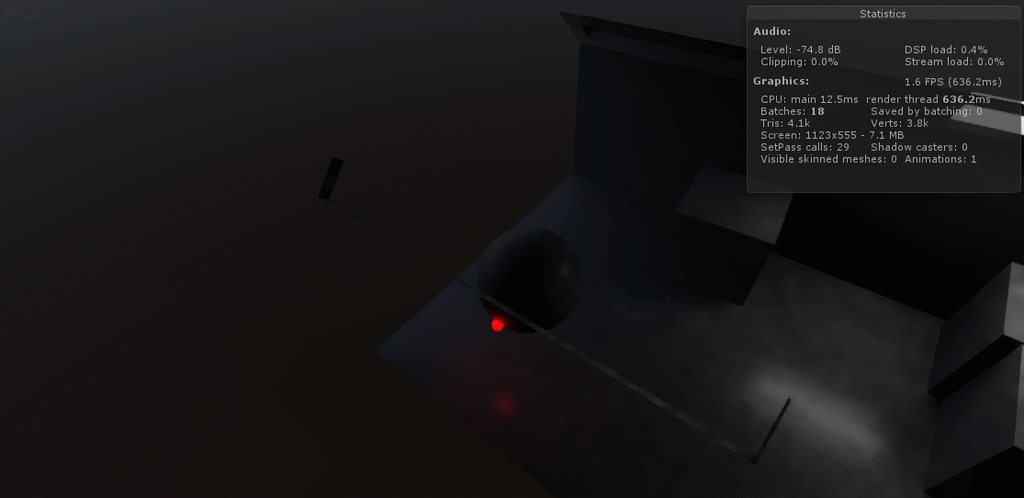
Hello guys. I have one question. In the picture you see on top a S7 rendering with Vulkan and below the S5 rendering with OpenGLES. As you can see the color of the terrain is different. Does anybody know why this happens and how I could avoid it?
turbid matrix
anyone know how Unity benchmarks SRP / PP's GPU timings?
I tried looking around and can't see relevant part on the analysis tools
regular profiler says TAA takes 0.01ms from the c# script but that's CPU side
oh, it was in the regular profiler, I just didn't have the GPU section there by default
so, my modified TAA is ~0.4 ms for 1080p atm
hmmm, it's the same on unmodified TAA, would have thought the half frame extra FXAA pass would have shown here
turbid matrix

Learn Lightweight Render Pipeline basics, including where to get it, LWRP main features, and how to set up rendering. Speaker: Andre McGrail (Technical Artis...
 uncut root
That looks like it's shaping up nicely!
indigo summit
ooh the one in the youtube doesn't include the fps rendering part
turbid matrix
@indigo summit they briefly covered it on the gdc vault recording
the booth session "Getting Started with the FPS Sample" is not yet on youtube
but I'm fairly certain Unity will upload it eventually
indigo summit
yeah i've seen the GDC vault video
now that they solve the clipping part there's one more question that still lingering on my mind
how do they handle world interaction?
ie turning valve?
turbid matrix
not quite sure what you mean by that?
you mean like first person hand animation on the valve?
indigo summit
yep
turbid matrix
you could just swap the hands to real world sized version and use regular animation setup for it
I mean, you wont clip the hands there if you've designed the valve location to work
indigo summit
ain't that gonna give you the perspective distortion on the hand ?
turbid matrix
ah you mean that part
thought you meant the clipping
I dunno tbh, maybe if the valve is in the middle, you could still mix the fovs
never tried this
indigo summit
hmm i wonder how A4 handle this on metro exodus
they managed to avoid clipping and yet able to do world interaction without getting perspective distortion