#archived-hdrp
1 messages · Page 26 of 1
 turbid matrix
100k doesn't 😄
HDRP is moving toward realistic lighting values
so would be fancy to get this working on such setup
 frigid nova
is there a cap for example on 35 or 50 k?
turbid matrix
I don't think so
after setting things with HDRP Wizard, new scene starts with 100k directional light
frigid nova
right away?Damn that will make the probs not work
 indigo summit
@turbid matrix I ask
turbid matrix
yeah, that sounds what I initially expected from it
it's similar setup
you define volume and then bake info for it
in occlusion probes, it was 3d texture
with voxel setup, they could skip some blocks
but I dunno anything of the implementation, I only know the editor setup
what I wonder now is if they will upgrade BOTD environment to that instead of using occlusion probes
they are planning on upgrading BOTD environment for 2019.1 at some point
indigo summit
yeah i hope so, let's wait after gdc
turbid matrix
botd thing happens way later, Unity has to release 2019.1 first
plus VXSM isn't even merged into master in SRP repo yet
in fact, I'm not sure if it even has PR for it yet
indigo summit
Well if they do release those tech i really hope it's not the same state as occlusion probe or the wind system from BOTD.
better late rather than unusable
just don't too late 😄
turbid matrix
oh crap
it probably is
they miss the baking tools now
they are probably custom scripts
indigo summit
sigh
turbid matrix
but, maybe this time around they will actually make it a feature
pretty sure it's custom in that recent tech demo if they used itt
indigo summit
ah well
 glossy cobalt
FYI I created a poll to see how many people were interested in the 2018.x node API and would like to have some similar features in 2019.x. I can't be the only one, so please vote !
https://forum.unity.com/threads/2019-1-shadergraph-custom-nodes-poll-please-vote.648454/

Unity Forum
(I hope this is the right place to set this kind of poll)
As many of you probably know, in 2019.1b, Unity has changed the ShaderGraph API and how...
turbid matrix
@glossy cobalt afaik, 2019.1 custom function node thing isn't final design
also previous custom node api was really ugly to work with
so I'm not all that sad it is gone
I think in the future, you will be able to do that looking node as on the 2018.3 image using subgraphs
glossy cobalt
I do agree, I don't mind if it changes for the better ! I just want to provide use cases for the devs and see if other people are interested in this (or if I'm the only one :p)
turbid matrix
so you can craft the whole thing in the editor
and link hlsl code in file too if you want
I never liked the old API
so I'm fine with current progression
your poll is not going to give proper results either
as you've presented in a way that 2019.x thing isn't all that great
glossy cobalt
is this better ? 😃
well I've presented it as it is at the moment that's for sure, as it's the only thing I know
turbid matrix
I like the current direction as it will eventually give nicer workflow
you can craft the nodes in the editor
instead of in code
turbid matrix
it is a visual tool to begin with
glossy cobalt
for sure, if it ends up as powerful as what you can do in C# I'm all in 😃
 quasi mulch
custom nodes are intended to be a brick before the end result, perhaps should be collapsed to subgraph
in fact most function nodes are best as subgraphs
you can then just plug them in, with a neat sealed approach
no mess
you do not need fancy ui inside of the graph. nothing else is fancy in there either...
you just need to do it without code
glossy cobalt
I agree with the brick and subgraph, I actually wouldn't mind if I could do everything using the subgraphs instead of coding nodes (whereas in C# or HLSL). But what if you need to create some nodes with functionalities that can change depending on parameters, like this ? I often have to create nodes like that for artists; but try to do the linked node without the custom UI. It's doable but will result in a LOT of different nodes (which is less easy to use)
glossy cobalt
If I could do everything in ShaderGraph and it ends up as nice looking and usable as the Channel mixer (and other Unity nodes, most of them use custom UI), that would be wonderful. Whereas it is C#, HLSL, ShaderGraph, I don't really mind, I just want to be able to do something like the Channel Mixer above.
quasi mulch
some niceness is needed like a common inspector in unity, but going full blown customisation really isn't a good use of anyone's time
the pic above is a good example of common customisation options that could happen
quasi mulch
5.10 spam:
"Detail rendering shaders not found for the active render pipeline, falling back to default shader."
 fading rose
Since these are programable pipelines, how can I increase the resolution of my real time shadow? (LWRP)
 iron hollow
every light has a dropdown to set it's shadow resoultion
fading rose
I can't see any such option. The shadow resolution of a directional light is limited by the LWRP settings. the maximum there is 4K. I want to increase this to 6 or 8K.
iron hollow
well it was in HDRP, i assumed LWRP wouldn't be that different
but i guess it is
i think if you want it higher, you should be using HDRP
quasi mulch
why not try "ultra high" shadows in the asset? this delivers way higher quality with smaller sizes
iron hollow
what setting do you mean?
if you mean the overall quality preset, that's not going to let shadow resolution be any higher
frigid nova
im trying to set up occlusion probs again in the lates 2019.2 with hdrp 5.10 is that possible?
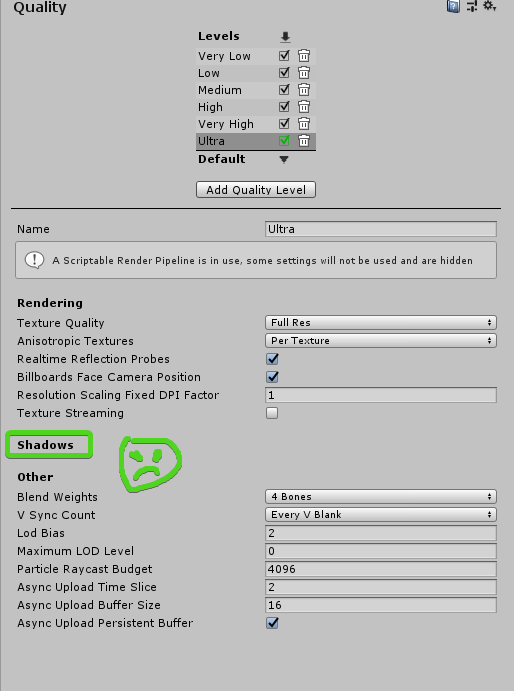 quasi mulch
I meant for the HDRP asset itself, it's a configuration file that controls everything including quality etc
This allows you to pick different shadow quality options (and techniques)
the quality settings don't really have any use much in SRP
its usually in the SRP asset instead
iron hollow
right but he's using LWRP
and what he showed in the screenshot is the extent of the options present for LWRP
fading rose
The question is, how "scriptable" is that render pipeline?
To me scriptable means there is somewhere a table with features that can be edited, and that the standard SRP asset is merely a template with the best settings that Unity believes would fit that usage.
However, I would expect to be able to manually override these settings. Increase the resolution of the shadow map, for instance.That would make it "Scriptable".
 true zealot
The scriptable in SRP talks about how the render backend for HDRP and LWRP are in c#, you can copy and modify or make your own. The actual HDRP and LWRP themselves are customisable but not scriptable in themselves
Did you check out the render pipeline asset for better settings?
Also depending on what light type it is you can increase it's density with the near and far planes
Doing so with the camera will also help
iron hollow
yeah his initial screenshot is of the render pipeline asset.
which nobody seems to get. that's all the settings there are for LWRP
@fading rose you can modify LWRP, but it's not going to be trivial to do. you'll just have to dig into the source code if that's the route you want to take.
but really if you want features that go above and beyond what LWRP can do, it makes far more sense to use HDRP and simply crank everything else down
instead of trying to crank things up in LWRP
fading rose
yeah that is exactly what I was afraid.
In which case, good luck indies! 😃
iron hollow
most Indies dont' need 8K shadow maps
(honestly I don't think anyone does)
I"m targeting AAA visuals, and even I wont' think of using 8k shadow maps
fading rose
Indeed many need it, that is why in HDRP it is now up to 16K however, I do not want to use HDRP, because that would reduce performance dramatically, as opposed to one shadow map going up to 8K.
iron hollow
you can use far lower resolution and use filtering to smooth off the rough edges
(PCF/PCSS etc)
fading rose
I will show you what i mean in a minute. And why it is needed.
iron hollow
my internet has died 4 times today already
fading rose
hahahaah
iron hollow
I don't know what is going on, but if i'm not here that's why 😛
fading rose
where are you? angola? 😄
iron hollow
San Jose, CA
fading rose
holly! and you got such bad internet? 😦 sucks
 thorn lodge
I mean, it's possible to fork the SRP repo and make your own LWRP with high shadow resolution
iron hollow
yep
fading rose
ok so this is not going to be fixed by smoothening the shadow edges 😃
iron hollow
that's a bias issue
fading rose
Yes and no.
iron hollow
what kind of light is casting there?
fading rose
Directional.
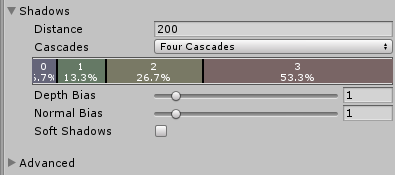
so The distance from the line is bias issue, but the edges are not bias issue. no matter how much tweaking, can fix this simply because the resolution of the shadow even with the best cascade management can fix it. The only thing that can fix this is reducing the shadow distance.
But then you lose all the shadow details from the scene and it completely ruins the feel of it. (i.e. reducing the shadow distance to 50-60 fixes it. but the scene opens up to a distance of 200m and there are buildings as far as 2Km.
iron hollow
how big is your scene?
or how far are you trying to see
because if you're close enough to see the shadows, they wouldn't be in that distant of a cascade
fading rose
500m at least.
iron hollow
looks like you're looking at an object that is yeah
500m away from the camera lol
that's not going to work in any scenario
fading rose
the closest where it matters is 200m
it would, if the shadow was 8K 😃
see I have calculated it.
😉
I need minimum 6K shadowmap for this to work.
iron hollow
yeah but there's no reason you should be trying to render that much shadow detail that far away from the camera
it won't be seen, so it's a waste
anyway, your only real choices are go to HDRP, or make a custom version of LWRP, or write your own SRP
fading rose
but it WILL be seen 😃
that is why I need it else I wouldn't mind.
I am a master of "that won't be seen" 😄 I have perfected the art of what will be seen 😄
So anyways, I see. No such luck of simply raising the limit in some list...
iron hollow
there's also contact shadows but oh yeah, that's in HDRP too 😛

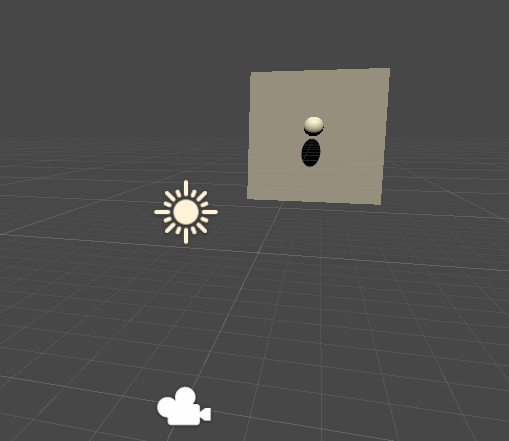
HDRP, cube is 200m away
shadow resolution is 256 😛
is sooooo much better in HDRP
fading rose
I know but my performance drops 40fps down 😄
iron hollow
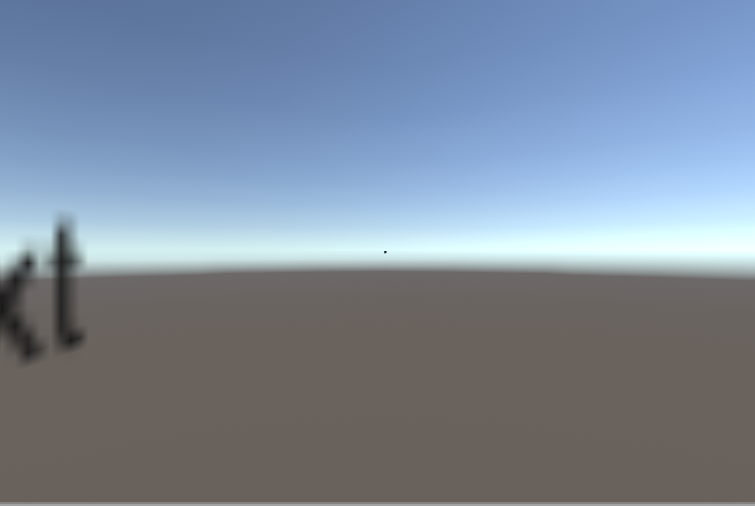
strange a cube at 200 meters in LWRP seems so tiny in comparison
what did I do wrong there lol
fading rose
lol
iron hollow
oh oops
the cube was only 12 meters away in HDRP LOL
in HDRP you can see the cascades kick in
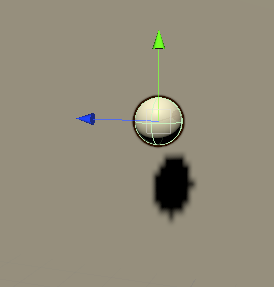
cascade 0
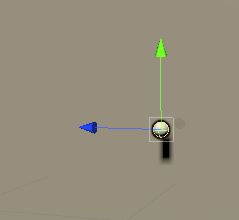
cascade 1
but this is at 256 shadow resolution
very tiny
fading rose
Thing is my opening scene is very wide. and then it gets more narrow but increases in depth . and there are a lot of details and moving things in there.
iron hollow
ohhhhh
I see why HDRP is so much better
it doesn't have shadow cascades at all
wonder what system they use exactly
fading rose
you can remove shadow cascades from LWRP too. but given the limited shadow map size it does not help
 fading rose
yeah I know. Don't you think i want to use HDRP? 😃 But at this point 2019.1 breaks when you upgrade a project from 2018.3 and even breaks when you import assets 😄
iron hollow
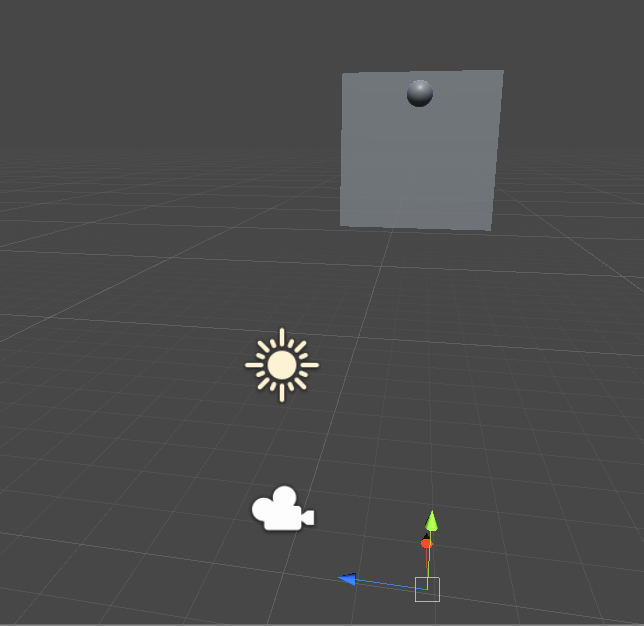
there's nothing because I guess shadow distance is too low

so yeah it's a bit more pixelated
but isn't that much worse
oh that was at 2048
 fading rose
as I understand it, shadow distance increases the size of the shaded area around you, but that means a lot more objects try to fit into that Shadow atlas and the quality of shadows suffers.
iron hollow
at 4096 it still seems on par with HDRP
yes that's true
you want to lowest shadow distance possible
HDRP must use a totally different system
fading rose
i have found the best quality setting for LWRP in most cases is around 50-60 distance.
iron hollow
because it doesn't have cascades or Shadow distance at all
it does however have a 'max # of shadows' setting
they must manually pack the shadows into the texture
which means distance isn't a factor
fading rose
Yeah completely different shading.
iron hollow
just total # of shadows
the more you specify the smaller resolution each shadow gets
I wonder if that's per light
since they have a shadow resolution setting on each light
fading rose
yeah it should be per light.
I have done a lot of tests in HDRP. I like it, and I can see its limitations too.
iron hollow
try this
fading rose
I come from a VFX and visualization background before I got into games, and was doing a lot of rendering with exotic systems, even off the shelf stuff. I have put hdrp lighting and materials through their paces 😄 It's surprisingly good.
iron hollow
edit LightweightRenderPipelineAsset.cs
in LWRP package

add to the enum, see if it's that easy LOL
fading rose
aaaah that is exactly what I was looking for 😃
iron hollow
I doubt it's that easy
fading rose
I hope it works. after all, these SRP assets are more or less like the .ini files for games.
I think it is that easy. It should be.
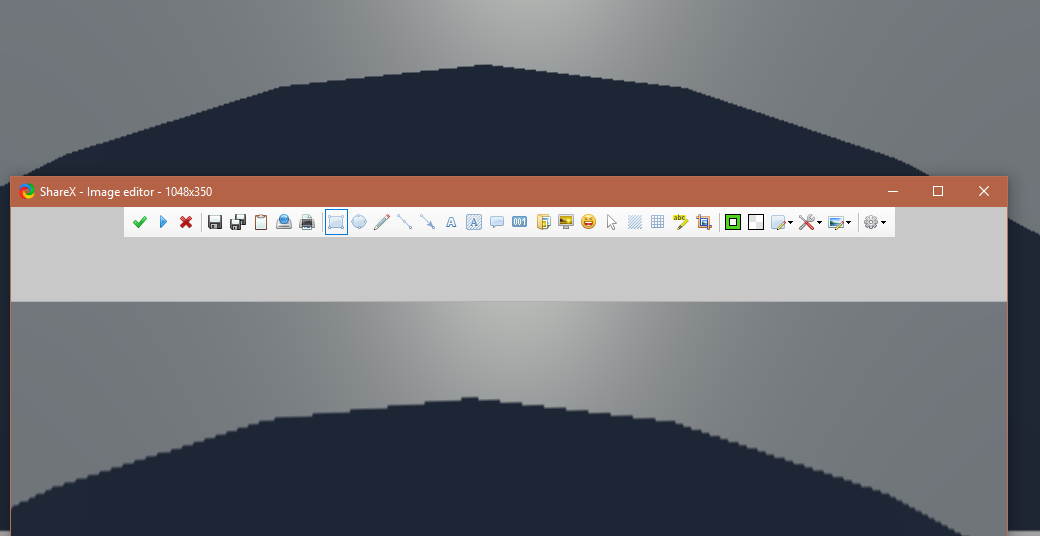 fading rose
😉
iron hollow
4096 below and 8192 above
fading rose
Thanks
iron hollow
don't thank me yet, I just quadrupled your shadow memory usage 😛
fading rose
haha no problem. I know what it does.
glossy cobalt
- now it's harder to update your LWRP package :p
fading rose
nah i will just need to remember to make this tiny change every time. no big deal 😃 Not to mention that it is unlikely they will come with any major LWRP improvements on 2018.3 ...
frigid nova
@turbid matrix After a couple of tries i made the new hdrp work with the new beta ,im at work right now but later ill go home and do some occlusion props test what should i download to make my process faster and easier/
turbid matrix
@frigid nova my package which isnt puböic atm :D
I'm going to refactor it so that actual occlusion probe package doesnt contain any shaders. That way I can do simpler shader updates for hdrp, built-in etc in separate pack
Actual probe implementation doesnt change much
What does kinda suck tho is that there is no compilation time define for SRPs so I still have to have SRP and nonSRP version for the main script :/
I guess I could add one
But it makes extra step
indigo summit
Okay so i know that multicamera settings are not supported, but i think i missed the update for this part. Is having another camera rendering specific pass/object are still not possible right now?
turbid matrix
It is not possible to stack cameras
indigo summit
how about a camera rendering to an RTT?
turbid matrix
You can render to RT and combine results but that is very inefficient
indigo summit
ah
turbid matrix
Unity is going to give something to do custom passes in the future
frigid nova
@turbid matrix so will you publish your package?Or should i start working on one XD
indigo summit
yikes, i really missed Surface Shader in HDRP 😄
or at least creating shader from code 😒
frigid nova
you can still do that
indigo summit
i just don't understand the structure of HDRP shaders, for some reason it confused me
turbid matrix
@frigid nova I will but I doubt I have time to investigate why it doesnt bake right on hight lighting values
It seems like baker issue
So probably nothing I can do from the script side
turbid matrix
also additionally I'd wish the bug for not being able to include same shader file twice for custom function nodes would have been solved
because now I have to ship a setup where each function is on separate file to include
hmmm this is weird
the occlusion probes only work right after baking
if I restart the editor, they are gone
frigid nova
they are not integrated well enough and thats a shame
but i dont mind if you have a ready to go package ill make it work
turbid matrix
I think this is coming from different callback
what puzzles me is why it gets the data after bake
as the callback isn't called again
well, I'm trying to solve this atm
I also didn't have this kind of issues on 2019.2 when I tested this months ago
I also like how this crashed 2019.2.0a9 when I tried to run it there the first time 😄
but that's "normal"
frigid nova
"normal" indeed
 dawn plank
Does anyone else have a compile errors from the hdrp in 2019.1.a0b8 when switching to it in an existing project.
turbid matrix
I tend to ignore the errors on switching
there has usually been flood of errors and warnings
I only care for what happens after you restart once upgraded
@dawn plank but your question is super vague
what are you switching and to what
@frigid nova well, I kinda solved the issue, somehow when you bake from scratch, the occlusion probes component in the scene doesn't save the ref to the new OcclusionProbeData, even if I hit save
once it's set there manually and saved the scene, it does stick
I now actually wonder if it's because of the prefab I have for this
maybe it's bugged
frigid nova
i had a lot of problesm with the occlusionprobe data too,wasent assign and wasent baking some times
turbid matrix
yeah, this isn't new issue
I just forgot about it tbh
baking itself is consistent for me
it's just sometimes that component forgets the new data ref, like, it doesn't save it always
 neon patrol
@turbid matrix In 2019.1 you can add defines to your asmdef that gets enabled based on a query against installed packages. Last I checked docs hadn't landed for this, but they're on the way. There's a UI for configuring it in the inspector for asmdef files :)
turbid matrix
@neon patrol I have additional issue on asmdef tho
I mean, I'd only need to ref the SRP for this package IF it's being used
but I dunno if I can make such conditional on the asmdef itself
basically what I'd want to do is make the asmdef include dependency to SRP if it's installed and make one script aware of it
also this current setup I have would work all the way into 2018.1 if I just make different distribution for built-in renderer and SRP, but of course it would be fancy to have it do automatically from 2019.1 onwards
tbh, I haven't checked what new asmrefs do
ah
so the thing you mean is assembly constraint
true zealot
you can have the assmdef reference another assmdef that doesn't exist in the project - it will work fine until it is found
then there's is a defines section
where you can define whether a package is in the project
and add a scripting define that will enable your script
you can see an example of this in Cinemachine
it has one for the Post Processing stack
turbid matrix
oh, I'll check that one
true zealot
though it's not working for me 😛 but it's pretty obvious how it works when you see it
turbid matrix
I'm used to the 2018 setup
it only had the ref to other packages thing
and if it doesn't find that package, it will definitely throw an error
true zealot
true zealot
it doesn't seem to actually work for me in CM's case, and you can't seem to manually add the defines yourself and get it to work either
turbid matrix
I don't think this helps me tho
true zealot
though maybe it does actually, perhaps I just needed to restart after I added it manually
turbid matrix
I guess I could make two asmdefs and use the constraint in addition
that could work
I just have zero idea how the constraints work 😄
true zealot
I don't think I fully understand your needs if it's not the same as what CM is doing, but I'll take your word for it 👍
turbid matrix
true zealot
(also I cannot help any more than this anyway hah 😄 )
turbid matrix
well, basically I'd need to have asmdef that doesnt include hdrp runtime IF it's not installed
neon patrol
It uses this syntax https://docs.microsoft.com/en-us/nuget/reference/package-versioning#version-ranges-and-wildcards

Exact details on specifying version numbers and ranges for other packages upon which a NuGet package depends, and how dependencies are installed.
turbid matrix
but if it's there, it has to include it
and I could use the version thing to add extra define in case the hdrp is there, to make the script aware
true zealot
I'm confused as to what you mean, that's what CM is doing. It has PP referenced, but it does nothing if it's not installed, and refers to it if it is and adds the define too
I assume I'm missing something
turbid matrix
@neon patrol version expression uses that, but constraints?
I don't really understand what you'd put there right now
like, can I use that somehow to see if some package is installed?
neon patrol
ohhh right, I think you would use the defines from Version Defines
turbid matrix
but I do get error if I try to use asmdef that links to nonexisting package
which is what I'd want to avoid in the first place
but it's possible what I want simply isn't possible with this setup
the constraint thing does sound what I want but I have no idea how to use it
so, maybe need to wait for the docs pass
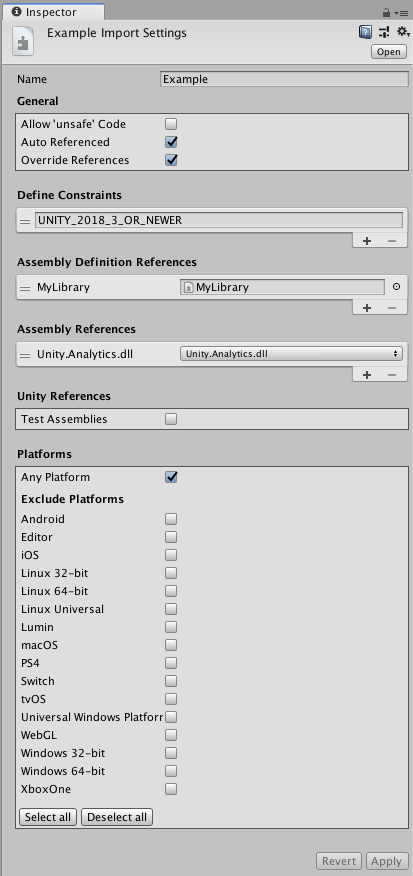
oh
it's checking against the define itself
true zealot
that makes total sense
turbid matrix
well that makes sense
so, I'll just setup two asmdefs and have it check if user has set the BUILT_IN_RP (my custom define right now) and pick the asmdef accordingly
hmmm
wonder if HDRP or Core package sets some define always
I could just reuse it
oh
spotted LWRP_6_6_OR_NEWER
there must be similar for HDRP
true zealot
I tested it and there are no errors if you reference an assembly definition that is not in the project
true zealot
I tested 2019.2.0a6 😛
it's using the GUIDs option if that makes a difference (I think it's default now)
turbid matrix
technically this whole thing I'm assembling now works from 2018.1 and onwards but of course the new asmdef things would work only from 2019.1 and onwards
yeah, it doesn't break on 2019.1 either
true zealot
cool
turbid matrix
I think I'll just put this as 2019.1 as min and forget the rest :p
true zealot
that's my always plan
turbid matrix
if people want 2018.3, surely they can change few lines of asmdef manually 😄
neon patrol
GUIDs option won't break if the assembly name changes, so it is definitely preferable
turbid matrix
there's a hard guarantee that GUIDs remain the same?
I've avoided them as I've thought that would happen more often than the name change 😄
true zealot
I imagine GUIDs would be more stable, and I would personally migrate the meta files if I was working on a package at Unity but hey
turbid matrix
well, turns out I don't even need the asmdef's reference for the thing I use now (weird)
and version defines themselves don't even support GUID's
which seems like an oversight tbh
@neon patrol shouldn't they have them too?
now you check against some resource which is practically a package name
I mean this
true zealot
package names are much more stable than assmdef names
neon patrol
That's a good point, but unfortunately not how packages work :/ I think they went with string-named packages because that's how npm does it
but yeah, package names are more stable
turbid matrix
so if naming would change, using GUIDs wouldn't save you if you relied on these too?
oh right
true zealot
well there are no package GUIDs are there?
neon patrol
if the package name changes, then all the deps on that package goes out the window
so we try to not change package names :p
turbid matrix
hmmmm, there's quite big change in occlusion texture result between 2018.2 built-in RP and 2019.1 HDRP
2018.2:
2019.1:
it's not the filtering either
so the actual PLM implementation has probably changed
the banding on the bottom is normal, the occlusion probes are on a grid and that top object is deliberately on small angle
that's unlit debug shader btw, it only shows the occlusion texture
 twin spire
Hello!
i got this error.
Shader error in 'Hidden/AtmosphericScattering_Deferred': failed to open source file: 'CoreRP/ShaderLibrary/Common.hlsl' at line 12 (on d3d11)
I'm using HDRP 4.1.0 and Core RP Library 4.1.0, how i need to rewrite the patch to get load this Common.hsls?
turbid matrix
that's seriously old HDRP version
you really have to use 4.1?
I think the latest is 4.10 atm
@twin spire
it's possible that the current 2018.3 doesn't even work properly on 4.1.0
twin spire
oh sorry i missed the version i have 4.10.0-preview from both
frigid nova
how can i find your package?
turbid matrix
@frigid nova I'm uploading it to git soon
technically I could put the package itself there already
still cleaning up current sample and shaders
but they are not in the main package
should probably write readme too, I hate writing docs 😄
twin spire
so i need to rewrite these to line in the shader
#include "Core RP Library/ShaderLibrary/Common.hlsl"
#include "HDRP/ShaderVariables.hlsl"
with proper path but i don't know what is the proper path
turbid matrix
what are you trying to do?
frigid nova
well ill figure how to work it but for others yeah maybe a simple readme would be okey
twin spire
AtmosphericScattering_Sky i have this shader which gives the error what i mentioned
turbid matrix
you are trying to port BOTD scattering to 4.10?
it'll require more than just copy/pasting the shader there
twin spire
yeah i'm trying
turbid matrix
@frigid nova https://github.com/0lento/OcclusionProbes
you'll still need the shaders for that to do anything good 😄
frigid nova
no worries i had one old or i may try to make one
turbid matrix
I'm cleaning them up atm, will upload them later
frigid nova
sure no worries
iron hollow
you can have the assmdef reference another assmdef that doesn't exist in the project - it will work fine until it is found
I bet that was what was causing those mysterious warnings about missing advertising/etc packages I was getting in 2019
it was complaining about not finding packages I had removed
but no errors
 empty star
@twin spire #include "Packages/com.unity.render-pipelines.core/ShaderLibrary/Common.hlsl"
the HDRP include will be similar just with the HDRP package name
it uses the "repoPackagePath": "com.unity.render-pipelines.high-definition", inside the package.json
actually it might be the name
#include "Packages/com.unity.render-pipelines.high-definition/ShaderLibrary/ShaderVariables.hlsl"
turbid matrix
@frigid nova sample project with shaders here https://github.com/0lento/OcclusionProbes/tree/2019.1-hd-sample
basically the subgraphs are resusable
and test shaders are on Assets/Shaders/ShaderGraphs
should probably put those reusable things into separate package but can't bother with it right now
I'll probably do it once the SG bug is fixed so could stuff all though includes in single file
also no idea if this is needed :D
https://github.com/0lento/OcclusionProbes/blob/2019.1-hd-sample/Assets/Shaders/Include/OcclusionProbesBakedGI.cginc
BOTD did this
quasi mulch
how are occlusion probes used, and what's the workflow right now?
turbid matrix
but I honestly don't have any idea what this does, it does look same with the built-in BakedGI node just multiplied with occlusion probes
in that sample anyway
maybe it makes some effect on trees
quasi mulch
oh so it's basically just the inverse of a lightprobe but with different purpose inside the shader (multiply with min (ao, op) with AO for example)
turbid matrix
well, the sample project is there
I didn't have time to write step by step instructions atm
turbid matrix
😄
you can see my old step by step list here https://forum.unity.com/threads/occlusion-probes.531573/page-2#post-3655900
yes, that could have been shorter 😄
basically with the package I put here, you can skip everything to the point "after having the implementation in place, do following:"
well, the test project contains also the required SG nodes now if you want to make custom shaders
technically one could port the HDRP's HD Lit shader to include the effect, like on BOTD
but I don't have time to do it, it's not super hard, just time consuming to do for each release, hence did the SG nodes
quasi mulch
Ah Olento SECRETLY Cares still
twin spire
@empty star Thank you, i wil lcheck
fading rose
Any idea why I am getting this? or how to fix it?
shut down go for beer is not considered a solution 😄
Library\PackageCache\com.unity.render-pipelines.high-definition@5.10.0-preview\Runtime\Lighting\Shadow\HDShadowManager.cs(476,17): error CS1061: 'ShadowDrawingSettings' does not contain a definition for 'useRenderingLayerMaskTest' and no accessible extension method 'useRenderingLayerMaskTest' accepting a first argument of type 'ShadowDrawingSettings' could be found (are you missing a using directive or an assembly reference?)
turbid matrix
@fading rose it's because you are on older beta which doesn't have that API yet
upgrade your Unity to newest and that error will go away
fading rose
ahaaaa! 😄 ok thanks. will roll back one version then.
thanks
turbid matrix
2019.1.0b8 or if you are on 2019.2 then 2019.2.0a9
fading rose
yeah i am one version lower on this. but ok i will roll back the version of the api one bit. i'm on b7 while there is b8
Thanks
turbid matrix
if you are on b7 because of MegaCity etc, it runs fine on b8 as well
frigid nova
i just came home so ill test you pack man
turbid matrix
SG throws some errors on some of the shaders, they go away if you manually just open the subgraphs and save the ones it's complaining about
I'm still investigating why it does that but it should work after that
it's possible there are some leftovers on the graphs from experimental SRP versions too 😄
frigid nova
can i add it on package manager?
turbid matrix
I'll probably redo them and upload a patch
frigid nova
im new to package manager thing
turbid matrix
well, just open the sample and it's all setup already
I have a forum post pending about this but I want to solve the SG errors first
frigid nova
sure i just wanted to implement it to en existing project that i test lighting
okey man
turbid matrix
well, if you use existing project, copy the Assets/Shaders folder over to your project
the include path is hardcoded so if you change that path, you need to change the 3 subgraphs too
in addition you need to place the occlusion-probes package into your packages folder
I'll do the separate package for the shaders later on so it'll not bloat the asset folder but that's not happening today 😄
frigid nova
no worries man it seems to work for now on your projects ,i remember it a bit more exadurated ,it seems a bit toned down am i right?
I think its good one pack for everything tbh and thank you for spending you time helping a poor env artist achive a bit more with lighting.
turbid matrix
there's difference on the PLM result I think now
also I added the parameter from OcclusionProbeData asset
that could be totally wrong
but it's set to 0.5 by default
so you need 2x the strength for the same look
I think that exists mainly so you can balance the different detail probes
frigid nova
yeah it is defenetly toned down but i can work around it im gonna try doing some test by addint complex geoi and proxy volume to achive soimething realistic
also u had selected optix denoiser,my machine does not support it,but now that ur progest has it,its been used and i get great resoults
wtf
i have 1060 3gb and i can use optix now XD that seems weird
really good package btw
turbid matrix
huh
I thought it was left to auto 😄
and yeah, the result is softer, I really don't know what happened 😄
I haven't touched the custom bakers implementation, so the difference is from PLM change itself
only thing I've changed for the package is the asmdef, folder structure and callbacks that set the shader values
 lunar stirrup
Anybody know why my HDRP materials are all invisible?
turbid matrix
did you press play?
lunar stirrup
yeah
turbid matrix
you wouldn't see the objects in scene view if that were the case
lunar stirrup
Thank youuuuuuu @turbid matrix 😄
lunar stirrup
I thought that would have transferred with the RAR file :3
turbid matrix
I wish they had more descriptive error messages for these
you kinda learn the different symptoms for new versions the hard way
turbid matrix
@frigid nova https://forum.unity.com/threads/occlusion-probes.531573/page-2#post-4349689 redid the sample project with this setup
frigid nova
No occlusion probs were baked.Same error i was getting in the old one
XD
tried a couple of times to do it with custom models but again didnt work ill try tommorow morning again.
frigid nova
okey i made it work a about 3-4 times ,i had to delete all the data before i rebaked it again and i had to rebake it multiple time for it to work.Man why its so hard to get a 3d texture of lighting that is being used from the dynamic objects?
turbid matrix
you sure it didn't bake?
like mentioned, sometimes it just dropped the OcclusionProbeData asset from the script
but yeah, it's bit wonky
frigid nova
some times hold the previous data too.Some times does put it on the slot automatically and you have tou pick it manually from the script
when it works it works decent tho
frigid nova
i really hope so dude
btw since you made my rig use optix is it a way to twick a script to enable optix to all of the 1060 3gb?
turbid matrix
optix?
I think there's a bit of confusion here
anyway, how PLM works in 2019.1 is that you get optix support only for CPU PLM and this is more forgiving on the hardware than what we have on 2019.2
on 2019.2, Unity upgraded Optix to newer version and it apparently can be more demanding for the hardware, on 2019.2 Optix works for both CPU and GPU PLM
frigid nova
yeah optix i am flashing a ROM on my phone and my mind was off sorry
didnt work for my cpu before but now with ur scene works on both.And i have a pretty decent rig tbh
frigid nova
well then ill keep on my 3d art till a solid solutions will come from unity for the lighting
thanks for your time btw
turbid matrix
np
I promised to share the package so that's now out of the way, regardless if people can actually use it 😄
probably worth waiting what's happening with VXSM now
frigid nova
yeah ill keep it in my radar,and please if you find a worthy version of vxsm tag me in ill be listening XD
turbid matrix
I'm guessing we'll get that earliest once Unity releases the head or character asset from the new Heretic demo
they mentioned on the keynote they'll ship that to us later
(char or head asset, not the rest of the demo)
 meager valley
Question. Is it still only possible to use HDRP/LWRP on a new project, or have they implemented a way to port from the built in pipeline by now?
 broken lichen
@meager valley You can always change the render pipeline, but you'll run into issues with existing materials using shaders that aren't compatible with the new render pipeline. I think Unity includes an automated way of converting your materials that are using the built-in shaders to the render pipeline's equivalent, but it can't automatically convert custom shaders.
meager valley
I see. Thanks.
Have they announced any plans for a tool to convert the custom shaders in the future?
And what about post processing? Would that transfer over ok?
broken lichen
I haven't heard any plans for that. It's very specific for what each render pipeline expects shaders to output. You might have a render pipeline that uses the alpha channel to control glow instead of transparency for example. I don't think a tool could be made to reliably convert any shader, unless the render pipeline doesn't require anything special from the shaders.
I don't know about post processing.
meager valley
Does that mean that you can't actually manually write shaders with the ShaderLab language anymore in the new pipelines? Like, is Shader Graph the only way to author shaders now?
broken lichen
No, the shaders are still the same. Shader Graph creates regular ShaderLab/HLSL shaders from the nodes.
But I think for example LWRP gives lighting information to shaders in a different way, since it has more limitations, so the shaders have to be using the same format to receive that information. I might be wrong about that specific case, but I know the regular built-in shaders aren't compatible with LWRP/HDRP.
 hallow belfry
Hi everyone, do you guys have a link to a good Tutorial how to start with HDPR?
I see this is a whole jungle of new stuff i like to have a profesional introduction.
 carmine dune
does anyone know how to change the length of a line light through script?
frigid nova
@turbid matrix i dont really trust thair keynotes anymore after adam and the forest i dont know about that but i sure as heck hope so
quasi mulch
@carmine dune get the component of additional light data and modify it there if not present in main light compoenent
quasi mulch
GetComponent
Autocomplete will show it up in the list while you're typing GetComponent<H...
then just look through the ref's methods etc
carmine dune
@quasi mulch that's the problem, autocomplete doesn't show anything that comes close to hdadditionallightdata
quasi mulch
ok let me open my project which uses it
"HOLD ON" says unity while I roll my eyes
var hdLight = GetComponent<UnityEngine.Experimental.Rendering.HDPipeline.HDAdditionalLightData>();
you needed the namespace
now access it via hdLight.
carmine dune
thank you so much! I've been searching for over ~3 hours today! Do you maybe have a link to where you found out about this?
quasi mulch
no, because I did what I told you :P
it's the usual way programmers wrestle API's we just look at the data. In this case, I right clicked the additional component and viewed the source
i was then able to see the namespace, the contents etc
and access it
these packages are all in C#
there is no resource for digging in beyond the source right now for this stuff
(only artist centric visual setup stuff is documented)
this + github (github pointless in this case becuase it's on your hard drive in packages)
iron hollow
Uptodown.com
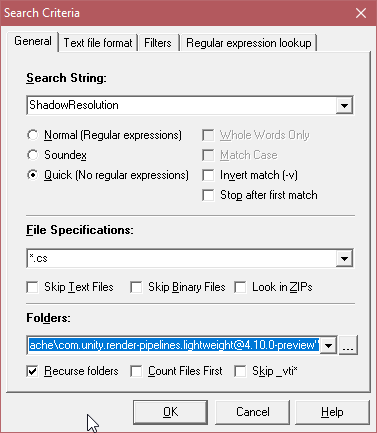
Download Windows Grep 2.3.0.2403. Perform a text search in multiple files. Sometimes you need to find a text file and you do not know the name of the file, but you know some of its contents. Before now, the only option you had was to open files one by one and manually search ...
i recommend installing this, is a GREP with GUI
you can point it at a codebase and search for text across all files
makes finding where specfic things are easy.
carmine dune
Aha, well thanks a lot again, now I know how to find these kind of things myself in the future
quasi mulch
we can find the namespace etc
You can once you have the namespace (which will change as hdrp matures) easily get to what you want
Do ask though if you get stuck
iron hollow
https://i.imgur.com/HMcYeVz.png
that's how i helped find the shadowresolution for yannis
 quasi mulch
Good ol' grep. I coded one for Blitz2D a while back for the examples... and some kind of alarm clock
I hope nobody ever relied onit
lol
quasi mulch
seems wonderfully lightweight
iron hollow
it will put an entry on the context menu, so it's always handy
quasi mulch
I don't mind if I do add that to my little toolkit, thanks
iron hollow
and you can set up an editor in settings so you can right click on the results and directly open them
without having to find them in explorer
meager valley
I'm seeing on some documentation page that the HDRP is supported on Xbox One and PS4, but no mention of the Nintendo Switch. Is the Switch not supported by HDRP?
quasi mulch
The switch information can't be shared online without NDA, but they did to a bunch of switch optimisations in github if you read or search release notes
but seb told me that I shouldn't really expect anything officially
it's a poor fit for that hardware lets be honest :D
the issue is that hdrp is strongly optimised for compute and async, neither of which the switch is good at at all
HDRP absolutely hammers ALU while targeting the bandwidth of PS4 classic @ 30fps 1080p
meager valley
Yea, but I mean, even if specific information is not publically disclosable, it's kind of important for projects to know if they can use the pipeline if they aim to release on a specific platform in the future =\
quasi mulch
Well my advice is simple: it will run like shit on switch.
it will run I think though
meager valley
Alright, thanks.
quasi mulch
we'll find out more by 2019.3, but I don't expect it to be performant enough personally
Look at new doom running on switch, they had to do a lot, and HDRP when configured right, has a similar performance with forward+
(so you would likely want to stick with very few lights, use forward, use dynamic resolution) etc
meager valley
Yea, just found a detailed response from Seb to the subject:
https://forum.unity.com/threads/scalable-mid-range-project-for-pc-mac-xb1-ps4-switch-hdrp-lwrp-standard.593731/
Unity Forum
After wrapping up our last project (Unity 2017) I've been trying out 2018.3 and the scriptable render pipelines. Generally the experience has been...
Seems a good idea to not rely on it.
But the original topic does raise a good point in that neither LWRP nor HDRP really fit the Switch as a target platform right now, leaving you with only the built in pipeline as a valid choice.
quasi mulch
LWRP is a perfect fit
its the number one best fit for it
you can rely on that for decent switch perf (or just use builtin - your call)
LWRP will have less cpu cost than builtin I think, especially if you also write a couple of shaders
(PBR is a little heavy for the poor mite really since you would not be using a depth prepass in this hardware)
iron hollow
well i think they expect it go to like this:
- become approved switch Dev
- find out what it supports
fading rose
Classic unity pipeline is SUPER powerful and can produce amazing results. Not to mention that is by far the best supported in term of add-ons etc.
If you are not looking for supreme performance then it is definitely a better choice than LWRP right now.
meager valley
They do expect it like this. Doesn't make it right though, since you need a project to be accepted as a Switch dev ¯_(ツ)_/¯
quasi mulch
LWRP is substantially less cpu cost, the PBR shader unity ships with it is not optimised though, so replace that
fading rose
LWRP is already quite powerful but it has its shortcomings. There is no great support for Character related shaders like hair or skin.
quasi mulch
afaik unity are working on optimised shaders
fading rose
Normal mapping is kind of weak and there is little support for Parallax/Displacement at this point.
iron hollow
looking at what switch is (a glorified handheld), i'd probably bank on it not supporting HDRP (or badly if so)
quasi mulch
I don't understand you tell me that builtin is faster than lwrp with all those extra shader features? is this with builtin's standard shader?
is it with 10 lights?
fading rose
I am pretty sure they are working on many things. It all depends when you plan to release your game. If release is irrelevant then sure, you can wait. If the project is short and you need to be productive and efficient you can't depends on what Unity is working on and may or may not release in the future.
iron hollow
i don't see where someone said legacy is faster
quasi mulch
LWRP is designed for a specific and limited workflow on non compute hardware, so if you maybe use one dir light and precious little else i would expect builtin to be faster as it has a lot of shaders and you can pick a cheap one
iron hollow
oh i see
quasi mulch
in hindsight I think Unity will find they didn't communicate LWRP at all well or follow through with their intentions
iron hollow
i think he means more powerful as in more features, not as in faster
fading rose
you can actually increase the amount of direct lights very easily if you need to.
quasi mulch
we shouldn't want to though
with shader graph the expectation would be to live with limitations and try and fake it etc
fading rose
@iron hollow it is in that same file 😄
iron hollow
yeah the point is it should run better on low end hardware
fading rose
a more practical question 😃 how the heck does planar reflection work in HDRP? (2019.1)
HDRP has become less performant and far more complex than it is in 2018.3.
quasi mulch
builtin manages to reach low and high better than the SRP
make a planar reflection probe from menu, done
but then override what it is reflecting and control how much perf is spent using it
(has overrides now)
must dash
fading rose
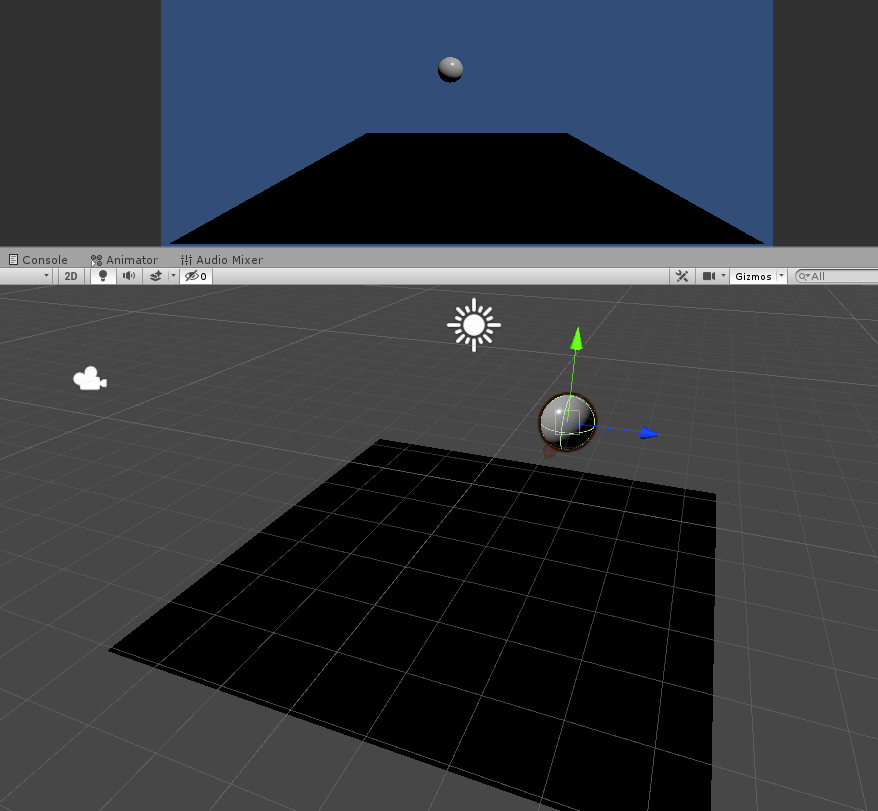
all I get is this:
iron hollow
there's a 3rd party asset for planar on built-in
and i questioned the author about it once, because i didn't even get the concept
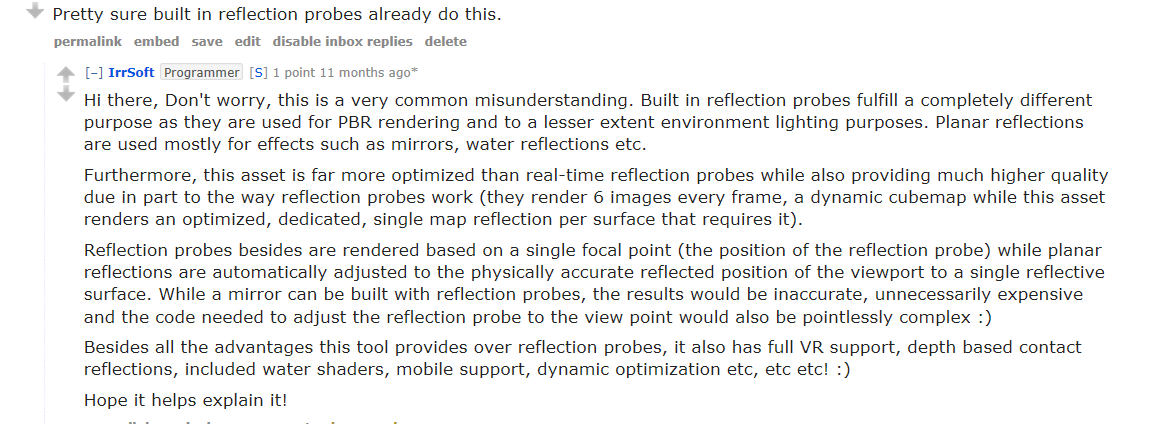
i wonder if i can find his explanation for what planar reflection is.
fading rose
planar reflection is like mirror reflection of old. It gives you better control and accuracy of the reflections.
 fading rose
i.e. with the classic reflection the application of reflections is incorrect
iron hollow
at the time i was doubtful this wasn't just a reflection probe
fading rose
no it is meant to provide a solution for accurate reflection application without using Raytrace.
fading rose
This was part of early renderers in the 90s.
but it was usually built on the material.
point is, in my scene all I see is black, and I am not sure if it is a driver problem or something else.
My card supports SM5 fully so I am not sure why all i get is black.
iron hollow
yeah I've not even tried that version of planar reflection
maybe it requires a skybox or something
or might need baking?
does it stay black when you run?
fading rose
in that screen what you see is a ceiling which is a source of lighting, and the floor is highly polished marble.
so at least the ceiling should reflect on the floor.
Using standard renderer it does.
iron hollow
hmm yeah i dunno. opening 2019 to try it out
crazy there's 5 packages you have to remove now every time you make a new project
is it in HDRP 5.10.0?
i have no idea when planar reflections was added
well damn
2019.1 just crashed on me
first time I've ever had unity crash for me not doing anything
just tried to close the pkg manager lol

silly error, instead of complaining it should just switch it for you
empty star
the planar reflection works for me with default settings 🤔
 fading rose
yeah 5.10 2019.1.b8
iron hollow
it should get darker but not that dark
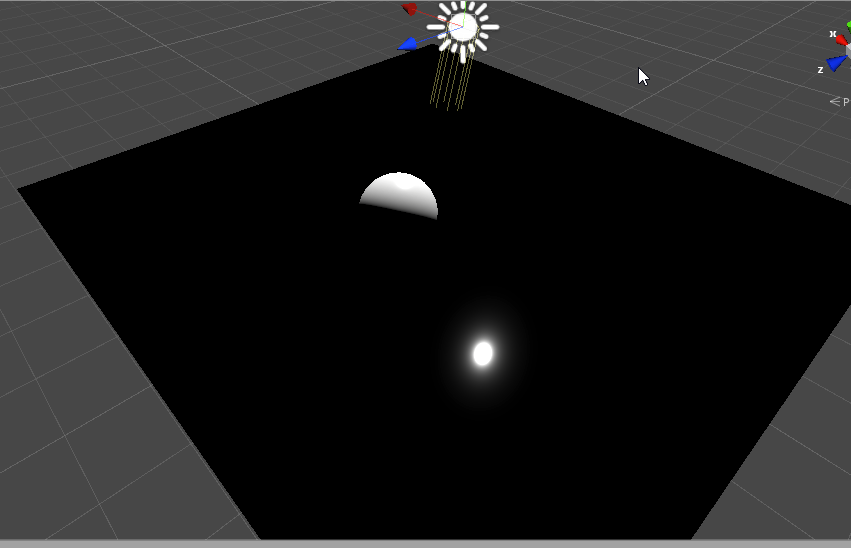
can see the sun reflection
makes me think it's a skybox problem
there's just nothing to reflect
but anyway let me add a probe and see what happens
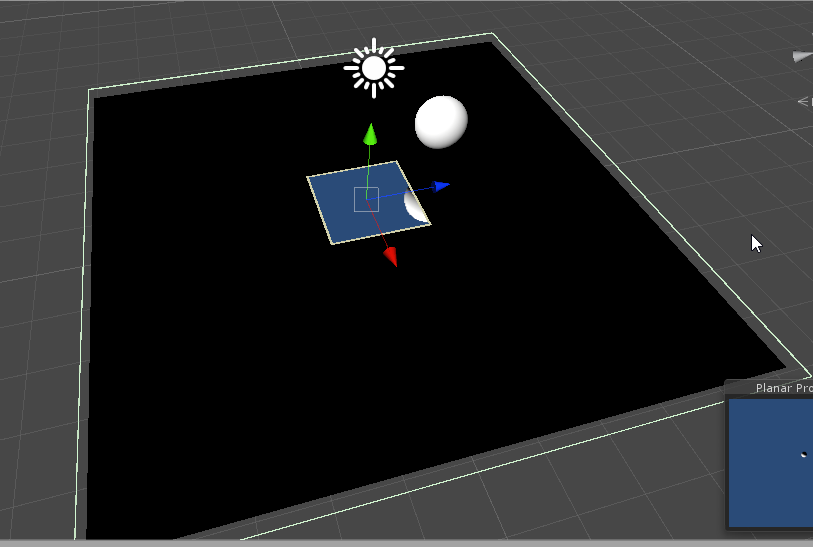
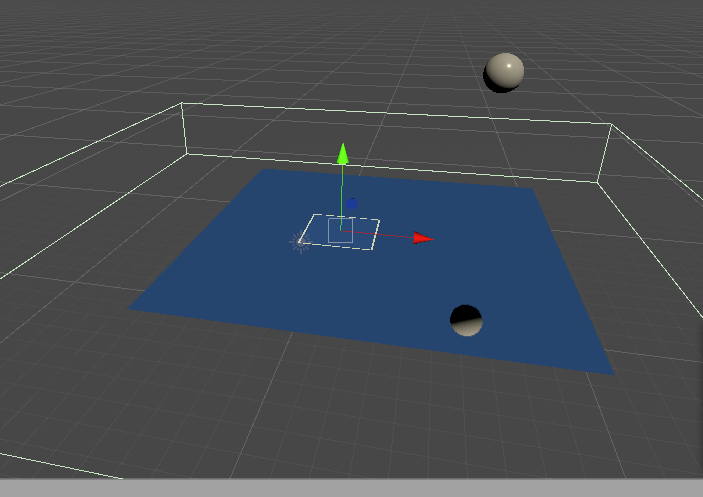
i must be missing something, i stretched it to cover the whole plane, but it's only doing a tiny square in the center
and it doesn't show anything in game view at all
so seems i have the same problem yannis does
but I made it from GameObject->Light->Planar Reflection Probe
because that's the sensible way most people would do it...
i wonder what is different about "mirror"
empty star
does it have the plane mesh filter and renderer
it has to be more than just the probe component i think
iron hollow
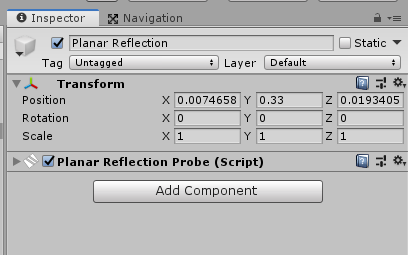
yeah that's all that's created
lol
you'd think they would give you some errors then if something is missing
let me try the mirror way
empty star
yea it needs a mesh renderer + material
fading rose
It doesn't matter how you create it 😃
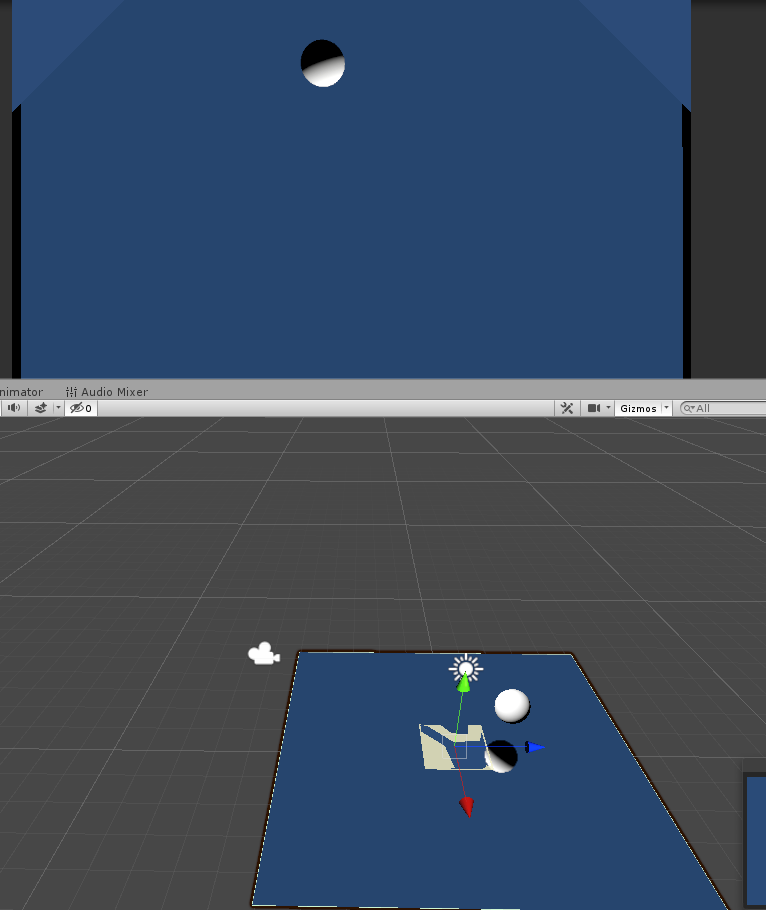 fading rose
nice.
iron hollow
so it's not like a regular probe
fading rose
looks like it.
iron hollow
it has to actually be attached to the surface you want it to reflect
fading rose
It makes sense to need to apply a specific mesh
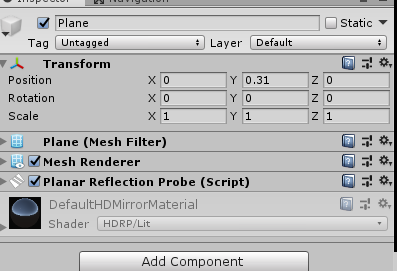 fading rose
but it should be made more obvious how to do that.
iron hollow
yes it's odd there's no warnings or errors when no mesh renderer is present
fading rose
going to grab a burger around the corner and brb for more learning 😃
iron hollow
i don't know why i can't get it to work that way then
looks like your green ouline of the probe has 'height'
indigo summit
it basically reflection probe, it have an area of influence
iron hollow
that might be why mine was inifinite thin
indigo summit
yes you need to increase the influence bound
fading rose
it is really weird. ok going for the burgers 😄
indigo summit
surprisingly planar reflection are very performant now 🤔
it used to suck a lot of fps
quasi mulch
it used to do a full end-to-end re-render is why :P
indigo summit
ah
empty star
yea that works as well (with meshes in its volume)
quasi mulch
now you can tweak it in the planar component or at a global level in the asset for hdrp
SSR is very good also, but useless for water...
 quasi mulch
for getting the most out of SSR (in any pipeline including builtin) you want to have reflection probes. Trust me on that, because they fill in the gaps where SSR fails, the SSR technique used in all pipelines is designed to fall back on probes (this is also how regular games do it by big boys)
I expect everyone here knows this but I wanted to mention in case passerbys didn't
since the docs naturally never mention that
iron hollow
yes Ref probes are a must
quasi mulch
problem with em is time of day
I'm still chin scratching if i'll blend one out and one in per quarter of day or re-render on demand
far cry 4 allows a probe to support time of day by having probes store normal and albedo instead of just albedo, it's free and very cool
iron hollow
you can set them to render like once every 100 frames or whatever
quasi mulch
edited sorry
iron hollow
that way it updates regularly enough to keep up with lighting changes
indigo summit
@quasi mulch have you read insomniac spiderman post mortem?
quasi mulch
nope
iron hollow
how does storing normal help
quasi mulch
relighting it for time of day?
indigo summit
they bake refl probe at runtime
iron hollow
the lighting in the albedo would still be static
empty star
the probe gets lit by the TOD
indigo summit
yep
quasi mulch
albedo doesn't have lighting...
iron hollow
in a probe it does 😛
empty star
did far cry 4 store them all in an atlas?
iron hollow
that's the whole point, it captures the lighting
quasi mulch
yeah cos the probe doesnt support time of day
the far cry method means you can re-light your probe any time you want
iron hollow
anyway generating a proble isnt' that costly if you do it every x frames
just don't do it realtime heh
quasi mulch
i dunno about that, because I can't really omit much from the scene without the probes looking a bit crap
indoor probes would need a full rebake but those can be prebaked imo
because you only need indoor ones for lights on and off typically
iron hollow
sounds like a cool idea but unity doesn't have anything like that (afaik)
indigo summit
i can finally have realtime reflection on water without relying on SSR
quasi mulch
planar probe eh reanimate?
iron hollow
yeah, planar reflection is cool
indigo summit
yeeeaaaap
indigo summit
well since it was fps sucker before i scrap the idea of using it for water
iron hollow
even if a pre-baked probe drastically mis-matches the current scene, most people wouldn't ever notice
indigo summit
but now, i guess i'm sold
quasi mulch
the planar probe is a funny thing cos i did this in dx7 in blitz3d kinda lol
iron hollow
there's always a few special people who do though 😛
indigo summit
i actually know this method when working with quest3d back then
quasi mulch
here is my crappy demo that some kind soul made a vid of from 19 years ago, wtf where's the time gone...?

This is a short clip from an old DirectX7-based engine called Blitz3D (such an easy engine, too bad they discontinued it). The demo is probably like 5 years ...
iron hollow
yeah i think you showed this once before, i recognize it
quasi mulch
only took a few hours to make too
reflections are realtime there and it was super cheap there too
indigo summit
ah the magical fog flipping
iron hollow
yep
quasi mulch
all this new fangled pixel RTX can kiss my bandwidth-bound interpreted immediate mode buttocks
indigo summit
well don't get me wrong, it always confused me back then. how come the water looks so clear but when i'm underwater it getting foggy. . .
quasi mulch
cos lensflares man
indigo summit
😄
iron hollow
your eyes fog over from the cold water ;p
quasi mulch
just blur
oh I never thought about why I couldn't see so well under water but it makes sense if its a temperature thing
indigo summit
@iron hollow that's make sense actually, if using goggles
quasi mulch
as you get older though, what you see underwater pretty much matches what's above...
not that I go near water much now
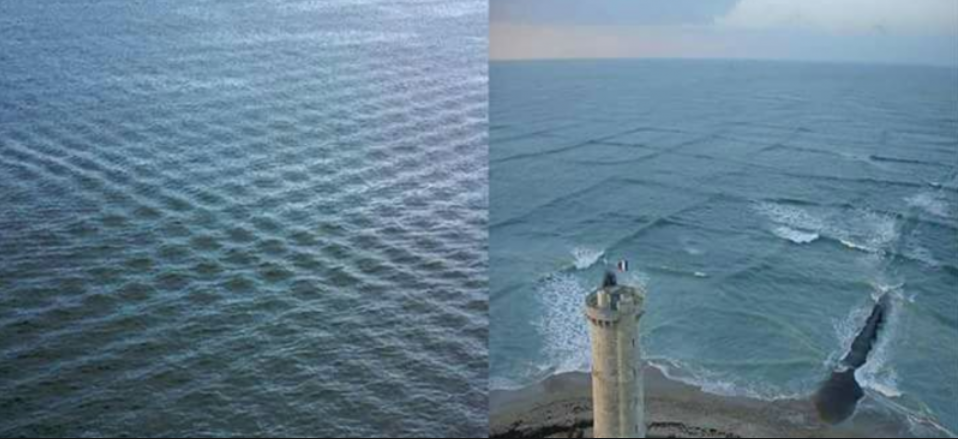
Interestingly though I was at a harbour a couple of years ago and the water ripple was sooooo cookie cutter like a bad shader
and this was in real life!
iron hollow
damn nature for it's cost saving rendering
quasi mulch
no pic but shows nature isn't adverse to crappy tiling texture scrolling
if we were truly next gen it would probably look like a game from 20 years ago
 quasi mulch
almost no real lighting, all washed out with crappy tiling
iron hollow
looks like bad tiling lol
quasi mulch
lol
quasi mulch
so really all these ugly indie games, they're actually super realistic.
breaths a sigh of relief
iron hollow
hehe
indigo summit
wave function compute not working so it fallback to gerstner
fading rose
iron hollow
it's easy when it's a fixed view angle. There's a unity demo just like this we were faffing around with
fading rose
hmm. any clues why my emissive material is not reflected properly?
(hdrp 5.10)
iron hollow
but make it so you can look at it from any angle and dive in it, then see how easy it is ;p
GitHub
unity实现二维波方程交互水面与实时焦散. Contribute to AsehesL/UnityWaveEquation development by creating an account on GitHub.
fading rose
very nice, but still not as great as the (age old) WebGL demo which is lighter and looks better 😄
iron hollow
lol
if you like it so much, you should marry it 😛
also I think it looks pretty identical if you actually run it, and not rely on the crappy gif 😛
fading rose
super cool Beijing Teapot 😃
iron hollow
yes nicer than the Stanford teapot
fading rose
MUCH
iron hollow
er Utah Teapot

The Utah teapot, or the Newell teapot, is a 3D test model that has become a standard reference object and an in-joke within the computer graphics community. It is a mathematical model of an ordinary teapot that appears solid, cylindrical, and partially convex. A teapot primit...
fading rose
I always make the same mistake.
iron hollow

The Stanford bunny is a computer graphics 3D test model developed by Greg Turk and Marc Levoy in 1994 at Stanford University. The model consists of data describing 69,451 triangles determined by 3D scanning a ceramic figurine of a rabbit. This figurine and others were scanned...
yeah it's the Stanford bunny lol
fading rose
and dragon
iron hollow
yes
fading rose
and another classic for many years ways the dancing baby from 3dsmax R2 😃
but eventually it faded out.
the dancing baby had even become mainstream.

The "Dancing Baby," also called "Baby Cha-Cha," is a 3D-rendered animation of a baby dancing. It quickly became a media phenomenon and one of the first viral videos early in the second half of the 1990s.
iron hollow
yeah I remember
it was even on a TV show, Ally McBeal lol
was so stupid
funny story, I was checking out an old PS3 Game, called Wet
and they had a ballroom scene where they used the Stanford Dragon as ice sculptures lol
made me LOL so hard
SUBSCRIBE to my channel! http://bit.ly/subwishingtikal Watch my Madagascar Escape 2 gameplay with this playlist! http://bit.ly/MagascarEscape2 Follow Me! Twi...
watch to the right
fading rose
haha yeah funny thing is few people catch these 😄
turbid matrix
iron hollow
what does that even mean

Google Docs
No support for Camera Stacking in LWRP. What: Camera stacking is when a camera depends on the results of a previous one. In built-in render pipeline users achieve camera stacking by configuring a first camera with skybox or color clear. Then setup a second camera with DepthO...
i see, so rendering multiple cameras together
i didn't know it had a name lol. I just took it for granted that cameras just worked that way.
funny they went to so much trouble to remove it, only to put it back
turbid matrix
yeah, kinda curious if they only do it for LWRP so people will not tell how much worse LWRP is in comparison to built-in
there's no way they implement that again on HDRP
 drifting vault
Someone know, its possible to cast 4k volumetric light shadows with 256 shadows resolution from Point Light?
In hdrp
iron hollow
not sure what you mean
drifting vault
Just I use 256 shadow resolution for something like ray traced smooth contact shadows from fore
iron hollow
how can it be 4k and 256 at the same time?
it has to be one or the other
yeah we don't have raytracing yet
drifting vault
Maybe male two Point Light, where are one Point Light not going to cast shadows to ground
iron hollow
worth a shot I guess, but i think then you're just making two shadows, one 4k and one 256
so you save nothing
drifting vault
Just with low res shadows look more realistic for me =/
But volumetric light use same quality of light
iron hollow
hmm, yeah I've not used volumetric, i don't even know how it works
quasi mulch
they had to remove camera stacking the way it was but he new one manages to give most of the benefits
without the perf pain from before
i guess they couldn't change builtin as so many projects are glued to it
empty star
wheres that camera stacking image from, is there any more info on it? just curious if they added more functionality to CullResults or if its handled in the C# side by keeping camera view structs w/ cullResults per view
true zealot
https://www.dropbox.com/s/x13l6ilhqkkufou/GDC2019-Roadmap.pdf?dl=0 no more information
empty star
my pipeline supports stacking but the only downside is i cant merge CullResults so i have to iterate through several when drawing
even being able to cull an array of culling params would be great
🙏
 glad tartan
Here's a video from a dev explaining it - Camera Stacking
https://drive.google.com/file/d/1J8ChJIsAXdXdmOPtNF_FIqd9exYD0kql/view

Google Drive
Forum Post - https://forum.unity.com/threads/lwrp-4-6-0-preview-18-3-5-2-1-19-1-are-out.562291/page-9#post-4314634
Unity Forum
in LWRP we do not support a CameraDepthNormals texture, only CameraDepthTexture. This can be used like any normals global texture.
Yes, currently we...
thorn lodge
so it looks like instanced properties is not yet supported in shader graph, at least for LWRP.
Anyone know where that LWRP hand-rolled shader example or a more recent one is?
turbid matrix
I have no idea about LWRP but material instancing is supported on HDRP SG's
quasi mulch
Should be GC free in the end, plus unity's experimental GC can further reduce any spikes
If there's runtime allocations for LWRP it's probably worth a bug report
 trim bone
its like 38bytes during runtime, still worth a report?
quasi mulch
It's worth a bug report if any unity api's allocate at runtime in standalone (except maybe HDRP for now but I'll be policing that around 2019.3 if Olento hasn't cared to by then)
turbid matrix
yeah, it's kinda weird that they don't want bug reports on HDRP
if I were working on it, I'd want them
official stance on HDRP bugs is now to report issues on forums
turbid matrix
despite the fact that SRP repo specifically tells to use fogbugz 😄
quasi mulch
Oh? your stalking powers are far greater than mine,. She should be on holiday, ban her
turbid matrix
well, maybe I did see the wrong message on the bottom, I could have sworn this said she was typing for few seconds
maybe I'm just seeing things
trim bone
am i supposed to log it as a new post or continue one of the megathreads for hdrp bug reports
turbid matrix
if she's at holidays, yeah, I probably didn't see it right 😄
I guess the megathreads work
but if your issue is on LWRP
 alpine bluff
I’m in the airport
quasi mulch
:O
trim bone
funnily enough that latest package is giving me graphical glitches with bloom
alpine bluff
Airport time is OK Discord time :p
turbid matrix
so it's needs to be stable
trim bone
nah was just curious about gc and lwrp, found an actual glitch with hdrp
alpine bluff
I just wanted to say that Camera stacking in LWRP is different than in built-in. They spent a lot of time making a system works intuitively, instead of some of the guessing that’s involved in built-in.
turbid matrix
you know if it's coming to HDRP too? I'd guess HDRP team would be very much against it 😄
alpine bluff
And I’m honest-to-the-gods excited about writing the docs for it ASAP
What’s the conflicting note I should comment on?
And, eh, I don’t know about it coming to hdrp or not. That’s outside of my expertise :p
turbid matrix
@alpine bluff NOTE: We have migrated reported issues to FogBugz. You can only log further issues via the Unity bug tracker. yet, I was told to specifically not do this for HDRP issues
both here in discord and in the forums
I haven't done that again after that, just found it odd that the official SRP repo tells the opposite
turbid matrix
Kink3d on the other hand tells me to file bug reports for everything on SG
so that I've done
so it seems like there are different wishes from different teams
alpine bluff
I don’t know why, either. I can ask the hdrp team when I’m back at the office, though. Please do file lwrp bugs, though, if you care ;)
turbid matrix
lol
I have one annoyance on LWRP but it's kinda a feature
it lacks auto-update for old LWRP materials when you open the project using newest LWRP
all color values on materials get reset to stock gray and untextured
but since it's been in preview, it probably isn't a priority to keep it backwards compatible for old materials
I'd expect different once it gets official stable release
alpine bluff
I’ve jotted that in my notebook :p
turbid matrix
I mean I do understand things like these happen but this will cause friction on users who jumped aboard already for LWRP
I'm sure that's a known side effect
because you see it immediately once you upgrate LWRP to newest when you have LW Template open
(this happens on 5.x.x something and onwards)
alpine bluff
Thanks :) I’ll buzz people, see where it goes
Now I’m going to go back to reading my book at the airport though :p
turbid matrix
have a nice flight
fading rose
Hmm I am not sure I understand this camera stacking thing. What is a good use case for such setup?
turbid matrix
it's used so you can render two cameras layered on same screenspace
most common use case is to render gun on top of everything on separate camera so it doesn't get clipped in scene geometry
fading rose
aaaah I see. that is what I didn't understand.
turbid matrix
but people have used that on space sims etc to render like far away planets on background layer, that way you can have another space in the scene where you handle the background and other place where you handle the player movement
your cameras don't have to align
so it's really like photoshop layering thing
you just mark what objects render with what camera and how they get layered
it's also faster than old school RTT layering on PP
don't ask me why, but it just is
fading rose
I see I get it. It's real time compositing. interesting but sounds like bad implementation.
turbid matrix
it did make these kinds of things super trivial on Unity in past
hence people got upset when it got removed from SRPs
fading rose
I would much prefer if it worked directly with layers like in After Effects. But having an extra camera may give you some additional flexibility.
 elfin osprey
it did make things trivial, but the previous method for this in builtin renderer is an absolute mess
camera stacking is a lot more complicated than simply compositing, and if you dont have constraints people end up shooting themselves in the foot
and then we get bugs, by the hundreds 😛
thorn lodge
I remember the first unity project I did, in order to have a selected object render on top of everything else, I simply moved it to a selected objects layer and had a single camera that only rendered that thing.
I didn't even like it then, since it didn't feel like a good solution (well, it worked just fine but I didn't like needing a second camera, I'd probably go a material swap route or some math perspective tricks nowadays). I can only imagine the geometric complexity night mare scenarios some people might have put together
true zealot
There will be some more followup posts on raytracing from this blog so keep an eye on it! https://auzaiffe.wordpress.com/2019/03/22/hybrid-pipeline/
 candid basin
In LWRP
I would like to render the camera's depth texture
but by using the method of using the reference '_CameraDepthTexture' in shader graph, I get this error
I've been trying for so long to see just a depth texture of the scene
but it's not working
while it is working with nodes in HDRP in shader graph, but not in LWRP
quasi mulch
Depth is reversed in hdrp
 remote forge
candid basin
remote forge
candid basin
thank you for the insight!
quasi mulch
Kind of doubt it would hurt lwrp targets also having it for lwrp these days at least
But who is making vast environments in lwrp
 robust mirage


 elfin osprey
I have a galaxy, does that count?
candid basin
@elfin osprey do you work on shader graph?
elfin osprey
Mostly, yea
candid basin
what's the best way to request features?
the best channel
so that it'll reach you guys
turbid matrix
I'd guess shader graph forum thread?
elfin osprey
Whyyyy
turbid matrix
Unity dropped the feature request service too
but that's only for the best
it never worked
iron hollow
unity just got done removing the feature request thing didn't they
elfin osprey
Yea im not really sure what the correct answer is here
turbid matrix
no feedback from Unity at all