#archived-hdrp
1 messages · Page 25 of 1
 turbid matrix
 quasi mulch
Hey, yeah it was just I was putting the function in the node itself not the hlsl file
Dunno if it works, I'll set veg studio up later and find out. the fact it's error free will do for now :P
turbid matrix
Ah, I was gonna do new version for that too
But yeah change is trivial if you know the setup
 elfin osprey
finished my demo 😛
turbid matrix
That VSP shader is kinda funky. It feeds a node through position input just so it can inject other things
I wonder if there is a cost for activating position input
You could probably do the passthrough on alpha etc input
elfin osprey
?
turbid matrix
Vegetation Studio asset has SG custom node that does this
@elfin osprey https://github.com/AwesomeTechnologies/VegetationStudioPro-ShaderGraphNodes/blob/master/IndirectNodeHD.cs

GitHub
Contribute to AwesomeTechnologies/VegetationStudioPro-ShaderGraphNodes development by creating an account on GitHub.
Idea is that you just wire position node to input if you dont want to move anything
Would be nice if you could just add include without adding node
I think ASE has option for this, not 100% sure
elfin osprey
yea i just dont see why it matters whats plugged in?
it just alters the matrices behind the scene right? the node seems to do nothing
turbid matrix
Node does nothing
elfin osprey
in which case the compil;er will strip it
turbid matrix
Yeah but you will need to feed in extra node in graph
As you cant just feed 0,0,0 in position input
elfin osprey
yea this really isnt the recommended usage of shader graph...
turbid matrix
I know :)
Which is why option to include custom shadrr would be nice in master node itself
Oh
Since we are on topic
Is there pragma once thing in hlsl?
elfin osprey
thats what this is for:
#ifndef __DEPENDENCY_HLSL__
#define __DEPENDENCY_HLSL__
because no, there is no pragma once, only this compile guards
turbid matrix
I forgot to research for it. Just tried to do multiple new custom function nodes out of same include file, got error for doing same variables again in the start
I mean stuff like float x etc
elfin osprey
if you include the same file multiple times it should only add it once :/
if it doesnt thats a bug on our side..
turbid matrix
Yeah that didnt work on stock 5.8
elfin osprey
damnit
turbid matrix
I'd rather have it fixed if it should work ;D
I just put things in separate files for now
Keeping things in single file without extra guards would be a lot cleaner tho
turbid matrix
I might forget too :D
I'm 120km away from my dev computer atm
Will try to remember when I get back
 iron hollow
Ok this is odd, Someone posted this on reddit and I thought they were mistaken, but they aren't.

seems if you push both Gamepad stick buttons at the same time, a debug menu appears for HDRP
I just tried it in a blank project
how do you disable that?
I don't see any option in the HDRP pipeline asset
wonder if it works in LWRP too
nope, only in HDRP
oh I finally found it. https://i.imgur.com/nialeWw.png
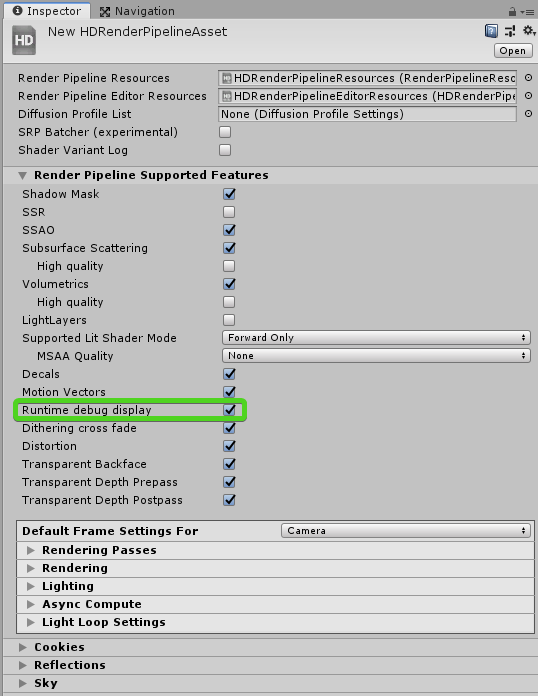
Now i'll be checking every unity game to see if they left that on, since I suspect many will
quasi mulch
Gave vegetation studi o a whirl but it seems a bit of a problem with latest unity so best go with out of box/own solution I think
is there a guess when Unity's own vegetation rendering for terrain will be released in an early state?
iron hollow
so there's no way to disable HDRP's debug mode, that's kind of hiliarious
even if you remove all the key bindings, it puts them back at runtime it seems
quasi mulch
for the input too
iron hollow
says EDITOR_ONLY and yet somehow still works in a build
quasi mulch
wrestle it's quirks, the visuals are just too good to ignore
iron hollow
seems Left Ctrl - Backspace will enable it too
quasi mulch
i recommend using it in forward for superior shadow quality
now i need to find an alternative to vegetation studio pro
it's just not met my standards
iron hollow
why not
quasi mulch
not AAA enough tbh
iron hollow
hehe
iron hollow
well you need to replace their cartoon textures with your own
the system itself I think is fine
quasi mulch
well I tried the demo, got unity grass only with a bit of village no trees, nothing
it was as if it didn't work...
no errors either
iron hollow
mmm not my experience
quasi mulch
this is with a builtin not hdrp new project
iron hollow
but then again I haven't tried it in HDRP
quasi mulch
not trying on hdrp
iron hollow
does it even have HDRP support?
quasi mulch
doesn't matter
trying to get it working nice with builtin and failing
this is on 2019 though so it might be my fault.
iron hollow
oh well
yeah alpha could have a ton of problems lol
I doubt it's even been tested with that version
i know it works on 2018.3
quasi mulch
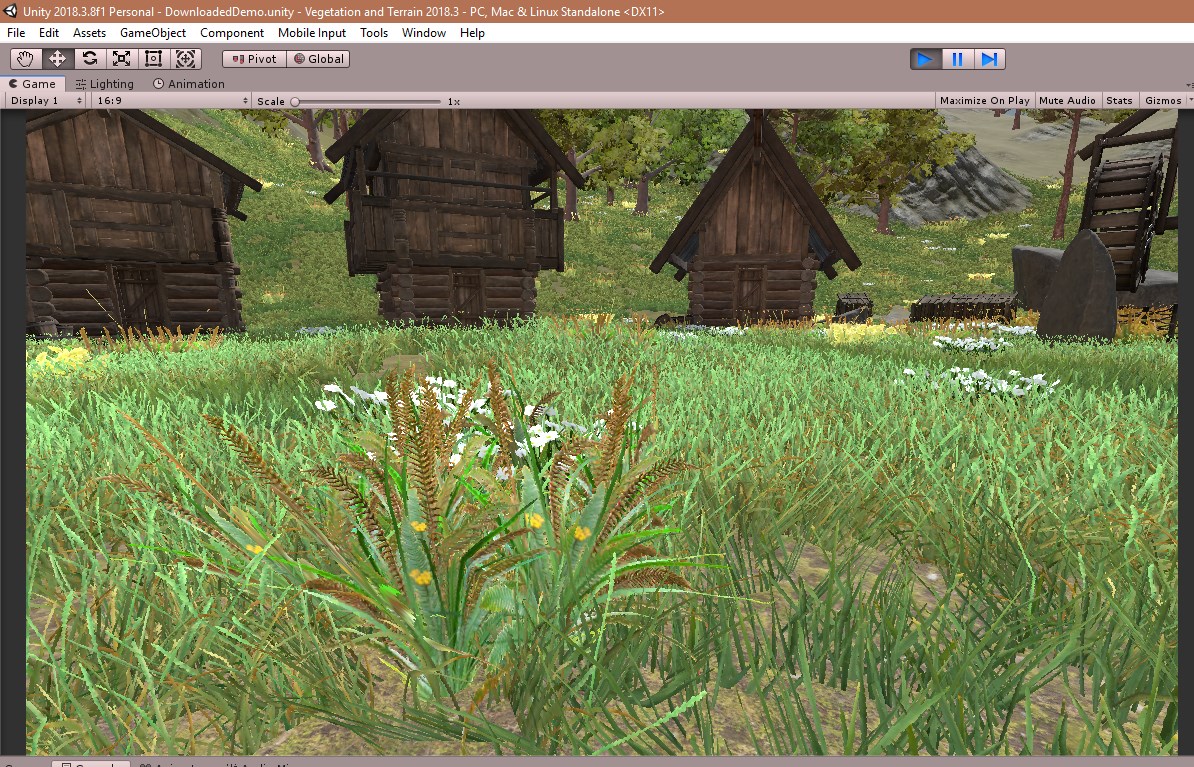
it's a beta :P but no errors, I pressed play and got some grim unity grass and nothing else
I expected moments from gladiator with a little avatar thrown in
shrugs
 quasi mulch
i didn't get that
iron hollow
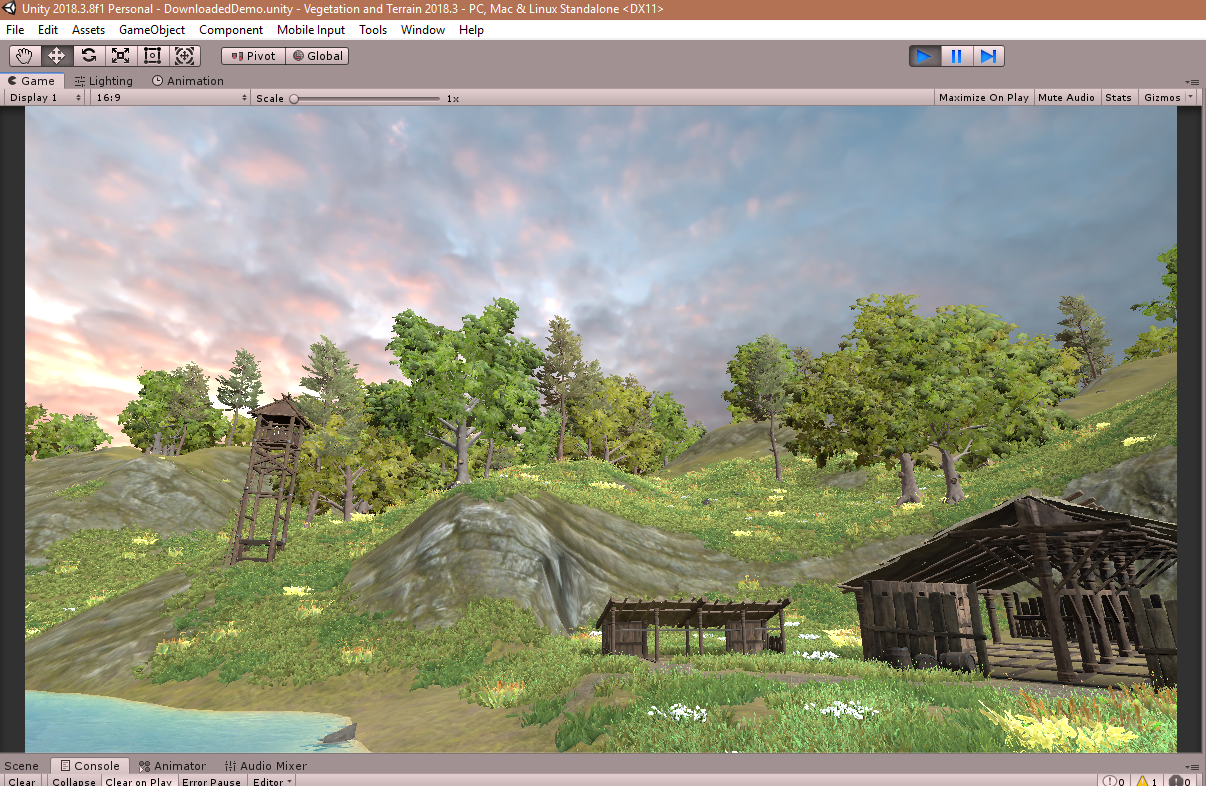
you'll be happier
 quasi mulch
does it only appear in play mode for you?
 iron hollow
yeah pro may do it differently i dunno
as i understand it's a different grade of shaders
reading it's using the Jobs system and burst compiler too
which non-pro doesn't use
so i can see why that might break more easily
quasi mulch
yeah it's changing all the time
it's probably best I make my own + use amplify impostors for perhaps bigger elements like trees
only problem with this is i don't have splatmap modification
i don't know anything about splatting. I would like to modify an existing one or make my own... any good tiny assets for it?
iron hollow
it's strange because in 2018.2 and below the terrain isn't white like that
is that a problem with the new terrain system?
can you not preview your work? seems bad if so
iron hollow
'Rule based splat map generation'
oh i see, didn't think VS messed with the terrain textures
just placed plants
quasi mulch
it does everything
iron hollow
i guess it's generating the textures on the fly
quasi mulch
yeah it bakes them in editor for you
iron hollow
then what did i need CTS for? 😛
quasi mulch
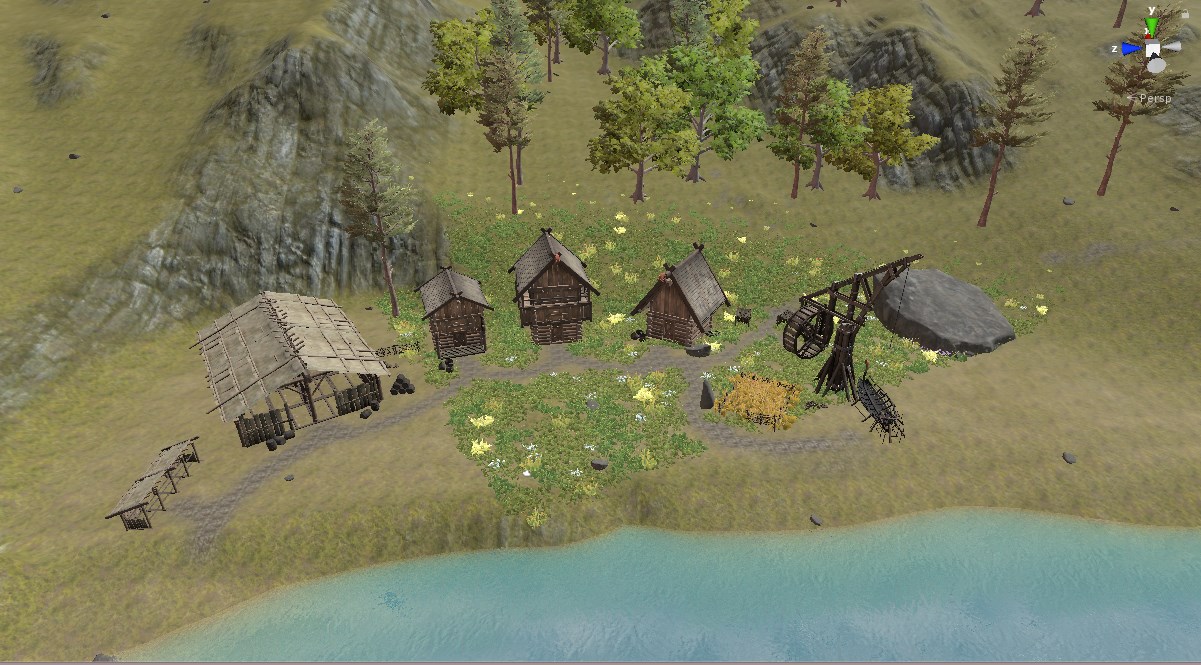
I'm reimporting it all hope for best
 iron hollow
yay
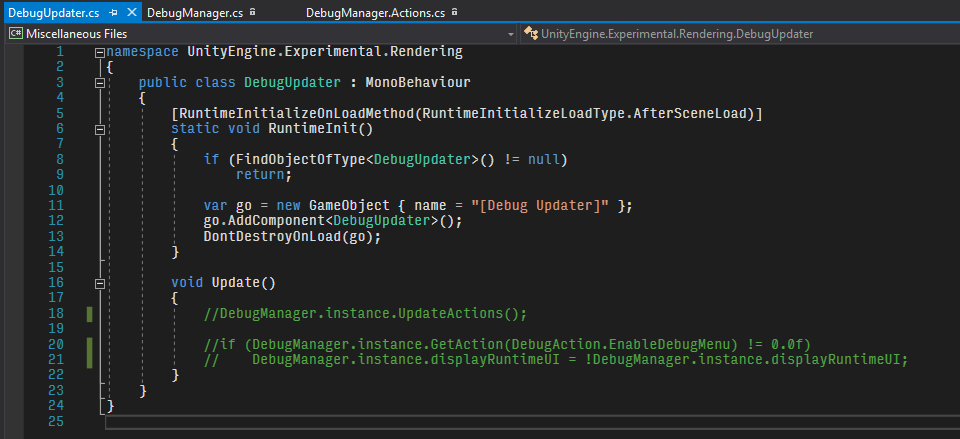
finally found a way to disable debugging menu
but kind of bad you have to edit the package to do it
should be a setting for that
i tried removing all the debug scripts, but seems they are pretty deeply tied into the system
i guess maybe deleting the whole script would work too
don't need a singleton loading that does nothing
But why isn't there a setting for this? I don't see how they could think people would want this in their builds
 indigo summit
for uh debugging purpose?
😅
might be better to have a way to disable it completely or change the key binding
or only enable it when building developer mode
iron hollow
well yeah i know for debugging, but I mean the fact there's no way to disable it at all
i thought maybe it just didn't work in a build, but it still does
you can even delete all the key bindings and it just puts them back every time
 twin spire
I'm ordered an RTX card does HDRP will offer Ray tracing options? I mean its already implemented?
iron hollow
not yet, it's being worked on however.
twin spire
alright, i saw something in the hdrp changelogs
quasi mulch
see GDC (tm)
iron hollow
yeah that's the work in progress
probably we will find out more about when it's going to be completed at GDC
 robust mirage
Saw ticket prices for GDC, if you want to see the talks live.. it's a mere $1500 🤑
iron hollow
yeah...
elfin osprey
I assume our stuff will be streamed and/or put on YT yea
iron hollow
yes i want to see the mystery demo you were working on so hard last night 😃
 glad tartan
Guessing only the keynote will be streamed?
if so we gotta wait to see the roadmap talk
iron hollow
yeah some things may take a little time to make it to youtube
elfin osprey
well people who have been combing our repositories wont be hugely surprised by the demos im working on 😛
iron hollow
lol
where is @turbid matrix today, I've not seen him post a single thing
quiet before the storm 😛
he's probably resting his fingers in preparation for tomorrow 😛
elfin osprey
lol nothing is getting pushed so i assume hes taking a day off yea 😛
quasi mulch

GitHub
Scriptable Render Pipeline. Contribute to Unity-Technologies/ScriptableRenderPipeline development by creating an account on GitHub.
hints
iron hollow
ooh voxelized shadows
oooh raytracing
ooooh constants refactor
😛
can't wait to see the constants refactor demo 😛
quasi mulch
best one
turbid matrix
@iron hollow spent weekend with relatives (yes I do that sometimes :p)
 swift wyvern
oh WHAT. i thought that was next weekend 😢
turbid matrix
re: GDC, they only stream keynote live :/
I hope they can still give a link to roadmap slides after the talk
iron hollow
tomorrow, tomorrow
GDC is tomorrow
it's only a daaaay awayyy.
iron hollow
i liken it to a dump truck full of information boulders being dumped on me 😛
takes me a few days to dig out from under 😛
 gaunt apex
Hi there, does anyone has a good starting point, if someone wants to make his own pixel shader working nicely with the deferred pipeline? Can't use surface shader (I wish I could) because I need a geometry shader
quasi mulch
5.9 for me
must be based on latest 6.x
[5.9.0-preview] - 2019-03-15
Added
- Added Homothety and Symetry quick edition modifier on volume used in ReflectionProbe, PlanarReflectionProbe and DensityVolume
- Added multi-edition support for DecalProjectorComponent
ugh it broke everything for some reason.
"Library\PackageCache\com.unity.render-pipelines.high-definition@5.9.0-preview\Runtime\Lighting\Shadow\HDShadowManager.cs(476,17): error CS1061: 'ShadowDrawingSettings' does not contain a definition for 'useRenderingLayerMaskTest' " etc
turbid matrix
ah
it's that change
I had to revert one commit from latest master too because last 2019.2 alpha didn't have that yet
quasi mulch
So have to wait for a unity editor update?
indigo summit
ah yeah i got that error too with 5.9
what is this mean btw
- Added Homothety and Symetry quick edition modifier on volume used in ReflectionProbe, PlanarReflectionProbe and DensityVolume
quasi mulch
I mean it knows it's own dependencies so the only odd man out is the editor
I think it's just ui improvement
maybe I dunno I need to consult google translate in reverse :P
indigo summit
welp i'm totally lost on translation on that one
quasi mulch
homothety might be if decals use a target now
so it sounds like perhaps a better way to place and use them
quasi mulch
you could use the technique to work out how big something is relative to a distant point
but I dunno I'm guessing
indigo summit
"A homothety, also known as a dilation"
turbid matrix
they just released the package bit too early
indigo summit
so it's about the proxy size settings?
or the blend settings?
meh anyway the package are broken so, yeah let's see how it is anyway
btw, anyone have any experience creating/implementing Ambient Occlusion Field?
oh i think i should ask that in Shaders channel
quasi mulch
dunno, we talk about sausages in here sometimes
indigo summit
oookay. . . . 😄
quasi mulch
meaning sometimes it gets to be a gray area
indigo summit
well back to my question, about Ambient Occlusion Field. For some reason i'm curious with that technique. But i'm kinda not sure how it work. Since it's require a baking process for the mesh. So is it like decals? or what?
quasi mulch
I don't see the purpose of it, why do you need it?
indigo summit
since it is world space it good to generate soft casting ambient occlusion from non deformable occlusion caster
ie simple example are vehicles
but it required baking the vehicle mesh into some kind of 3d texture
huh, why do i got the feeling it almost similar as occlusion probe 🤔
turbid matrix
you mean distance field?
indigo summit
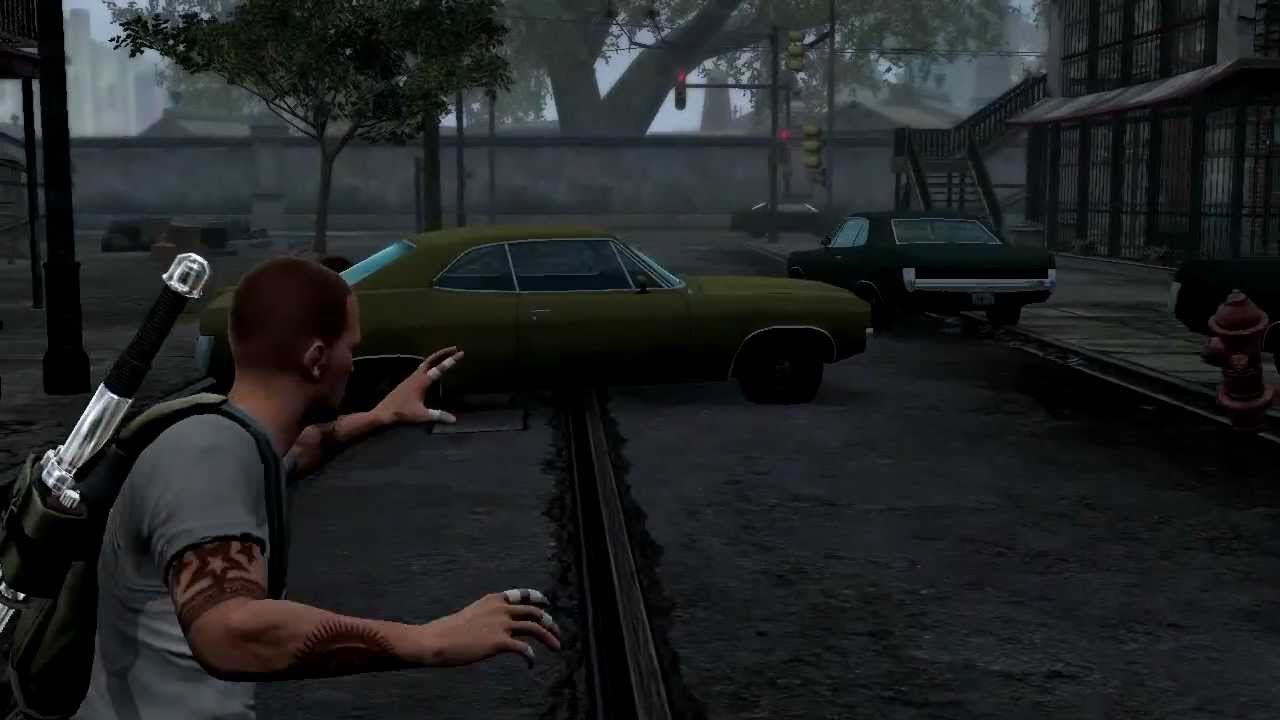
Demonstration of ambient occlusion fields in Infamous 2. This video is from my GDC 2012 talk, the slides from which can be found at http://reedbeta.com/gdc/.
quasi mulch
well the reason you'd want it is to solve AO noise in vr, as screenspace AO is a bit messy by nature
quasi mulch
not the fastest kid tho
turbid matrix
but it has TONS of issues
indigo summit
yeah DFAO requires to perform cone tracing to the whole scene
quasi mulch
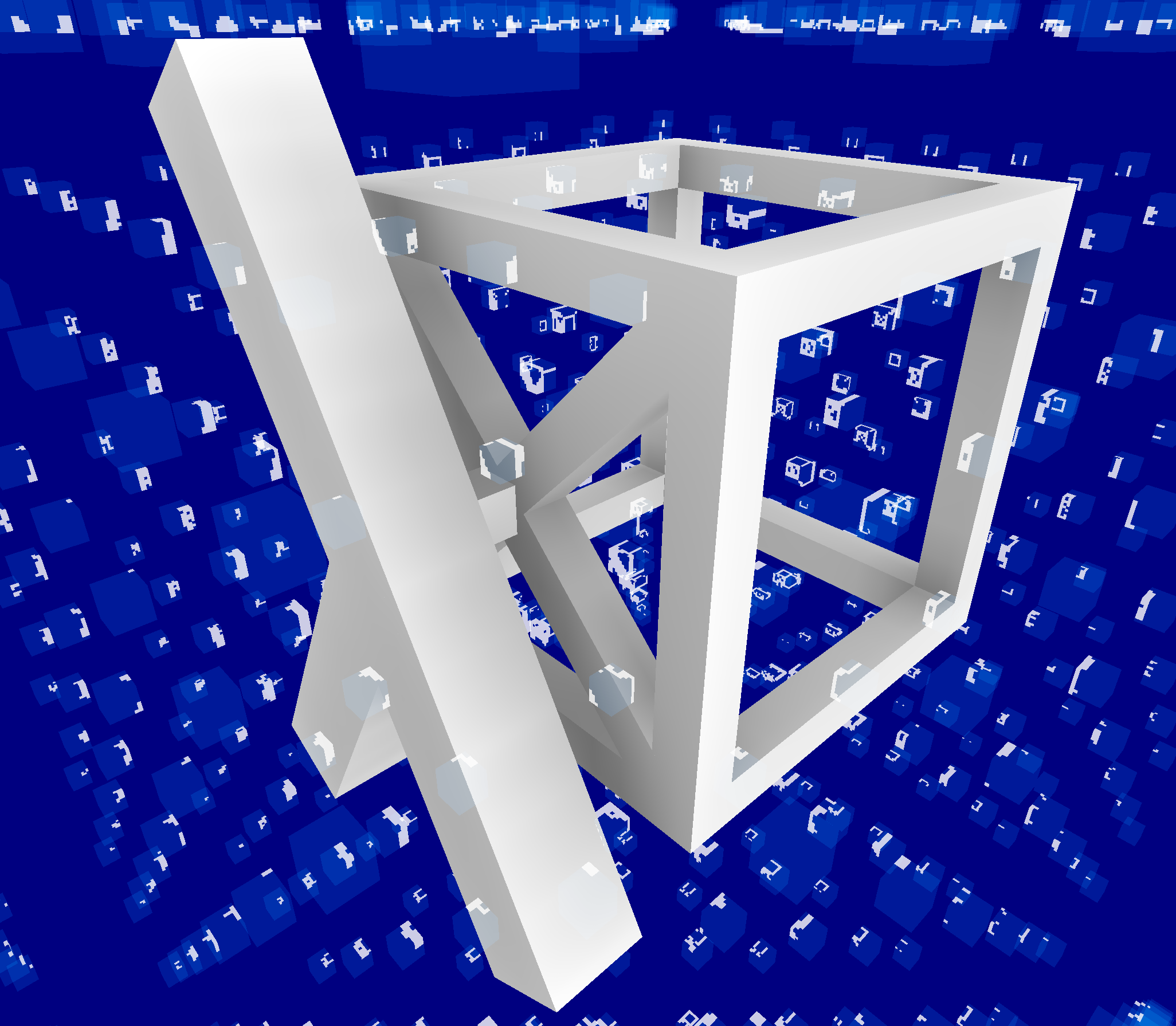
Recently I created a new example that we added to the online editor: a simple showcase using ambient occlusion fields. This is a lightweight method to approximate ambient occlusion in real time usi…
indigo summit
ooh
quasi mulch
seems more stable but it probably isn't for finer details at all
occlusion probes :P
quasi mulch
shade = (1 - occlusion * 0.5) * light
change 0.5 to something like 1.5 to see the stability of the effect clearly
indigo summit
so basically projecting 3d texture into the world?
or to the area inside the 3d texture bounds?
seems usefull for wide are AO, for finer detail just fallback to SSAO
 idle pivot
My cubemaps are coming out really funky and unusable after making the switch to HDRP. the 6-sided skybox with working a charm beforehand. Any idea why this may be?
quasi mulch
not enough info
indigo summit
might be better to post a screenshot
 trim bone
hmm anyone tried 5.9 yet? Getting an error that I cant seem to clear up
Library\PackageCache\com.unity.render-pipelines.high-definition@5.9.0-preview\Runtime\Lighting\Shadow\HDShadowManager.cs(476,17): error CS1061: 'ShadowDrawingSettings' does not contain a definition for 'useRenderingLayerMaskTest' and no accessible extension method 'useRenderingLayerMaskTest' accepting a first argument of type 'ShadowDrawingSettings' could be found (are you missing a using directive or an assembly reference?)
elfin osprey
It requires B8, which should be available later today, if not tomorrow
trim bone
thanks
turbid matrix
been waiting that B8 so could test if they got custom bakes fixed
considering they had my repro project for it, you'd think they did
and yeah, b8 is coming out any moment now 😃
quasi mulch

Unity Forum
Greetings users!
Unity 2019.1.0 Beta 8 is now available.
Installers and release notes available at:
https://unity3d.com/unity/beta/2019.1.0b8...
 plush pilot
Android: Added AndroidDevice.SetSustainedPerformanceMode API to enable/disable sustained performance mode in runtime Thats fun
turbid matrix
now it's the good old waiting game for the hub
plush pilot
(unrelated to RPs)
turbid matrix
GI: Fixed crash when using experimental custom bake API. (1127812, 1136107)
oh, they had another report too (mine was 1127812)
quasi mulch
you're not the only breaker of chains
elfin osprey
Oh we've got an army of them :P
turbid matrix
I'm actually kinda surprised still
I thought nobody else even used that API 😄
I bet that other is some internal report
turbid matrix
well, the custom bake issue is fixed
but for some reason the dynamic shadows are pitch black on this scene now 😄
oh, the new template doesn't put anything for static lighting sky
quasi mulch
i'm just getting flickery black scene view
pisses me off a lot
hmmm bug report time then
 upbeat badger
rtx demo with car🙄
 true zealot
makes sense as auto is a big market
but yeah 🙄
I'm imagining the link https://unity3d.com/ray-tracing will populate soon
glad tartan
maybe closer the the keynote when the demo will be shown, the page will be up
right now we got teased
 woven vector
Unity will support it:
https://devblogs.microsoft.com/directx/variable-rate-shading-a-scalpel-in-a-world-of-sledgehammers/

DirectX Developer Blog
One of the sides in the picture below is 14% faster when rendered on the same hardware, thanks to a new graphics feature available only on DirectX 12. Can you spot a difference in rendering quality?
Neither can we.
iron hollow
yeah, i mean there's no reason for any engine not to support built in GPU features
oh that's a directx thing
quasi mulch
well
engines do kind of do this themselves
for example you'd have a depth pyramid etc
the final pixel has various amounts of work done to it in the end to it's neighboring pixel
turbid matrix

Unity
Unity’s award-winning Demo team presents The Heretic, a cinematic real-time demo showcasing Unity’s capabilities for high-end visuals with SRP, HDRP, and Visual Effect Graph.
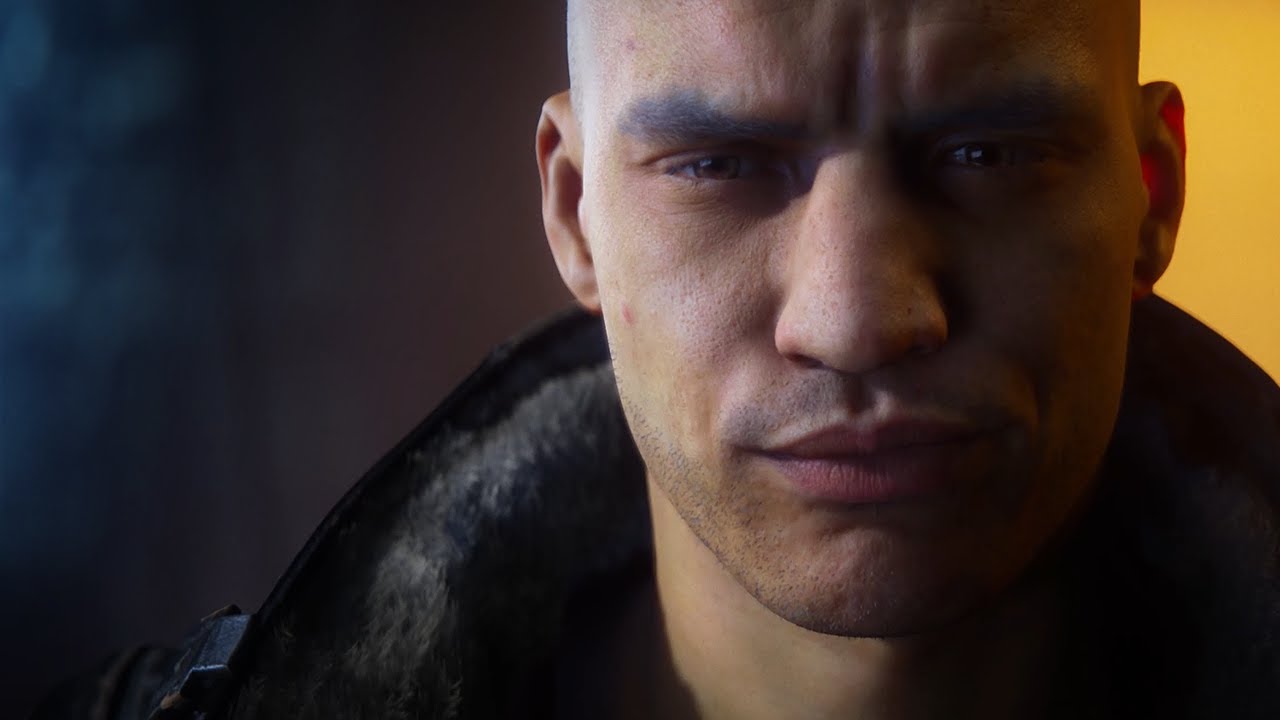
Unity’s award-winning Demo team, the creators of Adam and Book of the Dead, is working on a new short film called The Heretic. It’s a real-time cinematic run...
turbid matrix

pocketgamer.biz
Unity has acquired texture streaming technology outfit Graphine. The company developed the Granite SDK, designed to help alleviate texture-related memory and loading time issues in games. Supporte...
hope we'll get proper details of this on some blog post etc later on
the main site doesn't have any note about the acquisition yet
iron hollow
oh they actually bought them heh
unity is doing a lot of little aquistions
oh Granite is that thing someone was talking about the other day
was you wasn't it? 😃
texture streaming, yes
turbid matrix
it was me yes
they talked that they'd do HDRP implementation soon but will see how this changes things
if they do proper integration, it can take a lot longer
 frigid cypress
if anyone happens to be at GTC instead of GDC they can come see the heretic and the BMW demo live with me 😄
turbid matrix
new branch for hdrp speedtrees (there was older branch for it as well)
heh, this is new https://github.com/Unity-Technologies/PotatoBenchmark
GitHub
Contribute to Unity-Technologies/PotatoBenchmark development by creating an account on GitHub.
glad tartan
haha
indigo summit

Stay ahead with advanced texture streaming
twin spire
Heretic and the bmw demo will be released as the megacity demo?
true zealot
Likely not for a while
bmw maybe not at all
Same as the BotD, it came out a while after we saw it
the BMW one I'm doubtful because they would have used official assets and likely cannot release them
no official timelines yet either way
twin spire
Alright, thanks, so in this case no dxr demo release?
true zealot
🤷 likely another demo will be used but I'm speculating
twin spire
I don't saw it in the Heretic or the megacity, but maybe later
 remote forge
We'll be making a DXR project available when we release the preview DXR build in a few weeks.
It won't be the BMW though 😭
twin spire
Good to hear, thanks for this info
turbid matrix
@indigo summit yeah, I tried to look for announcement after keynote from their site but it wasn't there yet 😃
 harsh spoke
Quick question. I know the HDRP has volumetric light working out of the box, is this available easily in the VR LWRP as well? Let's assume I'm not worried about performance 😉
 tardy yew
hey, do you know of any attempts to replicate the built-in pipeline and its idiosyncrasies with a SRP?
turbid matrix
@harsh spoke there's no volumetric light for LWRP right now
why not use HDRP?
they are currently working on getting volumetrics to work in VR, not sure if the initial fix was merged in already
but it's only happening for 2019.2 I think
harsh spoke
2019.1 is just around the corner, so I'll probably wait with the switch
oh ... you wrote 2019.2 Well, than maybe I won't wait. 😃
turbid matrix
GitHub
Scriptable Render Pipeline. Contribute to Unity-Technologies/ScriptableRenderPipeline development by creating an account on GitHub.
hmmm
actually I'm not 100% sure for the 2019.2 only thing
that doc says it's not implemented on either but most of the items on the 2019.2 there are already getting addressed
Fixed volumetric rendering with stereo instancing
that's on 5.9.0 HDRP that runs on 2019.1
@harsh spoke
so, it should work even today using latest 2019.1 beta and 5.9.0 HDRP
harsh spoke
@turbid matrix Great. I'll make a fork and give it a go with the beta
quasi mulch
runs off
hey I'm just saying it sooner. Someone will demand it supports mobile at 60fps mark my words
remote forge
let me tell you about lwrp
quasi mulch
<3
upbeat badger
any news from roadmap show?
turbid matrix
was it already?
"4:00 PM - 5:00 PM
Looking Ahead – The Unity 2019 Road Map" is on Wednesday
upbeat badger
oh
turbid matrix
https://schedule.gdconf.com/session/follow-the-dots-presenting-the-2019-roadmap-presented-by-unity-technologies/865465 starts in 45 minutes

GDC SF 2019
19th March, 2019 10:00am - 11:00am - Join Martin Gram, the Product Manager for our Data-Oriented Technology Stack (DOTS), and guests as t...
but that's for DOTS roadmap, not for whole engine
quasi mulch
yeah gonna watch if theres a vid... is there a vid?
upbeat badger
guess no
quasi mulch
I thought Unity were streaming but I stand corrected
turbid matrix
@quasi mulch they are not streaming any further sessions, only the keynote
they'll upload the sessions to youtube later on
I'm hoping we'd get slides in advance at least =/
twin spire

pcgamer
Where we're going, we don't need roads.
iron hollow
yes, did you DL it
twin spire
alright, i will 😃
 iron hollow
it's in the article too lol
quasi mulch
and it has pringles LOD (tm)
wonders if anyone gets his latest dad joke
"once you pop you can't stop"
iron hollow
yeah I heard that
but I probably won't look at the demo for myself until this afternoon
turbid matrix
I have it open right now
the lod popping is just because they put really early culling to smaller objects
it's super annoying when you play it
twin spire
which unity version?
turbid matrix
also the small objects don't always have more than one mesh
project is made for 2019.1.0b7 I think
I'm running it on b8
twin spire
okay
turbid matrix
2018.3 or 2019.2 will not work
2019.2 could work if we'd get next version
but current one doesn't have all the needed API
turbid matrix
hmmm
running that megacity and looking at https://github.com/Unity-Technologies/ScriptableRenderPipeline/commit/131ada189f0993b8a828b1b713ab77f98de53b01

it makes me wonder why there's only one lodbias in game engines in general
it would really benefit to have different lod bias for different type of objects
like LODGroupABias, LODGroupBBias etc
like in case of the megacity, you'd could tweak only those small objects to appear further away
but using global bias value will effect everything
quasi mulch
the global bias is an overall tweaker
ideally you set up your lod ranges locally
then per platform use the global one for example mobile
this is how builtin renderer works and it's fine
i guess ecs need to catch up on the nice bits
 slim flicker
is there a way to keep up with which releases require/are compatible with which verisons of unity?
a couple months ago I tried setting up HDRP + shader graph on 2019.1 and everything blew up but now it looks like all the SRP/shader graph packages post 4.x.x are locked to >= 2019.1?
or at least hidden from the package manager GUI in lower editor versions
iron hollow
sounds like it was just quick and dirty
i'm sure they will refine it over time, give more lod levels
oh yeah, Hippo has it right, bias is a single global modifier
it's your levels you want to tweak
i thought he meant there was only one level
4.xx is old
why would it be blocked on 2018?
slim flicker
post 4.x.x
slim flicker
right, so is there a central place where I can keep up to date with that
 slim flicker
but even just now we're talking about things working in 2019.1 and not working in 2019.2
iron hollow
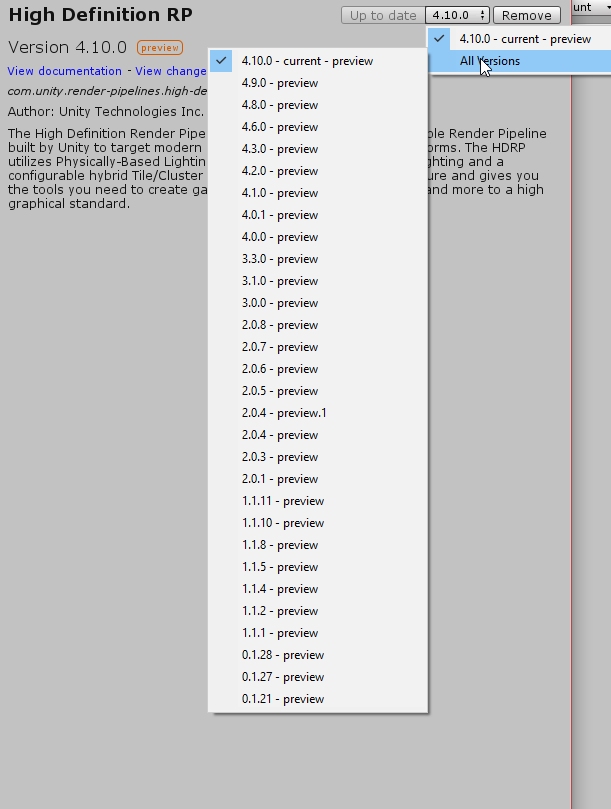
4.10.0 is the last version for 2018.3
well yeah that's a mess
i'm sure they will sort it out soon, now that the GDC crunch is over
quasi mulch
I know this is totally oddball but it's not actually possible to render transparent lit that doesn't recieve shadow, right? I thought about basing it off unlit but then not having it respond to regular lights such as point etc without me doing all that work has me beat.
quasi mulch
yeah it's mandatory in HDRP so far lol
kind of what everyone wanted .... but not me for my fluffy clouds
haha
i am probably missing something obvious
iron hollow
well sure we wanted it
but that doesn't mean it's wanted all the time
i't wanted when we need it 😛
but not when we don't
quasi mulch
let this be known sometimes you cannot unwant what you wanted!
iron hollow
i want my shadows and my fullbright too 😛
quasi mulch
well you... you're you!
iron hollow
you could probably just knock out a shader in shadergraph that kills the shadow pass
quasi mulch
but it wont let me kill the shadow pass in shader graph
iron hollow
then maybe it's too early 😛
quasi mulch
but it's 2019.1 and i was pwomised
iron hollow
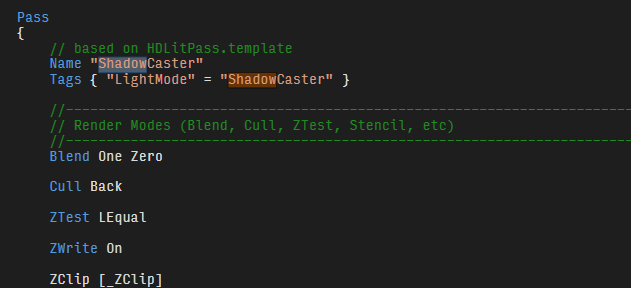
well there's a pass for generating shadows
but i'd have to look harder to see where received shadows figure in
( just have to say it's insane a blank shadergraph shader produces over 3300 lines of shader code lol)
slim flicker
looks like 2018.3 > 2019.1 auto upgrade is broken
Library\PackageCache\com.unity.render-pipelines.high-definition@5.9.0-preview\Editor\ShaderGraph\Slots\DiffusionProfileInputMaterialSlot.cs(96,17): error CS0117: 'Vector1ShaderProperty' does not contain a definition for 'hidden'
Library\PackageCache\com.unity.render-pipelines.high-definition@5.9.0-preview\Editor\Material\Decal\ShaderGraph\CreateDecalShaderGraph.cs(18,29): error CS0246: The type or namespace name 'GraphData' could not be found (are you missing a using directive or an assembly reference?)
any leads?
iron hollow
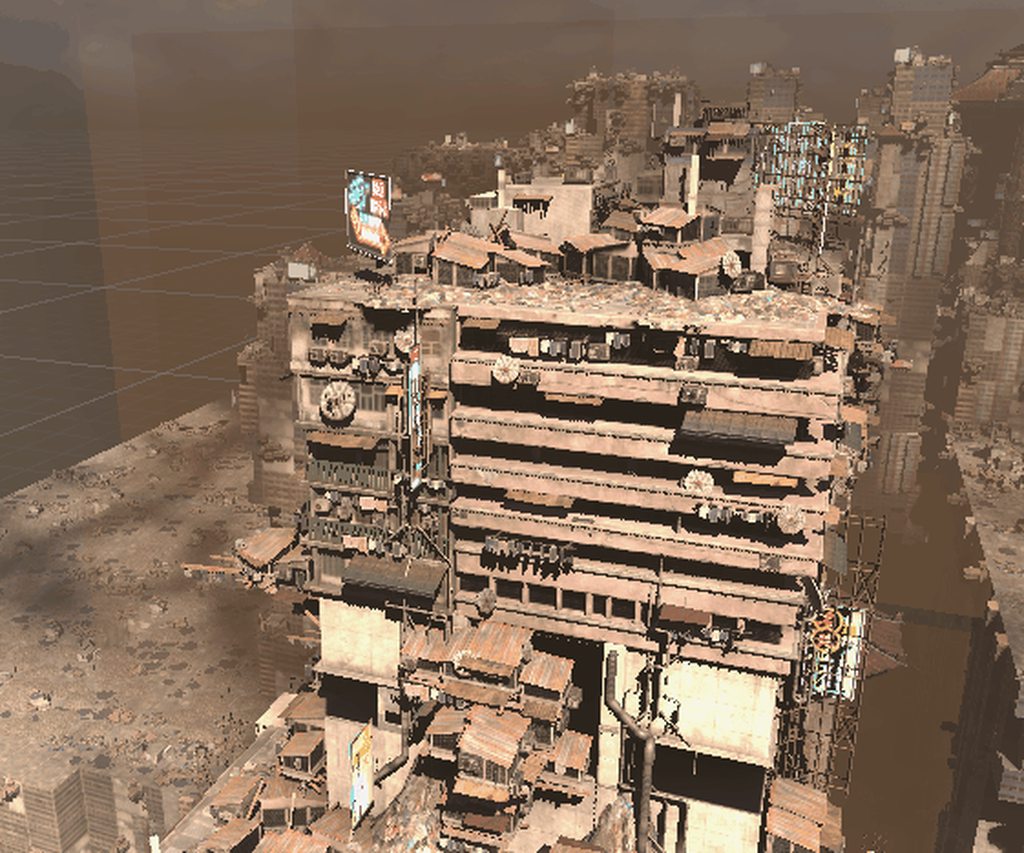
upgrade shadergraph to the newest
see the Down arrow in a circle? means your version is out of date
true zealot
shouldn't even have it "in project" really as it's a dependency of the HDRP
slim flicker
yea forgot to update in here, that's what it was
 slim flicker
kinda weird that we have all this tooling around semver but can't use any of the features that make it useful in other implementations like how in NPM you can specify dependency versions as "5.x.x" or ">=1.0.0" in your manifest.json equivalent
true zealot
As in you'd add it manually as "above this version" and HDRP would update the dependency?
Because as I said, if you remove it from your project HDRP will keep it up to date'
iron hollow
maybe, i'm just a control freak, i like to know everything that's installed.
and manage it myself
So finally trying the Megacity. I only get about 35fps in the editor
but i guess that's not bad considering how dense it is
but I see they didn't add the ECS physics to it 😦
i was really hoping they had so we could see how it works together with everything
i can barely use the editor though out of play mode
every little thing cause huge disk reads
and i made the mistake of not putting in on my SSD
i guess i'll move it
iron hollow
ok so speaking of dependencies...
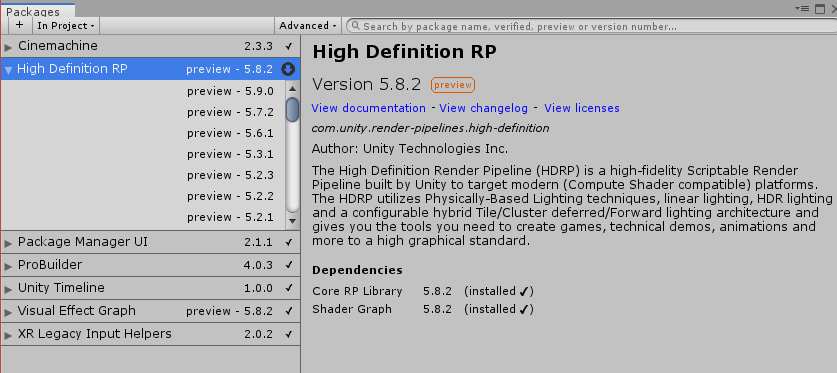
in 2019 they let you see dependencies now
but now it seems broken
it shows there's a 5.9.0 available
but it will not give me any option to update to it
won't let me uninstall it either
it's like everything is locked
whole package manager seems broken
no packages have an option to install or uninstall
@turbid matrix
what is broken
true zealot
the buttons are at the bottom right, your screenshot doesn't show what's wrong
true zealot
well they moved
true zealot
because it's all in flux
iron hollow
moving them to the bottom doesn't even make sense
true zealot
better they move it now than in a year's time
iron hollow
why i never saw them, i would never think to look down
all the information is at the top
already destroyed the project now
i tried resetting to default packages
and deleting the library folder
iron hollow
ok so i finally got this visualeffects graph project updated
but now when i run it i get an error
postprocessing wasn't even installed
so i installed it
but error persists
I blame 0lento for making them bring back SMAA 😛
demo is broken
i'm not sure which sample it is
seems to be butterflies demo
they have it set to SMAA
which is simply busted
oh it's several, Grass demo also, morphing face, portal, volumetric all are set to SMAA
i searched to see what file is trying to include SubpixelMorphologicalAntialiasingBridge.hlsl and it's SubpixelMorphologicalAntialiasing.shader in postprocessing
so i guess postprocessing is broken
maybe if I try an older version it will work

it's also funny because there's two versions of postprocessing for some reason
and neither of them has the file heh
seems the bug is in HDRP 5.9.0
i downgraded to 5.8.2 and the issue went away.
 lunar stirrup
erm, my voxel models messed up when I added HDRP to my game. none of the models have textures :/
iron hollow
HDRP is a whole new pipeline
standard shaders won't work
you have to convert everything to use HDRP shaders
there is a tool that will do some of the work for you
1 moment
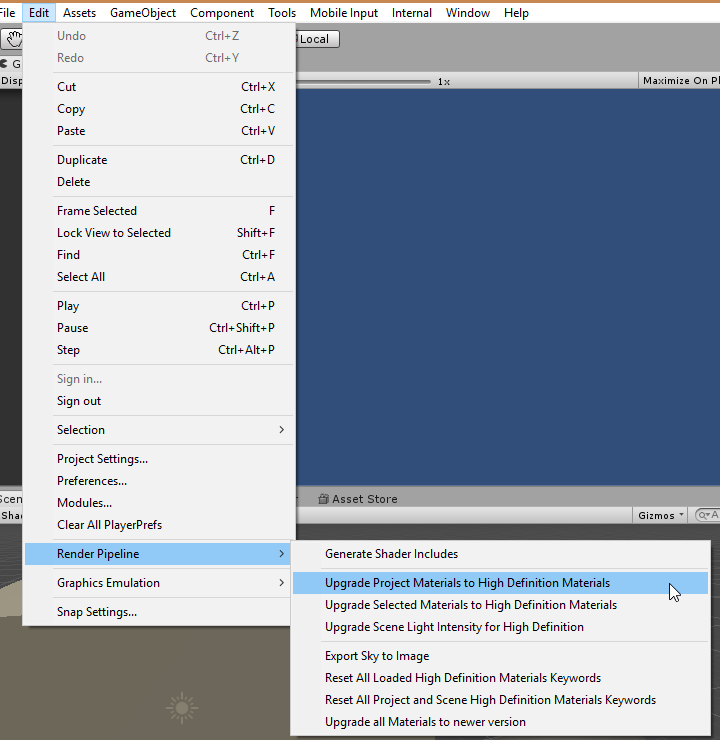
tools are there
but this is just a simple shader replacement, it won't do any fine tuning
you'll have to go back over everything and make sure it looks okay
lunar stirrup
ohoo 😄
Thank youuu 😄
I just also had to add the texture to the material and then it worked perfect 😄 Thank you @iron hollow 😄
iron hollow
np
 dusk hare
Hey guys I just wanted to ask if anyone else has face this issue before? Generating lightmap freezes my entire PC and forces me to power off my PC and restart
No other other workaround whole PC stops responding
I'm using unity 2018.3, and faced this issue with both defualt rendering pipeline and hdrp
My CPU is Intel i5 6th gen with gtx 1050ti card and faced it with all the three options which is progressive GPU, progressive CPU and enlighten
turbid matrix
TAA totally breaks MegaCity
I earlier tried to just swap it on in the PlayerCam and it did the blurry artifact thing all over the screen
so now I thought it might have been because I enabled it after editor was loaded (it does that sometimes)
so, I changed it in the prefab and restarted editor
after restart, almost nothing in the scene loaded
just glitches all over it 😄
changing it back to other AA and restarting again cured it
there's a lot of flickering all over the demo though, it feels like they relied on TAA to work originally
and then had to turn it off in the last minute before releasing the MegaCity demo for us as it didn't work on 5.8.2
twin spire
i got around 25-30 fps in megacity in 4k is good or i missed something? 2019.01.0b8
true zealot
in 4K? Jesus
twin spire
yeah, i expected much more
true zealot
Well, I'd advise you lower your expectations. Either way if you're not in a build then I'd make one and test there.
dusk hare
my gameview stays grey in both hdrp and lwrp, i checked all settings and still can't figure out what's causing the issue, btw i'm uisng 2019.2 alpha with latest lwrp to test and it looks fine on scene view
note this started happening rencently
 primal jacinth
It's an editor bug in the latest alphas. Enabling MSAA on LW will fix it. I haven't seen it in HD though
turbid matrix
@dusk hare have you just tried to enter play mode?
HDRP has had that kind of issue for a long time
dusk hare
yes i did and still same issue
turbid matrix
are there errors on the console?
dusk hare
well my issue is also in playmode
0 errors
also msaa is set to 4x in lwrp still same issue
turbid matrix
and you run proper LWRP version for the engine?
turbid matrix
asking this because 5.x.x seems to run on 2019.2 alphas too, even you should use 6.x.x there
turbid matrix
oh, they've verified that for 2019.2? that's weird
hmmm, there's no 6.x.x LWRP releases at all on regular registry for 2019.2
same with github
5.2.3 is super old
dusk hare
well i even tried this on 2018.3 with it's last supported lwrp from package manager still same issue
turbid matrix
I'm frankly surprised it doesn't spam your console full of errors
afaik it shouldn't even run on recent betas and alphas
can you try 5.9.0 on that?
I think PM should list that as an option for you
dusk hare
this grey screen isssue with lwrpa dn hdrp is only on this project and works fien on other
turbid matrix
if it doesn't list it, close the PM in editor and open it again
dusk hare
and it works fine without srp
turbid matrix
for some reason PM doesn't update if you keep it docked
I'd check the editor and SRP versions between the projects you have
dusk hare
well i tried restarting cleaning the entire project , switched back to old abckup and tried again
still same issue
it works well without srp tho
turbid matrix
that's not surprising
it really sounds like you have SRP version that simply doesn't play along with the editor version you got there
just try 5.9.0 or 5.8.2
both should be on your PM
dusk hare
well i have same unity version and srp version for other project, which works fine
this is some other issue
turbid matrix
could be different SRP asset settings too
dusk hare
wait let me load my other project and confirm
turbid matrix
but regardless, 5.2.3 isn't recommended version for current editor versions
I'd upgrade to newer and only then start wondering why if it still doesn't work
dusk hare
this issue still exists with 2018.3 and 2019.1
turbid matrix
2018.3 doesn't even run 5.2.3
dusk hare
ok heres my latest test , i tried both projects with 2018.3 with 4.10 hdrp
one runs totally fine and other one still has grey screen
i matched all hdrp and players ettings
turbid matrix
you have setup the HDRP asset in project settings?
dusk hare
yes
turbid matrix
well, 2018.3 should render the scene immediately
dusk hare
maybe something in scene causing grey screen with srp
turbid matrix
2019.1 and 2019.2 had issue on HDRP with async compilation that made the scene dissappear or render wrong before you entered the playmode
but I think that's recently been fixed
dusk hare
well i have this issue in 2018.3 too
turbid matrix
that makes very little sense 😄
dusk hare
i will go back to my old backup and give it one last try with 2018.3
turbid matrix
I mean, I believe you, I'm just out of ideas
dusk hare
well this whole thing is confusing for me too
turbid matrix
I know SRPs have these oddities but there's usually a reason for it
and it's always been solvable
what you see on 2018.3 could be different reason than what you see on 2019.1 or 2019.2 too
despite it appears the same way
you have a screenshot of the view?
scene that is
dusk hare
gonna give it a last shot with 2018.3
if i face the same issue again, i might send the entire scene or just post screenshot my current settings
turbid matrix
I'm curious about the screenshot because there's been a recent 5.x.x change on LWRP (but it's after 5.2.3) that makes all materials lose the preset color value
dusk hare
well 5.2.3 is not avaiable on 2018.3
turbid matrix
they changed the LWRP's stock shader's color to use different name so old materials just default to 0.5 gray there
yeah, I know
dusk hare
so that should not be an issue
turbid matrix
it's 4.10 only there
but there's like countless reasons why the thing could fail on specific version
and the root cause is not always the same
dusk hare
i tried so many versions and this particular project had that issue
i think it's related to soemthing in the scene which is causing the issue
turbid matrix
have you tried making a new SRP asset and assigning it to the project settings->graphics?
dusk hare
lol yes
turbid matrix
closing the editor, deleting library and opening the project again? 😄
dusk hare
did all
even went to my really old abckup just to give it a try
funny enough this was working fine with hdrp yesterday
last thing i'm trying is reinstalling 2018.3
turbid matrix
5.10 out in staging and github now
(not related to your issue)
if you have simple repro project, I can take a look
dusk hare
well gonna give a last try, if it still doesn't fix, i will send my scene to you
alright same issue
0 errors
nevermind i'm just an idiot, didn't even check ui
turbid matrix
what was it?
 drifting vault
someone know why my terrain look like that in HDRP?
im tired change setting but nothing happened
 dawn sorrel
How do you change the rendering mode to forward in Unity 2019.2.0a8 with the HDRP?
I don't see the option shown here: https://github.com/Unity-Technologies/ScriptableRenderPipeline/wiki/Forward-And-Deferred-Rendering
GitHub
Scriptable Render Pipeline. Contribute to Unity-Technologies/ScriptableRenderPipeline development by creating an account on GitHub.
turbid matrix
it's there
the option got moved further in the middle of the HDRP asset in latest versions
 frigid nova
Hey guys i hope you saw the GDC i just wanted to ask what Natalya Tatarchuk said about the global illumination ray tracing solution ,will it be in unity in the future and when can we test it from git?
iron hollow
they said Raytracing Experimental GitHub would be released April 4th

Unity
Moving real-time graphics significantly closer to realism, opening the gates to global rendering effects never before thought possible in the real-time domain.
it's mentioned there at the bottom
turbid matrix
I'm curious of the game use cases
they didn't really mention such at all
which kinda hints Unity targets the DXR stuff mainly for high end visualizations
which frankly, is the right target for it today
but I'd still love to play with those reflections
frigid nova
i cannot wait,finnaly a better solution to this outdated lightmapping,even in my company in our inhouse engine we dont use that.
wait its only for rtx?
turbid matrix
raytracing? that's DXR only
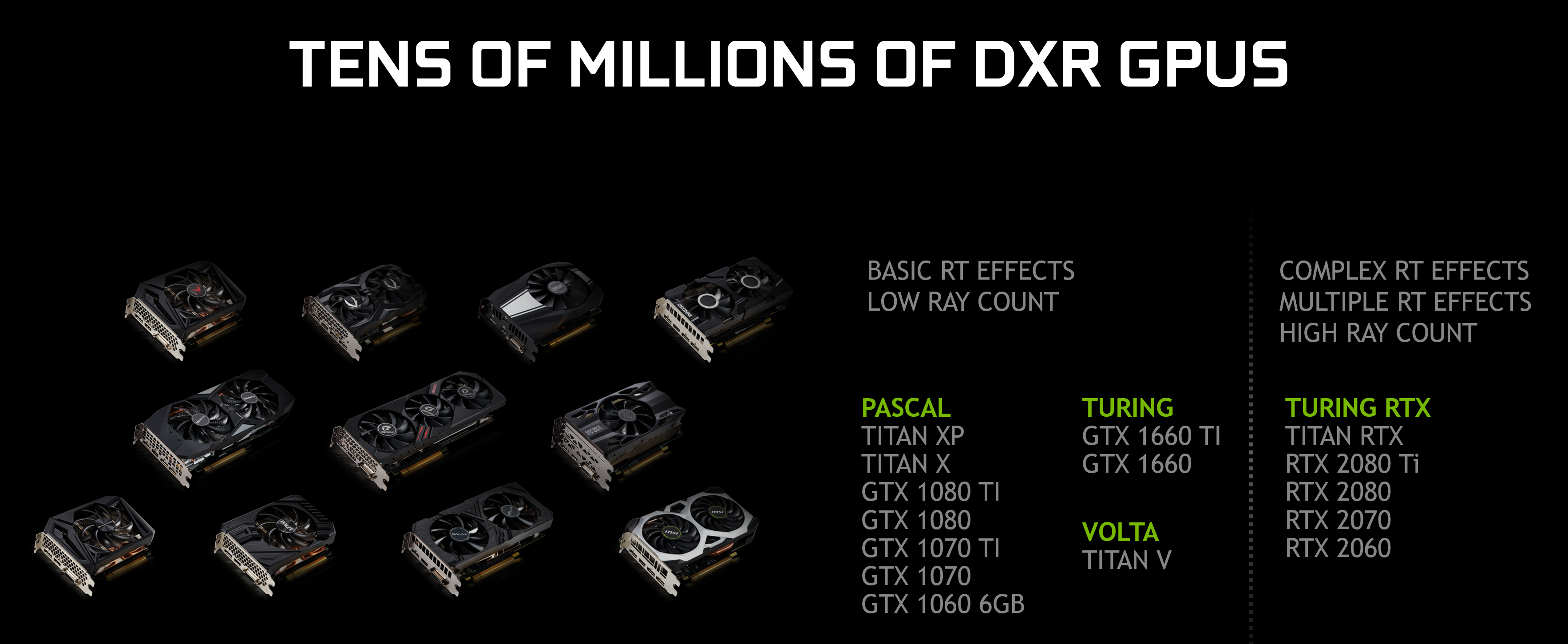
but if you followed the news, nvidia is extending DXR support to start from GTX 1060
@frigid nova
 ember breach
the technology will be added to older graphic cards
turbid matrix
well, they probably won't update drivers past that 1060
I'd love to play with it on my gtx970 but it ain't happening
frigid nova
i have 1060 3gb i just wish to have it just for better rendering.
ember breach
yea, but performance says its all, 1080ti will run metro exodus on 28fps lel
yea it will be on 1060, but the performance will be super low
frigid nova
is there any better solution for the unity lighting ?
turbid matrix
Because of this work, we have dramatically sped up ray tracing performance for GeForce RTX GPUs, and can now enable DirectX Raytracing ( DXR ) on GeForce GTX 1060 6GB and higher graphics cards via a Game Ready Driver update, expected in April. from https://www.nvidia.com/en-us/geforce/news/geforce-gtx-ray-tracing-coming-soon/

well, HDRP got nicer shadow filtering in forwad mode now
and they are working on voxelized shadowmaps
ember breach
are they kidding I got 3gb version and they put 1060 6GB+ lel
frigid nova
yeah me too
turbid matrix
but there's no really much development on the GI side
they will fix enlighten for HDRP at some point
frigid nova
Man the thing is that they showed occlusion probs a year ago and they aded the shadoing that would made the lighting better ,but never officially released it
it was supposed to be in 2018.2
turbid matrix
I have occlusion probes running on stock HDRP on my end
frigid nova
how did you make them work properly ?
ember breach
yea the probes were showcase of what you can do with new custom rendering pipeline
turbid matrix
should actually release the package, just been busy with following the GDC
well, I don't know if my implementation is proper
frigid nova
i tried multiple times but no luck.
i only did it once and after that everything was destroeyd somehow .
turbid matrix
I posted about this here: https://forum.unity.com/threads/occlusion-probes.531573/page-2#post-4244413
I've since ported the other shader changes but haven't verified them
2019.1.0b8 is first 2019.1 version that actually doesn't crash the engine while running custom bake api
and those new shader graph custom function nodes are new in 5.8.0 SG
frigid nova
Dude i hope you do
frigid nova
I gave up with shaders cause i work as a 3d environment artists and that would salve my tree problem
is there a way to follow your work?
turbid matrix
I guess one can follow my github but I upload things fairly randomly there
glad tartan
2019.2 a9 is out now
ember breach
whats new?
turbid matrix
same old, some fixes, some new api's
ember breach
I am on a8 and didnt find any bugs so just curious 😄
turbid matrix
basically a9 lets you use HDRP from github master again
frigid nova
i read that you think they will add volumetric shadow maps
frigid nova
oh man yaaaass
turbid matrix
I tested their branch
but they didn't release the authoring tool for it so didn't get far
and it's voxelized shadowmaps
but same idea
they support HDRP volumetrics on it apparently
frigid nova
it does not matter as long as i get decent occlusion from geometry
turbid matrix
GitHub
Scriptable Render Pipeline. Contribute to Unity-Technologies/ScriptableRenderPipeline development by creating an account on GitHub.
turbid matrix
I just check out the interesting looking stuff early on
frigid nova
did you do any tests on that?
turbid matrix
on master?
frigid nova
yes
turbid matrix
I'm running master all the time
I have few merges on top of that atm
there really isn't up-to-date HDRP for 2019.2
so master works
turbid matrix
there's really not much difference to latest 5.10.0-preview
they've backported most of the feats from 6.x.x to 5.x.x so far
they start to branch more now
frigid nova
for some reason i the latest beta crashes when i get the hdrp 5.10
frigid nova
lel ill try to reopen editor and see what happenes maybe it does not fully compile some scripts dunno
ember breach
there is no way it never crash 😄 sometimes even on "stable" it crashes few times in one session
frigid nova
i cannot even create a rendering pipeline asset and i already imported hdrp 5.10 multiple times
the good thing is that the new denoiser works yay
ember breach
denoiser? I should check the news ffs, too much work to look
frigid nova
yes there is two of them on gpu side ,if you have a 1060 4gb and up you can get the nvidia one but for the rest u get the intel one
im kinda regreting getting a 1060 3gb now XD
turbid matrix
he means the progressive lightmapper denoiser
I don't remember what they got to 2019.1
2019.2 at least got intels open source denoiser + nvidias optix on cpu + gpu PLM
frigid nova
now the have openimage denoiser and optix denoiser.Optix is the better one but it need 4gb and up
turbid matrix
I think optix used to work for cpu PLM in 2019.1
ember breach
ouu ok, I was like if he was talking about that nvidia thing when it does not render full res and then it scale up
does anyone know if they are thinking about implementing checkboard rendering? It would speed up a lot without too visible difference
frigid nova
like for texel density?
ember breach
what? its basically half rendering of screen and after that it calculate the left pixels which is faster than full scale rendering
turbid matrix
is that something that's in general supported on all platforms?
ember breach
its used by ubisoft aswell as dice in battlefield etc.
turbid matrix
I know ps4 games use it so it might be just a feat on their renderer api
we don't really get the console api specs due to the nda
frigid nova
that is probably better for ps4 games ,since txaa does most of the work on the pc side,i think it provides better resaults than the checker one
ember breach
It is supported anywhere I think, its not customized for devices as far as I know
frigid nova
but yea it seems like a neat thing for better performance
ember breach
I am not talking about temporal antialising
in temporal you still render full scale
in checkboard rendering you render half of 1080p -> 540p and then it calculates missing pixels and output is 1080p without big loss, its not even same as rendering half with render scale, because render scale takes one pixel and render it at most pixels avalible
dawn sorrel
Ummm, so I upgraded my HDRP and this happened
Everything is invisible
No clue where to even start fixing this lol
turbid matrix
press play?
dawn sorrel
I guess updating broke my HDRPAsset and I have to remake it
true zealot
Check that the pipeline asset is installed, restart unity, press play, reimport the HDRP, only reimport the shaders
quasi mulch
any pix of vxsm in action?
dawn sorrel
Thanks m8, play mode-ing made it recognize HDRP again
upbeat badger
any insides from roadmap show?🙃
dawn sorrel
@turbid matrix , Hi, I noticed an account with your profile picture commented on a concern I had
Unity Forum
Hello,
I just installed 5.9.0 and receive this error now:...
If this was you, I was having an issue commenting it out
Every time I load the project, it overrides my commented-out version of the file
turbid matrix
just use a9 now 😃
dawn sorrel
Alrighty thanks
turbid matrix
new api is on both 2019.2.0a9 and 2019.1.0b8
but for the commenting out, you can't really modify the packages from library's packagecache
they get reset like you've noticed
you have to move the package into local folder, either in your projects Packages-folder or somewhere else if you put file ref in the manifest manually
putting a copy in packages folder is easiest
quasi mulch
hey
template scene in hdrp seems broken
when I make one, it seems to be crap and bugs out
known issue?
iron hollow
i wonder if that is what happened to that guy yesterday
iron hollow
he said he made an 'empty scene' and it was totally broken
turbid matrix
and it's too old for current beta
iron hollow
yeah i found the hard way that templates use old HDRP
and not the latest, for some reason
you can use it, you just have to upgrade the HDRP yourself from pkg manager
turbid matrix
old template has old PP setup tho
there are newer templates on staging but they haven't been taken into use
probably a beta thing
iron hollow
good point
turbid matrix
I'm sure they'll swap it when 2019.1 is out
quasi mulch
have I seen unity vxsm at gdc, or is it something unseen so far?
iron hollow
it's in the code several places
but that was one of my predictions for GDC that didn't come true
wasn't a peep about it
quasi mulch
perhaps some unity staff members might want to talk about it? doesn't seem very secretive
turbid matrix
still waiting some employee to leak the roadmap slides here :p
quasi mulch
hardly a leak :D
I really would love some roadmap for hdrp
it's the best renderer in the whole world
true zealot
can we just roadmap everything
turbid matrix
I'd love to see slides from both roadmap talks
quasi mulch
yeah why not just have a unity google maps
turbid matrix
the one from few ours ago that covers Unity's 3 year plan with everything
and the one from yesterday for DOTS 2019 roadmap
kind sucks to know they've given these talks and no info around
quasi mulch
the 3 year plan ends with unity becoming free to everyone powered by blockchain in a horrific twist of anti capitalistic ugh
I would like roadmaps for most fundamental parts, the SRP, HDRP, VFX and other peripherals like Terrain
turbid matrix
they nowadays don't even update existing things there
there's hardly any estimates on new things
like the thing they show at Unite roadmap talks
they have these planned
quasi mulch
get more info just staring bleakly at github
turbid matrix
but they don't put them on the site
quasi mulch
usually at commits
true zealot
get more info from the few random devs on here
iron hollow
vxsm is likely tied to raytracing
quasi mulch
a shame then
turbid matrix
but most engine / tool specific ones are usually free
iron hollow
so maybe when the experimental branch comes out in april we will know more
turbid matrix
also the Unity booth sessions will not even go to vault afaik
so those are up to unity to upload once they've processed them
@iron hollow it's not raytracing feat
it works on LWRP too
they did LWRP implementation first
also wonder what's the deal with Render Graph
turbid matrix
 turbid matrix
that's been there like for a week
quasi mulch
seems ... weird ?
why would artists control the rendering pipeline?
they're scary non technical people mostly :P
turbid matrix
could be cool
quasi mulch
could be yeah...
turbid matrix
maybe it's for custom passes



 quasi mulch
well raytracing yeah, it's common just not in 3d
usually it's tracing a texture or something like that for most shaders
turbid matrix
it's most likely the tech mentioned on the slides that were linked here the other day
quasi mulch
audio graph, vfx graph, shadergraph, now rendergraph?
quasi mulch
its hdrp
iron hollow
maybe it's the replacement for Command Buffers they promised for HDRP
quasi mulch
com.unity.render-pipelines.high-definition/Runtime/RenderGraph/RenderGraph.cs
iron hollow
because right now LWRP has command buffers, but HDRP does not
quasi mulch
must be command buffers
iron hollow
and they promised something like Command buffers for HDRP
iron hollow
well a lot of screenspace effects can be done with command buffers
quasi mulch
LWRP is easy and open
iron hollow
so it may just be an example
quasi mulch
true
GitHub
Scriptable Render Pipeline. Contribute to Unity-Technologies/ScriptableRenderPipeline development by creating an account on GitHub.
insightful file
true zealot
Render graph makes so much sense to me, I've thought about it as an idea ever since they started doing SRPs
quasi mulch
the implementation of AO with it shows its probably a general purpose post effect thing but a lower level, so you can get stuff put where you want (post effects / command buffers)
iron hollow
HDRaytracingEnvironment rtEnvironement = m_RayTracingManager.CurrentEnvironment();
quasi mulch
its compute driven too, seems optimised and super clean
this is no mere example
its a full proper optimised AO
iron hollow
i'll call it clean when i see the visuals 😛
quasi mulch
:D
it's got compute and async magic sprinkled throughout which is a bit much for a throwaway example
pretends to understand it
iron hollow
well maybe rendergraph is an extension to accommodate what raytracing needs
quasi mulch
so this is part of april's hdrp upgrade
iron hollow
would make sense if RT GitHub is coming in april
quasi mulch
crikey it's a full time job really staying up to date with where unity is at a given time
I bet joe himself whirls around in surprise sometimes at a moving bit of tech
iron hollow
well..
I've mostly been fine with waiting for official releases and consuming the info dumps then
i think that's how most do it
iron hollow
well, i don't need to know about all the intermediate stuff that got cut, and why 😛
in fact better i don't know heh
quasi mulch
well that's how enterprise support makes a fair bit of cash too, there is so many devils in the details
iron hollow
i can't help but know hanging around you guys tho 😛
quasi mulch
Olento Cares
indigo summit
it seems we will getting volumetric lightmap soon
since it is used on Heretic demo
turbid matrix
They told that?
 fading rose
It shouldn't be an issue that is possible and very efficient since the 90s... we had volumetric lighting in the viewports of 3dsmax using the special Quadro drivers. So I bet a more fresh version of it can be used in real time n 2019...
frigid nova
Im waiting for a good lighting solution for unity
they started with hdrp then with occlusion probs now with raytracing and then with volumetric lightmaps
turbid matrix
occlusion probes are bit of a hack tbh
btw, did you know Unity implemented occlusion probes in light probes for LWRP recently?
no idea if that's coming to HDRP, you'd think it would
@frigid nova

GitHub
Purpose of this PR
Add support for per-object occlusion probes
Release Notes
Add support for occlusion probes.
Testing status
Katana Tests: https://katana.bf.unity3d.com/projects/com.unity.render...
### Added
- Added support for Baked Indirect mixed lighting.
- You can now use Light Probes for occlusion. This means that baked lights can now occlude dynamic objects.```Man that why i dont need the unity roadmap ,i just come here and the unity community dig up more stuff than unity shows XD
Really?Only one lightwaight tho
thats a bummer
turbid matrix
they do this almost always
LWRP implementation first, then HDRP
so wouldn't be worried yet
LWRP is simpler to work with so they tend to start with it first
frigid nova
so after than i should only make a custom shader that includes them or it will be working out of the box/
?
turbid matrix
it's working out of the box afaik
but there's zero docs
as that's not in any released LWRP version
frigid nova
is proxy light probes work with them too?
cause i notice proxy has beter overal look than simple light probs
turbid matrix
oh it could have been using those, I don't know the difference 😄
I don't do lighting
they did test those on some sample scene
there's the setup
frigid nova
they are besically get more light info into the model you apply them to
turbid matrix

 frigid nova
since proxy take data from simple lighting probs i presume they will work too
that looks nice
i did a test a while back with them
 turbid matrix
that was you on the forum thread?
frigid nova
meeeeebi
turbid matrix
I'm looking at the external package now again
last time I looked at this, I was stuck on some HDRP lighting issue for regular shadows
made it impossible to use occlusion probes since the dynamic shadows were pitch black to begin with 😄
frigid nova
After that i focused on the 3D part of game dev but now im back into the lighting hype
turbid matrix
hmmm, shadows work
frigid nova
if they get a good light solutions for only ambient lighting
turbid matrix
there is still this bug:
UnityEditor.Experimental.Lightmapping:SetCustomBakeInputs(Vector4[], Int32)
OcclusionProbes:Started() (at Packages/occlusion-probes.hd/Scripts/OcclusionProbes.Editor.cs:117)
UnityEngine.GUIUtility:ProcessEvent(Int32, IntPtr)
custom baking works
but it throws that message in the console regardless
it's done this for a while, I think since 2018.3(?)
Setting custom bake inputs has this check ```if (!GetProgressiveBakingBackendEnabled()) ErrorString("Custom bake inputs will not be ...
it doesn't really matter for the end result, but the error message may scare some people
it still works even on the first run despite giving that message
frigid nova
yeah some times it spits random errors ,did you just try it?
turbid matrix
it gives this error on the first time you run the bake after restarting the editor
it's not even random
it happens always
hmmm
this makes no sense, I lose the whole occlusion probe effect if I move to realistic lighting values with volume settings from HDRP wizards scene
I have also color channel override and even that does nothing, despite it should as it directly modifies the color
frigid nova
i think occlusion probs are way to fixed to twick them in any way possible at this point
when u say realistic lighting values?
turbid matrix
this is just simple texture lookup
and it doesn't show
there's something really funky about this scene
even if I dial everything down back to where they used to be, it's still messed up
frigid nova
do u use the default forest scene or ur own?
turbid matrix
just the dummy cube scene
but I think I know why the realistic light intensity setup fails
occlusion probes setup is done before it and the bake settings must have been done to work in the old range
so when you make a new bake with 100k direction light, it just renders the occlusion probes 3d texture white all over it
frigid nova
oh what settings do u use on the directional light?
I used to use 10-15 lux
for spotlights
turbid matrix
the old test scene was just 3.14