#archived-hdrp
1 messages · Page 22 of 1
 turbid matrix
yeah, I posted a while ago comment about wondering why they even bother calling it PPv3 when what we got was clearly specific implementation to HDRP
turbid matrix
lack of tessellation on shader graph is pretty bit limitation on HDRP right now (it's same for LWRP too but shader editors for built-in can do it afaik)
wonder if they have any ETA on that
 glad tartan
Looking forward to having tessellation, thought I saw something saying it would be in 2019.2 but might be imagining things.
Work started on Parallax Occlusion a few days ago though
https://github.com/Unity-Technologies/ScriptableRenderPipeline/commits/HDRP/DepthOffsetShaderGraph

GitHub
Scriptable Render Pipeline. Contribute to Unity-Technologies/ScriptableRenderPipeline development by creating an account on GitHub.
 dreamy fox
Hey, I've seen some comments on the area light shadows. Just wanted to point out that they should work on non monster GPUs as well.
The rendering part of them is going to cost as any other punctual shadow map; keep in mind also that for softness reasons, here a lower resolution might even work better.
The pre-filtering is done at a lowered resolution and should be reasonable. The default won't be ultra-soft, but you can do extra passes of blur for extra blur if you can afford it, shouldn't be prohibitive (I have data only on xbox one X in front of me, on a 2048x2048 shadow map, each extra blur pass costs 0.08ms).
The sampling of the shadowmap should be cheaper than any other technique we have.
That is not to say they are cheap, but don't assume it's only for incredibly high end 😃
turbid matrix
@dreamy fox thanks for the explainer, will look forward in using that feat 😃
 fading rose
" it won't be appreciated more than making VR much faster or something" making VR run faster is very important for enterprise. and that is a larger market for Unity than entertainment. A lot more subscriptions to sell there.
Also, Tessellation is available on HDRP. So is parallax occlusion through custom nodes.
(Love this one)
https://assetstore.unity.com/packages/vfx/shaders/nodes-for-shader-graph-124611
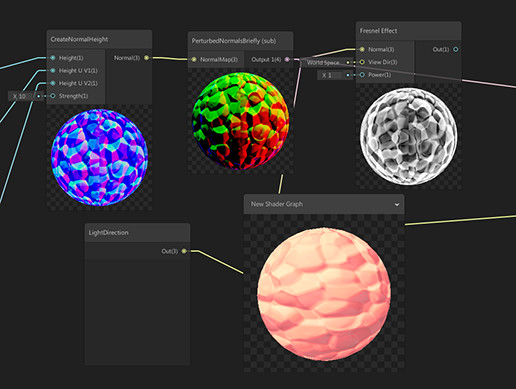
14 Nodes:
- SSS Color,
- SSS gradient,
- Parallax mapping,
- Parallax Mapping iterrations,
- Parallax Occlusion Mapping,
- PerturbedNormals (World normal with NormalMap),
- FixedViewDirectionTangent,
- CreateNormalChannel (for individual texture channels),
- Crea...
turbid matrix
@fading rose there is tessellation on HDRP but it's only on separate shader, not in shader graph templates
you need it in SG for easy custom shaders
because otherwise it mean you end up duplicating the LitTessellation shader and get all the pain of maintaining it from release to another
I've done this for few HDRP shaders in past and it was nightmare
there's also free parallax shader graph example, no need to pay for it if that's what one is after
that pack is also not going to work on HDRP 5.3 or newer
as there's no support for those external custom nodes anymore, new custom function node will replace that once it gets merged but it's bit different setup
(not super hard to port that stuff though)
fading rose
it's the cost of a beer really. pocket money for a nice collection of nodes that work today, when you need them. Not working on 5. 3 is only important IF you are going to port your project on that. Chances are it is going to take a while for some projects. Theoretically you will have them when the release is stable etc. Realistically you can't have it for your project today.
So it all depends on whether we are talking academically, in theory, about the future, or addressing real and current production needs. In real production world, the academic discussion is almost irrelevant.
turbid matrix
well, most wouldn't use HDRP in production yet if i we go there 😄
it's a risk
but if you do, you'd still want to keep using fairly new versions as it would make it easier to go to stable version when it's out
and yeah don't get me wrong, that asset store thing isn't expensive
just wanted to point out that there are free samples for parallax also (it's easy to hoard assets from store that you'll never use for most parts)
also if you make some free tutorials/sample projects for people, you can't really count on the asset store offerings at all 😃
turbid matrix
looking at new HD Template 3.2.0 on staging, I think this is still going confuse people:
basically there's AO and Exposure that exist on two volumes and only work on one as other volumes override the default volume by priority setting
they all are set to global
this would make sense if some volume wasn't global but right now, it's just going to make people try adjusting those two settings from the first listed PP volume and they will do absolutely nothing when user adjusts them
fading rose
hehe yeah the asset store is not that much different than Steam. 😄
And yes, I also agree and in fact have strongly pointed out that by creating this non unified approach Unity opened a huge can of worms that can work against it. Many justify the approach. As a practical person who is all about production efficiency I can't agree with it. Making a new Post Production split is not going to be fun either.
 quasi mulch
I dunno I've been doing game dev for decades and can safely say quite often the shitty product with terrible production values makes a hell of a good ROI
This is upsetting but much much more true for more people, so it's about finishing something more than not
 iron hollow
I've noticed this as well
but it won't stop me from making my game how i want 😛
it will only be terrible by accident, not by design lol
turbid matrix
yeah, many super popular games have been really naively done
but you can't really take that as example
quasi mulch
9 times out of 10 indie success is with duct tape and made up nonsense, while I slave away doing it all properly and correct. take from that what you will
iron hollow
well i think they succeed despite their failings, not because of it
usually because they have some core idea or mechanic that resonates so strongly with people they are willing to overlook the flaws
a recent example i can think of was a game that was basically ripping off the music video for slim shady as a mechanic
and people loved it, even though he was using the musicians name, lyrics and other proprietary stuff without permission lol
quasi mulch
obviously yeah
Im just saying I'm not seeing success happening because it was properly put together.
iron hollow
and i'll admit, it was a pretty clever mechanic
but yeah the implementation was bleh
quasi mulch
In fact, AAA don't put anything together properly half the time, and just ship it and fix it later when cash pours in
the worst offender would be PUBG. It was actually unplayable on xbox at launch for quite some time
they didn't care - ship it for xmas then hire people to fix it
worked for them
works for most indies
iron hollow
yeah i mean that happens a lot
quasi mulch
yes and why is indie an exception then?
if I have hear of another indies trash tier goat sim naking 3m I'll just stop being a perfectionist forever I think
i think it's really just accepting launching something fun really works out for us more than launching something perfect
thats why I slave away for years on tiny details launching nothing :/
i'd have millions otherwise :(
iron hollow
it's just the luck of chance
there's thousands of devs launching bad games who never achieve fame or fortune
but every once in a while a bad game makes good at market heh
hell, look at 'flappy bird'
why did it become the #1 app? who knows
it just did
turbid matrix
well, I wouldn't call games lie PUBG or ARK bad games, they got popular for a reason... they are just badly made games
ARK had 40+ terrain material layers active at once on the terrain in the early days, I dunno if they still do all naive stuff like that
that game makes UE4's texture streaming scream as they got individual texturemaps on all meshes, same thing that pubg used to do
which just results in getting all textures blurred low res when they can't fit into memory pool
in HDRP, you can't even put more than 8 materials in same terrain at once (I'm all for this)
iron hollow
yeah some limitations are good
turbid matrix
you can always split the terrain into chunks if you need more biomes and need something different for other side of the world
instead of forcing the whole world to render 10x more blends it needs to
iron hollow
but i'm a bit confused by the statement about individual texture maps on all meshes.
every mesh has to have a texture map
or do you mean they put like 5-6 per mesh?
turbid matrix
I mean, if you do open world game, you need detail maps to get the finer details there
you can't afford to just bake 2k maps for each rock individually
iron hollow
oh for terrain, yeah
turbid matrix
well, for all meshes really
it also doesn't help that current mindset is to only sell assets that have been prepared this naively to devs who can't do game art
iron hollow
I've dissected a lot of AAA games, and they all have a texture set for every mesh
turbid matrix
people sell some rusty pipes with 4k material on each pipe
that's just lazy way to make your preview images look nice
iron hollow
but yes the work hard to make sure the resolution is appropriate
turbid matrix
but horrible waste on actual game usage
iron hollow
why i cringe when i see mods for Skyrim where they make an apple 4k or something
turbid matrix
and assets made like that usually look like crap when you just downscale the textures
iron hollow
apples are small, their textures are low res for a reason lol
turbid matrix
there was a nice GDC talk about how DICE did photogrammetry on battlefront 1, they mainly had coarse individual maps on the meshes
most of the finer details were all from detail maps
iron hollow
yeah i do see a fair number of games that use detail maps
one game that used that a lot was Assassin's Creed: Syndicate
all of the character's clothing was done with detail maps to handle the fabrics
and as I recall, same thing with Uncharted 4
just a small 256x256 tilable normal/metallic map defining the fabric characteristics
i have their GDC about the characters somewhere, i reference it a lot
i need to put all those papers in one place
quasi mulch
I think I need to render a shadow on absolutely everything (like a cookie) from the dir light, but i want it to be it's own res
and it has to combine with the usual shadows
 dawn sorrel
Hello, question about the HDRP. I am developing a VR multiplayer FPS and am looking at the Unity FPS Sample project for inspiration. I am excited to work with the HDRP, but I was curious if it was necessary/compatible with VR projects before I go through the trouble of switching over. Thanks
glad tartan
@dawn sorrel It is but not in a streamline process at the moment. Proper setup and workflow should be a little down the line
https://github.com/Unity-Technologies/ScriptableRenderPipeline/wiki/VR-in-HDRP
GitHub
Scriptable Render Pipeline. Contribute to Unity-Technologies/ScriptableRenderPipeline development by creating an account on GitHub.
dawn sorrel
Thanks
turbid matrix
@dawn sorrel @glad tartan that doc hasnt been updated for 5.3+
You dont need to turn off camera relative anymore
And if you need VR, you want the bleeding edge version as Unity is still fixing it
It kinda works but it is nowhere near finished
 robust mirage
Hey guys, does anyone know if it's possible to get some translucency in the LWRP?
turbid matrix
@robust mirage set the shader to transparent?
dawn sorrel
I wonder if I can get notified on when they update it for VR
turbid matrix
@dawn sorrel they constantly update the HDRP VR atm
which is why I mentioned that you'd want the bleeding edge version if you want to use it
dawn sorrel
Oh, I see, gotcha.
turbid matrix
it's still not quite done, but there's no ETA for that either
other than HDRP currently targeted to release for 2019.3
to get some idea what's going behind the curtains you can look at these PRs for HDRP: https://github.com/Unity-Technologies/ScriptableRenderPipeline/pulls?utf8=✓&q=xr+hdrp
GitHub
Scriptable Render Pipeline. Contribute to Unity-Technologies/ScriptableRenderPipeline development by creating an account on GitHub.
that probably doesn't list everything
dawn sorrel
🙏
But is it really worth implementing over the current pipeline?
If I go through all the trouble and it doesn't fit VR well (such as framerate issues and such) I feel I could be spending that time making it look pretty with what it's at. Unless the new pipeline is really a must-have
turbid matrix
if VR is super important and you need it now, look for LWRP or built-in instead of HDRP
LWRP is targeted to be out of preview in month or two (when 2019.1 gets released)
and LWRP's VR support is more mature than HDRPs (it's been there for a while already)
quasi mulch
Yes and HDRP VR perf unlikely good until 2020
it's a guess but logical - they have a long way to go still (does a cheer)
hard working smart people and their efforts welcome!
dawn sorrel
Thanks for the input
 alpine bluff
I agree - for framerate etc. needs, LWRP is your best current choice for VR.
turbid matrix
only if Unity officially supported SRP swapping on the fly
(it works, I've done a proto on swapping LWRP and HDRP on standalone build)
but every time I mention that on the forums, I get angry looking feedback that I really shouldn't do that 😄
but that's still my fallback strategy if HDRP VR or low end scaling fails me by the time I need that
I don't really care about the extra work on authoring things
different sky implementation is actually the biggest hurdle
others can be tweaked to look similar enough
I'm guessing some people overestimate the reauthoring trouble as that can be really simple based on your actual project
but I can't judge people who come with AAA dev background as things work quite differently there
 scarlet hull
You shouldn't do that 😛
 frigid cypress
bah, i did it in my blog post demo for 2018.2 :p
scarlet hull
You shouldn't either ! 😛
frigid cypress
does state that it's only for in-editor testing purposes and not for shipping anything
and it was and older version before HD had more fun unique features w shadergraph :p
scarlet hull
I mean, now with shader graph, it "works", but there's still stuff that will not switch correctly : baked lighting is the best example.
And the light intensities
frigid cypress
yeah my script specifically swaps the assets out and finds the skybox, resets those to desired settings, and finds the lights and changes the values to match the correlated intensity
it is not very flexible at all
 clear spruce
hello i would like to know if we could use unity to make anime drawing
quasi mulch
for SRP or builtin?
clear spruce
@quasi mulch I do not understand
scarlet hull
Are you planning to do that with the "legacy" renderer, or one of the new ones (LightWeight or HD render pipeline)
clear spruce
@scarlet hull I do not understand too much
scarlet hull

Also, would be worth it explaining us what you have in mind when you're saying "make anime drawing". Do you have an example ?
clear spruce
@scarlet hull yes it would be a cartoon a little futuristic
scarlet hull
I don't like judging by face but : would it be a "Code Lyoko" game ?
clear spruce
no I already with a friend we had this idea but the copyright company deny us right so we gave up and ducoup I'll see to create a cartoon
quasi mulch
fades into the background happily
scarlet hull
So, if I understand, your question is : Can I use Unity to render a cartoon/anime looking like video ?
@quasi mulch coward
clear spruce
@scarlet hull no to create and then publish as video
scarlet hull
SOOoo ... to publish a kind of executable that is a game cinematic ? Not a game ?
Anyway, you can use Unity to do that. But I think you're in the wrong channel to ask that, how did you land here ? 😃
clear spruce
I did not understand what you meant
quasi mulch
https://unity3d.com/learn/tutorials/topics/animation/using-cinemachine-getting-started + https://assetstore.unity.com/packages/vfx/shaders/toony-colors-free-3926 @clear spruce

Unity
Unity is the ultimate game development platform. Use Unity to build high-quality 3D and 2D games, deploy them across mobile, desktop, VR/AR, consoles or the Web, and connect with loyal and enthusiastic players and customers.

4 stylized shaders for FREE!
Get a nice stylized effect on your game in just a few clicks!
WEBPLAYER DEMO -> CLICK HERE!
Need more features and mobile optimizations? Check out Toony Colors Pro+Mobile 2 !
- Toony Colors Regular: Base effect where you can choose ...
hides again
turbid matrix
@scarlet hull I don't really agree on the lighting differences being a limiting factor, there's absolutely nothing (but maybe time constraints on bigger projects) that limits one from not being able to redo the lighting setup on LWRP
IMO if you have a low end scalability setting, you'd probably want to redo some things on scene/cheaper shaders anyway
I can't believe this would be a showstopper for most projects as it should be really easy to automate the material / shader swaps and preparing LWRP shader graphs
I don't disagree that it's not "let's just swap the SRP Asset and call it a day" kinda thing, but I haven't seen any reasonable argument against this approach other than it requires manual work
(which we still end up doing when we optimize things)
if there's some hard limit in the implementation, like HDRP initializing things on the standalone build so that you can't reset things when you swap to LWRP on the fly, that's another thing
scarlet hull
I was speaking about lighting for live switching in a build.
And after reflection, perhaps you can do it by managing loading difference additive scenes with different baking for LW/HD
turbid matrix
and also something I'd love to hear more about
ah, I wouldn't swap it on loaded scene
I'd just relead the scene with LWRP lighting setup
you can put those on subscenes to isolate them from the geometry
(I think at least)
some games require restart when you alter some graphics settings, that's fine too
scarlet hull
Still not a very nice workflow, don't you think ? Technicaly nothing prevents you form doing it but still ...
turbid matrix
yeah, it's not very nice but it would probably let you run that same game on lower end devices
I do believe HDRP can improve on scalability as time goes by but it'll probably always have more initial overhead on super simplified scenes in comparison to LWRP
(I'd love to be wrong on this)
they basically redid the whole lighting setup and used mobile preview renderer on intel integrated to reach 60fps as Unreals own deferred renderer was too heavy, and they swapped between the implementations based on the players computer
granted, that was just single scene so it didn't really require that much work for the scene itself
but yeah, I'd still need to get some practical benchmarks LWRP and HDRP for my scenes before I'd even start to implement something like this on real project (to figure out if there's any gain here)
but that's why we do these small protos anyway
quasi mulch
For me, I will remain with HDRP unless doing something 2D or it's so stylised that I need to control it properly, such as an old-school manga look in realtime or something like that, then I would use LWRP.
I believe HDRP will have sufficient updates for performance + hardware will have easily caught up sufficiently for most things by the time I finish my game.
I don't think swapping entire pipelines makes any real sense. Should have one pipeline and yes, it should scale "enough" - it doesn't need to go full stupid
plus we can modify the RP to give the best of both worlds I think.. it's just too dumb to have switching when LWRP and HDRP are so fundamentally different.
Best way for me is that I would probably just swap the materials on everything, have a low and high version, lean heavily on adaptive res...
I mean really, If I'm making a game that takes advantage of HDRP, no matter what I do, dumping in LWRP will always look worse than if I made it for LWRP but added a ton of glossy post
low-to-high scaling is always nicer looking than high-to-low scaling
iron hollow
I kind of have to agree. the engine should allow for settings to be turned down enough that HDRP performs on a level comparable to LWRP
quasi mulch
exactly. and the direction you go totally matters because when you're working on low end, you tend to by default author things that look like they're punching above their weight... and post can be a real fix up
while high end is really about removing stuff, so it gets you in a visually worse place if you're going to downgrade.
some downgrading for hdrp is acceptable, but from experience in these matters, I've always found it's worth planning ahead and really deciding on your most important platform first
having both is just silly though because it means you get the worst of both worlds, not the best, unlike what people assume
in that case, builtin is really great i guess
but....
even with builtin I had to make the same choices. it was just less obvious. For example I make a title for mobile and scale it to desktop? builtin is amazing at this (and so will LWRP once they open up more VFX and post for it)
but if I authored in builtin for a big next gen thing, it would still, look really bad, even though its all the same pipeline, trying to scale down to mobile
because you really do lose more going down than up
(cos going up loses nothing)
So with SRP people are actually making the same choices, they just doing realise it yet or are too nooby tbh
fading rose
This is one of the best Offline rendering tools for Unity that I have seen. It's all you need in a professional Rendering/VFX pipeline with Unity.
https://assetstore.unity.com/packages/tools/video/offline-render-60925

Offline Render is an easy to use, realtime capture plugin for Unity. It allows you to capture the game view to a multi-channel OpenEXR or multiple PNG files, supporting not just the final output image, but also some common elements, like depth, per-light shadows, diffuse, AO ...
 empty star
is Texture2DMSArray unsupported in 2018.3 ? getting this error, was under impression it should work Multisampled textures are only supported with the 2D texture type. 2D array texture type is not supported either.
iron hollow
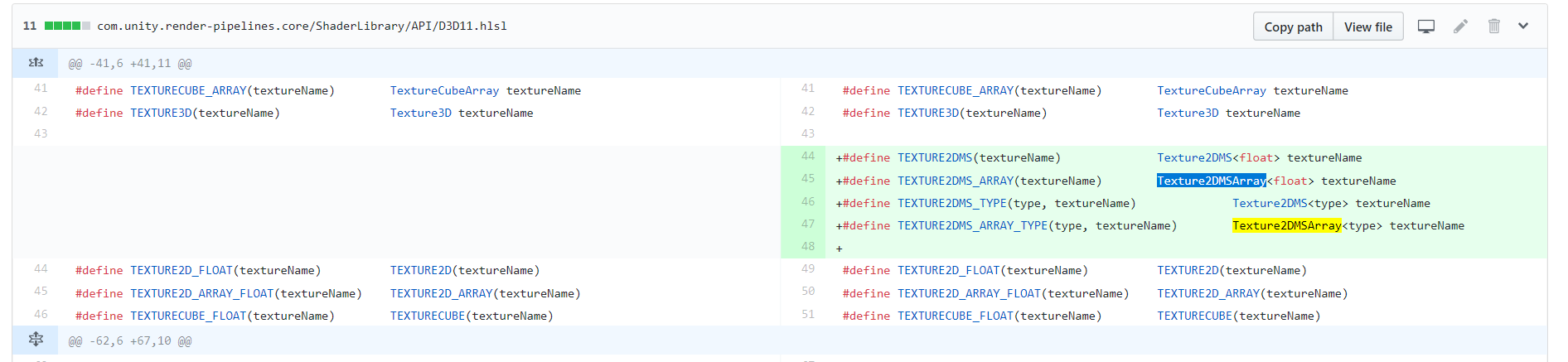
they have defines for it so i'd assume it's supported
it's odd GitHub doesn't show dates on commits
i am not sure when that was added
i guess 11/19/2018
empty star
hmm yea it works in LWRP, i must be doing something odd
 small gyro
Hey guys, I've got a question regarding performance and texture sizes.
How exactly do larger texture hinder performance? After all, sampling a large or small texture should be the same, it's just a mathematical operation to convert the UV to a pixel index, isn't it?
 swift wyvern
I'm no expert on how GPU's work on a low level, but im fairly certain that to sample a small amount from a larger texture (i.e, a sprite on an atlas) the whole atlas needs to be uploaded to the GPU. That's expensive, and of course that larger texture is taking up your VRAM
small gyro
Hmm, so how does the CPU decide which textures to upload, which are kept in the GPU, etc? Last week I had an issue saving a RenderTexture as JPG because I tried to use Graphics.CopyTexture, and later realized it only made a copy in the GPU, not CPU. So that means textures are not uploaded per draw call, but kept longer in the GPU.
fading rose
Afaik, larger textures do not hinder performance really. Generally speaking, it is better to have larger textures than many small ones. That is why it is usually better to work with atlases. Of course, if you make too many large textures then you will have a negative impact.
When you are working with larger projects, it is better to organize your assets in packages. This way you can control better what is loaded when. If I am not mistaken this is managed in Unity, with the help of "Asset Bundles".
dawn sorrel
is ambient occlusion post processing supported in LWRP? i cant get it to work
turbid matrix

GitHub
Post-Processing Stack v2 Ambient Occlusion works on Lightweight Render Pipeline - beinteractive/LWRPAmbientOcclusion
no idea if that runs on current LWRP
dawn sorrel
kinda weird, for the other stuff that doesn't work in LWRP (SSR for instance) there's a warning box when you try to apply it, but not for AO
quasi mulch
Don't bother with that, won't run without significant source changes
unless he updated it
a) it'll be slow as hell on switch and mobiles and b) not compatible with non compute platforms (for MSVO)... and I doubt very much it has any purpose being a part of a VR game
however it highlights the need for LWRP to allow people to have post effects of their choice. It's the one place where LWRP can cover high end platforms without being destructive to LWRP goals
 woeful ice
anyone know why text takes a second to catch up here? HDRP, post processing from PM. 2 Cameras, one with culling set to "everything but UI", the other set to "Only UI".
the second camera is orthographic. My images werent aligned right before that 😛
fading rose
@dawn sorrel @turbid matrix that works like a charm. I am using it in my VR project. The guys keep updating it frequently.
There is a pull request, use that.
https://github.com/beinteractive/LWRPAmbientOcclusion/pull/2

GitHub
Hello, I just added support for new version of Post Processing, and updated some other stuff to fit new Unity and LWRP.
 indigo summit
What's up with the default scene setting from HDRP wizard? the sky and directional light are so bright. are those trying to match physical intensity?
it seem the lightmapper are broken when using those high value
 mossy acorn
HI guys, I think i could ask my problem here
anyone now why the Game display banding artefact and the scene display no ?
I tried a build but i have the same problem
look like the camera display an 8 bit rendering
indigo summit
ah nvm i just did something stupid :D
The lightmap was baked just fine
dawn sorrel
@fading rose thanks, no idea how to use it though. the readme is extremely unhelpful.
iron hollow
@mossy acorn I think we'd need more information. Are you using Postprocessing stack? What effects are you using if so?
mossy acorn
@iron hollow there is nothing except the main camera and the particle FX
i njust changed the background to balck so we can see it
and it's a clean project i made for test
iron hollow
are you in gamma mode or Linear mode?
iron hollow
well it looks like the kind of quantization I see in a lot of games. especially in 'foggy' conditions
mossy acorn
yeah
iron hollow
if you're going to be developing in Linear (and you should 😛 ), using a tonemapper might help
mossy acorn
i know but the problem i have is the difference between render and editor :/ that's weird i tried tonemapping also
iron hollow
it will convert the lighting from linear space to gamma space to better match the display's capabilies
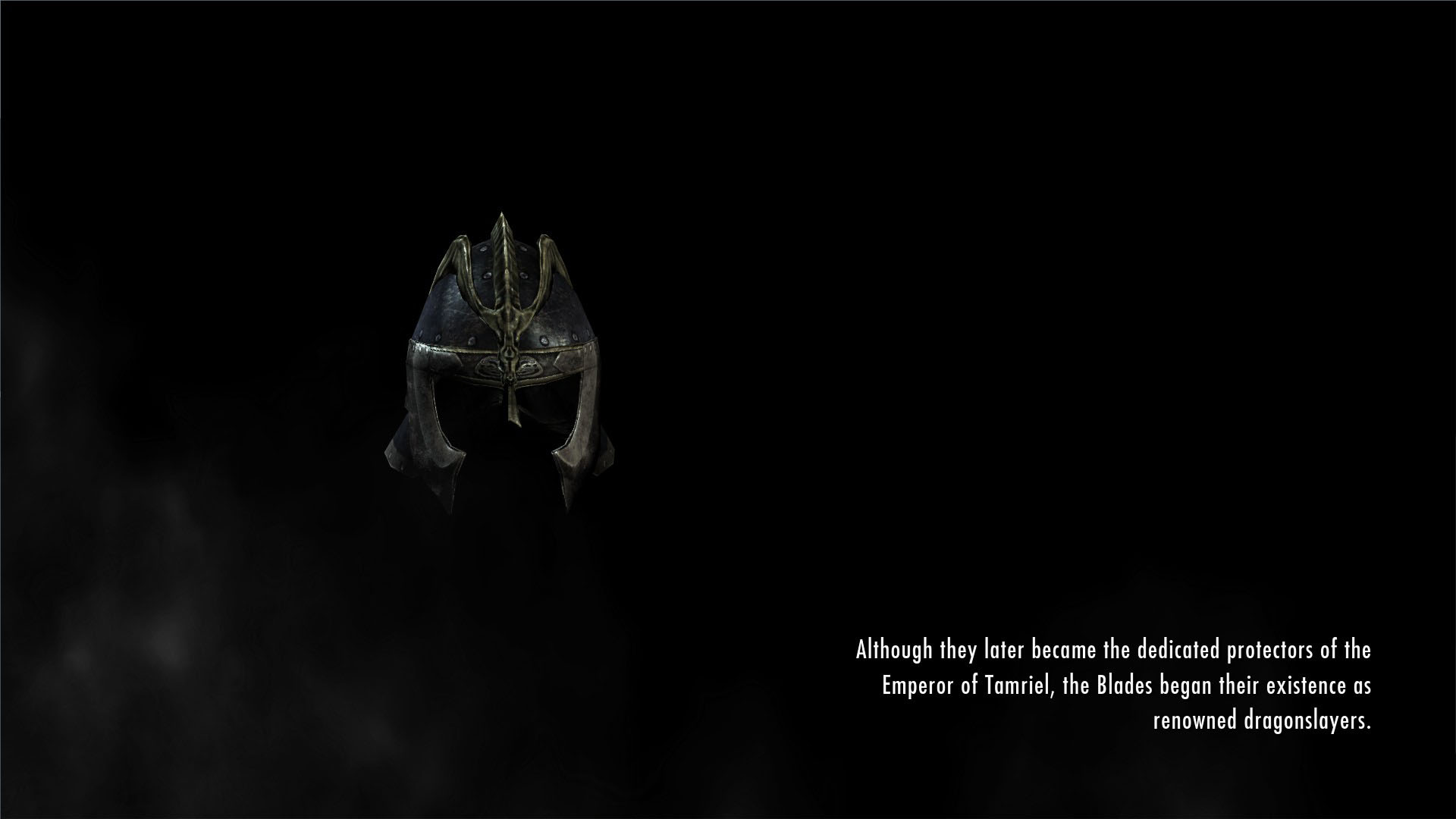 mossy acorn
yeah think of it too ^^
iron hollow
it used to bug me in my pre-gamedev days how the fog had lines in it
but I really don't think there's a lot that can be done
mossy acorn
look like the render in editor mode is in 16 bit but the In game / build is in 8 bit :/
iron hollow
at least not that I know of
have you actually made a standalone build?
it may be different in the actual game
the editor isn't necessarily a perfect view of the final game since it has to also be an editor hehe
mossy acorn
yep tried it ^^
the build have the same problem
with the real game and the only particle project
iron hollow
I don't know then. maybe someone else does
mossy acorn
i hope ^^ but thank @iron hollow
turbid matrix
ummm about this...```Graphics: - Changed the SRP signature of BeginCameraRendering and BeginFrameRendering to give access to the ScriptableRenderContext.
- Added callbacks for end camera and end frame rendering.```
how do you actually access these?
what I've done now is cs UnityEngine.Experimental.Rendering.RenderPipeline.beginCameraRendering += BeginCameraRendering;
and cs static public void BeginCameraRendering(Camera camera) { ...
but new EndCameraRendering only exists in UnityEngine.Rendering.RenderPipeline (which is abstract class)
and that experimental one only got the old beginCameraRendering one
oh wait
glad tartan
I had to comment out those to work on 2019.2 a4
But for a6 its all good
turbid matrix
I'm on a6
oh and I mean, I'm actually trying to access these callbacks
I know you had to revert to old api on a4 but that's different issue now
glad tartan
Ah, I cant code to save my life so never really payed too much attention to that part of the pipeline
Isn't that the start of being able to inject buffers?
turbid matrix
what I've done right now works, but I doubt it will last as it seems like a thing they'd remove
and I don't really get how you'd get access to the proper way right now
I need the begin camera rendering one for occlusion probes
but I'm genuinely curious on how to get the end rendering ones working
glad tartan
btw did you also have a version of the Hierarchy Pivot Wind system from BOTD on GitHub?
turbid matrix
that runtime thing was on the code accessibility thing, as there's not really much else I can do without modifying the SRP code itself
I feel I'm missing something stupidly simple here
docs still show the old version
glad tartan
It's not finish being implemented then?
turbid matrix
basically whenever Unity does some callback on SRPs, they use static event Action for it, but there's no such thing for these new camera callbacks, it really seems like someone forgot to add them
posted this on the forums about this https://forum.unity.com/threads/onprerender-onpostrender-counterpart-in-srp.535875/#post-4263664
quasi mulch
you know what I want. Something proper opaque drawing on top
with shadow goodness
it was possible in old unity with multi cam, if utterly wasteful
In first person for my game, I don't have that option to move the thing away from the wall nor can I shrink it since the incoming object even if blocked will reach near clip
I absolutely can only draw over the silly bastard or as seb states "reserve a range of depth" - I'd love to but no idea what kung fu that means.
turbid matrix
oh
I actually figured it out
RenderPipelineManager.endCameraRendering += MyCallbackFunction;
had to peek inside Unity dll's for this as docs, VS search, or any github search didn't give ANY clue about this
also docs did give a hint on beginCameraRendering, I just missed it because I searched on endCameraRendering 😄
iron hollow
@quasi mulch You mean the trick to make weapons not go through walls when you get close?
yeah it is a nice to have, but it only works in Forward. So I already knew working in Deferred I couldn't use it.
I took a page out of ID's book with Wolfenstein
quasi mulch
I have forward since I don't use many lights
not sure why I would ever need many lights
it's lazy design and allows me to sneer at mortals from my pedestal of never finishing it
iron hollow

Wolfenstein Aerostat Habitat, Oberkommando & Transporthalle Districts on Venus collectibles. There are 200 collectibles in Wolfenstein 2 The New Colossus in ...
took me forever to find a video that showed it
but you can see when he turns into the room
they just have him lower the weapon out of sight when you get near a wall
turbid matrix
I personally dislike the fake on top thing for guns (if game is first person), it really messes up with depth perception (and is twice worse if you need to do it on VR)
I dig the gun tilting for that reason
iron hollow
yeah i kind of prefer it myself
turbid matrix
you wouldn't really often want to shoot the wall anyway
iron hollow
which is why i'm going to use it haha
iron hollow
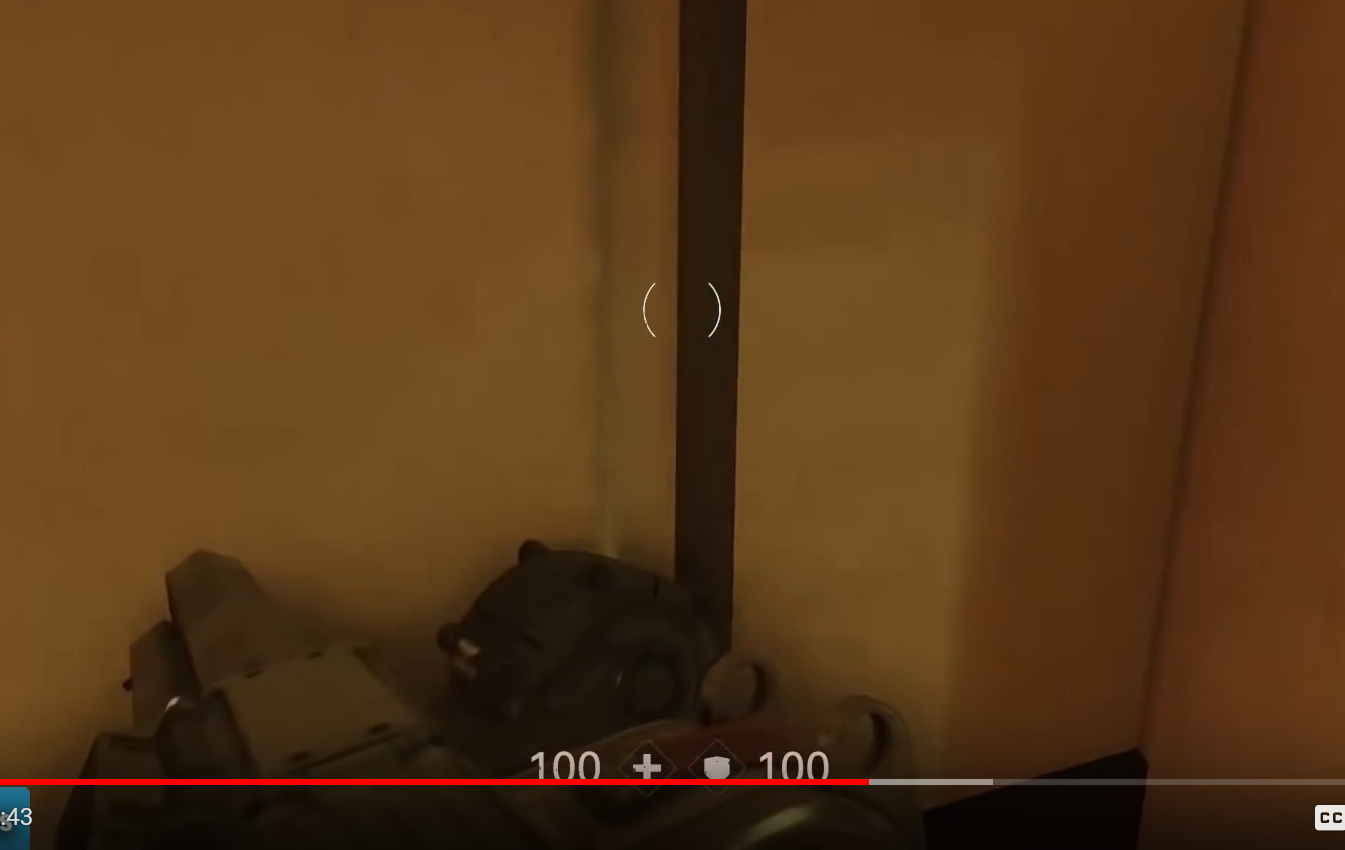
in fact a little bit beyond that you see it only partially lowers when you only get partially near
it's a very linear function
it's like the animation timeline is scrubbed based on how close you are. no obstacle = 0.0, halfway is 0.5 and right up against is 1.0
could probably use Timeline for that or something
turbid matrix
oh right
it was THAT thread
the original poster wrote some BS and I corrected + gave options, he got all smart with that, I just unsubscribed the thread 😄
yeah, I'm really not a peoples person
indigo summit
btw, shouldn't 2019.2.xx are using HDRP 6.x.x?
indigo summit
or the current HDRP 6.x.x are not preview ready?
turbid matrix
@indigo summit yes and yes
but well, I think 6.4.0 HDRP does run out of the box on recent 2019.2 alpha 6
current master has one tiny change that isn't in a6's api
indigo summit
yeah i just test that actually
it runs 6.4.0 just fine
i was just wondering why it doesn't showed up in PackMan
turbid matrix
for latest master, you only have to revert this commit:
well, things only show up in PM if Unity deems it stable enough
it's common that they skip a lot of github releases on regular PM registry
you can use these if you setup your PM to use staging registry though
just be aware they may have issues

6.4.0-preview is there
@indigo summit so if you modify your projects packages/manifest.json to include these, it'll run:
{
  "registry": "https://staging-packages.unity.com",
  "dependencies": {
"com.unity.render-pipelines.high-definition": "6.4.0-preview",```almost every package goes first through staging but only few are deemed worthy for all users on regular registry
if you test SRPs on alphas/betas, use of staging helps a lot
as they tend to modify API's a lot so old versions don't even always run
indigo summit
true
i never know that you do this in manifest file
i always use the instruction from the github
turbid matrix
if I use SRPs from git clone, I use approach like this:
{
  "dependencies": {
    "com.unity.render-pipelines.core": "file:C:/Unity/ScriptableRenderPipeline/com.unity.render-pipelines.core",
    "com.unity.render-pipelines.high-definition": "file:C:/Unity/ScriptableRenderPipeline/com.unity.render-pipelines.high-definition",
"com.unity.shadergraph": "file:C:/Unity/ScriptableRenderPipeline/com.unity.shadergraph",```I manipulate my local SRP fork in that folder and then just ref the HDRP and SG from it on the projects manifest
that way I don't have to copy anything over if I want to change the HDRP, try new things on it etc as I still control it fully with that local git repo
can easily revert commits that are not in current api etc
main thing to note if you ever do that is that you have to link every part manually instead of just the HDRP package as manual refs can't automatically include other local packages as dependencies (hence listing core and SG separately)
 woven vector

Unity Technologies Blog
In 2018, we’ve introduced a highly customizable rendering technology we call Scriptable Render Pipeline (SRP). A part of this is a new low-level engine ren...
turbid matrix
from that blog post: https://github.com/Unity-Technologies/SRPBatcherBenchmark
GitHub
various benchmark scenes for SRP batcher ( both LWRP & HDRP ) - Unity-Technologies/SRPBatcherBenchmark
dawn sorrel
@turbid matrix So all I have to do is change the manifest.json from "com.unity.render-pipelines.high-definition": "5.2.3-preview", to "com.unity.render-pipelines.high-definition": "5.3.1-preview",?
Also should .core reflect hd in version numbers?
turbid matrix
don't list core or shader graph there at all unless you run them from custom folders
just put HDRP itself there
and yes, that change you posted should work even without staging
dawn sorrel
Maybe that's why it won't work lol. I installed core first, then HDRP and shader graph. Didn't know those were part of HDRP
dawn sorrel
Great
turbid matrix
staging has newer stuff but they aren't as stable
5.6.1-preview is newest on staging atm for 2019.1 HDRP
dawn sorrel
Despite upgrading, I still am unable to see the option to create a Render Pipeline Asset
And RenderPipelineManager still seems to not exist
Looks like it might have been removed or renamed. Is there a way to see API changes from version to version?
dawn sorrel
Yes,using UnityEngine.Experimental.Rendering; goes unused, and RenderPipelineManager does not exist in the current context. If I search the Unity API online for the class, it shows up in 2018.3 but not when I switch versions to 2019.1b.
turbid matrix
wait, what are you trying to do?
dawn sorrel
Access RenderPipelineManager.currentPipeline via
var hdpipe = RenderPipelineManager.currentPipeline as HDRenderPipeline; so that I can access the RenderCallbacks
turbid matrix
yeah but you need to setup the HDRP first.. you said you can't even make the RP asset
so going for callbacks is like totally different thing
dawn sorrel
Right, so that was my first issue.
This was the second one. Guess I should concentrate on the first.
turbid matrix
also you probably want to be on the latest from staging if you want to use those callbacks
as I don't think the end one is implemented on 5.3.1
dawn sorrel
If the latest from staging is 6.4.0 wouldn't I have to upgrade the project from 2019.1.b?
dawn sorrel
Whoops I'm blind.
iron hollow
SRP batcher does look pretty impressive. if only it worked for Standard pipeline 😛
turbid matrix
maybe time for update ;D
turbid matrix
here's HDRP diff for FPSSample 0.3.0: https://github.com/0lento/ScriptableRenderPipeline/commit/9ac752ee95e77224ee879bf6d25fd910f454934e

few shader shaders + few debug callbacks + occlusion thing
I'm mainly curious about the occlusion as rest could be neglected
hmmm, they also got the diffs now here as well on the official repo: https://github.com/Unity-Technologies/FPSSample/tree/master/Packages/com.unity.render-pipelines.high-definition/patches
GitHub
A first person multiplayer shooter example project in Unity - Unity-Technologies/FPSSample
I don't quite understand why the do this though https://github.com/Unity-Technologies/FPSSample/blob/master/Packages/com.unity.postprocessing/patches/gfx-settings.diff
GitHub
A first person multiplayer shooter example project in Unity - Unity-Technologies/FPSSample
I wondered about it on the first versions too
they have global enable for PP
but couldn't they just turn off the PP script itself
also why would you need that as global + why global gamma?
that just sounds lazy
wonder if this is because of some cinematic thing
empty star
at first i was like hm seems ok, but it might just be a quick thing to help with testing/toggling. maybe a more reusable thing would be some type of render settings blackboard that starts with defaults but other code can push overrides to it as needed, unless they have that already 🤔
turbid matrix
5.6.1-preview now on regular registry (didn't check if it shows up on PM automatically)
indigo summit
Hey guys, is anyone know are there going to be a capsule/elipsoid soft (indirect) shadow support added into HDRP?
quasi mulch
They've done a lot of work on this, it's a common thing for renderering engineers to look at math approximations of common shapes, and I think there's work for that in HDRP but not for the reasons you want...
https://blogs.unity3d.com/2017/07/21/real-time-line-and-disk-light-shading-with-linearly-transformed-cosines/ and https://blogs.unity3d.com/2016/05/26/real-time-polygonal-light-shading-with-linearly-transformed-cosines/

Unity Technologies Blog
Eric Heitz (Unity Technologies) and Stephen Hill (Lucasfilm)
ACM SIGGRAPH Courses 2017
Abstract
We recently introduced a new real-time area-ligh...

Unity Technologies Blog
Eric Heitz, Jonathan Dupuy, Stephen Hill and David Neubelt
ACM SIGGRAPH 2016
Motivation
Shading with area lights adds a great deal of realism to CG ren...
So the code is there, just not for shadow purposes like you want :(

Unity Technologies Blog
Jonathan Dupuy, Eric Heitz and Laurent Belcour
ACM SIGGRAPH 2017
Abstract
We introduce a novel parameterization for spherical distributions that i...
There's source for that, so it might be a starting point.
iron hollow
can't you just make a capsule/sphere to cast a shadow that shape?
or are you after primitive based shadows? because if so, there's an asset on the asset store working to add Primitive based shadow system.
quasi mulch
primitives were used in last of us on ps3 I believe for an optimised approach to realtime AO style shading
not a compatible technique that works well on mobile hw though
those devices aren't at all that great with math in shader
Question - what's the state of 2019.2 with HDRP? is it working again?
"Added depth-of-field support with stereo instancing" - latest HDRP has this too... I can only imagine DOF to have a purpose if eye tracking is flawless.
iron hollow
is there a 2019.2? I didn't think they were done with 2019.1 yet
maybe they should just skip 2019.1 and release 2019.2 if they already have it 😛
quasi mulch
IMHO they should just have alpha, with beta being release, and LTS being a very stable release... alpha + beta for talking with public testers is just weird really.
in beta they can't change anything anyway much. That's what alpha's for. So it's just bug reports.
iron hollow
yeah it seems strange to me to have two levels of development going on simultaneously.
never seen anyone do that
quasi mulch
Me neither. Sony found it weird too when I spoke to them about alphas and betas
iron hollow
0lento was talking about how a bug he reported in 2019.1 was marked fixed in 2019.2 but will probably still be in 2019.1 when released lol
quasi mulch
don't get me wrong, I've been feeding back on unity's internal alphas for years now, but that was actually before unity did public betas
iron hollow
I used to beta test for some large projects. but over the years I found it just ended up being so frustrating and used up a lot of my time, with little to no reward.
quasi mulch
I don't think Unity will mind me mentioning now but alpha and beta were distributed on different google groups even back then, and I did suggest a few times that it go public on forums and I think maybe someone there had the same idea too... but to bring both alpha and beta public is a bit strange to me
iron hollow
well, I did get a t-shirt, and a laser pointer once. 😛
quasi mulch
it splitting user feedback more than it needs to be
I guess unity do everything on the alpha, and beta is just.... futher behind, weirdly (why?)
iron hollow
I guess the beta is just the stairstep they build the next alpha on
so once it's beta, the force of labor moves to the next alpha
quasi mulch
Cos all the fixes are going to alpha first it's a bit odd that the betas often have less stability that's all
iron hollow
only way I could see it working
quasi mulch
in practise it kind of works out that the bugs will be different between the two
alpha gets new feature bugs but beta does not get the fix for beta features until alpha does...
right now, package manager is fixed on alpha but still broken in beta
indigo summit
well i'm mostly wondering about the indirect soft shadow as in last of us or Shadow Of Colossus remastered, and i do understand that they are focusing on the core of HDRP at the moment.
quasi mulch
HDRP is at a tech level where you don't need to do these kinds of optimisations, you should be good to go with AO + shadows set to "high" PCSS
that will get you a soft shadow
indigo summit
but AO didn't give you directional indirect shadow
quasi mulch
Alternatively you can hack MSVO to inject where you'd like it to be, I haven't looked too deeply but it should be possible
Then there's a full decals system for other blob shadow stuff
Since it's a bit of a waste to do this for HDRP for optimisation purposes (LWRP is perfect) I was thinking - can't you get the effect you want as it is built in?
indigo summit
hmm i do manage to create capsule and sphere soft shadow in built in pipeline with the help of Playdead Inside paper by creating a negative light
but i still cannot figure the directional part
quasi mulch
ah nice... on vita I got that effect with mesh vertex shadowing stuff I was doing once
I think lights might be clamped
indigo summit
and the idea of touching HDRP code are scared me 😅
quasi mulch
Yeah you don't need to for soft stuff, I'll do a test. just super soft capsule and sphere, right?
indigo summit
yep
indigo summit
This is an old gif, and running on legacy pipeline
quasi mulch
surely you just want AO for that!
have you tried tweaking it?
I didn't do anything special
indigo summit
mostly i'm trying to achieve this
http://cloud2.snappages.com/3506b5337de1bf72a69f274f6dc6502d731ffc76/DefaultScene.png
 iron hollow
i't tell you to get NGSS, but it doesn't support HDRP yet. on Legacy pipeline it gives you exactly what you want.
quasi mulch
Tato sucks lemons and hates HDRP!
indigo summit
lol
quasi mulch
jk ofc
iron hollow
it's coming 😛
indigo summit
i guess creating custom rendering stuff for HDRP are too early for now
quasi mulch
@indigo summit your pic with the orange guys is a super soft shadow from what light source? if it's not directional there's a lot of things you can do to make it soft
yeah but you dont really need custom in HDRP, unless you are fully sure you exausted what HDRP can do
indigo summit
that was on other engine though :(, and no light source it was using directional information from directional lightmap data
ah this tweet basically https://twitter.com/robertcupisz/status/582650738423308288?lang=en
@quasi mulch
 golden fox
is this the place for posting some errors when upgrading to HDRP? I was on 2018.1.6f1 and gave it a shot using a preview package, complained about hdrp pipeline asset not existing and didn't let me create it lol via the project browser? and a bunch of red errors? I can't replicate it as I rolled it back a bit ago but what usually causes issues?
 trim bone
@golden fox might have to delete your library and let unity reimport everything again
golden fox
Will give that a shot thanks! 😃
quasi mulch
my screenshots were with shadow quality set to low
and max range of shadows 8192
ah yeah i remember that one but what you are looking for
is this:
in hdrp pipeline asset
when you use high, it does that effect, it's called PCSS
I know you mean the math ver
but you dont want to dig into source
indigo summit
yeah but that only for direct shadow from light source
i'm looking the indirect part
quasi mulch
have you experimented with the V3 AO?
the point of that is for indirect
you can exclude it from direct lighting
set it to forward+ not deferred if it's not the expected result
forward+ is generally same speed I've found, except if you want a ton of lights
quasi mulch
AO has different characteristics for forward and deferred
here i was able to constrain AO to shadows only
I guess you want a fake effect kind of
you can see it's doing its thing but not where there is light in te first shot
indigo summit
i know that option, and AO are not what i'm looking for though
glad tartan
HDRP currently dosent have anything to fake soft shadows like that. Closest you can get is what Hippo mentioned or with raytracing and Area Lights (But we dont have access to that yet) They recently made realtime shadows for Area Lights in HDRP but dont know if they go as soft as in the image you sent.
quasi mulch
I'm fairly sure you can inject shapes for consideration by AO though
not without code access :(
 slim flicker
where is the package manager in 2018.3.6f1?
trying to resolve a busted HDRP/VFX graph installation and it's vanished
 elfin osprey
Package Manager UI itself is a package, if you have an issue at package resolve time it wont show up...
slim flicker
lol cool
I guess I'll just remake the project because the console is littered with errors like this Assets\Archimatix\Scripts\Core\AXModel.cs(66,10): error CS1069: The type name 'AnimationClip' could not be found in the namespace 'UnityEngine'. This type has been forwarded to assembly 'UnityEngine.AnimationModule, Version=0.0.0.0, Culture=neutral, PublicKeyToken=null' Enable the built in package 'Animation' in the Package Manager window to fix this error.
quasi mulch
I'm sure manifests were read as the titanic went down, just a different sort
turbid matrix
still wip :p
quasi mulch
<3 tho. I spend lots of money on cloud plugins in the past
glad tartan
Tried it the last time it got updated but didnt work for me either so I dont think it's your merge
turbid matrix
yeah, should have probably tested it on a4 too instead of a6
but I'm not really that curious that I'd install older engine versions just for that (it'll be merged eventually)
glad tartan
it was a4 that i tested it on
turbid matrix
ah
indigo summit
huh is that on master branch?
dawn sorrel
Hey guys I want to ask something quick does the HDRP support terrain yet ? Cause I updated a project and everything was updated fine but the terrain remained purple with no texture
 drifting vault
@dawn sorrel terrain must use HDRP Terrain shader
dawn sorrel
where do i locate the terrain shader
drifting vault
@dawn sorrel create one new material and setup on it HDRP Terrain shader then open terrain settings and select custom shader and drop you new material with HDRP shader on it
dawn sorrel
oh thanks will try it!
turbid matrix
@indigo summit new sky? Nah, it is on separate wip branch
dawn sorrel
@drifting vault wow man it worked this is not documented anywhere. Thank you
indigo summit
@turbid matrix ah, so i assume it's highly WIP? have you compare it with this one? https://github.com/greje656/Brunetons-Improved-Atmospheric-Scattering

GitHub
A Unity port of Brunetons improved atmospheric scattering - greje656/Brunetons-Improved-Atmospheric-Scattering
that was for LWRP sadly
turbid matrix
@indigo summit can't compare it as it doesn't run on Unity versions we got
also, kinda pointless to compare a system that's not fully done yet 😃
I'm just eager to try these early on, to now what to expect
indigo summit
i know, i was really curious about the PBR sky. Visually 😄
alpine bluff
@dawn sorrel - are you using 18.3 or 19.1?
turbid matrix
afaik, you need to do same material swap on both regardless?
dawn sorrel
@alpine bluff 18.3
alpine bluff
these are the current docs on the Terrain Shader in HDRP: https://github.com/Unity-Technologies/ScriptableRenderPipeline/wiki/Terrain-Lit-Shader
THe doc is for 18.3, I think. It's not completely polished, but I hope it helps. :)
GitHub
Scriptable Render Pipeline. Contribute to Unity-Technologies/ScriptableRenderPipeline development by creating an account on GitHub.
dawn sorrel
@alpine bluff Thank you , you've been so helpful. I am having also a problem with the skybox is is not showing up, will look into it also
glad tartan
@dawn sorrel You need to create a Scene Settings volume for the sky to show up.
Right click the hierarchy or select GameObject from the menu at the top -> Rendering -> Scene Setting
quasi mulch
anyone having problems making standalone builds with HDRP?
I'm getting "A script behaviour has a different serialization layout..." error spam in the build
regarding HDRP components
scarlet hull
Ouch, that's not a good news. Could you share more infos on your setup ?
quasi mulch
A scripted object (probably UnityEngine.Experimental.Rendering.HDPipeline.HDRenderPipelineAsset?) has a different serialization layout when loading. (Read 1052 bytes but expected 1064 bytes)
Did you #ifdef UNITY_EDITOR a section of your serialized properties in any of your scripts?
(Filename: C:\buildslave\unity\build\Runtime/Serialize/SerializedFile.cpp Line: 2010)
turbid matrix
@quasi mulch which HDRP version?
quasi mulch
5.6 probably
turbid matrix
since you have serialization issue, can you try changing HDRP Asset and hitting Save?
maybe it'll regen it with current structure
quasi mulch
"Uploading Crash Report
MissingMethodException: Default constructor not found for type UnityEngine.Experimental.Rendering.HDPipeline.Lit" etc
follows above
turbid matrix
if you give exact versions for both Unity and HDRP, I can check it
quasi mulch
action packed screenshot while I get exact versions
HDRP 5.6.1 + 2019.1 b4
tried single + multi scene no difference
editor runs flawless ofc
it's probably time for me to remove staging from my manifest and never return?
scarlet hull
I tried to build with that version this morning, and it worked ...
This package version is out of staging.
quasi mulch
any ideas what to try?
turbid matrix
@scarlet hull building works apparently, you just get that spam on dev console when you run it
scarlet hull
Try with a new HDRP asset assigned in the graphic settings ?
quasi mulch
IL2CPP
turbid matrix
that's what I thought, as I don't think you even get that console on mono
I do IL2CPP builds all the time for HDRP, never seen that issue on builds
but I haven't tested 2019.1 that much lately (mostly been at 2019.2)
quasi mulch
well I was going to give unity's mp a little tickle but it doesn't look feasible atm
need to be doing builds!
Going to do the new HDRP asset thingy, because just in case during upgrades from since when time began (tm)
I have had a lot of breaking going on as the api transformed as if I made out with the hottest hottie ever then the beer goggles wore off to find thanos before me, smeared lipstick and grabby big hands
Doing new HD asset as Remy suggested atm
turbid matrix
@quasi mulch I took HD Template for 2019.1 (which defaults to 5.2.something), took away the old postprocessing, changed the manifest to use 5.6.1 HDRP and did release IL2CPP build, no error spam for me
I didn't touch the HDRP asset
but it's totally possible yours is somehow corrupted
quasi mulch
the HD asset has changed though, they moved SSS profiles into their own assets and collected them in the HD asset instead
so a lot changed from 4.9 to 5.3.1
@scarlet hull same problem with new hd asset
going to try a mono build
turbid matrix
weird that I didn't see the issue
can you see from the logs what is the first error message?
quasi mulch
ok so it's not IL2CPP and mono build still pops up that console.
Is there a code tags feature or something here so I can make text I paste less obtrusive to others?
first part of log cropped to first error from gpu init onward
Weird huh?
(same for mono or IL2CPP)
scarlet hull
Yeah so uhm ... could it be project related ? I'm testing with the template project, updated to 5.6.1, and il2cpp, and it works ™
quasi mulch
Could it be that the log is just incorrect about where the problem is?
I have 5.6.1 from staging, back when it was in staging. This is the same as the 5.6.1 that's not in staging?
So oddball.
(thank you for testing)
trim bone
with hdrp and ecs i got an error where apparently the endframeTransformSystem was stripped in my build, maybe its a similar stripping issue? the spam for default constructor is similarin my build(though it relates to ecs rather than hdrp)
quasi mulch
stripping ? hmmm investigates
Managed Stripping Level is set to High here
net standard 2.0
trim bone
I had it at low
and didnt fiddle with it at all, so im assuming its something in 2019.1 as prior to that everything built fine
quasi mulch
@scarlet hull managed stripping level set to low allows build without error
(is low the default? I must have at some point f-ed with it as I do while testing all the things possible)
@trim bone low fixed it
now trying medium cos ... medium rare
medium breaks
only low works
TLDR: keep you clothes on because otherwise your sense of decorum will break.
(no stripping!)
trim bone
hmm maybe I should try medium and high
quasi mulch
This is player stripping, not graphics stripping (just mentioning)
trim bone
yeah
iron hollow
stripping players, what kind of game is this? :p
quasi mulch
sexy one
trim bone
on a sidenote dont suppose anyones shadergraph is hogging their gpu usage at from 50-100%?
trim bone
ok false alarm I guess that was due to my pipelinesettings file
hmm Fabric BSDF Convolution seems to absolutely tank shadergraph's performance even if its an new empty shader
turbid matrix
@trim bone which version?
there was a version that had horrible perf on that, there was supposedly a fix later on
trim bone
5.6.1
turbid matrix
that should have the fix I think 😄
trim bone
i guess not for me at least 😄
turbid matrix
robust mirage
Hey peeps, shadows from my terrain are passing through an alpha 1 transparent (water) material when using the BPR masternode, when using the unlit master node no shadows are shown. Is this a bug or am I doing something wrong?
trim bone
thanks, keeping track of whats what with all the preview packages and beta stuff is exhausting. why did I do this to myself
iron hollow
Unlit won't have lighting/shadows, i think that's expected if i'm not mistaken.
can you show the issue with Lit you're trying to fix?
robust mirage
Hey @iron hollow thanks for the feedback, damn so true! Apperantly baked shadows are dissapearing when you use a different material, and reappear when you place the old material back, interesting.. I'll have to bake everything with the lit shader if you want me to show it but basically baked shadows are passing through the transparent shader that has an alpha of 1
iron hollow
i see. yeah i'm not sure what you could do about that
doesn't sound right does it
but it's been my experience if you really want something to behave opaque, setting alpha to 1.0 isn't enough
because it's still queued in the transparent queue
you'd really also have to set the shader to Opaque
robust mirage
Yeah.. that's rather unlucky.. guess you're right. I'll just bake it with the lit shader just to be sure, and if that doesn't help I'll have to make it opaque.. but the intersection part in my water shader doesn't like it when I make it opaque 😢
iron hollow
yeah... i can understand it presents a conundrum.
shadows and transparency are always a problem
robust mirage
Anyway thanks for telling me it's a normal thing to see shadows through an alpha 1 transparent shader. Guess I'll have to work around it then, cheers!
iron hollow
i was hoping HDRP improved that but doesn't sound like it has solved it.
or is this LWRP?
robust mirage
Oh wait, I have the easiest fix possible, disable cast shadows! 😅
quasi mulch
alpha value has no bearing on if something will have shadows or not
unless you mean cutout
iron hollow
he's trying to cast a shadow onto a transparent surface
quasi mulch
usually transparent pass is after opaque
iron hollow
I've never seen that work really
robust mirage
the water plane was casting the shadow on the terrain, that's what caused the effect
iron hollow
right so thus the issue XD
robust mirage
yeap, no need to rewrite the engine boys hehe
quasi mulch
cos what happens is a game engine will first render opaque to shadow buffer when opaque is drawn
so it has no information about what the water would be since it's not rendered then
iron hollow
well yeah if you don't want the water casting shadows, it needs to be actually transparent
or disable shadows on it's renderer
quasi mulch
you can have limited success reading shadow map inside your transparent shader
but really you need water thats not transparent much so perhaps you can do this whole water pass inside opaque
screendoor + TAA jitter
cos clear water, it can't recieve shadows anyway
robust mirage
Hmmm 🤔 screendoor is basically painting what the camera would see underneath on the plane, on the plane itself?
yes this situation is fixed, thanks man
iron hollow
it's a way of rendering shadows with dithering
so they simulate how transparent materials attenuate shadows
half as dark as an opaque shadow
robust mirage
ah got it
robust mirage
I'm going for a stylish scene this time, so no need for that spark of ultra realism hehe
iron hollow
i'm hoping RTX/Raytraced shadows = no need for dithering
robust mirage
Well, I saw a vid of Blender guru the other day, he removed the windows of his room scene since it created an insane amount of noise in the lighting
using cycles renderer, the raytracing one
quasi mulch
Another far easier way is if you don't need the shadow to be dynamic, then just read a mask texture in the water shader :) I have done this before with good results
iron hollow
and what do you use the mask to do?
quasi mulch
or look into rendering to a buffer, there's a ton of workarounds just it's not really an out of the box thing
to shade the water to give it appearence of shadow, which I did for a bridge
iron hollow
ah ok, yeah that makes sense
quasi mulch
this means things opaque are going to be shadowed by the bridge anyway, but the water sits nicer (for pea soup style or thicker water which naturally would recieve a shadow in the real world)
be surprised how simple some bodge ups are in games
robust mirage
Well I might have to do something about it..
quasi mulch
When I read people's comments on forums about how blockbuster games have "all these features" I cringe a bit because those blockbuster games typically don't have anywhere near as many features unity does
in this situation the shadow is unnatural
you would be wanting reflection, not shadow
robust mirage
Yeah, I'll have to find a way to make shadows get off the water if you know what I mean hehe
iron hollow
i'd probably set the water to not receive shadows
instead as Hippo pointed out, a nice reflection probe would make all the difference
preferably a planar one
robust mirage
It's not receiving shadows, the terrain underneath it does, and that's passing through at the moment
I'll try to add a planar* reflection to the water yeah, maybe even a distorted one
iron hollow
yeah then i'd probably either make the water opaque or give it some depth fog
so the shadows aren't really visible
robust mirage
depth fog? What do you mean by that?
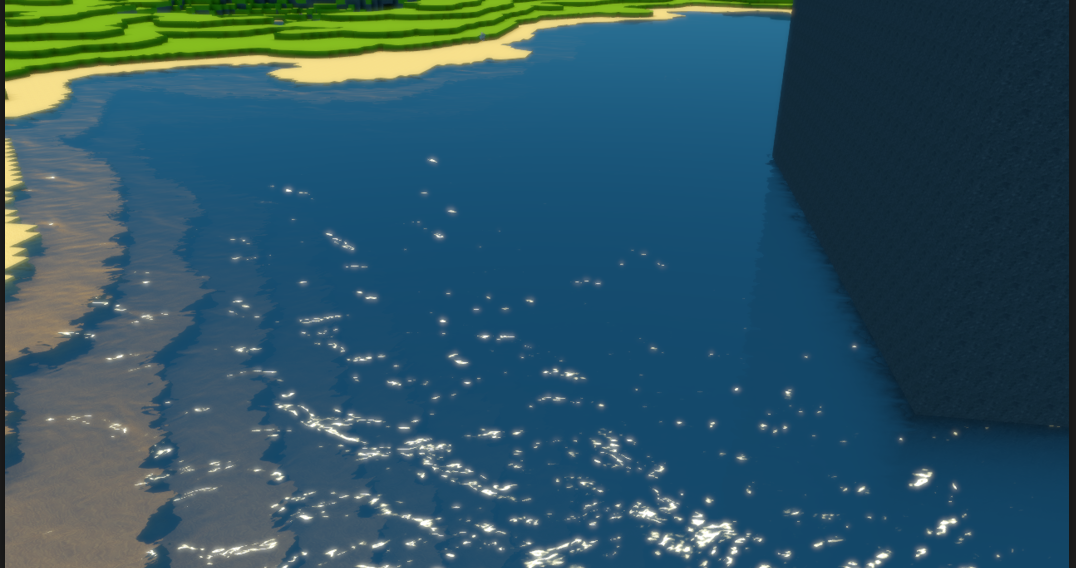 robust mirage
Ah, that still wouldnt have impact on the shadows I think. But I do really want that effect as well. Is there any place that explains the math behind it?
Looks nice!
iron hollow
that way you can hide the terrain underneath for the most part
i'm sure there are, but i don't know of any offhand
iron hollow
that pic, i am not sure what it is, i picked it off google at random lol
robust mirage
hah! gotcha
iron hollow
seems it a game from 2014
but no idea what engine
ah says 'custom' engine
but yeah most depth fog looks like that heh
elfin osprey
its pretty simple. Get the depth of the pixel behind the water from depth texture, get depth of the water pixel with clipPos.z then lerp the visibility with the difference
so lerp between screen color texture (or grab pass texture in builtin RP) and a flat colour
 dusk hare
anyone else experienced random crash with hdrp while baking on unity 2018.3.7f ?
like it doesn't crash but freezes the entire pc and forces us to restart
woeful ice
what bake pipeline? enlighten, prog-CPU or prog-GPU?
dusk hare
i tried enlighten and this still happens but it's random
turbid matrix
my guess: you ran out of RAM and it starts to swap to disk, which will make it super slow
robust mirage
@elfin osprey Nice nice, sounds like a solid way to do things. I do wonder how to get the pixel depth in shadergraph 🤔 .
turbid matrix
@robust mirage
robust mirage
That's the scene depth, not the pixel depth!
The scene depth will give me the depth of the bottom of the lake so to speak. But the pixel depth is needed to get the depth of the actual plane itself to calculate the height between the two
indigo summit
is there a way to modify vertex normal with the current shader graph?
scarlet hull
No
quasi mulch
If on HDRP you can use a fog volume for depth fog as well if you want to cheaty mccheatings
I guess it would suit flatter water though
scarlet hull
In HDRP you could simply use the transmissive color of refractive objects 😃
indigo summit
@scarlet hull can we get it? 🤔
scarlet hull
Get the vertex normal ? No, but you can get the pixel normal.
indigo summit
no, i mean. In the future can we get input slot for vertex normal on shadergraph?
unless there's a way to modify normal after modify vertex position
turbid matrix
would be nice to get vertex shaders too in SG
UE4 supports that on their materials, altho their approach is kinda hacky
indigo summit
for some reason calling it CustomizedUVs confused me
turbid matrix
it's not just for vertex use, hence calling this approach kinda hacky 😃
indigo summit
i see
quasi mulch
Sounds like another "we made this for our game but here"
One thing I'm eternally grateful for is unity's decision with ECS to simply throw an error if you do something that sucks perf wise
(well, burst)
scarlet hull
I won't spoil what's going on in shadergraph, maybe people like @elfin osprey or @frigid cypress would be better to know and answer you about the vertex shader.
turbid matrix
@robust mirage
although I admit I didn't read all the past discussion so that might not even be the kind of effect you are after..
quasi mulch
Probably can skip using power as well for optimisation purposes
turbid matrix
could also use smoothstep:
robust mirage
@turbid matrix woa that looks promising man thanks! Gonna try it out soon
turbid matrix
just make sure to set the master node to transparent instead of opaque (or depth pass will be incorrect)
I guess if you can use some other pass, it would make the depth issue on opaque go away as well
elfin osprey
Thanks, yea its Raw Screen Position.
glad tartan
This is for you @turbid matrix https://github.com/Unity-Technologies/ScriptableRenderPipeline/commits/HDRP/SMAA
GitHub
Scriptable Render Pipeline. Contribute to Unity-Technologies/ScriptableRenderPipeline development by creating an account on GitHub.
turbid matrix
oooh
also weird having people here who poll the SRP repo more often than I do 😄
(I did fetch this morning)
glad tartan
😄 I'm always on there looking for whats new. When I see something interesting I try and see if it's working yet
glad tartan
seems they did. The changelog in the branch got updated a few minutes ago
didnt try it yet though
iron hollow
"Move SMAA to where I think it should be. " I like that commit description for some reason.
probably because It sounds like something I would do
alpine bluff
Oh, a commit description! I thought for a second you’d found that as a changelog entry, and it made my heart jump in the bad way :p
turbid matrix
oh well, lets give it a go:
com.unity.render-pipelines.high-definition\Editor\RenderPipeline\Camera\HDCameraUI.Drawers.cs(430,19): error CS1061: 'SerializedHDCamera' does not contain a definition for 'SMAAQualityLevel' and no accessible extension method 'SMAAQualityLevel' accepting a first argument of type 'SerializedHDCamera' could be found (are you missing a using directive or an assembly reference?)
iron hollow
@alpine bluff Saved you a cup of coffee at least right? 😛
turbid matrix
after I fix that it's still throwing a lot of errors on SMAA 😃
could be partially my merge too
but yeah, will wait 😃
alpine bluff
Hehe, yeah you did, @iron hollow! Although maybe I’d prefer to just have to coffee ;)
iron hollow
yes probably tastes better than raw adrenaline 😛
alpine bluff
A tiny bit :p
robust mirage
@turbid matrix Dude you're amazing.. perfect
alpine bluff
Gorgeous ^^
turbid matrix
hmmmm, this recent change on hdrp/staging breaks SSR
wonder if automated tests cover SSR as I didn't see a mention about that on the PR
since it's optional, reverting to old format fixes SSR again
but obviously would love to get the perf boost from the cheaper format 😃
robust mirage
🤔 So man, don't mean you to help with literally anything my water plane has to offer, but I got a question about SSR :P, it's apparently HDRP only. I saw the first LWRP demo with the speedboats to have some sort of SSR as an extra pipeline pass, which is a bit to advanced for me at the moment. Is that like the only way or am I missing something?
iron hollow
i know the LWRP in the boat demo was modified yes
i don't know if it was SSR related or what
but yeah generally SSR is considered a high-end solution
so i'm not surprised if LWRP doesn't have it

Unity Forum
In an article celebrating the release of LWRP in May, the article mentioned that Screen-Space Reflections wasn't handled yet.
but I can't find any...
i think their suggestions are solid, it's better to just bake a reflection probe
robust mirage
Oh alright, reflection probes it is then. I had issues setting that up for a large plane though. Guess I'll have to learn a bit more about reflection probes then.
turbid matrix
@robust mirage boat demo had custom planar reflection for the water
it was LWRP extension
SSR isn't all that great for water as you can see the artifacts at the screen edges really clearly on water planes
iron hollow
that planar solution might be worth porting over.
it's exactly what you need really.
(by porting i mean extracting and using)
robust mirage
I'm a copy-paste monster from time to time, but can I get the project files from somewhere?
iron hollow
though i just remembered it's not a unity demo, so not sure it's license
yeah let me find it
robust mirage
😮
iron hollow

GitHub
Demo Project using the Lightweight Render Pipeline from Unity3D - Verasl/BoatAttack
yeah it's GNU 2.0 so commercial use is allowed
but "the source code of the work must be made available under the same license."
which is why i hate GNU
but you could simply make your planar reflection part public
i don't think that means your entire game has to be
(but I'm not a lawyer)
robust mirage
Spicy, you know what, I'll take it hehe
alpine bluff
I work with Verasl. I love walking over and seeing which tweaks he’s made to BoatAttack with new lwrp features. Man’s a wizard.
turbid matrix
huh
pretty sure you can't even use GPL on unity
please tell him to change the illegal license ;D
if you use GPL with LWRP, it means you have to relicense LWRP and everything else from your codebase that it touches with GPL, it's not something that's compatible with Unity in any way
if I see GPL anywhere on code on any library or codesample, I just avoid and treat that thing like never existed as I can't use it for anything
whole GPL'd softwares are fine as they can't pollute the codebase anymore, it's already all set to that license
turbid matrix
Blender is good example for popular GPL licensed tool, although even there that hurts Blender as you can't integrate things from different licenses easily with that
like, they can't integrate autodesks official FBX SDK with it
iron hollow
yeah they rolled their own heh
turbid matrix
yeah, but they will always have to rely on reverse engineering for that
I doubt it'll ever be as robust as the real thing
iron hollow
for something like that i kind of get it, because they want blender to remain free, and mostly that's fine
turbid matrix
but now we at least got glTF
iron hollow
but when you're offering code for people to use in their own projects, it's not ok
because you're forcing them to adopt your license, whether that is what they want or not
turbid matrix
I dunno, the person who shares the code holds the cards
I'm not going to judge on that
iron hollow
well it goes against he fundamental idea of sharing 😛
turbid matrix
just saying you can't have GPL'd sources in unity project
iron hollow
it's like someone saying they need 5 bucks, and you go 'sure here' but you can only use it to buy tofu and nothing else.
it's actually not helpful in that instance, if you needed it to put gas in your car
if you're getting your money back (i.e. internet points for having made the code via attribution)
you shouldn't care how spefically the code is used.
turbid matrix
there are sometimes rotten eggs that try to profit from your work with minimal effort
I know a fellow devs free tank simulation library he shared for free with MIT license, people have put that on marketplace for sale many times so far
iron hollow
yes but they can't ever claim ownership as long as your attribution to it exists.
so you lose nothing
turbid matrix
one guy did a final year school project with it, claiming it was all his own work 😄
turbid matrix
when you release something with MIT, point is not that others couldn't use that commercially
but it opens possibilities for people who just want to resell that stuff as is
which is just shady
I would share way more things myself if people didn't work this way
I don't want to do free work so others can get paid for it
iron hollow
if they just resold it as is, and follow the law by including the MIT licesne, then they would get run out of dodge on a rail tarred and feathered
because it would be so clear what they are doing
and if they didn't include the license, as they must, they could be sued into the ground 😃
turbid matrix
well, the person who did a school project clearly didn't do that 😄
I think his professor or someone published the video of him explaining the project on youtube (it's on their university's youtube channel)
iron hollow
i don't want to do free work so others get paid for it
turbid matrix
it's so bad, he literally claims he did all that himself
iron hollow
and the solution for that is, dont' release the code 😃
turbid matrix
probably graduated because of it
iron hollow
but if you choose to generously release the code, at least give it a license that makes it usable otherwise there's no point.
other than internet points i guess
turbid matrix
iron hollow
over the years i have grown to like the CC set of licesnes
turbid matrix
hmmm that page is messed up
iron hollow
because they are short, simple and clear
turbid matrix
oh, now it loads
anyway, that whole wiki is covered by CC-BY-SA
it's CC license equivalent to GPL
sa = share alike
turbid matrix
I bet there are thousands of unity games that used code snippets from that wiki
and not thought twice about that stupid license
iron hollow
probably heh
turbid matrix
I actually brought this up for one person who used to run the wiki, the explanation was "we didn't think too much about the side effects of that license"
this was like 5 years ago
iron hollow
but back to boat attack you make a good point that the original LWRP licenses isn't compatible with the one he's using
that happens a lot too
I've seen so many projects fall into drama about people mixing licesnes or worse yet someone gets mad and declares all their contrbutions are theirs and the project can't use them anymore lol
turbid matrix
yeah, I think I'll just post on the forum thread about the license
quasi mulch
So any ETA for custom nodes? not in a major rush but nice to have (tm)
sorry just got a reply to that in the other channel :)
turbid matrix
wonder if Unity is pushing 2019.1 release out soon
there's a big bughunt on SG atm, never seen this many PRs for SG at once from so many people
and SG is supposed to get out of preview in 2019.1
so they must be in a hurry
iron hollow
I predict It will come out as part of GDC
turbid matrix
I dunno, that's in 2 weeks, I don't think they can merge this much changes in such short period and have a stable product out
iron hollow
maybe not. But if I was in charge, it's what I would want to happen 😛
turbid matrix
then again, LWRP is supposed to get out of preview too and that's got minimal changes after 5.3
it seems like SG is the thing under pressure now
iron hollow
what's possible and what Management wants are often very different things heh
turbid matrix
HDRP's only pressure is on GDC related things right now but that stuff doesn't have to be production ready any time soon
quasi mulch
slams his desk
elfin osprey
im trying to merge custom nodes 2moro
but no promises
didnt we already announce when 19.1 will ship? 🤔
quasi mulch
must've missed it :(
flings away his zimmer
Custom nodes are super exciting though thanks for doing it
quasi mulch
Yeah it's also my job to use it funnily enough but thanks :D
elfin osprey
haha
and for the record, everyone is under pressure 😛
ours is just the one showing right now 😛
quasi mulch
It's unity's fault. Upper management will have to step up and put on a lavish feast of food and drinks
it won't cure your pressure but at least you'd be full up and an army marches on its stomach etc
iron hollow
lavish feast is corporate speak for free pizza :p
 thorn lodge
hey, sometimes they have beer, or random bulk chips!
thorn lodge
I work for a VR tech company and they have a keg they swap out every few months. And there's usually a few beers in the fridge.
It's not like everyone drinking beer all the time, but it's nice to have one on a friday
quasi mulch
Being progressive and all, is there a free sack of marijuana in most offices? if not, why not?
 true zealot
there isn't no Ballmer Peak for it, and also it stinks
indigo summit
Not sure since when but i found this in the HDRP 6.4.0 (and yes i know it's not public released) . Is anyone getting editor slow down when shader graph are opened? and i do have Fabric BRDF OFF
quasi mulch
close package manager tab and see if the slowness subsides
indigo summit
i don't have it opened either
glad tartan
I noticed the slowdown as well. Shader Graph is almost 100% GPU load when it's open.
So far I only saw this in 2019.2 a7 and HDRP/SG 6.4.0 (Someone else here mentioned this as well not too long ago)
Haven't looked into if it's happening with other versions of Unity and Shade Graph/SRP but that's something I noticed after updating to 2019.2 a7
indigo summit
also in HDRP using the high exposure lighting setting from HDRP Wizard it breaks the SceneColor node, it become too dark. you can increase the exposure with emission node, but then it screwed up automatic exposure :/
turbid matrix
LWRP has a built-in forward renderer in 2019.1, 2D renderer is coming in 2019.2 and deferred in 2019.3
I'm guessing many 2D devs will be excited 😃
and this didnt we already announce when 19.1 will ship? is just teasing :p
actually, did spot a month from last summer saying: 2019.1 (ETA around March next year).
so, GDC sounds like a likely target
in general though, I don't trust targets set over half year earlier
I think 2018.1 was set to similar schedule and it got out in May, although granted 2019.1 is looking to be in way better state atm than 2018.1 betas were at this point of the year
dreamy fox
@turbid matrix Hey, yes the SMAA branch wasn't done yet, however, the error you got should be the only one. I have no further issues aside from that one. Oh and it should be done now, I want to do an optimization pass, but it should be functional as is
Also, re: the format breaking SSR, we do not have visual test for that indeed as it still need some work. I have spotted the issue, will issue a fix soon 😃
turbid matrix
@dreamy fox yeah, I saw your commit on the SMAA branch 😃 but I did the same fix yesterday and got a lot of spam when I tried to run it, did this require some changes on the trunk or should it run on 2019.2.0a7?
also great to hear about SSR 😃
really love that SMAA is getting back ❤
dreamy fox
I am running on a7 and see no spam on my end.
turbid matrix
one sec
ok, this is taking a while, I'm trying the SMAA branch directly so it's processing HDRP again on start 😃
I merged it before to latest master with staging merged in, just making sure those didn't break it for me
oh, it does work now
both using SMAA branch and when that branch is merged into master
I think it spammed errors about DoSMAA() not holding some object when I tried it before
but it was almost 1:1 same setup, I just can't repro it anymore
@dreamy fox I don't think this is same error but I can break the SceneView if I enable SMAA as Scene View Anti-Aliasing method (from Editor Preferences->HDRP)
turbid matrix
like mentioned before, I'm good at breaking things 😄
wip things having random issues is normal though

GitHub
Purpose of this PR
Oops :) SSR puts there an opacity and raytracing code puts a pixel sample ID.
The more efficient solution would probably be having an 11-11-10 target and a separate R8 target for...
tested that and SSR works again, that was fast
hmmm, I think LOD crossfade is broken on current HDRP (I dunno if this is really HDRP or 2019.2 alpha side issue)
at least on my sample scene, it removes the old LOD before the crossfade is finished, so basically when it gets to the LOD change threshold, it only shows the crossfade effect but not on top of the old LOD model, instead there's only that dithering effect in place of the model for transition period
I mean this one
should probably try to repro this on some other project
but it does break for multiple assets that come from different sources, for example BOTD rock breaks (pretty much every mesh that has LODs)
quick clip from a test scene
and yeah, bit too low resolution capture but you get the point
fade mode to none works but of course it's not as fancy effect as it does pop more
dreamy fox
@turbid matrix try to get the latest commit. That said, I am leaving the branch a bit on hold while I try further optimizations on a different branch.
turbid matrix
got it 😃 no more errors in editor
spotted this on the forums: ```Update on BotD:E and new Unity versions:
As most of you probably already know, BotD:E currently only runs on Unity 2018.2.x.
The plan is to update the project to 2019.1 and latest HDRP during April. We'll work towards getting as close to official HDRP release as possible, hopefully ending up running on the official package (provided we're able to plug everything custom through callbacks and shader graph).```
sounds like a good plan
got Occlusion probes running on stock HDRP already so that part at least should be doable (altho right now I'm curious if they'll move into VXSM for it)
I kinda expected them to skip 2018.3 at this point as 2019.1 will require totally new setup anyway
robust mirage
So yeah, the planar reflection pass from the BoatAttack repo is super easy to implement, add a single .cs file responsible for the pass, place the monobehaviour on the camera and you'll get a fancy reflectiontexture to use in all your shadergraph shaders. However the editor crashes in 2018.3, 2019.1 and 2019.2 when I add a terrain to the scene.
Guess I'll have to do some more digging or I'll just go for a realtime reflection probe for now 😛
@turbid matrix is that the new speedtree? (As in 8)
dawn sorrel
Does anyone know how to use the Video player texture in HDRP ?
scarlet hull
Depends on what you want to do.
To use a video as a texture, create a Render Texture asset, add a video player component in your scene that renderes your target video to this texture, and set the texture where you want to use it.
turbid matrix
@robust mirage nah, some third party asset
iron hollow
yeah that LOD thing isn't normal
turbid matrix
It happens on that smaller botd rock too in that clip




 thorn lodge
both pipelines?
quasi mulch
that would be ace
im still having real problems with my first person items clipping through walls though and it's not possible to move them and not possible to use the shrink trick
so what can I do...? is it a stencil thing? please advise me
turbid matrix
@thorn lodge only some LWRP shaders there atm
but they usually put new things first to LWRP as it's simpler setup
thorn lodge
LWRP is what I'm using at the moment, so that's fine by me
turbid matrix
hmmmm, this is from January: https://github.com/Unity-Technologies/ScriptableRenderPipeline/commits/lw/occlusion-probes2