#🏃┃animation
1 messages · Page 66 of 1
 zinc sky
zinc sky
zinc sky
Ah he brings his axe up very quickly now but i dont get the full animation
 tropic saddle
ok now just edit the transitions/exit time on the transitions back to default or walk
so that the full axe animation plays
see it kinda cuts off here
zinc sky
I noticed that the property was on the wrong animation to tell the bool thats the axe swing has stopped
Yeah it still feels horrible
 verbal mica
hey, can someone tell me/give me nice source of information on what exactly is an animation? Im pretty confused as to how having position of my weapon managed by a script, a rig and an animation at the same time works.
also im afraid to use rigs/animations for stuff because im so used to scripts
 little path
I'm trying to make a simple test animation clip by rotating the bone in a mesh. I've got the bone selected and it's a property in the animation window. I click record and it turns red, the transform properties of the bone turn red, but whenever I change them, it doesn't create a new keyframe. Also, the individual components of the rotation are grayed out in the animation window and I can't change them manually.
 weak jay
i think you need to tweak its import settings
read/write enabled maybe
I forgot, it has been awhile since I dealt with those
Also make sure you create a new animation to test from. I think imported animations come as read-only
little path
I've created a new animation rather than editing an existing one, I'll see if there's anything in the import settings I missed
I selected the bone and clicked New in the animation window and it created a new animator and clip
weak jay
did it work or were they still greyed out?
Either way, I don't know how your object is set but depending on the animation you can just select the object itself (that already had an animator) and create a new animation from there
 steady agate
im wondering if it is possible to get the position of a Humanoids Feet on the first frame of an animation. I want to save this data for later use.
 pure moth
There's exactly one black face in exactly one frame of my animation, but it's not because of the normals
Anyone has an idea what it could be?
If I tweak the rotation by a rather substantial amount it's not black anymore, but that's not something I can do, and it's weird because one frame before and after this one the rotation is almost the same but everything is fine
 hybrid tinsel
@pure moth Is it only happening in blender(or whatever you're using) or in Unity too?
pure moth
I didn't check in Unity, I only saw it Blender
I fixed it by rotating the lower arm juuuust a little bit
Rotating the upper arm didn't help much, but the lower arm worked much easier
pure moth
How can I select which action mecanim uses as the T-Pose?
Because now that I added a new action the t pose is totally screwed up
hybrid tinsel
@pure moth My guess is that the pose it was in made that polygon non-planar. If so, triangulating it would fix that.
And the t-pose is set in the avatar
pure moth
Regarding the T-Pose problem, I fixed it by renaming my T-Pose Action to "0. T-Pose"
The 0 made it to be the first action
And Unity seems to take the first frame of the first action and try to make a T-Pose with that
pure moth
Man, today I'm really running into a lot of problems regarding importing this one new action from Blender
In Blender, the positioning of the legs is correct
But in Unity I feel like it's trying to put the legs exactly on the x axis
But my character is supposed to stand like in Blender
And by the way, @hybrid tinsel , thanks for your replies, much appreciated
 minor salmon
frickin hate root animation but need to use it. Anyone know why my guy keeps creeping up higher every time the clip plays again, despite the Y ending on the same as where it started?
OK don't know why it moved position when starting and finishing in same spot, but I used the 'Bake Into Pose' option for the animations and it fixed the issue
pure moth
If someone can help me with my problem I'm giving them 5 bucks, I'm losing way too much time on this
hybrid tinsel
@pure moth you set up the avatar correctly for that character rig?
pure moth
I don't know what happened, but it suddenly started working
Tried like 2 hours to fix it and then it just suddenly worked
hybrid tinsel
@ocean garnet Not sure what you're asking.
 ocean garnet
Imake animation
so The character in the picture has it like an arrow or a strand or something like that
like this
hybrid tinsel
Bones?
hybrid tinsel
@ocean garnet https://blogs.unity3d.com/2018/11/09/getting-started-with-unitys-2d-animation-package/

Unity Technologies Blog
Have you been looking for an easy way to create skeletal animation for your 2D sprites? We’re introducing our own 2D Animation package, which allows you to rig 2D sprites, paint bone weights, and create skeletal animation, all in-editor! On top of that, there is support for In...
ocean garnet
thx
 balmy crypt
Hey Guys, I am despritly clueless. Can someone help me and tell, why Unity is twisting my finger bones axes while imported as humanoid rig. Is there something I missed?
thats how it should look like 
 weary otter
How do I make it so an animation can't loop?
balmy crypt
@weary otter question is, in which tool?
weary otter
@weary otter question is, in which tool?
@balmy crypt What are my choices
balmy crypt
@weary otter oh I think I got your point. In the Mesh Importer tab set the Loop Time off, so Unity would not loop your anims.
balmy crypt
yeah.above you see a list of your animations, called "clips". select the one, the settings under it only effects the one.
 jolly acorn
Hey guys, that's the rig of one of my characters in blender, the pose was like that when i applied the bones
the right leg is broken when i use a humanoid rig in unity
any ideas on what i could do?
hybrid tinsel
Put it in a t pose?
 worthy gate
I have a question about animation in Blender. Anyone using blender here?
My issue is that blender re-orders imported rig hiearachy
 grim ferry
Ok so I'll ask I'm here too. I asking in resources because I was looking for a resource. But it magically disappeared. I need a proper tutorial for a mecanim rig hierarchy. In my searching all IV had luck find was use maximo or use legacy. Legacy is not an option. So the meat of my question is this. Are there any tutorials for 3ds max -> Unity mecanim guides. The official written info from unity is in a word...crap. but I want to make my own animations and if there are proper guides well I can't find them.
I have searched google. And the unity forums. This has been a thorn in my side for over a year now. So any help at all would be wonderful
 stuck elm
@grim ferry Biped rigs work in mecanim when imported as humanoid.
Avoid using twist bones(like in the wrist) because those aren't present in the mevanim humanoid.
jolly acorn
Thanks pinballkitty, it was simple but it actually worked, helped unity do it correctly
 twin musk
Hi, someone is free to help animate some things in my project
 hard creek
Hello all! I have a question regarding mixamo animations, I imported bot A and B characters into the website and they work fine so I wanted to take back to unity where I work to make a mobile game. As I am making a mobile game, and I want my characters to share as many same animations as possible to save us memory . Problem I am having is that when I export character A animations an apply it to character B , B takes the rig bones from A and moves the same as A . Which results into bad animations for character B . Is there any way that both A and B characters can keep their rigs and share animations ?
 twin zinc
doesnt work
 fading badger
Is anyone using Kinematica? What's the base CPU cost for the rig in contrast to using a bunch of blend states in Mechanim?
twin zinc
@twin musk i cant find a solution 😦
twin musk
Show image settings @twin zinc
 swift temple
is your game rendering in a linear colour space or gamma?
(i'll grab a screenshot once unity loads)
@twin zinc try this?
also if youre using 2d lighting, check the intensity and tint of your lights
stuck elm
@hard creek to do retargeting you need to convert the rigs to 'humanoid' in the unity importer. Then make sure your aninator is ysung the correct avatar.
hard creek
@stuck elm hey thank you for your answer. I tried doing that, i have 2 characters both are rigged as humanoid in the unity importer. But the animation looks so different from mixamo site when i upload the character there (it doesn't do the auto rigging on the website since they are already rigged). What can be tge cause of that?
stuck elm
Depends on what you mean by 'different.' Retargeting in unity is based on converting animations to virtual muscles and joints, and then translating that to the new model. So different character proportions can give different results. Using the avatar from one model in a different model or not properly setting up the avatar can make things look really wonky too.
Did you make sure both exports were set to unity compatible within Mixamo?
hard creek
I think i did, i think i will have to look online to see if i did it correctly
 flat bough
For some reason our looping animation get extremely bugged once we apply them
Are we doing something wrong?
Is there a setting we should check?
https://gyazo.com/9c814417af4ed956acd993acec3b76db
Anyone knows why all other animations are okay?

 mortal citrus
how do you select multiple sprites in the sprite editor which have been sliced? shift click does nothing, I just want to be able to select more than 1, it doesnt work
hybrid tinsel
@flat bough Are there keyframes on the root bone that might be missing in those clips?
@mortal citrus I'm not sure if you can select multiple.
hybrid tinsel
If you find/make one please let us know
mortal citrus
i can adapt my work flow but it is painful sometimes if i dont do something in the right order
ok i will
thanks
 spice shard
so ive been working with this ripped model for fun.
i was wondering if anyone can teach me (or link me a resource) how to:
- add/simulate gravity on floating bits (notice the belt/hair)
- fix the stretching that occurs at the bottom of the pants (they seem to be attached, i used mixamo's quick rig tool)
please tag me if you think you can help or point me in the right direction. thanks!
 jade dew
@spice shard one thing u can try for hair/belt is add some new bones to the model that have the hair and belt vertices weighted for it
and in Unity u can move those bones
the stretching also looks like some vertices are wrongly weighted to the opposite foot
spice shard
Where do I go to move the bones?
jade dew
you would have an easier time if u had some 3d software and a little experience in those
that way u can check the model itself
both those things are done in 3d software btw, adding bones and modifying vertex weights
but Unity can import the bones, and you can move them around in-game
if you want further reading
search up this topic: secondary motion in unity
hopefully that can lead u in right direction
spice shard
Thank you! Yeah I figure using blender is gonna make things easier
twin zinc
@swift temple i tried both, that didnt seem to fix it
 mossy bison
hey never posted in this before but I have just started college doing a 3d modeling and animation class, it offically starts next week but u have began doing some of the course work now, could someone help with some noob questions on using 3DS max
 last mural
I'm trying to apply Transforms to an object thats already animated but it gives me this message
"Cannot apply to a multi user: Object "Cube.002", Mesh "Cube.001", aborting"
Any ideas?
in blender btw
steady agate
Hey guys just wondering if its possible to get the feet positions from an animation file for only the first frame of an animation and store it for later use
 blazing karma
@steady agate not sure if this possible but why not just duplicate the keys?
steady agate
i just need the animation data for the position relative to the players model
so i have male and female aniamtions and i dont really want to do that with 200 odd animations
i was origionally extracting the aniamtion curve data but it doesnt seem to be correct
 magic mantle
wait so how do add textures to sprites again??
 celest crag
Sprite is the one under it
magic mantle
so how do you add it?
celest crag
Drag it to the Sprite field in the inspector
magic mantle
Oh thank you
 violet isle
Is there an easy way to stop animations that move the character forward/backward, etc. from moving them without editing the whole animation?
 raven chasm
violet isle
raven chasm
violet isle
For whatever reason setting root motion to None didn't work, but setting it to <Root Transform> did. @raven chasm
 primal vigil
Hello, I have a 3rd person character set up and I'm trying to animate the character interacting with a lever. I used the Animation Rigging pkg to set up a two bone ik constraint, so the character's hand stays positioned correctly. However, when I animate the lever, when it is 50% through the animation (when the lever is perpendicular), the character's arm does this twisty thing, almost looks like gimble lock.
Do I need to fine tune the hint?
Or do I need to animate the constraint to rotate on the proper axis as the lever moves?
Is there a way to mask out the constraint only for the proper rotational axis?
 gloomy zodiac
Hello, world. I'm lacking some basic concept about animating and handling movement; I watched now at least a dozen of tutorials, but none answer my doubts;
I downloaded a walking animation, but I would like to handle the mesh position manually; shouldn't the "walk" animation be in place and not move the character ?
weak jay
Correct, walking should be in place.
Then you move the root of the character through code and then tweak to match their animation speed with movement speed.
gloomy zodiac
what could I check to be sure this happens? the walking character actually moves from its position ...
weak jay
if you are able to edit the animation, just remove the keys that affect it's Z position* I guess (or whichever way it is set up)
gloomy zodiac
I downloaded it from mixamo, it would seem it is read only, so I'm not able to
sorry it probably is a dumb question, but it's the first time that I'm meddling with animations, just to learn a bit
ok i duplicated it and I'm able to edit; do someone happen to know what Q and T are in animation context ?
quaternion, transform ? it's the only thing that comes to mind
gloomy zodiac
btw there was a simpler option: "apply root motion" to false 😅
hybrid tinsel
@gloomy zodiac Yeah, there are two basic types of animation; root motion and non root motion. Both have positive and negative aspects.
gloomy zodiac
Is there a known learning path for a beginner ? i don't think i'll ever create animations by myself, but when importing i'd like at least to understand how to avoid feet slidings and "basic" problems
 sick stirrup
@gloomy zodiac https://www.youtube.com/watch?v=-FhvQDqmgmU&list=PLwyUzJb_FNeTQwyGujWRLqnfKpV-cj-eO - this guy just recently started his tutorials. It basically goes from importing from mixamo to fixing everything in Unity

Learn how to properly export characters and animations from Adobe's free Mixamo platform and import them to Unity 3D. You'll also learn some beginner-friendly animation knowledge!
CHECK OUT THE NEXT VIDEO HERE: https://youtu.be/vApG8aYD5aI
This is the first video in a series...
Disclaimer: He didn't get to the part where he starts moving the character yet 🙂 Just animating and changing animator values from code
Also, regarding editing the Animation clip. It is possible, but you have to copy the clip after you imported it (Ctrl + D) - after that it is possible to edit the clip. Make sure you first configure the import setting correctly.
@gloomy zodiac There's also a fresh unity course for Animation Systems: https://learn.unity.com/course/introduction-to-3d-animation-systems

Unity Learn
In this course, you'll explore the fundamentals of Unity’s 3D animation systems. You will: Review the core concepts for the animation systems in Unity Connect those core concepts to the functionality of the Unity Editor Apply your learning through creating and modifying simple...
I have a question though: Is there a way to change Animation Clip type from Generic to Humanoid (or vice versa) after I copied it from the fbx container (no import context anymore)?
gloomy zodiac
thank you for your links, i saved them and will start stuying soon
 dusky juniper
Hi is it possible to reorder the stuff you added into an animation
As example I have cube 1 rotation
Then second row has cube 2 scale
Then third row cube 1 scale
Can i move the last row one row up without having to remake the animation
.
Like I want to move the waterline_camera_fx up so its underneath the other waterline
 remote rivet
i cant make walk and run animation for my char pls help me
 weak current
What's the process of changing foot animations so that it looks like the character is walking on uneven ground?
Ah, inverse kinematics
On Maximo I can't get any of the side strafe animations to work for xbot. The only difference I can see is side strafe comes with 3 more options in the animation. Anyone know what that's about?
Well and it's on the walk. The side strafe runs work just fine.
jade dew
how does it not work?
 meager gale
I want to animate a 2d sprite to swing a sword, and i have multiple different swords to equip, and multiple sprites. Im new to unity, how would i work this out?
weak current
On Maximo I keep downloading different seemingly random animations that instead of having just the Loop Time options, have Root Transform Rotation options, and I can't get any of them to work. All they do is jitter a bit.
Any idea how you're supposed to use those?
I've tried checking all the options and messing with them, but they don't work.
weak current
I wonder if 2020's animator is just bugged. None of the tutorials show any problems with Maximo animations. And it's just the few with the extra options that don't work.
jade dew
@weak current send the exact animation over
might need to configure them properly, did u set the xbot avatar for the animation?
the mixamo animations will have a wide array of options instead of just the loop time
thats for u to configure the root motion of the animation
i use a couple mixamo anims with 2020, works fine
weak current
@jade dew Thanks for the response, I'm at work right now, but this evening I will try to configure the root motion of the animation (I'll have to look up what that is). And then upload it if I can't figure it out (I should have done that in the first place).
gloomy zodiac
@weak current i actually am using them in hte last 2 days , i met some problems, but I didn't understand what you are experiencing, care to elaborate?
also, for the rest: what's the approach on how to handle animation and position with run -> sudden change direction toward the opposite direction -> run ?
weak current
@gloomy zodiac yes
Only on some of the animations I download from Maximo, there is more than one setting for that animation.
If I have more settings than just the loop selection, it will not work.
The animation just jitters. Like it moves a frame and instantly resets.
Maybe, not sure what it is doing, but it barely moves.
gloomy zodiac
uhm, I'm not having this problem
i think i downloaded about a dozen of test animation just from yesterday
(first time actually)
weak current
I don' tknow why some animations have just the loop setting and some have far more.
Do you have any animations that have mor ethan just the loop setting?
weak current
Yeah, that's what I see on ones that work.
But on ones that don't there are options for centering maybe.
I"m at work and can't open unity now.
Okay found it.
"Root Transform Rotation"
Will have be there 3 times with optios to set
No idea why some animations have that option and others don't. But if I have the Root Transform Options, it will not work.
gloomy zodiac
i think it depends on how you download it
weak current
And no matter if I check them or what settings I set, it doesn't change.
I download them all the same way.
gloomy zodiac
you can have movement based on animation, or based on script
weak current
.FBX for Unity, no skin, in place.
gloomy zodiac
if it is based on animation, the animation will cause the root of the object to move
but how are you moving your characters?
via code?
weak current
I'd love for the animation to actually move the object.
Right now they don' tmove.
Oh
bingo
YOu just cracked the code.
gloomy zodiac
ok, that i'd like too, i still have no clue how to do it , though (moving by animation)
weak current
I'm mixing animatinos that don't move with ones that do move.
I bet that is the issue.
gloomy zodiac
this is possible
weak current
Because I'm using a blend tree.
So.....Why is maximo downloading animations that move when I said 'in place'?
gloomy zodiac
oh, I still have no clue on how to use them 😄
So.....Why is maximo downloading animations that move when I said 'in place'?
@weak current this , i can't help 😄
but
if you want them to be in place => animation via script , you just need to deselect the flag from the options
so that the animation do not alter the transform of the obj
(Rot & pos)
weak current
The options in Unity on the animation?
gloomy zodiac
guess here : I think those options appear on unity when the fbx have the data to handle the movement; if it hasn't, the options aren't there
disabling the optinos causes the animation to behave like the one that do not handle the movement
this i experimented by myself yesterday
weak current
But so weird that when they are deselected it still doesn't work with a non-movement animation.
gloomy zodiac
it's possible it's something else
weak current
I should just create a new animation object and experiment with it.
My current one is tied into a hundred lines of code to manage keycodes and animations.
gloomy zodiac
well that's another topic i think; you probably don't want input handling inside the animation code
weak current
All I know is I wish I'd started with animations and moving characters around years ago when I first started with Unity instead of trying to make procedural worlds. This is a lot more fulfilling than being neck deep in octtrees and terrain generation.
gloomy zodiac
I'm actually testing UnityEvents in order to orchestrate actions between different components (like AI, animation manager, FOV )
eeh I dont' know, both are fascinating topics
Frankly, years ago probably there wasn't a tool like mixamo
weak current
I just attach a script to get the keycodes that then sets values on exposed properties of the animator.
gloomy zodiac
so you were forced to create your own animations, it's a big step... i still haven't a clue on how to do that
weak current
So like x velocity and z velocity.
I've watched a few videos on using Mechanim to create my own animations and it looks doable. Especially after I learned so much from Maximo
I'd use Maximo for literally everythign I can since they're very polished.
But if I needed something not provided I think I could do it now.
Unity is awesome
gloomy zodiac
tech today is awesome 😄 you could also create your own mocap studio with a kinect
obviously not a pro one, but still..
even with AI and a webcam in a browser you can do pose detection
hybrid tinsel
@twin musk #💻┃unity-talk
weak jay
Yeah, but it might take awhile to get an answer, if at all. Just write your problem in detail and hopefully someone will be able to help you.
 languid peak
@gloomy zodiac I tried mocap with kinects... It's not so good unless you have 700 odd bucks to buy the good software too
I spent weeks messing with it, and hundreds of dollars... Though I don't want to spend so much on the software and the free software is no good
Not good for what I wanted anyway, could be good if it was just for a news reader or something where you only face the front and don't cross arms or hide them
hybrid tinsel
given how fast that segment of tech is advancing I'd hesitate to invest a lot of money in any one solution unless I really needed to
the only thing worse than an obsolete setup is an obsolete setup you spent a ton of money on
languid peak
It's usable if you spend the money on the good software, but there's still a lot of clean up
It's easier to just edit free animations
hybrid tinsel
I've still never used premade animations for anything but tiny tests, so all my familiarity is sorta through osmosis
languid peak
What's osmosis?
gloomy zodiac
I have an animation that turns the character 180°, but the final transform is not modified; is there a way to have the animator to apply root transform ONLY for one animation?
 hollow trout
i make a walk animatn in blender on a character, n importd in unity
but i cant put the animation in program cause its got a "." in its name
i want the anmation to happen when i move in any dirn
wdid
hard creek
Hi, I've got a character who holds a weapon, the character is rigged as humanoid and have an attack animation, the weapon itself also have bones because it has an animation of itself making the character to change the way it is holding the weapon. my question is how do i attach the animation of the weapon (how character holds the weapon) to the character or to the weapon bones?
 hybrid spire
Hi guys! How can i do a smooth camera movement (Cinemachine) for a character animated on twos, with stepped animation? (in 3d, i'm using also with root motion)
The problem is: when character is moving to the left, the camera jitter a little bit. Maybe something like an offset to the camera? I don't know
Mybe with i need to render the character alone and add to the rest, with something like a Render Pass?
hybrid tinsel
@languid peak It is the transport of materials from high to low concentration regions. In this case, I mean that all I've learned about it is from absorbing it from the discussions about it I am surrounded by.
@hollow trout Change the name?
hollow trout
no i couldnt, dont wry tho i fixd it
 uncut garnet
I have a question about animation.
I want to have a fine animation on my player camera but for camera of a other player I want a normal animation to be played.
is there a way to do such thing?
 warped shore
Question regarding Animation rig, is there a way to limit a 2 Bone IK Constraint on the y Axis?
hybrid tinsel
@uncut garnet Can you rephrase that? I can't understand what you're trying to say.
 hybrid flicker
Probably a high quality animation for the player itself, and a normal quality one for other players that see him. I only know that there's a thing where you can switch 3D models when further away, maybe that also works for animation
hybrid tinsel
In that case you'll usually use a different prefab for 'other players' so you can set up the 'other player' prefab with an entirely different animator from the player one.
uncut garnet
@pinballkitty I was trying to get layers in my camera. But I just found a unity article on it and it's solved my issue.
warped shore
Question ; I've exported a character with a dedicated head mesh for blendshapes (which has a few) from Blender. However, the Skinned Mesh Renderer isn't reading it... Should I export the head alone?
hybrid tinsel
@warped shore Someone else in here said you need to have an animation with a keyframe for any shapekey you want unity to read; dunno if there's a better way(not a blender user)
 gray radish
any idea why my animation plays on loop? I changed warp from loop to once in the .anim file. Is there anything else i need to change?
hybrid tinsel
@gray radish how's the animator set up?
gray radish
What exactly do you mean by that? sorry this is my first animation. I am calling it in a script attached to the animation object if thats what your are asking? @hybrid tinsel
hybrid tinsel
@gray radish Well, if the animation doesn't loop but keeps playing, that usually means that the animation state for it is being called to play again.
gray radish
oh in the actual animator for the animation?
hybrid tinsel
The animation file can be set to loop or not in the inspector. But you can still cause it to play multiple times either in the script you use to call it or in the state machine of the animator.
 hexed nimbus
How do I start an animation?
 verbal spoke
So i've got a model with animation which was a humanoid rig but I deleted part of (because I just wanted arms). But it wouldn't import the animation as a humanoid rig because it was missing bone transforms.. So I tried importing it as a generic rig and now animation imports but doesn't play in the animation controller.
nvm it's because the root node wasn't set
hybrid tinsel
@hexed nimbus select a game object, open up the animation window, and click the button in the center of it to add an animator to that object.(If it already has one you can skip that step.) You can then use the dropdown in the upper right corner of the animation window to create an animation file.
 solid cave
Hello everyone! I've created a model and rigged it using Blender, and imported it into Unity. Now I've created an animation (just a simple breathing animation for learning the workflow of this), but I can't figure out how to import the animation to Unity. Google hasn't helped either, nothing i try seems to work. Could someone link a guide that they know will work for exporting/importing an animation (i'd like to keep the animation in a file separate from the mesh, in order to save space) from Blender into Unity? thank you!
hard creek
Hi guys, I have issue with my animation. I have a character rigged as humanoid and it has an "Attack" animation attached to it. that character holds a weapon which also has bones and animation of itself. when i play both animations the character stay in place and does the animation correctly but the weapon goes out of place to completely different location. is that even normal that a character has animation and the weapon also have animation of moving? I'm attaching 2 videos of the animation for each one of them
hybrid tinsel
@solid cave Generally you'd export just the skeleton, and use the animation naming convention to associate it with the original model if you want to(not strictly needed if it is a mecanim 'humanoid' rig).
solid cave
what's the animation naming convention? is that something i missed while reading the docs?
this is how the animation/model are named
hybrid tinsel
 solid cave
ohh, so am i supposed to have multiple animations in one .fbx file?
hybrid tinsel
You can, but don't need to.
If you name the single animation file with the same name as the original model plus @ and the animation name it will associate it as an animation of the original file.
solid cave
so the animation would be named female_pilot_002@idle?
hybrid tinsel
Another way to import animations is to follow a naming scheme that Unity allows for the animation files. You can create separate model files
 and name them with the convention modelName@animationName.fbx. For example, for a model called goober, you could import separate idle, walk, jump and walljump animations using files named goober@idle.fbx, goober@walk.fbx, goober@jump.fbx and goober@walljump.fbx. When exporting animation like this, it is unnecessary to include the Mesh
in these files, but in that case you should enable the Preserve Hierarchy Model import option.```It is done in animation import settings if the animations are in the original FBx file
solid cave
ohhhh okay
hybrid tinsel
The naming convention is for adding more.
solid cave
so.. i'm confused, can you walk me through doing this properly?
i'm not even sure if i've exported the animation from blender properly, lol
hybrid tinsel
Well, I've never done it myself since I don't use blender.
solid cave
here's the .FBX export options menu
so i'd assume this is the only thing that could mess the export up, since it works fine inside blender
hybrid tinsel
Unity's docs have a lot of info about settings for export
solid cave
could you link me some pages?
hybrid tinsel
So at this point all the help I could give would be reading the manual for you >.>
solid cave
or just tell me what to write into google, lol
hybrid tinsel
It is linked on the page I linked you
solid cave
@hybrid tinsel sorry for the ping, but i was looking around the docs. in the Animator manual, the animations are just "Die" and so on, instead of the names you talked about. why is that?
(yes, i'm very dumb)
hybrid tinsel
The naming scheme is for if you want unity to treat those as part of the original model.
If you're using humanoid animations, you can retarget animations from any model.
solid cave
ahhhh, okay!
when assigning the female_pilot_002 avatar to my animation, it gives this error. what the heck?
well, these import messages, not an error.
hybrid tinsel
@solid cave That looks like the animation was designed for a different character, so it should have its own avatar.
Unity uses the avatar to determine stuff like how long the limbs are, etc, to allow it to adapt animations to different characters.
solid cave
weird... since they should be the same..
here's a side by side comparison of the animation file and the model file
hybrid tinsel
I dunno. Like I said, I've never done the blender>unity thing 😄
solid cave
yeah :p
hybrid tinsel
Sadly reusing 2d animations is really hard
solid cave
hm? i'm pretty sure both of these are 3D, lol
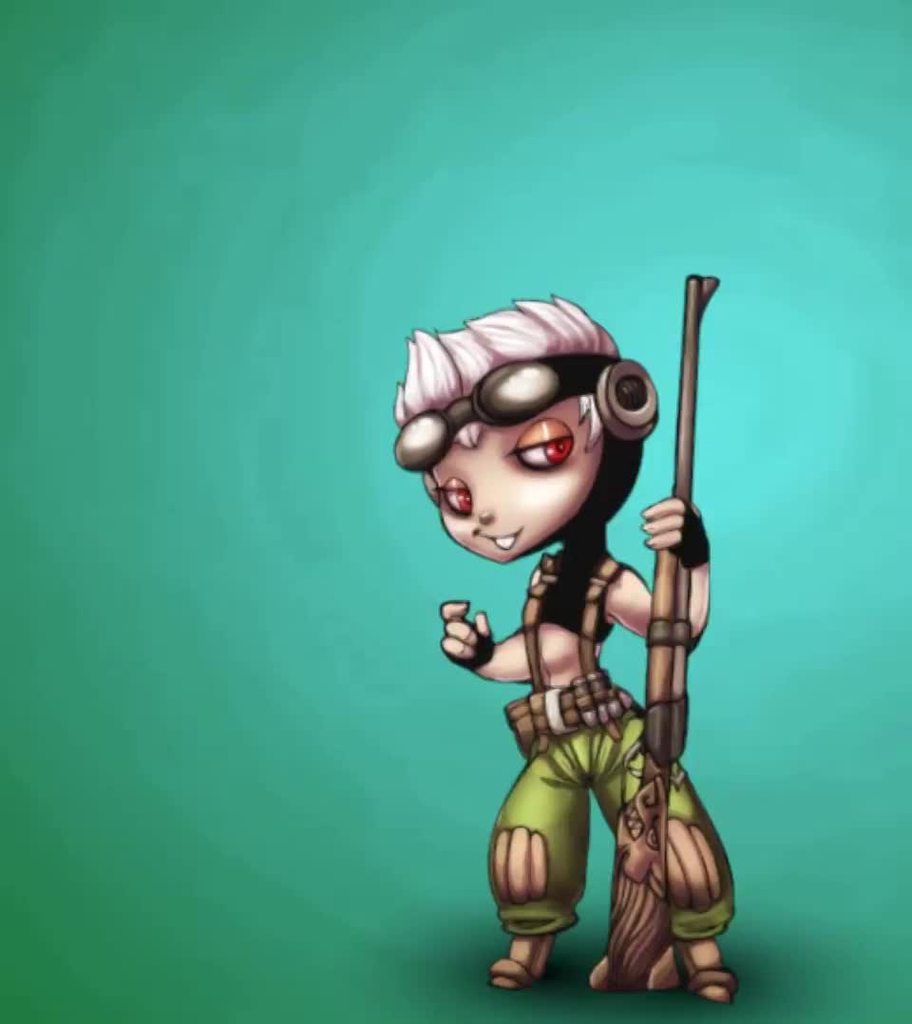 hybrid tinsel
Thanks 😄
solid cave
oh fuck yes, i created a new animation, it works!
turns out that moving a FK bone's location doesn't sit well with Unity..
hybrid tinsel
Well, Unity doesn't mind that for generic animations, but humanoid animations are all based on converting rotations to muscle movements.
solid cave
now the animation causes the character to move on its own (right now it automatically goes really high into the sky)...
currently reading a stackexchange thread on fixing it tho!
does anyone here know how to remove root motion from an animation created in blender and exported in .fbx?
 lofty cloak
If I have a FBX Humanoid model, what software would be the quickest and simplest way to rig 92 joints https://pastebin.com/raw/GRjrJZDz ?
weak current
Okay, I've watched 3 tutorials now proposing to show how to move characters via the animator instead of code, and none of them actually showed it. What's the trick?
What do I need to check or set to have the animator do the moving?
solid cave
isn't that something called root motion?
i'm not sure though, i barely know what root motion is, i just know it's an animation thing, and it has motion in the name.
@weak current why would you want to move the characters via the animator though?
weak current
@solid cave That is a great question. I'm not sure what's standard.
Do you just try to match the animation with your scripts movement speed?
solid cave
i mean, that's what i'm currently doing
weak current
But how are you supposed to do it?
solid cave
well, i'm sure there's a better way
but since i'm a beginner, i like to bodge it
bodging = using hacky methods to make it work, even if it's a strange way and probably not the most optimal
i just made the game mechanics first (i admit, that was because i didn't know how to animate when doing that)
game mechanics as in moving around
then i just made a movement animation
and i'll just tweak the speed until it feels right
although i remember reading something about like
adjusting the animation speed based on the movement speed of the gameobject
i'm not sure if i actually read that on the unity documentation or if my memory is fucked though
but yea, that's something to google around
sorry for the unprofessional text wall btw, i just prefer answering people since not many people do
so even if you didn't get the best answer, at least it was an answer :D
swift temple
movement with rigidbody + addforce is best imo since it lets you implement knockback, elevators, jump pads etc really easily down the line
moving with only root motion sounds like it'd make the physics engine behave a little unpredictably
especially if everything's kinematic
solid cave
i usually use rb.MovePosition
swift temple
position based movement is alright but it'll be hard to add knockback later
solid cave
anyway, it seems like i have an issue
here's the character before i enter playmode
this is the character during playmode...
high up in the skies
weak current
@swift temple you use add force? You push your character around?
swift temple
yep, check the docs for rigidbody.addforce
weak current
I thought just updating the transform was the right way.
swift temple
nah transform based movement is doable but also the least maintainable if you wanna work with the engine instead of fight it
force + linear drag will cause the least amount of problems in the long run
weak current
I need to just download their third person tutorial demo and see how they do it.
weak current
@swift temple so you just measure how far you have moved to set your animation velocity
solid cave
i know y'all are talking, but gonna add to my issue, seems like root motion might be the problem, but i have no clue how to remove it.
swift temple
and each time someone asks me to help debug their cc i get fight or flight bc holy hell it's so unpredictable
weak current
How does the character controller work?
weak current
Well those docs do imply your method is the alternative
swift temple
which, again, makes implementing knockback and booster pads really hard
eh try em out if youd like
weak current
How would you deal with kinematics?
swift temple
kinematic in this context as in it can apply forces to other objects but wont receive forces itself
weak current
Animation controller doesn’t care how it’s moved?
Oh
I was thinking the animator adjusting feet for being in a hill or bump
swift temple
so you cant do smth like target.AddForce(transform.forward, 10f, ForceMode.Impulse); in a projectile's on collision enter method to add knockback if youre using a cc
whereas if you code your own rigidbody movement knockback is literally one line
same applies to booster pads, jump springs, elevators, explosions, etc etc
weak current
Yeah don’t want to be writing my own physics methods to do transform updates.
swift temple
yep and going rigidbody is how you avoid that
weak current
I love the idea of using the physics engine for all movement. But until you I didn’t know that was an option.
swift temple
otherwise it's a lot of hard-coded position shifts over time
and i dont have any idea how you could handle multiple explosion forces at once without using a rb
ultimately depends on your needs ig
swift temple
exactlyyyyy
weak current
How do you move the ship and keep the character on it.
swift temple
otherwise you have to parent the ship's crew to the ship and unparent them when going on land and it's generally a bad time
weak current
Physics.
Yeah.
I was dreading making characters children I’d the ship
Plus. These ships are flying. How utterly cool to hit a air pocket where the ship drops a bit and everyone fly until the fall a few feet down to the ship
swift temple
^^ you get it
weak current
Yeah I love this idea.
swift temple
mk if you still dont have a rb controller working by tmrw, send me a dm and i'll do my best to help out / send you my own controller
weak current
Thank you very much.
swift temple
good luck!
meager gale
Im new to unity, I want to make 2d character with equippable weapons, do I have to make an animation for each weapon?
or is there a way I can make bones and do animations that way
swift temple
huh someone asked that recently https://canary.discordapp.com/channels/489222168727519232/497872424281440267/754044909542965339
solid cave
i thought this was the same person
meager gale
Im still confusing by it tho
Like how would I be able to rotate/ pivot if im not able to get the hand of the player sprite
 willow heath
Should I do 2D animations within a 3D world with unity or blender/after effects?
solid cave
blender/after effects
hybrid tinsel
@willow heath Depends on the type of animation, but you can do plenty inside unity
meager gale
Is there anyway I can get a specific part of a sprites body? like the hand
hybrid tinsel
@meager gale Depends on how you have it set up. If you are using bone animation, you can just use the bones for the hand
meager gale
Then i can update the weapon position to be the position of the hand?
hybrid tinsel
Yes. Or you could just parent the weapon's transform to the bone.
Or use the built-in parent constraint
meager gale
so I can make a skeleton for the weapon aswell to animate it? then run attack animation on the sprite and weapon at the same time
right?
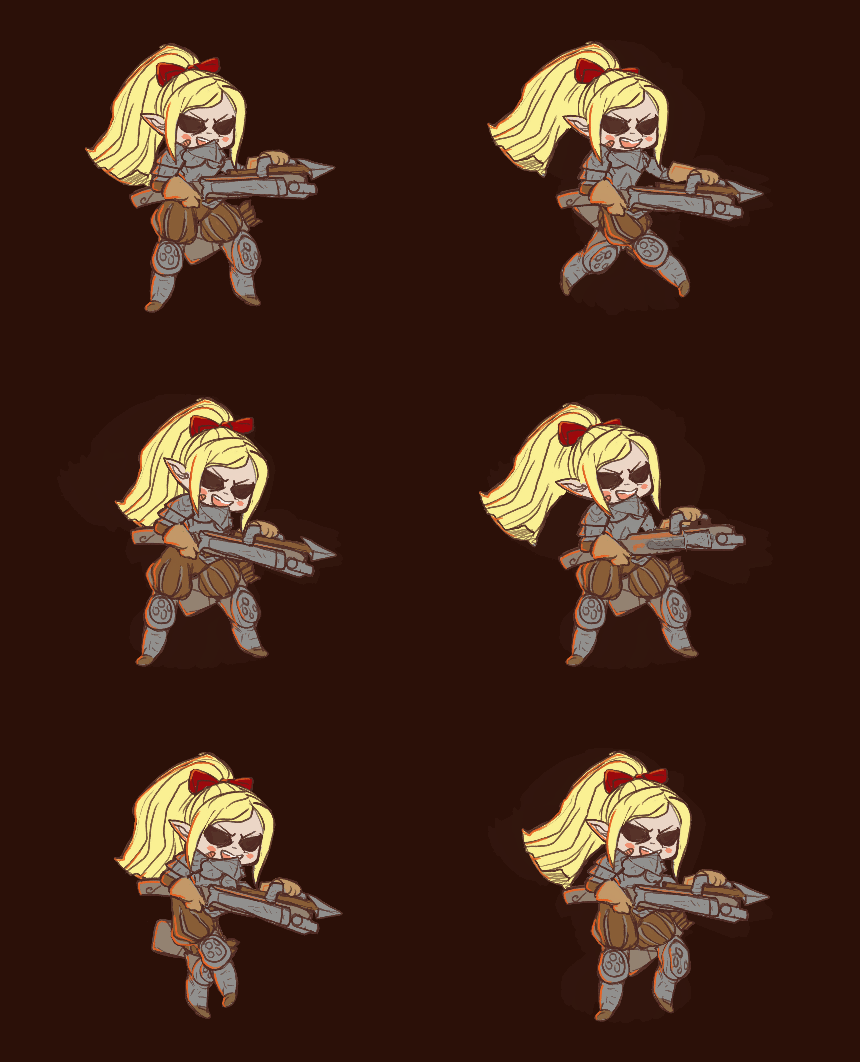 meager gale
great thanks a lot
hybrid tinsel
Not sure what you mean by fetus-mode o.O
 mild imp
Fixed it, But, any idea how i can stop this rubber banding with armature?
Only happens when i cut him. (obviously lol)
(only happens sometimes)
hexed nimbus
Is it possible to combine two animations into one?
 vague drum
what do you mean?
hexed nimbus
nvm, anyway, I need help with Blender animations.
Whenever I export the animation to ANYTHING, even a .blend file, the animation inside the model doesn't work. What do I do?!
vague drum
@hexed nimbus i've found a guide to that: https://gamedevacademy.org/how-to-import-blender-models-into-unity-your-one-stop-guide/
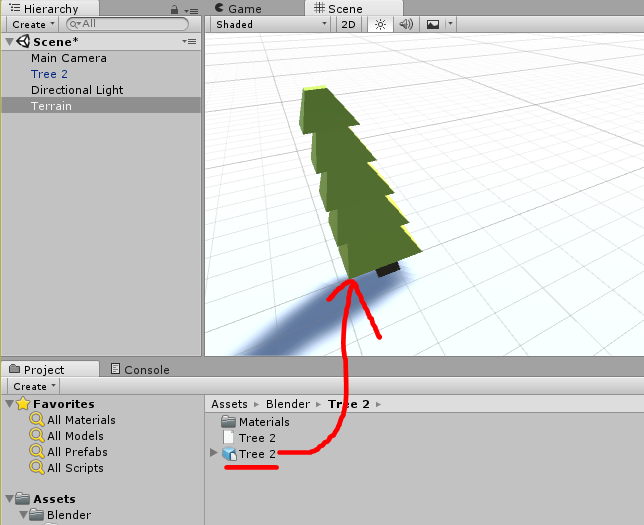
GameDev Academy
In an ideal world, exporting models from Blender into Unity for your 3D / virtual reality games should be a seamless, simple process. To be more precise, it shouldn't require any thought or whats
hexed nimbus
blender 2.79, please?
Nothing about animations. This is NOT helpful at all, @vague drum.
vague drum
oops, sorry about that
 potent imp
does this animations work on any models?

Find the best 3D Animations assets & packs for your gaming project. Elevate your workflow with Unity Asset Store’s top-rated assets.
or how do i use readymade animations from asset store
solid cave
@potent imp i am quite sure that all humanoid animations work with all humanoid rigs, but results may vary
 ancient echo
@potent imp if you have an IK human rig (inverse kinematics) then most standard assets and animation sets use this humanoid logic, so as long as all your settings for the animation is setup correctly, then they should work - I'd suggest putting your character through Mixamo auto rigger, then download a few of their animations for practice, and to figure out a workflow so you can compare your downloaded assets against a working solution
ancient echo
Lol, I mostly work in 3d, I'd be new to 2d :p
potent imp
man wish i had a job in game dev
wld be so much better than peeling plastics in factory from glass lens lol
anyways the animations are done in blender good or do animations inside unity
which one you prefer @ancient echo
ancient echo
@potent imp id probably use something like Blender or Mixamo for animations, Unitys animation tools... Kinda suck, but if you dont need very much motion, or you want to control something by code (say for example, ADSing with a rifle), then you could code simple animations too - the nice thing about armatures and IK animations, is it doesnt lock your animation unless you tell it to, so you can have a character walking by your Blender animation, then code the arms doing something else, or have the torso completely controlled by a different animation while the legs are doing something else (animation blending) which could both be setup, exclusively in Blender
Just know that any morphing or modifiers that are not applied BEFORE the animation, may not carry over to Unity, since Unity cant really read like 80% of the modifiers, so if you plan to do any complex stuff using modifiers in your animations, it probably wont work out too well, if at all
warped shore
Hello. Does someone know how to import Blender Shape keys (Blend Shapes) into unity? I have the animations laid in a track but they don't show in unity
gloomy zodiac
how do I avoid crouching effect when walking on stairs with IK ?
 wooden flame
Woah, that's a nice human 😳
 knotty sapphire
Anybody have experience working on Twin-Stick Melee Hack'n Slash games in 3D?
I'm looking for some best practices with animation for such a game. In particular how to handle movement and combo attack animations fluidly. Supergiant's Hades is our primary reference.
twin musk

I think the animation is messing with the collider placement any help?
Is like the animation is related or something to a position and not to wherever the player is at the moment
 viral pollen
Assets/Scripts/Player/Other/AnimatorTest.cs(17,21): error CS0234: The type or namespace name 'Animations' does not exist in the namespace 'UnityEditor' (are you missing an assembly reference?)
I am getting this error on build.
The line of code causing it is: UnityEditor.Animations.AnimatorController ac = GetComponent<Animator>().runtimeAnimatorController as UnityEditor.Animations.AnimatorController;
can anyone help with this?
knotty sapphire
UnityEditor.Animations is using well... UnityEditor. It will not work in a build.
@viral pollen
viral pollen
@knotty sapphire is there another way to edit animator transitions? in runtime?
knotty sapphire
For what purpose?
viral pollen
@knotty sapphire I have different guns. And I have states for each gun such as idle, and aim down sights. I want each of them to have different transitions for each state
knotty sapphire
I would either use a unique animator for each gun with their specific animations and transitions, or assign an integer value to each gun. E.G rifle = 1 Pistol = 2. Then use this integer as a transition condition.
E.G when
GunNum = 1 & AimDownSight = true
Transition to Rifle ADS
Can also use those same integers to determine the player's arm/hand animations when wielding each firearm.
Really depends how detached you want your weapons and players.
viral pollen
ok. I actually use stuff like that, to detirmine a state in a blend tree. I am thinking maybe I use a different layer, for different guns
knotty sapphire
Exactly
viral pollen
and then, a number detirmines which guns are active.
it'll be a tedious process for my 8-9 guns. But itll be worth it
knotty sapphire
If you're doing all animations through the player itself, making layers for each weapon/tool/etc works wonders.
viral pollen
alright. Thanks.
knotty sapphire
Because then you don't need to bog things down by having every single transition look for a weapon identifier
Again, likely better approaches I'm unaware of, so don't take my stance as gospel, if anybody gives you a better idea HMU because I'd love to learn
viral pollen
alright then. Thanks
hybrid tinsel
@viral pollen I'd suggest using animation override layers.
viral pollen
alright then
hybrid tinsel
Specifically, you'd use a 'sync' layer for each weapon that has different animations
So it would use the same state machine but animate it differently for each weapon
viral pollen
hmmm ok
twin musk
helpp please. the animation i made on blender isnt importing correctly on unity no matter what i do
 lone prism
I have imported a psb sprite and animated it. Is it no possible to add that sprite to the sprite renderer?
hybrid tinsel
@lone prism What do you mean? There should be a sprite renderer attached to each layer.
lone prism
@hybrid tinsel nvm, fixed it, wasnt a spriterenderer on it when its imported as a psb
hybrid tinsel
@twin musk Did you import as generic or humanoid?
 placid wave

 analog wyvern
Weird question, but I'm hopeful to get an answer here.
When you record animation clips on an object, and then reference it in the animator, how exactly the animator knows, that this clip belongs to this object? How does it "Find" the correct object in the game objects hierarchy and move/rotate it? (Not a simple object hierarchy, but a proper one, with 1k+ objects).
For example, I animated a spider like this in unity : https://cdn.discordapp.com/attachments/750329891383410731/754750510208122940/nt5F5tdHgw.mp4
Now, I recreate that exact hierarchy structure from a bunch of smaller spheres. Like this : https://cdn.discordapp.com/attachments/502171560359100437/754442112967376946/veOCSJr90F.mp4
If I just add the same animation controller from the original spider to the assembled spider, will it work?
(the transforms are different, the names are different. (the names can be made the same via code if that solves the problem))
Any way I can do this? Or am I fucked and stuck with IK only?
hybrid tinsel
@analog wyvern It is entirely based on name + hierarchical structure.
So you could replace all the objects as long as the replacements were in the right place on the hierarchy and had the same name.
Since the animation file is text, you could also change the names it is looking for by directly editing it in a text editor.
analog wyvern
Oh that is very interesting to know. I would just need to tweak things a bit to change the name too.
Thank you!!
 fiery moon
sorry if I'm being out of place, but how would i make my unity project into a mp4 file?
 kind thorn
you should use bandicam
twin musk

Help
My character teleports when i play an animation
(╯°□°)╯︵ ┻━┻
@kind thorn search IK animation on youtube
hybrid tinsel
@twin musk Either enable root motion or remove keyframes from the root bone of the character
twin musk
thank you
 pliant shard
hey everyone, i was wondering if
- its possible to have an object show on only a specific animation
- its possible to parent an object to a bone without the 2 objects being merged
example of what i mean
hard creek
Hey guys, i have a small question regarding avatars.. how can i set all my models to share the same avatar?
solid cave
i'm pretty sure you can choose to use another model's avatar in the rig import options
so import one main rig
then set up its avatar
and use that avatar for every othe rmodel
 woeful hearth
@pliant shard
- you can do a script that will enable object when you need.
- sure, just separate this object and later in Unity attach it as separate mesh to hand bone
 unreal helm
Hey, I have an animation in Maya using deformers, and I want to somehow get that over to Unity. Is there any way I can do this?
hybrid tinsel
@unreal helm I believe if you want to use deformers, etc, you'd either need to use a pointcache or recreate the deformers in unity.
unreal helm
@hybrid tinsel Thanks! Do you have any knowledge of Unity deformers? I'm looking into some stuff on asset store now
 restive lodge
If anyone is interested helping me out in my project by creating a few animations for this dude, hit me up for more information 🙂
solid cave
SUBSCRIBE FOR MORE - http://bit.ly/harveynewman
Follow me on INSTAGRAM - http://instagram.com/rveenewman
TWITTER - https://twitter.com/rveenewman
In this video I will be taking you through the steps to create a first person animation from start to finish. Specifically for Fir...
quite an interesting video from a DICE (Battlefield) animator.
hybrid tinsel
@unreal helm I mostly work in 2d, but I've seen people mention a few options for them. I know there was a DOTS based deformer package that seems pretty popular.
unreal helm
I think I've found it. Will try it now!
hard creek
I need advice regarding animations. I am making turn based game and until now I was thinking to use shared animations for multiple characters. But now when that part has come I realised it looks very poorly. I found someone to help me with rig, but animations are robotic, sharp and they just don't look natural and fluent. I bought animations on unity asset store. So what I want to ask is what to do with animations since they are driving me crazy. I saw something called swing bone, but then I can't use same animation for multiple characters. If I make custom animation for each character it will eat my game memory and increase the app size.
P.S. I have 0 clue about rig and animations so any advice will be helpful. I am stuck on this for some time now and I don't know how to proceed
 drifting granite
how can i move his leg? when i move it it return to the default position ,, how can i fix it??????
hybrid tinsel
@hard creek If you are using mecanim humanoid animations, having the avatars be set up properly is really important to make it look correct. Sometimes, though, there's just no replacement for a specific animation.
analog wyvern
What could be the cause of this? I opened the mesh on the original model (left) in blender, made spheres at each vertex, and then exported it.
The middle is the exported fbx. The right is the new fbx with old animations
last mural
Hey, does anyone know how to let animations interrupt each other in Unity 3D?
I have an animation controller with a bunch of animations that are connected to different types of movement. For example, my character can Jump, Double Jump, and dash forwards a short distance. I want the animations to be able to cut each other off so if I double jump and then dash the dash animation will play instantly instead of having to wait for the other to be over. I've tried to uncheck the "Has Exit Time" box but I still can't really figure it out. Any ideas?
hybrid tinsel
@analog wyvern What do you mean by 'the cause of this'? I'm not entirely even sure what you are expecting- you want the spheres to follow the animation, or? If so, you'd need to apply the bone weights from the vertices to the spheres.
And you'd need to make sure the entire hierarchy is exported I guess.
jade dew
anyone worked with animation rigging package? any ideas on how i'd set up full body IK with it?
twin musk
guys how do i get started on learning 3d animation
hybrid tinsel
@jade dew Very painfully.
 trim hatch
anyone know why the animator graph component keep breaking
I get this error where you can't see the nodes in the animator controller
twin musk
Hello i am wondering if i can add a animator a bone within unity. Meaning: i want to animate a player based on bones(legs,arms, torso ,head and "hands") and i want the hands to have their own animator but still be part of the bone structure so they react to IK and everything else
Is that possible?
hybrid tinsel
@twin musk Yes, though complicated.
hybrid tinsel
Well, mecanim IK works across animators as far as I know.
So just adding a secondary animator for, say, an individual limb should just work.
analog wyvern
@hybrid tinsel Yes follow the animation, yep. How would I go about doing that? I just have basic knowledge in blender. I assumed I wouldn't need to copy the weights over as I technically didn't "change" the mesh
How would I go about doing this? Vertex to sphere weight copying? I understand this is a very specific question, but I have tried way too many things and failed each time
hybrid tinsel
@analog wyvern I don't use blender so I don't know how you'd do it specifically.
analog wyvern
No worries, I'll find something that works. Thank you :}
hybrid tinsel
You could probably write a script to replace the vertices with spheres inside unity
Or just use the skinned mesh as a particle system.
analog wyvern
You could probably write a script to replace the vertices with spheres inside unity
yeah, I started looking into doing this the Unity side last night. Just working around copying weights now.
Or just use the skinned mesh as a particle system.
I don't think that would work probably, but might as well look into this too
hybrid tinsel
Unity Forum
Hello,
I am trying to create a seemingly simple effect: I want to have a particle at each of my character's vertices, so that these particles alone...
And use a sphere mesh as the particle
analog wyvern
wow, that looks easy enough to try. Will let you know how it goes. Thanks again!
hybrid tinsel
Lemme know how it works
 versed escarp
what is the easiest way to do animation easing with pixel art sprite animations?
or the most efficient way I suppose
just add frames to make certain parts of the animation longer or use the animation clip editor in unity to space out key frames?
or some other way that maybe I'm missing
solid cave
hey yall, what's the way most people make viewmodels for first person games with multiple items for the player?
do they make an animation that has both the item (gun etc) model and arms, or do they somehow combine two different models?
 spare estuary
how do i make it so animations add rotation to objects instead of overide
swift temple
make the layer additive instead of override
ill get a screenshot once i get back to my pc if you havent found it by then
spare estuary
got it thank you 😄
swift temple
nice!
 torn kite
Is it possible to create a new animation where another one left off?
I made a crouching animation for a mech, and now I want to create a loop for it.
 glossy turtle
Can we animate cut scenes in Unity?
Is it possible to create a new animation where another one left off?
@torn kite that is possible to do if you start the next animation clip in the state the other one ends at
remote rivet
hi i have problem
[10:47 PM]
I have two characters
[10:47 PM]
look
z
I rigged the black character
Now how can I give the black character pebble to rig else
 kindred wasp
Guys how i can animate a player model in unity?
i can't make the bones because after i made all if i click done got deleted...
someone help me? @here
@hybrid tinsel you can help?
celest crag
@kindred wasp Please don't ping people you are not in conversation with.
And there are plenty of tutorials for what you are asking.
kindred wasp
i don't find tutorial about my problem...
celest crag
All you have to do is put in a search "Blender+Unity+character"
versed escarp
does anyone know of a way to replace the animation clips in an animator override controller through script? I'm trying to figure out how to dynamically change animation clips for equipment and weapons and such
verbal mica
why changing TwoBoneIKConstraint targets in this way doesnt do anything?
            rightHand.data.target = newRightHand;
            rightHand.weight = 1f;
 acoustic tulip
Question for animators here. How would you handle a cutscene in unity? Do you animate your scene in blender/maya/etc and import it into unity?
hybrid tinsel
@torn kite you can copy and paste keyframes from the end of one animation into another file.
@acoustic tulip I use Timeline.
acoustic tulip
can you animate you character in it like in other animation tools?
can you apply ik limbs to the limbs and animate them in the timeline?
what about blend shapes?
sorry for me asking this. I'm used to animating in blender and want to avoid animating cutscenes in blender
and importing em to unity
hybrid tinsel
You can do all those things though for some of it you might need some scripting.
 lime maple
Someone has experience with Spine vs Unity 2D skeleton system ? Is Spine really worth it ?
 calm cargo
Anyone tried Cascaduer ?
analog wyvern
@hybrid tinsel Particle system brought down my fps to ~15.
going back the way I came now. Turns out, even if I don't do anything in blender and just import/export, the animations break
particle system did look cool though :)
hybrid tinsel
@lime maple whether it is worth it depends on what features you need, and how much you need them.
lime maple
@hybrid tinsel honestly I dont plan to really use it myself, art will be outsourced. So I guess it depends on how easier it is to find artists/animators using Spine vs using Unity directly
 vale geyser
I used the Ragdoll wizard to make the joints and colliders for my mecanim character, but now the animation is messed for my upper body animations. Any ideas?
 gilded cargo


Added support for mixing interactive animation events with timeline today to @SongsOfCultures
#unity3d #madewithunity https://t.co/jTcU8Ht6Qy
 Twitter
hybrid tinsel
Twitter
hybrid tinsel
@lime maple well, I think the there is still some looking into required features; if there's no difference for you then you could just use whatever the artist uses?
 charred belfry
try a faster transition
 zinc juniper
the transition is instant
or maybe its not fast enough ill try a shorter one
oh wait maybe it was that
i dont think that fixed it
its like its late on determining which animation to use
oh wait i got an idea maybe a blank animation for a quick second between the two animations since i think its just transitioning weird
still stutters but looks better atleast
 obsidian anvil
does anyone know why my skinned mesh renderer is clipping in and out?
ping me if u know
celest crag
@zinc juniper Stuttering is due to camera update being out of sync with the object/background, Cinemachine has an out of the box solution for that. You want ideally to update camera in step with updating moving objects and after they done moving on the same frame.
zinc juniper
i meant the transition between him moving back and forth but thanks for helping with that issue too
oh wait the cursor is updating after the movment
 empty flicker
Hello Devs, I have a 2D blend tree set up and the animations in that tree all have animation events that call a method. A problem I'm running into is that near the boundaries of the blend the animation events from both animations are being called. Is there a way to make the blend tree more discrete or a good approach to make sure I only call that method once per frame?
empty flicker
Nvmd, I just did it using a bool that resets at the start of each frame and is turned off the first time the method is run (thus only allowing it to run once)
 crimson goblet
when im in the animation tab i cant change the samples what can i do? i want to change the samples to a lower number cause my animationj is too fast. i mean why is there no samples?
 cyan flower
anyone know how to fix it when unity stops updating animations in the fbx import
eg I add a new anim, export, and then it doesnt appear in the list
so have to manually make a new anim in unity and then add it from the source take dropdown
crimson goblet
thx
 warm ore
Can an animation layer mask work without setting the "avatar" property of the animator component?
warm ore
i have a problem with a layer mask not working and i've been stuck on this for a long time
i really need some help
i'm going to give all the information i can
This is my avatar configuration
Then in my character prefab, i attached the character armature. To the "Armature" gameobject i attached the animator
the animator has 3 layers
settings of layer 2
settings of layer 3
this is the mask
That is all the information i can give
and the problem is:
layer 3 completely overrides layer 2
so the mask is not working at all
swift temple
just a hunch but does setting the blending from override to additive fix it?
in the component
assuming youve already done so for the animation layers too
ill get screenshots in a bit if you cant find em
swift temple
yep
warm ore
that creates a really weird blending between the animation
i still added the mask to layer 3 btw
it creates this funny animation that is a mixture of the idle and the walkin i think
swift temple
it's been a while but i think you can tweak the blending from the same panels you used to switch to additive
warm ore
i can use a weight in each layer
but i'm wondering why override doesn't just work?
i want the 2nd one to completely override the first one, and the 3rd one to only override the top of the body
swift temple
yeah it's strange to me too, and ive only ever worked with all layers on additive
i cant think of a use case for override layers
warm ore
my third layer contains some animations for holding a weapon
that's why it should only override the top half
oh and actually the 3rd layer does not do anything right now
verbal spoke
@warm ore what options do you have set under the animation tab of the animation?
The animation worked right before you applied the mask?
warm ore
Do you mean the animation properties of the animations in the 3rd layer?
the animations of the 3rd layer work if i let that layer "override" lower layers
and adding a mask to it changes nothing
this is one of the animations in the 3rd layer
warm ore
do you mean these character settings?
i don't think i ever changed them
here is the 2nd part
verbal spoke
Check the boxes next to the green circles
Try changing root transform position to foot
verbal spoke
Oh wait are you using an animation blend tree?
warm ore
just this
i checked the boxes and changed root position to feet but it does not seem to affect anything
maybe it's all just a bug from the mask
warm ore
Also in the problem i described above ^^, if i change the character type to generic and leave every bone checked in the avatar mask , the layer affects nothing (in contrary to when i use the humanoid (then it overrides everything))
warm ore
is there a way to get live help on your project, so i could ask someone who knows how it all works, to look at all this and see what's wrong
oh i found unity live help
but thats expensive
twin musk
Hello my player consists of legs and torso with separate bones and animators but My left arm hoes on top of the left leg and i dont know how to change the layers on it since it doesnt have a sprite renderer its just bones
Any ideas how to fix that?
Oh i fixed it nvm(If it ever happens to someone else just add another layer in the photoshop file )
 winged slate
Is it possible to drive a gameobject through the root motion of a child animator?
I want to split the actual skinned renderer from the root GameObject for the sake of clarity
 solar dome
Is there any way to "lock" bones or group them? I´ve commissioned a model and each leg has 6 bones, my biggest issues it that it folds in the upper thigh, below the hip and above the knee. Where there isn't supposed to be bones like that. So is it even possible to attach two bones together removing their options to rotate/bend individually?
ancient echo
Not entirely sure if this question fits under animation, but I have a humanoid rig, and id like to be able to rotate the spine of this rig by code, while still having the rest of the animation take place (im building a FPS game in where if the player looks up, that should be visibly noticeable to the other player watching your model rotate upward, like in Overwatch, CSGO, etc)
I cant seem to figure out how to do this though, the animator insists on taking over Transform control (which makes sense), unless its turned off then I can rotate the spin all I want, but of course no animation will play - I tried a avatar mask where only the torso was disabled (then I tried disabling everything just to see what happens) and in both cases, I still cant rotate the spine, and im using "cull update transforms" on the animator but also tried with every option there - is it possible to achieve what I want? And if so, can someone please point me in the right direction?
ancient echo
Hmm... Ill give this a try a little later today - thanks!
ancient echo
@jade dew dang, this didnt seem to work either, same result just nothing happens and the animator takes over - maybe im using it wrong, but my animator only has 1 default layer 0, which has "IK Pass" checked, and a script on the same object as the animator, with
public void OnAnimatorIK(int layerIndex)
    {
    anim.SetBoneLocalRotation(HumanBodyBones.Spine, spine.transform.localRotation);
    }
In this case, the "spine.transform.localRotation" is the transform rotatoin I update from my mouse-look script, to angle the player in FPS view - is there something I need to do to trigger OnAnimatorIK to get called? Or a step I overlooked? Or possibly, how could I check what migh HumanBodyBones.Spine actually be referring to? Because my model was rigged through Mixamo, so I imagine they have a different reference to the "spine" than Unity might know about
hybrid tinsel
@ancient echo you can also perform transforms in late update after the animator is finished.
 rocky bridge
hey guys i was wondering if someone could help animate our game icon
on photoshop
if u can dm me
ancient echo
@hybrid tinsel I did use LateUpdate before, and it also didnt work where the animator always took priority, my code looked like:
Quaternion spineRot = spine.transform.localRotation;
            spineRot.x = targetValueOfCameraAngle;
            spineBoneFromArmature.transform.localRotation = spineRot;
Not my exact var names ofc, just for simplicity of explanation - am I doing something incorrect? Do I need to combine it with the IKPass logic?
jade dew
@ancient echo for the ik pass, i think u need IK enabled on the animation layer
also, i think it needs to be a humanoid avatar model for HumanBodyBones stuff to work
ping me here in the chat tomorrow, i can try experimenting with my own model, which is mixamo rigged too
ancient echo
Oh perfect that would be greatly helpful if you come across anything, ill be sure to ping you tomorrow, iv also done all those steps you mentioned already
 dense phoenix
Hey folks. Does anybody know if there was an update to Mecanim in the last year to improve the animation transition problems?
dense phoenix
Actually, let me rewrite that!
Hey folks. Does anybody know if there was an update to Mecanim in the last year to fix the animation transition problems?
verbal spoke
@ancient echo your rig definitely needs to be humanoid to work. did you make the rig yourself?
ancient echo
@verbal spoke no, it was rigged through Mixamo, it is humanoid, also modelled with their other software, Fuse
verbal spoke
and you made sure its animation type is set to humanoid in rig import settings
have you tried this https://answers.unity.com/questions/1408176/how-to-rotate-spine-by-the-script-while-an-animati.html
Unity is the ultimate game development platform. Use Unity to build high-quality 3D and 2D games, deploy them across mobile, desktop, VR/AR, consoles or the Web, and connect with loyal and enthusiastic players and customers.
ancient echo
@verbal spoke yeah, I tried setting the animator to "IK Pass", and putting a script on the same object as the animator, I posted the code I used above, and another attempt with trying "LateUpdate" as well: https://discordapp.com/channels/489222168727519232/502171313201479681/756281499111915583
verbal spoke
@ancient echo have you tried animator.SetLookAtPosition(lookTarget.position)
acoustic tulip
Hey. I'm curious. How useful would it be to create a facial rig like you see in Blender and Maya inside Unity? Like something like this?
ancient echo
@verbal spoke is there something I need to do to cause the IK event to fire or something? I tried this bit of code, and "called" never got printed to the console:
public void OnAnimatorIK(int layerIndex)
    {
        print("called");
        anim.SetLookAtPosition(spine.transform.position + offset);
    }
"offset" is a public vector3 so I can change it from the inspector while the game is running so I can see if its actually having any effect
verbal spoke
and the script is attached to the same object as the animator? and the script has access to it?
in my script i've got Animator anim and in start I have anim = GetComponent<Animator>();
 south flicker
If im setting up a 1st person arms armature in blender, and i want to have swappable items such as weapons, is it best to have a armature for each weapon and one for the player and make the animations so there is one of the gun and one on the player that correspond with each other and just play the two animations are the same time in game.
Or is it better to have the items included in the player armature then just toggle them on and off based on the current animation?
The 1st way means less bones in the player armature but means needing to have a animation for the player and a another for the item and to sync the playback, where the 2nd has more bones in the player armature but still the same total amount of bone and you only need to make and play one animation for the player to interact with items its holding, instead of one for the player and one for the item
verbal spoke
You could make separate animations for each weapon with arms included, then export them with and without arms. Then you can use the animation w/o arms along with unity's IK for the world model, and the animations with arms for the view model.
honestly i've been trying to figure out the best way to do this too.. lack of good tutorials
south flicker
Oh yeah that seems like a good solution, My game actually doesnt use guns, its a single player can with tools
south flicker
yea its the same thing
verbal spoke
I'm having trouble finding a good pivot point for this though
it seems like the shape of the arm span is more like an oval than a circle
south flicker
I might just continue having it all in a single armature and if i run into performance issues break it up into each item havning its own armature that includes its own set of arms.
Whats your issue with pivot points?
verbal spoke
I think the pivot of the gun should probably be parented to the spine bone. But the spine bone isn't being controlled by the fps movement script.
south flicker
Can you not parent it to the hand?
verbal spoke
the fps controller is moving the gun, and the gun is moving the arms with IK..
verbal spoke
yeah but only at some rotations. and it's because the center point isn't moving with the spine
before I had just the arms and head moving, but it didn't look very natural. maybe i can just stop the spine from rotating in the z axis?
south flicker
could you slerp the center point to the spin each frame?
I do a lot of procedural animation and i tend to move tagets with slerps a lot
verbal spoke
yes that worked! thanks. I didn't even need slerp, just set position...
south flicker
Awesome! Happy to help and I think your suggestion helped me 🙂
 valid bone
I am an absolute beginner when it comes to 3d animations in unity.
So I have a rigged pair of hands I'd like to animate (FBX file)
If i try to animate it in unity, in the moment i hit the red "record" button in clip the model jumps away into some other position. the clip is empty btw
Any idea how I should animate than?
the clip is empty so I dont understand why
 potent wolf
I'm trying to figure out a way to implement character animations with ability to change or add animated accessories, clothes and/or body parts
I know of a few different approaches
- Make one rig, attach accessories to body's bones. It works for hats and gauntlets and stuff, but not for flappy clothing like capes which would require custom animations (or cloth sim / ragdoll, but those aren't suitable)
- Make multiple rigs. I think this would require having multiple Animator components using very similar logic to each other. Character's Animator component has node setup for running, crouching, jumping, getting hit etc. Clothing's Animator component has node setup for running, crouching, jumping, getting hit etc, but links to clothing's animations.
This feels awkward, I'm sure there's a better way.
- Make one rig, with all bones of all accessories exported in the same file into the same running animation, so that it's technically one animation (with few new bones for each accessory). It doesn't seem like it'd scale well.
I found something about using rigging tools in unity, but that seems to be a relatively new feature, and I didn't find many examples
Is the best way to do this to make each accessory that requires its own animations a separate object with a separate animator component with its own animation parameters etc, all identical to the character, except using different sets of animations?
twin musk
Anyone knows good apps for animating sprites?
 desert plaza
Why does my character jump to [0,0,0] as soon as I move the cursor in the timeline?
potent wolf
@twin musk "sprite" is rather generic. there's pixel animation programs (pixel sprites), there's paperdoll animation programs, there are specific programs for generating pictures for particle effects (sprites), etc
I havne't used it myself, but Asesprite seems ot be nice for pixel art, if that's what you meant
twin musk
Thank you @potent wolf I am looking for a program like spriter where you select the key frames and the program automatically calculates the movements and makes it look natural. The bad thing about spriter is that it exports in PNG so a large animation is like 300 files.I know that UNITY has a built in bone animation thing but for small things(cursor animations, particles, effects) i would rather do them in a separate application so that way i dont have to do the geometry and bones inside unity
 bright hare
Hi Guys. I just wanted to check if anyone knows of any good tutorials for rigging from start to finish in unity? Moving over from maya and was hoping to try this out.
potent wolf
@twin musk for paper doll type animation, Spine is good. I haven't used it much either, btu there's an option of exporting the animations as Unity bone animations
you only import the bone movement data and the original "paperdoll" images, and the end result is deformed in Unity
potent wolf
it's a paid tool though, and I haven't used it much. I know it's worth the money, but since I haven't used it in years, I don't know if that feature actually works well with current Unity versions etc
so find out more details from someone who's actually used it recently 😄
 raw herald
What is the best software for me to get a humanoid 3D model into Unity?
ancient echo
@verbal spoke hey sorry I fell asleep the other night
and the script is attached to the same object as the animator? and the script has access to it?
in my script i've gotAnimator animand in start I haveanim = GetComponent<Animator>();
Yeah the script is attached to the same object as the animator, I do the same thing in Start with setting anim, theres no actual runtime or compile errors, so everything is referenced correctly, and I have the IK Pass setting on, im not sure what else I could be missing? Any specific setting with the animator component itself like "Cull Update Transforms"? Or maybe any specific setting with the Avatar itself being used? The avatar and animation is "Humanoid", does it maybe also need a mask that ignores the torso/spine-controlling bones?
verbal spoke
Can I see the script you're using? pastebin or something?
potent wolf
@raw herald that depends on the model
do you need to make it?
do you have one already?
what file format is it?
is it animated?
all of that affects it
magic mantle
I made a idle animation and my character is floating in the air? when I apply root motion he drops to the ground and doesnt play the animation ????????
 ebon magnet
Part of my camera controls in play is rotating it up and down. Whenever I add an animation that involves controlling the camera is some way, it removes my ability to rotate the camera in play, even if that animation isnt currently playing
How do I get around this?
verbal mica
why changing TwoBoneIKConstraint targets in this way doesnt do anything?
            rightHand.data.target = newRightHand;
            rightHand.weight = 1f;
@ebon magnet put the script's camera changes in lateupdate.
 crude snow
The fruit of my labor
 merry wharf
Anyone uses Cinema 4D here? I want to know how to export multiple animations with 1 object
 open blaze
I have this panel and I want to make animation of it moving to right and then staying in that position, how do I do that ?
 tribal karma
Yo I’m super new to unity just trying to figure it out. I dragged my character over, made walking running work all that, but now I want to edit them bones. In the hierarchy view I just see the 3D character not the drop down with all the other joints and things. Every tutorial I look at already has everything in the hierarchy already! If I did something wrong or there is an easy fix I would love to hear that! Thanks guys!
jade dew
@tribal karma can u show a screenshot?
also, do u have Optimize GameObjects enabled in the model's Rig tab
tribal karma
im having trouble even finding a rig tab lmao
ok @jade dew I found this if this helps! I swear I am just missing an easy step or something
OK wow actually I just figured it out! thank you hsnabn it had to do with the optimization part!
 low spade
I need to retrieve the final value of a blendshape from the animator in code, anyone know how to get it?
drifting granite
i need help
how can i Rigging fbx character in unity
how can i use blender for tha
t
i need a video
but everyone say learn the basics
i just need to Rigging it
 spring iron
I found this online but it says I can't increase the speed of one single animation , but it was in 2015
have they added anything since then?
spring iron
nvm , i just changed the whole animator speed
hybrid tinsel
@spring iron you can set that parameter to a constant value if you want to, to change the speed of a single animation.
versed escarp
can anyone tell me why one of my animations disappears mid playing?
hybrid tinsel
@Geezer#5308 not unless you give more information
versed escarp
have a top down 2d game. click to attack and player attack animation starts playing. his breastplate animation disappears for like 2 frames and then reappears and plays the animation fast to catch up and is out of sync after that.
the animation definitely is not blank for those frames in aseprite
it's just that animation and it doesn't matter what direction he's facing
@hybrid tinsel
hybrid tinsel
Does the animation look correct in the unity animation editor?
Are the layer animations the same duration?
How is the animator set up?
versed escarp
yes and they're not layers they're separate game objects using animator overrides, but yes they are the same duration
I am trying to dynamically load a new override controller with all the animations and replace the old one with it at the start so that I can initialize the character with the correct gear based on what gear they ahve
here's this mess
spring iron
@spring iron you can set that parameter to a constant value if you want to, to change the speed of a single animation.
@hybrid tinsel and how would I do that?
 severe marsh
Hi everyone, i have a question, how can i do to do some animations that moves the player and for a certain moment the player doesnt have control, I dont know if im explaining well

PERDóN POR EL INICIO! EL cambio de sonido, no se grabó... Y tuve que improvisar algo xD
like on farc cry when u are jumping on this platforms with ropes
the player reproduces an animation, and moves over the platform
but during the time that is going up, the player cant do anything
 sinful sierra
Question. Can anyone tell me why i cant click "mirror annimation"? Im trying to get my pixel art to walk left. Screen shot incoming
sinful sierra
I think this type of mirror animation is not available to pixel art? i need to flip it in script?
stuck elm
@sinful sierra that button switches keyframes between left and right bones on a humanoid avatar, so it won't affect sprites.
So yeah, you need to flip via script.
(Or manually create flipped animations if you really wanted to)
 tacit mirage
Is it possible to do stuff like active ragdoll with the animation rigging package?
Just found out about it as I was preparing to make a system to do what it sounds like the package does, wondering if I still need to
 deft raptor
So how does one determine how many units to move per frame in order to get animation to look fluid? my first thought would be go mztch however many frames per second i want for the final project but i don't think that that's likely right.
would it be like if shooting for 30 frames a second, .35?
twin musk
i specifically turned off 'loop time' for an animation but it is still looping in the animation playback window. why?
swift temple
make sure all transitions have a transition duration of zero too
mild imp
Anyone know whats going on? wheres the time??
it goes from 0.28 seconds to 1 second instantly?
sinful sierra
Thank you Pinkhair
 wispy pewter
Hey, can the animator in any way mess with the physics? When I enable the animator for my game object the object starts moving in the y-axis..
 dreamy jewel
@twin musk I'm pretty certain animations will always loop during the playback; When you actually see the animations happening in-game though, it'll stop on the last frame.
tribal karma
Question if someone doesn't mind. I got my character running and doing all sorts of animations and was going great. I changed to another character and now it stays in idle animation but still moves around and stuff. I tried optimization and making sure its mesh was right. Wondering if there are any simple things i missed. thanks!
 thorn charm
The sprites between the two different frames of my animation are differently sized. How do i scale the sprite and the collider box?
 vagrant shore
@tribal karma maybe your other character not set to humanoid ? check your fbx file in project etc.
twin musk
i have this character here
it is composed of several objects
i have one singular animation over here
which has animation for 3 of the objects
however when i add an animator to one of the 3 objects and add it, nothing happens
twin musk
hello?
 static siren
add animator to a parent of all 3
twin musk
tried it
in the master object thing
animator inspector
.blend file inspector
do you see a problem anywhere here?
ok i have discovered that it plays for like 2 seconds
and then stops
static siren
nope i dont animate very much.
All i know is that if i wanted to animate 3 different objects i'd use a parent object as the animator
cant even get my own body to animate properly in real life not gonna try on a computer 🥴
tacit mirage
Anyone know anything about unity's animation rigging package? Trying to figure out if I still need to build a system for active ragdoll or not
versed escarp
anyone have any idea why setfloat is not coming across when I view the animator?
 cinder ibex
Anyone know why my model's feet are fine in the idle animation when the game starts, but become distorted when switching back to idle animation from the running one?
Here is a vid of the problem: https://gfycat.com/babyishmaturehamadryas
 cinder ibex
problem fixed, it had to do with transition times
 rose pagoda
hi does anybody know why an animation doesnt transition to another animation right away? I have a jumping animation and it doesnt transition right away from my walking animation on my animator controller
dreamy jewel
Sounds like an Exit Time. If you uncheck Has Exit Time on a state, it won't wait to finish the original animation
@rose pagoda
Or rather, the transition between the two; not the state itself
 silver nest
Any idea on why I can't add keyframes to an animation?
the "Add keyframe" button is disabled
jade dew
@silver nest u need to add a property
for which keyframes are created for
then u can add keyframes
which will store the values of those selected properties
silver nest
@jade dew Thanks, that was not it
it turns out Unity does not allow to animate transforms on an humanoid
 sacred maple
has anyone found a successful way to duplicate timeline animations? whenever i try i looses all the connections to the indiviual clips
 rose lynx
Any idea how to get animation to move using translation.
I got one to run before because I was using velocity
 stuck charm
Does anyone know any good human model assets for a fps game ?
 winged ledge
Hey i got some ready made animations but they seem to have "root motion" (if my search was correct). I can't seem to find a way to remove the motion and animate in place, can someone help?
 dry yarrow
Hai there this will be the first time i try asking in here, trying my hardest to figure thing out myself, but i cant seem to find anything around VRChat and how to make it so when you have a tongue animation asigned to left hand and a open mouth animation for right hand, then combining both of them, and im not talking about making a new animation and just asing it to one of the hands but how to do so that when you trigger one of them they will show at one animation but if you trigger both then they will play a third animation, i hopei make any kind of sence here, and i anyone can help ill be mostly great full ❤️
drifting granite
 tawdry lava
Can someone help me figure out why the head on my humanoid is not getting overrode? Basically, I have an animation, and I want the head to rotate independent of the animation, and to always having it face the target object. Here's my setup: I have an override for my headbone forcing it to face the object in LateUpdate(). On top of that, I also have an avatar mask on the animator layer specifying that I dont want the animation affecting the head portion of my humanoid. Despite all this, the animation still chooses to keep the head frames inside the animation. The screenshot attached is the code in late update, and the one below is the avatar mask being applied to the animator layer.
The z axis of the head should be facing the green objects position. To clarify, the head jitters as if its trying to face it, but something keeps overwriting the rotation to the one in the animation.
 cunning arrow
Looking for some advice with Tabletop simulator / Custom Asset Bundles / My models w/ animations are working but not looping. 😩
tawdry lava
@cunning arrow go to the model containing the animations and set the "loop time" boolean to true
cunning arrow
The model in the hierarchy window, than that should be in the inspector?
I'm not able to find that selection
tawdry lava
To anyone looking at my question earlier, I figured it out by setting the transforms directions directly
@cunning arrow heres an example of my project. Find where the animation is coming from and make sure the "loop time" box is checked. Lemme know if that doesnt work 🙂
cunning arrow
I dont seem to have that options, Im on 2019.1.0f2 as a needed script for tabletop simulator is said to only work with this version.
tawdry lava
Could you show me where the animation gets executed?
tawdry lava
oh you're working with the legacy animation system
lemme do a bit of searching, gimme 2 minutes
cunning arrow
tyvm
it seems to be a issue for ppl, I have found multiple posts of the problem but no real answer
Unity version 2019.1.0f2
Hi,
I created some assetbundles as described in this Video -> https://www.youtube.com/watch?v=QBchPGfyKos&t=7s
I already figured out that I have to set the animations to "legacy" to see some animations in the imported assedbundle. So animation in ge...
tawdry lava
hmm I dont know if i can help you, I've never worked with tts so i dont really know how it works...
cunning arrow
ok thankyou for your time
tawdry lava
np
cunning arrow
Still looking for help. https://www.youtube.com/watch?v=QBchPGfyKos is what I'm trying to achieve. It involves Prefabs with animations. I have gotten my models in my game and the animation runs once. I have the proper version apparently for a script I need to get the model w/ animations into game but unity is different than the tutorial and I'm missing something.

This is part 4 in our Tutorial Series where you learn about Custom Assetbundles and how to make your own. Find out what you can do in Tabletop Simulator besides flipping the table! Enjoy! And please leave a comment to let us know what you think.
Transcript can be found here: ...
tawdry lava
You should join the official tts discord and see if they have a modding section where you can ask people who are experienced in it
 earnest geyser
Hello everyone, I'm hoping to seek some advice, I'm trying to work on a fps animation using my character 3d model, but most of the tutorial or animation that is being show over YT is hooking it up with a pair of floating arms? 🤔 I'm just wondering how can I achieve it without the use of those floating arms and just use my models arms instead? And out of curiosity what are the benefit of using those floating arms? Highly curious. Thanks to someone who can answer my question 🙏
 latent orbit
are animations bound to their origin? I've tried to extract animations and apply them to other gameobejcts but that doesn't work.
I've also tried animating child objects and that too doesn't work.
the only instance I could get the animations working was when the gameobject was not child and I used the animation inside the fbx
 fallen sphinx
Is there a good tutorial/course on animations with unity that is recommended? I am having a hard time getting things done besides the basic animation controller logic (locomotion and death transitions). I want to get better but all the courses I find seem a bit... Shallow. I don't mind if it's paid either, I just want to understand it.
latent orbit
I have the same problem
 vague elm
Hi guys, what is your preferred approach when it comes to animate UI? Do you still use the Animator?
Do you have good resources that talks about making smooth UI animations? (I would like to know more about the theory behind it)
drifting granite
i need a site to import animation
i dont need mixamo
and unity assets and unreal assets
 dusk ridge
for some reason when I animate a basic animation in blender, and I set it up in unity, when I play it, It rotates itself permanently. What do I do?
twin musk
There are ways to deal with complex animation sequences with some coding
https://youtu.be/nBkiSJ5z-hE
This dev found a rather easier method to control animations with if statements alongside nested movement inputs

The Unity Animator system is powerful but can quickly over-complicate simple animation state management for 2D games. In this video I will explain to you another, more streamlined approach.
(Project files at the bottom of desc)
0:00 Escape Unity Animator Hell
4:48 A practica...
verbal mica
can somebody help me understand why changing TwoBoneIKConstraint targets in this way doesnt do anything?
            rightHand.data.target = newRightHand;
            rightHand.weight = 1f;
noticed the problem goes away if i disable and reenable rig builder in the editor while running the game
thats not a very practical fix tho
drifting granite
i have 2 animation
the first one- when i hold mouse0 1second he do this
the second- when i press mouse 0 for 0 second
i mean getbuttondown
so how can i make the player when he hold do the first one with out do the second?
 vast kindle
hey, does anyone know how I can trigger the walk animation for a top down game?
cause I'm trying to use the brackeys tutorial but he uses one float
but since im creating a top down game, it's two active vectors
fallen sphinx
"Code oriented programmer"
Uhu.
fallen sphinx
@vast kindle No idea which video you're watching, but for walking you'll probably only need the one float.
It's movement speed, so I'm guessing you're talking about a blend tree?
twin musk
if u are a more experienced animator who had been spending a good amount of time making animations, do you guys still look at reference frames/animations, or is everything you do at that point "freehand"
hybrid tinsel
Reference is king
 toxic hollow
I have my animations but I just don't understand how to get it to play cleanly?
it's just a simple four direction 2d sprite animation
i have the code written for horizontal and vertical parameters and remembering the last direction moved
because i just want it to move cleanly between the directions
but i just don't understand how to use the animator?
i'm trying to use blend tree but it's just strange to use